ERP Integration and
Data Migration
As more businesses turn to ERP systems, integration and data migration
are becoming essential processes. Here's what you need to know.
Sean Olabode Badiru
Challenges of Integrating ERP
Systems
1 Data Inconsistencies
ERP systems often have
different data models, which
can cause inconsistencies
that need to be resolved.
2 Process Changes
Integration often requires
process changes that can
impact employee workflows
and efficiency.
3 Integration Compatibility
Some ERP systems are
incompatible with others,
which can require custom
development work.
4 User Acceptance
Employees may have
difficulty adjusting to a new
system, which can cause
resistance and lower
adoption rates.
Overview of Data Migration
1 Discovery
Identify the data to be migrated, how it will be
extracted, and how it integrates with the new
system.
2
Mapping
Map the data fields from the legacy system to the
new system, ensuring consistency and accuracy. 3 Testing
Perform iterations of testing and validation to
ensure data integrity and completeness.
Best Practices for Data Migration
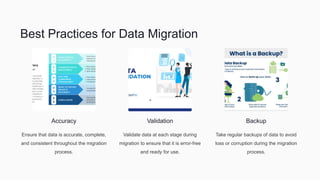
Accuracy
Ensure that data is accurate, complete,
and consistent throughout the migration
process.
Validation
Validate data at each stage during
migration to ensure that it is error-free
and ready for use.
Backup
Take regular backups of data to avoid
loss or corruption during the migration
process.
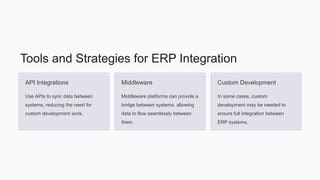
Tools and Strategies for ERP Integration
API Integrations
Use APIs to sync data between
systems, reducing the need for
custom development work.
Middleware
Middleware platforms can provide a
bridge between systems, allowing
data to flow seamlessly between
them.
Custom Development
In some cases, custom
development may be needed to
ensure full integration between
ERP systems.
Understanding ERP Testing and Validation
1
Unit Testing
Test individual components and functions to ensure they
are working properly.
2
Integration Testing
Test the integration between systems to ensure that data
is flowing correctly.
3
User Acceptance Testing
Test the system with end-users to ensure that it meets
their needs and expectations.
Conclusion and Key Takeaways
Efficiency
Integration and data migration can
enhance system efficiency and
reduce manual data entry.
Collaboration
Integrating systems enables teams to
collaborate more effectively and share
accurate data in real-time.
Future-Proofing
ERP integration and data migration
pave the way for future system
updates and enhancements, keeping
your business ahead of the curve.
Adopting best practices, using the right tools and strategies, and performing thorough testing can ensure a successful ERP
integration and data migration.
Sean Bode Badiru
bodebadiru

ERP Integration and Data Migration

  • 1.
    ERP Integration and DataMigration As more businesses turn to ERP systems, integration and data migration are becoming essential processes. Here's what you need to know. Sean Olabode Badiru
  • 2.
    Challenges of IntegratingERP Systems 1 Data Inconsistencies ERP systems often have different data models, which can cause inconsistencies that need to be resolved. 2 Process Changes Integration often requires process changes that can impact employee workflows and efficiency. 3 Integration Compatibility Some ERP systems are incompatible with others, which can require custom development work. 4 User Acceptance Employees may have difficulty adjusting to a new system, which can cause resistance and lower adoption rates.
  • 3.
    Overview of DataMigration 1 Discovery Identify the data to be migrated, how it will be extracted, and how it integrates with the new system. 2 Mapping Map the data fields from the legacy system to the new system, ensuring consistency and accuracy. 3 Testing Perform iterations of testing and validation to ensure data integrity and completeness.
  • 4.
    Best Practices forData Migration Accuracy Ensure that data is accurate, complete, and consistent throughout the migration process. Validation Validate data at each stage during migration to ensure that it is error-free and ready for use. Backup Take regular backups of data to avoid loss or corruption during the migration process.
  • 5.
    Tools and Strategiesfor ERP Integration API Integrations Use APIs to sync data between systems, reducing the need for custom development work. Middleware Middleware platforms can provide a bridge between systems, allowing data to flow seamlessly between them. Custom Development In some cases, custom development may be needed to ensure full integration between ERP systems.
  • 6.
    Understanding ERP Testingand Validation 1 Unit Testing Test individual components and functions to ensure they are working properly. 2 Integration Testing Test the integration between systems to ensure that data is flowing correctly. 3 User Acceptance Testing Test the system with end-users to ensure that it meets their needs and expectations.
  • 7.
    Conclusion and KeyTakeaways Efficiency Integration and data migration can enhance system efficiency and reduce manual data entry. Collaboration Integrating systems enables teams to collaborate more effectively and share accurate data in real-time. Future-Proofing ERP integration and data migration pave the way for future system updates and enhancements, keeping your business ahead of the curve. Adopting best practices, using the right tools and strategies, and performing thorough testing can ensure a successful ERP integration and data migration.
  • 8.