INTRODUCTION
TO
ERGONOMICS
BY: ENGR. BLAZA, CRISTAL JADE A., REE
VIDEO INTRODUCTION ABOUT
ERGONOMICS
ERGONOMICS DEFINED
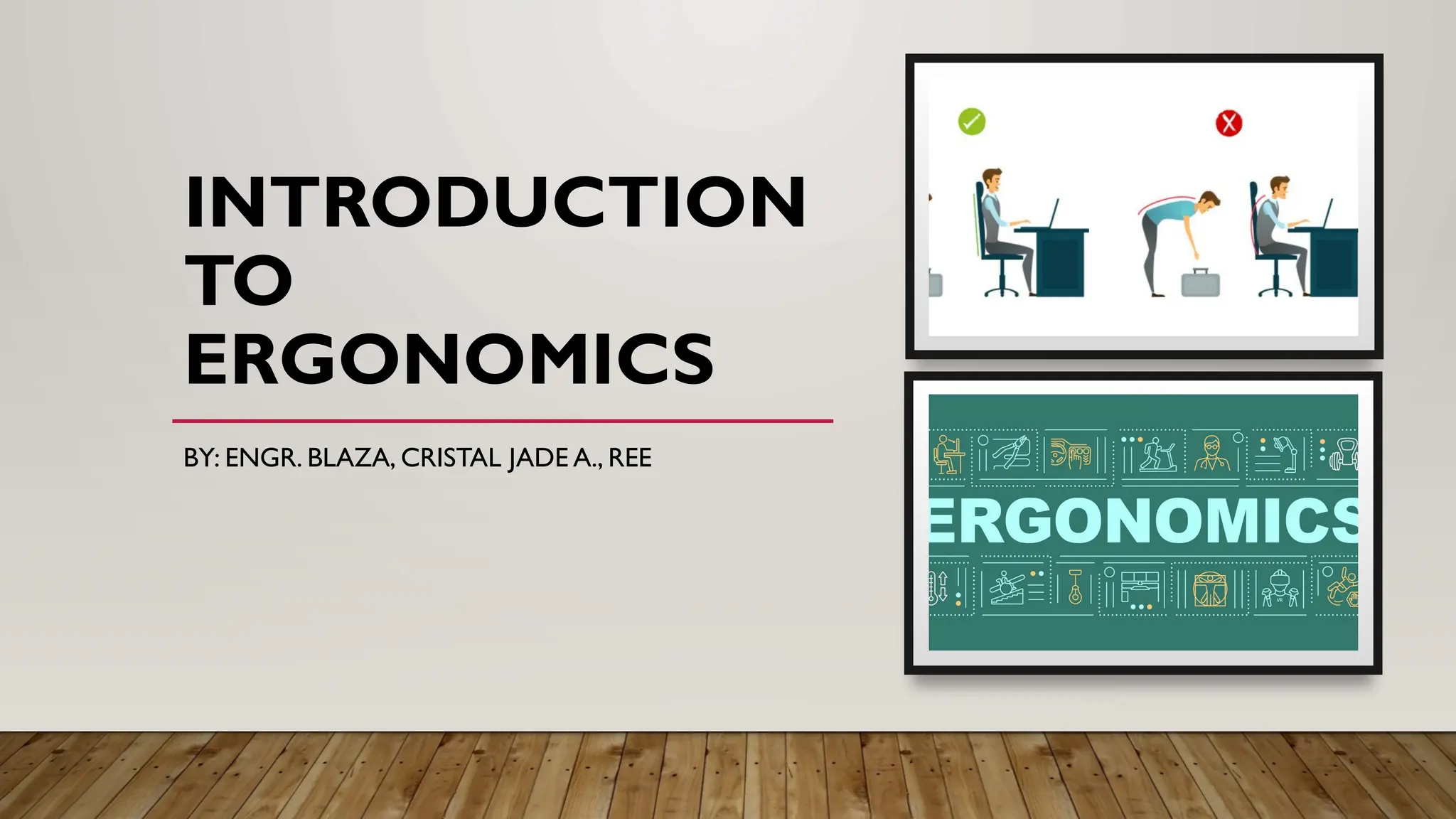
• Ergonomics is a discipline that involves arranging the work environment
to fit the person in it. This can be applied to any setting including work
and home.
• When ergonomics is applied correctly to the work environment, visual
and musculoskeletal discomfort and fatigue are significantly reduced.
ERGONOMICS DEFINED
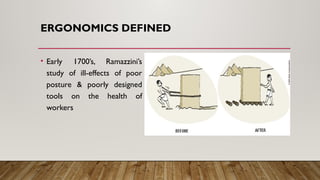
• Early 1700’s, Ramazzini’s
study of ill-effects of poor
posture & poorly designed
tools on the health of
workers
DEVELOPMENT OF ERGONOMICS
• Origin
The name ergonomics officially proposed at a 1949 meeting of the British
Admiralty (July 12), by Prof. Hywel Murrell. The name 'Ergonomics' officially accepted in
1950. The name Ergonomics was derived from the Greek words: Ergon - work; Nomos -
natural law. First use of the word actually can be traced to a series of four articles written
by Prof.Wojciech Jastrzebowski in Poland in 1857.
DEVELOPMENT OF ERGONOMICS
• Britain
The Ergonomic Society was formed in 1952 with people from psychology, biology,
physiology, and design.
• United States
The Human Factors Society was formed in 1957. In the US "human factors
engineering" was emphasized by the US military with concentration on human engineering
and engineering psychology. US efforts also focused on the "role" of an individual within a
complex system.
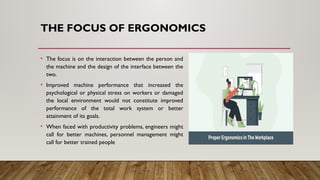
THE FOCUS OF ERGONOMICS
• The focus is on the interaction between the person and
the machine and the design of the interface between the
two.
• Improved machine performance that increased the
psychological or physical stress on workers or damaged
the local environment would not constitute improved
performance of the total work system or better
attainment of its goals.
• When faced with productivity problems, engineers might
call for better machines, personnel management might
call for better trained people
REPETITIVE STRESS INJURIES
• These are injuries that result from
excessive and repeated physical
stresses on the musculoskeletal
system.
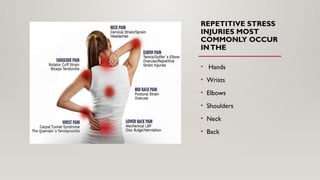
REPETITIVE STRESS
INJURIES MOST
COMMONLY OCCUR
INTHE
• Hands
• Wrists
• Elbows
• Shoulders
• Neck
• Back
GENERAL ERGONOMICS
CONCEPTS
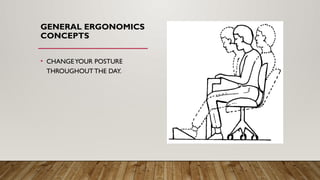
• CHANGEYOUR POSTURE
THROUGHOUTTHE DAY.
GENERAL
ERGONOMICS
CONCEPTS
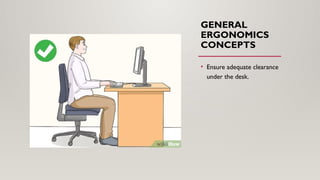
• Ensure adequate clearance
under the desk.
GENERAL ERGONOMICS CONCEPTS
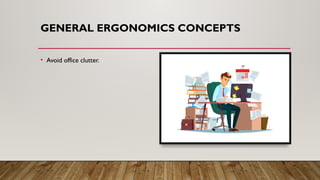
• Avoid office clutter.
GENERAL ERGONOMICS CONCEPTS
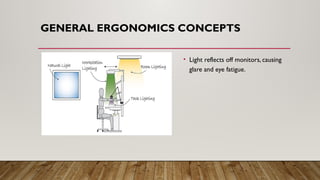
• Light reflects off monitors, causing
glare and eye fatigue.
GENERAL ERGONOMICS
CONCEPTS
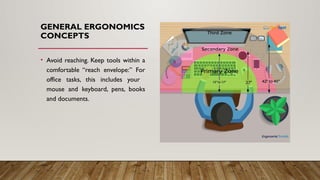
• Avoid reaching. Keep tools within a
comfortable “reach envelope:” For
office tasks, this includes your
mouse and keyboard, pens, books
and documents.
POSTURE
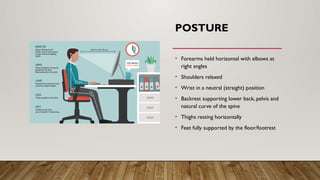
• Forearms held horizontal with elbows at
right angles
• Shoulders relaxed
• Wrist in a neutral (straight) position
• Backrest supporting lower back, pelvis and
natural curve of the spine
• Thighs resting horizontally
• Feet fully supported by the floor/footrest
COMMON POSTURE
ISSUES
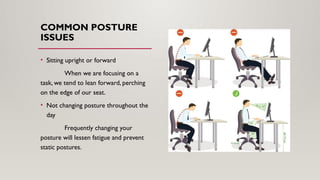
• Sitting upright or forward
When we are focusing on a
task, we tend to lean forward, perching
on the edge of our seat.
• Not changing posture throughout the
day
Frequently changing your
posture will lessen fatigue and prevent
static postures.
MONITOR
PLACEMENT
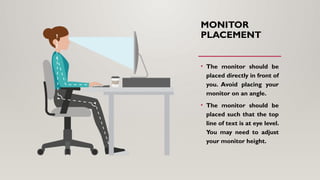
• The monitor should be
placed directly in front of
you. Avoid placing your
monitor on an angle.
• The monitor should be
placed such that the top
line of text is at eye level.
You may need to adjust
your monitor height.
MONITOR
PLACEMENT
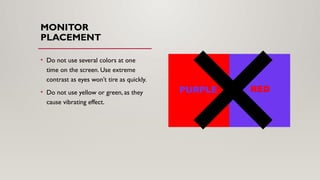
• Do not use several colors at one
time on the screen. Use extreme
contrast as eyes won’t tire as quickly.
• Do not use yellow or green, as they
cause vibrating effect.
KEYBOARD PLACEMENT
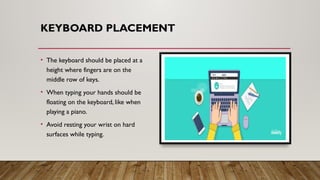
• The keyboard should be placed at a
height where fingers are on the
middle row of keys.
• When typing your hands should be
floating on the keyboard, like when
playing a piano.
• Avoid resting your wrist on hard
surfaces while typing.
TYPING
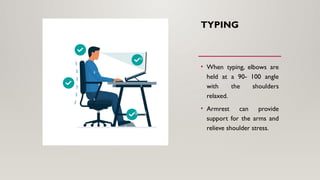
• When typing, elbows are
held at a 90- 100 angle
with the shoulders
relaxed.
• Armrest can provide
support for the arms and
relieve shoulder stress.
MOUSE PLACEMENT
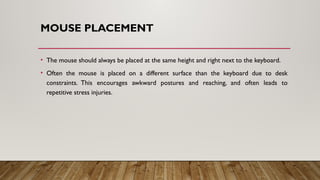
• The mouse should always be placed at the same height and right next to the keyboard.
• Often the mouse is placed on a different surface than the keyboard due to desk
constraints. This encourages awkward postures and reaching, and often leads to
repetitive stress injuries.
TOOL PLACEMENT
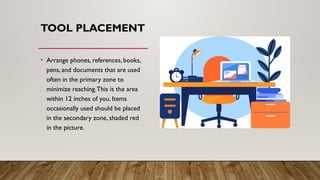
• Arrange phones, references, books,
pens, and documents that are used
often in the primary zone to
minimize reaching.This is the area
within 12 inches of you. Items
occasionally used should be placed
in the secondary zone, shaded red
in the picture.
LEISURETIME
Consider the types of activities
pursued in leisure time and whether it
adds to the cumulative effect of work.
Exercise and activities that loosen the
shoulder and neck muscles reduce the
effects of computer work.
Activities such as knitting and playing
computer games can add to neck and
shoulder stiffness.
IMPORTANCE OF ERGONOMICS
• EconomicValue
 Reduction of costs by preventing work related problems
 Health care costs for treatment
 Costs associated with loss of labor
 Companies can improve efficiency, worker productivity and cost reduction
 Ergonomically designed products deliver benefits to customers and edge out competition
 Special situations – short vs. tall, overweight, handicapped, elderly, pregnant women
IMPORTANCE OF ERGONOMICS
• SocialValue
 Human well-being, safety, health and comfort
 Reduces accidents at work, at home, etc. by reducing human error
 Improves relationship between operators and equipment
 Decreases absence from work
 Diseases of musculoskeletal system (LBP)
 Psychological illnesses (stress)
 User friendly products
BENEFITS OF ERGONOMICS
• Productivity
• Product quality
• Safety
• Health
• Reliability
• Job satisfaction
• Personal development
THANKYOU FOR
LISTENING!!

Introduction to Ergonomics lesson...pptx

  • 1.
  • 2.
  • 3.
    ERGONOMICS DEFINED • Ergonomicsis a discipline that involves arranging the work environment to fit the person in it. This can be applied to any setting including work and home. • When ergonomics is applied correctly to the work environment, visual and musculoskeletal discomfort and fatigue are significantly reduced.
  • 4.
    ERGONOMICS DEFINED • Early1700’s, Ramazzini’s study of ill-effects of poor posture & poorly designed tools on the health of workers
  • 5.
    DEVELOPMENT OF ERGONOMICS •Origin The name ergonomics officially proposed at a 1949 meeting of the British Admiralty (July 12), by Prof. Hywel Murrell. The name 'Ergonomics' officially accepted in 1950. The name Ergonomics was derived from the Greek words: Ergon - work; Nomos - natural law. First use of the word actually can be traced to a series of four articles written by Prof.Wojciech Jastrzebowski in Poland in 1857.
  • 6.
    DEVELOPMENT OF ERGONOMICS •Britain The Ergonomic Society was formed in 1952 with people from psychology, biology, physiology, and design. • United States The Human Factors Society was formed in 1957. In the US "human factors engineering" was emphasized by the US military with concentration on human engineering and engineering psychology. US efforts also focused on the "role" of an individual within a complex system.
  • 7.
    THE FOCUS OFERGONOMICS • The focus is on the interaction between the person and the machine and the design of the interface between the two. • Improved machine performance that increased the psychological or physical stress on workers or damaged the local environment would not constitute improved performance of the total work system or better attainment of its goals. • When faced with productivity problems, engineers might call for better machines, personnel management might call for better trained people
  • 8.
    REPETITIVE STRESS INJURIES •These are injuries that result from excessive and repeated physical stresses on the musculoskeletal system.
  • 9.
    REPETITIVE STRESS INJURIES MOST COMMONLYOCCUR INTHE • Hands • Wrists • Elbows • Shoulders • Neck • Back
  • 10.
  • 11.
  • 12.
    GENERAL ERGONOMICS CONCEPTS •Avoid office clutter.
  • 13.
    GENERAL ERGONOMICS CONCEPTS •Light reflects off monitors, causing glare and eye fatigue.
  • 14.
    GENERAL ERGONOMICS CONCEPTS • Avoidreaching. Keep tools within a comfortable “reach envelope:” For office tasks, this includes your mouse and keyboard, pens, books and documents.
  • 15.
    POSTURE • Forearms heldhorizontal with elbows at right angles • Shoulders relaxed • Wrist in a neutral (straight) position • Backrest supporting lower back, pelvis and natural curve of the spine • Thighs resting horizontally • Feet fully supported by the floor/footrest
  • 16.
    COMMON POSTURE ISSUES • Sittingupright or forward When we are focusing on a task, we tend to lean forward, perching on the edge of our seat. • Not changing posture throughout the day Frequently changing your posture will lessen fatigue and prevent static postures.
  • 17.
    MONITOR PLACEMENT • The monitorshould be placed directly in front of you. Avoid placing your monitor on an angle. • The monitor should be placed such that the top line of text is at eye level. You may need to adjust your monitor height.
  • 18.
    MONITOR PLACEMENT • Do notuse several colors at one time on the screen. Use extreme contrast as eyes won’t tire as quickly. • Do not use yellow or green, as they cause vibrating effect.
  • 19.
    KEYBOARD PLACEMENT • Thekeyboard should be placed at a height where fingers are on the middle row of keys. • When typing your hands should be floating on the keyboard, like when playing a piano. • Avoid resting your wrist on hard surfaces while typing.
  • 20.
    TYPING • When typing,elbows are held at a 90- 100 angle with the shoulders relaxed. • Armrest can provide support for the arms and relieve shoulder stress.
  • 21.
    MOUSE PLACEMENT • Themouse should always be placed at the same height and right next to the keyboard. • Often the mouse is placed on a different surface than the keyboard due to desk constraints. This encourages awkward postures and reaching, and often leads to repetitive stress injuries.
  • 22.
    TOOL PLACEMENT • Arrangephones, references, books, pens, and documents that are used often in the primary zone to minimize reaching.This is the area within 12 inches of you. Items occasionally used should be placed in the secondary zone, shaded red in the picture.
  • 23.
    LEISURETIME Consider the typesof activities pursued in leisure time and whether it adds to the cumulative effect of work. Exercise and activities that loosen the shoulder and neck muscles reduce the effects of computer work. Activities such as knitting and playing computer games can add to neck and shoulder stiffness.
  • 24.
    IMPORTANCE OF ERGONOMICS •EconomicValue  Reduction of costs by preventing work related problems  Health care costs for treatment  Costs associated with loss of labor  Companies can improve efficiency, worker productivity and cost reduction  Ergonomically designed products deliver benefits to customers and edge out competition  Special situations – short vs. tall, overweight, handicapped, elderly, pregnant women
  • 25.
    IMPORTANCE OF ERGONOMICS •SocialValue  Human well-being, safety, health and comfort  Reduces accidents at work, at home, etc. by reducing human error  Improves relationship between operators and equipment  Decreases absence from work  Diseases of musculoskeletal system (LBP)  Psychological illnesses (stress)  User friendly products
  • 26.
    BENEFITS OF ERGONOMICS •Productivity • Product quality • Safety • Health • Reliability • Job satisfaction • Personal development
  • 27.