http://flickr.com/photos/torres21/


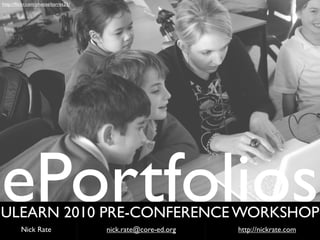
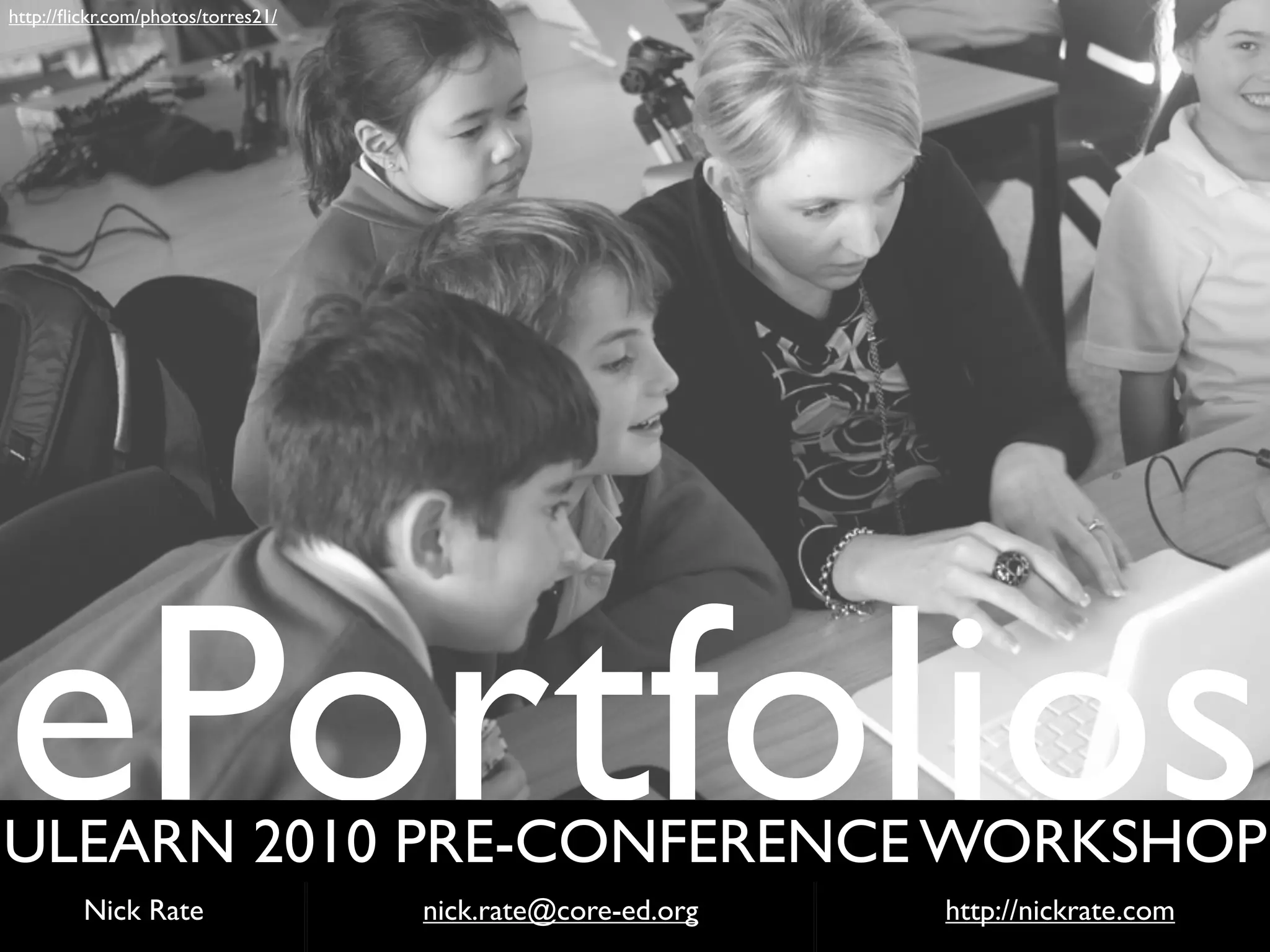
ePortfolios
ULEARN 2010 PRE-CONFERENCE WORKSHOP
         Nick Rate                  nick.rate@core-ed.org   http://nickrate.com
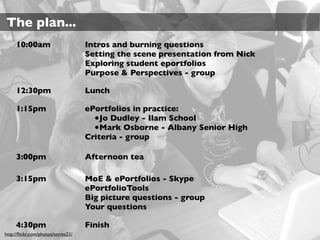
The plan...
     10:00am                        Intros and burning questions
                                    Setting the scene presentation from Nick
                                    Exploring student eportfolios
                                    Purpose & Perspectives - group

     12:30pm                        Lunch

     1:15pm                         ePortfolios in practice:
                                      •Jo Dudley - Ilam School
                                      •Mark Osborne - Albany Senior High
                                    Criteria - group

     3:00pm                         Afternoon tea

     3:15pm                         MoE & ePortfolios - Skype
                                    ePortfolioTools
                                    Big picture questions - group
                                    Your questions

     4:30pm                         Finish
http://flickr.com/photos/torres21/
Activity1: Intro & Burning Questions
    Pair up with somebody in the room you don’t know.


    Find out:
     •Where do they teach?
     •What experience to date do they have with eportfolios?
     •What is one question regarding eportfolios they want
     answered today?


    In your pair use the form embedded in the Activity 1 page
    on the Weebly site http://ulearn-eportfolios.weebly.com to
    record your questions.


    You will quickly introduce your buddy and share their
    questions with the group.
The background...
“...assessment for the purpose of
improving student learning...”
http://flickr.com/photos/torres21/   The New Zealand Curriculum
“Schools should                      explore not only how
ICT can supplement traditional ways of
teaching but also how it can open up new
and different ways of learning.”
http://www.flickr.com/photos/nirak/               The New Zealand Curriculum
parents and caregivers
“...working with
as key partners who have unique
knowledge of their children and countless
opportunities to                    advance their children’s
learning.”
http://flickr.com/photos/torres21/               The New Zealand Curriculum
learn as they engage in
“Students
shared activities and
conversations with other people...”
http://flickr.com/photos/torres21/   The New Zealand Curriculum
“...all students should develop strategies
for self-monitoring and
collaborative evaluation of
their performance in relation to suitable
criteria.”
http://flickr.com/photos/torres21/   The New Zealand Curriculum
!"#$%&"'()*+'#*
,))$))-$(&**
"(*.$/*0$121(3*
Developing students’ assessment capabilities

Michael Absolum, Evaluation Associates Ltd, Auckland
Lester Flockton, University of Otago
John Hattie, University of Auckland
Rosemary Hipkins, New Zealand Council for Educational Research
Ian Reid, Learning Media Ltd
“...young people should be educated in ways
that support them to assume                control of
their             own learning
                             and that they can
only do this if they develop the
capability to assess their own learning.”
http://flickr.com/photos/torres21/   Directions for Assessment in New Zealand
“...assessment’s primary function is to support
learning by generating feedback
that students can act upon in terms of
where they are going, how they are going, and
where they might go next.”
http://flickr.com/photos/torres21/   Directions for Assessment in New Zealand
“Parents and the wider school community will
also need to get better at
understanding assessment
information and interpreting it in
ways that support learning...”
http://flickr.com/photos/torres21/   Directions for Assessment in New Zealand
Effective reporting systems will be ones where
student voice’ is an integral
‘
part of the reporting process.
                      Student Led Conferences: How effective are they...?
“No  assessment technology is in itself
formative, but almost any technology
can be used in a formative way – if the
right conditions are set in place.”
                           Scoping a Vision for Formative e-Assessment
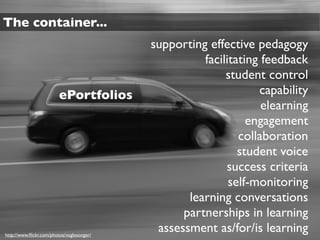
The container...
                                           supporting effective pedagogy
                                                     facilitating feedback
                                                          student control
                         ePortfolios                             capability
                                                                  elearning
                                                               engagement
                                                             collaboration
                                                             student voice
                                                          success criteria
                                                           self-monitoring
                                                  learning conversations
                                                 partnerships in learning
http://www.flickr.com/photos/voglesonger/
                                            assessment as/for/is learning
Defining ePortfolios...


                          How do you define eportfolios?
                                    Think, Pair, Share


http://flickr.com/photos/torres21/
“...what is produced when persons
collect, select, reflectively
interpret, and/or present their own
evidence to support their assertions
about what    they have
learned, know and can or should
do...”
                                 Cambridge, 2003
“...ideas of what an e-portfolio 'is' are
complex and to an extent the
definition and purpose will vary
depending on the perspective from
which a particular person is approaching
the concept...”
http://www.flickr.com/photos/darthdowney/   JISC ePortfolio Infokit
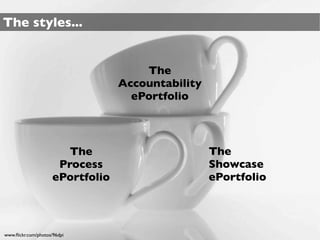
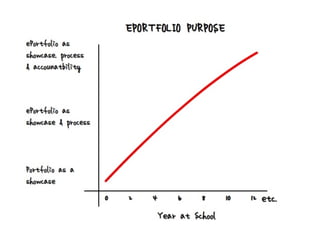
The styles...


                                      The
                                  Accountability
                                    ePortfolio


                        The                        The
                      Process                      Showcase
                     ePortfolio                    ePortfolio


www.flickr.com/photos/96dpi
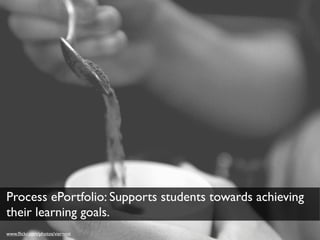
Process ePortfolio: Supports students towards achieving
their learning goals.
www.flickr.com/photos/viernest
Showcase ePortfolio: Celebrates learning outcomes &
shows the highest level of achievement.
www.flickr.com/photos/made2serve
Accountability ePortfolio: Documents learning for
 achievement of specific outcomes or standards.
www.flickr.com/photos/abbyladybug
The benefits...


“The use of multimedia tools is
one strategy that involves and
engages learners.”
http://flickr.com/photos/torres21/   Barrett, 2005
The power of                        ‘student voice’
                                      should
not be underestimated. To hear students
reflecting on their own work, in their
own voice, with their own intonations and
expressions, conveys meaning in a manner
that is simply not possible in              written
form.
http://flickr.com/photos/torres21/                     Ian Fox 2008
...thesocial networking             potential
of the learning landscape and eportfolio-
related tools are features that   facilitate
and enhance the making of
connections and the linking together
of people, ideas, resources and
learning...
                                       Tosh et al., 2006
“...it is the quality, not just the
quantity, of feedback that merits
our closest attention.”
http://flickr.com/photos/torres21/     Sadler, 1998
“...opens wide the possibilities for
reflections... in action, before
action, after action, in solitude, in
consultation with peers, in consultation
with instructors... written,
spoken, videotaped, or
graphically represented...”
http://flickr.com/photos/torres21/      Riedinger., 2006
“...supporting the general process of
reflection, self-evaluation and action
planning for lifelong   learning...”
                                    MOSEP 2007
carry their
“...students can literally
eportfolio around with them and update
it at any time in any place.”

                                  MOSEP, 2007
“...to define e-Portfolios as a process,
rather than just a product or a
technological system.
                                 Attwell, 2007
Activity 2: Exploring Student ePortfolios
 ePortfolios 1    http://yellowbat2010.edublogs.org/

                  http://greencat2010.edublogs.org/

 ePortfolios 2    http://bethlehemcollege.ultranet.school.nz/Home/

                  Username:
                  Password:

                  Login, click on uSpace then click on Find Buddies.

                  8 students; two Year 1 students (their user icons have yellow
                  backgrounds) and six Year 6 students.

 ePortfolios 3    http://www.pukeokahu.school.nz/

                  Look for the ePortfolio heading under the Cluster Map.
     Links on the Activity 2 page on the Weebly site:
     http://ulearn-eportfolios.weebly.com
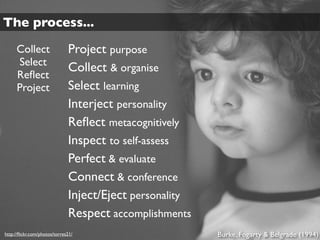
The process...
     Collect                  Project purpose
     Select
                              Collect & organise
     Reflect
     Project                  Select learning
                              Interject personality
                              Reflect metacognitively
                              Inspect to self-assess
                              Perfect & evaluate
                              Connect & conference
                              Inject/Eject personality
                              Respect accomplishments
http://flickr.com/photos/torres21/                        Burke, Fogarty & Belgrade (1994)
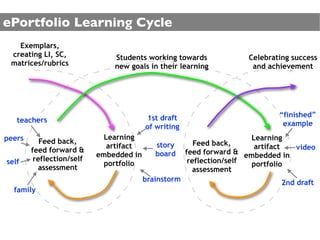
ePortfolio Learning Cycle
   Exemplars,
 creating LI, SC,              Students working towards              Celebrating success
 matrices/rubrics              new goals in their learning            and achievement


                                         1st draft                           “finished”
   teachers                                                                   example
                                         of writing
peers                        Learning                                  Learning
           Feed back,                       story        Feed back,
                              artifact                                  artifact video
        feed forward &                      board     feed forward & embedded in
                           embedded in
self     reflection/self                               reflection/self
                             portfolio                                 portfolio
          assessment                                    assessment
                                         brainstorm                           2nd draft
  family
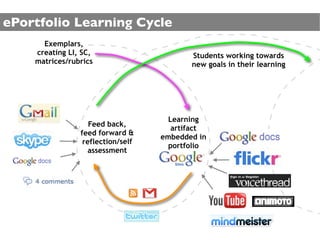
ePortfolio Learning Cycle
      Exemplars,
    creating LI, SC,                      Students working towards
    matrices/rubrics                      new goals in their learning


                                     Learning
                   Feed back,
                                      artifact
                feed forward &
                                   embedded in
                 reflection/self
                                     portfolio
                  assessment
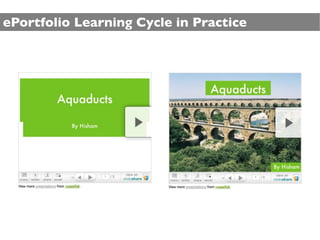
ePortfolio Learning Cycle in Practice
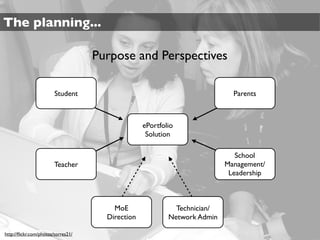
The planning...

                                    Purpose and Perspectives

                        Student                                             Parents


                                                  ePortfolio
                                                   Solution

                                                                             School
                        Teacher                                           Management/
                                                                           Leadership


                                        MoE                 Technician/
                                      Direction           Network Admin

http://flickr.com/photos/torres21/
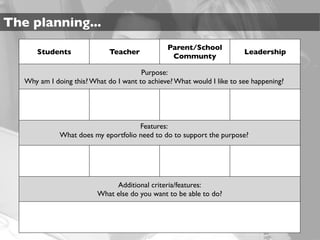
The planning...
                                                Parent/School
       Students               Teacher                                    Leadership
                                                 Communty

                                        Purpose:
   Why am I doing this? What do I want to achieve? What would I like to see happening?


                                      Features:
              What does my eportfolio need to do to support the purpose?


                               Additional criteria/features:
                          What else do you want to be able to do?
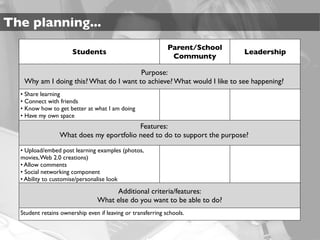
The planning...
                                                             Parent/School
                      Students                                               Leadership
                                                              Communty

                                        Purpose:
   Why am I doing this? What do I want to achieve? What would I like to see happening?
  • Share learning
  • Connect with friends
  • Know how to get better at what I am doing
  • Have my own space
                                         Features:
                 What does my eportfolio need to do to support the purpose?

  • Upload/embed post learning examples (photos,
  movies, Web 2.0 creations)
  • Allow comments
  • Social networking component
  • Ability to customise/personalise look

                                     Additional criteria/features:
                                What else do you want to be able to do?
  Student retains ownership even if leaving or transferring schools.
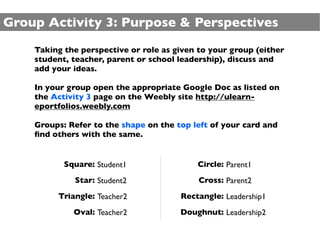
Group Activity 3: Purpose & Perspectives
    Taking the perspective or role as given to your group (either
    student, teacher, parent or school leadership), discuss and
    add your ideas.

    In your group open the appropriate Google Doc as listed on
    the Activity 3 page on the Weebly site http://ulearn-
    eportfolios.weebly.com

    Groups: Refer to the shape on the top left of your card and
    find others with the same.


           Square: Student1                Circle: Parent1
             Star: Student2                 Cross: Parent2
         Triangle: Teacher2            Rectangle: Leadership1
             Oval: Teacher2            Doughnut: Leadership2
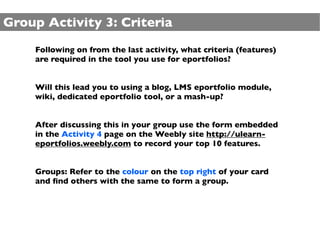
Group Activity 3: Criteria
    Following on from the last activity, what criteria (features)
    are required in the tool you use for eportfolios?


    Will this lead you to using a blog, LMS eportfolio module,
    wiki, dedicated eportfolio tool, or a mash-up?


    After discussing this in your group use the form embedded
    in the Activity 4 page on the Weebly site http://ulearn-
    eportfolios.weebly.com to record your top 10 features.


    Groups: Refer to the colour on the top right of your card
    and find others with the same to form a group.
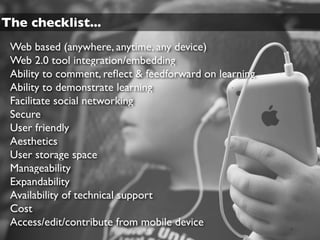
The checklist...
 Web based (anywhere, anytime, any device)
 Web 2.0 tool integration/embedding
 Ability to comment, reflect & feedforward on learning
 Ability to demonstrate learning
 Facilitate social networking
 Secure
 User friendly
 Aesthetics
 User storage space
 Manageability
 Expandability
 Availability of technical support
 Cost
 Access/edit/contribute from mobile device
Group Activity 5: Big Picture Questions
    In your group review your given question. Discuss and then
    report back to the whole group with your views and ideas.

    Refer to the Activity 4 page on the Weebly site http://
    ulearn-eportfolios.weebly.com for you group’s question.

    Groups: Refer to the animal on the bottom left of your card
    and find others with the same.


             Cow: Question 1              Sheep: Question 5
               Pig: Question 2            Horse: Question 6
          Chicken: Question 3               Dog: Question 7
            Duck: Question 4                 Cat: Question 8
Should an eportfolio include all aspects of a
student’s life and learning?


www.flickr.com/photos/pasq
What happens when a student leaves school?
Transfers? Moves to a new class?


www.flickr.com/photos/bigtallguy
Who retains ownership and control?


www.flickr.com/photos/sveinhal
Open to the world?


www.flickr.com/photos/willfuller
Are your parents and teachers ready?


http://flickr.com/photos/torres21/
Do your current internet policies cater for
eportfolios and use of Web 2.0 tools?
Will your eportfolios play a role in reporting
achievement against the National Standards?
Do you need a proprietary system or is a
mash-up of Web 2.0 tools OK?


www.flickr.com/photos/diathesis
Is it important for eportfolios in your school to
have a consistent look and feel?


                                     http://www.flickr.com/photos/cobalt/
Are eportfolios flexible enough to adapt to a
students preferred way of reflecting and
receiving feedback?


www.flickr.com/photos/raigverd/
Should your school expect the teachers to
have a reflective eportfolio just as the students
do?


http://flickr.com/photos/torres21/
The management...

 In order to be effective and support the process of student
 learning, eportfolios:

    •need to be embedded into your teaching and
    learning.
    •require a high level of access to technology.
    •you need to set time aside for students to first learn
    how and then to actively reflect and give feedback
    on learning.

 Start small, and work your way up. Get students actively blogging
 in a class blog and move on to individual spaces
The management...

 ePortfolios do not add to your workload. Instead you will need
 to change some of the ways you:

    • give feedback
    • facilitate reflection
    • engage students in self and peer assessments
 and

    • you need to adapt learning and teaching so that
       the process and outcomes can be shared
       digitally within the eportfolio platform.

ePortfolios ULearn Pre-conference 2010

  • 1.
    http://flickr.com/photos/torres21/ ePortfolios ULEARN 2010 PRE-CONFERENCEWORKSHOP Nick Rate nick.rate@core-ed.org http://nickrate.com
  • 2.
    The plan... 10:00am Intros and burning questions Setting the scene presentation from Nick Exploring student eportfolios Purpose & Perspectives - group 12:30pm Lunch 1:15pm ePortfolios in practice: •Jo Dudley - Ilam School •Mark Osborne - Albany Senior High Criteria - group 3:00pm Afternoon tea 3:15pm MoE & ePortfolios - Skype ePortfolioTools Big picture questions - group Your questions 4:30pm Finish http://flickr.com/photos/torres21/
  • 3.
    Activity1: Intro &Burning Questions Pair up with somebody in the room you don’t know. Find out: •Where do they teach? •What experience to date do they have with eportfolios? •What is one question regarding eportfolios they want answered today? In your pair use the form embedded in the Activity 1 page on the Weebly site http://ulearn-eportfolios.weebly.com to record your questions. You will quickly introduce your buddy and share their questions with the group.
  • 4.
  • 5.
    “...assessment for thepurpose of improving student learning...” http://flickr.com/photos/torres21/ The New Zealand Curriculum
  • 6.
    “Schools should explore not only how ICT can supplement traditional ways of teaching but also how it can open up new and different ways of learning.” http://www.flickr.com/photos/nirak/ The New Zealand Curriculum
  • 7.
    parents and caregivers “...workingwith as key partners who have unique knowledge of their children and countless opportunities to advance their children’s learning.” http://flickr.com/photos/torres21/ The New Zealand Curriculum
  • 8.
    learn as theyengage in “Students shared activities and conversations with other people...” http://flickr.com/photos/torres21/ The New Zealand Curriculum
  • 9.
    “...all students shoulddevelop strategies for self-monitoring and collaborative evaluation of their performance in relation to suitable criteria.” http://flickr.com/photos/torres21/ The New Zealand Curriculum
  • 10.
    !"#$%&"'()*+'#* ,))$))-$(&** "(*.$/*0$121(3* Developing students’ assessmentcapabilities Michael Absolum, Evaluation Associates Ltd, Auckland Lester Flockton, University of Otago John Hattie, University of Auckland Rosemary Hipkins, New Zealand Council for Educational Research Ian Reid, Learning Media Ltd
  • 11.
    “...young people shouldbe educated in ways that support them to assume control of their own learning and that they can only do this if they develop the capability to assess their own learning.” http://flickr.com/photos/torres21/ Directions for Assessment in New Zealand
  • 12.
    “...assessment’s primary functionis to support learning by generating feedback that students can act upon in terms of where they are going, how they are going, and where they might go next.” http://flickr.com/photos/torres21/ Directions for Assessment in New Zealand
  • 13.
    “Parents and thewider school community will also need to get better at understanding assessment information and interpreting it in ways that support learning...” http://flickr.com/photos/torres21/ Directions for Assessment in New Zealand
  • 15.
    Effective reporting systemswill be ones where student voice’ is an integral ‘ part of the reporting process. Student Led Conferences: How effective are they...?
  • 17.
    “No assessmenttechnology is in itself formative, but almost any technology can be used in a formative way – if the right conditions are set in place.” Scoping a Vision for Formative e-Assessment
  • 18.
    The container... supporting effective pedagogy facilitating feedback student control ePortfolios capability elearning engagement collaboration student voice success criteria self-monitoring learning conversations partnerships in learning http://www.flickr.com/photos/voglesonger/ assessment as/for/is learning
  • 20.
    Defining ePortfolios... How do you define eportfolios? Think, Pair, Share http://flickr.com/photos/torres21/
  • 21.
    “...what is producedwhen persons collect, select, reflectively interpret, and/or present their own evidence to support their assertions about what they have learned, know and can or should do...” Cambridge, 2003
  • 22.
    “...ideas of whatan e-portfolio 'is' are complex and to an extent the definition and purpose will vary depending on the perspective from which a particular person is approaching the concept...” http://www.flickr.com/photos/darthdowney/ JISC ePortfolio Infokit
  • 23.
    The styles... The Accountability ePortfolio The The Process Showcase ePortfolio ePortfolio www.flickr.com/photos/96dpi
  • 24.
    Process ePortfolio: Supportsstudents towards achieving their learning goals. www.flickr.com/photos/viernest
  • 25.
    Showcase ePortfolio: Celebrateslearning outcomes & shows the highest level of achievement. www.flickr.com/photos/made2serve
  • 26.
    Accountability ePortfolio: Documentslearning for achievement of specific outcomes or standards. www.flickr.com/photos/abbyladybug
  • 28.
    The benefits... “The useof multimedia tools is one strategy that involves and engages learners.” http://flickr.com/photos/torres21/ Barrett, 2005
  • 29.
    The power of ‘student voice’ should not be underestimated. To hear students reflecting on their own work, in their own voice, with their own intonations and expressions, conveys meaning in a manner that is simply not possible in written form. http://flickr.com/photos/torres21/ Ian Fox 2008
  • 30.
    ...thesocial networking potential of the learning landscape and eportfolio- related tools are features that facilitate and enhance the making of connections and the linking together of people, ideas, resources and learning... Tosh et al., 2006
  • 31.
    “...it is thequality, not just the quantity, of feedback that merits our closest attention.” http://flickr.com/photos/torres21/ Sadler, 1998
  • 32.
    “...opens wide thepossibilities for reflections... in action, before action, after action, in solitude, in consultation with peers, in consultation with instructors... written, spoken, videotaped, or graphically represented...” http://flickr.com/photos/torres21/ Riedinger., 2006
  • 33.
    “...supporting the generalprocess of reflection, self-evaluation and action planning for lifelong learning...” MOSEP 2007
  • 34.
    carry their “...students canliterally eportfolio around with them and update it at any time in any place.” MOSEP, 2007
  • 35.
    “...to define e-Portfoliosas a process, rather than just a product or a technological system. Attwell, 2007
  • 36.
    Activity 2: ExploringStudent ePortfolios ePortfolios 1 http://yellowbat2010.edublogs.org/ http://greencat2010.edublogs.org/ ePortfolios 2 http://bethlehemcollege.ultranet.school.nz/Home/ Username: Password: Login, click on uSpace then click on Find Buddies. 8 students; two Year 1 students (their user icons have yellow backgrounds) and six Year 6 students. ePortfolios 3 http://www.pukeokahu.school.nz/ Look for the ePortfolio heading under the Cluster Map. Links on the Activity 2 page on the Weebly site: http://ulearn-eportfolios.weebly.com
  • 37.
    The process... Collect Project purpose Select Collect & organise Reflect Project Select learning Interject personality Reflect metacognitively Inspect to self-assess Perfect & evaluate Connect & conference Inject/Eject personality Respect accomplishments http://flickr.com/photos/torres21/ Burke, Fogarty & Belgrade (1994)
  • 38.
    ePortfolio Learning Cycle Exemplars, creating LI, SC, Students working towards Celebrating success matrices/rubrics new goals in their learning and achievement 1st draft “finished” teachers example of writing peers Learning Learning Feed back, story Feed back, artifact artifact video feed forward & board feed forward & embedded in embedded in self reflection/self reflection/self portfolio portfolio assessment assessment brainstorm 2nd draft family
  • 39.
    ePortfolio Learning Cycle Exemplars, creating LI, SC, Students working towards matrices/rubrics new goals in their learning Learning Feed back, artifact feed forward & embedded in reflection/self portfolio assessment
  • 40.
  • 41.
    The planning... Purpose and Perspectives Student Parents ePortfolio Solution School Teacher Management/ Leadership MoE Technician/ Direction Network Admin http://flickr.com/photos/torres21/
  • 42.
    The planning... Parent/School Students Teacher Leadership Communty Purpose: Why am I doing this? What do I want to achieve? What would I like to see happening? Features: What does my eportfolio need to do to support the purpose? Additional criteria/features: What else do you want to be able to do?
  • 43.
    The planning... Parent/School Students Leadership Communty Purpose: Why am I doing this? What do I want to achieve? What would I like to see happening? • Share learning • Connect with friends • Know how to get better at what I am doing • Have my own space Features: What does my eportfolio need to do to support the purpose? • Upload/embed post learning examples (photos, movies, Web 2.0 creations) • Allow comments • Social networking component • Ability to customise/personalise look Additional criteria/features: What else do you want to be able to do? Student retains ownership even if leaving or transferring schools.
  • 44.
    Group Activity 3:Purpose & Perspectives Taking the perspective or role as given to your group (either student, teacher, parent or school leadership), discuss and add your ideas. In your group open the appropriate Google Doc as listed on the Activity 3 page on the Weebly site http://ulearn- eportfolios.weebly.com Groups: Refer to the shape on the top left of your card and find others with the same. Square: Student1 Circle: Parent1 Star: Student2 Cross: Parent2 Triangle: Teacher2 Rectangle: Leadership1 Oval: Teacher2 Doughnut: Leadership2
  • 45.
    Group Activity 3:Criteria Following on from the last activity, what criteria (features) are required in the tool you use for eportfolios? Will this lead you to using a blog, LMS eportfolio module, wiki, dedicated eportfolio tool, or a mash-up? After discussing this in your group use the form embedded in the Activity 4 page on the Weebly site http://ulearn- eportfolios.weebly.com to record your top 10 features. Groups: Refer to the colour on the top right of your card and find others with the same to form a group.
  • 46.
    The checklist... Webbased (anywhere, anytime, any device) Web 2.0 tool integration/embedding Ability to comment, reflect & feedforward on learning Ability to demonstrate learning Facilitate social networking Secure User friendly Aesthetics User storage space Manageability Expandability Availability of technical support Cost Access/edit/contribute from mobile device
  • 48.
    Group Activity 5:Big Picture Questions In your group review your given question. Discuss and then report back to the whole group with your views and ideas. Refer to the Activity 4 page on the Weebly site http:// ulearn-eportfolios.weebly.com for you group’s question. Groups: Refer to the animal on the bottom left of your card and find others with the same. Cow: Question 1 Sheep: Question 5 Pig: Question 2 Horse: Question 6 Chicken: Question 3 Dog: Question 7 Duck: Question 4 Cat: Question 8
  • 49.
    Should an eportfolioinclude all aspects of a student’s life and learning? www.flickr.com/photos/pasq
  • 50.
    What happens whena student leaves school? Transfers? Moves to a new class? www.flickr.com/photos/bigtallguy
  • 51.
    Who retains ownershipand control? www.flickr.com/photos/sveinhal
  • 52.
    Open to theworld? www.flickr.com/photos/willfuller
  • 53.
    Are your parentsand teachers ready? http://flickr.com/photos/torres21/
  • 54.
    Do your currentinternet policies cater for eportfolios and use of Web 2.0 tools?
  • 55.
    Will your eportfoliosplay a role in reporting achievement against the National Standards?
  • 56.
    Do you needa proprietary system or is a mash-up of Web 2.0 tools OK? www.flickr.com/photos/diathesis
  • 57.
    Is it importantfor eportfolios in your school to have a consistent look and feel? http://www.flickr.com/photos/cobalt/
  • 58.
    Are eportfolios flexibleenough to adapt to a students preferred way of reflecting and receiving feedback? www.flickr.com/photos/raigverd/
  • 59.
    Should your schoolexpect the teachers to have a reflective eportfolio just as the students do? http://flickr.com/photos/torres21/
  • 61.
    The management... Inorder to be effective and support the process of student learning, eportfolios: •need to be embedded into your teaching and learning. •require a high level of access to technology. •you need to set time aside for students to first learn how and then to actively reflect and give feedback on learning. Start small, and work your way up. Get students actively blogging in a class blog and move on to individual spaces
  • 62.
    The management... ePortfoliosdo not add to your workload. Instead you will need to change some of the ways you: • give feedback • facilitate reflection • engage students in self and peer assessments and • you need to adapt learning and teaching so that the process and outcomes can be shared digitally within the eportfolio platform.