E-Portfolios in Assessment:
Emerging Learning-Centred Pedagogy
Collect… Select… Reflect… Connect
Gail Morong
Donna DesBiens
TRU
ETUG
June 6, 2013
Presentation Outline
• Portfolio definitions
• Pedagogy
• Benefits and challenges
• Emerging Trends
• Research Lessons/Tips
• Future Research Directions
• Discussion
What’s a portfolio?
• A collection of items or artifacts that represent
an individual in some way
Many kinds, both traditional and digital:
• Showcase
• Teaching
• Educational
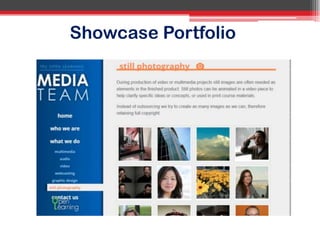
Showcase Portfolio
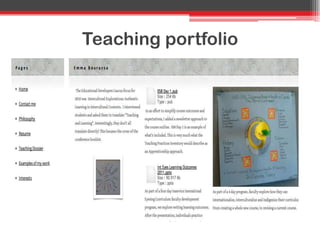
Teaching portfolio
What is an educational portfolio?
“ an educational portfolio contains work that a
learner has collected, reflected upon, selected, and
presented to show growth and change over time”
(Barrett, 2007)
What is an educational portfolio?
“Purposeful selection of artifacts together with
reflections that represent some aspect of the
owner‟s learning.”
(Chen, Stanford University,2009)
Traditional educational portfolios
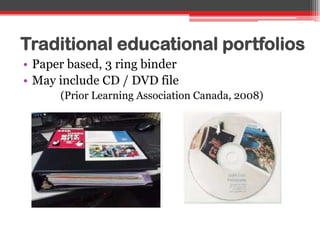
• Paper based, 3 ring binder
• May include CD / DVD file
(Prior Learning Association Canada, 2008)
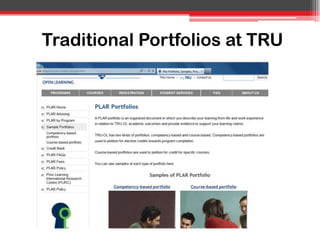
Traditional Portfolios at TRU
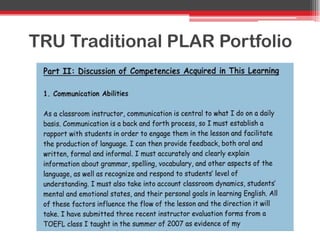
TRU Traditional PLAR Portfolio
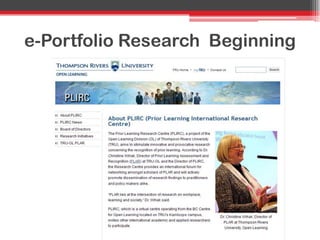
e-Portfolio Research Beginning
What is an e-Portfolio?
“e-Portfolios are personalized, online collections
of your work, chosen by you to represent to
diverse audiences your knowledge, skills and
interests.”
(UBC Portfolio Community of Practice, accessed 2013)
E-Portfolios may include
• Presentations, papers, projects
• Multimedia images, videos
• Reflections on learning / work
• Selective collaboration and feedback
• Customization for different audiences
Many e-portfolio systems
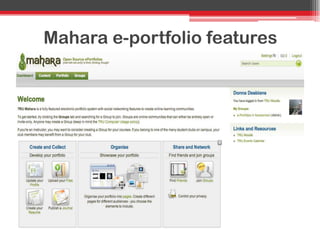
TRU – Mahara & WordPress
Mahara e-portfolio features
Levels of educational e-portfolios
• Course (Individual or Group)
• Program
• Campus-wide
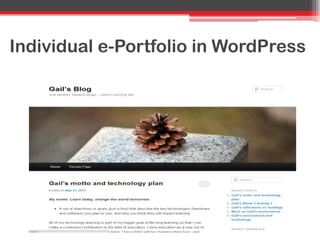
Individual e-Portfolio in WordPress
Digital Storytelling Project (iPad)
TRU Education and Skills Training Program
TRU Student Group e-portfolio
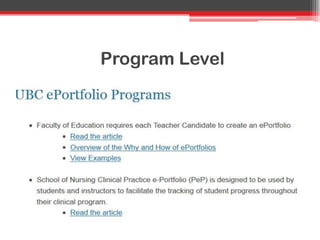
Program Level
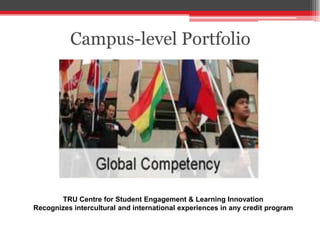
Campus-level Portfolio
TRU Centre for Student Engagement & Learning Innovation
Recognizes intercultural and international experiences in any credit program
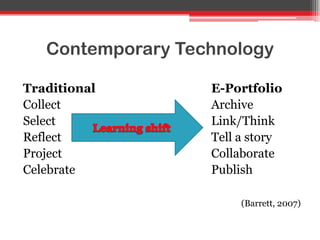
Contemporary Technology
Traditional E-Portfolio
Collect Archive
Select Link/Think
Reflect Tell a story
Project Collaborate
Celebrate Publish
(Barrett, 2007)
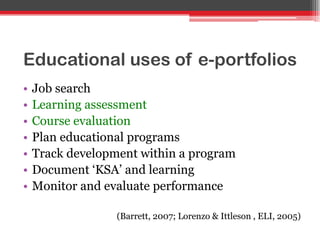
Educational uses of e-portfolios
• Job search
• Learning assessment
• Course evaluation
• Plan educational programs
• Track development within a program
• Document „KSA‟ and learning
• Monitor and evaluate performance
(Barrett, 2007; Lorenzo & Ittleson , ELI, 2005)
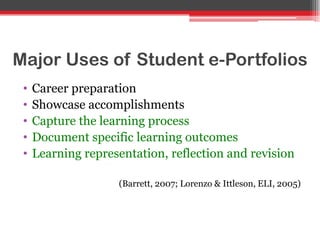
Major Uses of Student e-Portfolios
• Career preparation
• Showcase accomplishments
• Capture the learning process
• Document specific learning outcomes
• Learning representation, reflection and revision
(Barrett, 2007; Lorenzo & Ittleson, ELI, 2005)
Critical Parts of Learning Portfolios
Document, reflect, and collaborate:
• Individual learning artifacts
• Overall story of learning
(Barrett, 2007; Zubizaretta, 2004, cited in Barrett)
So…what are the benefits of using
e-portfolios for learning?
Potential Benefits
• Engage students in active learning
• Help students become critical thinkers
• Help develop writing and communication skills
• Help develop information and digital literacy
• Promote deep learning
• Integrate learning across multiple contexts
• Enable life-long learning
(Lorenzo & Ittleson , ELI, 2005; Tosh et al., 2005)
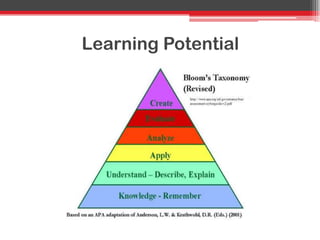
Learning Potential
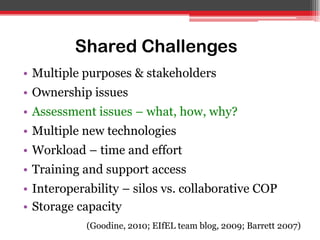
Shared Challenges
• Multiple purposes & stakeholders
• Ownership issues
• Assessment issues – what, how, why?
• Multiple new technologies
• Workload – time and effort
• Training and support access
• Interoperability – silos vs. collaborative COP
• Storage capacity
(Goodine, 2010; EIfEL team blog, 2009; Barrett 2007)
Assessment Purposes Tension
2 main purposes:
• Assessment of learning
• Assessment for learning
(Barrett 2007)
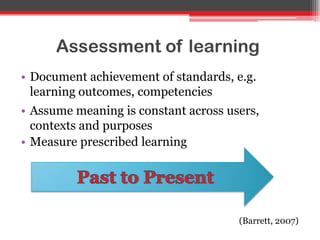
Assessment of learning
• Document achievement of standards, e.g.
learning outcomes, competencies
• Assume meaning is constant across users,
contexts and purposes
• Measure prescribed learning
(Barrett, 2007)
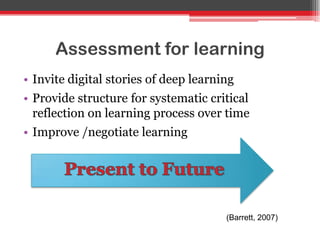
Assessment for learning
• Invite digital stories of deep learning
• Provide structure for systematic critical
reflection on learning process over time
• Improve /negotiate learning
(Barrett, 2007)
Things to think about
• Can tension be resolved?
• What learning outcomes do you want to assess?
• What kind of assessment is appropriate?
Supporting Multiple Needs
3 interconnected systems:
• Archive of student work
• Authoring environment for creative learning
• Institutional assessment management system
(Barrett, 2007)
Challenges for Students
• Buy-in
• Motivation
• Assessment
• Technology
(Tosh et al., 2005)
Buy-in / Motivation Concerns
• Weak induction and instructions
• Didn‟t understand reasons for collecting info
• Need to know „What‟s in it for me?‟
Assessment Concerns
• Sensitive to grading of personal reflections
• Didn‟t understand what was wanted
• Tension between trying to give what was wanted
and meaningful learning
• Grade weight / workload imbalance
Technology Concerns
• Time required to learn system
• Difficult to customize
• Public vs. private access – when public, concern
for appearance trumped content and learning
Challenges for Faculty
• What is purpose?
• How to assess
• Tech overload
• Time shortage
• Training & support
Pause for thought
• How many of you have made an e-portfolio or
used them in student assessment?
• What are some of your experiences?
• What technology did you use?
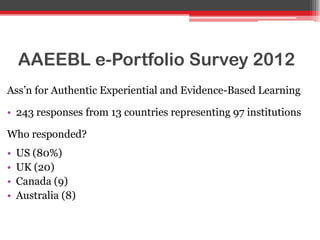
AAEEBL e-Portfolio Survey 2012
Ass‟n for Authentic Experiential and Evidence-Based Learning
• 243 responses from 13 countries representing 97 institutions
Who responded?
• US (80%)
• UK (20)
• Canada (9)
• Australia (8)
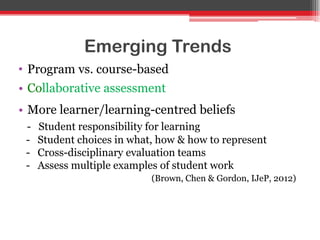
Emerging Trends
• Program vs. course-based
• Collaborative assessment
• More learner/learning-centred beliefs
- Student responsibility for learning
- Student choices in what, how & how to represent
- Cross-disciplinary evaluation teams
- Assess multiple examples of student work
(Brown, Chen & Gordon, IJeP, 2012)
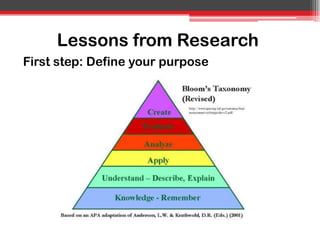
Lessons from Research
First step: Define your purpose
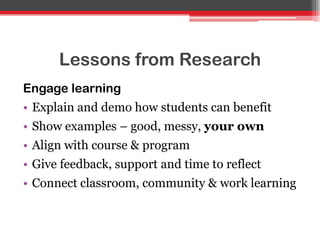
Lessons from Research
Engage learning
• Explain and demo how students can benefit
• Show examples – good, messy, your own
• Align with course & program
• Give feedback, support and time to reflect
• Connect classroom, community & work learning
Lessons from Research
Guide assessment
• Scaffold skills in how to reflect
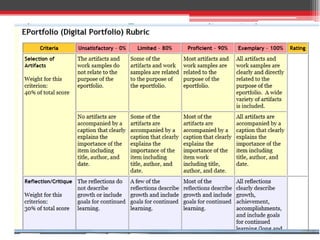
• Clear assessment criteria
• Self-assessment to develop reflection and self-
management skills
• Peer review to develop thinking,
communication, and collaboration skills
CHALLENGE:
How do I mark that?
Lessons from Research
Faculty
• Build an evidence-based learning culture
• Validate learning evidence
• Collaborate on what works and why
Lessons from Research
Tech
• Focus on learning vs. „look & feel‟
• Use flexible, user-friendly systems
• Enable multimedia file use
• Ensure selective permissions/multiple views
• Separate authoring and official record systems
• Need active technology coordinator & equipment
(Johnson, 2012; Barrett, 2007; Tosh et al., 2005)
Future research
• What is valid evidence that e-portfolios support
successful learning & assessment?
• What is evidence of deep learning in e-portfolios?
• How does learning-centred practice impact
student critical reflection and agency?
• Explore systems that differentiate student-owned
e-portfolios from official records
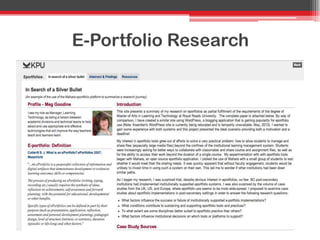
E-Portfolio Research
Faculty buy-in/uptake in your
institution?
TRU-OL:
• Mahara and WordPress are supported
• Pockets in Communications, Education, English
and Nursing
• PLIRC research
More Discussion Questions
• How do different portfolio systems support and
influence learning?
• What do we know about how students from
different cultural backgrounds response to e-
portfolios?
• How long should e-portfolios be kept on server?
• How well do current practices meet challenges?
Contact Information
Gail Morong:
▫ gmorong@tru.ca
Donna DesBiens:
▫ ddesbiens@tru.ca
Key References
• Barrett, H.C. 2007. Researching electronic portfolios and learner engagement: The REFLECT
Initiative. Journal of Adolescent & Adult Literacy (JAAL) 50:6 March 2007. doi:
10.1598/JAAL.50.8.2
• Brown, G., Chen, H. & Gordon, A. 2012. The Annual AAEEBL Survey at Two: Looking Back and
Looking Ahead. International Journal of ePortfolio, Vol 2 Number 2, 129-138. Accessed at:
http://www.theijep.com
• Chen, H. 2009. ePortfolios: emerging definitions. Accessed at:
http://www.youtube.com/watch?v=KKd5pDuGDJA
• EIfEL team blog. 2009. Learning Futures: 10 ePortfolio challenges. Accessed at:
http://www.learningfutures.eu/2009/09/10-eportfolio-challenges.html
• Goodine, M. 2010. Eportfolios: In Search of a Silver Bullet. Accessed at:
https://portfolios.kwantlen.ca/view/view.php?id=515
Key References
• Johnson, H.L. 2012. Making Learning Visible with ePortfolios: Coupling the Right Pedagogy with
the Right Technology. International Journal of ePortfolio, Vol 2, Number 2, 139-148.
• Lorenzo, G. & Ittleson, J. 2005. (D. Oblinger, Ed.). An Overview of E-Portfolios, EDUCAUSE
Learning Initiative (ELI). Accessed at:. http://www.educause.edu/library/resources/overview-e-
portfolios
• Tosh, D., Light, T., Fleming, K. & Haywood, J. 2005. Engagement with Electronic Portfolios:
Challenges from the Student Perspective. Canadian Journal of Learning and Technology, V31(3)
Fall, 2005.
• UBC website. E-Portfolios @UBC – Archive of Projects. Accessed at:
http://blogs.ubc.ca/projectportfolio/

Eportfolio workshop morong & desbiens june2013

  • 1.
    E-Portfolios in Assessment: EmergingLearning-Centred Pedagogy Collect… Select… Reflect… Connect Gail Morong Donna DesBiens TRU ETUG June 6, 2013
  • 2.
    Presentation Outline • Portfoliodefinitions • Pedagogy • Benefits and challenges • Emerging Trends • Research Lessons/Tips • Future Research Directions • Discussion
  • 3.
    What’s a portfolio? •A collection of items or artifacts that represent an individual in some way Many kinds, both traditional and digital: • Showcase • Teaching • Educational
  • 4.
  • 5.
  • 6.
    What is aneducational portfolio? “ an educational portfolio contains work that a learner has collected, reflected upon, selected, and presented to show growth and change over time” (Barrett, 2007)
  • 7.
    What is aneducational portfolio? “Purposeful selection of artifacts together with reflections that represent some aspect of the owner‟s learning.” (Chen, Stanford University,2009)
  • 8.
    Traditional educational portfolios •Paper based, 3 ring binder • May include CD / DVD file (Prior Learning Association Canada, 2008)
  • 9.
  • 10.
  • 11.
  • 12.
    What is ane-Portfolio? “e-Portfolios are personalized, online collections of your work, chosen by you to represent to diverse audiences your knowledge, skills and interests.” (UBC Portfolio Community of Practice, accessed 2013)
  • 13.
    E-Portfolios may include •Presentations, papers, projects • Multimedia images, videos • Reflections on learning / work • Selective collaboration and feedback • Customization for different audiences
  • 14.
    Many e-portfolio systems TRU– Mahara & WordPress
  • 15.
  • 16.
    Levels of educationale-portfolios • Course (Individual or Group) • Program • Campus-wide
  • 17.
  • 18.
    Digital Storytelling Project(iPad) TRU Education and Skills Training Program TRU Student Group e-portfolio
  • 19.
  • 20.
    Campus-level Portfolio TRU Centrefor Student Engagement & Learning Innovation Recognizes intercultural and international experiences in any credit program
  • 21.
    Contemporary Technology Traditional E-Portfolio CollectArchive Select Link/Think Reflect Tell a story Project Collaborate Celebrate Publish (Barrett, 2007)
  • 22.
    Educational uses ofe-portfolios • Job search • Learning assessment • Course evaluation • Plan educational programs • Track development within a program • Document „KSA‟ and learning • Monitor and evaluate performance (Barrett, 2007; Lorenzo & Ittleson , ELI, 2005)
  • 23.
    Major Uses ofStudent e-Portfolios • Career preparation • Showcase accomplishments • Capture the learning process • Document specific learning outcomes • Learning representation, reflection and revision (Barrett, 2007; Lorenzo & Ittleson, ELI, 2005)
  • 24.
    Critical Parts ofLearning Portfolios Document, reflect, and collaborate: • Individual learning artifacts • Overall story of learning (Barrett, 2007; Zubizaretta, 2004, cited in Barrett)
  • 25.
    So…what are thebenefits of using e-portfolios for learning?
  • 26.
    Potential Benefits • Engagestudents in active learning • Help students become critical thinkers • Help develop writing and communication skills • Help develop information and digital literacy • Promote deep learning • Integrate learning across multiple contexts • Enable life-long learning (Lorenzo & Ittleson , ELI, 2005; Tosh et al., 2005)
  • 27.
  • 28.
    Shared Challenges • Multiplepurposes & stakeholders • Ownership issues • Assessment issues – what, how, why? • Multiple new technologies • Workload – time and effort • Training and support access • Interoperability – silos vs. collaborative COP • Storage capacity (Goodine, 2010; EIfEL team blog, 2009; Barrett 2007)
  • 29.
    Assessment Purposes Tension 2main purposes: • Assessment of learning • Assessment for learning (Barrett 2007)
  • 30.
    Assessment of learning •Document achievement of standards, e.g. learning outcomes, competencies • Assume meaning is constant across users, contexts and purposes • Measure prescribed learning (Barrett, 2007)
  • 31.
    Assessment for learning •Invite digital stories of deep learning • Provide structure for systematic critical reflection on learning process over time • Improve /negotiate learning (Barrett, 2007)
  • 32.
    Things to thinkabout • Can tension be resolved? • What learning outcomes do you want to assess? • What kind of assessment is appropriate?
  • 33.
    Supporting Multiple Needs 3interconnected systems: • Archive of student work • Authoring environment for creative learning • Institutional assessment management system (Barrett, 2007)
  • 34.
    Challenges for Students •Buy-in • Motivation • Assessment • Technology (Tosh et al., 2005)
  • 35.
    Buy-in / MotivationConcerns • Weak induction and instructions • Didn‟t understand reasons for collecting info • Need to know „What‟s in it for me?‟
  • 36.
    Assessment Concerns • Sensitiveto grading of personal reflections • Didn‟t understand what was wanted • Tension between trying to give what was wanted and meaningful learning • Grade weight / workload imbalance
  • 37.
    Technology Concerns • Timerequired to learn system • Difficult to customize • Public vs. private access – when public, concern for appearance trumped content and learning
  • 38.
    Challenges for Faculty •What is purpose? • How to assess • Tech overload • Time shortage • Training & support
  • 39.
    Pause for thought •How many of you have made an e-portfolio or used them in student assessment? • What are some of your experiences? • What technology did you use?
  • 40.
    AAEEBL e-Portfolio Survey2012 Ass‟n for Authentic Experiential and Evidence-Based Learning • 243 responses from 13 countries representing 97 institutions Who responded? • US (80%) • UK (20) • Canada (9) • Australia (8)
  • 41.
    Emerging Trends • Programvs. course-based • Collaborative assessment • More learner/learning-centred beliefs - Student responsibility for learning - Student choices in what, how & how to represent - Cross-disciplinary evaluation teams - Assess multiple examples of student work (Brown, Chen & Gordon, IJeP, 2012)
  • 42.
    Lessons from Research Firststep: Define your purpose
  • 43.
    Lessons from Research Engagelearning • Explain and demo how students can benefit • Show examples – good, messy, your own • Align with course & program • Give feedback, support and time to reflect • Connect classroom, community & work learning
  • 44.
    Lessons from Research Guideassessment • Scaffold skills in how to reflect • Clear assessment criteria • Self-assessment to develop reflection and self- management skills • Peer review to develop thinking, communication, and collaboration skills
  • 45.
  • 47.
    Lessons from Research Faculty •Build an evidence-based learning culture • Validate learning evidence • Collaborate on what works and why
  • 48.
    Lessons from Research Tech •Focus on learning vs. „look & feel‟ • Use flexible, user-friendly systems • Enable multimedia file use • Ensure selective permissions/multiple views • Separate authoring and official record systems • Need active technology coordinator & equipment (Johnson, 2012; Barrett, 2007; Tosh et al., 2005)
  • 49.
    Future research • Whatis valid evidence that e-portfolios support successful learning & assessment? • What is evidence of deep learning in e-portfolios? • How does learning-centred practice impact student critical reflection and agency? • Explore systems that differentiate student-owned e-portfolios from official records
  • 50.
  • 51.
    Faculty buy-in/uptake inyour institution? TRU-OL: • Mahara and WordPress are supported • Pockets in Communications, Education, English and Nursing • PLIRC research
  • 52.
    More Discussion Questions •How do different portfolio systems support and influence learning? • What do we know about how students from different cultural backgrounds response to e- portfolios? • How long should e-portfolios be kept on server? • How well do current practices meet challenges?
  • 53.
    Contact Information Gail Morong: ▫gmorong@tru.ca Donna DesBiens: ▫ ddesbiens@tru.ca
  • 54.
    Key References • Barrett,H.C. 2007. Researching electronic portfolios and learner engagement: The REFLECT Initiative. Journal of Adolescent & Adult Literacy (JAAL) 50:6 March 2007. doi: 10.1598/JAAL.50.8.2 • Brown, G., Chen, H. & Gordon, A. 2012. The Annual AAEEBL Survey at Two: Looking Back and Looking Ahead. International Journal of ePortfolio, Vol 2 Number 2, 129-138. Accessed at: http://www.theijep.com • Chen, H. 2009. ePortfolios: emerging definitions. Accessed at: http://www.youtube.com/watch?v=KKd5pDuGDJA • EIfEL team blog. 2009. Learning Futures: 10 ePortfolio challenges. Accessed at: http://www.learningfutures.eu/2009/09/10-eportfolio-challenges.html • Goodine, M. 2010. Eportfolios: In Search of a Silver Bullet. Accessed at: https://portfolios.kwantlen.ca/view/view.php?id=515
  • 55.
    Key References • Johnson,H.L. 2012. Making Learning Visible with ePortfolios: Coupling the Right Pedagogy with the Right Technology. International Journal of ePortfolio, Vol 2, Number 2, 139-148. • Lorenzo, G. & Ittleson, J. 2005. (D. Oblinger, Ed.). An Overview of E-Portfolios, EDUCAUSE Learning Initiative (ELI). Accessed at:. http://www.educause.edu/library/resources/overview-e- portfolios • Tosh, D., Light, T., Fleming, K. & Haywood, J. 2005. Engagement with Electronic Portfolios: Challenges from the Student Perspective. Canadian Journal of Learning and Technology, V31(3) Fall, 2005. • UBC website. E-Portfolios @UBC – Archive of Projects. Accessed at: http://blogs.ubc.ca/projectportfolio/

Editor's Notes

  • #7 One definition
  • #8 Another definition
  • #10 Prior learning Assessment and Recognition
  • #12 TRU moving forward
  • #15 Gail, people may respond to this question.
  • #21 Still mainly paper-based
  • #23 Green font is our workshop focus
  • #26 3:15
  • #29 You may share these challenges… We will make time to hear your thoughts in the discussion period of workshop
  • #34 Meg – your thoughts on how this would work? Gail, I left this as is because this is exactly what Barrett says – maybe her inconsistency is worthy of discussion.
  • #37 Focus on look & feel vs. messy learning
  • #40 Pair Share for a few minutes /Report out -
  • #42 Conclusion: Practitioners are transforming their teaching practices. 3:35
  • #43 Last heard from this is what the students and faculty said was most important (Tosh et al.)
  • #45 Next slide Faculty Concern – How do I assess reflections on learning? Especially when students are sensitive to it?
  • #49 Video files