Digital Storytelling Using Engaging Media to Invest Digital Natives in Their Learning
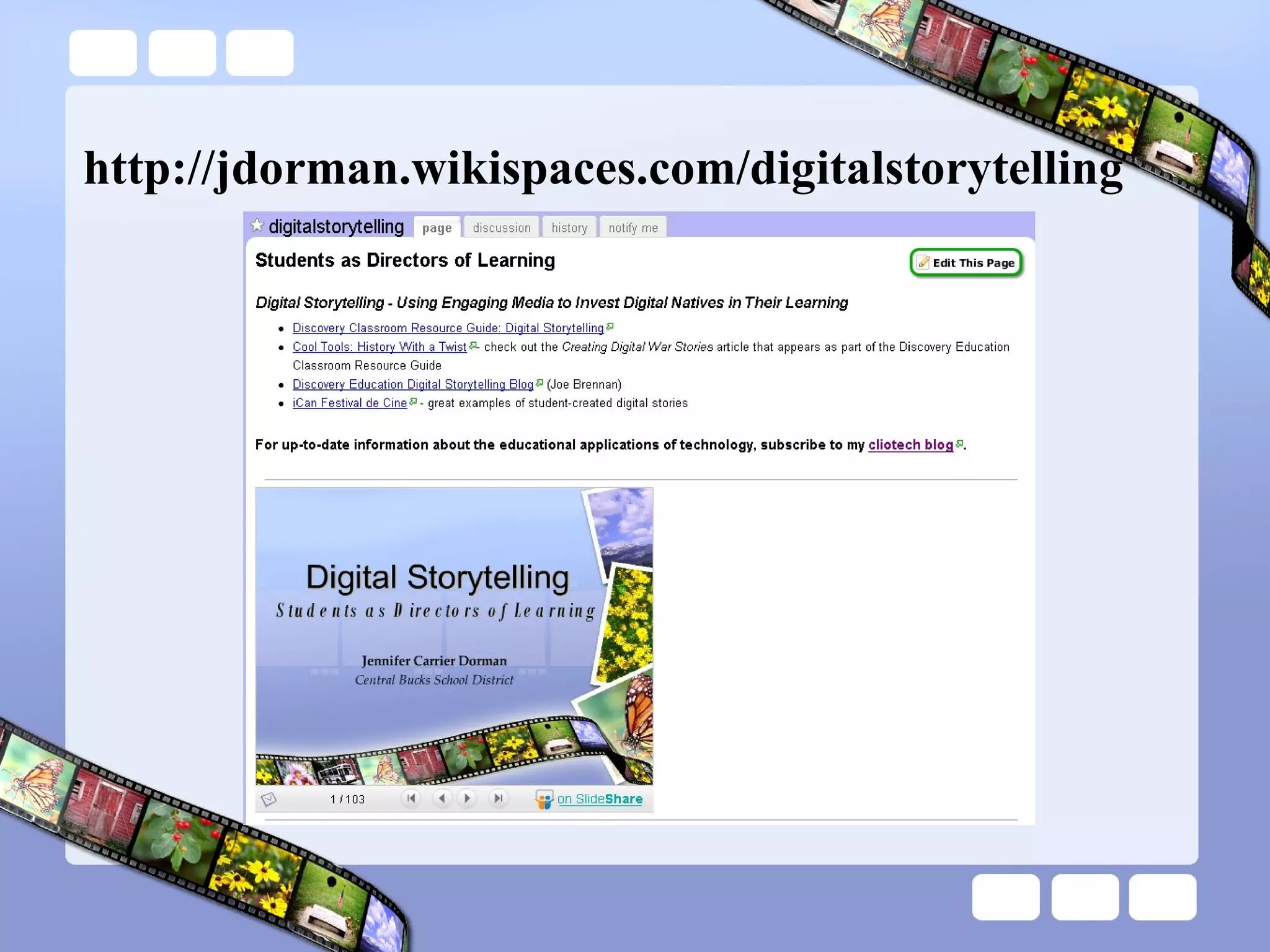
http://jdorman.wikispaces.com/digitalstorytelling
The Case for Digital Learning Education is changing. Competition is changing internationally. The workplace, jobs, and skill demands are changing.
The Case for Digital Learning http://thefischbowl.blogspot.com/2007/06/did-you-know-20.html
The Implications These changes, among others, are ushering us toward a world where knowledge, power, and productive capability will be more dispersed than at any time in our history—a world where value creation will be fast, fluid, and persistently disruptive.  Wikinomics: How Mass Collaboration Changes Everything Don Tapscott & Anthony D. Williams
Mega-Trends Dr. Willard Daggett Globalization Demographics Technology Changing Values and Attitudes http://www.leadered.com/white_papers.shtml
Mega-Trends The 21 st  Century at Work: Forces Shaping the Future Workforce and Workplace in the United States  - U.S. Department of Labor Much of the research cited by Dr. Daggett is corroborated by this study  Dozens of other research groups, think tanks, and governmental organizations have recognized that a “shift”  is happening
Economic Impacts Shifts in the nature of business organizations and the growing importance of knowledge-based work also favor strong nonroutine cognitive skills, such as abstract reasoning, problem-solving, communication, and collaboration. Increasingly, the term “knowledge workers” is applied to workers who go beyond just providing information to now being responsible for generating and conveying knowledge needed for decision-making. The 21st Century at Work:  Forces Shaping the Future Workforce and Workplace in the United States
Economic Impacts Technology-mediated learning—the use of computers and other information technologies as an integral part of the learning process—is gaining ground through such applications as computer-based instruction, Internet-based instruction, and other methods for customized learning. New technologies in the next 10 to 20 years offer tremendous potential to revolutionize the way education and training is delivered in order to improve efficiency and effectiveness in learning. The 21st Century at Work:  Forces Shaping the Future Workforce and Workplace in the United States
Digital Natives Our students today are all “native speakers” of the digital language of computers, video games, instantaneous communication, and the Internet. Digital Natives, Digital Immigrants  – Marc Prensky
Participatory Culture According to a recent study from the Pew Internet & American Life project (Lenhardt & Madden, 2005), more than one-half of all teens have created media content, and roughly one-third of teens who use the Internet have shared content they produced. Confronting the Challenges of Participatory Culture: Media Education for the 21st Century Henry Jenkins
Forms of Participatory Culture Affiliations  — memberships, formal and informal, in online communities centered around various forms of media Expressions  — producing new creative forms, such as digital sampling, skinning and modding, fan videomaking, fan fiction writing, zines, mash-ups Confronting the Challenges of Participatory Culture: Media Education for the 21st Century Henry Jenkins
Forms of Participatory Culture Collaborative Problem-solving  — working together in teams, formal and informal, to complete tasks and develop new knowledge  Circulations  — Shaping the flow of media Confronting the Challenges of Participatory Culture: Media Education for the 21st Century Henry Jenkins
Implications A growing body of scholarship suggests potential benefits of these forms of participatory culture, including: opportunities for peer-to-peer learning,  a changed attitude toward intellectual property,  the diversification of cultural expression,  the development of skills valued in the modern workplace, and a more empowered conception of citizenship.  Confronting the Challenges of Participatory Culture: Media Education for the 21st Century Henry Jenkins
Implications Participatory culture shifts the focus of literacy from one of individual expression to community involvement. The new literacies almost all involve social skills developed through collaboration and networking. These skills build on the foundation of traditional literacy, research skills, technical skills, and critical analysis skills taught in the classroom. Confronting the Challenges of Participatory Culture: Media Education for the 21st Century Henry Jenkins
21 st  Century Literacies Play  — the capacity to experiment with one’s surroundings as a form of problem-solving Performance  — the ability to adopt alternative identities for the purpose of improvisation and discovery Simulation  — the ability to interpret and construct dynamic models of real-world processes Confronting the Challenges of Participatory Culture: Media Education for the 21st Century Henry Jenkins
21 st  Century Literacies Appropriation  — the ability to meaningfully sample and remix media content Multitasking  — the ability to scan one’s environment and shift focus as needed to salient details. Distributed Cognition  — the ability to interact meaningfully with tools that expand mental capacities Confronting the Challenges of Participatory Culture: Media Education for the 21st Century Henry Jenkins
21 st  Century Literacies Collective Intelligence  — the ability to pool knowledge and compare notes with others toward a common goal Judgment  — the ability to evaluate the reliability and credibility of different information sources Confronting the Challenges of Participatory Culture: Media Education for the 21st Century Henry Jenkins
21 st  Century Literacies Transmedia Navigation  — the ability to follow the flow of stories and information across multiple modalities Networking  — the ability to search for, synthesize, and disseminate information Confronting the Challenges of Participatory Culture: Media Education for the 21st Century Henry Jenkins
21 st  Century Literacies Negotiation  — the ability to travel across diverse communities, discerning and respecting multiple perspectives, and grasping and following alternative norms Confronting the Challenges of Participatory Culture: Media Education for the 21st Century Henry Jenkins
What is Digital Storytelling?
Tell me and I forget. Teach me and remember. Involve me and I learn. - Benjamin Franklin
Stock Crash of 1929 Mrs. Dorman’s 9 th  Grade Social Studies Class –  2004-2005
Parents iCan5 Festival de Cine - http://www.sfett.com/
Reliving a War iCan7 Festival de Cine - http://www.sfett.com/
You Don’t Know Beans iCan5 Festival de Cine - http://www.sfett.com/
Caesar Salad iCan7 Festival de Cine - http://www.sfett.com/
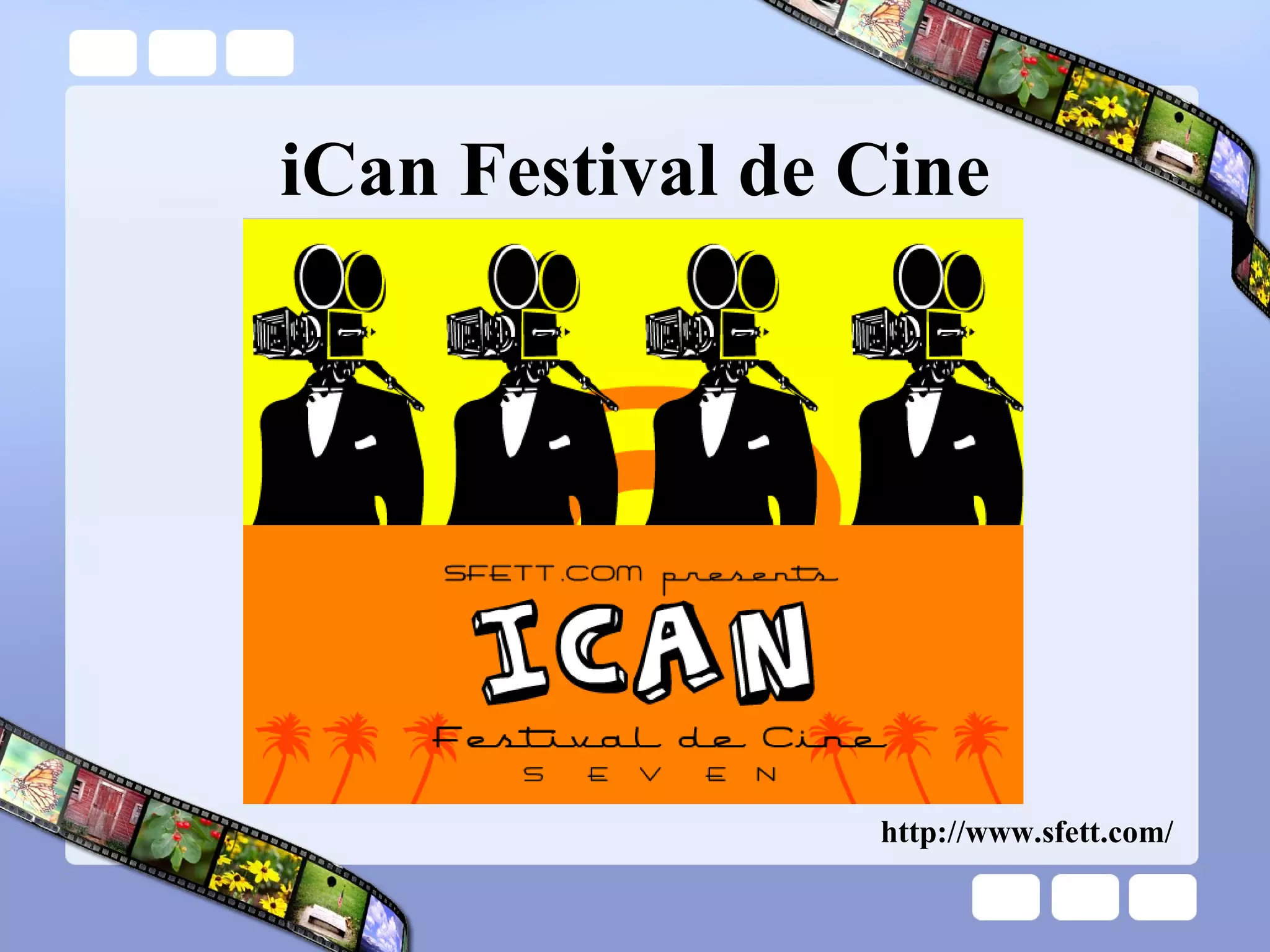
iCan Festival de Cine http://www.sfett.com/
What is Digital Storytelling? Digital storytelling is the process of writing about a story, and adding the multimedia elements of voice, imagery, and music to create a visual story.
Student Learning The process of digital storytelling provides a high-quality learning experience because the learning experience honors the writing process first.
Student Learning The inclusion of the technology into the process represents a “value-added” approach where the inclusion of the technology extends the learning experience beyond what could be accomplished without technology.
Digital Storytelling . . . develops visual and multimedia literacy in students. addresses the development of the interpretation of digital media and the application of that interpretation to a personal message or story.
Digital Storytelling . . . provides students with a competitive and compelling voice by enlarging the boundaries of who students can communicate with and by increasing the depth and power of that communication.
Digital Storytelling . . . helps students write more effectively by permitting the visualization of the writing, resulting in an additional level of perception that extends the writing process to a place seldom reached.
Digital Storytelling . . . permits students to recapture creativity, develop it and intensify it, apply it, extend it…
Digital Storytelling . . . provides an authentic personal learning experience- as such; student  investment is greatly increased resulting in greatly improved motivation and end product.
Digital Storytelling . . . teaches elements of technology and information literacy-students use many different computer applications and must be conversant about locating and managing visuals and video, as well as being able to do so in the context of copyright and fair use.
Rigorous and Relevant Instruction Taps into student interest and specific learning profile and allows teachers to customize: content,  process,  and product according to students' readiness with background information and technological proficiencies.
Rigorous and Relevant Instruction “Learning with wings” – Marco Torres Digital storytelling empowers students to be critical media consumers  The process of creating digital stories highlights 21 st  century literacies
Connection to Literacy Performance  — the ability to adopt alternative identities for the purpose of improvisation and discovery Simulation  — the ability to interpret and construct dynamic models of real-world processes Appropriation  — the ability to meaningfully sample and remix media content Multitasking  — the ability to scan one’s environment and shift focus as needed to salient details. Distributed Cognition  — the ability to interact meaningfully with tools that expand mental capacities Collective Intelligence  — the ability to pool knowledge and compare notes with others toward a common goal Judgment  — the ability to evaluate the reliability and credibility of different information sources Negotiation  — the ability to travel across diverse communities, discerning and respecting multiple perspectives, and grasping and following alternative norms
The Creative Process
Digital Story Ideas PSA – Public Service Announcement Breaking  News  or  Olds  Broadcasts “ Movie” Trailer (book, article, historical era or event, etc.) Reenactment / Living History Oral History Documentary or Docu-Drama Virtual Tour Story told from the perspective of an object
Visual Grammar Shot = sentence Scene = paragraph Establishing shot = topic sentence Effects, fades, etc. = transitions Pans/zooms = run-on sentences
Select and research a topic identify topic and resources for research gather research and maintain a working/annotated bibliography analyze and select information for inclusion “ Capturing Stories, Capturing Lives: An Introduction to Digital Storytelling” David Jakes
Prepare for interviews conduct background research prepare interview questions conduct, record, and analyze the interview “ Capturing Stories, Capturing Lives: An Introduction to Digital Storytelling” David Jakes
Gather media resources still-frame imagery video audio “ Capturing Stories, Capturing Lives: An Introduction to Digital Storytelling” David Jakes
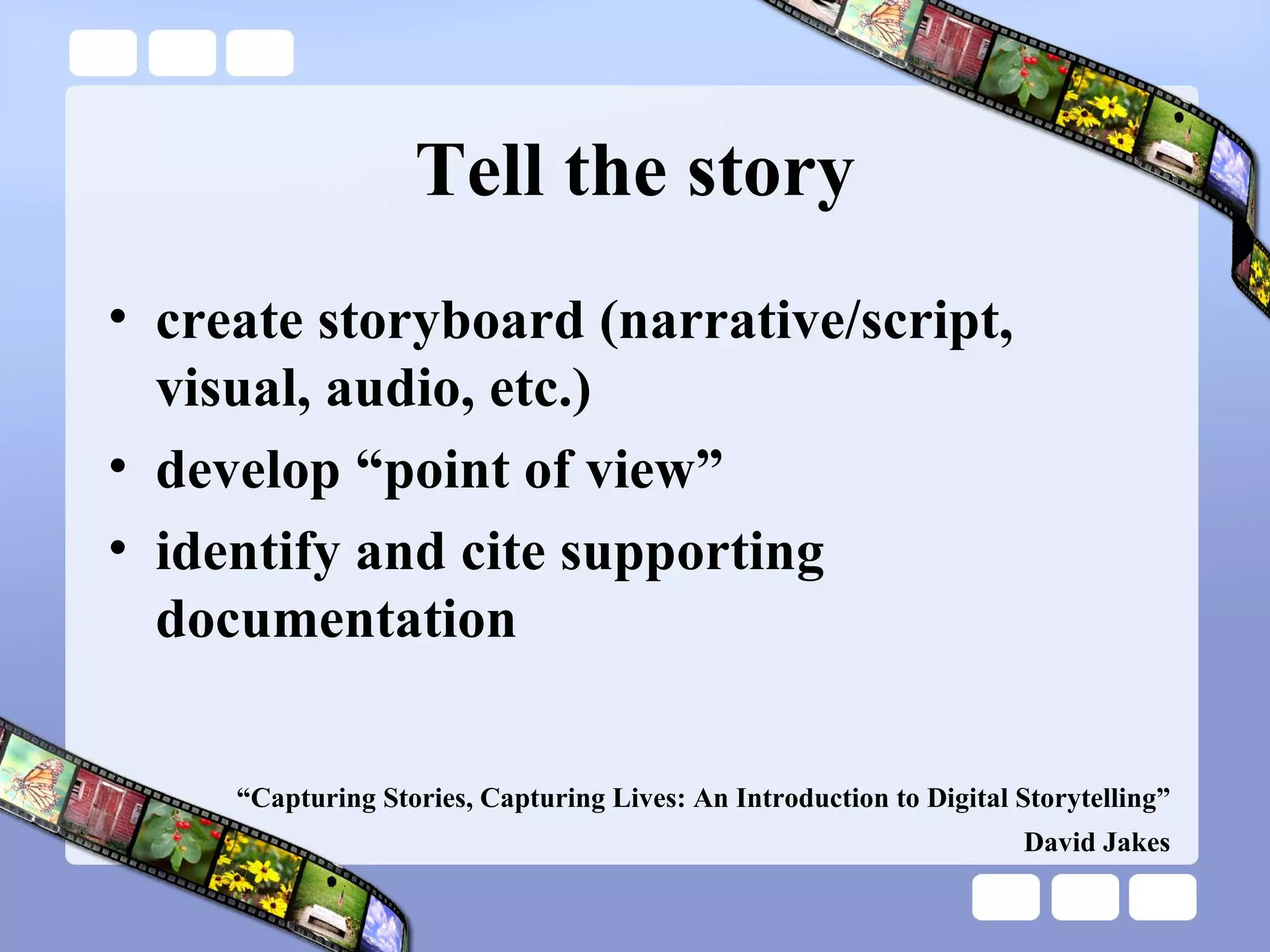
Tell the story create storyboard (narrative/script, visual, audio, etc.) develop “point of view” identify and cite supporting documentation “ Capturing Stories, Capturing Lives: An Introduction to Digital Storytelling” David Jakes
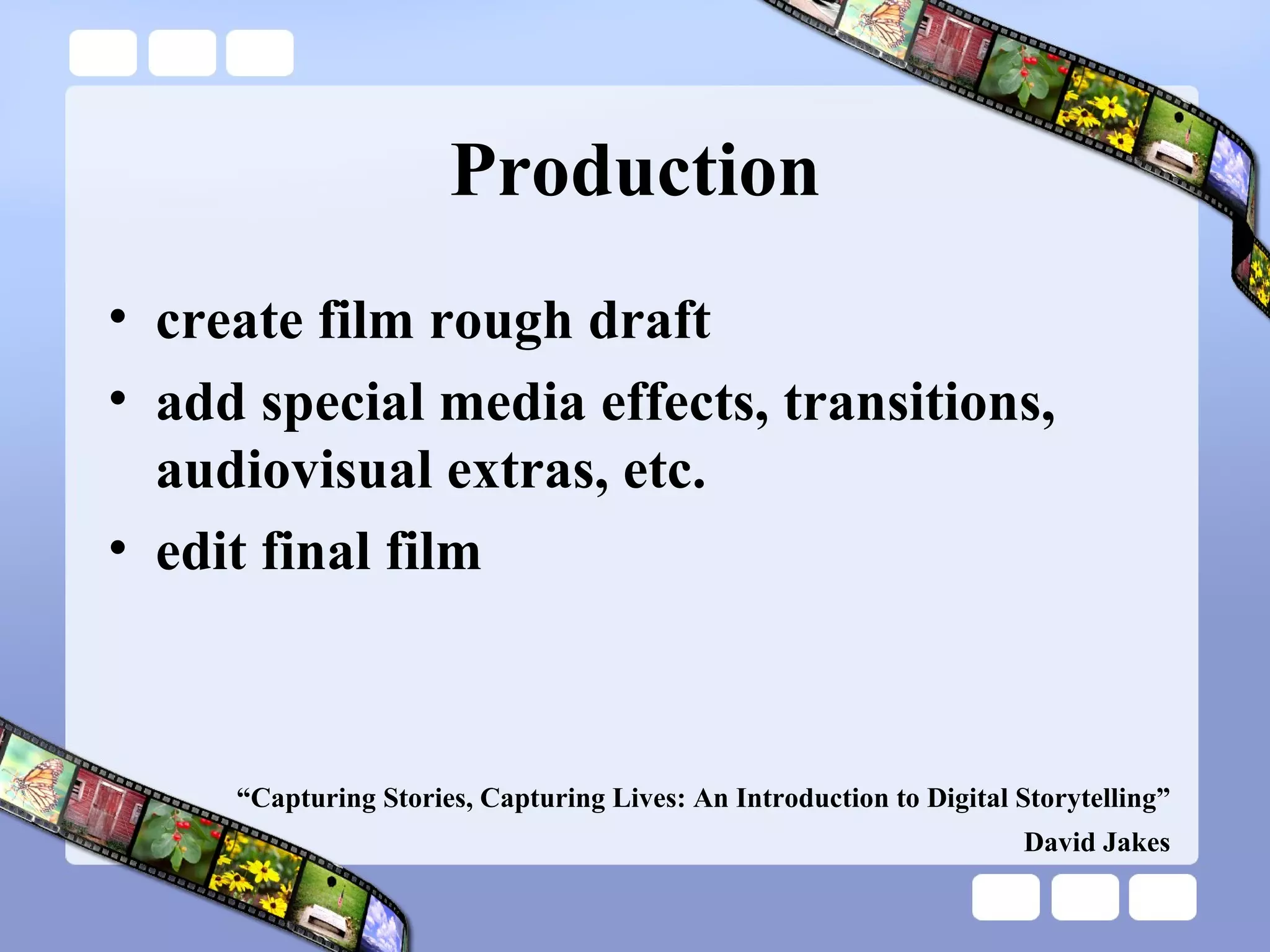
Production create film rough draft add special media effects, transitions, audiovisual extras, etc. edit final film “ Capturing Stories, Capturing Lives: An Introduction to Digital Storytelling” David Jakes
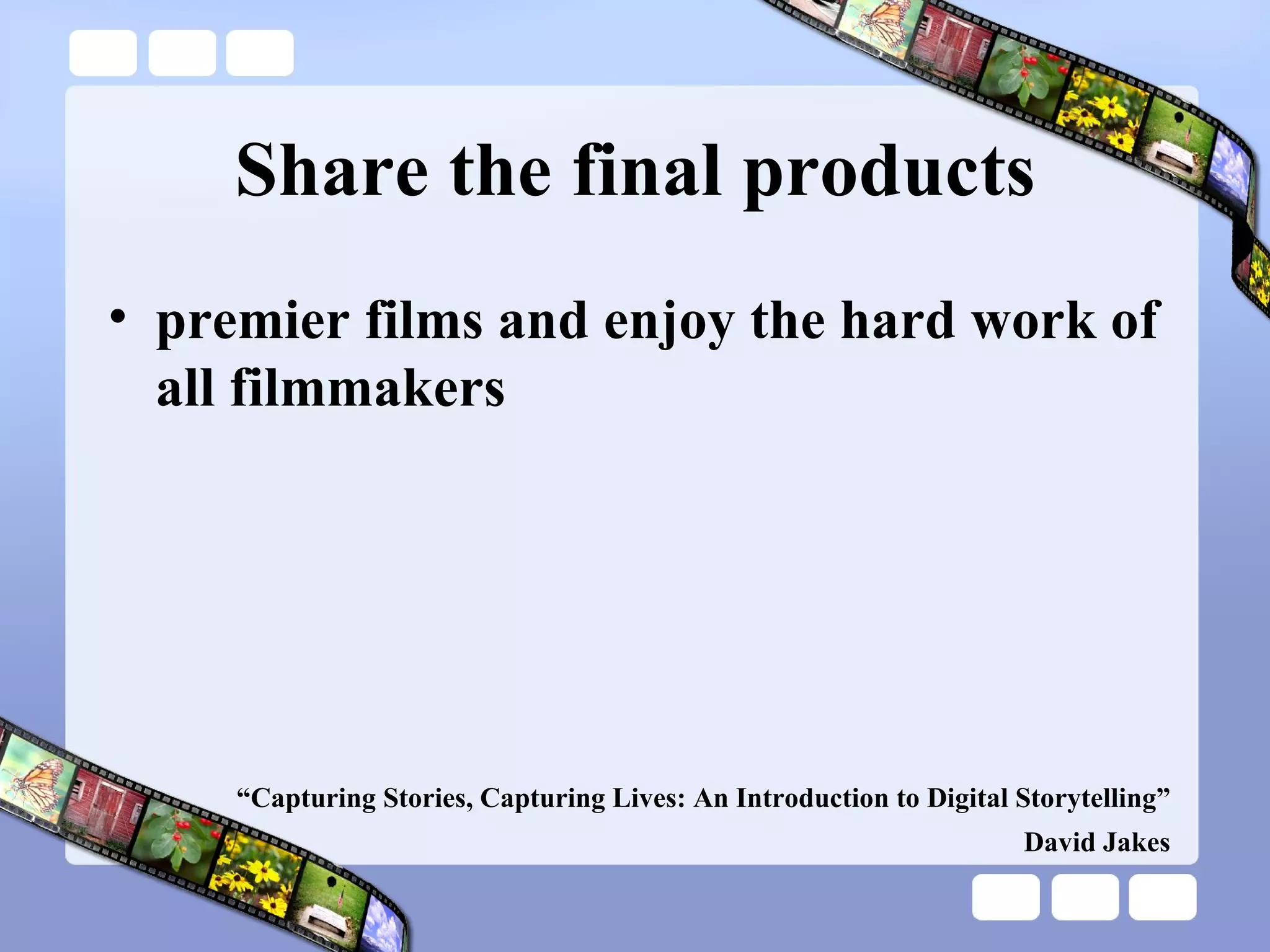
Share the final products premier films and enjoy the hard work of all filmmakers   “ Capturing Stories, Capturing Lives: An Introduction to Digital Storytelling” David Jakes
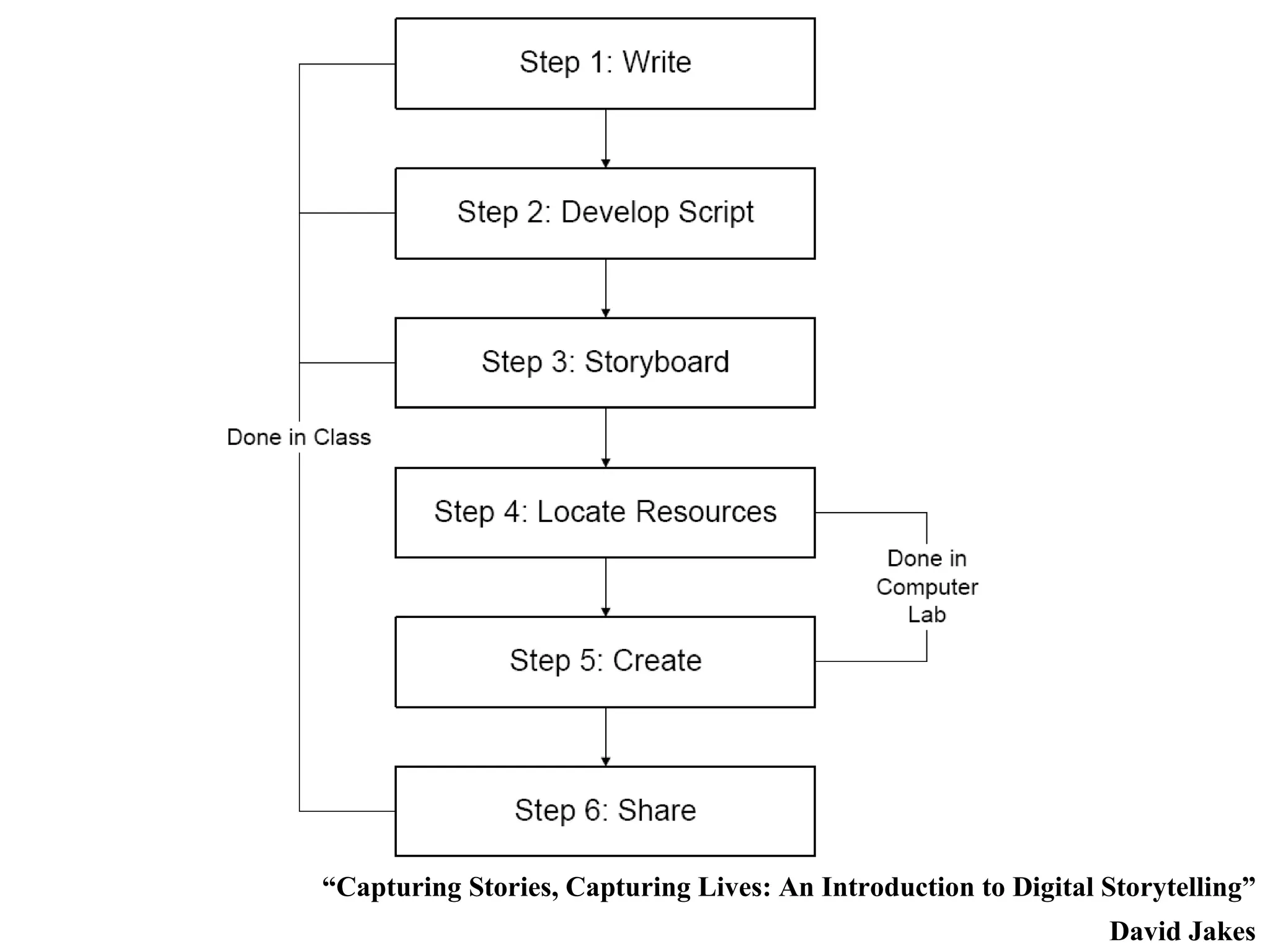
“ Capturing Stories, Capturing Lives: An Introduction to Digital Storytelling” David Jakes
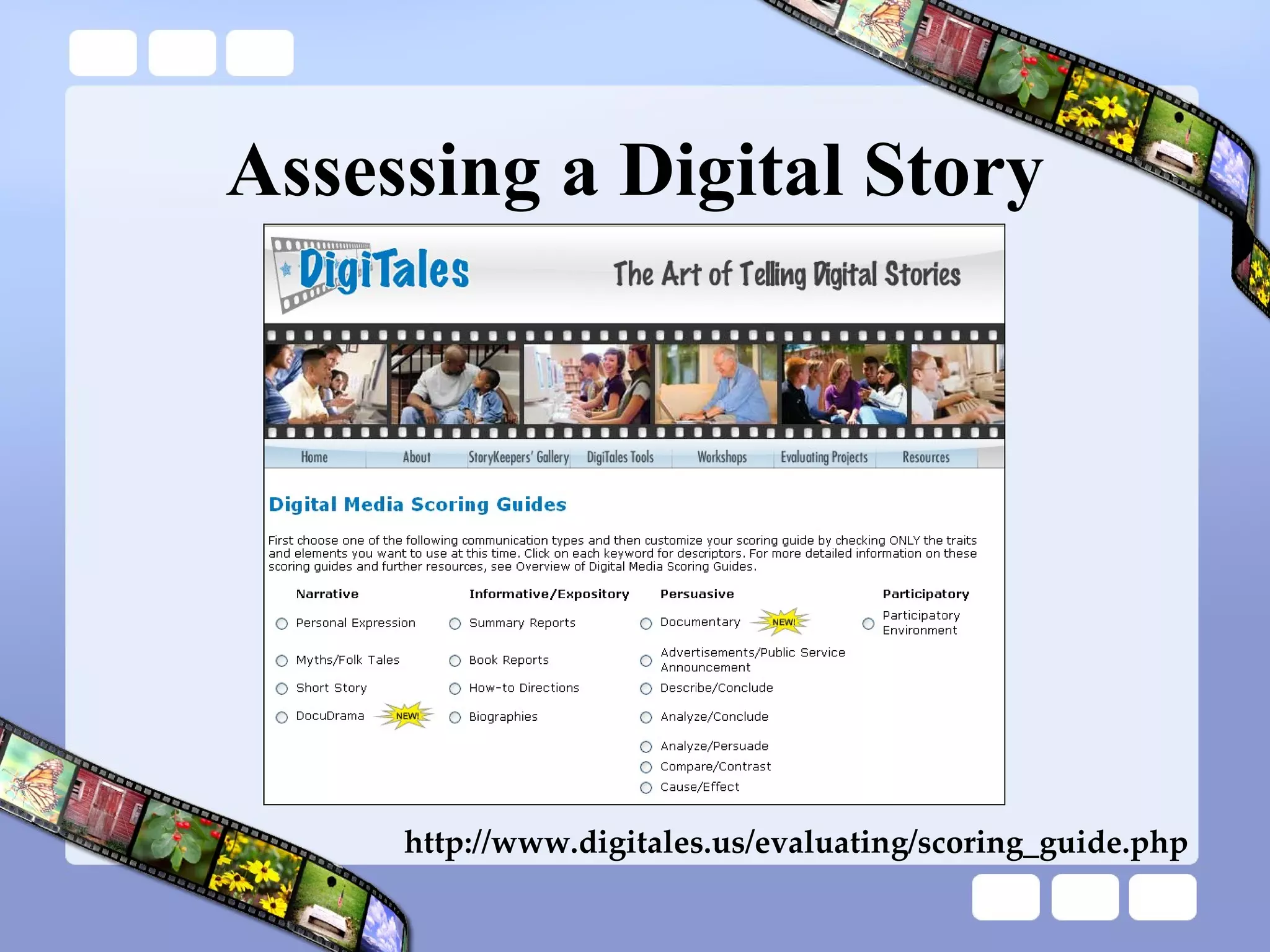
Assessing a Digital Story http://www.digitales.us/evaluating/scoring_guide.php
Scaffolding Steps Stories from one image Stories from a sequence of images Stories from a sequence of images with specified persona Stories from a muted video clip Stories from a muted video clip or sequence of images with background sound Stories with student-found images and set narrative Stories with student-found images and student-created narrative
Lab Session – Part 1 Hardware and Software
Pinnacle Studio Hardware Overview Software Overview Self-Paced Tutorial Studio 10 Launcher Tutorial (embedded in Pinnacle) *
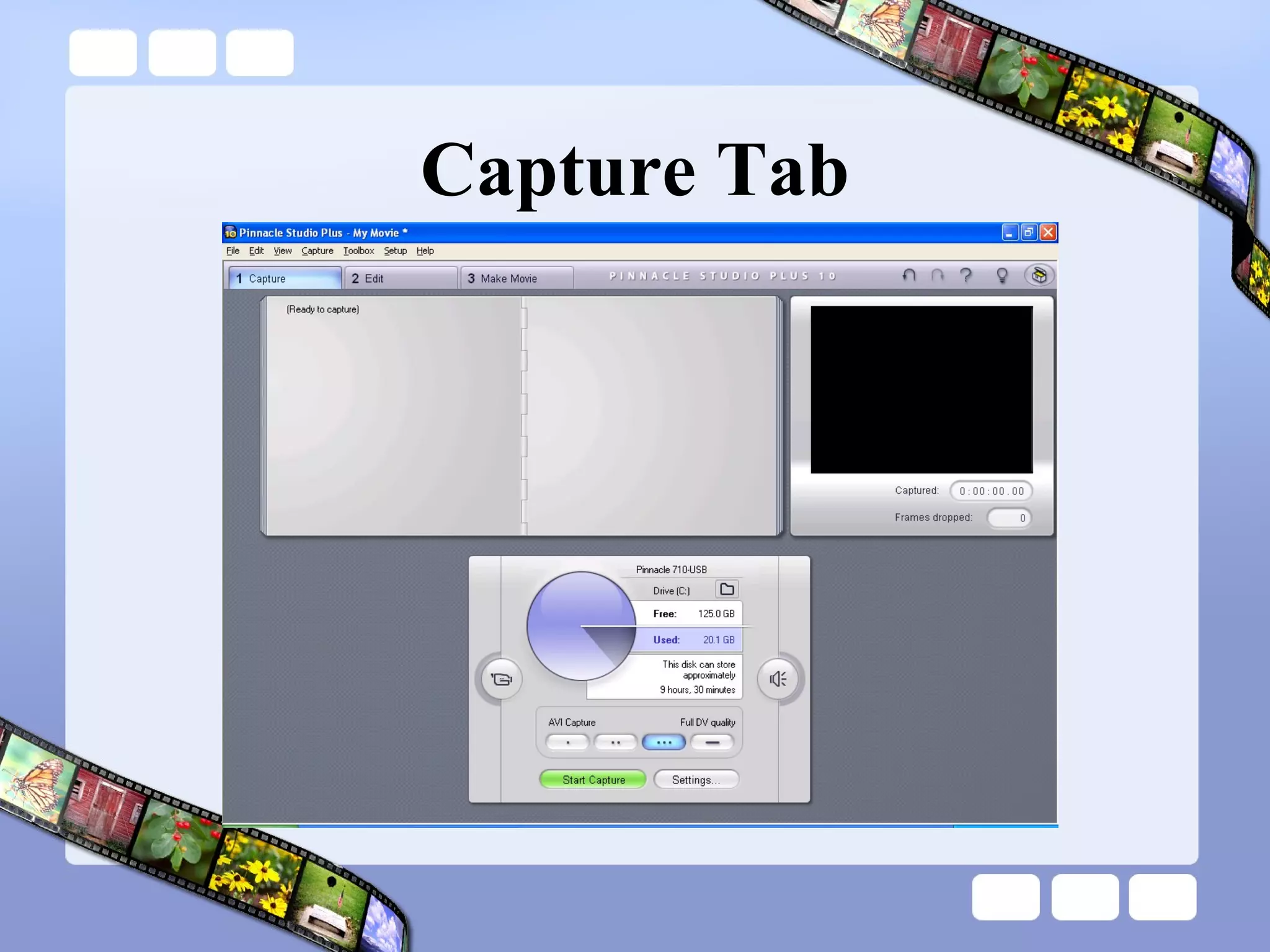
Capture Tab
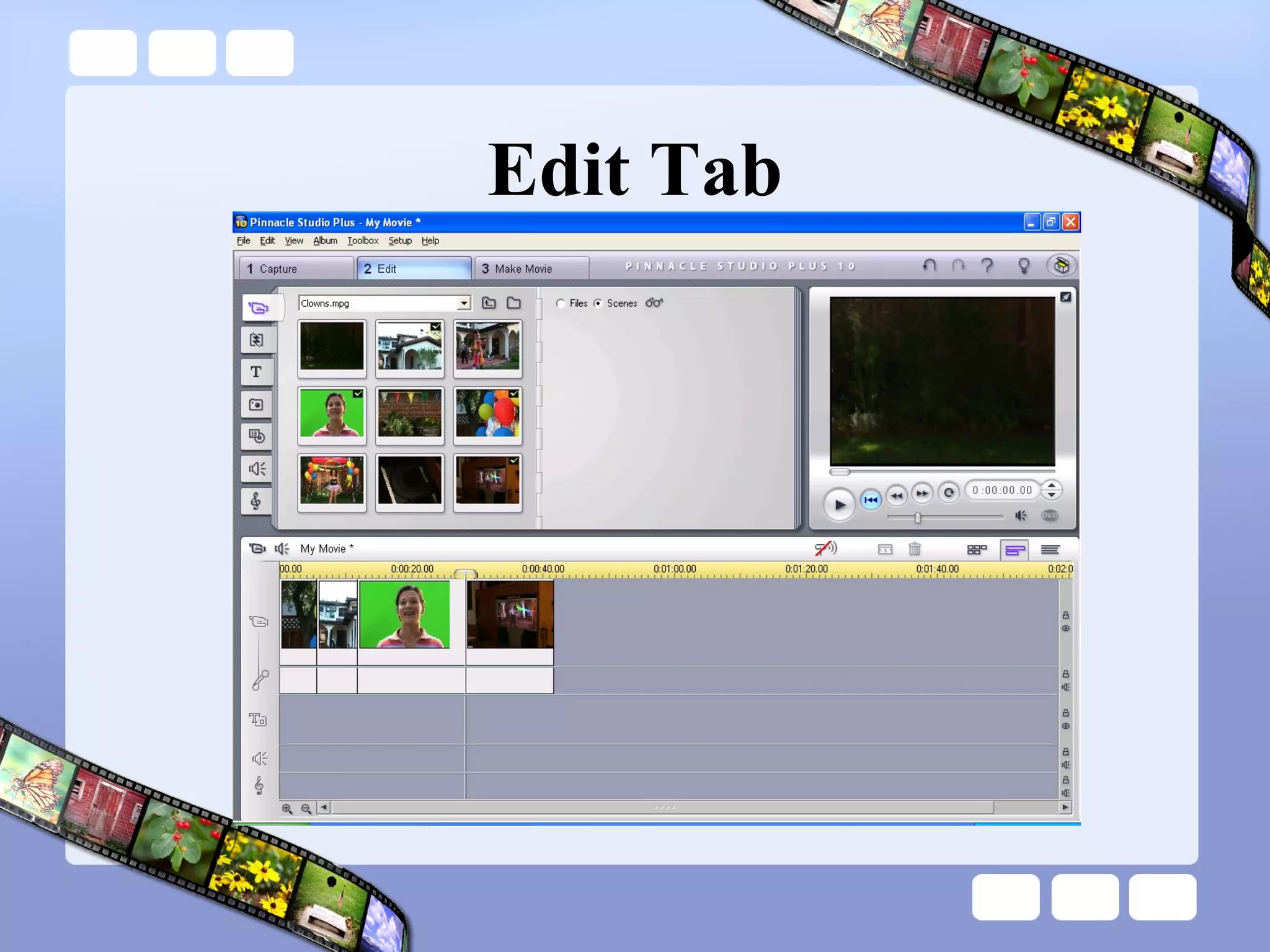
Edit Tab
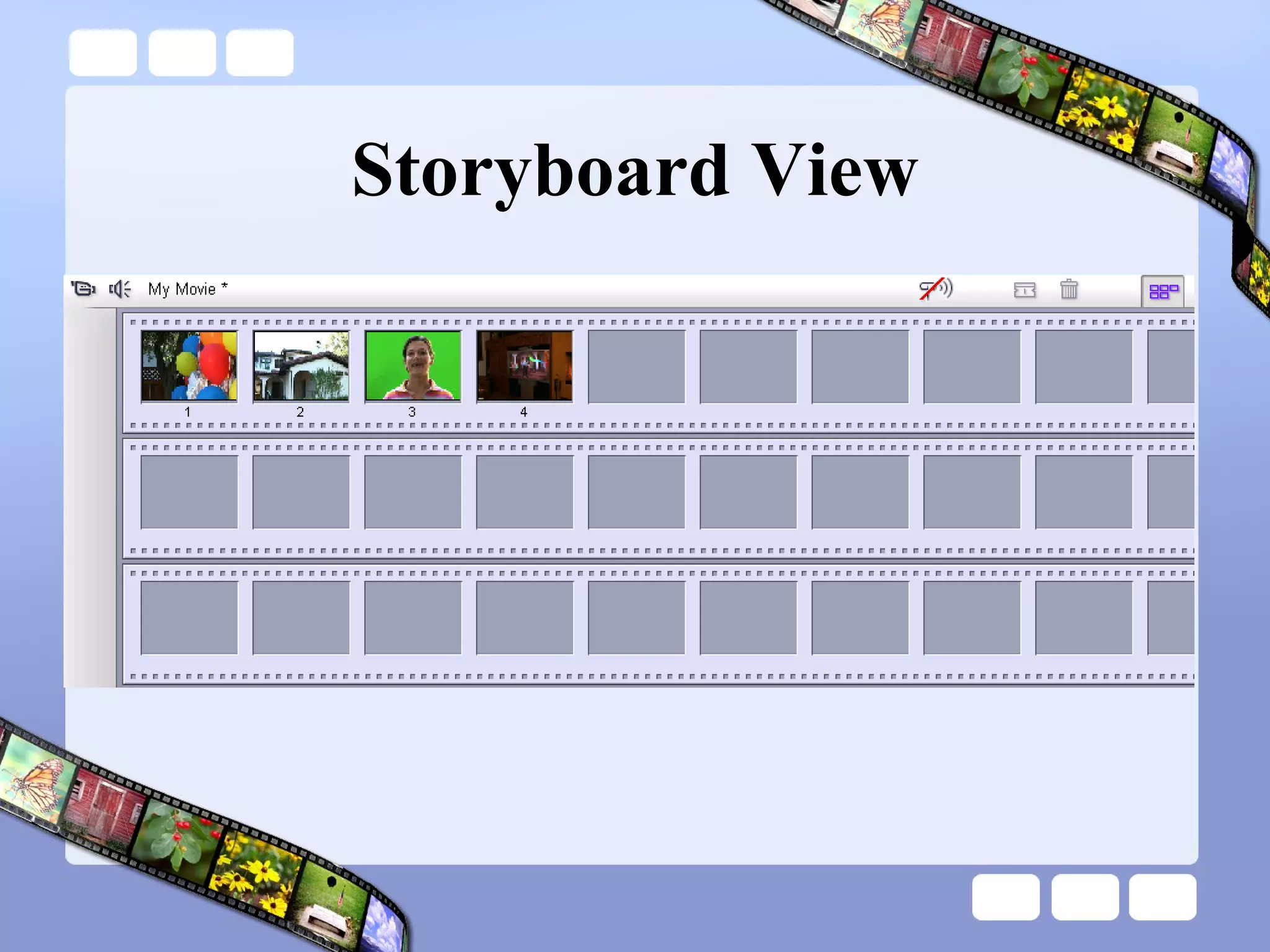
Storyboard View
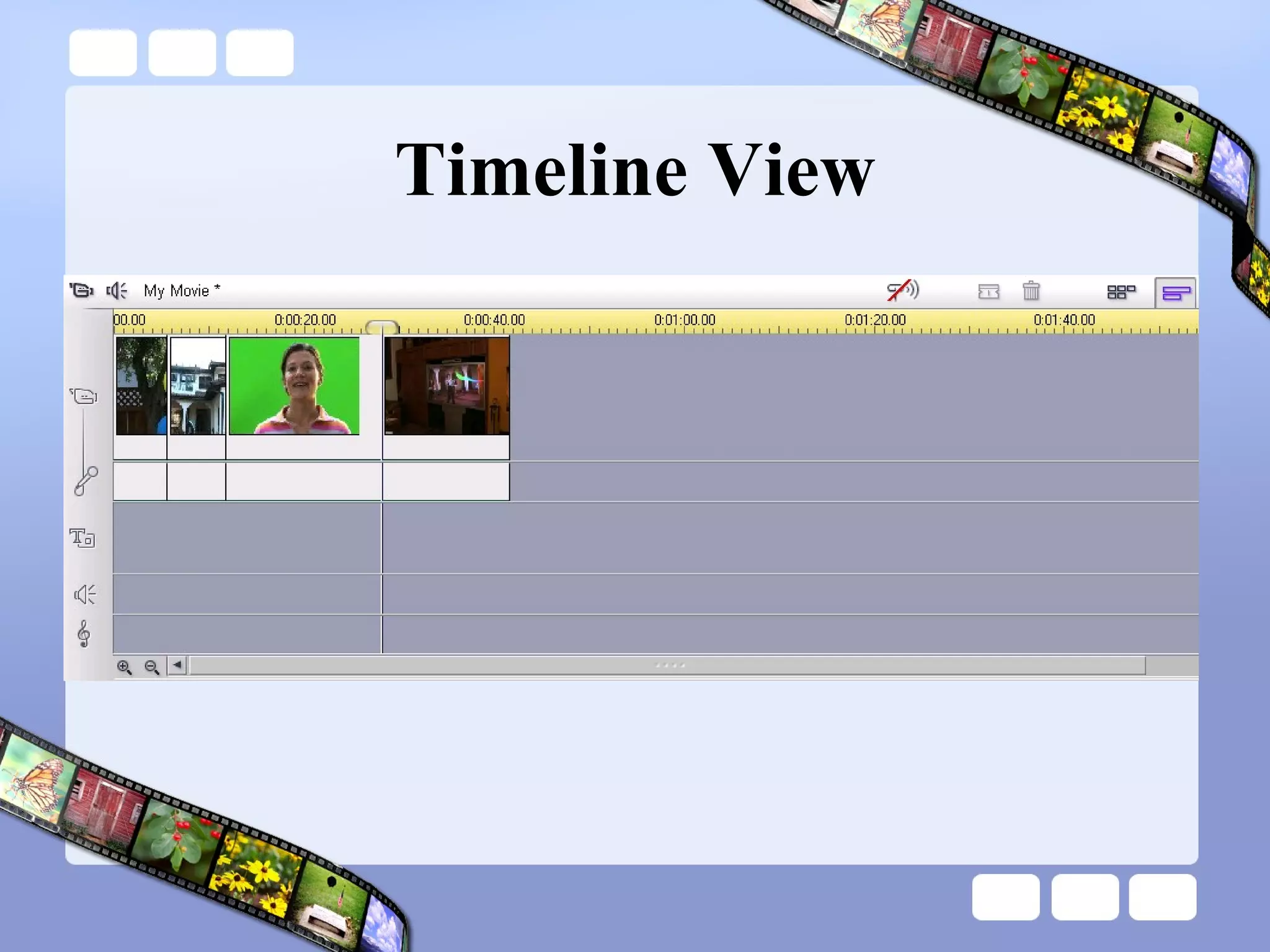
Timeline View
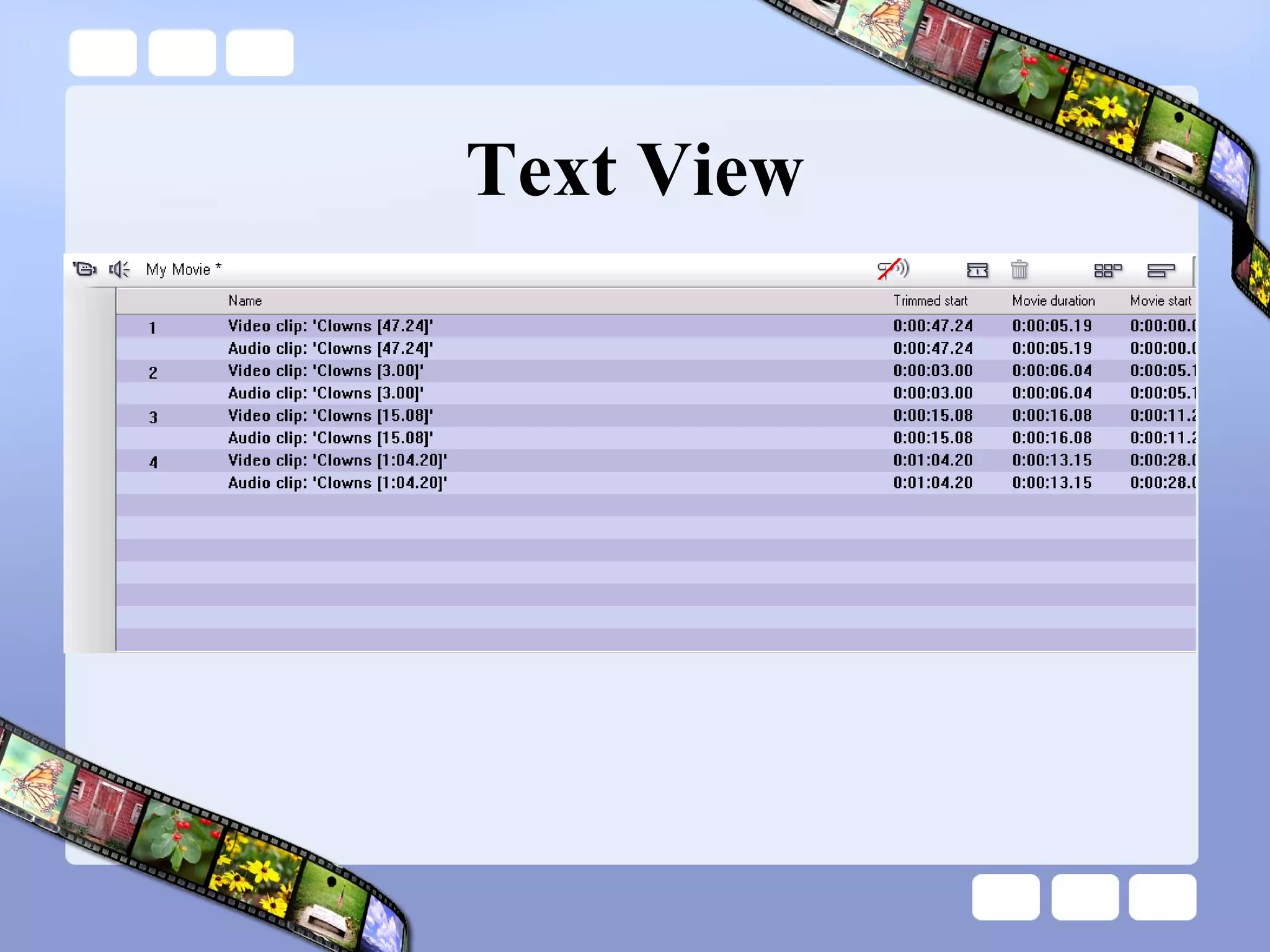
Text View
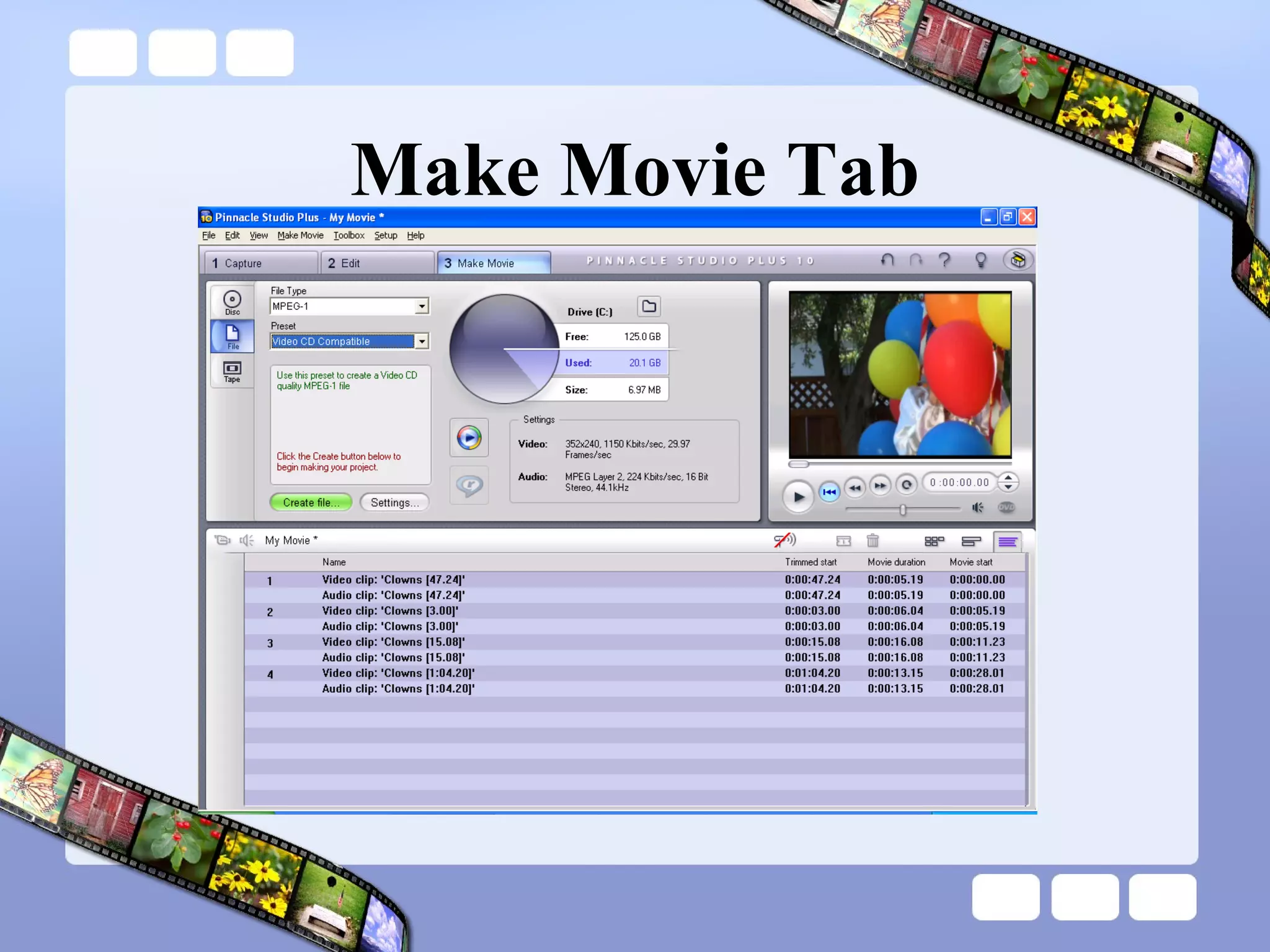
Make Movie Tab
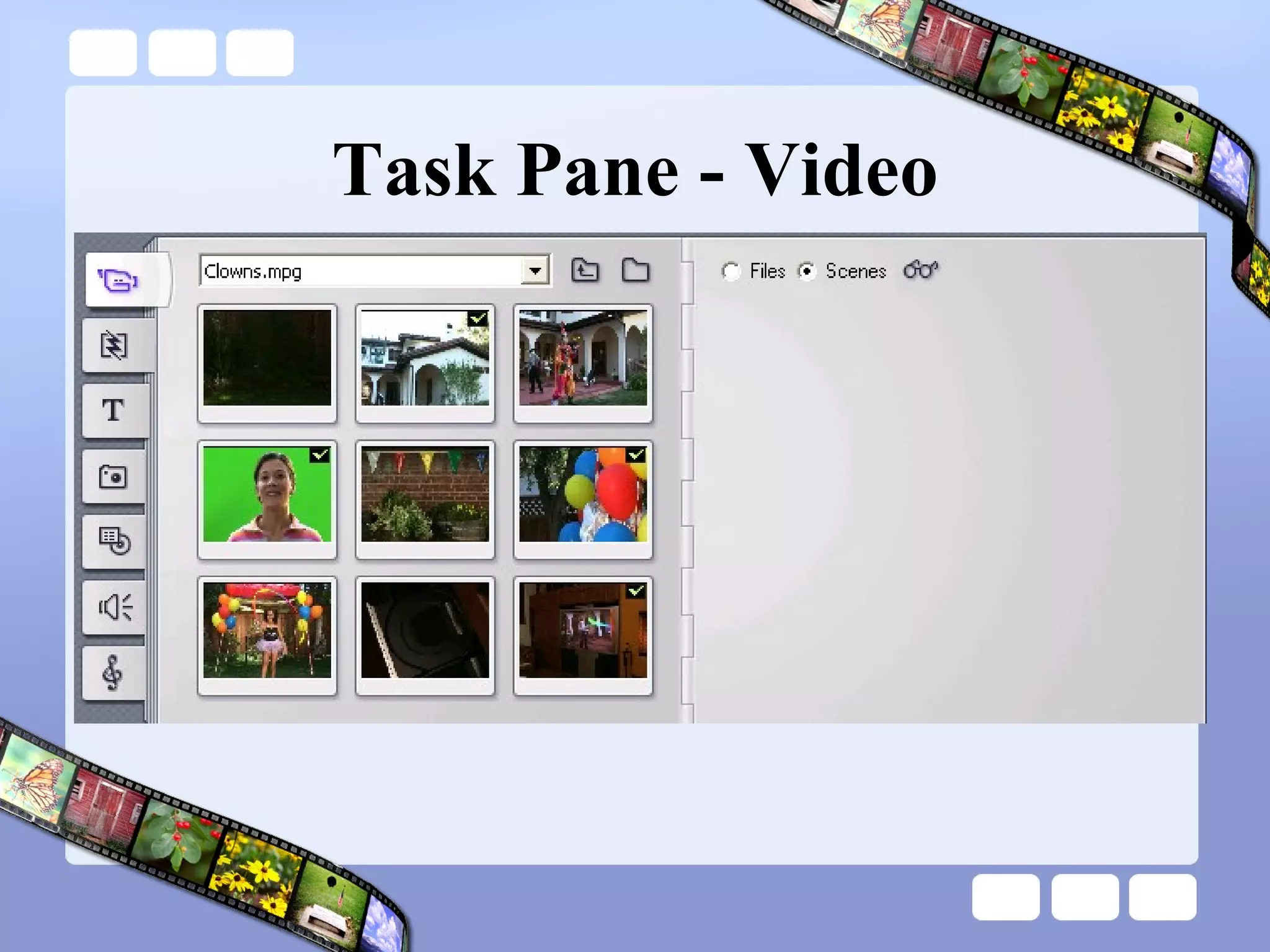
Task Pane - Video
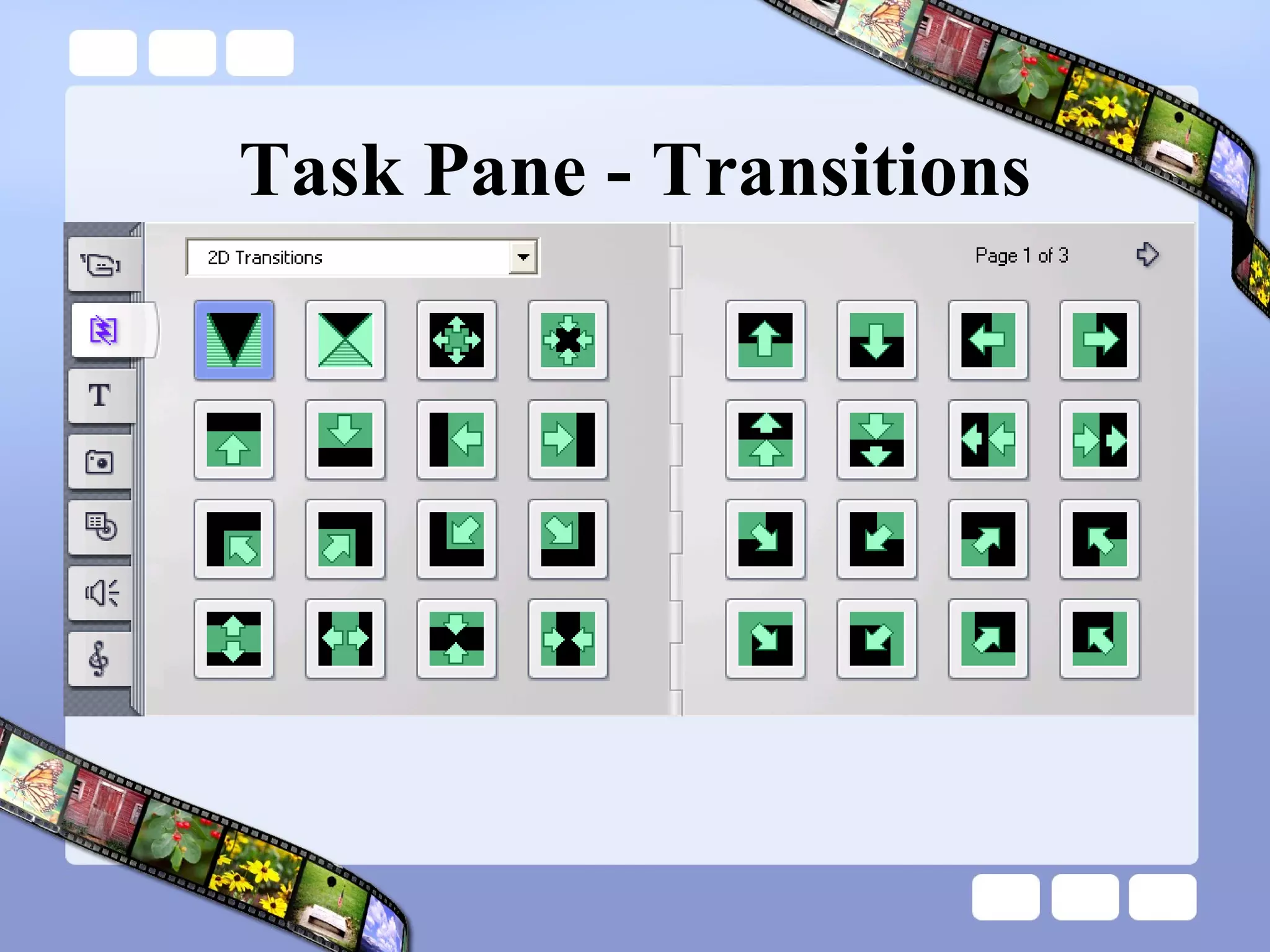
Task Pane - Transitions
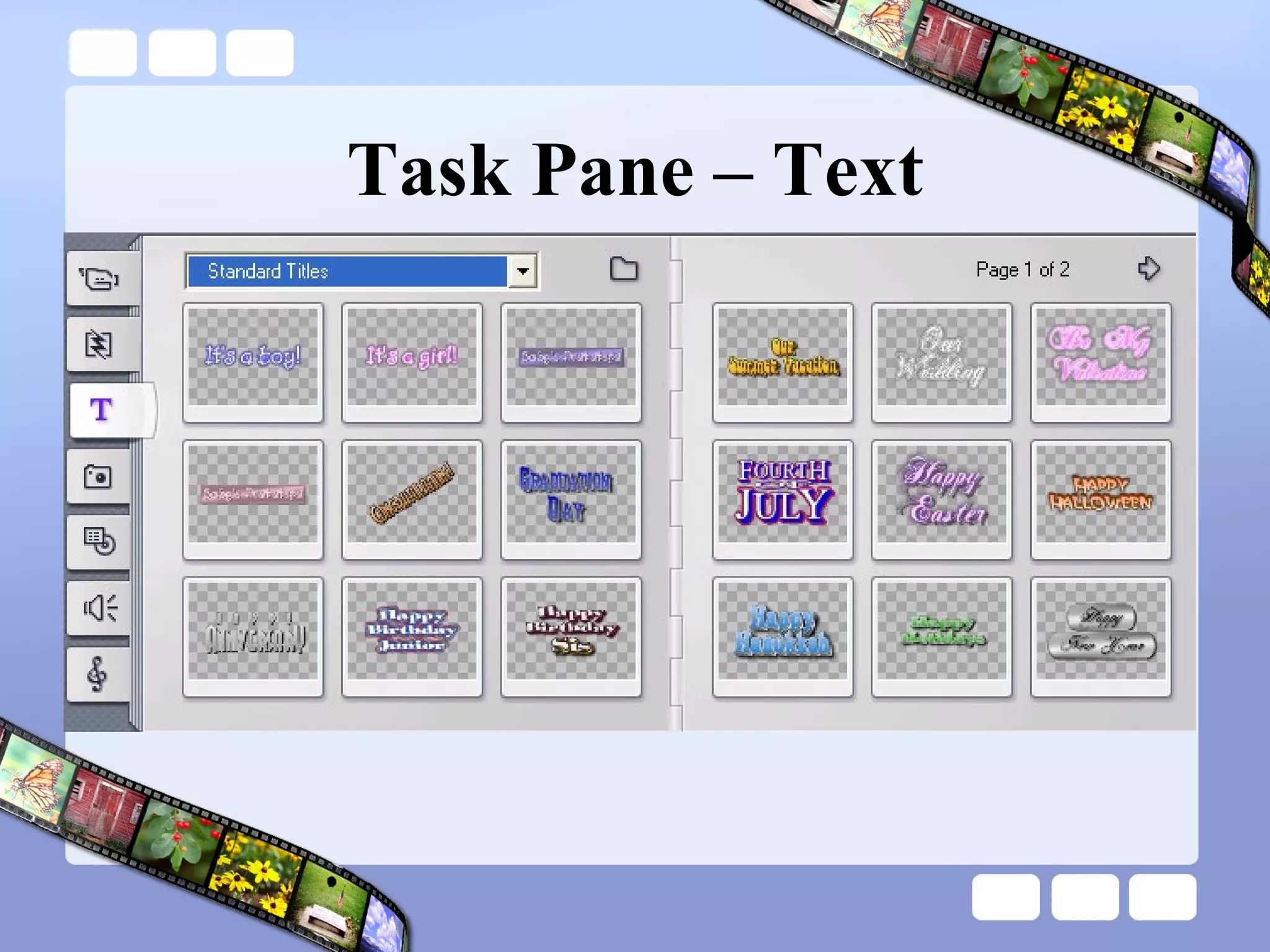
Task Pane – Text
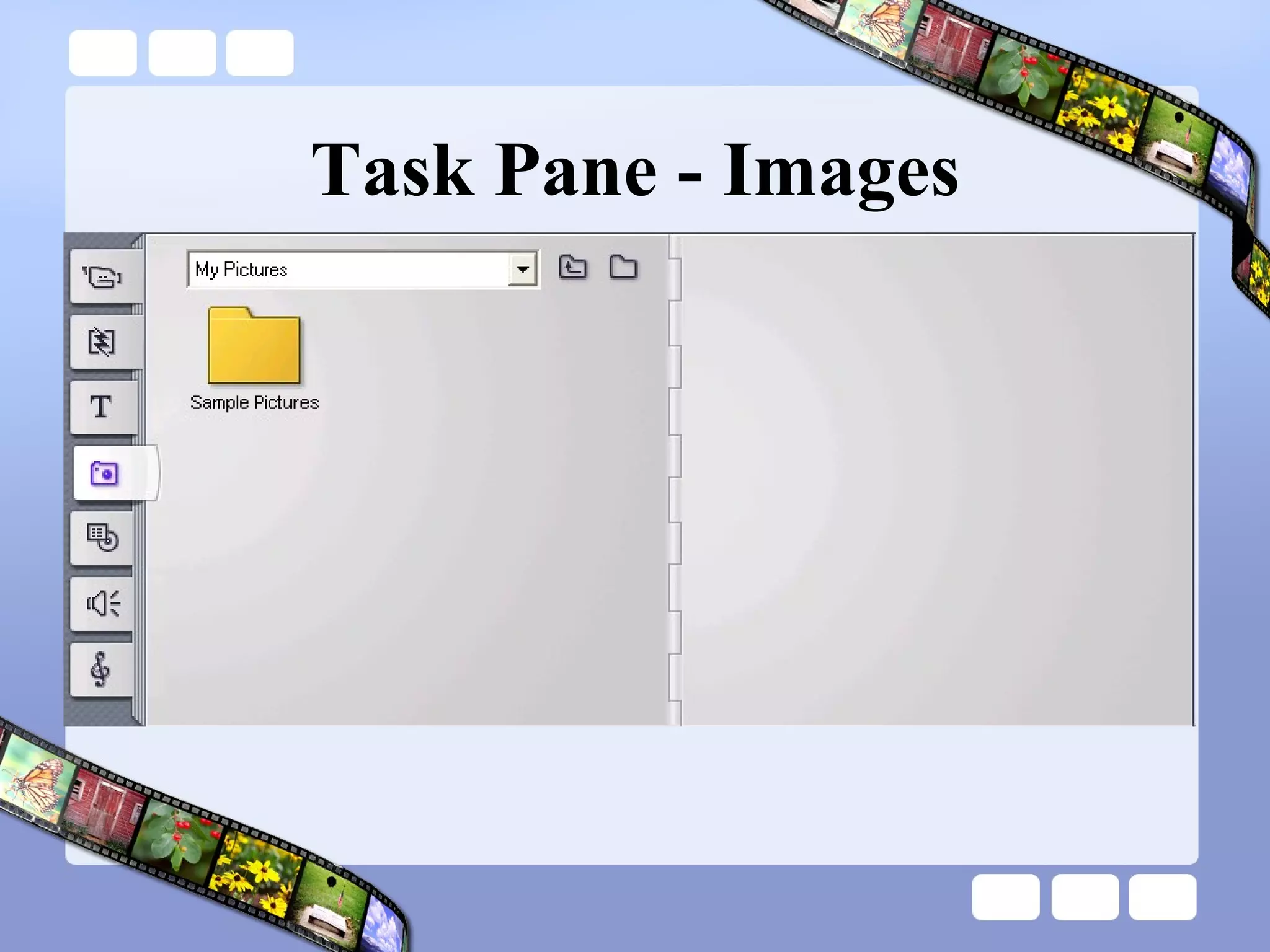
Task Pane - Images
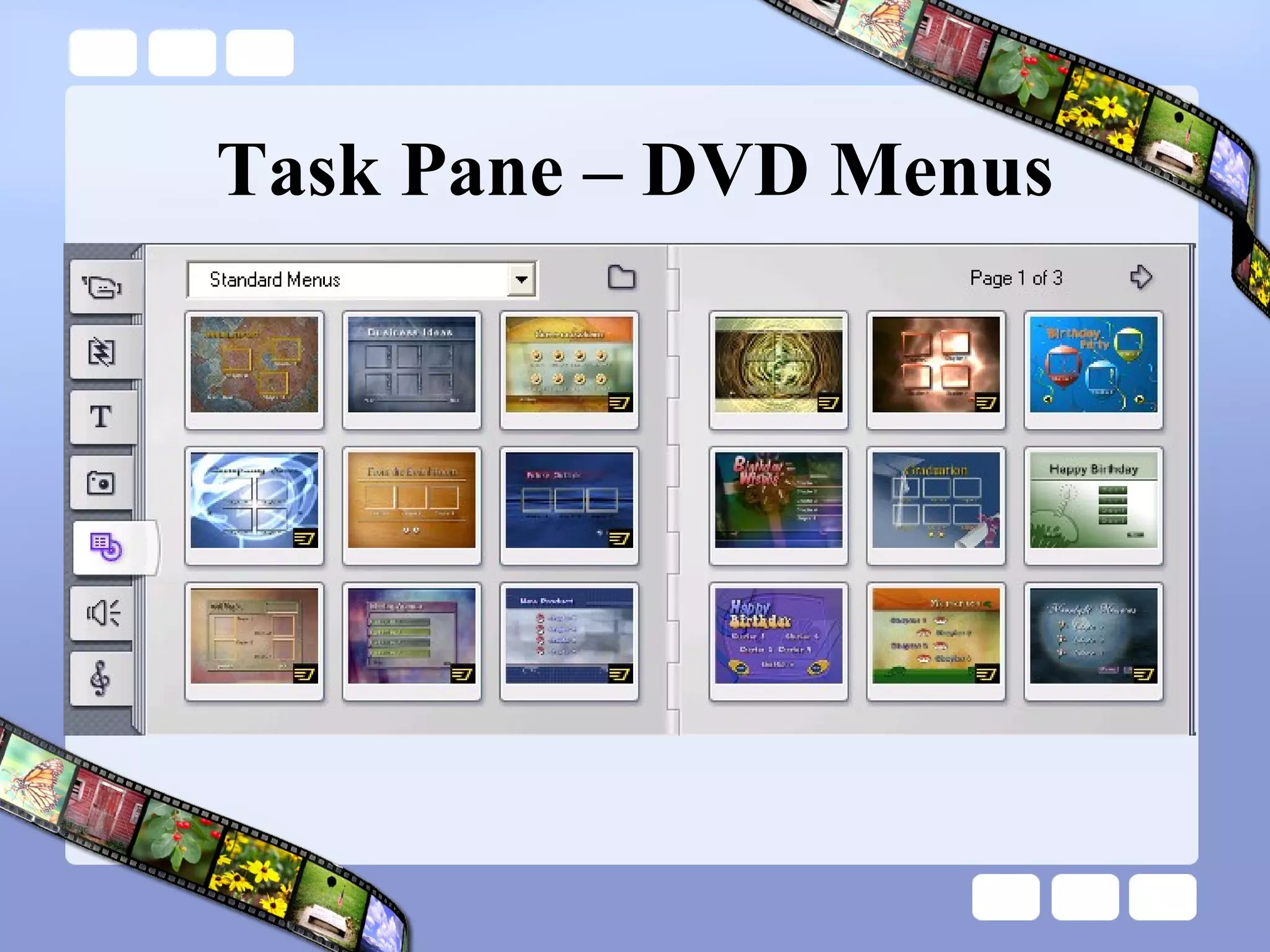
Task Pane – DVD Menus
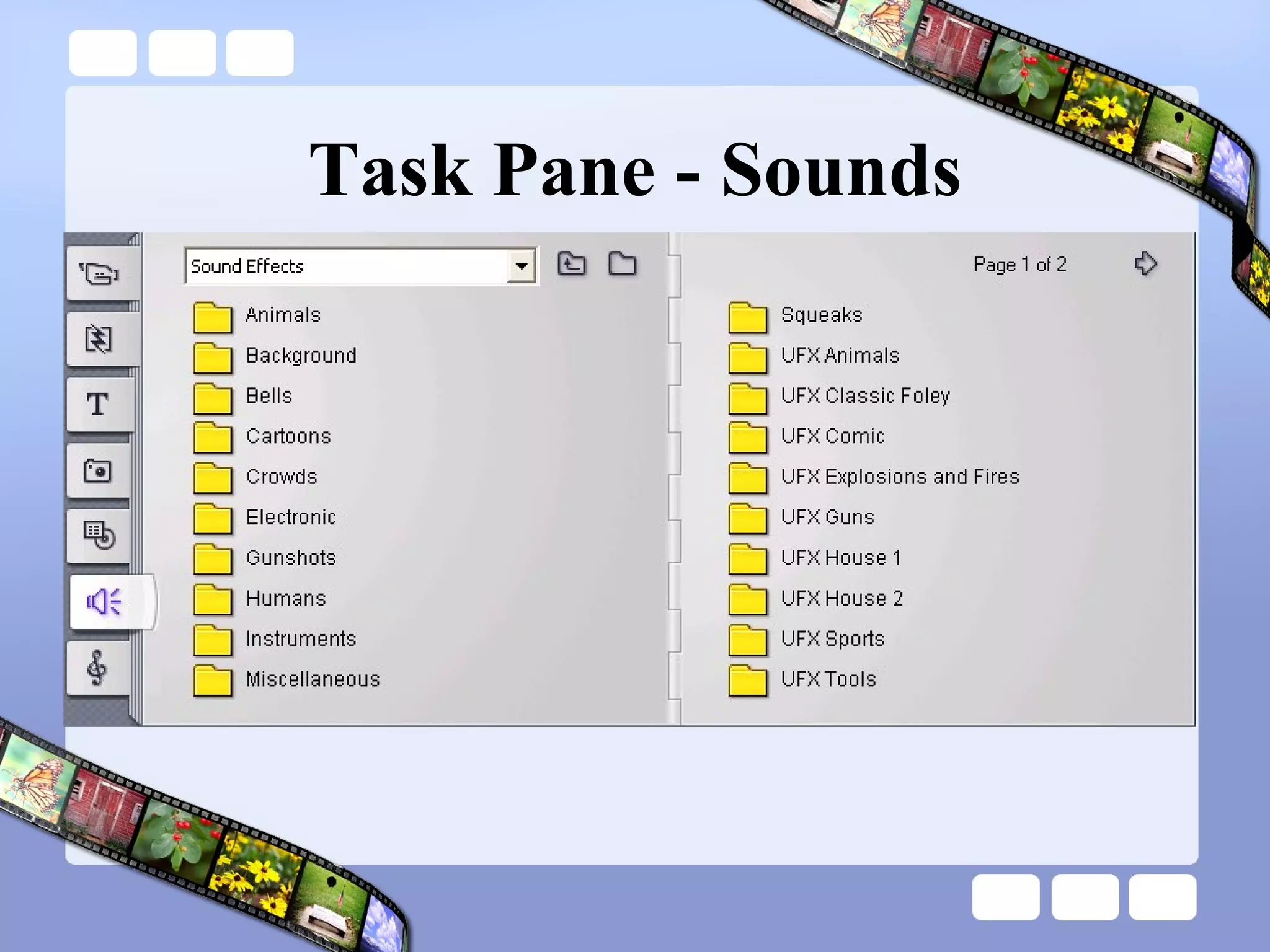
Task Pane - Sounds
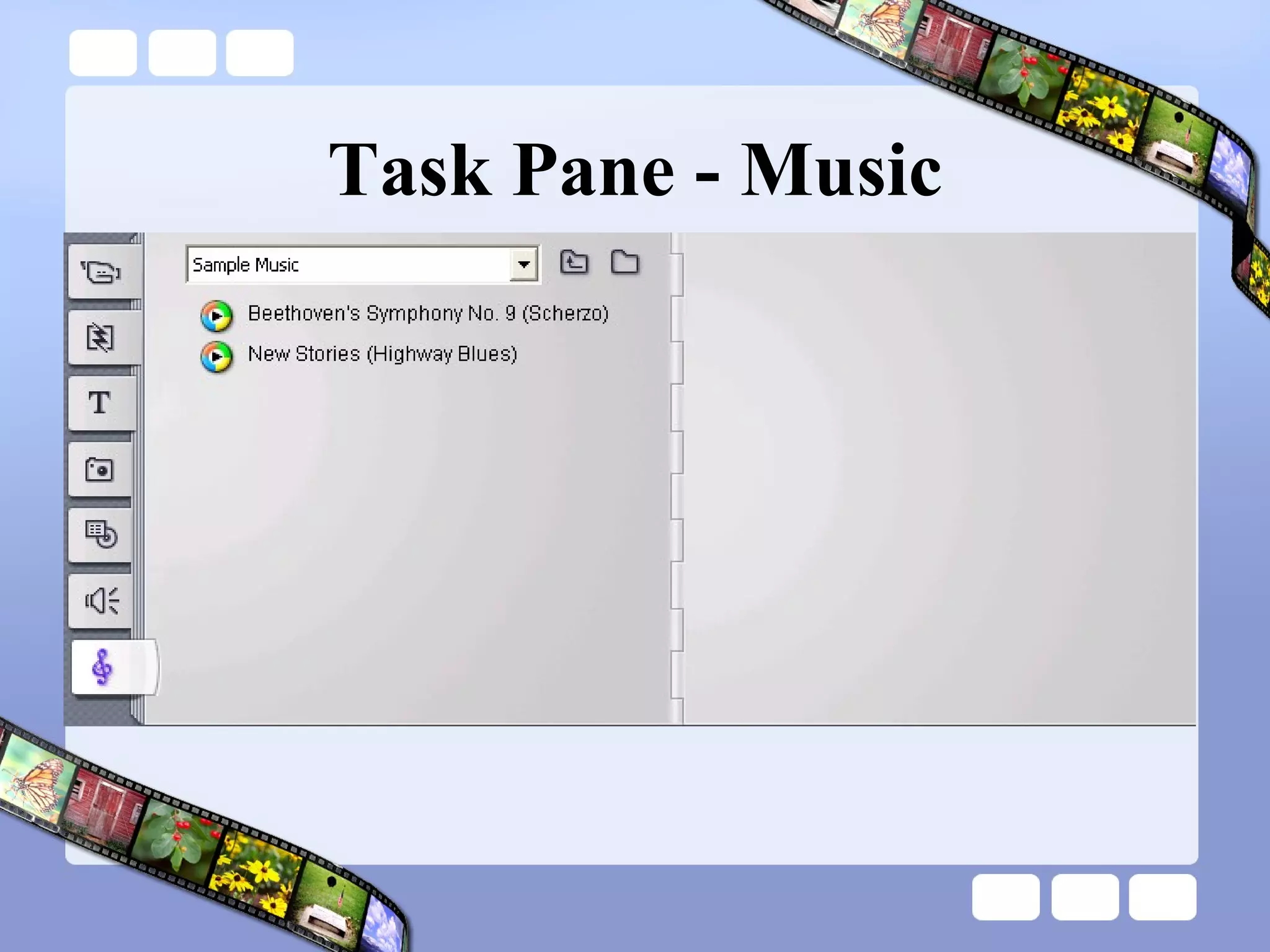
Task Pane - Music
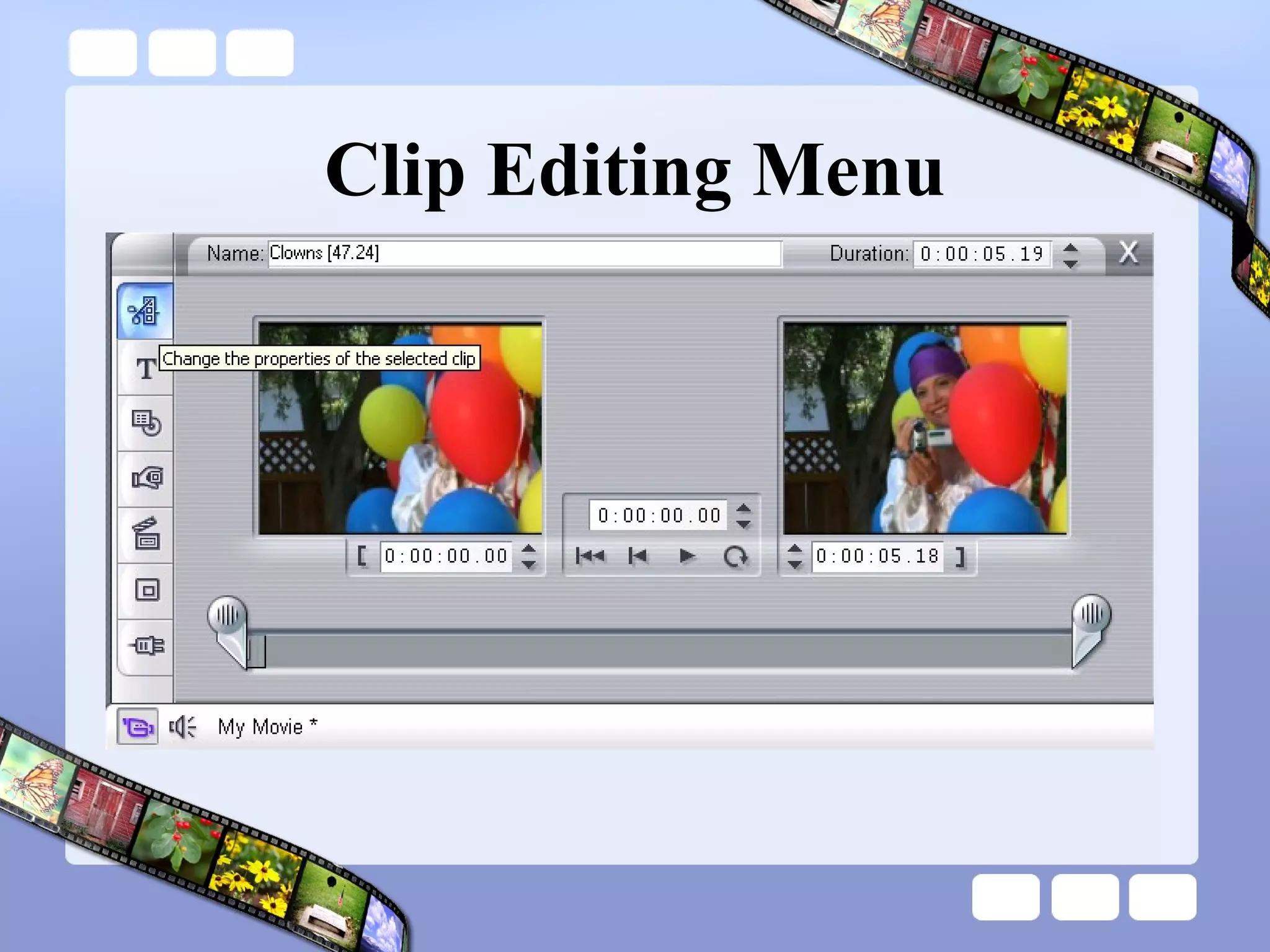
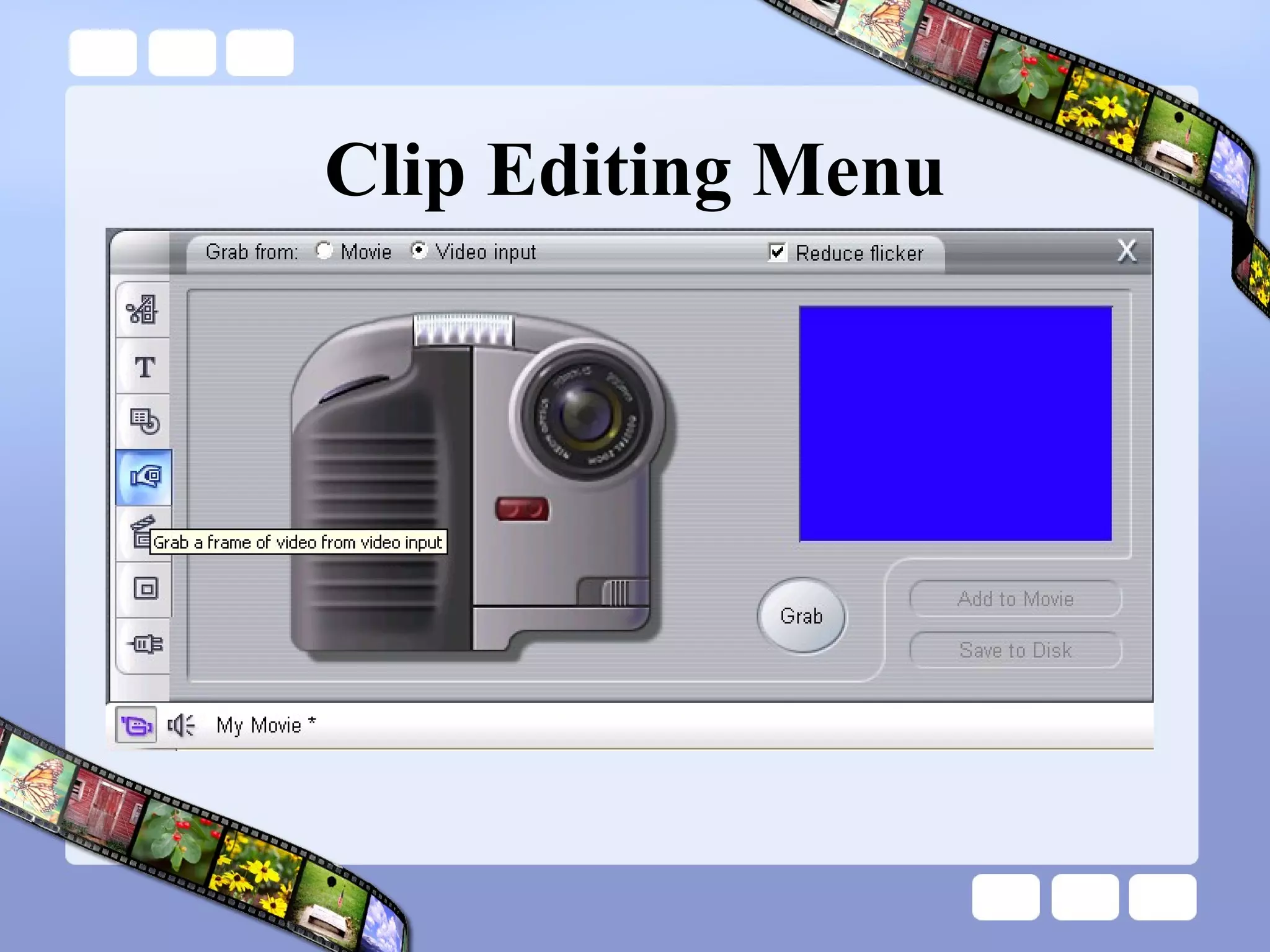
Clip Editing Menu
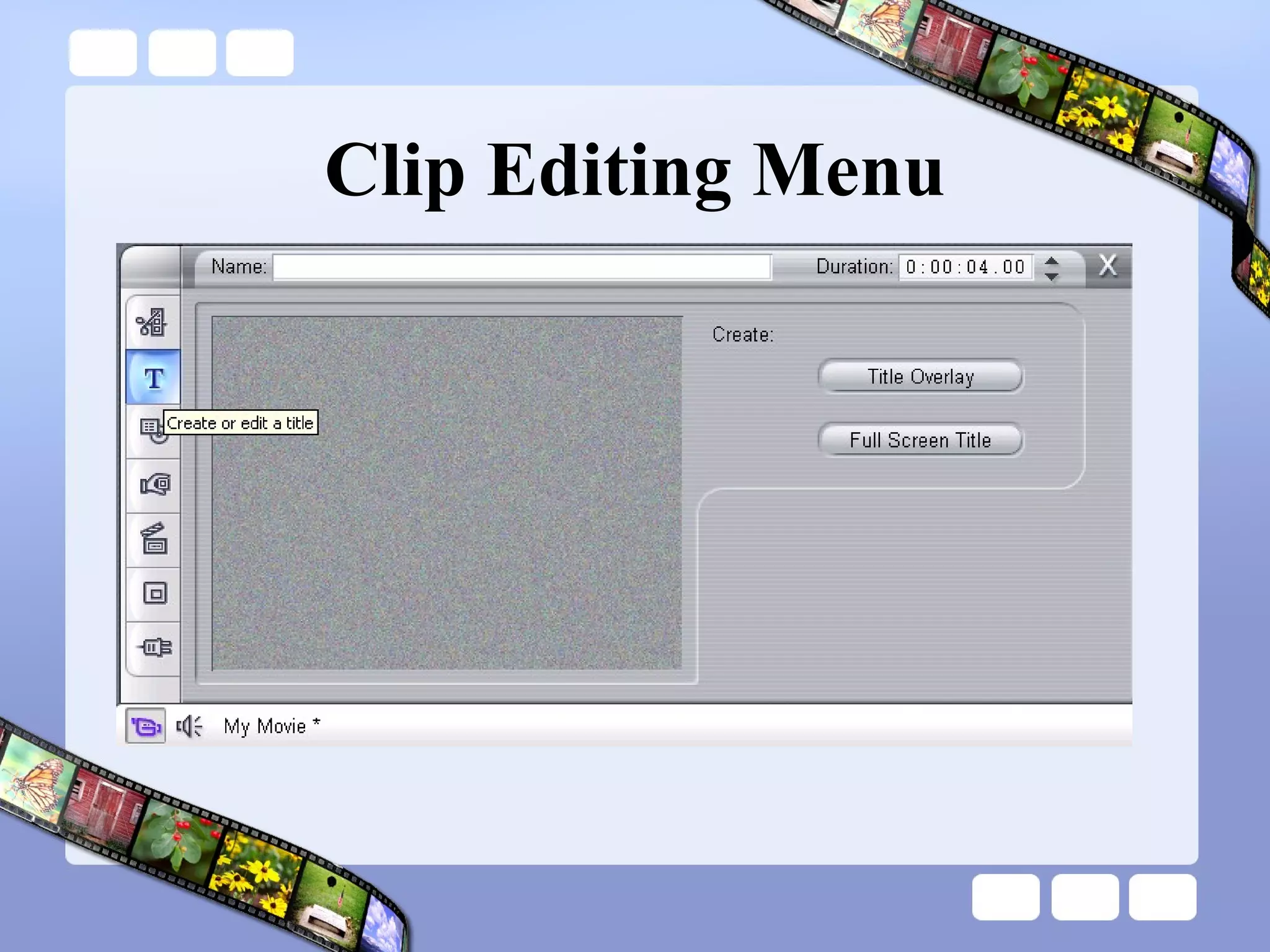
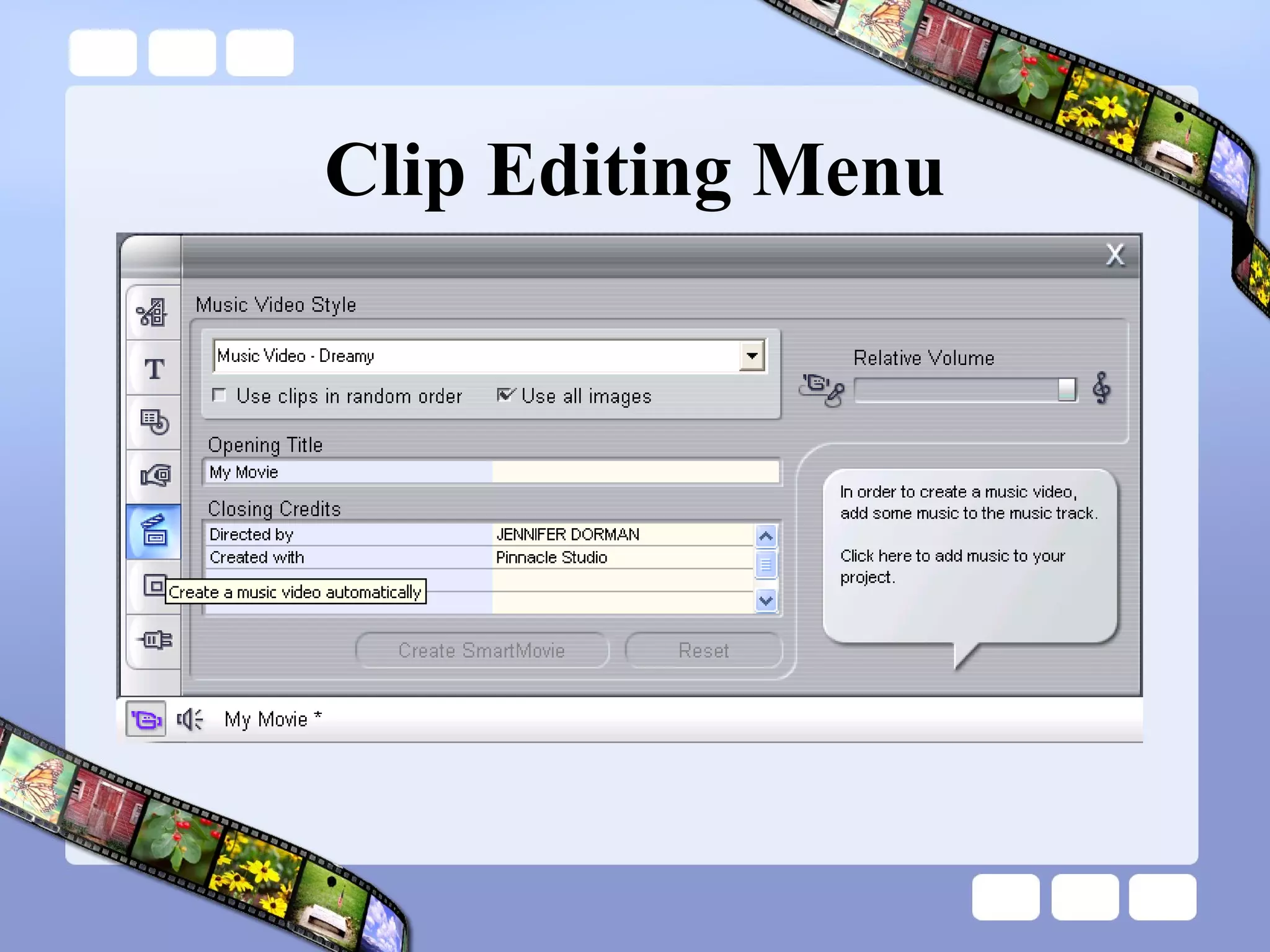
Clip Editing Menu
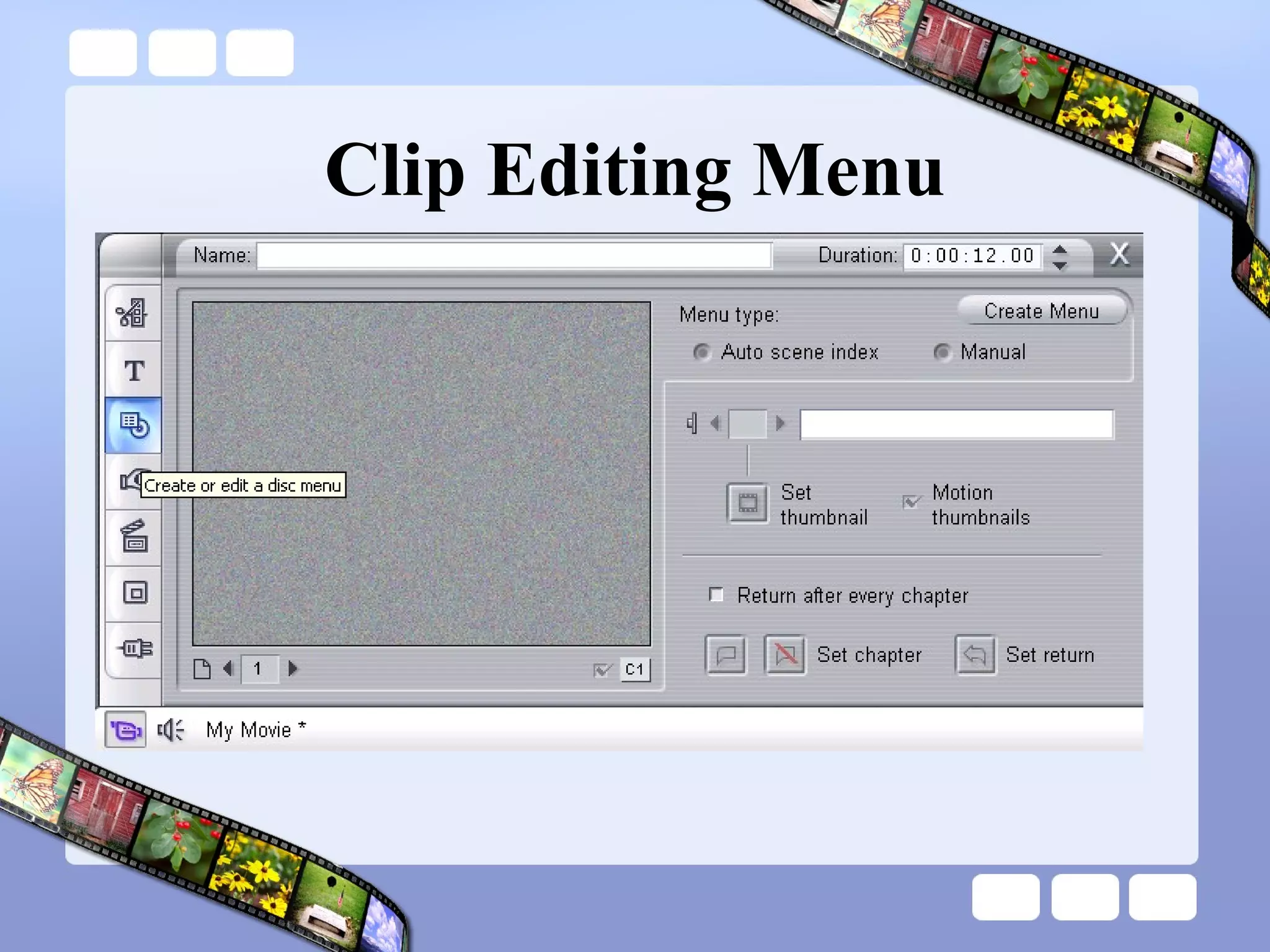
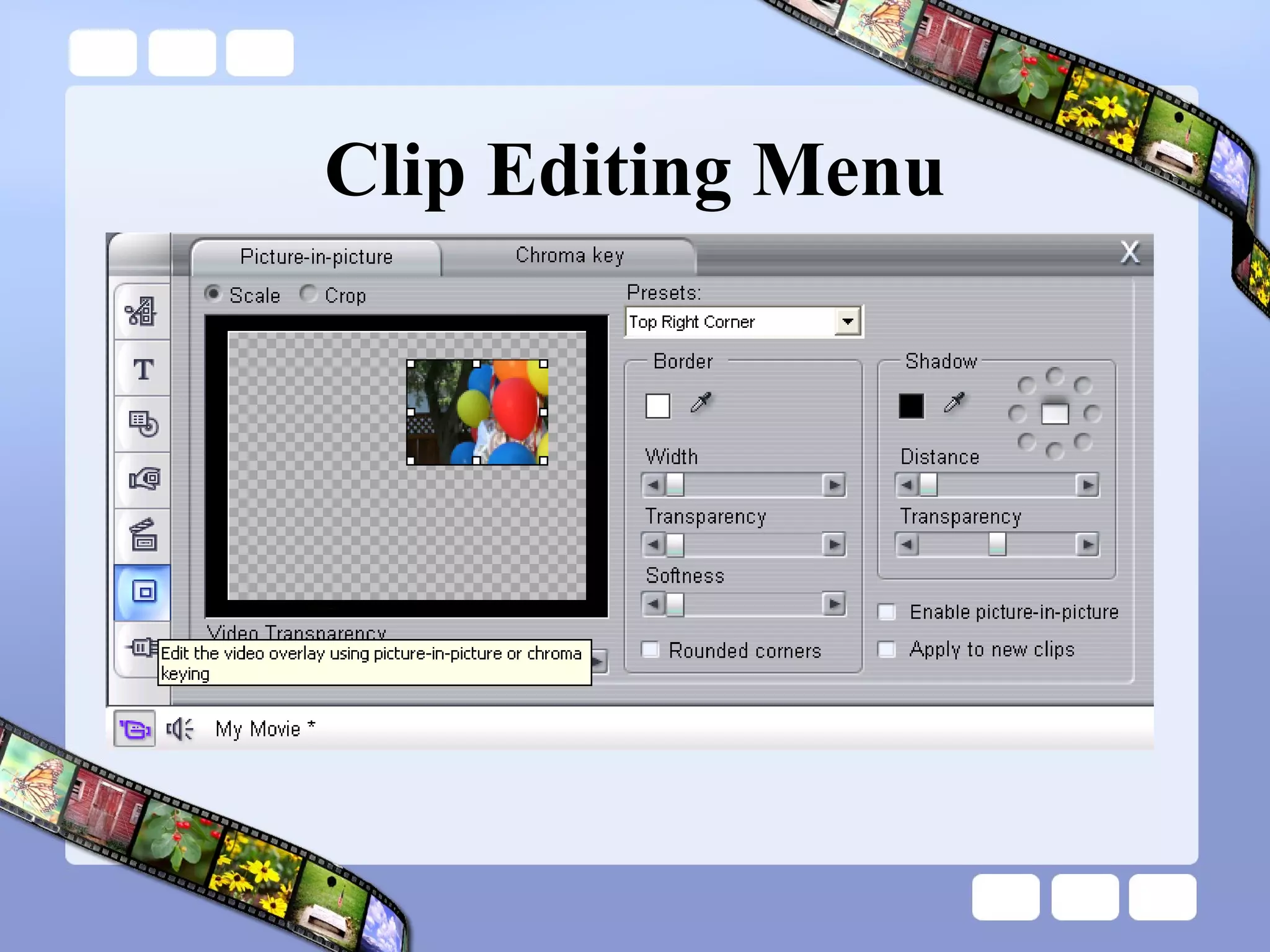
Clip Editing Menu
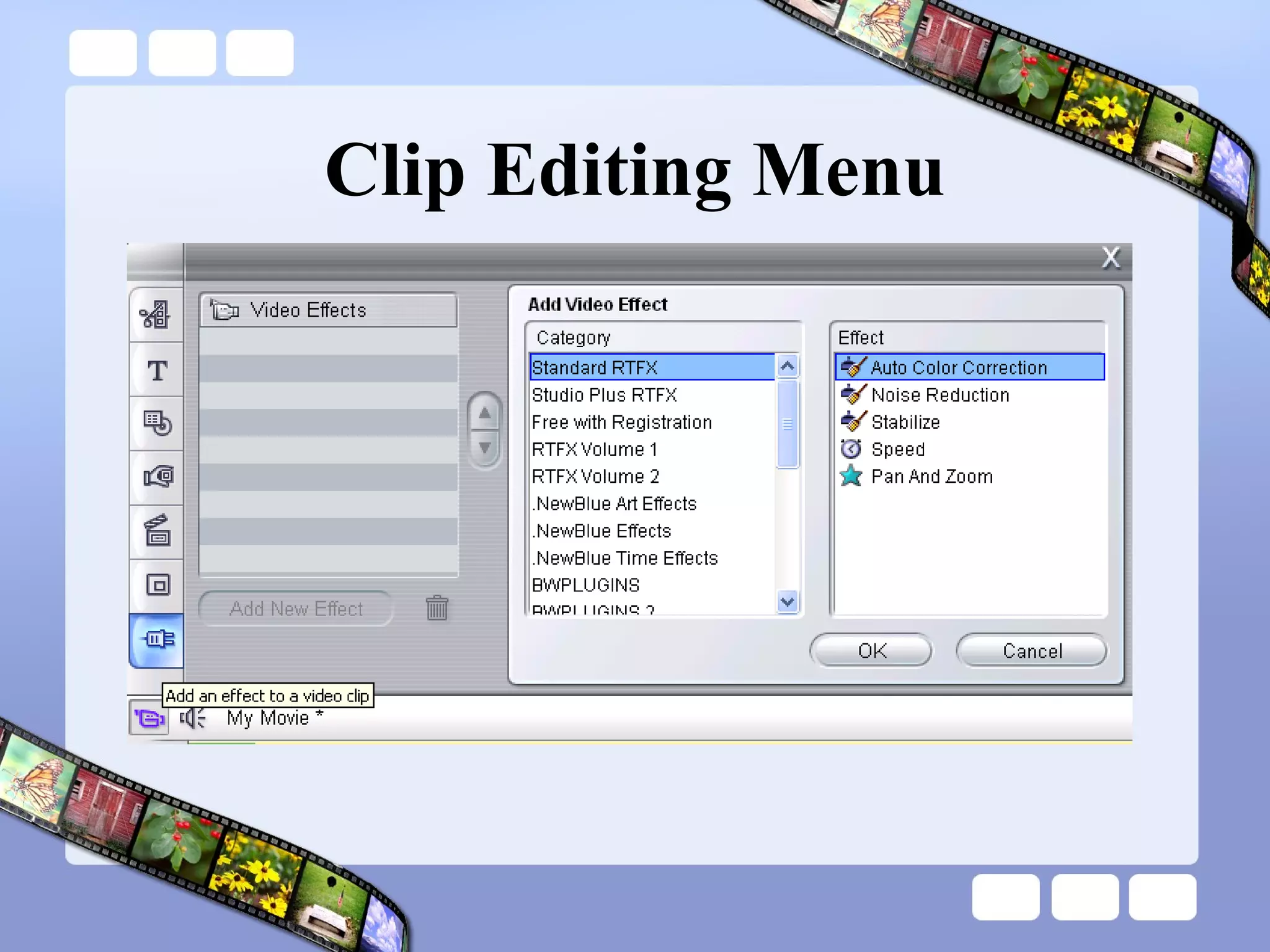
Clip Editing Menu
Clip Editing Menu
Clip Editing Menu
Clip Editing Menu
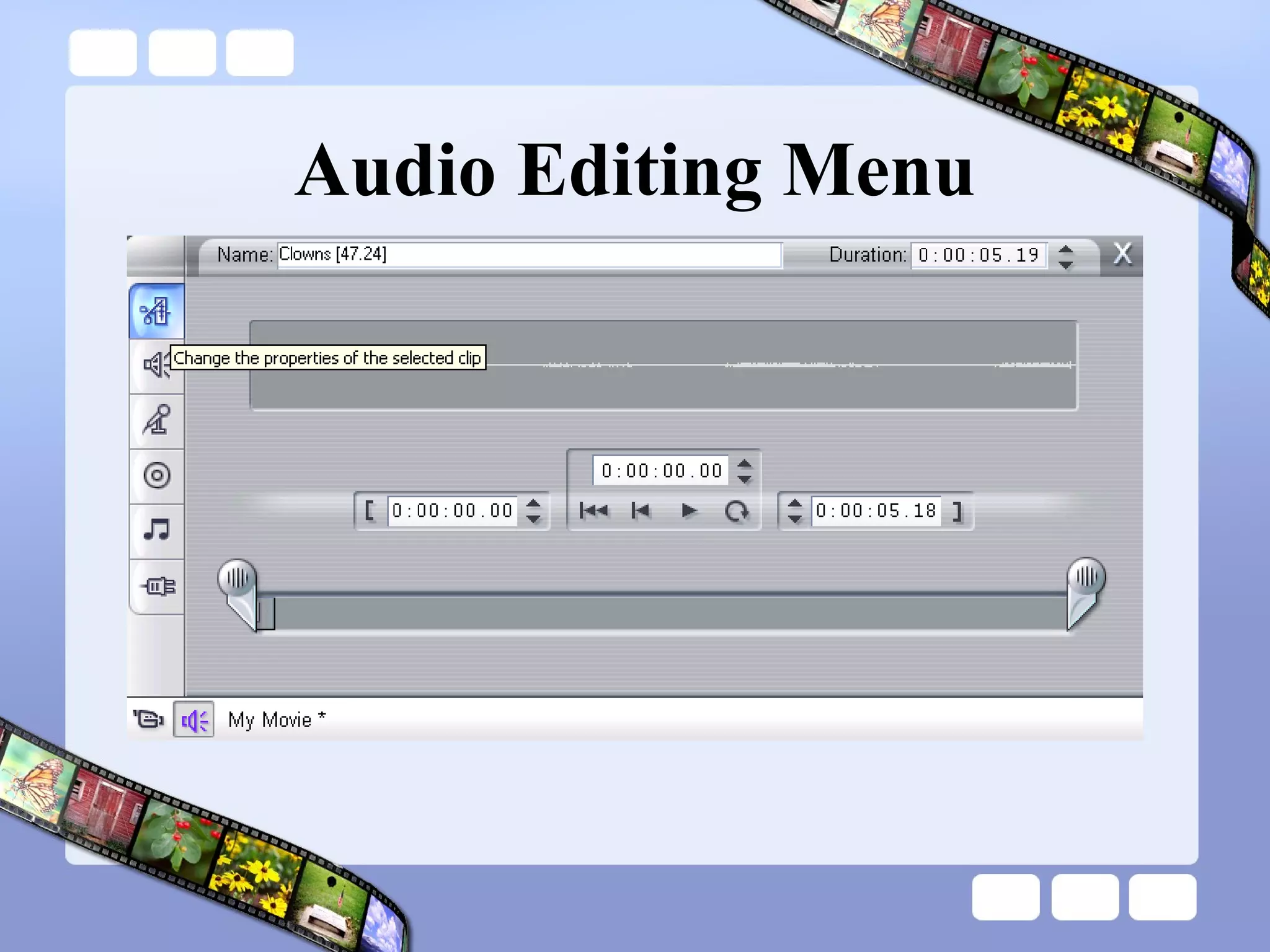
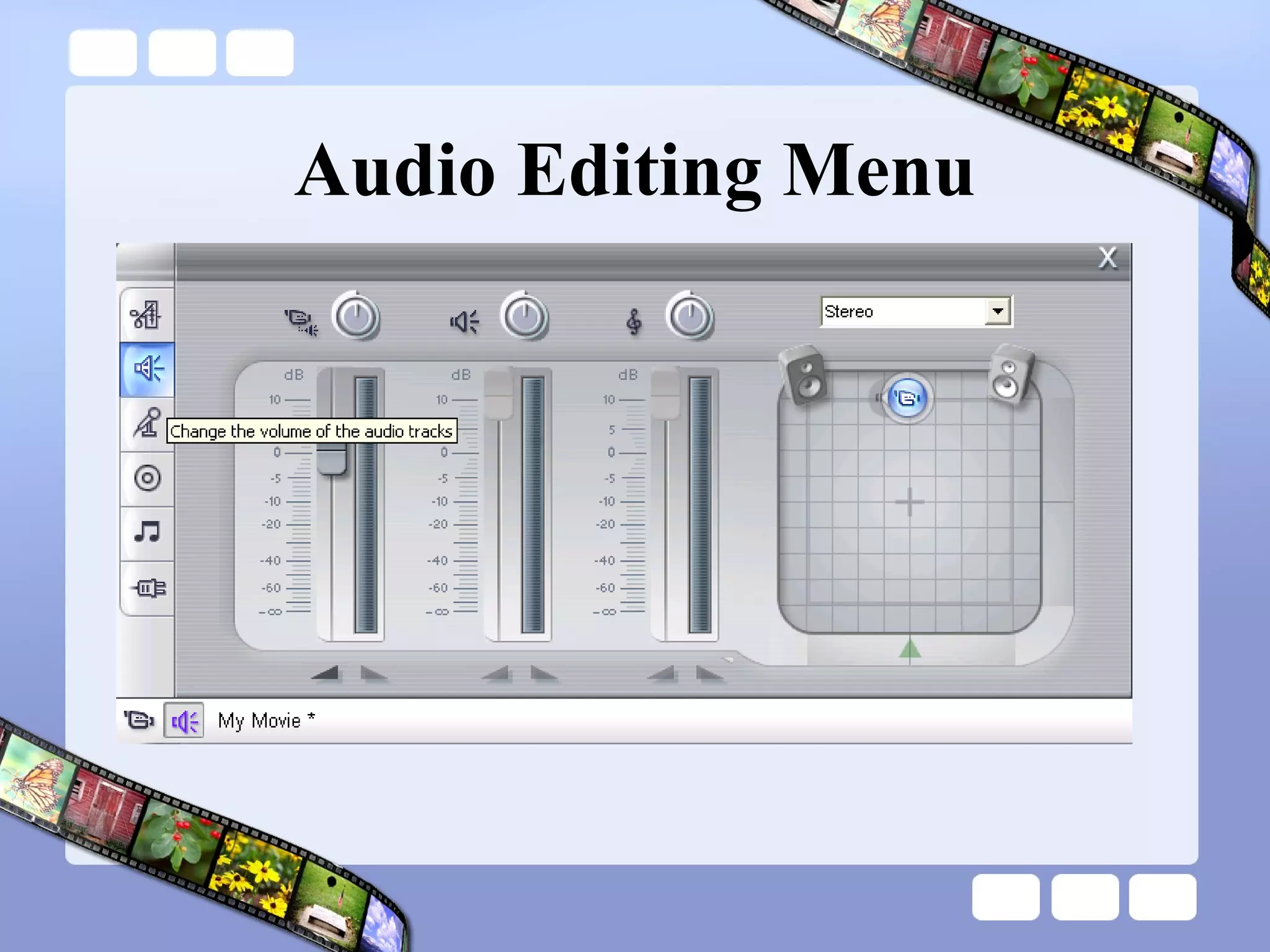
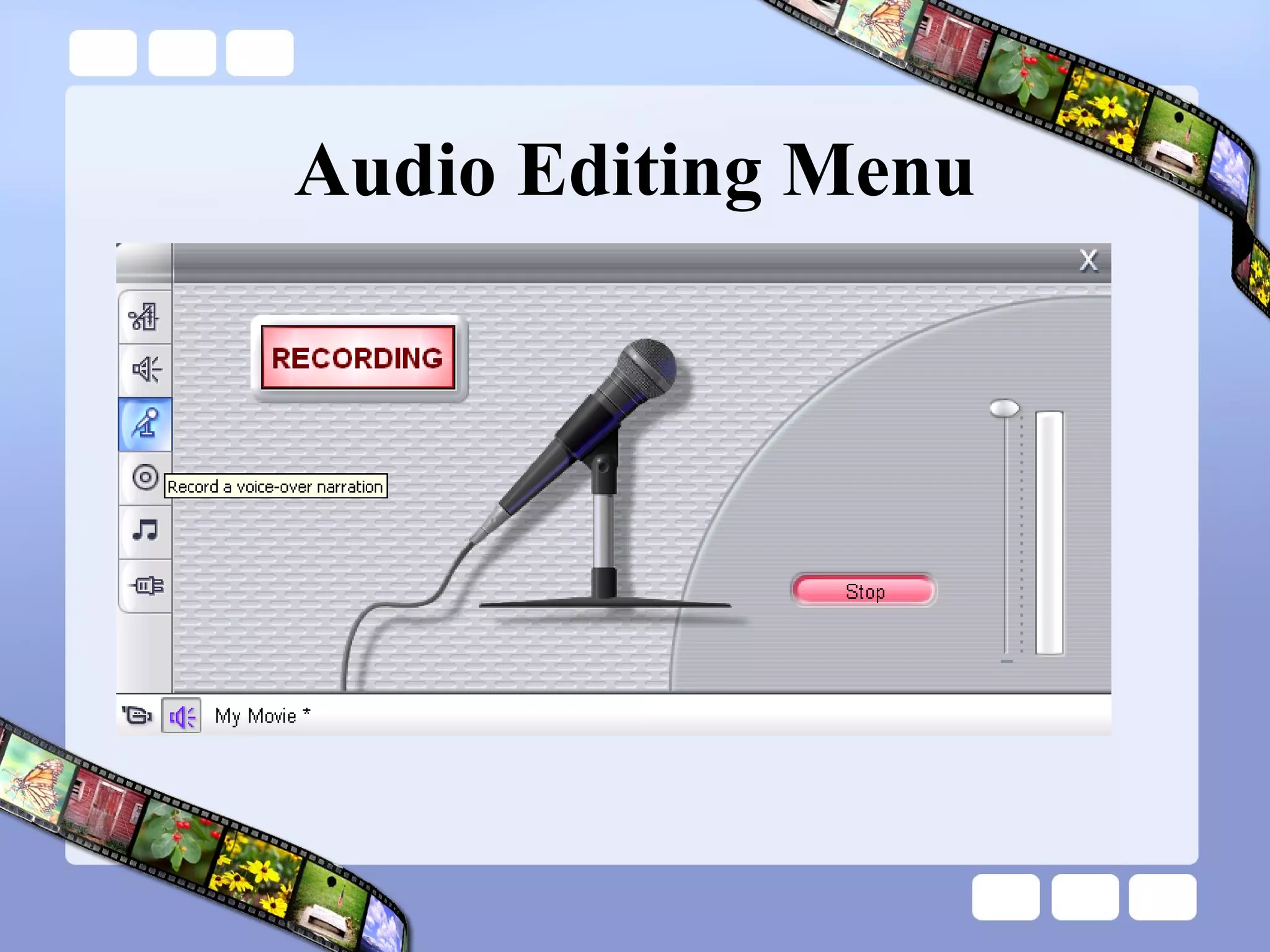
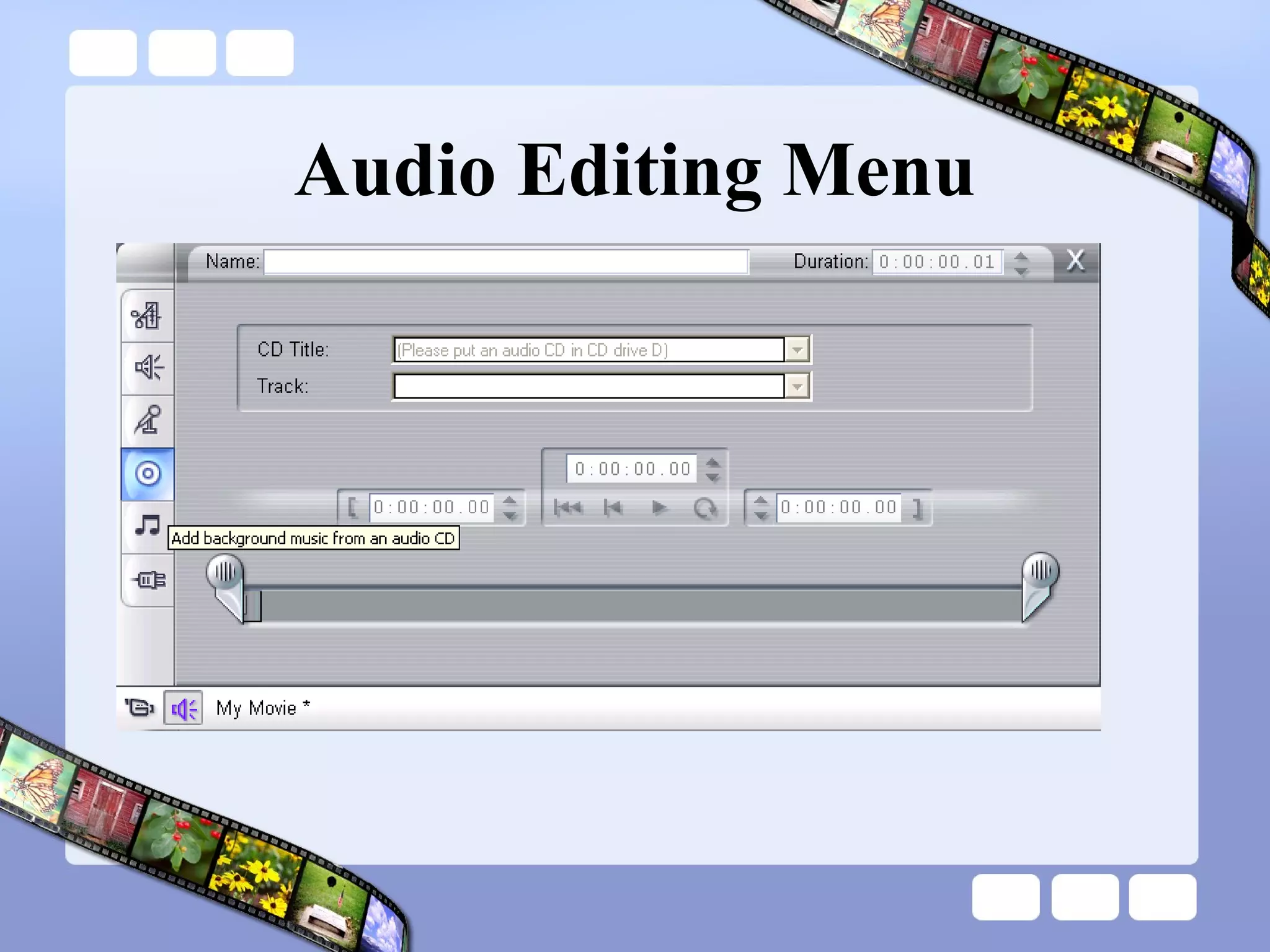
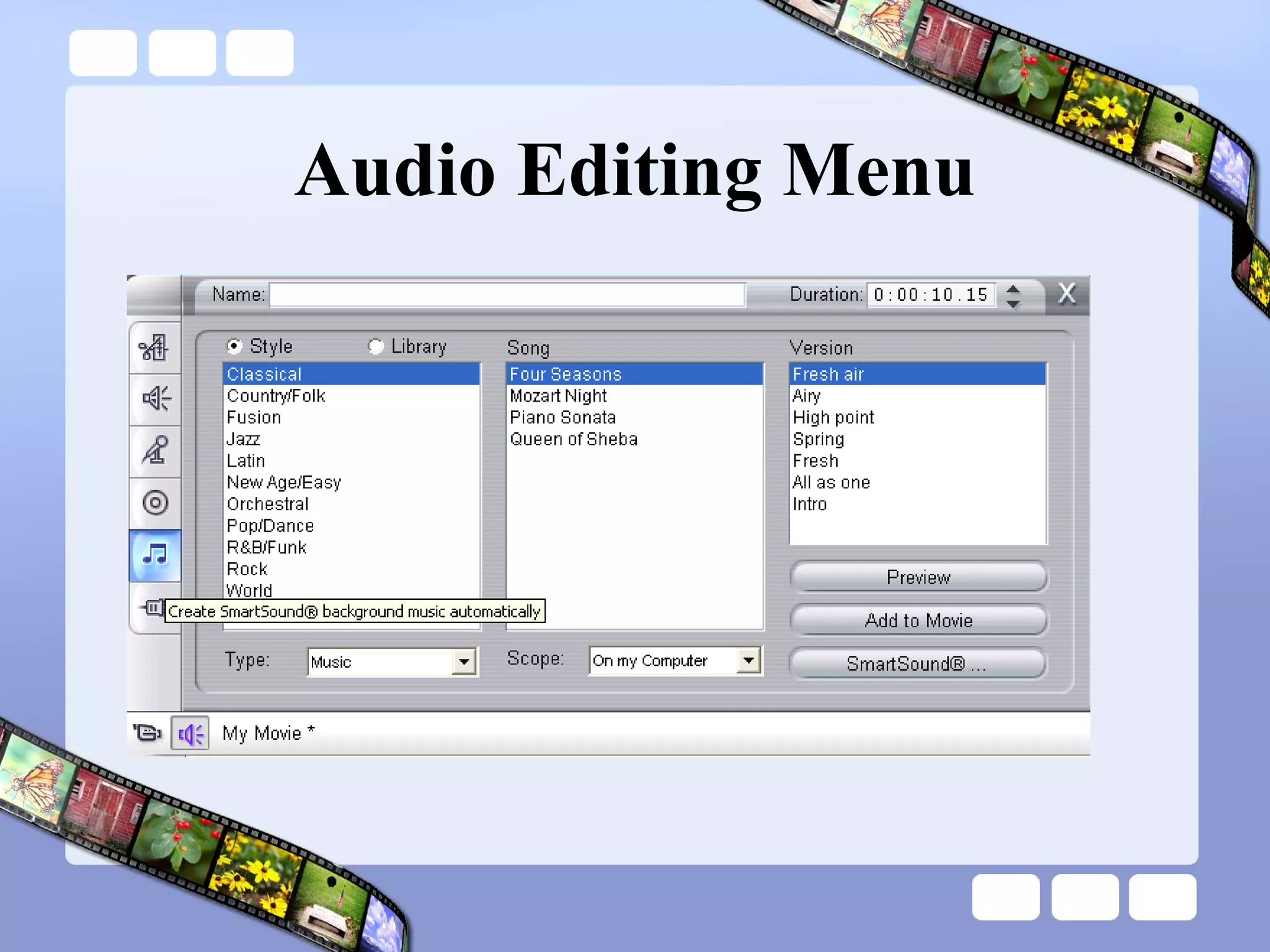
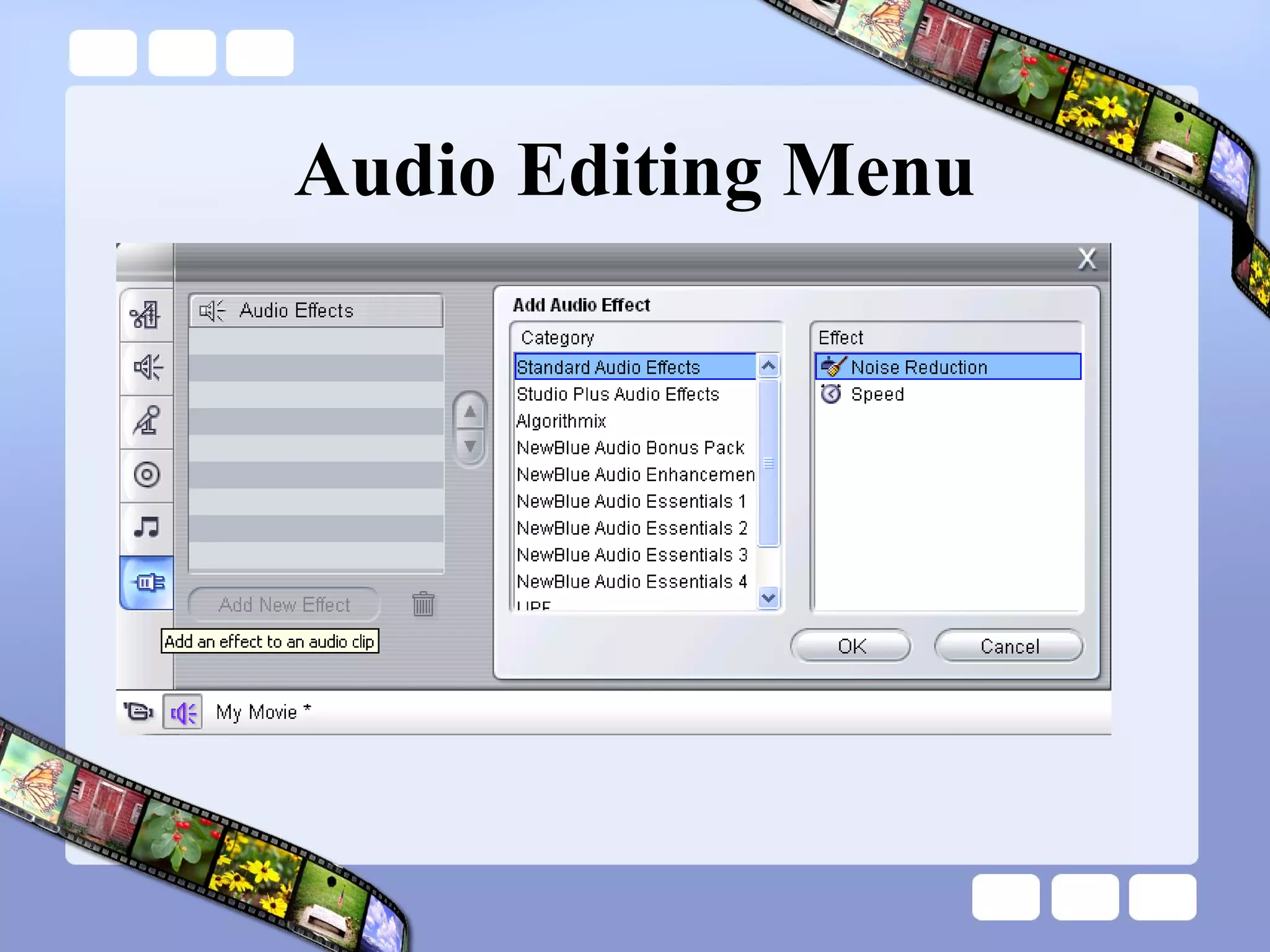
Audio Editing Menu
Audio Editing Menu
Audio Editing Menu
Audio Editing Menu
Audio Editing Menu
Audio Editing Menu
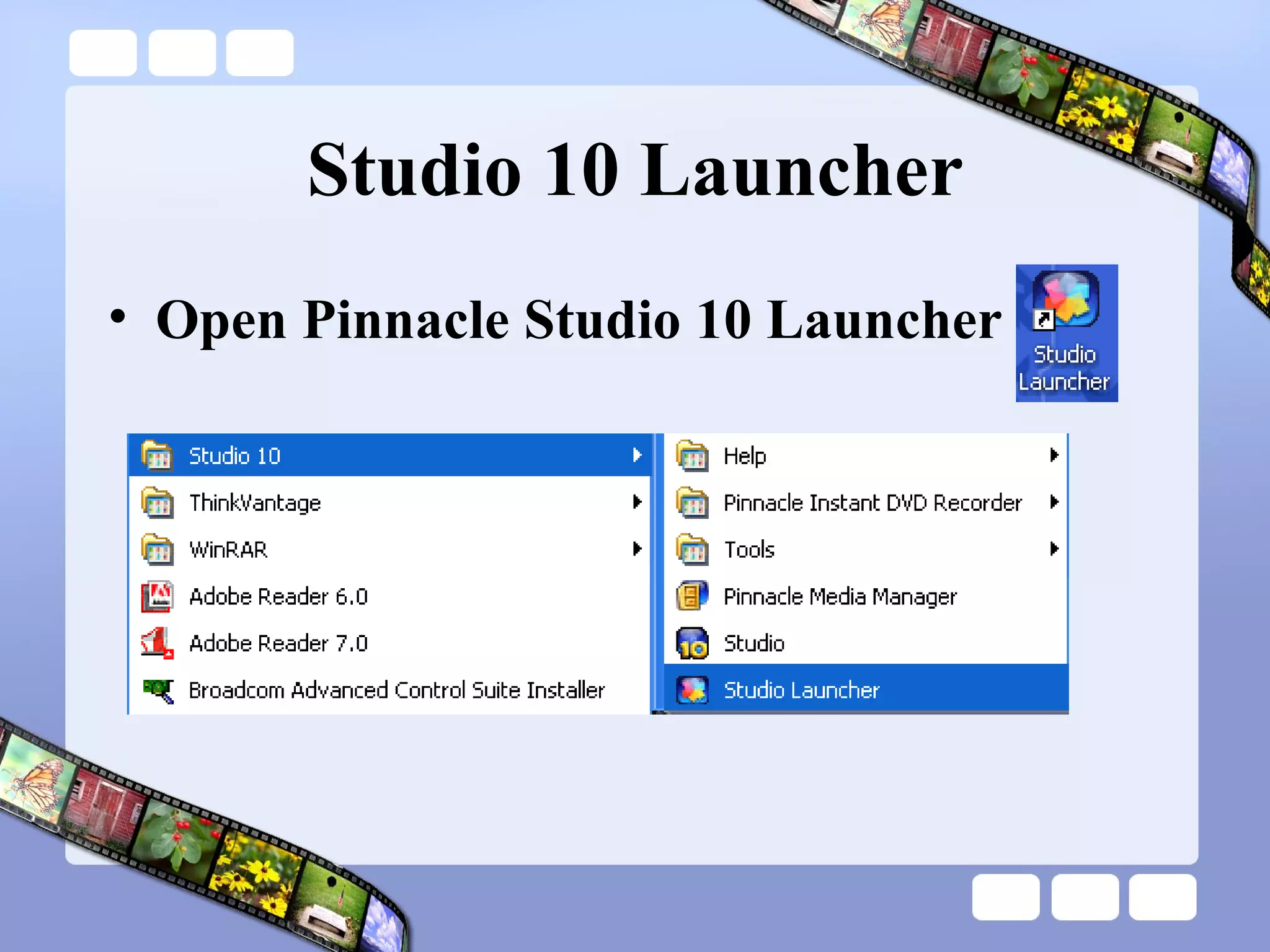
Studio 10 Launcher Open Pinnacle Studio 10 Launcher
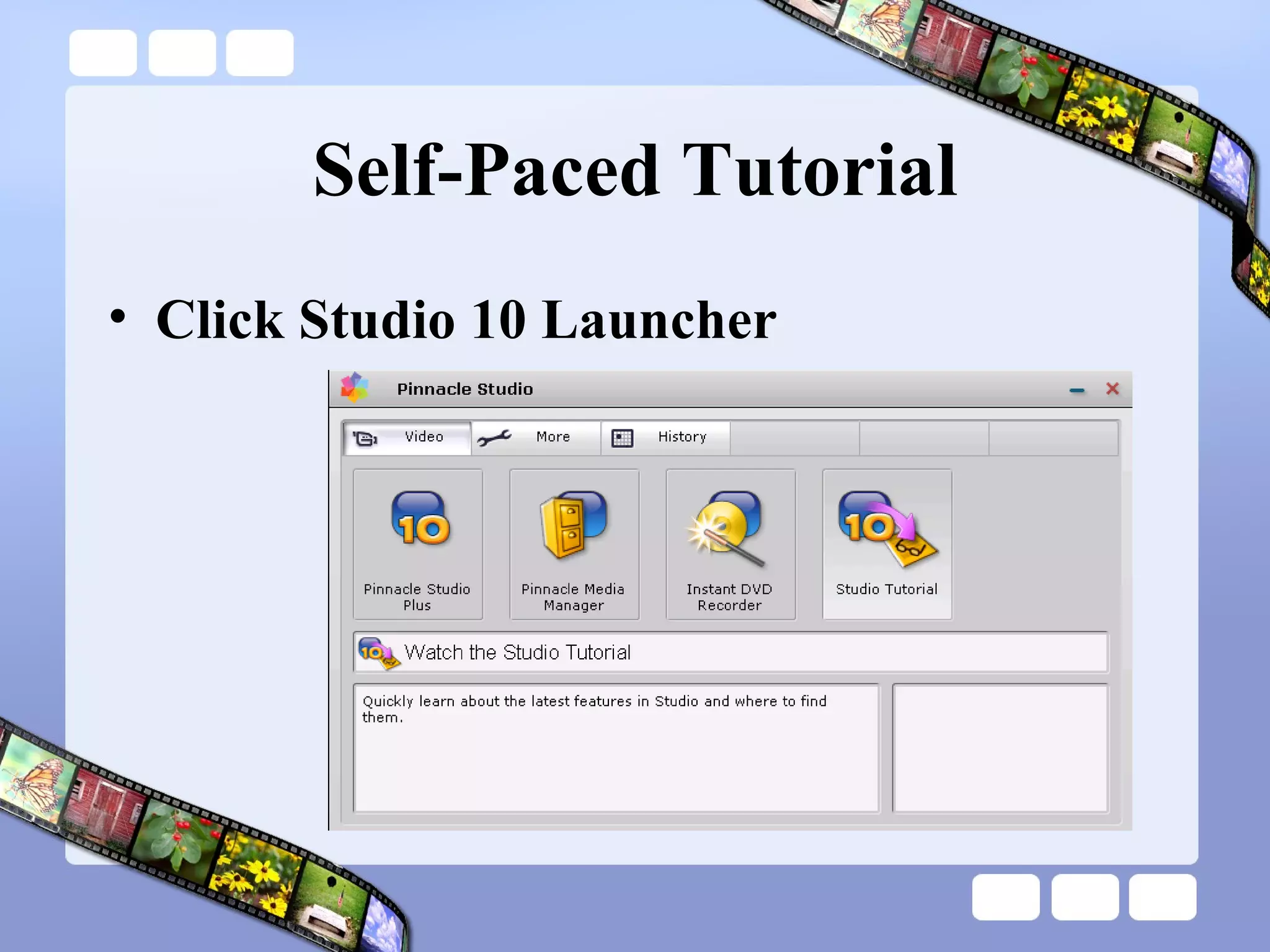
Self-Paced Tutorial Click Studio 10 Launcher
Online Tutorials Pinnacle Studio 10 Online Tutorials http://jdorman.wikispaces.com/digitalstorytelling
Lab Session – Part 2 The Art of Digital Storytelling
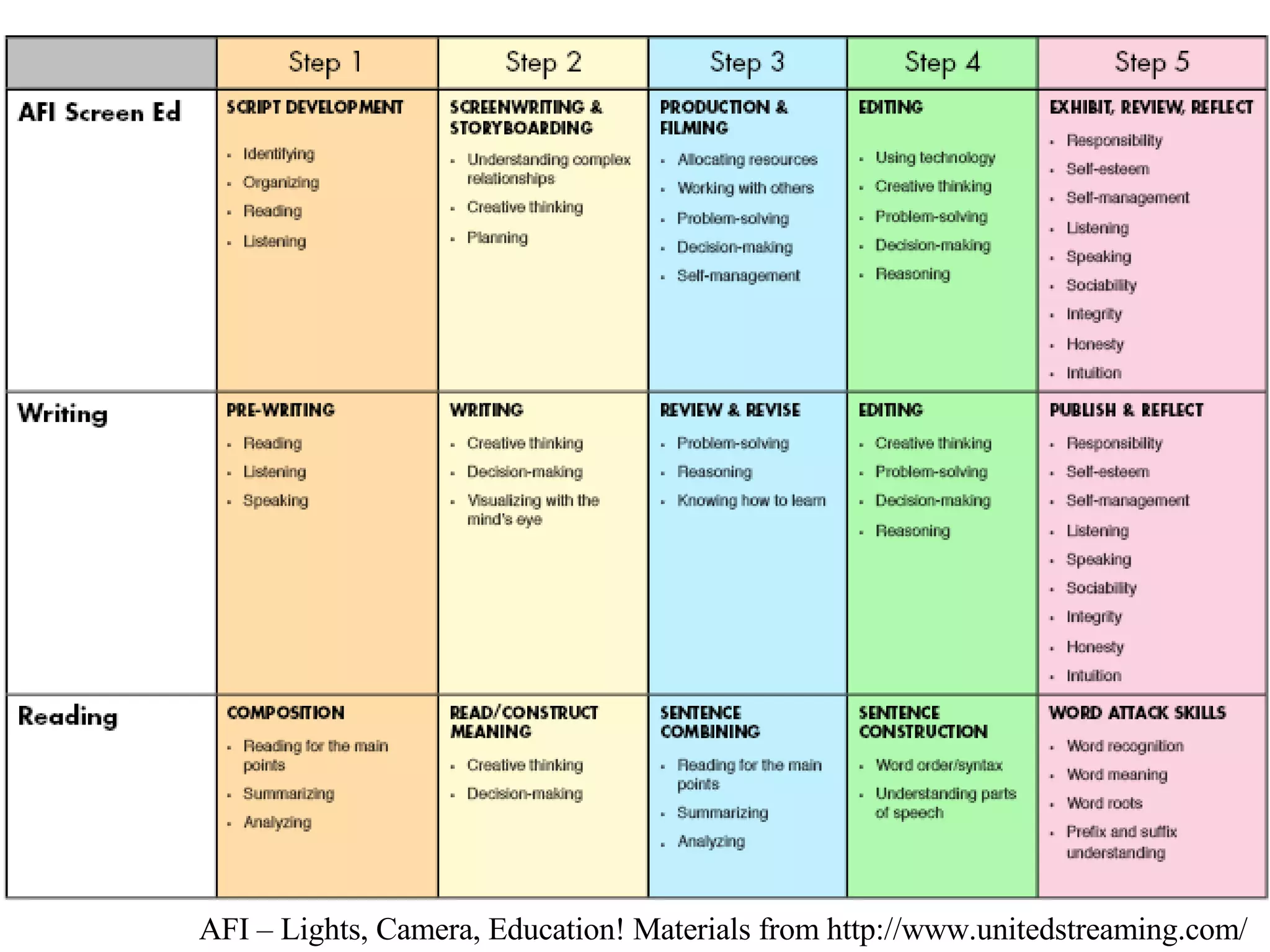
AFI – Lights, Camera, Education! Materials from http://www.unitedstreaming.com/
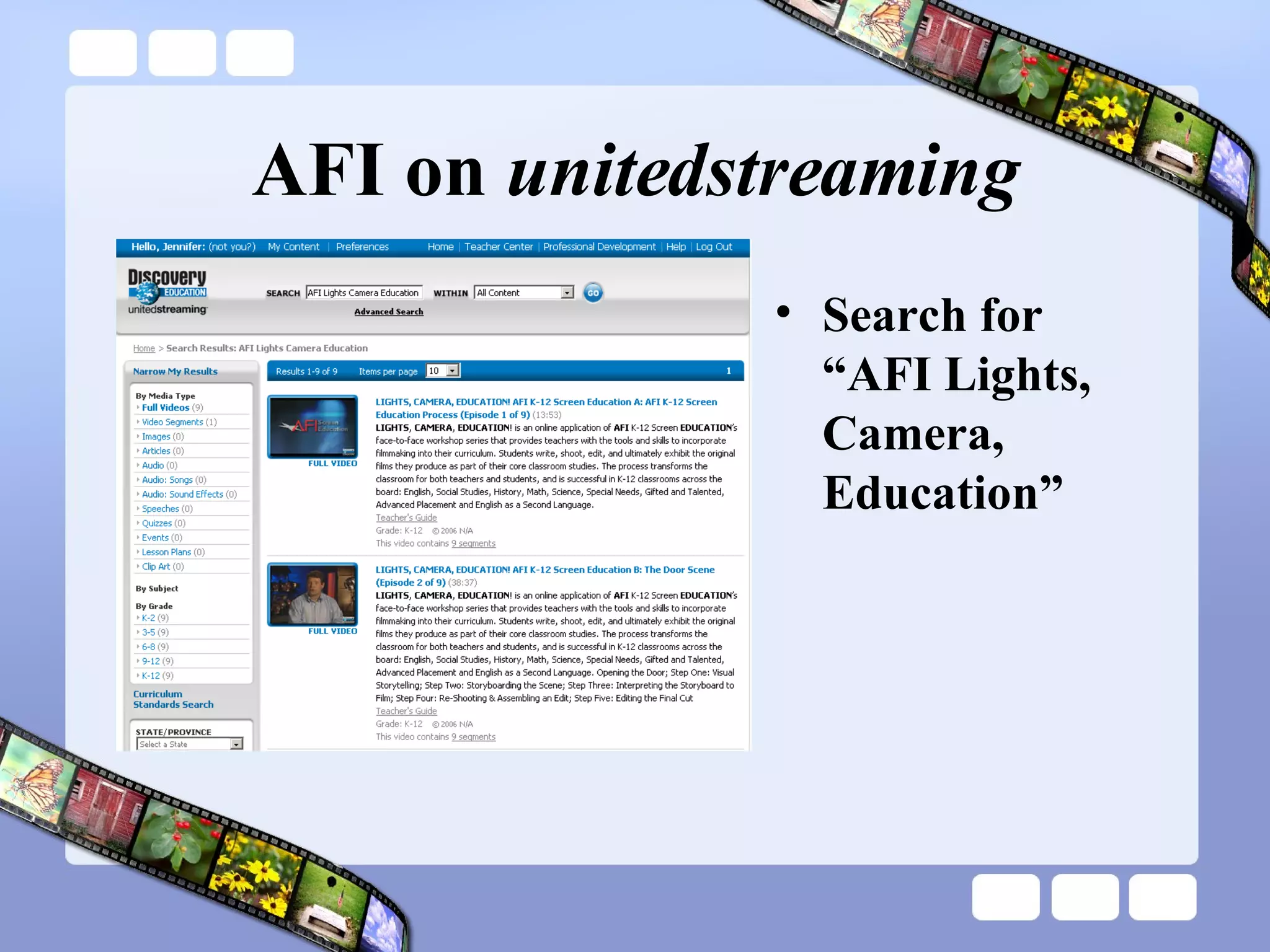
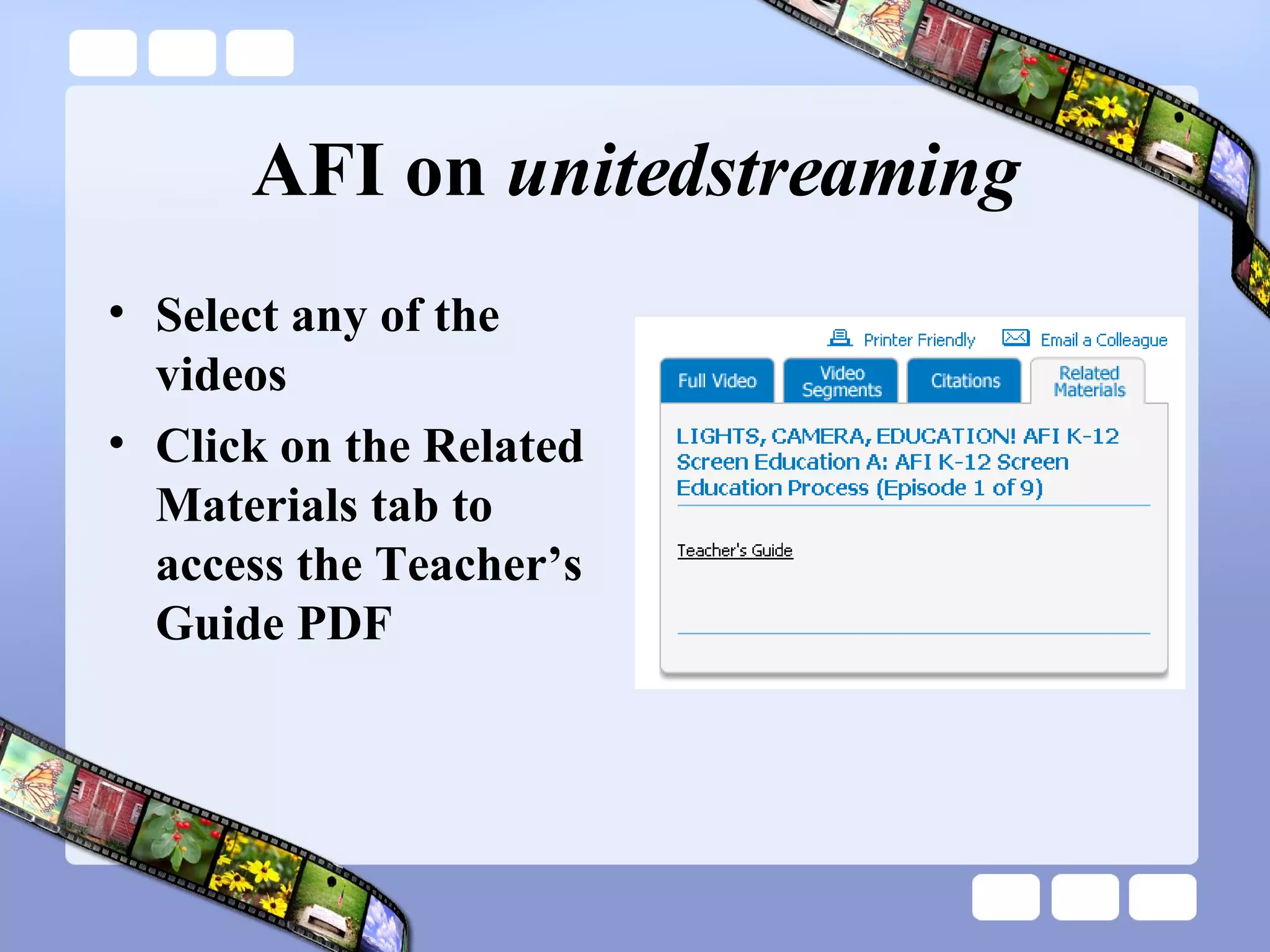
AFI on  unitedstreaming Search for “AFI Lights, Camera, Education”
AFI on  unitedstreaming Select any of the videos Click on the Related Materials tab to access the Teacher’s Guide PDF
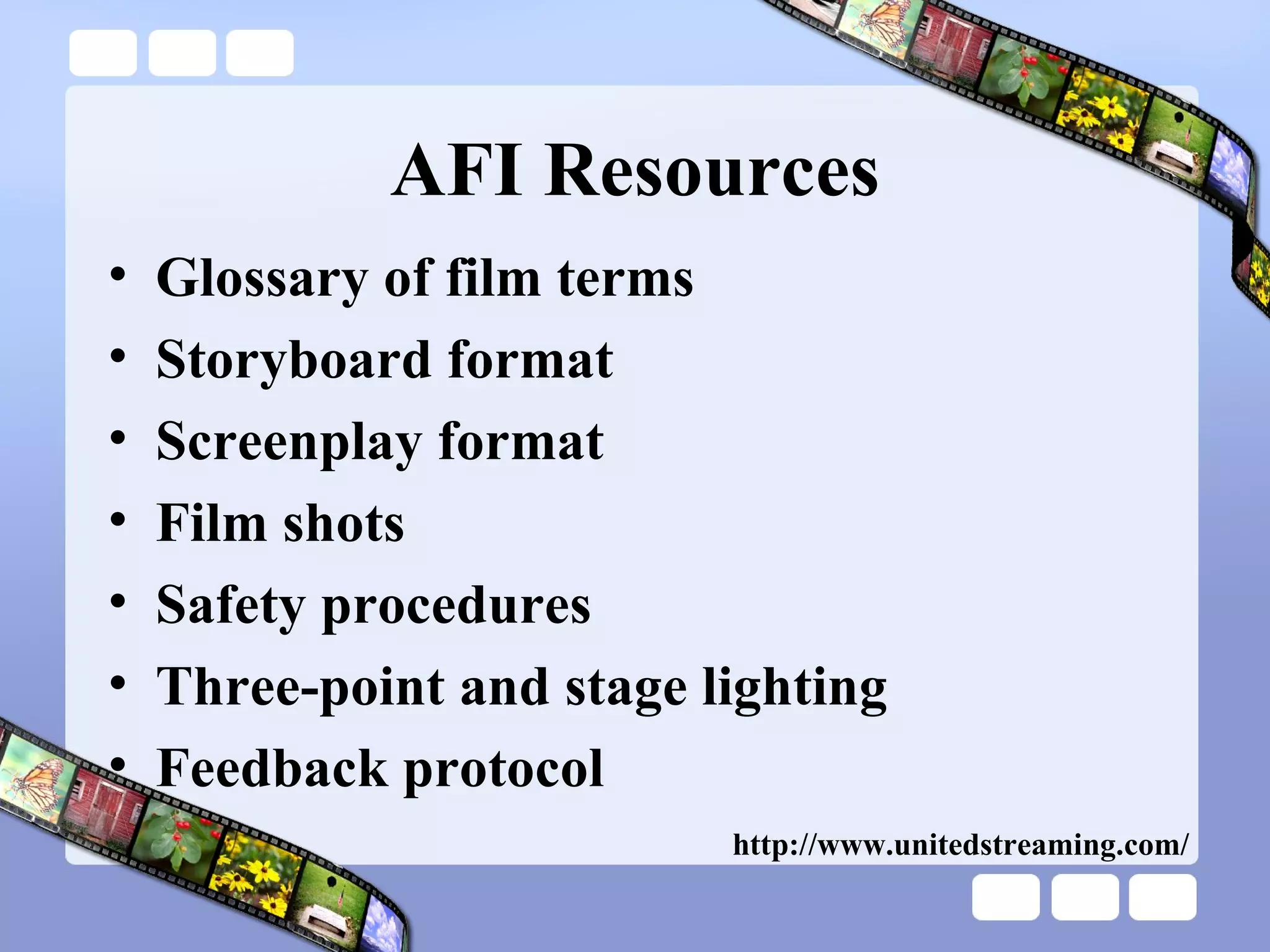
AFI Resources Glossary of film terms Storyboard format Screenplay format Film shots Safety procedures Three-point and stage lighting Feedback protocol http://www.unitedstreaming.com/
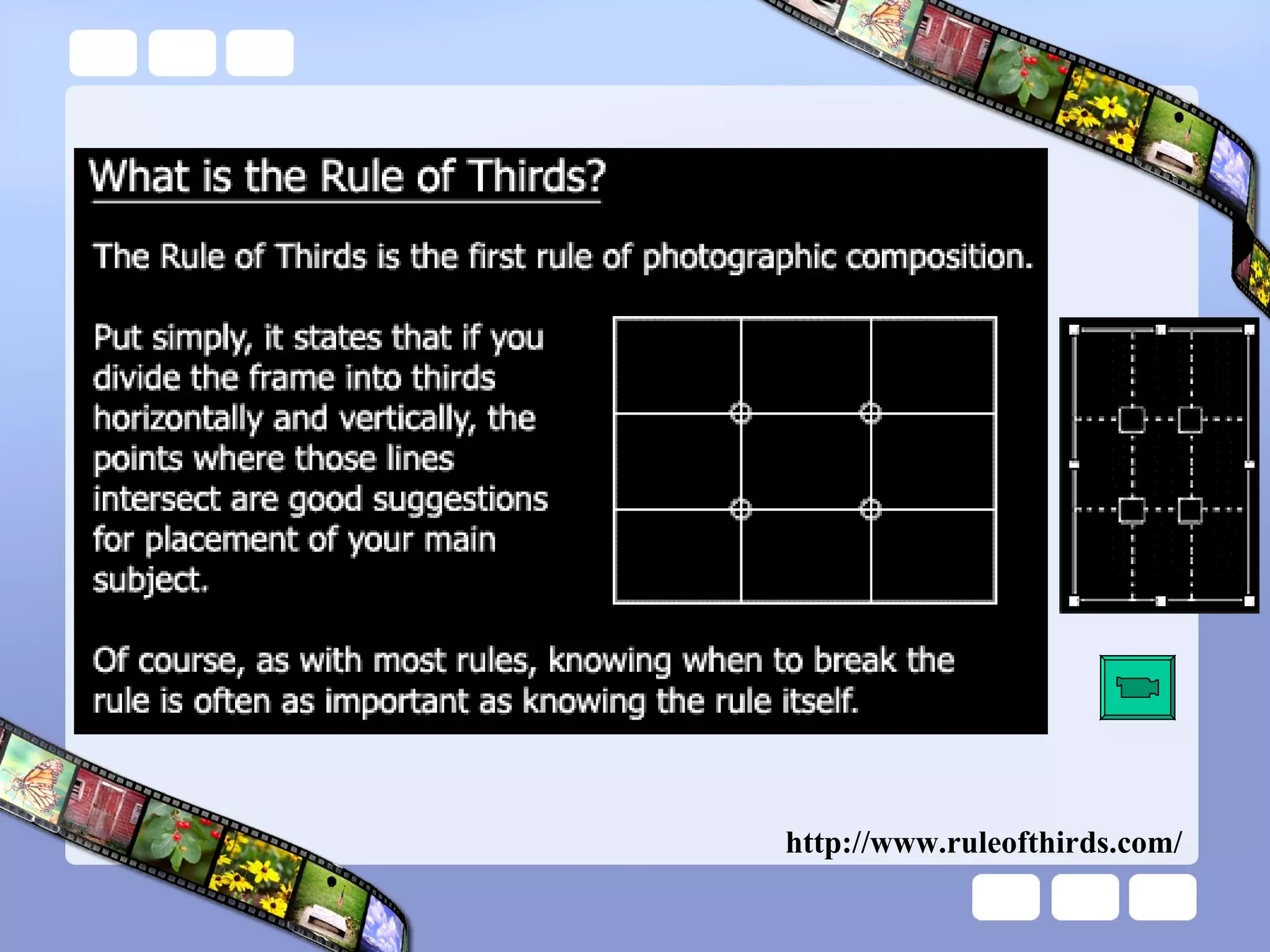
http://www.ruleofthirds.com/
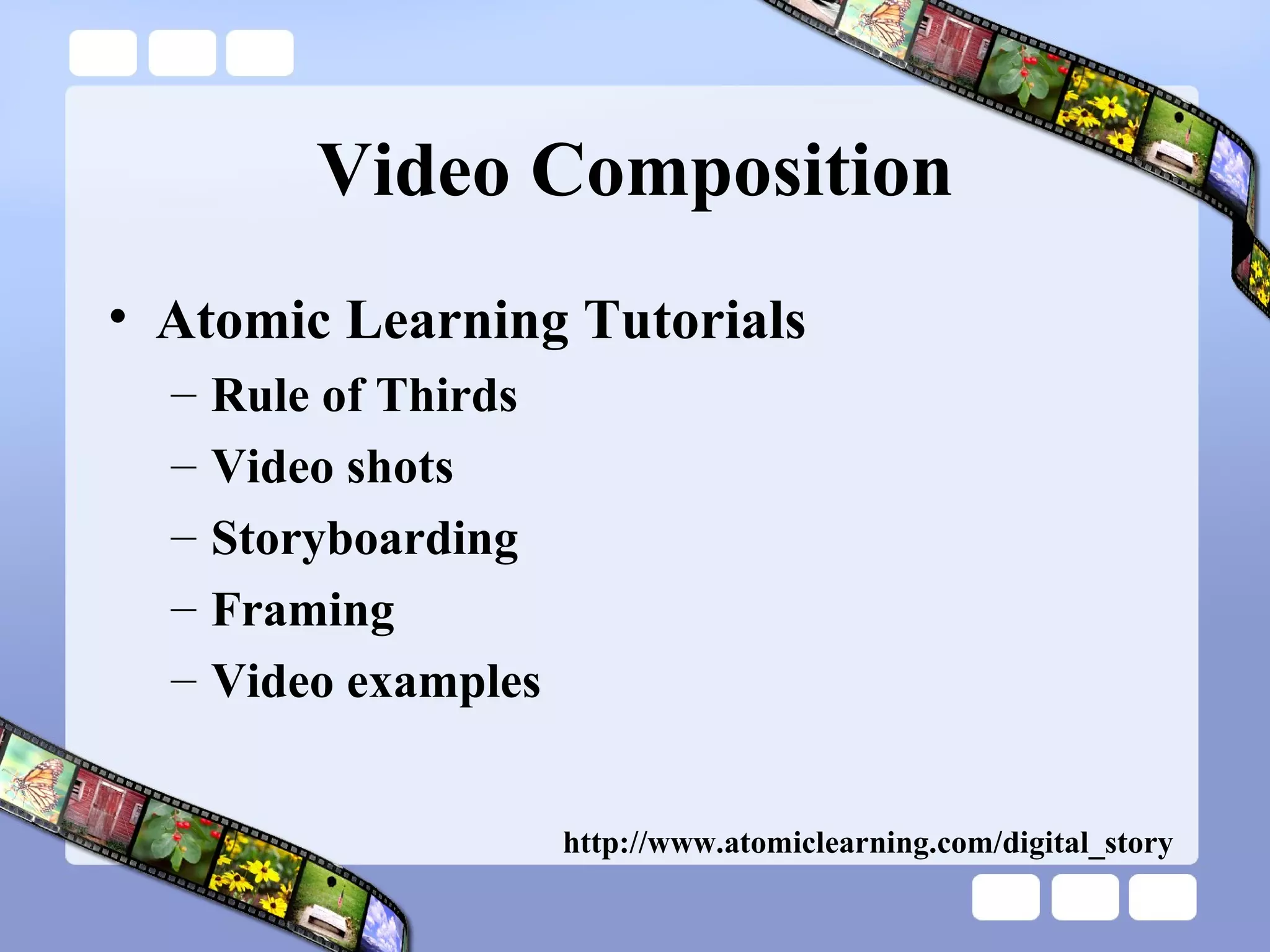
Video Composition Atomic Learning Tutorials Rule of Thirds Video shots Storyboarding Framing  Video examples http://www.atomiclearning.com/digital_story
Lab Session – Part 3 The Door Scene
Your Task
Lab Session – Part 4 Picture in Picture & Chromakey
Chromakey
Virtual Field Trip Find photographs from four of the following geographic areas: Europe, Asia, North America, South America, Africa, Australia, Antarctica  Try  http://www.flickr.com  (search for tags) Video each member of your group in front of the green screen introducing and saying a quick fact about each of the geographic areas  Use the footage and the photos to create a video using chromakey and picture in picture Add title overlays to each of your geographic areas Add Studio background music for effect
Digital Storytelling 2.0 Transforming the storytelling process and product with Web 2.0 applications.
Storytelling 2.0 Categories Slideshow tools Timeline tools Mapping tools Comic tools Scrapbook tools Media tools Mixer tools Category titles from Alan Levin
SlideShare SlideShare is the world's largest community for sharing presentations & slideshows.  Users can upload PowerPoint, OpenOffice, Keynote or PDF files, tag them, embed them into blogs or websites, browse others' presentations, and comment on individual slides.  Transcripts of your presentation will be indexed by internet search engines and show up in search results. http://www.slideshare.net/
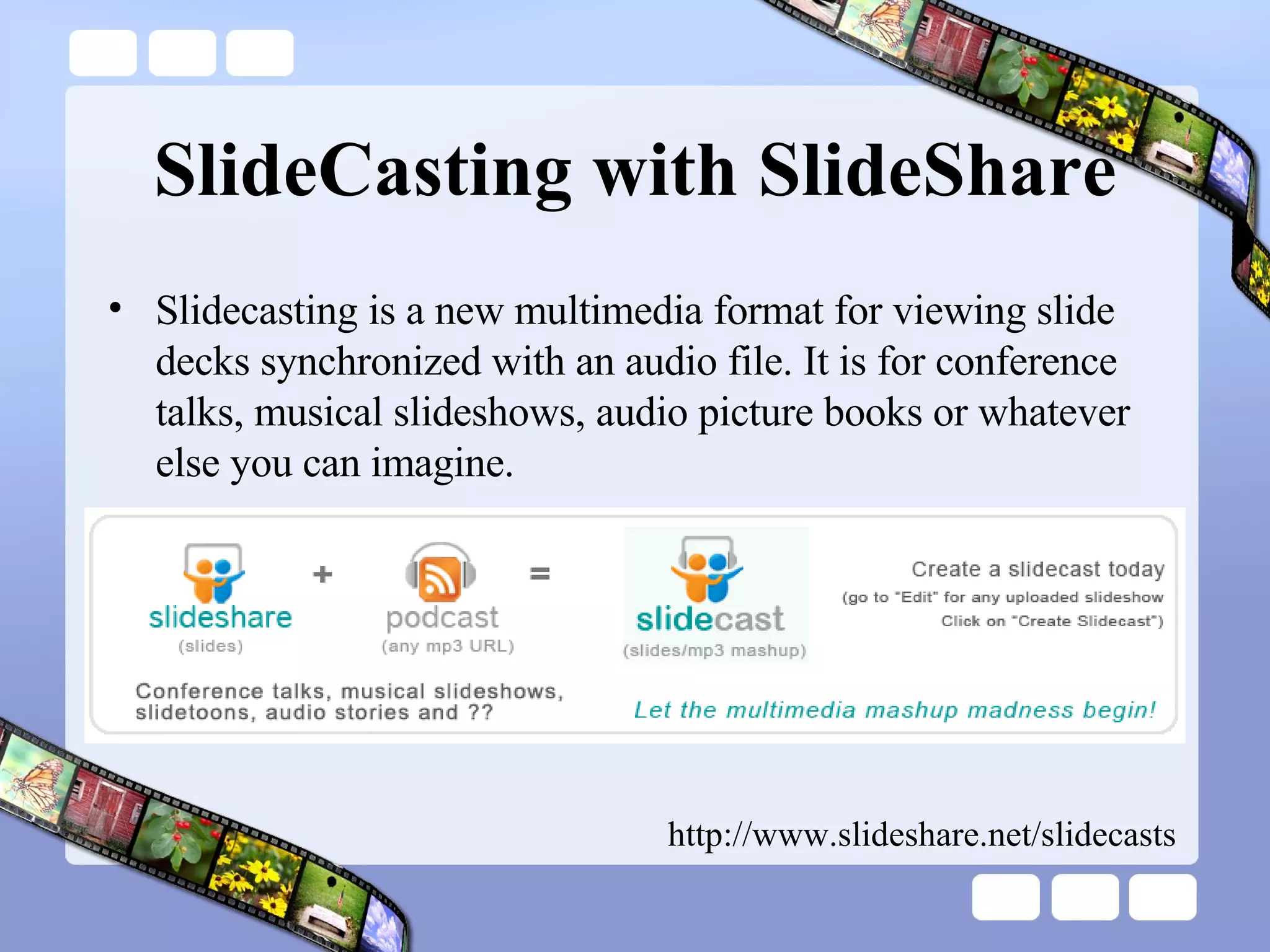
SlideCasting with SlideShare Slidecasting is a new multimedia format for viewing slide decks synchronized with an audio file. It is for conference talks, musical slideshows, audio picture books or whatever else you can imagine.  http://www.slideshare.net/slidecasts
Slide Create slide shows with images, captions, stickers, themes, and music Share the slide shows online and embed them into web sites, blogs, wikis, and social networks http://www.slide.com/
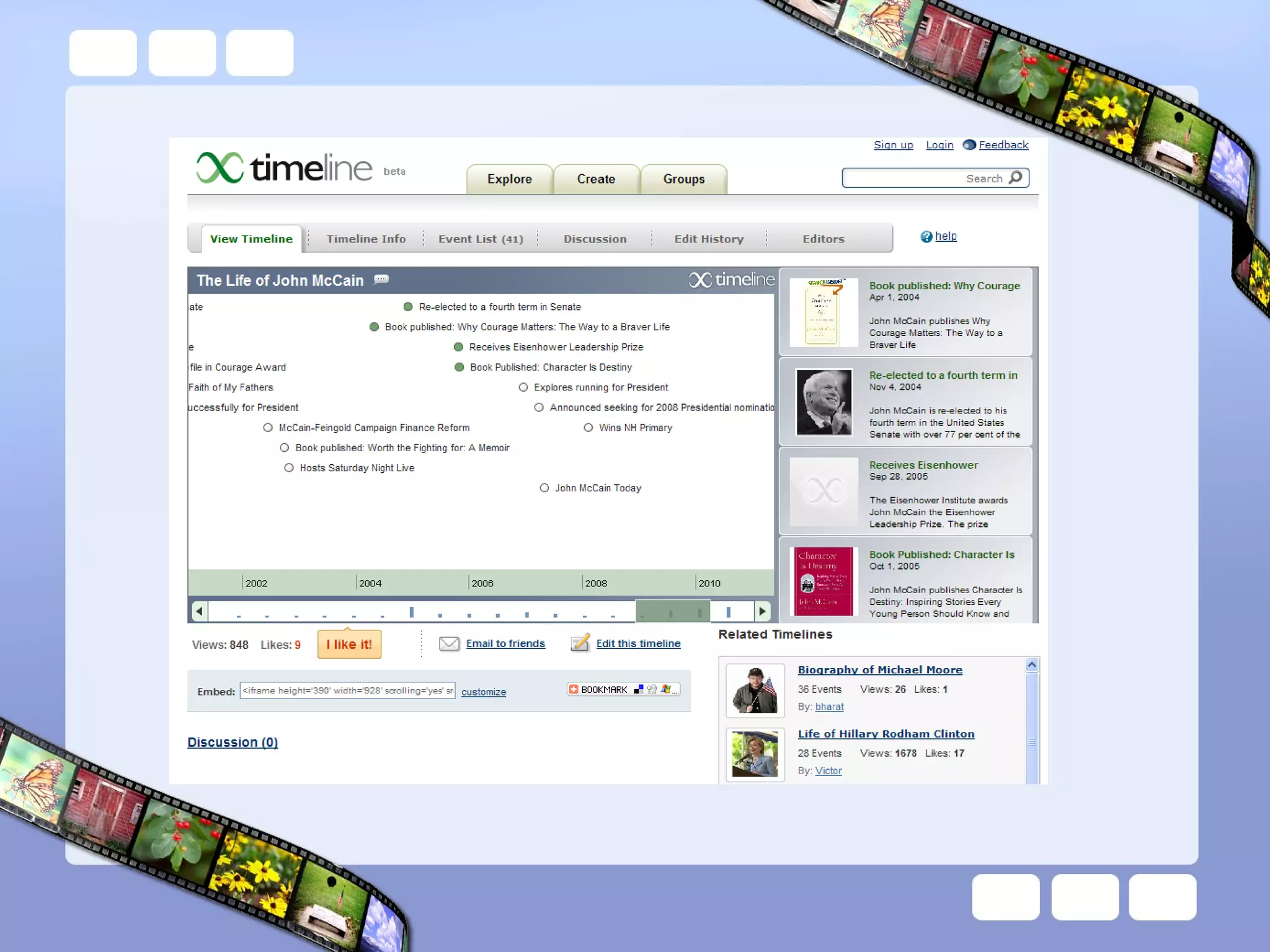
XTimeline Making a timeline is a unique way of expressing yourself and sharing your knowledge with the world.   public service resource for history education  debate over current issues biographical timelines http://www.xtimeline.com
 
XTimeline Features Groups Work together on creating timelines  Find other users who share your interests RSS and CSV import  Upload your favorite blogs or newsfeeds into a timeline Export to XML and CSV files
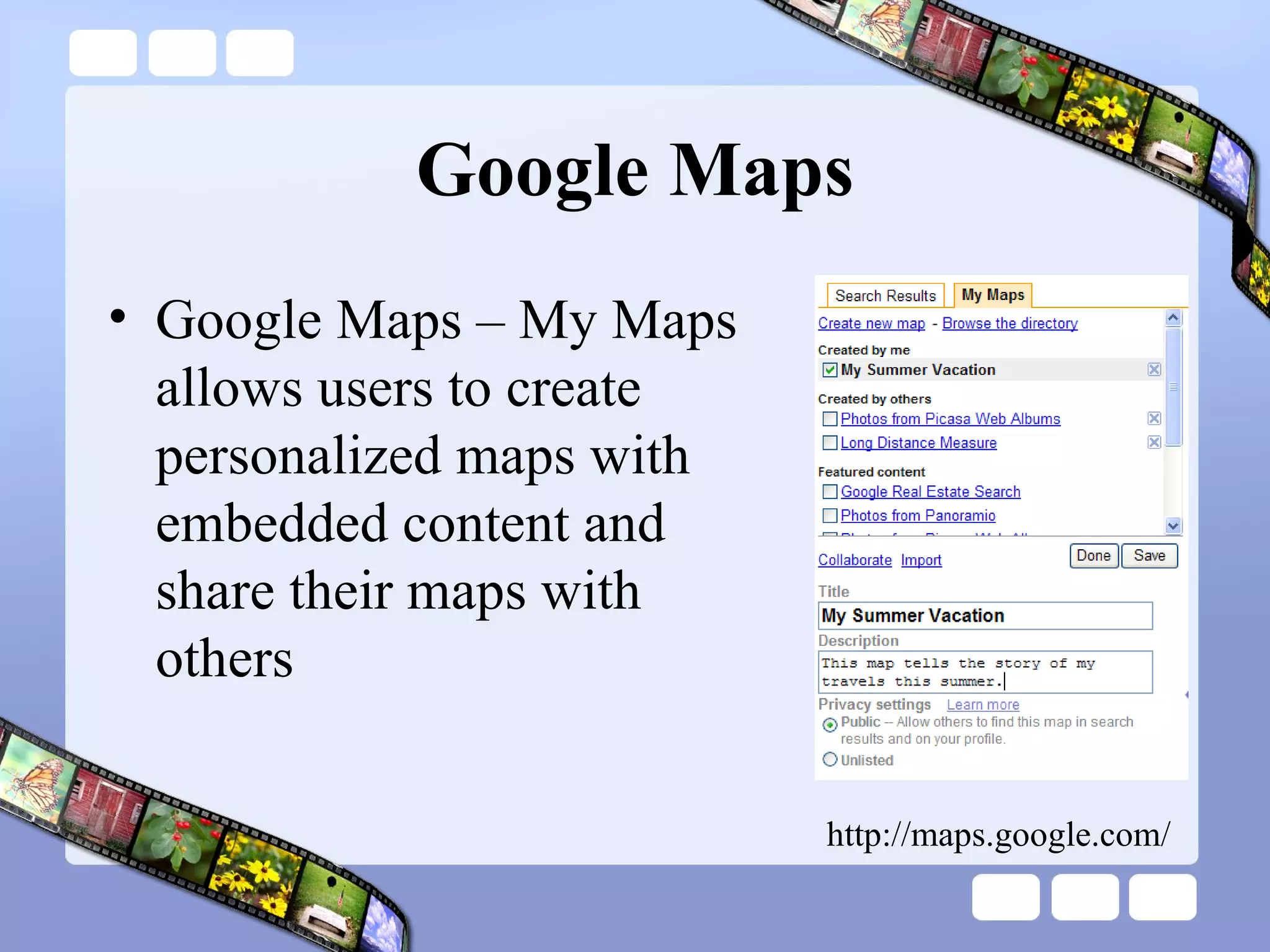
Google Maps Google Maps – My Maps allows users to create personalized maps with embedded content and share their maps with others http://maps.google.com/
Google Maps
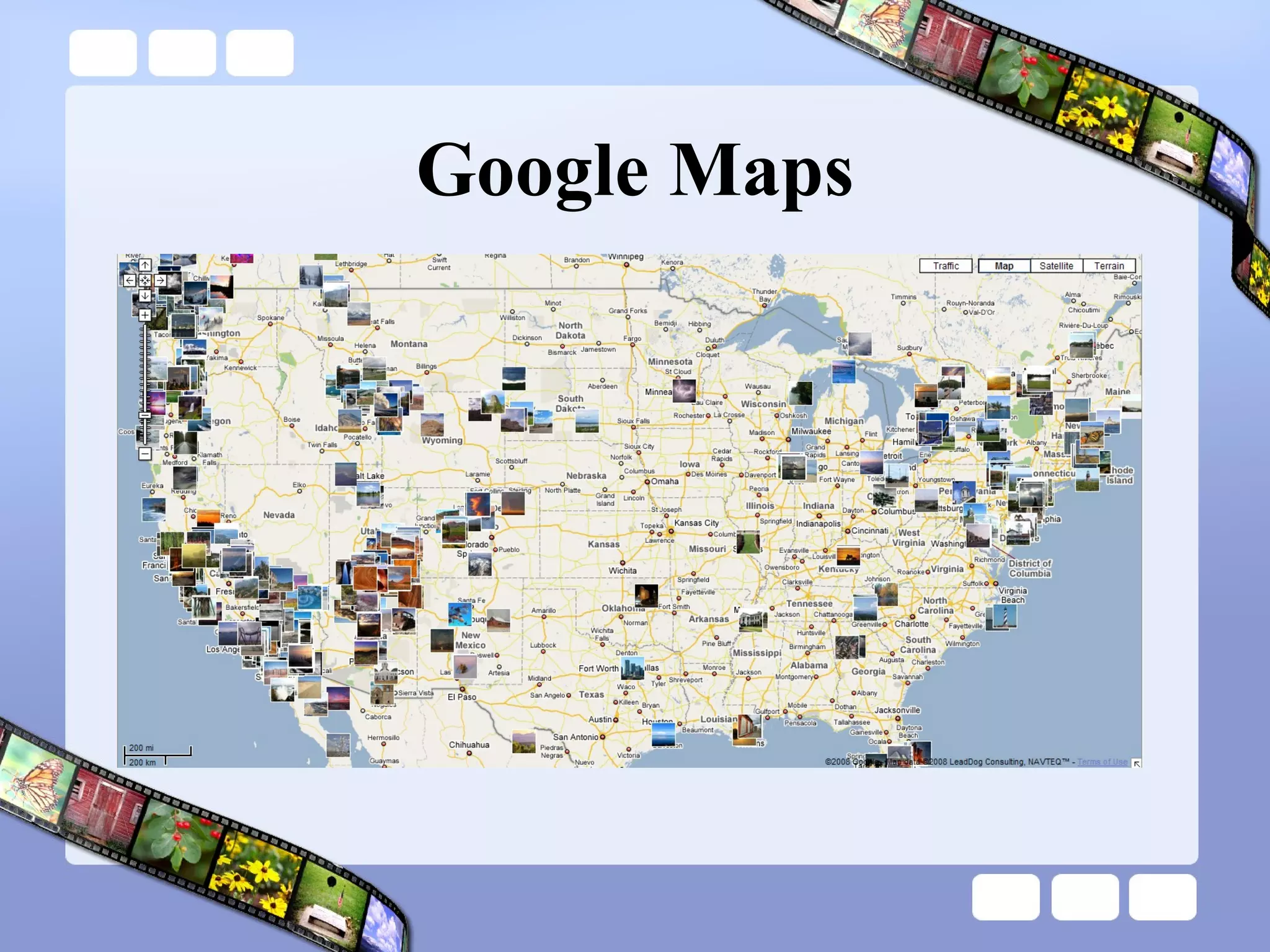
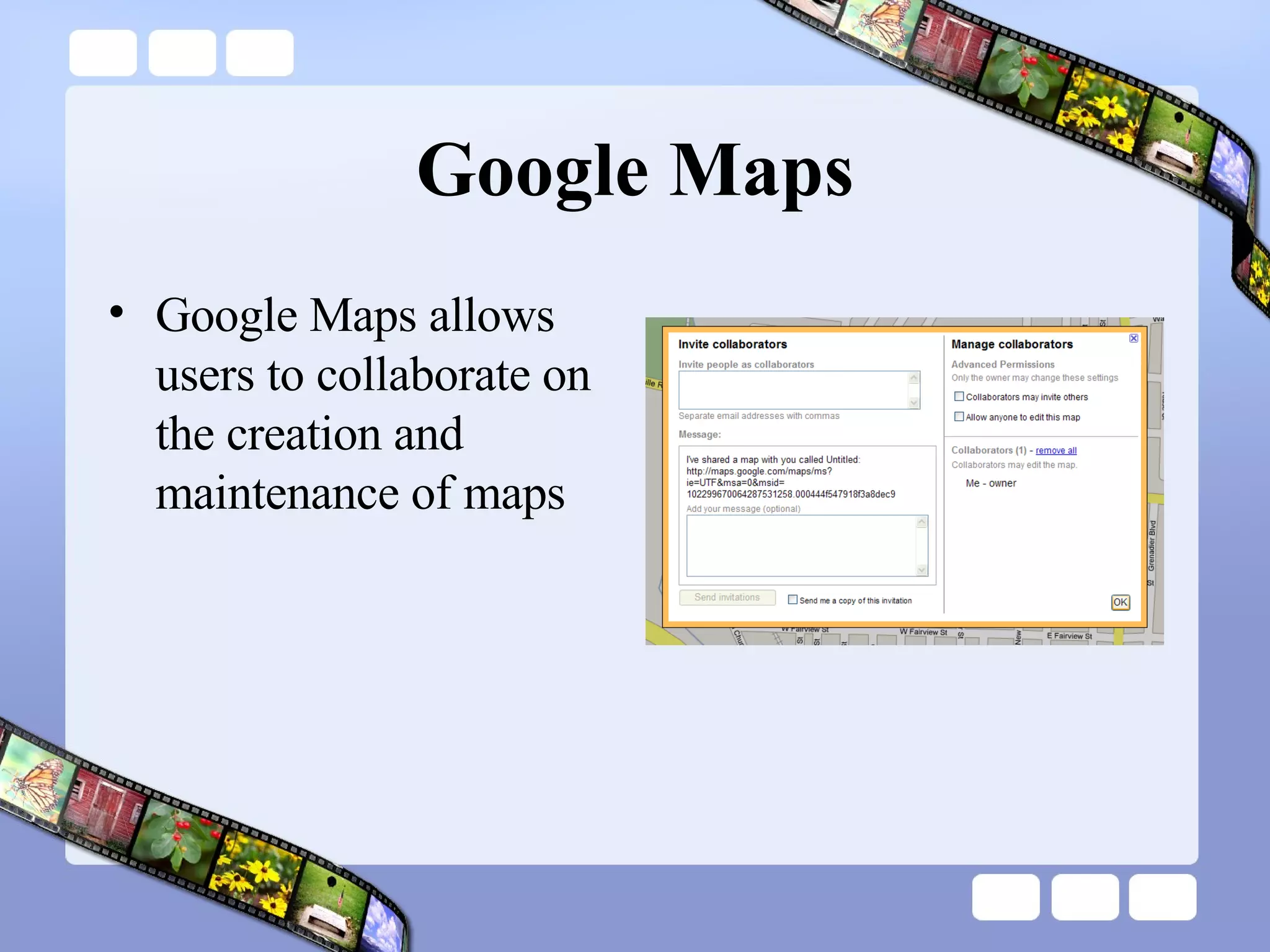
Google Maps Google Maps allows users to collaborate on the creation and maintenance of maps
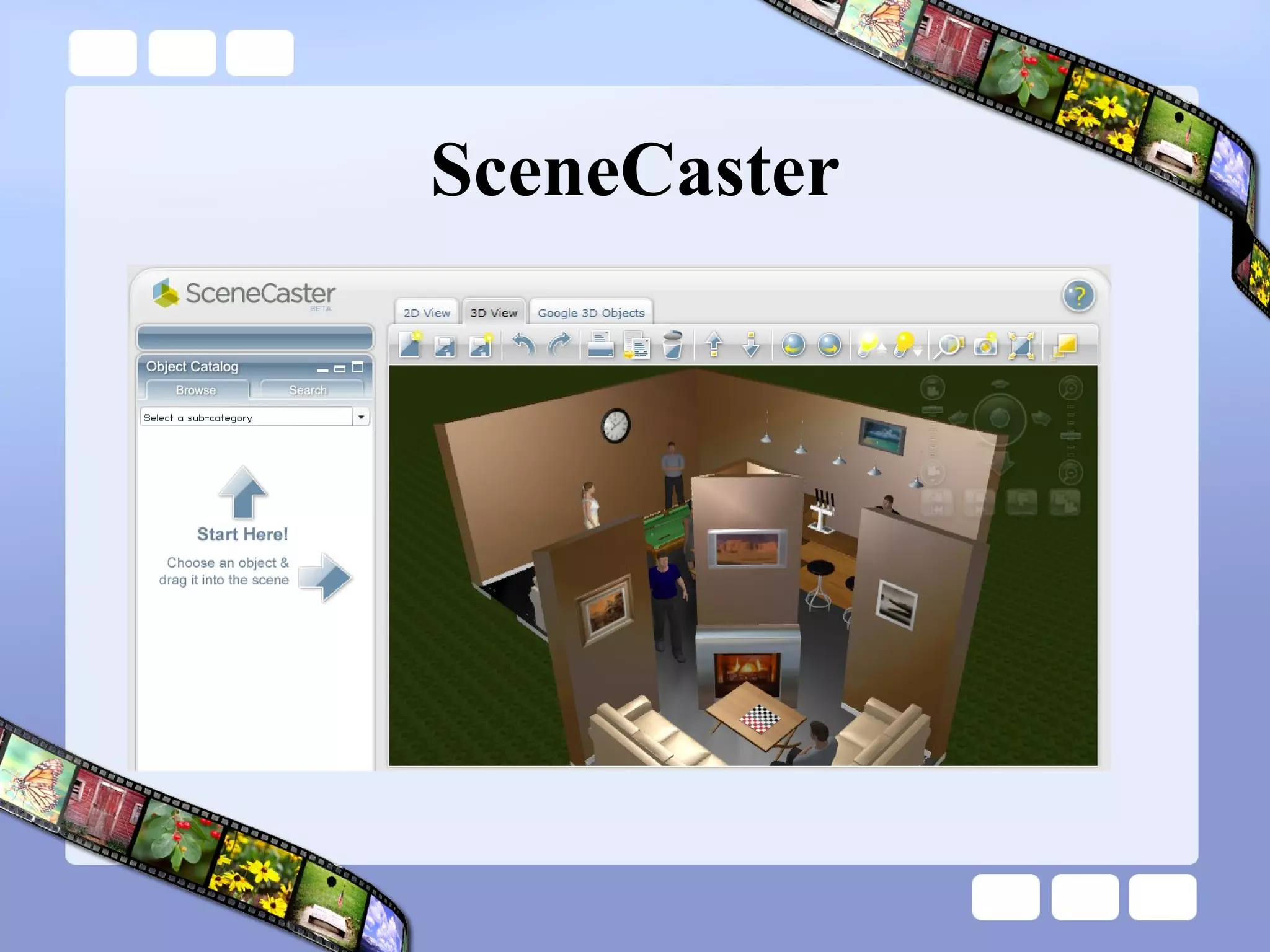
SceneCaster Scenecaster is the ultimate destination for creating and sharing 3D scenes on the web.  A scene is a 3D space that you design for your own entertainment or for professional reasons. It can be reality or fantasy, at home or at work, insider of outside.it is limitless. Scenes may even include a voice narrative that describes the scene or tells some kind of entertaining story.  http://www.scenecaster.com
SceneCaster
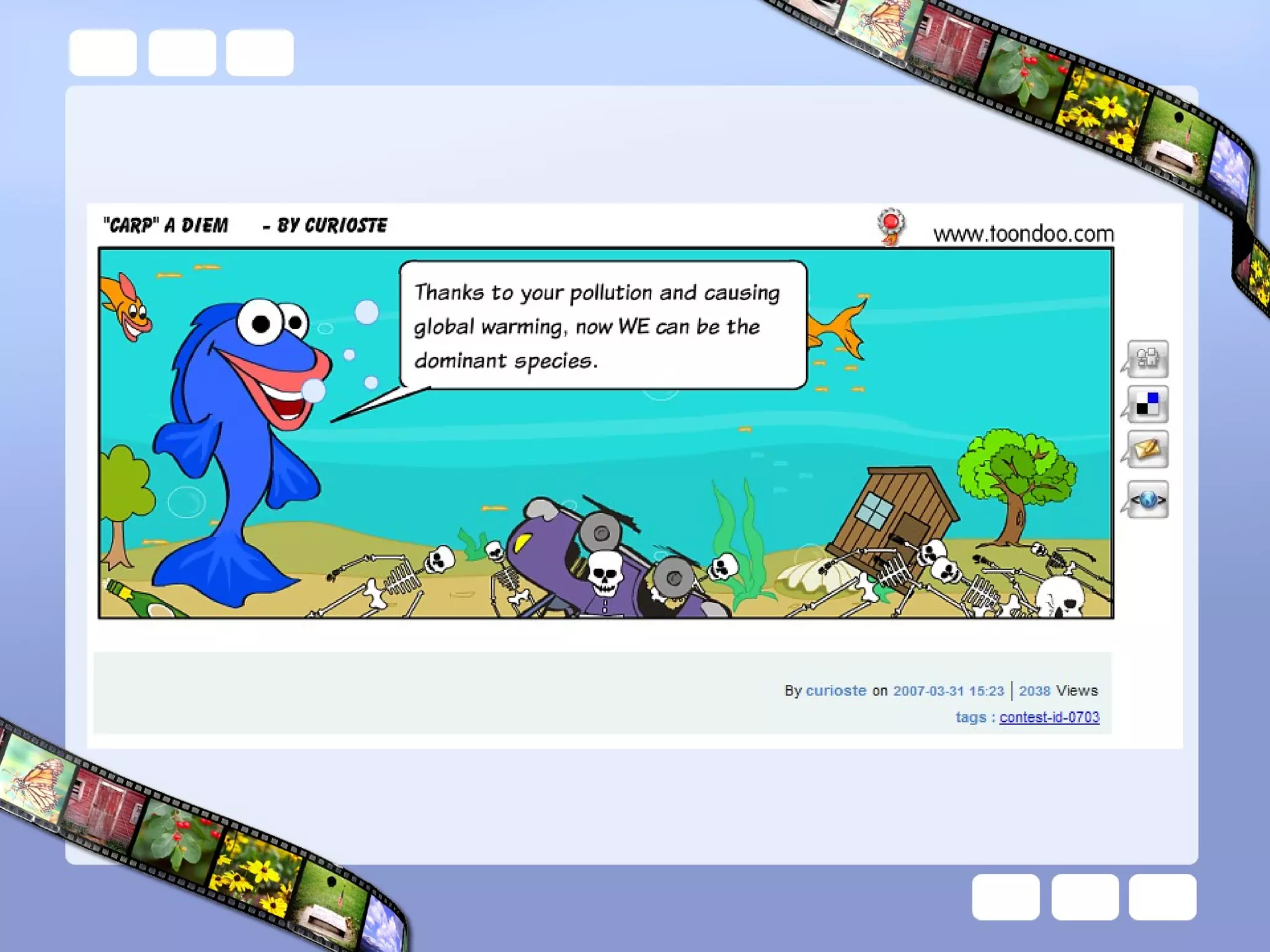
Comic Strips PikiStrips http://www.comeeko.com/ Make Beliefs Comix http://www.makebeliefscomix.com/ Toonlet http://toonlet.com/ ToonDo http://www.toondoo.com/
 
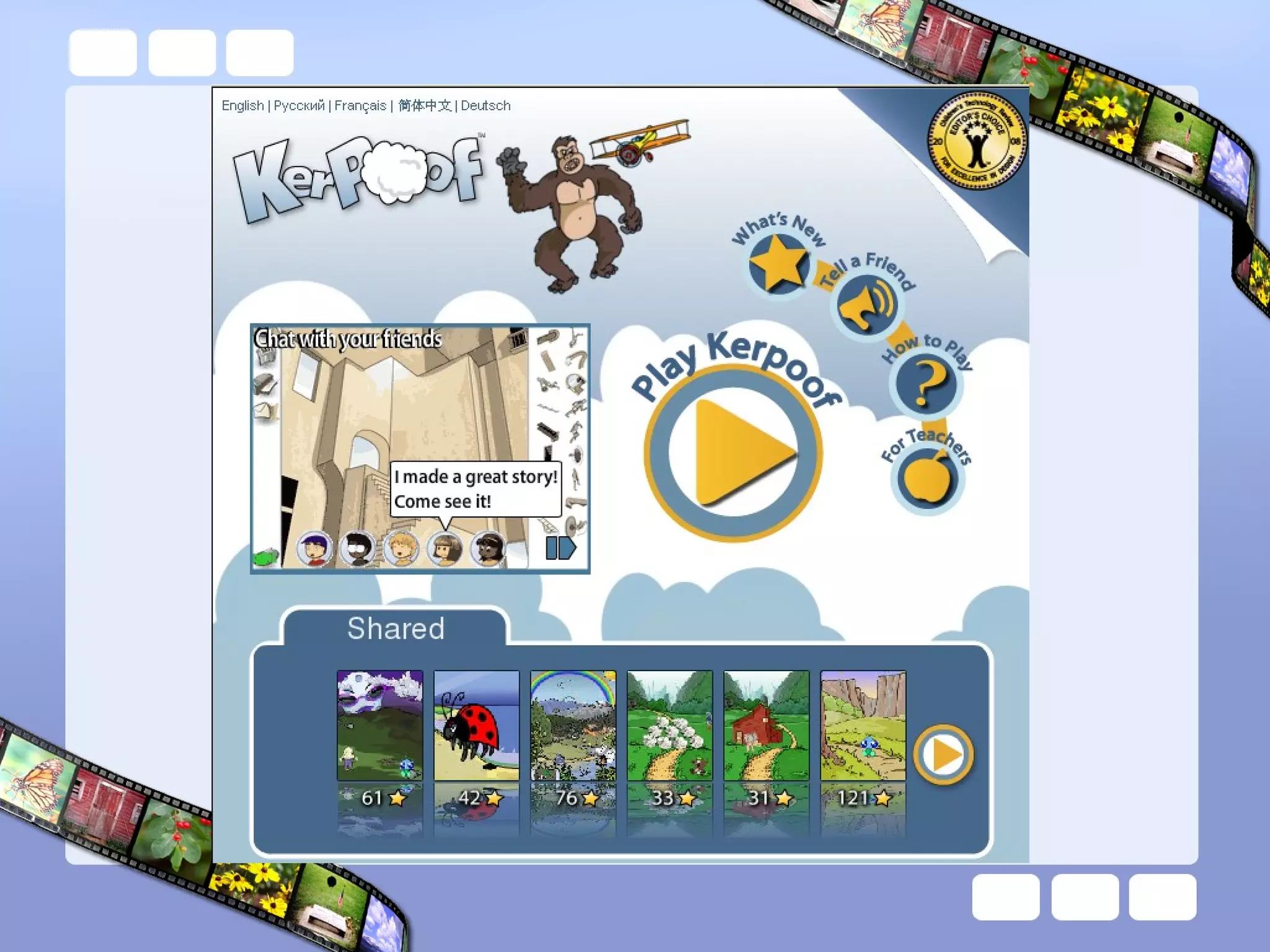
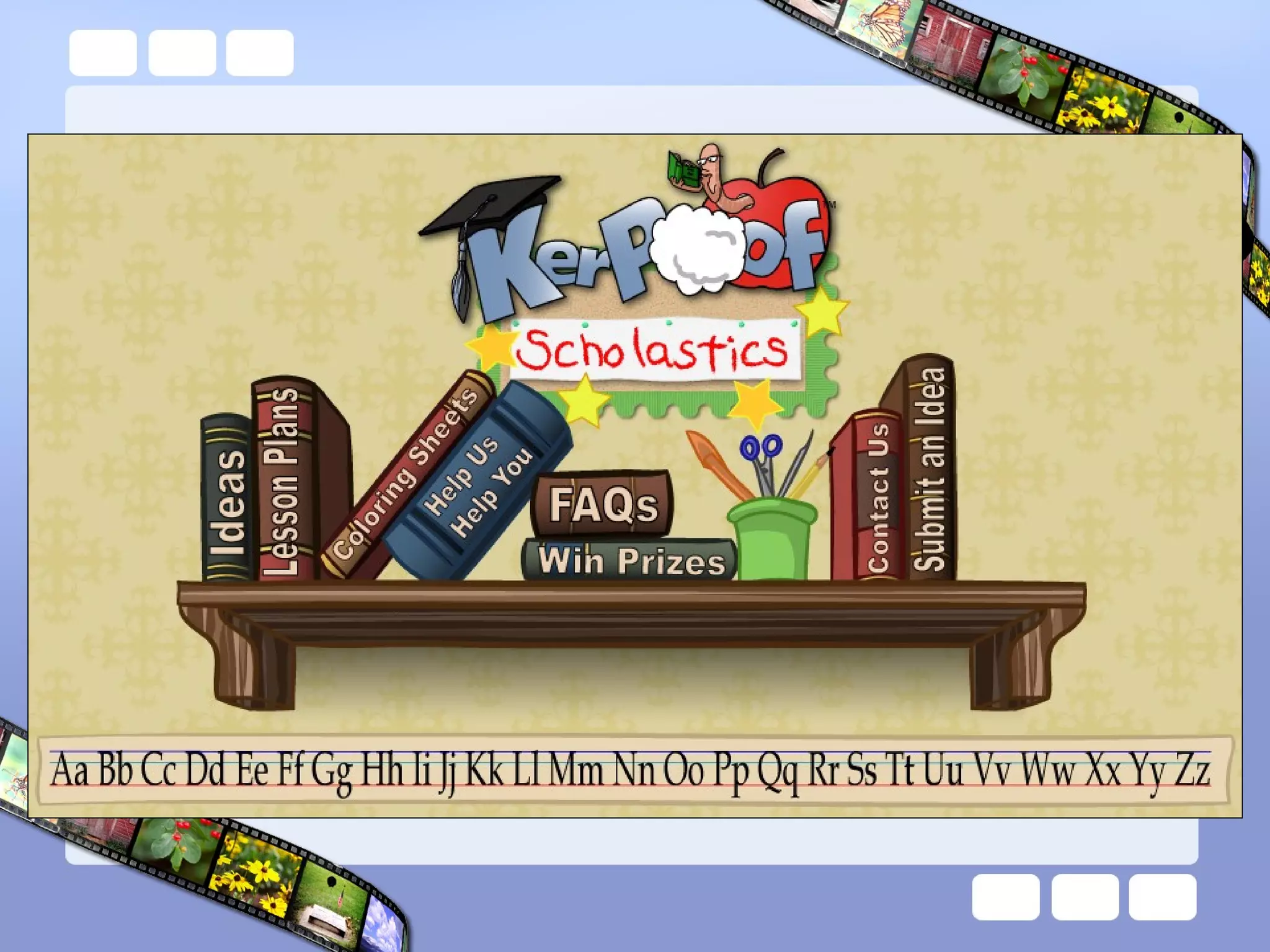
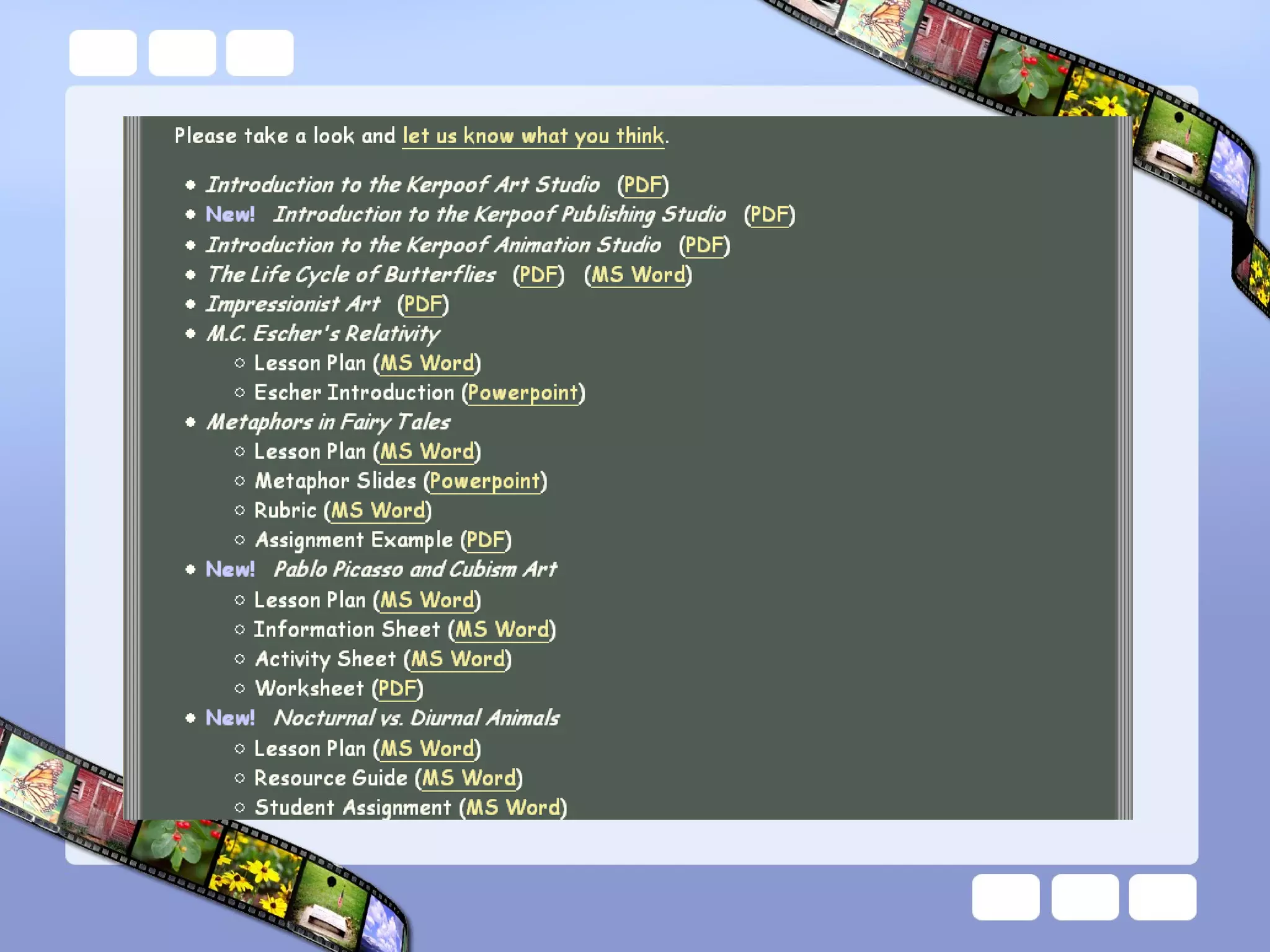
Kerpoof What is Kerpoof? The answer to that is not so simple. Kerpoof is always changing, and Kerpoof means different things to different people. In fact, Kerpoof presents different things to different people according to what they do. So, if you want know what Kerpoof is, you will have to spend time discovering things about Kerpoof and getting to know Kerpoof, just like you would a person.  http://www.kerpoof.com/


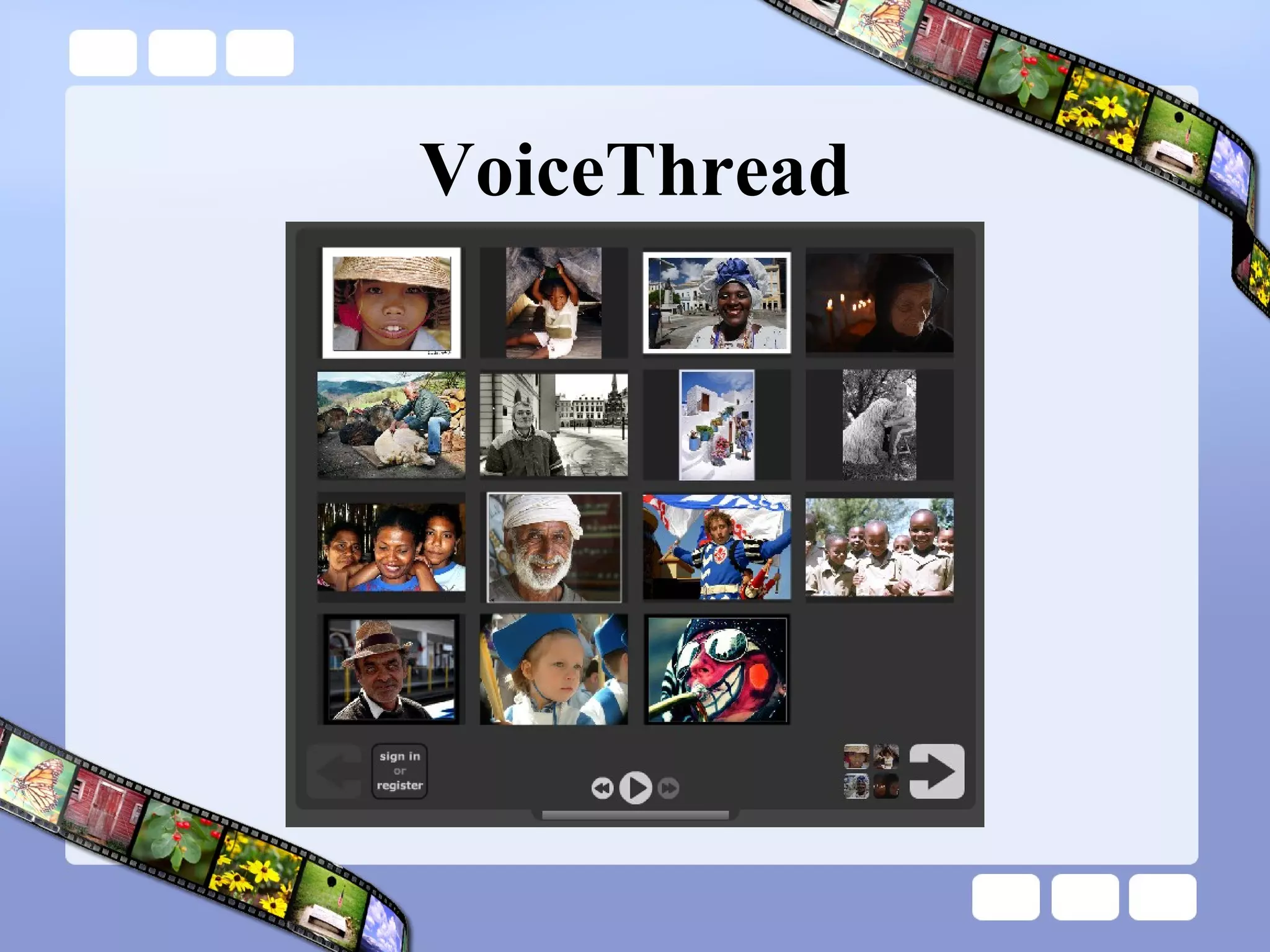
VoiceThread A VoiceThread is an online media album that allows people to make comments, either audio or text, and share them with anyone they wish.  A VoiceThread allows an entire group's story to be told and collected in one place.  VoiceThreads can be embedded into blogs, wikis, and other web sites. http://voicethread.com/
VoiceThread
Bookr Bookr is a tool to create and share photo books using Flickr images http://www.pimpampum.net/bookr/
ScrapBlog Combine photos, video, audio, and text to create stunning multimedia scrapbooks Create multimedia scrapblogs – drag and drop Share creations with friends, family, or the world Keep or give creations as photo books, DVDs, etc. Take a virtual tour of Scrapblog  http://scrapblog.com/tour/tour.aspx http://scrapblog.com/
Online Video Editors Eyespot  http://www.eyespot.com/  Jumpcut http://www.jumpcut.com/  Cuts http://www.cuts.com/  JayCut http://jaycut.com/
Online Image Editors Phixr http://www.phixr.com Picnik http://www.picnik.com SlashUp http://www.splashup.com/ FotoFlexer http://fotoflexer.com
Image Manipulation Mr. Picassohead http://www.mrpicassohead.com/create.html BeFunky http://www.befunky.com/
BubblePLY BubblePLY is a free online annotating service where anyone can experiment with creating and/or viewing layers (PLYs) of bubbles that are synchronized with a video on a player.  Users can expand their viewing experience by adding personal comments or thoughts in the form of captions (bubbles) http://www.bubbleply.com
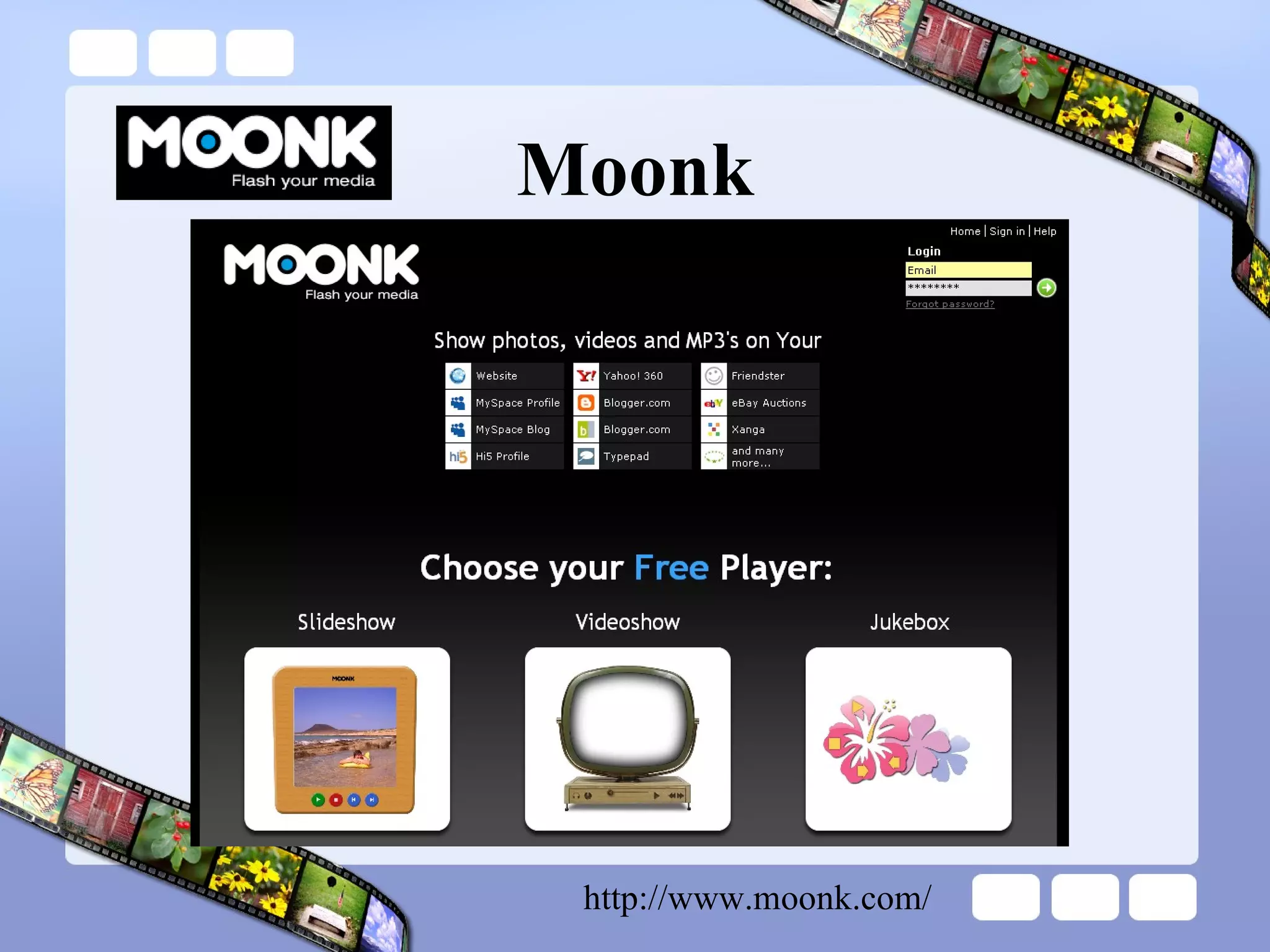
Moonk http://www.moonk.com/
TeacherTube Upload, tag and share videos worldwide.  Upload support files to attach your educational activities, assessments, lesson plans, notes, and other file formats to your video.  Browse hundreds of videos uploaded by community members.  Find, join and create video groups to connect with people who have similar interests.  Customize the experience by subscribing to member videos, saving favorites, and creating playlists.  Integrate TeacherTube videos on websites using video embeds or APIs.  Make videos public or private - users can elect to broadcast their videos publicly or share them privately with those they invite.  http://www.teachertube.com
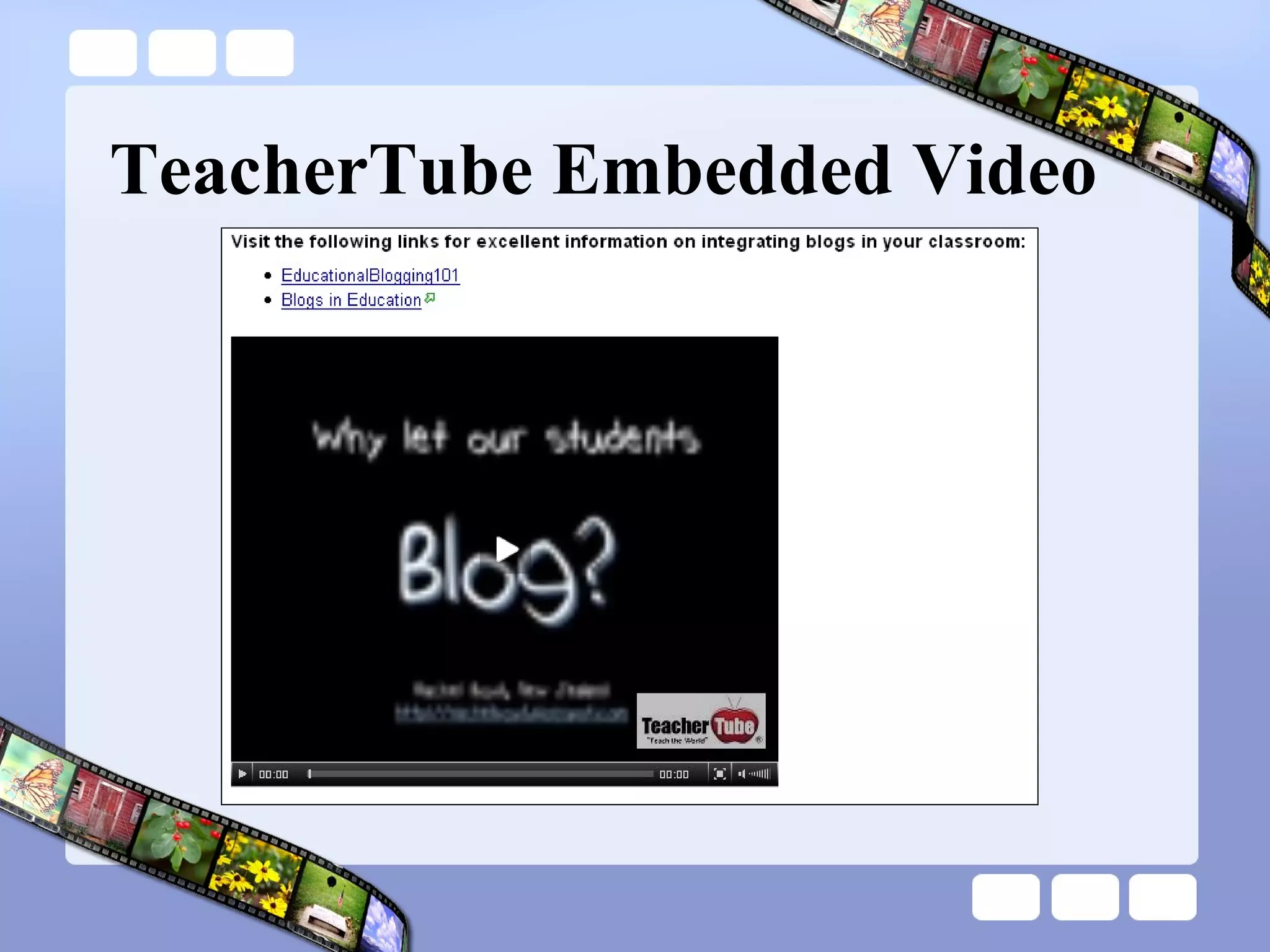
TeacherTube Embedded Video
SplashCast SplashCast enables anyone to create streaming media 'channels' that combine video, music, photos, narration, text and RSS feeds.  These user-generated channels can be played and easily syndicated on any web site, blog, or social network page.  When channel owners modify their channel, their content is automatically updated across all the web pages 'tuned' to that channel.  http://www.splashcastmedia.com/
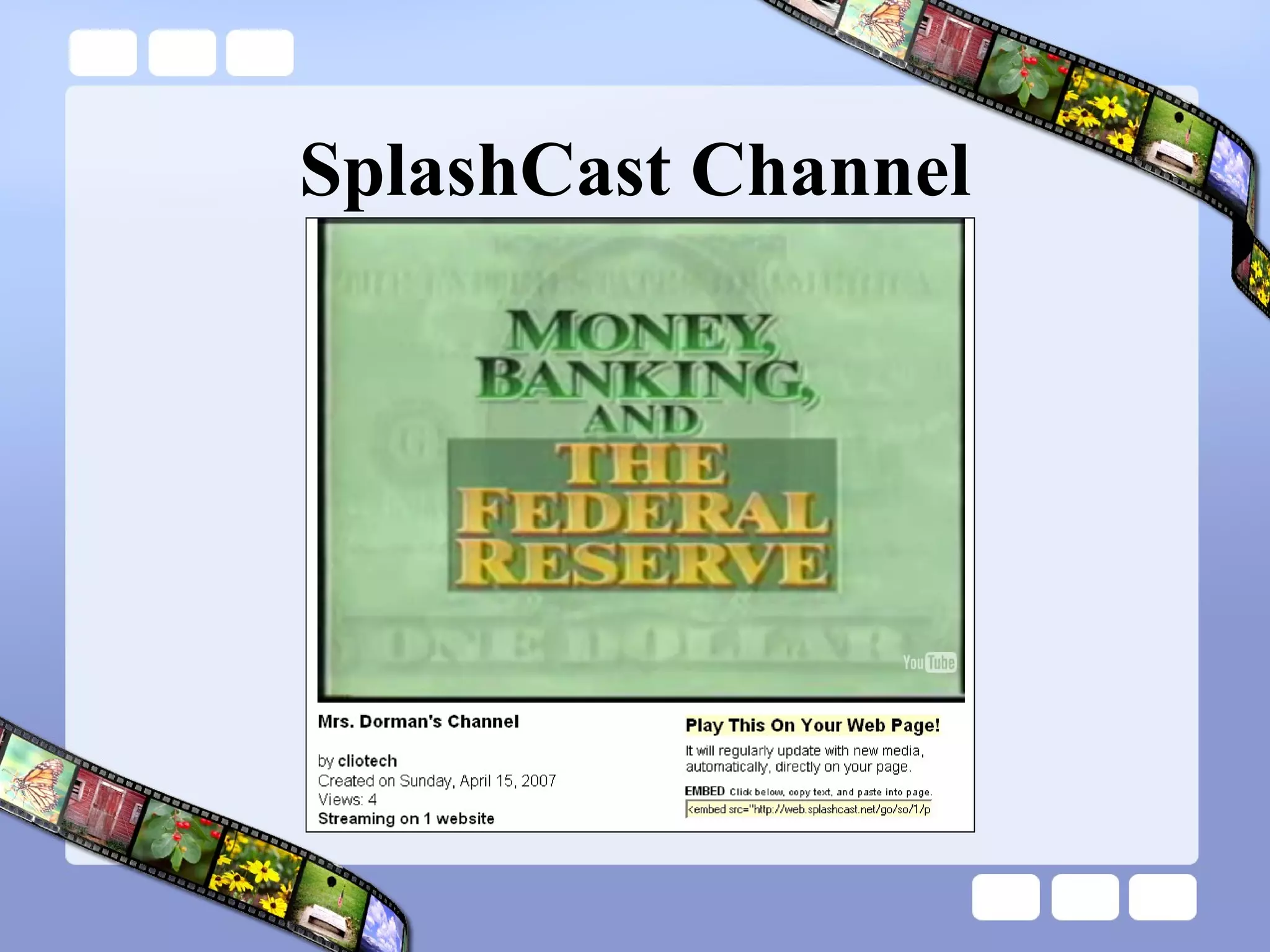
SplashCast Channel
Celtx Celtx is the first, cross-platform media application that provides support for the entire pre-production process. Location, Character and Scene development tools  industry standard SCREENPLAY and an International THEATRE editor sharing access to your Celtx Media Project - scripts, breakdown files, budgets, schedules, and location forms  Drag and drop images in to the Celtx Storyboard  "just in time" Scheduling feature  Video tutorial  http://www.celtx.com/walkthru/   http://www.celtx.com/
Zamzar Zamzar is an open-source service that converts most media (audio, video, image) from one format to another Supported media formats  http://www.zamzar.com/conversionTypes.php http://www.zamzar.com/
dotSub dotSUB is an open source application that allows users to upload videos and add subtitles in any language Subtitled videos can be embedded into web sites or hyperlinked http://www.dotsub.com/
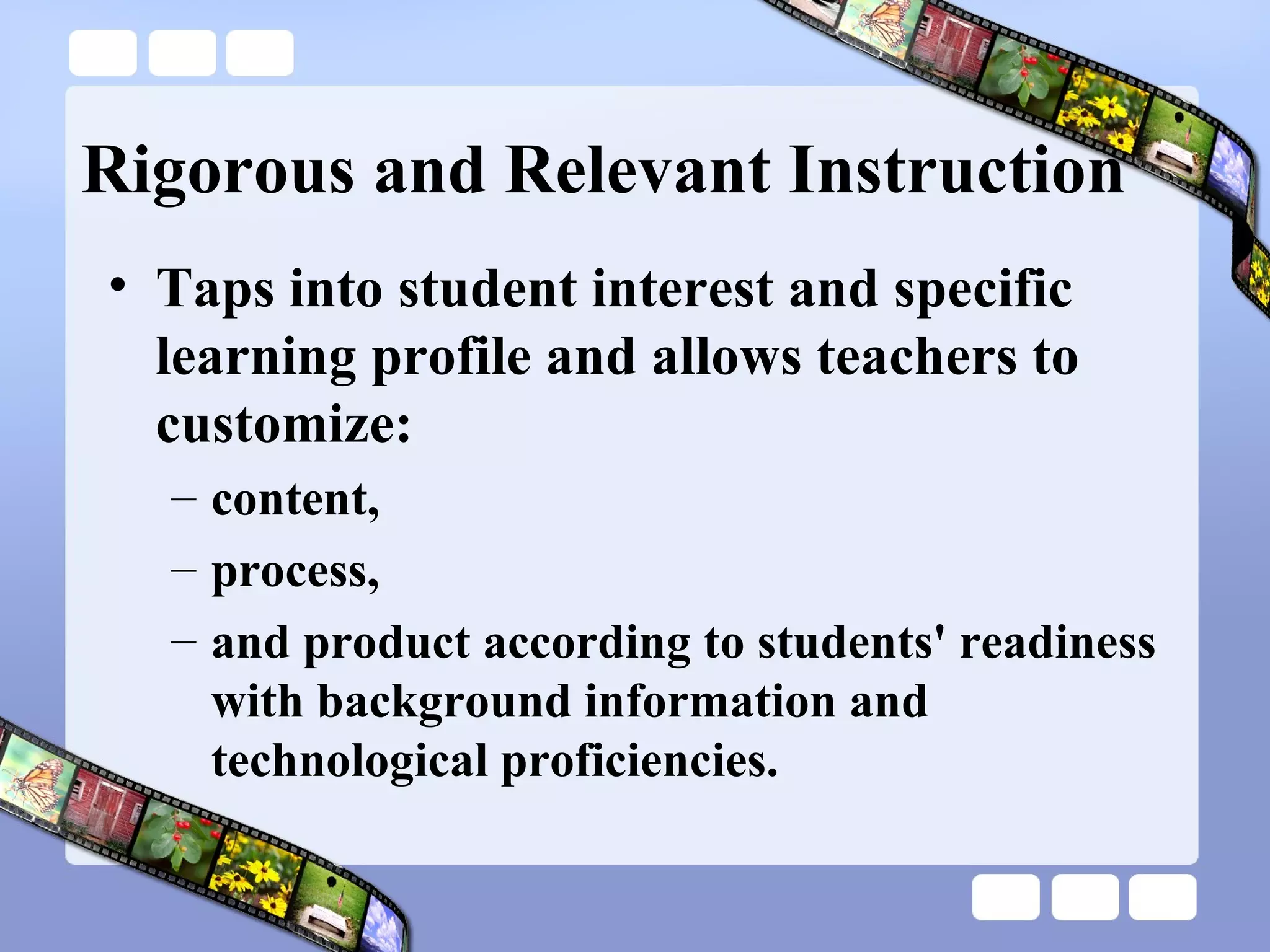
Learn More http://blog.discoveryeducation.com/digital_storytelling

Engaging Digital Natives With Digital Storytelling

  • 1.
    Digital Storytelling UsingEngaging Media to Invest Digital Natives in Their Learning
  • 2.
  • 3.
    The Case forDigital Learning Education is changing. Competition is changing internationally. The workplace, jobs, and skill demands are changing.
  • 4.
    The Case forDigital Learning http://thefischbowl.blogspot.com/2007/06/did-you-know-20.html
  • 5.
    The Implications Thesechanges, among others, are ushering us toward a world where knowledge, power, and productive capability will be more dispersed than at any time in our history—a world where value creation will be fast, fluid, and persistently disruptive. Wikinomics: How Mass Collaboration Changes Everything Don Tapscott & Anthony D. Williams
  • 6.
    Mega-Trends Dr. WillardDaggett Globalization Demographics Technology Changing Values and Attitudes http://www.leadered.com/white_papers.shtml
  • 7.
    Mega-Trends The 21st Century at Work: Forces Shaping the Future Workforce and Workplace in the United States - U.S. Department of Labor Much of the research cited by Dr. Daggett is corroborated by this study Dozens of other research groups, think tanks, and governmental organizations have recognized that a “shift” is happening
  • 8.
    Economic Impacts Shiftsin the nature of business organizations and the growing importance of knowledge-based work also favor strong nonroutine cognitive skills, such as abstract reasoning, problem-solving, communication, and collaboration. Increasingly, the term “knowledge workers” is applied to workers who go beyond just providing information to now being responsible for generating and conveying knowledge needed for decision-making. The 21st Century at Work: Forces Shaping the Future Workforce and Workplace in the United States
  • 9.
    Economic Impacts Technology-mediatedlearning—the use of computers and other information technologies as an integral part of the learning process—is gaining ground through such applications as computer-based instruction, Internet-based instruction, and other methods for customized learning. New technologies in the next 10 to 20 years offer tremendous potential to revolutionize the way education and training is delivered in order to improve efficiency and effectiveness in learning. The 21st Century at Work: Forces Shaping the Future Workforce and Workplace in the United States
  • 10.
    Digital Natives Ourstudents today are all “native speakers” of the digital language of computers, video games, instantaneous communication, and the Internet. Digital Natives, Digital Immigrants – Marc Prensky
  • 11.
    Participatory Culture Accordingto a recent study from the Pew Internet & American Life project (Lenhardt & Madden, 2005), more than one-half of all teens have created media content, and roughly one-third of teens who use the Internet have shared content they produced. Confronting the Challenges of Participatory Culture: Media Education for the 21st Century Henry Jenkins
  • 12.
    Forms of ParticipatoryCulture Affiliations — memberships, formal and informal, in online communities centered around various forms of media Expressions — producing new creative forms, such as digital sampling, skinning and modding, fan videomaking, fan fiction writing, zines, mash-ups Confronting the Challenges of Participatory Culture: Media Education for the 21st Century Henry Jenkins
  • 13.
    Forms of ParticipatoryCulture Collaborative Problem-solving — working together in teams, formal and informal, to complete tasks and develop new knowledge Circulations — Shaping the flow of media Confronting the Challenges of Participatory Culture: Media Education for the 21st Century Henry Jenkins
  • 14.
    Implications A growingbody of scholarship suggests potential benefits of these forms of participatory culture, including: opportunities for peer-to-peer learning, a changed attitude toward intellectual property, the diversification of cultural expression, the development of skills valued in the modern workplace, and a more empowered conception of citizenship. Confronting the Challenges of Participatory Culture: Media Education for the 21st Century Henry Jenkins
  • 15.
    Implications Participatory cultureshifts the focus of literacy from one of individual expression to community involvement. The new literacies almost all involve social skills developed through collaboration and networking. These skills build on the foundation of traditional literacy, research skills, technical skills, and critical analysis skills taught in the classroom. Confronting the Challenges of Participatory Culture: Media Education for the 21st Century Henry Jenkins
  • 16.
    21 st Century Literacies Play — the capacity to experiment with one’s surroundings as a form of problem-solving Performance — the ability to adopt alternative identities for the purpose of improvisation and discovery Simulation — the ability to interpret and construct dynamic models of real-world processes Confronting the Challenges of Participatory Culture: Media Education for the 21st Century Henry Jenkins
  • 17.
    21 st Century Literacies Appropriation — the ability to meaningfully sample and remix media content Multitasking — the ability to scan one’s environment and shift focus as needed to salient details. Distributed Cognition — the ability to interact meaningfully with tools that expand mental capacities Confronting the Challenges of Participatory Culture: Media Education for the 21st Century Henry Jenkins
  • 18.
    21 st Century Literacies Collective Intelligence — the ability to pool knowledge and compare notes with others toward a common goal Judgment — the ability to evaluate the reliability and credibility of different information sources Confronting the Challenges of Participatory Culture: Media Education for the 21st Century Henry Jenkins
  • 19.
    21 st Century Literacies Transmedia Navigation — the ability to follow the flow of stories and information across multiple modalities Networking — the ability to search for, synthesize, and disseminate information Confronting the Challenges of Participatory Culture: Media Education for the 21st Century Henry Jenkins
  • 20.
    21 st Century Literacies Negotiation — the ability to travel across diverse communities, discerning and respecting multiple perspectives, and grasping and following alternative norms Confronting the Challenges of Participatory Culture: Media Education for the 21st Century Henry Jenkins
  • 21.
    What is DigitalStorytelling?
  • 22.
    Tell me andI forget. Teach me and remember. Involve me and I learn. - Benjamin Franklin
  • 23.
    Stock Crash of1929 Mrs. Dorman’s 9 th Grade Social Studies Class – 2004-2005
  • 24.
    Parents iCan5 Festivalde Cine - http://www.sfett.com/
  • 25.
    Reliving a WariCan7 Festival de Cine - http://www.sfett.com/
  • 26.
    You Don’t KnowBeans iCan5 Festival de Cine - http://www.sfett.com/
  • 27.
    Caesar Salad iCan7Festival de Cine - http://www.sfett.com/
  • 28.
    iCan Festival deCine http://www.sfett.com/
  • 29.
    What is DigitalStorytelling? Digital storytelling is the process of writing about a story, and adding the multimedia elements of voice, imagery, and music to create a visual story.
  • 30.
    Student Learning Theprocess of digital storytelling provides a high-quality learning experience because the learning experience honors the writing process first.
  • 31.
    Student Learning Theinclusion of the technology into the process represents a “value-added” approach where the inclusion of the technology extends the learning experience beyond what could be accomplished without technology.
  • 32.
    Digital Storytelling .. . develops visual and multimedia literacy in students. addresses the development of the interpretation of digital media and the application of that interpretation to a personal message or story.
  • 33.
    Digital Storytelling .. . provides students with a competitive and compelling voice by enlarging the boundaries of who students can communicate with and by increasing the depth and power of that communication.
  • 34.
    Digital Storytelling .. . helps students write more effectively by permitting the visualization of the writing, resulting in an additional level of perception that extends the writing process to a place seldom reached.
  • 35.
    Digital Storytelling .. . permits students to recapture creativity, develop it and intensify it, apply it, extend it…
  • 36.
    Digital Storytelling .. . provides an authentic personal learning experience- as such; student investment is greatly increased resulting in greatly improved motivation and end product.
  • 37.
    Digital Storytelling .. . teaches elements of technology and information literacy-students use many different computer applications and must be conversant about locating and managing visuals and video, as well as being able to do so in the context of copyright and fair use.
  • 38.
    Rigorous and RelevantInstruction Taps into student interest and specific learning profile and allows teachers to customize: content, process, and product according to students' readiness with background information and technological proficiencies.
  • 39.
    Rigorous and RelevantInstruction “Learning with wings” – Marco Torres Digital storytelling empowers students to be critical media consumers The process of creating digital stories highlights 21 st century literacies
  • 40.
    Connection to LiteracyPerformance — the ability to adopt alternative identities for the purpose of improvisation and discovery Simulation — the ability to interpret and construct dynamic models of real-world processes Appropriation — the ability to meaningfully sample and remix media content Multitasking — the ability to scan one’s environment and shift focus as needed to salient details. Distributed Cognition — the ability to interact meaningfully with tools that expand mental capacities Collective Intelligence — the ability to pool knowledge and compare notes with others toward a common goal Judgment — the ability to evaluate the reliability and credibility of different information sources Negotiation — the ability to travel across diverse communities, discerning and respecting multiple perspectives, and grasping and following alternative norms
  • 41.
  • 42.
    Digital Story IdeasPSA – Public Service Announcement Breaking News or Olds Broadcasts “ Movie” Trailer (book, article, historical era or event, etc.) Reenactment / Living History Oral History Documentary or Docu-Drama Virtual Tour Story told from the perspective of an object
  • 43.
    Visual Grammar Shot= sentence Scene = paragraph Establishing shot = topic sentence Effects, fades, etc. = transitions Pans/zooms = run-on sentences
  • 44.
    Select and researcha topic identify topic and resources for research gather research and maintain a working/annotated bibliography analyze and select information for inclusion “ Capturing Stories, Capturing Lives: An Introduction to Digital Storytelling” David Jakes
  • 45.
    Prepare for interviewsconduct background research prepare interview questions conduct, record, and analyze the interview “ Capturing Stories, Capturing Lives: An Introduction to Digital Storytelling” David Jakes
  • 46.
    Gather media resourcesstill-frame imagery video audio “ Capturing Stories, Capturing Lives: An Introduction to Digital Storytelling” David Jakes
  • 47.
    Tell the storycreate storyboard (narrative/script, visual, audio, etc.) develop “point of view” identify and cite supporting documentation “ Capturing Stories, Capturing Lives: An Introduction to Digital Storytelling” David Jakes
  • 48.
    Production create filmrough draft add special media effects, transitions, audiovisual extras, etc. edit final film “ Capturing Stories, Capturing Lives: An Introduction to Digital Storytelling” David Jakes
  • 49.
    Share the finalproducts premier films and enjoy the hard work of all filmmakers “ Capturing Stories, Capturing Lives: An Introduction to Digital Storytelling” David Jakes
  • 50.
    “ Capturing Stories,Capturing Lives: An Introduction to Digital Storytelling” David Jakes
  • 51.
    Assessing a DigitalStory http://www.digitales.us/evaluating/scoring_guide.php
  • 52.
    Scaffolding Steps Storiesfrom one image Stories from a sequence of images Stories from a sequence of images with specified persona Stories from a muted video clip Stories from a muted video clip or sequence of images with background sound Stories with student-found images and set narrative Stories with student-found images and student-created narrative
  • 53.
    Lab Session –Part 1 Hardware and Software
  • 54.
    Pinnacle Studio HardwareOverview Software Overview Self-Paced Tutorial Studio 10 Launcher Tutorial (embedded in Pinnacle) *
  • 55.
  • 56.
  • 57.
  • 58.
  • 59.
  • 60.
  • 61.
  • 62.
    Task Pane -Transitions
  • 63.
  • 64.
  • 65.
    Task Pane –DVD Menus
  • 66.
  • 67.
  • 68.
  • 69.
  • 70.
  • 71.
  • 72.
  • 73.
  • 74.
  • 75.
  • 76.
  • 77.
  • 78.
  • 79.
  • 80.
  • 81.
    Studio 10 LauncherOpen Pinnacle Studio 10 Launcher
  • 82.
    Self-Paced Tutorial ClickStudio 10 Launcher
  • 83.
    Online Tutorials PinnacleStudio 10 Online Tutorials http://jdorman.wikispaces.com/digitalstorytelling
  • 84.
    Lab Session –Part 2 The Art of Digital Storytelling
  • 85.
    AFI – Lights,Camera, Education! Materials from http://www.unitedstreaming.com/
  • 86.
    AFI on unitedstreaming Search for “AFI Lights, Camera, Education”
  • 87.
    AFI on unitedstreaming Select any of the videos Click on the Related Materials tab to access the Teacher’s Guide PDF
  • 88.
    AFI Resources Glossaryof film terms Storyboard format Screenplay format Film shots Safety procedures Three-point and stage lighting Feedback protocol http://www.unitedstreaming.com/
  • 89.
  • 90.
    Video Composition AtomicLearning Tutorials Rule of Thirds Video shots Storyboarding Framing Video examples http://www.atomiclearning.com/digital_story
  • 91.
    Lab Session –Part 3 The Door Scene
  • 92.
  • 93.
    Lab Session –Part 4 Picture in Picture & Chromakey
  • 94.
  • 95.
    Virtual Field TripFind photographs from four of the following geographic areas: Europe, Asia, North America, South America, Africa, Australia, Antarctica Try http://www.flickr.com (search for tags) Video each member of your group in front of the green screen introducing and saying a quick fact about each of the geographic areas Use the footage and the photos to create a video using chromakey and picture in picture Add title overlays to each of your geographic areas Add Studio background music for effect
  • 96.
    Digital Storytelling 2.0Transforming the storytelling process and product with Web 2.0 applications.
  • 97.
    Storytelling 2.0 CategoriesSlideshow tools Timeline tools Mapping tools Comic tools Scrapbook tools Media tools Mixer tools Category titles from Alan Levin
  • 98.
    SlideShare SlideShare isthe world's largest community for sharing presentations & slideshows. Users can upload PowerPoint, OpenOffice, Keynote or PDF files, tag them, embed them into blogs or websites, browse others' presentations, and comment on individual slides. Transcripts of your presentation will be indexed by internet search engines and show up in search results. http://www.slideshare.net/
  • 99.
    SlideCasting with SlideShareSlidecasting is a new multimedia format for viewing slide decks synchronized with an audio file. It is for conference talks, musical slideshows, audio picture books or whatever else you can imagine. http://www.slideshare.net/slidecasts
  • 100.
    Slide Create slideshows with images, captions, stickers, themes, and music Share the slide shows online and embed them into web sites, blogs, wikis, and social networks http://www.slide.com/
  • 101.
    XTimeline Making atimeline is a unique way of expressing yourself and sharing your knowledge with the world.  public service resource for history education debate over current issues biographical timelines http://www.xtimeline.com
  • 102.
  • 103.
    XTimeline Features GroupsWork together on creating timelines Find other users who share your interests RSS and CSV import Upload your favorite blogs or newsfeeds into a timeline Export to XML and CSV files
  • 104.
    Google Maps GoogleMaps – My Maps allows users to create personalized maps with embedded content and share their maps with others http://maps.google.com/
  • 105.
  • 106.
    Google Maps GoogleMaps allows users to collaborate on the creation and maintenance of maps
  • 107.
    SceneCaster Scenecaster isthe ultimate destination for creating and sharing 3D scenes on the web. A scene is a 3D space that you design for your own entertainment or for professional reasons. It can be reality or fantasy, at home or at work, insider of outside.it is limitless. Scenes may even include a voice narrative that describes the scene or tells some kind of entertaining story. http://www.scenecaster.com
  • 108.
  • 109.
    Comic Strips PikiStripshttp://www.comeeko.com/ Make Beliefs Comix http://www.makebeliefscomix.com/ Toonlet http://toonlet.com/ ToonDo http://www.toondoo.com/
  • 110.
  • 111.
    Kerpoof What isKerpoof? The answer to that is not so simple. Kerpoof is always changing, and Kerpoof means different things to different people. In fact, Kerpoof presents different things to different people according to what they do. So, if you want know what Kerpoof is, you will have to spend time discovering things about Kerpoof and getting to know Kerpoof, just like you would a person. http://www.kerpoof.com/
  • 112.
  • 113.
  • 114.
  • 115.
    VoiceThread A VoiceThreadis an online media album that allows people to make comments, either audio or text, and share them with anyone they wish. A VoiceThread allows an entire group's story to be told and collected in one place. VoiceThreads can be embedded into blogs, wikis, and other web sites. http://voicethread.com/
  • 116.
  • 117.
    Bookr Bookr isa tool to create and share photo books using Flickr images http://www.pimpampum.net/bookr/
  • 118.
    ScrapBlog Combine photos,video, audio, and text to create stunning multimedia scrapbooks Create multimedia scrapblogs – drag and drop Share creations with friends, family, or the world Keep or give creations as photo books, DVDs, etc. Take a virtual tour of Scrapblog http://scrapblog.com/tour/tour.aspx http://scrapblog.com/
  • 119.
    Online Video EditorsEyespot http://www.eyespot.com/ Jumpcut http://www.jumpcut.com/ Cuts http://www.cuts.com/ JayCut http://jaycut.com/
  • 120.
    Online Image EditorsPhixr http://www.phixr.com Picnik http://www.picnik.com SlashUp http://www.splashup.com/ FotoFlexer http://fotoflexer.com
  • 121.
    Image Manipulation Mr.Picassohead http://www.mrpicassohead.com/create.html BeFunky http://www.befunky.com/
  • 122.
    BubblePLY BubblePLY isa free online annotating service where anyone can experiment with creating and/or viewing layers (PLYs) of bubbles that are synchronized with a video on a player. Users can expand their viewing experience by adding personal comments or thoughts in the form of captions (bubbles) http://www.bubbleply.com
  • 123.
  • 124.
    TeacherTube Upload, tagand share videos worldwide. Upload support files to attach your educational activities, assessments, lesson plans, notes, and other file formats to your video. Browse hundreds of videos uploaded by community members. Find, join and create video groups to connect with people who have similar interests. Customize the experience by subscribing to member videos, saving favorites, and creating playlists. Integrate TeacherTube videos on websites using video embeds or APIs. Make videos public or private - users can elect to broadcast their videos publicly or share them privately with those they invite. http://www.teachertube.com
  • 125.
  • 126.
    SplashCast SplashCast enablesanyone to create streaming media 'channels' that combine video, music, photos, narration, text and RSS feeds. These user-generated channels can be played and easily syndicated on any web site, blog, or social network page. When channel owners modify their channel, their content is automatically updated across all the web pages 'tuned' to that channel. http://www.splashcastmedia.com/
  • 127.
  • 128.
    Celtx Celtx isthe first, cross-platform media application that provides support for the entire pre-production process. Location, Character and Scene development tools industry standard SCREENPLAY and an International THEATRE editor sharing access to your Celtx Media Project - scripts, breakdown files, budgets, schedules, and location forms Drag and drop images in to the Celtx Storyboard "just in time" Scheduling feature Video tutorial http://www.celtx.com/walkthru/ http://www.celtx.com/
  • 129.
    Zamzar Zamzar isan open-source service that converts most media (audio, video, image) from one format to another Supported media formats http://www.zamzar.com/conversionTypes.php http://www.zamzar.com/
  • 130.
    dotSub dotSUB isan open source application that allows users to upload videos and add subtitles in any language Subtitled videos can be embedded into web sites or hyperlinked http://www.dotsub.com/
  • 131.