Flex Your
CyberSMARTZ
Jennifer Dorman
jdorman.wikispaces.com
TestYour CyberSMARTZ
In what ways is the
Internet like a city?
How long is something
you post online available
for others to view?
What are the benefits of
social networking sites?
What are the dangers of
social networking sites?
What should you never
reveal when posting to a
blog, chat room, IM, or
other online forum?
Why should you think
twice before posting
anything (words, images,
audio) online?
Behind every name
and avatar there is
a real person
Lake Superior College: Online Course Netiquette Guidelines
http://wiki.lsc.edu/Netiquette
Respect the privacy of your classmates
and what they share in class.
N e t i q u e t t e Ti p s 1
Ask classmates for clarification if you find
a post offensive or difficult to understand.
N e t i q u e t t e Ti p s 2
Lake Superior College: Online Course Netiquette Guidelines
http://wiki.lsc.edu/Netiquette
Avoid sweeping generalizations. Back up
your stated opinions with facts and reliable
sources.
N e t i q u e t t e Ti p s 3
Lake Superior College: Online Course Netiquette Guidelines
http://wiki.lsc.edu/Netiquette
Understand that we may disagree and
that exposure to other people’s opinions
is part of the learning experience.
N e t i q u e t t e Ti p s 4
Lake Superior College: Online Course Netiquette Guidelines
http://wiki.lsc.edu/Netiquette
N e t i q u e t t e Ti p s
Be respectful of each other. We’re all in
this together. Before posting a comment,
ask whether you would be willing to make
the same comment to a person’s face.
6
Lake Superior College: Online Course Netiquette Guidelines
http://wiki.lsc.edu/Netiquette
Keep in mind that everything you write is
recorded FOREVER. On the Internet
there are no “take backs.”
N e t i q u e t t e Ti p s 7
Lake Superior College: Online Course Netiquette Guidelines
http://wiki.lsc.edu/Netiquette
Keep in mind that your online learning
activities are part of a class. Something
that would be inappropriate in school is
inappropriate online.
N e t i q u e t t e Ti p s 8
Lake Superior College: Online Course Netiquette Guidelines
http://wiki.lsc.edu/Netiquette
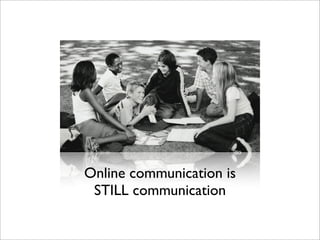
Online communication is
STILL communication
TYPING IN ALL CAPITAL LETTERS IS
SHOUTING!
C o m m u n i c a t i o n Ti p s 1
Lake Superior College: Online Course Netiquette Guidelines
http://wiki.lsc.edu/Netiquette
Be careful with humor and sarcasm. Both
can be easily misunderstood in virtual
environments, especially by those who
don’t know you or your brand of humor.
C o m m u n i c a t i o n Ti p s 2
Lake Superior College: Online Course Netiquette Guidelines
http://wiki.lsc.edu/Netiquette
Review all discussion posts before adding
your own to prevent redundancy and
repetition.
C o m m u n i c a t i o n Ti p s 3
Lake Superior College: Online Course Netiquette Guidelines
http://wiki.lsc.edu/Netiquette
Check your writing for grammar and
spelling errors. Both reflect upon you.
C o m m u n i c a t i o n Ti p s 4
Lake Superior College: Online Course Netiquette Guidelines
http://wiki.lsc.edu/Netiquette
Acronyms (LOL, BFF, etc.) and emoticons
are commonly used in informal online
communications. Don’t overuse them and
remember that they are not considered to
be professional.
C o m m u n i c a t i o n Ti p s 5
Lake Superior College: Online Course Netiquette Guidelines
http://wiki.lsc.edu/Netiquette
Check your writing for grammar and
spelling errors. Both reflect upon you.
C o m m u n i c a t i o n Ti p s 6
Lake Superior College: Online Course Netiquette Guidelines
http://wiki.lsc.edu/Netiquette
Be sure to give credit to ANYTHING that
you copy, reference, or summarize. If you
can copy/paste it, it belongs to someone
else. Respect intellectual property.
C o m m u n i c a t i o n Ti p s 7
Lake Superior College: Online Course Netiquette Guidelines
http://wiki.lsc.edu/Netiquette
Researching SMARTZ
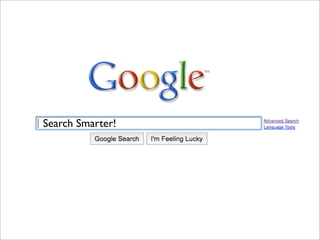
Search Smarter!
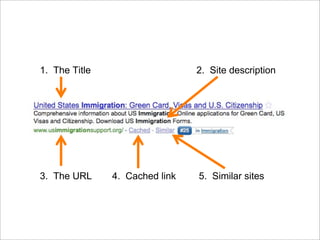
1. The Title 2. Site description
3. The URL 4. Cached link 5. Similar sites
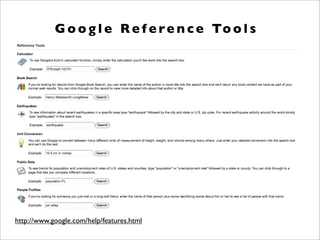
http://www.google.com/help/features.html
G o o g l e Re f e re n c e To o l s
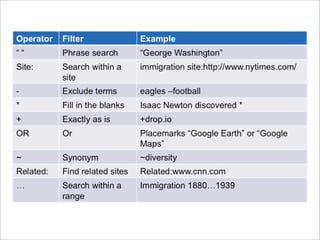
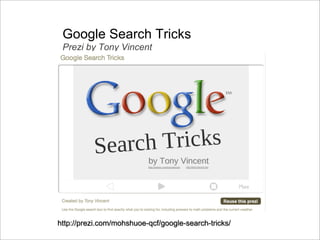
Google Search Tricks
Prezi by Tony Vincent
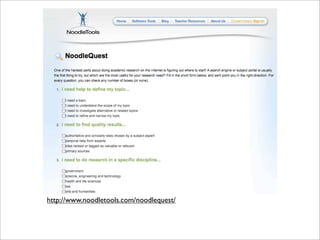
http://www.noodletools.com/noodlequest/
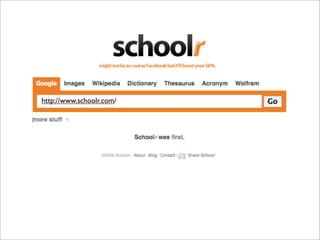
http://www.schoolr.com/
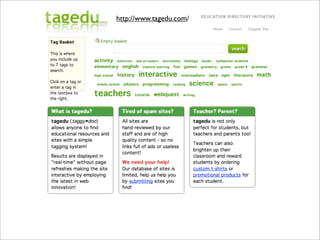
http://www.tagedu.com/
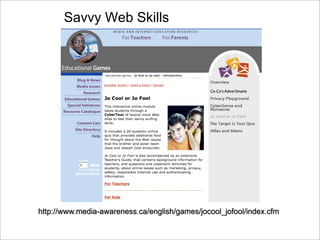
Savvy Web Skills
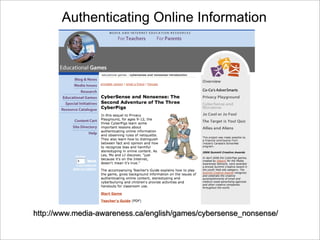
Authenticating Online Information
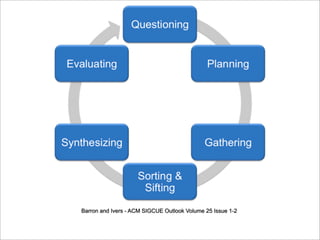
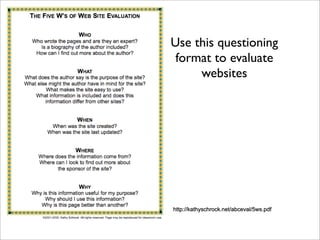
Use this questioning
format to evaluate
websites
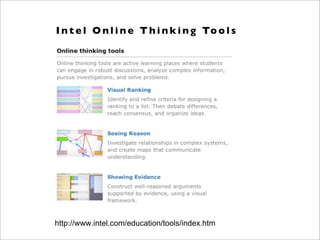
http://www.intel.com/education/tools/index.htm
I n t e l O n l i n e T h i n k i n g To o l s
Noodle Tools
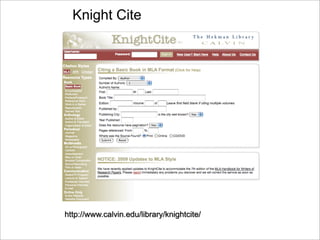
Knight Cite
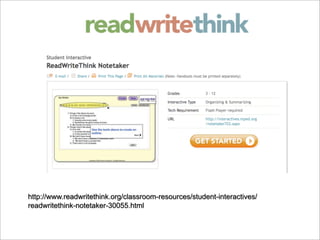
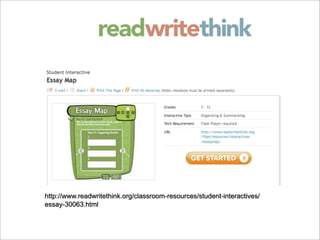
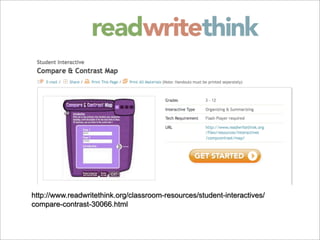
Re c o m m e n d e d Re s o u rc e s
Digizen http://www.digizen.org/
Common Sense Media http://www.commonsensemedia.org/
iKeepSafe http://www.ikeepsafe.org/
NetSmartz Teen http://www.nsteens.org/
Creative Commons http://creativecommons.org/
http://jdorman.wikispaces.com/cybersmartz
http://jdorman.wikispaces.com/Research2.0

Cyber Smartz

  • 1.
  • 2.
  • 3.
    In what waysis the Internet like a city?
  • 4.
    How long issomething you post online available for others to view?
  • 5.
    What are thebenefits of social networking sites?
  • 6.
    What are thedangers of social networking sites?
  • 7.
    What should younever reveal when posting to a blog, chat room, IM, or other online forum?
  • 8.
    Why should youthink twice before posting anything (words, images, audio) online?
  • 9.
    Behind every name andavatar there is a real person
  • 10.
    Lake Superior College:Online Course Netiquette Guidelines http://wiki.lsc.edu/Netiquette Respect the privacy of your classmates and what they share in class. N e t i q u e t t e Ti p s 1
  • 11.
    Ask classmates forclarification if you find a post offensive or difficult to understand. N e t i q u e t t e Ti p s 2 Lake Superior College: Online Course Netiquette Guidelines http://wiki.lsc.edu/Netiquette
  • 12.
    Avoid sweeping generalizations.Back up your stated opinions with facts and reliable sources. N e t i q u e t t e Ti p s 3 Lake Superior College: Online Course Netiquette Guidelines http://wiki.lsc.edu/Netiquette
  • 13.
    Understand that wemay disagree and that exposure to other people’s opinions is part of the learning experience. N e t i q u e t t e Ti p s 4 Lake Superior College: Online Course Netiquette Guidelines http://wiki.lsc.edu/Netiquette
  • 14.
    N e ti q u e t t e Ti p s Be respectful of each other. We’re all in this together. Before posting a comment, ask whether you would be willing to make the same comment to a person’s face. 6 Lake Superior College: Online Course Netiquette Guidelines http://wiki.lsc.edu/Netiquette
  • 15.
    Keep in mindthat everything you write is recorded FOREVER. On the Internet there are no “take backs.” N e t i q u e t t e Ti p s 7 Lake Superior College: Online Course Netiquette Guidelines http://wiki.lsc.edu/Netiquette
  • 16.
    Keep in mindthat your online learning activities are part of a class. Something that would be inappropriate in school is inappropriate online. N e t i q u e t t e Ti p s 8 Lake Superior College: Online Course Netiquette Guidelines http://wiki.lsc.edu/Netiquette
  • 17.
  • 18.
    TYPING IN ALLCAPITAL LETTERS IS SHOUTING! C o m m u n i c a t i o n Ti p s 1 Lake Superior College: Online Course Netiquette Guidelines http://wiki.lsc.edu/Netiquette
  • 19.
    Be careful withhumor and sarcasm. Both can be easily misunderstood in virtual environments, especially by those who don’t know you or your brand of humor. C o m m u n i c a t i o n Ti p s 2 Lake Superior College: Online Course Netiquette Guidelines http://wiki.lsc.edu/Netiquette
  • 20.
    Review all discussionposts before adding your own to prevent redundancy and repetition. C o m m u n i c a t i o n Ti p s 3 Lake Superior College: Online Course Netiquette Guidelines http://wiki.lsc.edu/Netiquette
  • 21.
    Check your writingfor grammar and spelling errors. Both reflect upon you. C o m m u n i c a t i o n Ti p s 4 Lake Superior College: Online Course Netiquette Guidelines http://wiki.lsc.edu/Netiquette
  • 22.
    Acronyms (LOL, BFF,etc.) and emoticons are commonly used in informal online communications. Don’t overuse them and remember that they are not considered to be professional. C o m m u n i c a t i o n Ti p s 5 Lake Superior College: Online Course Netiquette Guidelines http://wiki.lsc.edu/Netiquette
  • 23.
    Check your writingfor grammar and spelling errors. Both reflect upon you. C o m m u n i c a t i o n Ti p s 6 Lake Superior College: Online Course Netiquette Guidelines http://wiki.lsc.edu/Netiquette
  • 24.
    Be sure togive credit to ANYTHING that you copy, reference, or summarize. If you can copy/paste it, it belongs to someone else. Respect intellectual property. C o m m u n i c a t i o n Ti p s 7 Lake Superior College: Online Course Netiquette Guidelines http://wiki.lsc.edu/Netiquette
  • 25.
  • 27.
  • 28.
    1. The Title2. Site description 3. The URL 4. Cached link 5. Similar sites
  • 30.
    http://www.google.com/help/features.html G o og l e Re f e re n c e To o l s
  • 31.
  • 32.
  • 33.
  • 34.
  • 35.
  • 36.
  • 37.
    Use this questioning formatto evaluate websites
  • 39.
    http://www.intel.com/education/tools/index.htm I n te l O n l i n e T h i n k i n g To o l s
  • 45.
  • 46.
  • 47.
    Re c om m e n d e d Re s o u rc e s Digizen http://www.digizen.org/ Common Sense Media http://www.commonsensemedia.org/ iKeepSafe http://www.ikeepsafe.org/ NetSmartz Teen http://www.nsteens.org/ Creative Commons http://creativecommons.org/ http://jdorman.wikispaces.com/cybersmartz http://jdorman.wikispaces.com/Research2.0