

Multi-Channel Data Collection
                         John Clark
               Principal Consultant,
                         Webtrends
Agenda
•    Multi-Channel Data Collection
•    X-Domain sites
•    X-Domain – iFrame
•    Event Data Collection
•    Video Data Collection
Multi-Channel Data Collection

COLLECTING DATA FROM
MULTIPLE CHANNELS
There’s No Magic Bullet Data
         Collection
But There Are Creative Solutions
Multi-Channel Data Collection

CROSS-DOMAIN DATA COLLECTION
How cross domain tracking works
•  The sites create a shared cookie
•  Webtrends analysis engine glues the data
   together
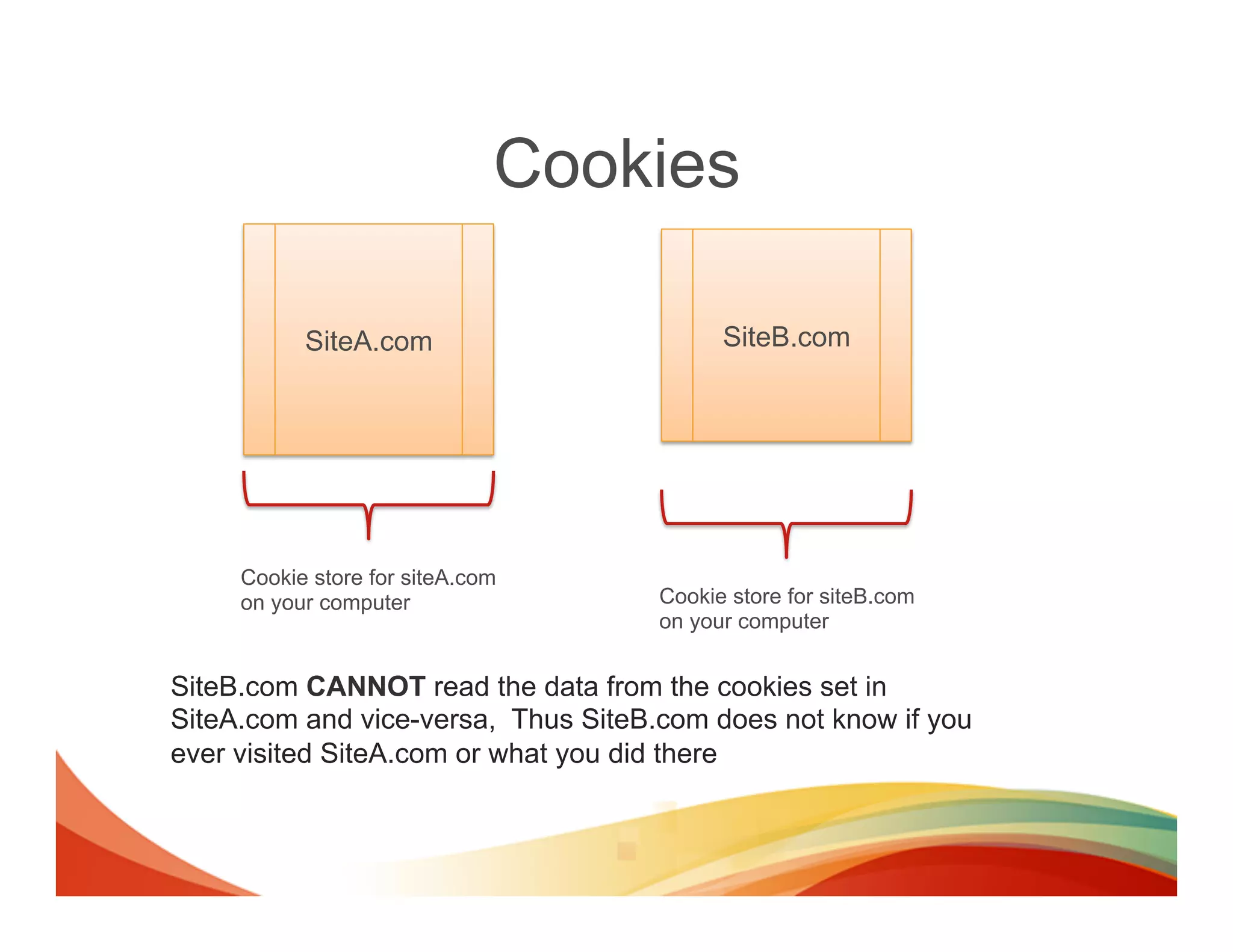
Cookies

           SiteA.com                       SiteB.com


     Cookie store for siteA.com
     on your computer                Cookie store for siteB.com
                                     on your computer


SiteB.com CANNOT read the data from the cookies set in
SiteA.com and vice-versa, Thus SiteB.com does not know if you
ever visited SiteA.com or what you did there
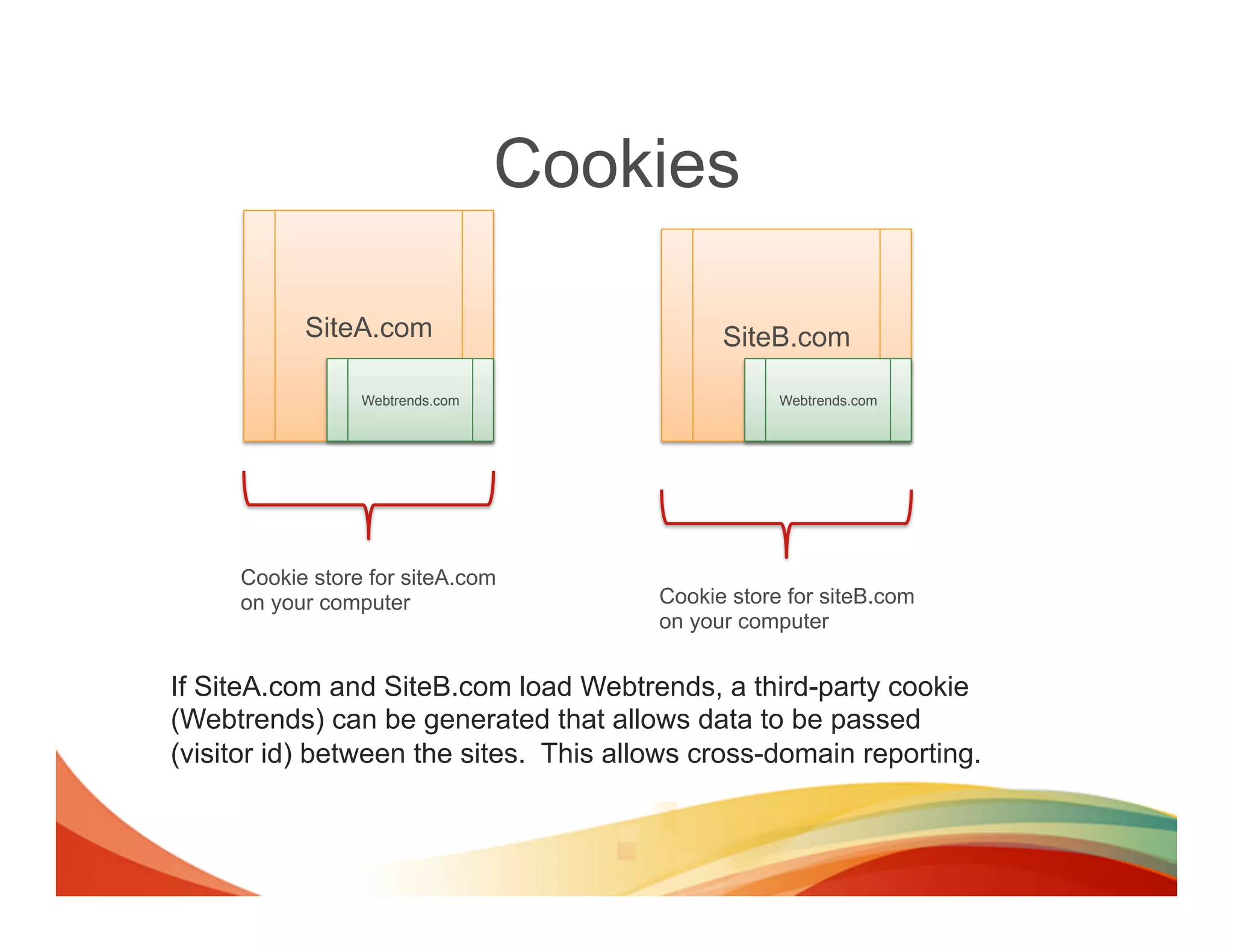
Cookies

           SiteA.com                          SiteB.com

                 Webtrends.com                      Webtrends.com


     Cookie store for siteA.com
     on your computer                   Cookie store for siteB.com
                                        on your computer


If SiteA.com and SiteB.com load Webtrends, a third-party cookie
(Webtrends) can be generated that allows data to be passed
(visitor id) between the sites. This allows cross-domain reporting.
Cookies
        SiteA.com
             Webtrends.com


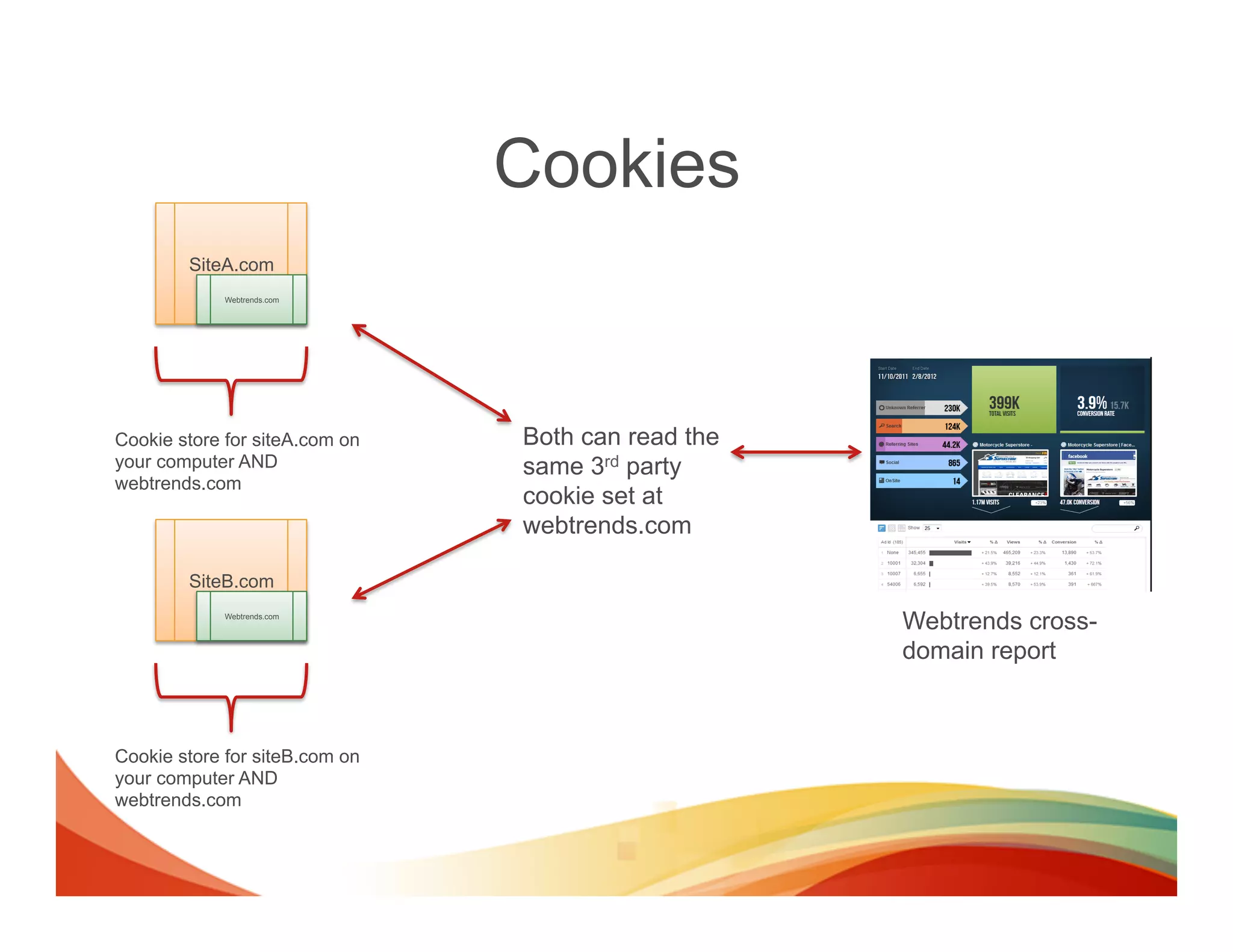
Cookie store for siteA.com on   Both can read the
your computer AND               same 3rd party
webtrends.com
                                cookie set at
                                webtrends.com

        SiteB.com
             Webtrends.com
                                                    Webtrends cross-
                                                    domain report


Cookie store for siteB.com on
your computer AND
webtrends.com
Cross-domain limitations
•  If third-party cookies are disabled or
   blocked, cross-domain reporting will not
   function.
Multi-Channel Data Collection

X-CROSS-DOMAIN IFRAME DATA
COLLECTION
Data Collection from iFrames
•  iFrame Tracking
  –  Requires adding some code to the iFrame
     •  Method 1: Add full Webtrends code to iFrame
     •  Method 2: Add postMessage to iFrame
Method 1:
     Add full Webtrends code to iFrame

•    Requires code be added to the iFrame
•    Larger foot print
•    Acts as second page load when iFrame loads
•    Needs to utilize 3rd party cookie for x-domain
Method 2:
    Add postMessage to iFrame

•  Requires code to be added to the iFrame
•  Very small foot print
•  Sends tracking message to parent window
   so all tracking comes from the home domain
Data Collection from iFrames
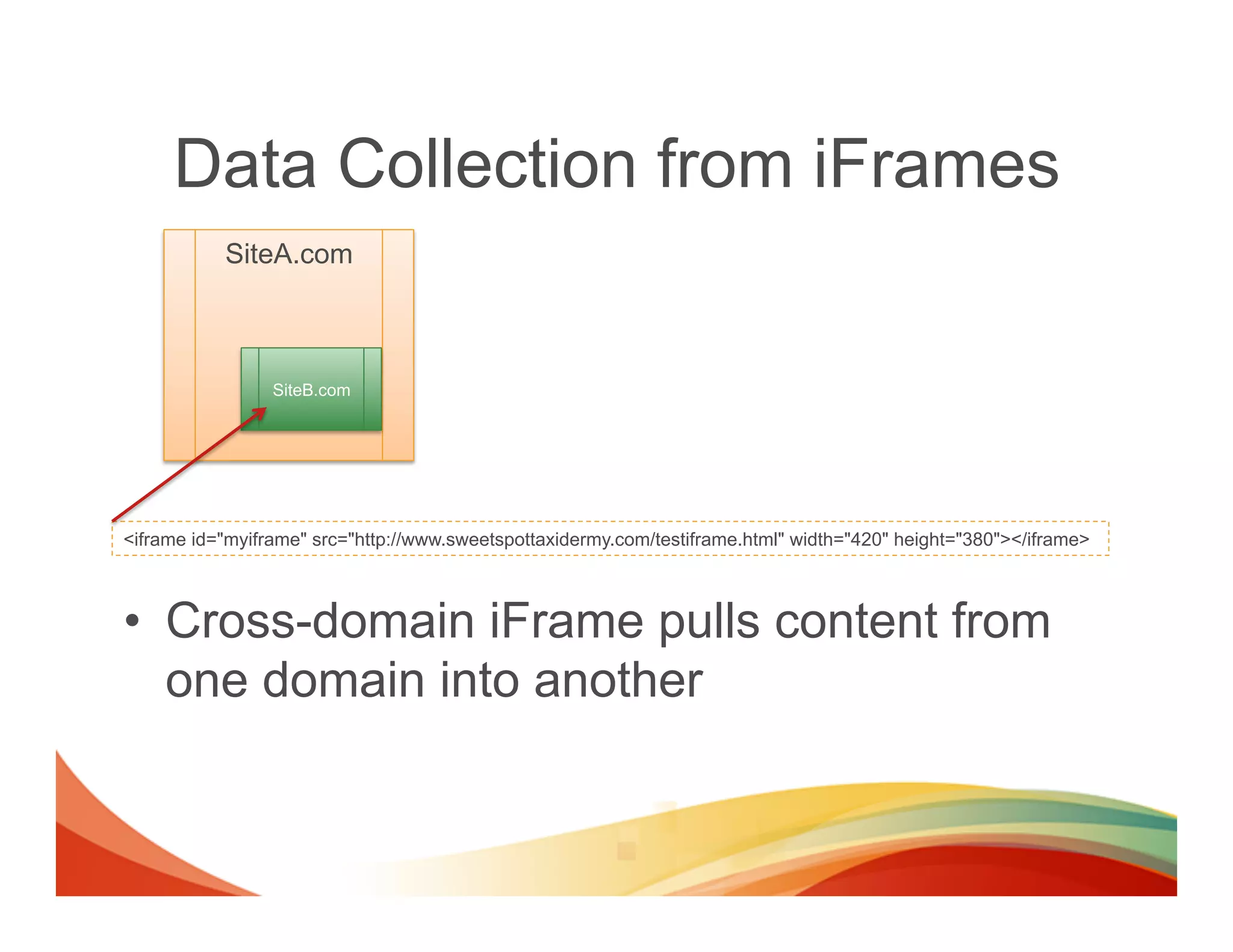
           SiteA.com


                 SiteB.com


<iframe id="myiframe" src="http://www.sweetspottaxidermy.com/testiframe.html" width="420" height="380"></iframe>


•  Cross-domain iFrame pulls content from
   one domain into another
Data Collection from iFrames
•  If the third party can add some code to the
   iFrame we can still track the visitor
   behaviors.

•  HTML5 provide us a mechanism for the
   iframe to communicate with the parent
   window with an event listener
Site B sends the tracking message to Site A
      SiteA.com


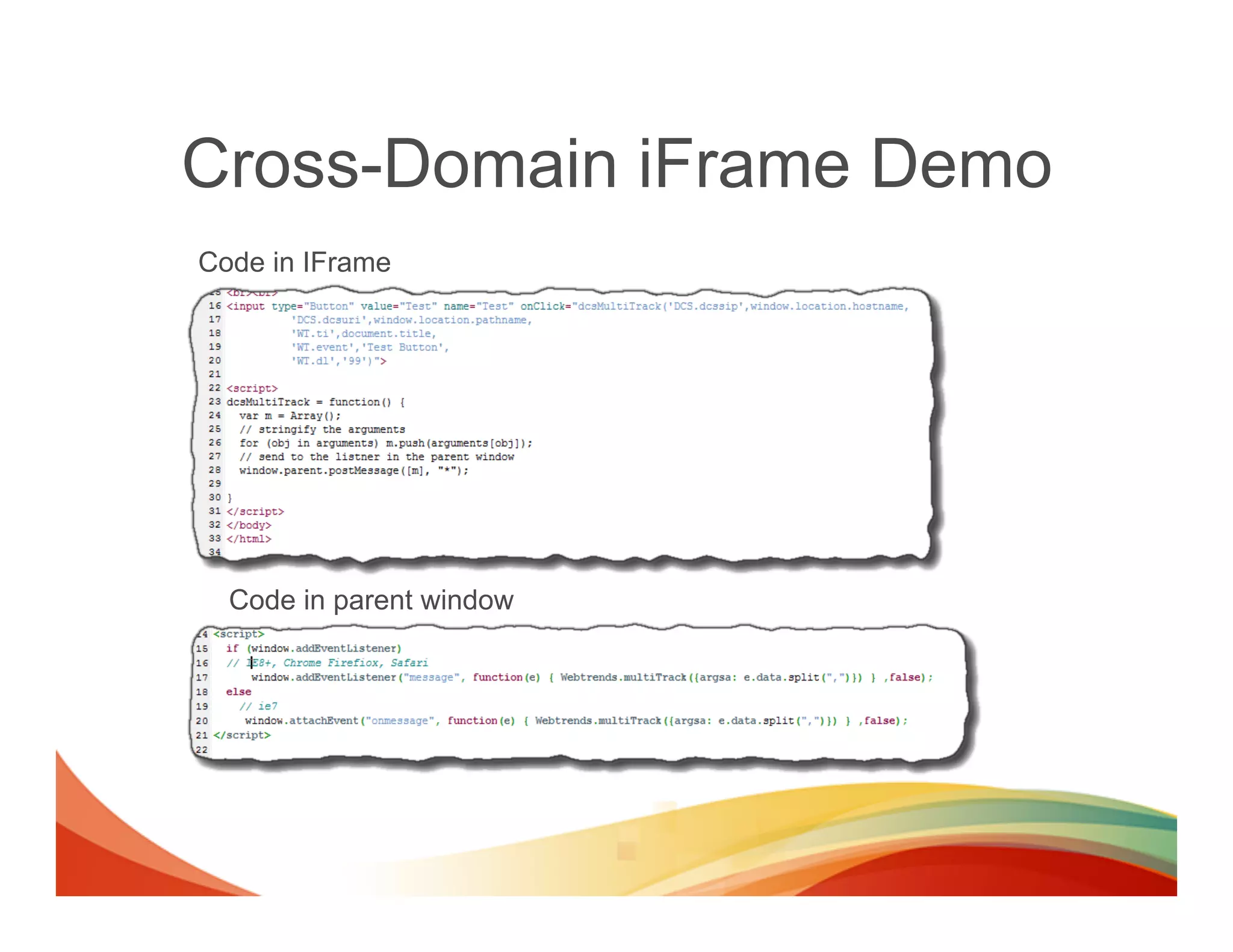
                                        <input type="Button" value="Test" name="Test"
           SiteB.com                    onClick="dcsMultiTrack('DCS.dcssip',window.location.hostname,
                                                                             'DCS.dcsuri',window.location.pathname,
                                                                             'WT.ti',document.title,
                                                                             'WT.event','Test Button',
                                                                             'WT.dl','99')">
                                        <script>
                                        dcsMultiTrack = function() {
                                               var m = Array();
                                               // stringify the arguments
                                               for (obj in arguments) m.push(arguments[obj]);
                                               // send to the listner in the parent window
                                               window.parent.postMessage([m], "*");
                                        }
                                        </script>


<script>
  window.addEventListener("message", function(e) { Webtrends.multiTrack({argsa: e.data.split(",")}) } ,false);
</script>
Cross-Domain iFrame Demo
Code in IFrame


  Code in parent window
Multi-Channel Data Collection

EVENT COLLECTION
Event Data Collection
•  Its becoming ever more popular to collect
   not only page load data, but event based
   data to understand how visitor are
   interacting with objects on pages
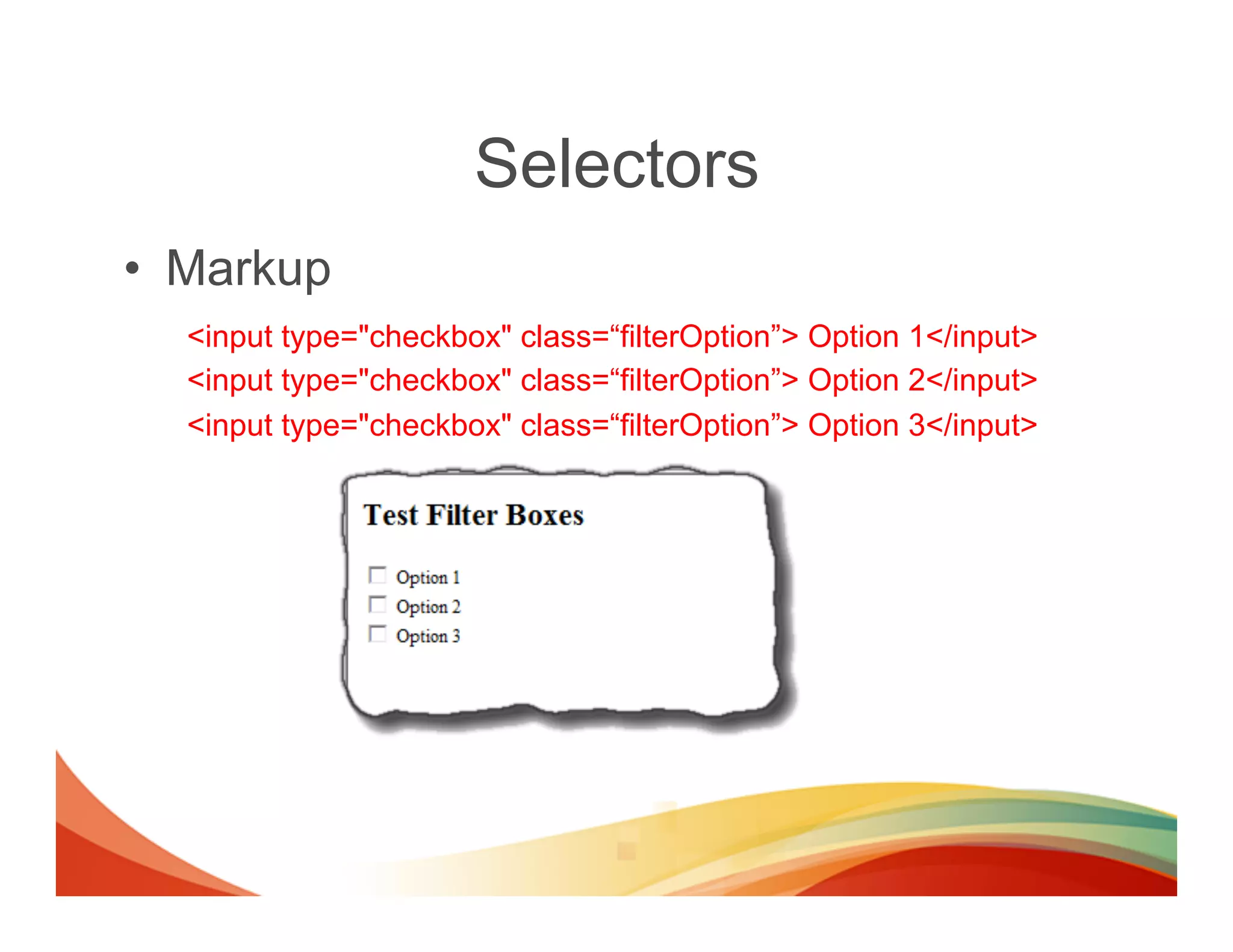
Selectors
•  Markup
  <input type="checkbox" class=“filterOption”> Option 1</input>
  <input type="checkbox" class=“filterOption”> Option 2</input>
  <input type="checkbox" class=“filterOption”> Option 3</input>
Event Data Collection
      •  Collecting event based data is easy with Webtrends!
             –  Track when a visitor clicks a checkbox in a filter object
                                jQuery Selector                                             Webtrends Selector
jQuery('.filterOption').live('click', function (evt) {               dcs.addSelector(‘.filterOption'’,
                                                                          transform: function (dcsObject, o) {
      var e = evt.target || evt.srcElement;
                                                                               var e = o[‘element’];
      Webtrends.multiTrack({
         element: this,                                                        o.argsa.push ("DCS.dcssip", window.location.hostname,
                   argsa: ["DCS.dcssip", window.location.hostname,                           "DCS.dcsuri", window.location.pathname,
                          "DCS.dcsuri", window.location.pathname,                             "WT.ti", document.title,
                           "WT.ti", document.title,                                           "WT.dl", "31",
                           "WT.dl", "31",                                                     "WT.e_nam", jQuery(e).text(),
                           "WT.e_nam", jQuery(e).text(),                                      "WT.e_typ", 'filter',
                           "WT.e_typ", 'filter',                                              "WT.e_state", ", e.checked?’true’:’false’);
                           "WT.e_state", e.checked?’true’:’false’]         }
      })                                                             });
});


•  Using this technique you can track almost any page event on any
   object. (hoverovers, focus, clicks, tap, swipe, …)
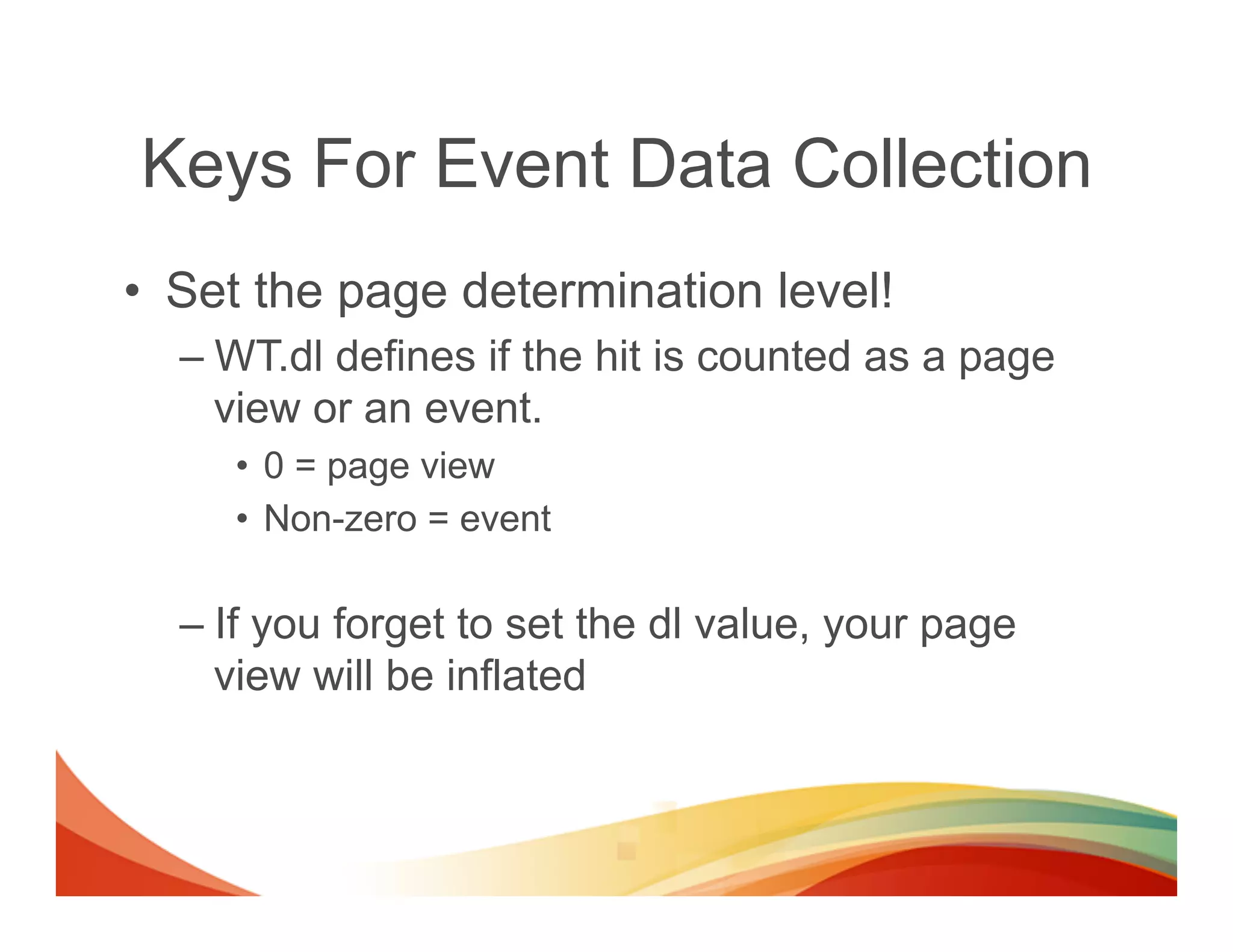
Keys For Event Data Collection
•  Set the page determination level!
  –  WT.dl defines if the hit is counted as a page
     view or an event.
     •  0 = page view
     •  Non-zero = event

  –  If you forget to set the dl value, your page
     view will be inflated
Multi-Channel Data Collection

WHAT ABOUT VIDEO
EVENTS?
Geek alert


             !
There are 10 kinds of people,
those that will understand this
section and those that won’t
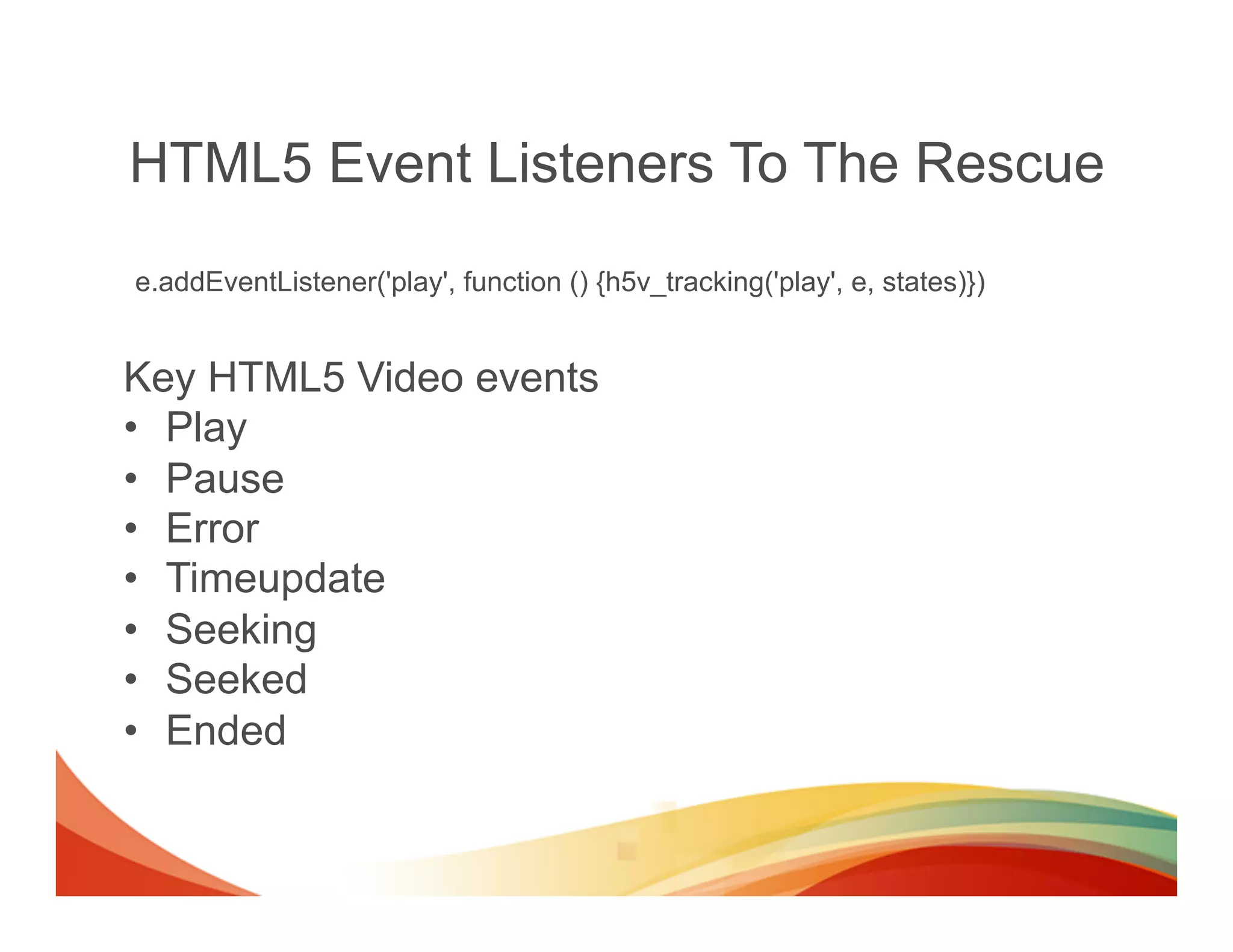
HTML5 Event Listeners To The Rescue
e.addEventListener('play', function () {h5v_tracking('play', e, states)})


Key HTML5 Video events
•  Play
•  Pause
•  Error
•  Timeupdate
•  Seeking
•  Seeked
•  Ended
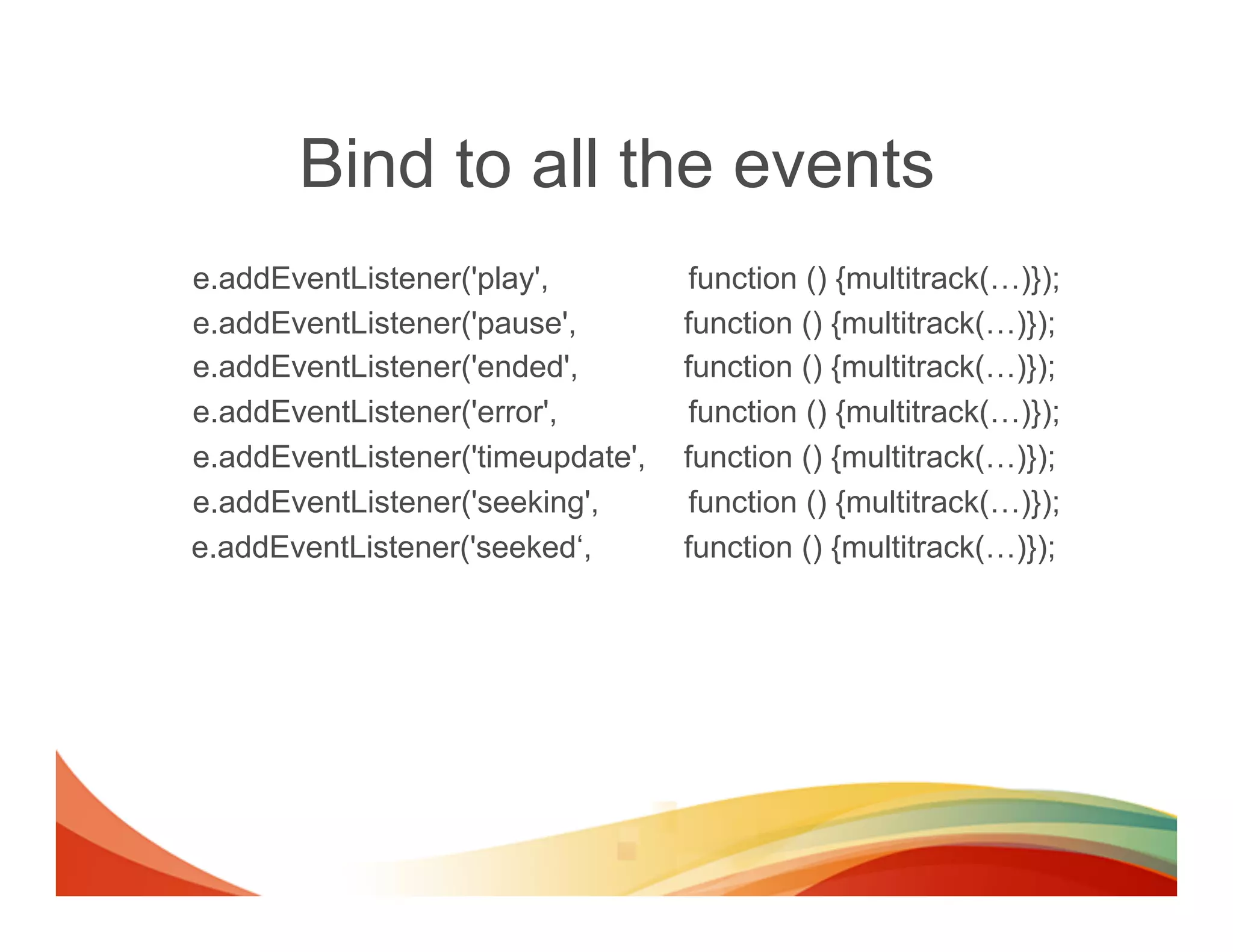
Bind to all the events
e.addEventListener('play',          function () {multitrack(…)});
e.addEventListener('pause',        function () {multitrack(…)});
e.addEventListener('ended',        function () {multitrack(…)});
e.addEventListener('error',         function () {multitrack(…)});
e.addEventListener('timeupdate',   function () {multitrack(…)});
e.addEventListener('seeking',       function () {multitrack(…)});
e.addEventListener('seeked‘,       function () {multitrack(…)});
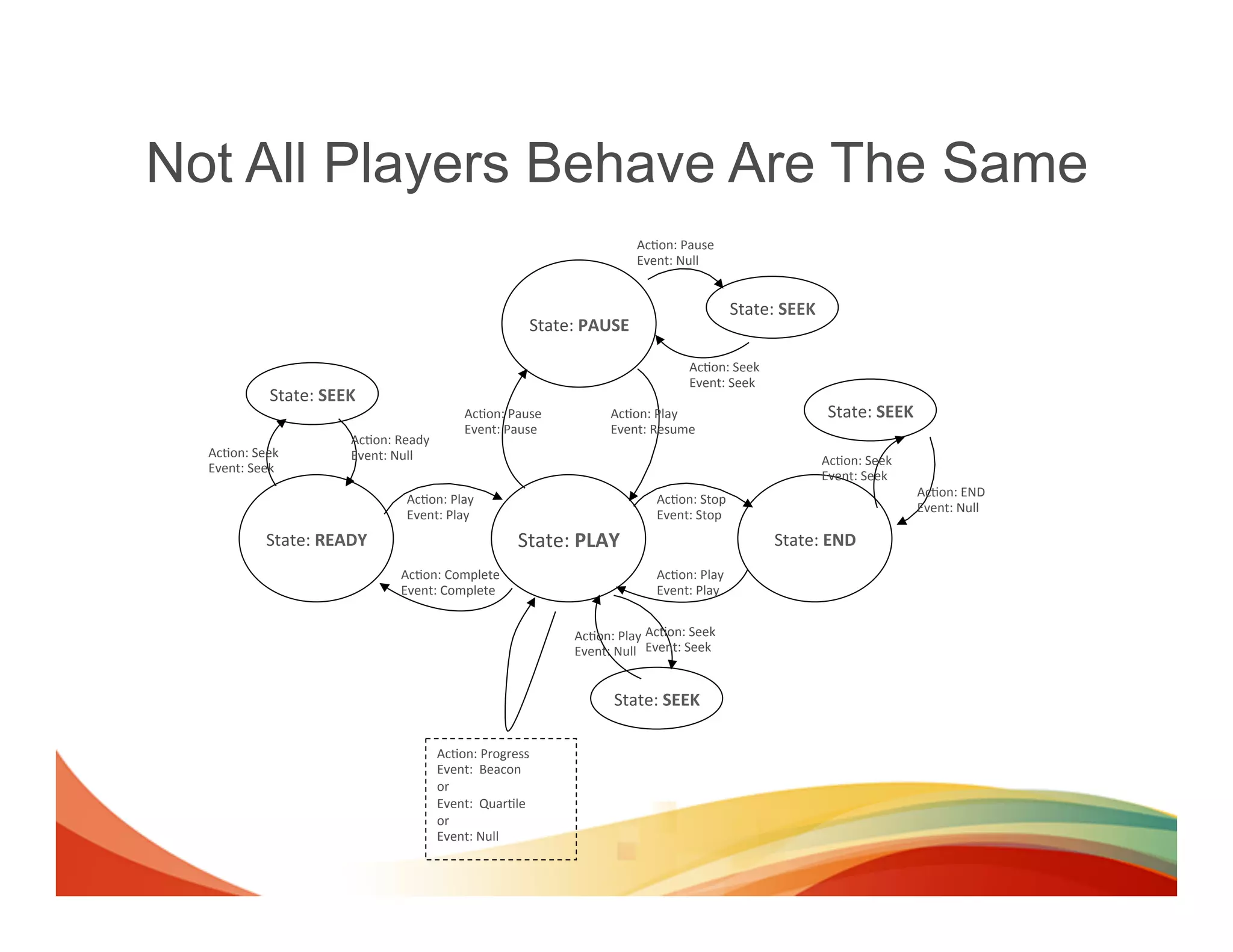
Not All Players Behave Are The Same
                                                                                       Ac(on:	
  Pause
                                                                                       Event:	
  Null


                                                                                                            State:	
  SEEK
                                                                     State:	
  PAUSE

                                                                                                  Ac(on:	
  Seek
                                                                                                  Event:	
  Seek
              State:	
  SEEK
                                                    Ac(on:	
  Pause	
             Ac(on:	
  Play                              State:	
  SEEK
                                                    Event:	
  Pause               Event:	
  Resume
                           Ac(on:	
  Ready
  Ac(on:	
  Seek           Event:	
  Null                                                                                    Ac(on:	
  Seek
  Event:	
  Seek
                                                                                                                             Event:	
  Seek
                                                                                                                                               Ac(on:	
  END
                                     Ac(on:	
  Play                                        Ac(on:	
  Stop
                                                                                                                                               Event:	
  Null
                                     Event:	
  Play                                        Event:	
  Stop
             State:	
  READY                                      State:	
  PLAY                                   State:	
  END
                                    Ac(on:	
  Complete                                     Ac(on:	
  Play
                                    Event:	
  Complete                                     Event:	
  Play


                                                                           Ac(on:	
  Play Ac(on:	
  Seek
                                                                           Event:	
  Null Event:	
  Seek


                                                                                   State:	
  SEEK

                                             Ac(on:	
  Progress
                                             Event:	
  	
  Beacon	
  
                                             or	
  
                                             Event:	
  	
  Quar(le	
  
                                             or	
  
                                             Event:	
  Null
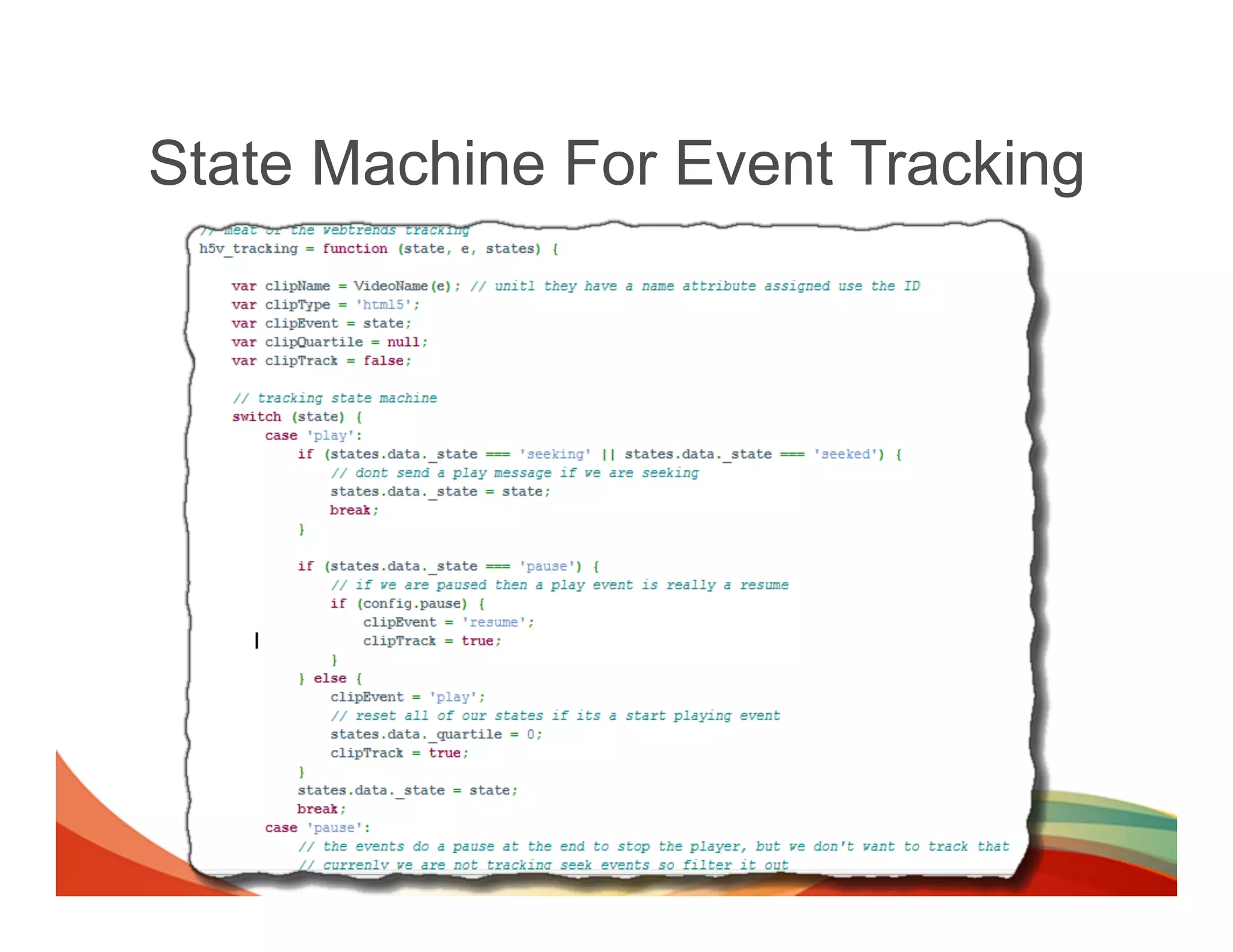
State Machine For Event Tracking
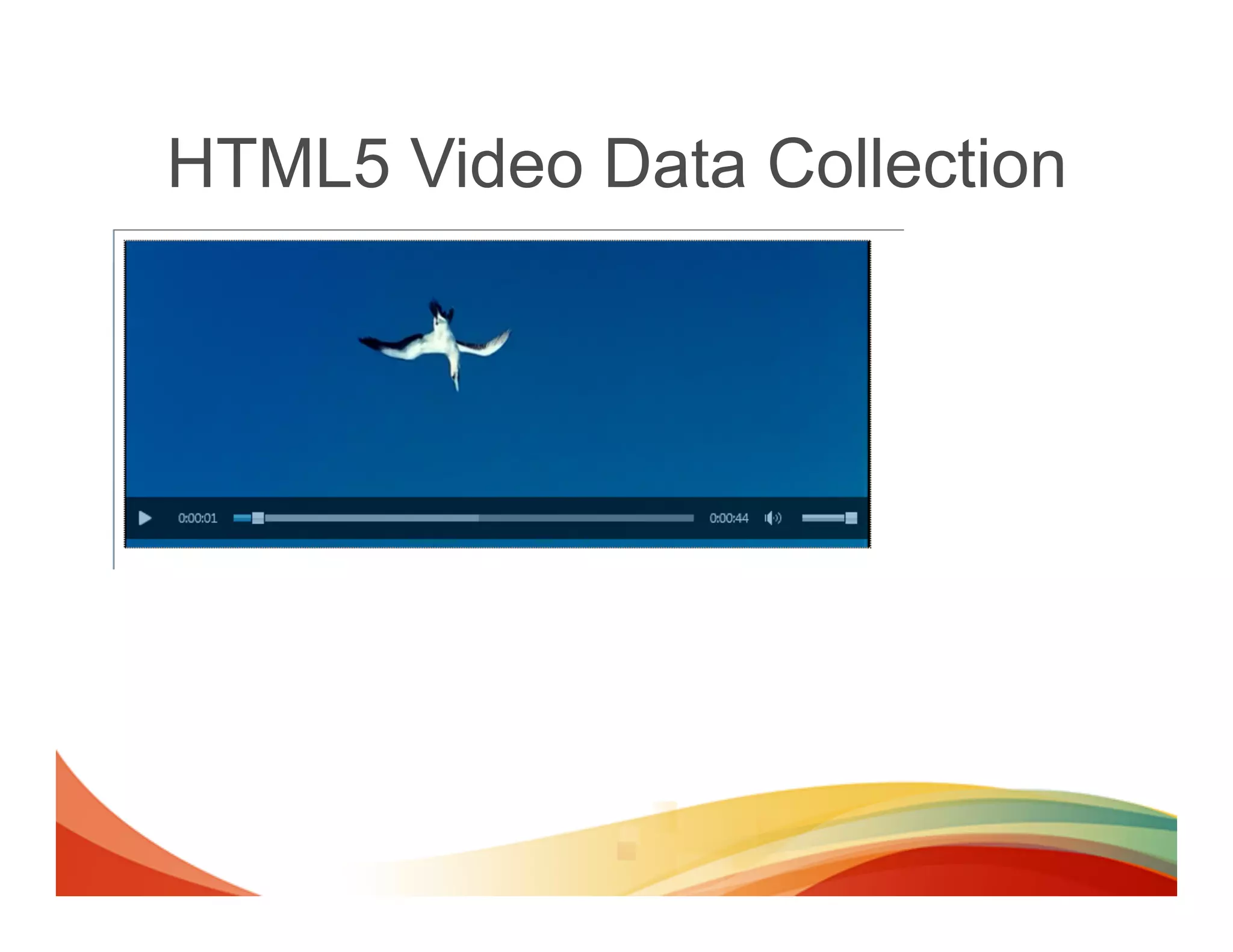
HTML5 Video Data Collection
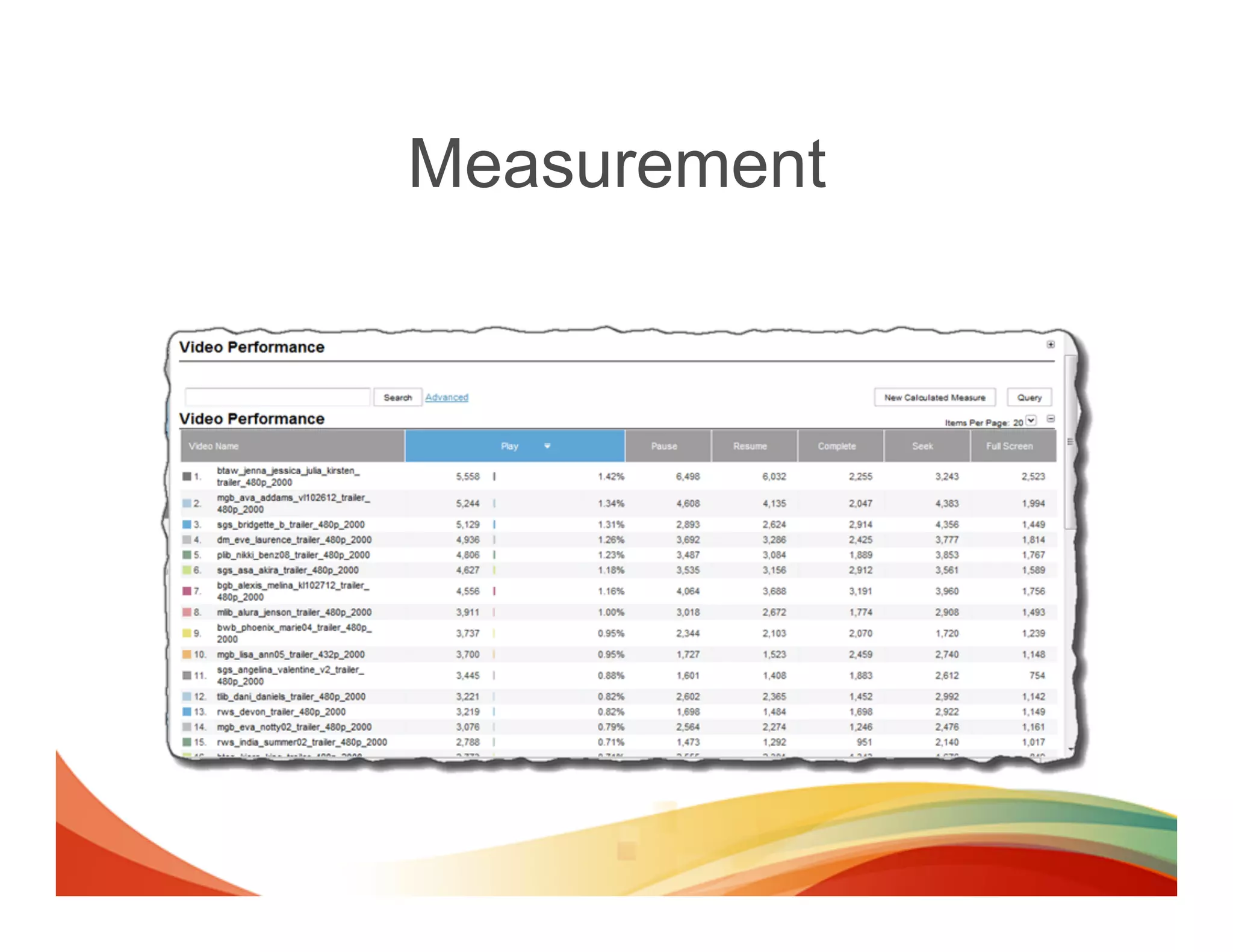
Measurement
No Clear Standards - Yet
[…]
standard metrics
have yet to be
established. One-
third said their clients
considered unique viewers
to be the best way to
measure audience. Another
one-quarter said it was
target impressions.
[…]


                            Source: http://www.emarketer.com/Articles/Print.aspx?R=1009195
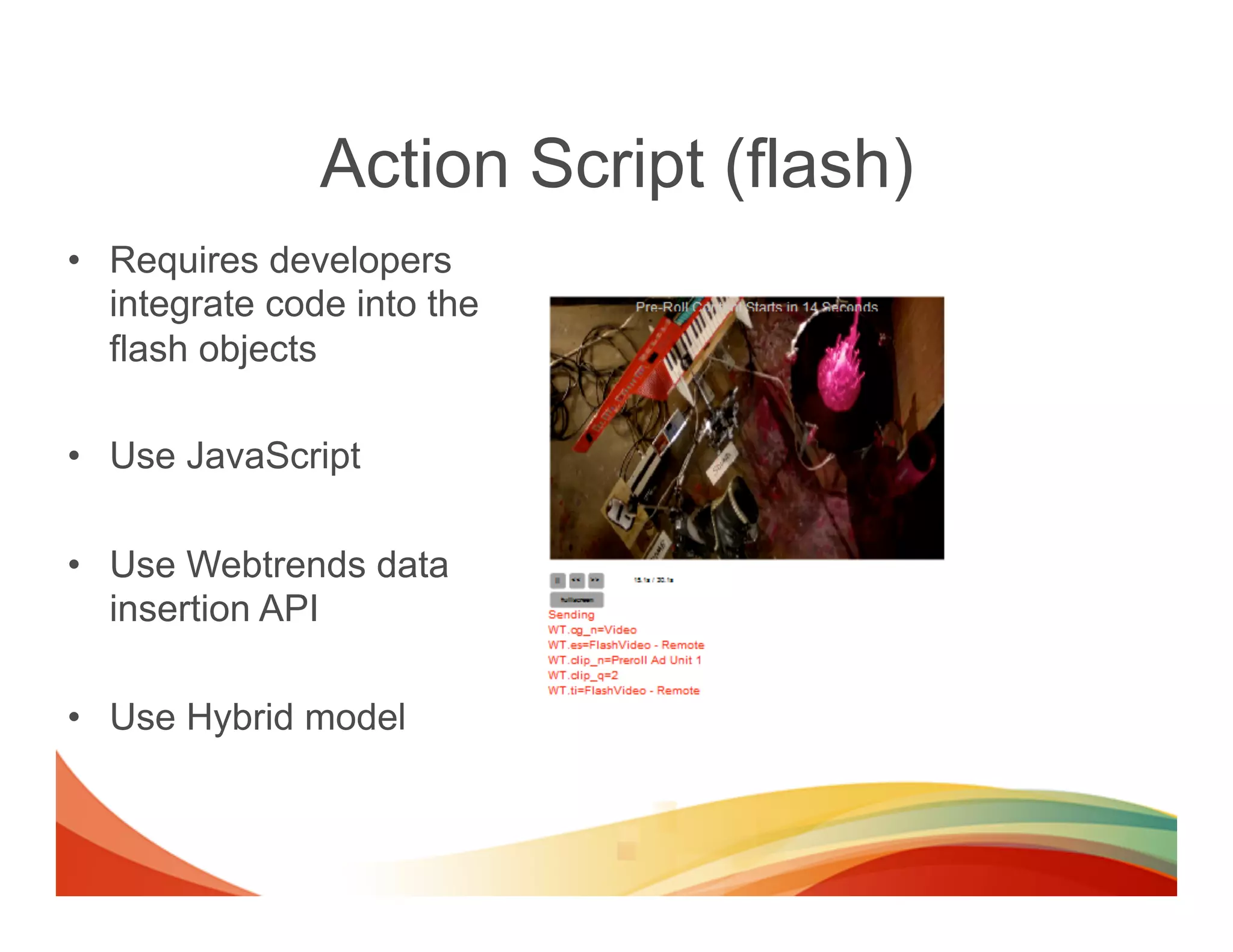
Action Script (flash)
•  Requires developers
   integrate code into the
   flash objects

•  Use JavaScript

•  Use Webtrends data
   insertion API

•  Use Hybrid model
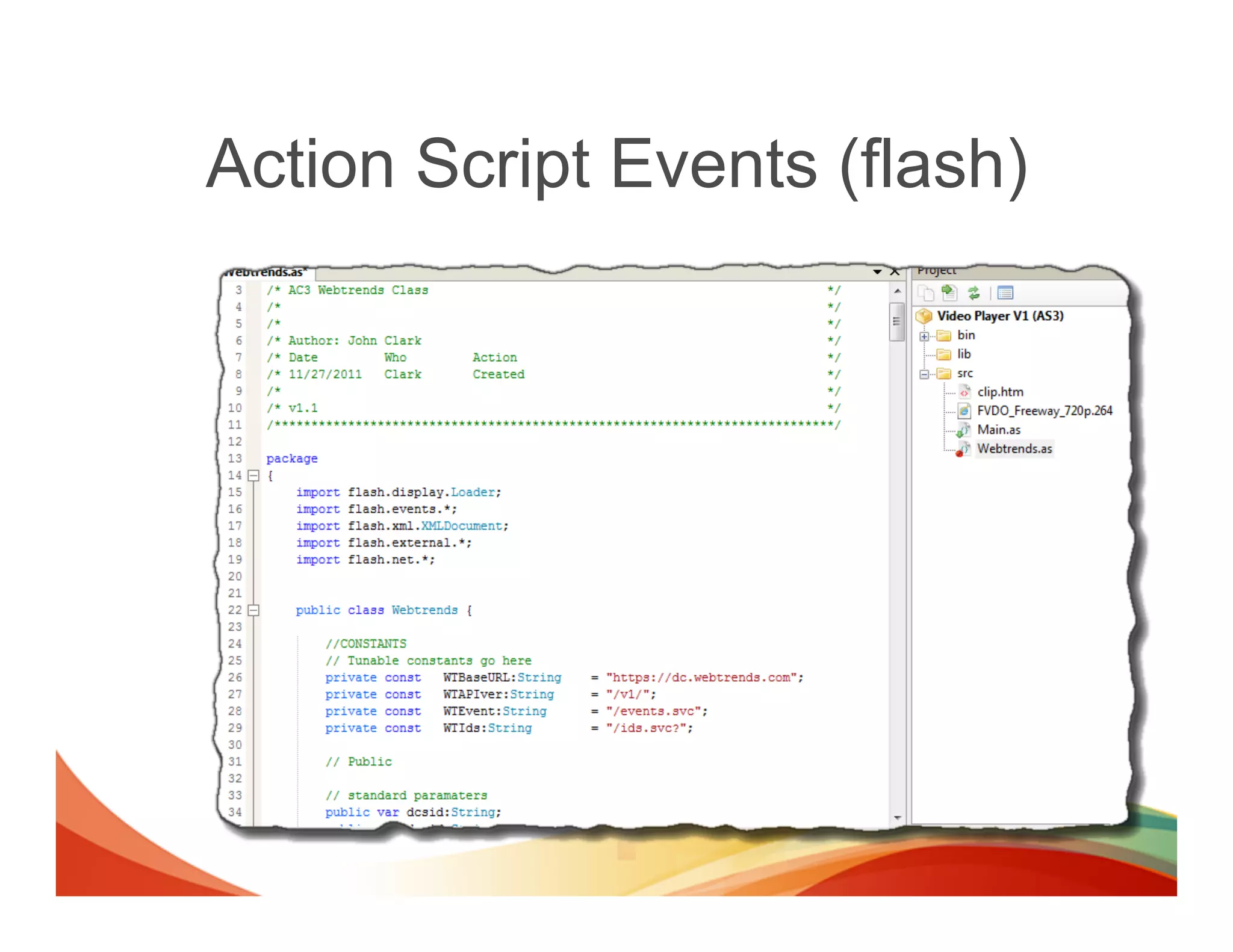
Action Script Events (flash)
Data Collection with Data Insertion
•  Data collection with mobile apps is done
   the same way as with Flash
•  Collect data from almost ANYTHING using
   the data collection API
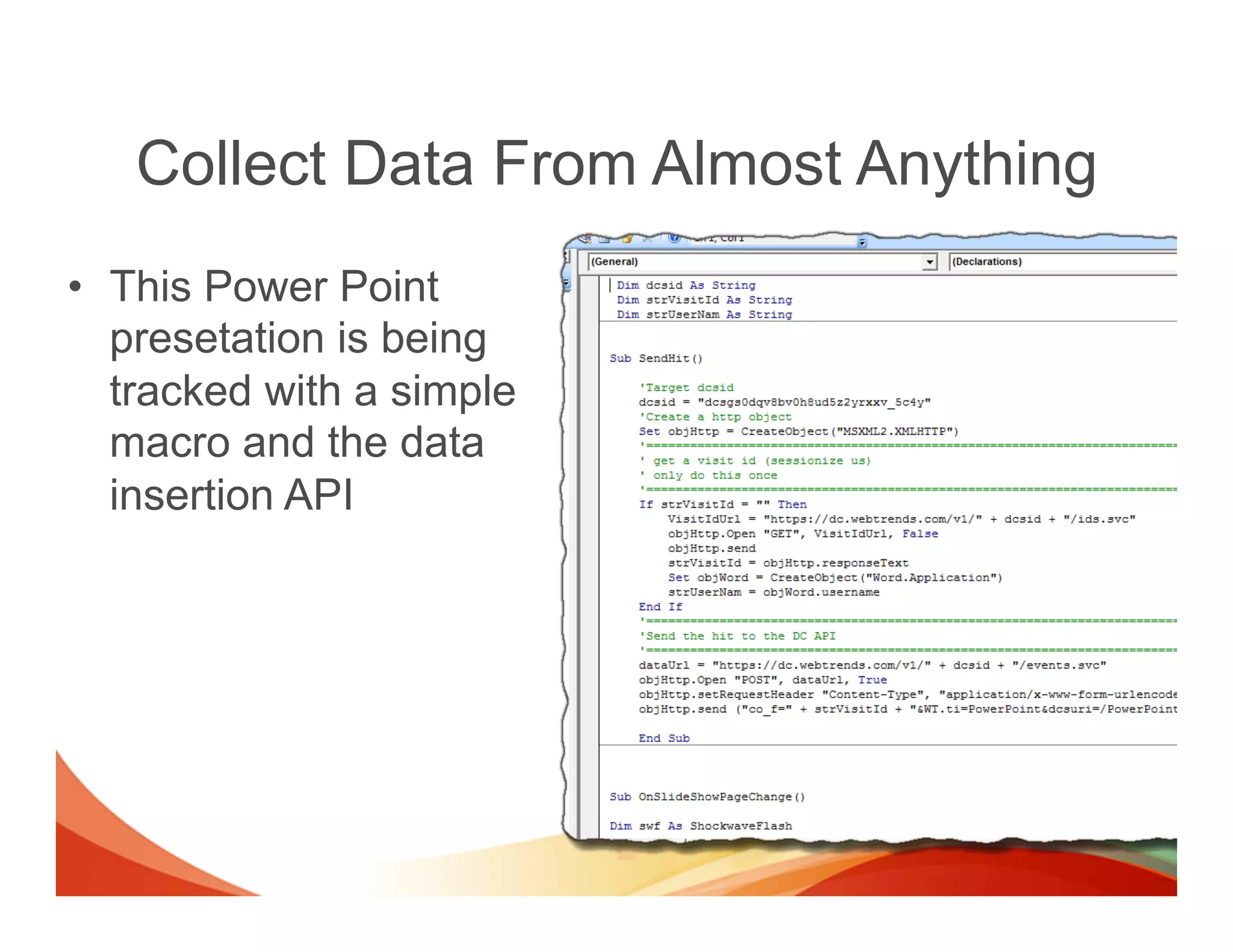
Collect Data From Almost Anything
•  This Power Point
   presetation is being
   tracked with a simple
   macro and the data
   insertion API
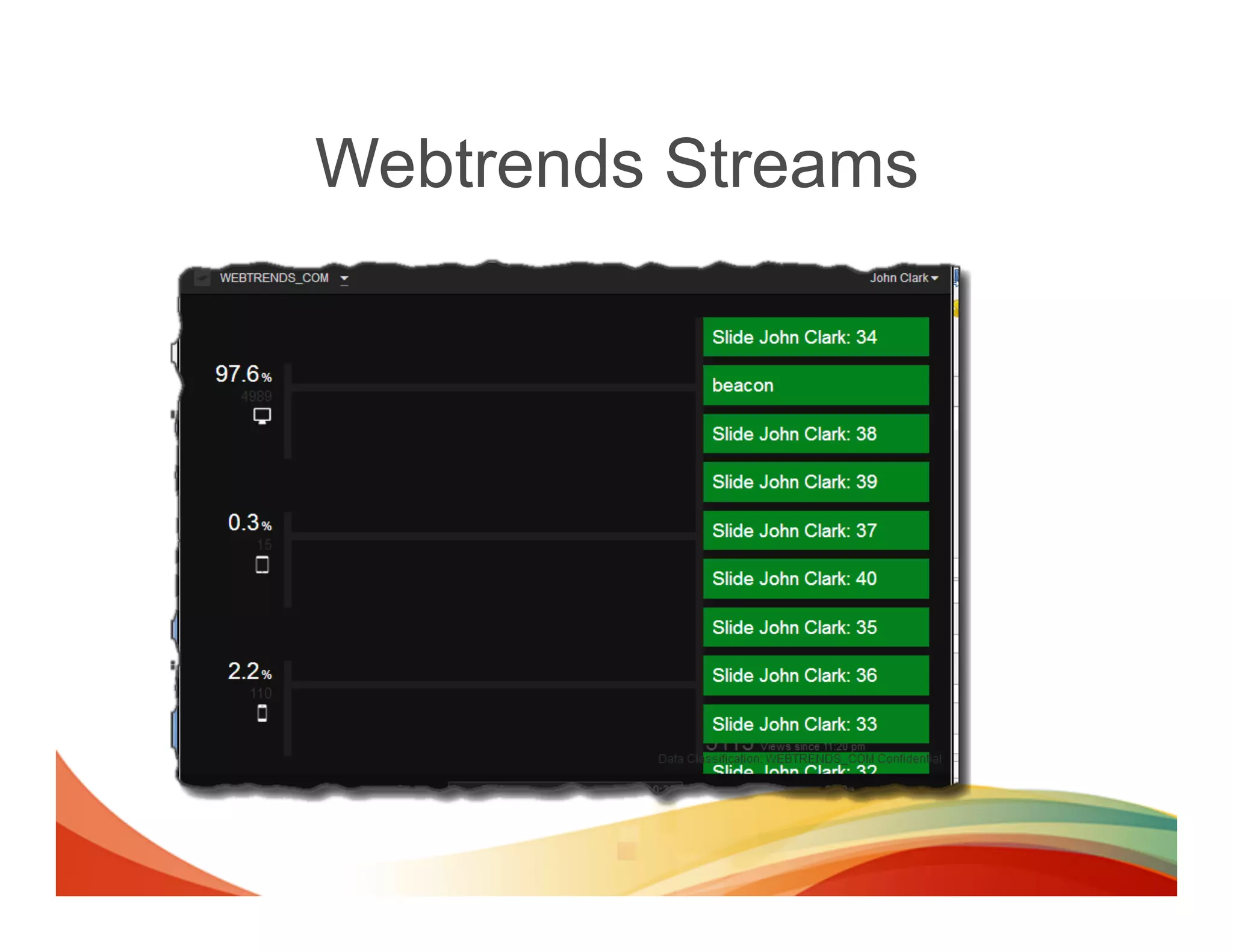
Webtrends Streams
Top Take-Aways
•  Cross-domain tracking requires 3rvd party
   cookies
•  iFrame tracking appears complicated, but its not
•  Event level tracking is becoming more popular,
   and it easy to implement
•  Use the DC API for site assets that don’t support
   JavaScript
•  Video tracking is rapidly expanding
How Can We Help?
•  Contract Webtrends Consulting Services
   to assist with your data collection needs!
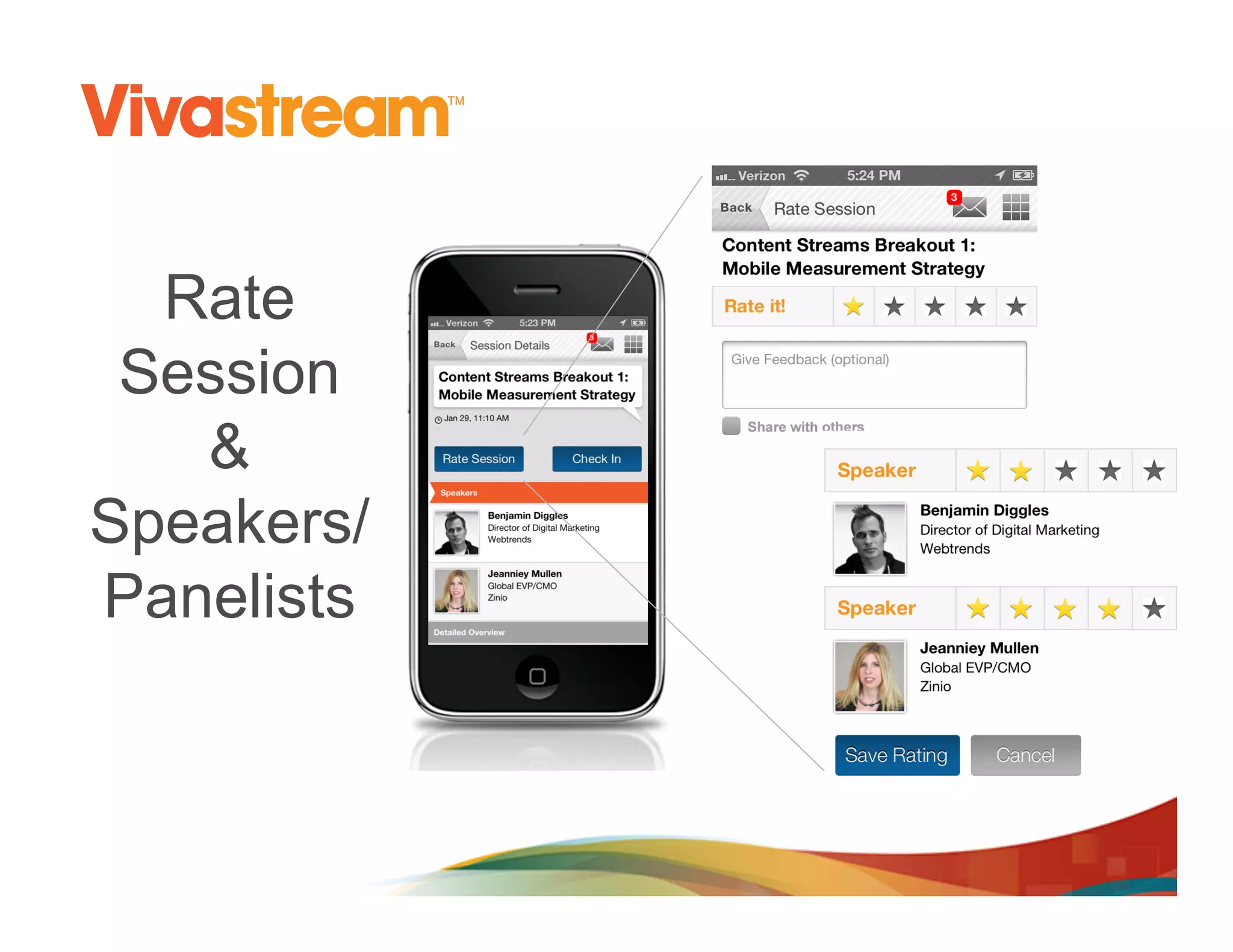
Rate
 Session
   &
Speakers/
Panelists
Sessions You Must See
•  Wed @ 11:10am : Why Upgrade to
   Webtrends 10.2 Tag

•  Tues @ 2:10pm: APIs: An Abundance of
   Flexible Options
Thank You

John Clark, Principal Consultant Webtrends


             John.clark@webtrends.com
Engage 2013 - Multi Channel Data Collection

Engage 2013 - Multi Channel Data Collection

  • 1.
    Multi-Channel Data Collection John Clark Principal Consultant, Webtrends
  • 2.
    Agenda •  Multi-Channel Data Collection •  X-Domain sites •  X-Domain – iFrame •  Event Data Collection •  Video Data Collection
  • 3.
    Multi-Channel Data Collection COLLECTINGDATA FROM MULTIPLE CHANNELS
  • 4.
    There’s No MagicBullet Data Collection
  • 5.
    But There AreCreative Solutions
  • 6.
  • 7.
    How cross domaintracking works •  The sites create a shared cookie •  Webtrends analysis engine glues the data together
  • 8.
    Cookies SiteA.com SiteB.com Cookie store for siteA.com on your computer Cookie store for siteB.com on your computer SiteB.com CANNOT read the data from the cookies set in SiteA.com and vice-versa, Thus SiteB.com does not know if you ever visited SiteA.com or what you did there
  • 9.
    Cookies SiteA.com SiteB.com Webtrends.com Webtrends.com Cookie store for siteA.com on your computer Cookie store for siteB.com on your computer If SiteA.com and SiteB.com load Webtrends, a third-party cookie (Webtrends) can be generated that allows data to be passed (visitor id) between the sites. This allows cross-domain reporting.
  • 10.
    Cookies SiteA.com Webtrends.com Cookie store for siteA.com on Both can read the your computer AND same 3rd party webtrends.com cookie set at webtrends.com SiteB.com Webtrends.com Webtrends cross- domain report Cookie store for siteB.com on your computer AND webtrends.com
  • 11.
    Cross-domain limitations •  Ifthird-party cookies are disabled or blocked, cross-domain reporting will not function.
  • 12.
  • 13.
    Data Collection fromiFrames •  iFrame Tracking –  Requires adding some code to the iFrame •  Method 1: Add full Webtrends code to iFrame •  Method 2: Add postMessage to iFrame
  • 14.
    Method 1: Add full Webtrends code to iFrame •  Requires code be added to the iFrame •  Larger foot print •  Acts as second page load when iFrame loads •  Needs to utilize 3rd party cookie for x-domain
  • 15.
    Method 2: Add postMessage to iFrame •  Requires code to be added to the iFrame •  Very small foot print •  Sends tracking message to parent window so all tracking comes from the home domain
  • 16.
    Data Collection fromiFrames SiteA.com SiteB.com <iframe id="myiframe" src="http://www.sweetspottaxidermy.com/testiframe.html" width="420" height="380"></iframe> •  Cross-domain iFrame pulls content from one domain into another
  • 17.
    Data Collection fromiFrames •  If the third party can add some code to the iFrame we can still track the visitor behaviors. •  HTML5 provide us a mechanism for the iframe to communicate with the parent window with an event listener
  • 18.
    Site B sendsthe tracking message to Site A SiteA.com <input type="Button" value="Test" name="Test" SiteB.com onClick="dcsMultiTrack('DCS.dcssip',window.location.hostname, 'DCS.dcsuri',window.location.pathname, 'WT.ti',document.title, 'WT.event','Test Button', 'WT.dl','99')"> <script> dcsMultiTrack = function() { var m = Array(); // stringify the arguments for (obj in arguments) m.push(arguments[obj]); // send to the listner in the parent window window.parent.postMessage([m], "*"); } </script> <script> window.addEventListener("message", function(e) { Webtrends.multiTrack({argsa: e.data.split(",")}) } ,false); </script>
  • 19.
    Cross-Domain iFrame Demo Codein IFrame Code in parent window
  • 20.
  • 21.
    Event Data Collection • Its becoming ever more popular to collect not only page load data, but event based data to understand how visitor are interacting with objects on pages
  • 22.
    Selectors •  Markup <input type="checkbox" class=“filterOption”> Option 1</input> <input type="checkbox" class=“filterOption”> Option 2</input> <input type="checkbox" class=“filterOption”> Option 3</input>
  • 23.
    Event Data Collection •  Collecting event based data is easy with Webtrends! –  Track when a visitor clicks a checkbox in a filter object jQuery Selector Webtrends Selector jQuery('.filterOption').live('click', function (evt) { dcs.addSelector(‘.filterOption'’, transform: function (dcsObject, o) { var e = evt.target || evt.srcElement; var e = o[‘element’]; Webtrends.multiTrack({ element: this, o.argsa.push ("DCS.dcssip", window.location.hostname, argsa: ["DCS.dcssip", window.location.hostname, "DCS.dcsuri", window.location.pathname, "DCS.dcsuri", window.location.pathname, "WT.ti", document.title, "WT.ti", document.title, "WT.dl", "31", "WT.dl", "31", "WT.e_nam", jQuery(e).text(), "WT.e_nam", jQuery(e).text(), "WT.e_typ", 'filter', "WT.e_typ", 'filter', "WT.e_state", ", e.checked?’true’:’false’); "WT.e_state", e.checked?’true’:’false’] } }) }); }); •  Using this technique you can track almost any page event on any object. (hoverovers, focus, clicks, tap, swipe, …)
  • 24.
    Keys For EventData Collection •  Set the page determination level! –  WT.dl defines if the hit is counted as a page view or an event. •  0 = page view •  Non-zero = event –  If you forget to set the dl value, your page view will be inflated
  • 25.
  • 26.
    Geek alert ! There are 10 kinds of people, those that will understand this section and those that won’t
  • 27.
    HTML5 Event ListenersTo The Rescue e.addEventListener('play', function () {h5v_tracking('play', e, states)}) Key HTML5 Video events •  Play •  Pause •  Error •  Timeupdate •  Seeking •  Seeked •  Ended
  • 28.
    Bind to allthe events e.addEventListener('play', function () {multitrack(…)}); e.addEventListener('pause', function () {multitrack(…)}); e.addEventListener('ended', function () {multitrack(…)}); e.addEventListener('error', function () {multitrack(…)}); e.addEventListener('timeupdate', function () {multitrack(…)}); e.addEventListener('seeking', function () {multitrack(…)}); e.addEventListener('seeked‘, function () {multitrack(…)});
  • 29.
    Not All PlayersBehave Are The Same Ac(on:  Pause Event:  Null State:  SEEK State:  PAUSE Ac(on:  Seek Event:  Seek State:  SEEK Ac(on:  Pause   Ac(on:  Play State:  SEEK Event:  Pause Event:  Resume Ac(on:  Ready Ac(on:  Seek Event:  Null Ac(on:  Seek Event:  Seek Event:  Seek Ac(on:  END Ac(on:  Play Ac(on:  Stop Event:  Null Event:  Play Event:  Stop State:  READY State:  PLAY State:  END Ac(on:  Complete Ac(on:  Play Event:  Complete Event:  Play Ac(on:  Play Ac(on:  Seek Event:  Null Event:  Seek State:  SEEK Ac(on:  Progress Event:    Beacon   or   Event:    Quar(le   or   Event:  Null
  • 30.
    State Machine ForEvent Tracking
  • 31.
    HTML5 Video DataCollection
  • 32.
  • 33.
    No Clear Standards- Yet […] standard metrics have yet to be established. One- third said their clients considered unique viewers to be the best way to measure audience. Another one-quarter said it was target impressions. […] Source: http://www.emarketer.com/Articles/Print.aspx?R=1009195
  • 34.
    Action Script (flash) • Requires developers integrate code into the flash objects •  Use JavaScript •  Use Webtrends data insertion API •  Use Hybrid model
  • 35.
  • 36.
    Data Collection withData Insertion •  Data collection with mobile apps is done the same way as with Flash •  Collect data from almost ANYTHING using the data collection API
  • 37.
    Collect Data FromAlmost Anything •  This Power Point presetation is being tracked with a simple macro and the data insertion API
  • 38.
  • 39.
    Top Take-Aways •  Cross-domaintracking requires 3rvd party cookies •  iFrame tracking appears complicated, but its not •  Event level tracking is becoming more popular, and it easy to implement •  Use the DC API for site assets that don’t support JavaScript •  Video tracking is rapidly expanding
  • 40.
    How Can WeHelp? •  Contract Webtrends Consulting Services to assist with your data collection needs!
  • 41.
    Rate Session & Speakers/ Panelists
  • 42.
    Sessions You MustSee •  Wed @ 11:10am : Why Upgrade to Webtrends 10.2 Tag •  Tues @ 2:10pm: APIs: An Abundance of Flexible Options
  • 43.
    Thank You John Clark,Principal Consultant Webtrends John.clark@webtrends.com