RSLogix Emulate™
Technical Data
R SLogix Emulate 5™ and RSLogix
Emulate 500™ are Microsoft®
Windows®-based software packages that
emulate one or more PLC-5® or SLC
500™ processor stations. You determine
which PLC-5/SLC 500 ladder programs
you want to run, and RSLogix Emulate scans the ladder logic like an
actual processor. RSLogix Emulate is used for testing and debugging
ladder logic programs prior to commissioning and startup.
Key Features
RSLogix Emulate 5 & 500:
• Since RSLogix Emulate is not connected to I/O modules, I/O emulation
is handled via debug files. Debug files are special ladder logic files that
you create to simulate your inputs. Then, files are automatically filtered
out when downloading to your actual processor. You can use Rockwell
Software WINtelligent LOGIC 5™/RSLogix 500™ or PLC- 5/SLC 500 A.I.
Series™ packages to create debug files.
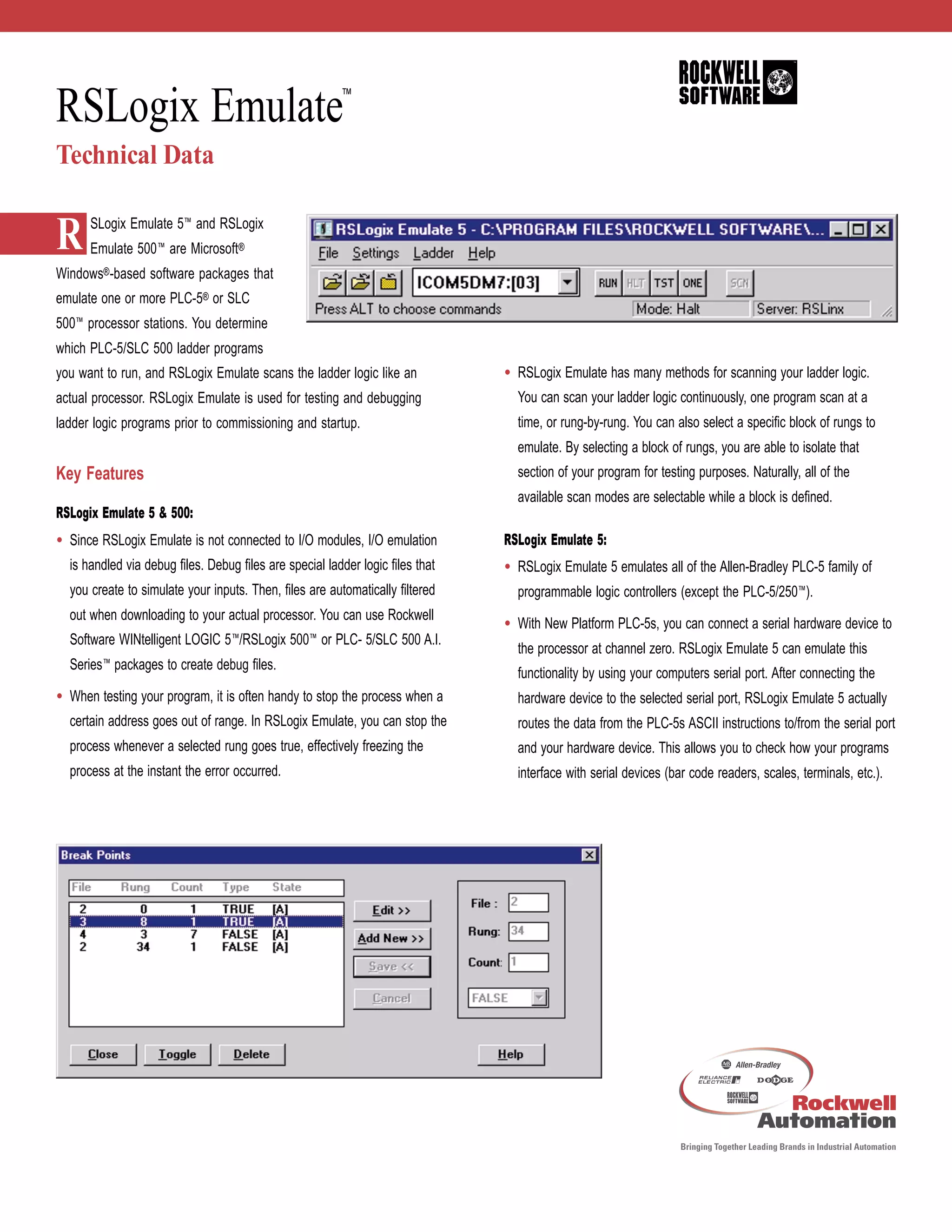
• When testing your program, it is often handy to stop the process when a
certain address goes out of range. In RSLogix Emulate, you can stop the
process whenever a selected rung goes true, effectively freezing the
process at the instant the error occurred.
• RSLogix Emulate has many methods for scanning your ladder logic.
You can scan your ladder logic continuously, one program scan at a
time, or rung-by-rung. You can also select a specific block of rungs to
emulate. By selecting a block of rungs, you are able to isolate that
section of your program for testing purposes. Naturally, all of the
available scan modes are selectable while a block is defined.
RSLogix Emulate 5:
• RSLogix Emulate 5 emulates all of the Allen-Bradley PLC-5 family of
programmable logic controllers (except the PLC-5/250™).
• With New Platform PLC-5s, you can connect a serial hardware device to
the processor at channel zero. RSLogix Emulate 5 can emulate this
functionality by using your computers serial port. After connecting the
hardware device to the selected serial port, RSLogix Emulate 5 actually
routes the data from the PLC-5s ASCII instructions to/from the serial port
and your hardware device. This allows you to check how your programs
interface with serial devices (bar code readers, scales, terminals, etc.).
2
©2000 Rockwell Software Inc. All rights reserved. Printed in the United States of America. RSLogix, RSLogix Emulate, RSLogix Emulate 5, RSLogix Emulate 500, WINtelligent LOGIC 5, WINtelligent LINX,
RSLogix 500, RSLogix 5, A.I. Series, RSLinx, and the Rockwell Software logo are trademarks of Rockwell Software Inc. Microsoft, Windows and Windows NT are registered trademarks of the Microsoft
Corporation. All other trademarks are the property of their respective holders and are hereby acknowledged.
Doc ID 9398-EMULATETD-06.01.00
Rockwell Software
For more information on the latest pricing or a demonstration of any
Rockwell Software package, please contact your local RockwellAutomation
sales office or Allen-Bradley distributor. For the very latest on Rockwell
Software products, visit us at:
www.software.rockwell.com
Product Part Numbers
9310-WE5200E RSLogix Emulate 5 PLC-5 Processor Emulation
(requires the use of RSLinx™ or WINtelligent LINX™ )
9310-WE0200E RSLogix Emulate 500 SLC 500 Processor Emulation
(requires the use of RSLinx or WINtelligent LINX)
9324-RL0350ENE RSLogix Emulate 500/RSLogix 500 SLC 500
and MicroLogix Programming and Emulation Bundle (includes
9323-RL0300ENE RSLogix 500 Offline/Online and 9310-WE0200E
RSLogix Emulate 500)
9324-RL5350ENE RSLogix Emulate 5/RSLogix 5 PLC-5 Programming
and Emulation Bundle (includes 9324-RL5300ENE RSLogix 5 Offline/
Online and 9310-WE5200E RSLogix Emulate 5)
9324-RLC350ENE RSLogix Emulate 5/500 and RSLogix 5™/500
Programming and Emulation Bundle (includes 9310-WE5200E RSLogix
Emulate 5, 9310-WE0200E RSLogix Emulate 500, 9324-RL5300ENE
RSLogix 5 and 9324-RL0300ENE RSLogix 500)
Technical Specifications
• IBM®-compatible 486/50 MHz or greater
• Microsoft Windows 95 or Windows NT®(version 3.51 or later)
• 16 MB of RAM (more RAM provides a faster response)
• 2 MB of free hard disk space (or more based on application
requirements)
• 16-color VGA Graphics Adapter 640 x 480 or greater resolution
(256-color 800 x 600 recommended)
• RSLogix Emulate 5/Emulate 500 requires the use of WINtelligent
LINX (for Windows 95) or RSLinx (for Windows NT).

Emulate td

  • 1.
    RSLogix Emulate™ Technical Data RSLogix Emulate 5™ and RSLogix Emulate 500™ are Microsoft® Windows®-based software packages that emulate one or more PLC-5® or SLC 500™ processor stations. You determine which PLC-5/SLC 500 ladder programs you want to run, and RSLogix Emulate scans the ladder logic like an actual processor. RSLogix Emulate is used for testing and debugging ladder logic programs prior to commissioning and startup. Key Features RSLogix Emulate 5 & 500: • Since RSLogix Emulate is not connected to I/O modules, I/O emulation is handled via debug files. Debug files are special ladder logic files that you create to simulate your inputs. Then, files are automatically filtered out when downloading to your actual processor. You can use Rockwell Software WINtelligent LOGIC 5™/RSLogix 500™ or PLC- 5/SLC 500 A.I. Series™ packages to create debug files. • When testing your program, it is often handy to stop the process when a certain address goes out of range. In RSLogix Emulate, you can stop the process whenever a selected rung goes true, effectively freezing the process at the instant the error occurred. • RSLogix Emulate has many methods for scanning your ladder logic. You can scan your ladder logic continuously, one program scan at a time, or rung-by-rung. You can also select a specific block of rungs to emulate. By selecting a block of rungs, you are able to isolate that section of your program for testing purposes. Naturally, all of the available scan modes are selectable while a block is defined. RSLogix Emulate 5: • RSLogix Emulate 5 emulates all of the Allen-Bradley PLC-5 family of programmable logic controllers (except the PLC-5/250™). • With New Platform PLC-5s, you can connect a serial hardware device to the processor at channel zero. RSLogix Emulate 5 can emulate this functionality by using your computers serial port. After connecting the hardware device to the selected serial port, RSLogix Emulate 5 actually routes the data from the PLC-5s ASCII instructions to/from the serial port and your hardware device. This allows you to check how your programs interface with serial devices (bar code readers, scales, terminals, etc.).
  • 2.
    2 ©2000 Rockwell SoftwareInc. All rights reserved. Printed in the United States of America. RSLogix, RSLogix Emulate, RSLogix Emulate 5, RSLogix Emulate 500, WINtelligent LOGIC 5, WINtelligent LINX, RSLogix 500, RSLogix 5, A.I. Series, RSLinx, and the Rockwell Software logo are trademarks of Rockwell Software Inc. Microsoft, Windows and Windows NT are registered trademarks of the Microsoft Corporation. All other trademarks are the property of their respective holders and are hereby acknowledged. Doc ID 9398-EMULATETD-06.01.00 Rockwell Software For more information on the latest pricing or a demonstration of any Rockwell Software package, please contact your local RockwellAutomation sales office or Allen-Bradley distributor. For the very latest on Rockwell Software products, visit us at: www.software.rockwell.com Product Part Numbers 9310-WE5200E RSLogix Emulate 5 PLC-5 Processor Emulation (requires the use of RSLinx™ or WINtelligent LINX™ ) 9310-WE0200E RSLogix Emulate 500 SLC 500 Processor Emulation (requires the use of RSLinx or WINtelligent LINX) 9324-RL0350ENE RSLogix Emulate 500/RSLogix 500 SLC 500 and MicroLogix Programming and Emulation Bundle (includes 9323-RL0300ENE RSLogix 500 Offline/Online and 9310-WE0200E RSLogix Emulate 500) 9324-RL5350ENE RSLogix Emulate 5/RSLogix 5 PLC-5 Programming and Emulation Bundle (includes 9324-RL5300ENE RSLogix 5 Offline/ Online and 9310-WE5200E RSLogix Emulate 5) 9324-RLC350ENE RSLogix Emulate 5/500 and RSLogix 5™/500 Programming and Emulation Bundle (includes 9310-WE5200E RSLogix Emulate 5, 9310-WE0200E RSLogix Emulate 500, 9324-RL5300ENE RSLogix 5 and 9324-RL0300ENE RSLogix 500) Technical Specifications • IBM®-compatible 486/50 MHz or greater • Microsoft Windows 95 or Windows NT®(version 3.51 or later) • 16 MB of RAM (more RAM provides a faster response) • 2 MB of free hard disk space (or more based on application requirements) • 16-color VGA Graphics Adapter 640 x 480 or greater resolution (256-color 800 x 600 recommended) • RSLogix Emulate 5/Emulate 500 requires the use of WINtelligent LINX (for Windows 95) or RSLinx (for Windows NT).