Getting students to Collaborate in
Breakout Rooms in Remote Teaching
Saturday, 29 August 2020
For this workshop, you need the
following only:
Your microphone turned on - and
optional camera - when required.
All the slides today were made
with Google slides from a template
created by the ELTC.
Getting students to
Collaborate in
Breakout Rooms in
Remote Teaching
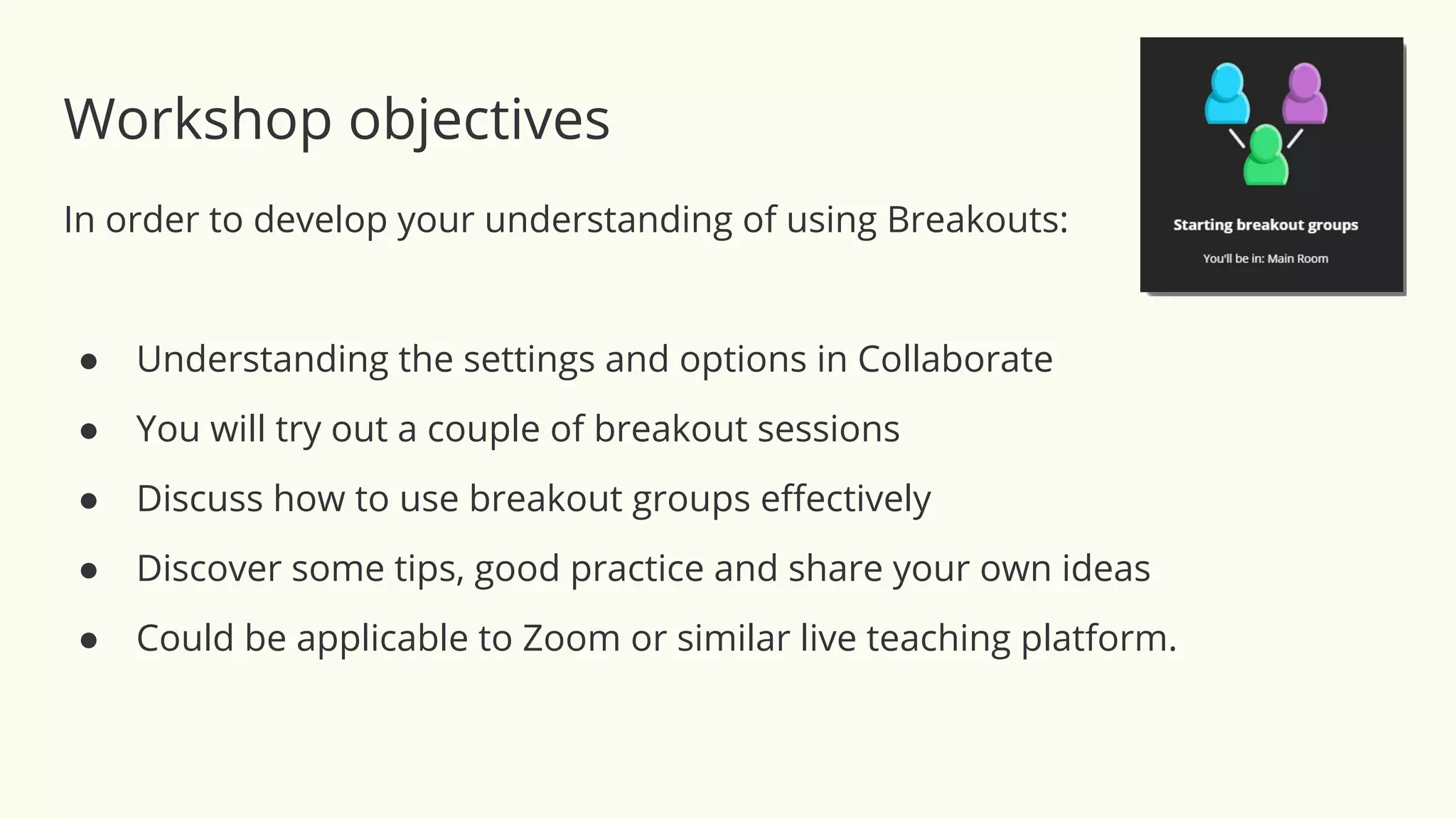
Workshop objectives
In order to develop your understanding of using Breakouts:
● Understanding the settings and options in Collaborate
● You will try out a couple of breakout sessions
● Discuss how to use breakout groups effectively
● Discover some tips, good practice and share your own ideas
● Could be applicable to Zoom or similar live teaching platform.
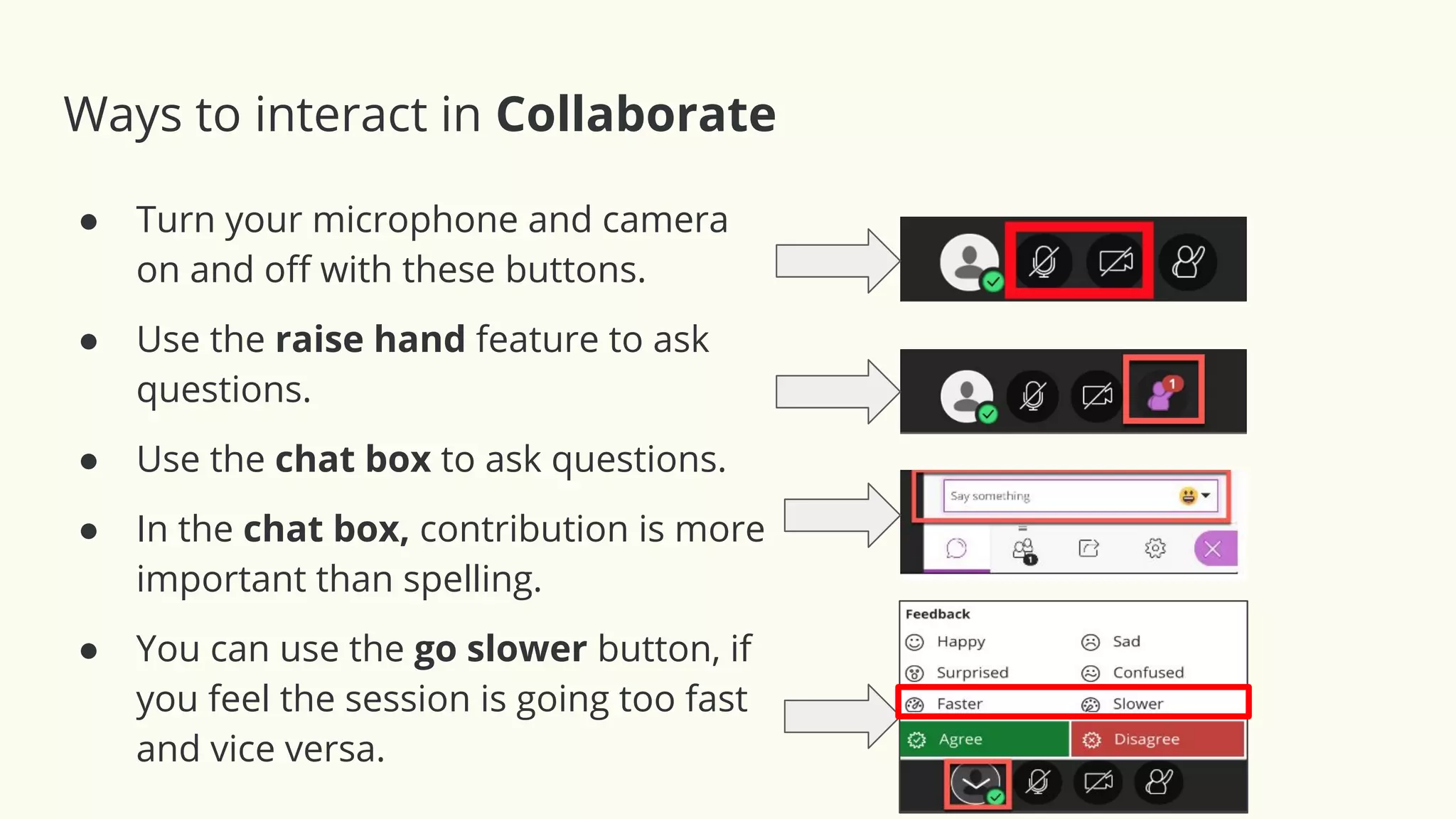
Ways to interact in Collaborate
● Turn your microphone and camera
on and off with these buttons.
● Use the raise hand feature to ask
questions.
● Use the chat box to ask questions.
● In the chat box, contribution is more
important than spelling.
● You can use the go slower button, if
you feel the session is going too fast
and vice versa.
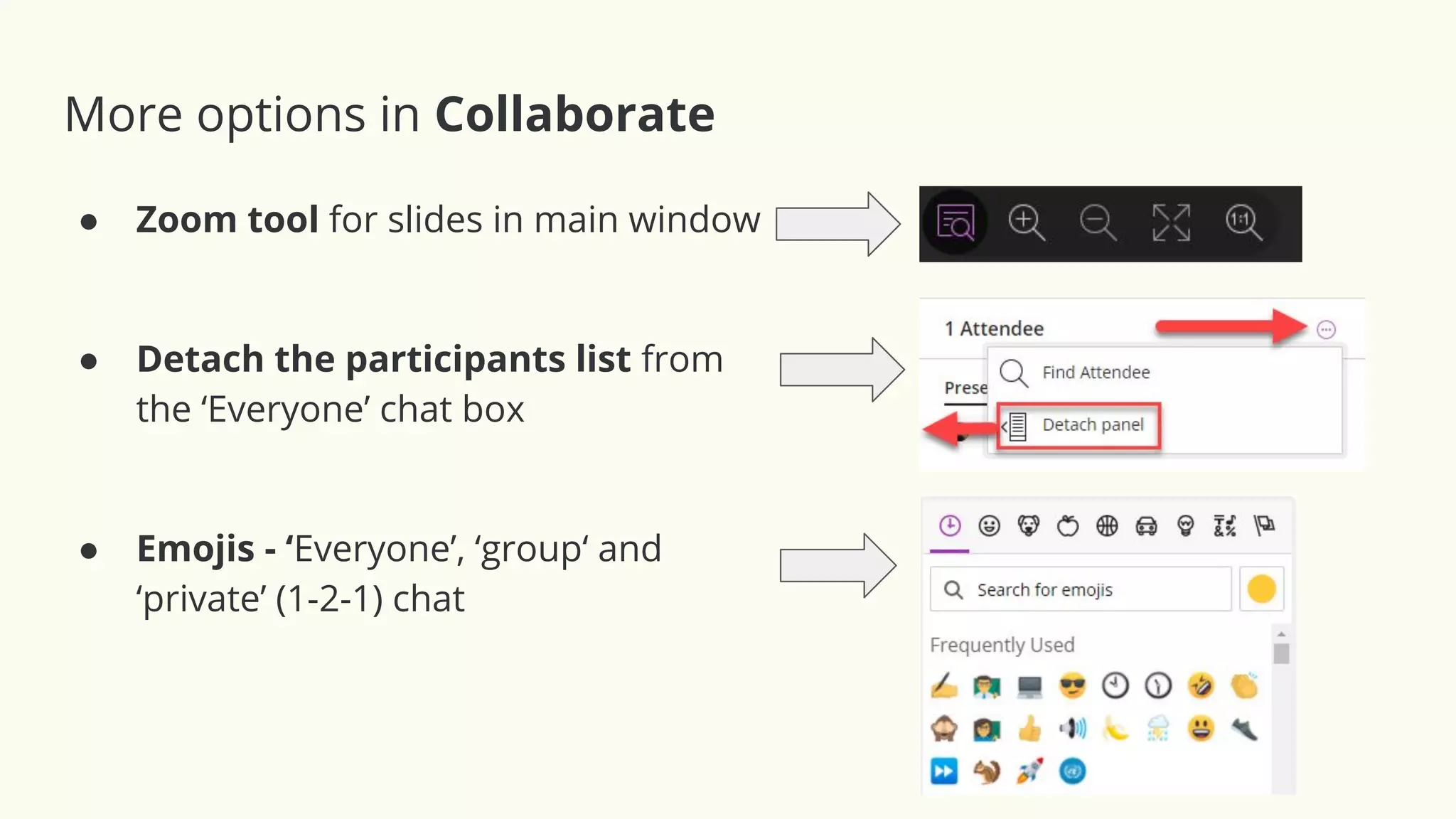
More options in Collaborate
● Zoom tool for slides in main window
● Detach the participants list from
the ‘Everyone’ chat box
● Emojis - ‘Everyone’, ‘group‘ and
‘private’ (1-2-1) chat
Blind Laden Genre
Necktie Hits
Civic Nut Storms
Annoying Nurse Scholar
I Angrily Bend H
Cellulite Limping Teens
Warmer Activity - Unscramble these anagrams
Clue: They are educational theories or learning methods
Blind Laden Genre Blended Learning
Necktie Hits
Civic Nut Storms
Annoying Nurse Scholar
I Angrily Bend H
Cellulite Limping Teens
Warmer Activity - Unscramble these anagrams
Blind Laden Genre Blended Learning
Necktie Hits Kinesthetic
Civic Nut Storms
Annoying Nurse Scholar
I Angrily Bend H
Cellulite Limping Teens
Blind Laden Genre Blended Learning
Necktie Hits Kinesthetic
Civic Nut Storms Constructivism
Annoying Nurse Scholar
I Angrily Bend H
Cellulite Limping Teens
Blind Laden Genre Blended Learning
Necktie Hits Kinesthetic
Civic Nut Storms Constructivism
Annoying Nurse Scholar Asynchronous Learning
I Angrily Bend H
Cellulite Limping Teens
Blind Laden Genre Blended Learning
Necktie Hits Kinesthetic
Civic Nut Storms Constructivism
Annoying Nurse Scholar Asynchronous Learning
I Angrily Bend H Hybrid Learning
Cellulite Limping Teens
Blind Laden Genre Blended Learning
Necktie Hits Kinesthetic
Civic Nut Storms Constructivism
Annoying Nurse Scholar Asynchronous Learning
I Angrily Bend H Hybrid Learning
Cellulite Limping Teens Multiple Intelligences
Image source: The Digital Artist CCO licence https://pixabay.com/illustrations/network-cloud-computing-data-4851119/
Theory #1: Constructivism
“Constructivist theory holds that learners are not passive recipients of
knowledge but are more active in the process. They build on previous
experience in order to make sense of what they are learning. They are more
active in the creation of meaning and knowledge. This leads a more student
centred approach in which the student guides their own learning.”
- ICT & Constructivism: The Building Blocks of Learning in the 21st Century (2017)
“For constructivists, learners are not passive receptors of knowledge provided
by [an] instructor. Instead, students construct meanings for concepts. As a
result, learning is best undertaken in ‘real world contexts in which students
may acquire and test concepts. The administration of the constructivist class is
democratic. Within a democratic class environment, the sharing of
responsibility and decision making is emphasized.”
- McNeil 1986; Dewey, 1961; cited in Ültanır, E. (2012)
Image source: The Digital Artist CCO licence https://pixabay.com/illustrations/network-cloud-computing-data-4851119/
Theory #1: Constructivism
• Instructional emphasis: Knowledge construction an environment,
which supports active and collaborative learning.
• Classroom activities: Learner centered, Socratic (dialogue),
authentic, individual and group work
• Instructor roles: Focuses on the student in learning, collaborator,
facilitator, encourager, community builder,
• Student roles: Active, collaborator, constructor of knowledge,
self- monitoring.
Cited in Ültanır, E. (2012)
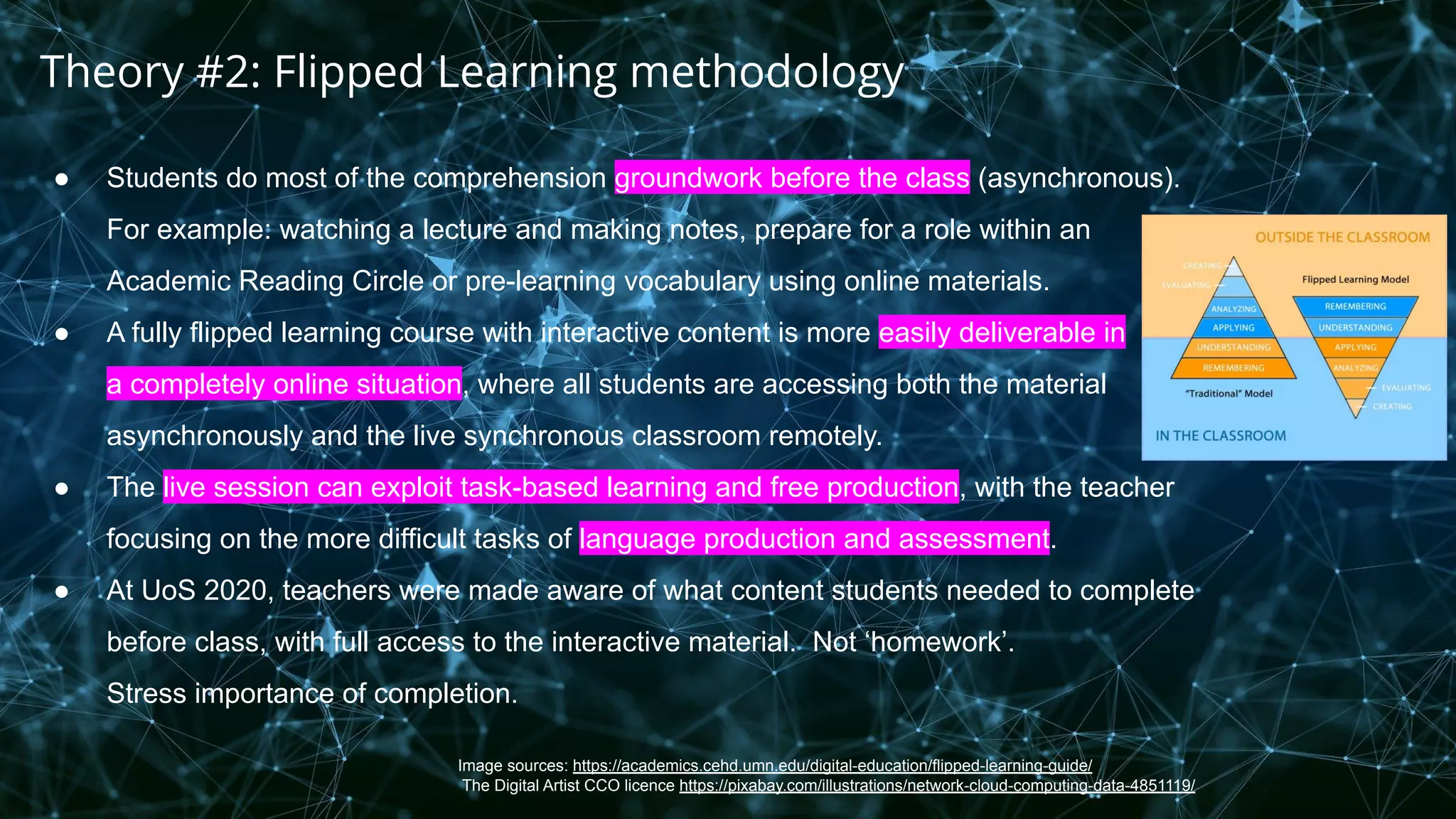
Image sources: https://academics.cehd.umn.edu/digital-education/flipped-learning-guide/
The Digital Artist CCO licence https://pixabay.com/illustrations/network-cloud-computing-data-4851119/
● Students do most of the comprehension groundwork before the class (asynchronous).
For example: watching a lecture and making notes, prepare for a role within an
Academic Reading Circle or pre-learning vocabulary using online materials.
● A fully flipped learning course with interactive content is more easily deliverable in
a completely online situation, where all students are accessing both the material
asynchronously and the live synchronous classroom remotely.
● The live session can exploit task-based learning and free production, with the teacher
focusing on the more difficult tasks of language production and assessment.
● At UoS 2020, teachers were made aware of what content students needed to complete
before class, with full access to the interactive material. Not ‘homework’.
Stress importance of completion.
Theory #2: Flipped Learning methodology
Image source: The Digital Artist CCO licence https://pixabay.com/illustrations/network-cloud-computing-data-4851119/
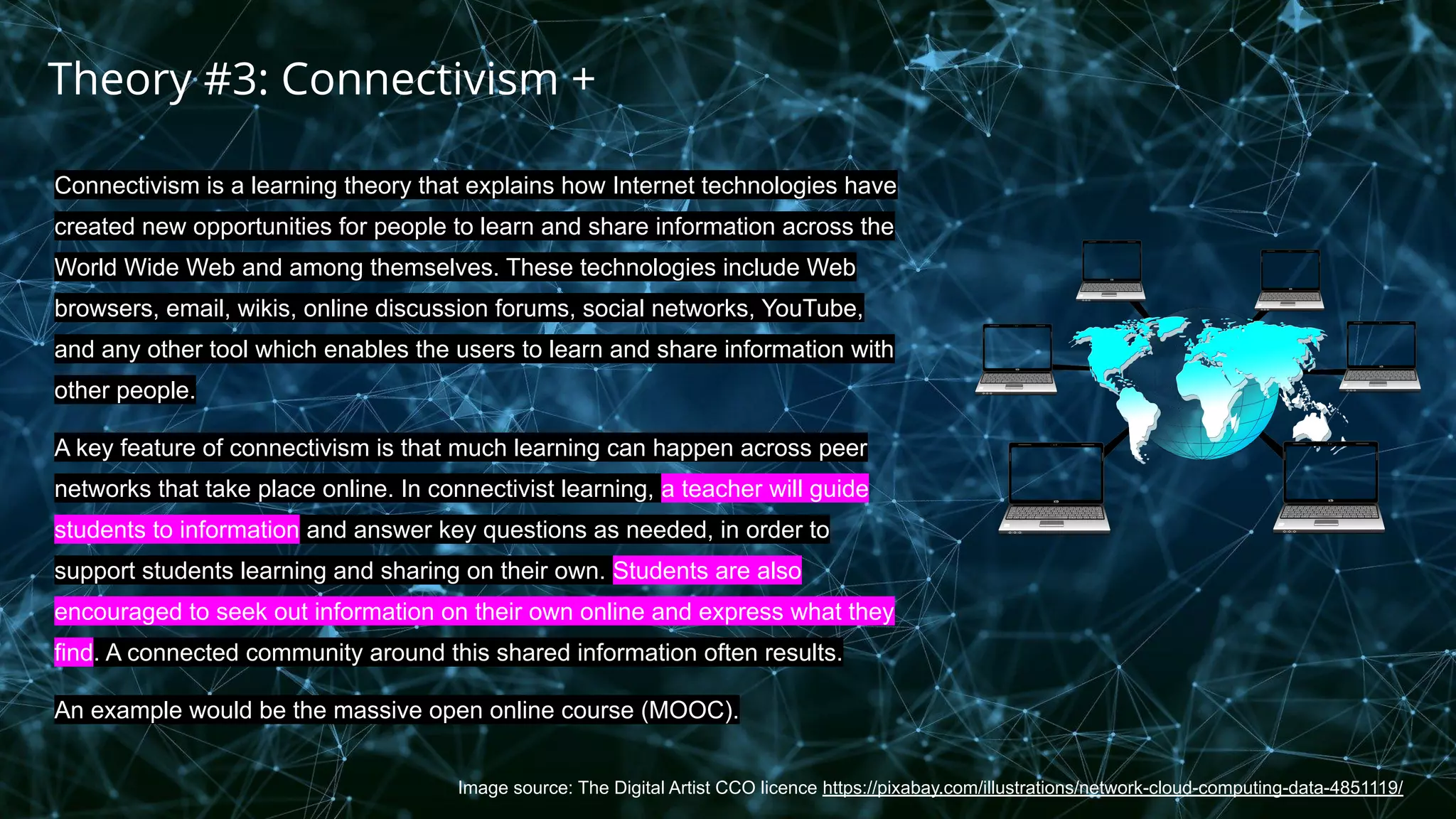
Connectivism is a learning theory that explains how Internet technologies have
created new opportunities for people to learn and share information across the
World Wide Web and among themselves. These technologies include Web
browsers, email, wikis, online discussion forums, social networks, YouTube,
and any other tool which enables the users to learn and share information with
other people.
A key feature of connectivism is that much learning can happen across peer
networks that take place online. In connectivist learning, a teacher will guide
students to information and answer key questions as needed, in order to
support students learning and sharing on their own. Students are also
encouraged to seek out information on their own online and express what they
find. A connected community around this shared information often results.
An example would be the massive open online course (MOOC).
Theory #3: Connectivism +
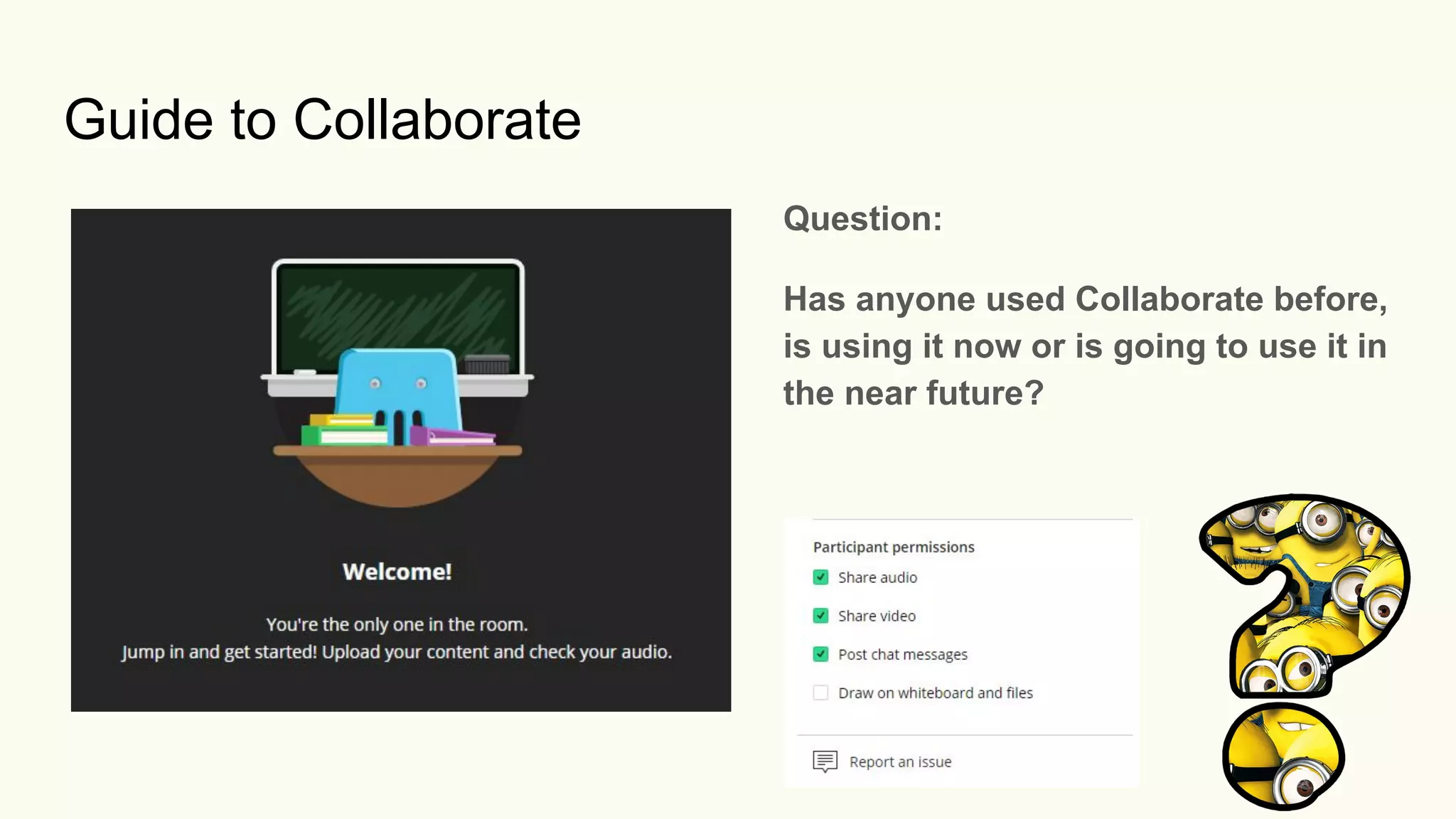
Guide to Collaborate
Question:
Has anyone used Collaborate before,
is using it now or is going to use it in
the near future?
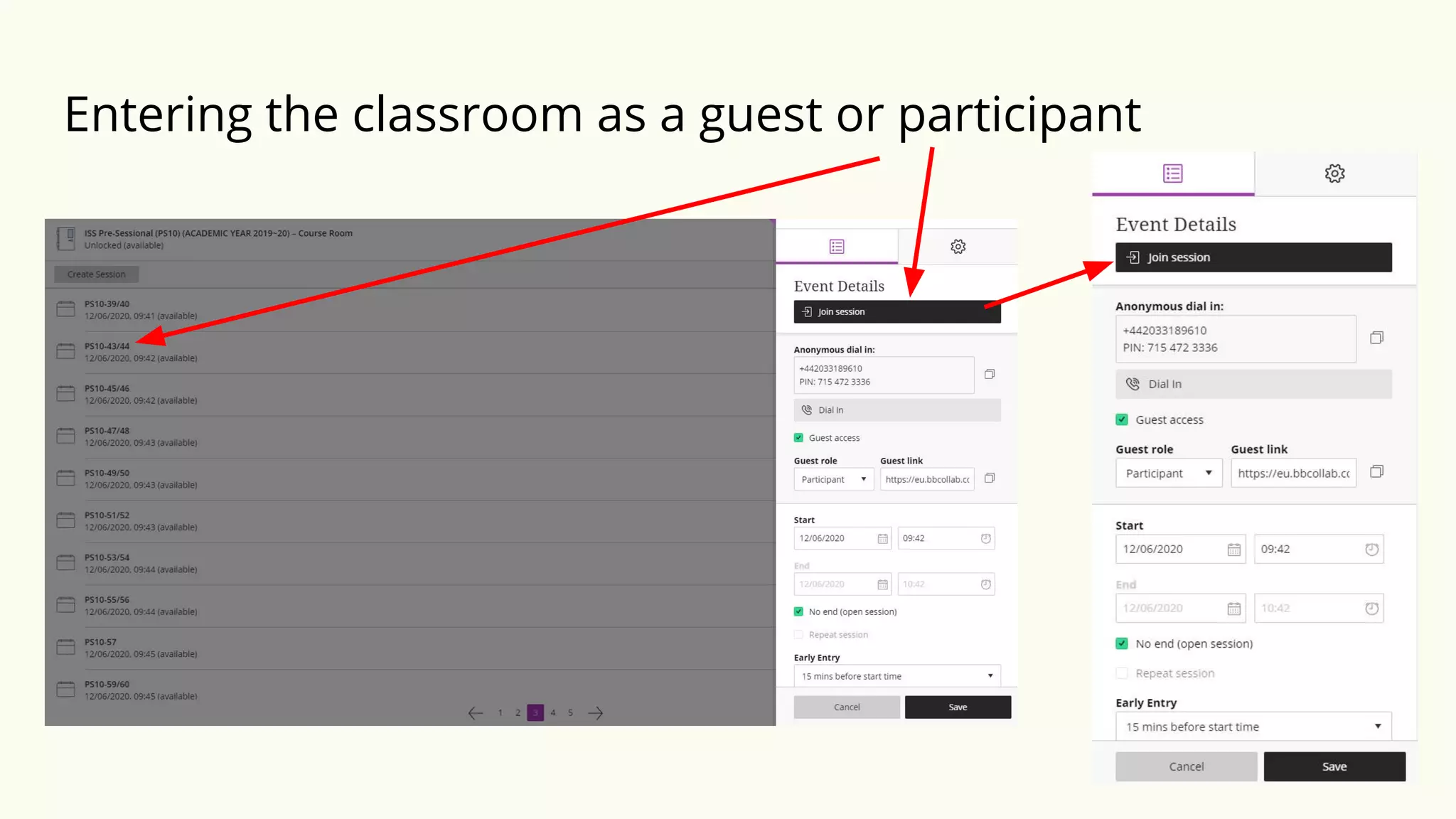
Entering the classroom as a guest or participant
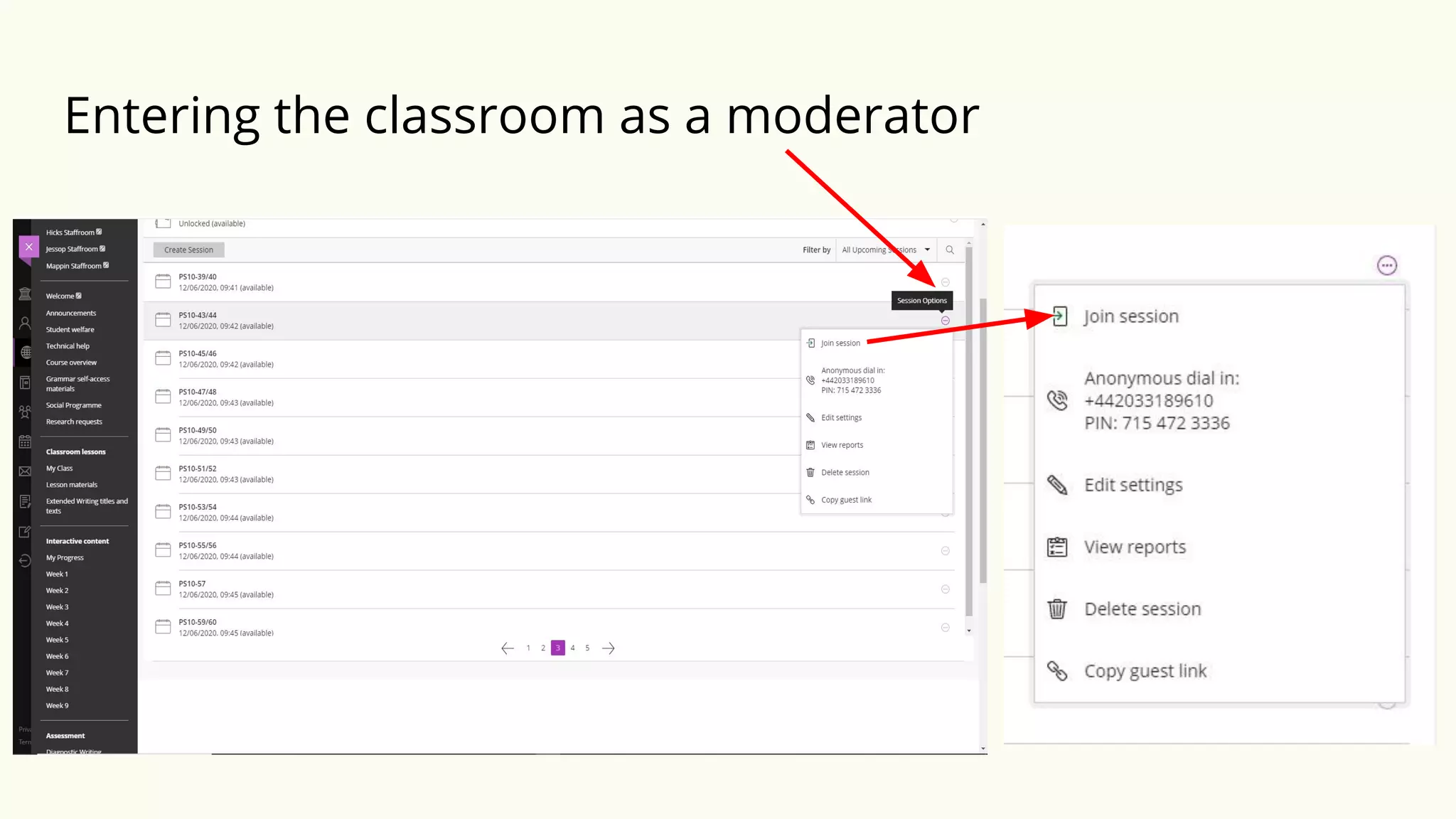
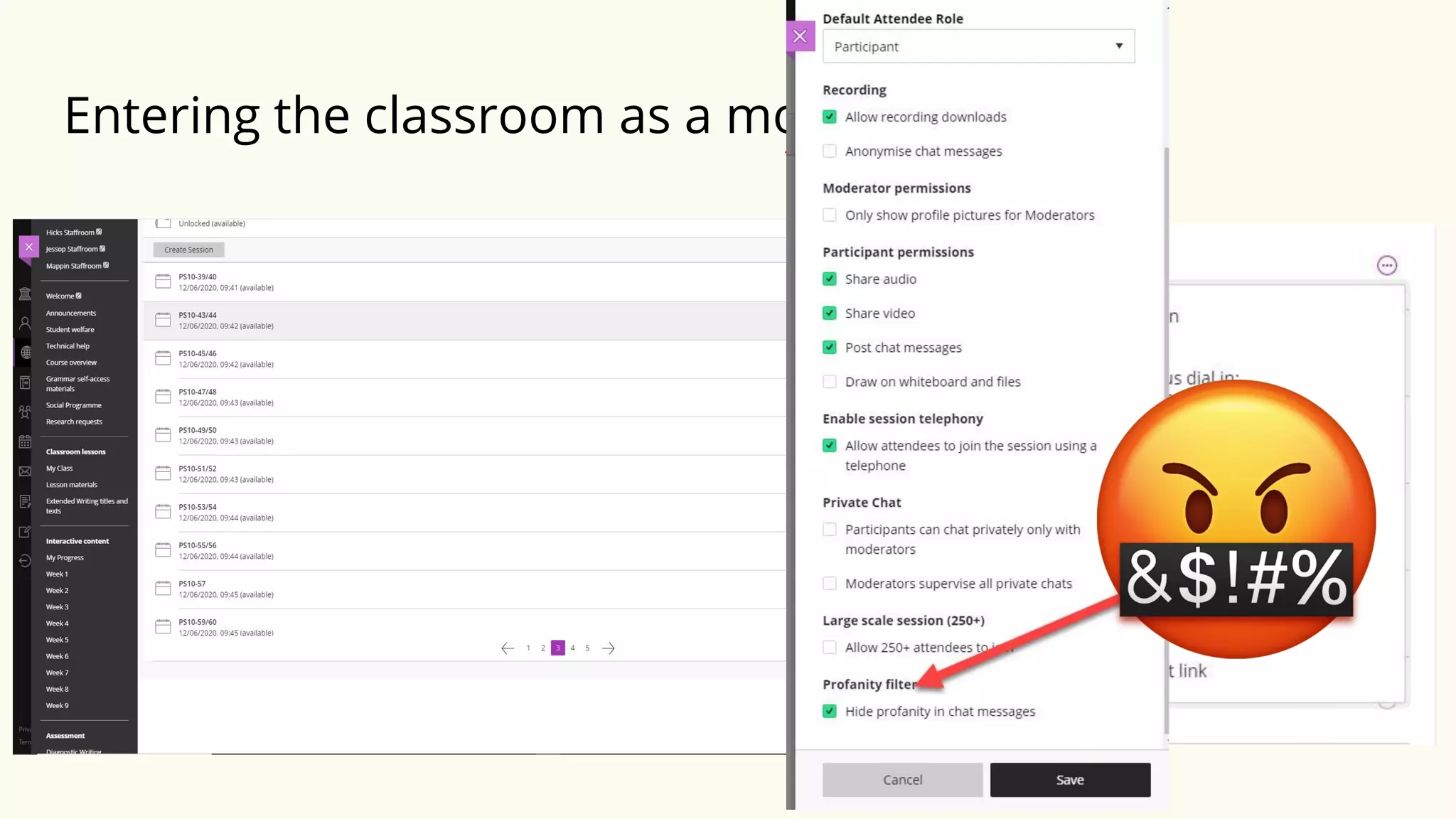
Entering the classroom as a moderator
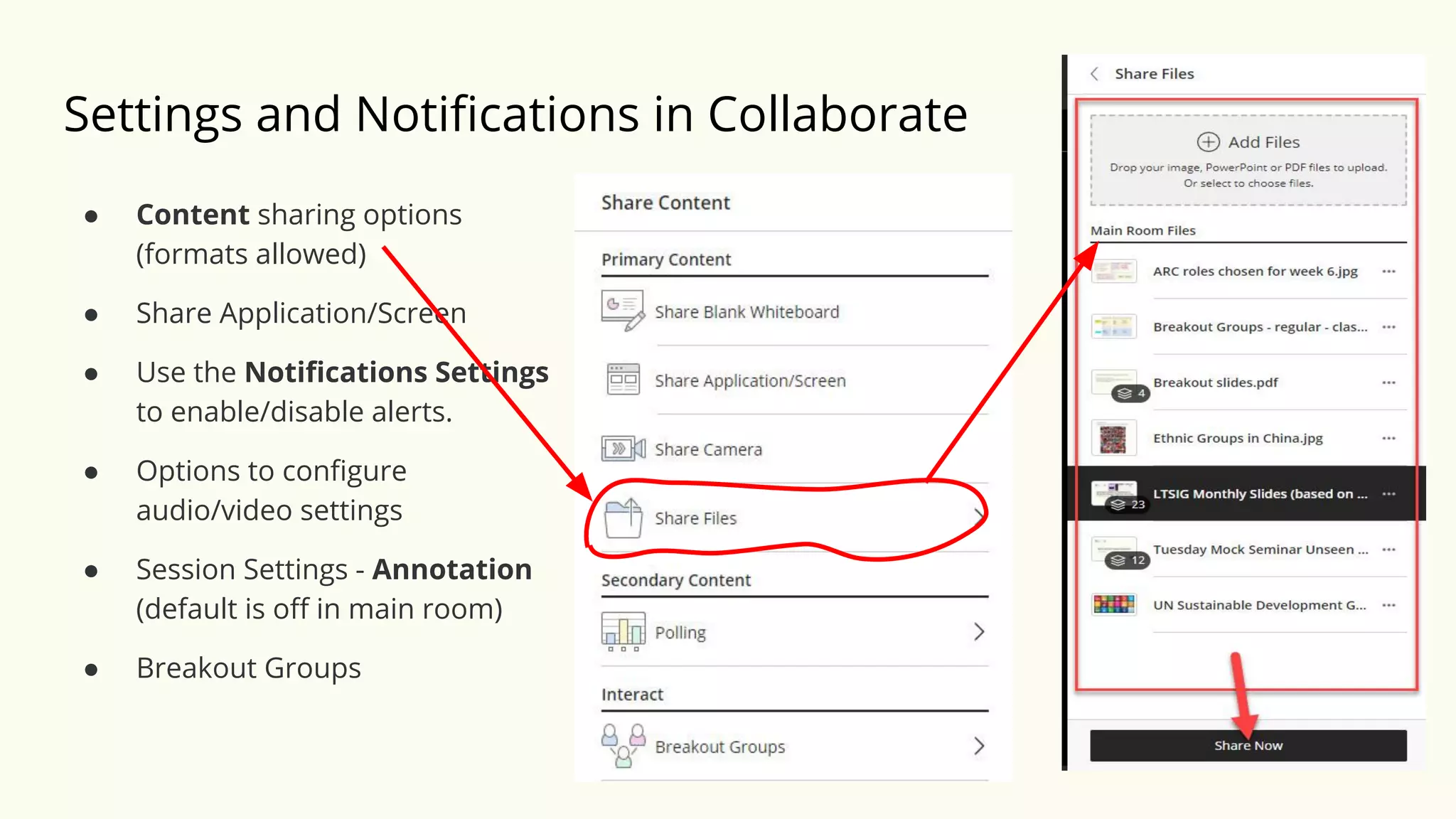
Settings and Notifications in Collaborate
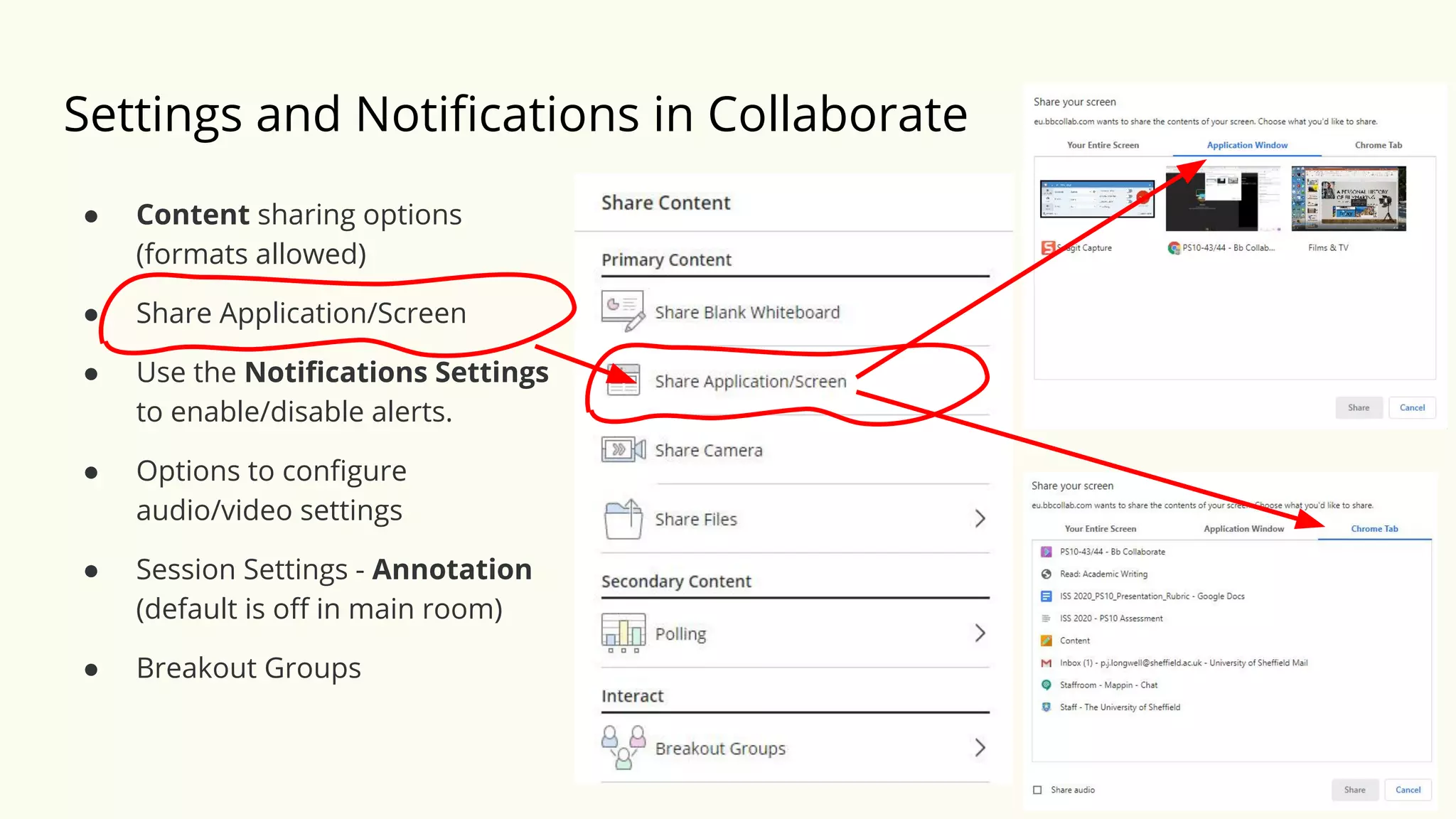
● Content sharing options
(formats allowed)
● Share Application/Screen
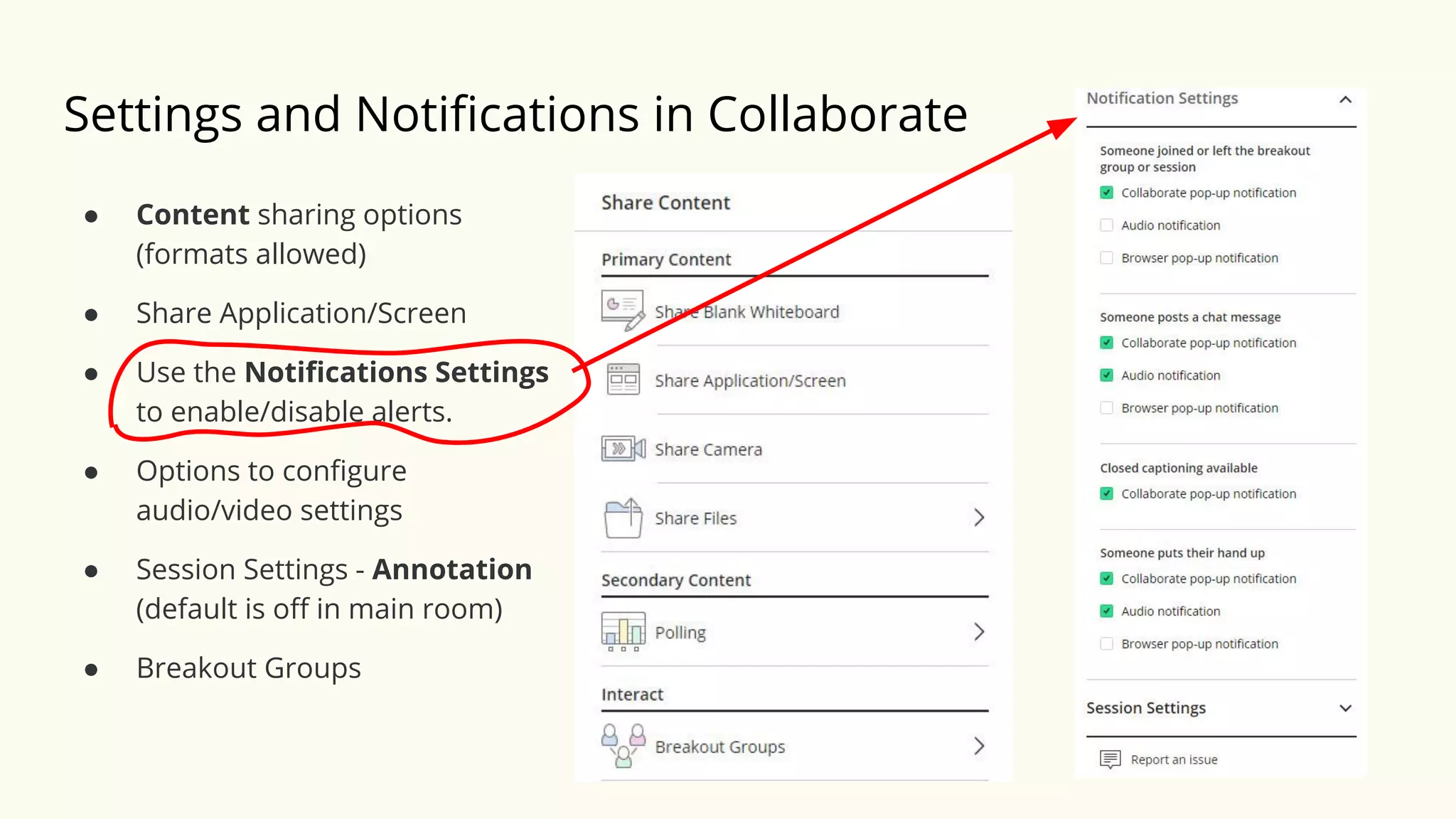
● Use the Notifications Settings
to enable/disable alerts.
● Options to configure
audio/video settings
● Session Settings - Annotation
(default is off in main room)
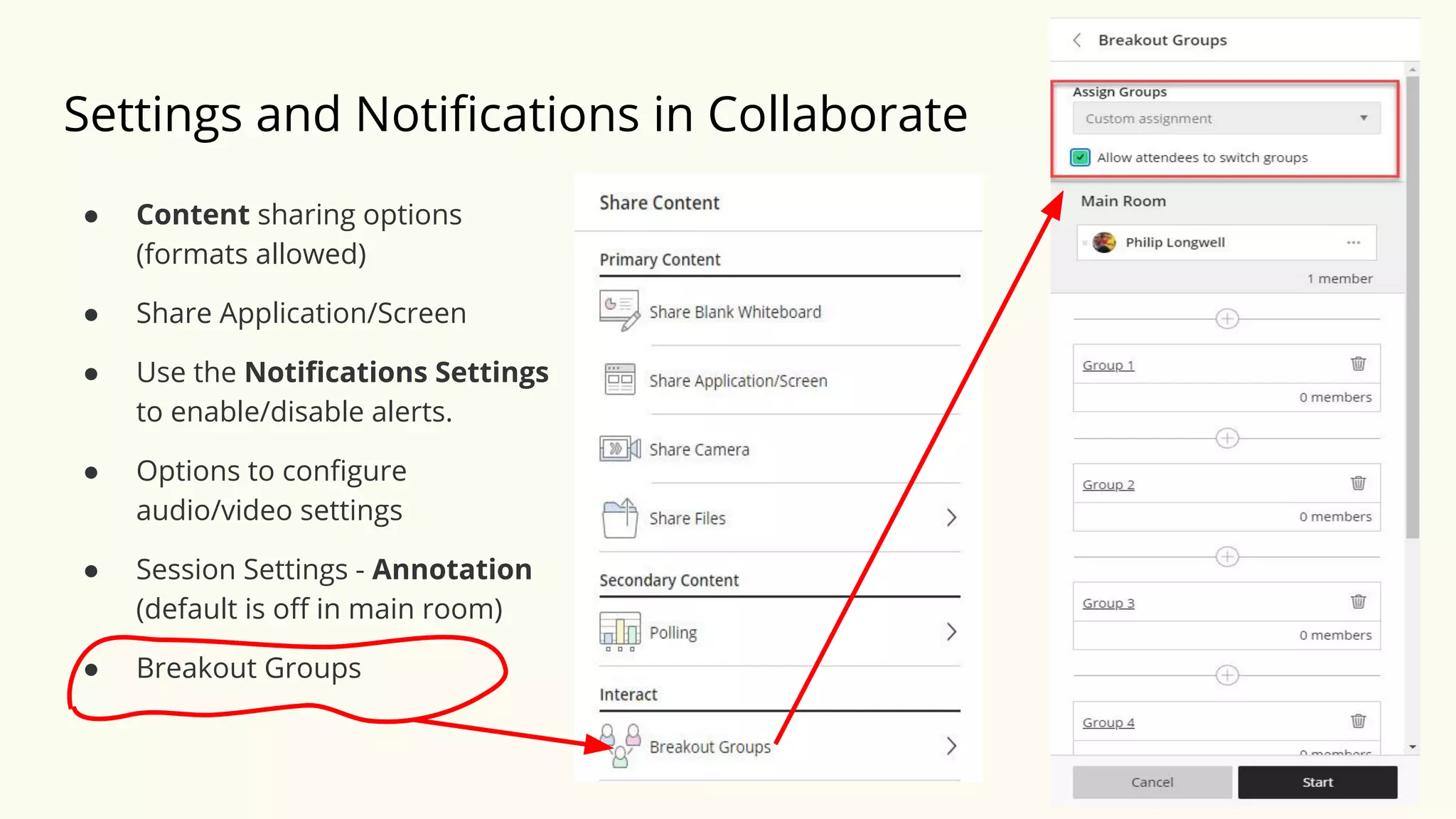
● Breakout Groups
Settings and Notifications in Collaborate
● Content sharing options
(formats allowed)
● Share Application/Screen
● Use the Notifications Settings
to enable/disable alerts.
● Options to configure
audio/video settings
● Session Settings - Annotation
(default is off in main room)
● Breakout Groups
Settings and Notifications in Collaborate
● Content sharing options
(formats allowed)
● Share Application/Screen
● Use the Notifications Settings
to enable/disable alerts.
● Options to configure
audio/video settings
● Session Settings - Annotation
(default is off in main room)
● Breakout Groups
Settings and Notifications in Collaborate
● Content sharing options
(formats allowed)
● Share Application/Screen
● Use the Notifications Settings
to enable/disable alerts.
● Options to configure
audio/video settings
● Session Settings - Annotation
(default is off in main room)
● Breakout Groups
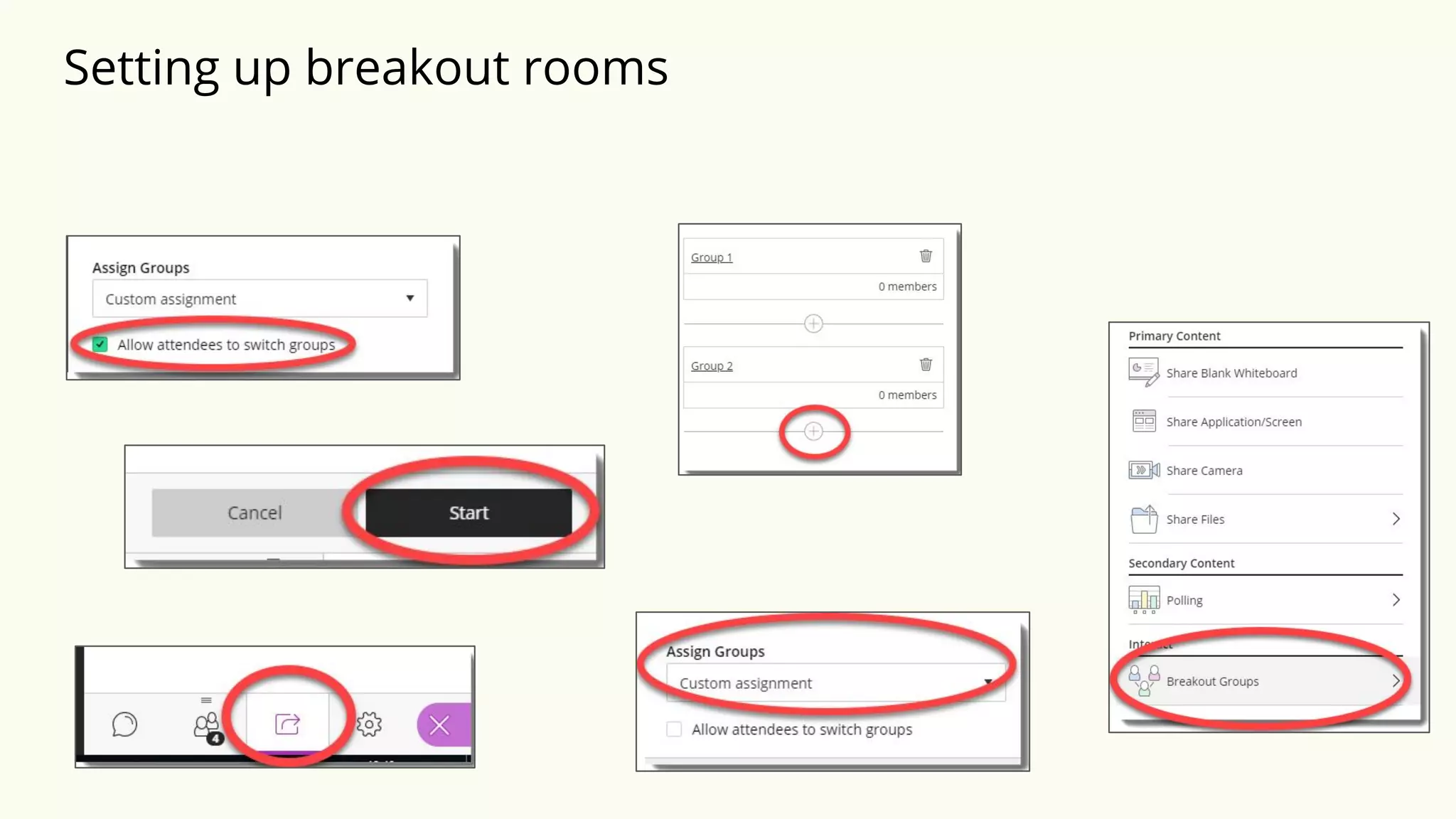
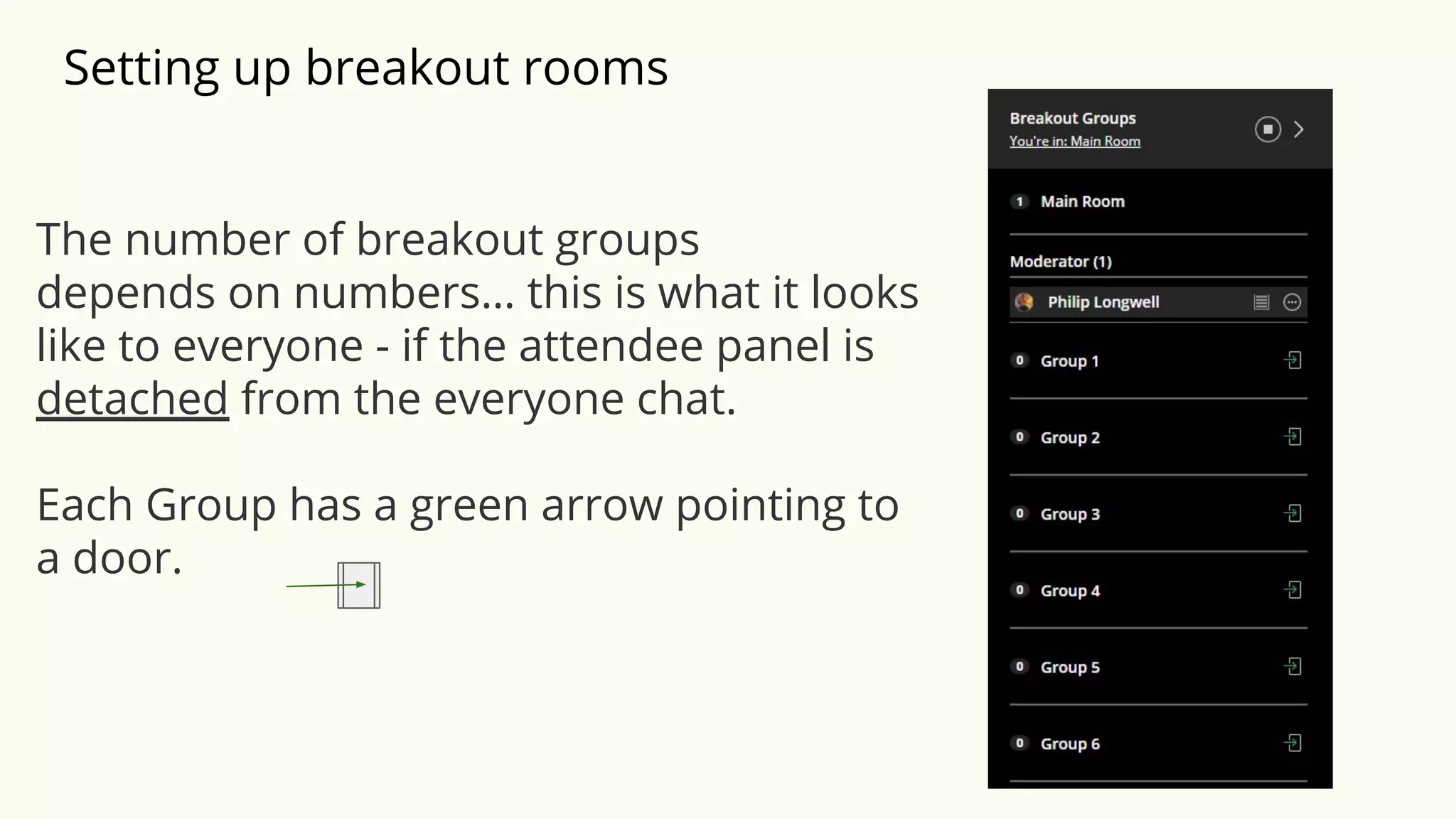
Setting up breakout rooms
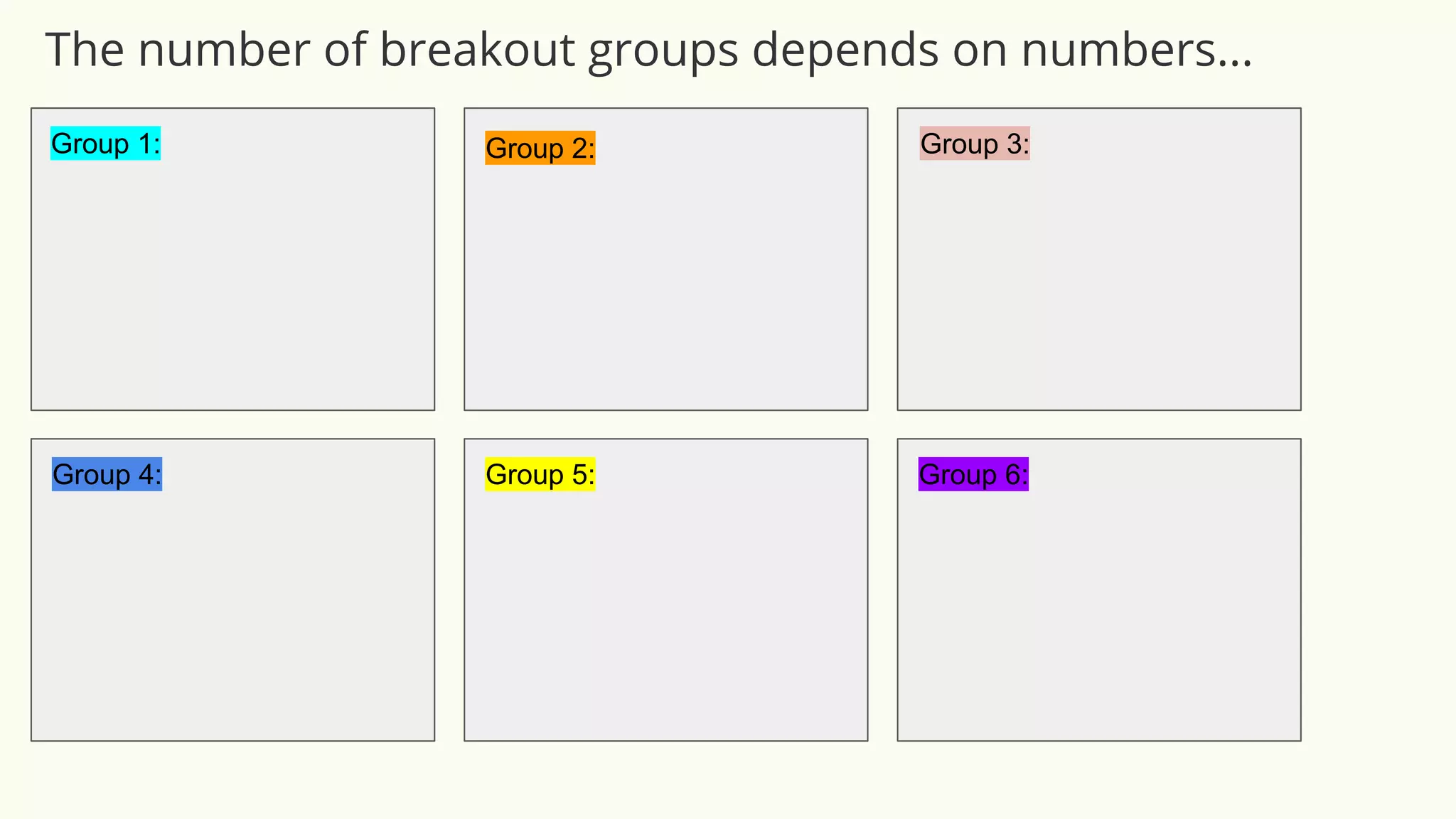
The number of breakout groups
depends on numbers… this is what it looks
like to everyone - if the attendee panel is
detached from the everyone chat.
Each Group has a green arrow pointing to
a door.
Group Task 1: Discussion
❖ You are going to be put into one of 6 Breakout groups
Breakout 1
Discussion
❖ You are going to be put into one of 6 Breakout groups
❖ In your room you will do a task
Breakout 1
Discussion
❖ You are going to be put into one of 6 Breakout groups
❖ In your room you will do a task
❖ You won’t see the task beforehand (i.e. in the main room)
Breakout 1
Discussion
❖ You are going to be put into one of 6 Breakout groups
❖ In your room you will do a task
❖ You won’t see the task beforehand
❖ You will have 10 minutes in total
Breakout 1
Discussion
❖ You are going to be put into one of 6 Breakout groups
❖ In your room you will do a task
❖ You won’t see the task beforehand
❖ You will have 10 minutes in total
❖ An LTSIG committee member (moderator) might drop into your room to
facilitate the discussion
Breakout 1
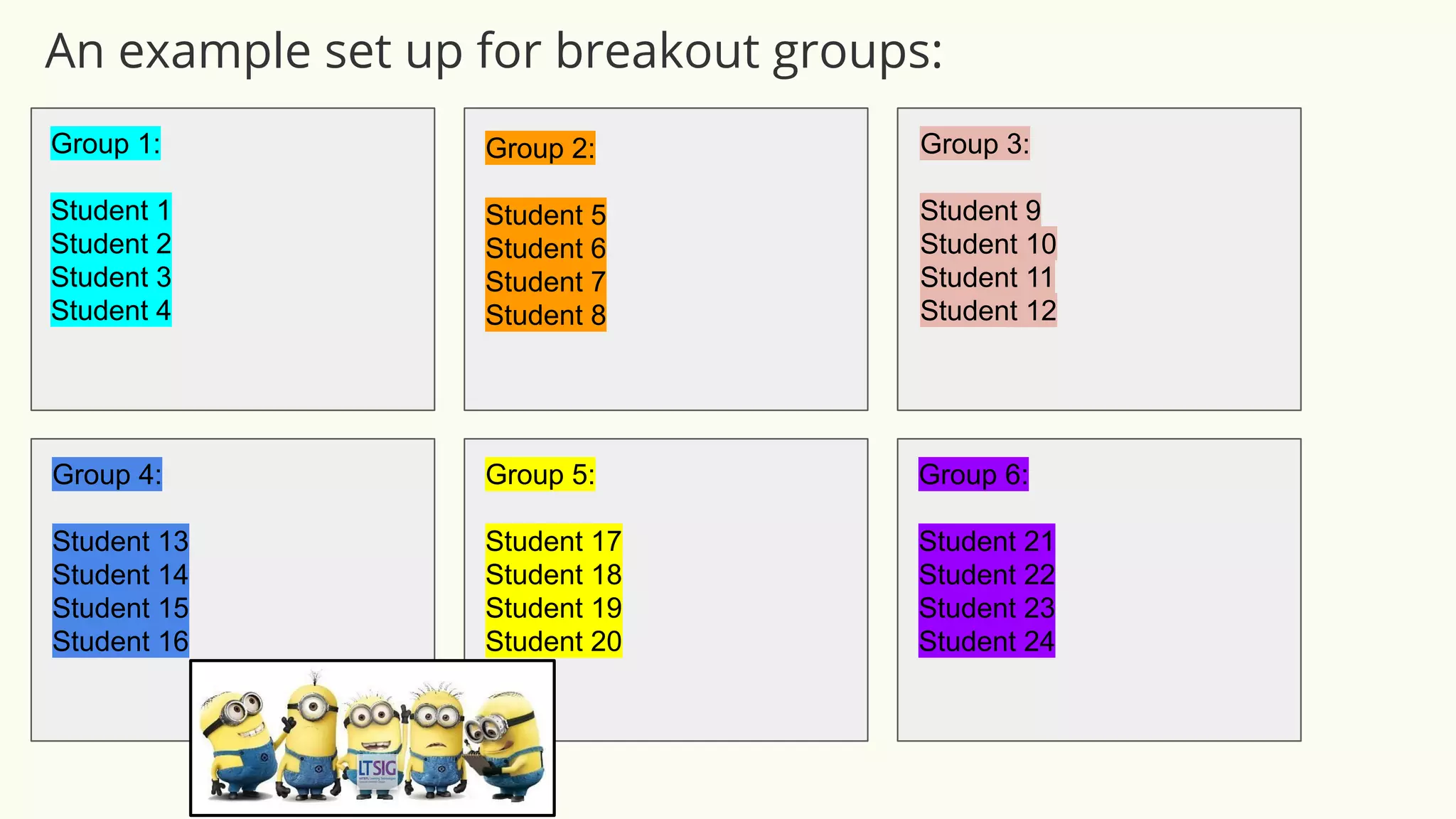
Group 1:
Student 1
Student 2
Student 3
Student 4
Group 2:
Student 5
Student 6
Student 7
Student 8
Group 3:
Student 9
Student 10
Student 11
Student 12
Group 4:
Student 13
Student 14
Student 15
Student 16
Group 5:
Student 17
Student 18
Student 19
Student 20
Group 6:
Student 21
Student 22
Student 23
Student 24
An example set up for breakout groups:
Group 1: Group 2: Group 3:
Group 4: Group 5: Group 6:
The number of breakout groups depends on numbers...
Go to your breakout group now
Breakout 1
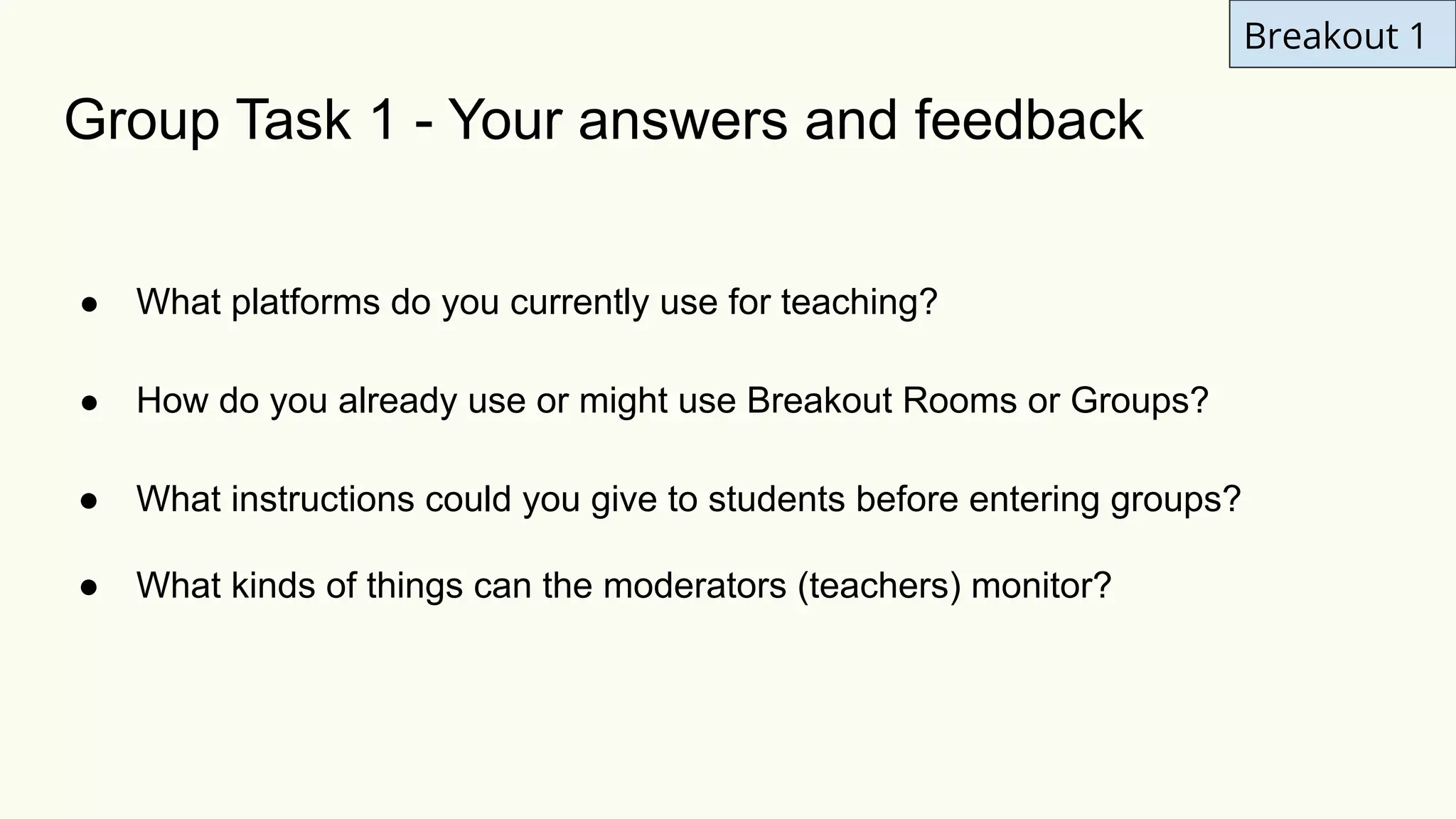
Group Task 1 - Your answers and feedback
● What platforms do you currently use for teaching?
● How do you already use or might use Breakout Rooms or Groups?
● What instructions could you give to students before entering groups?
● What kinds of things can the moderators (teachers) monitor?
Breakout 1
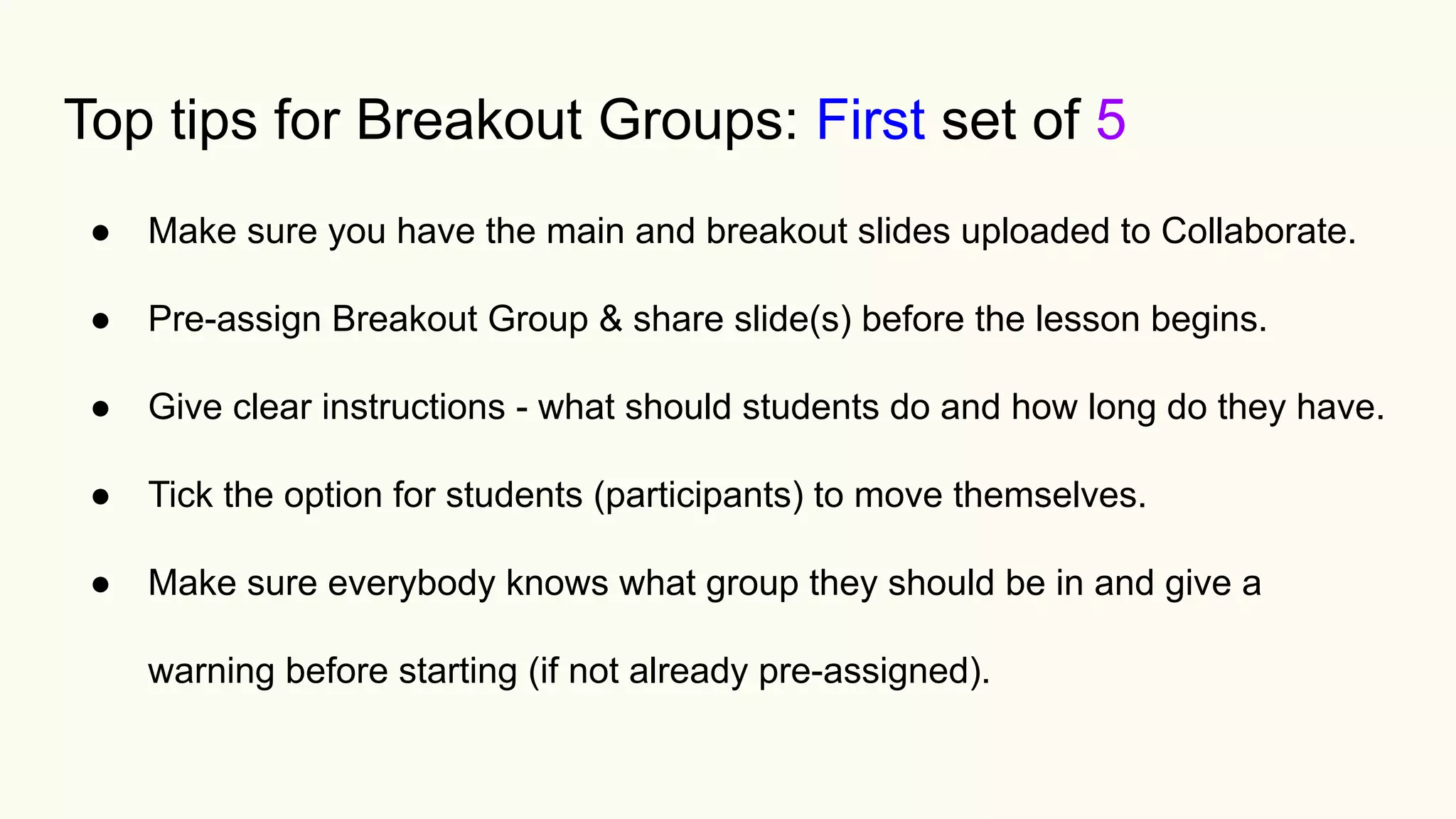
Top tips for Breakout Groups: First set of 5
● Make sure you have the main and breakout slides uploaded to Collaborate.
● Pre-assign Breakout Group & share slide(s) before the lesson begins.
● Give clear instructions - what should students do and how long do they have.
● Tick the option for students (participants) to move themselves.
● Make sure everybody knows what group they should be in and give a
warning before starting (if not already pre-assigned).
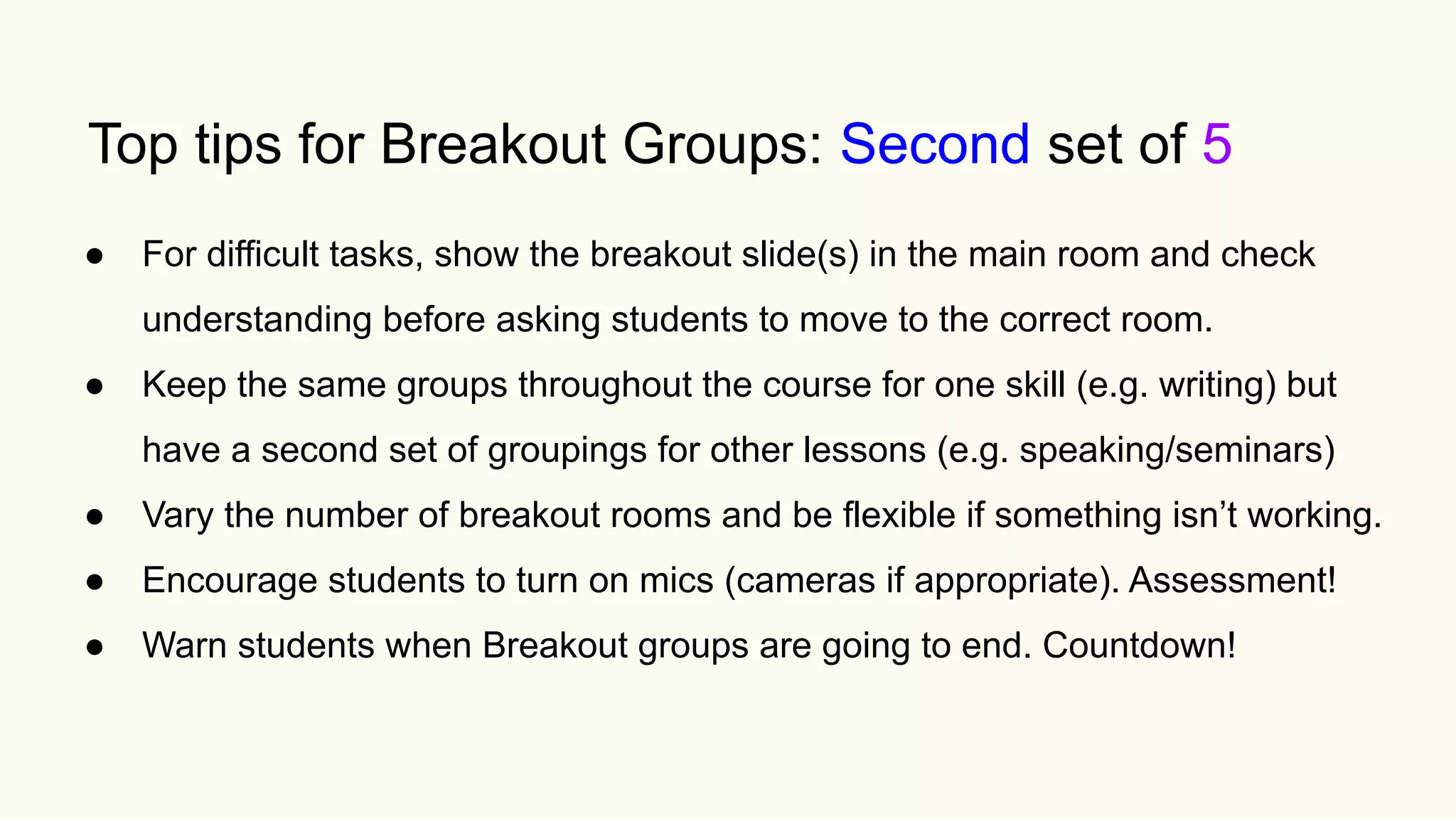
Top tips for Breakout Groups: Second set of 5
● For difficult tasks, show the breakout slide(s) in the main room and check
understanding before asking students to move to the correct room.
● Keep the same groups throughout the course for one skill (e.g. writing) but

have a second set of groupings for other lessons (e.g. speaking/seminars)
● Vary the number of breakout rooms and be flexible if something isn’t working.
● Encourage students to turn on mics (cameras if appropriate). Assessment!
● Warn students when Breakout groups are going to end. Countdown!
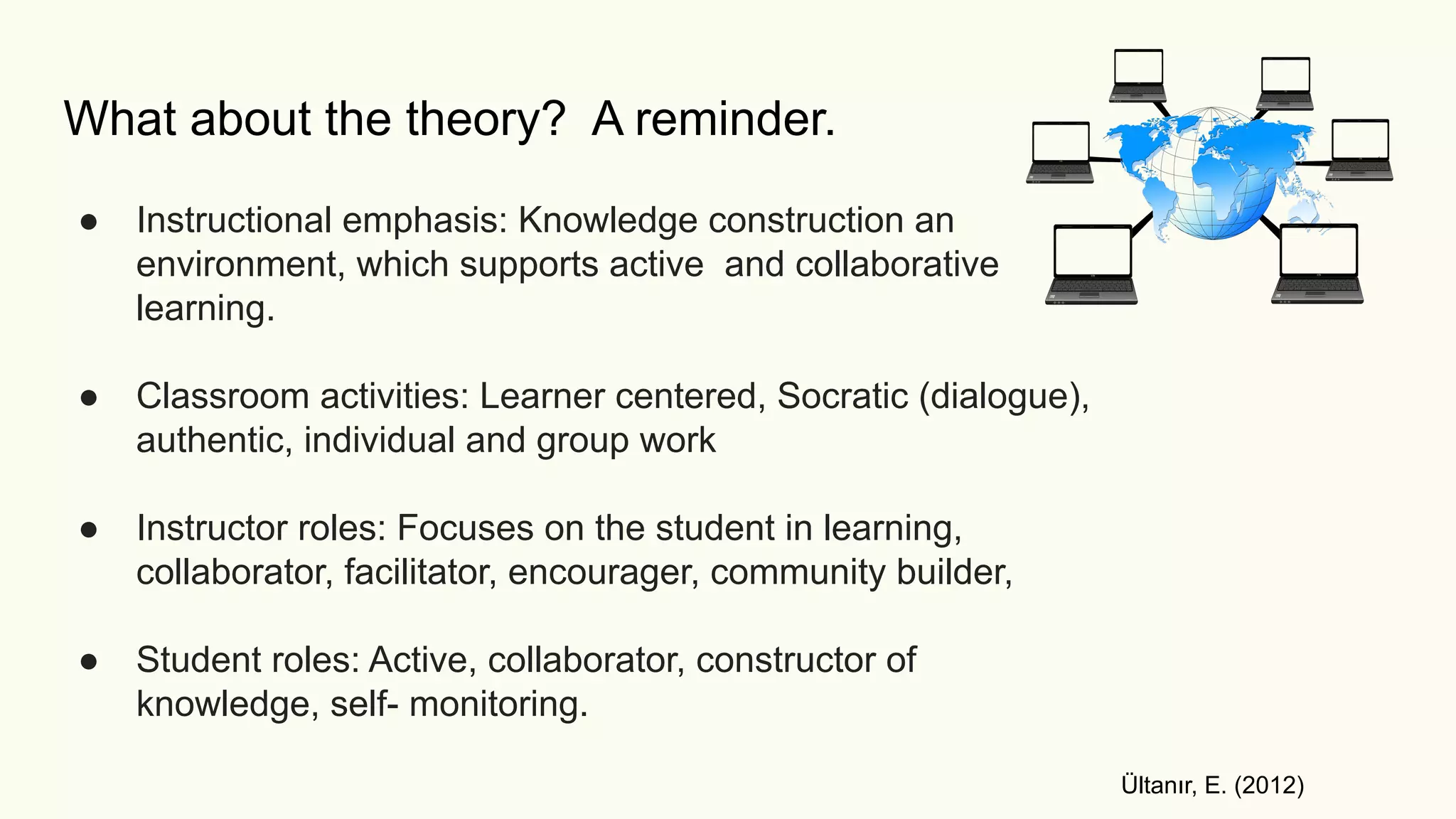
What about the theory? A reminder.
● Instructional emphasis: Knowledge construction an
environment, which supports active and collaborative
learning.
● Classroom activities: Learner centered, Socratic (dialogue),
authentic, individual and group work
● Instructor roles: Focuses on the student in learning,
collaborator, facilitator, encourager, community builder,
● Student roles: Active, collaborator, constructor of
knowledge, self- monitoring.
Ültanır, E. (2012)
Breakout 2
❖ You are going to be put into one of ?? Breakout groups
Group Task 2
Breakout 2
❖ You are going to be put into one of ?? Breakout groups
❖ Discuss four more questions
Group Task 2
Breakout 2
❖ You are going to be put into one of ?? Breakout groups
❖ Discuss four more questions
❖ This time the questions will be shown to you in the main room beforehand
Group Task 2
Breakout 2
❖ You are going to be put into one of ?? Breakout groups
❖ Discuss four more questions
❖ This time the questions will be shown beforehand
❖ Again, you will have 10 minutes in total
Group Task 2
Breakout 2
❖ You are going to be put into one of ?? Breakout groups
❖ Discuss four more questions
❖ This time the questions will be shown beforehand
❖ Again, you will have 10 minutes in total
❖ Use to chat box to record some of your answers
Group Task 2
Breakout 2
❖ You are going to be put into one of ?? Breakout groups
❖ Discuss four more questions
❖ This time the questions will be shown beforehand
❖ Again, you will have 10 minutes in total
❖ Use to chat box to record some of your answers
❖ This time, when you join your room, decide on the following roles:
➢ Time keeper
➢ Chair / discussion leader
➢ Chat monitor
Group Task 2
Breakout 2
Group Task 2 - Further Discussion
● How could the teachers (moderators) monitor each breakout room (group)?
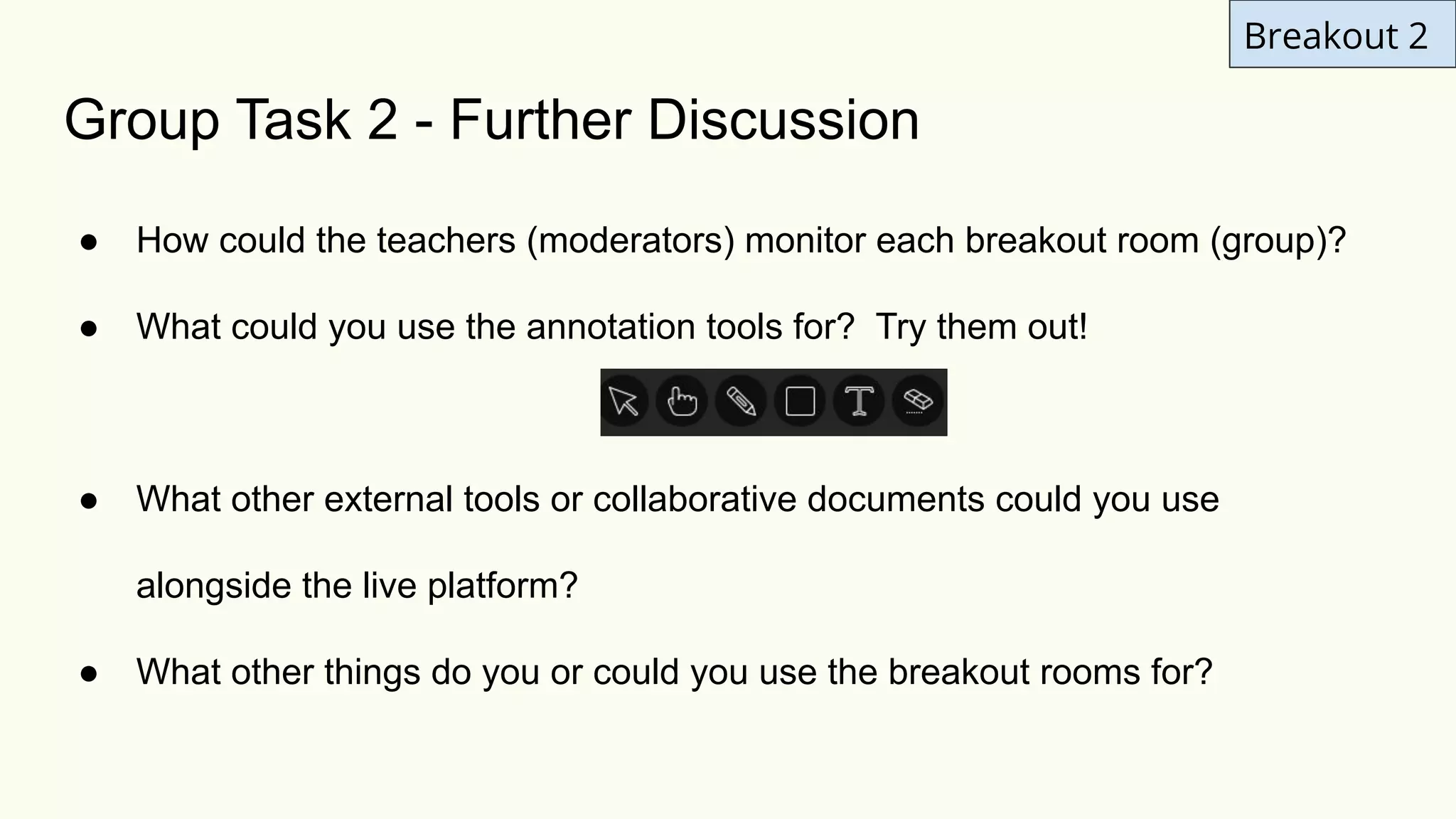
● What could you use the annotation tools for? Try them out!
● What other external tools or collaborative documents could you use
alongside the live platform?
● What other things do you or could you use the breakout rooms for?
Go to your breakout group now
Breakout 2
Breakout 2
Group Task 2 - Your answers and feedback
● How could the teachers (moderators) monitor each breakout room (group)?
● What could you use the annotation tools for? Try them out!
● What other external tools or collaborative documents could you use
alongside the live platform?
● What other things do you or could you use the breakout rooms for?
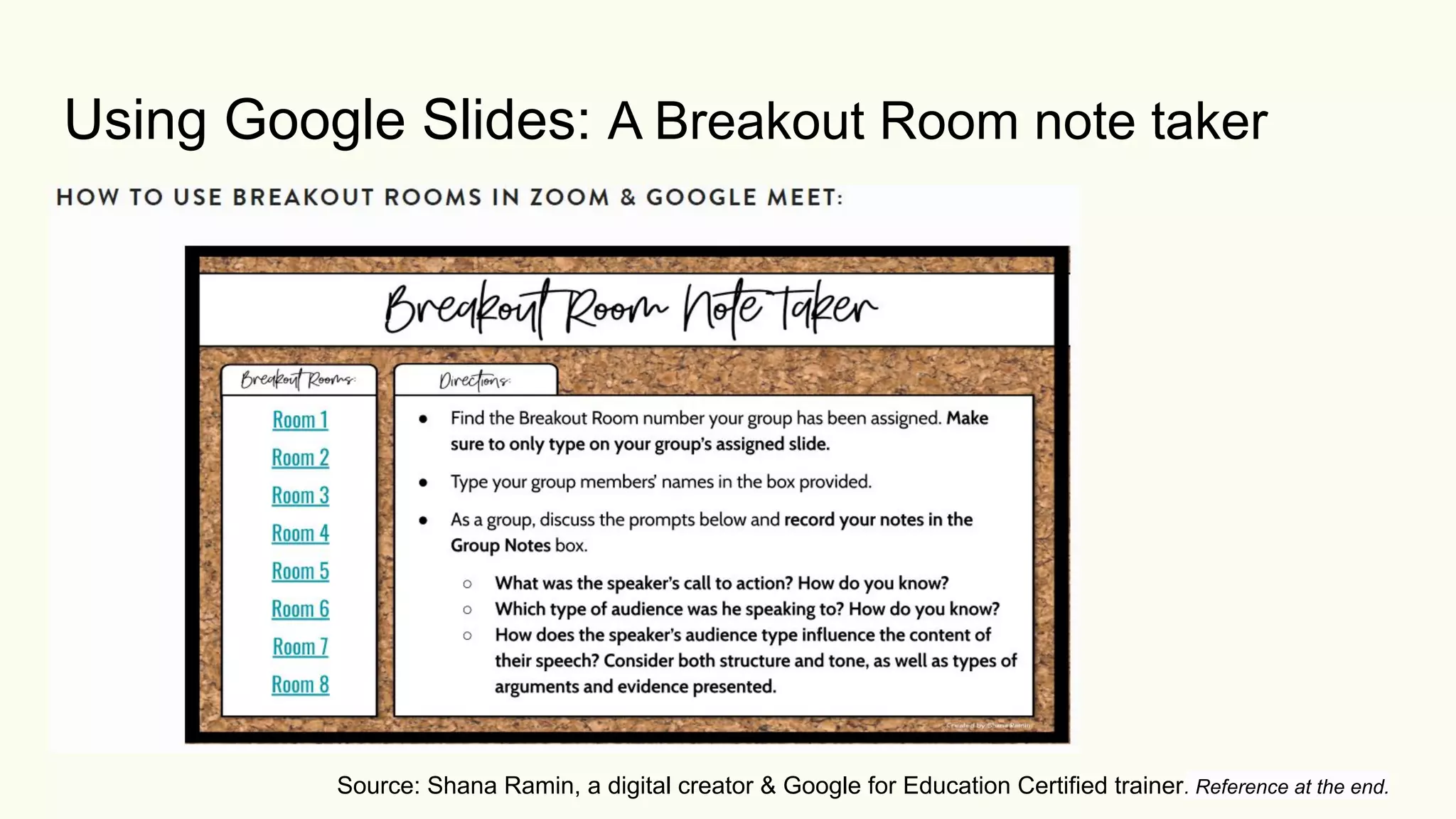
Using Google Slides: A Breakout Room note taker
Source: Shana Ramin, a digital creator & Google for Education Certified trainer. Reference at the end.
Top tips for Breakout Groups: Third set of 5
● Audio - use headphones or earphones / feedback and background noise
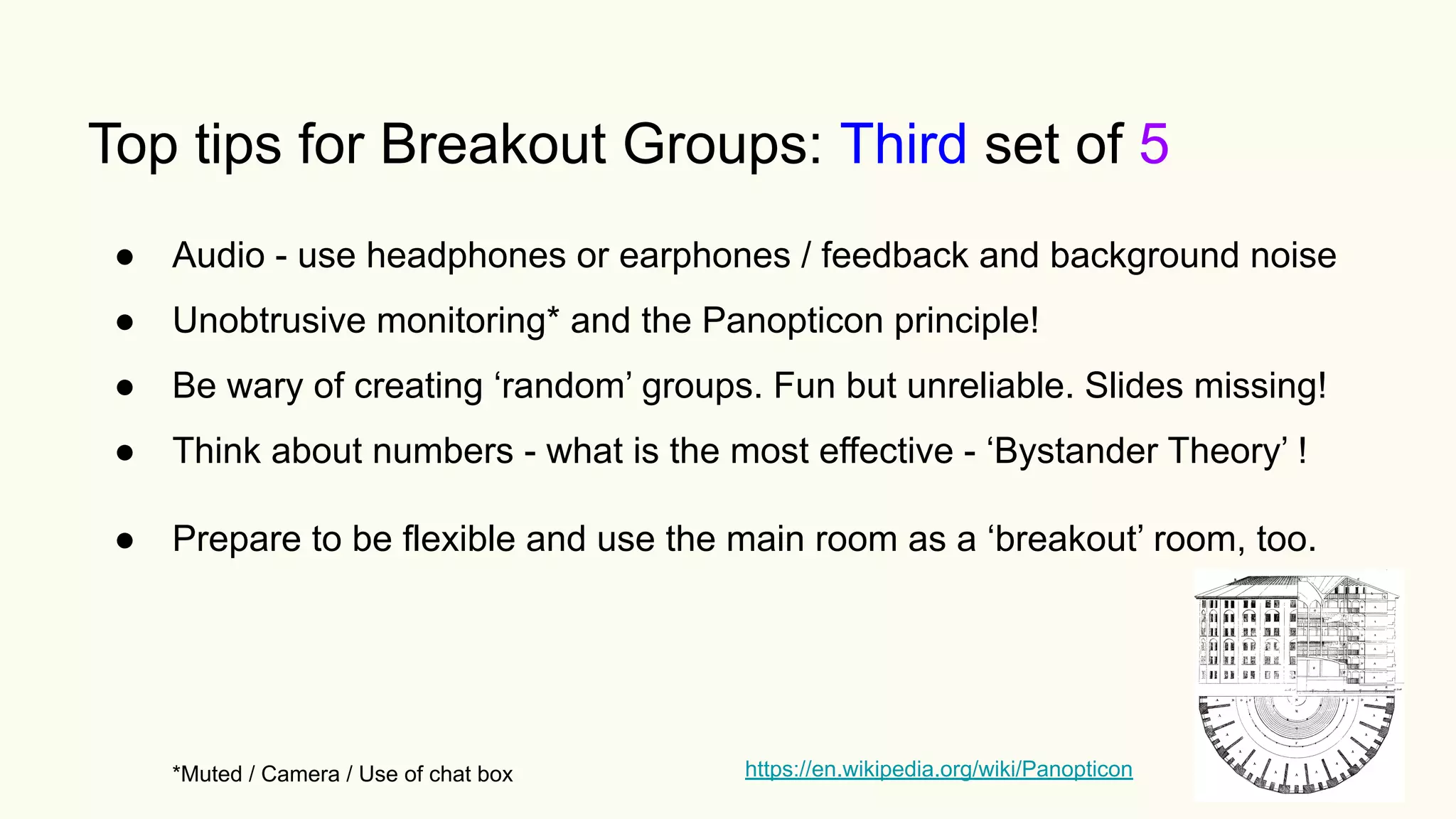
● Unobtrusive monitoring* and the Panopticon principle!
● Be wary of creating ‘random’ groups. Fun but unreliable. Slides missing!
● Think about numbers - what is the most effective - ‘Bystander Theory’ !
● Prepare to be flexible and use the main room as a ‘breakout’ room, too.
*Muted / Camera / Use of chat box https://en.wikipedia.org/wiki/Panopticon
Top tips for Breakout Groups: Over to you..
● 16
● 17
● 18
● 19
● 20
Questions?
Reflection
I have a better understanding about Blackboard Collaborate and how to exploit
the breakout room (group) option.
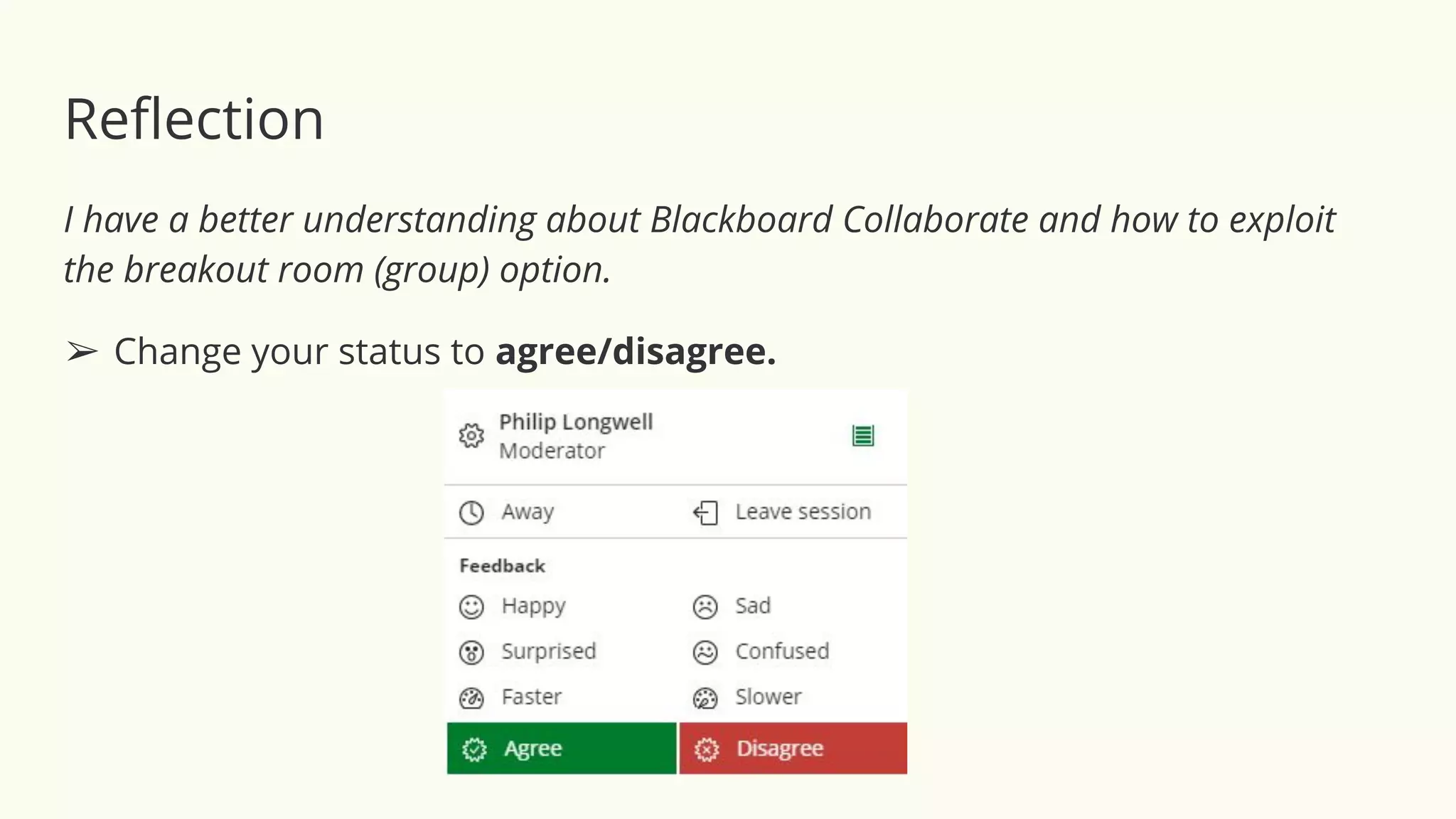
➢ Change your status to agree/disagree.
Reflection
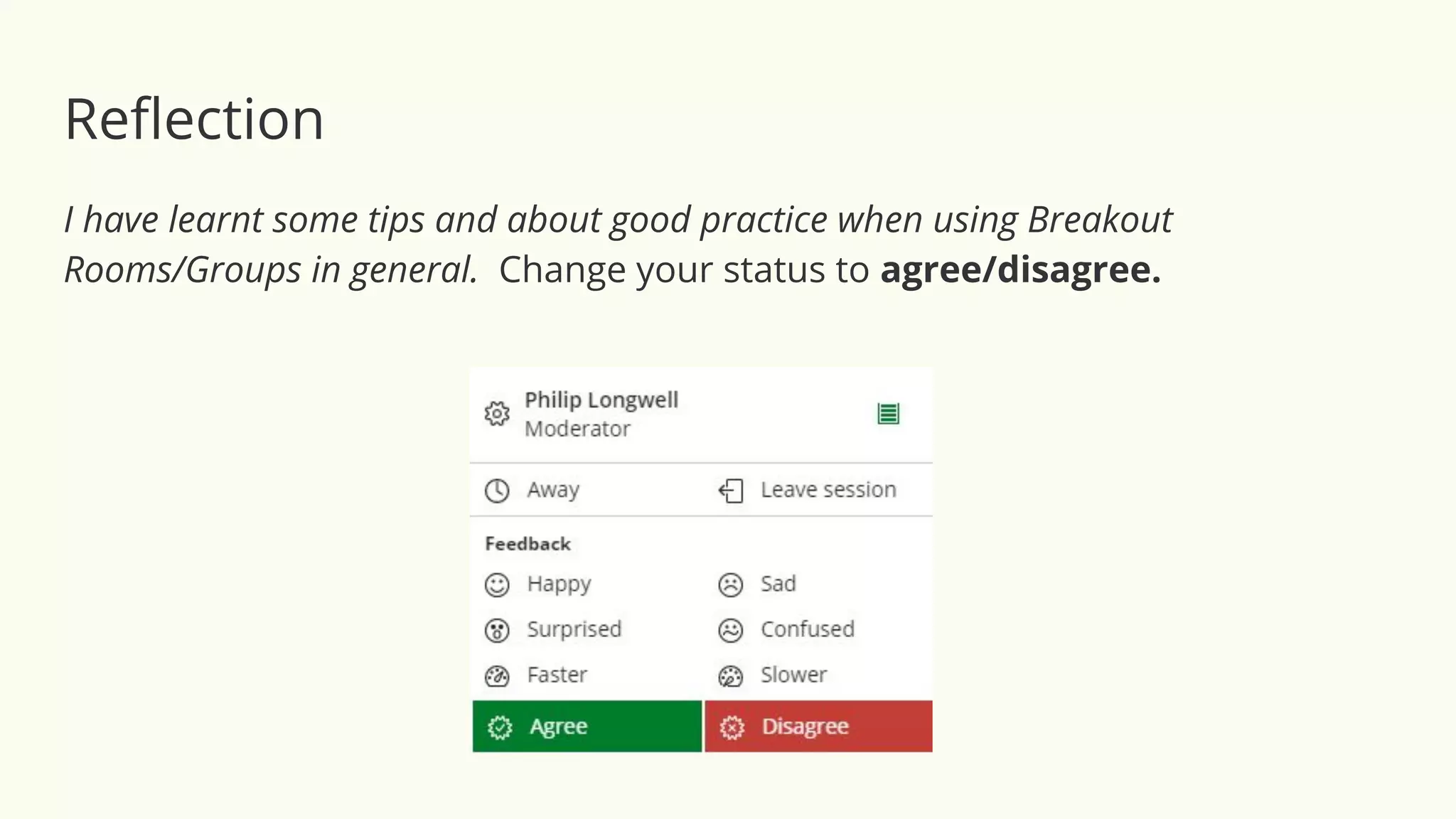
I have learnt some tips and about good practice when using Breakout
Rooms/Groups in general. Change your status to agree/disagree.
Image source: The Digital Artist CCO licence https://pixabay.com/illustrations/network-cloud-computing-data-4851119/
References:
Altmann, G. System Image. Pixabay. Available at: https://pixabay.com/illustrations/system-web-news-network-connection-1527685/
Downes, S. (2010). New technology supporting informal learning. Journal of Emerging Technologies Web Intelligence, 2(1), 27-33.
Ethics Explainer: The Panopticon. Published 18 June 2017. Available at: https://bit.ly/2Eqcpva. Accessed on 18 August 2020.
Interactive Flatscreens.IE. (2017) ICT and Constructivism. Available at: https://bit.ly/3hmzgGi. Accessed 22 August 2020.
Siemens, G. (2005). Connectivism: A learning theory for the digital age. International Journal of Instructional Technology and Distance Learning,
2(1), 3-10.
Ramin, S. (2020). Create a Breakout Room Note Taker in Google Slides. Available at:
https://www.helloteacherlady.com/blog/2020/8/breakout-room-note-taker-using-google-slides. Accessed 23 August 2020.
Read, D. (2020). Collaborate Breakout Groups. A training session given to ELTC teaching staff, PS10 on 25 June 2020. Recording available here.
Slides (adapted for this workshop): https://bit.ly/31kIsWs
Siemens, G. (2005). Connectivism: A learning theory for the digital age. International Journal of Instructional Technology and Distance Learning,
2(1), 3-10.
Slides made using Google slides based on a template created by the English Language Teaching Centre, The University of Sheffield, 2020.
Ültanır, E. (2012). An Epistemological Glance at the Constructivist Approach: Constructivist Learning In Dewey, Piaget and Montessori.
International Journal of Instruction. Vol.5, No.2. e-ISSN: 1308-1470 ● Available at: www.e-iji.net. Accessed 18 August 2020.
Getting students to collaborate in Breakout Rooms in Remote Teaching

Getting students to collaborate in Breakout Rooms in Remote Teaching

  • 1.
    Getting students toCollaborate in Breakout Rooms in Remote Teaching Saturday, 29 August 2020
  • 2.
    For this workshop,you need the following only: Your microphone turned on - and optional camera - when required. All the slides today were made with Google slides from a template created by the ELTC. Getting students to Collaborate in Breakout Rooms in Remote Teaching
  • 3.
    Workshop objectives In orderto develop your understanding of using Breakouts: ● Understanding the settings and options in Collaborate ● You will try out a couple of breakout sessions ● Discuss how to use breakout groups effectively ● Discover some tips, good practice and share your own ideas ● Could be applicable to Zoom or similar live teaching platform.
  • 4.
    Ways to interactin Collaborate ● Turn your microphone and camera on and off with these buttons. ● Use the raise hand feature to ask questions. ● Use the chat box to ask questions. ● In the chat box, contribution is more important than spelling. ● You can use the go slower button, if you feel the session is going too fast and vice versa.
  • 5.
    More options inCollaborate ● Zoom tool for slides in main window ● Detach the participants list from the ‘Everyone’ chat box ● Emojis - ‘Everyone’, ‘group‘ and ‘private’ (1-2-1) chat
  • 6.
    Blind Laden Genre NecktieHits Civic Nut Storms Annoying Nurse Scholar I Angrily Bend H Cellulite Limping Teens Warmer Activity - Unscramble these anagrams Clue: They are educational theories or learning methods
  • 7.
    Blind Laden GenreBlended Learning Necktie Hits Civic Nut Storms Annoying Nurse Scholar I Angrily Bend H Cellulite Limping Teens Warmer Activity - Unscramble these anagrams
  • 8.
    Blind Laden GenreBlended Learning Necktie Hits Kinesthetic Civic Nut Storms Annoying Nurse Scholar I Angrily Bend H Cellulite Limping Teens
  • 9.
    Blind Laden GenreBlended Learning Necktie Hits Kinesthetic Civic Nut Storms Constructivism Annoying Nurse Scholar I Angrily Bend H Cellulite Limping Teens
  • 10.
    Blind Laden GenreBlended Learning Necktie Hits Kinesthetic Civic Nut Storms Constructivism Annoying Nurse Scholar Asynchronous Learning I Angrily Bend H Cellulite Limping Teens
  • 11.
    Blind Laden GenreBlended Learning Necktie Hits Kinesthetic Civic Nut Storms Constructivism Annoying Nurse Scholar Asynchronous Learning I Angrily Bend H Hybrid Learning Cellulite Limping Teens
  • 12.
    Blind Laden GenreBlended Learning Necktie Hits Kinesthetic Civic Nut Storms Constructivism Annoying Nurse Scholar Asynchronous Learning I Angrily Bend H Hybrid Learning Cellulite Limping Teens Multiple Intelligences
  • 13.
    Image source: TheDigital Artist CCO licence https://pixabay.com/illustrations/network-cloud-computing-data-4851119/ Theory #1: Constructivism “Constructivist theory holds that learners are not passive recipients of knowledge but are more active in the process. They build on previous experience in order to make sense of what they are learning. They are more active in the creation of meaning and knowledge. This leads a more student centred approach in which the student guides their own learning.” - ICT & Constructivism: The Building Blocks of Learning in the 21st Century (2017) “For constructivists, learners are not passive receptors of knowledge provided by [an] instructor. Instead, students construct meanings for concepts. As a result, learning is best undertaken in ‘real world contexts in which students may acquire and test concepts. The administration of the constructivist class is democratic. Within a democratic class environment, the sharing of responsibility and decision making is emphasized.” - McNeil 1986; Dewey, 1961; cited in Ültanır, E. (2012)
  • 14.
    Image source: TheDigital Artist CCO licence https://pixabay.com/illustrations/network-cloud-computing-data-4851119/ Theory #1: Constructivism • Instructional emphasis: Knowledge construction an environment, which supports active and collaborative learning. • Classroom activities: Learner centered, Socratic (dialogue), authentic, individual and group work • Instructor roles: Focuses on the student in learning, collaborator, facilitator, encourager, community builder, • Student roles: Active, collaborator, constructor of knowledge, self- monitoring. Cited in Ültanır, E. (2012)
  • 15.
    Image sources: https://academics.cehd.umn.edu/digital-education/flipped-learning-guide/ TheDigital Artist CCO licence https://pixabay.com/illustrations/network-cloud-computing-data-4851119/ ● Students do most of the comprehension groundwork before the class (asynchronous). For example: watching a lecture and making notes, prepare for a role within an Academic Reading Circle or pre-learning vocabulary using online materials. ● A fully flipped learning course with interactive content is more easily deliverable in a completely online situation, where all students are accessing both the material asynchronously and the live synchronous classroom remotely. ● The live session can exploit task-based learning and free production, with the teacher focusing on the more difficult tasks of language production and assessment. ● At UoS 2020, teachers were made aware of what content students needed to complete before class, with full access to the interactive material. Not ‘homework’. Stress importance of completion. Theory #2: Flipped Learning methodology
  • 16.
    Image source: TheDigital Artist CCO licence https://pixabay.com/illustrations/network-cloud-computing-data-4851119/ Connectivism is a learning theory that explains how Internet technologies have created new opportunities for people to learn and share information across the World Wide Web and among themselves. These technologies include Web browsers, email, wikis, online discussion forums, social networks, YouTube, and any other tool which enables the users to learn and share information with other people. A key feature of connectivism is that much learning can happen across peer networks that take place online. In connectivist learning, a teacher will guide students to information and answer key questions as needed, in order to support students learning and sharing on their own. Students are also encouraged to seek out information on their own online and express what they find. A connected community around this shared information often results. An example would be the massive open online course (MOOC). Theory #3: Connectivism +
  • 17.
    Guide to Collaborate Question: Hasanyone used Collaborate before, is using it now or is going to use it in the near future?
  • 18.
    Entering the classroomas a guest or participant
  • 19.
    Entering the classroomas a moderator
  • 20.
    Entering the classroomas a moderator
  • 21.
    Settings and Notificationsin Collaborate ● Content sharing options (formats allowed) ● Share Application/Screen ● Use the Notifications Settings to enable/disable alerts. ● Options to configure audio/video settings ● Session Settings - Annotation (default is off in main room) ● Breakout Groups
  • 22.
    Settings and Notificationsin Collaborate ● Content sharing options (formats allowed) ● Share Application/Screen ● Use the Notifications Settings to enable/disable alerts. ● Options to configure audio/video settings ● Session Settings - Annotation (default is off in main room) ● Breakout Groups
  • 23.
    Settings and Notificationsin Collaborate ● Content sharing options (formats allowed) ● Share Application/Screen ● Use the Notifications Settings to enable/disable alerts. ● Options to configure audio/video settings ● Session Settings - Annotation (default is off in main room) ● Breakout Groups
  • 24.
    Settings and Notificationsin Collaborate ● Content sharing options (formats allowed) ● Share Application/Screen ● Use the Notifications Settings to enable/disable alerts. ● Options to configure audio/video settings ● Session Settings - Annotation (default is off in main room) ● Breakout Groups
  • 25.
  • 26.
    Setting up breakoutrooms The number of breakout groups depends on numbers… this is what it looks like to everyone - if the attendee panel is detached from the everyone chat. Each Group has a green arrow pointing to a door.
  • 27.
    Group Task 1:Discussion ❖ You are going to be put into one of 6 Breakout groups Breakout 1
  • 28.
    Discussion ❖ You aregoing to be put into one of 6 Breakout groups ❖ In your room you will do a task Breakout 1
  • 29.
    Discussion ❖ You aregoing to be put into one of 6 Breakout groups ❖ In your room you will do a task ❖ You won’t see the task beforehand (i.e. in the main room) Breakout 1
  • 30.
    Discussion ❖ You aregoing to be put into one of 6 Breakout groups ❖ In your room you will do a task ❖ You won’t see the task beforehand ❖ You will have 10 minutes in total Breakout 1
  • 31.
    Discussion ❖ You aregoing to be put into one of 6 Breakout groups ❖ In your room you will do a task ❖ You won’t see the task beforehand ❖ You will have 10 minutes in total ❖ An LTSIG committee member (moderator) might drop into your room to facilitate the discussion Breakout 1
  • 32.
    Group 1: Student 1 Student2 Student 3 Student 4 Group 2: Student 5 Student 6 Student 7 Student 8 Group 3: Student 9 Student 10 Student 11 Student 12 Group 4: Student 13 Student 14 Student 15 Student 16 Group 5: Student 17 Student 18 Student 19 Student 20 Group 6: Student 21 Student 22 Student 23 Student 24 An example set up for breakout groups:
  • 33.
    Group 1: Group2: Group 3: Group 4: Group 5: Group 6: The number of breakout groups depends on numbers...
  • 34.
    Go to yourbreakout group now Breakout 1
  • 35.
    Group Task 1- Your answers and feedback ● What platforms do you currently use for teaching? ● How do you already use or might use Breakout Rooms or Groups? ● What instructions could you give to students before entering groups? ● What kinds of things can the moderators (teachers) monitor? Breakout 1
  • 36.
    Top tips forBreakout Groups: First set of 5 ● Make sure you have the main and breakout slides uploaded to Collaborate. ● Pre-assign Breakout Group & share slide(s) before the lesson begins. ● Give clear instructions - what should students do and how long do they have. ● Tick the option for students (participants) to move themselves. ● Make sure everybody knows what group they should be in and give a warning before starting (if not already pre-assigned).
  • 37.
    Top tips forBreakout Groups: Second set of 5 ● For difficult tasks, show the breakout slide(s) in the main room and check understanding before asking students to move to the correct room. ● Keep the same groups throughout the course for one skill (e.g. writing) but have a second set of groupings for other lessons (e.g. speaking/seminars) ● Vary the number of breakout rooms and be flexible if something isn’t working. ● Encourage students to turn on mics (cameras if appropriate). Assessment! ● Warn students when Breakout groups are going to end. Countdown!
  • 38.
    What about thetheory? A reminder. ● Instructional emphasis: Knowledge construction an environment, which supports active and collaborative learning. ● Classroom activities: Learner centered, Socratic (dialogue), authentic, individual and group work ● Instructor roles: Focuses on the student in learning, collaborator, facilitator, encourager, community builder, ● Student roles: Active, collaborator, constructor of knowledge, self- monitoring. Ültanır, E. (2012)
  • 39.
    Breakout 2 ❖ Youare going to be put into one of ?? Breakout groups Group Task 2
  • 40.
    Breakout 2 ❖ Youare going to be put into one of ?? Breakout groups ❖ Discuss four more questions Group Task 2
  • 41.
    Breakout 2 ❖ Youare going to be put into one of ?? Breakout groups ❖ Discuss four more questions ❖ This time the questions will be shown to you in the main room beforehand Group Task 2
  • 42.
    Breakout 2 ❖ Youare going to be put into one of ?? Breakout groups ❖ Discuss four more questions ❖ This time the questions will be shown beforehand ❖ Again, you will have 10 minutes in total Group Task 2
  • 43.
    Breakout 2 ❖ Youare going to be put into one of ?? Breakout groups ❖ Discuss four more questions ❖ This time the questions will be shown beforehand ❖ Again, you will have 10 minutes in total ❖ Use to chat box to record some of your answers Group Task 2
  • 44.
    Breakout 2 ❖ Youare going to be put into one of ?? Breakout groups ❖ Discuss four more questions ❖ This time the questions will be shown beforehand ❖ Again, you will have 10 minutes in total ❖ Use to chat box to record some of your answers ❖ This time, when you join your room, decide on the following roles: ➢ Time keeper ➢ Chair / discussion leader ➢ Chat monitor Group Task 2
  • 45.
    Breakout 2 Group Task2 - Further Discussion ● How could the teachers (moderators) monitor each breakout room (group)? ● What could you use the annotation tools for? Try them out! ● What other external tools or collaborative documents could you use alongside the live platform? ● What other things do you or could you use the breakout rooms for?
  • 46.
    Go to yourbreakout group now Breakout 2
  • 47.
    Breakout 2 Group Task2 - Your answers and feedback ● How could the teachers (moderators) monitor each breakout room (group)? ● What could you use the annotation tools for? Try them out! ● What other external tools or collaborative documents could you use alongside the live platform? ● What other things do you or could you use the breakout rooms for?
  • 48.
    Using Google Slides:A Breakout Room note taker Source: Shana Ramin, a digital creator & Google for Education Certified trainer. Reference at the end.
  • 49.
    Top tips forBreakout Groups: Third set of 5 ● Audio - use headphones or earphones / feedback and background noise ● Unobtrusive monitoring* and the Panopticon principle! ● Be wary of creating ‘random’ groups. Fun but unreliable. Slides missing! ● Think about numbers - what is the most effective - ‘Bystander Theory’ ! ● Prepare to be flexible and use the main room as a ‘breakout’ room, too. *Muted / Camera / Use of chat box https://en.wikipedia.org/wiki/Panopticon
  • 50.
    Top tips forBreakout Groups: Over to you.. ● 16 ● 17 ● 18 ● 19 ● 20
  • 51.
  • 52.
    Reflection I have abetter understanding about Blackboard Collaborate and how to exploit the breakout room (group) option. ➢ Change your status to agree/disagree.
  • 53.
    Reflection I have learntsome tips and about good practice when using Breakout Rooms/Groups in general. Change your status to agree/disagree.
  • 54.
    Image source: TheDigital Artist CCO licence https://pixabay.com/illustrations/network-cloud-computing-data-4851119/ References: Altmann, G. System Image. Pixabay. Available at: https://pixabay.com/illustrations/system-web-news-network-connection-1527685/ Downes, S. (2010). New technology supporting informal learning. Journal of Emerging Technologies Web Intelligence, 2(1), 27-33. Ethics Explainer: The Panopticon. Published 18 June 2017. Available at: https://bit.ly/2Eqcpva. Accessed on 18 August 2020. Interactive Flatscreens.IE. (2017) ICT and Constructivism. Available at: https://bit.ly/3hmzgGi. Accessed 22 August 2020. Siemens, G. (2005). Connectivism: A learning theory for the digital age. International Journal of Instructional Technology and Distance Learning, 2(1), 3-10. Ramin, S. (2020). Create a Breakout Room Note Taker in Google Slides. Available at: https://www.helloteacherlady.com/blog/2020/8/breakout-room-note-taker-using-google-slides. Accessed 23 August 2020. Read, D. (2020). Collaborate Breakout Groups. A training session given to ELTC teaching staff, PS10 on 25 June 2020. Recording available here. Slides (adapted for this workshop): https://bit.ly/31kIsWs Siemens, G. (2005). Connectivism: A learning theory for the digital age. International Journal of Instructional Technology and Distance Learning, 2(1), 3-10. Slides made using Google slides based on a template created by the English Language Teaching Centre, The University of Sheffield, 2020. Ültanır, E. (2012). An Epistemological Glance at the Constructivist Approach: Constructivist Learning In Dewey, Piaget and Montessori. International Journal of Instruction. Vol.5, No.2. e-ISSN: 1308-1470 ● Available at: www.e-iji.net. Accessed 18 August 2020.