DROPBOX: Easing
Document Management for
You and Your Clients
www.aprilsantos.com Making Your Virtual Presence Matter
Do you always have the need to
send out big files and can’t seem
to figure out how to do this?
www.aprilsantos.com Making Your Virtual Presence Matter
Or do you wish that you can
access ALL your files
ANYWHERE and ANYTIME you
want?
www.aprilsantos.com Making Your Virtual Presence Matter
Do you want a collaboration site
where people can easily access
files and edit them in one go?
www.aprilsantos.com Making Your Virtual Presence Matter
Dropbox is here to
help you make your
document
management
easier!
www.aprilsantos.com Making Your Virtual Presence Matter
Dropbox is the place to store your photos,
docs, videos, and other files. It keeps your
files safe, while allowing you to access
them either via web or via your devices.
www.aprilsantos.com Making Your Virtual Presence Matter
Let’s learn how to do it!
www.aprilsantos.com Making Your Virtual Presence Matter
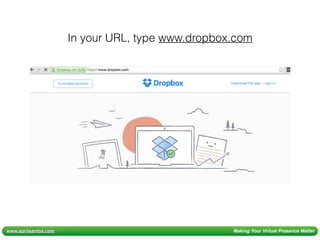
In your URL, type www.dropbox.com
www.aprilsantos.com Making Your Virtual Presence Matter
ways to sign up
for FREE!
www.aprilsantos.com Making Your Virtual Presence Matter
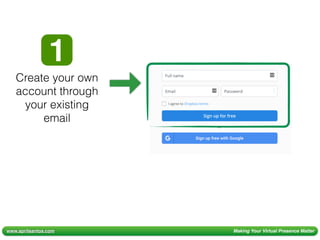
Create your own
account through
your existing
email
www.aprilsantos.com Making Your Virtual Presence Matter
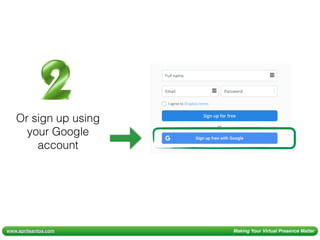
Or sign up using
your Google
account
www.aprilsantos.com Making Your Virtual Presence Matter
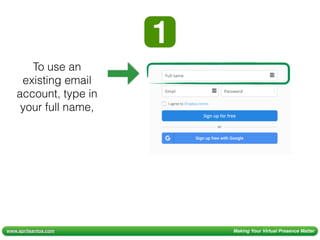
To use an
existing email
account, type in
your full name,
www.aprilsantos.com Making Your Virtual Presence Matter
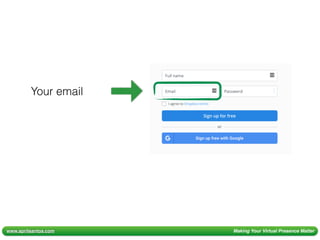
Your email
www.aprilsantos.com Making Your Virtual Presence Matter
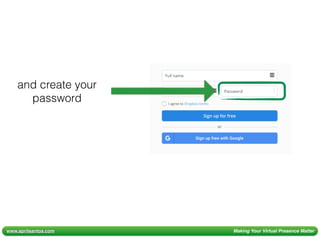
and create your
password
www.aprilsantos.com Making Your Virtual Presence Matter
Make sure to use a
strong password to
ensure the security of
your Dropbox account!
www.aprilsantos.com Making Your Virtual Presence Matter
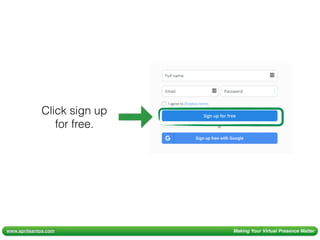
Click sign up
for free.
www.aprilsantos.com Making Your Virtual Presence Matter
Check your email for
account confirmation.
www.aprilsantos.com Making Your Virtual Presence Matter
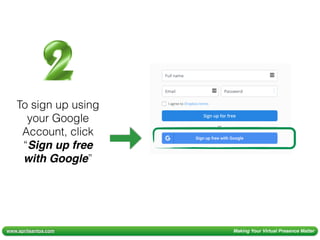
To sign up using
your Google
Account, click
“Sign up free
with Google”
www.aprilsantos.com Making Your Virtual Presence Matter
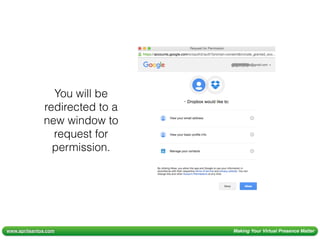
You will be
redirected to a
new window to
request for
permission.
www.aprilsantos.com Making Your Virtual Presence Matter
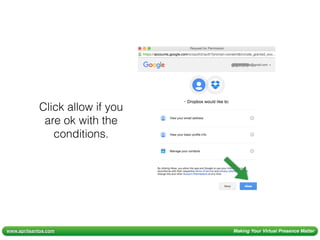
Click allow if you
are ok with the
conditions.
www.aprilsantos.com Making Your Virtual Presence Matter
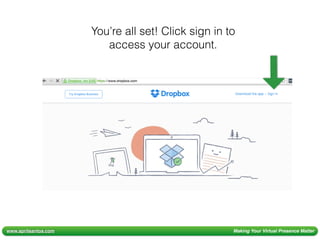
You’re all set! Click sign in to
access your account.
www.aprilsantos.com Making Your Virtual Presence Matter
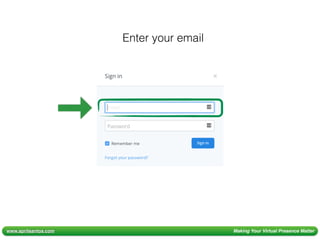
Enter your email
www.aprilsantos.com Making Your Virtual Presence Matter
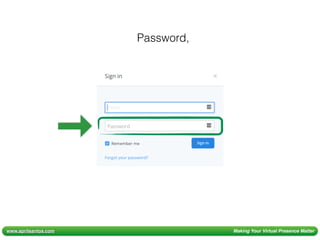
Password,
www.aprilsantos.com Making Your Virtual Presence Matter
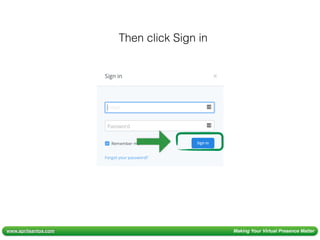
Then click Sign in
www.aprilsantos.com Making Your Virtual Presence Matter
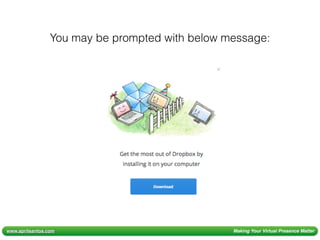
You may be prompted with below message:
www.aprilsantos.com Making Your Virtual Presence Matter
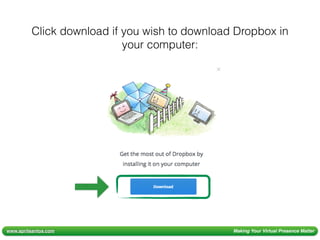
Click download if you wish to download Dropbox in
your computer:
www.aprilsantos.com Making Your Virtual Presence Matter
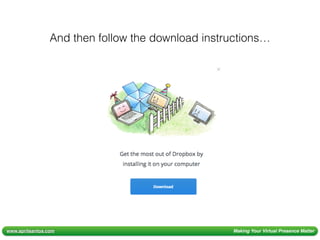
And then follow the download instructions…
www.aprilsantos.com Making Your Virtual Presence Matter
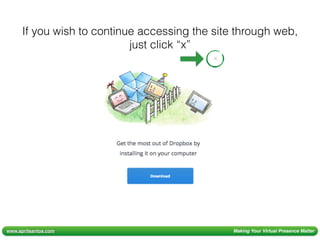
If you wish to continue accessing the site through web,
just click “x”
www.aprilsantos.com Making Your Virtual Presence Matter
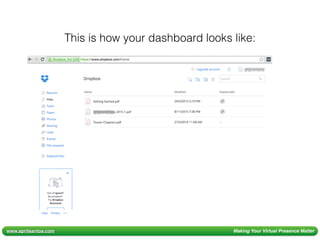
This is how your dashboard looks like:
www.aprilsantos.com Making Your Virtual Presence Matter
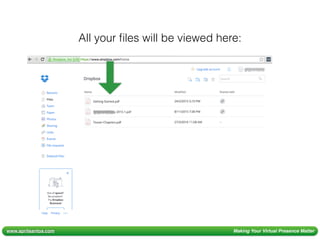
All your files will be viewed here:
www.aprilsantos.com Making Your Virtual Presence Matter
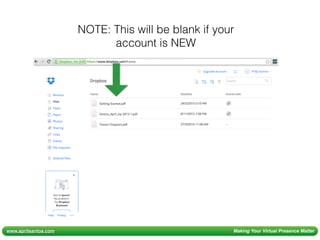
NOTE: This will be blank if your
account is NEW
www.aprilsantos.com Making Your Virtual Presence Matter
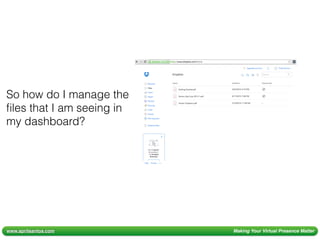
So how do I manage the
files that I am seeing in
my dashboard?
www.aprilsantos.com Making Your Virtual Presence Matter
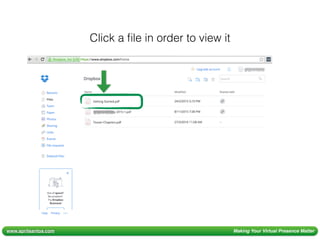
Click a file in order to view it
www.aprilsantos.com Making Your Virtual Presence Matter
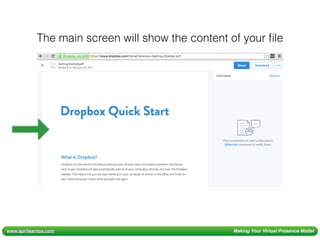
The main screen will show the content of your file
www.aprilsantos.com Making Your Virtual Presence Matter
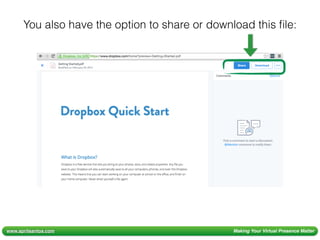
You also have the option to share or download this file:
www.aprilsantos.com Making Your Virtual Presence Matter
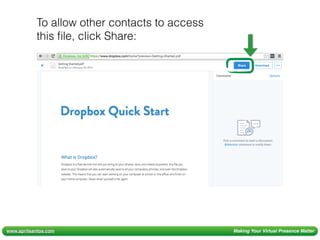
To allow other contacts to access
this file, click Share:
www.aprilsantos.com Making Your Virtual Presence Matter
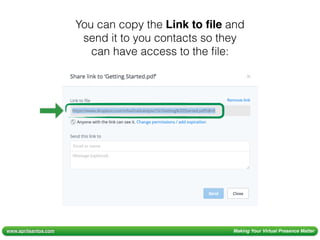
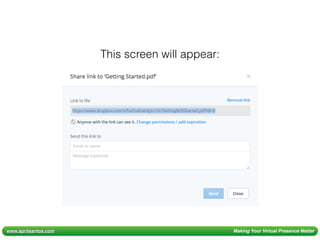
This screen will appear:
www.aprilsantos.com Making Your Virtual Presence Matter
You can copy the Link to file and
send it to you contacts so they
can have access to the file:
www.aprilsantos.com Making Your Virtual Presence Matter
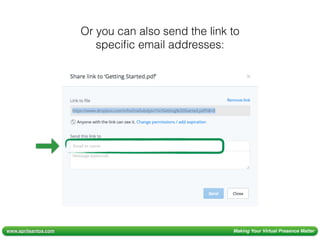
Or you can also send the link to
specific email addresses:
www.aprilsantos.com Making Your Virtual Presence Matter
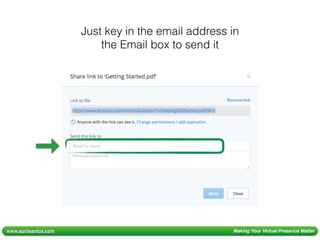
Just key in the email address in
the Email box to send it
www.aprilsantos.com Making Your Virtual Presence Matter
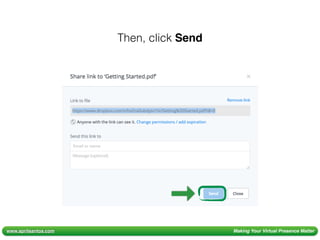
Then, click Send
www.aprilsantos.com Making Your Virtual Presence Matter
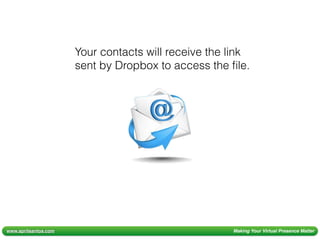
Your contacts will receive the link
sent by Dropbox to access the file.
www.aprilsantos.com Making Your Virtual Presence Matter
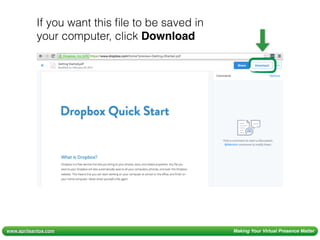
If you want this file to be saved in
your computer, click Download
www.aprilsantos.com Making Your Virtual Presence Matter
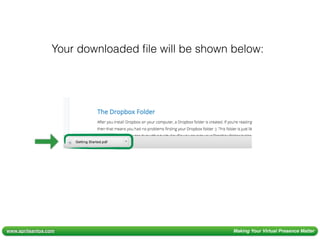
Your downloaded file will be shown below:
www.aprilsantos.com Making Your Virtual Presence Matter
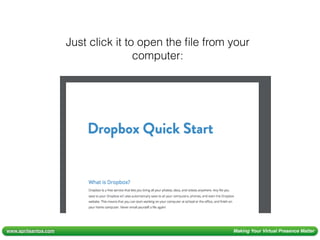
Just click it to open the file from your
computer:
www.aprilsantos.com Making Your Virtual Presence Matter
Ok, so I know now how
to share and download
existing files in my
dashboard. But how
do I add new files?
www.aprilsantos.com Making Your Virtual Presence Matter
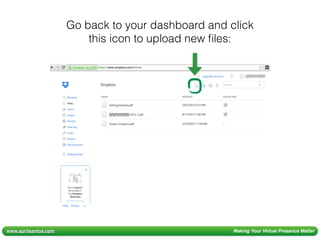
Go back to your dashboard and click
this icon to upload new files:
www.aprilsantos.com Making Your Virtual Presence Matter
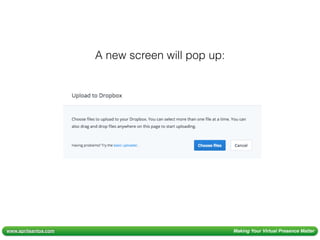
A new screen will pop up:
www.aprilsantos.com Making Your Virtual Presence Matter
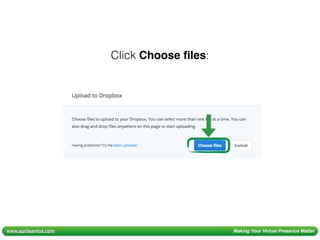
Click Choose files:
www.aprilsantos.com Making Your Virtual Presence Matter
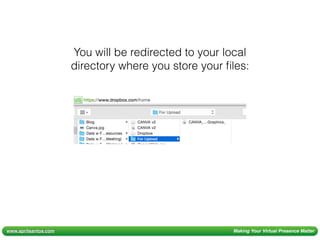
You will be redirected to your local
directory where you store your files:
www.aprilsantos.com Making Your Virtual Presence Matter
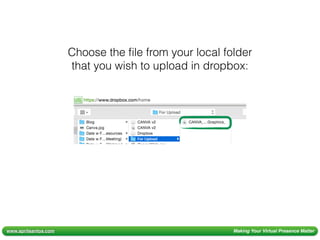
Choose the file from your local folder
that you wish to upload in dropbox:
www.aprilsantos.com Making Your Virtual Presence Matter
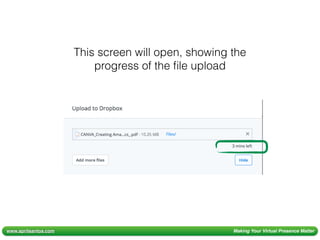
This screen will open, showing the
progress of the file upload
www.aprilsantos.com Making Your Virtual Presence Matter
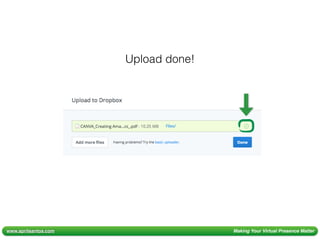
Upload done!
www.aprilsantos.com Making Your Virtual Presence Matter
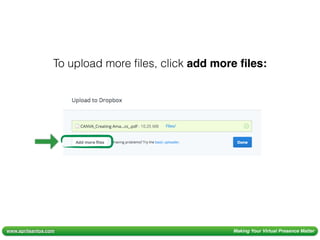
To upload more files, click add more files:
www.aprilsantos.com Making Your Virtual Presence Matter
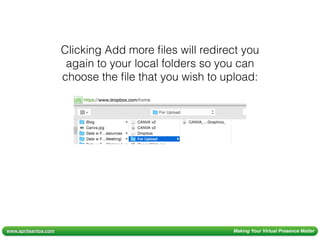
Clicking Add more files will redirect you
again to your local folders so you can
choose the file that you wish to upload:
www.aprilsantos.com Making Your Virtual Presence Matter
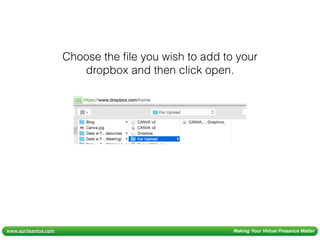
Choose the file you wish to add to your
dropbox and then click open.
www.aprilsantos.com Making Your Virtual Presence Matter
Wait for it to be uploaded…
www.aprilsantos.com Making Your Virtual Presence Matter
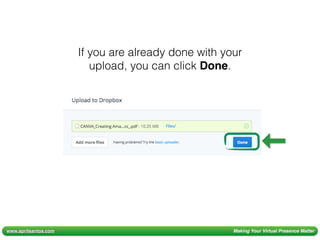
If you are already done with your
upload, you can click Done.
www.aprilsantos.com Making Your Virtual Presence Matter
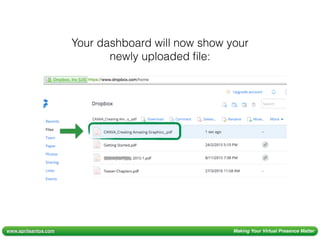
Your dashboard will now show your
newly uploaded file:
www.aprilsantos.com Making Your Virtual Presence Matter
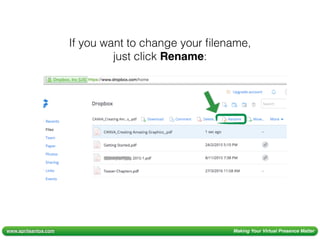
If you want to change your filename,
just click Rename:
www.aprilsantos.com Making Your Virtual Presence Matter
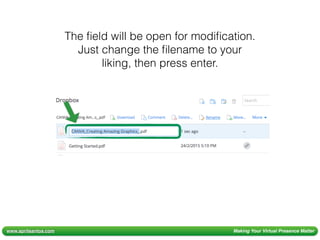
The field will be open for modification.
Just change the filename to your
liking, then press enter.
www.aprilsantos.com Making Your Virtual Presence Matter
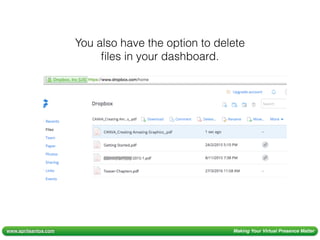
You also have the option to delete
files in your dashboard.
www.aprilsantos.com Making Your Virtual Presence Matter
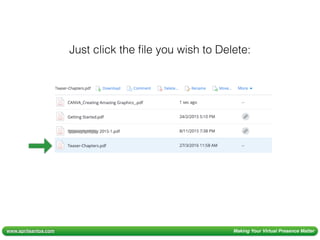
Just click the file you wish to Delete:
www.aprilsantos.com Making Your Virtual Presence Matter
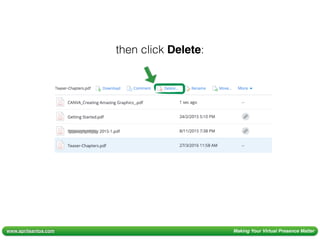
then click Delete:
www.aprilsantos.com Making Your Virtual Presence Matter
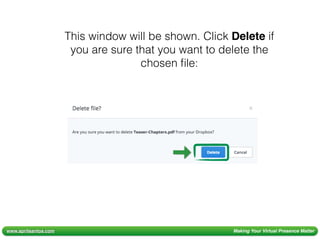
This window will be shown. Click Delete if
you are sure that you want to delete the
chosen file:
www.aprilsantos.com Making Your Virtual Presence Matter
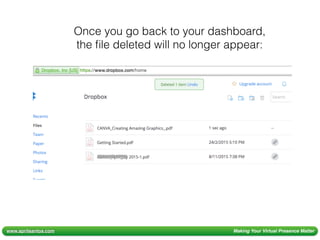
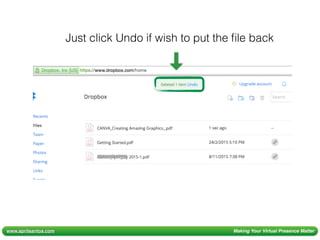
Once you go back to your dashboard,
the file deleted will no longer appear:
www.aprilsantos.com Making Your Virtual Presence Matter
Just click Undo if wish to put the file back
www.aprilsantos.com Making Your Virtual Presence Matter
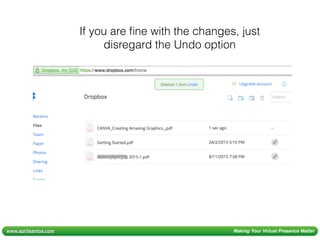
If you are fine with the changes, just
disregard the Undo option
www.aprilsantos.com Making Your Virtual Presence Matter
This is great! Are there
other features of
Dropbox that I can use?
www.aprilsantos.com Making Your Virtual Presence Matter
Yes! There are a lot more
features that you can explore!
www.aprilsantos.com Making Your Virtual Presence Matter
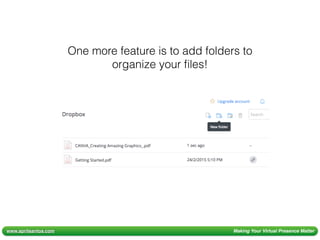
One more feature is to add folders to
organize your files!
www.aprilsantos.com Making Your Virtual Presence Matter
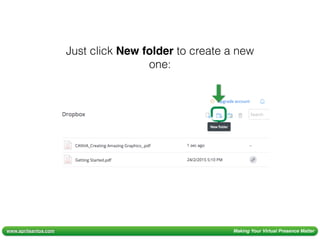
Just click New folder to create a new
one:
www.aprilsantos.com Making Your Virtual Presence Matter
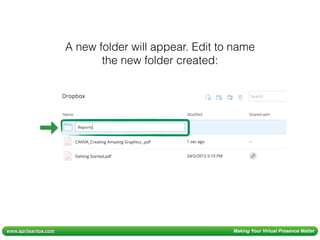
A new folder will appear. Edit to name
the new folder created:
www.aprilsantos.com Making Your Virtual Presence Matter
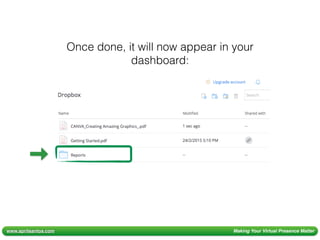
Once done, it will now appear in your
dashboard:
www.aprilsantos.com Making Your Virtual Presence Matter
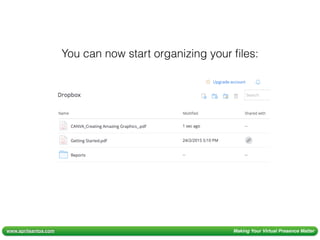
You can now start organizing your files:
www.aprilsantos.com Making Your Virtual Presence Matter
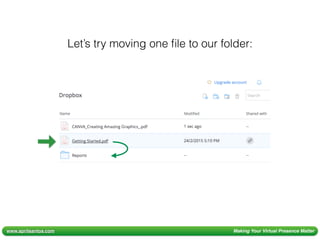
Let’s try moving one file to our folder:
www.aprilsantos.com Making Your Virtual Presence Matter
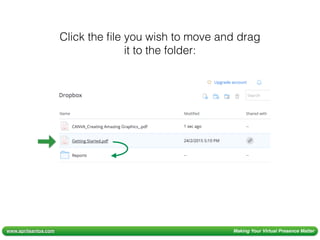
Click the file you wish to move and drag
it to the folder:
www.aprilsantos.com Making Your Virtual Presence Matter
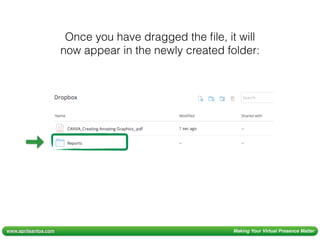
Once you have dragged the file, it will
now appear in the newly created folder:
www.aprilsantos.com Making Your Virtual Presence Matter
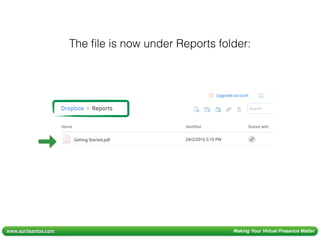
The file is now under Reports folder:
www.aprilsantos.com Making Your Virtual Presence Matter
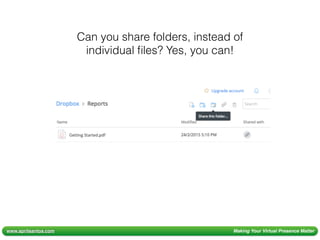
Can you share folders, instead of
individual files? Yes, you can!
www.aprilsantos.com Making Your Virtual Presence Matter
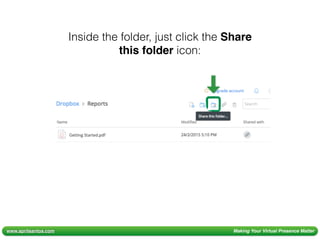
Inside the folder, just click the Share
this folder icon:
www.aprilsantos.com Making Your Virtual Presence Matter
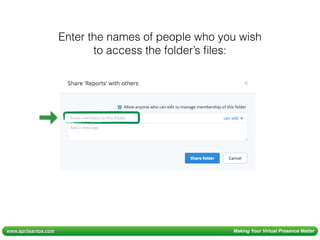
Enter the names of people who you wish
to access the folder’s files:
www.aprilsantos.com Making Your Virtual Presence Matter
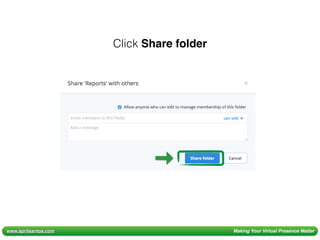
Click Share folder
www.aprilsantos.com Making Your Virtual Presence Matter
The people you added will now be able
to view the files under this folder.
www.aprilsantos.com Making Your Virtual Presence Matter
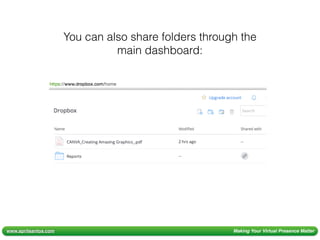
You can also share folders through the
main dashboard:
www.aprilsantos.com Making Your Virtual Presence Matter
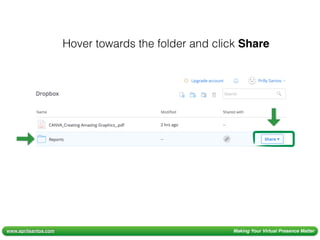
Hover towards the folder and click Share
www.aprilsantos.com Making Your Virtual Presence Matter
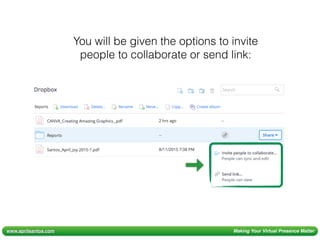
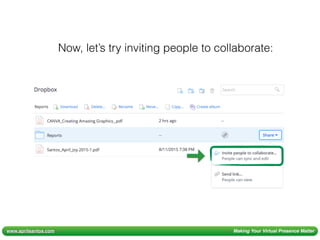
You will be given the options to invite
people to collaborate or send link:
www.aprilsantos.com Making Your Virtual Presence Matter
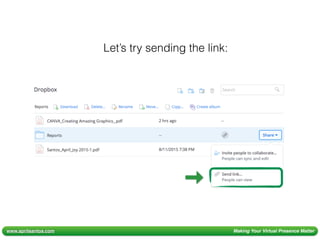
Let’s try sending the link:
www.aprilsantos.com Making Your Virtual Presence Matter
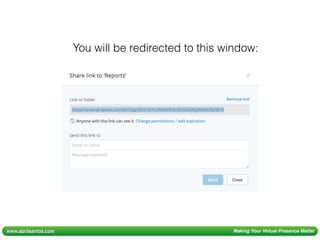
You will be redirected to this window:
www.aprilsantos.com Making Your Virtual Presence Matter
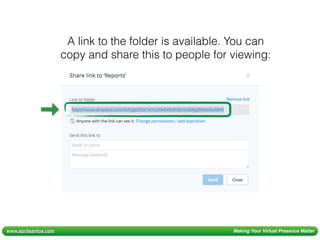
A link to the folder is available. You can
copy and share this to people for viewing:
www.aprilsantos.com Making Your Virtual Presence Matter
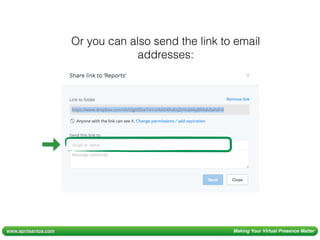
Or you can also send the link to email
addresses:
www.aprilsantos.com Making Your Virtual Presence Matter
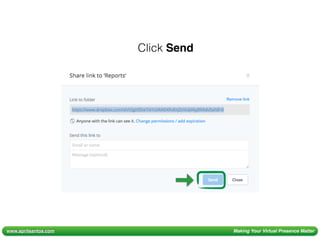
Click Send
www.aprilsantos.com Making Your Virtual Presence Matter
Now, let’s try inviting people to collaborate:
www.aprilsantos.com Making Your Virtual Presence Matter
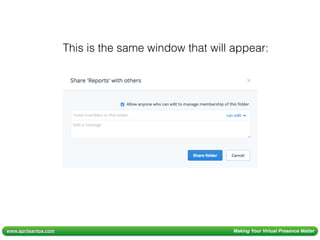
This is the same window that will appear:
www.aprilsantos.com Making Your Virtual Presence Matter
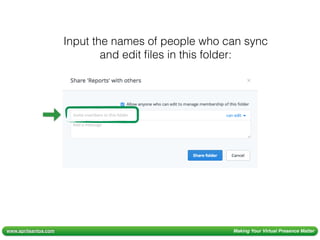
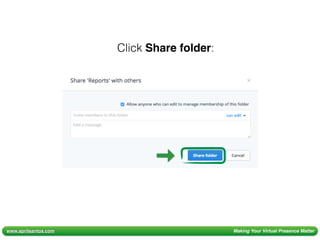
Input the names of people who can sync
and edit files in this folder:
www.aprilsantos.com Making Your Virtual Presence Matter
Click Share folder:
www.aprilsantos.com Making Your Virtual Presence Matter
This is now available for viewing and
editing by these people.
www.aprilsantos.com Making Your Virtual Presence Matter
That’s it!!!
www.aprilsantos.com Making Your Virtual Presence Matter
These are the basic
Dropbox functionalities that
you can use to ease
document management.
www.aprilsantos.com Making Your Virtual Presence Matter
Document management is
easier with Dropbox!

Dropbox easing document management