Eotvos Lorand University 
Tools of Software Development 
Johnnatan Messias 
Alison Miranda 
Ernane Aguiar 
Andrey Khasanov
Contents 
1 Introduction 1 
1.1 The Problem . . . . . . . . . . . . . . . . . . . . . . . . . . . . . . . 1 
1.1.1 The Language of MyShell . . . . . . . . . . . . . . . . . . . . 1 
2 The implementation of MyShell 2 
2.1 Handling the Data Entry . . . . . . . . . . . . . . . . . . . . . . . . . 2 
2.2 Function for Ls command . . . . . . . . . . . . . . . . . . . . . . . . 3 
2.3 Function for Pwd command . . . . . . . . . . . . . . . . . . . . . . . 3 
2.4 Function for Cd command . . . . . . . . . . . . . . . . . . . . . . . . 4 
2.5 Function for Cat command . . . . . . . . . . . . . . . . . . . . . . . . 4 
2.6 Function for Grep command . . . . . . . . . . . . . . . . . . . . . . . 5 
2.7 Function for Ping command . . . . . . . . . . . . . . . . . . . . . . . 5 
2.8 Function for Kill command . . . . . . . . . . . . . . . . . . . . . . . . 5 
2.9 Function for Date command . . . . . . . . . . . . . . . . . . . . . . . 6 
2.10 Function for Mkdir command . . . . . . . . . . . . . . . . . . . . . . 6 
2.11 Function for Mv, Rm and RmDir commands . . . . . . . . . . . . . . 7 
2.12 Function for Cp command . . . . . . . . . . . . . . . . . . . . . . . . 8 
2.13 Function for Chmod command . . . . . . . . . . . . . . . . . . . . . . 8 
2.14 Function for Ps command . . . . . . . . . . . . . . . . . . . . . . . . 9 
2.15 Function for Sh and Bash commands . . . . . . . . . . . . . . . . . . 9 
2.16 Function for Sleep command . . . . . . . . . . . . . . . . . . . . . . . 10 
2.17 Function for Pipe and Background commands . . . . . . . . . . . . . 10 
2.18 Function for Exit command . . . . . . . . . . . . . . . . . . . . . . . 10 
2.19 Main Function . . . . . . . . . . . . . . . . . . . . . . . . . . . . . . . 11 
List of Programs 
1 Function split . . . . . . . . . . . . . . . . . . . . . . . . . . . . . . . 3 
2 Function ls . . . . . . . . . . . . . . . . . . . . . . . . . . . . . . . . . 3 
3 Function pwd . . . . . . . . . . . . . . . . . . . . . . . . . . . . . . . 3 
4 Function cd . . . . . . . . . . . . . . . . . . . . . . . . . . . . . . . . 4 
5 Function cat . . . . . . . . . . . . . . . . . . . . . . . . . . . . . . . . 4 
6 Function grep . . . . . . . . . . . . . . . . . . . . . . . . . . . . . . . 5 
7 Function ping . . . . . . . . . . . . . . . . . . . . . . . . . . . . . . . 5 
8 Function kill . . . . . . . . . . . . . . . . . . . . . . . . . . . . . . . . 6 
9 Function date . . . . . . . . . . . . . . . . . . . . . . . . . . . . . . . 6 
10 Function mkdir . . . . . . . . . . . . . . . . . . . . . . . . . . . . . . 6 
11 Function Rm, Mv and RmDir . . . . . . . . . . . . . . . . . . . . . . 7 
12 Function cp . . . . . . . . . . . . . . . . . . . . . . . . . . . . . . . . 8 
13 Function chmod . . . . . . . . . . . . . . . . . . . . . . . . . . . . . . 8 
14 Function ps . . . . . . . . . . . . . . . . . . . . . . . . . . . . . . . . 9 
15 Functions Sh and Bash . . . . . . . . . . . . . . . . . . . . . . . . . . 9 
16 Function sleep . . . . . . . . . . . . . . . . . . . . . . . . . . . . . . . 10 
17 Function Pipe (|) and Background (&) . . . . . . . . . . . . . . . . . 10 
18 Function Exit . . . . . . . . . . . . . . . . . . . . . . . . . . . . . . . 11 
19 Function Main . . . . . . . . . . . . . . . . . . . . . . . . . . . . . . . 11 
2
1 Introduction 
This paper aims to make students become familiar with the UNIX environment, 
developing programming skills in C, to increase their exposure to a shell functionality 
and put into practice concepts of management processes. 
1.1 The Problem 
Implement a minimum shell, the MyShell to put into practice the principles 
of handling processes. This kind of knowledge is essential in the development of 
complex systems with many processes, such as servers. 
1.1.1 The Language of MyShell 
The language understood by MyShell is quite simple. Each different sequence of 
space characters is considered a term . Terms may be internal operations of the shell, 
names of programs that should be run, arguments to be passed to the commands 
or programs and special operators. Internal operations of the shell are the strings 
cd; pwd;wait and exit. These operations must always end with a signal for the end 
of the line (return) and must be entered immediately following the prompt (ie, must 
always be entered as separate lines of any other commands). The operators are the 
symbols & (background) and k (pipe), when they occur alone (as a single character 
between spaces). Running programs are identified by the name of its executable file 
and may be followed by a maximum ten arguments (parameters to be passed to the 
program through the vector argv[]. Each trigger command must end with one of 
the operators, or with the end of line. 
 End of Line: indicates that the process should be launched and the MyShell 
must wait at their end before displaying another prompt. 
 Background: the process should be launched and MyShell should continue 
its execution. It could mean the continuation of the interpretation of the 
command line, if there are other commands on the line, or the immediate 
return to the prompt. Each time a process is triggered in the background, 
MyShell should display a message in this regard, with the handle (pid) of the 
process in question. 
 Pipe: the content after the operator another command to be executed should 
be interpreted, and the standard output of the first process must be connected 
to the standard input of the next process. To simplify the implementation, 
MyShell does not allow chaining pipes, ie, is not allowed to put another pipe 
the output of the second program. You can, however, put both programs in 
background, finishing the sequence with the appropriate operator (in this case, 
a message about the operation in the background should be displayed for each 
process). 
The internal commands have the following interpretations: 
 CD: it changes the current directory of the shell. This will impact on the 
visible files. 
1
PWD: it displays the current directory seen by the process. 
 WAIT: it makes the shell waiting for the end of all processes that may still be 
running before displaying a new prompt. Each process that is found during 
the waiting must be informed by a message on the command line. If there 
is no process by which to expect, a message about should be displayed and 
MyShell should continue its execution. 
 EXIT: it terminates all the operation of the shell if there is no processes in 
background. Otherwise, it displays a message saying the fact and performs 
the operation wait before terminating. 
2 The implementation of MyShell 
Later we will present the implementation of functions that treats a particular 
command that will be entered by the user in MyShell, some of the primitive func-tions 
that will be used in other functions are explained below: 
 Primitive fork(): it is the only system call that enables the creation of a 
process in UNIX. 
 Primitive execv(): it is a function, whose first argument is the full path to the 
executable or script to be executed and the second is the name of the program 
to be executed. 
 Primitive wait(): it suspends the execution of the father process until the 
death of his child process (if the child is already dead, the function returns -1 
immediately). 
 Primitive exit(): it terminates the execution of MyShell only if there are no 
processes in background. 
Some libraries in C that were used for the implementation of the program: 
 errno:h 
 signal:h 
 sys=types:h 
 sys=wait:h 
 unistd:h 
2.1 Handling the Data Entry 
The function split handles the input of user data in MyShell using auxiliary 
functions of the library string:h defined in the language. 1 
2
char s p l i t ( char l i n e , char vSt r ing , char command , int  l eng th ) { 
char tok = NULL; 
int i ; 
tok = ( char ) mal loc ( s izeof ( char ) 200) ; 
5 s t r cpy ( tok ,  l i n e ) ; 
tok = s t r t o k ( tok , n ) ; 
command = s t r t o k ( tok ,   ) ; 
//0 th p o s i t i o n i s used on the e x e c v 
10 vSt r ing [ 1 ] = s t r t o k (NULL,   ) ; 
i f ( ! vSt r ing [ 0 ] ) 
vSt r ing [ 0 ] =   ; 
15 for ( i = 2 ; vSt r ing [ i 1] ; i++){ 
vSt r ing [ i ] = s t r t o k (NULL,   ) ; 
} 
vSt r ing [ i  1 ] = NULL; 
20  l eng th = ( i  1) ; //Note : check the l e n g t h 
f r e e ( tok ) ; 
return vSt r ing ; 
} 
Programs 1: Function split 
2.2 Function for Ls command 
The command ls, in UNIX, shows the contents of a directory passed as argument. 
The implemented below function receives as a parameter (in the type of string) the 
arguments that were passed by the user of the MyShell: 2 
void my_ls ( char vArguments ) { 
vArguments [ 0 ] = / b in / l s  ; 
int pid_cd = f o r k ( ) ; 
5 i f ( pid_cd == 0) 
execv ( / b in / l s  , vArguments ) ; 
el se { 
int s t a tus 1 ; 
wait (s t a tus 1 ) ; //Wait f o r the c h i l d death 
10 } 
} 
Programs 2: Function ls 
2.3 Function for Pwd command 
The command pwd, in UNIX, displays the user’s current directory. An imple-mentation 
for this function: 3 
void my_pwd( char vArguments ) { 
vArguments [ 0 ] = / b in /pwd ; 
int pid = f o r k ( ) ; 
3
5 i f ( pid == 0) { 
p r i n t f ( n ) ; 
execv ( / b in /pwd , vArguments ) ; 
p r i n t f ( n ) ; 
10 } el se { 
int s t a tus 1 ; 
wait (s t a tus 1 ) ; 
} 
} 
Programs 3: Function pwd 
2.4 Function for Cd command 
The command cd, in UNIX, opens the directory passed as argument by the user. 
An implementation for this function: 4 
void my_cd( char vArguments ) { 
char cwd [ 2 0 4 8 ] ; 
5 cwd [ 0 ] = ’ 0 ’ ; 
i f ( getcwd ( cwd , 2048) != NULL) { 
i f ( chdi r ( s t r cpy ( cwd , vArguments [ 1 ] ) ) != 0) { 
p r i n t f (  Imp o s s i b l e to f i n d the d i r e c t o r y %s /n , 
vArguments [ 1 ] ) ; 
10 } 
} 
} 
Programs 4: Function cd 
To implement this function we used the functions getcwd() (it returns the full 
name of the current directory) and chdir (it changes the current directory to the 
directory passed as parameter). 
2.5 Function for Cat command 
The command cat, in UNIX, combines one or more files and displays them to 
standard output, ie, it shows the contents of a file passed as an argument by the 
user. An implementation for this function: 5 
void my_cat ( char vArguments ) { 
vArguments [ 0 ] = / b in / cat  ; 
5 int pid_cat = f o r k ( ) ; 
i f ( pid_cat == 0) 
execv ( / b in / cat  , vArguments ) ; 
el se { 
int s t a tus 1 ; 
10 wait (s t a tus 1 ) ; 
} 
} 
4
Programs 5: Function cat 
2.6 Function for Grep command 
The command grep, in UNIX, search for lines in files that match a pattern 
specified by the user and displays it. An implementation for this function: 6 
void my_grep( char vArguments ) { 
vArguments [ 0 ] = / b in / grep  ; 
int pid = f o r k ( ) ; 
5 i f ( pid == 0) { 
p r i n t f ( n ) ; 
execv ( / b in / grep  , vArguments ) ; 
p r i n t f ( n ) ; 
10 } el se { 
int s t a tus 1 ; 
wait (s t a tus 1 ) ; 
} 
} 
Programs 6: Function grep 
2.7 Function for Ping command 
The command ping, in UNIX, sends packets ICMP for a given host and mea-sures 
the response time. An implementation for this function: 7 
void my_ping ( char vArguments ) { 
vArguments [ 0 ] = / b in / ping  ; 
int pid = f o r k ( ) ; 
5 i f ( pid == 0) { 
p r i n t f ( n ) ; 
execv ( / b in / ping  , vArguments ) ; 
p r i n t f ( n ) ; 
10 } el se { 
int s t a tus 1 ; 
wait (s t a tus 1 ) ; 
} 
} 
Programs 7: Function ping 
2.8 Function for Kill command 
The command kill, in UNIX, sends signals to certain running processes. By 
default is sent the signal SIGTERM who requests the termination of a process. Is 
generally used in the form 1, where pid is the identifier of the process that can be 
obtained by the command ps 14. An implementation for this function: 8 
1kill pid 
5
void my_kill ( char vArguments ) { 
vArguments [ 0 ] = / b in / k i l l  ; 
int pid = f o r k ( ) ; 
5 i f ( pid == 0) { 
p r i n t f ( n ) ; 
execv ( / b in / k i l l  , vArguments ) ; 
p r i n t f ( n ) ; 
10 } el se { 
int s t a tus 1 ; 
wait (s t a tus 1 ) ; 
} 
} 
Programs 8: Function kill 
2.9 Function for Date command 
The command date, in UNIX, displays the date and the current system time on 
the prompt of the MyShell. An implementation for this function: 9 
void my_date ( char vArguments ) { 
vArguments [ 0 ] = / b in / dat e  ; 
int pid = f o r k ( ) ; 
5 i f ( pid == 0) { 
p r i n t f ( n ) ; 
execv ( / b in / dat e  , vArguments ) ; 
p r i n t f ( n ) ; 
10 } el se { 
int s t a tus 1 ; 
wait (s t a tus 1 ) ; 
} 
} 
Programs 9: Function date 
2.10 Function for Mkdir command 
The command mkdir, in UNIX, creates a directory in the current directory. An 
implementation for this function: 10 
void meu_mkdir ( char vArgumentos ) 
{ 
vArgumentos [ 0 ] = / b in /mkdir ; 
5 int pid = f o r k ( ) ; 
i f ( pid == 0) 
{ 
p r i n t f ( n ) ; 
execv ( / b in /mkdir , vArgumentos ) ; 
10 p r i n t f ( n ) ; 
} 
6
el se 
{ 
15 int s t a tus 1 ; 
wait (s t a tus 1 ) ; 
} 
} 
Programs 10: Function mkdir 
2.11 Function for Mv, Rm and RmDir commands 
The command mv, rm and rmdir, in UNIX, moves (ou renames) a directory or 
file, removes a specific file and removes a directory, respectively. An implementation 
for this function: 11 
void my_mv( char vArguments ) { 
vArguments [ 0 ] = / b in /mv ; 
int pid = f o r k ( ) ; 
5 i f ( pid == 0) { 
p r i n t f ( n ) ; 
execv ( / b in /mv , vArguments ) ; 
p r i n t f ( n ) ; 
10 } el se { 
int s t a tus 1 ; 
wait (s t a tus 1 ) ; 
} 
} 
15 
void my_rm( char vArguments ) { 
vArguments [ 0 ] = / b in /rm ; 
int pid = f o r k ( ) ; 
20 i f ( pid == 0) { 
p r i n t f ( n ) ; 
execv ( / b in /rm , vArguments ) ; 
p r i n t f ( n ) ; 
25 } el se { 
int s t a tus 1 ; 
wait (s t a tus 1 ) ; 
} 
} 
30 
void my_rmdir ( char vArguments ) { 
vArguments [ 0 ] = / b in / rmdir  ; 
35 int pid = f o r k ( ) ; 
i f ( pid == 0) { 
p r i n t f ( n ) ; 
execv ( / b in / rmdir  , vArguments ) ; 
p r i n t f ( n ) ; 
40 
} el se { 
int s t a tus 1 ; 
7
wait (s t a tus 1 ) ; 
} 
45 } 
Programs 11: Function Rm, Mv and RmDir 
2.12 Function for Cp command 
The command cp, in UNIX, allows the user to copy a file from a directory to 
another, where the first file (passed as argument) is read and copied to the second (in 
the case of the absence of that, it is created). An implementation for this function: 
12 
void my_cp( char vArguments ) { 
vArguments [ 0 ] = / b in /cp ; 
int pid = f o r k ( ) ; 
5 i f ( pid == 0) { 
p r i n t f ( n ) ; 
execv ( / b in /cp , vArguments ) ; 
p r i n t f ( n ) ; 
10 } el se { 
int s t a tus 1 ; 
wait (s t a tus 1 ) ; 
} 
} 
Programs 12: Function cp 
2.13 Function for Chmod command 
The command chmod, in UNIX, allows the user to change the permissions of a file 
or directory in the format drwxrwxrwx, in the following order: directory (d), per-mission 
of the owner (read/write/execute), permission of the grup (read/write/ex-ecute) 
and permission of the others (read/write/execute). An implementation for 
this function: 13 
void my_chmod( char vArguments ) { 
vArguments [ 0 ] = / b in /chmod ; 
int pid = f o r k ( ) ; 
5 i f ( pid == 0) { 
p r i n t f ( n ) ; 
execv ( / b in /chmod , vArguments ) ; 
p r i n t f ( n ) ; 
10 } el se { 
int s t a tus 1 ; 
wait (s t a tus 1 ) ; 
} 
} 
Programs 13: Function chmod 
8
2.14 Function for Ps command 
The command ps, in UNIX, displays the the list of running processes, usually 
used when you need to know the pid of a process to finish it with the command kill. 
An implementation for this function: 14 
void my_ps( char vArguments ) { 
vArguments [ 0 ] = / b in / ps  ; 
int pid = f o r k ( ) ; 
5 i f ( pid == 0) { 
p r i n t f ( n ) ; 
execv ( / b in / ps  , vArguments ) ; 
p r i n t f ( n ) ; 
10 } el se { 
int s t a tus 1 ; 
wait (s t a tus 1 ) ; 
} 
} 
Programs 14: Function ps 
2.15 Function for Sh and Bash commands 
The command sh and bash, in UNIX, are commands interpreters made to me-diate 
the user and system. Through them, the user sends a command, and the 
interpreter executes in the system. They are the shell of the system. An imple-mentation 
for this function: 15 
void my_sh( char vArguments ) { 
vArguments [ 0 ] = / b in / sh  ; 
int pid = f o r k ( ) ; 
5 i f ( pid == 0) { 
p r i n t f ( n ) ; 
execv ( / b in / sh  , vArguments ) ; 
p r i n t f ( n ) ; 
10 } el se { 
int s t a tus 1 ; 
wait (s t a tus 1 ) ; 
} 
} 
15 
void my_bash( char vArguments ) { 
vArguments [ 0 ] = / b in / bash  ; 
int pid = f o r k ( ) ; 
20 i f ( pid == 0) { 
p r i n t f ( n ) ; 
execv ( / b in / bash  , vArguments ) ; 
p r i n t f ( n ) ; 
25 } el se { 
int s t a tus 1 ; 
wait (s t a tus 1 ) ; 
9
} 
} 
Programs 15: Functions Sh and Bash 
2.16 Function for Sleep command 
The command sleep, in UNIX, used to take a break before starting a new process 
in MyShell. An implementation for this function: 16 
void my_sleep ( char vArguments ) { 
vArguments [ 0 ] = / b in / s l e e p  ; 
int pid = f o r k ( ) ; 
5 i f ( pid == 0) { 
p r i n t f ( n ) ; 
execv ( / b in / s l e e p  , vArguments ) ; 
p r i n t f ( n ) ; 
10 } el se { 
int s t a tus 1 ; 
wait (s t a tus 1 ) ; 
} 
} 
Programs 16: Function sleep 
2.17 Function for Pipe and Background commands 
The command j (pipe), in UNIX, does the chain of processes ie, it allows 
the output of a command to be directly used in another command. However the 
command  (background) allows a process to run in background, ie, the MyShell 
will not be prevented from booting other processes during execution of previous 
processes. An implementation for this function: 17 
int isPipeOrBk ( char l i n e ) { 
int i , l eng th = s t r l e n ( l i n e )  1 ; 
for ( i =0; i l eng th ; i++) 
5 i f ( ( l i n e [ i ] == ’ | ’ ) | | ( l i n e [ i ] == ’’ ) ) { 
return 1 ; 
} 
return 0 ; 
} 
Programs 17: Function Pipe (|) and Background () 
When receive the user command, it uses the function isP ipeOrBk to verify in 
O(n) whether or not the command contains the characters  or k. If so, the function 
returns 1. Otherwise returns 0. 
2.18 Function for Exit command 
The command exit, in UNIX, terminates the execution of MyShell only if there 
are no processes in background, otherwise the action should be treated. An imple-mentation 
for this function: 18 
10
void my_exit ( int cond ) { 
e x i t ( cond ) ; 
} 
Programs 18: Function Exit 
2.19 Main Function 
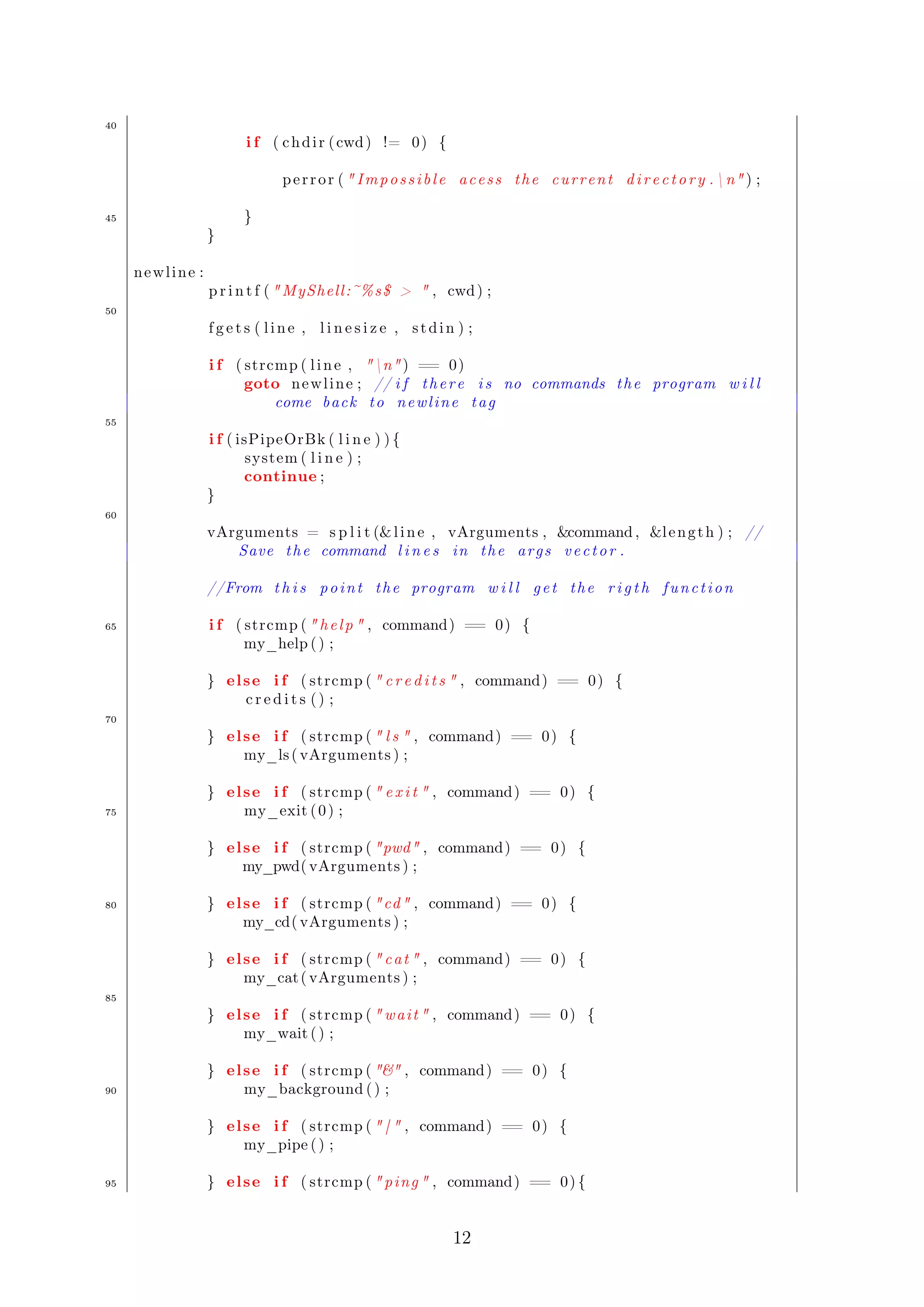
The function below is the main function for the operation of the MyShell. In the 
scope of the main function main is done the data entry by the user (commands and 
arguments for such) and the treatment of each case, calling the respective functions 
that handles it, and at the end deallocates the memory used in the program. An 
implementation for this function: 19 
#include s t d i o . h 
#include s t d l i b . h 
5 #include s t r i n g . h 
#include uni s td . h 
#include  funcoe s . h 
10 
int main ( int argc , char  argv ) { 
int l i n e s i z e = 512 ; //Command l i n e l e n g t h 
char l i n e = NULL; // Command l i n e 
15 char vArguments = NULL; // v e c t o r o f ar g s 
int l eng th = 0 ; // amount o f ar g s 
char command = NULL; // command to be e x e cut ed 
int i , row = 40 , c o l = 10 0; // v e c t o r dimention 
int pos ; 
20 l i n e = ( char ) mal loc ( s izeof ( char ) 512) ; 
vArguments = ( char ) mal loc ( s izeof ( char ) row) ; 
vArguments [ 0 ] = ( char ) mal loc ( s izeof ( char ) ( row  c o l ) ) ; 
for ( i = 1 ; i  row ; i++) 
vArguments [ i ] = (vArguments [ 0 ] [ i  c o l ] ) ; 
25 
p r i n t f ( nMYSHELL : ) n ) ; 
p r i n t f ( DEBUG: PID %d , PPID %dnn , g e tpid ( ) , ge tppid ( ) ) ; // pid  
Proces s ID  ppid  Parent Proces s ID 
30 
while ( 1 ) { 
char cwd [ 2 0 4 8 ] ; //Current f o l d e r 
cwd [ 0 ] = ’ 0 ’ ; 
35 
i f ( getcwd ( cwd , 2048) == NULL) { // 
pe r r o r (  Imp o s s i b l e to g e t the cur r ent d i r e c t o r y . The 
d e f a u l t i s now /n ) ; 
s t r cpy ( cwd , / ) ; 
11
40 
i f ( chdi r ( cwd) != 0) { 
pe r r o r (  Imp o s s i b l e ac e s s the cur r ent d i r e c t o r y . n ) ; 
45 } 
} 
newl ine : 
p r i n t f ( MyShell :~%s$   , cwd) ; 
50 
f g e t s ( l i n e , l i n e s i z e , s tdin ) ; 
i f ( strcmp ( l i n e , n ) == 0) 
goto newl ine ; // i f t h e r e i s no commands the program w i l l 
come back to newl ine tag 
55 
i f ( isPipeOrBk ( l i n e ) ) { 
system( l i n e ) ; 
continue ; 
} 
60 
vArguments = s p l i t (l i n e , vArguments , command , l eng th ) ; // 
Save the command l i n e s in the ar g s v e c t o r . 
//From t h i s p o int the program w i l l g e t the r i g t h f unc t i on 
65 i f ( strcmp (  h e l p  , command) == 0) { 
my_help ( ) ; 
} el se i f ( strcmp (  c r e d i t s  , command) == 0) { 
c r e d i t s ( ) ; 
70 
} el se i f ( strcmp (  l s  , command) == 0) { 
my_ls ( vArguments ) ; 
} el se i f ( strcmp (  e x i t  , command) == 0) { 
75 my_exit ( 0 ) ; 
} el se i f ( strcmp ( pwd , command) == 0) { 
my_pwd( vArguments ) ; 
80 } el se i f ( strcmp ( cd , command) == 0) { 
my_cd( vArguments ) ; 
} el se i f ( strcmp (  cat  , command) == 0) { 
my_cat ( vArguments ) ; 
85 
} el se i f ( strcmp ( wai t  , command) == 0) { 
my_wait ( ) ; 
} el se i f ( strcmp (  , command) == 0) { 
90 my_background ( ) ; 
} el se i f ( strcmp (  |  , command) == 0) { 
my_pipe ( ) ; 
95 } el se i f ( strcmp (  ping  , command) == 0) { 
12
my_ping ( vArguments ) ; 
} el se i f ( strcmp (  k i l l  , command) == 0) { 
my_kill ( vArguments ) ; 
100 
} el se i f ( strcmp (  dat e  , command) == 0) { 
my_date ( vArguments ) ; 
} el se i f ( strcmp (  grep  , command) == 0) { 
105 my_grep( vArguments ) ; 
} el se i f ( strcmp ( mkdir , command) == 0) { 
my_mkdir ( vArguments ) ; 
110 } el se i f ( strcmp ( mv , command) == 0) { 
my_mv( vArguments ) ; 
} el se i f ( strcmp ( rm , command) == 0) { 
my_rm( vArguments ) ; 
115 
} el se i f ( strcmp (  rmdir  , command) == 0) { 
my_rmdir ( vArguments ) ; 
} el se i f ( strcmp ( cp , command) == 0) { 
120 my_cp( vArguments ) ; 
} el se i f ( strcmp ( chmod , command) == 0) { 
my_chmod( vArguments ) ; 
125 } el se i f ( strcmp (  echo  , command) == 0) { 
my_echo( vArguments ) ; 
} el se i f ( strcmp ( hostname , command) == 0) { 
my_hostname ( vArguments ) ; 
130 
} el se i f ( strcmp (  ps  , command) == 0) { 
my_ps( vArguments ) ; 
} el se i f ( strcmp (  sh  , command) == 0) { 
135 my_sh( vArguments ) ; 
} el se i f ( strcmp (  bash  , command) == 0) { 
my_bash( vArguments ) ; 
140 } el se i f ( strcmp ( nano , command) == 0) { 
my_nano( vArguments ) ; 
} el se i f ( strcmp (  s l e e p  , command) == 0) { 
my_sleep ( vArguments ) ; 
145 
} el se { 
p r i n t f ( Command ’%s ’ not found ! n , command) ; 
} 
150 l i n e [ 0 ] = ’ 0 ’ ; 
}f 
r e e ( vArguments [ 0 ] ) ; 
f r e e ( vArguments ) ; 
13
} 
Programs 19: Function Main 
Here is done the checking using the function isP ipeOrBk 17 which will choose 
the execution flow of the program in two ways: 
 Whether the function isP ipeOrBk returns 1, ie, having as instruction to exe-cute 
a command in background or use of Pipe which it calls the Linux System 
command to make a call to the system in order to run these commands. 
 Whether there is no program. it will run normally so we will controll the 
creation of the child processes and the executing of commands contained in 
bin. 
Observation: the program is using an matrix to store the data that will be passed 
by the user. To create this matrix an allocation was made to the number of rows of 
the adjacency matrix and further allocation to the position matrix[0] with the size 
Row  Column, doing after a redirection of the address of the matrix. For context, 
see Figure 1 
Figure 1: Representation of the matrix allocation 
14

MyShell - English

  • 1.
    Eotvos Lorand University Tools of Software Development Johnnatan Messias Alison Miranda Ernane Aguiar Andrey Khasanov
  • 2.
    Contents 1 Introduction1 1.1 The Problem . . . . . . . . . . . . . . . . . . . . . . . . . . . . . . . 1 1.1.1 The Language of MyShell . . . . . . . . . . . . . . . . . . . . 1 2 The implementation of MyShell 2 2.1 Handling the Data Entry . . . . . . . . . . . . . . . . . . . . . . . . . 2 2.2 Function for Ls command . . . . . . . . . . . . . . . . . . . . . . . . 3 2.3 Function for Pwd command . . . . . . . . . . . . . . . . . . . . . . . 3 2.4 Function for Cd command . . . . . . . . . . . . . . . . . . . . . . . . 4 2.5 Function for Cat command . . . . . . . . . . . . . . . . . . . . . . . . 4 2.6 Function for Grep command . . . . . . . . . . . . . . . . . . . . . . . 5 2.7 Function for Ping command . . . . . . . . . . . . . . . . . . . . . . . 5 2.8 Function for Kill command . . . . . . . . . . . . . . . . . . . . . . . . 5 2.9 Function for Date command . . . . . . . . . . . . . . . . . . . . . . . 6 2.10 Function for Mkdir command . . . . . . . . . . . . . . . . . . . . . . 6 2.11 Function for Mv, Rm and RmDir commands . . . . . . . . . . . . . . 7 2.12 Function for Cp command . . . . . . . . . . . . . . . . . . . . . . . . 8 2.13 Function for Chmod command . . . . . . . . . . . . . . . . . . . . . . 8 2.14 Function for Ps command . . . . . . . . . . . . . . . . . . . . . . . . 9 2.15 Function for Sh and Bash commands . . . . . . . . . . . . . . . . . . 9 2.16 Function for Sleep command . . . . . . . . . . . . . . . . . . . . . . . 10 2.17 Function for Pipe and Background commands . . . . . . . . . . . . . 10 2.18 Function for Exit command . . . . . . . . . . . . . . . . . . . . . . . 10 2.19 Main Function . . . . . . . . . . . . . . . . . . . . . . . . . . . . . . . 11 List of Programs 1 Function split . . . . . . . . . . . . . . . . . . . . . . . . . . . . . . . 3 2 Function ls . . . . . . . . . . . . . . . . . . . . . . . . . . . . . . . . . 3 3 Function pwd . . . . . . . . . . . . . . . . . . . . . . . . . . . . . . . 3 4 Function cd . . . . . . . . . . . . . . . . . . . . . . . . . . . . . . . . 4 5 Function cat . . . . . . . . . . . . . . . . . . . . . . . . . . . . . . . . 4 6 Function grep . . . . . . . . . . . . . . . . . . . . . . . . . . . . . . . 5 7 Function ping . . . . . . . . . . . . . . . . . . . . . . . . . . . . . . . 5 8 Function kill . . . . . . . . . . . . . . . . . . . . . . . . . . . . . . . . 6 9 Function date . . . . . . . . . . . . . . . . . . . . . . . . . . . . . . . 6 10 Function mkdir . . . . . . . . . . . . . . . . . . . . . . . . . . . . . . 6 11 Function Rm, Mv and RmDir . . . . . . . . . . . . . . . . . . . . . . 7 12 Function cp . . . . . . . . . . . . . . . . . . . . . . . . . . . . . . . . 8 13 Function chmod . . . . . . . . . . . . . . . . . . . . . . . . . . . . . . 8 14 Function ps . . . . . . . . . . . . . . . . . . . . . . . . . . . . . . . . 9 15 Functions Sh and Bash . . . . . . . . . . . . . . . . . . . . . . . . . . 9 16 Function sleep . . . . . . . . . . . . . . . . . . . . . . . . . . . . . . . 10 17 Function Pipe (|) and Background (&) . . . . . . . . . . . . . . . . . 10 18 Function Exit . . . . . . . . . . . . . . . . . . . . . . . . . . . . . . . 11 19 Function Main . . . . . . . . . . . . . . . . . . . . . . . . . . . . . . . 11 2
  • 3.
    1 Introduction Thispaper aims to make students become familiar with the UNIX environment, developing programming skills in C, to increase their exposure to a shell functionality and put into practice concepts of management processes. 1.1 The Problem Implement a minimum shell, the MyShell to put into practice the principles of handling processes. This kind of knowledge is essential in the development of complex systems with many processes, such as servers. 1.1.1 The Language of MyShell The language understood by MyShell is quite simple. Each different sequence of space characters is considered a term . Terms may be internal operations of the shell, names of programs that should be run, arguments to be passed to the commands or programs and special operators. Internal operations of the shell are the strings cd; pwd;wait and exit. These operations must always end with a signal for the end of the line (return) and must be entered immediately following the prompt (ie, must always be entered as separate lines of any other commands). The operators are the symbols & (background) and k (pipe), when they occur alone (as a single character between spaces). Running programs are identified by the name of its executable file and may be followed by a maximum ten arguments (parameters to be passed to the program through the vector argv[]. Each trigger command must end with one of the operators, or with the end of line. End of Line: indicates that the process should be launched and the MyShell must wait at their end before displaying another prompt. Background: the process should be launched and MyShell should continue its execution. It could mean the continuation of the interpretation of the command line, if there are other commands on the line, or the immediate return to the prompt. Each time a process is triggered in the background, MyShell should display a message in this regard, with the handle (pid) of the process in question. Pipe: the content after the operator another command to be executed should be interpreted, and the standard output of the first process must be connected to the standard input of the next process. To simplify the implementation, MyShell does not allow chaining pipes, ie, is not allowed to put another pipe the output of the second program. You can, however, put both programs in background, finishing the sequence with the appropriate operator (in this case, a message about the operation in the background should be displayed for each process). The internal commands have the following interpretations: CD: it changes the current directory of the shell. This will impact on the visible files. 1
  • 4.
    PWD: it displaysthe current directory seen by the process. WAIT: it makes the shell waiting for the end of all processes that may still be running before displaying a new prompt. Each process that is found during the waiting must be informed by a message on the command line. If there is no process by which to expect, a message about should be displayed and MyShell should continue its execution. EXIT: it terminates all the operation of the shell if there is no processes in background. Otherwise, it displays a message saying the fact and performs the operation wait before terminating. 2 The implementation of MyShell Later we will present the implementation of functions that treats a particular command that will be entered by the user in MyShell, some of the primitive func-tions that will be used in other functions are explained below: Primitive fork(): it is the only system call that enables the creation of a process in UNIX. Primitive execv(): it is a function, whose first argument is the full path to the executable or script to be executed and the second is the name of the program to be executed. Primitive wait(): it suspends the execution of the father process until the death of his child process (if the child is already dead, the function returns -1 immediately). Primitive exit(): it terminates the execution of MyShell only if there are no processes in background. Some libraries in C that were used for the implementation of the program: errno:h signal:h sys=types:h sys=wait:h unistd:h 2.1 Handling the Data Entry The function split handles the input of user data in MyShell using auxiliary functions of the library string:h defined in the language. 1 2
  • 5.
    char s pl i t ( char l i n e , char vSt r ing , char command , int l eng th ) { char tok = NULL; int i ; tok = ( char ) mal loc ( s izeof ( char ) 200) ; 5 s t r cpy ( tok , l i n e ) ; tok = s t r t o k ( tok , n ) ; command = s t r t o k ( tok , ) ; //0 th p o s i t i o n i s used on the e x e c v 10 vSt r ing [ 1 ] = s t r t o k (NULL, ) ; i f ( ! vSt r ing [ 0 ] ) vSt r ing [ 0 ] = ; 15 for ( i = 2 ; vSt r ing [ i 1] ; i++){ vSt r ing [ i ] = s t r t o k (NULL, ) ; } vSt r ing [ i 1 ] = NULL; 20 l eng th = ( i 1) ; //Note : check the l e n g t h f r e e ( tok ) ; return vSt r ing ; } Programs 1: Function split 2.2 Function for Ls command The command ls, in UNIX, shows the contents of a directory passed as argument. The implemented below function receives as a parameter (in the type of string) the arguments that were passed by the user of the MyShell: 2 void my_ls ( char vArguments ) { vArguments [ 0 ] = / b in / l s ; int pid_cd = f o r k ( ) ; 5 i f ( pid_cd == 0) execv ( / b in / l s , vArguments ) ; el se { int s t a tus 1 ; wait (s t a tus 1 ) ; //Wait f o r the c h i l d death 10 } } Programs 2: Function ls 2.3 Function for Pwd command The command pwd, in UNIX, displays the user’s current directory. An imple-mentation for this function: 3 void my_pwd( char vArguments ) { vArguments [ 0 ] = / b in /pwd ; int pid = f o r k ( ) ; 3
  • 6.
    5 i f( pid == 0) { p r i n t f ( n ) ; execv ( / b in /pwd , vArguments ) ; p r i n t f ( n ) ; 10 } el se { int s t a tus 1 ; wait (s t a tus 1 ) ; } } Programs 3: Function pwd 2.4 Function for Cd command The command cd, in UNIX, opens the directory passed as argument by the user. An implementation for this function: 4 void my_cd( char vArguments ) { char cwd [ 2 0 4 8 ] ; 5 cwd [ 0 ] = ’ 0 ’ ; i f ( getcwd ( cwd , 2048) != NULL) { i f ( chdi r ( s t r cpy ( cwd , vArguments [ 1 ] ) ) != 0) { p r i n t f ( Imp o s s i b l e to f i n d the d i r e c t o r y %s /n , vArguments [ 1 ] ) ; 10 } } } Programs 4: Function cd To implement this function we used the functions getcwd() (it returns the full name of the current directory) and chdir (it changes the current directory to the directory passed as parameter). 2.5 Function for Cat command The command cat, in UNIX, combines one or more files and displays them to standard output, ie, it shows the contents of a file passed as an argument by the user. An implementation for this function: 5 void my_cat ( char vArguments ) { vArguments [ 0 ] = / b in / cat ; 5 int pid_cat = f o r k ( ) ; i f ( pid_cat == 0) execv ( / b in / cat , vArguments ) ; el se { int s t a tus 1 ; 10 wait (s t a tus 1 ) ; } } 4
  • 7.
    Programs 5: Functioncat 2.6 Function for Grep command The command grep, in UNIX, search for lines in files that match a pattern specified by the user and displays it. An implementation for this function: 6 void my_grep( char vArguments ) { vArguments [ 0 ] = / b in / grep ; int pid = f o r k ( ) ; 5 i f ( pid == 0) { p r i n t f ( n ) ; execv ( / b in / grep , vArguments ) ; p r i n t f ( n ) ; 10 } el se { int s t a tus 1 ; wait (s t a tus 1 ) ; } } Programs 6: Function grep 2.7 Function for Ping command The command ping, in UNIX, sends packets ICMP for a given host and mea-sures the response time. An implementation for this function: 7 void my_ping ( char vArguments ) { vArguments [ 0 ] = / b in / ping ; int pid = f o r k ( ) ; 5 i f ( pid == 0) { p r i n t f ( n ) ; execv ( / b in / ping , vArguments ) ; p r i n t f ( n ) ; 10 } el se { int s t a tus 1 ; wait (s t a tus 1 ) ; } } Programs 7: Function ping 2.8 Function for Kill command The command kill, in UNIX, sends signals to certain running processes. By default is sent the signal SIGTERM who requests the termination of a process. Is generally used in the form 1, where pid is the identifier of the process that can be obtained by the command ps 14. An implementation for this function: 8 1kill pid 5
  • 8.
    void my_kill (char vArguments ) { vArguments [ 0 ] = / b in / k i l l ; int pid = f o r k ( ) ; 5 i f ( pid == 0) { p r i n t f ( n ) ; execv ( / b in / k i l l , vArguments ) ; p r i n t f ( n ) ; 10 } el se { int s t a tus 1 ; wait (s t a tus 1 ) ; } } Programs 8: Function kill 2.9 Function for Date command The command date, in UNIX, displays the date and the current system time on the prompt of the MyShell. An implementation for this function: 9 void my_date ( char vArguments ) { vArguments [ 0 ] = / b in / dat e ; int pid = f o r k ( ) ; 5 i f ( pid == 0) { p r i n t f ( n ) ; execv ( / b in / dat e , vArguments ) ; p r i n t f ( n ) ; 10 } el se { int s t a tus 1 ; wait (s t a tus 1 ) ; } } Programs 9: Function date 2.10 Function for Mkdir command The command mkdir, in UNIX, creates a directory in the current directory. An implementation for this function: 10 void meu_mkdir ( char vArgumentos ) { vArgumentos [ 0 ] = / b in /mkdir ; 5 int pid = f o r k ( ) ; i f ( pid == 0) { p r i n t f ( n ) ; execv ( / b in /mkdir , vArgumentos ) ; 10 p r i n t f ( n ) ; } 6
  • 9.
    el se { 15 int s t a tus 1 ; wait (s t a tus 1 ) ; } } Programs 10: Function mkdir 2.11 Function for Mv, Rm and RmDir commands The command mv, rm and rmdir, in UNIX, moves (ou renames) a directory or file, removes a specific file and removes a directory, respectively. An implementation for this function: 11 void my_mv( char vArguments ) { vArguments [ 0 ] = / b in /mv ; int pid = f o r k ( ) ; 5 i f ( pid == 0) { p r i n t f ( n ) ; execv ( / b in /mv , vArguments ) ; p r i n t f ( n ) ; 10 } el se { int s t a tus 1 ; wait (s t a tus 1 ) ; } } 15 void my_rm( char vArguments ) { vArguments [ 0 ] = / b in /rm ; int pid = f o r k ( ) ; 20 i f ( pid == 0) { p r i n t f ( n ) ; execv ( / b in /rm , vArguments ) ; p r i n t f ( n ) ; 25 } el se { int s t a tus 1 ; wait (s t a tus 1 ) ; } } 30 void my_rmdir ( char vArguments ) { vArguments [ 0 ] = / b in / rmdir ; 35 int pid = f o r k ( ) ; i f ( pid == 0) { p r i n t f ( n ) ; execv ( / b in / rmdir , vArguments ) ; p r i n t f ( n ) ; 40 } el se { int s t a tus 1 ; 7
  • 10.
    wait (s ta tus 1 ) ; } 45 } Programs 11: Function Rm, Mv and RmDir 2.12 Function for Cp command The command cp, in UNIX, allows the user to copy a file from a directory to another, where the first file (passed as argument) is read and copied to the second (in the case of the absence of that, it is created). An implementation for this function: 12 void my_cp( char vArguments ) { vArguments [ 0 ] = / b in /cp ; int pid = f o r k ( ) ; 5 i f ( pid == 0) { p r i n t f ( n ) ; execv ( / b in /cp , vArguments ) ; p r i n t f ( n ) ; 10 } el se { int s t a tus 1 ; wait (s t a tus 1 ) ; } } Programs 12: Function cp 2.13 Function for Chmod command The command chmod, in UNIX, allows the user to change the permissions of a file or directory in the format drwxrwxrwx, in the following order: directory (d), per-mission of the owner (read/write/execute), permission of the grup (read/write/ex-ecute) and permission of the others (read/write/execute). An implementation for this function: 13 void my_chmod( char vArguments ) { vArguments [ 0 ] = / b in /chmod ; int pid = f o r k ( ) ; 5 i f ( pid == 0) { p r i n t f ( n ) ; execv ( / b in /chmod , vArguments ) ; p r i n t f ( n ) ; 10 } el se { int s t a tus 1 ; wait (s t a tus 1 ) ; } } Programs 13: Function chmod 8
  • 11.
    2.14 Function forPs command The command ps, in UNIX, displays the the list of running processes, usually used when you need to know the pid of a process to finish it with the command kill. An implementation for this function: 14 void my_ps( char vArguments ) { vArguments [ 0 ] = / b in / ps ; int pid = f o r k ( ) ; 5 i f ( pid == 0) { p r i n t f ( n ) ; execv ( / b in / ps , vArguments ) ; p r i n t f ( n ) ; 10 } el se { int s t a tus 1 ; wait (s t a tus 1 ) ; } } Programs 14: Function ps 2.15 Function for Sh and Bash commands The command sh and bash, in UNIX, are commands interpreters made to me-diate the user and system. Through them, the user sends a command, and the interpreter executes in the system. They are the shell of the system. An imple-mentation for this function: 15 void my_sh( char vArguments ) { vArguments [ 0 ] = / b in / sh ; int pid = f o r k ( ) ; 5 i f ( pid == 0) { p r i n t f ( n ) ; execv ( / b in / sh , vArguments ) ; p r i n t f ( n ) ; 10 } el se { int s t a tus 1 ; wait (s t a tus 1 ) ; } } 15 void my_bash( char vArguments ) { vArguments [ 0 ] = / b in / bash ; int pid = f o r k ( ) ; 20 i f ( pid == 0) { p r i n t f ( n ) ; execv ( / b in / bash , vArguments ) ; p r i n t f ( n ) ; 25 } el se { int s t a tus 1 ; wait (s t a tus 1 ) ; 9
  • 12.
    } } Programs15: Functions Sh and Bash 2.16 Function for Sleep command The command sleep, in UNIX, used to take a break before starting a new process in MyShell. An implementation for this function: 16 void my_sleep ( char vArguments ) { vArguments [ 0 ] = / b in / s l e e p ; int pid = f o r k ( ) ; 5 i f ( pid == 0) { p r i n t f ( n ) ; execv ( / b in / s l e e p , vArguments ) ; p r i n t f ( n ) ; 10 } el se { int s t a tus 1 ; wait (s t a tus 1 ) ; } } Programs 16: Function sleep 2.17 Function for Pipe and Background commands The command j (pipe), in UNIX, does the chain of processes ie, it allows the output of a command to be directly used in another command. However the command (background) allows a process to run in background, ie, the MyShell will not be prevented from booting other processes during execution of previous processes. An implementation for this function: 17 int isPipeOrBk ( char l i n e ) { int i , l eng th = s t r l e n ( l i n e ) 1 ; for ( i =0; i l eng th ; i++) 5 i f ( ( l i n e [ i ] == ’ | ’ ) | | ( l i n e [ i ] == ’’ ) ) { return 1 ; } return 0 ; } Programs 17: Function Pipe (|) and Background () When receive the user command, it uses the function isP ipeOrBk to verify in O(n) whether or not the command contains the characters or k. If so, the function returns 1. Otherwise returns 0. 2.18 Function for Exit command The command exit, in UNIX, terminates the execution of MyShell only if there are no processes in background, otherwise the action should be treated. An imple-mentation for this function: 18 10
  • 13.
    void my_exit (int cond ) { e x i t ( cond ) ; } Programs 18: Function Exit 2.19 Main Function The function below is the main function for the operation of the MyShell. In the scope of the main function main is done the data entry by the user (commands and arguments for such) and the treatment of each case, calling the respective functions that handles it, and at the end deallocates the memory used in the program. An implementation for this function: 19 #include s t d i o . h #include s t d l i b . h 5 #include s t r i n g . h #include uni s td . h #include funcoe s . h 10 int main ( int argc , char argv ) { int l i n e s i z e = 512 ; //Command l i n e l e n g t h char l i n e = NULL; // Command l i n e 15 char vArguments = NULL; // v e c t o r o f ar g s int l eng th = 0 ; // amount o f ar g s char command = NULL; // command to be e x e cut ed int i , row = 40 , c o l = 10 0; // v e c t o r dimention int pos ; 20 l i n e = ( char ) mal loc ( s izeof ( char ) 512) ; vArguments = ( char ) mal loc ( s izeof ( char ) row) ; vArguments [ 0 ] = ( char ) mal loc ( s izeof ( char ) ( row c o l ) ) ; for ( i = 1 ; i row ; i++) vArguments [ i ] = (vArguments [ 0 ] [ i c o l ] ) ; 25 p r i n t f ( nMYSHELL : ) n ) ; p r i n t f ( DEBUG: PID %d , PPID %dnn , g e tpid ( ) , ge tppid ( ) ) ; // pid Proces s ID ppid Parent Proces s ID 30 while ( 1 ) { char cwd [ 2 0 4 8 ] ; //Current f o l d e r cwd [ 0 ] = ’ 0 ’ ; 35 i f ( getcwd ( cwd , 2048) == NULL) { // pe r r o r ( Imp o s s i b l e to g e t the cur r ent d i r e c t o r y . The d e f a u l t i s now /n ) ; s t r cpy ( cwd , / ) ; 11
  • 14.
    40 i f( chdi r ( cwd) != 0) { pe r r o r ( Imp o s s i b l e ac e s s the cur r ent d i r e c t o r y . n ) ; 45 } } newl ine : p r i n t f ( MyShell :~%s$ , cwd) ; 50 f g e t s ( l i n e , l i n e s i z e , s tdin ) ; i f ( strcmp ( l i n e , n ) == 0) goto newl ine ; // i f t h e r e i s no commands the program w i l l come back to newl ine tag 55 i f ( isPipeOrBk ( l i n e ) ) { system( l i n e ) ; continue ; } 60 vArguments = s p l i t (l i n e , vArguments , command , l eng th ) ; // Save the command l i n e s in the ar g s v e c t o r . //From t h i s p o int the program w i l l g e t the r i g t h f unc t i on 65 i f ( strcmp ( h e l p , command) == 0) { my_help ( ) ; } el se i f ( strcmp ( c r e d i t s , command) == 0) { c r e d i t s ( ) ; 70 } el se i f ( strcmp ( l s , command) == 0) { my_ls ( vArguments ) ; } el se i f ( strcmp ( e x i t , command) == 0) { 75 my_exit ( 0 ) ; } el se i f ( strcmp ( pwd , command) == 0) { my_pwd( vArguments ) ; 80 } el se i f ( strcmp ( cd , command) == 0) { my_cd( vArguments ) ; } el se i f ( strcmp ( cat , command) == 0) { my_cat ( vArguments ) ; 85 } el se i f ( strcmp ( wai t , command) == 0) { my_wait ( ) ; } el se i f ( strcmp ( , command) == 0) { 90 my_background ( ) ; } el se i f ( strcmp ( | , command) == 0) { my_pipe ( ) ; 95 } el se i f ( strcmp ( ping , command) == 0) { 12
  • 15.
    my_ping ( vArguments) ; } el se i f ( strcmp ( k i l l , command) == 0) { my_kill ( vArguments ) ; 100 } el se i f ( strcmp ( dat e , command) == 0) { my_date ( vArguments ) ; } el se i f ( strcmp ( grep , command) == 0) { 105 my_grep( vArguments ) ; } el se i f ( strcmp ( mkdir , command) == 0) { my_mkdir ( vArguments ) ; 110 } el se i f ( strcmp ( mv , command) == 0) { my_mv( vArguments ) ; } el se i f ( strcmp ( rm , command) == 0) { my_rm( vArguments ) ; 115 } el se i f ( strcmp ( rmdir , command) == 0) { my_rmdir ( vArguments ) ; } el se i f ( strcmp ( cp , command) == 0) { 120 my_cp( vArguments ) ; } el se i f ( strcmp ( chmod , command) == 0) { my_chmod( vArguments ) ; 125 } el se i f ( strcmp ( echo , command) == 0) { my_echo( vArguments ) ; } el se i f ( strcmp ( hostname , command) == 0) { my_hostname ( vArguments ) ; 130 } el se i f ( strcmp ( ps , command) == 0) { my_ps( vArguments ) ; } el se i f ( strcmp ( sh , command) == 0) { 135 my_sh( vArguments ) ; } el se i f ( strcmp ( bash , command) == 0) { my_bash( vArguments ) ; 140 } el se i f ( strcmp ( nano , command) == 0) { my_nano( vArguments ) ; } el se i f ( strcmp ( s l e e p , command) == 0) { my_sleep ( vArguments ) ; 145 } el se { p r i n t f ( Command ’%s ’ not found ! n , command) ; } 150 l i n e [ 0 ] = ’ 0 ’ ; }f r e e ( vArguments [ 0 ] ) ; f r e e ( vArguments ) ; 13
  • 16.
    } Programs 19:Function Main Here is done the checking using the function isP ipeOrBk 17 which will choose the execution flow of the program in two ways: Whether the function isP ipeOrBk returns 1, ie, having as instruction to exe-cute a command in background or use of Pipe which it calls the Linux System command to make a call to the system in order to run these commands. Whether there is no program. it will run normally so we will controll the creation of the child processes and the executing of commands contained in bin. Observation: the program is using an matrix to store the data that will be passed by the user. To create this matrix an allocation was made to the number of rows of the adjacency matrix and further allocation to the position matrix[0] with the size Row Column, doing after a redirection of the address of the matrix. For context, see Figure 1 Figure 1: Representation of the matrix allocation 14