Docker for PHP
Developers
Chris Tankersley
@dragonmantank
Pacific Northwest PHP, September 2016
Pacific Northwest PHP, September 2016 1
What Is Docker?
“Docker is an open platform for developers and sysadmins to build,
ship, and run distributed applications. Consisting of Docker Engine, a
portable, lightweight runtime and packaging tool, and Docker Hub, a
cloud service for sharing applications and automating workflows,
Docker enables apps to be quickly assembled from components and
eliminates the friction between development, QA, and production
environments.”
Pacific Northwest PHP, September 2016 2
https://www.docker.com/whatisdocker/
Containers
Pacific Northwest PHP, September 2016 3
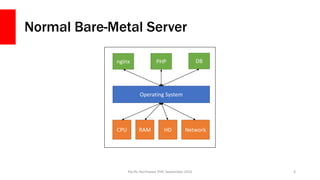
Normal Bare-Metal Server
Pacific Northwest PHP, September 2016 4
CPU RAM HD Network
Operating System
nginx PHP DB
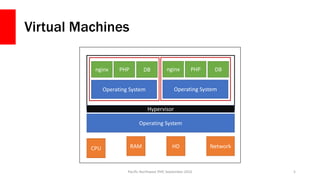
Virtual Machines
Pacific Northwest PHP, September 2016 5
CPU RAM HD Network
Operating System
nginx PHP DB
Operating System
nginx PHP DB
Operating System
Hypervisor
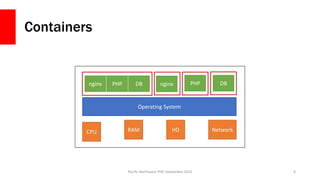
Containers
Pacific Northwest PHP, September 2016 6
CPU RAM HD Network
Operating System
nginxnginx PHP DB PHP DB
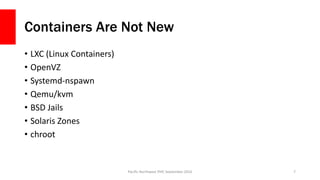
Containers Are Not New
• LXC (Linux Containers)
• OpenVZ
• Systemd-nspawn
• Qemu/kvm
• BSD Jails
• Solaris Zones
• chroot
Pacific Northwest PHP, September 2016 7
Docker is an Ecosystem
Pacific Northwest PHP, September 2016 8
Docker Engine
Docker is an Ecosystem
Pacific Northwest PHP, September 2016 9
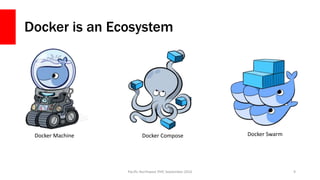
Docker ComposeDocker Machine Docker Swarm
How does it work?
Pacific Northwest PHP, September 2016 10
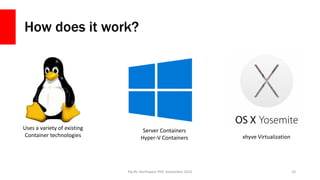
Uses a variety of existing
Container technologies
Server Containers
Hyper-V Containers xhyve Virtualization
Sorry OSX < 10.10 and Windows < 10 Users
Docker Toolbox
Pacific Northwest PHP, September 2016 11
Let’s use Docker
Pacific Northwest PHP, September 2016 12
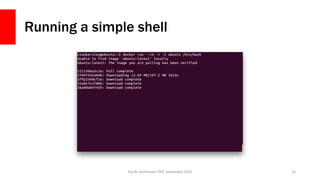
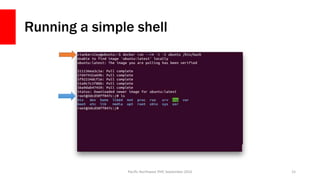
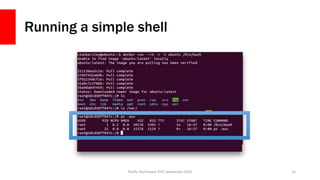
Running a container
• `docker run` will run a container
• This will not restart an existing container, just create a new one
• docker run [options] IMAGE [command] [arguments]
• [options ]modify the docker process for this container
• IMAGE is the image to use
• [command] is the command to run inside the container
• [arguments] are arguments for the command
Pacific Northwest PHP, September 2016 13
Running a simple shell
Pacific Northwest PHP, September 2016 14
Running a simple shell
Pacific Northwest PHP, September 2016 15
Running a simple shell
Pacific Northwest PHP, September 2016 16
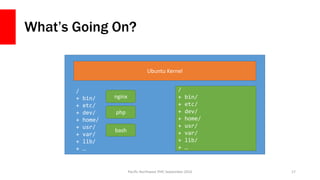
What’s Going On?
Pacific Northwest PHP, September 2016 17
Ubuntu Kernel
/
+ bin/
+ etc/
+ dev/
+ home/
+ usr/
+ var/
+ lib/
+ …
nginx
bash
/
+ bin/
+ etc/
+ dev/
+ home/
+ usr/
+ var/
+ lib/
+ …
php
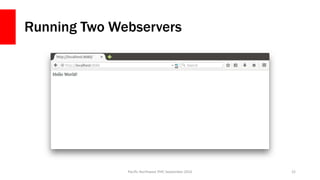
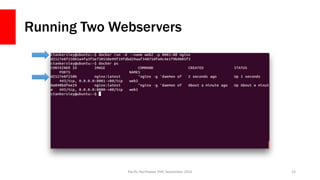
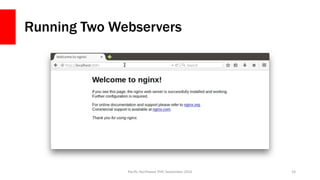
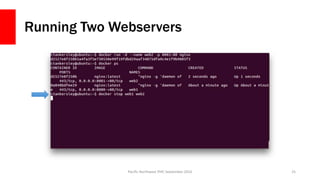
Running Two Webservers
Pacific Northwest PHP, September 2016 18
Running Two Webservers
Pacific Northwest PHP, September 2016 19
Running Two Webservers
Pacific Northwest PHP, September 2016 20
Running Two Webservers
Pacific Northwest PHP, September 2016 21
Running Two Webservers
Pacific Northwest PHP, September 2016 22
Running Two Webservers
Pacific Northwest PHP, September 2016 23
Running Two Webservers
Pacific Northwest PHP, September 2016 24
Running Two Webservers
Pacific Northwest PHP, September 2016 25
Some Notes
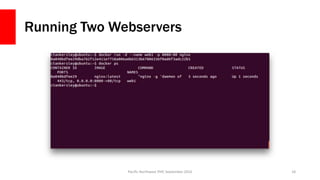
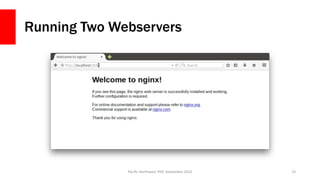
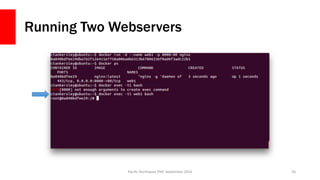
• All three containers are 100% self contained
• Docker containers share common ancestors, but keep their own files
• `docker run` parameters:
• --rm – Destroy a container once it exits
• -d – Run in the background (daemon mode)
• -i – Run in interactive mode
• --name – Give the container a name
• -p [local port]:[container port] – Forward the local port to the container port
Pacific Northwest PHP, September 2016 26
Volumes
Pacific Northwest PHP, September 2016 27
Modifying a running container
• `docker exec` can run a command inside of an existing container
• Use Volumes to share data
Pacific Northwest PHP, September 2016 28
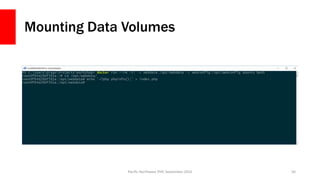
Persistent Data with Volumes
• You can designate a volume with –v
• Create a named volume with `volume create`
• Volumes can be shared amongst containers
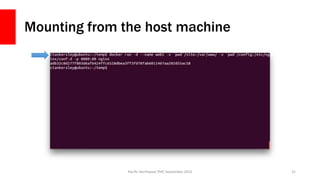
• Volumes can mount data from the host system
Pacific Northwest PHP, September 2016 29
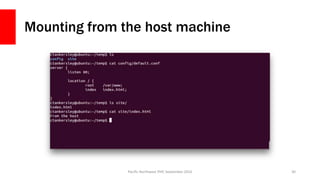
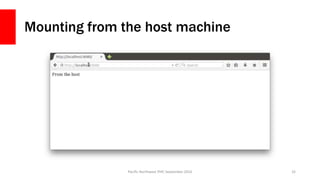
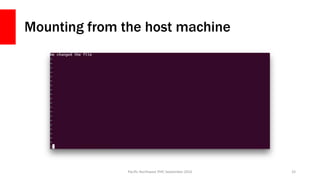
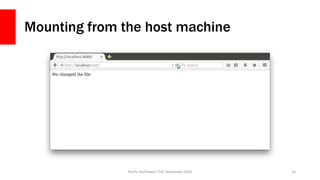
Mounting from the host machine
Pacific Northwest PHP, September 2016 30
Mounting from the host machine
Pacific Northwest PHP, September 2016 31
Mounting from the host machine
Pacific Northwest PHP, September 2016 32
Mounting from the host machine
Pacific Northwest PHP, September 2016 33
Mounting from the host machine
Pacific Northwest PHP, September 2016 34
Mounting from the host isn’t perfect
• The container now has a window into your host machine
• Permissions can get screwy if you are modifying in the container
• Most things it creates will be root by default, and you probably aren’t root on
the host machine
• Host-mounted volumes are not portable at all
• OSX and Hyper-V VMs have limited pathings to mount
• OSX has poor I/O performance
Pacific Northwest PHP, September 2016 35
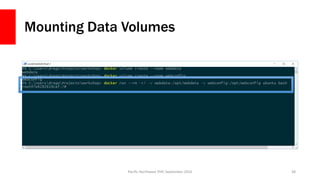
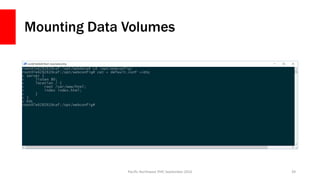
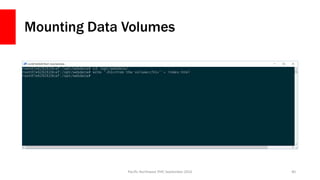
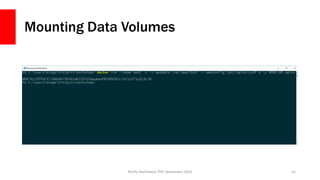
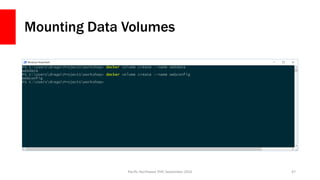
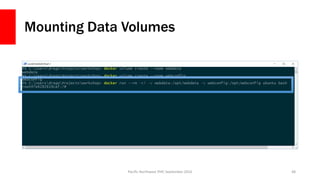
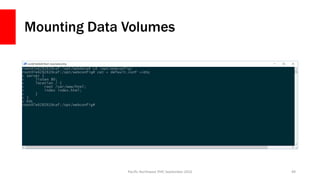
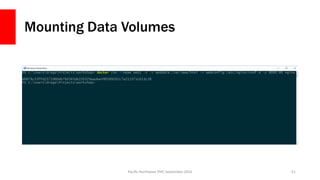
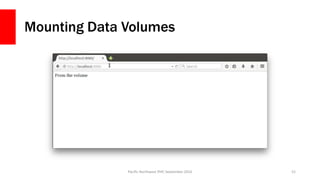
Named Data Volumes
• Creates a space that becomes persistent
• Can be mounted anywhere inside your images
• Have our app containers use the data volume to store data
• Use ‘editor containers’ to go in and modify data when needed
Pacific Northwest PHP, September 2016 36
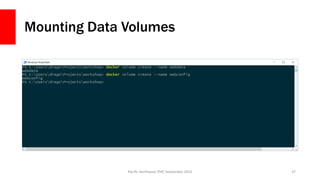
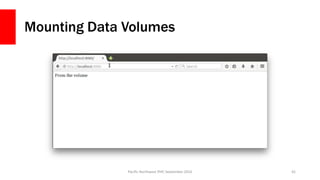
Mounting Data Volumes
Pacific Northwest PHP, September 2016 37
Mounting Data Volumes
Pacific Northwest PHP, September 2016 38
Mounting Data Volumes
Pacific Northwest PHP, September 2016 39
Mounting Data Volumes
Pacific Northwest PHP, September 2016 40
Mounting Data Volumes
Pacific Northwest PHP, September 2016 41
Mounting Data Volumes
Pacific Northwest PHP, September 2016 42
Why go through the hassle?
• Data volumes are portable, depending on the driver
• Data volumes are safer
• Separates the app containers from data
• Production can use a data volume, dev can use a host volume
• Our app containers stay small
• Works directly with other tools
Pacific Northwest PHP, September 2016 43
Network Linking
Pacific Northwest PHP, September 2016 44
Docker Links
• Allows containers to ‘see’ each other over the network
• Each container thinks the other one is just another machine
• Containers all have an internal network address, so we don’t need to
expose everything through the host
• Legacy Links work with `--link`
• Can set up virtual networks
Pacific Northwest PHP, September 2016 45
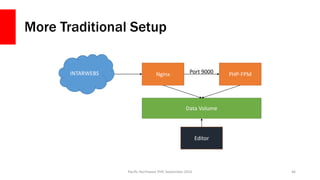
More Traditional Setup
Pacific Northwest PHP, September 2016 46
INTARWEBS Nginx PHP-FPM
Data Volume
Port 9000
Editor
Mounting Data Volumes
Pacific Northwest PHP, September 2016 47
Mounting Data Volumes
Pacific Northwest PHP, September 2016 48
Mounting Data Volumes
Pacific Northwest PHP, September 2016 49
Mounting Data Volumes
Pacific Northwest PHP, September 2016 50
Mounting Data Volumes
Pacific Northwest PHP, September 2016 51
Mounting Data Volumes
Pacific Northwest PHP, September 2016 52
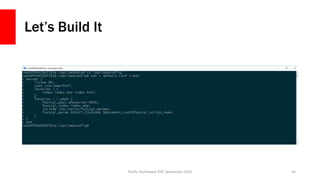
Let’s Build It
Pacific Northwest PHP, September 2016 53
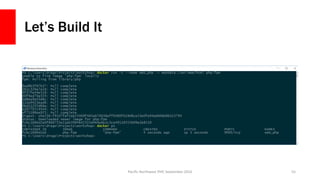
Let’s Build It
Pacific Northwest PHP, September 2016 54
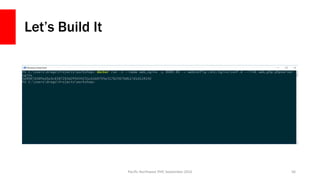
Let’s Build It
Pacific Northwest PHP, September 2016 55
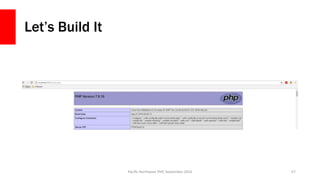
Let’s Build It
Pacific Northwest PHP, September 2016 56
Let’s Build It
Pacific Northwest PHP, September 2016 57
More Notes!
• We can now rebuild sections of the app as needed
• We can restart nginx without impacting PHP
• We can extend much easier
• Docker 1.12 has added a whole bunch of new stuff
Pacific Northwest PHP, September 2016 58
BREAK TIME! WOO!
Pacific Northwest PHP, September 2016 59
Other Helpful Commands
Pacific Northwest PHP, September 2016 60
Inspect a container
docker inspect [options] CONTAINER_NAME
• Returns a JSON string with data about the container
• Can also query
• docker inspect -f “{{ .NetworkSettings.IPAddress }}” web_server
• Really handy for scripting out things like reverse proxies
Pacific Northwest PHP, September 2016 61
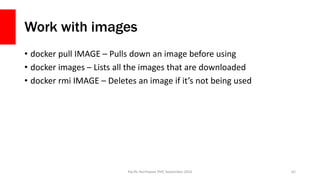
Work with images
• docker pull IMAGE – Pulls down an image before using
• docker images – Lists all the images that are downloaded
• docker rmi IMAGE – Deletes an image if it’s not being used
Pacific Northwest PHP, September 2016 62
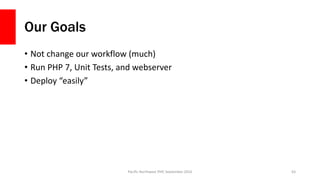
Our Goals
• Not change our workflow (much)
• Run PHP 7, Unit Tests, and webserver
• Deploy “easily”
Pacific Northwest PHP, September 2016 63
Containerizing Commands
Pacific Northwest PHP, September 2016 64
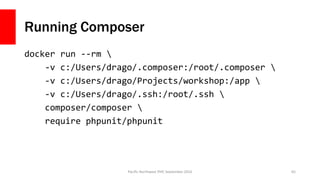
Running Composer
docker run --rm 
-v c:/Users/drago/.composer:/root/.composer 
-v c:/Users/drago/Projects/workshop:/app 
-v c:/Users/drago/.ssh:/root/.ssh 
composer/composer 
require phpunit/phpunit
Pacific Northwest PHP, September 2016 65
Functions!
function docker-composer() {
appname=$(basename `pwd -P`)
appname="${appname/-/}"
imagename='composer/composer'
output=$(docker images | grep "${appname}_composer")
if [ "$?" = "0" ]; then
imagename="${appname}_composer"
fi
docker run --rm -v ~/.composer:/root/.composer -v
$(pwd):/app -v ~/.ssh:/root/.ssh $imagename $*
}
Pacific Northwest PHP, September 2016 66
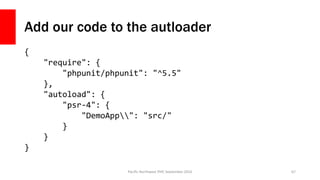
Add our code to the autloader
{
"require": {
"phpunit/phpunit": "^5.5"
},
"autoload": {
"psr-4": {
"DemoApp": "src/"
}
}
}
Pacific Northwest PHP, September 2016 67
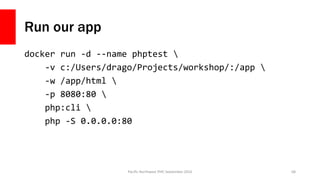
Run our app
docker run -d --name phptest 
-v c:/Users/drago/Projects/workshop/:/app 
-w /app/html 
-p 8080:80 
php:cli 
php -S 0.0.0.0:80
Pacific Northwest PHP, September 2016 68
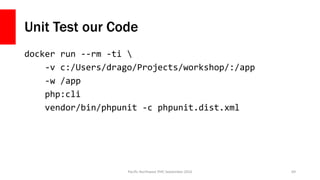
Unit Test our Code
docker run --rm -ti 
-v c:/Users/drago/Projects/workshop/:/app
-w /app
php:cli
vendor/bin/phpunit -c phpunit.dist.xml
Pacific Northwest PHP, September 2016 69
Docker Compose
Pacific Northwest PHP, September 2016 70
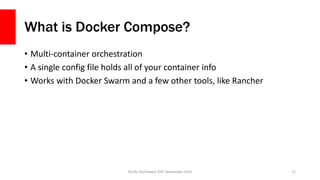
What is Docker Compose?
• Multi-container orchestration
• A single config file holds all of your container info
• Works with Docker Swarm and a few other tools, like Rancher
Pacific Northwest PHP, September 2016 71
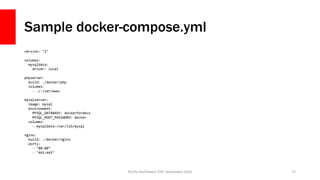
Sample docker-compose.yml
version: ‘2’
volumes:
mysqldata:
driver: local
phpserver:
build: ./docker/php
volumes:
- ./:/var/www/
mysqlserver:
image: mysql
environment:
MYSQL_DATABASE: dockerfordevs
MYSQL_ROOT_PASSWORD: docker
volumes:
- mysqldata:/var/lib/mysql
nginx:
build: ./docker/nginx
ports:
- "80:80"
- "443:443"
Pacific Northwest PHP, September 2016 72
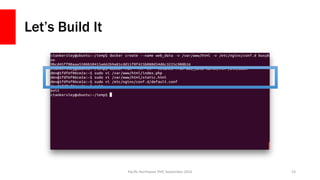
Creating your own Images
Pacific Northwest PHP, September 2016 73
Dockerfile
• Dockerfile is the configuration steps for an image
• Can be created from scratch, or based on another image
• Allows you to add files, create default volumes, ports, etc
• Can be used privately or pushed to Docker Hub
Pacific Northwest PHP, September 2016 74
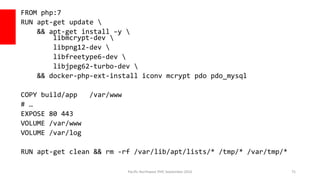
FROM php:7
RUN apt-get update 
&& apt-get install –y 
libmcrypt-dev 
libpng12-dev 
libfreetype6-dev 
libjpeg62-turbo-dev 
&& docker-php-ext-install iconv mcrypt pdo pdo_mysql
COPY build/app /var/www
# …
EXPOSE 80 443
VOLUME /var/www
VOLUME /var/log
RUN apt-get clean && rm -rf /var/lib/apt/lists/* /tmp/* /var/tmp/*
Pacific Northwest PHP, September 2016 75
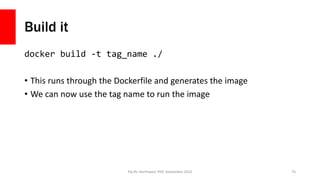
Build it
docker build -t tag_name ./
• This runs through the Dockerfile and generates the image
• We can now use the tag name to run the image
Pacific Northwest PHP, September 2016 76
Add in some Compose
Pacific Northwest PHP, September 2016 77
Start the app with Compose
Pacific Northwest PHP, September 2016 78
Docker Machine
Pacific Northwest PHP, September 2016 79
What is Docker Machine?
• A provisioning tool that is used to set up a box with Docker
• Used in Docker Toolbox to create the VM
• Supports:
• EC2
• Azure
• Digital Ocean
• Hyper-V
• OpenStack
• Virtualbox
• VMWare
Pacific Northwest PHP, September 2016 80
Why use it?
• Makes it very easy to spin up new boxes
• Docker Machine handles all of the dirty stuff for you
• Docker Toolbox users are already using it
• Integrates with Docker Swarm
• It is not necessarily portable
Pacific Northwest PHP, September 2016 81
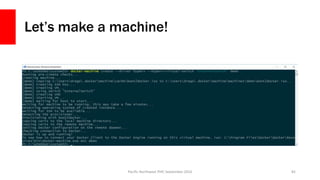
Let’s make a machine!
Pacific Northwest PHP, September 2016 82
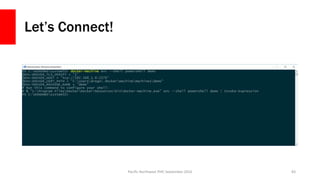
Let’s Connect!
Pacific Northwest PHP, September 2016 83
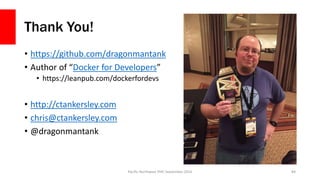
Thank You!
• https://github.com/dragonmantank
• Author of “Docker for Developers”
• https://leanpub.com/dockerfordevs
• http://ctankersley.com
• chris@ctankersley.com
• @dragonmantank
Pacific Northwest PHP, September 2016 84

Docker for Developers - PNWPHP 2016 Workshop

  • 1.
    Docker for PHP Developers ChrisTankersley @dragonmantank Pacific Northwest PHP, September 2016 Pacific Northwest PHP, September 2016 1
  • 2.
    What Is Docker? “Dockeris an open platform for developers and sysadmins to build, ship, and run distributed applications. Consisting of Docker Engine, a portable, lightweight runtime and packaging tool, and Docker Hub, a cloud service for sharing applications and automating workflows, Docker enables apps to be quickly assembled from components and eliminates the friction between development, QA, and production environments.” Pacific Northwest PHP, September 2016 2 https://www.docker.com/whatisdocker/
  • 3.
  • 4.
    Normal Bare-Metal Server PacificNorthwest PHP, September 2016 4 CPU RAM HD Network Operating System nginx PHP DB
  • 5.
    Virtual Machines Pacific NorthwestPHP, September 2016 5 CPU RAM HD Network Operating System nginx PHP DB Operating System nginx PHP DB Operating System Hypervisor
  • 6.
    Containers Pacific Northwest PHP,September 2016 6 CPU RAM HD Network Operating System nginxnginx PHP DB PHP DB
  • 7.
    Containers Are NotNew • LXC (Linux Containers) • OpenVZ • Systemd-nspawn • Qemu/kvm • BSD Jails • Solaris Zones • chroot Pacific Northwest PHP, September 2016 7
  • 8.
    Docker is anEcosystem Pacific Northwest PHP, September 2016 8 Docker Engine
  • 9.
    Docker is anEcosystem Pacific Northwest PHP, September 2016 9 Docker ComposeDocker Machine Docker Swarm
  • 10.
    How does itwork? Pacific Northwest PHP, September 2016 10 Uses a variety of existing Container technologies Server Containers Hyper-V Containers xhyve Virtualization
  • 11.
    Sorry OSX <10.10 and Windows < 10 Users Docker Toolbox Pacific Northwest PHP, September 2016 11
  • 12.
    Let’s use Docker PacificNorthwest PHP, September 2016 12
  • 13.
    Running a container •`docker run` will run a container • This will not restart an existing container, just create a new one • docker run [options] IMAGE [command] [arguments] • [options ]modify the docker process for this container • IMAGE is the image to use • [command] is the command to run inside the container • [arguments] are arguments for the command Pacific Northwest PHP, September 2016 13
  • 14.
    Running a simpleshell Pacific Northwest PHP, September 2016 14
  • 15.
    Running a simpleshell Pacific Northwest PHP, September 2016 15
  • 16.
    Running a simpleshell Pacific Northwest PHP, September 2016 16
  • 17.
    What’s Going On? PacificNorthwest PHP, September 2016 17 Ubuntu Kernel / + bin/ + etc/ + dev/ + home/ + usr/ + var/ + lib/ + … nginx bash / + bin/ + etc/ + dev/ + home/ + usr/ + var/ + lib/ + … php
  • 18.
    Running Two Webservers PacificNorthwest PHP, September 2016 18
  • 19.
    Running Two Webservers PacificNorthwest PHP, September 2016 19
  • 20.
    Running Two Webservers PacificNorthwest PHP, September 2016 20
  • 21.
    Running Two Webservers PacificNorthwest PHP, September 2016 21
  • 22.
    Running Two Webservers PacificNorthwest PHP, September 2016 22
  • 23.
    Running Two Webservers PacificNorthwest PHP, September 2016 23
  • 24.
    Running Two Webservers PacificNorthwest PHP, September 2016 24
  • 25.
    Running Two Webservers PacificNorthwest PHP, September 2016 25
  • 26.
    Some Notes • Allthree containers are 100% self contained • Docker containers share common ancestors, but keep their own files • `docker run` parameters: • --rm – Destroy a container once it exits • -d – Run in the background (daemon mode) • -i – Run in interactive mode • --name – Give the container a name • -p [local port]:[container port] – Forward the local port to the container port Pacific Northwest PHP, September 2016 26
  • 27.
  • 28.
    Modifying a runningcontainer • `docker exec` can run a command inside of an existing container • Use Volumes to share data Pacific Northwest PHP, September 2016 28
  • 29.
    Persistent Data withVolumes • You can designate a volume with –v • Create a named volume with `volume create` • Volumes can be shared amongst containers • Volumes can mount data from the host system Pacific Northwest PHP, September 2016 29
  • 30.
    Mounting from thehost machine Pacific Northwest PHP, September 2016 30
  • 31.
    Mounting from thehost machine Pacific Northwest PHP, September 2016 31
  • 32.
    Mounting from thehost machine Pacific Northwest PHP, September 2016 32
  • 33.
    Mounting from thehost machine Pacific Northwest PHP, September 2016 33
  • 34.
    Mounting from thehost machine Pacific Northwest PHP, September 2016 34
  • 35.
    Mounting from thehost isn’t perfect • The container now has a window into your host machine • Permissions can get screwy if you are modifying in the container • Most things it creates will be root by default, and you probably aren’t root on the host machine • Host-mounted volumes are not portable at all • OSX and Hyper-V VMs have limited pathings to mount • OSX has poor I/O performance Pacific Northwest PHP, September 2016 35
  • 36.
    Named Data Volumes •Creates a space that becomes persistent • Can be mounted anywhere inside your images • Have our app containers use the data volume to store data • Use ‘editor containers’ to go in and modify data when needed Pacific Northwest PHP, September 2016 36
  • 37.
    Mounting Data Volumes PacificNorthwest PHP, September 2016 37
  • 38.
    Mounting Data Volumes PacificNorthwest PHP, September 2016 38
  • 39.
    Mounting Data Volumes PacificNorthwest PHP, September 2016 39
  • 40.
    Mounting Data Volumes PacificNorthwest PHP, September 2016 40
  • 41.
    Mounting Data Volumes PacificNorthwest PHP, September 2016 41
  • 42.
    Mounting Data Volumes PacificNorthwest PHP, September 2016 42
  • 43.
    Why go throughthe hassle? • Data volumes are portable, depending on the driver • Data volumes are safer • Separates the app containers from data • Production can use a data volume, dev can use a host volume • Our app containers stay small • Works directly with other tools Pacific Northwest PHP, September 2016 43
  • 44.
    Network Linking Pacific NorthwestPHP, September 2016 44
  • 45.
    Docker Links • Allowscontainers to ‘see’ each other over the network • Each container thinks the other one is just another machine • Containers all have an internal network address, so we don’t need to expose everything through the host • Legacy Links work with `--link` • Can set up virtual networks Pacific Northwest PHP, September 2016 45
  • 46.
    More Traditional Setup PacificNorthwest PHP, September 2016 46 INTARWEBS Nginx PHP-FPM Data Volume Port 9000 Editor
  • 47.
    Mounting Data Volumes PacificNorthwest PHP, September 2016 47
  • 48.
    Mounting Data Volumes PacificNorthwest PHP, September 2016 48
  • 49.
    Mounting Data Volumes PacificNorthwest PHP, September 2016 49
  • 50.
    Mounting Data Volumes PacificNorthwest PHP, September 2016 50
  • 51.
    Mounting Data Volumes PacificNorthwest PHP, September 2016 51
  • 52.
    Mounting Data Volumes PacificNorthwest PHP, September 2016 52
  • 53.
    Let’s Build It PacificNorthwest PHP, September 2016 53
  • 54.
    Let’s Build It PacificNorthwest PHP, September 2016 54
  • 55.
    Let’s Build It PacificNorthwest PHP, September 2016 55
  • 56.
    Let’s Build It PacificNorthwest PHP, September 2016 56
  • 57.
    Let’s Build It PacificNorthwest PHP, September 2016 57
  • 58.
    More Notes! • Wecan now rebuild sections of the app as needed • We can restart nginx without impacting PHP • We can extend much easier • Docker 1.12 has added a whole bunch of new stuff Pacific Northwest PHP, September 2016 58
  • 59.
    BREAK TIME! WOO! PacificNorthwest PHP, September 2016 59
  • 60.
    Other Helpful Commands PacificNorthwest PHP, September 2016 60
  • 61.
    Inspect a container dockerinspect [options] CONTAINER_NAME • Returns a JSON string with data about the container • Can also query • docker inspect -f “{{ .NetworkSettings.IPAddress }}” web_server • Really handy for scripting out things like reverse proxies Pacific Northwest PHP, September 2016 61
  • 62.
    Work with images •docker pull IMAGE – Pulls down an image before using • docker images – Lists all the images that are downloaded • docker rmi IMAGE – Deletes an image if it’s not being used Pacific Northwest PHP, September 2016 62
  • 63.
    Our Goals • Notchange our workflow (much) • Run PHP 7, Unit Tests, and webserver • Deploy “easily” Pacific Northwest PHP, September 2016 63
  • 64.
  • 65.
    Running Composer docker run--rm -v c:/Users/drago/.composer:/root/.composer -v c:/Users/drago/Projects/workshop:/app -v c:/Users/drago/.ssh:/root/.ssh composer/composer require phpunit/phpunit Pacific Northwest PHP, September 2016 65
  • 66.
    Functions! function docker-composer() { appname=$(basename`pwd -P`) appname="${appname/-/}" imagename='composer/composer' output=$(docker images | grep "${appname}_composer") if [ "$?" = "0" ]; then imagename="${appname}_composer" fi docker run --rm -v ~/.composer:/root/.composer -v $(pwd):/app -v ~/.ssh:/root/.ssh $imagename $* } Pacific Northwest PHP, September 2016 66
  • 67.
    Add our codeto the autloader { "require": { "phpunit/phpunit": "^5.5" }, "autoload": { "psr-4": { "DemoApp": "src/" } } } Pacific Northwest PHP, September 2016 67
  • 68.
    Run our app dockerrun -d --name phptest -v c:/Users/drago/Projects/workshop/:/app -w /app/html -p 8080:80 php:cli php -S 0.0.0.0:80 Pacific Northwest PHP, September 2016 68
  • 69.
    Unit Test ourCode docker run --rm -ti -v c:/Users/drago/Projects/workshop/:/app -w /app php:cli vendor/bin/phpunit -c phpunit.dist.xml Pacific Northwest PHP, September 2016 69
  • 70.
    Docker Compose Pacific NorthwestPHP, September 2016 70
  • 71.
    What is DockerCompose? • Multi-container orchestration • A single config file holds all of your container info • Works with Docker Swarm and a few other tools, like Rancher Pacific Northwest PHP, September 2016 71
  • 72.
    Sample docker-compose.yml version: ‘2’ volumes: mysqldata: driver:local phpserver: build: ./docker/php volumes: - ./:/var/www/ mysqlserver: image: mysql environment: MYSQL_DATABASE: dockerfordevs MYSQL_ROOT_PASSWORD: docker volumes: - mysqldata:/var/lib/mysql nginx: build: ./docker/nginx ports: - "80:80" - "443:443" Pacific Northwest PHP, September 2016 72
  • 73.
    Creating your ownImages Pacific Northwest PHP, September 2016 73
  • 74.
    Dockerfile • Dockerfile isthe configuration steps for an image • Can be created from scratch, or based on another image • Allows you to add files, create default volumes, ports, etc • Can be used privately or pushed to Docker Hub Pacific Northwest PHP, September 2016 74
  • 75.
    FROM php:7 RUN apt-getupdate && apt-get install –y libmcrypt-dev libpng12-dev libfreetype6-dev libjpeg62-turbo-dev && docker-php-ext-install iconv mcrypt pdo pdo_mysql COPY build/app /var/www # … EXPOSE 80 443 VOLUME /var/www VOLUME /var/log RUN apt-get clean && rm -rf /var/lib/apt/lists/* /tmp/* /var/tmp/* Pacific Northwest PHP, September 2016 75
  • 76.
    Build it docker build-t tag_name ./ • This runs through the Dockerfile and generates the image • We can now use the tag name to run the image Pacific Northwest PHP, September 2016 76
  • 77.
    Add in someCompose Pacific Northwest PHP, September 2016 77
  • 78.
    Start the appwith Compose Pacific Northwest PHP, September 2016 78
  • 79.
    Docker Machine Pacific NorthwestPHP, September 2016 79
  • 80.
    What is DockerMachine? • A provisioning tool that is used to set up a box with Docker • Used in Docker Toolbox to create the VM • Supports: • EC2 • Azure • Digital Ocean • Hyper-V • OpenStack • Virtualbox • VMWare Pacific Northwest PHP, September 2016 80
  • 81.
    Why use it? •Makes it very easy to spin up new boxes • Docker Machine handles all of the dirty stuff for you • Docker Toolbox users are already using it • Integrates with Docker Swarm • It is not necessarily portable Pacific Northwest PHP, September 2016 81
  • 82.
    Let’s make amachine! Pacific Northwest PHP, September 2016 82
  • 83.
    Let’s Connect! Pacific NorthwestPHP, September 2016 83
  • 84.
    Thank You! • https://github.com/dragonmantank •Author of “Docker for Developers” • https://leanpub.com/dockerfordevs • http://ctankersley.com • chris@ctankersley.com • @dragonmantank Pacific Northwest PHP, September 2016 84