Docker for PHP
Developers
Chris Tankersley
@dragonmantank
PHP Detroit 2018
1PHP Detroit 2018
PHP Detroit 2018
Repository
• https://github.com/learningcontainers/dockerfordevs
2
PHP Detroit 2018
What Is Docker?
“Docker is an open platform for developers and sysadmins to build,
ship, and run distributed applications. Consisting of Docker Engine, a
portable, lightweight runtime and packaging tool, and Docker Hub, a
cloud service for sharing applications and automating workflows,
Docker enables apps to be quickly assembled from components and
eliminates the friction between development, QA, and production
environments.”
3
https://www.docker.com/whatisdocker/
PHP Detroit 2018
What is a Container?
4
PHP Detroit 2018
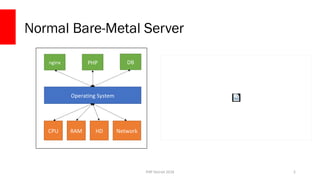
Normal Bare-Metal Server
5
CPU RAM HD Network
Operating System
nginx PHP DB
PHP Detroit 2018
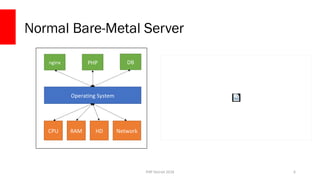
Normal Bare-Metal Server
6
CPU RAM HD Network
Operating System
nginx PHP DB
PHP Detroit 2018
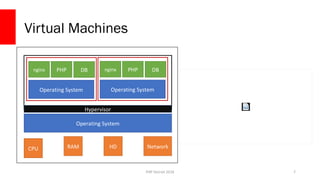
Virtual Machines
7
CPU RAM HD Network
Operating System
nginx PHP DB
Operating System
nginx PHP DB
Operating System
Hypervisor
PHP Detroit 2018
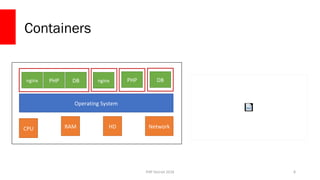
Containers
8
CPU RAM HD Network
Operating System
nginxnginx PHP DB PHP DB
PHP Detroit 2018
Containers vs VMs
PHP Detroit 2018
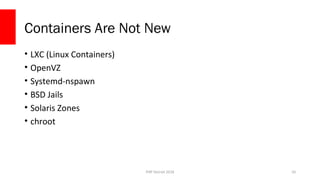
Containers Are Not New
• LXC (Linux Containers)
• OpenVZ
• Systemd-nspawn
• BSD Jails
• Solaris Zones
• chroot
10
PHP Detroit 2018
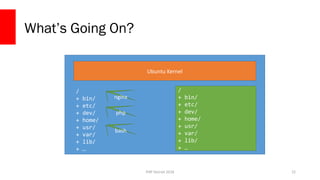
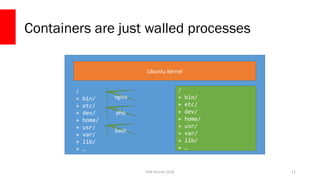
Containers are just walled processes
11
Ubuntu Kernel
/
+ bin/
+ etc/
+ dev/
+ home/
+ usr/
+ var/
+ lib/
+ …
nginx
bash
/
+ bin/
+ etc/
+ dev/
+ home/
+ usr/
+ var/
+ lib/
+ …
php
PHP Detroit 2018
What is Docker?
12
PHP Detroit 2018
Docker is an Ecosystem
13
Docker Engine
PHP Detroit 2018
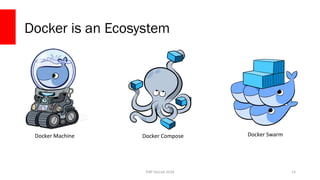
Docker is an Ecosystem
14
Docker ComposeDocker Machine Docker Swarm
PHP Detroit 2018
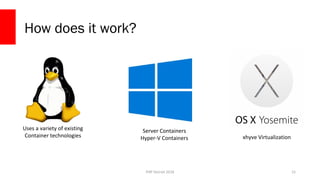
How does it work?
15
Uses a variety of existing
Container technologies
Server Containers
Hyper-V Containers xhyve Virtualization
PHP Detroit 2018
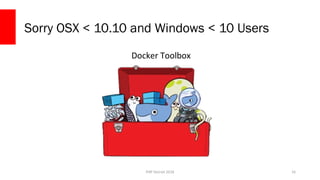
Sorry OSX < 10.10 and Windows < 10 Users
Docker Toolbox
16
PHP Detroit 2018
Let’s use Docker
17
PHP Detroit 2018
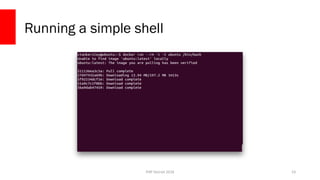
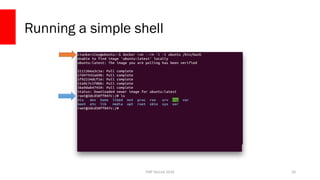
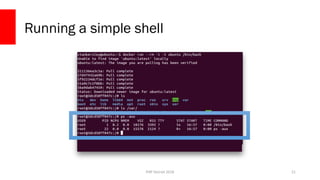
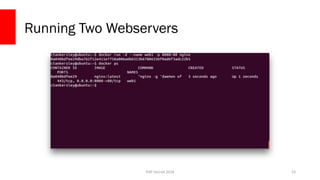
Running a container
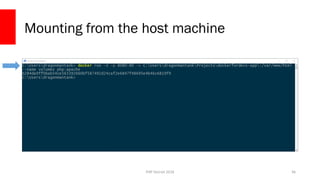
• `docker run` will run a container
• This will not restart an existing container, just create a new one
• docker run [options] IMAGE [command] [arguments]
• [options ]modify the docker process for this container
• IMAGE is the image to use
• [command] is the command to run inside the container
• [arguments] are arguments for the command
18
PHP Detroit 2018
Running a simple shell
19
PHP Detroit 2018
Running a simple shell
20
PHP Detroit 2018
Running a simple shell
21
PHP Detroit 2018
What’s Going On?
22
Ubuntu Kernel
/
+ bin/
+ etc/
+ dev/
+ home/
+ usr/
+ var/
+ lib/
+ …
nginx
bash
/
+ bin/
+ etc/
+ dev/
+ home/
+ usr/
+ var/
+ lib/
+ …
php
PHP Detroit 2018
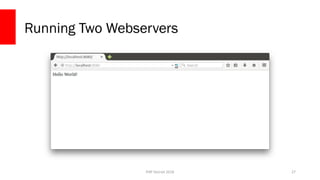
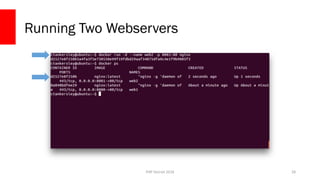
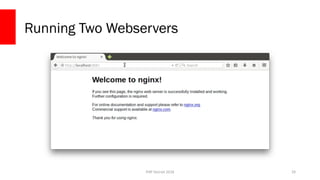
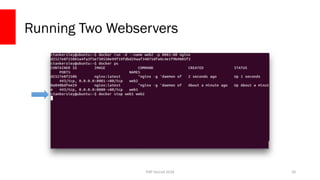
Running Two Webservers
23
PHP Detroit 2018
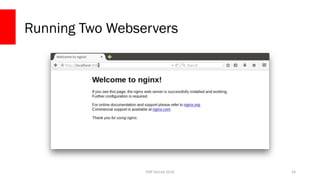
Running Two Webservers
24
PHP Detroit 2018
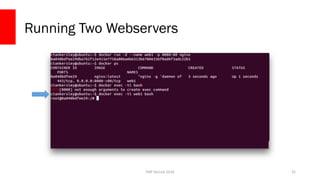
Running Two Webservers
25
PHP Detroit 2018
Running Two Webservers
26
PHP Detroit 2018
Running Two Webservers
27
PHP Detroit 2018
Running Two Webservers
28
PHP Detroit 2018
Running Two Webservers
29
PHP Detroit 2018
Running Two Webservers
30
PHP Detroit 2018
Some Notes
• All three containers are 100% self contained
• Docker containers share common ancestors, but keep their own files
• `docker run` parameters:
• --rm – Destroy a container once it exits
• -d – Run in the background (daemon mode)
• -i – Run in interactive mode
• --name – Give the container a name
• -p [local port]:[container port] – Forward the local port to the container port
31
PHP Detroit 2018
Volumes
32
PHP Detroit 2018
Modifying a running container
• `docker exec` can run a command inside of an existing container
• Use Volumes to share data
33
PHP Detroit 2018
Persistent Data with Volumes
• You can designate a volume with –v
• Create a named volume with `volume create`
• Volumes can be shared amongst containers
• Volumes can mount data from the host system
34
PHP Detroit 2018
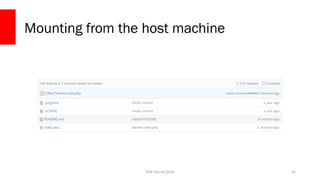
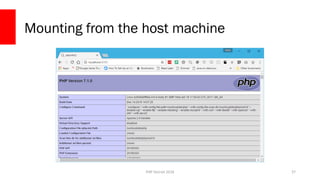
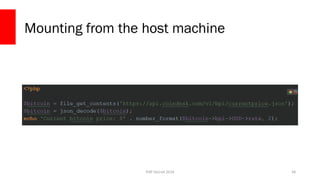
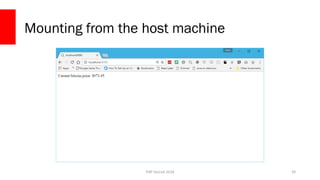
Mounting from the host machine
35
PHP Detroit 2018
Mounting from the host machine
36
PHP Detroit 2018
Mounting from the host machine
37
PHP Detroit 2018
Mounting from the host machine
38
PHP Detroit 2018
Mounting from the host machine
39
PHP Detroit 2018
Mounting from the host isn’t perfect
• The container now has a window into your host machine
• Permissions can get screwy if you are modifying in the container
• Most things it creates will be root by default, and you probably aren’t root on
the host machine
• Host-mounted volumes are not portable at all
• OSX and Hyper-V VMs have limited pathings to mount
• OSX has poor I/O performance
40
PHP Detroit 2018
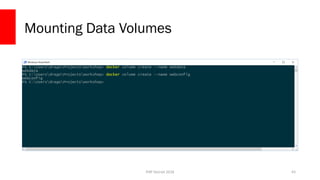
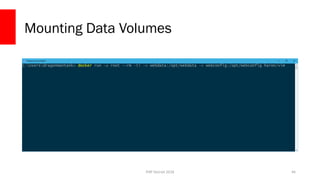
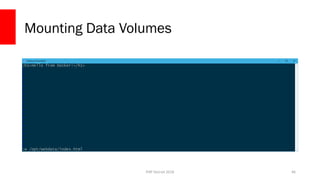
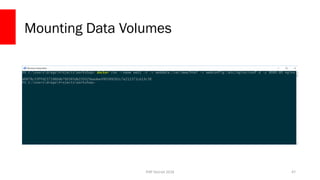
Named Data Volumes
• Creates a space that becomes persistent
• Can be mounted anywhere inside your images
• Have our app containers use the data volume to store data
• Use ‘editor containers’ to go in and modify data when needed
41
PHP Detroit 2018
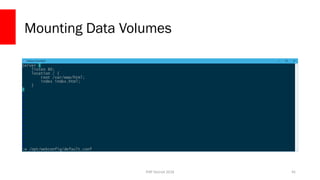
vim Tutorial
• vim is a Modal text editor
• ESC will drop you back to default mode
• :new /opt/webconfig/default to create a new file
• In default mode, i will get us into interactive (edit) mode
• :w to save a file
• :q will quit
42
PHP Detroit 2018
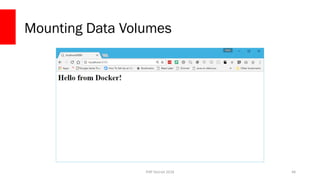
Mounting Data Volumes
43
PHP Detroit 2018
Mounting Data Volumes
44
PHP Detroit 2018
Mounting Data Volumes
45
PHP Detroit 2018
Mounting Data Volumes
46
PHP Detroit 2018
Mounting Data Volumes
47
PHP Detroit 2018
Mounting Data Volumes
48
PHP Detroit 2018
Why go through the hassle?
• Data volumes are portable, depending on the driver
• Data volumes are safer
• Separates the app containers from data
• Production can use a data volume, dev can use a host volume
• Our app containers stay small
• Works directly with other tools
49
PHP Detroit 2018
Networking
50
PHP Detroit 2018
Networking
• Docker can create multiple network “pools”
• Each container gets an IP address
• Containers can be attached to multiple networks
• Docker network allow service discovery inside networks
51
PHP Detroit 2018
Legacy - Docker Links
• Legacy Links work with `--link`
• Only works on the legacy “bridge” network
• Doesn’t support service discovery
• Not worth it to use anymore
52
PHP Detroit 2018
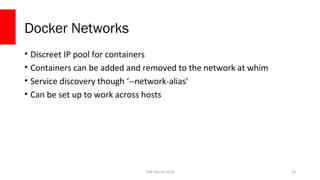
Docker Networks
• Discreet IP pool for containers
• Containers can be added and removed to the network at whim
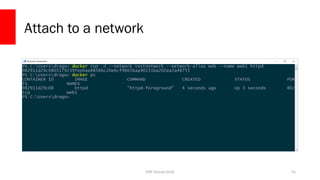
• Service discovery though ‘--network-alias’
• Can be set up to work across hosts
53
PHP Detroit 2018
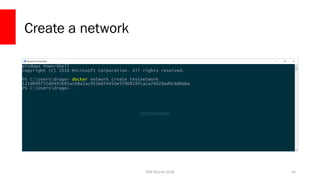
Create a network
54
PHP Detroit 2018
Attach to a network
55
PHP Detroit 2018
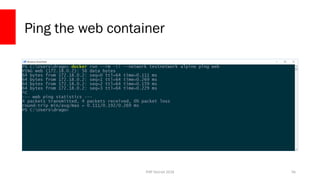
Ping the web container
56
PHP Detroit 2018
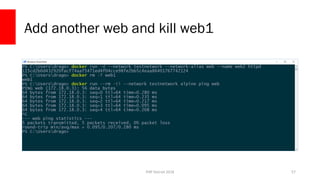
Add another web and kill web1
57
PHP Detroit 2018
Other Helpful Commands
58
PHP Detroit 2018
Inspect a container
docker inspect [options] CONTAINER_NAME
• Returns a JSON string with data about the container
• Can also query
• docker inspect -f “{{ .NetworkSettings.IPAddress }}” web_server
• Really handy for scripting out things like reverse proxies
59
PHP Detroit 2018
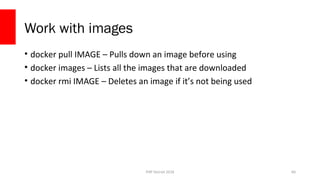
Work with images
• docker pull IMAGE – Pulls down an image before using
• docker images – Lists all the images that are downloaded
• docker rmi IMAGE – Deletes an image if it’s not being used
60
PHP Detroit 2018
Containerizing An Application
61
PHP Detroit 2018
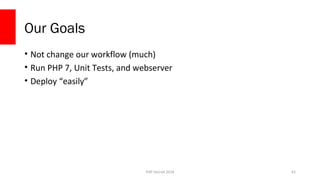
Our Goals
• Not change our workflow (much)
• Run PHP 7, Unit Tests, and webserver
• Deploy “easily”
62
PHP Detroit 2018
Repository
• https://github.com/learningcontainers/dockerfordevs
63
PHP Detroit 2018
Branch
ws/start
64
PHP Detroit 2018
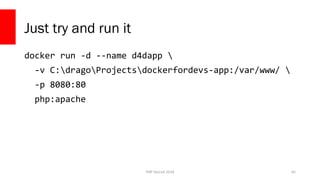
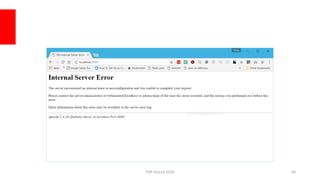
Just try and run it
docker run -d --name d4dapp 
-v C:dragoProjectsdockerfordevs-app:/var/www/ 
-p 8080:80
php:apache
65
PHP Detroit 2018 66
PHP Detroit 2018
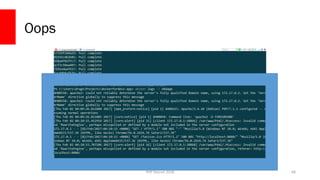
Checking Logs
• Containers log to stdout/stderr
• Docker aggregates the logs
• Can be viewed with docker logs
67
PHP Detroit 2018
Oops
68
PHP Detroit 2018
Custom Images
• PHP images are pretty bare
• Lots of times need to install extensions
69
PHP Detroit 2018
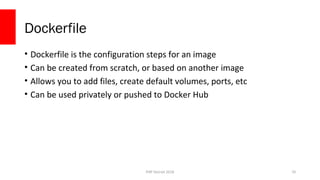
Dockerfile
• Dockerfile is the configuration steps for an image
• Can be created from scratch, or based on another image
• Allows you to add files, create default volumes, ports, etc
• Can be used privately or pushed to Docker Hub
70
PHP Detroit 2018
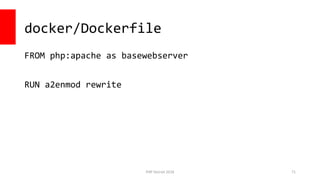
docker/Dockerfile
FROM php:apache as basewebserver
RUN a2enmod rewrite
71
PHP Detroit 2018
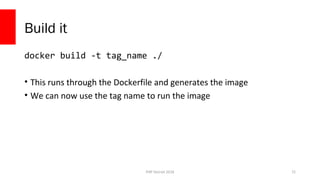
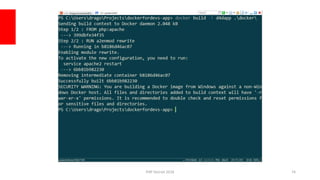
Build it
docker build -t tag_name ./
• This runs through the Dockerfile and generates the image
• We can now use the tag name to run the image
72
PHP Detroit 2018
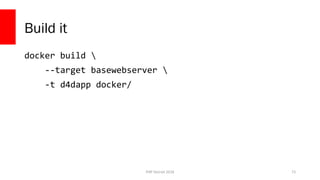
Build it
docker build 
--target basewebserver 
-t d4dapp docker/
73
PHP Detroit 2018 74
PHP Detroit 2018
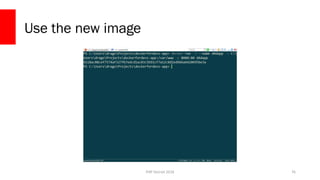
Use the new image
docker run -d --name d4dapp 
-v C:dragoProjectsdockerfordevs-app:/var/www/ 
-p 8080:80
d4dapp
75
PHP Detroit 2018
Use the new image
76
PHP Detroit 2018
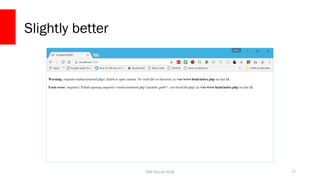
Slightly better
77
PHP Detroit 2018
Install Dependencies
78
PHP Detroit 2018
Branch
ws/02-dependencies
79
PHP Detroit 2018
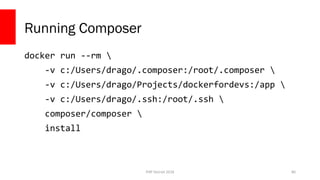
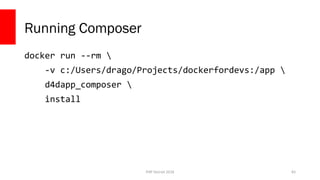
Running Composer
docker run --rm 
-v c:/Users/drago/.composer:/root/.composer 
-v c:/Users/drago/Projects/dockerfordevs:/app 
-v c:/Users/drago/.ssh:/root/.ssh 
composer/composer 
install
80
PHP Detroit 2018
docker/Dockerfile
FROM basewebserver as composer
RUN apt update && apt install -y git zip unzip
RUN curl https://[...]/installer | php -- --quiet
RUN mv composer.phar /usr/bin/composer && 
chmod +x /usr/bin/composer
ENV COMPOSER_HOME /opt/composer
WORKDIR /app
CMD ["-"]
ENTRYPOINT ["composer", "--ansi"]
81
PHP Detroit 2018
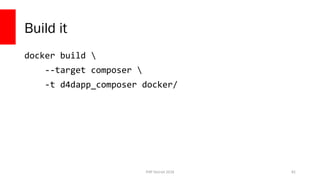
Build it
docker build 
--target composer 
-t d4dapp_composer docker/
82
PHP Detroit 2018
Running Composer
docker run --rm 
-v c:/Users/drago/Projects/dockerfordevs:/app 
d4dapp_composer 
install
83
PHP Detroit 2018
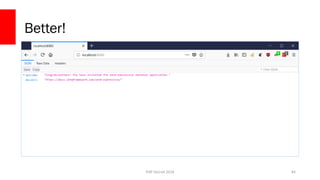
Better!
84
PHP Detroit 2018
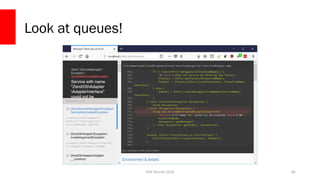
Look at queues!
85
PHP Detroit 2018
Branch
ws/03-database
86
PHP Detroit 2018
Build it
Copy config/autoload/local.php.dist → config/autoload/local.php
87
PHP Detroit 2018
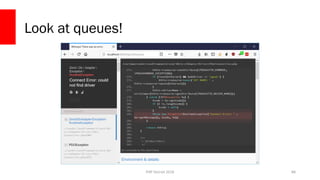
Look at queues!
88
PHP Detroit 2018
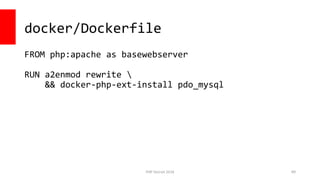
docker/Dockerfile
FROM php:apache as basewebserver
RUN a2enmod rewrite 
&& docker-php-ext-install pdo_mysql
89
PHP Detroit 2018
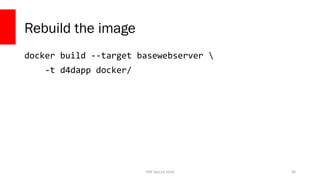
Rebuild the image
docker build --target basewebserver 
-t d4dapp docker/
90
PHP Detroit 2018
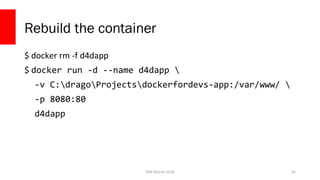
Rebuild the container
$ docker rm -f d4dapp
$ docker run -d --name d4dapp 
-v C:dragoProjectsdockerfordevs-app:/var/www/ 
-p 8080:80
d4dapp
91
PHP Detroit 2018
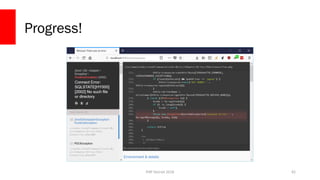
Progress!
92
PHP Detroit 2018
Docker Compose
93
PHP Detroit 2018
Branch
ws/04-compose
94
PHP Detroit 2018
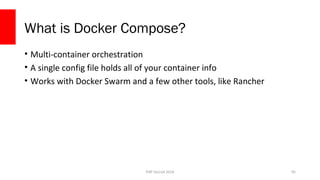
What is Docker Compose?
• Multi-container orchestration
• A single config file holds all of your container info
• Works with Docker Swarm and a few other tools, like Rancher
95
PHP Detroit 2018
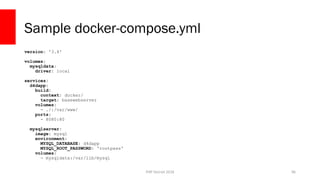
Sample docker-compose.yml
version: '3.4'
volumes:
mysqldata:
driver: local
services:
d4dapp:
build:
context: docker/
target: basewebserver
volumes:
- ./:/var/www/
ports:
- 8080:80
mysqlserver:
image: mysql
environment:
MYSQL_DATABASE: d4dapp
MYSQL_ROOT_PASSWORD: 'rootpass'
volumes:
- mysqldata:/var/lib/mysql
96
PHP Detroit 2018
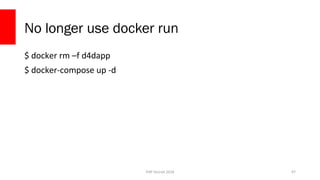
No longer use docker run
$ docker rm –f d4dapp
$ docker-compose up -d
97
PHP Detroit 2018
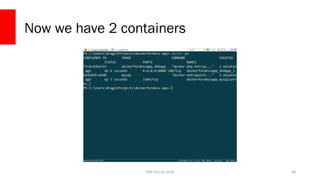
Now we have 2 containers
98
PHP Detroit 2018
Config for DB now points to the service
name
99
<?php
return [
'db' => [
'driver' => 'Pdo_Mysql',
'username' => 'root',
'password' => 'rootpass',
'database' => 'd4dapp',
'hostname' => 'mysqlserver'
]
];
PHP Detroit 2018
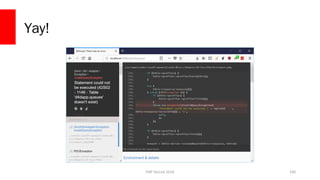
Yay!
100
PHP Detroit 2018
Branch
ws/05-migrations
101
PHP Detroit 2018
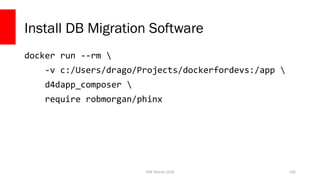
Install DB Migration Software
docker run --rm 
-v c:/Users/drago/Projects/dockerfordevs:/app 
d4dapp_composer 
require robmorgan/phinx
102
PHP Detroit 2018
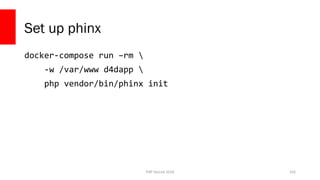
Set up phinx
docker-compose run –rm 
-w /var/www d4dapp 
php vendor/bin/phinx init
103
PHP Detroit 2018
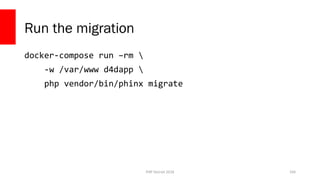
Run the migration
docker-compose run –rm 
-w /var/www d4dapp 
php vendor/bin/phinx migrate
104
PHP Detroit 2018
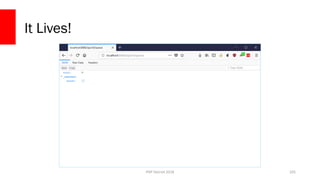
It Lives!
105
PHP Detroit 2018
Production Considerations
Madison PHP 2017 106
PHP Detroit 2018
12 Factor Applications
Madison PHP 2017 107
PHP Detroit 2018
1. Codebase
One codebase tracked in revision control, many deploys
Madison PHP 2017 108
PHP Detroit 2018
Repo Tips
• Keep everything in your repository
• Tag releases
• Never move tags
Madison PHP 2017 109
PHP Detroit 2018
2. Dependencies
Explicitly declare and isolate dependencies
Madison PHP 2017 110
PHP Detroit 2018
Dependencies
• Commit both composer.json and composer.lock files
• Commit Dockerfiles to the same repo as the codebase
Madison PHP 2017 111
PHP Detroit 2018
3. Config
Store config in the environment
112Madison PHP 2017
PHP Detroit 2018
Configuration
• Anything that is environment specific should move to environment
vars
• Makes it much easier to build and deploy code
• Code cares less what external services it is talking to
113Madison PHP 2017
PHP Detroit 2018
Use Environment Vars
• Can specify them one-by-one
– docker run ­e VAR_NAME=value
• Can specify a file
– docker run ­­env­file=filename
• Can specify in docker-compose.yml
114Madison PHP 2017
PHP Detroit 2018
4. Backing Services
Treat backing services as attached resources
115Madison PHP 2017
PHP Detroit 2018
Everything is “external”
• Never talk to local sockets
• Don’t make a determination between “locally” hosted and third party
• Easier to switch environments
• Easier to scale up
116Madison PHP 2017
PHP Detroit 2018
5. Build, release, run
Strictly separate build and run stages
117Madison PHP 2017
PHP Detroit 2018
The Workflow
• Build step installs dependencies, compiles files, and generates a Build
Artifact that can be deployed
– Does not contain any deployment configuration
• Release step pushes a Build Artifact into an environment
– Runs DB migrations, anything needed to happen before running
• Run step runs the app fully in the environment
118Madison PHP 2017
PHP Detroit 2018
Tips
• Build Artifact can be an image
• Builds should be completely reproducible
• Release always take a build artifact, never directly from the repo
• Tag all your builds
• Track all your releases
119Madison PHP 2017
PHP Detroit 2018
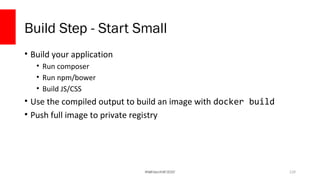
Build Step - Start Small
• Build your application
• Run composer
• Run npm/bower
• Build JS/CSS
• Use the compiled output to build an image with docker build
• Push full image to private registry
120Madison PHP 2017
PHP Detroit 2018
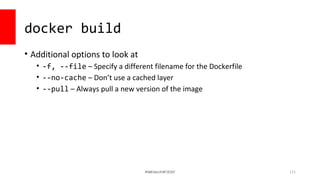
docker build
• Additional options to look at
• -f, --file – Specify a different filename for the Dockerfile
• --no-cache – Don’t use a cached layer
• --pull – Always pull a new version of the image
121Madison PHP 2017
PHP Detroit 2018
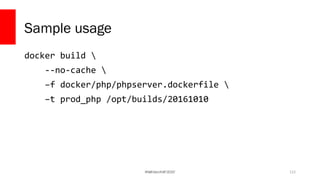
Sample usage
docker build 
--no-cache 
–f docker/php/phpserver.dockerfile 
–t prod_php /opt/builds/20161010
122Madison PHP 2017
PHP Detroit 2018
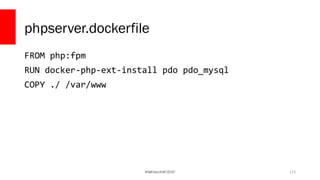
phpserver.dockerfile
FROM php:fpm
RUN docker-php-ext-install pdo pdo_mysql
COPY ./ /var/www
123Madison PHP 2017
PHP Detroit 2018
6. Processes
Execute the app as one or more stateless processes
124Madison PHP 2017
PHP Detroit 2018
Built Into Docker
• One Process per container
• Allows tools to scale just what needs to be scaled
• Allows images to be swapped out as needed
125Madison PHP 2017
PHP Detroit 2018
7. Port Binding
Export services via port binding
126Madison PHP 2017
PHP Detroit 2018
Built Into Docker (Again)
• Each container gets its own IP and exposes its own ports
• Processes should already be talking over a network
• Can work with service locators that are port-based
127Madison PHP 2017
PHP Detroit 2018
8. Concurrency
Scale out via the process model
128Madison PHP 2017
PHP Detroit 2018
How well does your app handle scaling?
129Madison PHP 2017
PHP Detroit 2018
Built Into Docker (Again) (Again)
• One Process per container
• Scale up just the container that is needed
• App should not care how many instances of each service are running
130Madison PHP 2017
PHP Detroit 2018
9. Disposability
Maximize robustness with fast startup and graceful shutdown
131Madison PHP 2017
PHP Detroit 2018
Signals
• Docker starts containers fairly quickly
• Applications should gracefully shut down, not just die
• Docker sends a SIGTERM when shutting down a container
• Your CLI apps may need to handle SIGTERM properly
– Cal Evans, “Signalling PHP”
132Madison PHP 2017
PHP Detroit 2018
10. Dev/prod Parity
Keep development, staging, and production as similar as possible
133Madison PHP 2017
PHP Detroit 2018
11. Logs
Treat logs as event streams
134Madison PHP 2017
PHP Detroit 2018
Logging in Docker
• Various logging options built in
– JSON file (default)
– Fluentd
– Syslog
– Journald
– Gelf
– Splunk
– Aws
– Etwlogs
– Gcplogs 135Madison PHP 2017
PHP Detroit 2018
Push logs remotely
• When possible, push Docker logs to a remote service
– Container logs only exist while the container exists
• Allows logs to be viewed in a single place
• No need to get into actual servers
• Can host yourself, or pay for a SaaS
• ELK stack is very popular
– Docker uses fluentd instead
136Madison PHP 2017
PHP Detroit 2018
12. Admin Processes
Run admin/management tasks as one-off processes
137Madison PHP 2017Madison PHP 2017
PHP Detroit 2018
Thank You!
• Software Engineer for InQuest
• Author of “Docker for Developers”
• https://leanpub.com/dockerfordevs
• Co-Host of “Jerks Talk Games”
• http://jerkstalkgames.com
• http://ctankersley.com
• chris@ctankersley.com
• @dragonmantank
138

Docker for Developers - PHP Detroit 2018

  • 1.
    Docker for PHP Developers ChrisTankersley @dragonmantank PHP Detroit 2018 1PHP Detroit 2018
  • 2.
    PHP Detroit 2018 Repository •https://github.com/learningcontainers/dockerfordevs 2
  • 3.
    PHP Detroit 2018 WhatIs Docker? “Docker is an open platform for developers and sysadmins to build, ship, and run distributed applications. Consisting of Docker Engine, a portable, lightweight runtime and packaging tool, and Docker Hub, a cloud service for sharing applications and automating workflows, Docker enables apps to be quickly assembled from components and eliminates the friction between development, QA, and production environments.” 3 https://www.docker.com/whatisdocker/
  • 4.
    PHP Detroit 2018 Whatis a Container? 4
  • 5.
    PHP Detroit 2018 NormalBare-Metal Server 5 CPU RAM HD Network Operating System nginx PHP DB
  • 6.
    PHP Detroit 2018 NormalBare-Metal Server 6 CPU RAM HD Network Operating System nginx PHP DB
  • 7.
    PHP Detroit 2018 VirtualMachines 7 CPU RAM HD Network Operating System nginx PHP DB Operating System nginx PHP DB Operating System Hypervisor
  • 8.
    PHP Detroit 2018 Containers 8 CPURAM HD Network Operating System nginxnginx PHP DB PHP DB
  • 9.
  • 10.
    PHP Detroit 2018 ContainersAre Not New • LXC (Linux Containers) • OpenVZ • Systemd-nspawn • BSD Jails • Solaris Zones • chroot 10
  • 11.
    PHP Detroit 2018 Containersare just walled processes 11 Ubuntu Kernel / + bin/ + etc/ + dev/ + home/ + usr/ + var/ + lib/ + … nginx bash / + bin/ + etc/ + dev/ + home/ + usr/ + var/ + lib/ + … php
  • 12.
    PHP Detroit 2018 Whatis Docker? 12
  • 13.
    PHP Detroit 2018 Dockeris an Ecosystem 13 Docker Engine
  • 14.
    PHP Detroit 2018 Dockeris an Ecosystem 14 Docker ComposeDocker Machine Docker Swarm
  • 15.
    PHP Detroit 2018 Howdoes it work? 15 Uses a variety of existing Container technologies Server Containers Hyper-V Containers xhyve Virtualization
  • 16.
    PHP Detroit 2018 SorryOSX < 10.10 and Windows < 10 Users Docker Toolbox 16
  • 17.
  • 18.
    PHP Detroit 2018 Runninga container • `docker run` will run a container • This will not restart an existing container, just create a new one • docker run [options] IMAGE [command] [arguments] • [options ]modify the docker process for this container • IMAGE is the image to use • [command] is the command to run inside the container • [arguments] are arguments for the command 18
  • 19.
    PHP Detroit 2018 Runninga simple shell 19
  • 20.
    PHP Detroit 2018 Runninga simple shell 20
  • 21.
    PHP Detroit 2018 Runninga simple shell 21
  • 22.
    PHP Detroit 2018 What’sGoing On? 22 Ubuntu Kernel / + bin/ + etc/ + dev/ + home/ + usr/ + var/ + lib/ + … nginx bash / + bin/ + etc/ + dev/ + home/ + usr/ + var/ + lib/ + … php
  • 23.
    PHP Detroit 2018 RunningTwo Webservers 23
  • 24.
    PHP Detroit 2018 RunningTwo Webservers 24
  • 25.
    PHP Detroit 2018 RunningTwo Webservers 25
  • 26.
    PHP Detroit 2018 RunningTwo Webservers 26
  • 27.
    PHP Detroit 2018 RunningTwo Webservers 27
  • 28.
    PHP Detroit 2018 RunningTwo Webservers 28
  • 29.
    PHP Detroit 2018 RunningTwo Webservers 29
  • 30.
    PHP Detroit 2018 RunningTwo Webservers 30
  • 31.
    PHP Detroit 2018 SomeNotes • All three containers are 100% self contained • Docker containers share common ancestors, but keep their own files • `docker run` parameters: • --rm – Destroy a container once it exits • -d – Run in the background (daemon mode) • -i – Run in interactive mode • --name – Give the container a name • -p [local port]:[container port] – Forward the local port to the container port 31
  • 32.
  • 33.
    PHP Detroit 2018 Modifyinga running container • `docker exec` can run a command inside of an existing container • Use Volumes to share data 33
  • 34.
    PHP Detroit 2018 PersistentData with Volumes • You can designate a volume with –v • Create a named volume with `volume create` • Volumes can be shared amongst containers • Volumes can mount data from the host system 34
  • 35.
    PHP Detroit 2018 Mountingfrom the host machine 35
  • 36.
    PHP Detroit 2018 Mountingfrom the host machine 36
  • 37.
    PHP Detroit 2018 Mountingfrom the host machine 37
  • 38.
    PHP Detroit 2018 Mountingfrom the host machine 38
  • 39.
    PHP Detroit 2018 Mountingfrom the host machine 39
  • 40.
    PHP Detroit 2018 Mountingfrom the host isn’t perfect • The container now has a window into your host machine • Permissions can get screwy if you are modifying in the container • Most things it creates will be root by default, and you probably aren’t root on the host machine • Host-mounted volumes are not portable at all • OSX and Hyper-V VMs have limited pathings to mount • OSX has poor I/O performance 40
  • 41.
    PHP Detroit 2018 NamedData Volumes • Creates a space that becomes persistent • Can be mounted anywhere inside your images • Have our app containers use the data volume to store data • Use ‘editor containers’ to go in and modify data when needed 41
  • 42.
    PHP Detroit 2018 vimTutorial • vim is a Modal text editor • ESC will drop you back to default mode • :new /opt/webconfig/default to create a new file • In default mode, i will get us into interactive (edit) mode • :w to save a file • :q will quit 42
  • 43.
  • 44.
  • 45.
  • 46.
  • 47.
  • 48.
  • 49.
    PHP Detroit 2018 Whygo through the hassle? • Data volumes are portable, depending on the driver • Data volumes are safer • Separates the app containers from data • Production can use a data volume, dev can use a host volume • Our app containers stay small • Works directly with other tools 49
  • 50.
  • 51.
    PHP Detroit 2018 Networking •Docker can create multiple network “pools” • Each container gets an IP address • Containers can be attached to multiple networks • Docker network allow service discovery inside networks 51
  • 52.
    PHP Detroit 2018 Legacy- Docker Links • Legacy Links work with `--link` • Only works on the legacy “bridge” network • Doesn’t support service discovery • Not worth it to use anymore 52
  • 53.
    PHP Detroit 2018 DockerNetworks • Discreet IP pool for containers • Containers can be added and removed to the network at whim • Service discovery though ‘--network-alias’ • Can be set up to work across hosts 53
  • 54.
  • 55.
    PHP Detroit 2018 Attachto a network 55
  • 56.
    PHP Detroit 2018 Pingthe web container 56
  • 57.
    PHP Detroit 2018 Addanother web and kill web1 57
  • 58.
    PHP Detroit 2018 OtherHelpful Commands 58
  • 59.
    PHP Detroit 2018 Inspecta container docker inspect [options] CONTAINER_NAME • Returns a JSON string with data about the container • Can also query • docker inspect -f “{{ .NetworkSettings.IPAddress }}” web_server • Really handy for scripting out things like reverse proxies 59
  • 60.
    PHP Detroit 2018 Workwith images • docker pull IMAGE – Pulls down an image before using • docker images – Lists all the images that are downloaded • docker rmi IMAGE – Deletes an image if it’s not being used 60
  • 61.
  • 62.
    PHP Detroit 2018 OurGoals • Not change our workflow (much) • Run PHP 7, Unit Tests, and webserver • Deploy “easily” 62
  • 63.
    PHP Detroit 2018 Repository •https://github.com/learningcontainers/dockerfordevs 63
  • 64.
  • 65.
    PHP Detroit 2018 Justtry and run it docker run -d --name d4dapp -v C:dragoProjectsdockerfordevs-app:/var/www/ -p 8080:80 php:apache 65
  • 66.
  • 67.
    PHP Detroit 2018 CheckingLogs • Containers log to stdout/stderr • Docker aggregates the logs • Can be viewed with docker logs 67
  • 68.
  • 69.
    PHP Detroit 2018 CustomImages • PHP images are pretty bare • Lots of times need to install extensions 69
  • 70.
    PHP Detroit 2018 Dockerfile •Dockerfile is the configuration steps for an image • Can be created from scratch, or based on another image • Allows you to add files, create default volumes, ports, etc • Can be used privately or pushed to Docker Hub 70
  • 71.
    PHP Detroit 2018 docker/Dockerfile FROMphp:apache as basewebserver RUN a2enmod rewrite 71
  • 72.
    PHP Detroit 2018 Buildit docker build -t tag_name ./ • This runs through the Dockerfile and generates the image • We can now use the tag name to run the image 72
  • 73.
    PHP Detroit 2018 Buildit docker build --target basewebserver -t d4dapp docker/ 73
  • 74.
  • 75.
    PHP Detroit 2018 Usethe new image docker run -d --name d4dapp -v C:dragoProjectsdockerfordevs-app:/var/www/ -p 8080:80 d4dapp 75
  • 76.
    PHP Detroit 2018 Usethe new image 76
  • 77.
  • 78.
    PHP Detroit 2018 InstallDependencies 78
  • 79.
  • 80.
    PHP Detroit 2018 RunningComposer docker run --rm -v c:/Users/drago/.composer:/root/.composer -v c:/Users/drago/Projects/dockerfordevs:/app -v c:/Users/drago/.ssh:/root/.ssh composer/composer install 80
  • 81.
    PHP Detroit 2018 docker/Dockerfile FROMbasewebserver as composer RUN apt update && apt install -y git zip unzip RUN curl https://[...]/installer | php -- --quiet RUN mv composer.phar /usr/bin/composer && chmod +x /usr/bin/composer ENV COMPOSER_HOME /opt/composer WORKDIR /app CMD ["-"] ENTRYPOINT ["composer", "--ansi"] 81
  • 82.
    PHP Detroit 2018 Buildit docker build --target composer -t d4dapp_composer docker/ 82
  • 83.
    PHP Detroit 2018 RunningComposer docker run --rm -v c:/Users/drago/Projects/dockerfordevs:/app d4dapp_composer install 83
  • 84.
  • 85.
    PHP Detroit 2018 Lookat queues! 85
  • 86.
  • 87.
    PHP Detroit 2018 Buildit Copy config/autoload/local.php.dist → config/autoload/local.php 87
  • 88.
    PHP Detroit 2018 Lookat queues! 88
  • 89.
    PHP Detroit 2018 docker/Dockerfile FROMphp:apache as basewebserver RUN a2enmod rewrite && docker-php-ext-install pdo_mysql 89
  • 90.
    PHP Detroit 2018 Rebuildthe image docker build --target basewebserver -t d4dapp docker/ 90
  • 91.
    PHP Detroit 2018 Rebuildthe container $ docker rm -f d4dapp $ docker run -d --name d4dapp -v C:dragoProjectsdockerfordevs-app:/var/www/ -p 8080:80 d4dapp 91
  • 92.
  • 93.
  • 94.
  • 95.
    PHP Detroit 2018 Whatis Docker Compose? • Multi-container orchestration • A single config file holds all of your container info • Works with Docker Swarm and a few other tools, like Rancher 95
  • 96.
    PHP Detroit 2018 Sampledocker-compose.yml version: '3.4' volumes: mysqldata: driver: local services: d4dapp: build: context: docker/ target: basewebserver volumes: - ./:/var/www/ ports: - 8080:80 mysqlserver: image: mysql environment: MYSQL_DATABASE: d4dapp MYSQL_ROOT_PASSWORD: 'rootpass' volumes: - mysqldata:/var/lib/mysql 96
  • 97.
    PHP Detroit 2018 Nolonger use docker run $ docker rm –f d4dapp $ docker-compose up -d 97
  • 98.
    PHP Detroit 2018 Nowwe have 2 containers 98
  • 99.
    PHP Detroit 2018 Configfor DB now points to the service name 99 <?php return [ 'db' => [ 'driver' => 'Pdo_Mysql', 'username' => 'root', 'password' => 'rootpass', 'database' => 'd4dapp', 'hostname' => 'mysqlserver' ] ];
  • 100.
  • 101.
  • 102.
    PHP Detroit 2018 InstallDB Migration Software docker run --rm -v c:/Users/drago/Projects/dockerfordevs:/app d4dapp_composer require robmorgan/phinx 102
  • 103.
    PHP Detroit 2018 Setup phinx docker-compose run –rm -w /var/www d4dapp php vendor/bin/phinx init 103
  • 104.
    PHP Detroit 2018 Runthe migration docker-compose run –rm -w /var/www d4dapp php vendor/bin/phinx migrate 104
  • 105.
  • 106.
    PHP Detroit 2018 ProductionConsiderations Madison PHP 2017 106
  • 107.
    PHP Detroit 2018 12Factor Applications Madison PHP 2017 107
  • 108.
    PHP Detroit 2018 1.Codebase One codebase tracked in revision control, many deploys Madison PHP 2017 108
  • 109.
    PHP Detroit 2018 RepoTips • Keep everything in your repository • Tag releases • Never move tags Madison PHP 2017 109
  • 110.
    PHP Detroit 2018 2.Dependencies Explicitly declare and isolate dependencies Madison PHP 2017 110
  • 111.
    PHP Detroit 2018 Dependencies •Commit both composer.json and composer.lock files • Commit Dockerfiles to the same repo as the codebase Madison PHP 2017 111
  • 112.
    PHP Detroit 2018 3.Config Store config in the environment 112Madison PHP 2017
  • 113.
    PHP Detroit 2018 Configuration •Anything that is environment specific should move to environment vars • Makes it much easier to build and deploy code • Code cares less what external services it is talking to 113Madison PHP 2017
  • 114.
    PHP Detroit 2018 UseEnvironment Vars • Can specify them one-by-one – docker run ­e VAR_NAME=value • Can specify a file – docker run ­­env­file=filename • Can specify in docker-compose.yml 114Madison PHP 2017
  • 115.
    PHP Detroit 2018 4.Backing Services Treat backing services as attached resources 115Madison PHP 2017
  • 116.
    PHP Detroit 2018 Everythingis “external” • Never talk to local sockets • Don’t make a determination between “locally” hosted and third party • Easier to switch environments • Easier to scale up 116Madison PHP 2017
  • 117.
    PHP Detroit 2018 5.Build, release, run Strictly separate build and run stages 117Madison PHP 2017
  • 118.
    PHP Detroit 2018 TheWorkflow • Build step installs dependencies, compiles files, and generates a Build Artifact that can be deployed – Does not contain any deployment configuration • Release step pushes a Build Artifact into an environment – Runs DB migrations, anything needed to happen before running • Run step runs the app fully in the environment 118Madison PHP 2017
  • 119.
    PHP Detroit 2018 Tips •Build Artifact can be an image • Builds should be completely reproducible • Release always take a build artifact, never directly from the repo • Tag all your builds • Track all your releases 119Madison PHP 2017
  • 120.
    PHP Detroit 2018 BuildStep - Start Small • Build your application • Run composer • Run npm/bower • Build JS/CSS • Use the compiled output to build an image with docker build • Push full image to private registry 120Madison PHP 2017
  • 121.
    PHP Detroit 2018 dockerbuild • Additional options to look at • -f, --file – Specify a different filename for the Dockerfile • --no-cache – Don’t use a cached layer • --pull – Always pull a new version of the image 121Madison PHP 2017
  • 122.
    PHP Detroit 2018 Sampleusage docker build --no-cache –f docker/php/phpserver.dockerfile –t prod_php /opt/builds/20161010 122Madison PHP 2017
  • 123.
    PHP Detroit 2018 phpserver.dockerfile FROMphp:fpm RUN docker-php-ext-install pdo pdo_mysql COPY ./ /var/www 123Madison PHP 2017
  • 124.
    PHP Detroit 2018 6.Processes Execute the app as one or more stateless processes 124Madison PHP 2017
  • 125.
    PHP Detroit 2018 BuiltInto Docker • One Process per container • Allows tools to scale just what needs to be scaled • Allows images to be swapped out as needed 125Madison PHP 2017
  • 126.
    PHP Detroit 2018 7.Port Binding Export services via port binding 126Madison PHP 2017
  • 127.
    PHP Detroit 2018 BuiltInto Docker (Again) • Each container gets its own IP and exposes its own ports • Processes should already be talking over a network • Can work with service locators that are port-based 127Madison PHP 2017
  • 128.
    PHP Detroit 2018 8.Concurrency Scale out via the process model 128Madison PHP 2017
  • 129.
    PHP Detroit 2018 Howwell does your app handle scaling? 129Madison PHP 2017
  • 130.
    PHP Detroit 2018 BuiltInto Docker (Again) (Again) • One Process per container • Scale up just the container that is needed • App should not care how many instances of each service are running 130Madison PHP 2017
  • 131.
    PHP Detroit 2018 9.Disposability Maximize robustness with fast startup and graceful shutdown 131Madison PHP 2017
  • 132.
    PHP Detroit 2018 Signals •Docker starts containers fairly quickly • Applications should gracefully shut down, not just die • Docker sends a SIGTERM when shutting down a container • Your CLI apps may need to handle SIGTERM properly – Cal Evans, “Signalling PHP” 132Madison PHP 2017
  • 133.
    PHP Detroit 2018 10.Dev/prod Parity Keep development, staging, and production as similar as possible 133Madison PHP 2017
  • 134.
    PHP Detroit 2018 11.Logs Treat logs as event streams 134Madison PHP 2017
  • 135.
    PHP Detroit 2018 Loggingin Docker • Various logging options built in – JSON file (default) – Fluentd – Syslog – Journald – Gelf – Splunk – Aws – Etwlogs – Gcplogs 135Madison PHP 2017
  • 136.
    PHP Detroit 2018 Pushlogs remotely • When possible, push Docker logs to a remote service – Container logs only exist while the container exists • Allows logs to be viewed in a single place • No need to get into actual servers • Can host yourself, or pay for a SaaS • ELK stack is very popular – Docker uses fluentd instead 136Madison PHP 2017
  • 137.
    PHP Detroit 2018 12.Admin Processes Run admin/management tasks as one-off processes 137Madison PHP 2017Madison PHP 2017
  • 138.
    PHP Detroit 2018 ThankYou! • Software Engineer for InQuest • Author of “Docker for Developers” • https://leanpub.com/dockerfordevs • Co-Host of “Jerks Talk Games” • http://jerkstalkgames.com • http://ctankersley.com • chris@ctankersley.com • @dragonmantank 138

Editor's Notes

  • #2 &amp;lt;number&amp;gt;