Preparing your dockerised application for
production deployment
Dave Ward
Globe Online Ltd
PHP UK Conference
17th Feb 2017
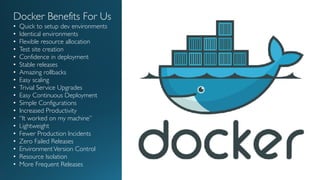
Docker Benefits For Us
• Quick to setup dev environments
• Identical environments
• Flexible resource allocation
• Test site creation
• Confidence in deployment
• Stable releases
• Amazing rollbacks
• Easy scaling
• Trivial Service Upgrades
• Easy Continuous Deployment
• Simple Configurations
• Increased Productivity
• “It worked on my machine”
• Lightweight
• Fewer Production Incidents
• Zero Failed Releases
• EnvironmentVersion Control
• Resource Isolation
• More Frequent Releases
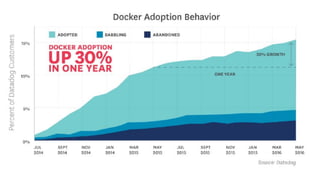
Who Uses Docker In Development?
Who Uses Docker In Production?
What is Docker?What is Docker?
http://geekyplatypus.com/dockerise-your-php-application-with-nginx-and-php7-fpm/
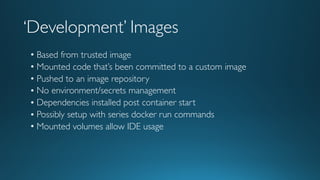
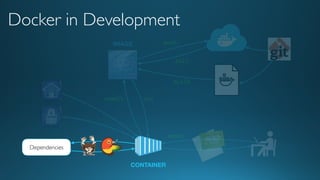
‘Development’ Images
• Based from trusted image
• Mounted code that’s been committed to a custom image
• Pushed to an image repository
• No environment/secrets management
• Dependencies installed post container start
• Possibly setup with series docker run commands
• Mounted volumes allow IDE usage
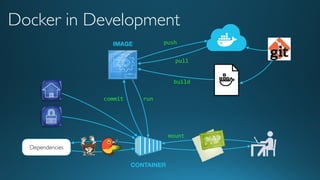
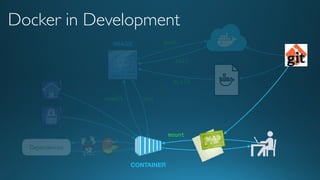
run
push
Dependencies
commit
IMAGE
Docker in Development
CONTAINER
build
pull
mount
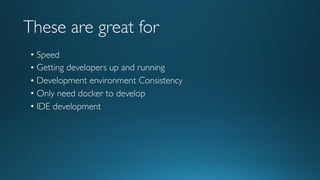
These are great for
• Speed
• Getting developers up and running
• Development environment Consistency
• Only need docker to develop
• IDE development
Issues
• No accountability of image creation
• Not transparent
• Not fit for scaling
• Environment Specific
• No logging
• Disorganised repository
• Not Immutable
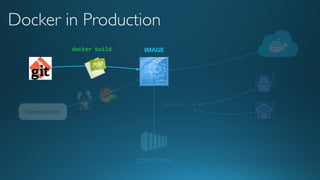
Production Image Goals
Immutable Ephemeral
Production ready artefacts
• Automated Builds
• Application Code
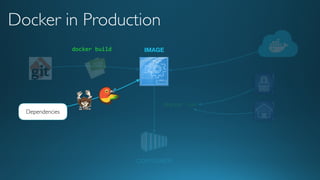
• Pre-installed dependencies
• Composer
• Bower
• Environment Capable
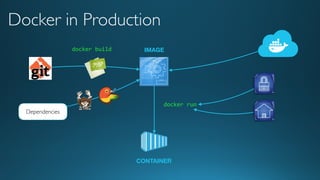
docker run
Dependencies
IMAGE
Docker in Production
CONTAINER
docker build
A proposed
repository structure
• Your repository is now one level up.
• Project environment is now under version
control
• /appcode : application code only
• /appdata : data only container of appcode
• docker-compose.override.yml
• Dockerfile.build
• docker-compose.prodsite.yml
• /[services]
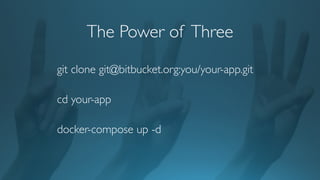
The Power of Three
git clone git@bitbucket.org:you/your-app.git
cd your-app
docker-compose up -d
Automated Builds
• Builds a deployment artefact
• Automatic or manual trigger
• Error Handling
• Build context taken from Dockerfile location
• Repository Links
• Remote Build triggers
• Webhooks
• Dockerhub does not use cached layers
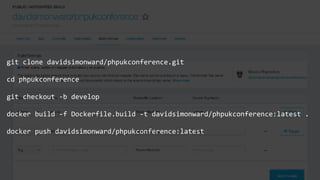
git clone davidsimonward/phpukconference.git
cd phpukconference
git checkout -b develop
docker build -f Dockerfile.build -t davidsimonward/phpukconference:latest .
docker push davidsimonward/phpukconference:latest
Advantages
• Images built in this way are built exactly as specified.
• The Dockerfile is available to anyone with access to your
Docker Hub repository.
• Your image repository is kept up-to-date with code changes
automatically.
Application Code
run
push
Dependencies
commit
IMAGE
Docker in Development
CONTAINER
build
pull
mount
docker run
Dependencies
IMAGE
Docker in Production
CONTAINER
docker build
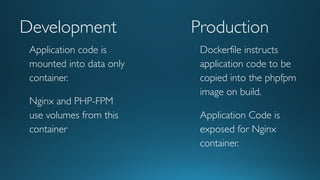
Development Production
Dockerfile instructs
application code to be
copied into the phpfpm
image on build.
Application Code is
exposed for Nginx
container.
Application code is
mounted into data only
container.
Nginx and PHP-FPM
use volumes from this
container
DEMO
Dependencies
run
push
Dependencies
commit
IMAGE
Docker in Development
CONTAINER
build
pull
mount
docker run
Dependencies
IMAGE
Docker in Production
CONTAINER
docker build
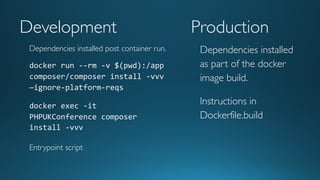
Development Production
Dependencies installed
as part of the docker
image build.
Instructions in
Dockerfile.build
Dependencies installed post container run.
docker run --rm -v $(pwd):/app
composer/composer install -vvv
—ignore-platform-reqs
docker exec -it
PHPUKConference composer
install -vvv
Entrypoint script
DEMO
Private Dependencies?
Base Image
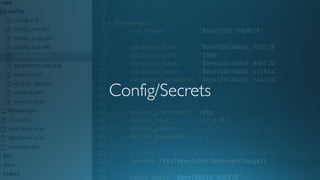
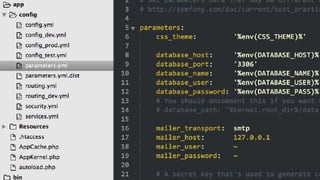
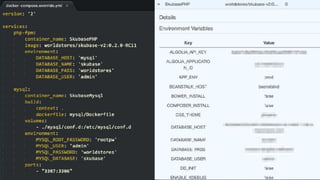
Config/Secrets
Some Solutions
• ‘Baking’ it into the image
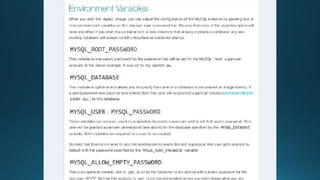
• EnvironmentVariables
• Volume Mounts
• Secrets Store
• Orchestration Specific Solutions
Docker Secrets
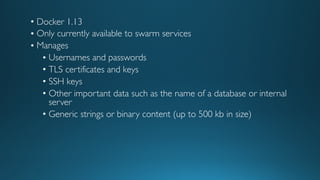
• Docker 1.13
• Only currently available to swarm services
• Manages
• Usernames and passwords
• TLS certificates and keys
• SSH keys
• Other important data such as the name of a database or internal
server
• Generic strings or binary content (up to 500 kb in size)

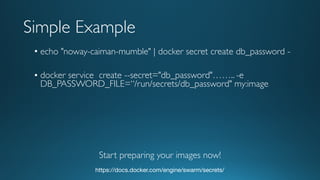
• echo "noway-caiman-mumble" | docker secret create db_password -
• docker service create --secret="db_password"…….. -e
DB_PASSWORD_FILE=“/run/secrets/db_password" my:image
https://docs.docker.com/engine/swarm/secrets/
Simple Example
Start preparing your images now!
Logging Strategies
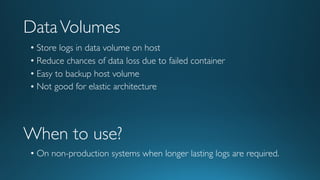
DataVolumes
• Store logs in data volume on host
• Reduce chances of data loss due to failed container
• Easy to backup host volume
• Not good for elastic architecture
When to use?
• On non-production systems when longer lasting logs are required.
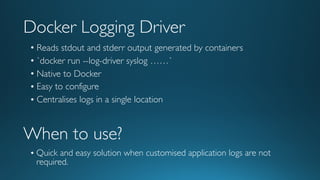
Docker Logging Driver
• Reads stdout and stderr output generated by containers
• `docker run --log-driver syslog ……`
• Native to Docker
• Easy to configure
• Centralises logs in a single location
When to use?
• Quick and easy solution when customised application logs are not
required.
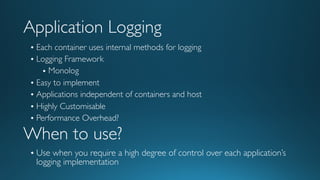
Application Logging
• Each container uses internal methods for logging
• Logging Framework
• Monolog
• Easy to implement
• Applications independent of containers and host
• Highly Customisable
• Performance Overhead?
When to use?
• Use when you require a high degree of control over each application’s
logging implementation
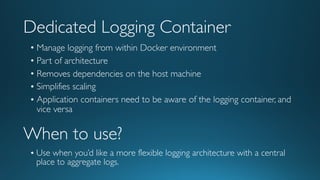
Dedicated Logging Container
• Manage logging from within Docker environment
• Part of architecture
• Removes dependencies on the host machine
• Simplifies scaling
• Application containers need to be aware of the logging container, and
vice versa
When to use?
• Use when you’d like a more flexible logging architecture with a central
place to aggregate logs.
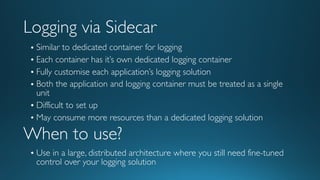
Logging via Sidecar
• Similar to dedicated container for logging
• Each container has it’s own dedicated logging container
• Fully customise each application’s logging solution
• Both the application and logging container must be treated as a single
unit
• Difficult to set up
• May consume more resources than a dedicated logging solution
When to use?
• Use in a large, distributed architecture where you still need fine-tuned
control over your logging solution
Other Processes
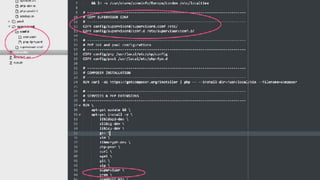
Supervisord
• Run more than one process in container
• Benefits
• Greater Control of processes
• Better management of processes
• Base Image
• PHP-FPM
• Crontab
• Workers
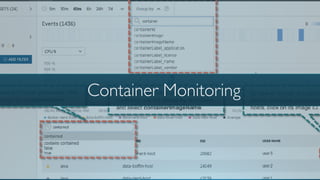
Container Monitoring
Container Metrics of interest
• Container CPU –Throttled CPUTime
• Container Memory – Fail Counters
• Container Memory Usage
• Container Swap
• Container Disk I/O
• Container Network Metrics
Monitoring Solutions
Common Mistakes
• Creating images from running containers
• Deploying with ‘latest’ tag
• Storing credentials in the image.
• Creating images from running containers
• Doing too much in your run.sh script (e.g. composer install)
• Leads to really a long start up time
• Relying on IP Addresses
Deployment Process
• UpdateTask Definition
• Image for phpfpm container is updated
• Update Service to use newTask Definition
• Easily roll back to previousTask Definition
• Immutable!
• Confidence
• Zero downtime deployments
• Draining Connections
Questions?

Preparing your dockerised application for production deployment

  • 1.
    Preparing your dockerisedapplication for production deployment Dave Ward Globe Online Ltd PHP UK Conference 17th Feb 2017
  • 4.
    Docker Benefits ForUs • Quick to setup dev environments • Identical environments • Flexible resource allocation • Test site creation • Confidence in deployment • Stable releases • Amazing rollbacks • Easy scaling • Trivial Service Upgrades • Easy Continuous Deployment • Simple Configurations • Increased Productivity • “It worked on my machine” • Lightweight • Fewer Production Incidents • Zero Failed Releases • EnvironmentVersion Control • Resource Isolation • More Frequent Releases
  • 5.
    Who Uses DockerIn Development?
  • 6.
    Who Uses DockerIn Production?
  • 8.
    What is Docker?Whatis Docker? http://geekyplatypus.com/dockerise-your-php-application-with-nginx-and-php7-fpm/
  • 9.
    ‘Development’ Images • Basedfrom trusted image • Mounted code that’s been committed to a custom image • Pushed to an image repository • No environment/secrets management • Dependencies installed post container start • Possibly setup with series docker run commands • Mounted volumes allow IDE usage
  • 10.
  • 11.
    These are greatfor • Speed • Getting developers up and running • Development environment Consistency • Only need docker to develop • IDE development
  • 12.
    Issues • No accountabilityof image creation • Not transparent • Not fit for scaling • Environment Specific • No logging • Disorganised repository • Not Immutable
  • 13.
  • 14.
    Production ready artefacts •Automated Builds • Application Code • Pre-installed dependencies • Composer • Bower • Environment Capable
  • 15.
    docker run Dependencies IMAGE Docker inProduction CONTAINER docker build
  • 16.
    A proposed repository structure •Your repository is now one level up. • Project environment is now under version control • /appcode : application code only • /appdata : data only container of appcode • docker-compose.override.yml • Dockerfile.build • docker-compose.prodsite.yml • /[services]
  • 17.
    The Power ofThree git clone git@bitbucket.org:you/your-app.git cd your-app docker-compose up -d
  • 18.
    Automated Builds • Buildsa deployment artefact • Automatic or manual trigger • Error Handling • Build context taken from Dockerfile location • Repository Links • Remote Build triggers • Webhooks • Dockerhub does not use cached layers
  • 19.
    git clone davidsimonward/phpukconference.git cdphpukconference git checkout -b develop docker build -f Dockerfile.build -t davidsimonward/phpukconference:latest . docker push davidsimonward/phpukconference:latest
  • 20.
    Advantages • Images builtin this way are built exactly as specified. • The Dockerfile is available to anyone with access to your Docker Hub repository. • Your image repository is kept up-to-date with code changes automatically.
  • 21.
  • 22.
  • 23.
    docker run Dependencies IMAGE Docker inProduction CONTAINER docker build
  • 24.
    Development Production Dockerfile instructs applicationcode to be copied into the phpfpm image on build. Application Code is exposed for Nginx container. Application code is mounted into data only container. Nginx and PHP-FPM use volumes from this container
  • 25.
  • 26.
  • 27.
  • 28.
    docker run Dependencies IMAGE Docker inProduction CONTAINER docker build
  • 29.
    Development Production Dependencies installed aspart of the docker image build. Instructions in Dockerfile.build Dependencies installed post container run. docker run --rm -v $(pwd):/app composer/composer install -vvv —ignore-platform-reqs docker exec -it PHPUKConference composer install -vvv Entrypoint script
  • 30.
  • 31.
  • 32.
  • 33.
  • 34.
    Some Solutions • ‘Baking’it into the image • EnvironmentVariables • Volume Mounts • Secrets Store • Orchestration Specific Solutions
  • 38.
  • 39.
    • Docker 1.13 •Only currently available to swarm services • Manages • Usernames and passwords • TLS certificates and keys • SSH keys • Other important data such as the name of a database or internal server • Generic strings or binary content (up to 500 kb in size)
  • 40.
    • echo "noway-caiman-mumble"| docker secret create db_password - • docker service create --secret="db_password"…….. -e DB_PASSWORD_FILE=“/run/secrets/db_password" my:image https://docs.docker.com/engine/swarm/secrets/ Simple Example Start preparing your images now!
  • 41.
  • 42.
    DataVolumes • Store logsin data volume on host • Reduce chances of data loss due to failed container • Easy to backup host volume • Not good for elastic architecture When to use? • On non-production systems when longer lasting logs are required.
  • 43.
    Docker Logging Driver •Reads stdout and stderr output generated by containers • `docker run --log-driver syslog ……` • Native to Docker • Easy to configure • Centralises logs in a single location When to use? • Quick and easy solution when customised application logs are not required.
  • 44.
    Application Logging • Eachcontainer uses internal methods for logging • Logging Framework • Monolog • Easy to implement • Applications independent of containers and host • Highly Customisable • Performance Overhead? When to use? • Use when you require a high degree of control over each application’s logging implementation
  • 45.
    Dedicated Logging Container •Manage logging from within Docker environment • Part of architecture • Removes dependencies on the host machine • Simplifies scaling • Application containers need to be aware of the logging container, and vice versa When to use? • Use when you’d like a more flexible logging architecture with a central place to aggregate logs.
  • 46.
    Logging via Sidecar •Similar to dedicated container for logging • Each container has it’s own dedicated logging container • Fully customise each application’s logging solution • Both the application and logging container must be treated as a single unit • Difficult to set up • May consume more resources than a dedicated logging solution When to use? • Use in a large, distributed architecture where you still need fine-tuned control over your logging solution
  • 47.
  • 48.
    Supervisord • Run morethan one process in container • Benefits • Greater Control of processes • Better management of processes • Base Image • PHP-FPM • Crontab • Workers
  • 50.
  • 51.
    Container Metrics ofinterest • Container CPU –Throttled CPUTime • Container Memory – Fail Counters • Container Memory Usage • Container Swap • Container Disk I/O • Container Network Metrics
  • 52.
  • 53.
    Common Mistakes • Creatingimages from running containers • Deploying with ‘latest’ tag • Storing credentials in the image. • Creating images from running containers • Doing too much in your run.sh script (e.g. composer install) • Leads to really a long start up time • Relying on IP Addresses
  • 54.
    Deployment Process • UpdateTaskDefinition • Image for phpfpm container is updated • Update Service to use newTask Definition • Easily roll back to previousTask Definition • Immutable! • Confidence • Zero downtime deployments • Draining Connections
  • 55.