手把手帶你學 入門篇
Philipz(鄭淳尹)
2017-03-04
廣宣學堂
Philipz (鄭淳尹)
Docker.Taipei 共同發起人
歐萊禮《Docker 錦囊妙計》譯者
碁峰《Docker入門與實戰》、
《Kubernetes使用指南》審譯者
2014 COSCUP/iThome Summit 講者
2015 Microsoft Azure 開發者大會 講者
2016 COSCUP Docker 進階工作坊
2016 義守大學資工系 Docker 研習營
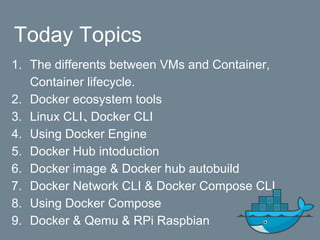
Today Topics
1. The differents between VMs and Container,
Container lifecycle.
2. Docker ecosystem tools
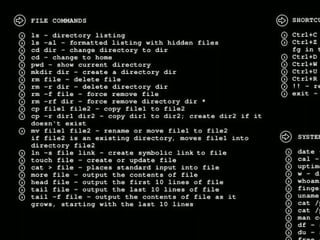
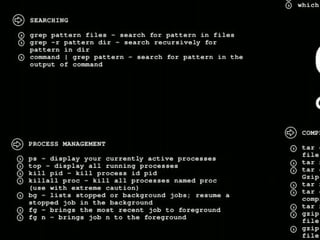
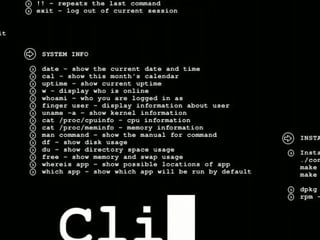
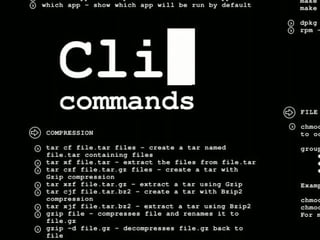
3. Linux CLI、Docker CLI
4. Using Docker Engine
5. Docker Hub intoduction
6. Docker image & Docker hub autobuild
7. Docker Network CLI & Docker Compose CLI
8. Using Docker Compose
9. Docker & Qemu & RPi Raspbian
1. Compare VM with
Container
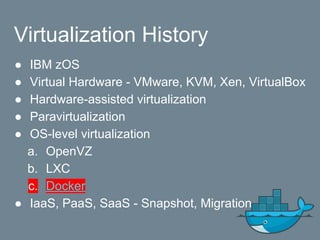
Virtualization History
● IBM zOS
● Virtual Hardware - VMware, KVM, Xen, VirtualBox
● Hardware-assisted virtualization
● Paravirtualization
● OS-level virtualization
a. OpenVZ
b. LXC
c. Docker
● IaaS, PaaS, SaaS - Snapshot, Migration
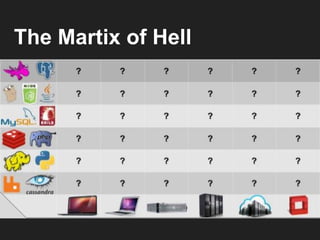
The Martix of Hell
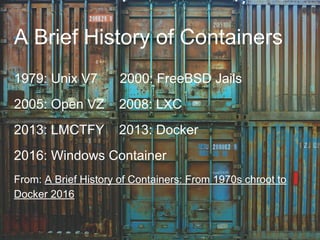
A Brief History of Containers
1979: Unix V7 2000: FreeBSD Jails
2005: Open VZ 2008: LXC
2013: LMCTFY 2013: Docker
2016: Windows Container
From: A Brief History of Containers: From 1970s chroot to
Docker 2016
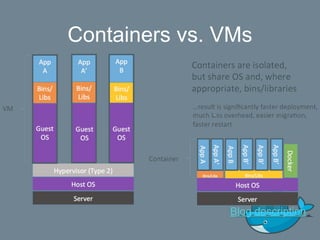
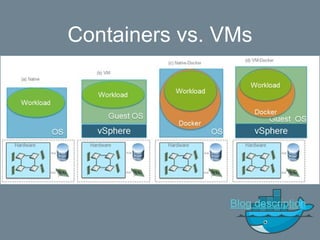
Containers vs. VMs
Blog description
Containers vs. VMs
Blog description
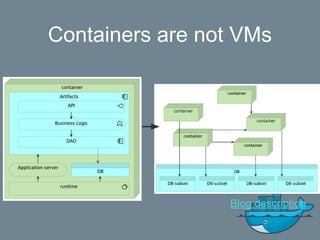
Containers are not VMs
Blog description
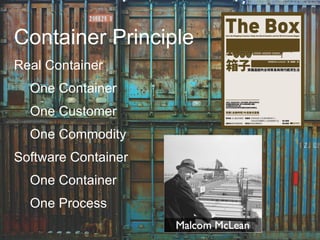
Container Principle
Real Container
One Container
One Customer
One Commodity
Software Container
One Container
One Process
簡體翻譯
2. Docker ecosystem tools
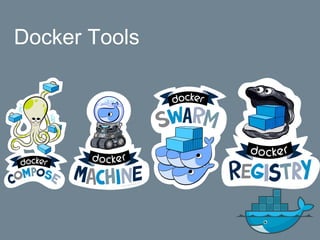
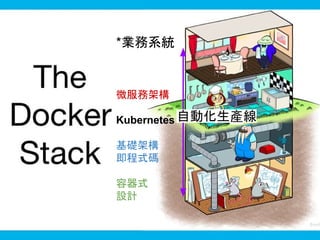
Docker Tools
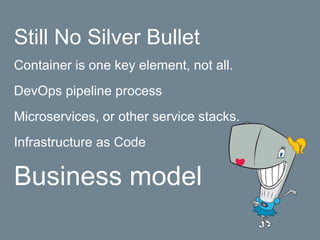
Still No Silver Bullet
Container is one key element, not all.
DevOps pipeline process
Microservices, or other service stacks.
Infrastructure as Code
Business model
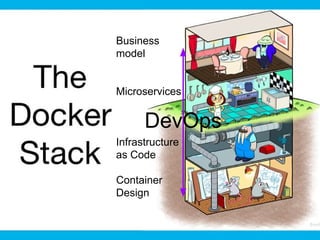
Business
model
Microservices
Infrastructure
as Code
Container
Design
DevOps
*業務系統
微服務架構
Kubernetes
基礎架構
即程式碼
容器式
設計
自動化生產線
Docker Datacenter
3.1 Linux command-line
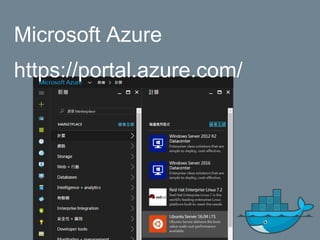
Microsoft Azure
https://portal.azure.com/
3.2 Docker command-line
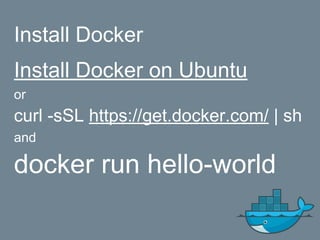
Install Docker
Install Docker on Ubuntu
or
curl -sSL https://get.docker.com/ | sh
and
docker run hello-world
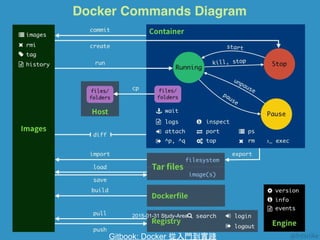
2015-01-31 Study-Area
Gitbook: Docker 從入門到實踐
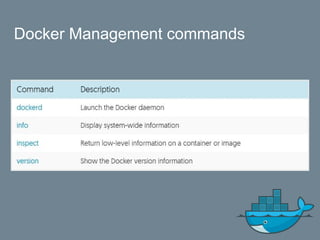
Docker Management commands
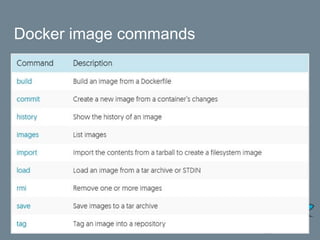
Docker image commands
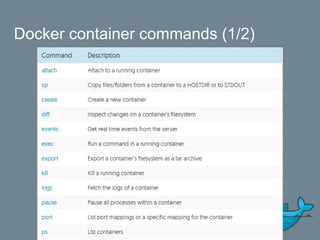
Docker container commands (1/2)
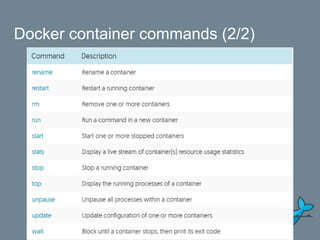
Docker container commands (2/2)
4. Docker Engine
Playground
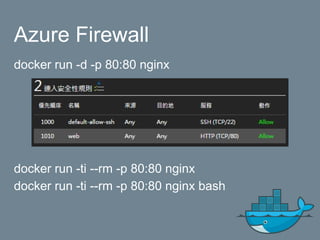
Azure Firewall
docker run -d -p 80:80 nginx
docker run -ti --rm -p 80:80 nginx
docker run -ti --rm -p 80:80 nginx bash
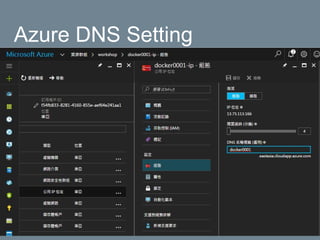
Azure DNS Setting
5. Docker Hub introduction
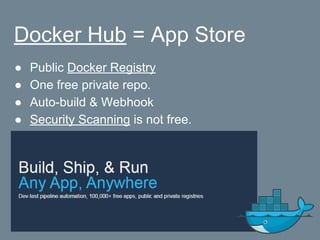
Docker Hub = App Store
● Public Docker Registry
● One free private repo.
● Auto-build & Webhook
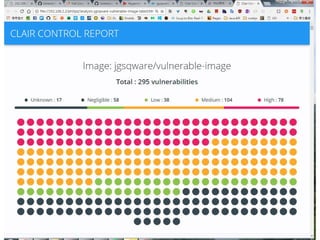
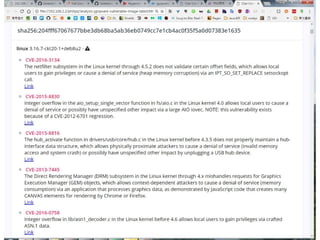
● Security Scanning is not free.
●
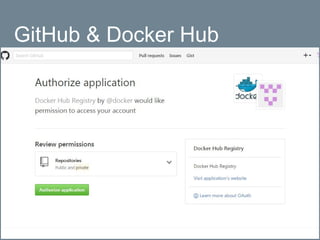
GitHub & Docker Hub
Vulnerability Analysis
CoreOS Clair
Anchore
6.1 Docker image &
Dockerfile
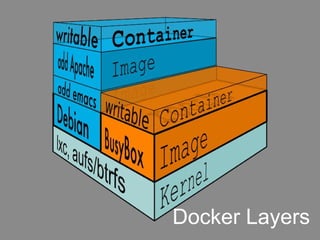
Docker Layers
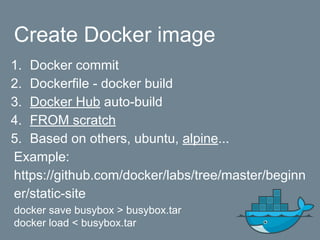
Create Docker image
1. Docker commit
2. Dockerfile - docker build
3. Docker Hub auto-build
4. FROM scratch
5. Based on others, ubuntu, alpine...
Example:
https://github.com/docker/labs/tree/master/beginn
er/static-site
docker save busybox > busybox.tar
docker load < busybox.tar
Dockerfile Reference
Same folder, docker build .
docker build -f /other/folder/file .
Add tag, docker build -t TAG_NAME .
Sample:
FROM debian:jessie
MAINTAINER docker "docker@nginx.com"
RUN apt-get update && apt-get install -y nginx
CMD ["nginx", "-g", "daemon off;"]
Healthcheck from 1.12
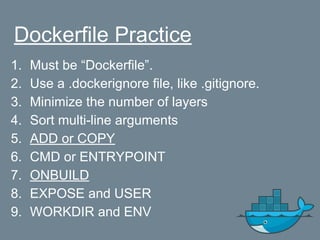
Dockerfile Practice
1. Must be “Dockerfile”.
2. Use a .dockerignore file, like .gitignore.
3. Minimize the number of layers
4. Sort multi-line arguments
5. ADD or COPY
6. CMD or ENTRYPOINT
7. ONBUILD
8. EXPOSE and USER
9. WORKDIR and ENV
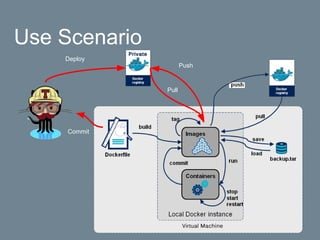
Use Scenario
Commit
Push
Pull
Deploy
6.2 Docker Hub Auto-build
Dockerfile
Sample:
FROM debian:jessie
MAINTAINER docker "docker@nginx.com"
RUN apt-get update && apt-get install -y nginx
CMD ["nginx", "-g", "daemon off;"]
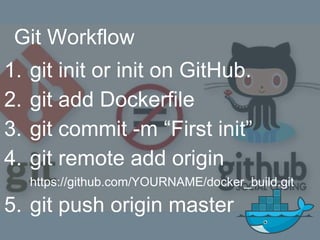
Git Workflow
1. git init or init on GitHub.
2. git add Dockerfile
3. git commit -m “First init”
4. git remote add origin
https://github.com/YOURNAME/docker_build.git
5. git push origin master
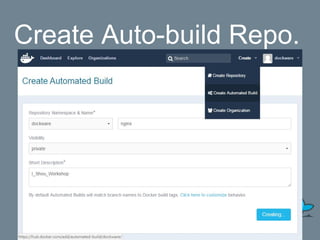
Create Auto-build Repo.
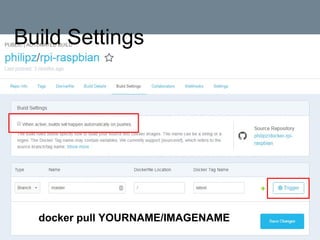
Build Settings
docker pull YOURNAME/IMAGENAME
7.1.1 Docker Network
command-line
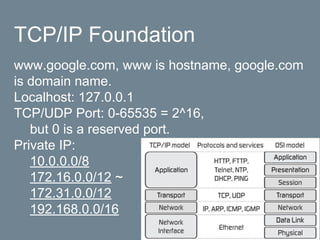
TCP/IP Foundation
www.google.com, www is hostname, google.com
is domain name.
Localhost: 127.0.0.1
TCP/UDP Port: 0-65535 = 2^16,
but 0 is a reserved port.
Private IP:
10.0.0.0/8
172.16.0.0/12 ~
172.31.0.0/12
192.168.0.0/16
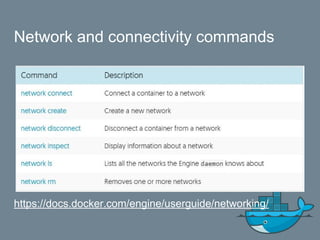
Network and connectivity commands
https://docs.docker.com/engine/userguide/networking/
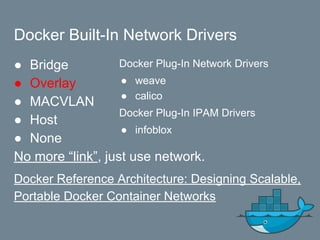
Docker Built-In Network Drivers
● Bridge
● Overlay
● MACVLAN
● Host
● None
No more “link”, just use network.
Docker Reference Architecture: Designing Scalable,
Portable Docker Container Networks
Docker Plug-In Network Drivers
● weave
● calico
Docker Plug-In IPAM Drivers
● infoblox
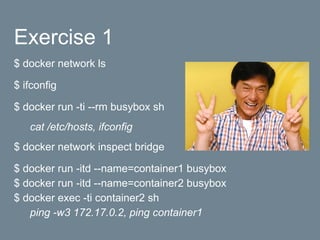
Exercise 1
$ docker network ls
$ ifconfig
$ docker run -ti --rm busybox sh
cat /etc/hosts, ifconfig
$ docker network inspect bridge
$ docker run -itd --name=container1 busybox
$ docker run -itd --name=container2 busybox
$ docker exec -ti container2 sh
ping -w3 172.17.0.2, ping container1
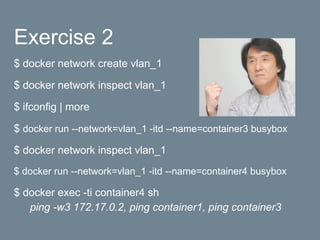
Exercise 2
$ docker network create vlan_1
$ docker network inspect vlan_1
$ ifconfig | more
$ docker run --network=vlan_1 -itd --name=container3 busybox
$ docker network inspect vlan_1
$ docker run --network=vlan_1 -itd --name=container4 busybox
$ docker exec -ti container4 sh
ping -w3 172.17.0.2, ping container1, ping container3
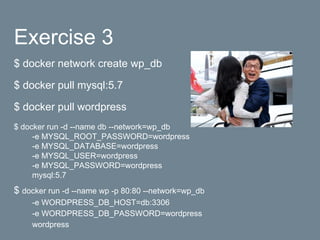
Exercise 3
$ docker network create wp_db
$ docker pull mysql:5.7
$ docker pull wordpress
$ docker run -d --name db --network=wp_db
-e MYSQL_ROOT_PASSWORD=wordpress
-e MYSQL_DATABASE=wordpress
-e MYSQL_USER=wordpress
-e MYSQL_PASSWORD=wordpress
mysql:5.7
$ docker run -d --name wp -p 80:80 --network=wp_db
-e WORDPRESS_DB_HOST=db:3306
-e WORDPRESS_DB_PASSWORD=wordpress
wordpress
7.1.2 Docker Volume
command-line
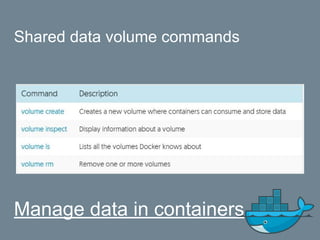
Shared data volume commands
Manage data in containers
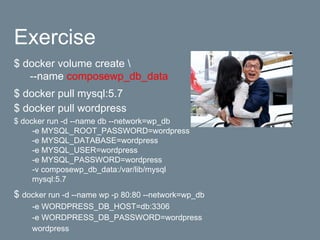
Exercise
$ docker volume create 
--name composewp_db_data
$ docker pull mysql:5.7
$ docker pull wordpress
$ docker run -d --name db --network=wp_db
-e MYSQL_ROOT_PASSWORD=wordpress
-e MYSQL_DATABASE=wordpress
-e MYSQL_USER=wordpress
-e MYSQL_PASSWORD=wordpress
-v composewp_db_data:/var/lib/mysql
mysql:5.7
$ docker run -d --name wp -p 80:80 --network=wp_db
-e WORDPRESS_DB_HOST=db:3306
-e WORDPRESS_DB_PASSWORD=wordpress
wordpress
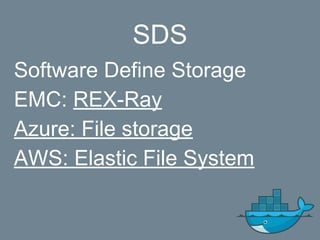
SDS
Software Define Storage
EMC: REX-Ray
Azure: File storage
AWS: Elastic File System
7.2 Docker Compose
command-line
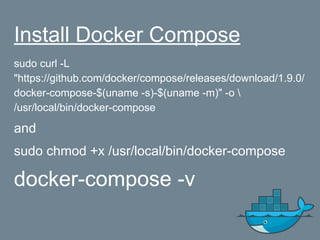
Install Docker Compose
sudo curl -L
"https://github.com/docker/compose/releases/download/1.9.0/
docker-compose-$(uname -s)-$(uname -m)" -o 
/usr/local/bin/docker-compose
and
sudo chmod +x /usr/local/bin/docker-compose
docker-compose -v
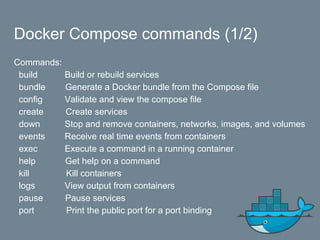
Docker Compose commands (1/2)
Commands:
build Build or rebuild services
bundle Generate a Docker bundle from the Compose file
config Validate and view the compose file
create Create services
down Stop and remove containers, networks, images, and volumes
events Receive real time events from containers
exec Execute a command in a running container
help Get help on a command
kill Kill containers
logs View output from containers
pause Pause services
port Print the public port for a port binding
Docker Compose commands (2/2)
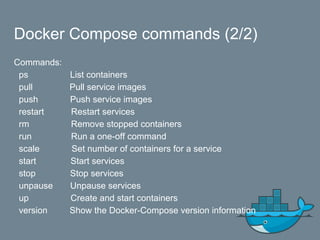
Commands:
ps List containers
pull Pull service images
push Push service images
restart Restart services
rm Remove stopped containers
run Run a one-off command
scale Set number of containers for a service
start Start services
stop Stop services
unpause Unpause services
up Create and start containers
version Show the Docker-Compose version information
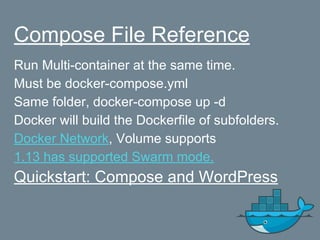
Compose File Reference
Run Multi-container at the same time.
Must be docker-compose.yml
Same folder, docker-compose up -d
Docker will build the Dockerfile of subfolders.
Docker Network, Volume supports
1.13 has supported Swarm mode.
Quickstart: Compose and WordPress
8. Using Docker Compose
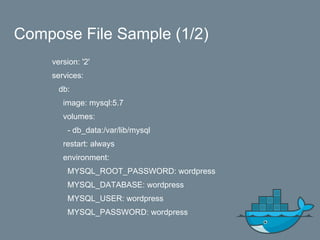
Compose File Sample (1/2)
version: '2'
services:
db:
image: mysql:5.7
volumes:
- db_data:/var/lib/mysql
restart: always
environment:
MYSQL_ROOT_PASSWORD: wordpress
MYSQL_DATABASE: wordpress
MYSQL_USER: wordpress
MYSQL_PASSWORD: wordpress
Compose File Sample (1/2)
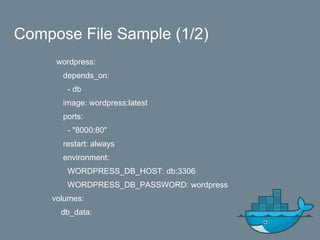
wordpress:
depends_on:
- db
image: wordpress:latest
ports:
- "8000:80"
restart: always
environment:
WORDPRESS_DB_HOST: db:3306
WORDPRESS_DB_PASSWORD: wordpress
volumes:
db_data:
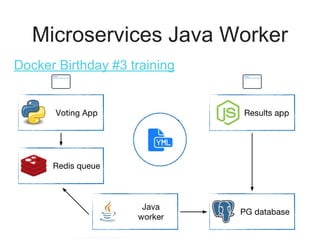
Microservices Java Worker
Docker Birthday #3 training
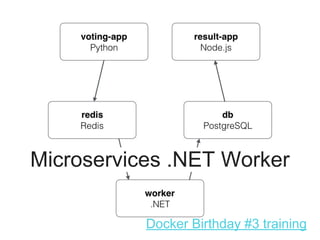
Microservices .NET Worker
Docker Birthday #3 training
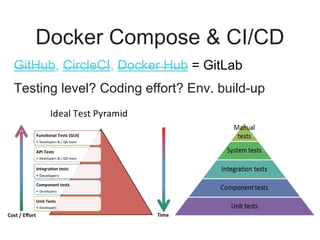
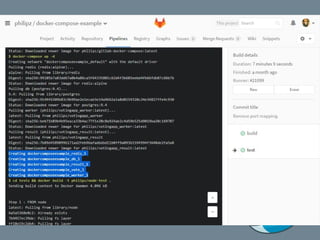
Docker Compose & CI/CD
GitHub, CircleCI, Docker Hub = GitLab
Testing level? Coding effort? Env. build-up
effort?
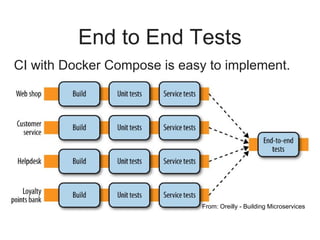
End to End Tests
CI with Docker Compose is easy to implement.
From: Oreilly - Building Microservices
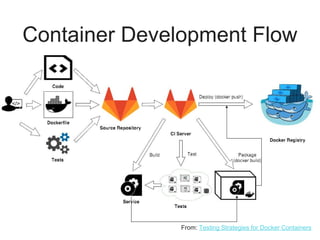
Container Development Flow
From: Testing Strategies for Docker Containers
9. Docker & Qemu &
Raspberry Pi Raspbian
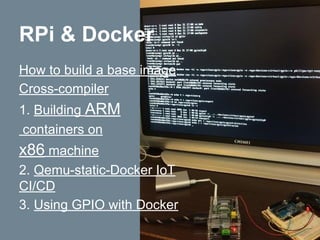
How to build a base image
Cross-compiler
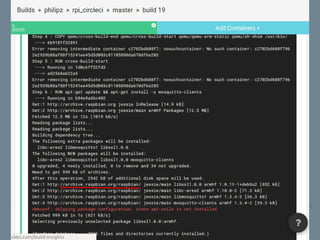
1. Building ARM
containers on
x86 machine
2. Qemu-static-Docker IoT
CI/CD
3. Using GPIO with Docker
RPi & Docker
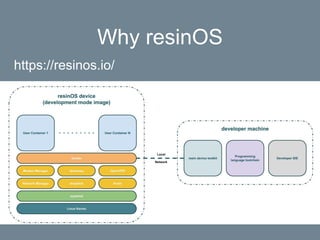
Why resinOS
https://resinos.io/
10. Demo TensorFlow
with Docker
Docker + TensorFlow + GPU
● Machine Learning, Deep Learning
● TensorFlow Docker images
● nvidia-docker
Exercise & Self-learning
1. Docker Basic - Katacoda by Philipz
2. Docker Trainning
3. Docker Free self-paced courses
4. Docker Tutorials and Labs
Online Self-learning
Offical Online Lab
Scalable Microservices with Kubernetes
- Udacity
Hope You Love Docker
So long!

手把手帶你學Docker 03042017