
Docker
From walking to running
Giacomo Vacca, RTCSoft, gv@rtcsoft.net 1
About me
• 15 years “in the trenches cubicles”
• Developer of RTC (VoIP, IM, WebRTC) solutions
• Often dealing with DevOps topics
• Founder of RTCSoft in 2015
@giavac
https://github.com/giavac
gv@rtcsoft.net
2
Docker usage scenarios
• Run (micro)services
• Deployment mechanism
• Prototyping
• Testing
• Continuous Integration/Delivery
3
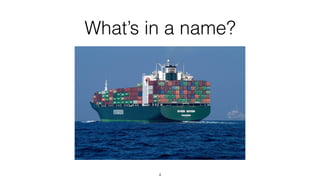
What’s in a name?
4
Previously on this show 1/2
http://www.slideshare.net/GiacomoVacca/docker-and-puppet-for-continuous-integration
5
Previously on this show 2/2
http://www.slideshare.net/GiacomoVacca/docker-from-scratch
6
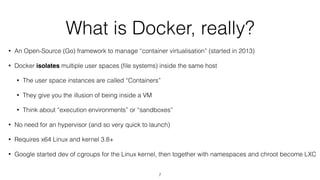
What is Docker, really?
• An Open-Source (Go) framework to manage “container virtualisation” (started in 2013)
• Docker isolates multiple user spaces (file systems) inside the same host
• The user space instances are called “Containers”
• They give you the illusion of being inside a VM
• Think about “execution environments” or “sandboxes”
• No need for an hypervisor (and so very quick to launch)
• Requires x64 Linux and kernel 3.8+
• Google started dev of cgroups for the Linux kernel, then together with namespaces and chroot become LXC
7
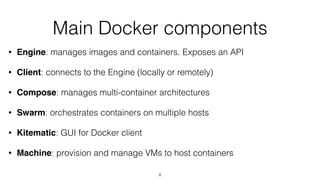
Main Docker components
• Engine: manages images and containers. Exposes an API
• Client: connects to the Engine (locally or remotely)
• Compose: manages multi-container architectures
• Swarm: orchestrates containers on multiple hosts
• Kitematic: GUI for Docker client
• Machine: provision and manage VMs to host containers
8
Ingredients vs Cake
9
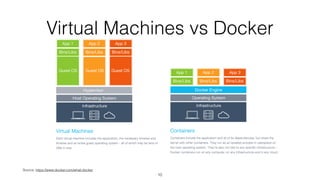
Virtual Machines vs Docker
Source: https://www.docker.com/what-docker
10
What Docker is not?
• A programming language
• An OS
• A Virtual Machine
• An image in the traditional hypervisor-based Virtual Machine concept
11
Where is Docker used?
• Uber, eBay, BBC News, shopify, ING, Swisscom, Groupon (1)
• and many others…
• Supported by Google Cloud Platform
• with the Container Engine + Kubernetes
(1) source: https://www.docker.com/customers
12
Who should know about Docker?
• Developers
• Including mobile developers
• Sysadmins
• “DevOps” people
• Architects/CTO/COO
13
Basic topics
• Images and Containers
• Image structure
• Dockerfiles
• Building an image
• Interacting with an image repo
• Running a container
14
• Architecture
• Typical Linux vs Toolbox
• Volumes
• Port mapping
Some advanced topics
• Inspecting/debugging containers
• inspect/attach/exec/logs/top
• Volumes, data containers
• Multicontainer architectures
• Link, network, Compose
• Docker inside Docker
• Is it worth it? Consider the “sibling” approach (“socket mounting”) instead.
• Orchestrating Docker containers via Puppet
15
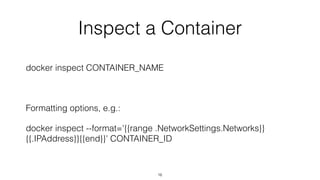
Inspect a Container
docker inspect CONTAINER_NAME
Formatting options, e.g.:
docker inspect --format='{{range .NetworkSettings.Networks}}
{{.IPAddress}}{{end}}' CONTAINER_ID
16
Output of inspect
{
"Id": "c61b85d3a9451d2ac3bbe301f54dc97b0df13c2835d0fb1f6214db64929e646d",
"Created": "2016-01-05T09:47:16.125279193Z",
"Path": "/bin/sh",
"Args": [
"-c",
"nginx"
],
"State": {
"Status": "running",
"Running": true,
"Paused": false,
"Restarting": false,
"OOMKilled": false,
"Dead": false,
"Pid": 16817,
…
17
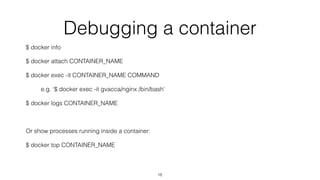
Debugging a container
$ docker info
$ docker attach CONTAINER_NAME
$ docker exec -it CONTAINER_NAME COMMAND
e.g. ‘$ docker exec -it gvacca/nginx /bin/bash’
$ docker logs CONTAINER_NAME
Or show processes running inside a container:
$ docker top CONTAINER_NAME
18
Volumes
• Share a folder between host and container
• VOLUME commands inside the Dockerfile
• Dynamic volume association at run time: one or more ‘-v’ arguments
• Volumes shared by an image are available even if the container is
not running (but it needs to still exist).
19
Multicontainer architecture
• Define many containers (aka “services”)
• Define relationship between them (e.g. “depends on”)
• Define networking
• Start/Stop all services at the same time
20
Networks of Containers
• “docker network” defined since Docker 1.9
• Create a virtual network, then attach containers to it
• Containers on different networks by default don’t see each other
• Internal private addressing, managed by Docker
• Brilliant for prototyping and emulating entire architectures
21
Docker network
• ‘docker network create NAME’
• ‘docker network attach NAME CONTAINER’
• ‘docker network ls’
• ‘docker network inspect NAME’
22
Docker Compose
• docker-compose.yml, defines a set of containers (“services”). Written in python,
available with Toolbox.
• Define their runtime properties (images, volumes, ports, dependencies)
• Interact with registries (public/private)
• Network
• Containers can be located with a name, instead of IP address (e.g ‘https://
mysql_server:3306’, from 1.6.2)
• Default name is ‘APPFOLDER_default’
23
Compose main commands
• ‘docker-compose build [service]’
• ’docker-compose [--verbose] up [-d]’
• ‘docker-compose start [service]’
• ‘docker-compose down’
• ‘docker-compose top’
24
Docker Machine
• Provision and manage VMs
• Available with Toolbox (uses Virtualbox)
• ‘docker-machine active’
• ‘docker-machine ls’
• ‘docker-machine start default’
• eval $(docker-machine env)
25
Let’s play with Docker Compose
• Write your docker-compose.yml file
• ’docker-compose build [service]’
• Builds the images when needed (‘build’), or exits (‘image’)
• ’docker-compose up’
• Add ‘-d’ to run in background (daemon mode)
• ‘docker ps’ to see the launched containers
• ‘docker-compose ps’
• See the processes and other details - similar to ‘docker ps’
• ‘docker-compose down/stop/kill’
• To switch off the node
26
The Workshop
• Create a simple app with 2 containers
• One with stock image
• One with built image
• Run and inspect
• Check volumes
• Create the same app with Compose
• Run and inspect
• Check network and volumes
27
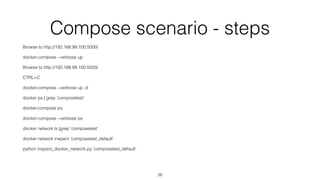
Compose scenario - steps
Browse to http://192.168.99.100:5000/
docker-compose --verbose up
Browse to http://192.168.99.100:5000/
CTRL+C
docker-compose --verbose up -d
docker ps | grep 'composetest'
docker-compose ps
docker-compose --verbose ps
docker network ls |grep 'composetest'
docker network inspect 'composetest_default'
python inspect_docker_network.py 'composetest_default'
28
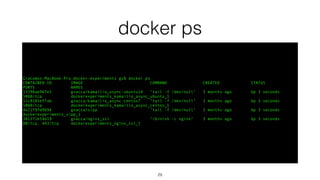
docker ps
Giacomos-MacBook-Pro:docker-experiments gv$ docker ps
CONTAINER ID IMAGE COMMAND CREATED STATUS
PORTS NAMES
13398ae967e5 gvacca/kamailio_async:ubuntu14 "tail -f /dev/null" 3 months ago Up 3 seconds
5060/tcp dockerexperiments_kamailio_async_ubuntu_1
51c8105ef7ab gvacca/kamailio_async:centos7 "tail -f /dev/null" 3 months ago Up 3 seconds
5060/tcp dockerexperiments_kamailio_async_centos_1
4e21f9fd9694 gvacca/sipp "tail -f /dev/null" 3 months ago Up 3 seconds
dockerexperiments_sipp_1
381272e54d19 gvacca/nginx_ssl "/bin/sh -c nginx" 3 months ago Up 3 seconds
80/tcp, 443/tcp dockerexperiments_nginx_ssl_1
29
docker inspect http_network
[
{
"Name": "http_network",
"Id": "29c9951bf3fbaaa73f5a0fa39a4de1c65fbbe99f0aef8b49718a921ab6deed17",
"Scope": "local",
"Driver": "bridge",
"IPAM": {
"Driver": "default",
"Config": [
{}
]
},
"Containers": {
"13398ae967e5ba0677cd151bda64c4458671b335dd46d67c7f4ef01b8b65821b": {
"EndpointID": "18ebb70df95e24cec9932f9925c655fa9866aa34e2a8a40e90827ba3bea8441d",
"MacAddress": "02:42:ac:13:00:05",
"IPv4Address": "172.19.0.5/16",
"IPv6Address": ""
},
"381272e54d19f24c6c3f923e3f35e8676d2fd19ab229fb3a382893c889367c42": {
"EndpointID": "abd412f88e83b6e8460b222f3aa293dd6f118f8d54a29403e1a68f27a22a5d43",
"MacAddress": "02:42:ac:13:00:02",
"IPv4Address": "172.19.0.2/16",
"IPv6Address": ""
},
"4e21f9fd9694a50a9ff42f0cae11ea1e208b72ec21a539014284082b5887c57f": {
"EndpointID": "2a5e7d1800ddb55f7c4192d819aff413b024a2d0e97be612ca000497d23d80bf",
"MacAddress": "02:42:ac:13:00:03",
"IPv4Address": "172.19.0.3/16",
"IPv6Address": ""
},
"51c8105ef7ab8079cf05428a83ea7f6c6395a2a5fc08075617d855992a27492f": {
"EndpointID": "5871de671429a51b52f8b498410d5ffe394e95ceccc8ac6d2dadf9b139727821",
"MacAddress": "02:42:ac:13:00:04",
"IPv4Address": "172.19.0.4/16",
"IPv6Address": ""
}
30
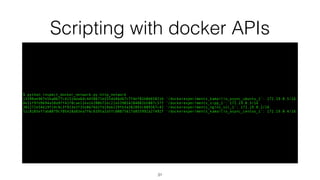
Scripting with docker APIs
$ python inspect_docker_network.py http_network
13398ae967e5ba0677cd151bda64c4458671b335dd46d67c7f4ef01b8b65821b '/dockerexperiments_kamailio_async_ubuntu_1': 172.19.0.5/16
4e21f9fd9694a50a9ff42f0cae11ea1e208b72ec21a539014284082b5887c57f '/dockerexperiments_sipp_1': 172.19.0.3/16
381272e54d19f24c6c3f923e3f35e8676d2fd19ab229fb3a382893c889367c42 '/dockerexperiments_nginx_ssl_1': 172.19.0.2/16
51c8105ef7ab8079cf05428a83ea7f6c6395a2a5fc08075617d855992a27492f '/dockerexperiments_kamailio_async_centos_1': 172.19.0.4/16
31
inspect_docker_network.py
#!/usr/bin/python
# Get the output of 'docker network inspect' for a given network
# and return containers names and their IP address
import json
import subprocess
import sys
network_name = sys.argv[1]
network_json = subprocess.check_output(["docker", "network", "inspect", network_name])
network = json.loads(network_json)
containers = network[0]['Containers']
for container_id in containers:
container_name = subprocess.check_output(["docker", "inspect", "--format",
"'{{ .Name }}'", container_id])
print container_id + " " + container_name.strip() + ": " + containers[container_id]
['IPv4Address']
32
Cleaning up
• docker rm CONTAINER
• docker rmi IMAGE
• docker rmi $(docker images -q --filter "dangling=true")
33
Questions and Answers
Thanks
34
Recommended Books
• “The Docker book”, J. Turnbull, http://www.amazon.co.uk/Docker-Book-
Containerization-new-virtualization-ebook/dp/B00LRROTI4
• “Using Docker”, A. Mouat, O’Reilly, https://www.amazon.co.uk/Using-Docker-
Adrian-Mouat/dp/1491915765
• “Continuous Delivery”, J. Humble, http://www.amazon.com/Continuous-Delivery-
Deployment-Automation-Addison-Wesley/dp/0321601912
• “Building Microservices”, S. Newman, http://shop.oreilly.com/product/
0636920033158.do
• "Docker Networking and Service Discovery", O’Reilly, https://www.nginx.com/
resources/library/docker-networking/
35
Other useful references
• https://jpetazzo.github.io/2015/09/03/do-not-use-docker-in-docker-
for-ci/
• https://www.dajobe.org/blog/2015/04/18/making-debian-docker-
images-smaller/
• http://blog.replicated.com/2016/02/05/refactoring-a-dockerfile-for-
image-size/
36

Docker - From Walking To Running

  • 1.
    Docker From walking torunning Giacomo Vacca, RTCSoft, gv@rtcsoft.net 1
  • 2.
    About me • 15years “in the trenches cubicles” • Developer of RTC (VoIP, IM, WebRTC) solutions • Often dealing with DevOps topics • Founder of RTCSoft in 2015 @giavac https://github.com/giavac gv@rtcsoft.net 2
  • 3.
    Docker usage scenarios •Run (micro)services • Deployment mechanism • Prototyping • Testing • Continuous Integration/Delivery 3
  • 4.
  • 5.
    Previously on thisshow 1/2 http://www.slideshare.net/GiacomoVacca/docker-and-puppet-for-continuous-integration 5
  • 6.
    Previously on thisshow 2/2 http://www.slideshare.net/GiacomoVacca/docker-from-scratch 6
  • 7.
    What is Docker,really? • An Open-Source (Go) framework to manage “container virtualisation” (started in 2013) • Docker isolates multiple user spaces (file systems) inside the same host • The user space instances are called “Containers” • They give you the illusion of being inside a VM • Think about “execution environments” or “sandboxes” • No need for an hypervisor (and so very quick to launch) • Requires x64 Linux and kernel 3.8+ • Google started dev of cgroups for the Linux kernel, then together with namespaces and chroot become LXC 7
  • 8.
    Main Docker components •Engine: manages images and containers. Exposes an API • Client: connects to the Engine (locally or remotely) • Compose: manages multi-container architectures • Swarm: orchestrates containers on multiple hosts • Kitematic: GUI for Docker client • Machine: provision and manage VMs to host containers 8
  • 9.
  • 10.
    Virtual Machines vsDocker Source: https://www.docker.com/what-docker 10
  • 11.
    What Docker isnot? • A programming language • An OS • A Virtual Machine • An image in the traditional hypervisor-based Virtual Machine concept 11
  • 12.
    Where is Dockerused? • Uber, eBay, BBC News, shopify, ING, Swisscom, Groupon (1) • and many others… • Supported by Google Cloud Platform • with the Container Engine + Kubernetes (1) source: https://www.docker.com/customers 12
  • 13.
    Who should knowabout Docker? • Developers • Including mobile developers • Sysadmins • “DevOps” people • Architects/CTO/COO 13
  • 14.
    Basic topics • Imagesand Containers • Image structure • Dockerfiles • Building an image • Interacting with an image repo • Running a container 14 • Architecture • Typical Linux vs Toolbox • Volumes • Port mapping
  • 15.
    Some advanced topics •Inspecting/debugging containers • inspect/attach/exec/logs/top • Volumes, data containers • Multicontainer architectures • Link, network, Compose • Docker inside Docker • Is it worth it? Consider the “sibling” approach (“socket mounting”) instead. • Orchestrating Docker containers via Puppet 15
  • 16.
    Inspect a Container dockerinspect CONTAINER_NAME Formatting options, e.g.: docker inspect --format='{{range .NetworkSettings.Networks}} {{.IPAddress}}{{end}}' CONTAINER_ID 16
  • 17.
    Output of inspect { "Id":"c61b85d3a9451d2ac3bbe301f54dc97b0df13c2835d0fb1f6214db64929e646d", "Created": "2016-01-05T09:47:16.125279193Z", "Path": "/bin/sh", "Args": [ "-c", "nginx" ], "State": { "Status": "running", "Running": true, "Paused": false, "Restarting": false, "OOMKilled": false, "Dead": false, "Pid": 16817, … 17
  • 18.
    Debugging a container $docker info $ docker attach CONTAINER_NAME $ docker exec -it CONTAINER_NAME COMMAND e.g. ‘$ docker exec -it gvacca/nginx /bin/bash’ $ docker logs CONTAINER_NAME Or show processes running inside a container: $ docker top CONTAINER_NAME 18
  • 19.
    Volumes • Share afolder between host and container • VOLUME commands inside the Dockerfile • Dynamic volume association at run time: one or more ‘-v’ arguments • Volumes shared by an image are available even if the container is not running (but it needs to still exist). 19
  • 20.
    Multicontainer architecture • Definemany containers (aka “services”) • Define relationship between them (e.g. “depends on”) • Define networking • Start/Stop all services at the same time 20
  • 21.
    Networks of Containers •“docker network” defined since Docker 1.9 • Create a virtual network, then attach containers to it • Containers on different networks by default don’t see each other • Internal private addressing, managed by Docker • Brilliant for prototyping and emulating entire architectures 21
  • 22.
    Docker network • ‘dockernetwork create NAME’ • ‘docker network attach NAME CONTAINER’ • ‘docker network ls’ • ‘docker network inspect NAME’ 22
  • 23.
    Docker Compose • docker-compose.yml,defines a set of containers (“services”). Written in python, available with Toolbox. • Define their runtime properties (images, volumes, ports, dependencies) • Interact with registries (public/private) • Network • Containers can be located with a name, instead of IP address (e.g ‘https:// mysql_server:3306’, from 1.6.2) • Default name is ‘APPFOLDER_default’ 23
  • 24.
    Compose main commands •‘docker-compose build [service]’ • ’docker-compose [--verbose] up [-d]’ • ‘docker-compose start [service]’ • ‘docker-compose down’ • ‘docker-compose top’ 24
  • 25.
    Docker Machine • Provisionand manage VMs • Available with Toolbox (uses Virtualbox) • ‘docker-machine active’ • ‘docker-machine ls’ • ‘docker-machine start default’ • eval $(docker-machine env) 25
  • 26.
    Let’s play withDocker Compose • Write your docker-compose.yml file • ’docker-compose build [service]’ • Builds the images when needed (‘build’), or exits (‘image’) • ’docker-compose up’ • Add ‘-d’ to run in background (daemon mode) • ‘docker ps’ to see the launched containers • ‘docker-compose ps’ • See the processes and other details - similar to ‘docker ps’ • ‘docker-compose down/stop/kill’ • To switch off the node 26
  • 27.
    The Workshop • Createa simple app with 2 containers • One with stock image • One with built image • Run and inspect • Check volumes • Create the same app with Compose • Run and inspect • Check network and volumes 27
  • 28.
    Compose scenario -steps Browse to http://192.168.99.100:5000/ docker-compose --verbose up Browse to http://192.168.99.100:5000/ CTRL+C docker-compose --verbose up -d docker ps | grep 'composetest' docker-compose ps docker-compose --verbose ps docker network ls |grep 'composetest' docker network inspect 'composetest_default' python inspect_docker_network.py 'composetest_default' 28
  • 29.
    docker ps Giacomos-MacBook-Pro:docker-experiments gv$docker ps CONTAINER ID IMAGE COMMAND CREATED STATUS PORTS NAMES 13398ae967e5 gvacca/kamailio_async:ubuntu14 "tail -f /dev/null" 3 months ago Up 3 seconds 5060/tcp dockerexperiments_kamailio_async_ubuntu_1 51c8105ef7ab gvacca/kamailio_async:centos7 "tail -f /dev/null" 3 months ago Up 3 seconds 5060/tcp dockerexperiments_kamailio_async_centos_1 4e21f9fd9694 gvacca/sipp "tail -f /dev/null" 3 months ago Up 3 seconds dockerexperiments_sipp_1 381272e54d19 gvacca/nginx_ssl "/bin/sh -c nginx" 3 months ago Up 3 seconds 80/tcp, 443/tcp dockerexperiments_nginx_ssl_1 29
  • 30.
    docker inspect http_network [ { "Name":"http_network", "Id": "29c9951bf3fbaaa73f5a0fa39a4de1c65fbbe99f0aef8b49718a921ab6deed17", "Scope": "local", "Driver": "bridge", "IPAM": { "Driver": "default", "Config": [ {} ] }, "Containers": { "13398ae967e5ba0677cd151bda64c4458671b335dd46d67c7f4ef01b8b65821b": { "EndpointID": "18ebb70df95e24cec9932f9925c655fa9866aa34e2a8a40e90827ba3bea8441d", "MacAddress": "02:42:ac:13:00:05", "IPv4Address": "172.19.0.5/16", "IPv6Address": "" }, "381272e54d19f24c6c3f923e3f35e8676d2fd19ab229fb3a382893c889367c42": { "EndpointID": "abd412f88e83b6e8460b222f3aa293dd6f118f8d54a29403e1a68f27a22a5d43", "MacAddress": "02:42:ac:13:00:02", "IPv4Address": "172.19.0.2/16", "IPv6Address": "" }, "4e21f9fd9694a50a9ff42f0cae11ea1e208b72ec21a539014284082b5887c57f": { "EndpointID": "2a5e7d1800ddb55f7c4192d819aff413b024a2d0e97be612ca000497d23d80bf", "MacAddress": "02:42:ac:13:00:03", "IPv4Address": "172.19.0.3/16", "IPv6Address": "" }, "51c8105ef7ab8079cf05428a83ea7f6c6395a2a5fc08075617d855992a27492f": { "EndpointID": "5871de671429a51b52f8b498410d5ffe394e95ceccc8ac6d2dadf9b139727821", "MacAddress": "02:42:ac:13:00:04", "IPv4Address": "172.19.0.4/16", "IPv6Address": "" } 30
  • 31.
    Scripting with dockerAPIs $ python inspect_docker_network.py http_network 13398ae967e5ba0677cd151bda64c4458671b335dd46d67c7f4ef01b8b65821b '/dockerexperiments_kamailio_async_ubuntu_1': 172.19.0.5/16 4e21f9fd9694a50a9ff42f0cae11ea1e208b72ec21a539014284082b5887c57f '/dockerexperiments_sipp_1': 172.19.0.3/16 381272e54d19f24c6c3f923e3f35e8676d2fd19ab229fb3a382893c889367c42 '/dockerexperiments_nginx_ssl_1': 172.19.0.2/16 51c8105ef7ab8079cf05428a83ea7f6c6395a2a5fc08075617d855992a27492f '/dockerexperiments_kamailio_async_centos_1': 172.19.0.4/16 31
  • 32.
    inspect_docker_network.py #!/usr/bin/python # Get theoutput of 'docker network inspect' for a given network # and return containers names and their IP address import json import subprocess import sys network_name = sys.argv[1] network_json = subprocess.check_output(["docker", "network", "inspect", network_name]) network = json.loads(network_json) containers = network[0]['Containers'] for container_id in containers: container_name = subprocess.check_output(["docker", "inspect", "--format", "'{{ .Name }}'", container_id]) print container_id + " " + container_name.strip() + ": " + containers[container_id] ['IPv4Address'] 32
  • 33.
    Cleaning up • dockerrm CONTAINER • docker rmi IMAGE • docker rmi $(docker images -q --filter "dangling=true") 33
  • 34.
  • 35.
    Recommended Books • “TheDocker book”, J. Turnbull, http://www.amazon.co.uk/Docker-Book- Containerization-new-virtualization-ebook/dp/B00LRROTI4 • “Using Docker”, A. Mouat, O’Reilly, https://www.amazon.co.uk/Using-Docker- Adrian-Mouat/dp/1491915765 • “Continuous Delivery”, J. Humble, http://www.amazon.com/Continuous-Delivery- Deployment-Automation-Addison-Wesley/dp/0321601912 • “Building Microservices”, S. Newman, http://shop.oreilly.com/product/ 0636920033158.do • "Docker Networking and Service Discovery", O’Reilly, https://www.nginx.com/ resources/library/docker-networking/ 35
  • 36.
    Other useful references •https://jpetazzo.github.io/2015/09/03/do-not-use-docker-in-docker- for-ci/ • https://www.dajobe.org/blog/2015/04/18/making-debian-docker- images-smaller/ • http://blog.replicated.com/2016/02/05/refactoring-a-dockerfile-for- image-size/ 36