Introduction to Docker
Workshop
Pini Reznik
continuousdelivery.uglyduckling.nl
Agenda
• Install Docker
• Introduction to Containers and Docker
• Workshop
• Future of Infrastructure
• Antitude
DOCKER INSTALLATION
Docker Installation
Mac
https://docs.docker.com/installation/mac/
Windows
https://docs.docker.com/installation/windows/
Other
https://docs.docker.com/installation/#installation
INTRODUCTION TO DOCKER
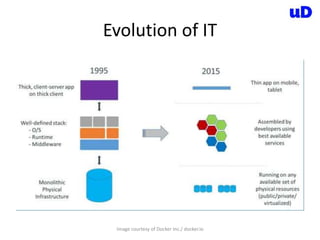
Evolution of IT
Image courtesy of Docker Inc./ docker.io
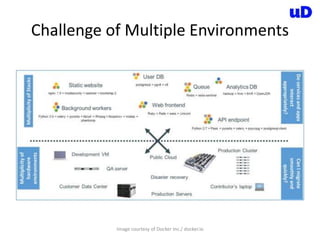
Challenge of Multiple Environments
Image courtesy of Docker Inc./ docker.io
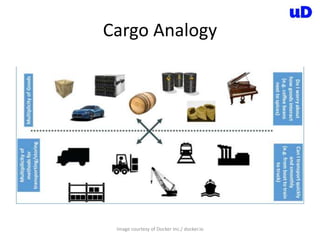
Cargo Analogy
Image courtesy of Docker Inc./ docker.io
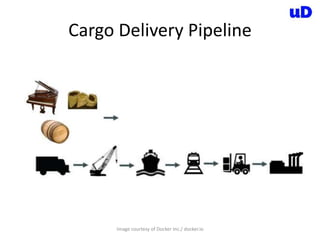
Cargo Delivery Pipeline
Image courtesy of Docker Inc./ docker.io
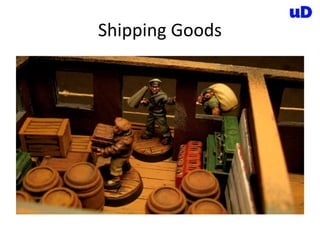
Shipping Goods
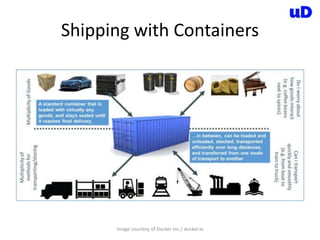
Shipping with Containers
Image courtesy of Docker Inc./ docker.io
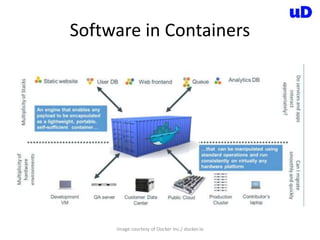
Software in Containers
Image courtesy of Docker Inc./ docker.io
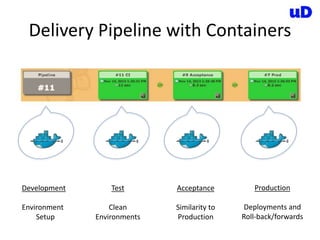
Delivery Pipeline with Containers
Development
Environment
Setup
Test
Clean
Environments
Acceptance
Similarity to
Production
Production
Deployments and
Roll-back/forwards
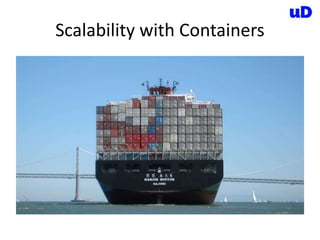
Scalability with Containers
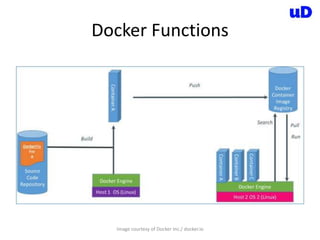
Docker Functions
Image courtesy of Docker Inc./ docker.io
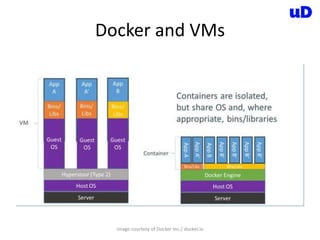
Docker and VMs
Image courtesy of Docker Inc./ docker.io
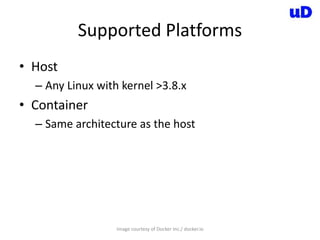
Supported Platforms
Image courtesy of Docker Inc./ docker.io
• Host
– Any Linux with kernel >3.8.x
• Container
– Same architecture as the host
Docker Integrations and Hosting
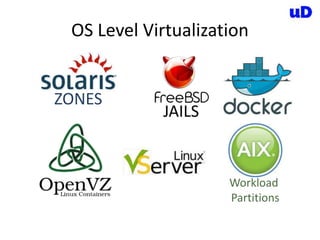
OS Level Virtualization
ZONES
JAILS
Workload
Partitions
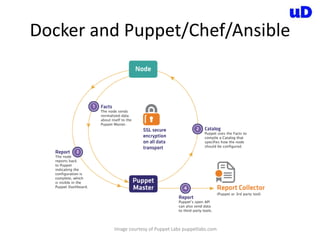
Docker and Puppet/Chef/Ansible
Image courtesy of Puppet Labs puppetlabs.com
Communication - Serf
Image courtesy of CoreOS coreos.com
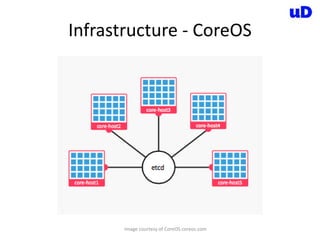
Infrastructure - CoreOS
Image courtesy of CoreOS coreos.com
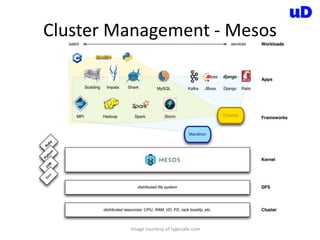
Cluster Management - Mesos
Image courtesy of typesafe.com
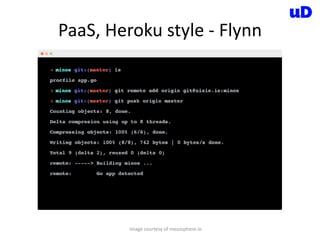
PaaS, Heroku style - Flynn
Image courtesy of mesosphere.io
Software Configuration Management
Done Right.
Everything (almost) we need to build our
Software is now finally in the Version Control
WORKSHOP
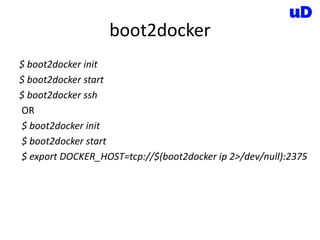
boot2docker
$ boot2docker init
$ boot2docker start
$ boot2docker ssh
OR
$ boot2docker init
$ boot2docker start
$ export DOCKER_HOST=tcp://$(boot2docker ip 2>/dev/null):2375
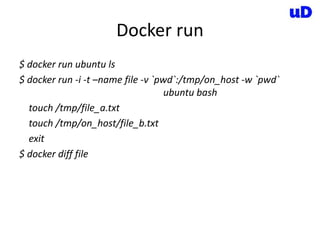
Docker run
$ docker run ubuntu ls
$ docker run -i -t –name file -v `pwd`:/tmp/on_host -w `pwd`
ubuntu bash
touch /tmp/file_a.txt
touch /tmp/on_host/file_b.txt
exit
$ docker diff file
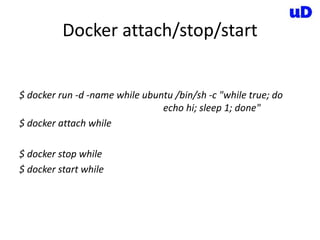
Docker attach/stop/start
$ docker run -d -name while ubuntu /bin/sh -c "while true; do
echo hi; sleep 1; done"
$ docker attach while
$ docker stop while
$ docker start while
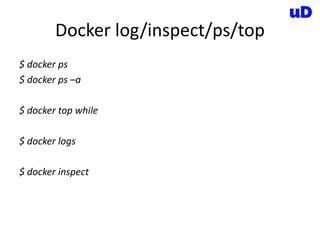
Docker log/inspect/ps/top
$ docker ps
$ docker ps –a
$ docker top while
$ docker logs
$ docker inspect
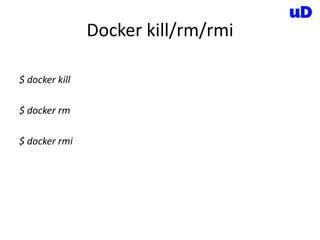
Docker kill/rm/rmi
$ docker kill
$ docker rm
$ docker rmi
Dockerfile
FROM ubuntu
MAINTAINER UglyDuckling "info@uglyduckling.nl"
RUN echo deb http://archive.ubuntu.com/ubuntu precise universe
>> /etc/apt/sources.list
RUN apt-get update
RUN apt-get install -q -y vim
ENV ENV_VAR some_stuff
ADD file.txt /file.txt
EXPOSE 8080
CMD ["bash", "-c", "ls", "/"]
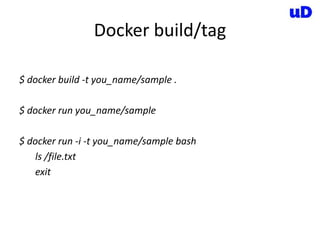
Docker build/tag
$ docker build -t you_name/sample .
$ docker run you_name/sample
$ docker run -i -t you_name/sample bash
ls /file.txt
exit
Docker commit/pull/push (skipping)
• https://registry.hub.docker.com/
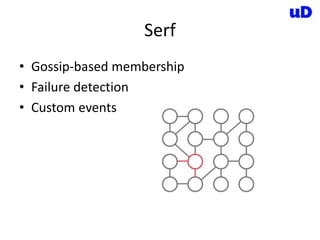
Serf
• Gossip-based membership
• Failure detection
• Custom events
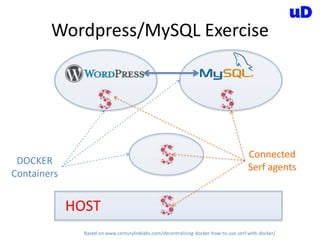
Wordpress/MySQL Exercise
HOST
DOCKER
Containers
Connected
Serf agents
Based on www.centurylinklabs.com/decentralizing-docker-how-to-use-serf-with-docker/
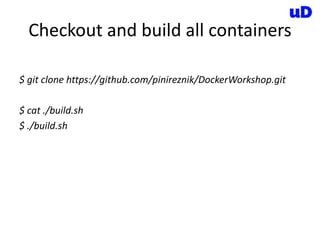
Checkout and build all containers
$ git clone https://github.com/pinireznik/DockerWorkshop.git
$ cat ./build.sh
$ ./build.sh
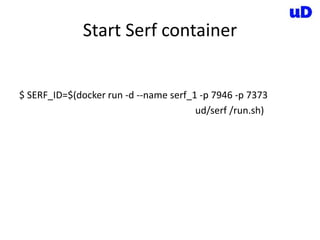
Start Serf container
$ SERF_ID=$(docker run -d --name serf_1 -p 7946 -p 7373
ud/serf /run.sh)
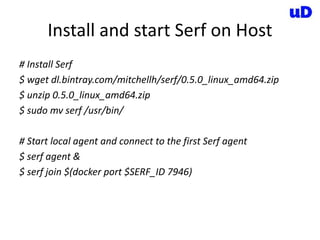
Install and start Serf on Host
# Install Serf
$ wget dl.bintray.com/mitchellh/serf/0.5.0_linux_amd64.zip
$ unzip 0.5.0_linux_amd64.zip
$ sudo mv serf /usr/bin/
# Start local agent and connect to the first Serf agent
$ serf agent &
$ serf join $(docker port $SERF_ID 7946)
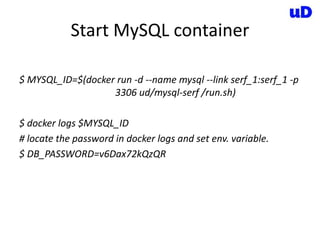
Start MySQL container
$ MYSQL_ID=$(docker run -d --name mysql --link serf_1:serf_1 -p
3306 ud/mysql-serf /run.sh)
$ docker logs $MYSQL_ID
# locate the password in docker logs and set env. variable.
$ DB_PASSWORD=v6Dax72kQzQR
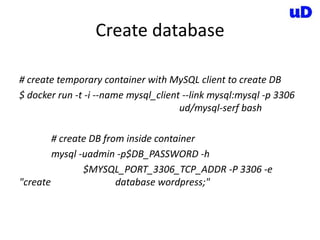
Create database
# create temporary container with MySQL client to create DB
$ docker run -t -i --name mysql_client --link mysql:mysql -p 3306
ud/mysql-serf bash
# create DB from inside container
mysql -uadmin -p$DB_PASSWORD -h
$MYSQL_PORT_3306_TCP_ADDR -P 3306 -e
"create database wordpress;"
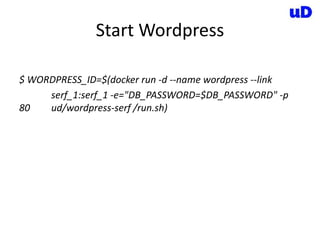
Start Wordpress
$ WORDPRESS_ID=$(docker run -d --name wordpress --link
serf_1:serf_1 -e="DB_PASSWORD=$DB_PASSWORD" -p
80 ud/wordpress-serf /run.sh)
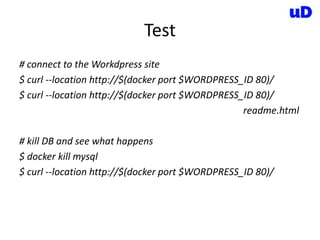
Test
# connect to the Workdpress site
$ curl --location http://$(docker port $WORDPRESS_ID 80)/
readme.html
# kill DB and see what happens
$ docker kill mysql
$ curl --location http://$(docker port $WORDPRESS_ID 80)/
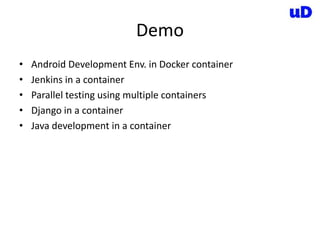
Demo
• Android Development Env. in Docker container
• Jenkins in a container
• Parallel testing using multiple containers
• Django in a container
• Java development in a container
FUTURE OF INFRASTRUCTURE
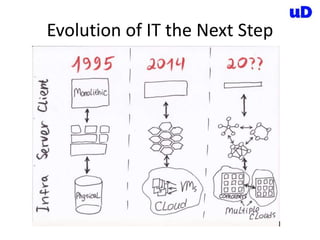
Evolution of IT the Next Step
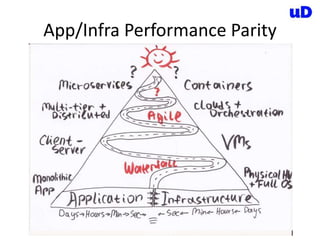
App/Infra Performance Parity
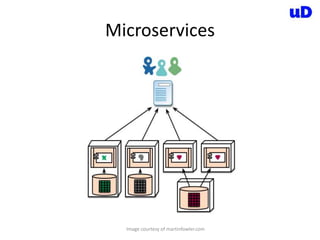
Microservices
Image courtesy of martinfowler.com
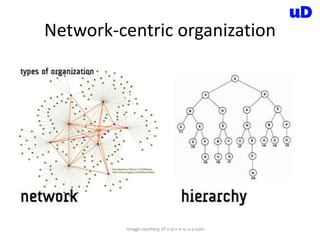
Conway’s Law
organizations which design systems ... are
constrained to produce designs which are copies
of the communication structures of these
organizations
Network-centric organization
Image courtesy of n-e-r-v-o-u-s.com
ANTITUDE
Antitude
www.antitude.io
Antitude
• Self Healing
• Automatic Scaling
• Efficient Hardware Utilisation
DockerCon Amsterdam in November
Docker Meetups
DockerCon Amsterdam Conference in November
Docker Meetup every month

Docker workshop DevOpsDays Amsterdam 2014

Editor's Notes

  • #2 Opening question: how many developers? Sys-admins? DevOps? Other?
  • #7 I would like to start with a bit of history 1995: Single HW server -> Well-Defined Middleware and OS -> Thick SW 2015: Variety of HW, clouds -> Middleware based on dozens/hundreds of 3rd party components -> Thin application Since 90s we learned how to reuse existing technologies and by that increase the speed of development of new features. But increase of reliance on growing number of components made the deployment process pain in the ass.
  • #8 UP: Web servers, Load Balancers, DBs, queues, monitoring, … Down: VMs, cloud, Laptops, Dev/Test/Acceptance/Production Complexity in such environment is growing day by day. All this various SW components should fit the middleware and run on different types of HW
  • #9 At this point I would like to suggest cargo shipment analogy. The situation in the goods delivery logistics just about 60 years ago was very similar to our software delivery situation right now. Variety of transportation and storage means and complexity of fitting different types of goods in.
  • #10 Goods being shipped through delivery pipeline. Different formats, packaging. Interaction between goods. Each stage in the pipeline needs to support all possible formats. Including yet to be invented
  • #11 And that is how the work is typically done at such pipeline. It is manual, complicated and requires understanding of the content by the workers. Does it remind you anything?  Think what would say an operational person in the picture to two teams of developers who built round barrels and square boxes.  Ad what will say at the destination then coffee will smell like spices.
  • #12 The solution is – standardized containers. All types of storage and transportation support containers. They are always sealed and the content is separated from the content of other containers. Now developers can build anything they want as long as it fits into container and operations can focus of maintenance of the infrastructure. Maybe they can finally fix those railroads.  and finish the metro line
  • #13 The solution will be very similar. Developers will build their stuff and place it in a standard container. Such container will be picked up by an operations and deployed to variety of different platforms without concern of dependencies and incompatibilities. This is not 100% accurate but it is definitely much better than the current situation
  • #14 The solution for many problems you suggested earlier can be Docker, which will be used to run your software quickly and consistently at all stages of the delivery pipeline Containers are easily built and can be started in fraction of a second. They provide similar protection from the external environment as shipping containers provide to the delivered goods.
  • #15 And that is how scalability is done in the world of containers.  How would you put a piano on such ship without a container? 
  • #16 In a very simplistic way we can say following about docker functionality. It is based on existing technologies LXC containers, cgroups and AUFS There are dockerfiles which are similar to source code and used to build the images. Build process. Inherits an image, creates container, runs commands from Dockerfile inside and creates a new image. New image is pushed into central repo - Docker Index. Central or Local When container is started it will pull the relevant image, cache it locally and create container out of it. First time includes downloading, secont time is typically around 0.100 Sec Container will run on basically any Linux with Kernel 3.8+ or in any VM with such Linux. As well as natively on some cloud systems like OpenStack and at some service providers like dotCloud and DigitalOcean
  • #17 Basically VM can do everything Docker does and more except: It is less portable. Most of the hypervisor and clouds have different VM formats despite the attempts to standardize them. More resources required to run VMs. Building VM will take anywhere between 5-30 minutes Startup time is is typically around few minutes. This makes creation on new VMs difficult and cumbersome which in turn will create the situation where developers try to avoid recreation of VMs as much as possible
  • #18 Basically VM can do everything Docker does and more except: It is less portable. Most of the hypervisor and clouds have different VM formats despite the attempts to standardize them. More resources required to run VMs. Building VM will take anywhere between 5-30 minutes Startup time is is typically around few minutes. This makes creation on new VMs difficult and cumbersome which in turn will create the situation where developers try to avoid recreation of VMs as much as possible
  • #20 Basically VM can do everything Docker does and more except: It is less portable. Most of the hypervisor and clouds have different VM formats despite the attempts to standardize them. More resources required to run VMs. Building VM will take anywhere between 5-30 minutes Startup time is is typically around few minutes. This makes creation on new VMs difficult and cumbersome which in turn will create the situation where developers try to avoid recreation of VMs as much as possible
  • #21 Puppet and chef is like building a robot to move those barrels, boxes and pianos around. It is better than doing it manually the complexity makes it too expensive for simple situation. In typical environment VMs and puppet/chef/ansible will be used in conjunction. Both are very useful and Docker is not going to replace them, it will be added to the mix. Puppet/chef are good to manage underling infrastructure and VMs are very important for building clouds.
  • #47 If we look at IT systems at the last two decades we can see that these systems are moving from a monolithic architecture running on physical hardware to clusters of smaller services that are often served in a cloud. During the last 10 years we saw the physical hardware abstracted away to allow creation of clouds. the question is what will we see in the future?
  • #48 Before we can answer the question about the future we need to address the two forces trying to be in balance. Application and Infrastructure performance. We see on-going optimisation of App followed by optimisation of Infra and then App again … When one of them is out of balance we see a new technological break through In the last year containers took this out of balance in favour on Infra enabling introduction of microservices
  • #49 So, what are microservices? microservice architectural style is an approach to developing a single application as a suite of small services, each running in its own process and communicating with lightweight mechanisms. Examples are a service to provide address of a person or recommendation for a movie based on personal preferences on the Netflix site. But how this will affect our organisations?
  • #50 The Conway’s law suggests that we can only build software systems resembling our organisational structure. Or in other words – if you have four team for building a compiler you will get a 4 steps compiler. This is the reason for the creation of monolithic applications by a hierarchical development organisation and also the reason behind the DevOps movement. Organisational division between Dev and Ops is now forcing to take a side and either merge them to build a single app or clearly divide them to define a clear API
  • #51 And if we want to do microservices well, we need to continue moving towards the network-centric organisational structures. Such networks already widely used in our world if you take all the companies into account. The next step for the companies doing microservices would be to introduce this within the organisation. Or maybe the other way around, you first change your organisation and as a result you get the microservices architecture.
  • #56 We are doing Docker Clinic at …. You can come over and explain your situation to us and we will suggest the way Docker can help, or not, your organization You can ask Jamie or more details.