
Ramit Surana @ramitsurana /in/ramitsurana
Agenda
• About Docker
• Life Before and After Docker
• Other options than Docker
• Why Docker ?
• Docker Components
• Docker basics
• Docker Workflow
• Dockerfile
• Docker Hub
• Quay.io
• Docker Swarm
• Docker CI/CD
• Docker CI/CD workflow
• Dockerv1.1
• RunC
• ContainerD
About me
• Open source guy
• Doing cool stuff whenever
possible
• Join me:
• Github: ramitsurana
• Linkedin: /in/ramitsurana
• Mail: ramitsurana@gmail.com
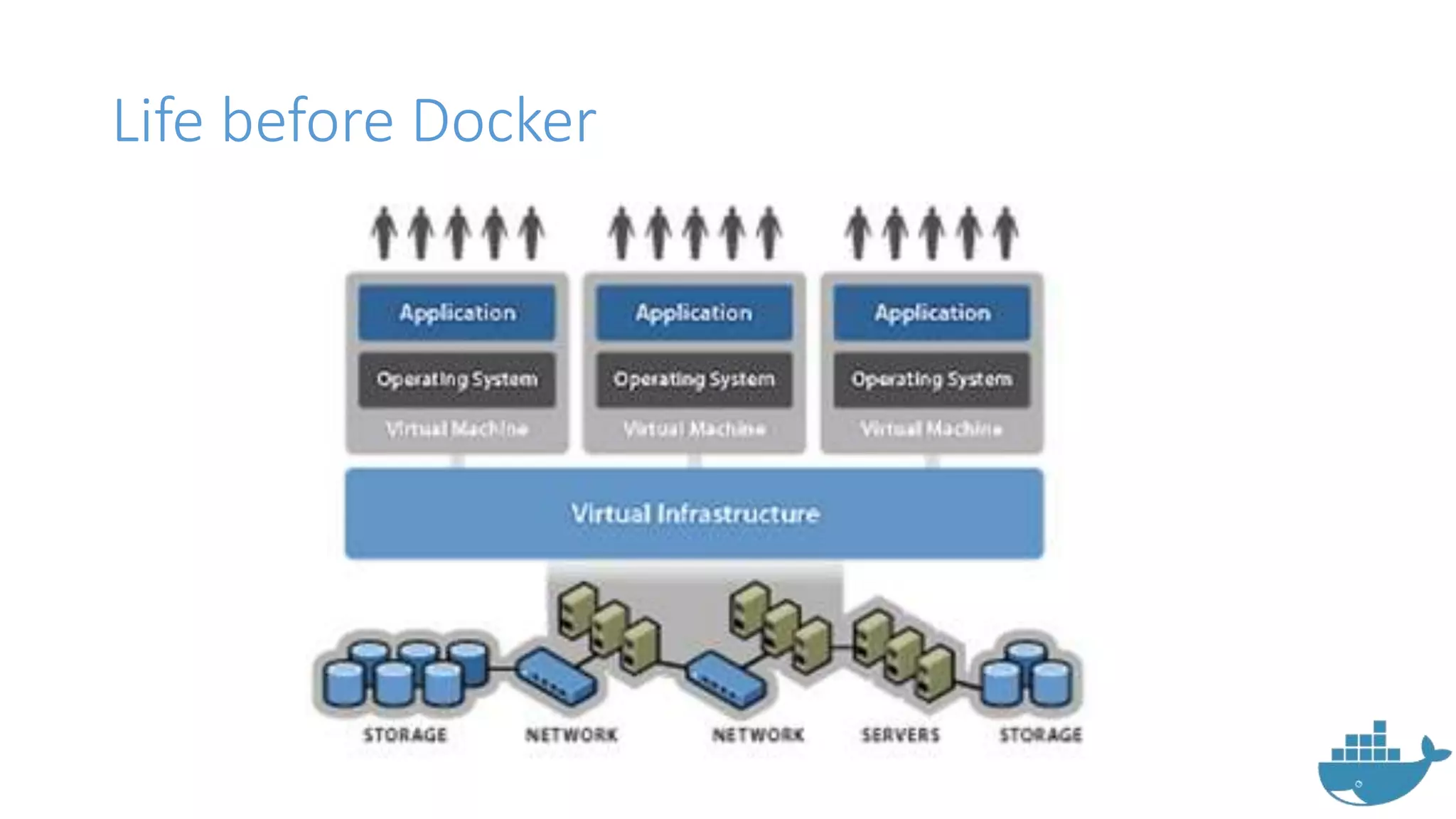
Life before Docker
About Docker
• Docker is a modernized application
container environment.
• Docker enables apps to be quickly
assembled from components.
• It eliminates the friction between
development, QA and production
environments.
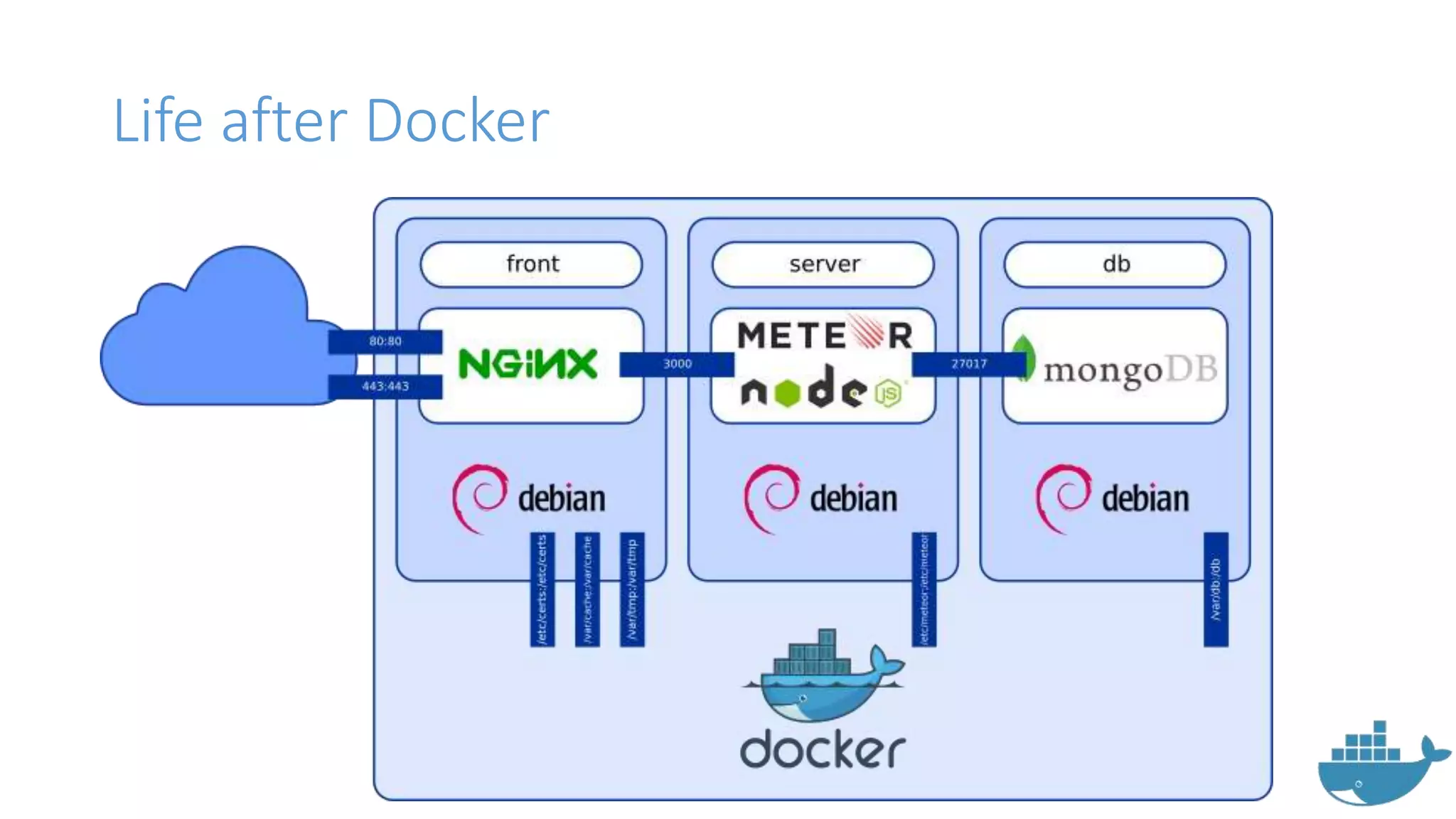
Life after Docker
But are containers new in the market ?
• No
• Some other options available in
the market are:
• LXC
• LXD
• OpenVZ
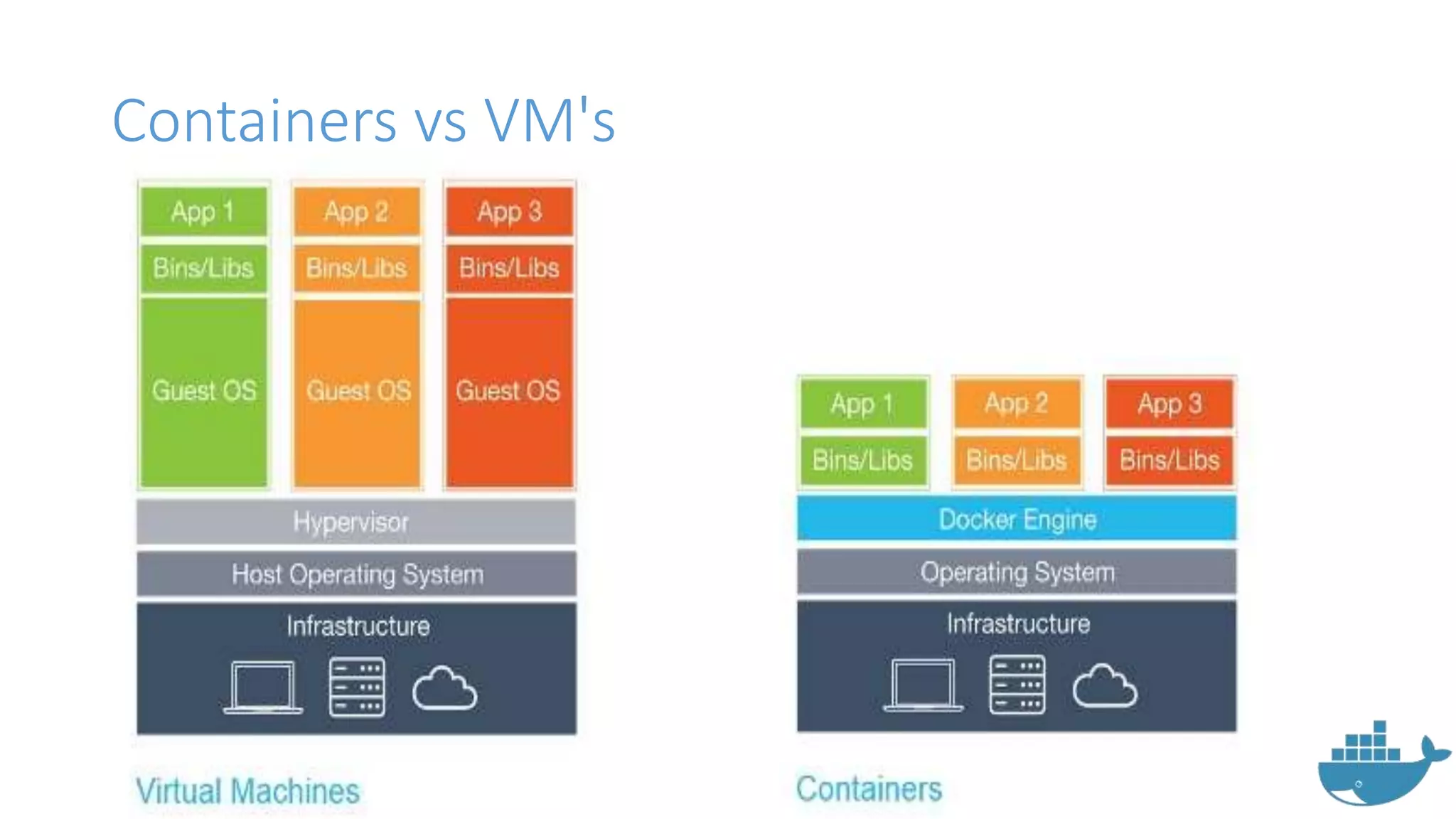
Containers vs VM's
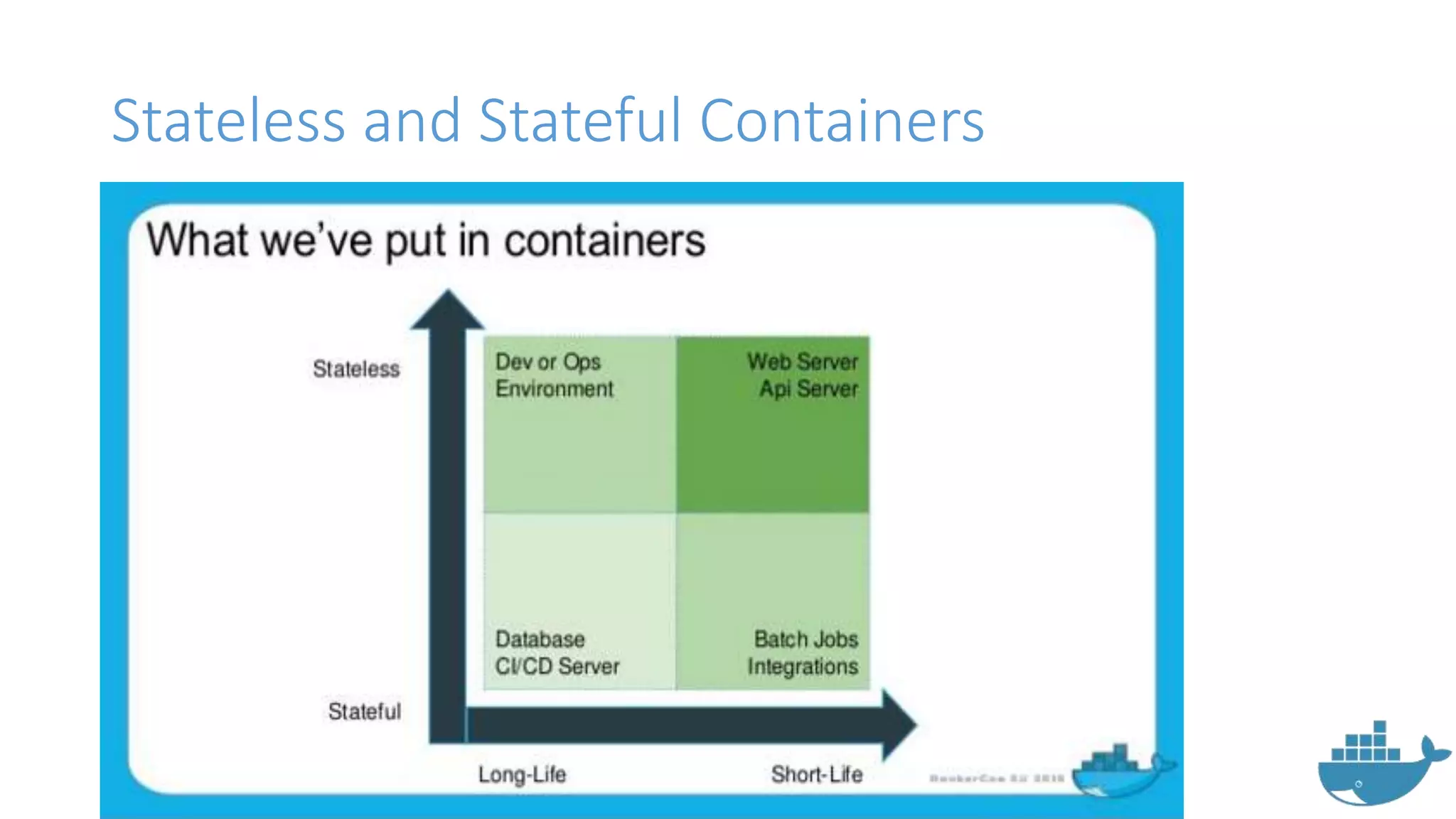
Stateless and Stateful Containers
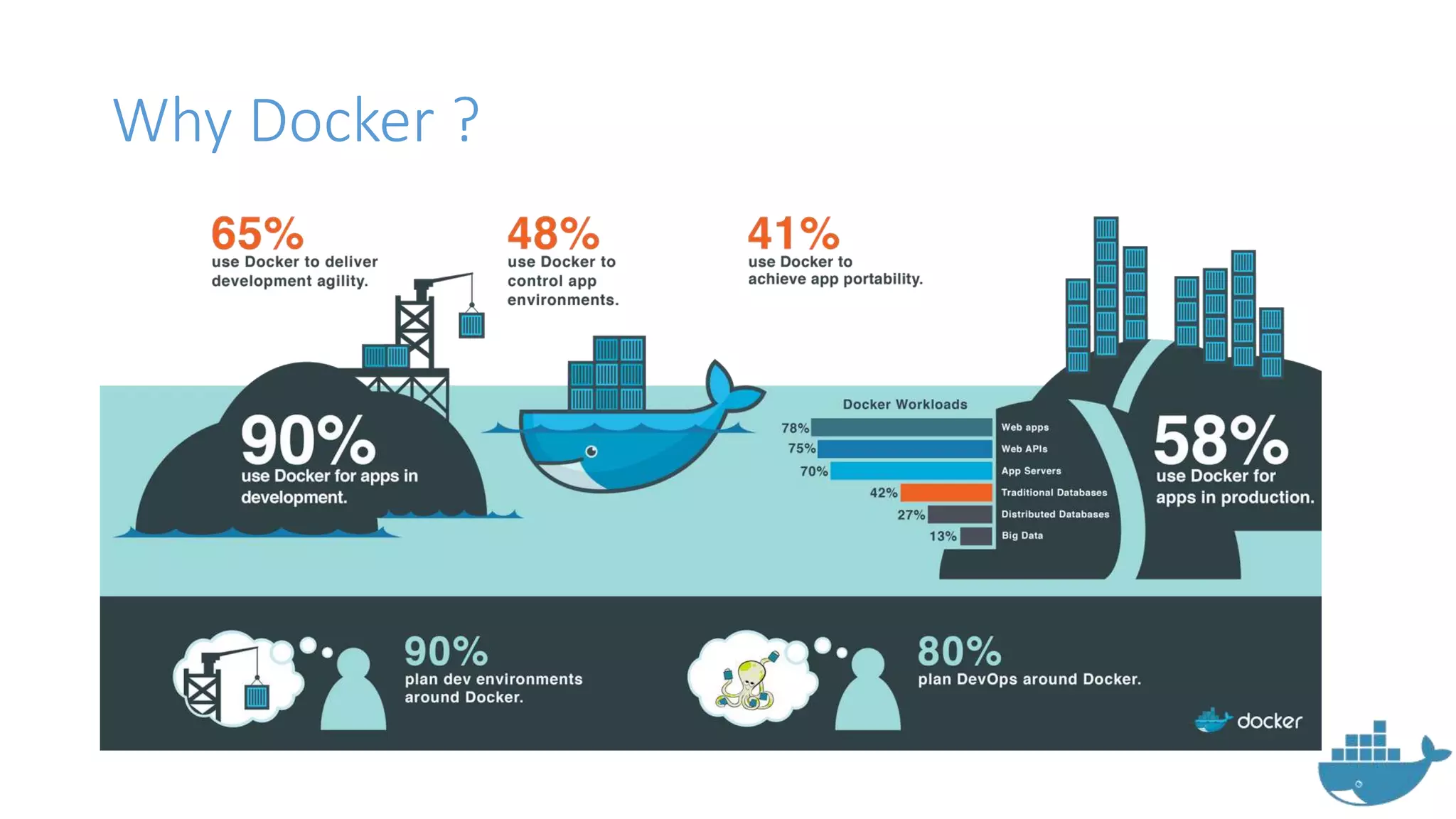
Why Docker ?
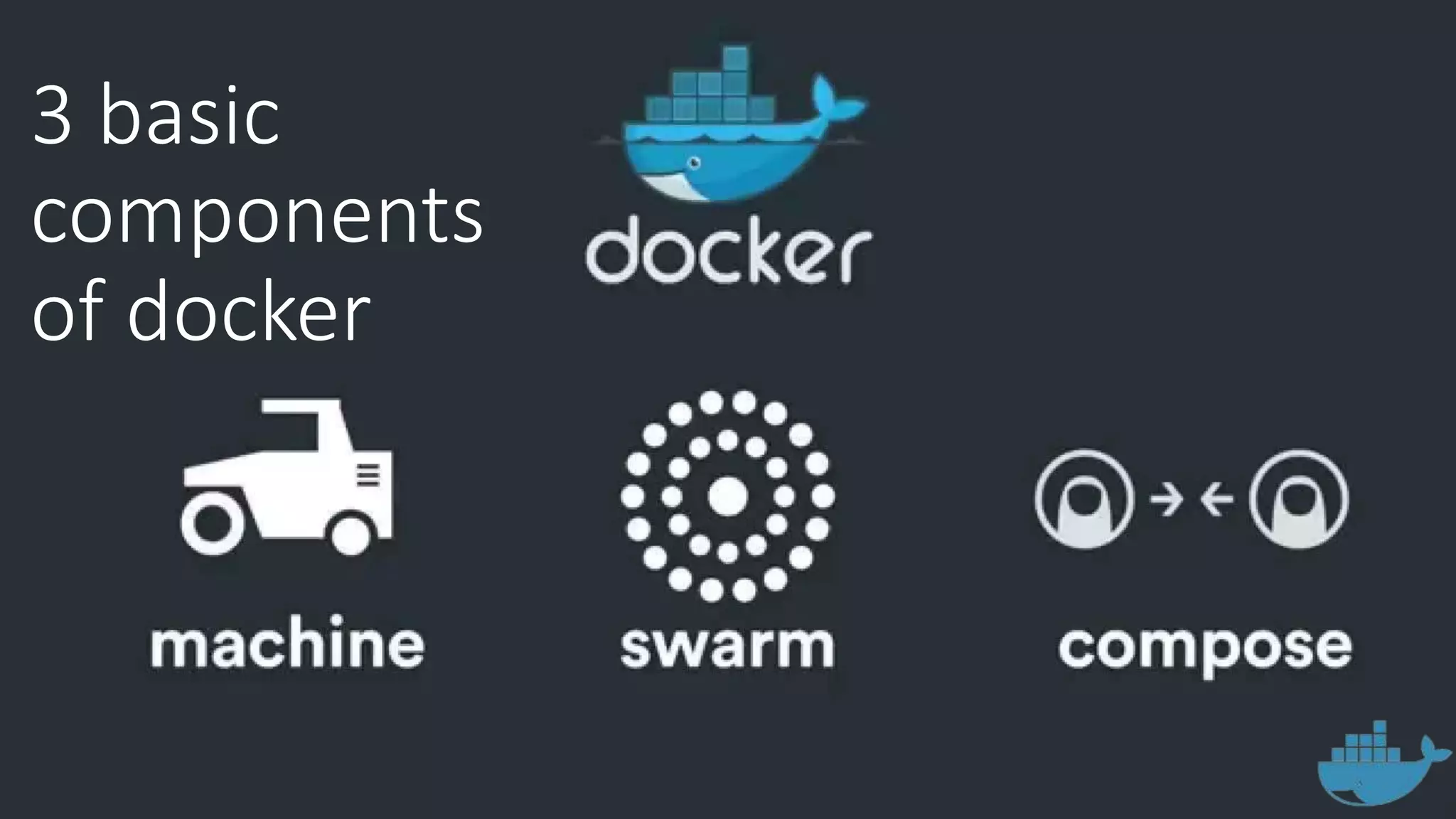
3 basic
components
of docker
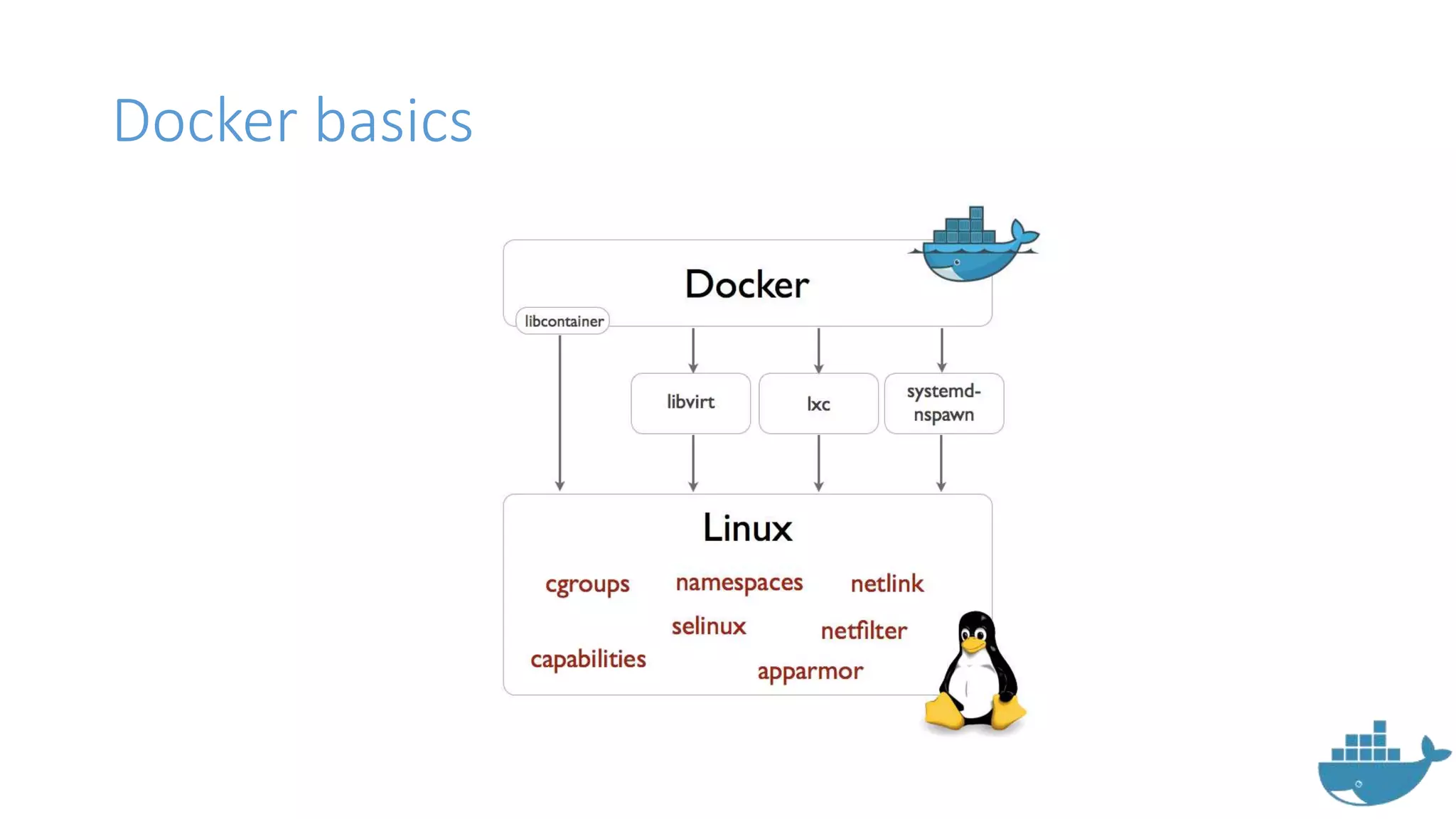
Docker basics
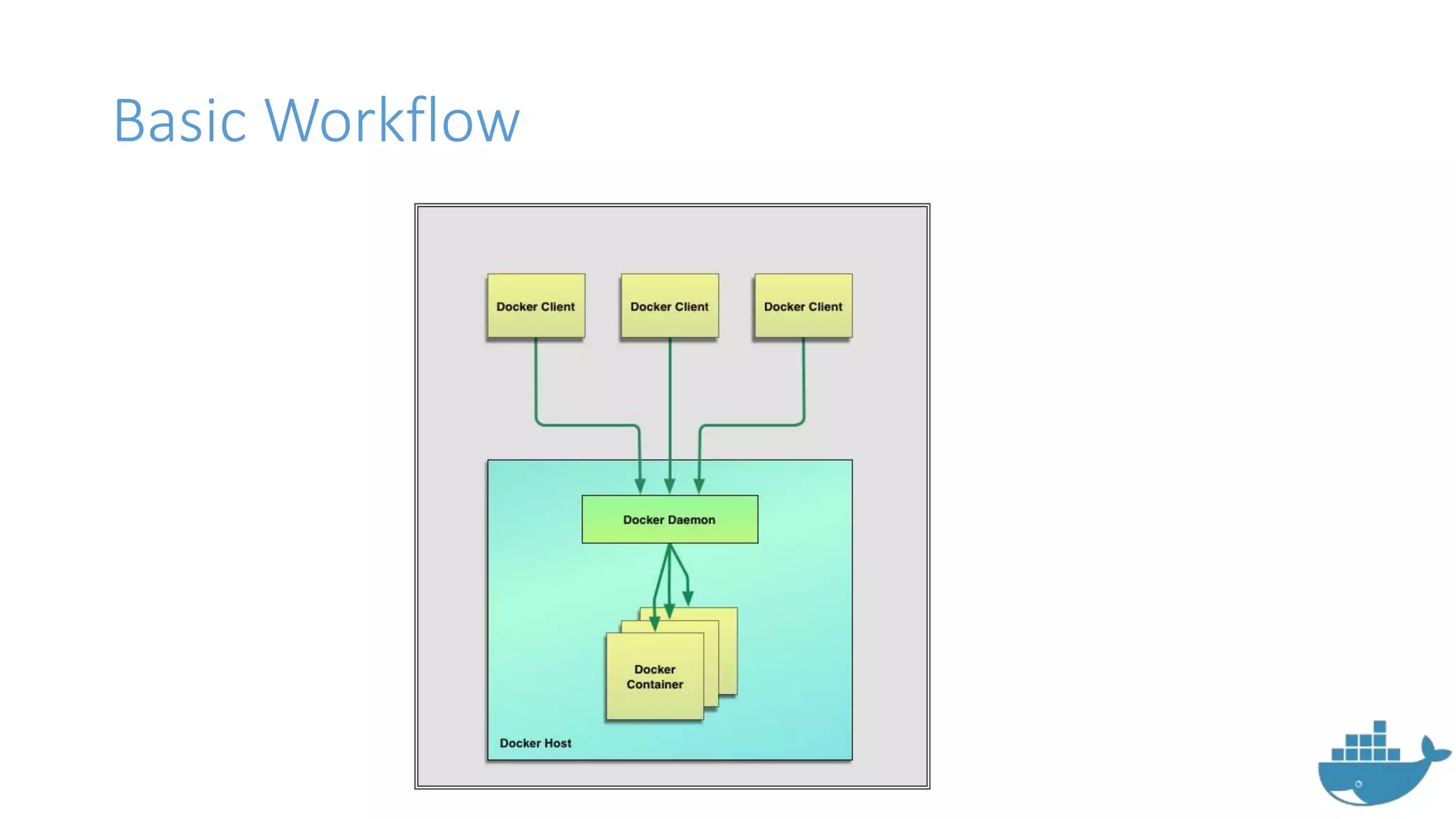
Basic Workflow
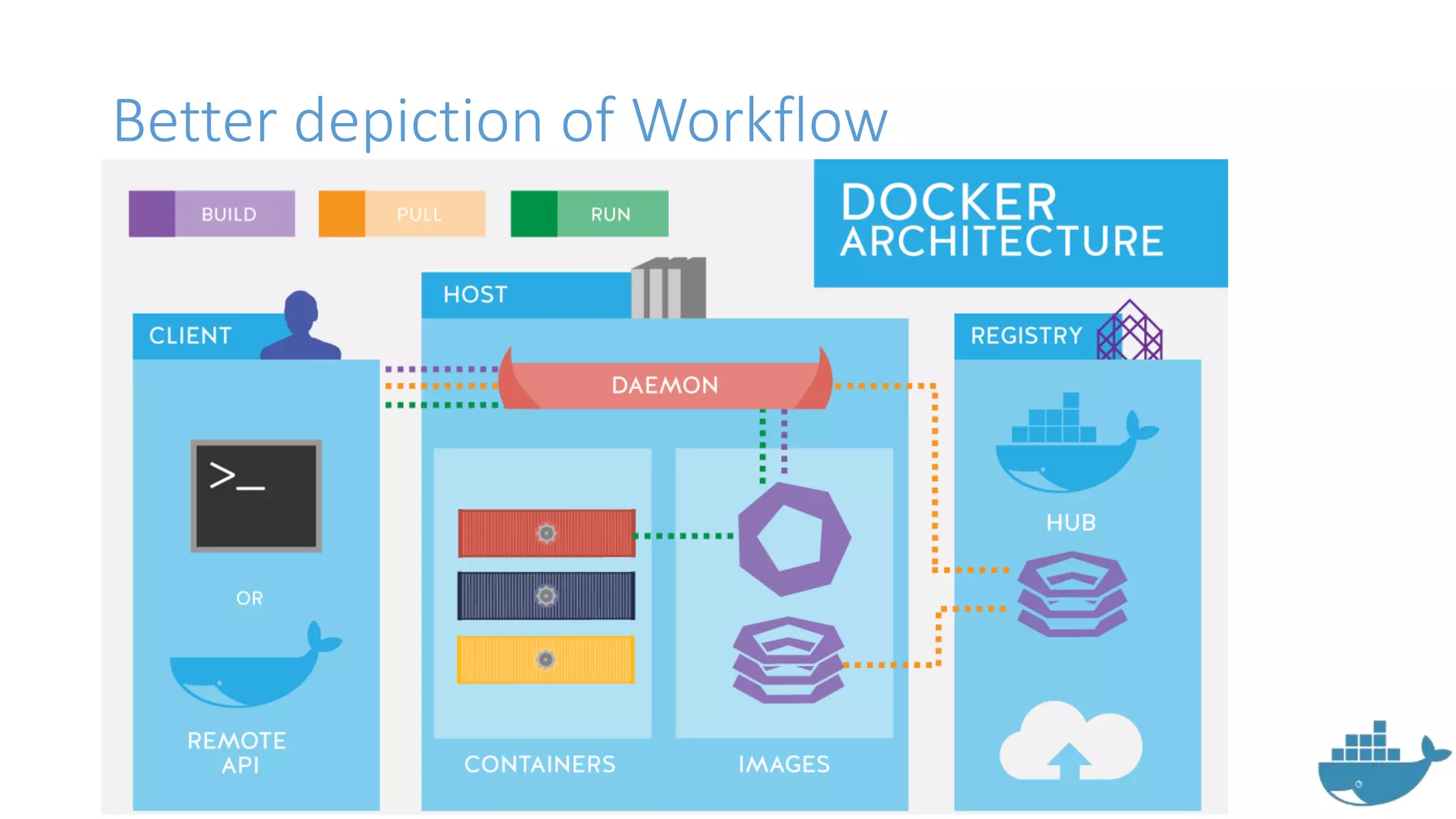
Better depiction of Workflow
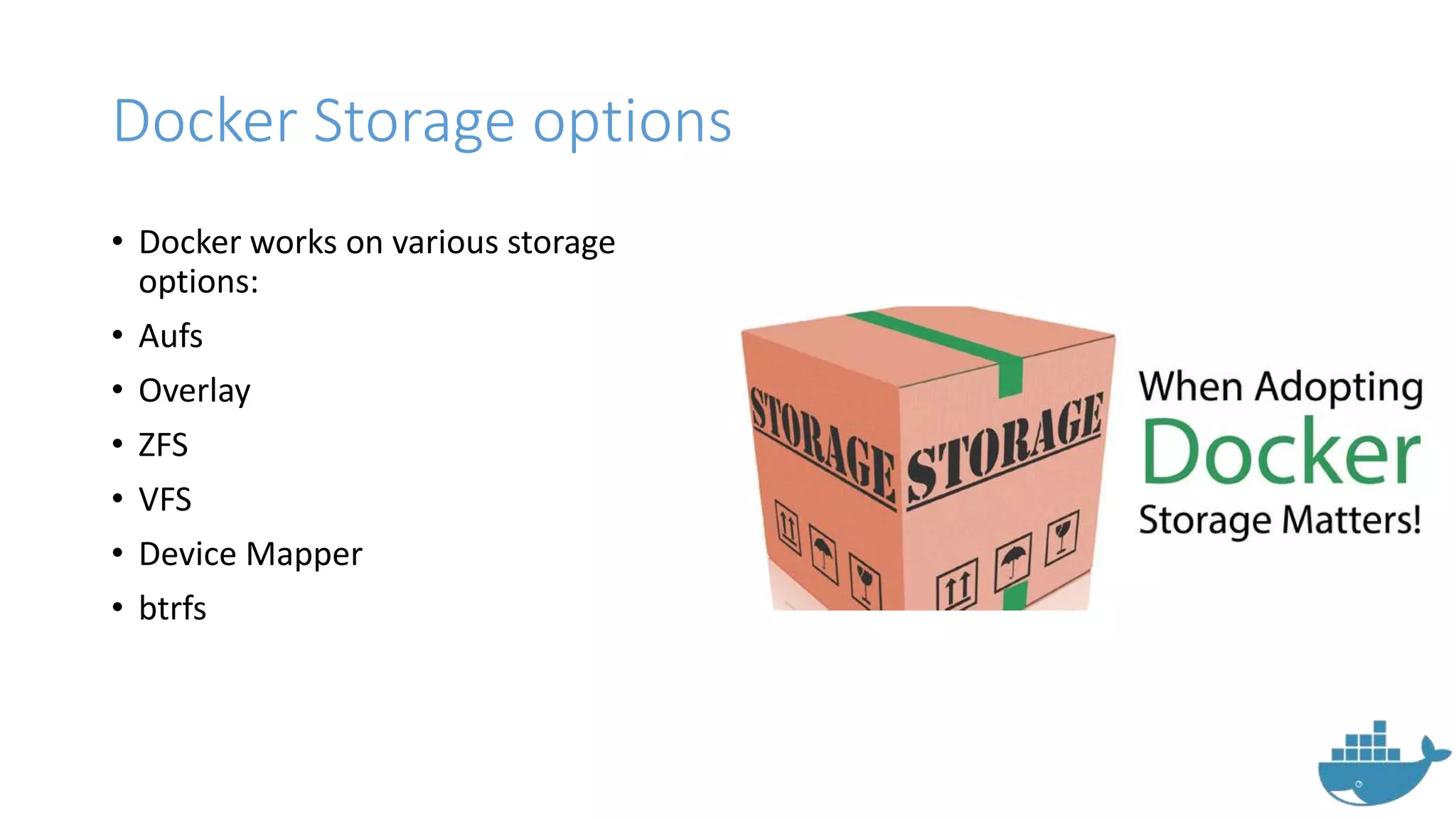
Docker Storage options
• Docker works on various storage
options:
• Aufs
• Overlay
• ZFS
• VFS
• Device Mapper
• btrfs
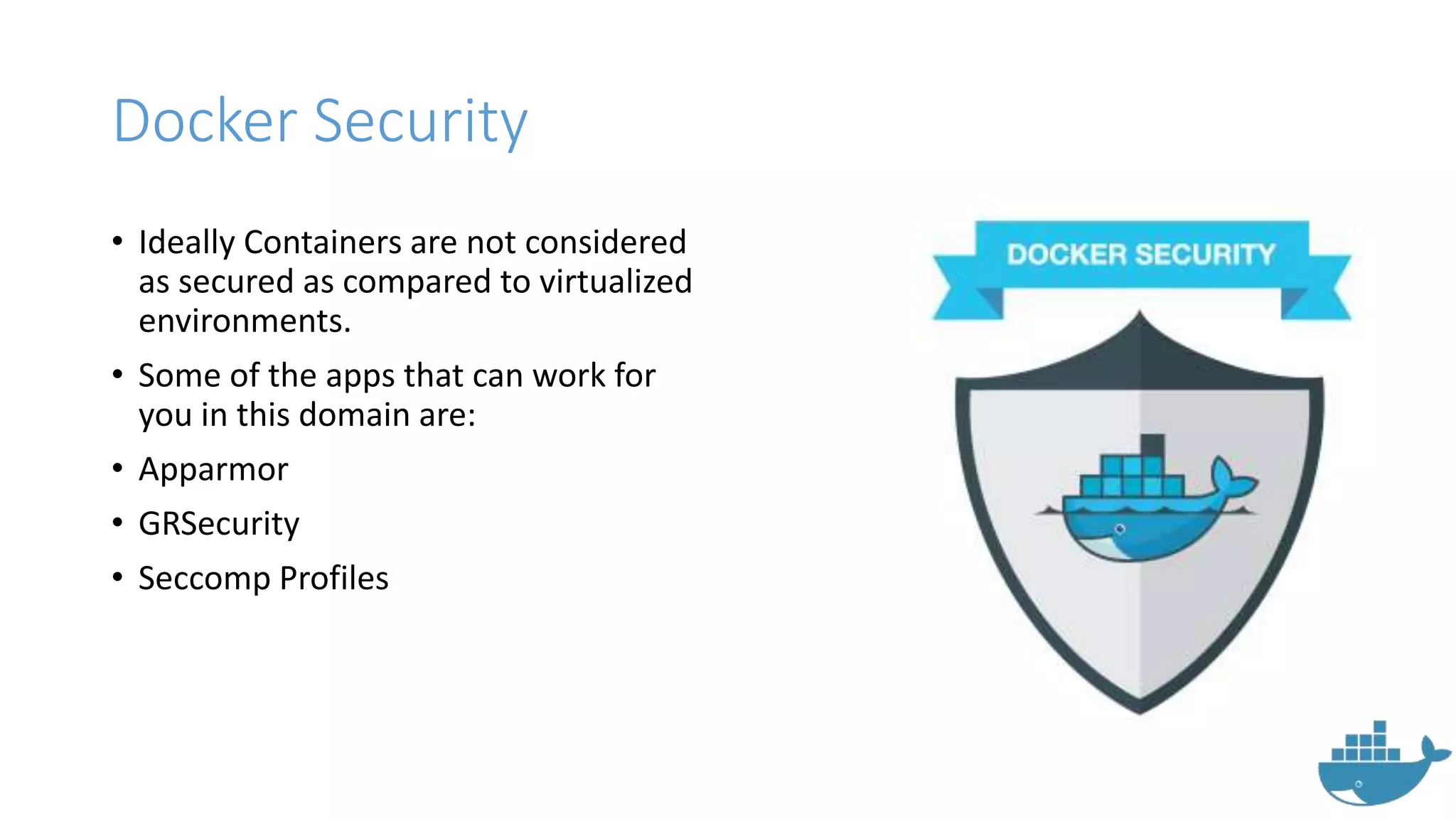
Docker Security
• Ideally Containers are not considered
as secured as compared to virtualized
environments.
• Some of the apps that can work for
you in this domain are:
• Apparmor
• GRSecurity
• Seccomp Profiles
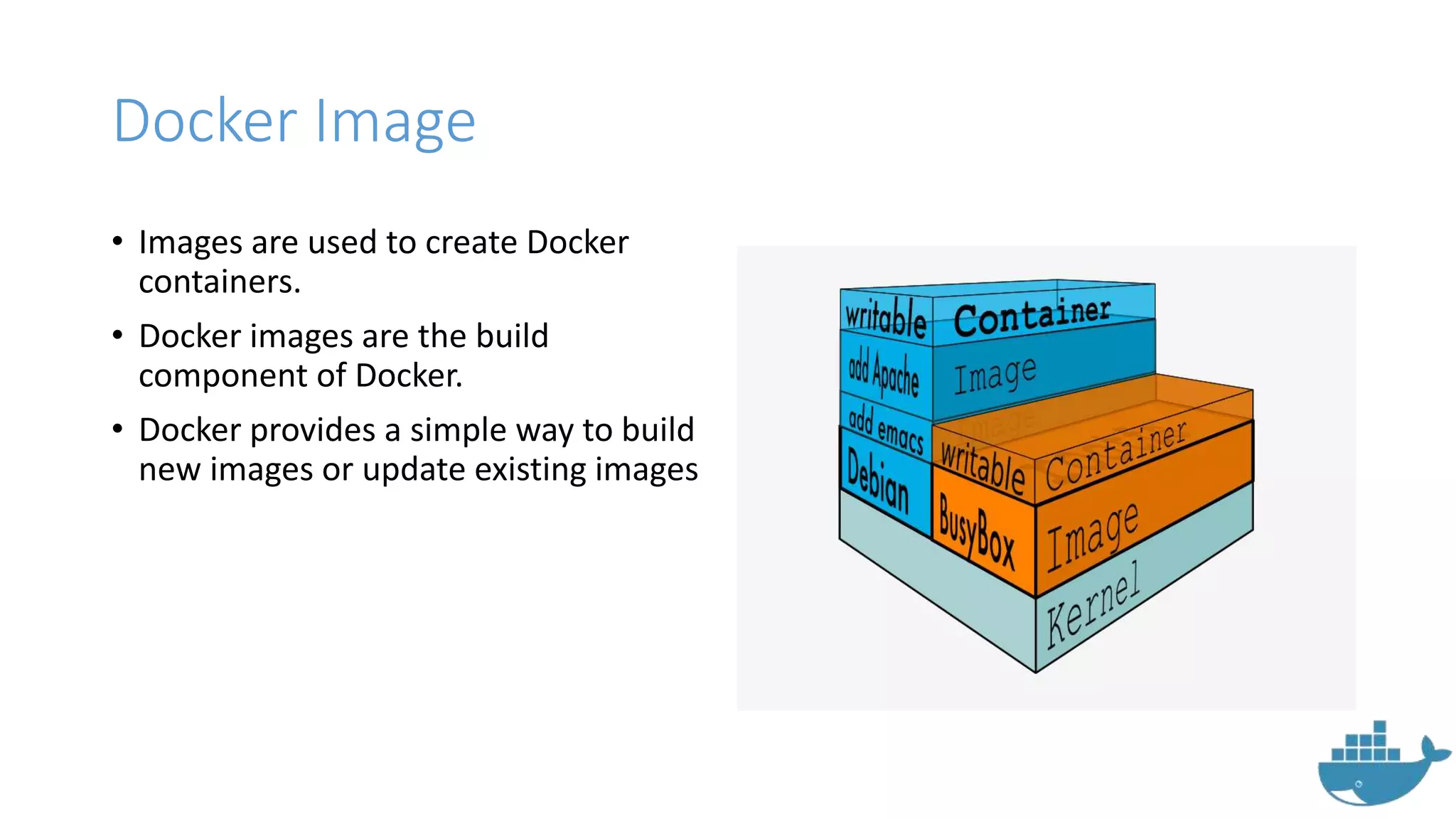
Docker Image
• Images are used to create Docker
containers.
• Docker images are the build
component of Docker.
• Docker provides a simple way to build
new images or update existing images
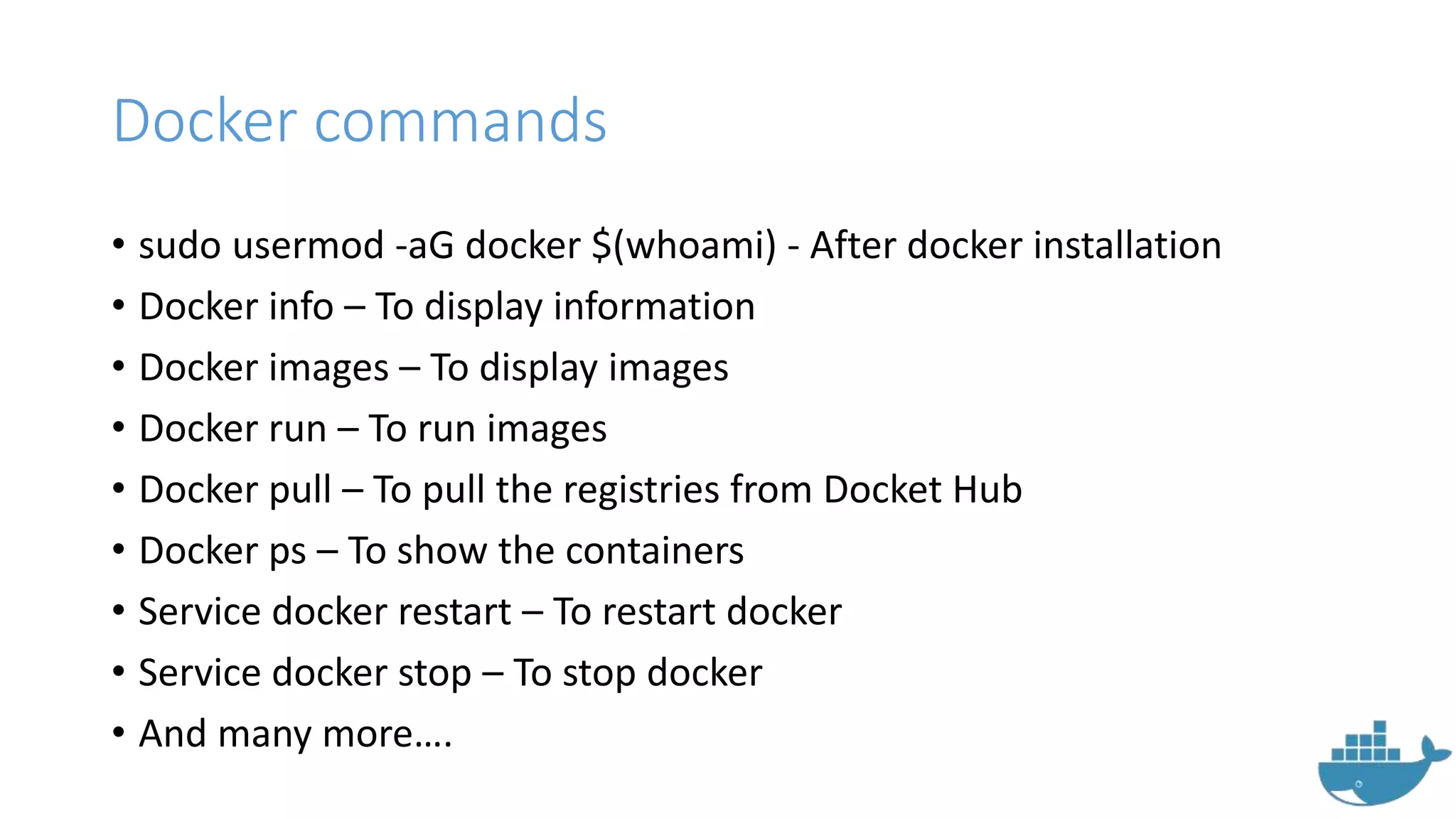
Docker commands
• sudo usermod -aG docker $(whoami) - After docker installation
• Docker info – To display information
• Docker images – To display images
• Docker run – To run images
• Docker pull – To pull the registries from Docket Hub
• Docker ps – To show the containers
• Service docker restart – To restart docker
• Service docker stop – To stop docker
• And many more….
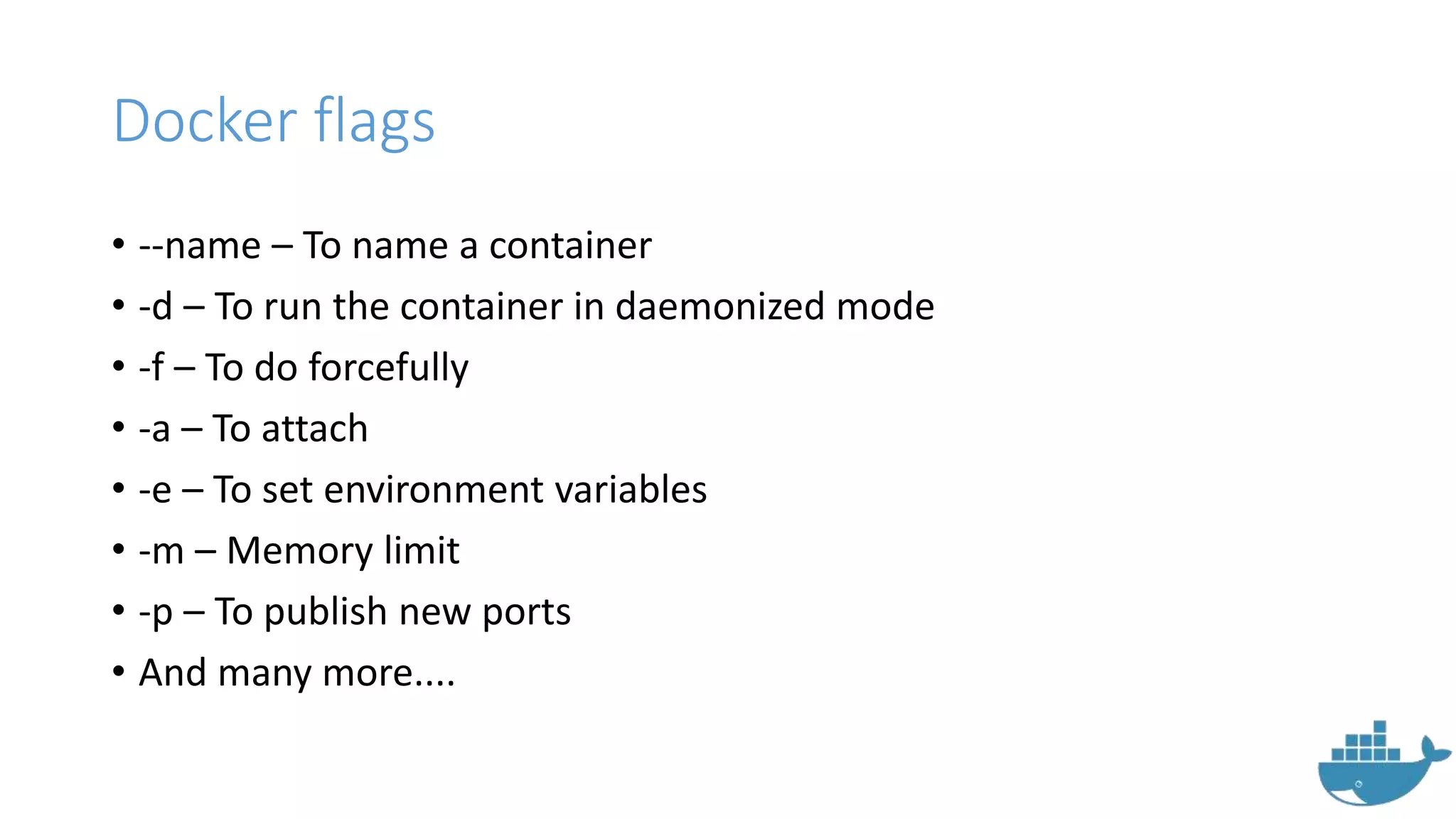
Docker flags
• --name – To name a container
• -d – To run the container in daemonized mode
• -f – To do forcefully
• -a – To attach
• -e – To set environment variables
• -m – Memory limit
• -p – To publish new ports
• And many more....
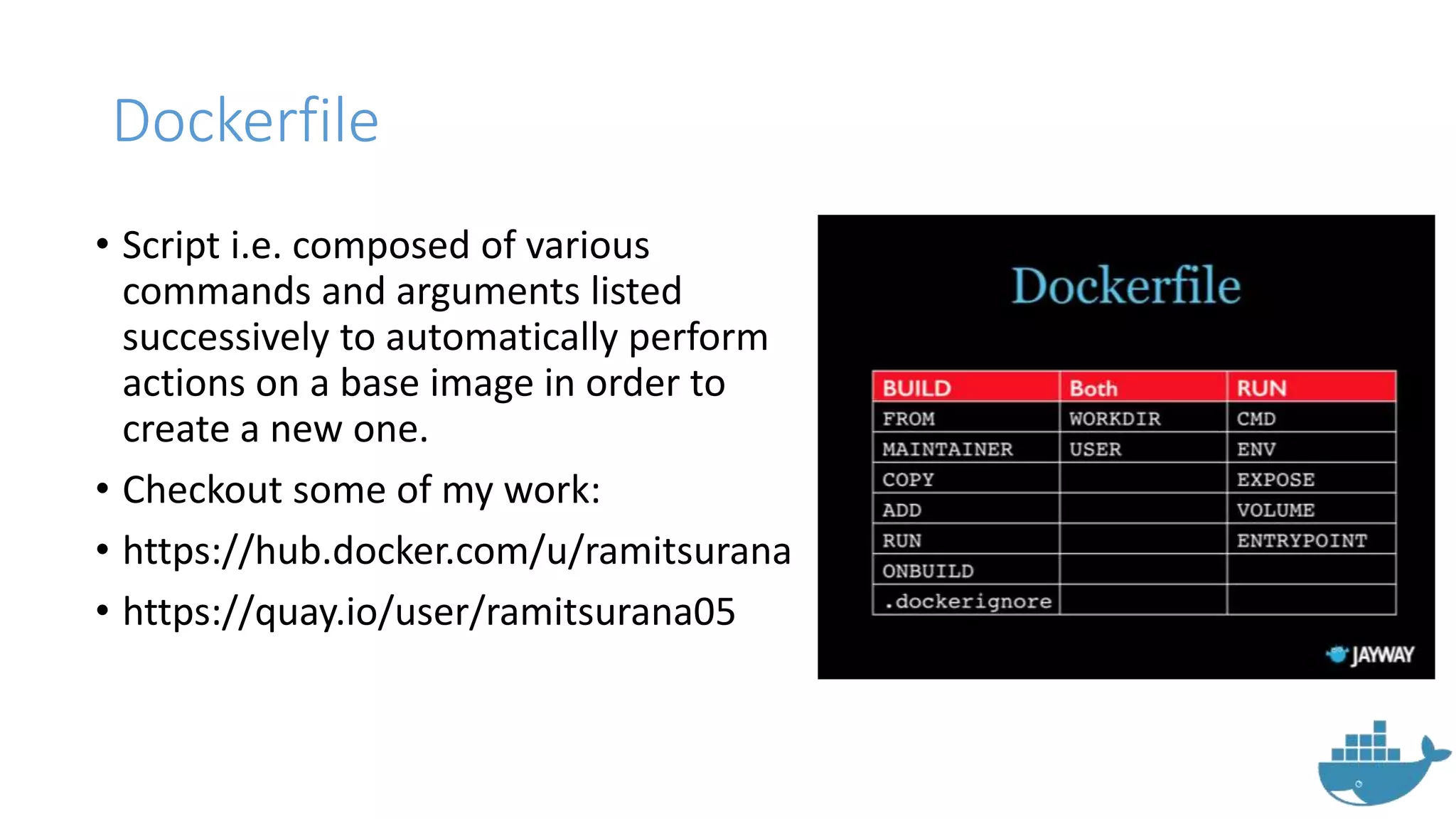
Dockerfile
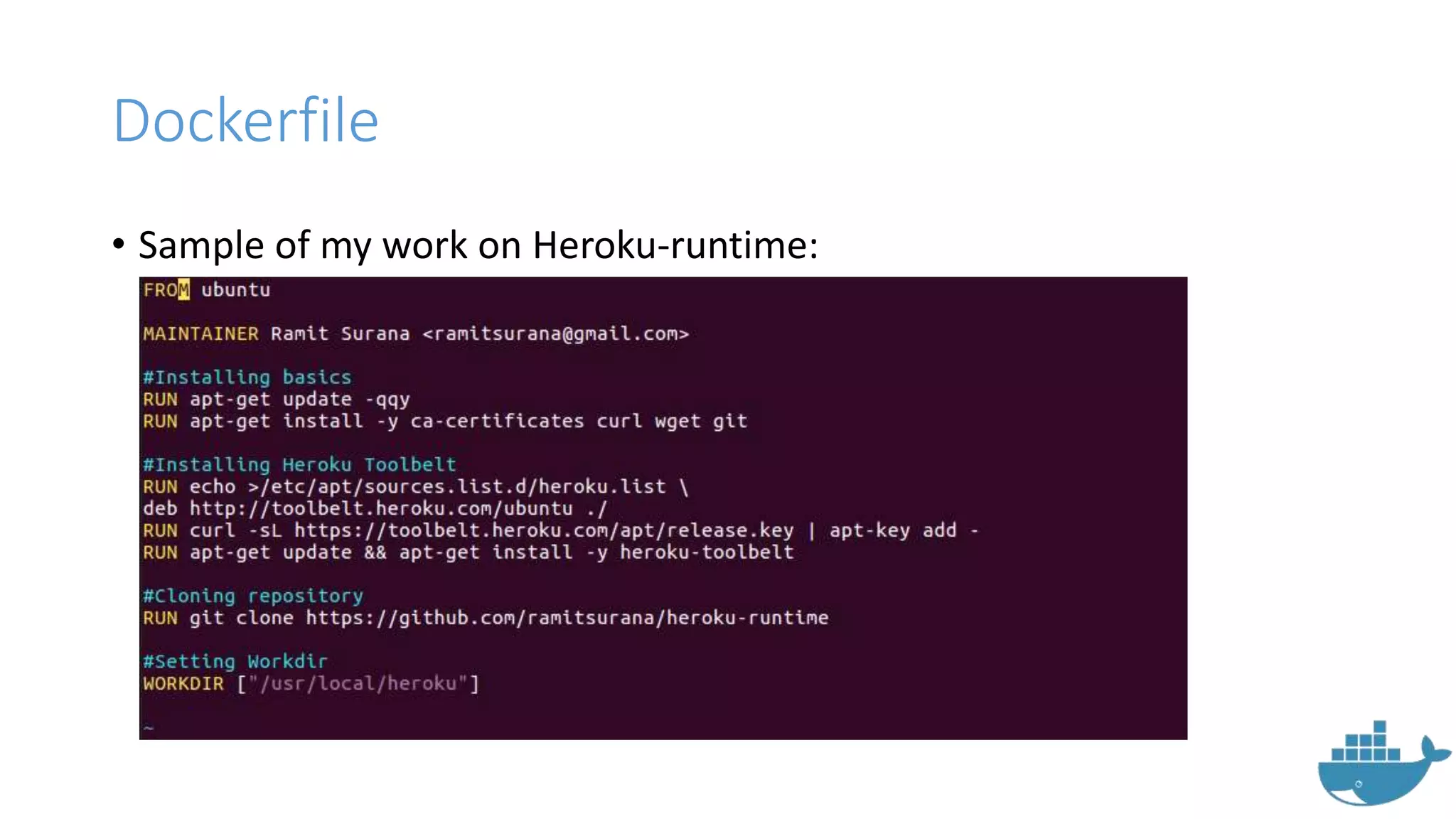
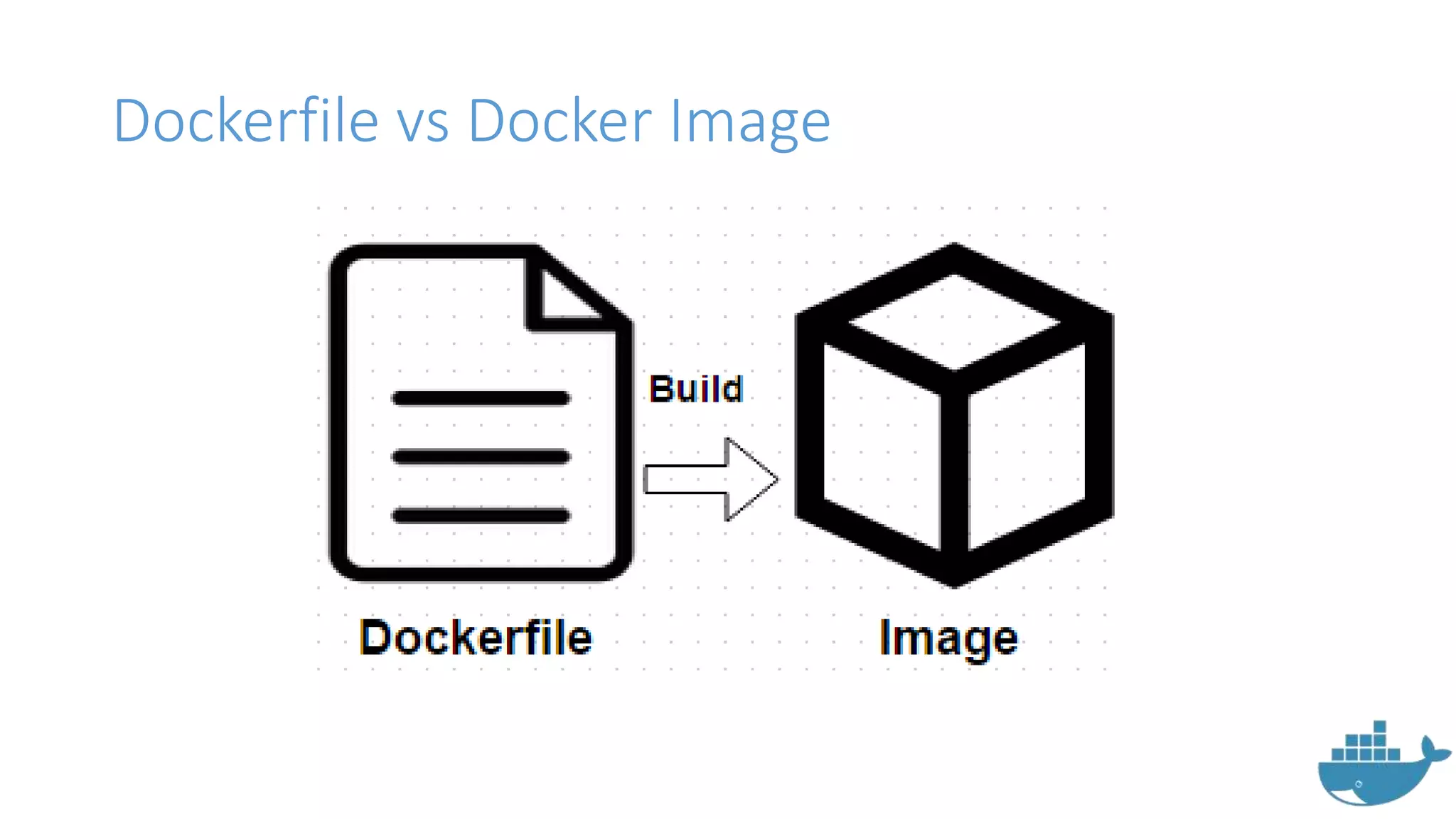
• Script i.e. composed of various
commands and arguments listed
successively to automatically perform
actions on a base image in order to
create a new one.
• Checkout some of my work:
• https://hub.docker.com/u/ramitsurana
• https://quay.io/user/ramitsurana05
Dockerfile
• Sample of my work on Heroku-runtime:
Dockerfile vs Docker Image
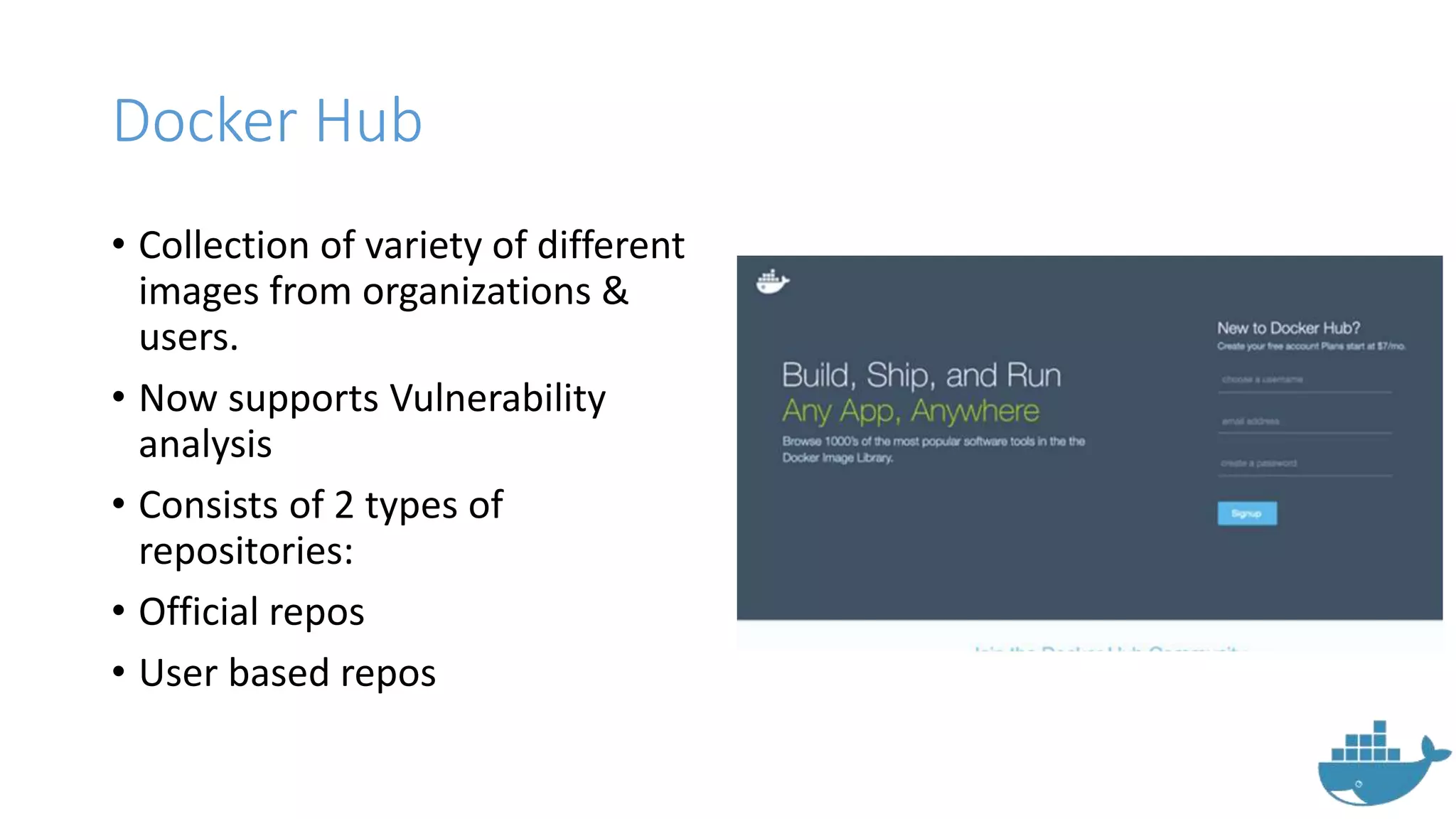
Docker Hub
• Collection of variety of different
images from organizations &
users.
• Now supports Vulnerability
analysis
• Consists of 2 types of
repositories:
• Official repos
• User based repos
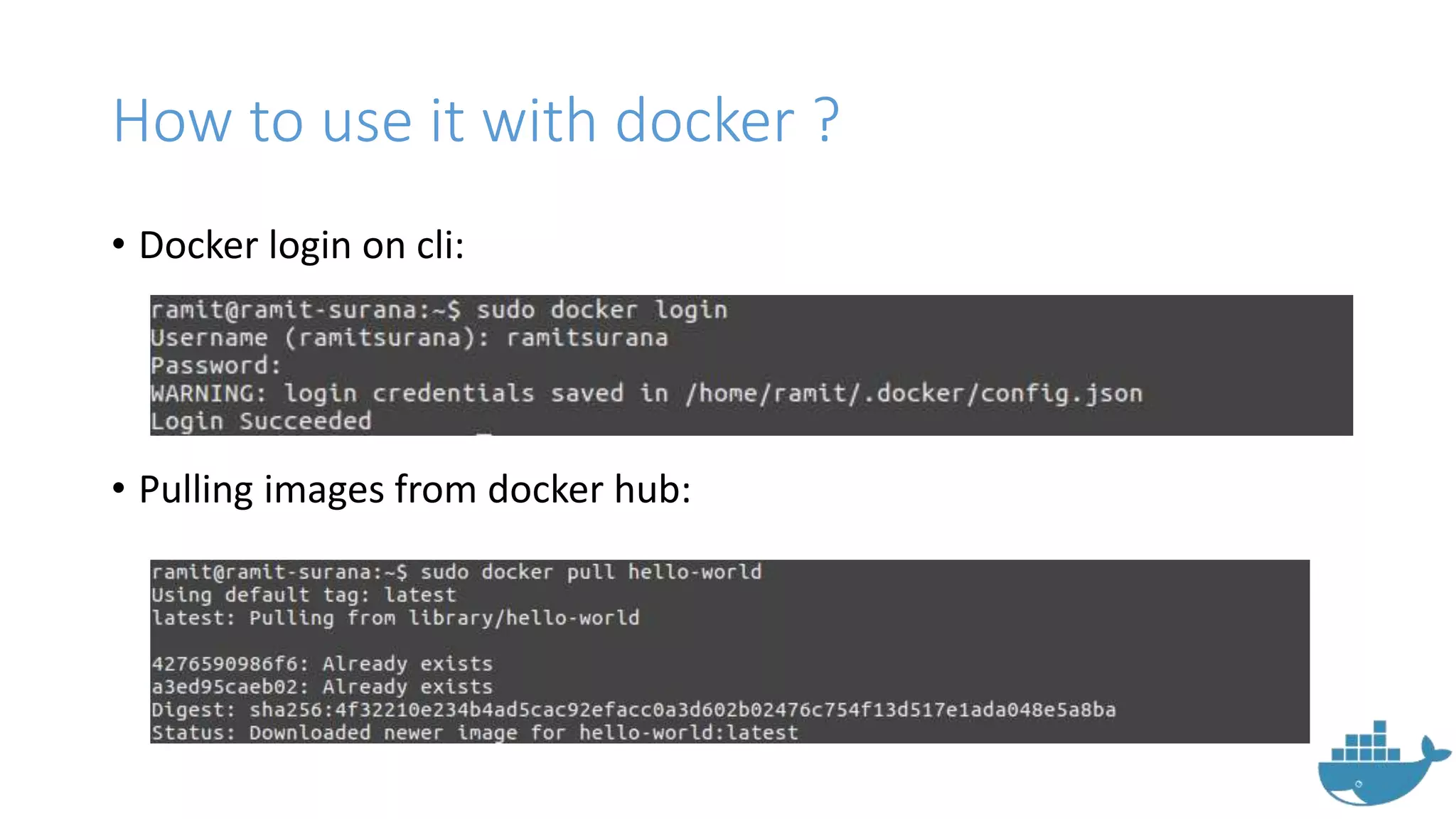
How to use it with docker ?
• Docker login on cli:
• Pulling images from docker hub:
How to use it with docker ?
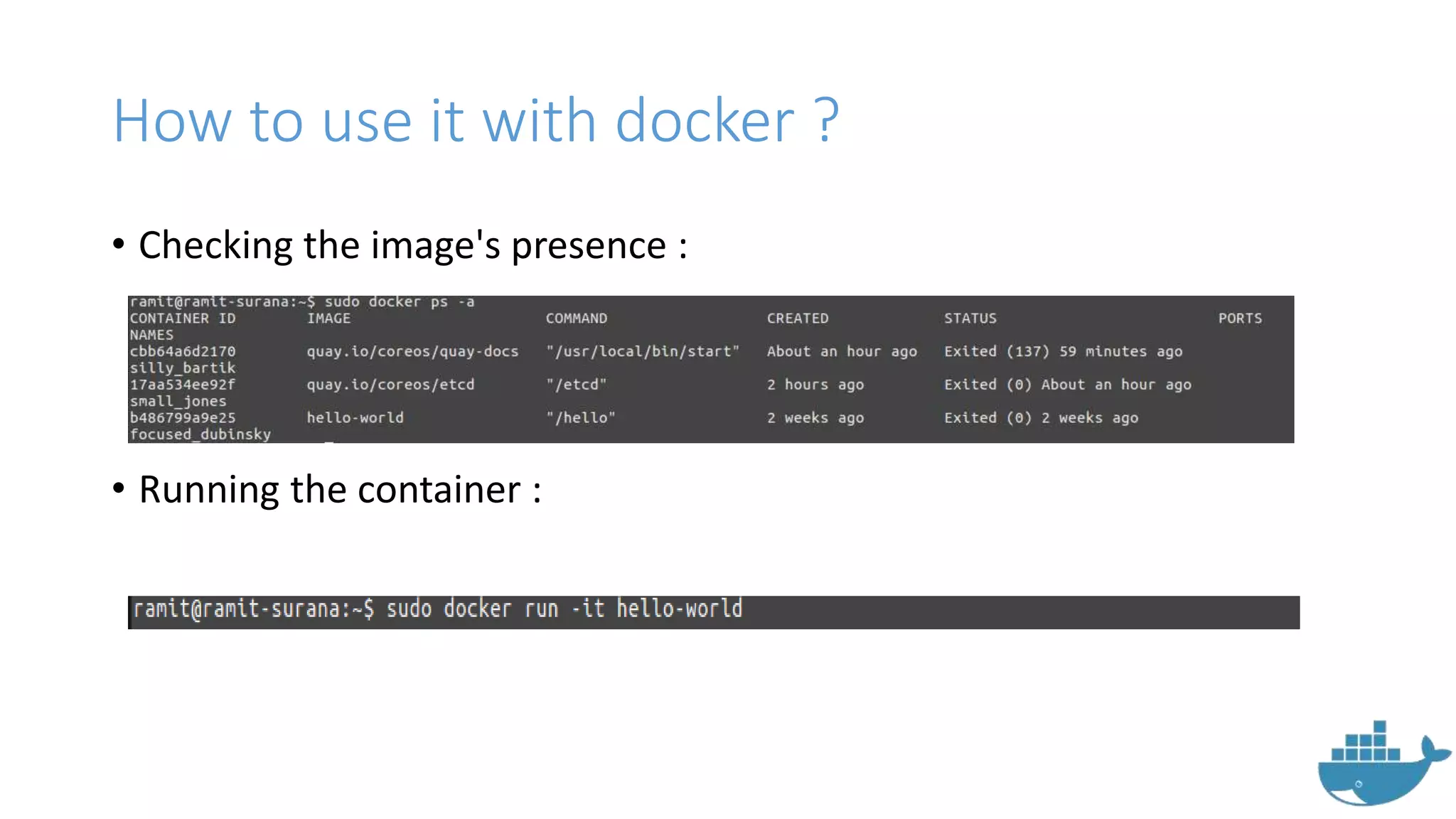
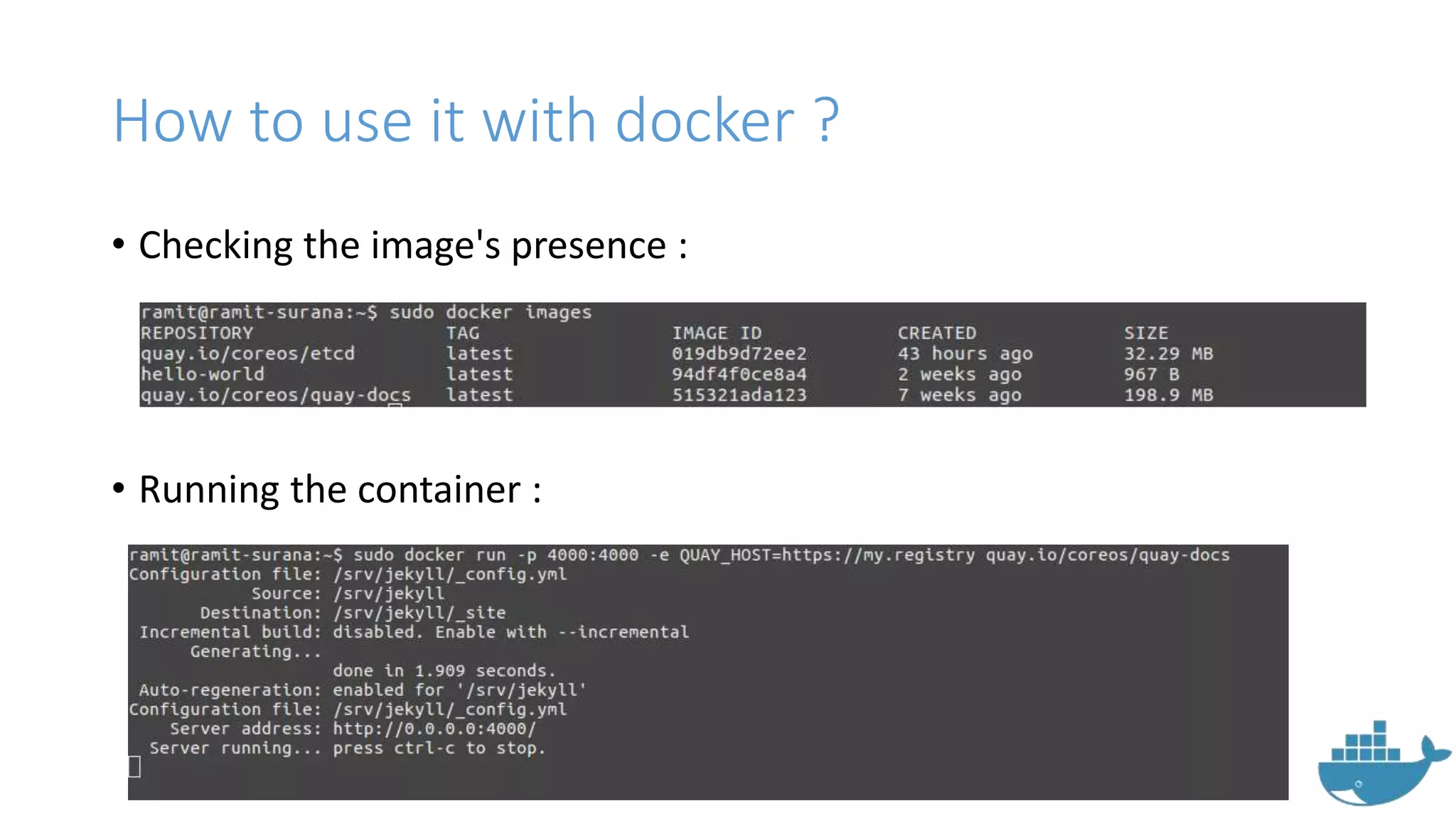
• Checking the image's presence :
• Running the container :
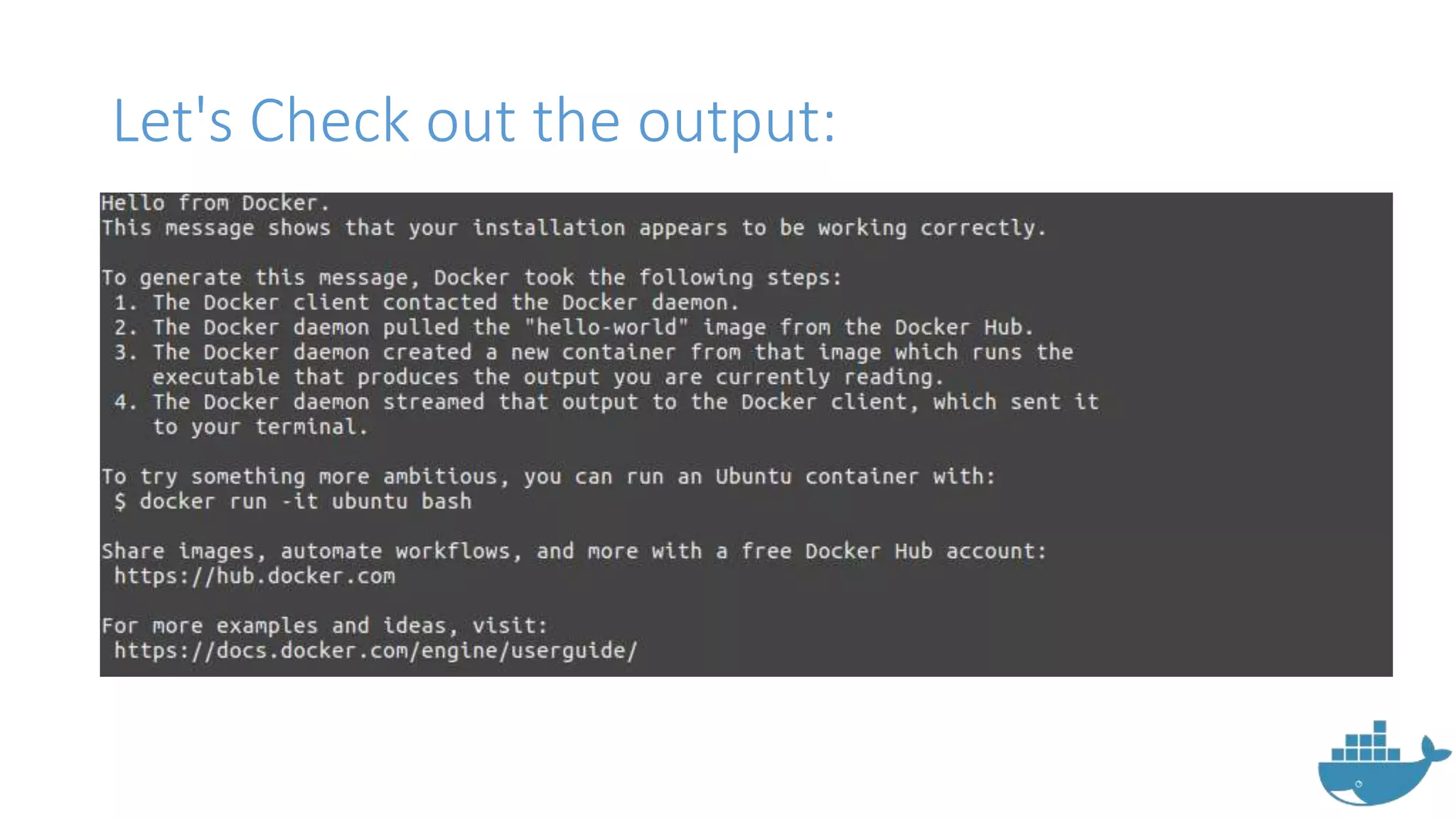
Let's Check out the output:
Quay.io
• Hosted by CoreOS guys
• Supports rkt project
• Integrated with the amazing clair
vulnerability service.
• Integrates with tectonic and other
coreos projects
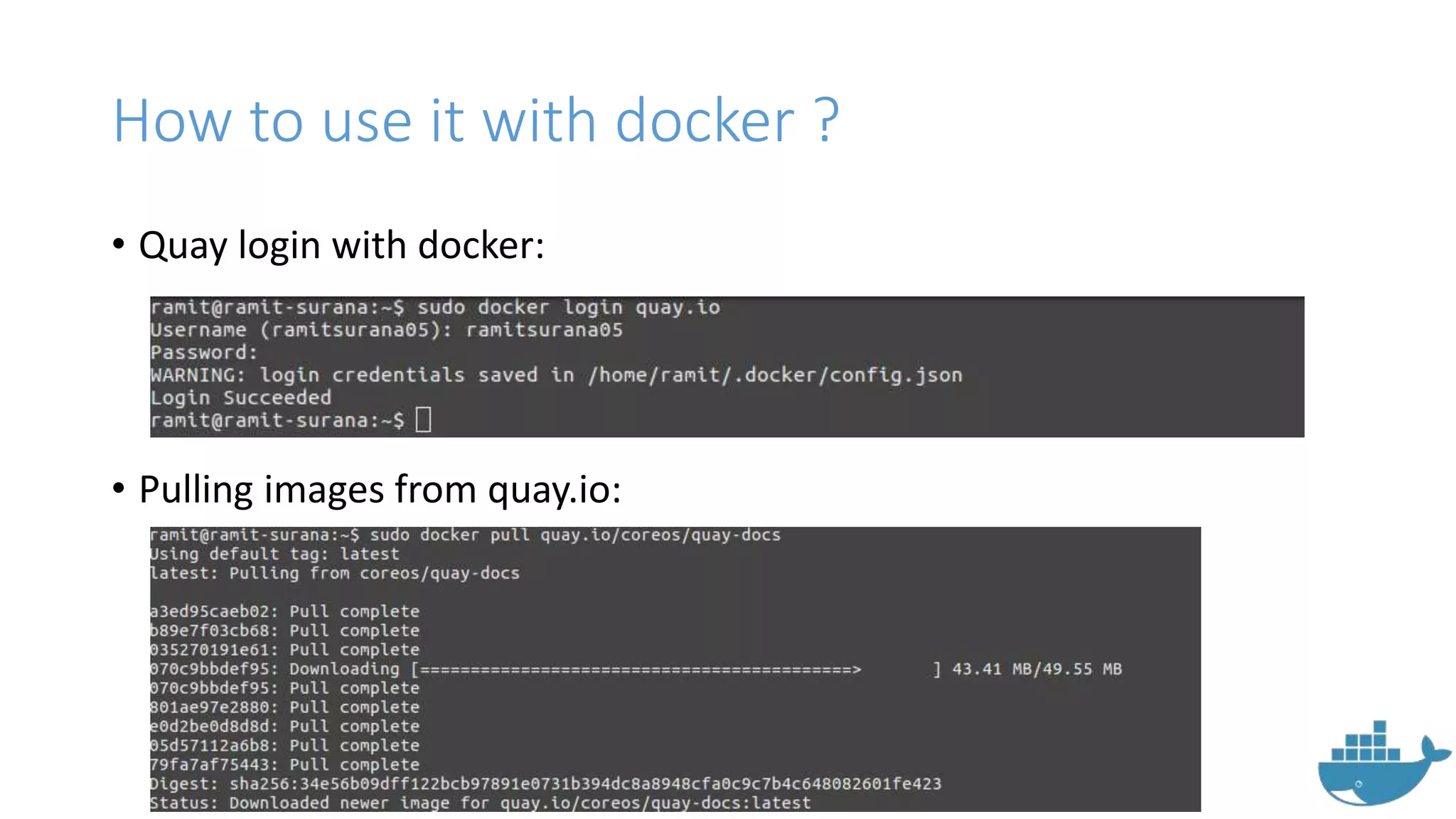
How to use it with docker ?
• Quay login with docker:
• Pulling images from quay.io:
How to use it with docker ?
• Checking the image's presence :
• Running the container :
How to use it with docker ?
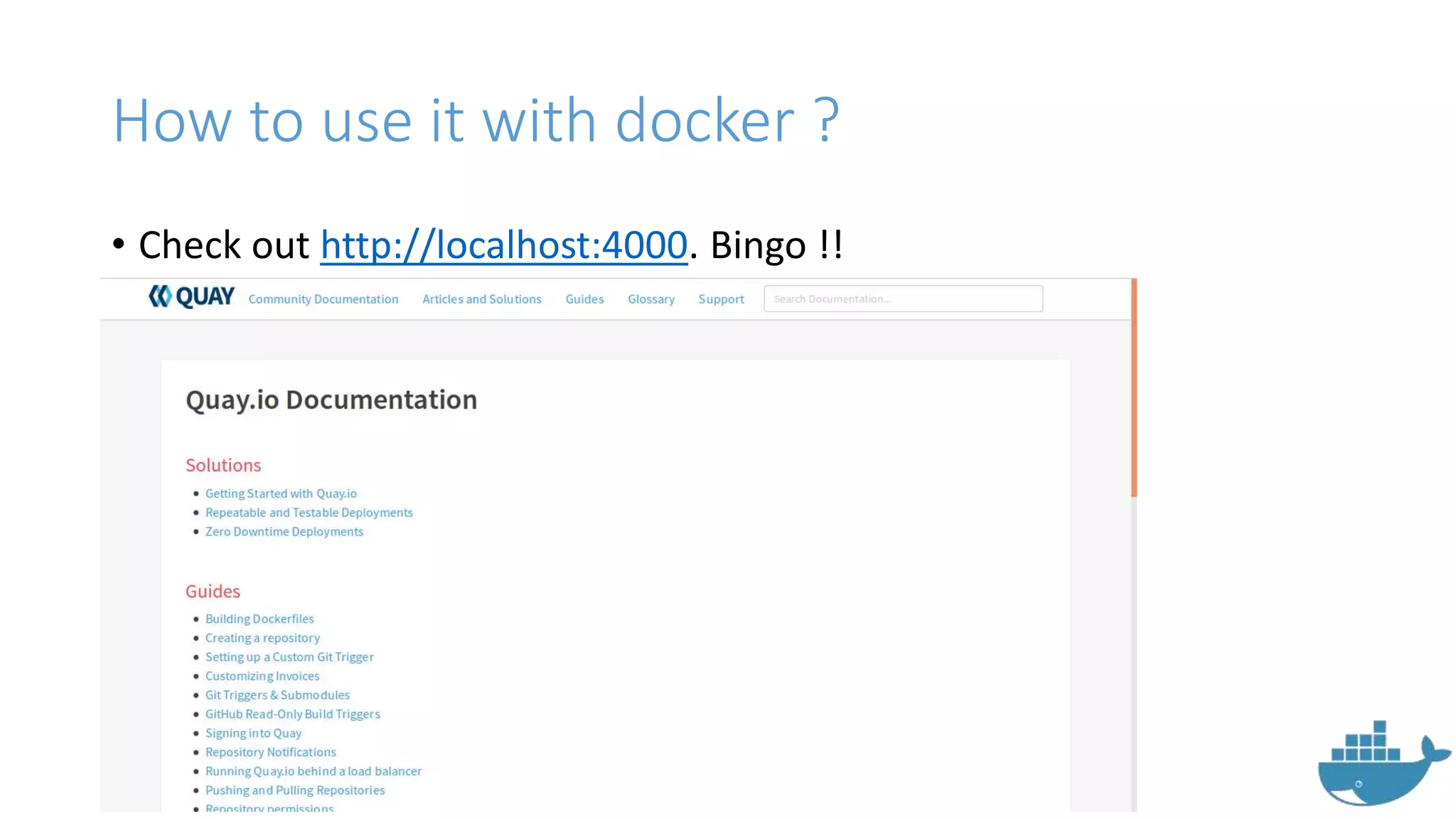
• Check out http://localhost:4000. Bingo !!
Docker Compose
Docker Compose
• Simple way to bring up multiple
containers with .yaml file.
• Previously known as Fig.
• Bought by docker in 2014.
How to use Docker Compose ?
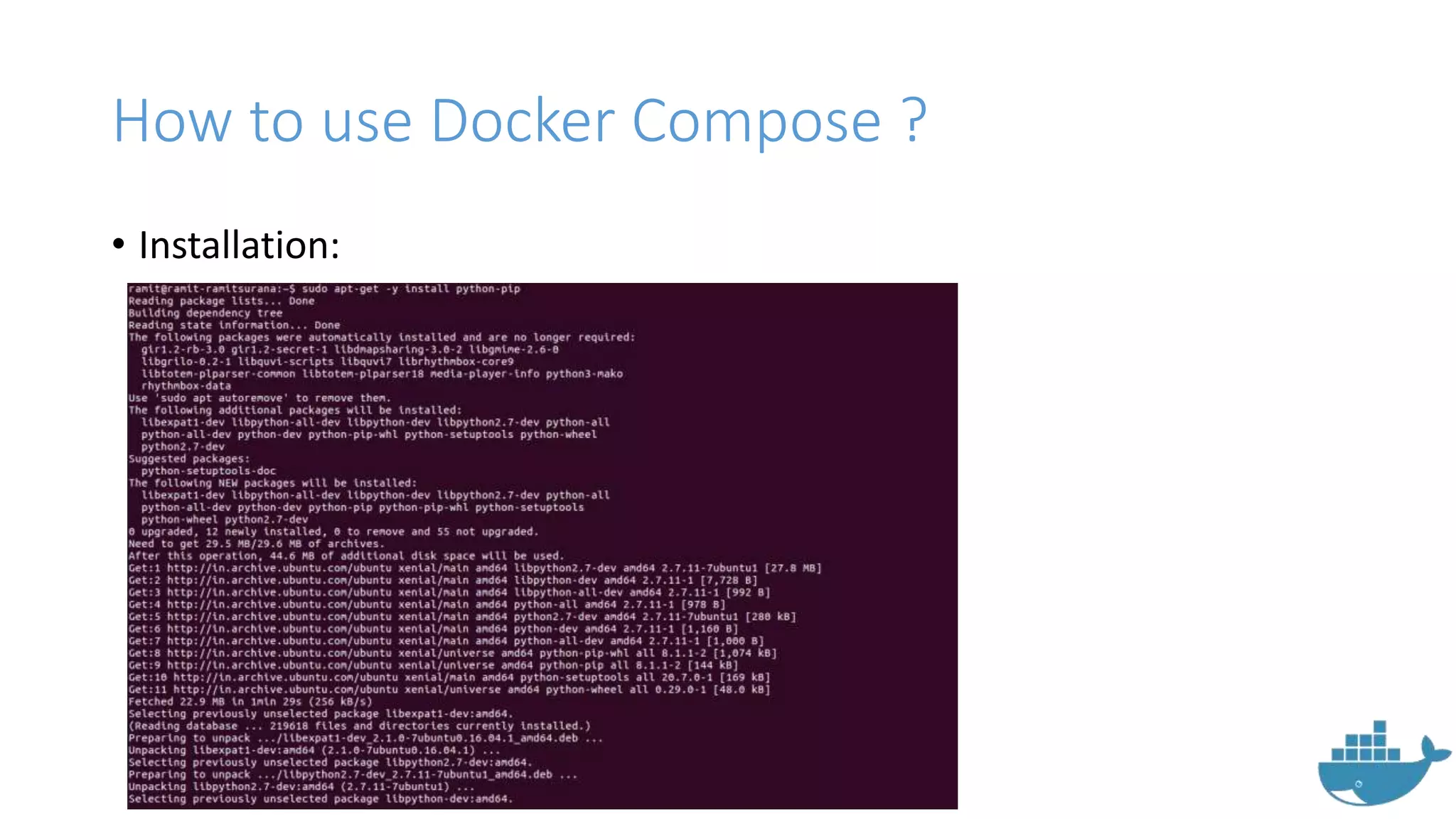
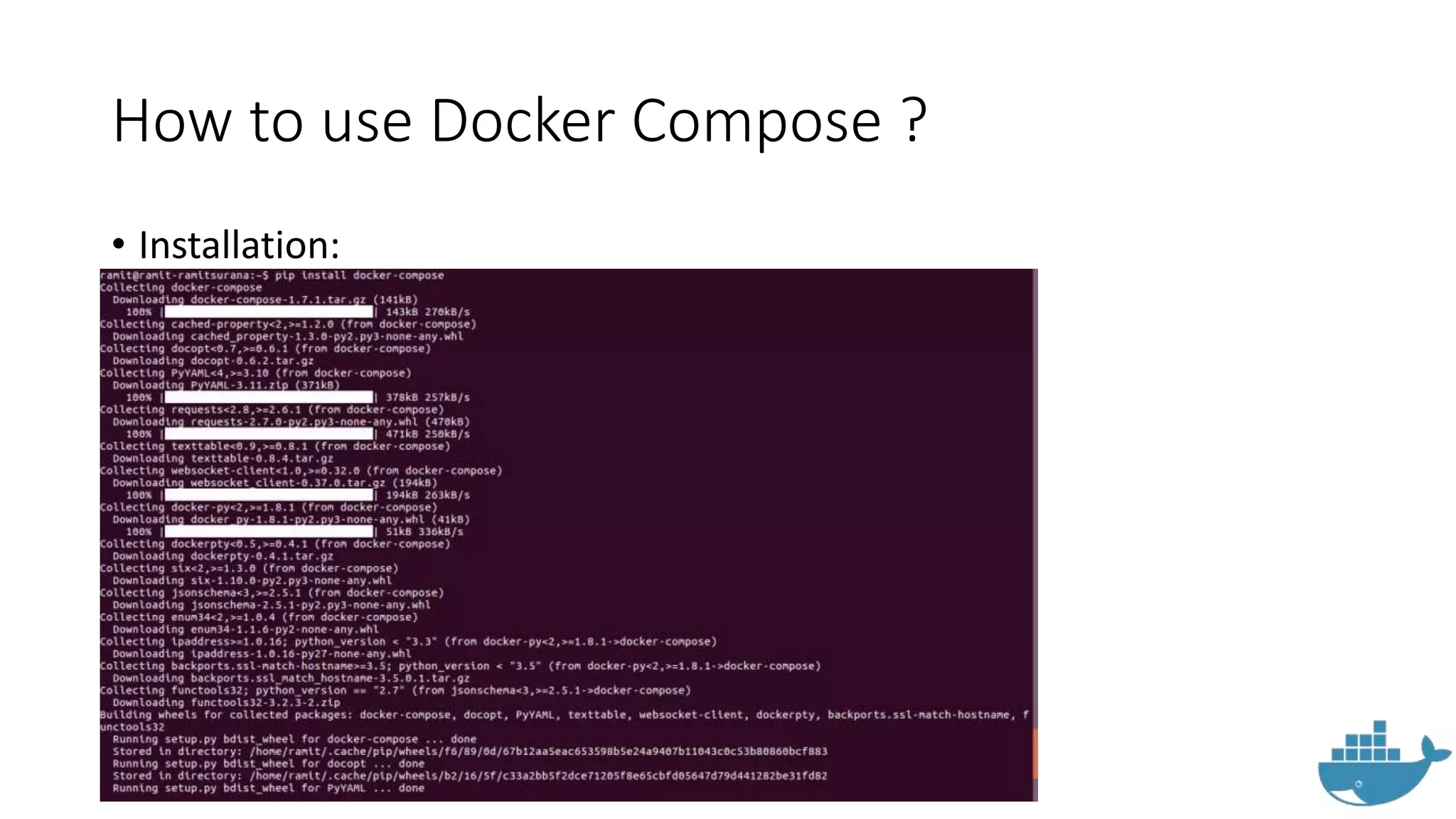
• Installation:
How to use Docker Compose ?
• Installation:
How to use it with Docker Compose ?
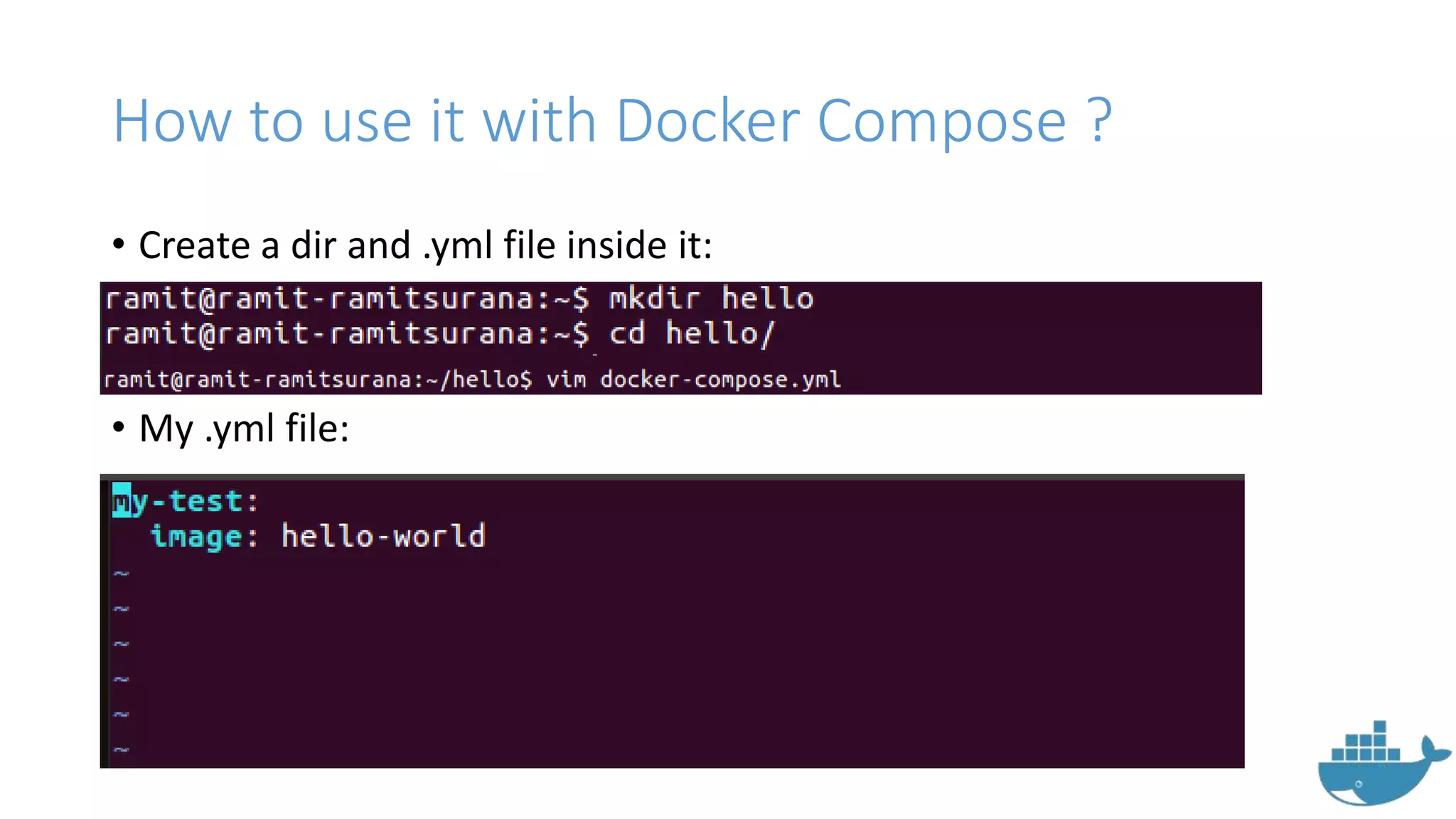
• Create a dir and .yml file inside it:
• My .yml file:
How to use it with Docker Compose ?
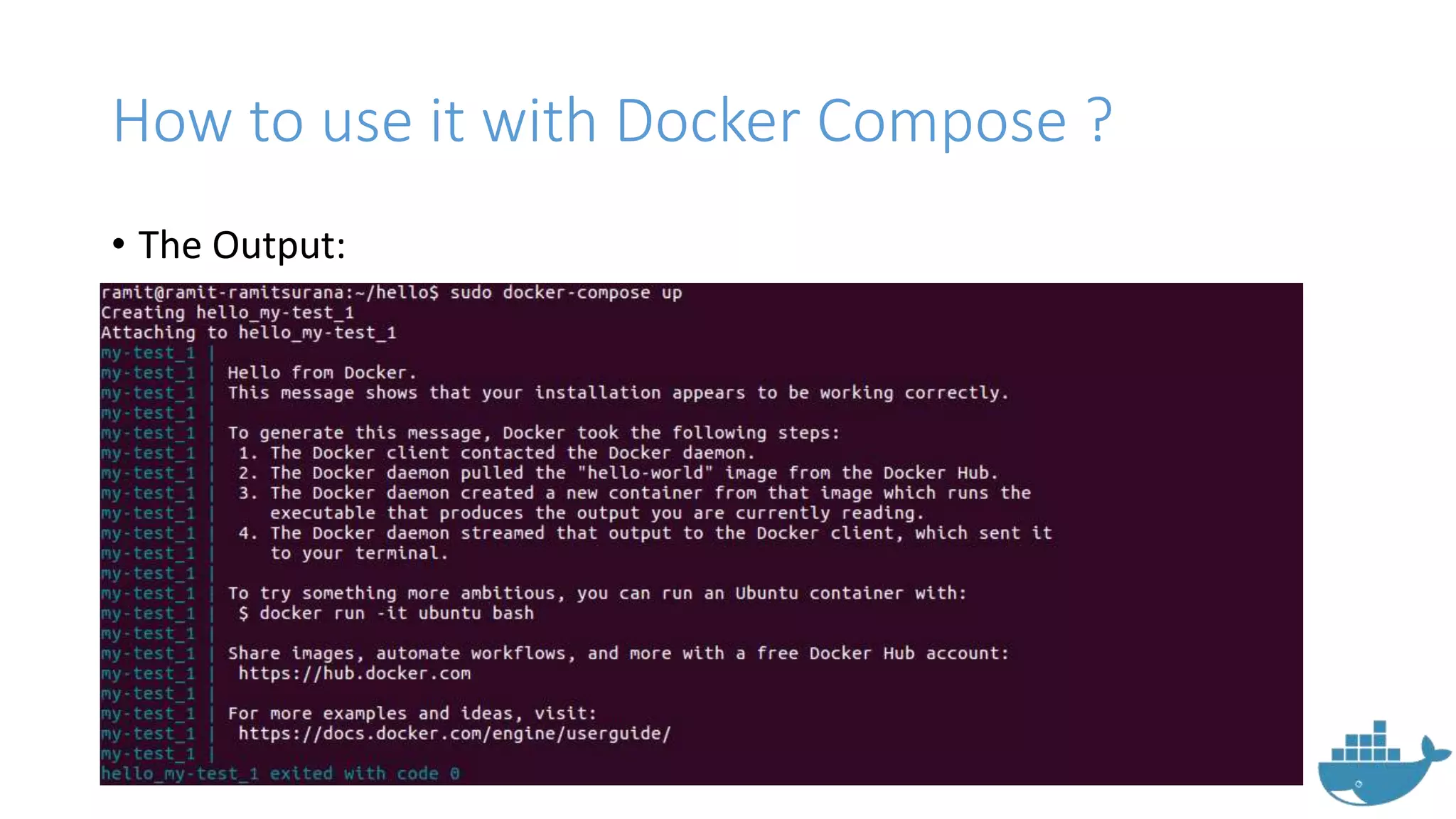
• The Output:
How to use it with Docker Compose ?
• Find more cool examples at
http://github.com/ramitsurana/dcompose
• Some simple commands for docker compose:
• docker-compose up – To bring up containers
• docker-compose build - Build or rebuild services
• docker-compose kill - Kill containers
• docker-compose logs - View output from containers
• docker-compose port - Print the public port for a port binding
• docker-compose ps - List containers
• docker-compose pull - Pulls service images
• docker-compose rm - Remove stopped containers
• docker-compose scale - Set number of containers for a service
Docker Swarm
Docker Swarm
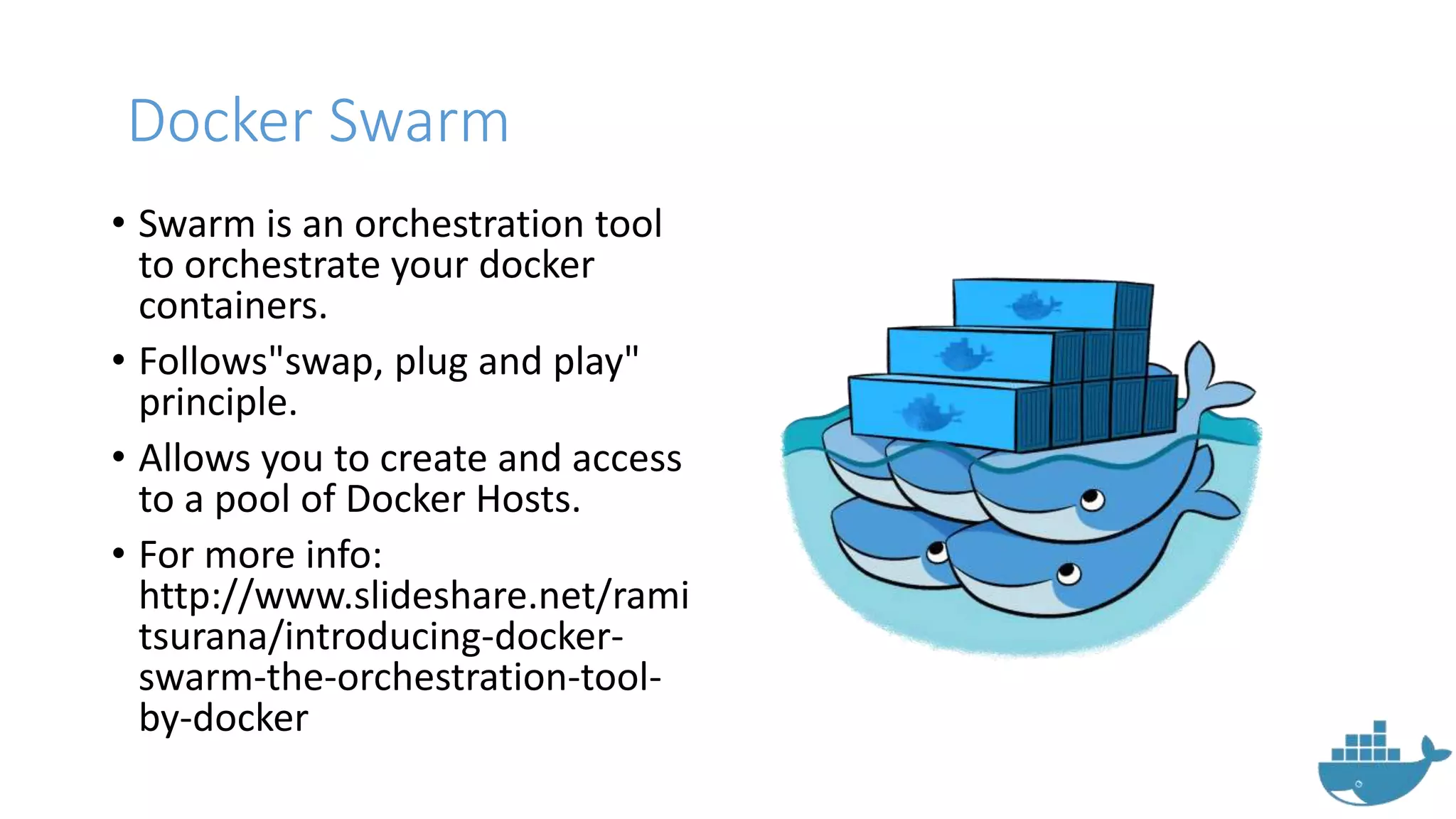
• Swarm is an orchestration tool
to orchestrate your docker
containers.
• Follows"swap, plug and play"
principle.
• Allows you to create and access
to a pool of Docker Hosts.
• For more info:
http://www.slideshare.net/rami
tsurana/introducing-docker-
swarm-the-orchestration-tool-
by-docker
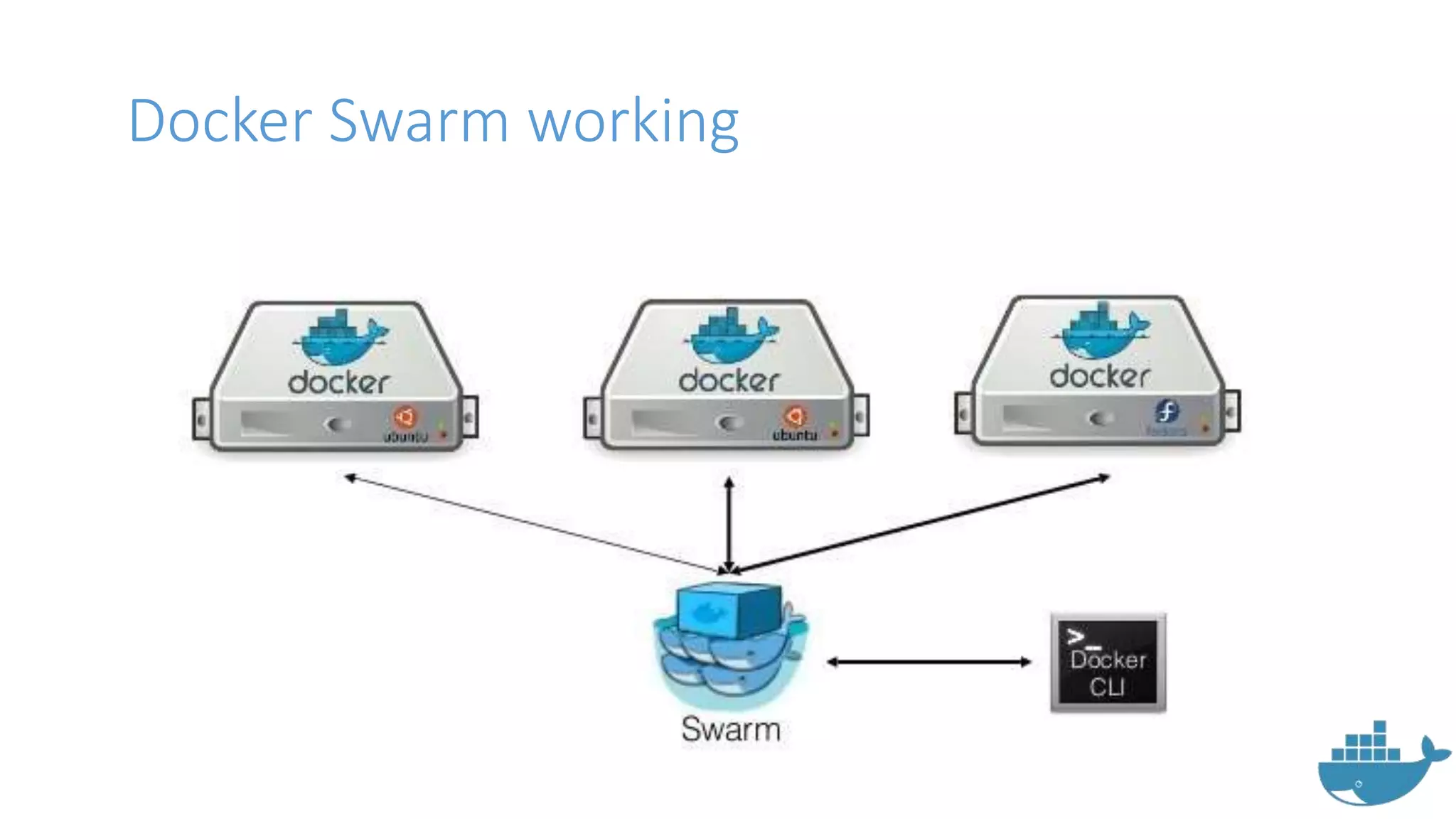
Docker Swarm working
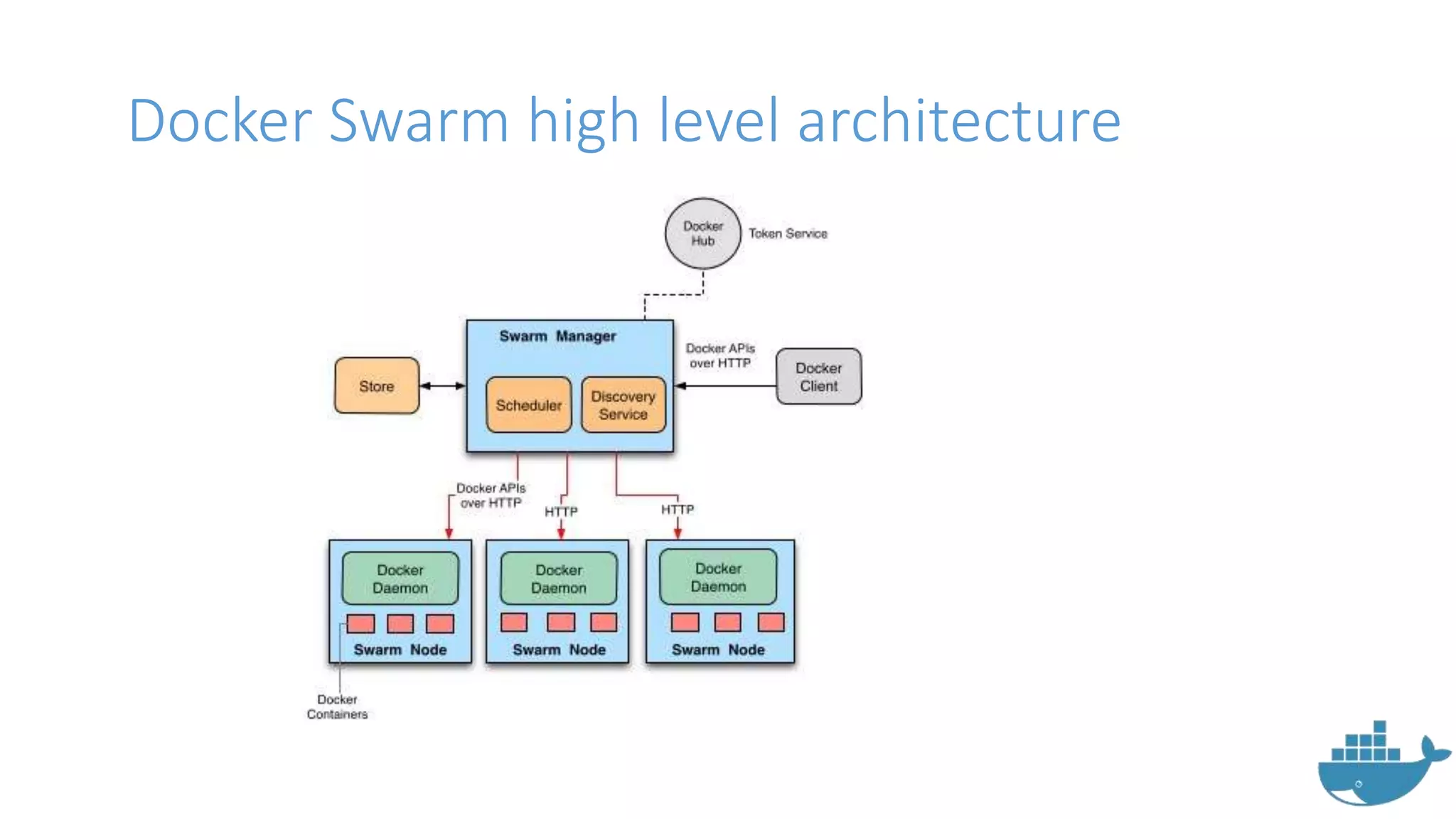
Docker Swarm high level architecture
How to use Docker Swarm ?
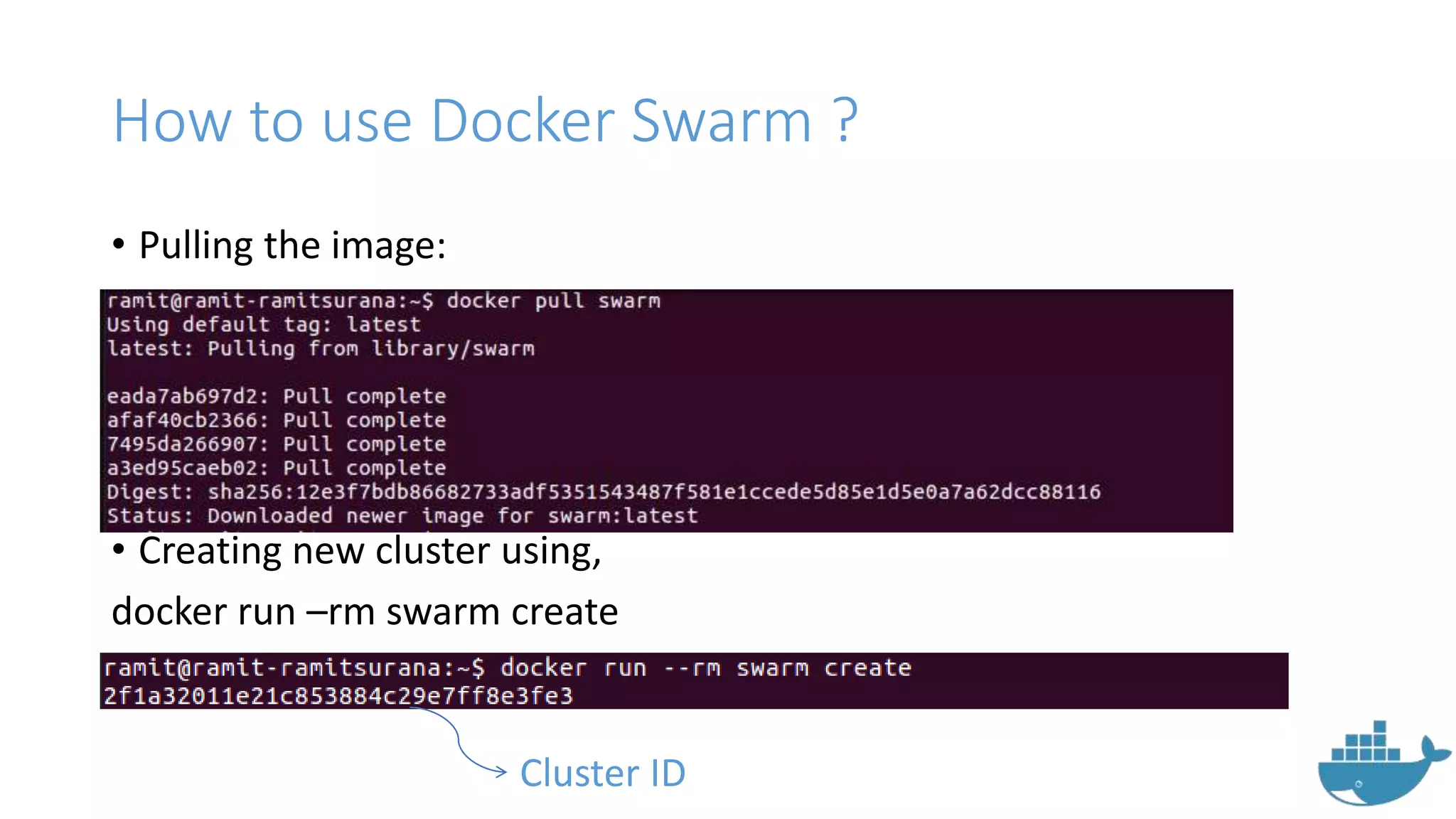
• Pulling the image:
• Creating new cluster using,
docker run –rm swarm create
Cluster ID
How to use Docker Swarm ?
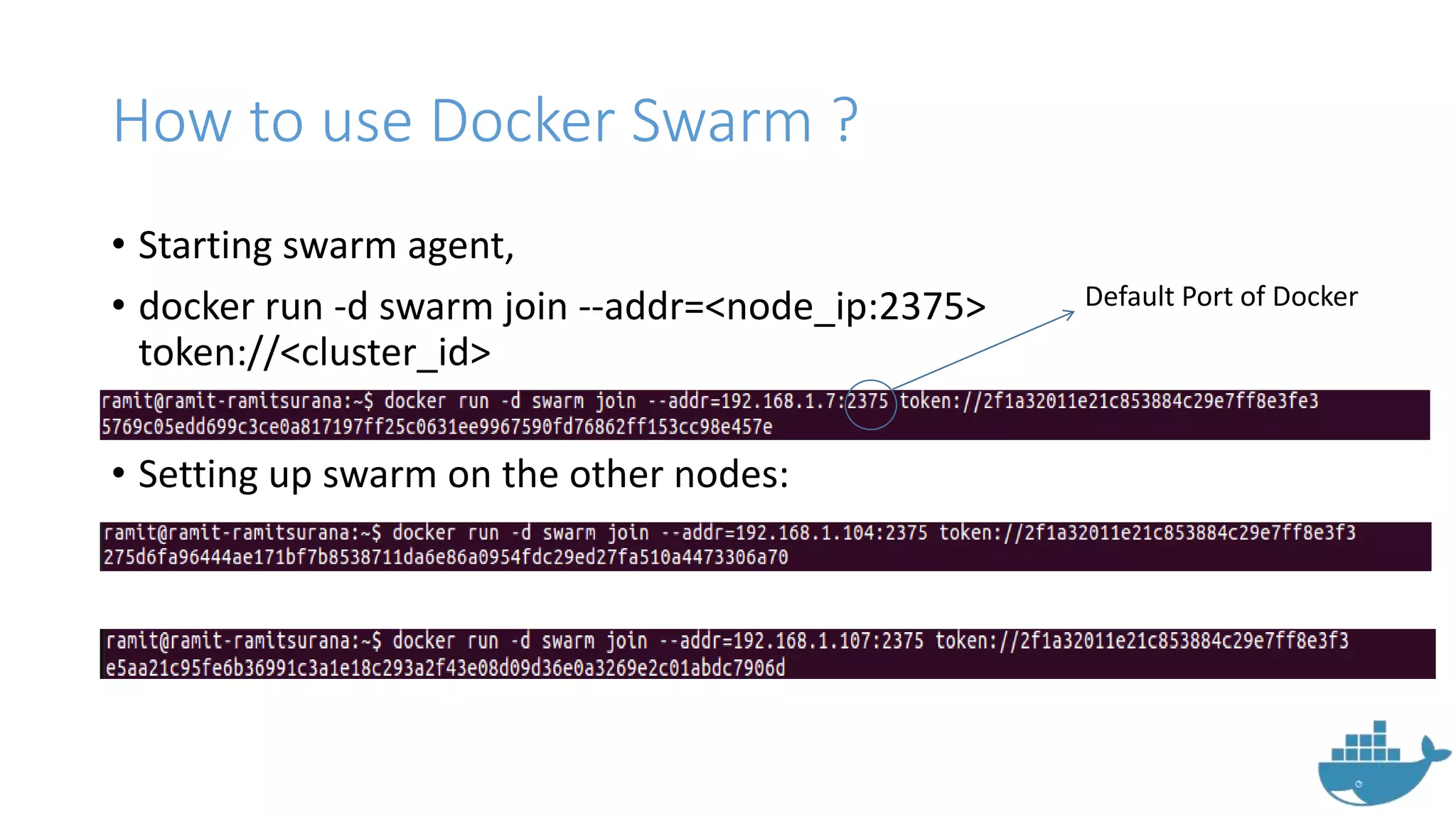
• Starting swarm agent,
• docker run -d swarm join --addr=<node_ip:2375>
token://<cluster_id>
• Setting up swarm on the other nodes:
Default Port of Docker
How to use Docker Swarm ?
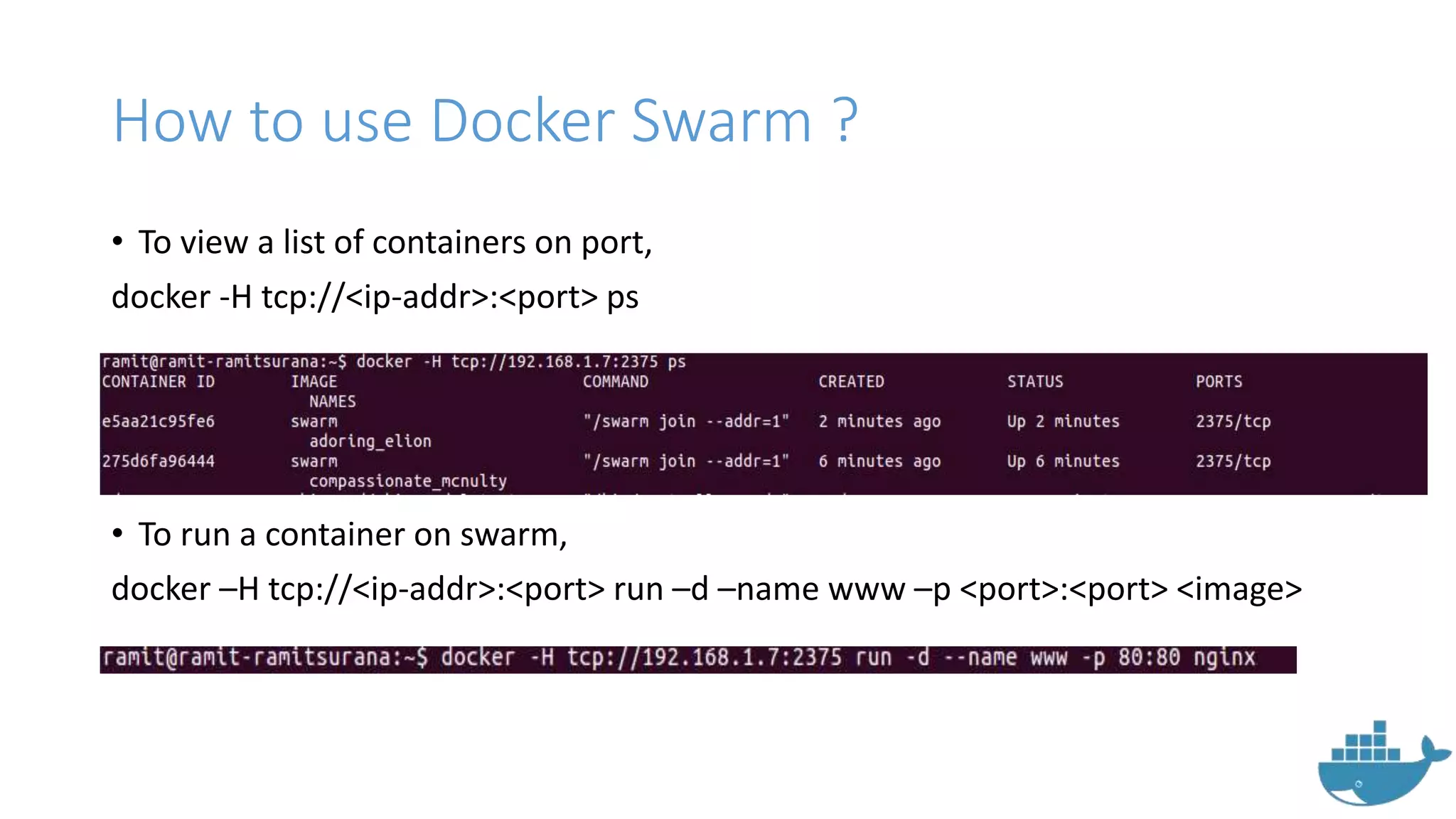
• To view a list of containers on port,
docker -H tcp://<ip-addr>:<port> ps
• To run a container on swarm,
docker –H tcp://<ip-addr>:<port> run –d –name www –p <port>:<port> <image>
Docker Swarm Filters
• Tell Docker Swarm scheduler which nodes to use when creating and
running a container.
• Consists of 5 categories:
• constraint
• health
• affinity
• dependency
• port
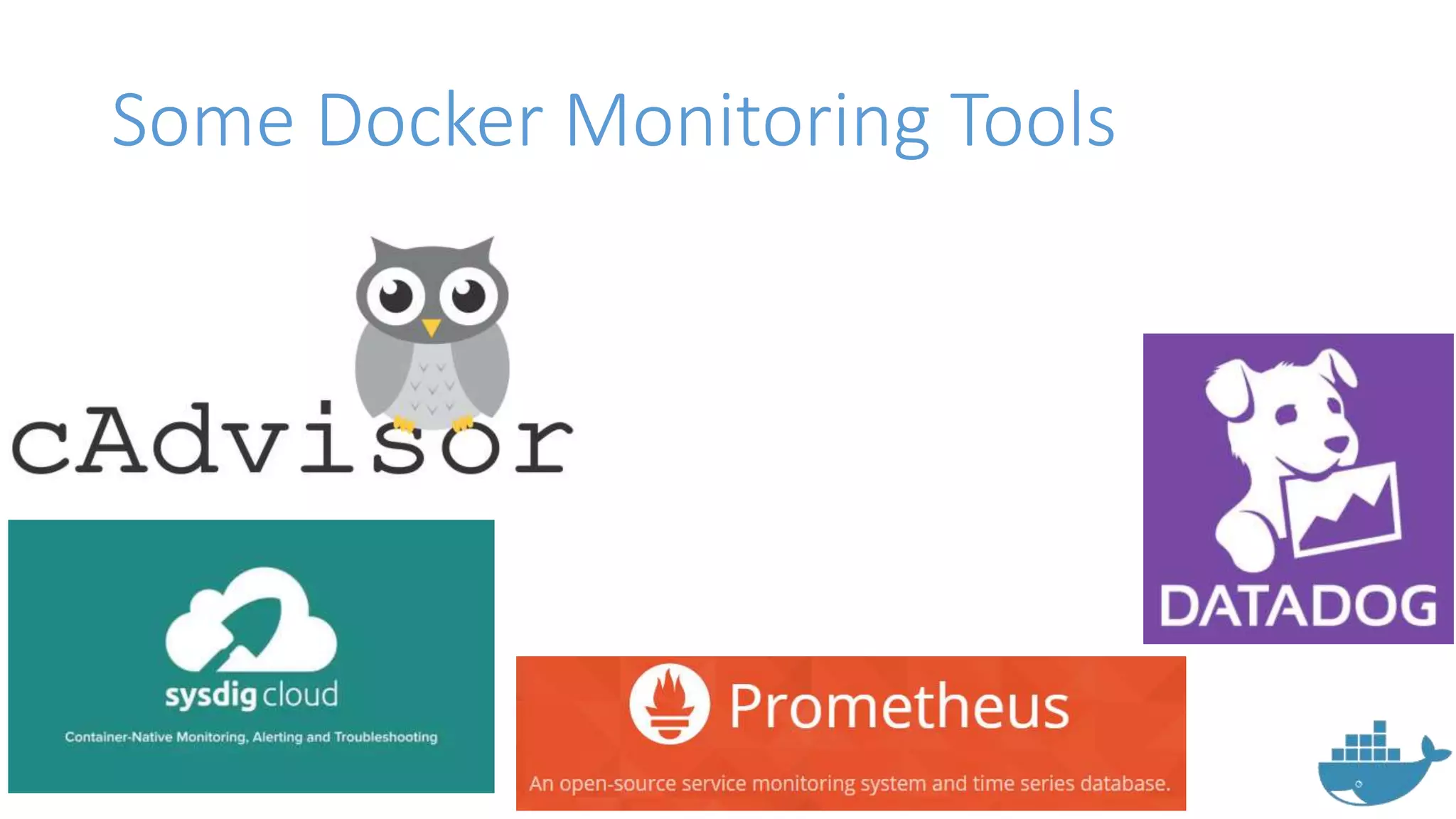
Some Docker Monitoring Tools
cAdvisor
• Provided as open source by
google.
• Easy to use
• Integrates well with kubernetes.
• Lightweight by nature
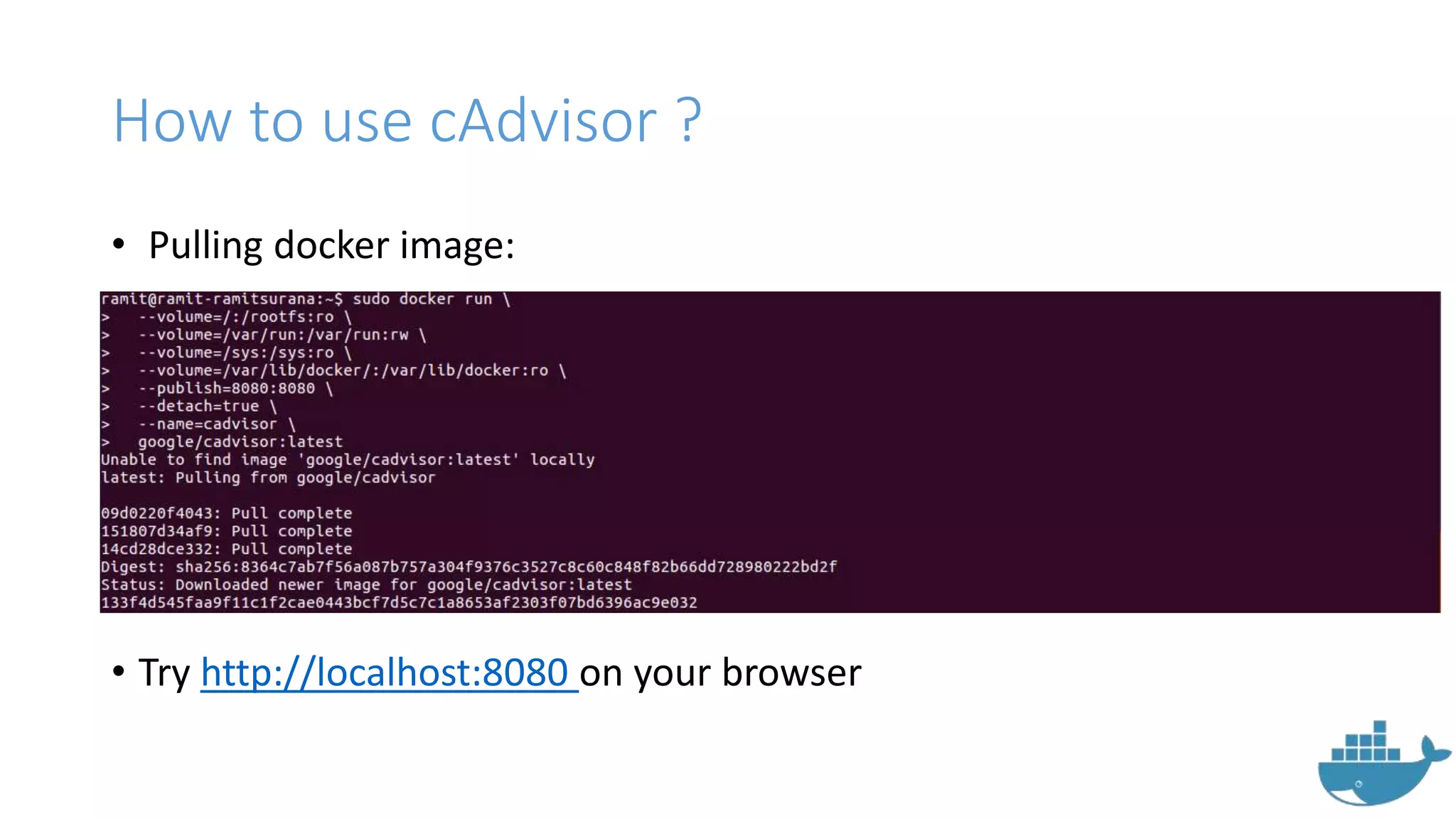
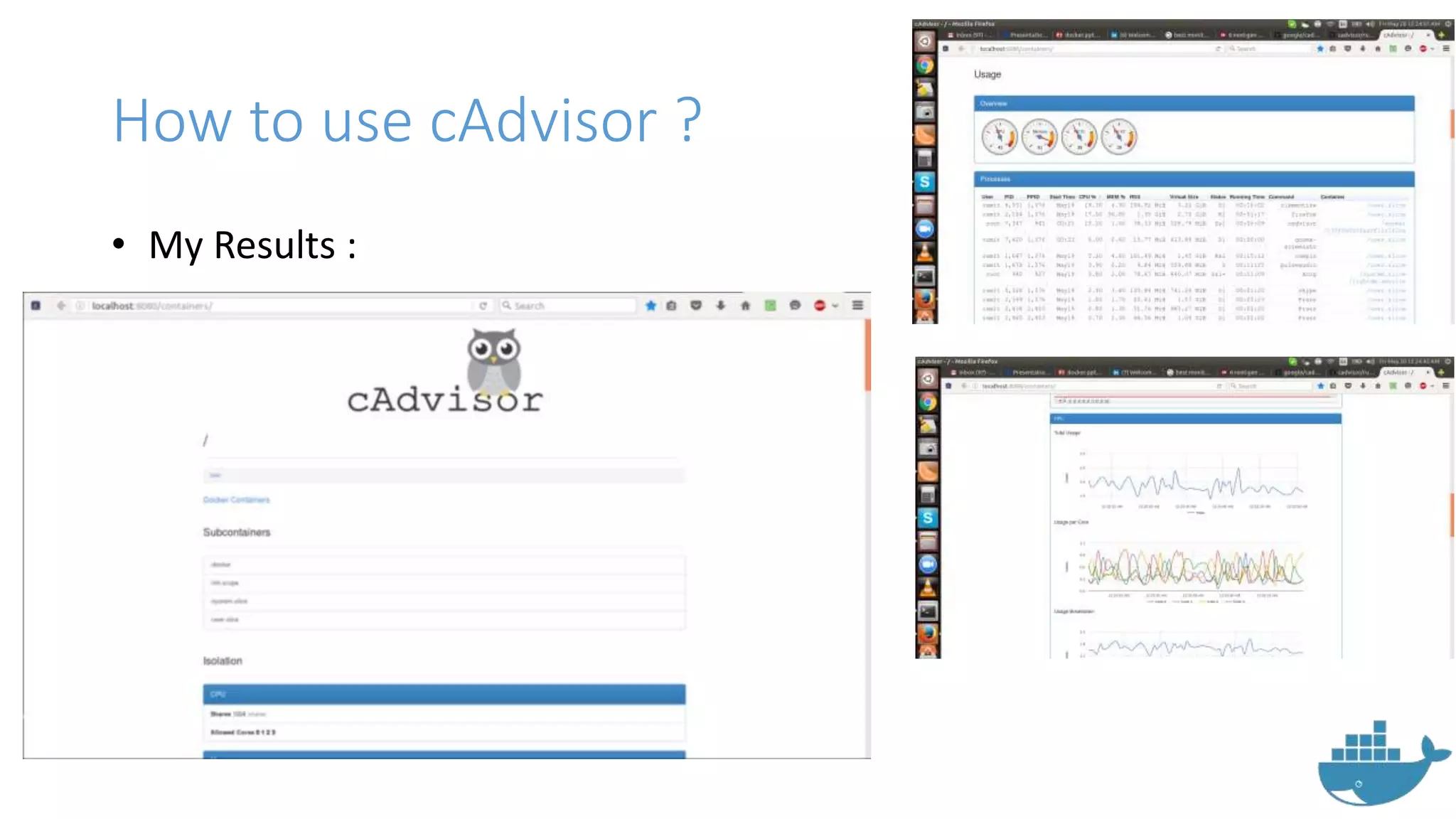
How to use cAdvisor ?
• Pulling docker image:
• Try http://localhost:8080 on your browser
How to use cAdvisor ?
• My Results :
Shipyard
Shipyard
• Built by Evan Hazlett.
• Built on Docker Swarm
• Gives you the ability to manage
Docker resources including
containers, images, private registries
and more.
• Requires installation of :
- Rethinkdb
- Etcd
- docker-proxy
- Shipyard image
- Swarm manager, agent & controller
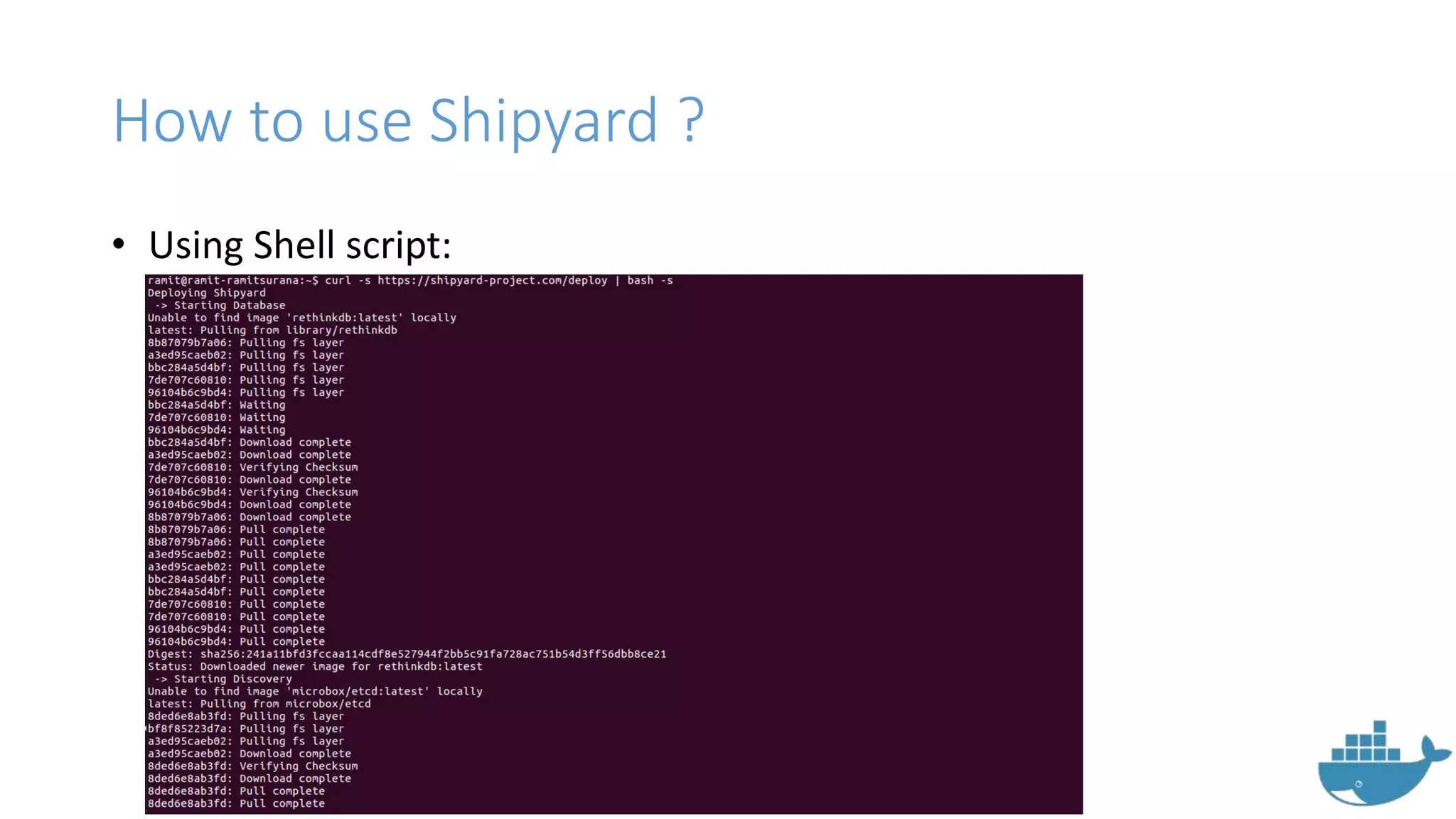
How to use Shipyard ?
• Using Shell script:
How to use Shipyard?
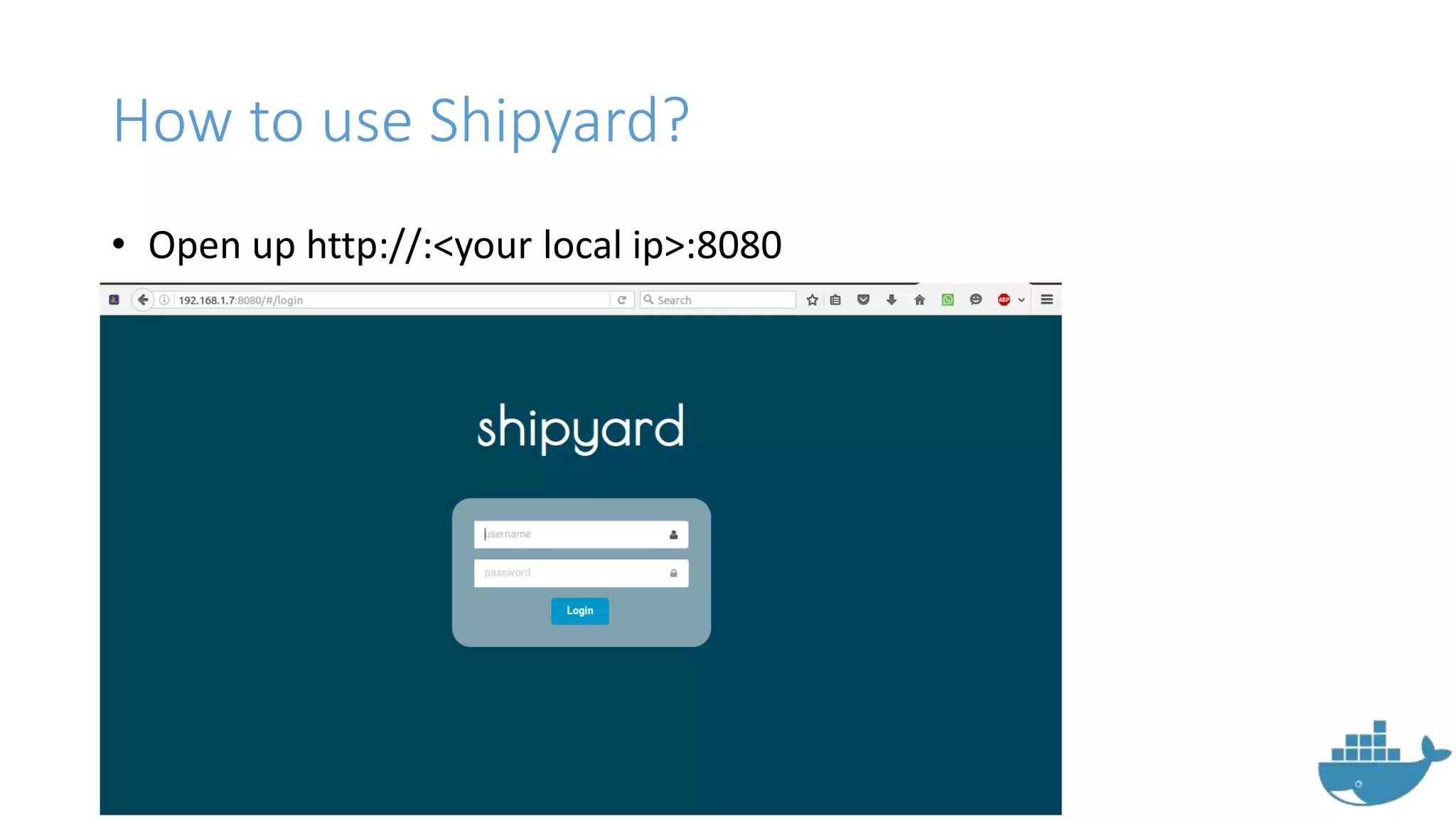
• Open up http://:<your local ip>:8080
How to use Shipyard?
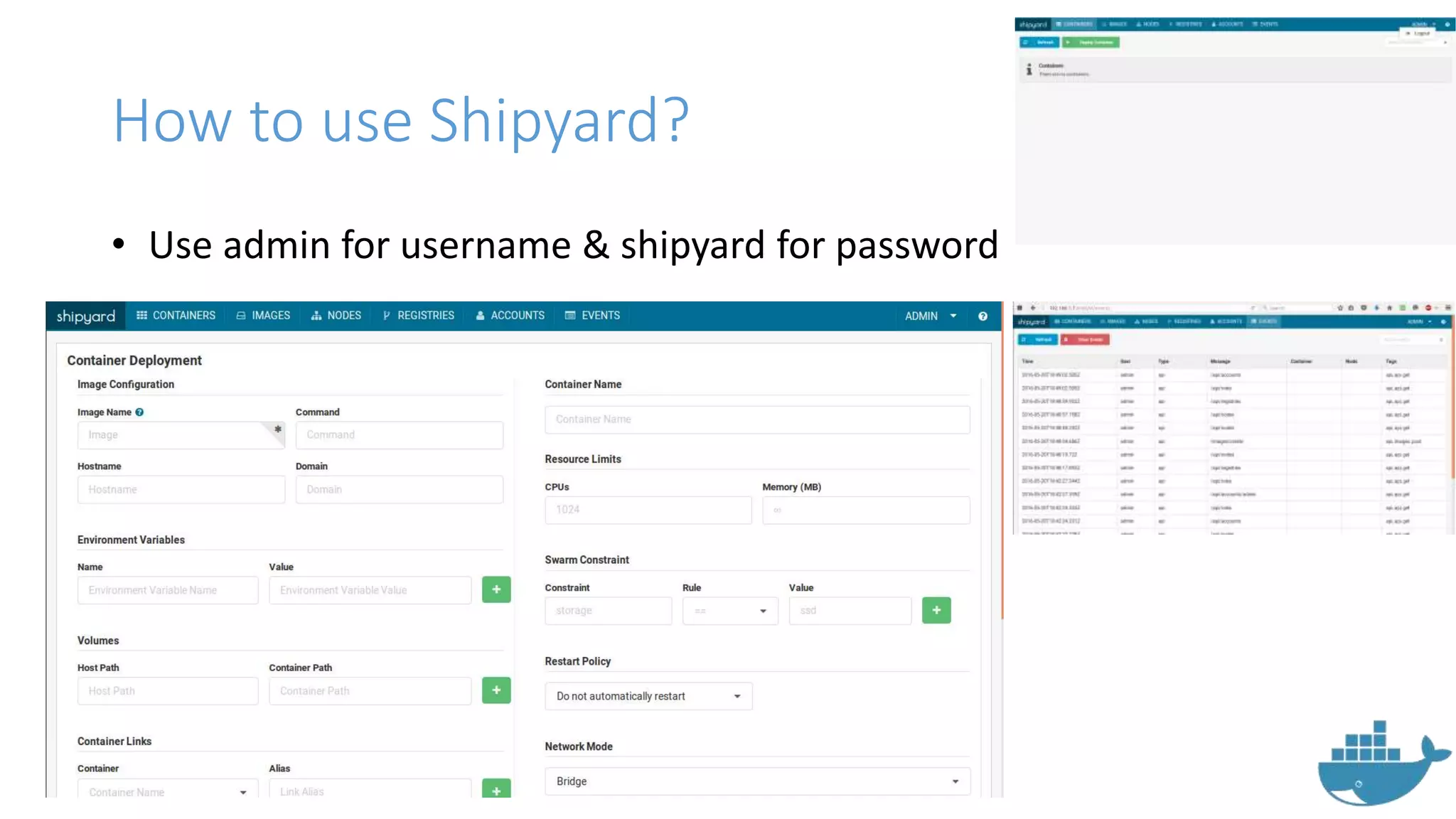
• Use admin for username & shipyard for password
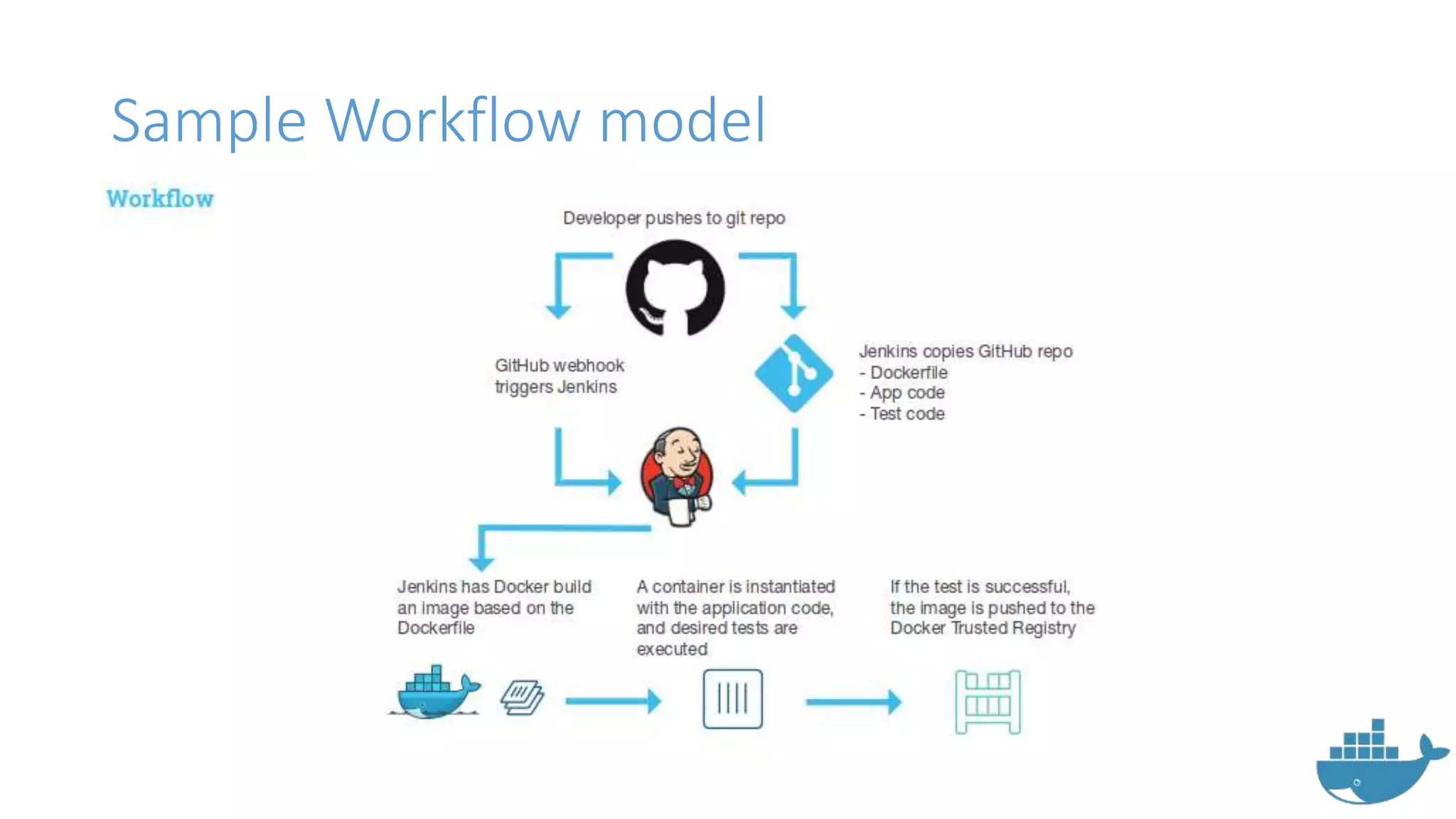
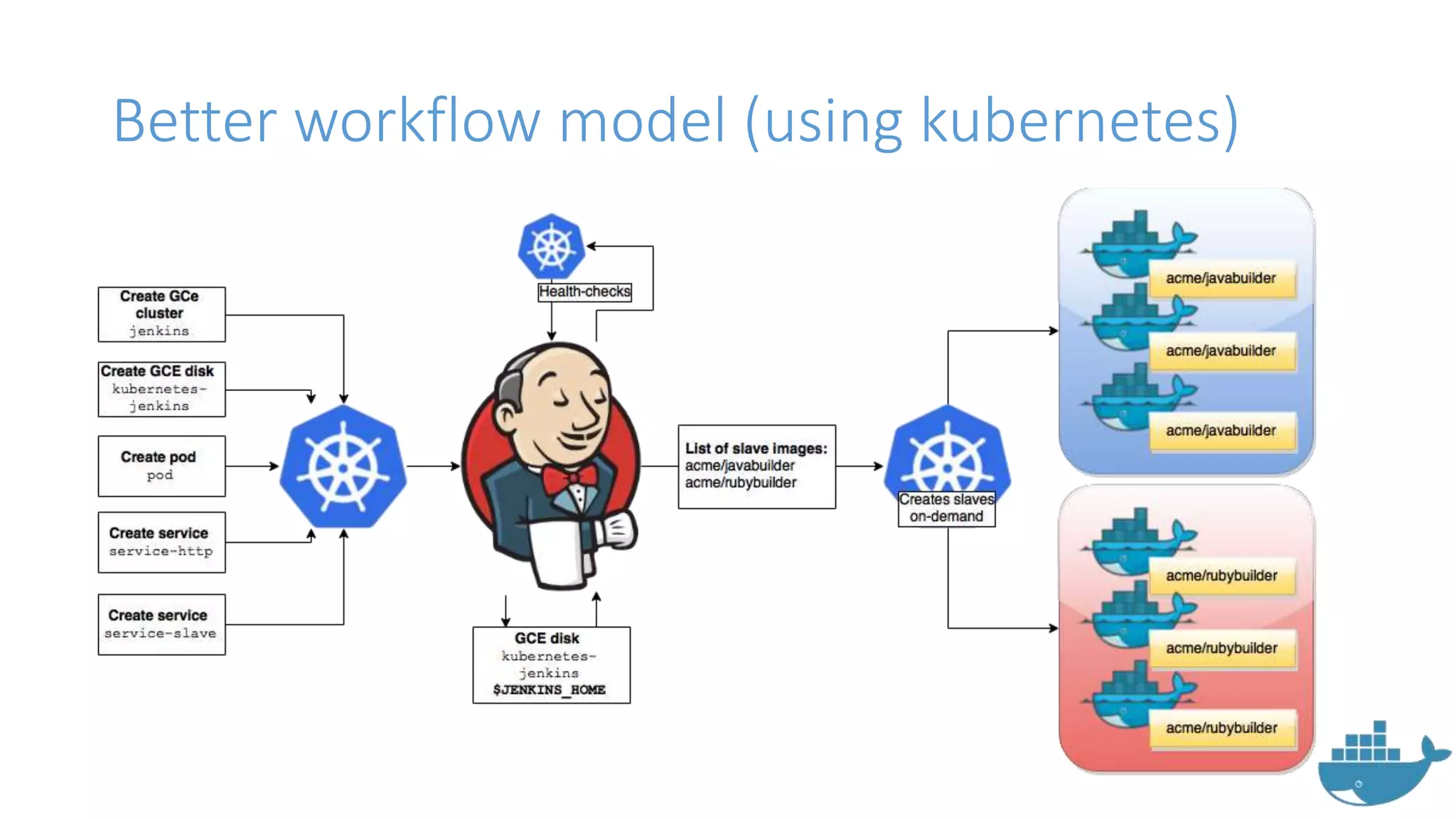
Developing CI/CD
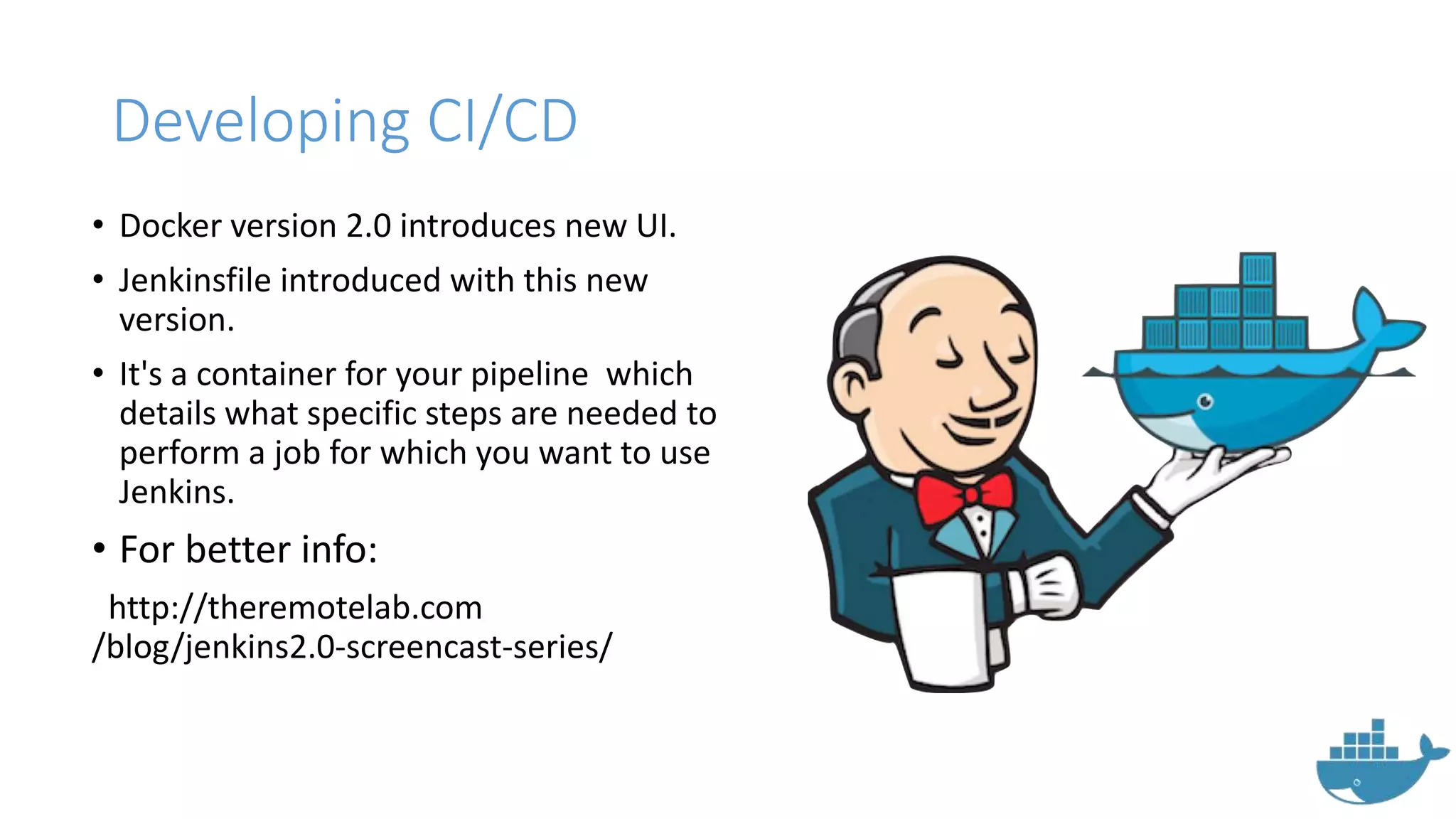
• Docker version 2.0 introduces new UI.
• Jenkinsfile introduced with this new
version.
• It's a container for your pipeline which
details what specific steps are needed to
perform a job for which you want to use
Jenkins.
• For better info:
http://theremotelab.com
/blog/jenkins2.0-screencast-series/
Sample Workflow model
Better workflow model (using kubernetes)
Dockerv1.1 introduces major updates
• From Dockerv1.1 new things have come into actions.
• Some major changes are
• RunC
• Containerd
• OCI Standards
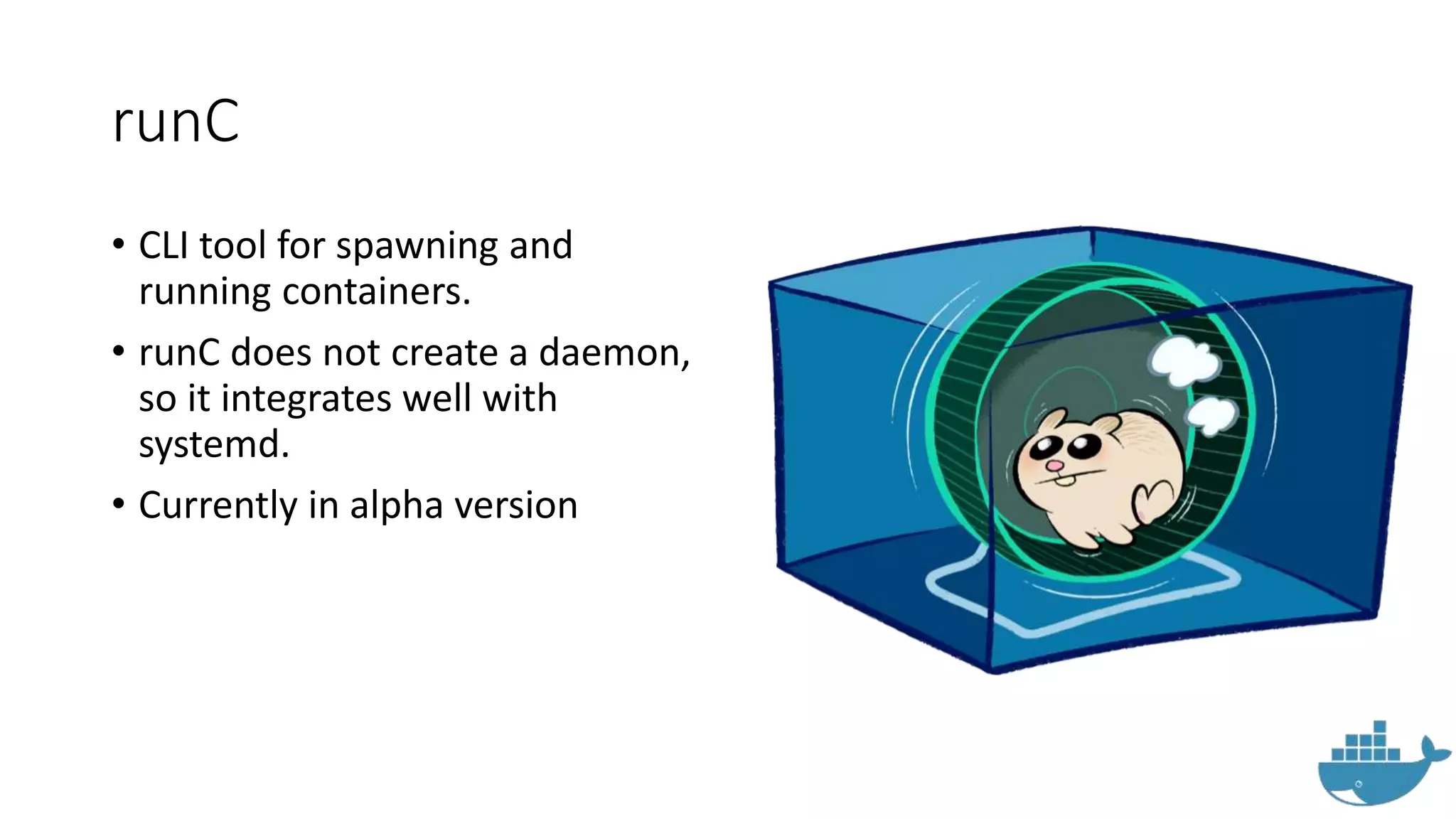
runC
• CLI tool for spawning and
running containers.
• runC does not create a daemon,
so it integrates well with
systemd.
• Currently in alpha version
ContainerD
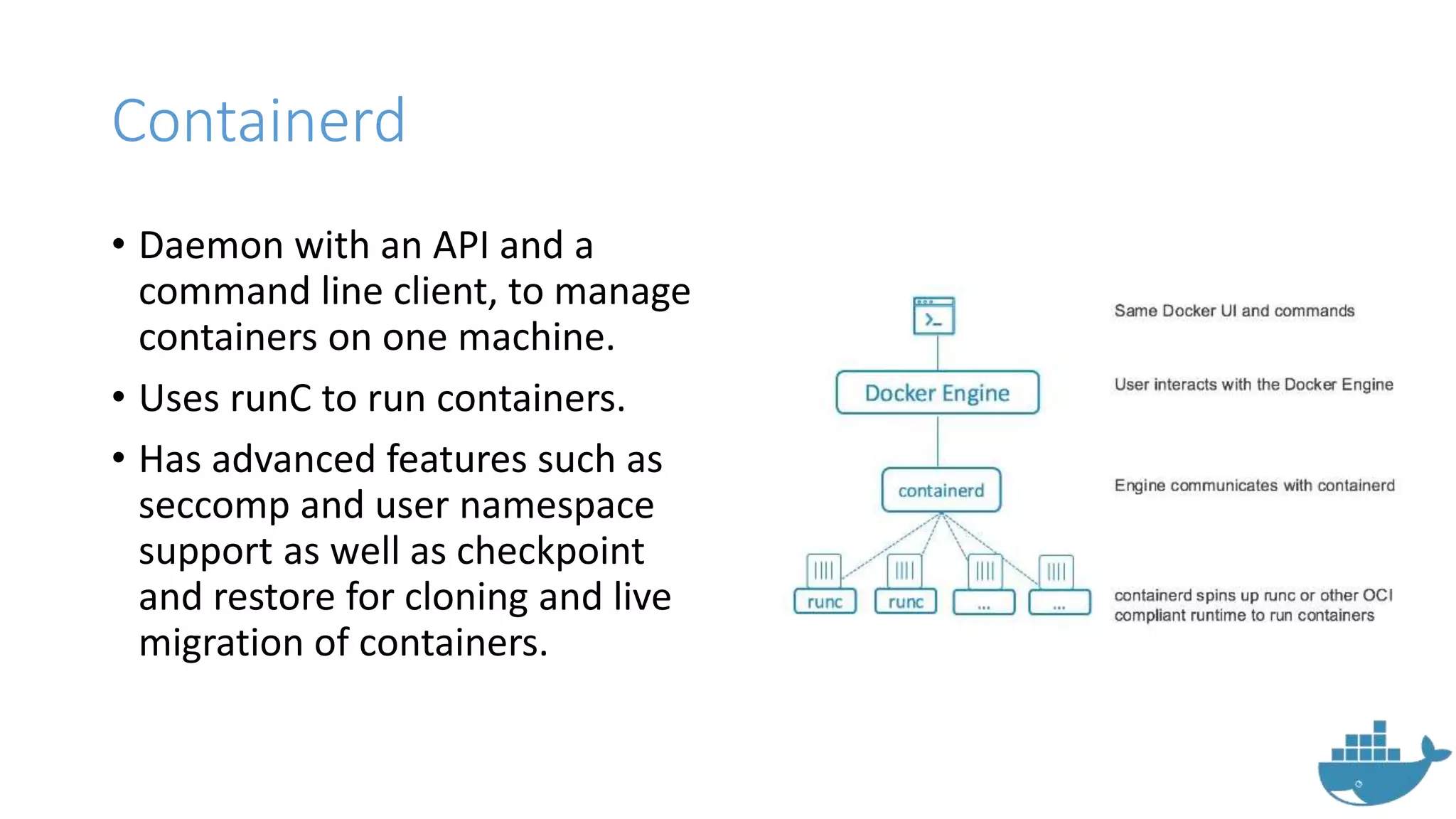
Containerd
• Daemon with an API and a
command line client, to manage
containers on one machine.
• Uses runC to run containers.
• Has advanced features such as
seccomp and user namespace
support as well as checkpoint
and restore for cloning and live
migration of containers.
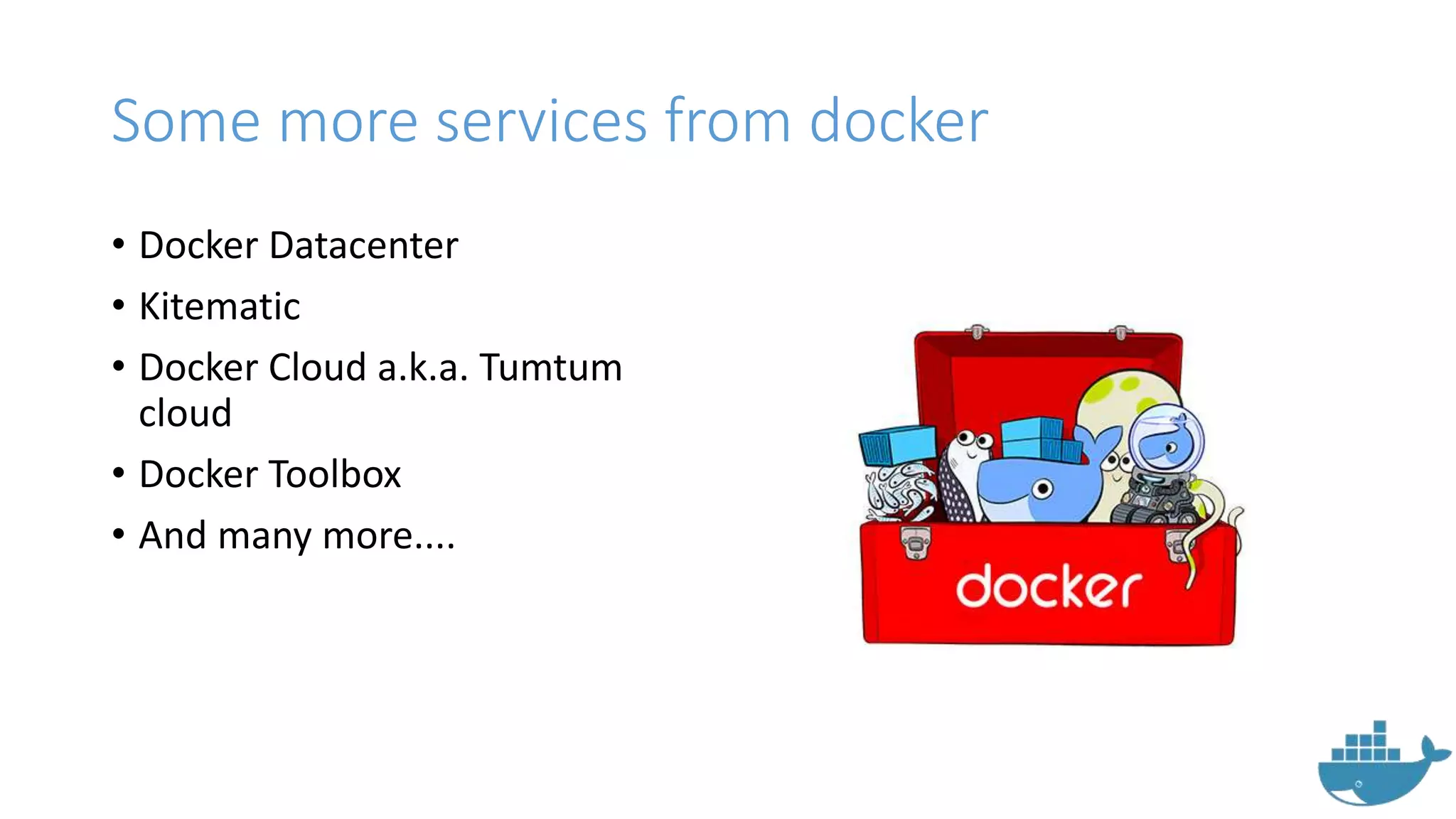
Some more services from docker
• Docker Datacenter
• Kitematic
• Docker Cloud a.k.a. Tumtum
cloud
• Docker Toolbox
• And many more....
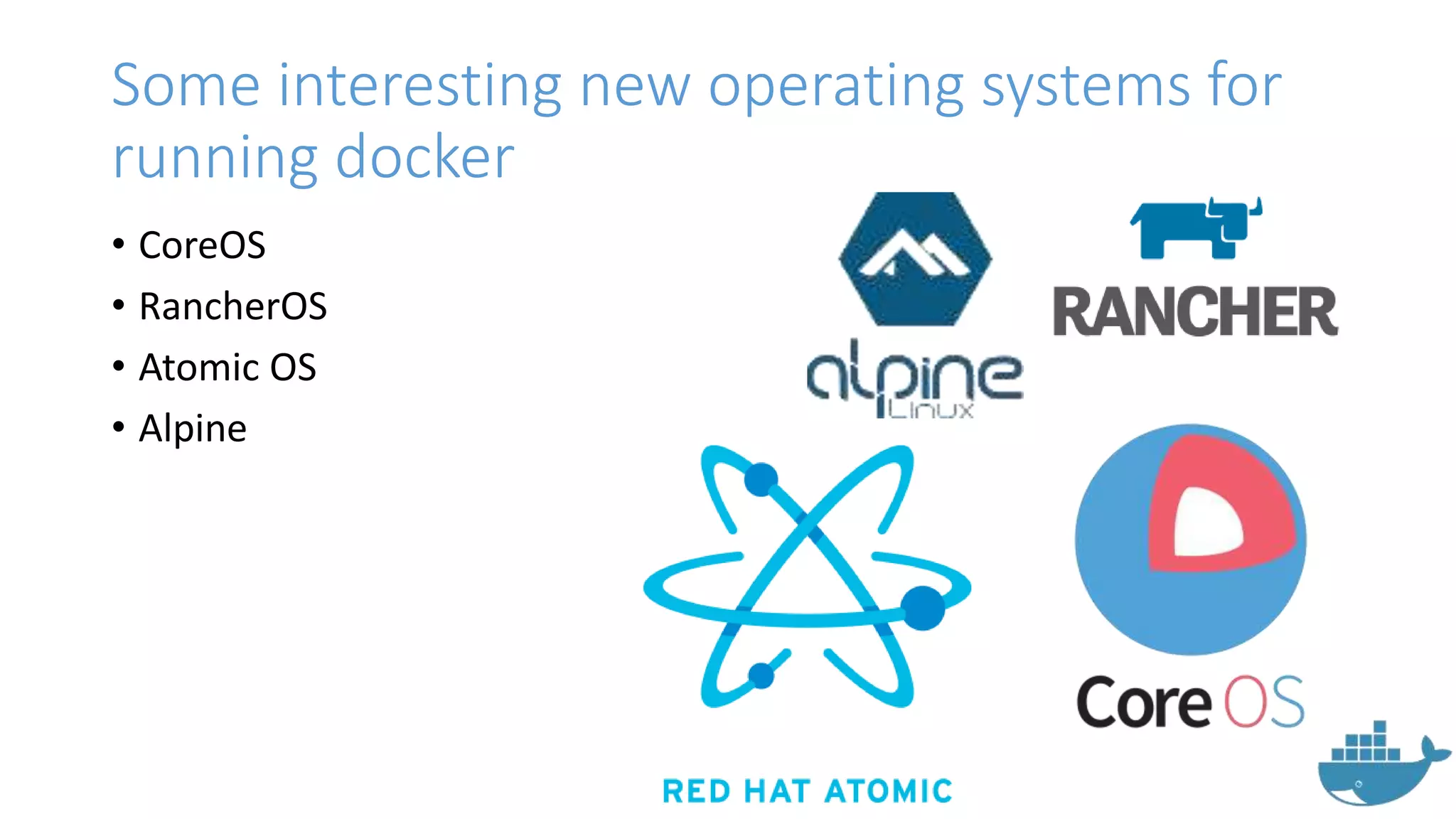
Some interesting new operating systems for
running docker
• CoreOS
• RancherOS
• Atomic OS
• Alpine
Docker Questions ?
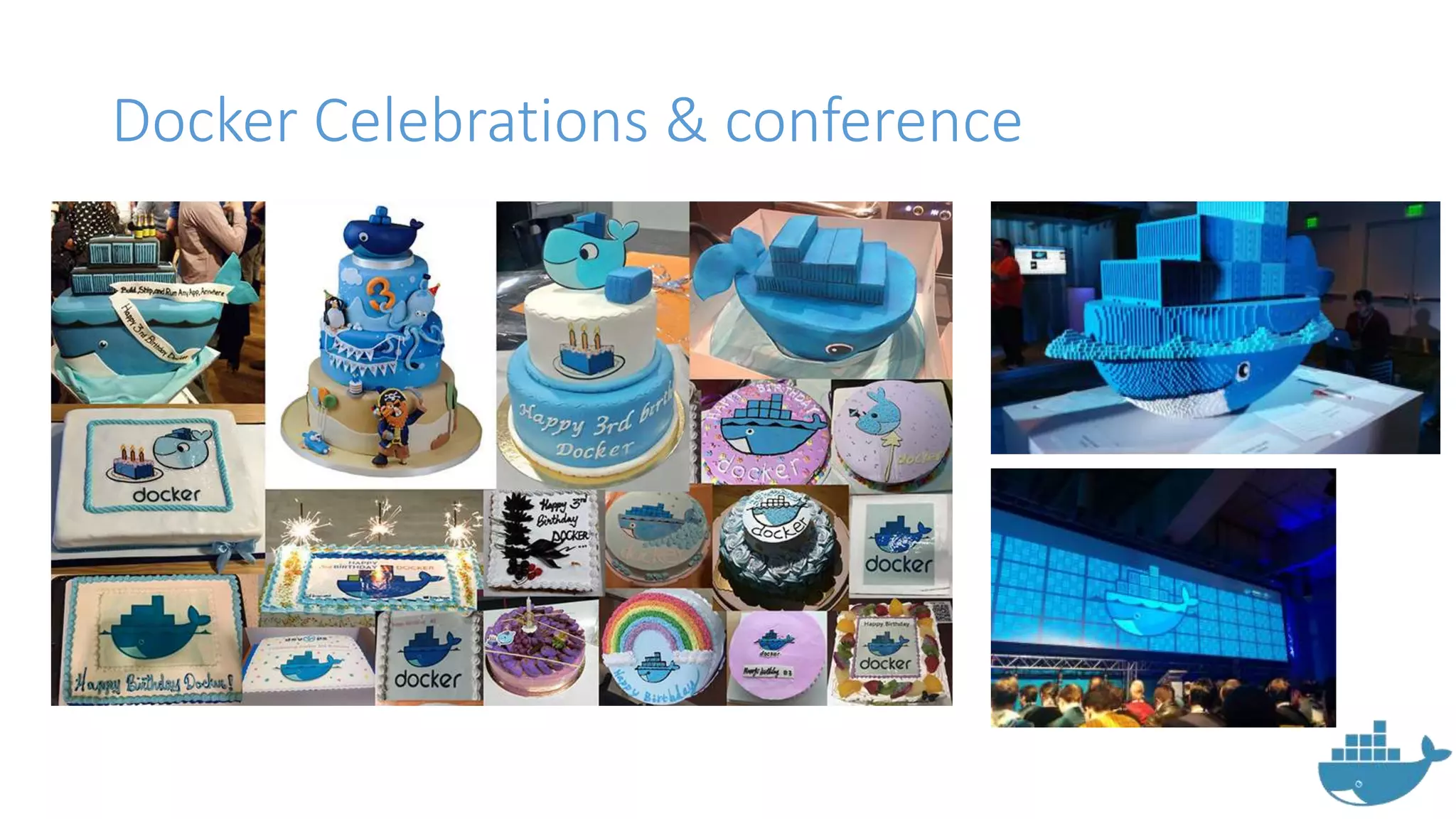
Docker Celebrations & conference
Thank you
May you have a
Dockerized day
ahead !

Docker for the new Era: Introducing Docker,its components and tools

  • 1.
  • 2.
    Agenda • About Docker •Life Before and After Docker • Other options than Docker • Why Docker ? • Docker Components • Docker basics • Docker Workflow • Dockerfile • Docker Hub • Quay.io • Docker Swarm • Docker CI/CD • Docker CI/CD workflow • Dockerv1.1 • RunC • ContainerD
  • 3.
    About me • Opensource guy • Doing cool stuff whenever possible • Join me: • Github: ramitsurana • Linkedin: /in/ramitsurana • Mail: ramitsurana@gmail.com
  • 4.
  • 5.
    About Docker • Dockeris a modernized application container environment. • Docker enables apps to be quickly assembled from components. • It eliminates the friction between development, QA and production environments.
  • 6.
  • 7.
    But are containersnew in the market ? • No • Some other options available in the market are: • LXC • LXD • OpenVZ
  • 8.
  • 9.
  • 10.
  • 11.
  • 12.
  • 13.
  • 14.
  • 15.
    Docker Storage options •Docker works on various storage options: • Aufs • Overlay • ZFS • VFS • Device Mapper • btrfs
  • 16.
    Docker Security • IdeallyContainers are not considered as secured as compared to virtualized environments. • Some of the apps that can work for you in this domain are: • Apparmor • GRSecurity • Seccomp Profiles
  • 17.
    Docker Image • Imagesare used to create Docker containers. • Docker images are the build component of Docker. • Docker provides a simple way to build new images or update existing images
  • 18.
    Docker commands • sudousermod -aG docker $(whoami) - After docker installation • Docker info – To display information • Docker images – To display images • Docker run – To run images • Docker pull – To pull the registries from Docket Hub • Docker ps – To show the containers • Service docker restart – To restart docker • Service docker stop – To stop docker • And many more….
  • 19.
    Docker flags • --name– To name a container • -d – To run the container in daemonized mode • -f – To do forcefully • -a – To attach • -e – To set environment variables • -m – Memory limit • -p – To publish new ports • And many more....
  • 20.
    Dockerfile • Script i.e.composed of various commands and arguments listed successively to automatically perform actions on a base image in order to create a new one. • Checkout some of my work: • https://hub.docker.com/u/ramitsurana • https://quay.io/user/ramitsurana05
  • 21.
    Dockerfile • Sample ofmy work on Heroku-runtime:
  • 22.
  • 23.
    Docker Hub • Collectionof variety of different images from organizations & users. • Now supports Vulnerability analysis • Consists of 2 types of repositories: • Official repos • User based repos
  • 24.
    How to useit with docker ? • Docker login on cli: • Pulling images from docker hub:
  • 25.
    How to useit with docker ? • Checking the image's presence : • Running the container :
  • 26.
    Let's Check outthe output:
  • 27.
    Quay.io • Hosted byCoreOS guys • Supports rkt project • Integrated with the amazing clair vulnerability service. • Integrates with tectonic and other coreos projects
  • 28.
    How to useit with docker ? • Quay login with docker: • Pulling images from quay.io:
  • 29.
    How to useit with docker ? • Checking the image's presence : • Running the container :
  • 30.
    How to useit with docker ? • Check out http://localhost:4000. Bingo !!
  • 31.
  • 32.
    Docker Compose • Simpleway to bring up multiple containers with .yaml file. • Previously known as Fig. • Bought by docker in 2014.
  • 33.
    How to useDocker Compose ? • Installation:
  • 34.
    How to useDocker Compose ? • Installation:
  • 35.
    How to useit with Docker Compose ? • Create a dir and .yml file inside it: • My .yml file:
  • 36.
    How to useit with Docker Compose ? • The Output:
  • 37.
    How to useit with Docker Compose ? • Find more cool examples at http://github.com/ramitsurana/dcompose • Some simple commands for docker compose: • docker-compose up – To bring up containers • docker-compose build - Build or rebuild services • docker-compose kill - Kill containers • docker-compose logs - View output from containers • docker-compose port - Print the public port for a port binding • docker-compose ps - List containers • docker-compose pull - Pulls service images • docker-compose rm - Remove stopped containers • docker-compose scale - Set number of containers for a service
  • 38.
  • 39.
    Docker Swarm • Swarmis an orchestration tool to orchestrate your docker containers. • Follows"swap, plug and play" principle. • Allows you to create and access to a pool of Docker Hosts. • For more info: http://www.slideshare.net/rami tsurana/introducing-docker- swarm-the-orchestration-tool- by-docker
  • 40.
  • 41.
    Docker Swarm highlevel architecture
  • 42.
    How to useDocker Swarm ? • Pulling the image: • Creating new cluster using, docker run –rm swarm create Cluster ID
  • 43.
    How to useDocker Swarm ? • Starting swarm agent, • docker run -d swarm join --addr=<node_ip:2375> token://<cluster_id> • Setting up swarm on the other nodes: Default Port of Docker
  • 44.
    How to useDocker Swarm ? • To view a list of containers on port, docker -H tcp://<ip-addr>:<port> ps • To run a container on swarm, docker –H tcp://<ip-addr>:<port> run –d –name www –p <port>:<port> <image>
  • 45.
    Docker Swarm Filters •Tell Docker Swarm scheduler which nodes to use when creating and running a container. • Consists of 5 categories: • constraint • health • affinity • dependency • port
  • 46.
  • 47.
    cAdvisor • Provided asopen source by google. • Easy to use • Integrates well with kubernetes. • Lightweight by nature
  • 48.
    How to usecAdvisor ? • Pulling docker image: • Try http://localhost:8080 on your browser
  • 49.
    How to usecAdvisor ? • My Results :
  • 50.
  • 51.
    Shipyard • Built byEvan Hazlett. • Built on Docker Swarm • Gives you the ability to manage Docker resources including containers, images, private registries and more. • Requires installation of : - Rethinkdb - Etcd - docker-proxy - Shipyard image - Swarm manager, agent & controller
  • 52.
    How to useShipyard ? • Using Shell script:
  • 53.
    How to useShipyard? • Open up http://:<your local ip>:8080
  • 54.
    How to useShipyard? • Use admin for username & shipyard for password
  • 56.
    Developing CI/CD • Dockerversion 2.0 introduces new UI. • Jenkinsfile introduced with this new version. • It's a container for your pipeline which details what specific steps are needed to perform a job for which you want to use Jenkins. • For better info: http://theremotelab.com /blog/jenkins2.0-screencast-series/
  • 57.
  • 58.
    Better workflow model(using kubernetes)
  • 59.
    Dockerv1.1 introduces majorupdates • From Dockerv1.1 new things have come into actions. • Some major changes are • RunC • Containerd • OCI Standards
  • 60.
    runC • CLI toolfor spawning and running containers. • runC does not create a daemon, so it integrates well with systemd. • Currently in alpha version
  • 61.
  • 62.
    Containerd • Daemon withan API and a command line client, to manage containers on one machine. • Uses runC to run containers. • Has advanced features such as seccomp and user namespace support as well as checkpoint and restore for cloning and live migration of containers.
  • 63.
    Some more servicesfrom docker • Docker Datacenter • Kitematic • Docker Cloud a.k.a. Tumtum cloud • Docker Toolbox • And many more....
  • 64.
    Some interesting newoperating systems for running docker • CoreOS • RancherOS • Atomic OS • Alpine
  • 65.
  • 66.
  • 67.
    Thank you May youhave a Dockerized day ahead !