@harbsprog
root@p0is0n ~ $ Whoami
● Student of the 3rd year of Systems Analysis and Development at IFSP - Campus BRT.
● Web Developer at Williarts.
● <3 - C#, VB.Net, PHP, CSS, JS, NodeJS, React, React Native.
● Twitter/GitHub: @harbsprog
● Areas of interest:
○ Information Security.
○ Programming.
○ Containers and DevOps Culture.
○ Monitoring.
root@p0is0n ~ $ Script
● What is Docker?
● What are Containers?
● What are Images?
● Brief History.
● Companies that use Docker.
● Install and Run Docker.
● Create and Run Container.
● Container interaction commands.
● Build Image.
root@p0is0n ~ $ What is Docker?
● Docker is an open-source platform written in GO whose purpose is to create
isolated environments for applications and services
● Allows you to create, run, test and deploy applications distributed within software
containers.
● Allows you to deploy applications quickly, reliably and stable, in any environment.
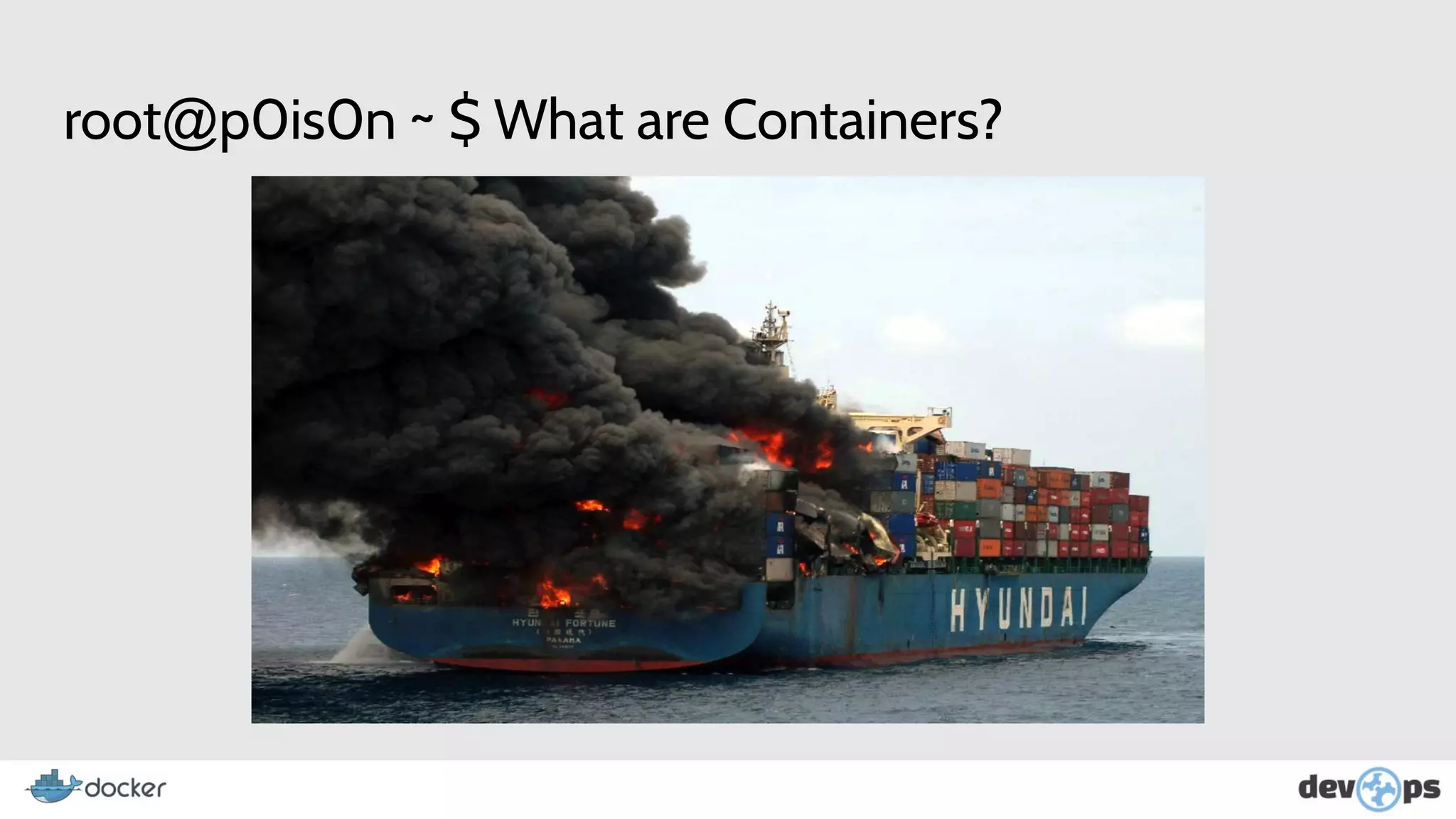
root@p0is0n ~ $ What are Containers?
● Containers are a method of isolation at the operating system level, where the
kernel is shared between Containers and Physical Host.
● Ensure greater speed, reliability, consistency and more granular control of
resources, increasing infrastructure efficiency.
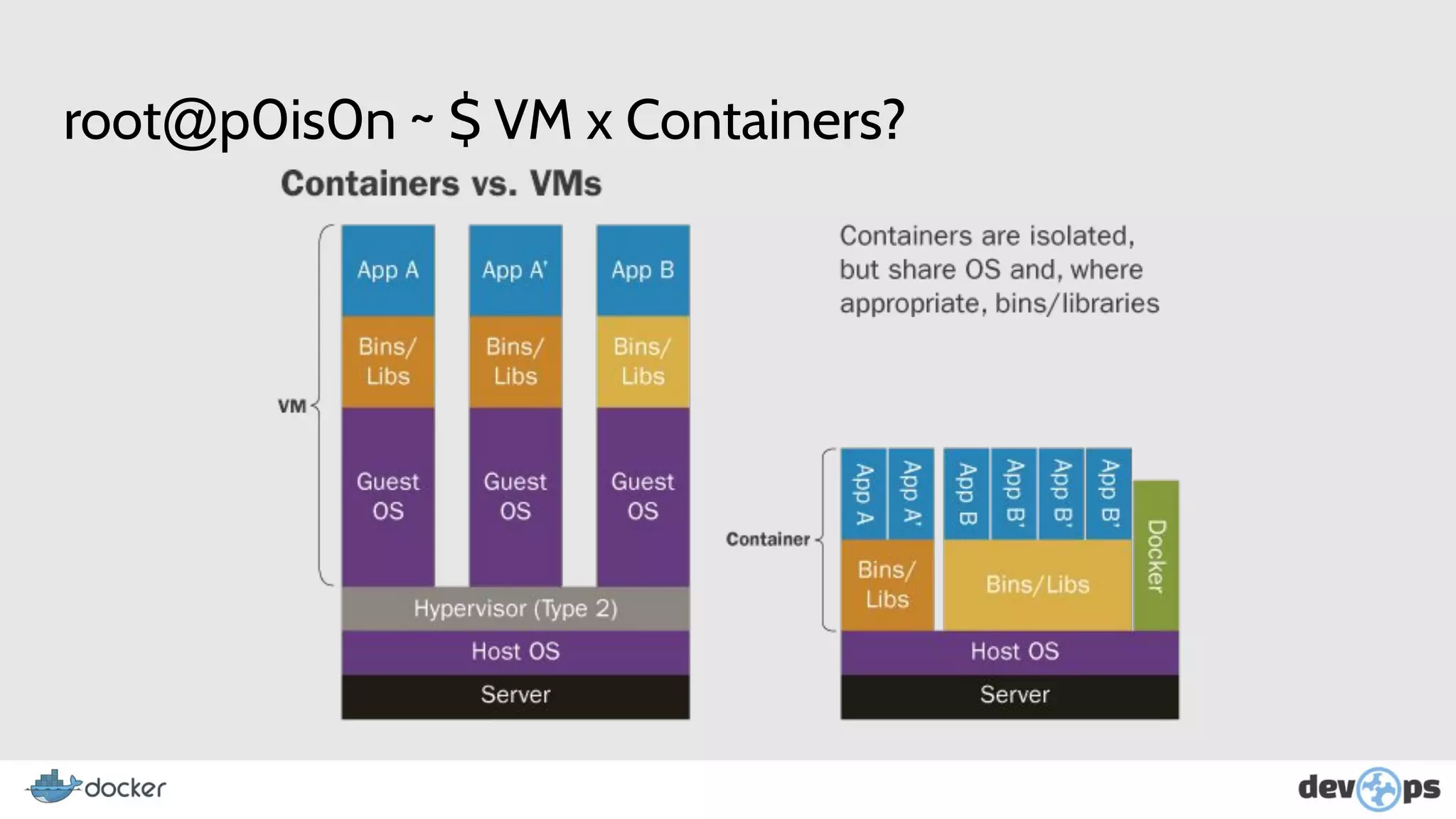
root@p0is0n ~ $ VM x Containers?
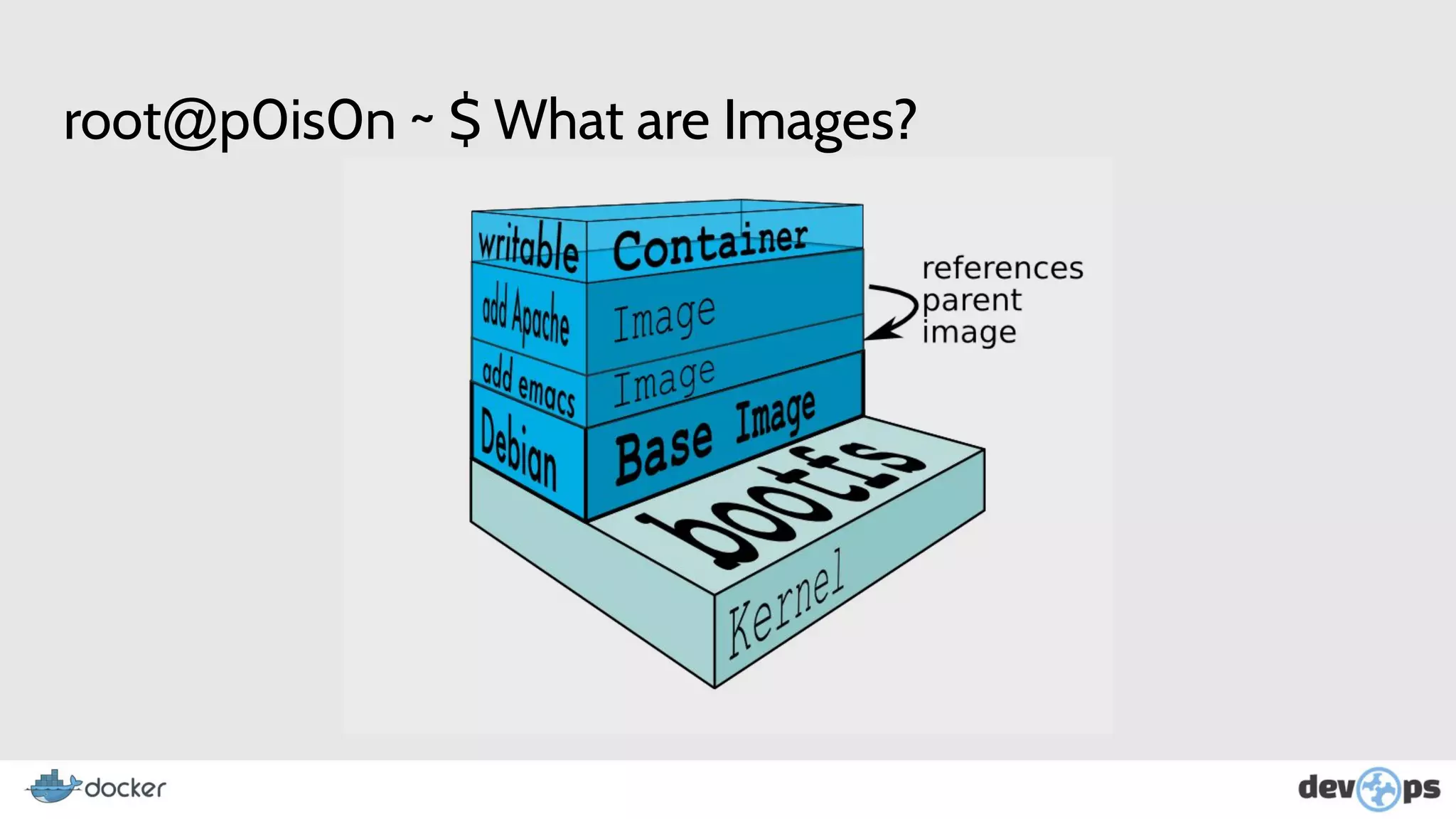
root@p0is0n ~ $ What are Images?
● A container is based on an image, which will load the libs and services required to
run your application.
● it is also possible to create images through some existing one.
● In addition to the images provided by the Docker store (http://bit.do/dockerhub),
you can create your own image through Dockerfile, which we'll see in the next
chapters.
● Docker Images Are Files Read Only.
root@p0is0n ~ $ What are Images?
root@p0is0n ~ $ Brief History About Docker
● The construction of docker was started by Solomon Hykes, in France, within the
company DotCloud in 2008.
● Docker was released as Open Source in March 2013.
● In March 2014 stopped using LXC as environment to use its own libcontainer,
written in GO language Created by Google.
root@p0is0n ~ $ Brief History About Containers
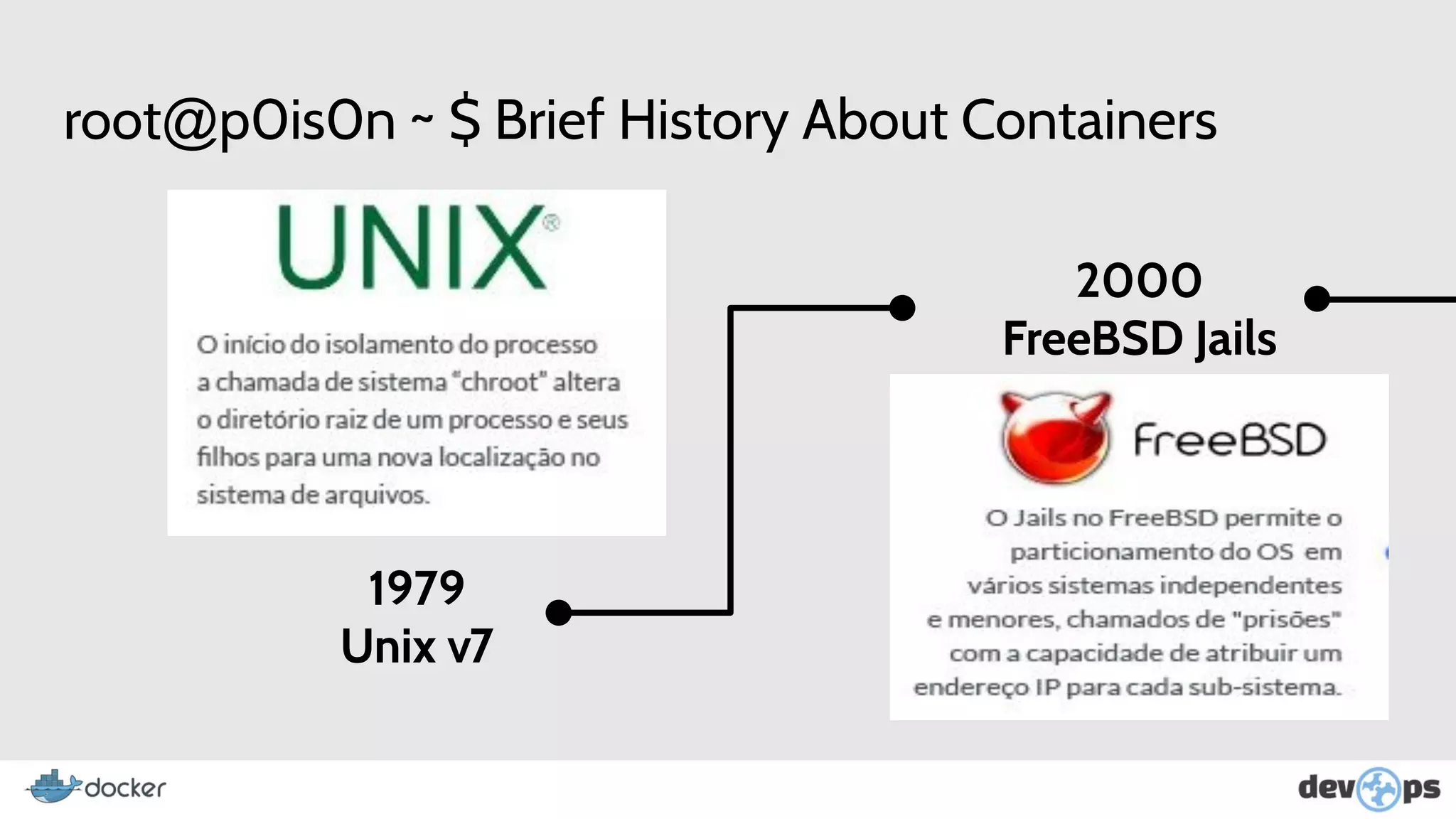
1979
Unix v7
2000
FreeBSD Jails
root@p0is0n ~ $ Brief History About Containers
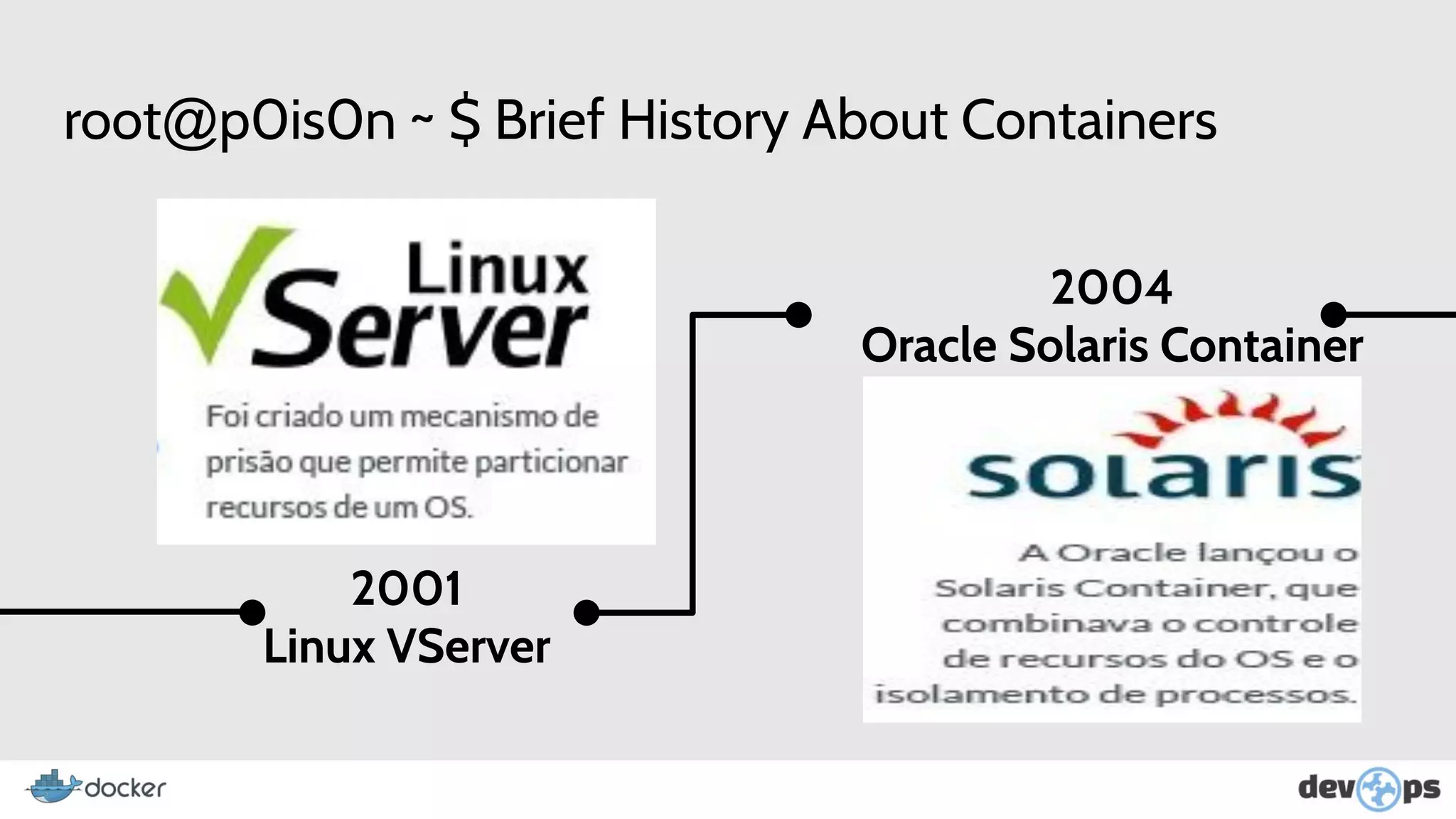
2001
Linux VServer
2004
Oracle Solaris Container
root@p0is0n ~ $ Brief History About Containers
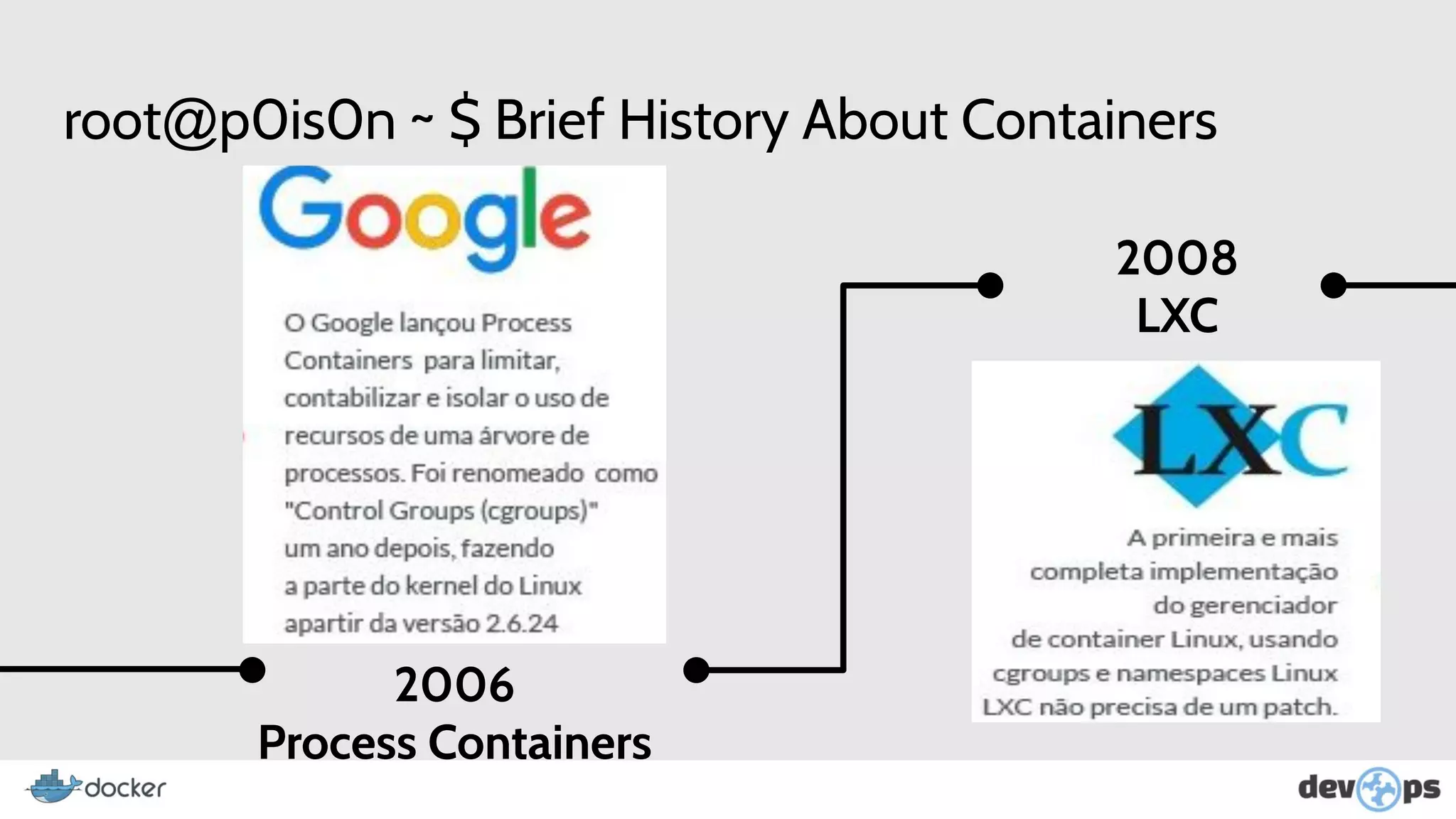
2006
Process Containers
2008
LXC
root@p0is0n ~ $ Brief History About Containers
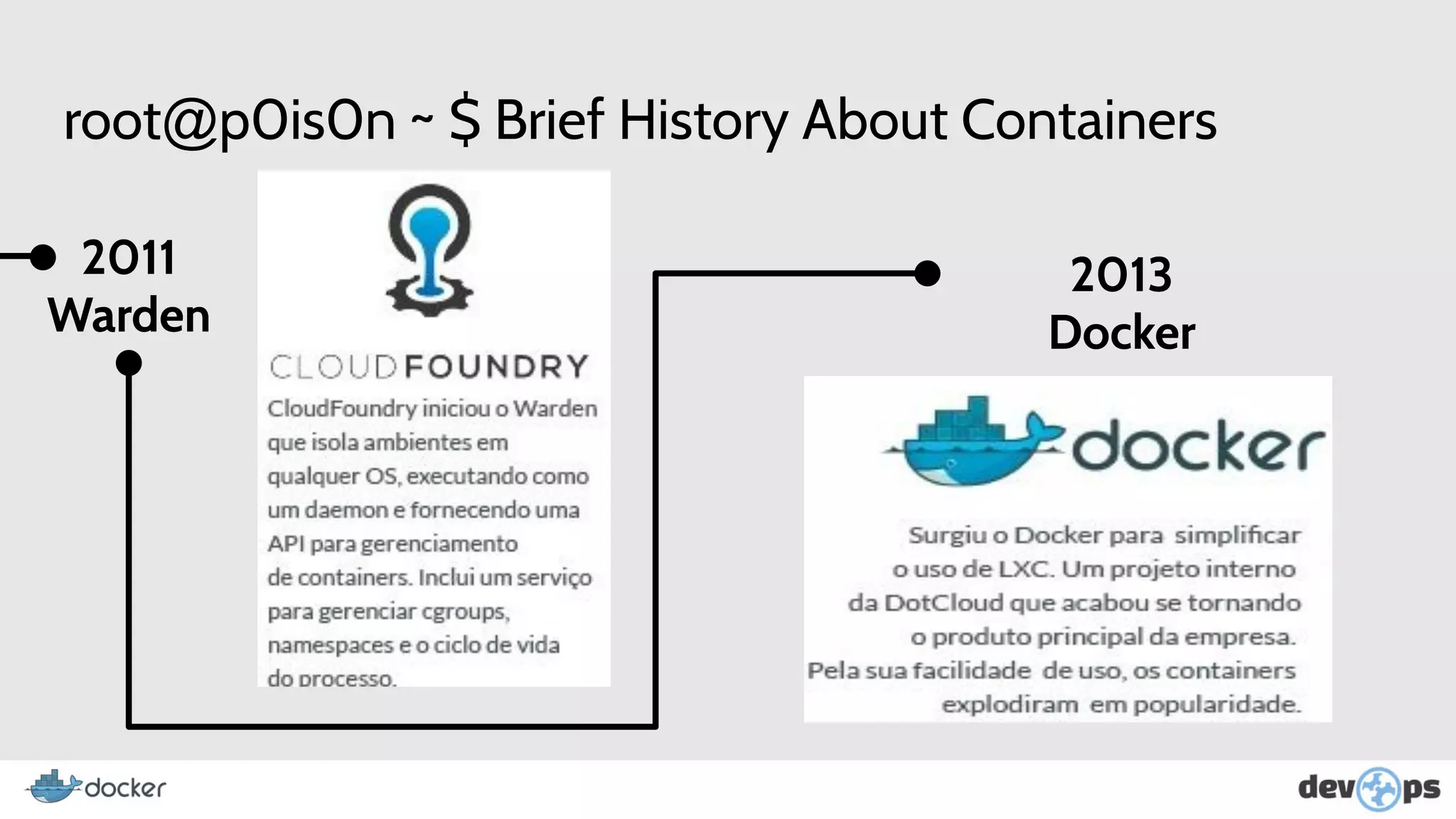
2011
Warden
2013
Docker
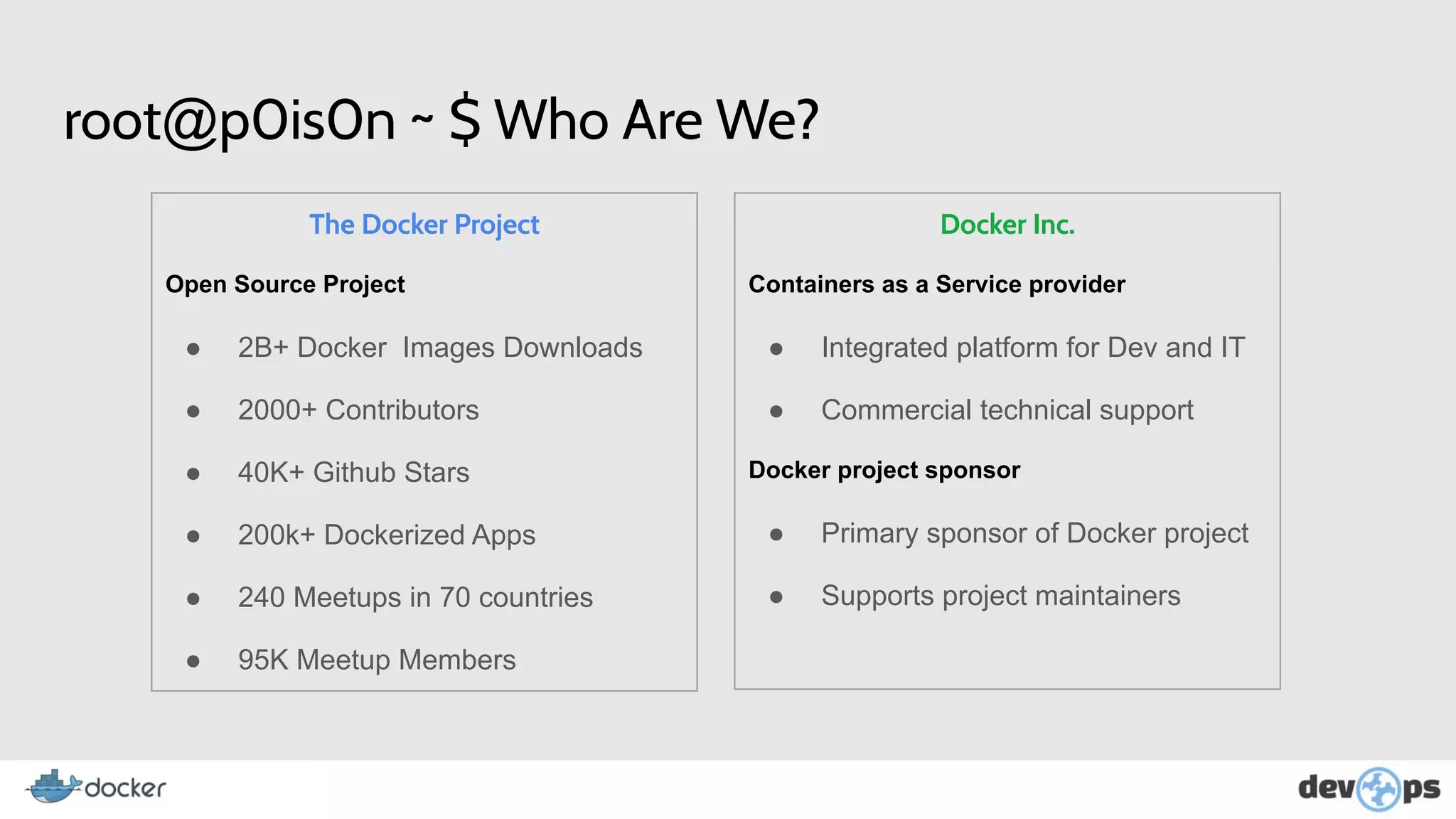
root@p0is0n ~ $ Who Are We?
The Docker Project
Open Source Project
● 2B+ Docker Images Downloads
● 2000+ Contributors
● 40K+ Github Stars
● 200k+ Dockerized Apps
● 240 Meetups in 70 countries
● 95K Meetup Members
Docker Inc.
Containers as a Service provider
● Integrated platform for Dev and IT
● Commercial technical support
Docker project sponsor
● Primary sponsor of Docker project
● Supports project maintainers
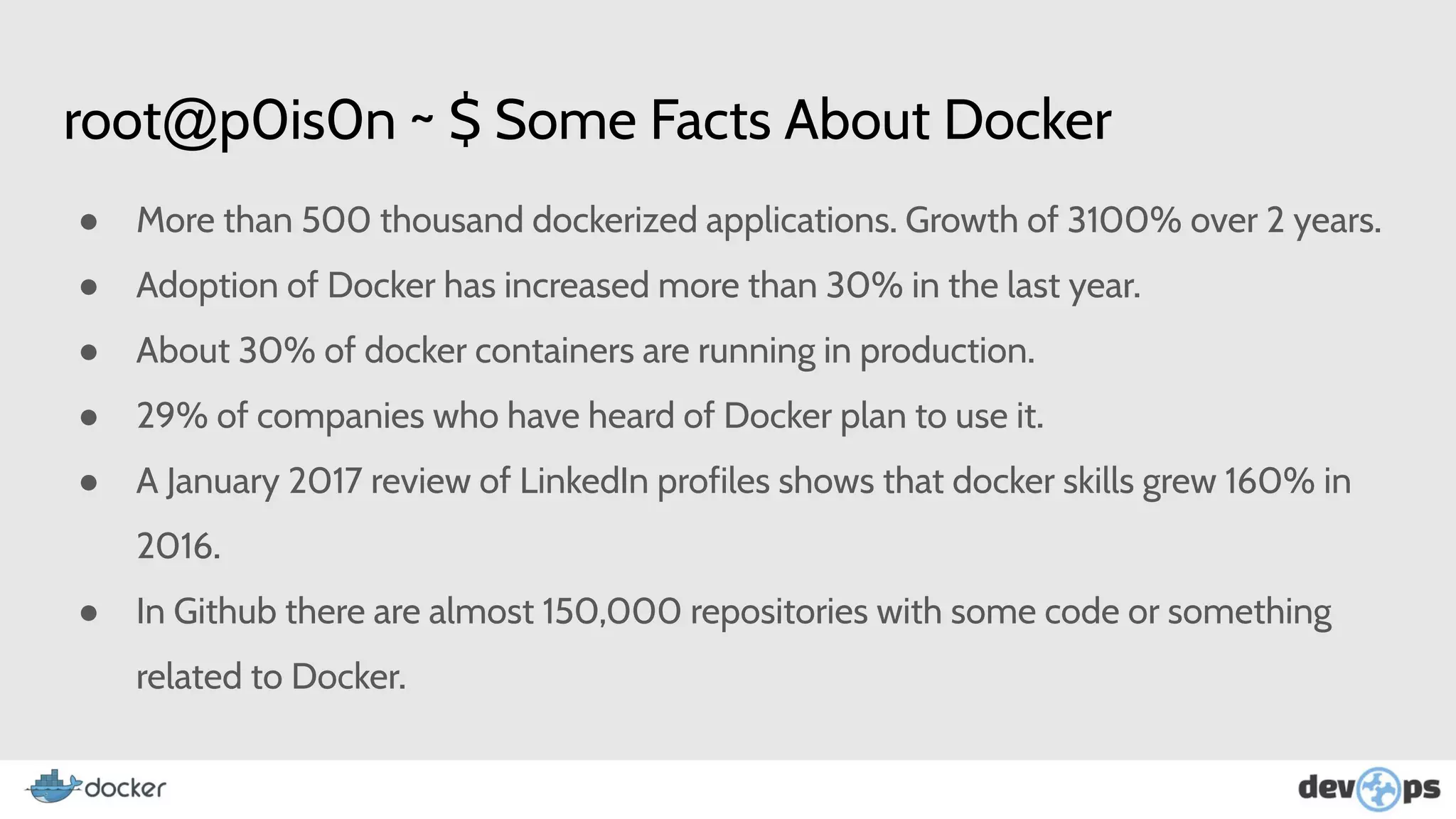
root@p0is0n ~ $ Some Facts About Docker
● More than 500 thousand dockerized applications. Growth of 3100% over 2 years.
● Adoption of Docker has increased more than 30% in the last year.
● About 30% of docker containers are running in production.
● 29% of companies who have heard of Docker plan to use it.
● A January 2017 review of LinkedIn profiles shows that docker skills grew 160% in
2016.
● In Github there are almost 150,000 repositories with some code or something
related to Docker.
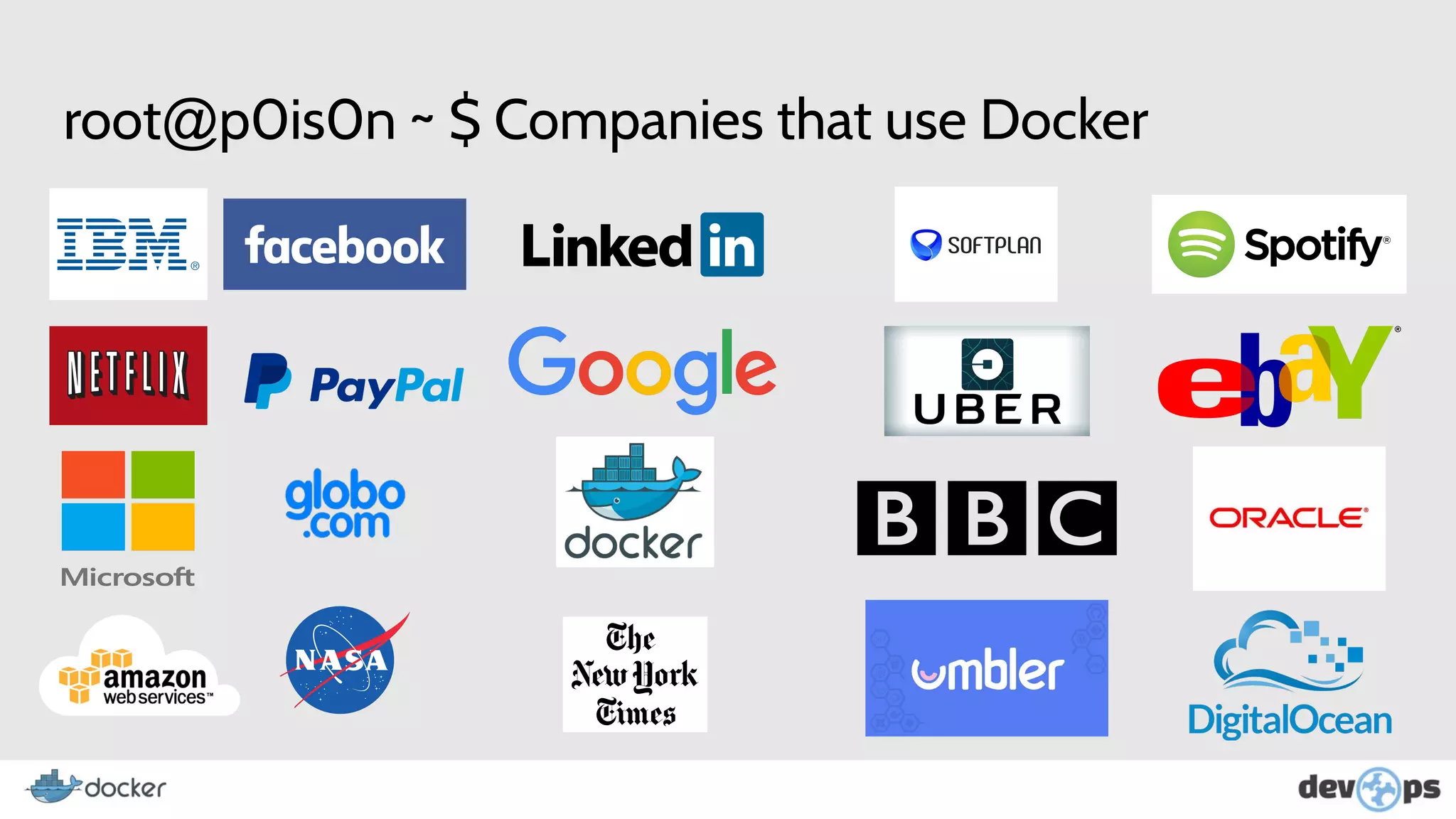
root@p0is0n ~ $ Companies that use Docker
Still not convinced to adopt the docker in your life?
root@p0is0n ~ $ Benefits
● Nothing more than "on my machine works".
● Rapid development environment configuration.
● Versioning of images.
● Run applications without compromising host resources.
● Keep multiple versions for testing purposes.
● Ensure that the development environment is equal to that of production.
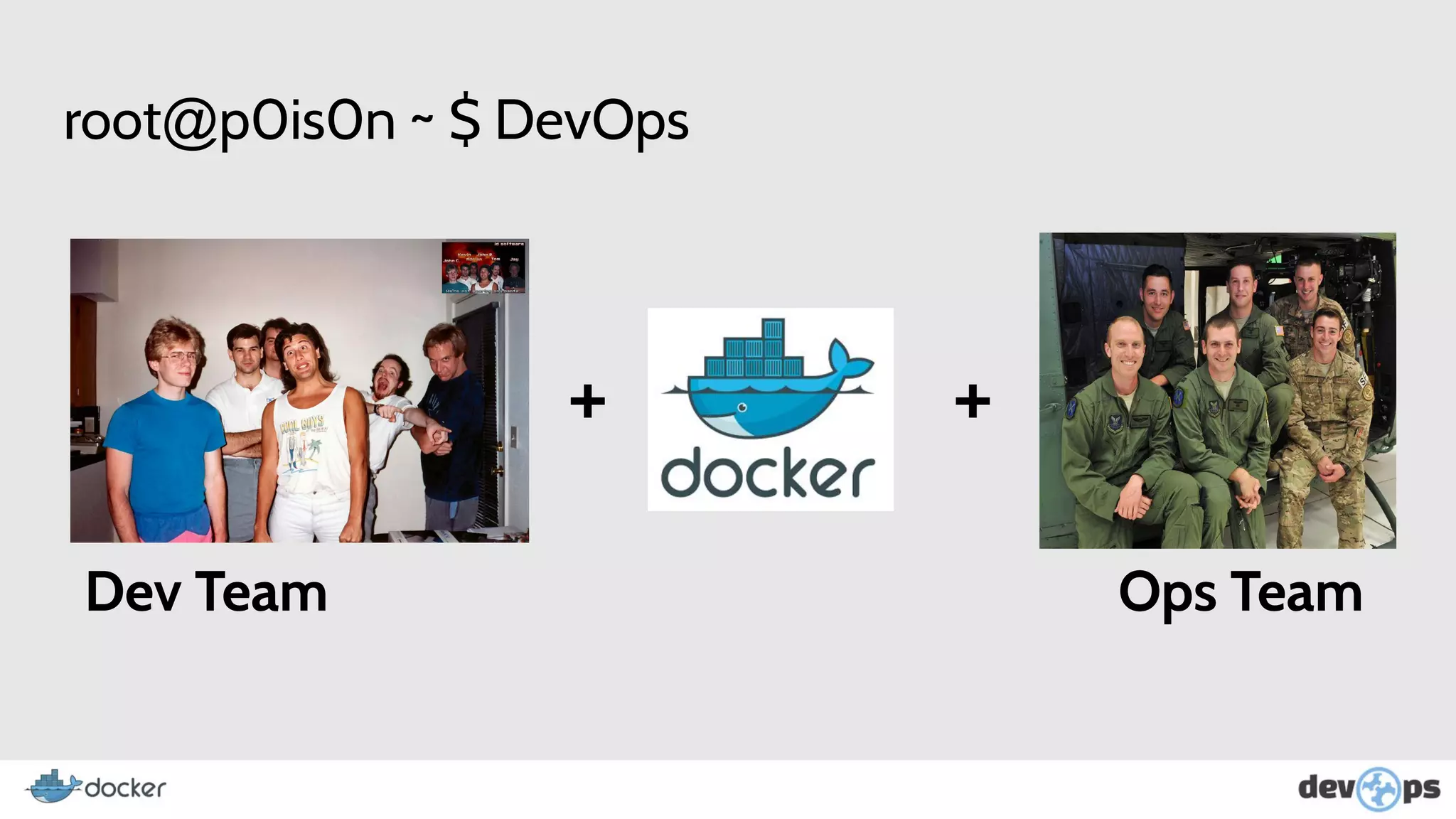
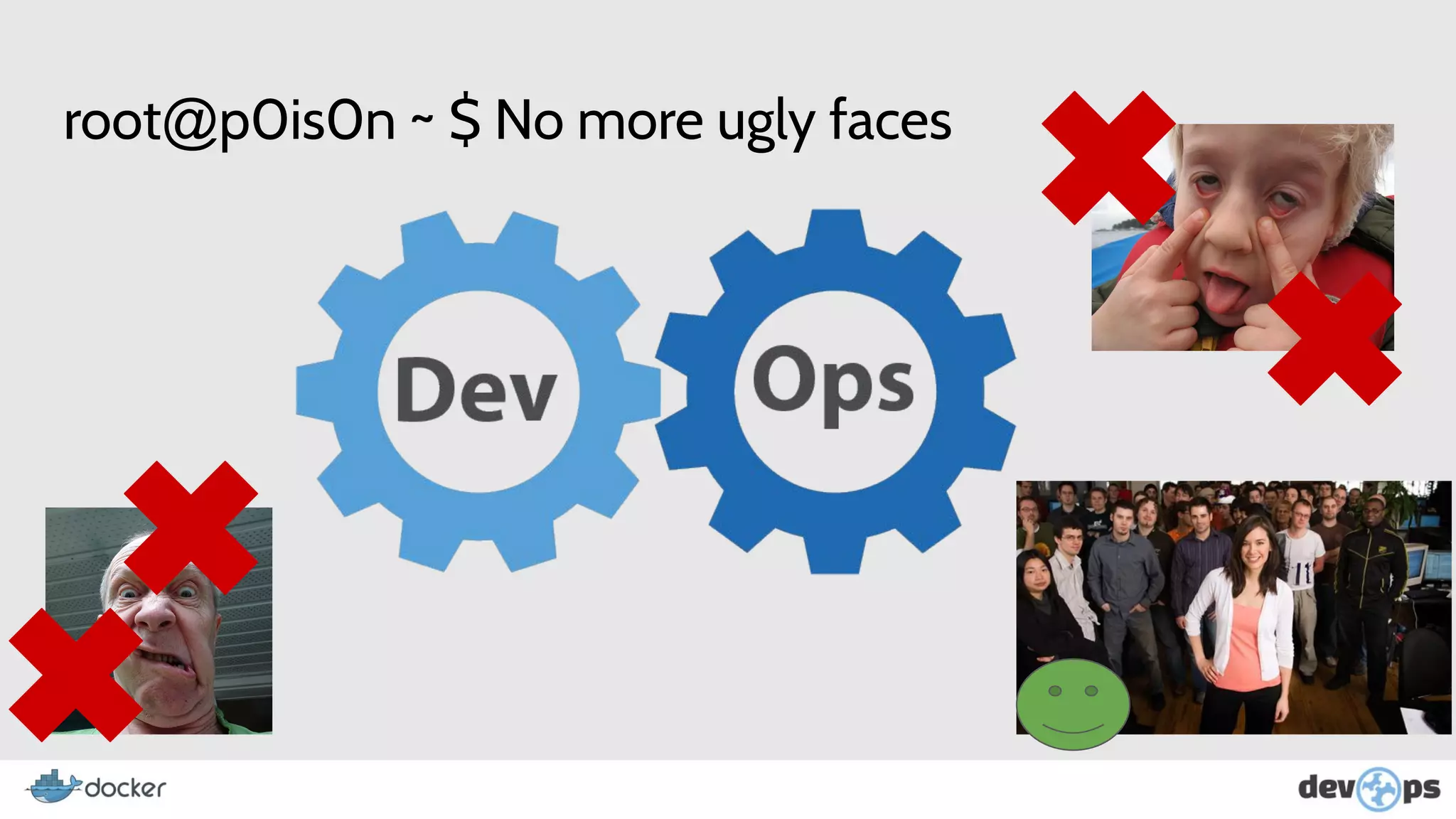
root@p0is0n ~ $ DevOps
+ +
Dev Team Ops Team
root@p0is0n ~ $ No more ugly faces
root@p0is0n ~ $ Are u Ready?
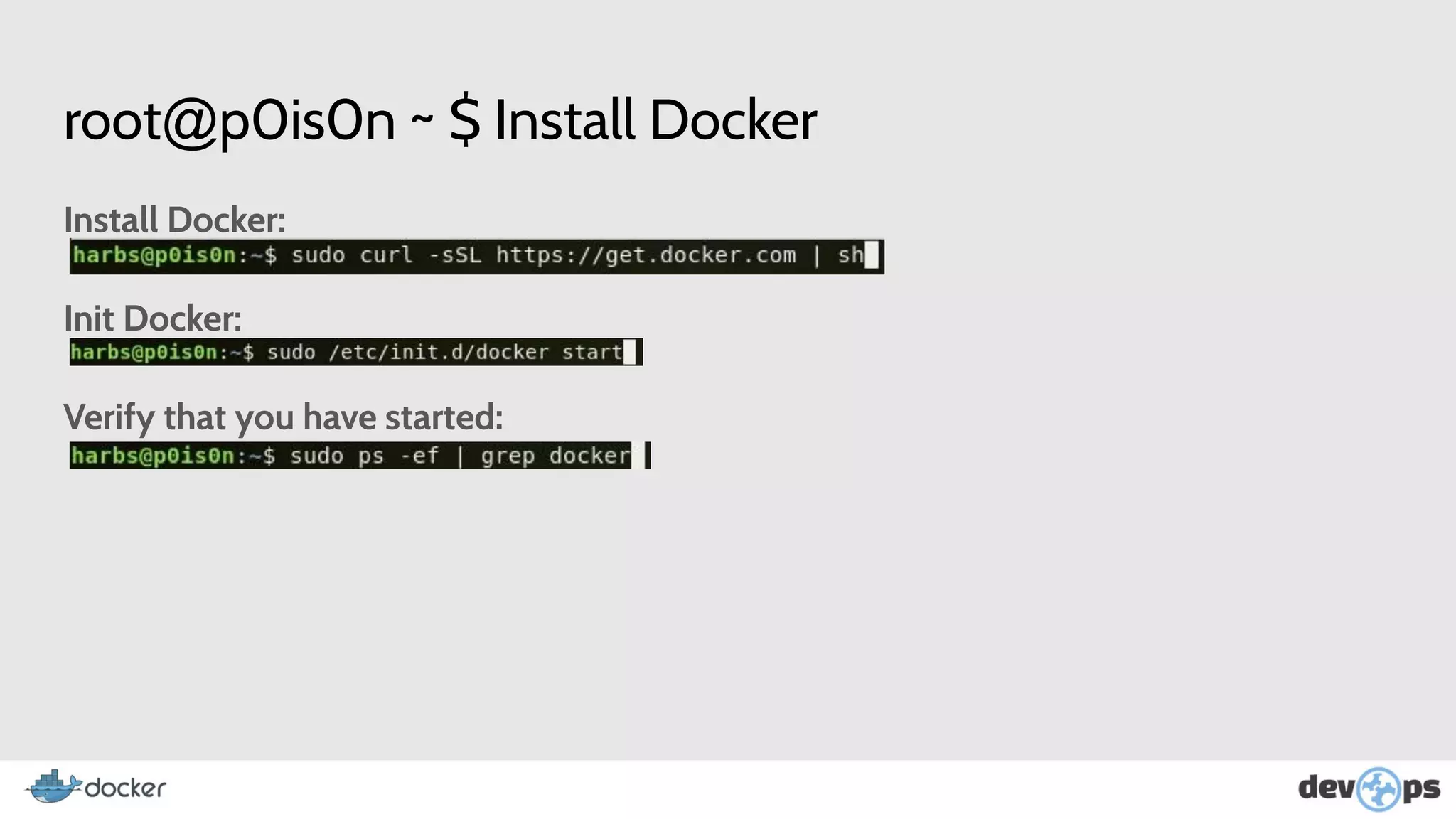
root@p0is0n ~ $ Install Docker
Install Docker:
Init Docker:
Verify that you have started:
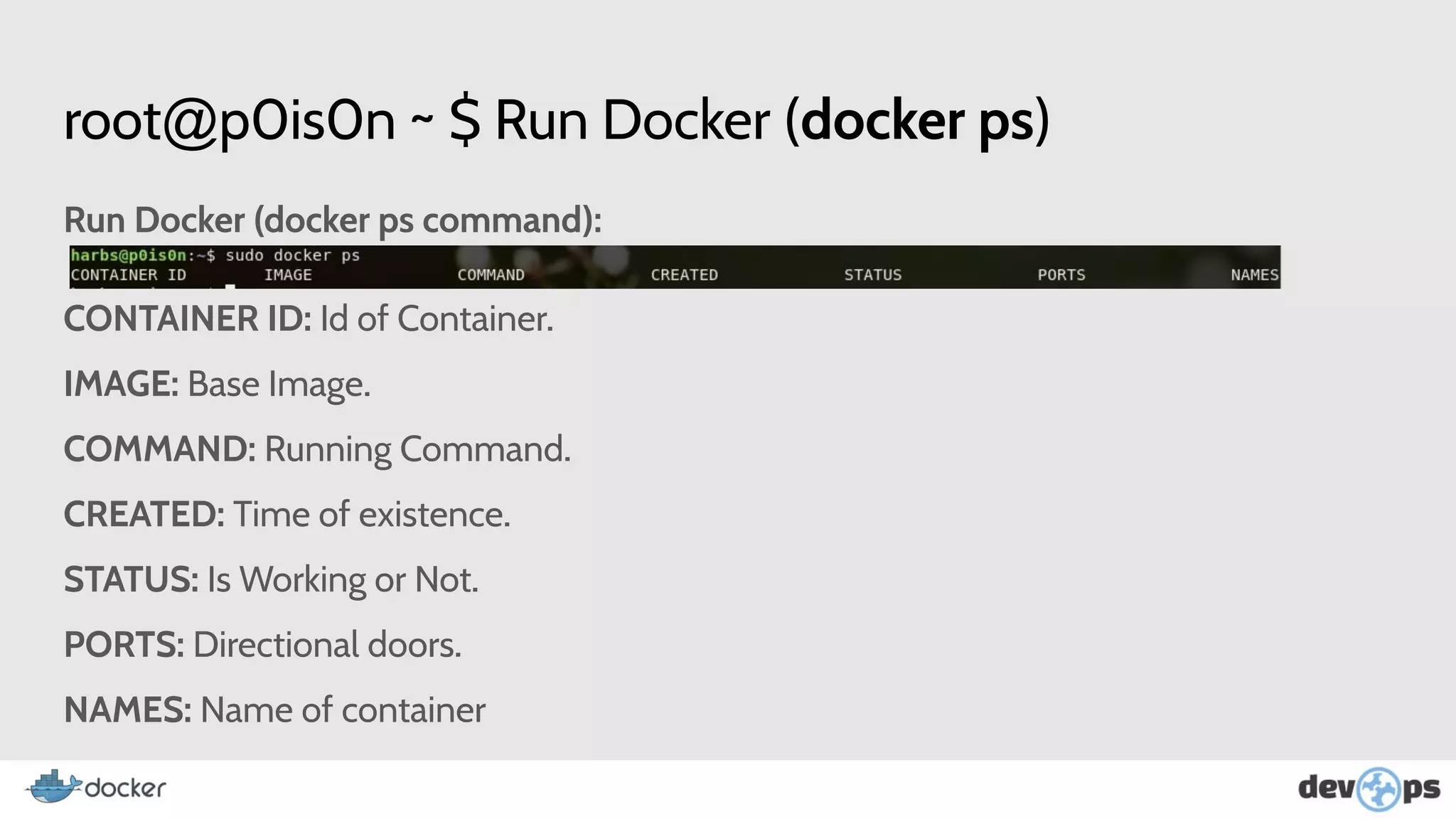
root@p0is0n ~ $ Run Docker (docker ps)
Run Docker (docker ps command):
CONTAINER ID: Id of Container.
IMAGE: Base Image.
COMMAND: Running Command.
CREATED: Time of existence.
STATUS: Is Working or Not.
PORTS: Directional doors.
NAMES: Name of container
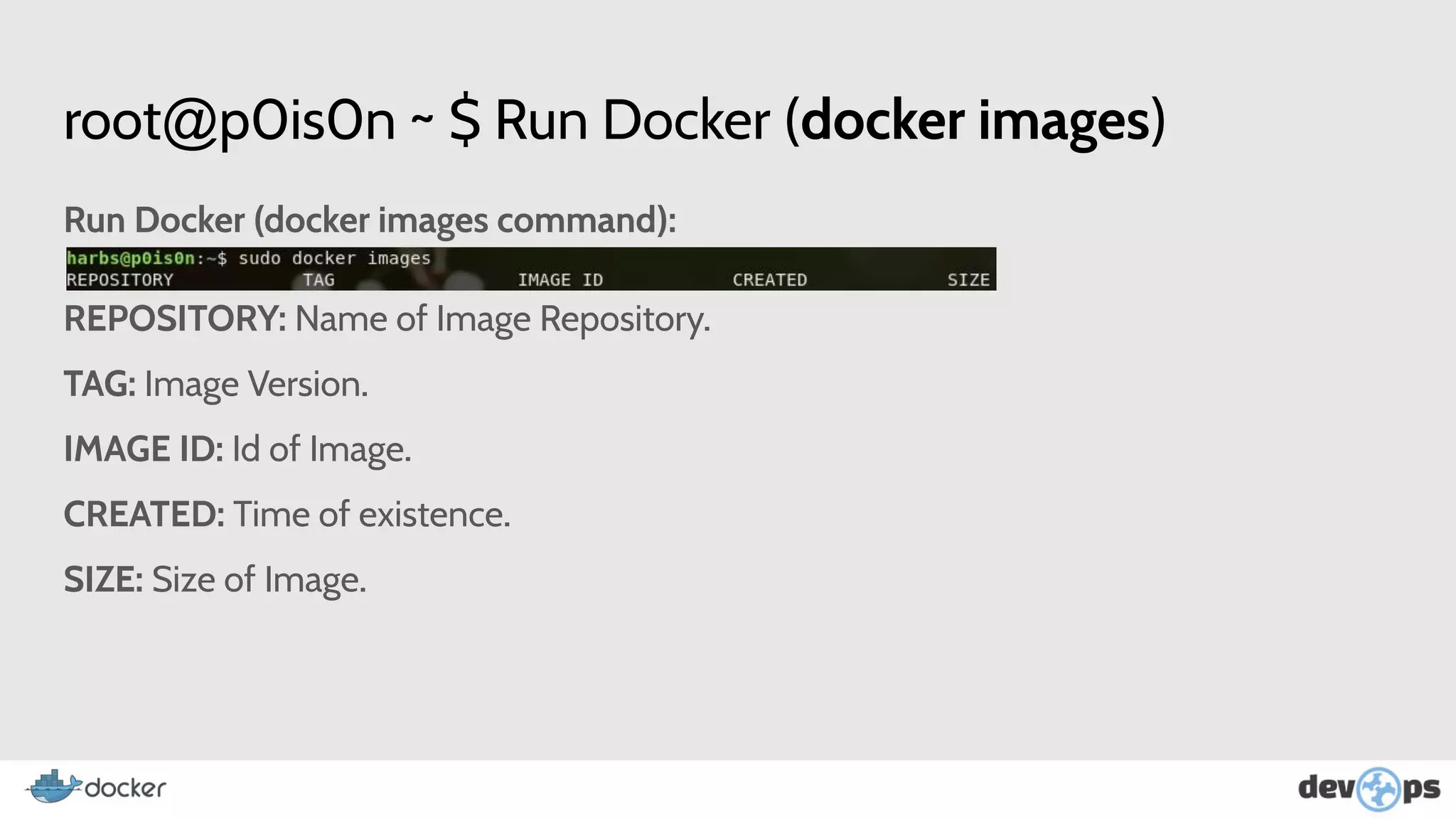
root@p0is0n ~ $ Run Docker (docker images)
Run Docker (docker images command):
REPOSITORY: Name of Image Repository.
TAG: Image Version.
IMAGE ID: Id of Image.
CREATED: Time of existence.
SIZE: Size of Image.
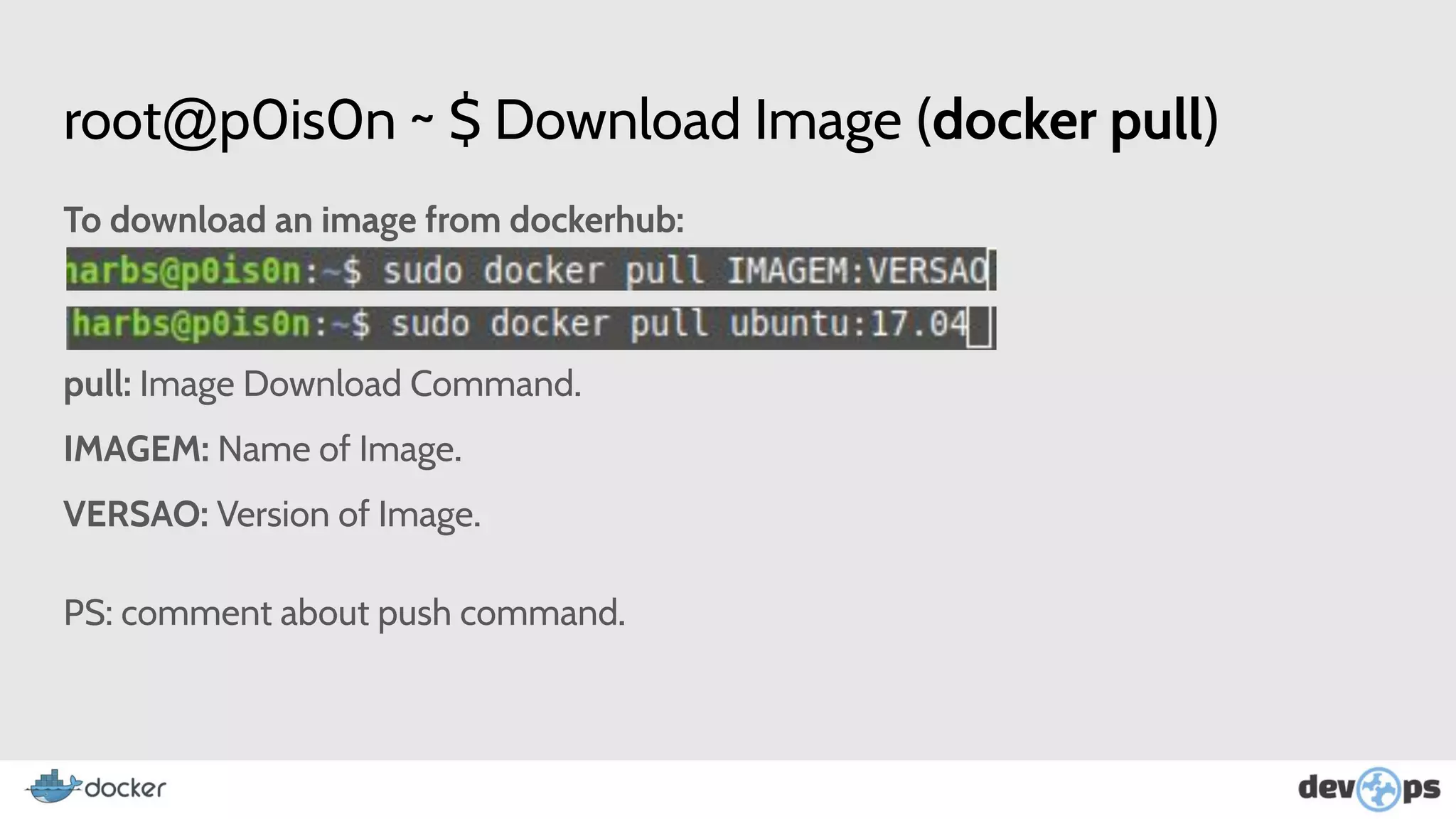
root@p0is0n ~ $ Download Image (docker pull)
To download an image from dockerhub:
pull: Image Download Command.
IMAGEM: Name of Image.
VERSAO: Version of Image.
PS: comment about push command.
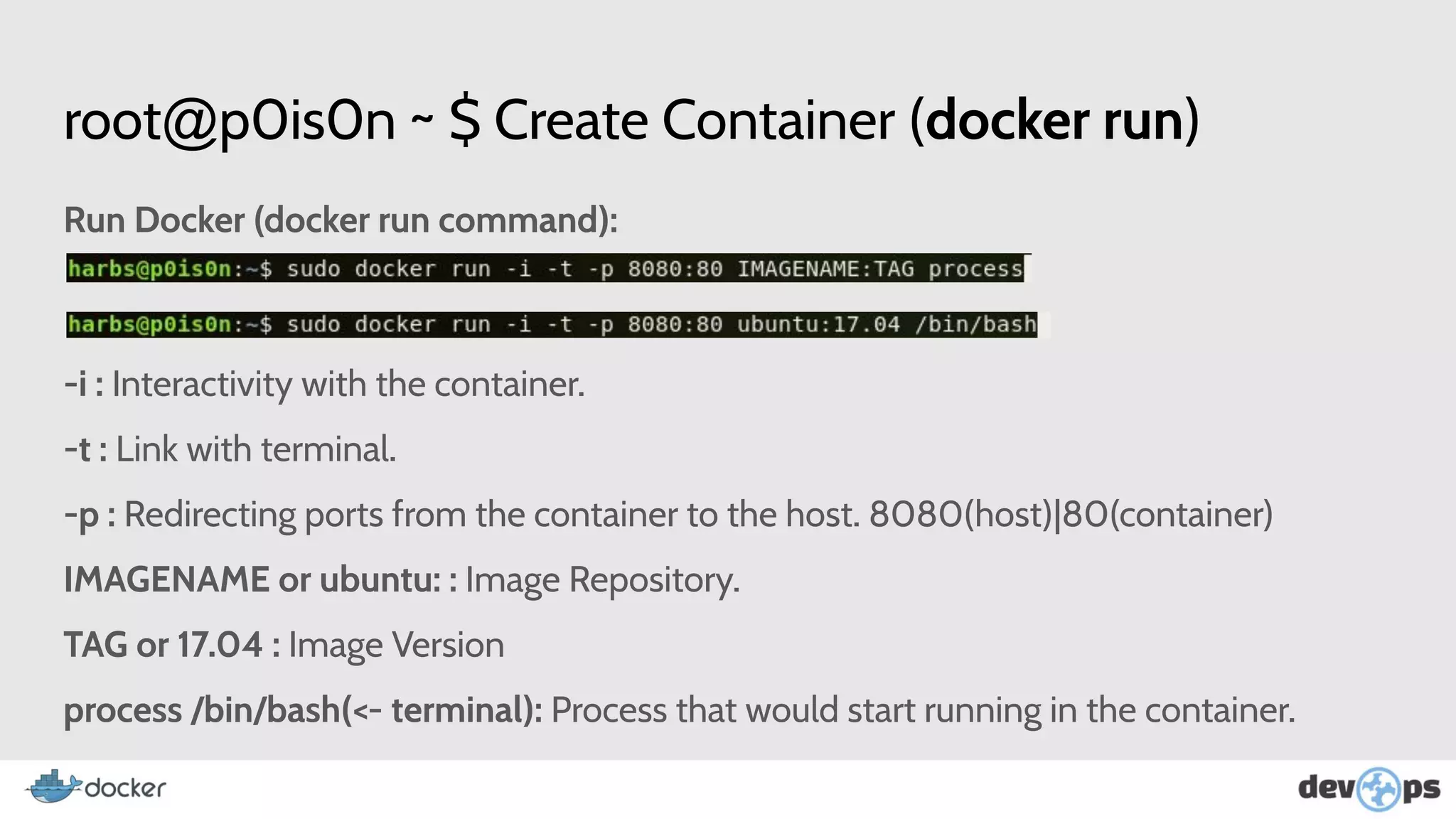
root@p0is0n ~ $ Create Container (docker run)
Run Docker (docker run command):
-i : Interactivity with the container.
-t : Link with terminal.
-p : Redirecting ports from the container to the host. 8080(host)|80(container)
IMAGENAME or ubuntu: : Image Repository.
TAG or 17.04 : Image Version
process /bin/bash(<- terminal): Process that would start running in the container.
root@p0is0n ~ $ Inside the Container
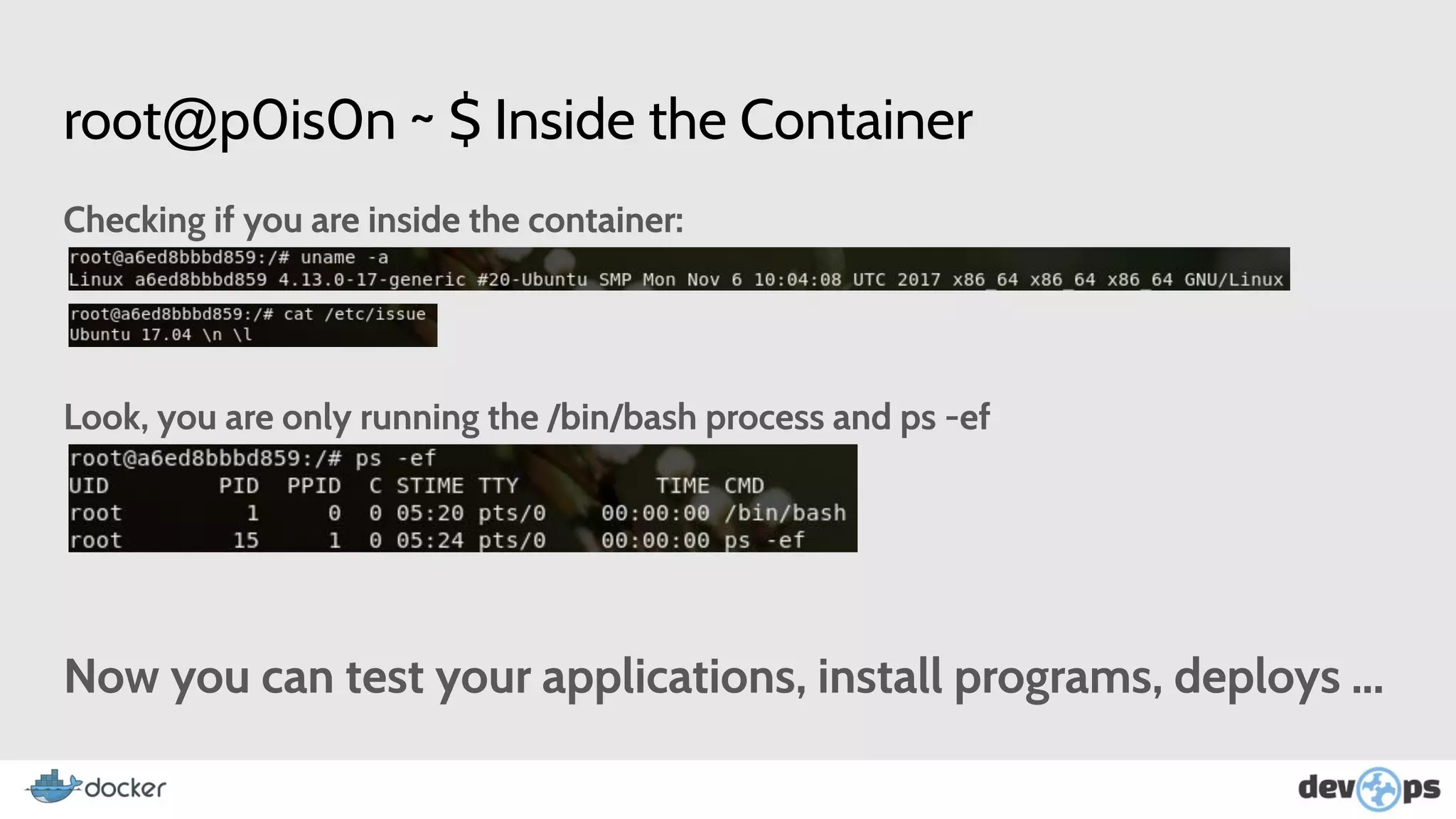
Checking if you are inside the container:
Look, you are only running the /bin/bash process and ps -ef
Now you can test your applications, install programs, deploys ...
root@p0is0n ~ $ Container interaction commands
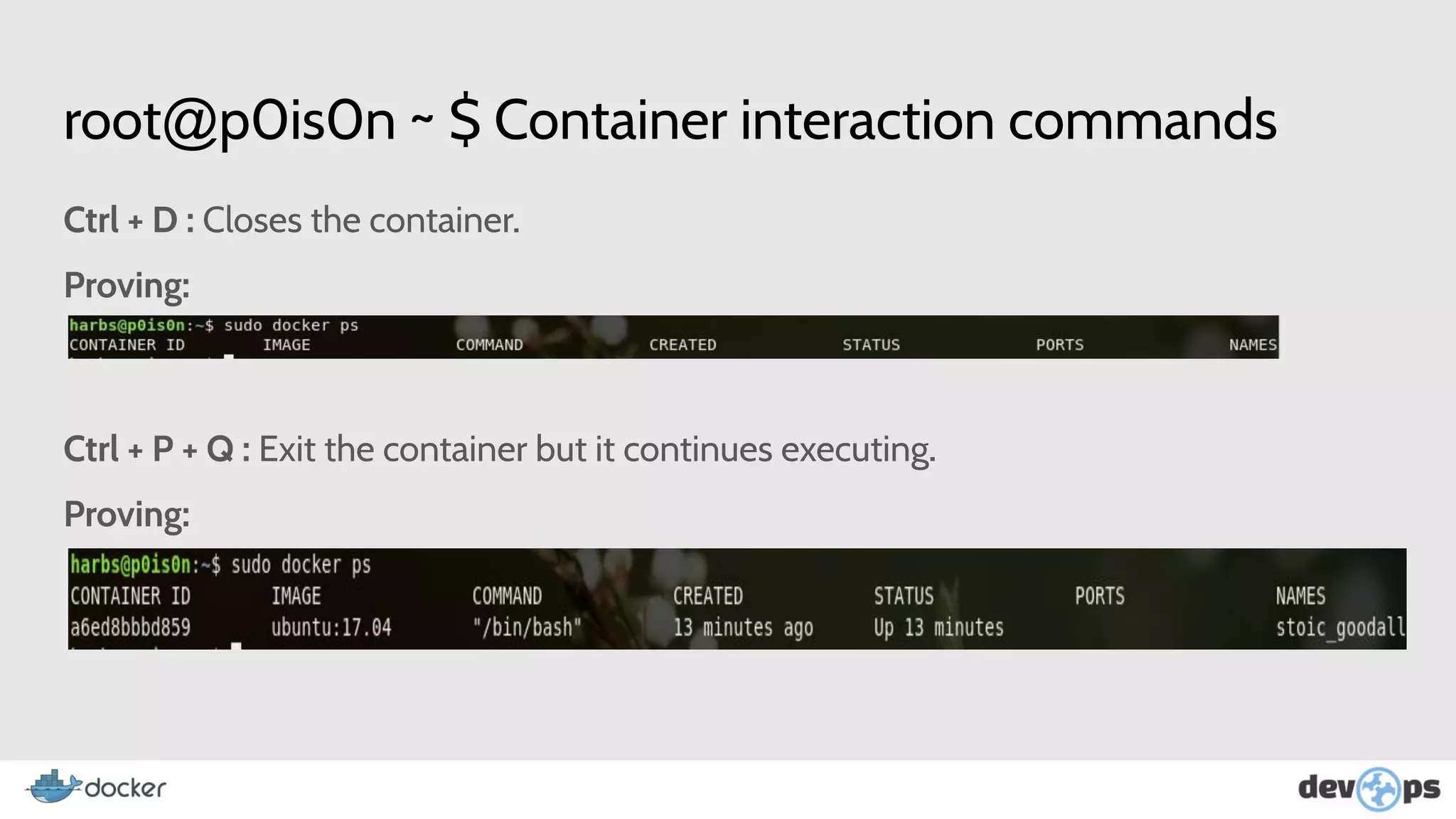
Ctrl + D : Closes the container.
Proving:
Ctrl + P + Q : Exit the container but it continues executing.
Proving:
root@p0is0n ~ $ Commands: attach and diff
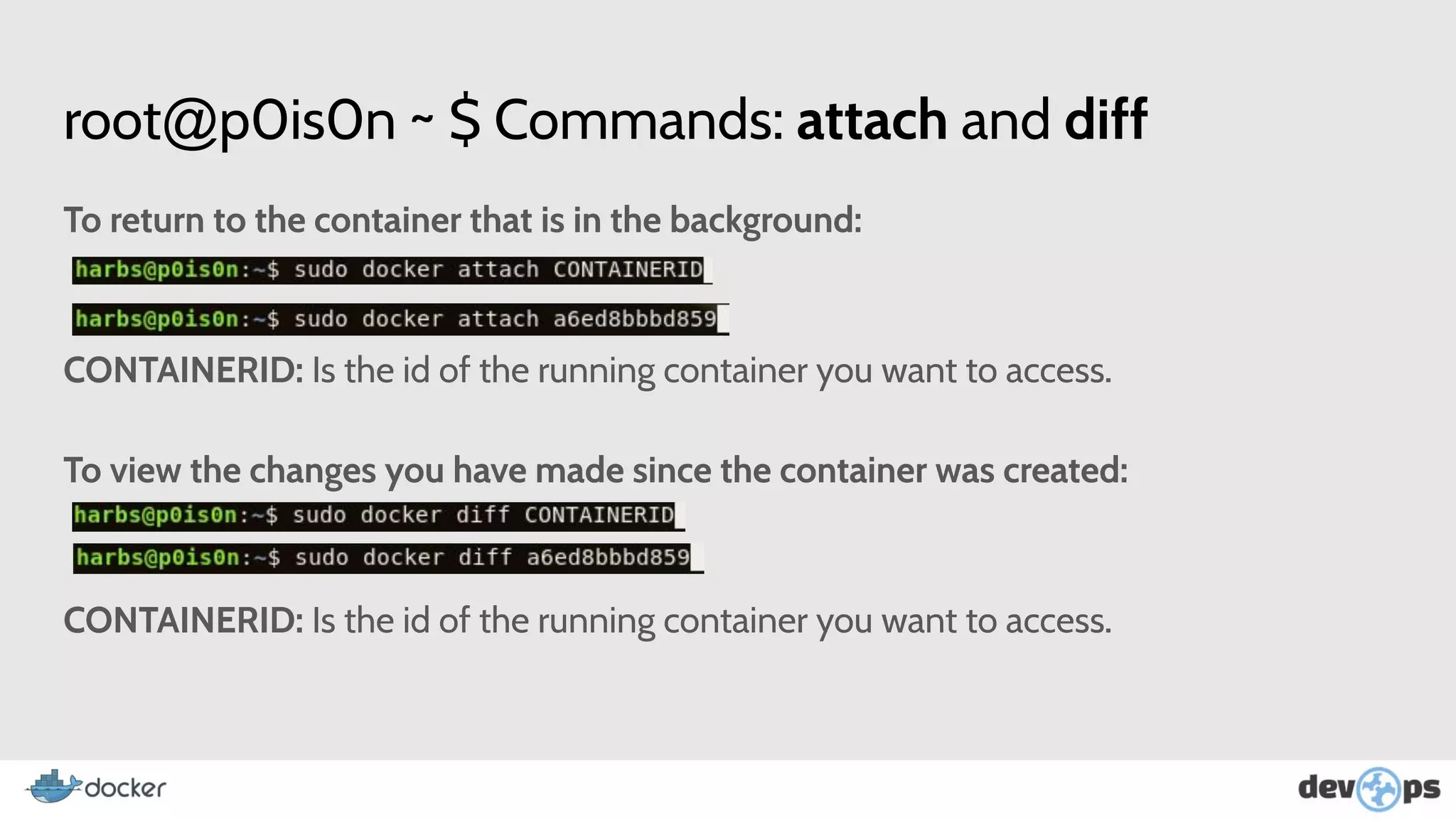
To return to the container that is in the background:
CONTAINERID: Is the id of the running container you want to access.
To view the changes you have made since the container was created:
CONTAINERID: Is the id of the running container you want to access.
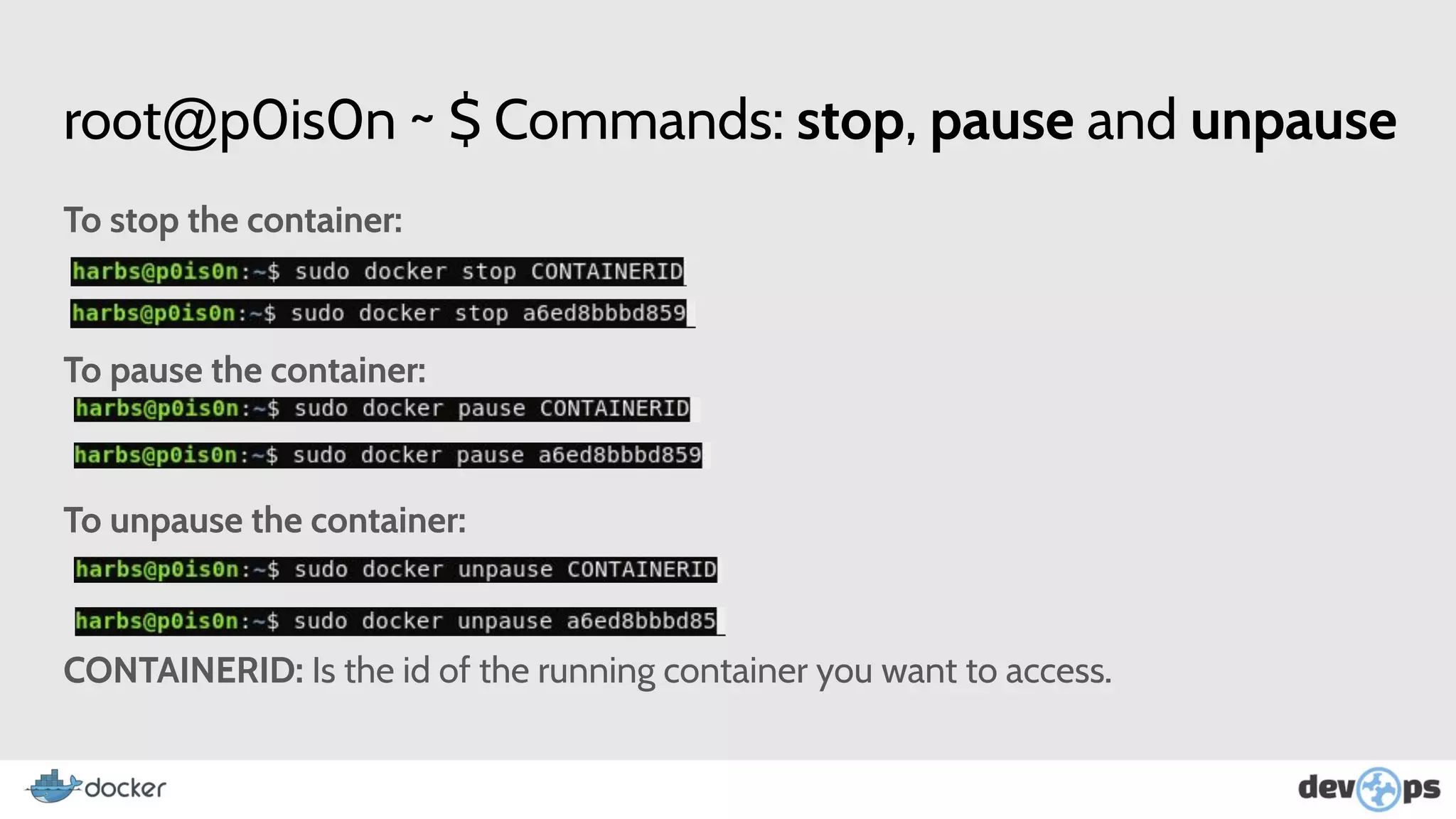
root@p0is0n ~ $ Commands: stop, pause and unpause
To stop the container:
To pause the container:
To unpause the container:
CONTAINERID: Is the id of the running container you want to access.
root@p0is0n ~ $ Commands: docker ps -a
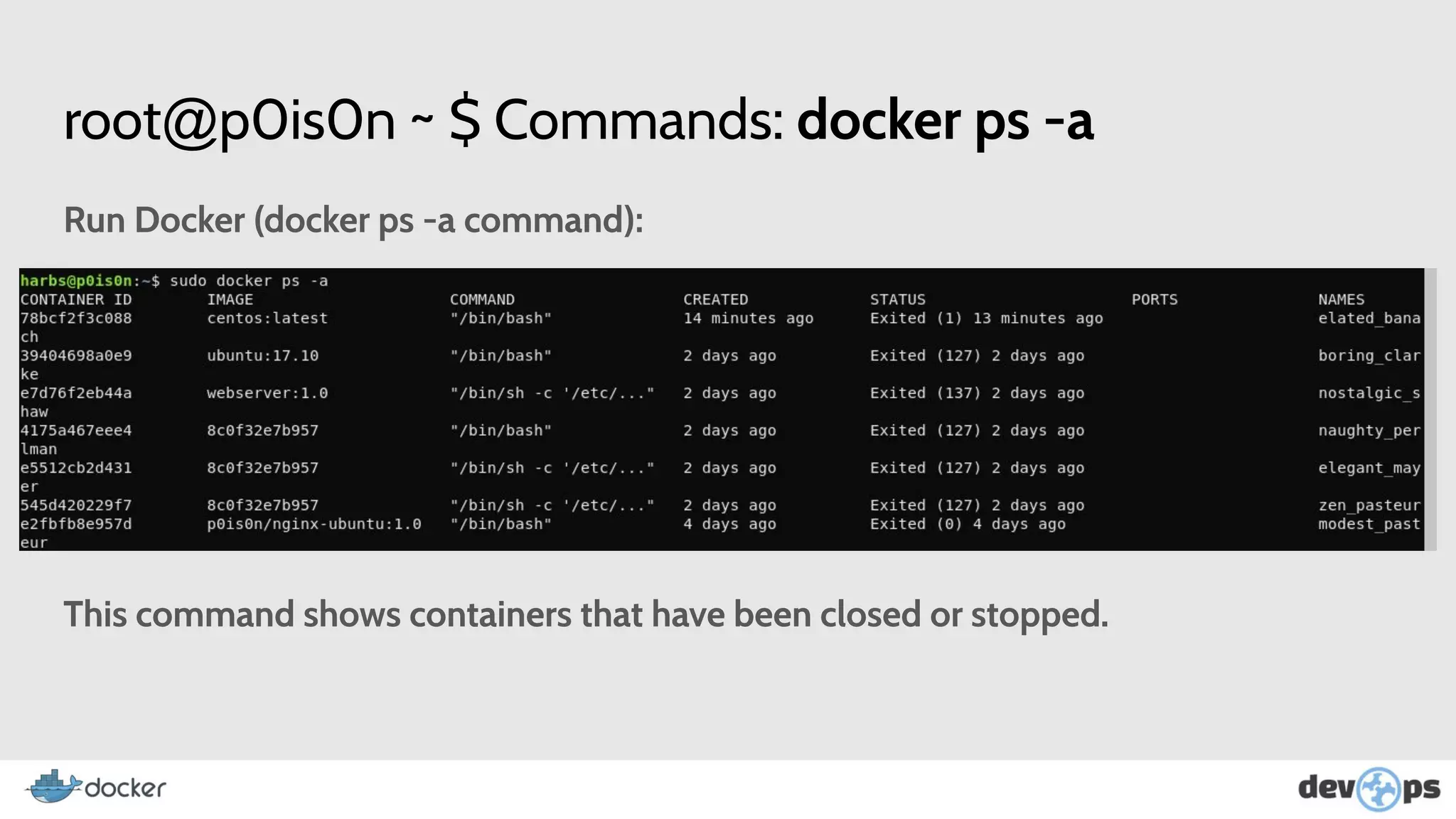
Run Docker (docker ps -a command):
This command shows containers that have been closed or stopped.
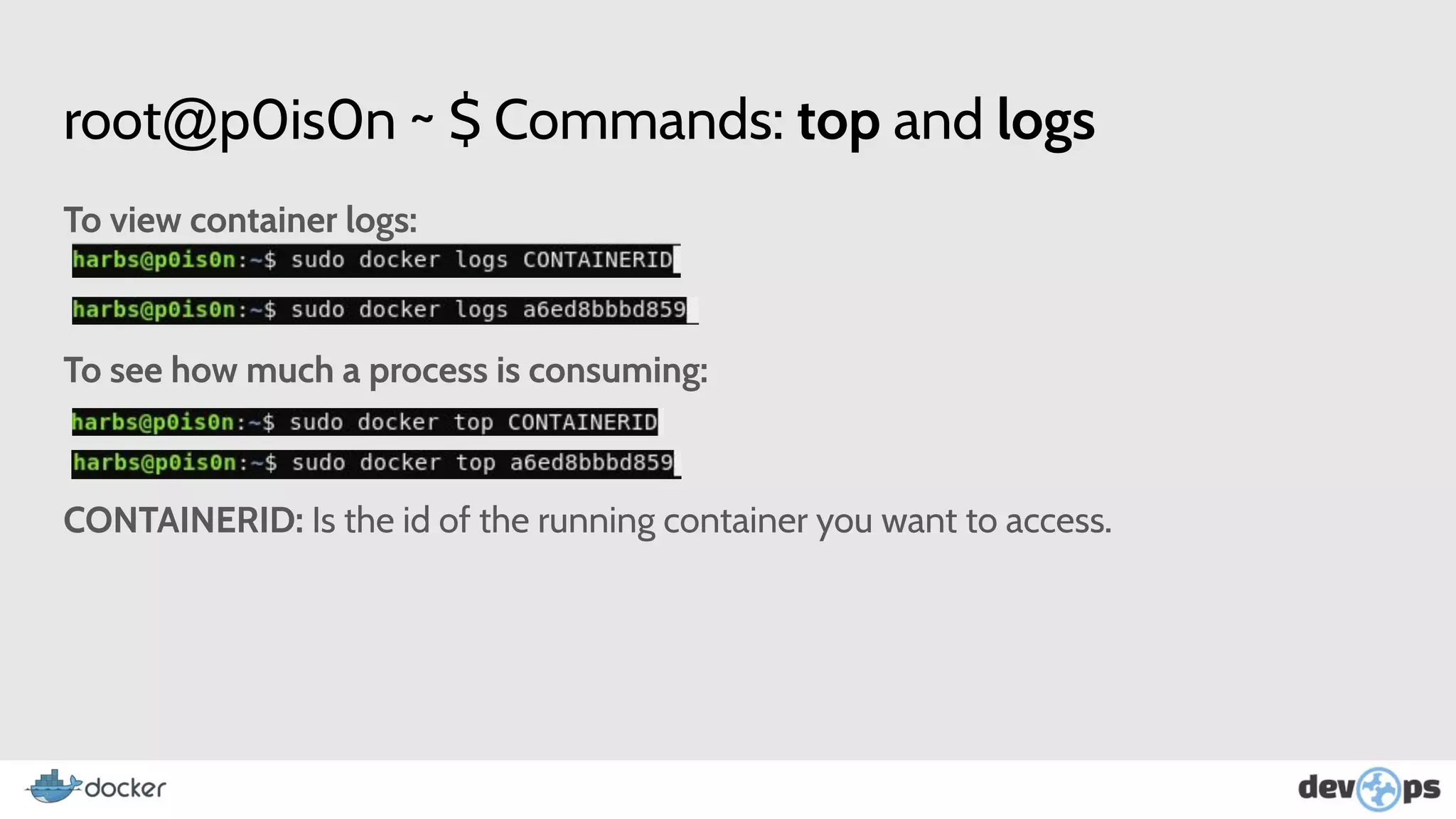
root@p0is0n ~ $ Commands: top and logs
To view container logs:
To see how much a process is consuming:
CONTAINERID: Is the id of the running container you want to access.
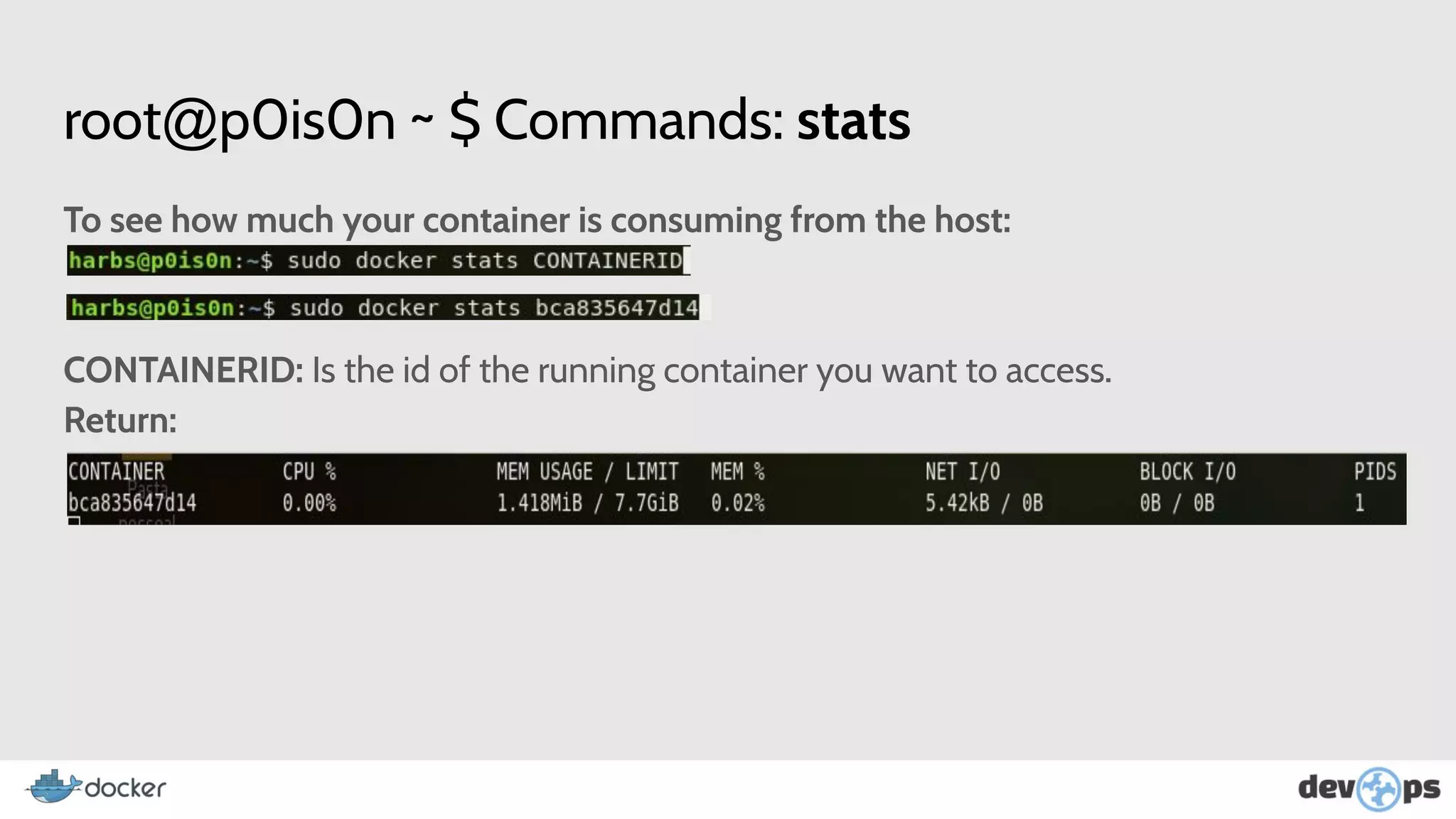
root@p0is0n ~ $ Commands: stats
To see how much your container is consuming from the host:
CONTAINERID: Is the id of the running container you want to access.
Return:
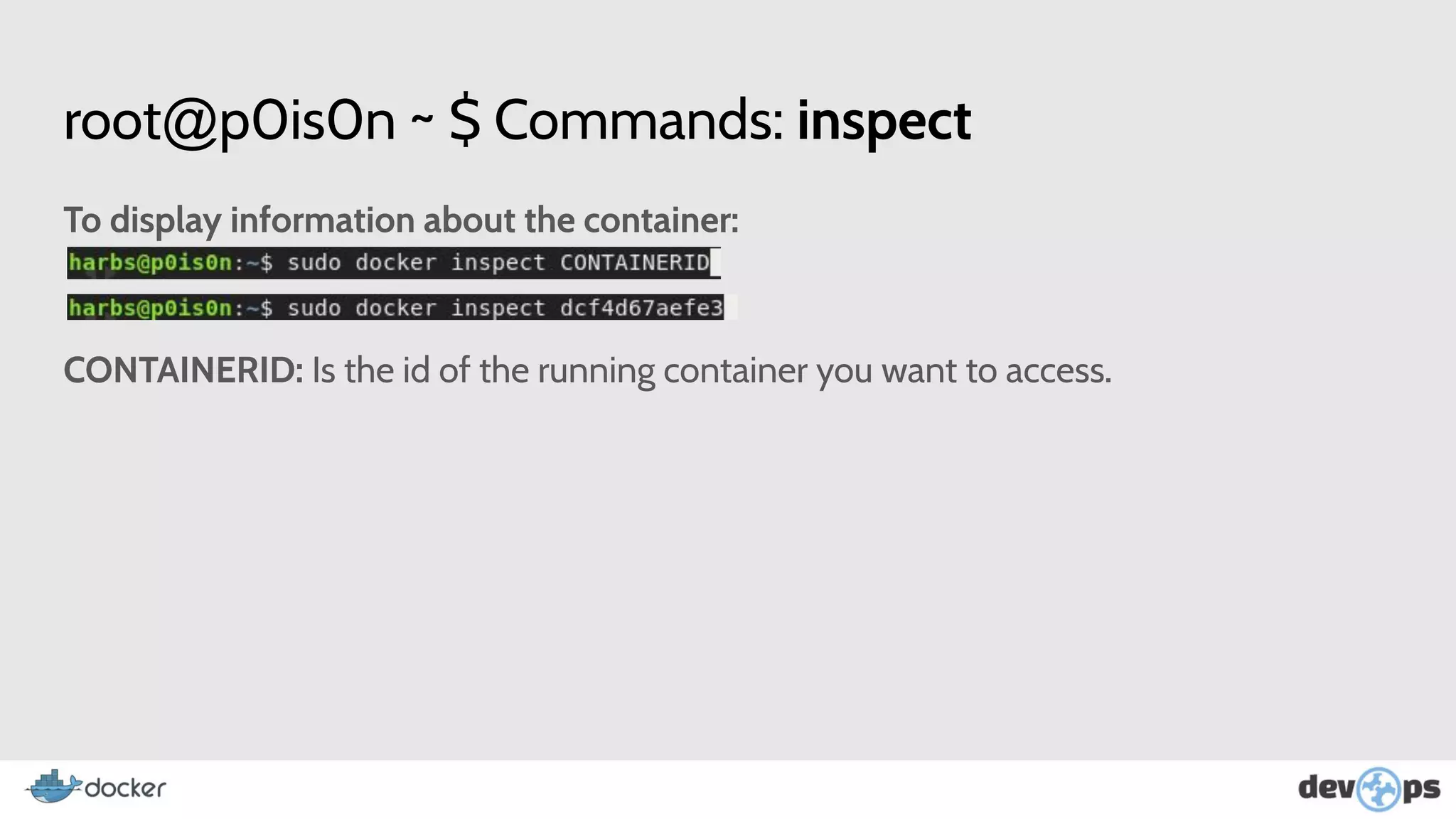
root@p0is0n ~ $ Commands: inspect
To display information about the container:
CONTAINERID: Is the id of the running container you want to access.
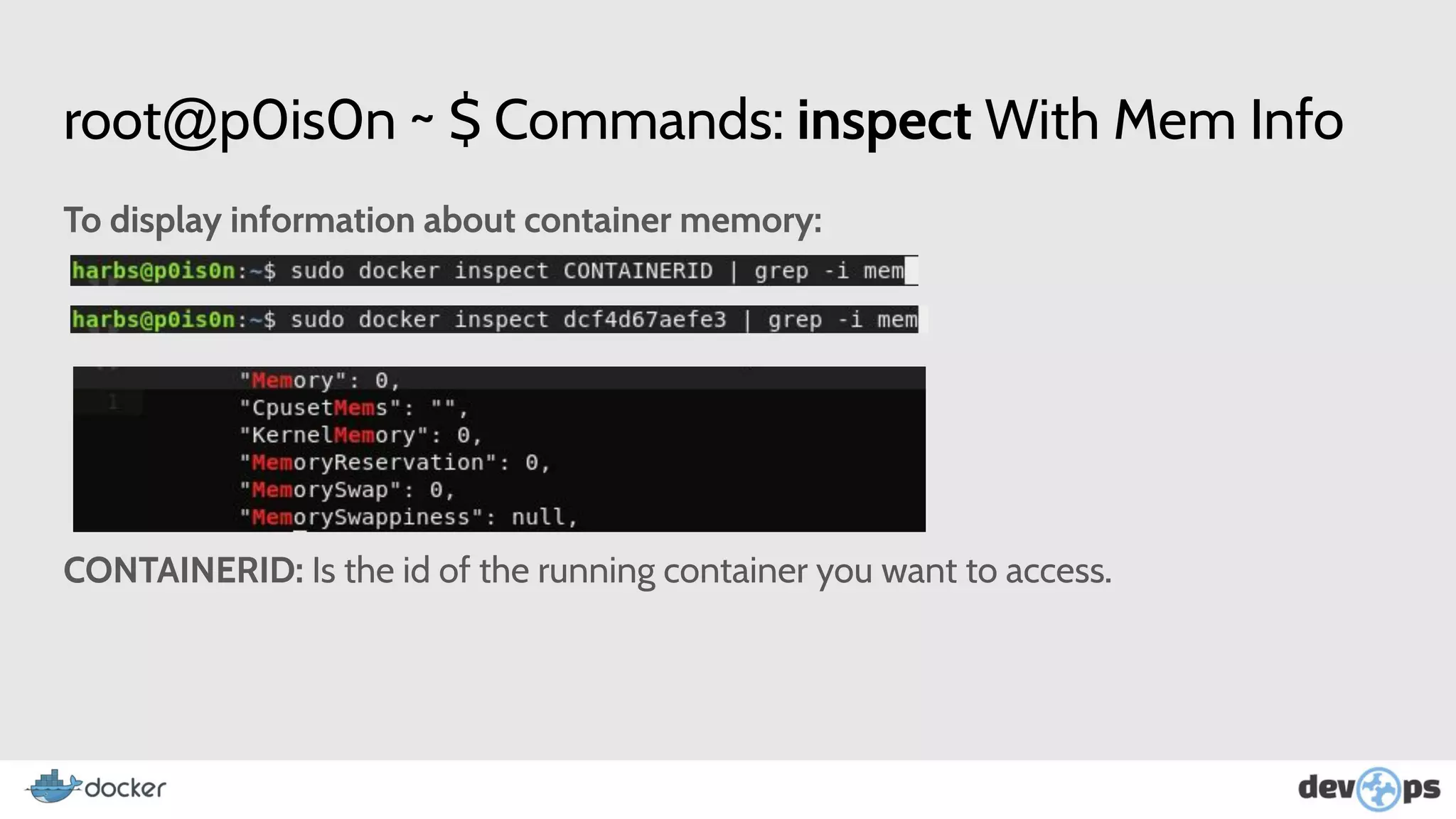
root@p0is0n ~ $ Commands: inspect With Mem Info
To display information about container memory:
CONTAINERID: Is the id of the running container you want to access.
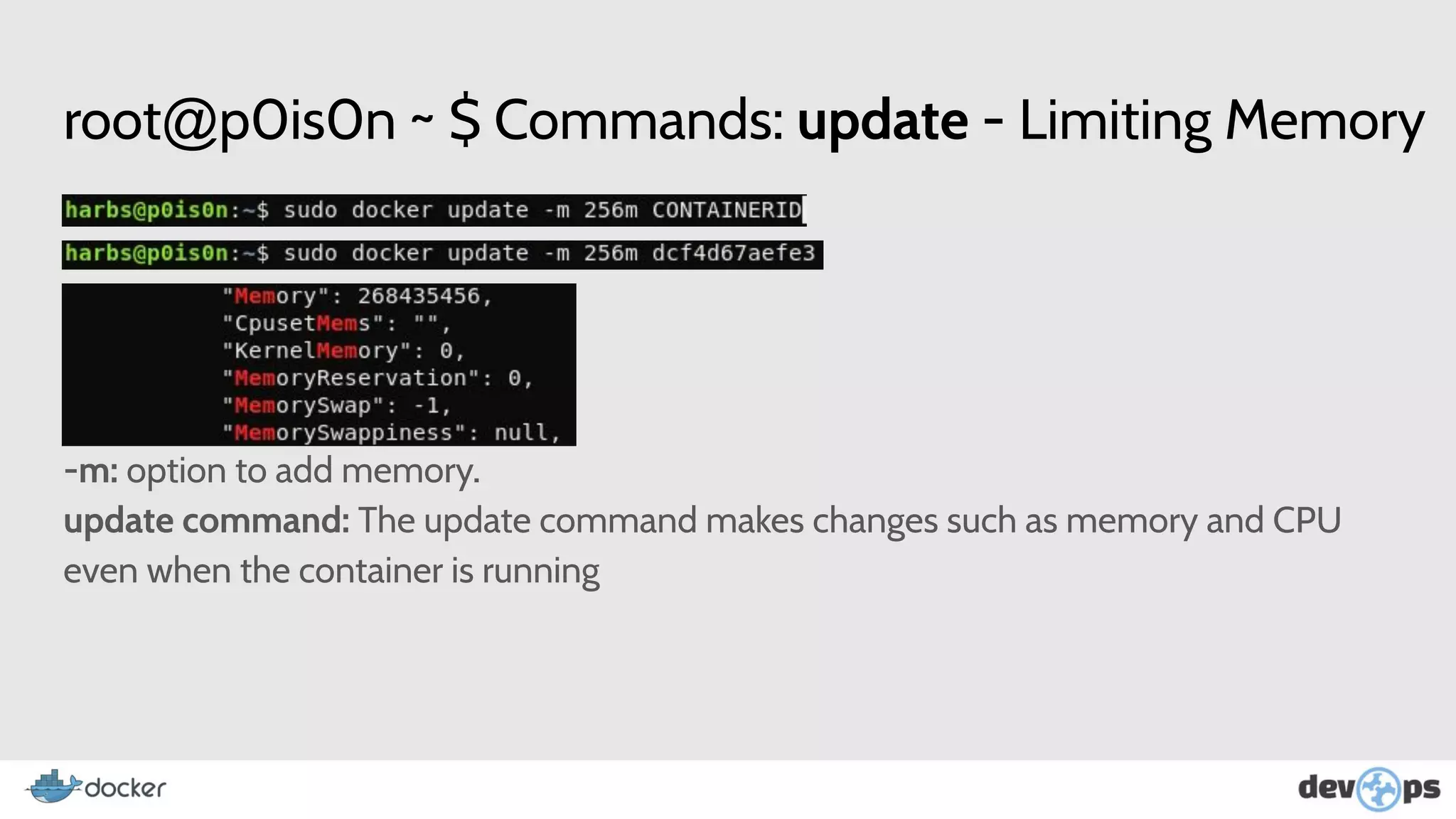
root@p0is0n ~ $ Commands: update - Limiting Memory
-m: option to add memory.
update command: The update command makes changes such as memory and CPU
even when the container is running
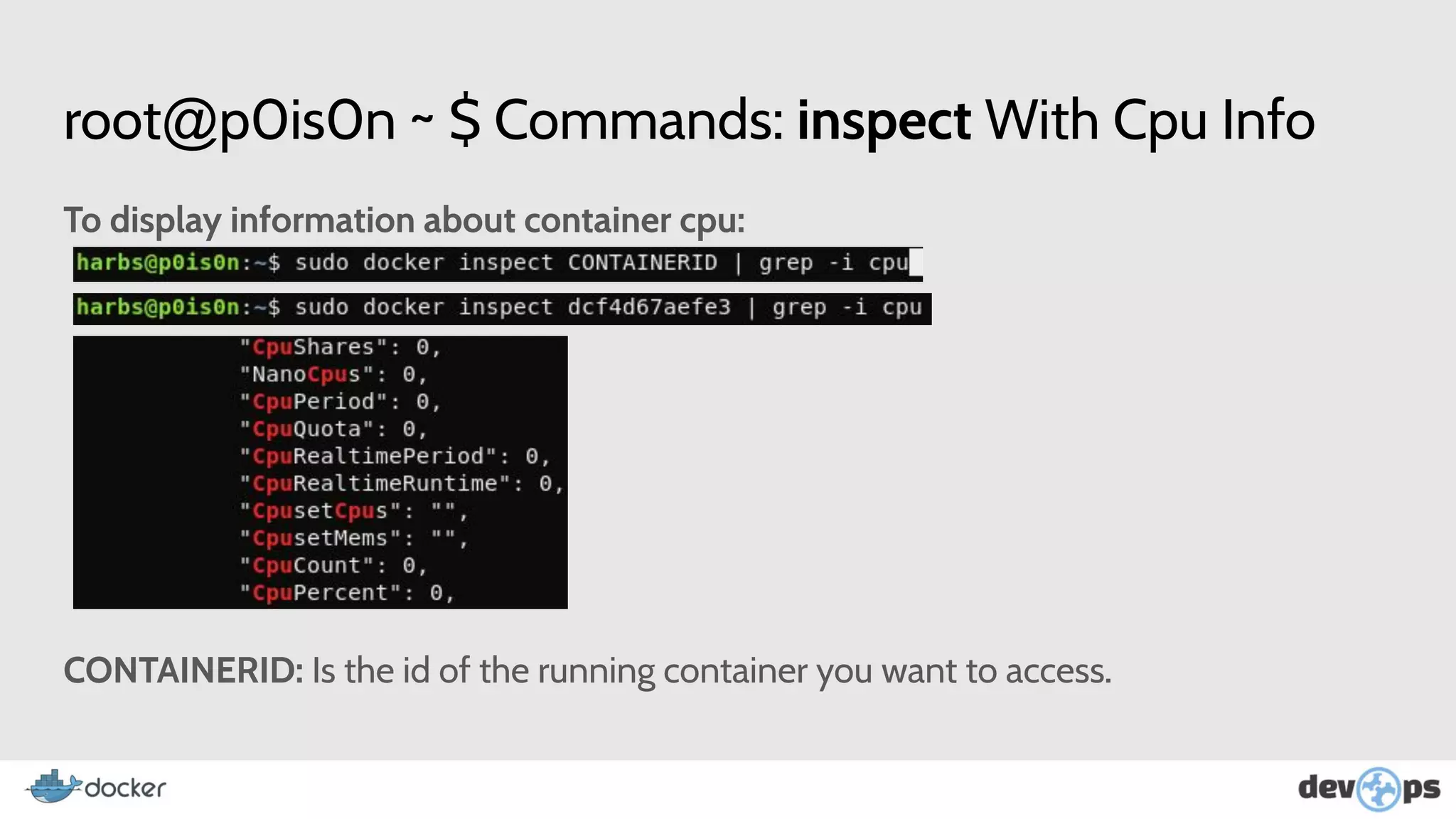
root@p0is0n ~ $ Commands: inspect With Cpu Info
To display information about container cpu:
CONTAINERID: Is the id of the running container you want to access.
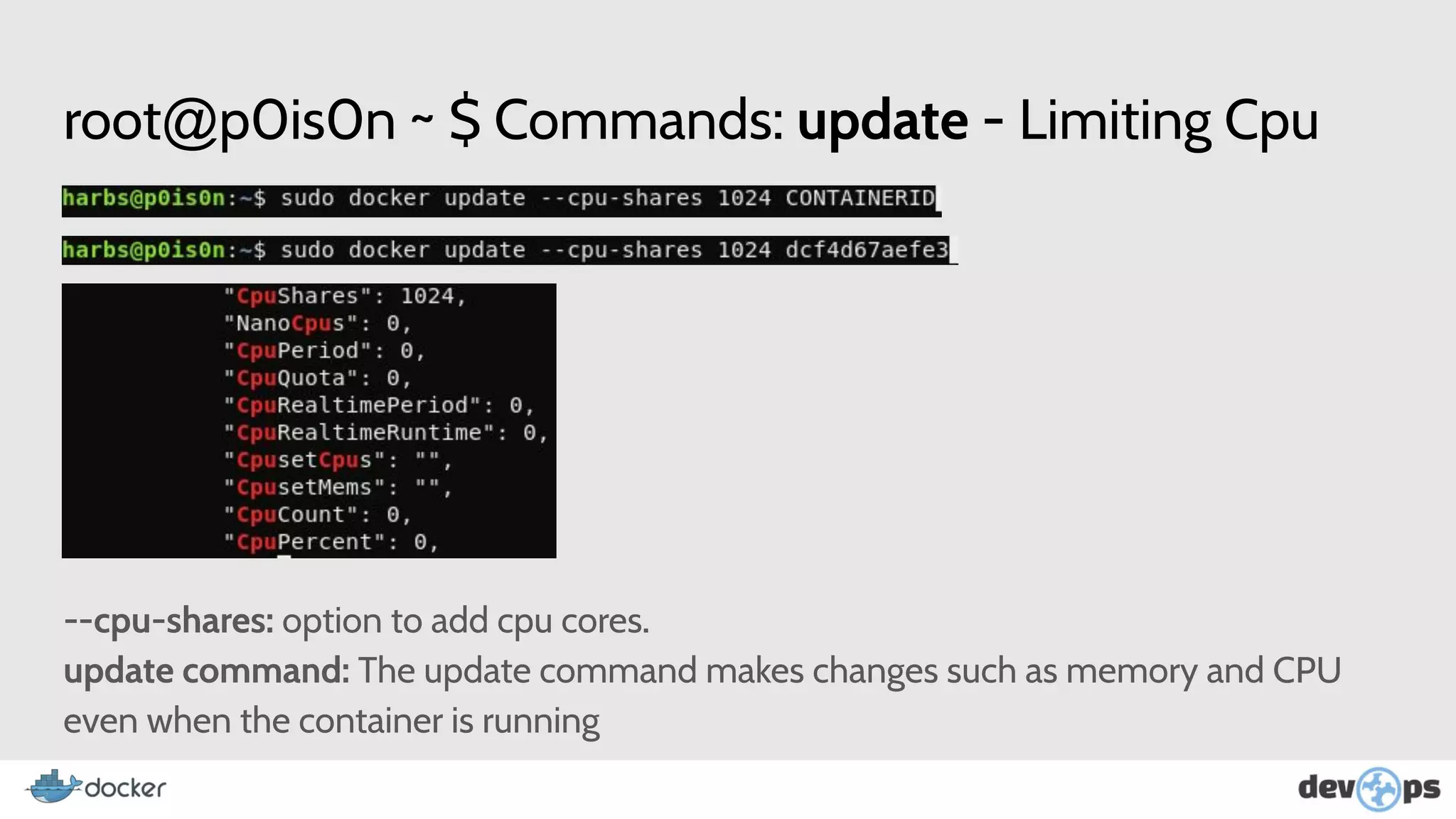
root@p0is0n ~ $ Commands: update - Limiting Cpu
--cpu-shares: option to add cpu cores.
update command: The update command makes changes such as memory and CPU
even when the container is running
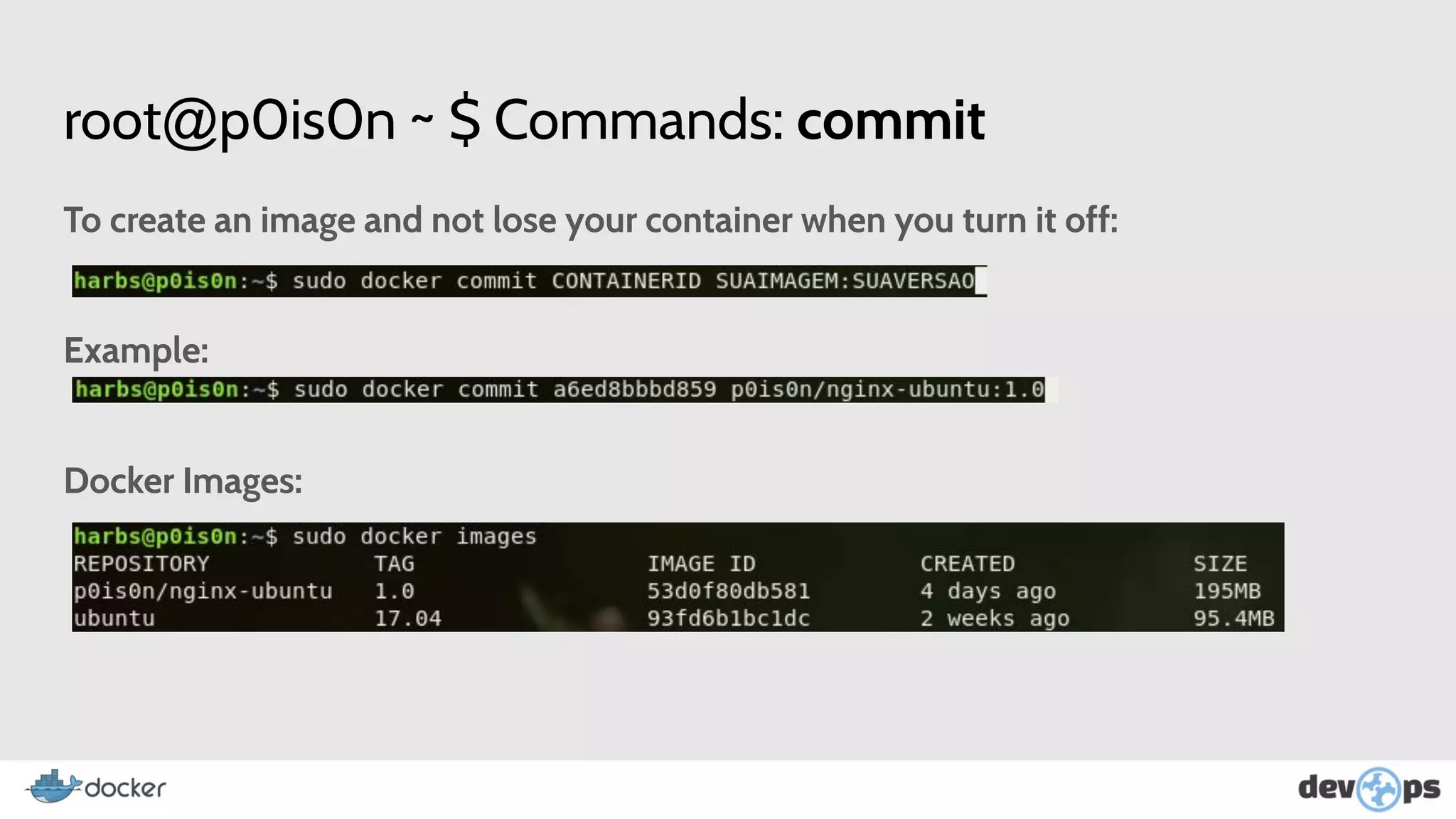
root@p0is0n ~ $ Commands: commit
To create an image and not lose your container when you turn it off:
Example:
Docker Images:
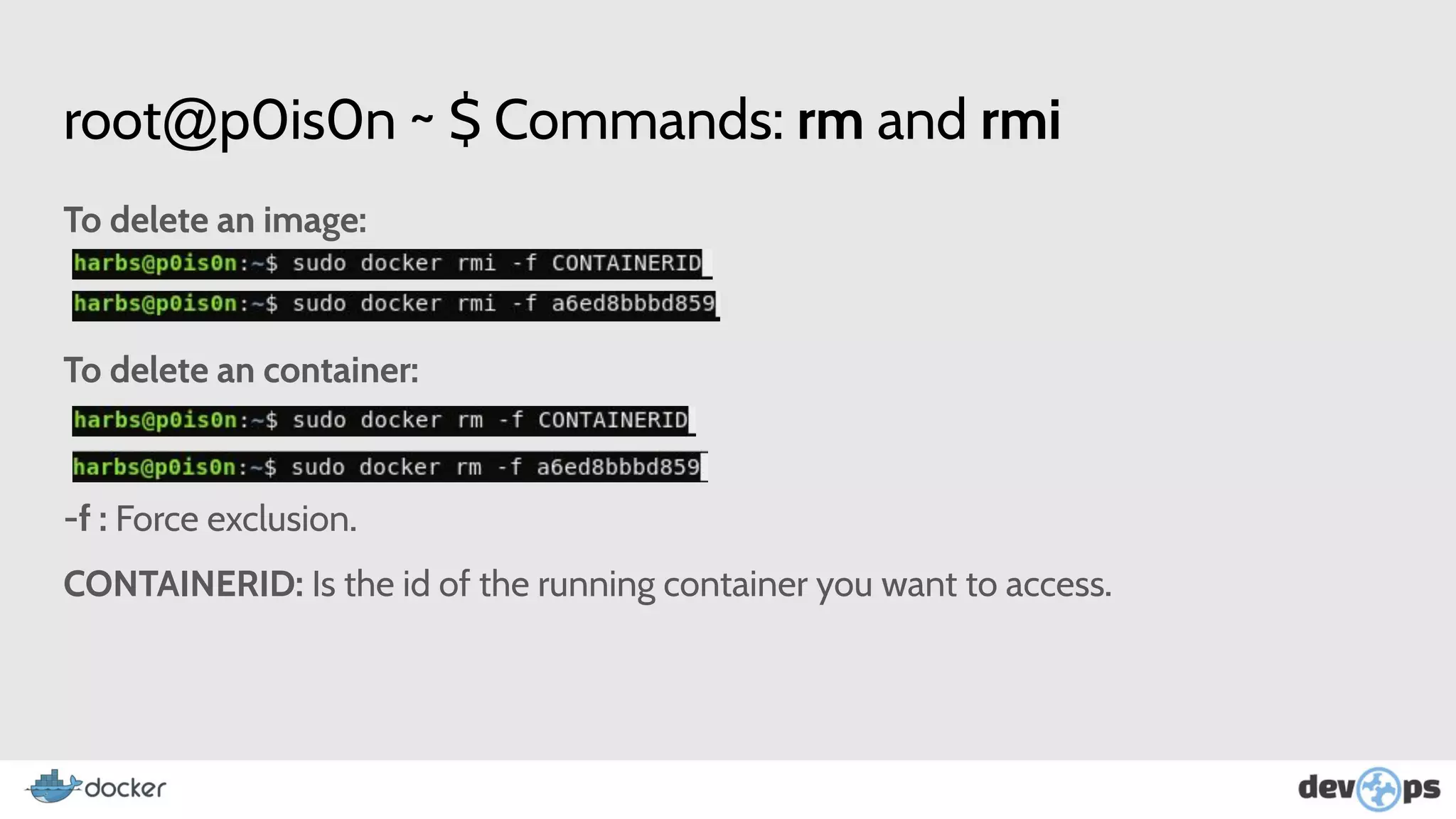
root@p0is0n ~ $ Commands: rm and rmi
To delete an image:
To delete an container:
-f : Force exclusion.
CONTAINERID: Is the id of the running container you want to access.
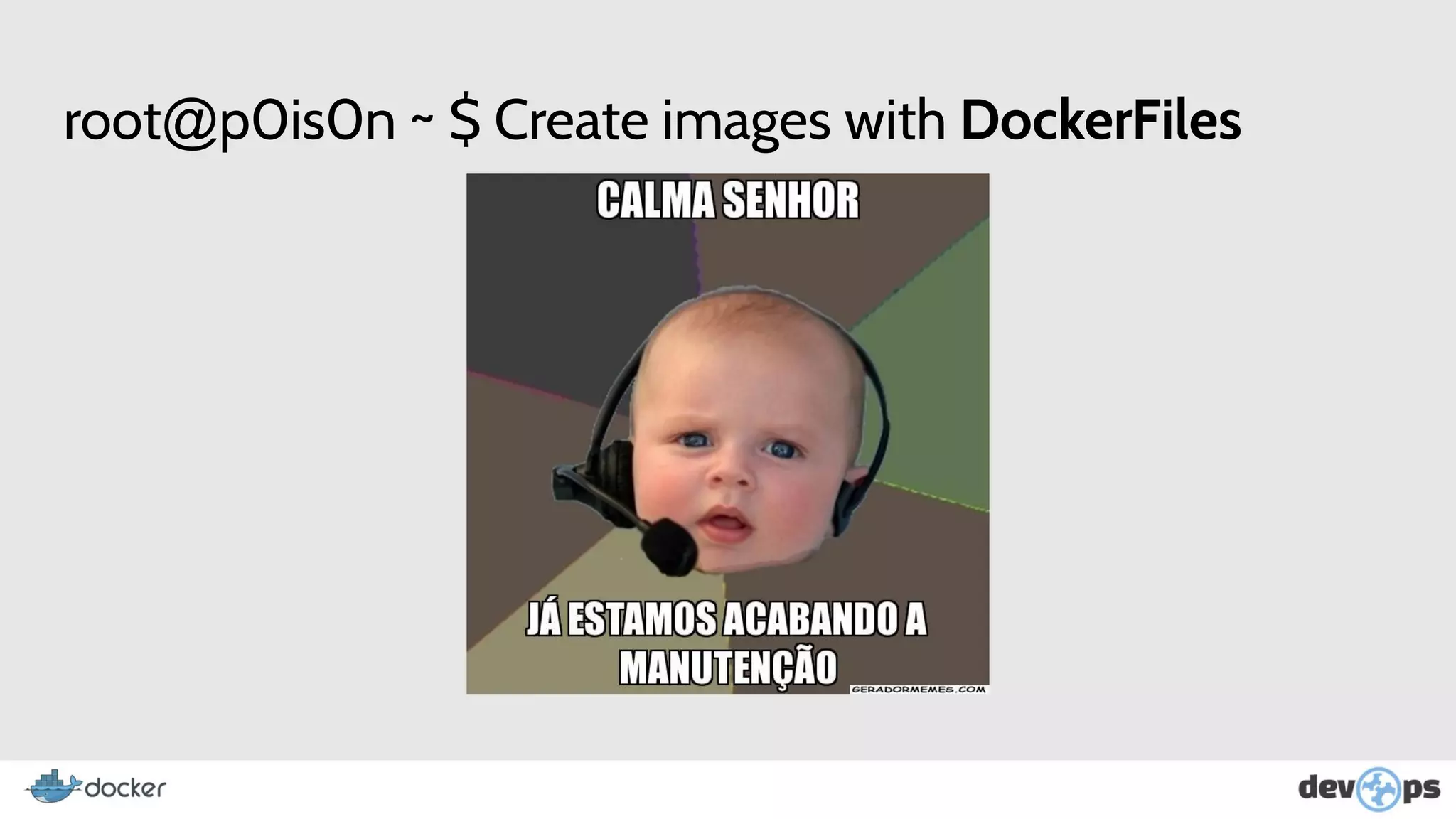
root@p0is0n ~ $ Create images with DockerFiles
root@p0is0n ~ $ DockerFiles (Step by step)
Why all this work if you can automate the creation of your images and containers with
DockerFiles? Ps. Similar to the C MakeFile.
root@p0is0n ~ $ DockerFiles (Step by step)
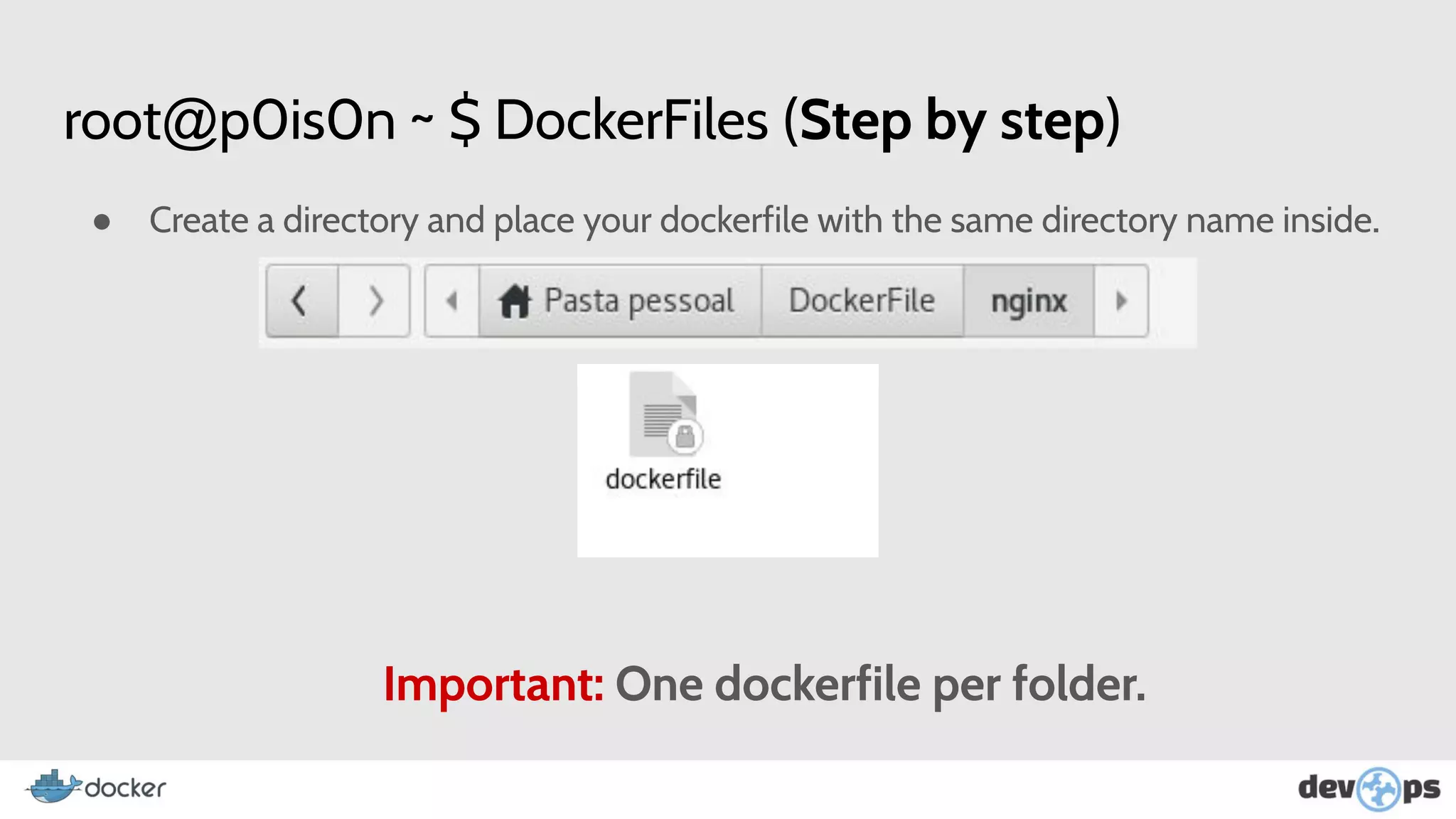
● Create a directory and place your dockerfile with the same directory name inside.
Important: One dockerfile per folder.
root@p0is0n ~ $ DockerFiles (Step by step)
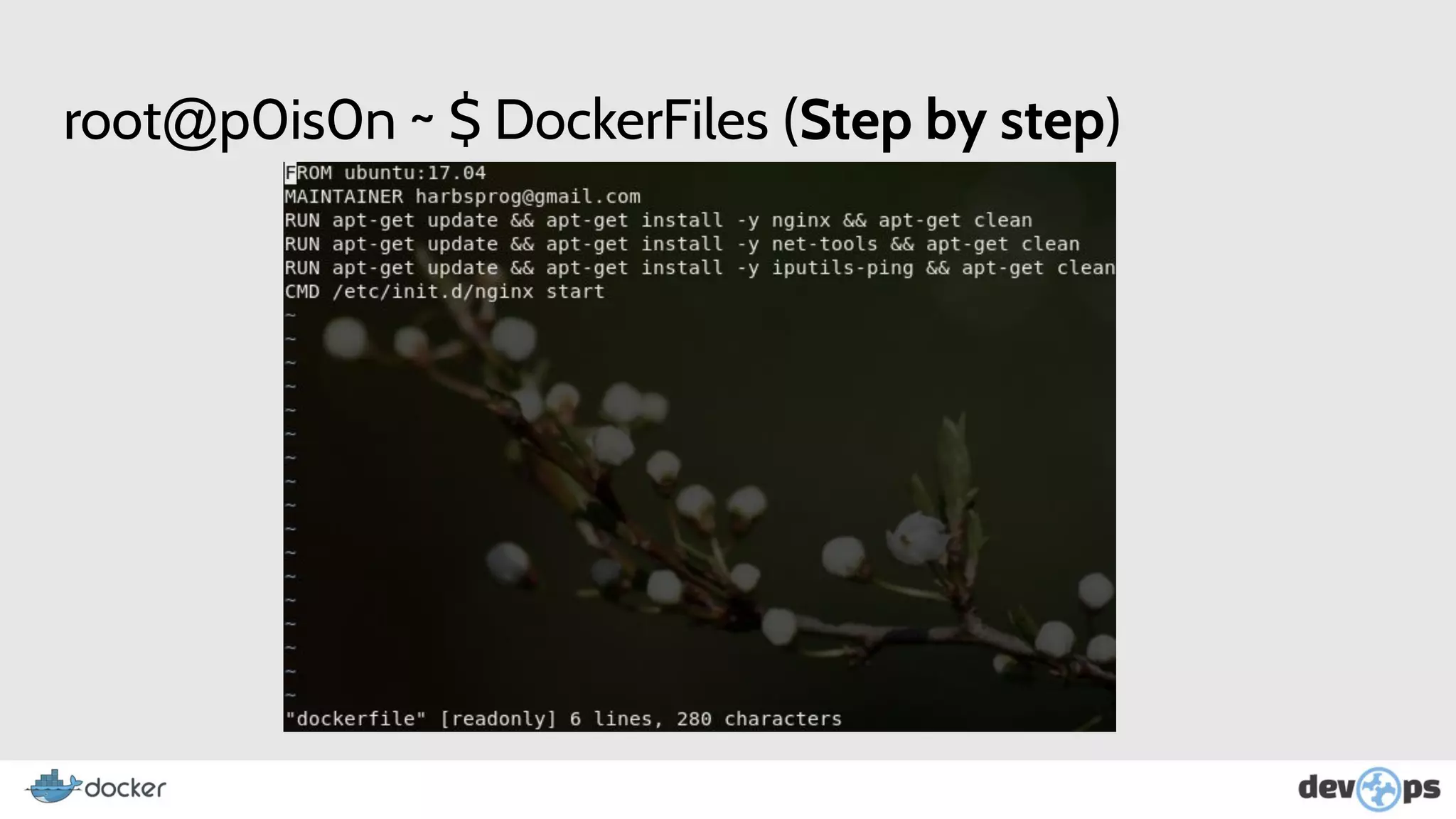
FROM: Base Image.
MAINTAINER: Name of maintainer, creator of image.
RUN: Applications to be installed, codes to be downloaded.
CMD: Processes to be started.
root@p0is0n ~ $ DockerFiles (Step by step)
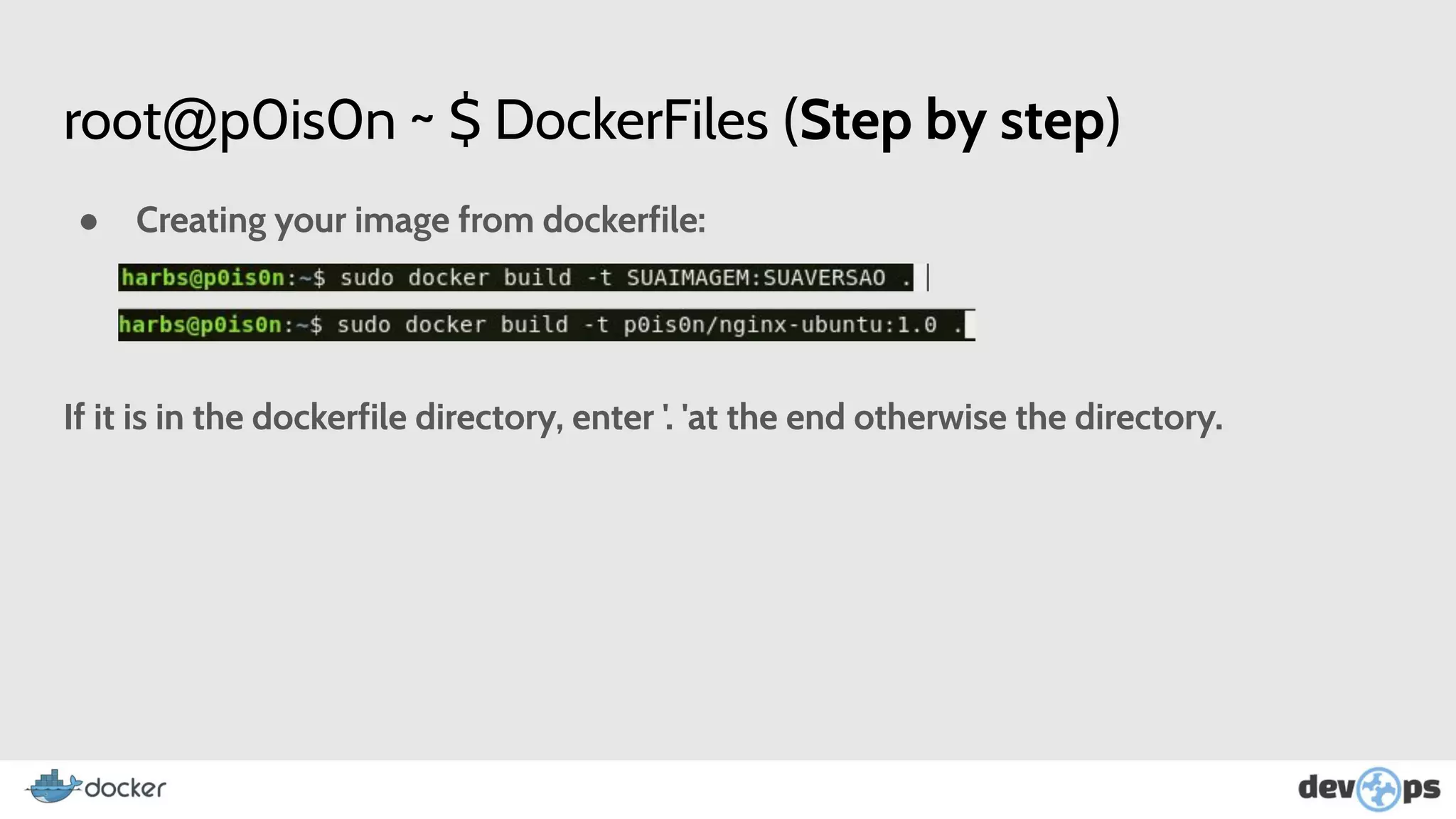
● Creating your image from dockerfile:
If it is in the dockerfile directory, enter '. 'at the end otherwise the directory.
root@p0is0n ~ $ More More More ….
root@p0is0n ~ $ Orchestration Tools
● Rancher OS
● Amazon ECS
● Azure Containers Services
● Cloud Foundry’s Diego
● CoreOS Fleet
root@p0is0n ~ $ Orchestration Tools
● Docker Swarm - Clustering of multiple container images from multiple
docker-hosts.
● Docker Compose - Collaboration between containers as if it were a single service.
● Google Container Engine
● Kubernetes
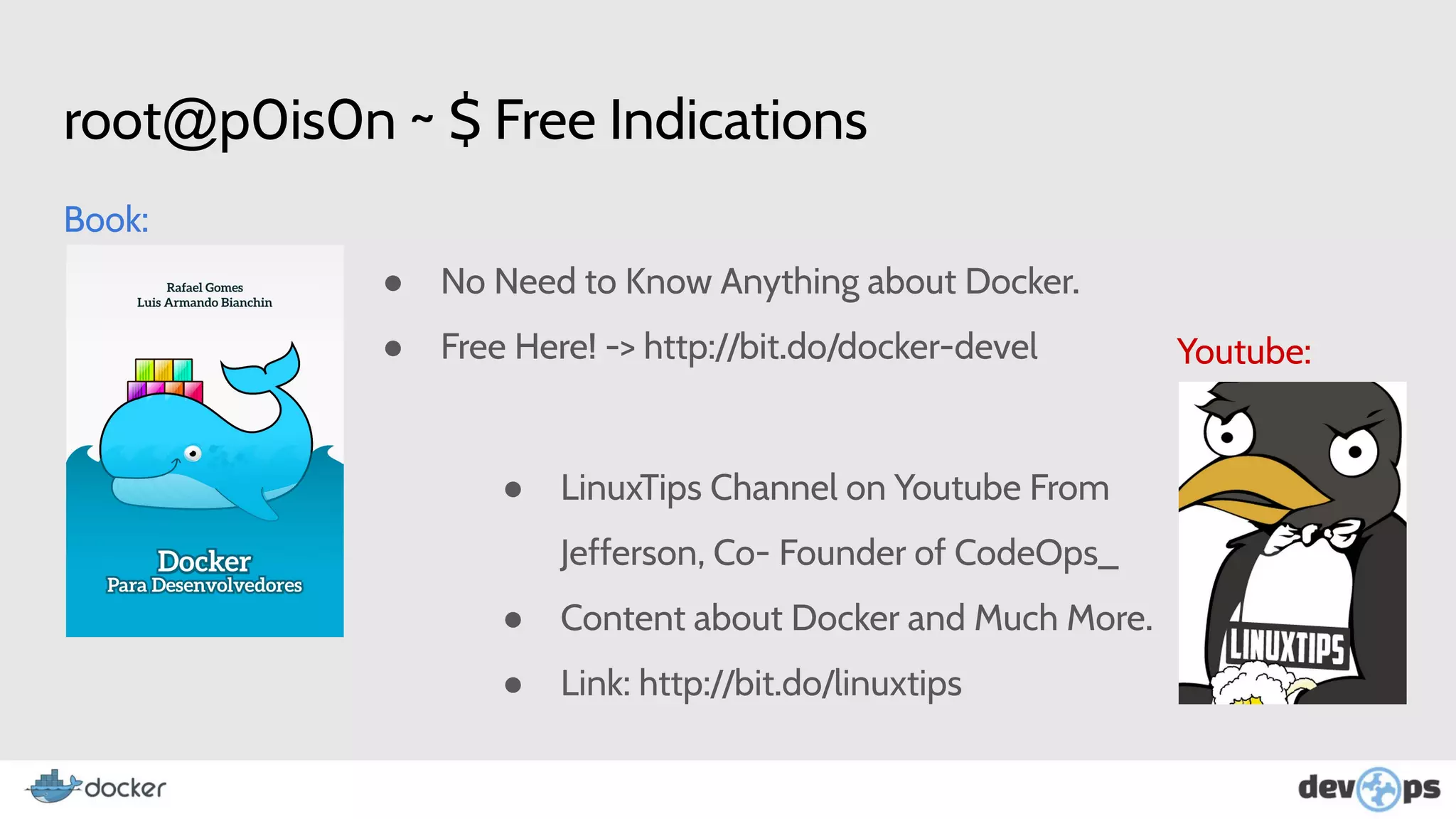
root@p0is0n ~ $ Free Indications
Book:
Youtube:
● No Need to Know Anything about Docker.
● Free Here! -> http://bit.do/docker-devel
● LinuxTips Channel on Youtube From
Jefferson, Co- Founder of CodeOps_
● Content about Docker and Much More.
● Link: http://bit.do/linuxtips
root@p0is0n ~ $ Paid Indications
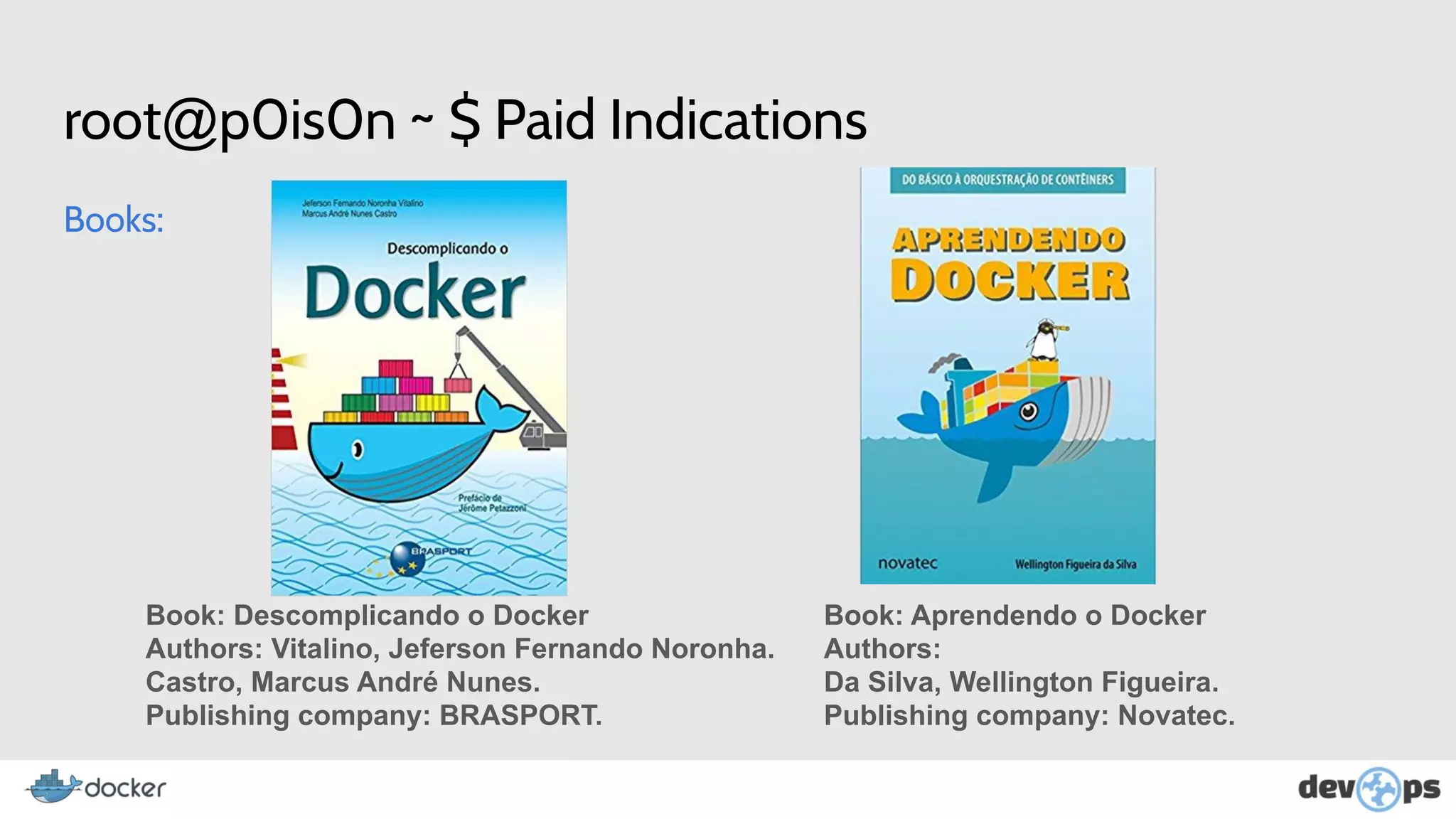
Books:
Book: Descomplicando o Docker
Authors: Vitalino, Jeferson Fernando Noronha.
Castro, Marcus André Nunes.
Publishing company: BRASPORT.
Book: Aprendendo o Docker
Authors:
Da Silva, Wellington Figueira.
Publishing company: Novatec.
root@p0is0n ~ $ Paid Indications
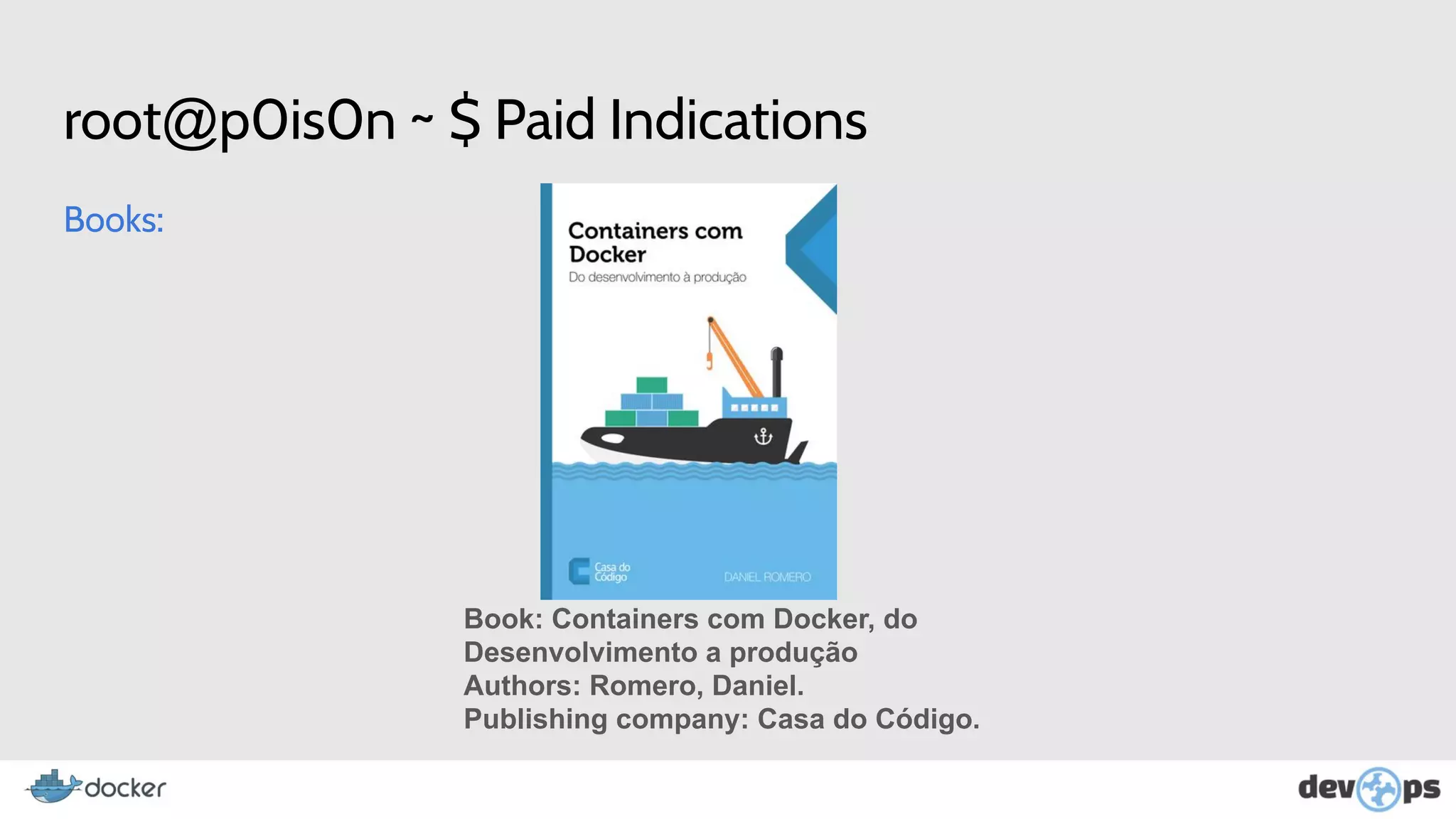
Books:
Book: Containers com Docker, do
Desenvolvimento a produção
Authors: Romero, Daniel.
Publishing company: Casa do Código.
root@p0is0n ~ $ Thx

Work shop - an introduction to the docker ecosystem

  • 1.
  • 2.
    root@p0is0n ~ $Whoami ● Student of the 3rd year of Systems Analysis and Development at IFSP - Campus BRT. ● Web Developer at Williarts. ● <3 - C#, VB.Net, PHP, CSS, JS, NodeJS, React, React Native. ● Twitter/GitHub: @harbsprog ● Areas of interest: ○ Information Security. ○ Programming. ○ Containers and DevOps Culture. ○ Monitoring.
  • 3.
    root@p0is0n ~ $Script ● What is Docker? ● What are Containers? ● What are Images? ● Brief History. ● Companies that use Docker. ● Install and Run Docker. ● Create and Run Container. ● Container interaction commands. ● Build Image.
  • 4.
    root@p0is0n ~ $What is Docker? ● Docker is an open-source platform written in GO whose purpose is to create isolated environments for applications and services ● Allows you to create, run, test and deploy applications distributed within software containers. ● Allows you to deploy applications quickly, reliably and stable, in any environment.
  • 5.
    root@p0is0n ~ $What are Containers?
  • 6.
    root@p0is0n ~ $What are Containers? ● Containers are a method of isolation at the operating system level, where the kernel is shared between Containers and Physical Host. ● Ensure greater speed, reliability, consistency and more granular control of resources, increasing infrastructure efficiency.
  • 7.
    root@p0is0n ~ $VM x Containers?
  • 8.
    root@p0is0n ~ $What are Images? ● A container is based on an image, which will load the libs and services required to run your application. ● it is also possible to create images through some existing one. ● In addition to the images provided by the Docker store (http://bit.do/dockerhub), you can create your own image through Dockerfile, which we'll see in the next chapters. ● Docker Images Are Files Read Only.
  • 9.
    root@p0is0n ~ $What are Images?
  • 10.
    root@p0is0n ~ $Brief History About Docker ● The construction of docker was started by Solomon Hykes, in France, within the company DotCloud in 2008. ● Docker was released as Open Source in March 2013. ● In March 2014 stopped using LXC as environment to use its own libcontainer, written in GO language Created by Google.
  • 11.
    root@p0is0n ~ $Brief History About Containers 1979 Unix v7 2000 FreeBSD Jails
  • 12.
    root@p0is0n ~ $Brief History About Containers 2001 Linux VServer 2004 Oracle Solaris Container
  • 13.
    root@p0is0n ~ $Brief History About Containers 2006 Process Containers 2008 LXC
  • 14.
    root@p0is0n ~ $Brief History About Containers 2011 Warden 2013 Docker
  • 15.
    root@p0is0n ~ $Who Are We? The Docker Project Open Source Project ● 2B+ Docker Images Downloads ● 2000+ Contributors ● 40K+ Github Stars ● 200k+ Dockerized Apps ● 240 Meetups in 70 countries ● 95K Meetup Members Docker Inc. Containers as a Service provider ● Integrated platform for Dev and IT ● Commercial technical support Docker project sponsor ● Primary sponsor of Docker project ● Supports project maintainers
  • 16.
    root@p0is0n ~ $Some Facts About Docker ● More than 500 thousand dockerized applications. Growth of 3100% over 2 years. ● Adoption of Docker has increased more than 30% in the last year. ● About 30% of docker containers are running in production. ● 29% of companies who have heard of Docker plan to use it. ● A January 2017 review of LinkedIn profiles shows that docker skills grew 160% in 2016. ● In Github there are almost 150,000 repositories with some code or something related to Docker.
  • 17.
    root@p0is0n ~ $Companies that use Docker
  • 18.
    Still not convincedto adopt the docker in your life?
  • 19.
    root@p0is0n ~ $Benefits ● Nothing more than "on my machine works". ● Rapid development environment configuration. ● Versioning of images. ● Run applications without compromising host resources. ● Keep multiple versions for testing purposes. ● Ensure that the development environment is equal to that of production.
  • 20.
    root@p0is0n ~ $DevOps + + Dev Team Ops Team
  • 21.
    root@p0is0n ~ $No more ugly faces
  • 22.
    root@p0is0n ~ $Are u Ready?
  • 23.
    root@p0is0n ~ $Install Docker Install Docker: Init Docker: Verify that you have started:
  • 24.
    root@p0is0n ~ $Run Docker (docker ps) Run Docker (docker ps command): CONTAINER ID: Id of Container. IMAGE: Base Image. COMMAND: Running Command. CREATED: Time of existence. STATUS: Is Working or Not. PORTS: Directional doors. NAMES: Name of container
  • 25.
    root@p0is0n ~ $Run Docker (docker images) Run Docker (docker images command): REPOSITORY: Name of Image Repository. TAG: Image Version. IMAGE ID: Id of Image. CREATED: Time of existence. SIZE: Size of Image.
  • 26.
    root@p0is0n ~ $Download Image (docker pull) To download an image from dockerhub: pull: Image Download Command. IMAGEM: Name of Image. VERSAO: Version of Image. PS: comment about push command.
  • 27.
    root@p0is0n ~ $Create Container (docker run) Run Docker (docker run command): -i : Interactivity with the container. -t : Link with terminal. -p : Redirecting ports from the container to the host. 8080(host)|80(container) IMAGENAME or ubuntu: : Image Repository. TAG or 17.04 : Image Version process /bin/bash(<- terminal): Process that would start running in the container.
  • 28.
    root@p0is0n ~ $Inside the Container
  • 29.
    root@p0is0n ~ $Inside the Container Checking if you are inside the container: Look, you are only running the /bin/bash process and ps -ef Now you can test your applications, install programs, deploys ...
  • 30.
    root@p0is0n ~ $Container interaction commands
  • 31.
    root@p0is0n ~ $Container interaction commands Ctrl + D : Closes the container. Proving: Ctrl + P + Q : Exit the container but it continues executing. Proving:
  • 32.
    root@p0is0n ~ $Commands: attach and diff To return to the container that is in the background: CONTAINERID: Is the id of the running container you want to access. To view the changes you have made since the container was created: CONTAINERID: Is the id of the running container you want to access.
  • 33.
    root@p0is0n ~ $Commands: stop, pause and unpause To stop the container: To pause the container: To unpause the container: CONTAINERID: Is the id of the running container you want to access.
  • 34.
    root@p0is0n ~ $Commands: docker ps -a Run Docker (docker ps -a command): This command shows containers that have been closed or stopped.
  • 35.
    root@p0is0n ~ $Commands: top and logs To view container logs: To see how much a process is consuming: CONTAINERID: Is the id of the running container you want to access.
  • 36.
    root@p0is0n ~ $Commands: stats To see how much your container is consuming from the host: CONTAINERID: Is the id of the running container you want to access. Return:
  • 37.
    root@p0is0n ~ $Commands: inspect To display information about the container: CONTAINERID: Is the id of the running container you want to access.
  • 38.
    root@p0is0n ~ $Commands: inspect With Mem Info To display information about container memory: CONTAINERID: Is the id of the running container you want to access.
  • 39.
    root@p0is0n ~ $Commands: update - Limiting Memory -m: option to add memory. update command: The update command makes changes such as memory and CPU even when the container is running
  • 40.
    root@p0is0n ~ $Commands: inspect With Cpu Info To display information about container cpu: CONTAINERID: Is the id of the running container you want to access.
  • 41.
    root@p0is0n ~ $Commands: update - Limiting Cpu --cpu-shares: option to add cpu cores. update command: The update command makes changes such as memory and CPU even when the container is running
  • 42.
    root@p0is0n ~ $Commands: commit To create an image and not lose your container when you turn it off: Example: Docker Images:
  • 43.
    root@p0is0n ~ $Commands: rm and rmi To delete an image: To delete an container: -f : Force exclusion. CONTAINERID: Is the id of the running container you want to access.
  • 44.
    root@p0is0n ~ $Create images with DockerFiles
  • 45.
    root@p0is0n ~ $DockerFiles (Step by step) Why all this work if you can automate the creation of your images and containers with DockerFiles? Ps. Similar to the C MakeFile.
  • 46.
    root@p0is0n ~ $DockerFiles (Step by step) ● Create a directory and place your dockerfile with the same directory name inside. Important: One dockerfile per folder.
  • 47.
    root@p0is0n ~ $DockerFiles (Step by step)
  • 48.
    root@p0is0n ~ $DockerFiles (Step by step) FROM: Base Image. MAINTAINER: Name of maintainer, creator of image. RUN: Applications to be installed, codes to be downloaded. CMD: Processes to be started.
  • 49.
    root@p0is0n ~ $DockerFiles (Step by step) ● Creating your image from dockerfile: If it is in the dockerfile directory, enter '. 'at the end otherwise the directory.
  • 50.
    root@p0is0n ~ $More More More ….
  • 51.
    root@p0is0n ~ $Orchestration Tools ● Rancher OS ● Amazon ECS ● Azure Containers Services ● Cloud Foundry’s Diego ● CoreOS Fleet
  • 52.
    root@p0is0n ~ $Orchestration Tools ● Docker Swarm - Clustering of multiple container images from multiple docker-hosts. ● Docker Compose - Collaboration between containers as if it were a single service. ● Google Container Engine ● Kubernetes
  • 53.
    root@p0is0n ~ $Free Indications Book: Youtube: ● No Need to Know Anything about Docker. ● Free Here! -> http://bit.do/docker-devel ● LinuxTips Channel on Youtube From Jefferson, Co- Founder of CodeOps_ ● Content about Docker and Much More. ● Link: http://bit.do/linuxtips
  • 54.
    root@p0is0n ~ $Paid Indications Books: Book: Descomplicando o Docker Authors: Vitalino, Jeferson Fernando Noronha. Castro, Marcus André Nunes. Publishing company: BRASPORT. Book: Aprendendo o Docker Authors: Da Silva, Wellington Figueira. Publishing company: Novatec.
  • 55.
    root@p0is0n ~ $Paid Indications Books: Book: Containers com Docker, do Desenvolvimento a produção Authors: Romero, Daniel. Publishing company: Casa do Código.
  • 56.