DIGITIZATION USING ERDAS

By
SWETHA.A
5WD12CGI15
Run ERDAS software
 Open a new viewer i.e. viewer1



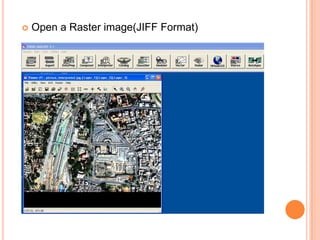
Open a Raster image(JIFF Format)


Open a new vector layer
POLYGON FEATURE DIGITIZATION


Make sure to open the new vector layer in
.shp (shapefile) format and name it.


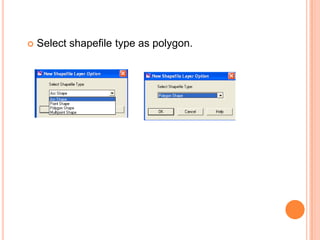
Select shapefile type as polygon.


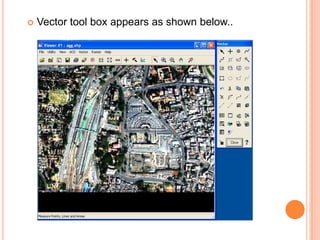
Vector tool box appears as shown below..


Use
symbol to draw polygon features which are
present on satellite image.


Output file only with polygon features are depicted.
LINE FEATURE
DIGITIZATION


Make sure to open the new vector layer in
.shp (shapefile) format and name it.


Select shapefile type as “Arc Shape(Line)”.


Vector tool box appears as shown below..


Use
symbol to draw line features which are
present on satellite image.


Output file only with Line features are depicted.
POINT FEATURE
DIGITIZATION


Make sure to open the new vector layer in
.shp (shapefile) format and name it.


Select shapefile type as “Arc Shape(Line)”.


Vector tool box appears as shown below..


Use
symbol to draw line features which are
present on satellite image.


Output file only with „Point‟ features are depicted.
COMBINATION OF ALL LAYERS
THANKS

Digitising using ERDAS software