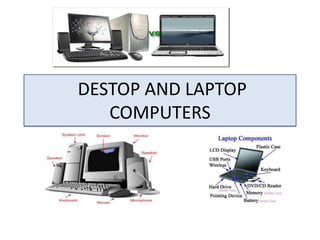
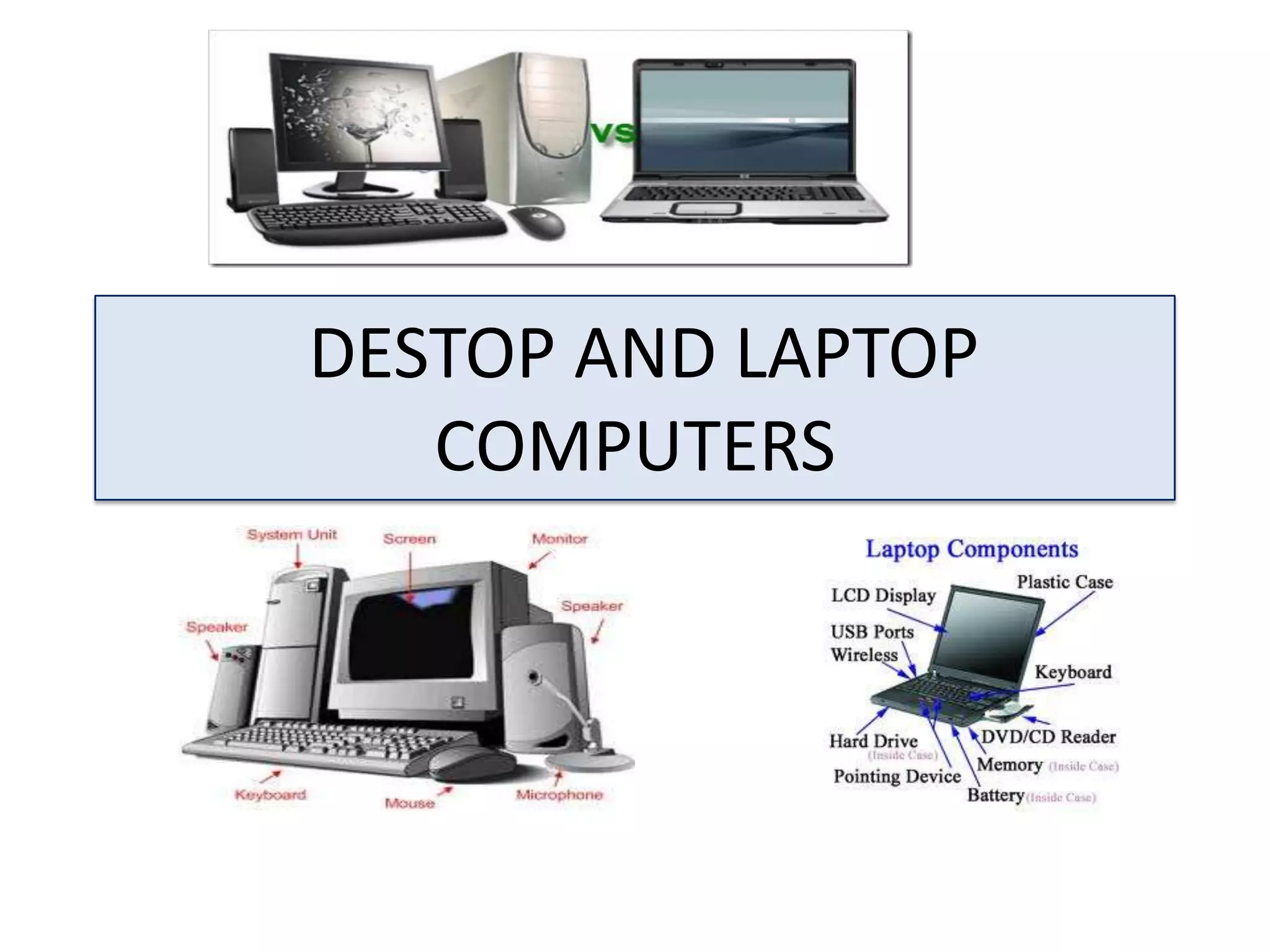
DESTOP AND LAPTOP
COMPUTERS
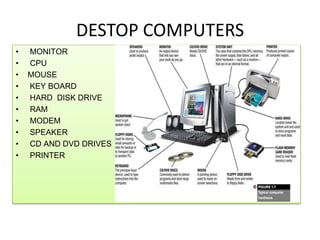
DESTOP COMPUTERS
•
•
•
•
•
•
•
•
•
•

MONITOR
CPU
MOUSE
KEY BOARD
HARD DISK DRIVE
RAM
MODEM
SPEAKER
CD AND DVD DRIVES
PRINTER
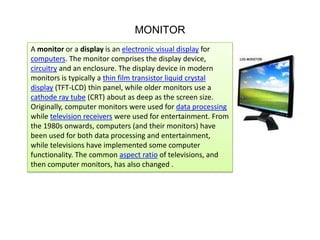
MONITOR
A monitor or a display is an electronic visual display for
computers. The monitor comprises the display device,
circuitry and an enclosure. The display device in modern
monitors is typically a thin film transistor liquid crystal
display (TFT-LCD) thin panel, while older monitors use a
cathode ray tube (CRT) about as deep as the screen size.
Originally, computer monitors were used for data processing
while television receivers were used for entertainment. From
the 1980s onwards, computers (and their monitors) have
been used for both data processing and entertainment,
while televisions have implemented some computer
functionality. The common aspect ratio of televisions, and
then computer monitors, has also changed .
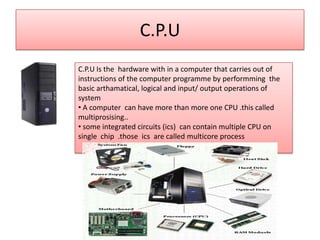
C.P.U
C.P.U Is the hardware with in a computer that carries out of
instructions of the computer programme by performming the
basic arthamatical, logical and input/ output operations of
system
• A computer can have more than more one CPU .this called
multiprosising..
• some integrated circuits (ics) can contain multiple CPU on
single chip .those ics are called multicore process
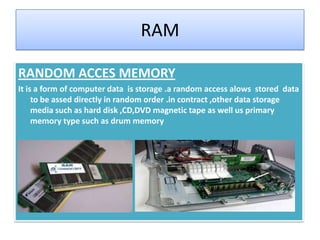
RAM
RANDOM ACCES MEMORY
It is a form of computer data is storage .a random access alows stored data
to be assed directly in random order .in contract ,other data storage
media such as hard disk ,CD,DVD magnetic tape as well us primary
memory type such as drum memory
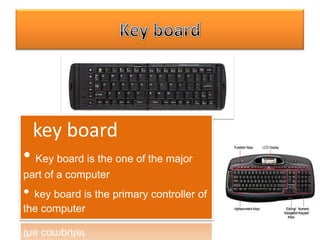
key board
• Key board is the one of the major
part of a computer

• key board is the primary controller of
the computer
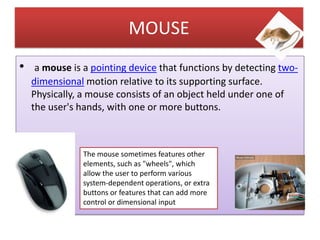
MOUSE
•

a mouse is a pointing device that functions by detecting twodimensional motion relative to its supporting surface.
Physically, a mouse consists of an object held under one of
the user's hands, with one or more buttons.

The mouse sometimes features other
elements, such as "wheels", which
allow the user to perform various
system-dependent operations, or extra
buttons or features that can add more
control or dimensional input
HARD DISC DRIVE
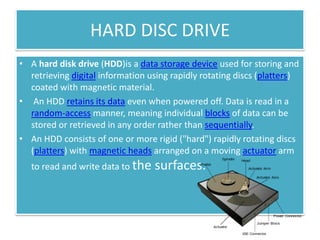
• A hard disk drive (HDD)is a data storage device used for storing and
retrieving digital information using rapidly rotating discs (platters)
coated with magnetic material.
• An HDD retains its data even when powered off. Data is read in a
random-access manner, meaning individual blocks of data can be
stored or retrieved in any order rather than sequentially.
• An HDD consists of one or more rigid ("hard") rapidly rotating discs
(platters) with magnetic heads arranged on a moving actuator arm
to read and write data to the

surfaces.
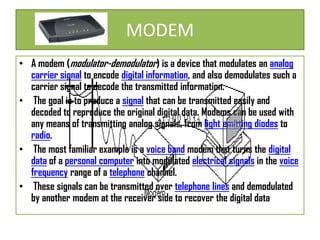
MODEM
• A modem (modulator-demodulator) is a device that modulates an analog
carrier signal to encode digital information, and also demodulates such a
carrier signal to decode the transmitted information.
• The goal is to produce a signal that can be transmitted easily and
decoded to reproduce the original digital data. Modems can be used with
any means of transmitting analog signals, from light emitting diodes to
radio.
• The most familiar example is a voice band modem that turns the digital
data of a personal computer into modulated electrical signals in the voice
frequency range of a telephone channel.
• These signals can be transmitted over telephone lines and demodulated
by another modem at the receiver side to recover the digital data
SPEAKER

Computer speakers, or multimedia
speakers were introduced by altec lansing
in 1990.
1] They are speakers external to a
computer, that disable the lower fidelity
built-in speaker. They often have a lowpower internal amplifier.
The standard audio connection is a 3.5 mm
(approximately 1/8 inch) stereo phone
connector often color-coded lime green
(following the PC 99 standard) for
computer sound cards.
CD & DVD DRIVES
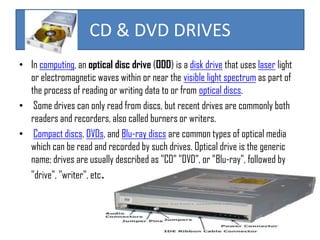
• In computing, an optical disc drive (ODD) is a disk drive that uses laser light
or electromagnetic waves within or near the visible light spectrum as part of
the process of reading or writing data to or from optical discs.
• Some drives can only read from discs, but recent drives are commonly both
readers and recorders, also called burners or writers.
• Compact discs, DVDs, and Blu-ray discs are common types of optical media
which can be read and recorded by such drives. Optical drive is the generic
name; drives are usually described as "CD" "DVD", or "Blu-ray", followed by
"drive", "writer", etc.
PRINTERS
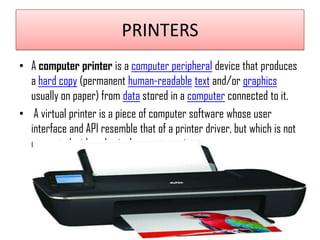
• A computer printer is a computer peripheral device that produces
a hard copy (permanent human-readable text and/or graphics
usually on paper) from data stored in a computer connected to it.
• A virtual printer is a piece of computer software whose user
interface and API resemble that of a printer driver, but which is not
connected with a physical computer printer
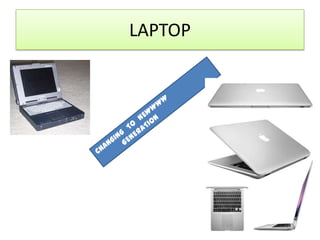
LAPTOP
DIFFERS B/W LAPTOP & DESTOP
• HOW LAPTOPS ARE LIKE DESKTOPS
For the most part, laptops have the same
major parts as desktops: microprocessor
• operating system
• solid-state memory
• disk drives
• input/output ports
• sound cards and speakers
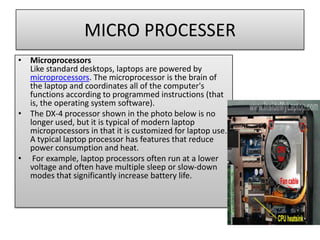
MICRO PROCESSER
• Microprocessors
Like standard desktops, laptops are powered by
microprocessors. The microprocessor is the brain of
the laptop and coordinates all of the computer's
functions according to programmed instructions (that
is, the operating system software).
• The DX-4 processor shown in the photo below is no
longer used, but it is typical of modern laptop
microprocessors in that it is customized for laptop use.
A typical laptop processor has features that reduce
power consumption and heat.
• For example, laptop processors often run at a lower
voltage and often have multiple sleep or slow-down
modes that significantly increase battery life.
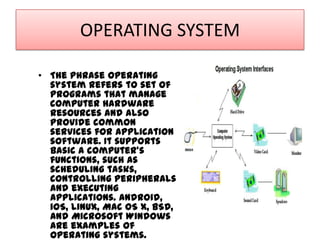
OPERATING SYSTEM
• The phrase operating
system refers to set of
programs that manage
computer hardware
resources and also
provide common
services for application
software. It supports
basic a computer's
functions, such as
scheduling tasks,
controlling peripherals
and executing
applications. Android,
iOS, Linux, Mac OS X, BSD,
and Microsoft Windows
are examples of
operating systems.
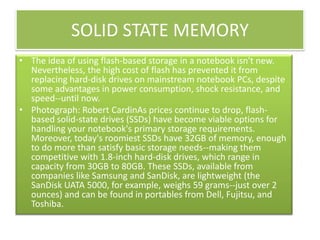
SOLID STATE MEMORY
• The idea of using flash-based storage in a notebook isn't new.
Nevertheless, the high cost of flash has prevented it from
replacing hard-disk drives on mainstream notebook PCs, despite
some advantages in power consumption, shock resistance, and
speed--until now.
• Photograph: Robert CardinAs prices continue to drop, flashbased solid-state drives (SSDs) have become viable options for
handling your notebook's primary storage requirements.
Moreover, today's roomiest SSDs have 32GB of memory, enough
to do more than satisfy basic storage needs--making them
competitive with 1.8-inch hard-disk drives, which range in
capacity from 30GB to 80GB. These SSDs, available from
companies like Samsung and SanDisk, are lightweight (the
SanDisk UATA 5000, for example, weighs 59 grams--just over 2
ounces) and can be found in portables from Dell, Fujitsu, and
Toshiba.
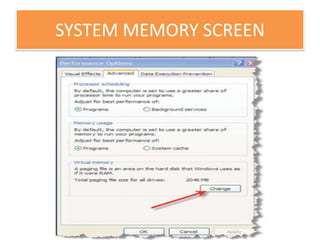
SYSTEM MEMORY SCREEN
OPTICAL DRIVE
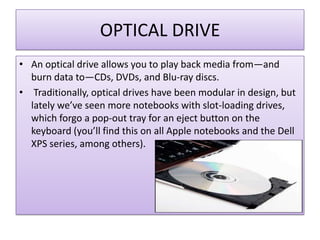
• An optical drive allows you to play back media from—and
burn data to—CDs, DVDs, and Blu-ray discs.
• Traditionally, optical drives have been modular in design, but
lately we’ve seen more notebooks with slot-loading drives,
which forgo a pop-out tray for an eject button on the
keyboard (you’ll find this on all Apple notebooks and the Dell
XPS series, among others).
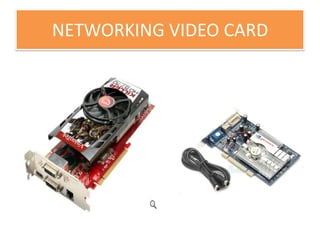
NETWORKING VIDEO CARD

DESTOP COMPUTER V/S LAPTOPS - Stegin.joy@bca.christuniversity.in

  • 1.
  • 2.
  • 3.
    MONITOR A monitor ora display is an electronic visual display for computers. The monitor comprises the display device, circuitry and an enclosure. The display device in modern monitors is typically a thin film transistor liquid crystal display (TFT-LCD) thin panel, while older monitors use a cathode ray tube (CRT) about as deep as the screen size. Originally, computer monitors were used for data processing while television receivers were used for entertainment. From the 1980s onwards, computers (and their monitors) have been used for both data processing and entertainment, while televisions have implemented some computer functionality. The common aspect ratio of televisions, and then computer monitors, has also changed .
  • 4.
    C.P.U C.P.U Is thehardware with in a computer that carries out of instructions of the computer programme by performming the basic arthamatical, logical and input/ output operations of system • A computer can have more than more one CPU .this called multiprosising.. • some integrated circuits (ics) can contain multiple CPU on single chip .those ics are called multicore process
  • 5.
    RAM RANDOM ACCES MEMORY Itis a form of computer data is storage .a random access alows stored data to be assed directly in random order .in contract ,other data storage media such as hard disk ,CD,DVD magnetic tape as well us primary memory type such as drum memory
  • 6.
    key board • Keyboard is the one of the major part of a computer • key board is the primary controller of the computer
  • 7.
    MOUSE • a mouse isa pointing device that functions by detecting twodimensional motion relative to its supporting surface. Physically, a mouse consists of an object held under one of the user's hands, with one or more buttons. The mouse sometimes features other elements, such as "wheels", which allow the user to perform various system-dependent operations, or extra buttons or features that can add more control or dimensional input
  • 8.
    HARD DISC DRIVE •A hard disk drive (HDD)is a data storage device used for storing and retrieving digital information using rapidly rotating discs (platters) coated with magnetic material. • An HDD retains its data even when powered off. Data is read in a random-access manner, meaning individual blocks of data can be stored or retrieved in any order rather than sequentially. • An HDD consists of one or more rigid ("hard") rapidly rotating discs (platters) with magnetic heads arranged on a moving actuator arm to read and write data to the surfaces.
  • 9.
    MODEM • A modem(modulator-demodulator) is a device that modulates an analog carrier signal to encode digital information, and also demodulates such a carrier signal to decode the transmitted information. • The goal is to produce a signal that can be transmitted easily and decoded to reproduce the original digital data. Modems can be used with any means of transmitting analog signals, from light emitting diodes to radio. • The most familiar example is a voice band modem that turns the digital data of a personal computer into modulated electrical signals in the voice frequency range of a telephone channel. • These signals can be transmitted over telephone lines and demodulated by another modem at the receiver side to recover the digital data
  • 10.
    SPEAKER Computer speakers, ormultimedia speakers were introduced by altec lansing in 1990. 1] They are speakers external to a computer, that disable the lower fidelity built-in speaker. They often have a lowpower internal amplifier. The standard audio connection is a 3.5 mm (approximately 1/8 inch) stereo phone connector often color-coded lime green (following the PC 99 standard) for computer sound cards.
  • 11.
    CD & DVDDRIVES • In computing, an optical disc drive (ODD) is a disk drive that uses laser light or electromagnetic waves within or near the visible light spectrum as part of the process of reading or writing data to or from optical discs. • Some drives can only read from discs, but recent drives are commonly both readers and recorders, also called burners or writers. • Compact discs, DVDs, and Blu-ray discs are common types of optical media which can be read and recorded by such drives. Optical drive is the generic name; drives are usually described as "CD" "DVD", or "Blu-ray", followed by "drive", "writer", etc.
  • 12.
    PRINTERS • A computerprinter is a computer peripheral device that produces a hard copy (permanent human-readable text and/or graphics usually on paper) from data stored in a computer connected to it. • A virtual printer is a piece of computer software whose user interface and API resemble that of a printer driver, but which is not connected with a physical computer printer
  • 13.
  • 14.
    DIFFERS B/W LAPTOP& DESTOP • HOW LAPTOPS ARE LIKE DESKTOPS For the most part, laptops have the same major parts as desktops: microprocessor • operating system • solid-state memory • disk drives • input/output ports • sound cards and speakers
  • 15.
    MICRO PROCESSER • Microprocessors Likestandard desktops, laptops are powered by microprocessors. The microprocessor is the brain of the laptop and coordinates all of the computer's functions according to programmed instructions (that is, the operating system software). • The DX-4 processor shown in the photo below is no longer used, but it is typical of modern laptop microprocessors in that it is customized for laptop use. A typical laptop processor has features that reduce power consumption and heat. • For example, laptop processors often run at a lower voltage and often have multiple sleep or slow-down modes that significantly increase battery life.
  • 16.
    OPERATING SYSTEM • Thephrase operating system refers to set of programs that manage computer hardware resources and also provide common services for application software. It supports basic a computer's functions, such as scheduling tasks, controlling peripherals and executing applications. Android, iOS, Linux, Mac OS X, BSD, and Microsoft Windows are examples of operating systems.
  • 17.
    SOLID STATE MEMORY •The idea of using flash-based storage in a notebook isn't new. Nevertheless, the high cost of flash has prevented it from replacing hard-disk drives on mainstream notebook PCs, despite some advantages in power consumption, shock resistance, and speed--until now. • Photograph: Robert CardinAs prices continue to drop, flashbased solid-state drives (SSDs) have become viable options for handling your notebook's primary storage requirements. Moreover, today's roomiest SSDs have 32GB of memory, enough to do more than satisfy basic storage needs--making them competitive with 1.8-inch hard-disk drives, which range in capacity from 30GB to 80GB. These SSDs, available from companies like Samsung and SanDisk, are lightweight (the SanDisk UATA 5000, for example, weighs 59 grams--just over 2 ounces) and can be found in portables from Dell, Fujitsu, and Toshiba.
  • 18.
  • 19.
    OPTICAL DRIVE • Anoptical drive allows you to play back media from—and burn data to—CDs, DVDs, and Blu-ray discs. • Traditionally, optical drives have been modular in design, but lately we’ve seen more notebooks with slot-loading drives, which forgo a pop-out tray for an eject button on the keyboard (you’ll find this on all Apple notebooks and the Dell XPS series, among others).
  • 20.