.
“FUNDAMENTALS OF
COMPUTER”
By
Prof. Anand N. Gharu
(Assistant Professor)
PVGCOE Computer Dept.
11th July 2020
.
Contents
 History
 Introduction
 Block Diagram
 Part of Computer
 Input device
 Output device
 Storage device
 Pheripheral devices
 Internal component
 Types of computer
 Types of Keyboard & Mouse
 Types of Scanner and Printer
 Other Hardwares
 Operating System
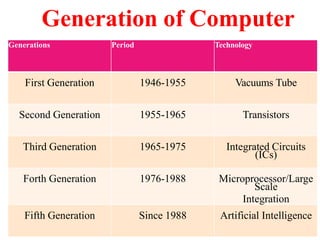
Generation of Computer
Generations Period Technology
First Generation 1946-1955 Vacuums Tube
Second Generation 1955-1965 Transistors
Third Generation 1965-1975 Integrated Circuits
(ICs)
Forth Generation 1976-1988 Microprocessor/Large
Scale
Integration
Fifth Generation Since 1988 Artificial Intelligence
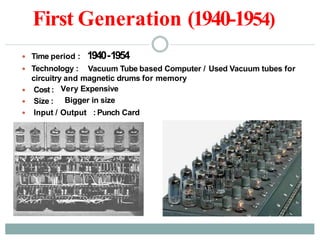
First Generation (1940-1954)
 Time period :
 Technology :
1940-1954
Vacuum Tube based Computer / Used Vacuum tubes for
circuitry and magnetic drums for memory
Very Expensive
Bigger in size
 Cost :
 Size :
 Input / Output : Punch Card
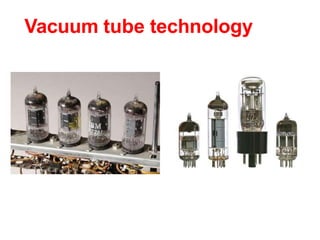
Vacuum tube technology
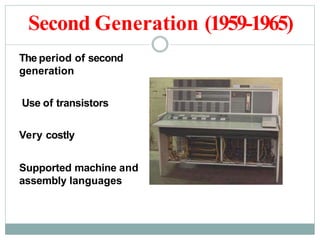
Second Generation (1959-1965)
The period of second
generation
Use of transistors
Very costly
Supported machine and
assembly languages
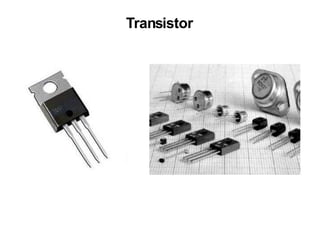
Transistor
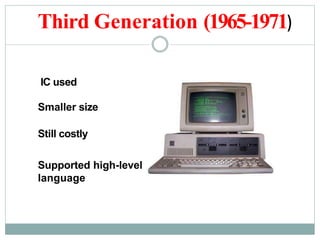
Third Generation (1965-1971)
IC used
Smaller size
Still costly
Supported high-level
language
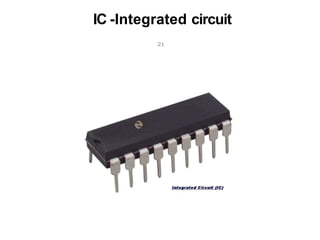
IC -Integrated circuit
21
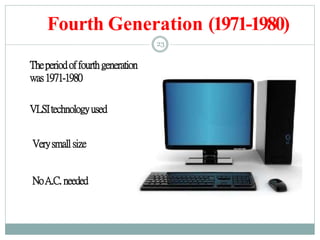
Fourth Generation (1971-1980)
23
Theperiodoffourthgeneration
was1971-1980
VLSItechnologyused
Verysmallsize
NoA.C. needed
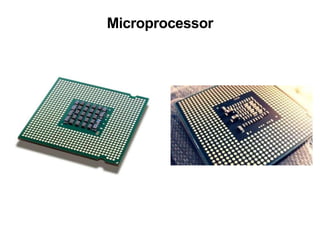
Microprocessor
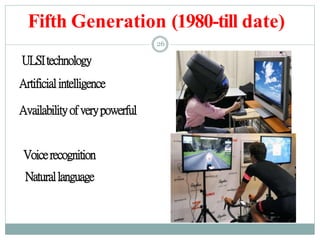
Fifth Generation (1980-till date)
26
ULSItechnology
Artificialintelligence
Availabilityofverypowerful
Voicerecognition
Naturallanguage
INTRODUCTION
INTRODUCTION
WHAT IS ACOMPUTER?
 The word “Computer” is derived from the word “Compute”.
 It means to calculate. We all are familiar with calculations in our
day-to-day life. We apply mathematical operations like addition,
subtraction, multiplication, division, etc. and many other
formulae for calculations.
 Simple calculations take less time. But complex calculations
take much longer time. Another factor is accuracy in
calculations.
 So man explored with the idea to develop a machine, which can
perform this type of arithmetic calculation faster, and with full
accuracy. This gave birth to a device or machine called
“computer”.
DEFINITION OF A COMPUTER
“A computer is an electronic device,
which can be programmed to perform high-
speed mathematical or logical operations.
 Computer accepts, stores, manipulates and
processes information in binary format and
display the results in a human understandable
language.”
WHAT IS COMPUTER?
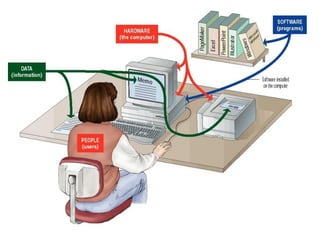
 A computer is an electronic device used to
process data.
 A computer can convert data into information
that is useful to people.
 A complete computer system includes four
distinct parts:
Hardware
Software
Data
User
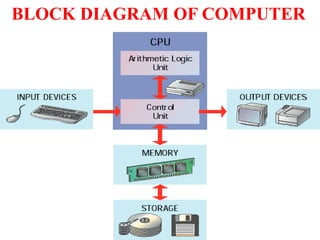
BLOCK DIAGRAM OF COMPUTER
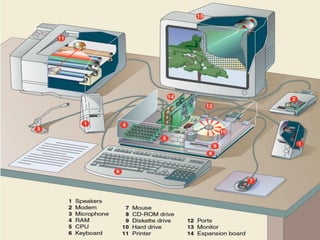
HARDWARE
A computer's hardware consists of
electronic devices; the parts you can see and
touch.
The term "device" refers to any piece of
hardware used by the computer, such as a
keyboard, monitor, modem, mouse, etc.
SOFTWARE
Software – also called programs – consists
sets of instructions for controlling the computer.
Or things which we cannt touch.
e. g. MS-Office , Web Browser , Notepad,
Wordpad etc
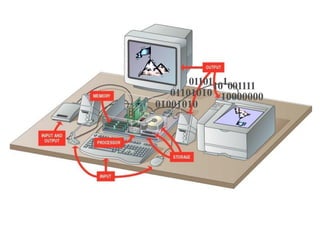
Types of Hardware
A computer's hardware devices are
categorized as follows:
 Processor
 Memory
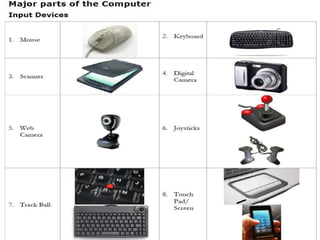
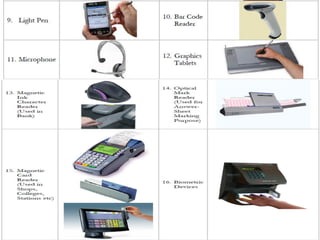
 Input and output (I/O) devices
 Storage devices
01101010
01001010
01101101001111
10000000
PART OF
COMPUTER
INPUT
DEVICES
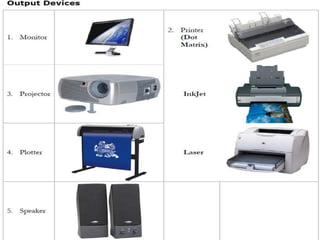
OUTPUT
DEVICES
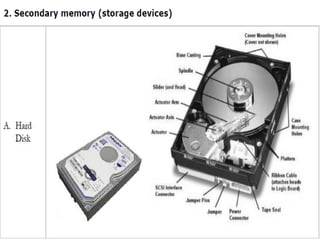
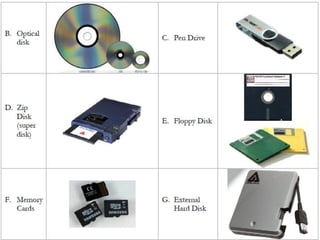
STORAGE
DEVICES
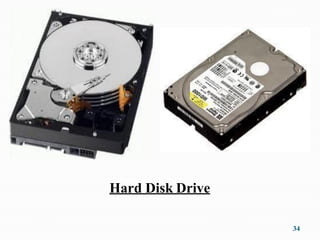
Hard Disk Drive
34
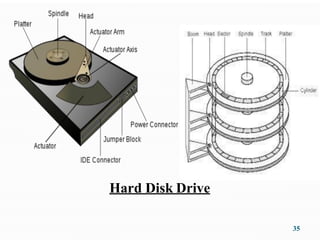
Hard Disk Drive
35
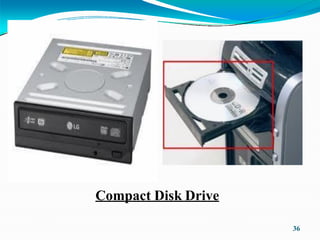
Compact Disk Drive
36
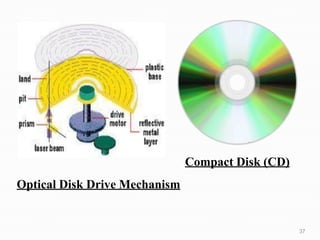
Compact Disk (CD)
Optical Disk Drive Mechanism
37
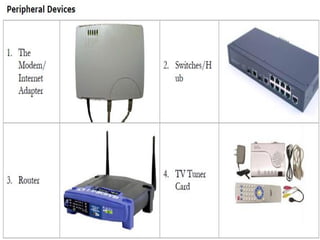
PHERIPHERAL
DEVICES
INTERNAL
COMPONENTs
C.P.U.
42
TYPES OF
COMPUTER
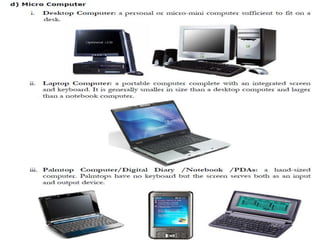
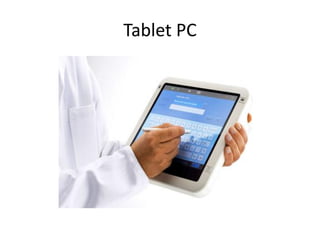
Tablet PC
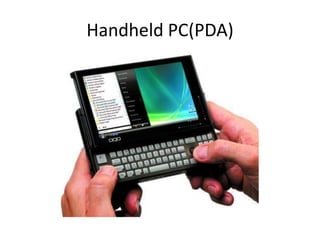
Handheld PC(PDA)
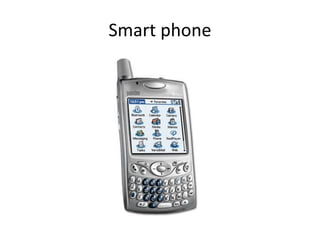
Smart phone
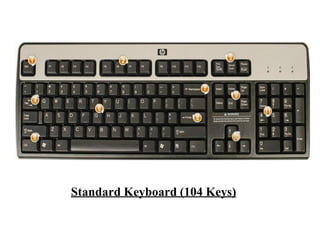
KEYBOARD
Standard Keyboard (104 Keys)
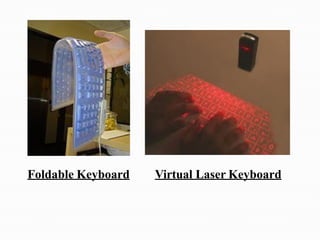
Foldable Keyboard Virtual Laser Keyboard
MOUSE
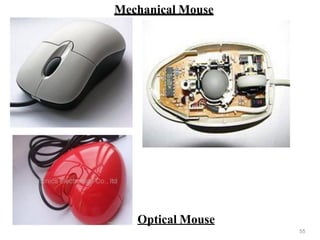
Mechanical Mouse
55
Optical Mouse
MONITOR
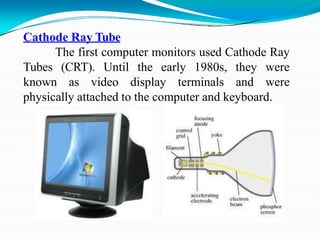
Cathode Ray Tube
The first computer monitors used Cathode Ray
Tubes (CRT). Until the early 1980s, they were
known as video display terminals and were
physically attached to the computer and keyboard.
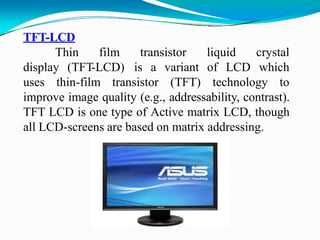
TFT-LCD
Thin film transistor
display (TFT-LCD) is a
liquid
of LCD
crystal
which
uses thin-film transistor
variant
(TFT) technology to
improve image quality (e.g., addressability, contrast).
TFT LCD is one type of Active matrix LCD, though
all LCD-screens are based on matrix addressing.
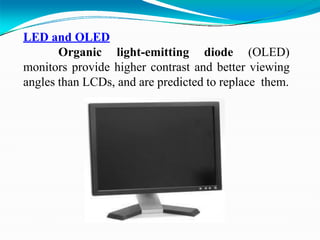
LED and OLED
Organic light-emitting diode (OLED)
monitors provide higher contrast and better viewing
angles than LCDs, and are predicted to replace them.
SCANNER &
PRINTER
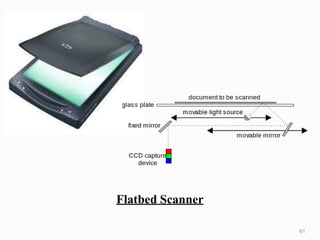
Flatbed Scanner
61
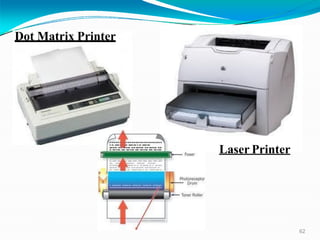
Dot Matrix Printer
62
Laser Printer
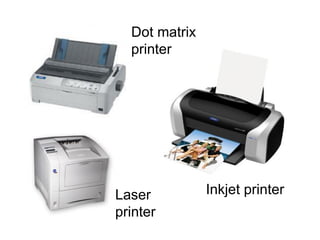
Dot matrix
printer
Inkjet printerLaser
printer
PLOTTER
PLOTTER
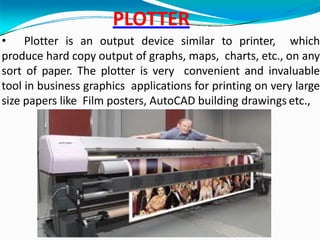
• Plotter is an output device similar to printer, which
produce hard copy output of graphs, maps, charts, etc., on any
sort of paper. The plotter is very convenient and invaluable
tool in business graphics applications for printing on very large
size papers like Film posters, AutoCAD building drawings etc.,
GMK
S.M.P.S.
66
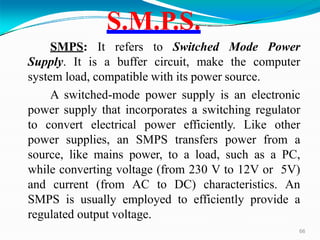
SMPS: It refers to Switched Mode Power
Supply. It is a buffer circuit, make the computer
system load, compatible with its power source.
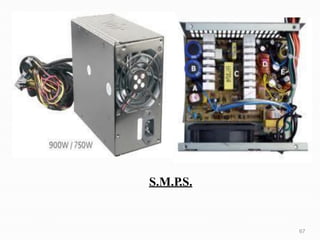
A switched-mode power supply is an electronic
power supply that incorporates a switching regulator
to convert electrical power efficiently. Like other
power supplies, an SMPS transfers power from a
source, like mains power, to a load, such as a PC,
while converting voltage (from 230 V to 12V or 5V)
and current (from AC to DC) characteristics. An
SMPS is usually employed to efficiently provide a
regulated output voltage.
S.M.P.S.
67
Ports and Peripherals
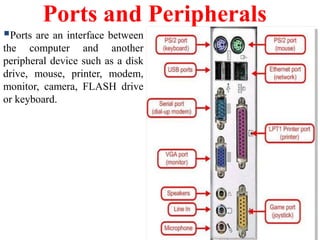
Ports are an interface between
the computer and another
peripheral device such as a disk
drive, mouse, printer, modem,
monitor, camera, FLASH drive
or keyboard.
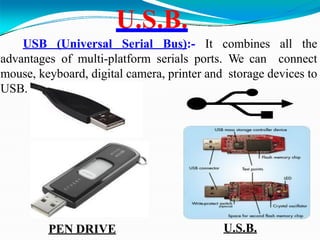
U.S.B.
USB (Universal Serial Bus):- It combines all the
advantages of multi-platform serials ports. We can connect
mouse, keyboard, digital camera, printer and storage devices to
USB.
PEN DRIVE U.S.B.
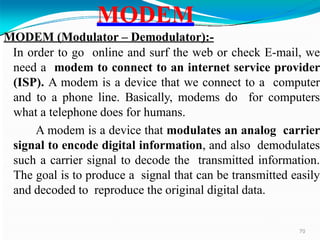
MODEM (Modulator – Demodulator):-
In order to go online and surf the web or check E-mail, we
need a modem to connect to an internet service provider
(ISP). A modem is a device that we connect to a computer
and to a phone line. Basically, modems do for computers
what a telephone does for humans.
A modem is a device that modulates an analog carrier
signal to encode digital information, and also demodulates
such a carrier signal to decode the transmitted information.
The goal is to produce a signal that can be transmitted easily
and decoded to reproduce the original digital data.
MODEM
70
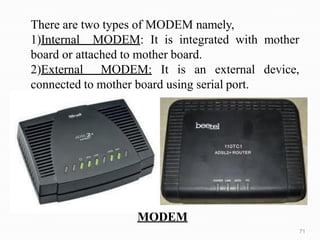
MODEM
There are two types of MODEM namely,
1)Internal MODEM: It is integrated with mother
board or attached to mother board.
2)External MODEM: It is an external device,
connected to mother board using serial port.
71
OPERATING
SYSTEM
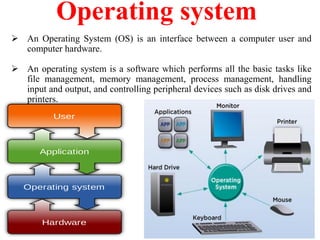
Operating system
 An Operating System (OS) is an interface between a computer user and
computer hardware.
 An operating system is a software which performs all the basic tasks like
file management, memory management, process management, handling
input and output, and controlling peripheral devices such as disk drives and
printers.
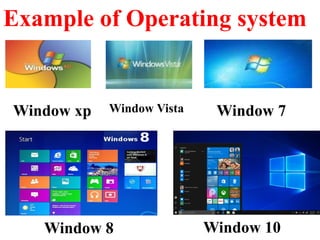
Example of Operating system
Window 8 Window 10
Window xp Window Vista Window 7
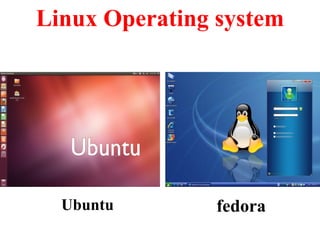
Linux Operating system
Ubuntu fedora
Window xp Window 7
THANK YOU….!!!!

BASICS OF COMPUTER

  • 1.
    . “FUNDAMENTALS OF COMPUTER” By Prof. AnandN. Gharu (Assistant Professor) PVGCOE Computer Dept. 11th July 2020 .
  • 2.
    Contents  History  Introduction Block Diagram  Part of Computer  Input device  Output device  Storage device  Pheripheral devices  Internal component  Types of computer  Types of Keyboard & Mouse  Types of Scanner and Printer  Other Hardwares  Operating System
  • 3.
    Generation of Computer GenerationsPeriod Technology First Generation 1946-1955 Vacuums Tube Second Generation 1955-1965 Transistors Third Generation 1965-1975 Integrated Circuits (ICs) Forth Generation 1976-1988 Microprocessor/Large Scale Integration Fifth Generation Since 1988 Artificial Intelligence
  • 4.
    First Generation (1940-1954) Time period :  Technology : 1940-1954 Vacuum Tube based Computer / Used Vacuum tubes for circuitry and magnetic drums for memory Very Expensive Bigger in size  Cost :  Size :  Input / Output : Punch Card
  • 5.
  • 6.
    Second Generation (1959-1965) Theperiod of second generation Use of transistors Very costly Supported machine and assembly languages
  • 7.
  • 8.
    Third Generation (1965-1971) ICused Smaller size Still costly Supported high-level language
  • 9.
  • 10.
  • 11.
  • 12.
    Fifth Generation (1980-tilldate) 26 ULSItechnology Artificialintelligence Availabilityofverypowerful Voicerecognition Naturallanguage
  • 13.
  • 14.
    INTRODUCTION WHAT IS ACOMPUTER? The word “Computer” is derived from the word “Compute”.  It means to calculate. We all are familiar with calculations in our day-to-day life. We apply mathematical operations like addition, subtraction, multiplication, division, etc. and many other formulae for calculations.  Simple calculations take less time. But complex calculations take much longer time. Another factor is accuracy in calculations.  So man explored with the idea to develop a machine, which can perform this type of arithmetic calculation faster, and with full accuracy. This gave birth to a device or machine called “computer”.
  • 15.
    DEFINITION OF ACOMPUTER “A computer is an electronic device, which can be programmed to perform high- speed mathematical or logical operations.  Computer accepts, stores, manipulates and processes information in binary format and display the results in a human understandable language.”
  • 16.
    WHAT IS COMPUTER? A computer is an electronic device used to process data.  A computer can convert data into information that is useful to people.  A complete computer system includes four distinct parts: Hardware Software Data User
  • 18.
  • 19.
    HARDWARE A computer's hardwareconsists of electronic devices; the parts you can see and touch. The term "device" refers to any piece of hardware used by the computer, such as a keyboard, monitor, modem, mouse, etc.
  • 21.
    SOFTWARE Software – alsocalled programs – consists sets of instructions for controlling the computer. Or things which we cannt touch. e. g. MS-Office , Web Browser , Notepad, Wordpad etc
  • 22.
    Types of Hardware Acomputer's hardware devices are categorized as follows:  Processor  Memory  Input and output (I/O) devices  Storage devices
  • 23.
  • 24.
  • 25.
  • 28.
  • 30.
  • 34.
  • 35.
  • 36.
  • 37.
    Compact Disk (CD) OpticalDisk Drive Mechanism 37
  • 38.
  • 40.
  • 42.
  • 43.
  • 48.
  • 49.
  • 50.
  • 51.
  • 52.
  • 53.
  • 54.
  • 55.
  • 56.
  • 57.
    Cathode Ray Tube Thefirst computer monitors used Cathode Ray Tubes (CRT). Until the early 1980s, they were known as video display terminals and were physically attached to the computer and keyboard.
  • 58.
    TFT-LCD Thin film transistor display(TFT-LCD) is a liquid of LCD crystal which uses thin-film transistor variant (TFT) technology to improve image quality (e.g., addressability, contrast). TFT LCD is one type of Active matrix LCD, though all LCD-screens are based on matrix addressing.
  • 59.
    LED and OLED Organiclight-emitting diode (OLED) monitors provide higher contrast and better viewing angles than LCDs, and are predicted to replace them.
  • 60.
  • 61.
  • 62.
  • 63.
  • 64.
  • 65.
    PLOTTER • Plotter isan output device similar to printer, which produce hard copy output of graphs, maps, charts, etc., on any sort of paper. The plotter is very convenient and invaluable tool in business graphics applications for printing on very large size papers like Film posters, AutoCAD building drawings etc., GMK
  • 66.
    S.M.P.S. 66 SMPS: It refersto Switched Mode Power Supply. It is a buffer circuit, make the computer system load, compatible with its power source. A switched-mode power supply is an electronic power supply that incorporates a switching regulator to convert electrical power efficiently. Like other power supplies, an SMPS transfers power from a source, like mains power, to a load, such as a PC, while converting voltage (from 230 V to 12V or 5V) and current (from AC to DC) characteristics. An SMPS is usually employed to efficiently provide a regulated output voltage.
  • 67.
  • 68.
    Ports and Peripherals Portsare an interface between the computer and another peripheral device such as a disk drive, mouse, printer, modem, monitor, camera, FLASH drive or keyboard.
  • 69.
    U.S.B. USB (Universal SerialBus):- It combines all the advantages of multi-platform serials ports. We can connect mouse, keyboard, digital camera, printer and storage devices to USB. PEN DRIVE U.S.B.
  • 70.
    MODEM (Modulator –Demodulator):- In order to go online and surf the web or check E-mail, we need a modem to connect to an internet service provider (ISP). A modem is a device that we connect to a computer and to a phone line. Basically, modems do for computers what a telephone does for humans. A modem is a device that modulates an analog carrier signal to encode digital information, and also demodulates such a carrier signal to decode the transmitted information. The goal is to produce a signal that can be transmitted easily and decoded to reproduce the original digital data. MODEM 70
  • 71.
    MODEM There are twotypes of MODEM namely, 1)Internal MODEM: It is integrated with mother board or attached to mother board. 2)External MODEM: It is an external device, connected to mother board using serial port. 71
  • 72.
  • 73.
    Operating system  AnOperating System (OS) is an interface between a computer user and computer hardware.  An operating system is a software which performs all the basic tasks like file management, memory management, process management, handling input and output, and controlling peripheral devices such as disk drives and printers.
  • 74.
    Example of Operatingsystem Window 8 Window 10 Window xp Window Vista Window 7
  • 75.
    Linux Operating system Ubuntufedora Window xp Window 7
  • 76.