Desktop Environment
Done By Maryam Al Ghaith
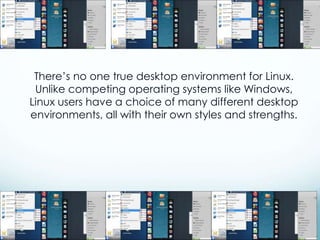
There’s no one true desktop environment for Linux.
Unlike competing operating systems like Windows,
Linux users have a choice of many different desktop
environments, all with their own styles and strengths.
You can install one of these desktop environments
after installing your Linux distribution and switch
between desktop environments from the login
screen. You can also choose to install a Linux
distribution that comes with the desktop
environment. For example, you can get Ubuntu in
many different flavors
Unity
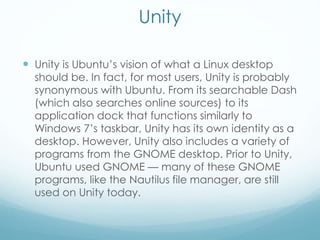
 Unity is Ubuntu’s vision of what a Linux desktop
should be. In fact, for most users, Unity is probably
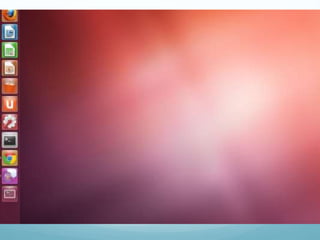
synonymous with Ubuntu. From its searchable Dash
(which also searches online sources) to its
application dock that functions similarly to
Windows 7’s taskbar, Unity has its own identity as a
desktop. However, Unity also includes a variety of
programs from the GNOME desktop. Prior to Unity,
Ubuntu used GNOME — many of these GNOME
programs, like the Nautilus file manager, are still
used on Unity today.
GNOME
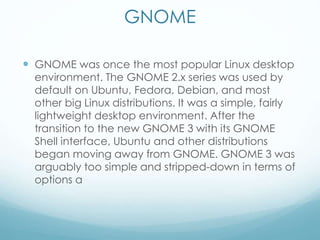
 GNOME was once the most popular Linux desktop
environment. The GNOME 2.x series was used by
default on Ubuntu, Fedora, Debian, and most
other big Linux distributions. It was a simple, fairly
lightweight desktop environment. After the
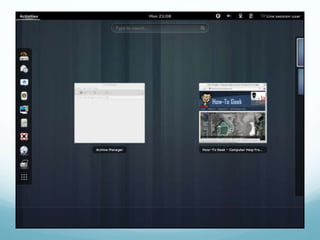
transition to the new GNOME 3 with its GNOME
Shell interface, Ubuntu and other distributions
began moving away from GNOME. GNOME 3 was
arguably too simple and stripped-down in terms of
options a
Done By
Maryam
AlGhaith
10 ag

desktop environments

  • 1.
  • 2.
    There’s no onetrue desktop environment for Linux. Unlike competing operating systems like Windows, Linux users have a choice of many different desktop environments, all with their own styles and strengths.
  • 3.
    You can installone of these desktop environments after installing your Linux distribution and switch between desktop environments from the login screen. You can also choose to install a Linux distribution that comes with the desktop environment. For example, you can get Ubuntu in many different flavors
  • 4.
    Unity  Unity isUbuntu’s vision of what a Linux desktop should be. In fact, for most users, Unity is probably synonymous with Ubuntu. From its searchable Dash (which also searches online sources) to its application dock that functions similarly to Windows 7’s taskbar, Unity has its own identity as a desktop. However, Unity also includes a variety of programs from the GNOME desktop. Prior to Unity, Ubuntu used GNOME — many of these GNOME programs, like the Nautilus file manager, are still used on Unity today.
  • 6.
    GNOME  GNOME wasonce the most popular Linux desktop environment. The GNOME 2.x series was used by default on Ubuntu, Fedora, Debian, and most other big Linux distributions. It was a simple, fairly lightweight desktop environment. After the transition to the new GNOME 3 with its GNOME Shell interface, Ubuntu and other distributions began moving away from GNOME. GNOME 3 was arguably too simple and stripped-down in terms of options a
  • 8.