Design ConceptsDesign ConceptsDesign ConceptsDesign Concepts
Design ConceptsDesign Concepts
 Good design relies on theGood design relies on the
specific project:specific project:
 Purpose of the projectPurpose of the project
 Relative priority of each partRelative priority of each part
Consider…Consider…
 AudienceAudience
 Basic messageBasic message
 Best or intended formatBest or intended format
 Similarity to competitorsSimilarity to competitors
 Relationship to my otherRelationship to my other
communicationscommunications
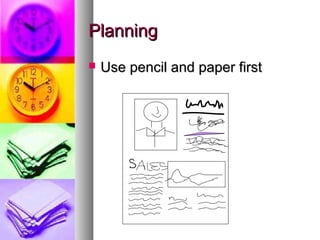
PlanningPlanning
 Use pencil and paper firstUse pencil and paper first
AnalyzeAnalyze
 Find out what appeals to youFind out what appeals to you
 Analyze it according to designAnalyze it according to design
principlesprinciples
 Find out what annoys youFind out what annoys you
 Dissect and identify what does notDissect and identify what does not
workwork
Clip FileClip File
 Collect all types of print mediaCollect all types of print media
that appeal to youthat appeal to you
 Continuously add itemsContinuously add items
 Choose based on specific designChoose based on specific design
elements, such as use of bleedselements, such as use of bleeds
or color.or color.
 Use examples as inspirationUse examples as inspiration
Qualities of printedQualities of printed
documentsdocuments
 RelevanceRelevance
 ProportionProportion
 DirectionDirection
 ConsistencyConsistency
 ContrastContrast
 The “total picture”The “total picture”
 RestraintRestraint
 Attention to detailAttention to detail
RelevanceRelevance
 Each element helps the readerEach element helps the reader
“get the message”“get the message”
 Watch out for software bells andWatch out for software bells and
whistles—whistles—
 ClarityClarity
 OrganizationOrganization
 SimplicitySimplicity
ProportionProportion
 SizeSize doesdoes matter in dtpmatter in dtp
 Importance determines sizeImportance determines size
 Relative importance determinesRelative importance determines
size and spacesize and space
 Include white space and adjacentInclude white space and adjacent
elements when determining sizeelements when determining size
 Use the same concept whenUse the same concept when
choosing rule thicknesschoosing rule thickness
 Crop photos, resize to fit importanceCrop photos, resize to fit importance
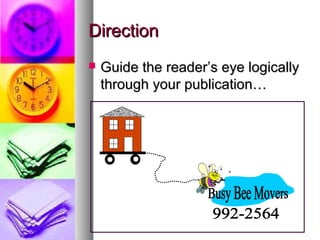
DirectionDirection
 Guide the reader’s eye logicallyGuide the reader’s eye logically
through your publication…through your publication…
ConsistencyConsistency
 Be consistent from page to pageBe consistent from page to page
 Text – typeface, size, subheads…Text – typeface, size, subheads…
 Paragraph indents, white spaceParagraph indents, white space
between columns, marginsbetween columns, margins
 Graphic elements –borders, lines,Graphic elements –borders, lines,
columnscolumns
ContrastContrast
 Compare dark areas and lighterCompare dark areas and lighter
areasareas
 Higher impact – more contrastHigher impact – more contrast
 Definite light and dark areasDefinite light and dark areas
 Lots of white space and illustrationsLots of white space and illustrations
 Text-rich – low in contrastText-rich – low in contrast
 Formal reportsFormal reports
 Press releasesPress releases
The “total picture”The “total picture”
 Consider delivery environmentConsider delivery environment
 News ad surrounded byNews ad surrounded by
stories/articles and other adsstories/articles and other ads
 Brochure on rack or tableBrochure on rack or table
 Flyer sitting in the mailboxFlyer sitting in the mailbox
RestraintRestraint
 Strive for simplicityStrive for simplicity
 Too much gimmickry looksToo much gimmickry looks
clutteredcluttered
 Everything emphasized is nothingEverything emphasized is nothing
standing outstanding out
 Choose typefaces, styles, andChoose typefaces, styles, and
sizes to fit the message—keep tosizes to fit the message—keep to
a fewa few
Attention to DetailAttention to Detail
 One offending detail ruins theOne offending detail ruins the
appearance – and effectivenessappearance – and effectiveness
 Rivers of white space within largeRivers of white space within large
blocks of textblocks of text
 Widows and OrphansWidows and Orphans
 Proofreading spelling andProofreading spelling and
grammargrammar
Other Common PitfallsOther Common Pitfalls
 Trapped white spaceTrapped white space
 Too small column guttersToo small column gutters
 Headlines too smallHeadlines too small
 Borders too close to textBorders too close to text
 Jumping HorizonsJumping Horizons
 Too much detail on chartsToo much detail on charts
 Isolated heads, subheadsIsolated heads, subheads
More PitfallsMore Pitfalls
 Floating subheadsFloating subheads
 Overused boxes and rulesOverused boxes and rules
 Unusually shaped text blocksUnusually shaped text blocks
 Too little contrast between typefacesToo little contrast between typefaces
 Overuse of rotated typeOveruse of rotated type
 UnderliningUnderlining
 Unequal spacingUnequal spacing
 Too much grayToo much gray
Still more PitfallsStill more Pitfalls
 Too many hyphensToo many hyphens
 Cramped logos/addressesCramped logos/addresses
 Visuals too similarVisuals too similar
 Too many typefacesToo many typefaces
 Misaligned elements across pagesMisaligned elements across pages
 Overuse of special effects, gimmicksOveruse of special effects, gimmicks
 ShoehorningShoehorning

Design concepts

  • 1.
    Design ConceptsDesign ConceptsDesignConceptsDesign Concepts
  • 2.
    Design ConceptsDesign Concepts Good design relies on theGood design relies on the specific project:specific project:  Purpose of the projectPurpose of the project  Relative priority of each partRelative priority of each part
  • 3.
    Consider…Consider…  AudienceAudience  BasicmessageBasic message  Best or intended formatBest or intended format  Similarity to competitorsSimilarity to competitors  Relationship to my otherRelationship to my other communicationscommunications
  • 4.
    PlanningPlanning  Use penciland paper firstUse pencil and paper first
  • 5.
    AnalyzeAnalyze  Find outwhat appeals to youFind out what appeals to you  Analyze it according to designAnalyze it according to design principlesprinciples  Find out what annoys youFind out what annoys you  Dissect and identify what does notDissect and identify what does not workwork
  • 6.
    Clip FileClip File Collect all types of print mediaCollect all types of print media that appeal to youthat appeal to you  Continuously add itemsContinuously add items  Choose based on specific designChoose based on specific design elements, such as use of bleedselements, such as use of bleeds or color.or color.  Use examples as inspirationUse examples as inspiration
  • 7.
    Qualities of printedQualitiesof printed documentsdocuments  RelevanceRelevance  ProportionProportion  DirectionDirection  ConsistencyConsistency  ContrastContrast  The “total picture”The “total picture”  RestraintRestraint  Attention to detailAttention to detail
  • 8.
    RelevanceRelevance  Each elementhelps the readerEach element helps the reader “get the message”“get the message”  Watch out for software bells andWatch out for software bells and whistles—whistles—  ClarityClarity  OrganizationOrganization  SimplicitySimplicity
  • 9.
    ProportionProportion  SizeSize doesdoesmatter in dtpmatter in dtp  Importance determines sizeImportance determines size  Relative importance determinesRelative importance determines size and spacesize and space  Include white space and adjacentInclude white space and adjacent elements when determining sizeelements when determining size  Use the same concept whenUse the same concept when choosing rule thicknesschoosing rule thickness  Crop photos, resize to fit importanceCrop photos, resize to fit importance
  • 10.
    DirectionDirection  Guide thereader’s eye logicallyGuide the reader’s eye logically through your publication…through your publication…
  • 11.
    ConsistencyConsistency  Be consistentfrom page to pageBe consistent from page to page  Text – typeface, size, subheads…Text – typeface, size, subheads…  Paragraph indents, white spaceParagraph indents, white space between columns, marginsbetween columns, margins  Graphic elements –borders, lines,Graphic elements –borders, lines, columnscolumns
  • 12.
    ContrastContrast  Compare darkareas and lighterCompare dark areas and lighter areasareas  Higher impact – more contrastHigher impact – more contrast  Definite light and dark areasDefinite light and dark areas  Lots of white space and illustrationsLots of white space and illustrations  Text-rich – low in contrastText-rich – low in contrast  Formal reportsFormal reports  Press releasesPress releases
  • 13.
    The “total picture”The“total picture”  Consider delivery environmentConsider delivery environment  News ad surrounded byNews ad surrounded by stories/articles and other adsstories/articles and other ads  Brochure on rack or tableBrochure on rack or table  Flyer sitting in the mailboxFlyer sitting in the mailbox
  • 14.
    RestraintRestraint  Strive forsimplicityStrive for simplicity  Too much gimmickry looksToo much gimmickry looks clutteredcluttered  Everything emphasized is nothingEverything emphasized is nothing standing outstanding out  Choose typefaces, styles, andChoose typefaces, styles, and sizes to fit the message—keep tosizes to fit the message—keep to a fewa few
  • 15.
    Attention to DetailAttentionto Detail  One offending detail ruins theOne offending detail ruins the appearance – and effectivenessappearance – and effectiveness  Rivers of white space within largeRivers of white space within large blocks of textblocks of text  Widows and OrphansWidows and Orphans  Proofreading spelling andProofreading spelling and grammargrammar
  • 16.
    Other Common PitfallsOtherCommon Pitfalls  Trapped white spaceTrapped white space  Too small column guttersToo small column gutters  Headlines too smallHeadlines too small  Borders too close to textBorders too close to text  Jumping HorizonsJumping Horizons  Too much detail on chartsToo much detail on charts  Isolated heads, subheadsIsolated heads, subheads
  • 17.
    More PitfallsMore Pitfalls Floating subheadsFloating subheads  Overused boxes and rulesOverused boxes and rules  Unusually shaped text blocksUnusually shaped text blocks  Too little contrast between typefacesToo little contrast between typefaces  Overuse of rotated typeOveruse of rotated type  UnderliningUnderlining  Unequal spacingUnequal spacing  Too much grayToo much gray
  • 18.
    Still more PitfallsStillmore Pitfalls  Too many hyphensToo many hyphens  Cramped logos/addressesCramped logos/addresses  Visuals too similarVisuals too similar  Too many typefacesToo many typefaces  Misaligned elements across pagesMisaligned elements across pages  Overuse of special effects, gimmicksOveruse of special effects, gimmicks  ShoehorningShoehorning

Editor's Notes

  • #5 Tendency to allot space based on original sizes instead of resizing to fit your priorities. It’s much slower—your spend too much time with software detail before being sure basic ideas are good. Remember, DTP software is a tool. Tutorials will emphasize elements that the software does especially well. There’s always a way to implement a good design.
  • #9 It’s not what I can do, but what I should do. Great graphics with no relevance become distractors.
  • #11 “Graphic design is a road map that steers them from point to point.” --roger C. Parker and Patrick Berry
  • #12 Tough – consistency without sacrificing variety. Can’t be too predictable without losing readers to boredom.
  • #13 Turn the publication upside down so your eyes are “misled” by the tendency to read the text.
  • #16 Rivers…double spacing after periods, column justifying
  • #17 -Holes in middle of pages between articles, etc Start each column at about the same place across the page
  • #18 Subheads should be close to text they introduce, not isolated equally between stories Gray – text heavy pages are seldom read
  • #19 Visuals-no hierarchy Shoehorning – jam packed information into smallest amount of space