Design a secure Azure IaaS – Lesson learnt
from Government Cloud
Thuan Ng
Survey
 Participate with us and win exciting prizes
http://bit.ly/sg-gab
TweetTags: #GlobalAzure #GABSG
#AzureSkills
Stay till end 
SWAGs, PRIZES,TAKE-AWAYS
Xbox One System
Microsoft Azure IoT Starter Kit with Raspberry Pi 3
Raspberry Pi 3
Software Licenses and more...
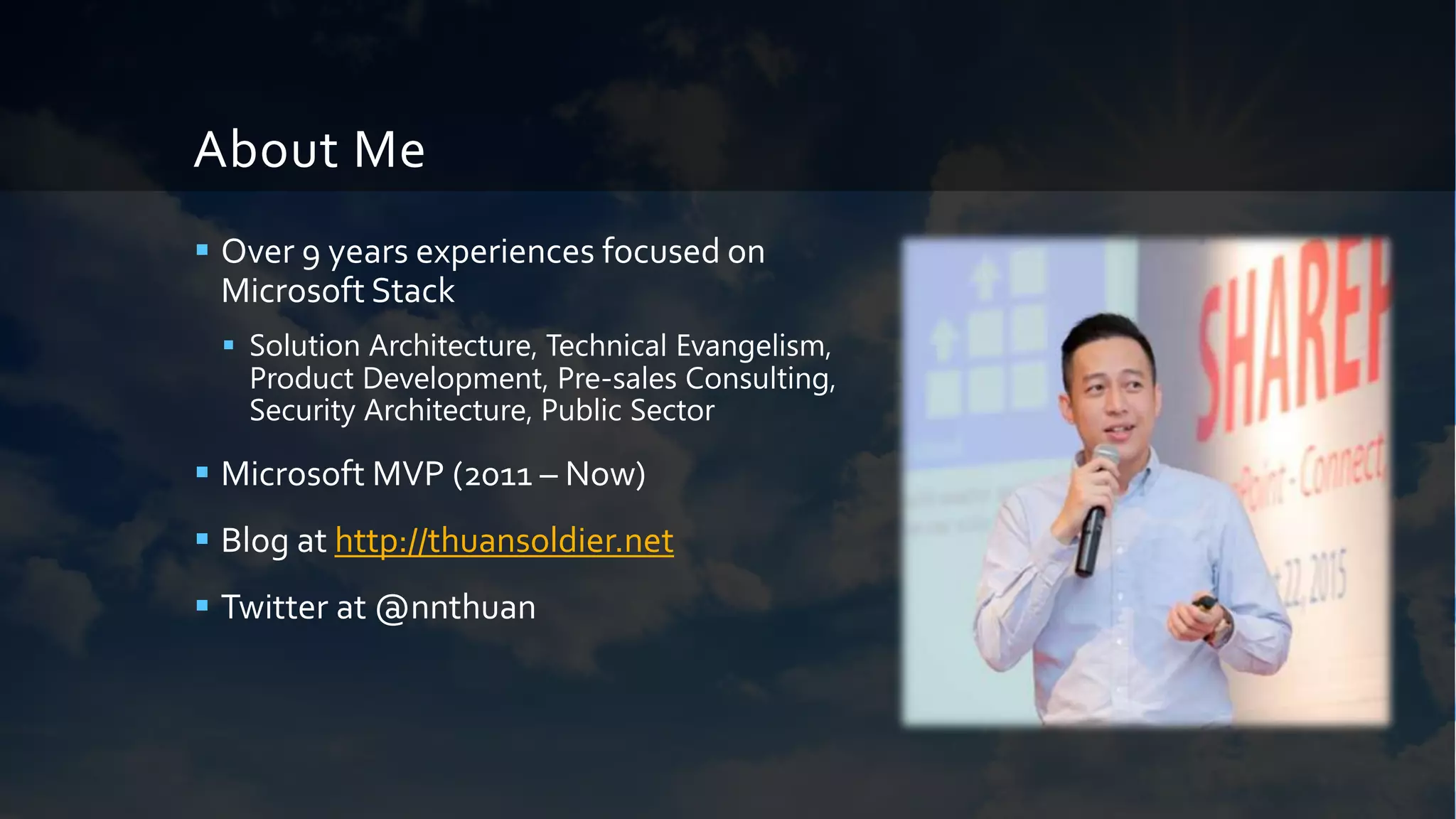
About Me
 Over 9 years experiences focused on
Microsoft Stack
 Solution Architecture, Technical Evangelism,
Product Development, Pre-sales Consulting,
Security Architecture, Public Sector
 Microsoft MVP (2011 – Now)
 Blog at http://thuansoldier.net
 Twitter at @nnthuan
I’m not going to talk about
 Self-introduction as a hacker (opps! perhaps
advanced script kiddie)
 Too much about Government Cloud
 Vulnerability Assessment and PenetrationTest
 Fundamental Cloud Computing
 Information Security Management (e.g.
Compliance, Risk…)
 Azure Government
(https://azure.microsoft.com/en-
us/overview/clouds/government/)
My security principles
 Security is not a silver bullet
 Security must come firstly from your awareness
 Security by default before security by design
 No pain no gain if you dare
Why Should We Care About Security?
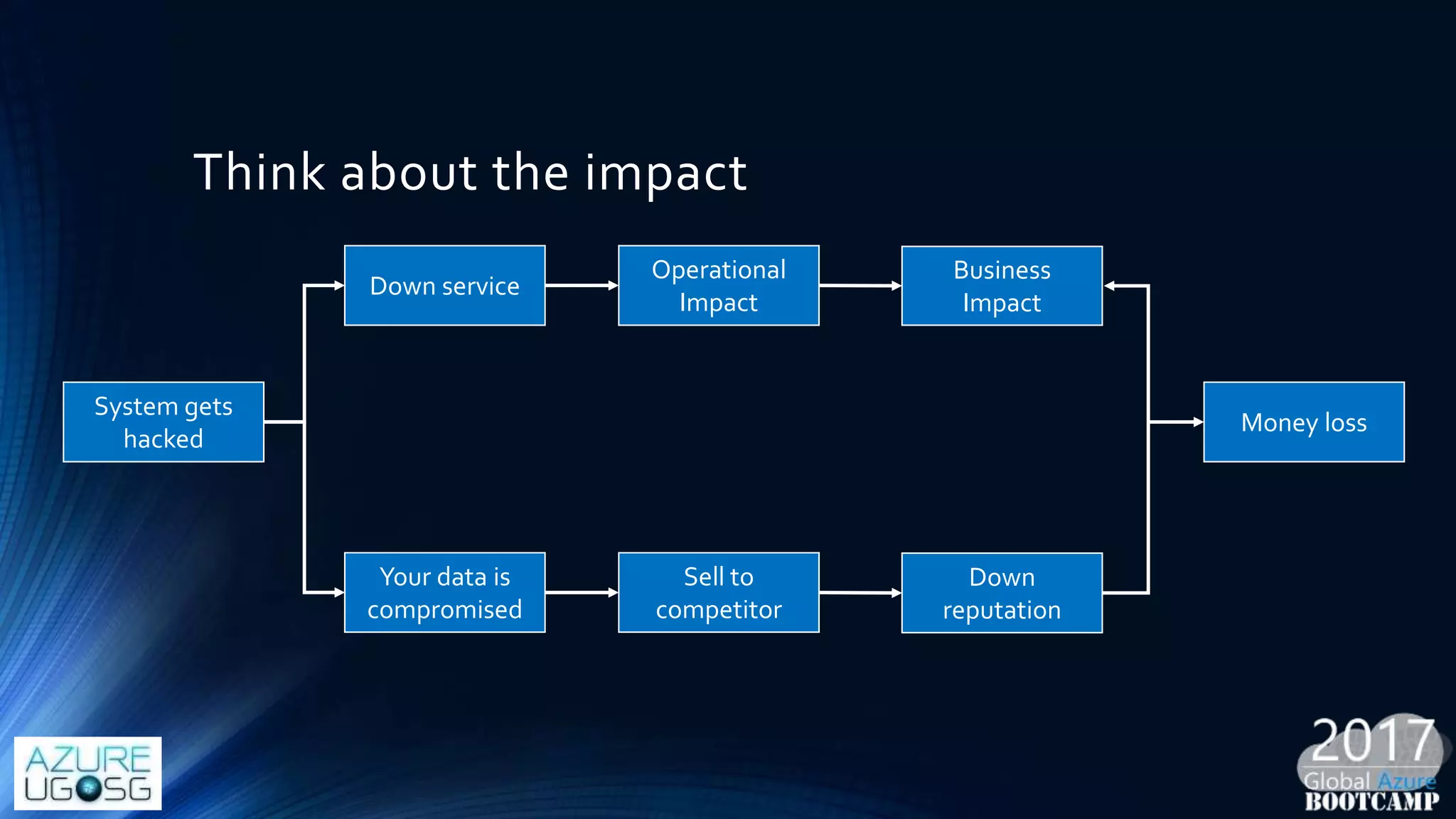
Think about the impact
System gets
hacked
Down service
Your data is
compromised
Operational
Impact
Business
Impact
Sell to
competitor
Down
reputation
Money loss
..security is
• Your quality metric
• You professional service
• Your reputation
• Your business result
Government Cloud Overview
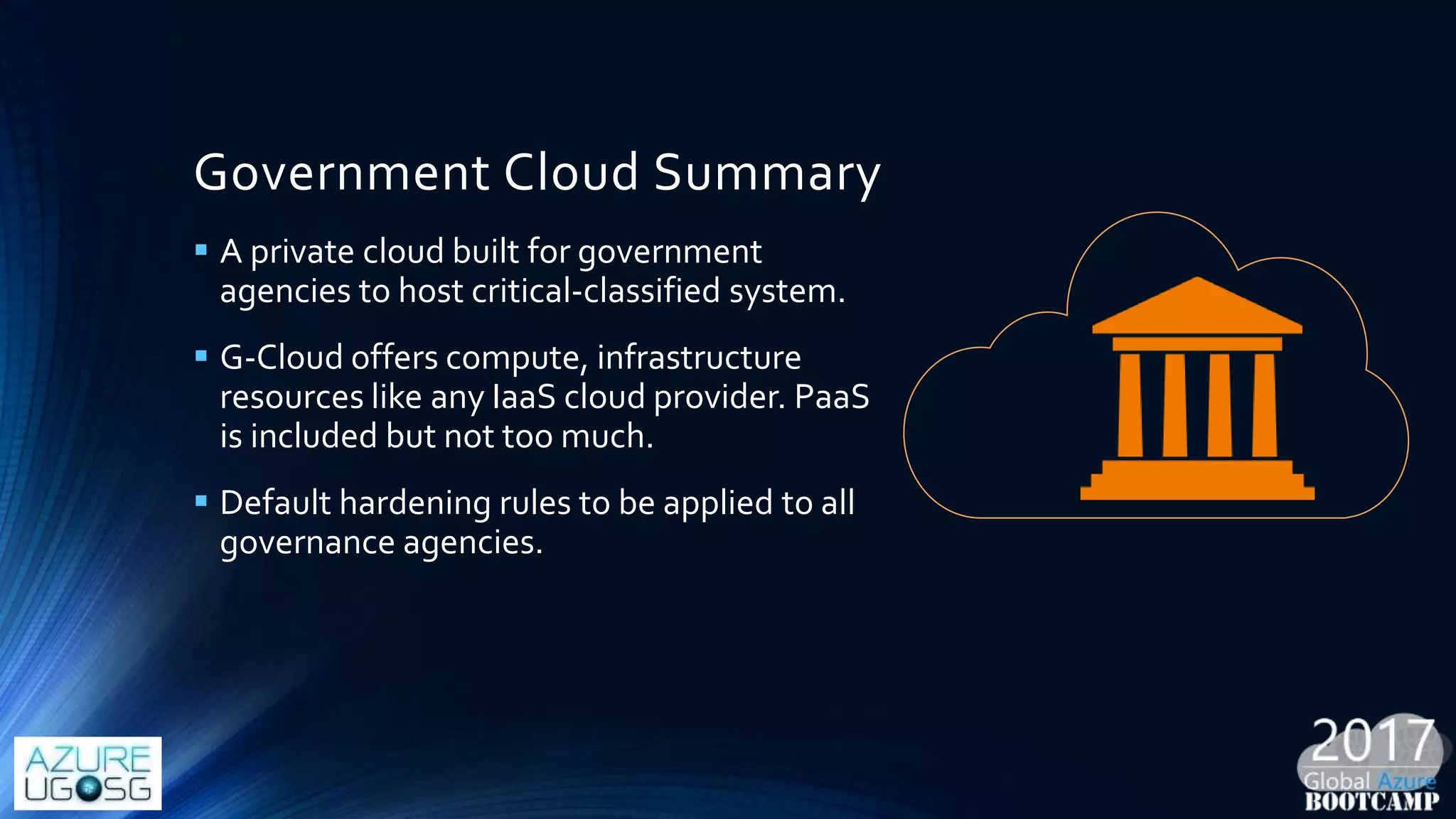
Government Cloud Summary
 A private cloud built for government
agencies to host critical-classified system.
 G-Cloud offers compute, infrastructure
resources like any IaaS cloud provider. PaaS
is included but not too much.
 Default hardening rules to be applied to all
governance agencies.
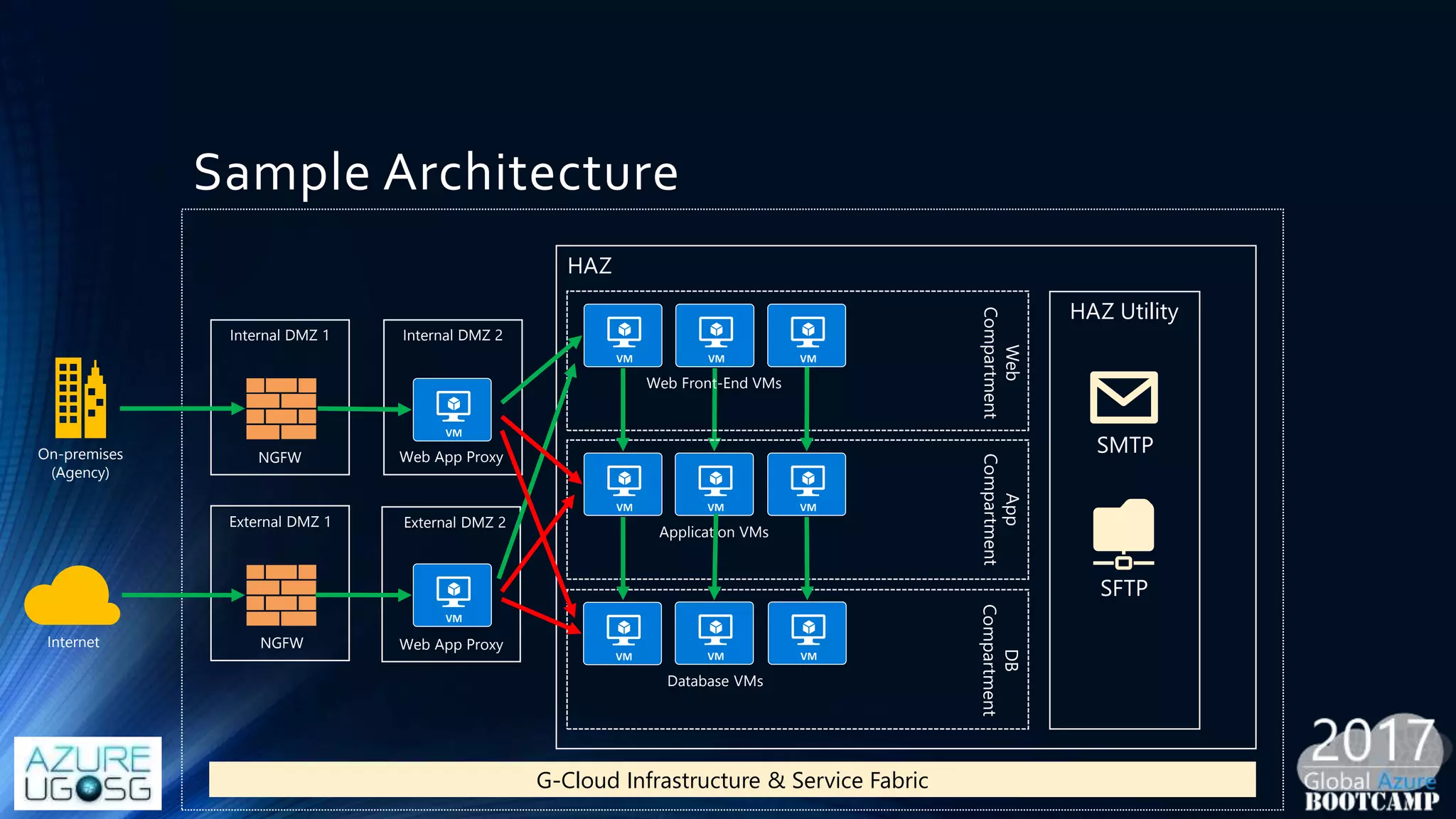
Sample Architecture
On-premises
(Agency)
Internal DMZ 1
NGFW
Internal DMZ 2
Web App Proxy
HAZ
Web Front-End VMs
Web
Compartment
Application VMs
App
Compartment
Database VMs
DB
Compartment
G-Cloud Infrastructure & Service Fabric
NGFW
External DMZ 1 External DMZ 2
Web App ProxyInternet
HAZ Utility
SMTP
SFTP
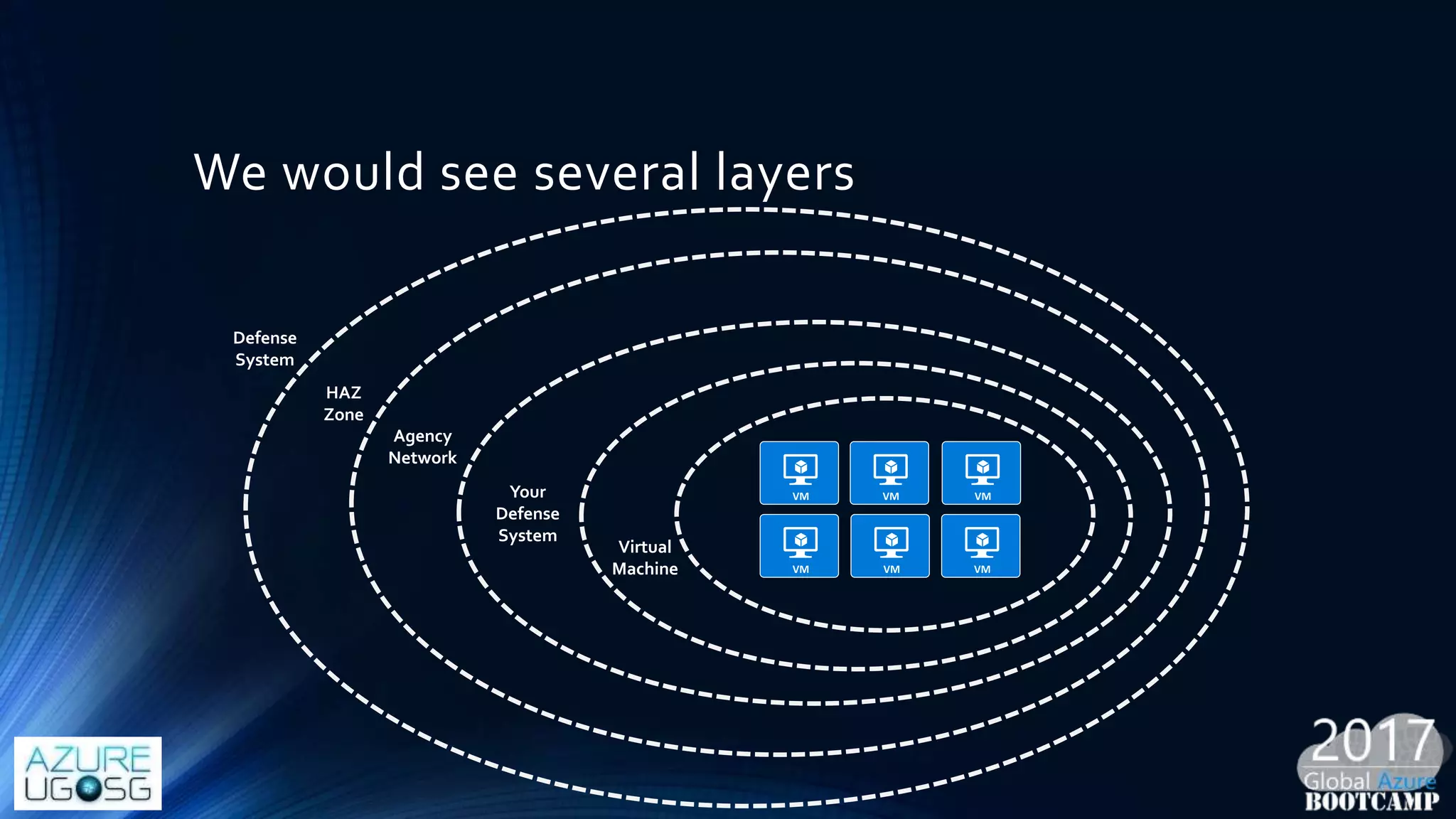
We would see several layers
Defense
System
HAZ
Zone
Agency
Network
Your
Defense
System
Virtual
Machine
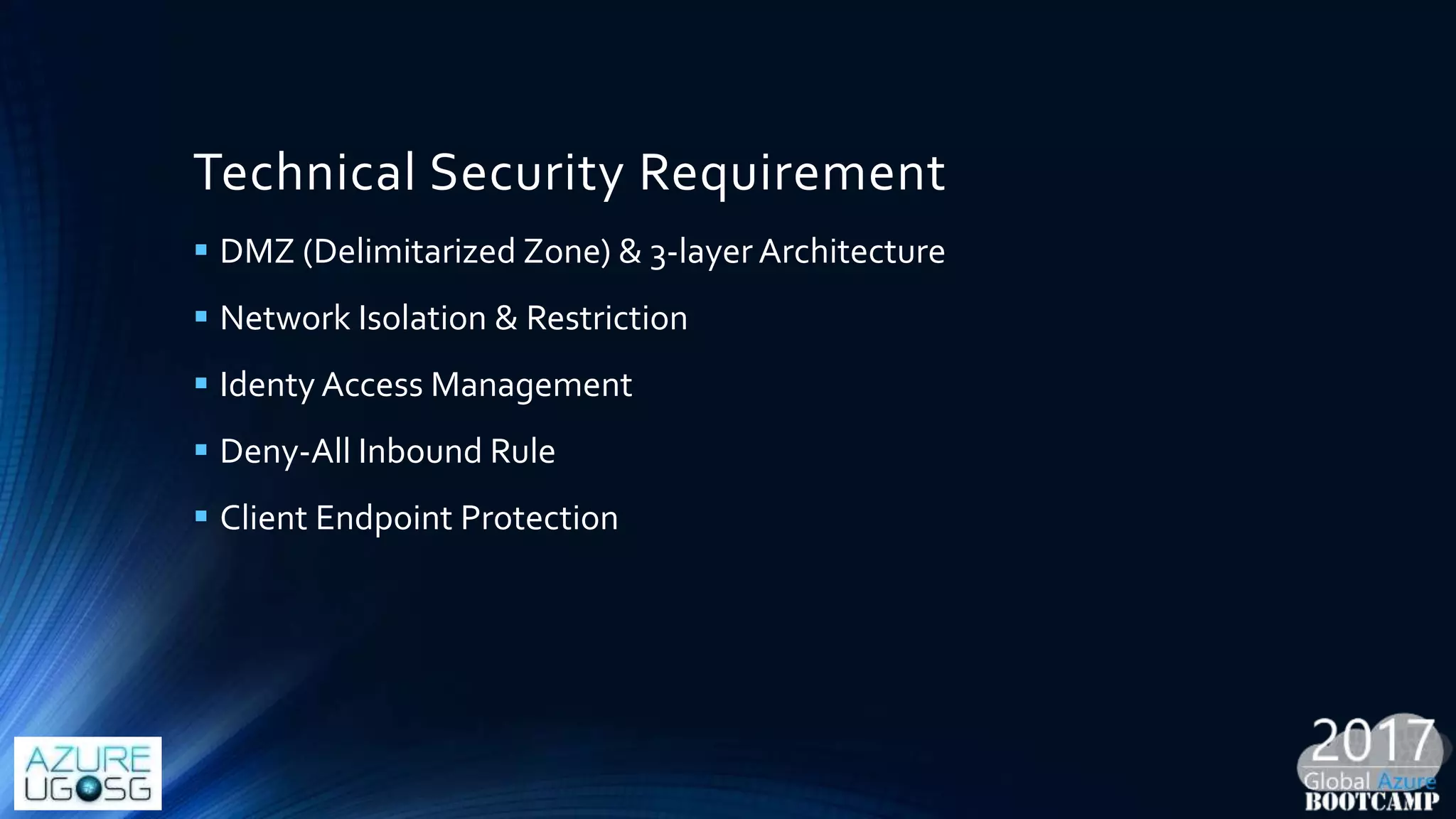
Technical Security Requirement
 DMZ (Delimitarized Zone) & 3-layer Architecture
 Network Isolation & Restriction
 Identy Access Management
 Deny-All Inbound Rule
 Client Endpoint Protection
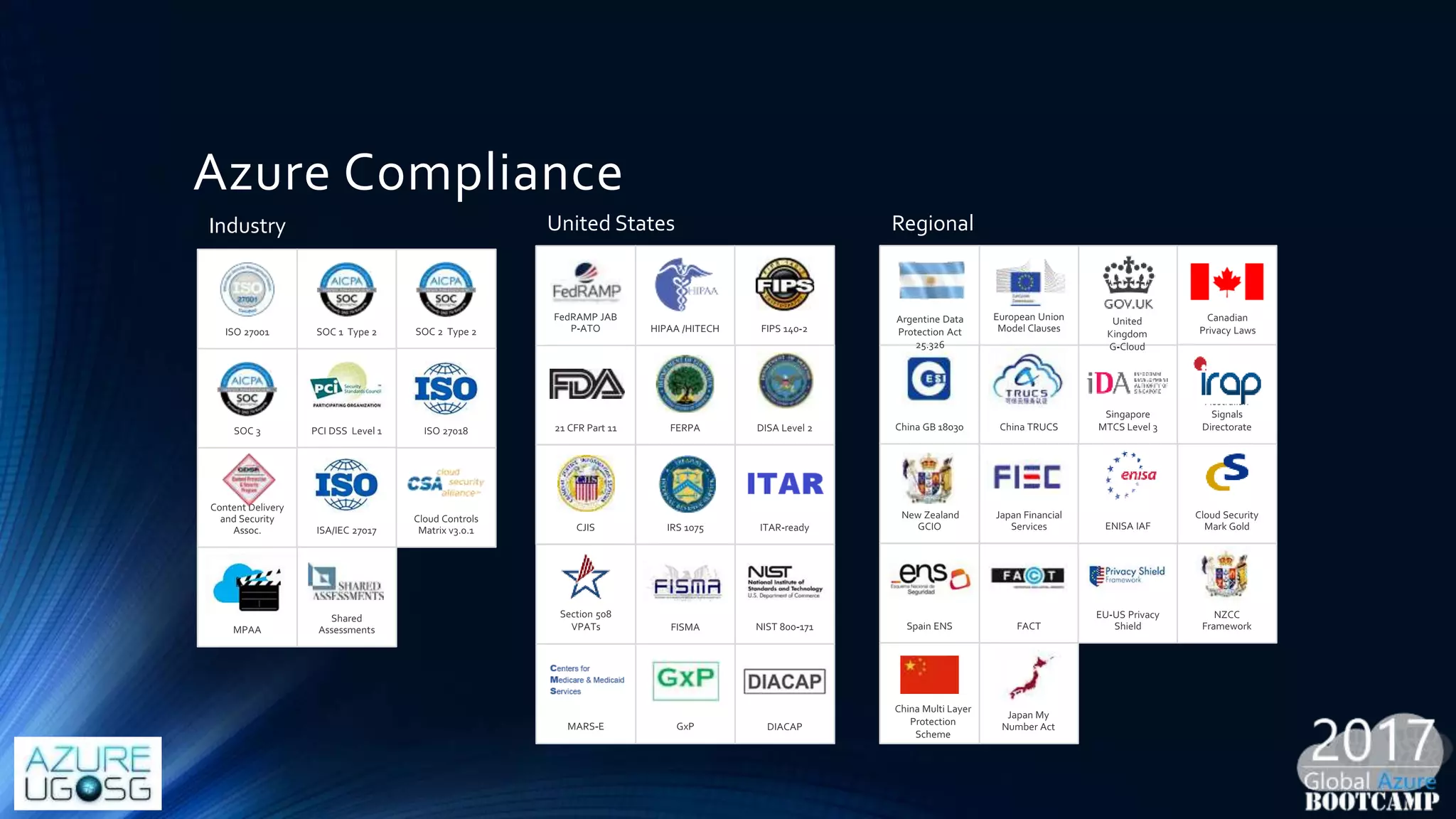
Azure Compliance
Industry United States Regional
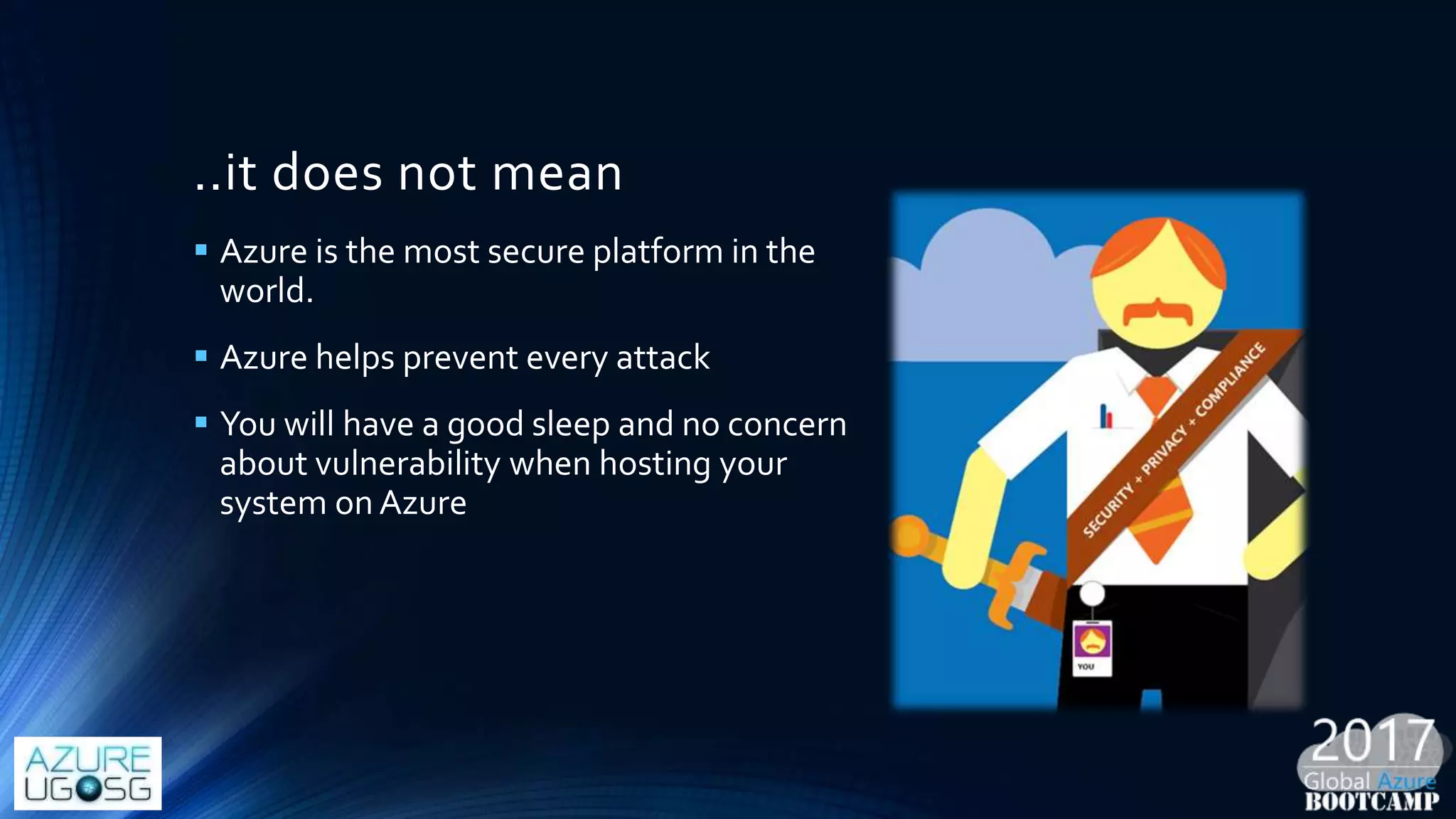
..it does not mean
 Azure is the most secure platform in the
world.
 Azure helps prevent every attack
 You will have a good sleep and no concern
about vulnerability when hosting your
system on Azure
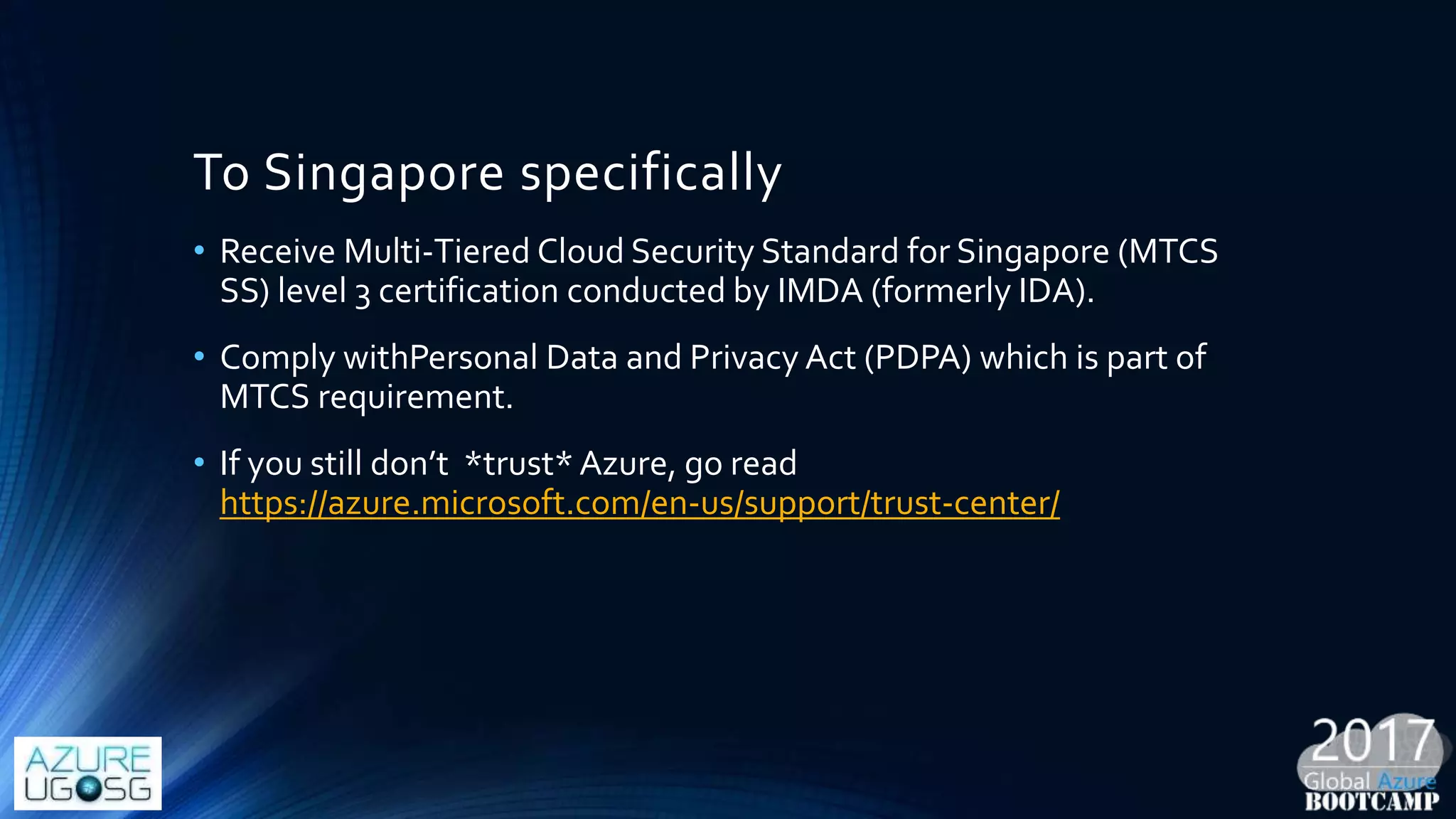
To Singapore specifically
• Receive Multi-Tiered Cloud Security Standard for Singapore (MTCS
SS) level 3 certification conducted by IMDA (formerly IDA).
• Comply withPersonal Data and Privacy Act (PDPA) which is part of
MTCS requirement.
• If you still don’t *trust* Azure, go read
https://azure.microsoft.com/en-us/support/trust-center/
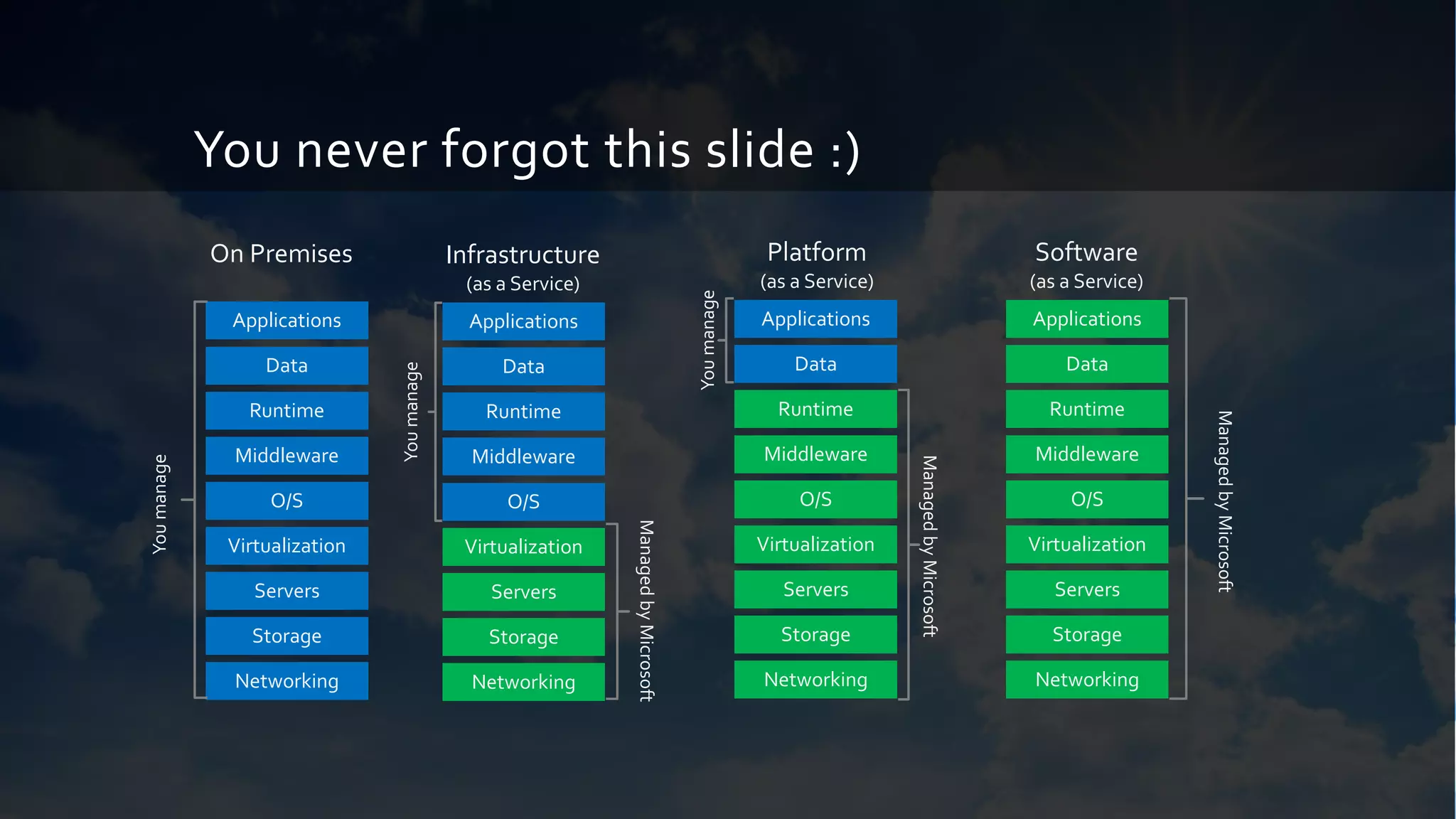
You never forgot this slide :)
On Premises
Storage
Servers
Networking
O/S
Middleware
Virtualization
Data
Applications
Runtime
Youmanage
Infrastructure
(as a Service)
Storage
Servers
Networking
O/S
Middleware
Virtualization
Data
Applications
Runtime
ManagedbyMicrosoft
Youmanage
Platform
(as a Service)
ManagedbyMicrosoft
Youmanage
Storage
Servers
Networking
O/S
Middleware
Virtualization
Applications
Runtime
Data
Software
(as a Service)
ManagedbyMicrosoft
Storage
Servers
Networking
O/S
Middleware
Virtualization
Applications
Runtime
Data
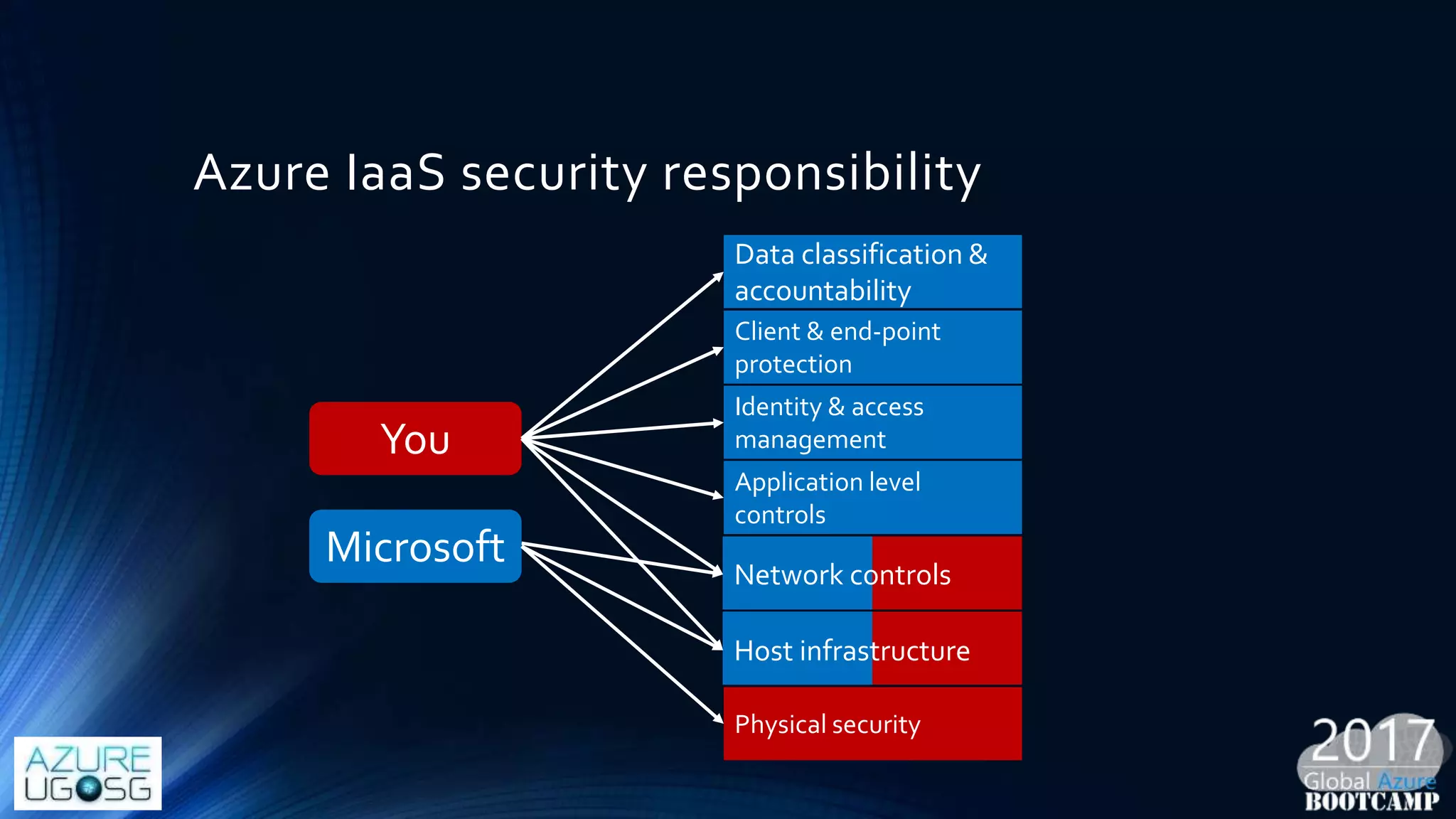
Azure IaaS security responsibility
Data classification &
accountability
Identity & access
management
Client & end-point
protection
Application level
controls
Physical security
Host infrastructure
Network controls
You
Microsoft
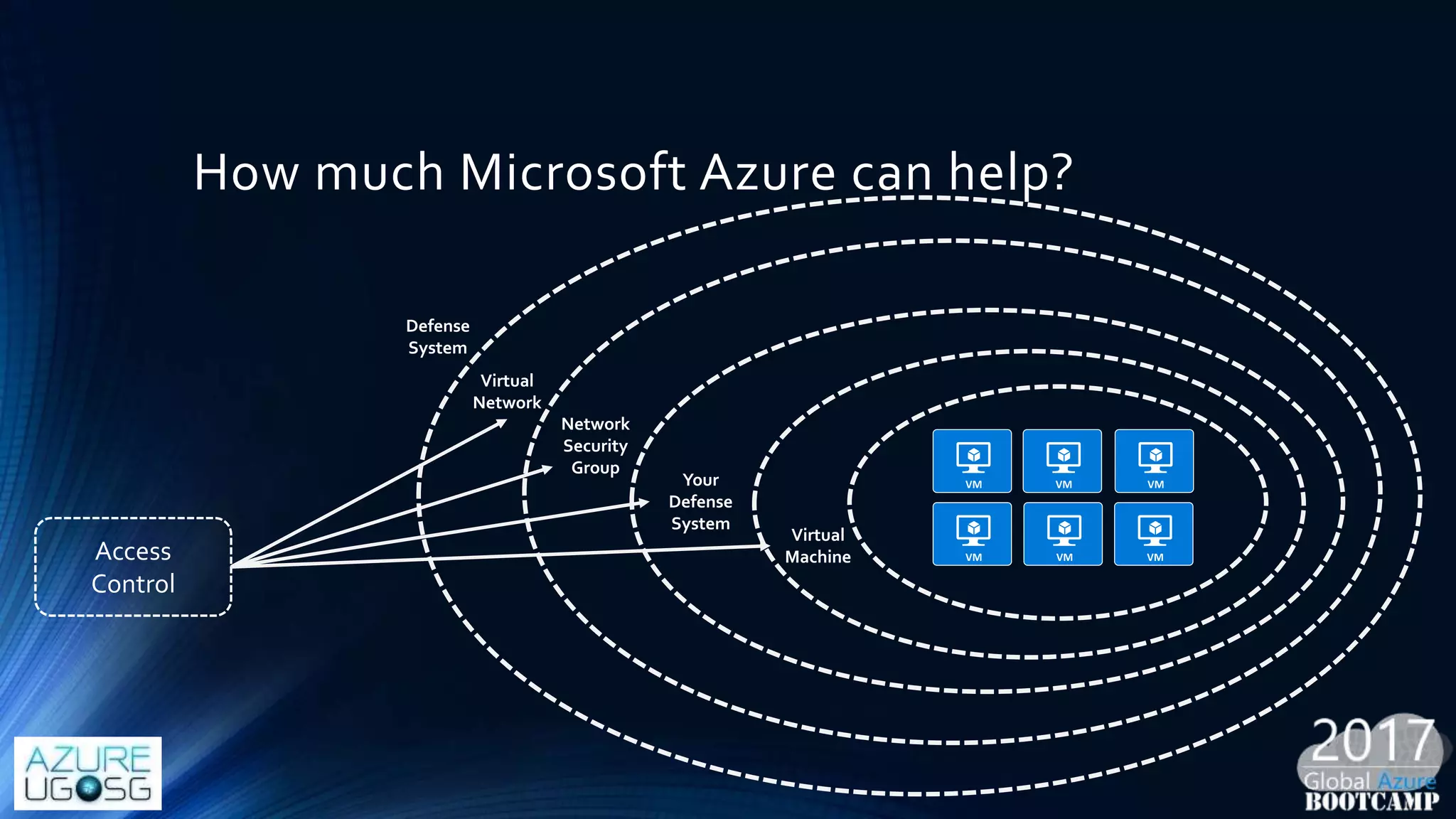
How much Microsoft Azure can help?
Defense
System
Virtual
Network
Network
Security
Group
Your
Defense
System
Virtual
MachineAccess
Control
Something before we move on
• Azure Denial-of-service (DDos) defense system is designed for
network-layer high volume attacks to protect Azure tenants.
• Azure does not provide mitigation or actively block network traffic to
customer deployment at application-layer attack.
Receipt 01: Azure Network Security
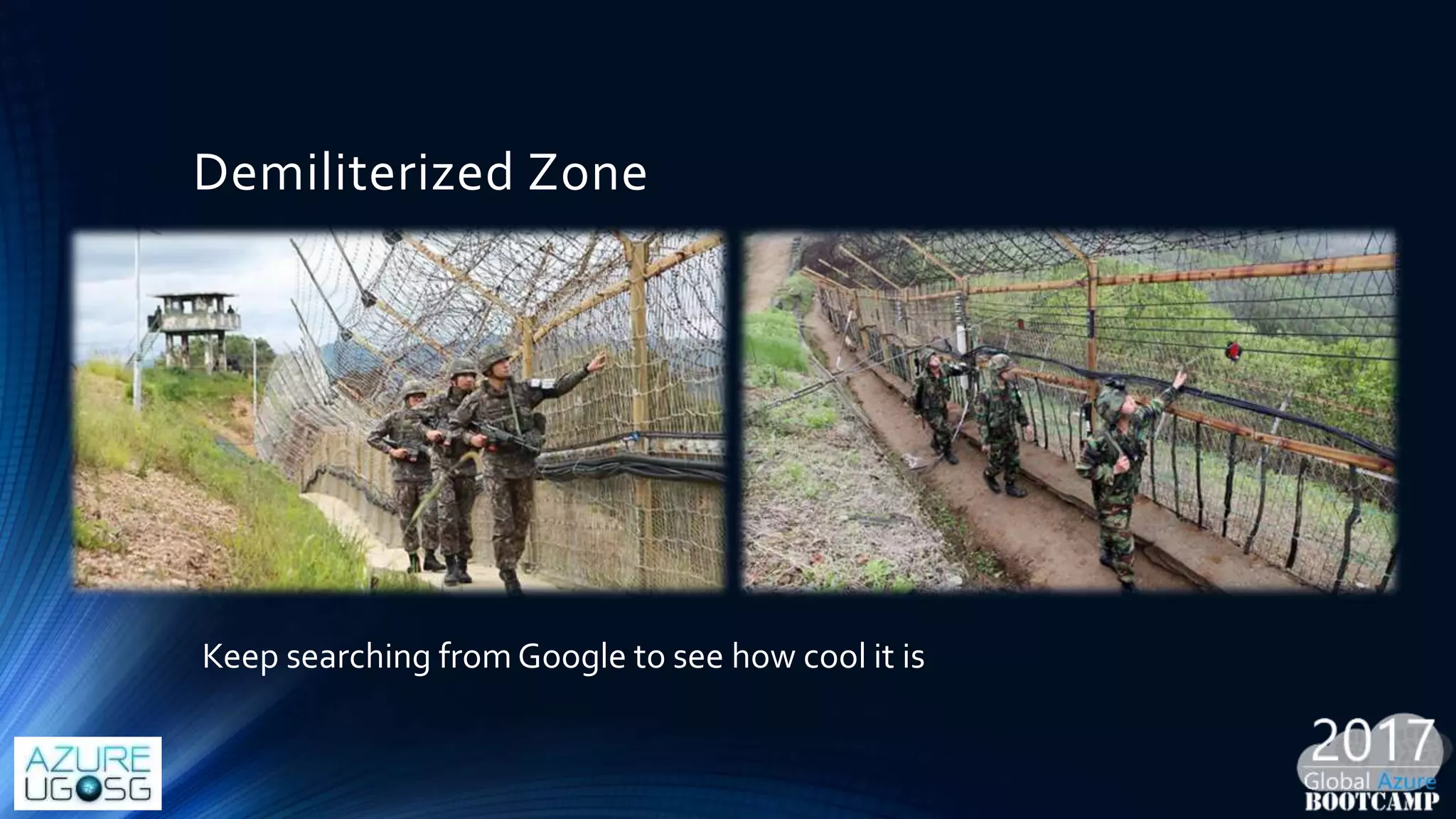
Demiliterized Zone
Keep searching from Google to see how cool it is
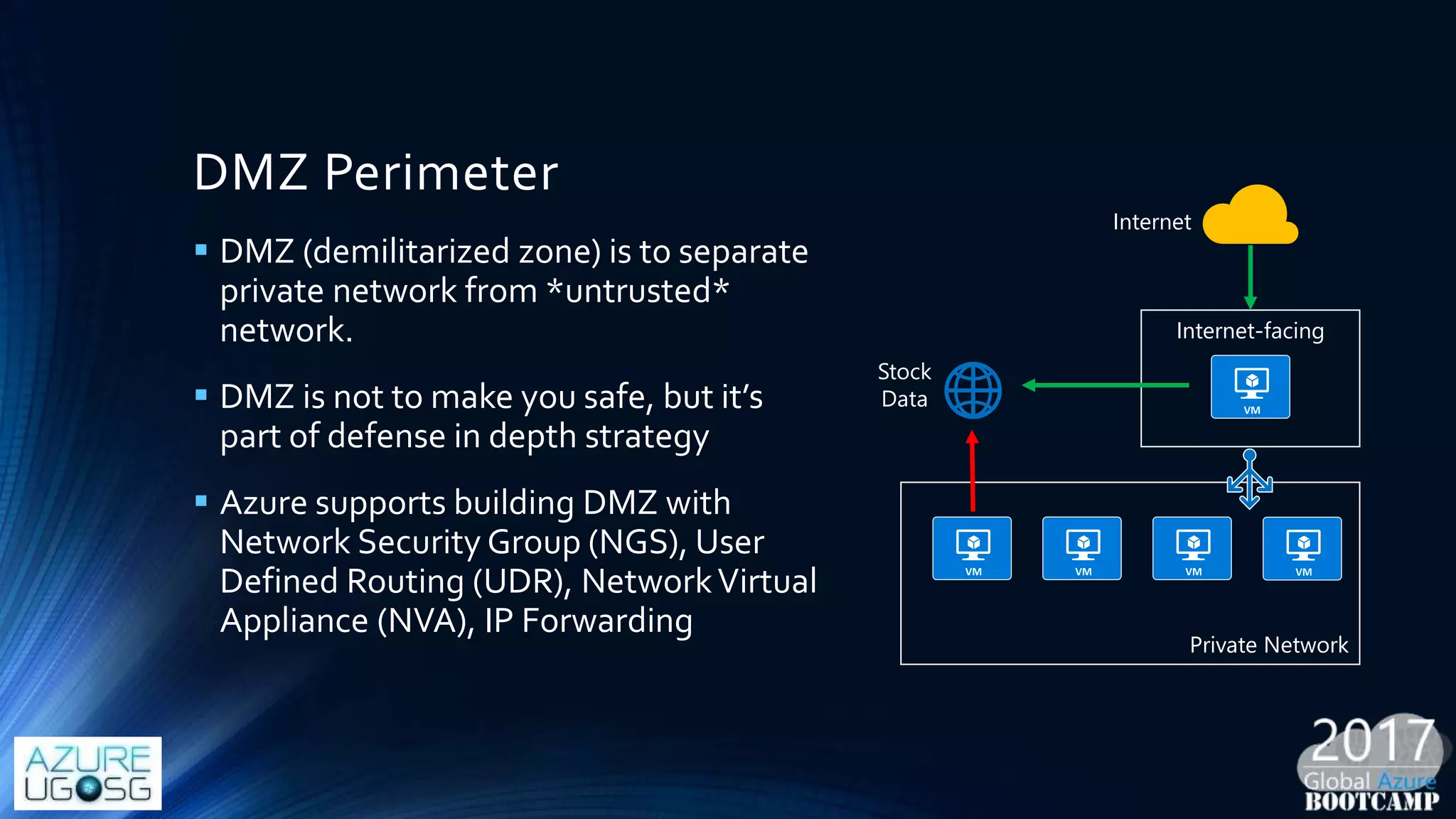
DMZ Perimeter
 DMZ (demilitarized zone) is to separate
private network from *untrusted*
network.
 DMZ is not to make you safe, but it’s
part of defense in depth strategy
 Azure supports building DMZ with
Network Security Group (NGS), User
Defined Routing (UDR), NetworkVirtual
Appliance (NVA), IP Forwarding
Internet-facing
Private Network
Stock
Data
Internet
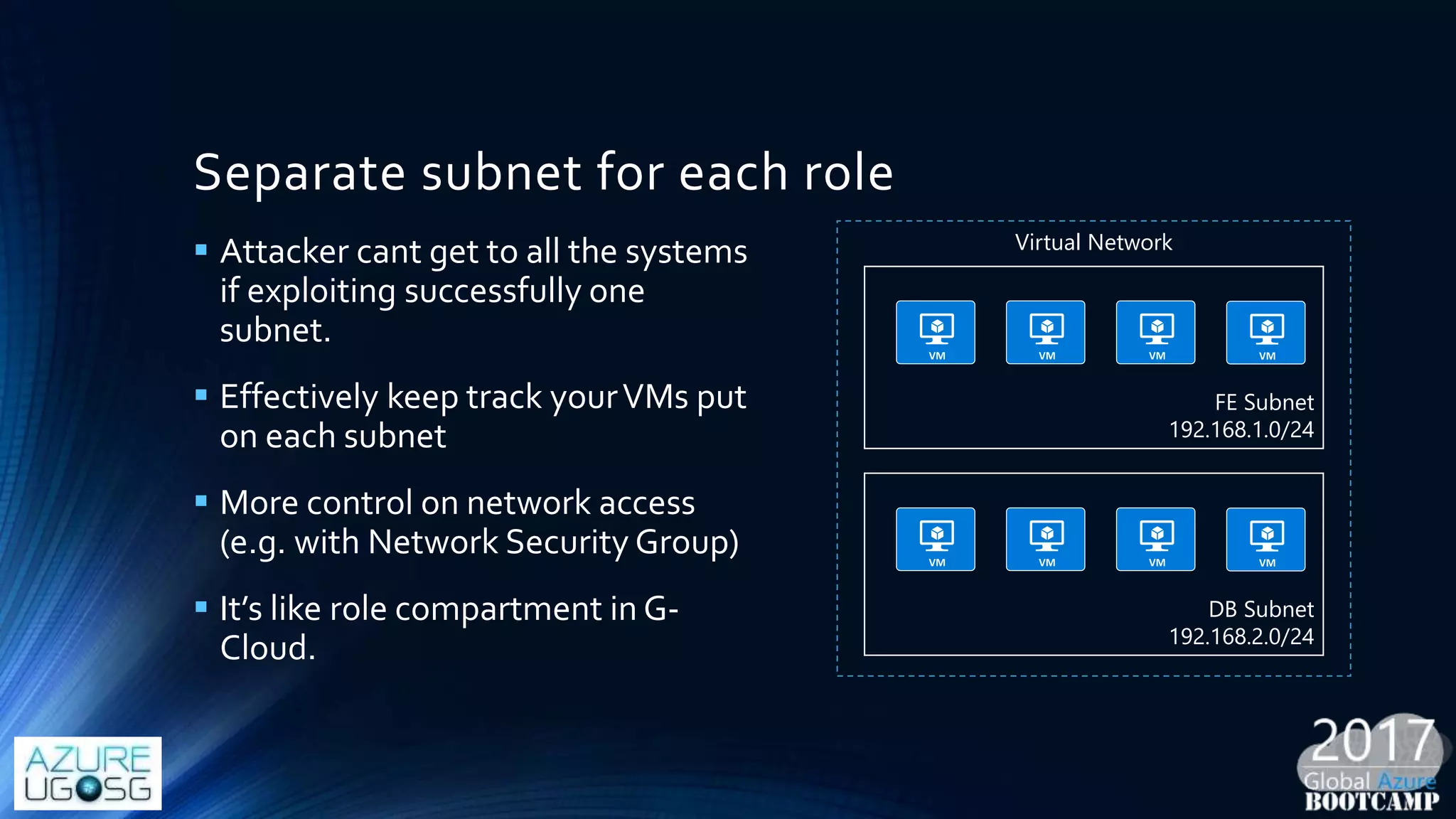
Separate subnet for each role
 Attacker cant get to all the systems
if exploiting successfully one
subnet.
 Effectively keep track yourVMs put
on each subnet
 More control on network access
(e.g. with Network Security Group)
 It’s like role compartment in G-
Cloud.
FE Subnet
192.168.1.0/24
DB Subnet
192.168.2.0/24
Virtual Network
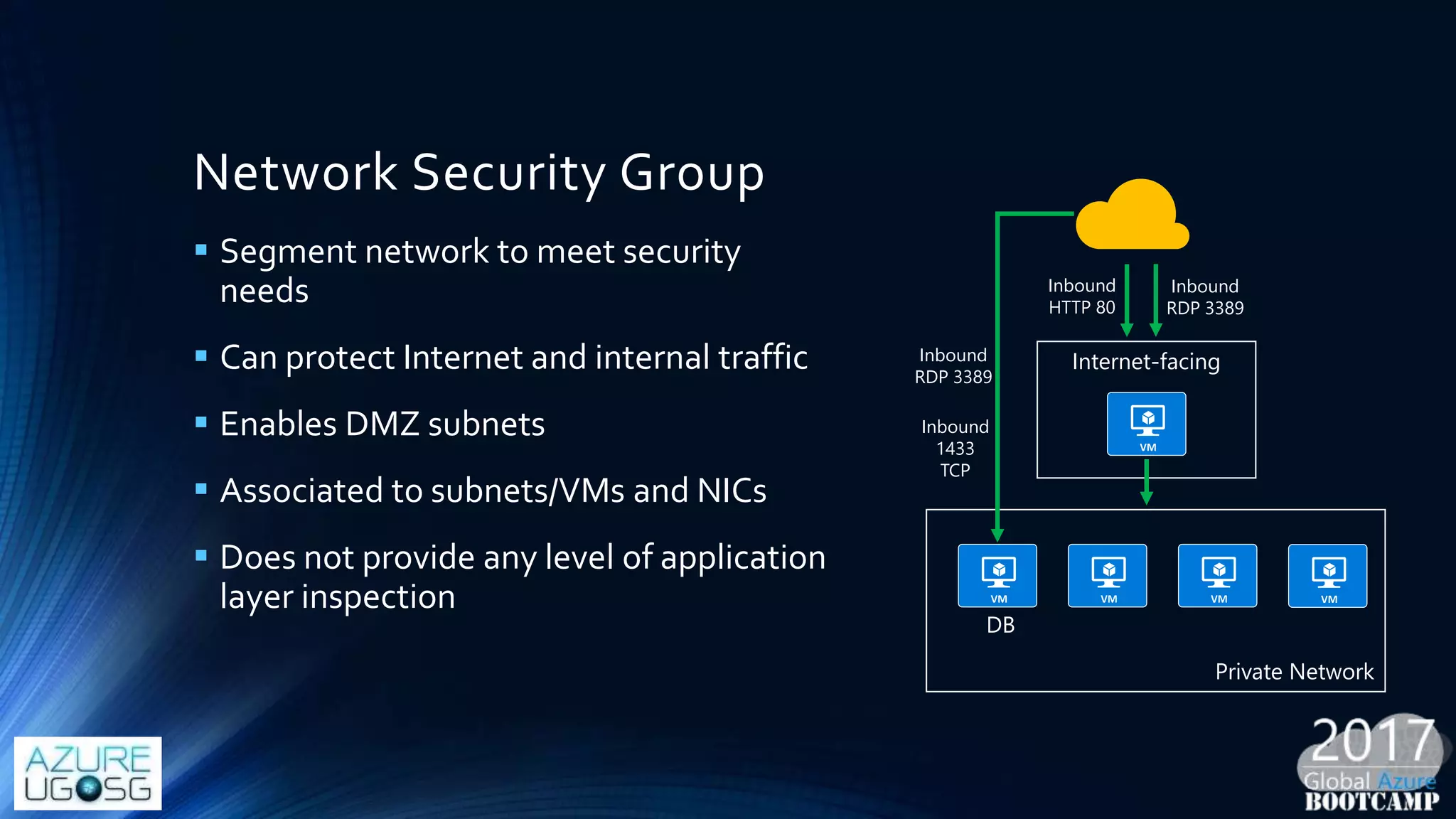
Network Security Group
 Segment network to meet security
needs
 Can protect Internet and internal traffic
 Enables DMZ subnets
 Associated to subnets/VMs and NICs
 Does not provide any level of application
layer inspection
Internet-facing
Inbound
HTTP 80
Private Network
DB
Inbound
1433
TCP
Inbound
RDP 3389
Inbound
RDP 3389
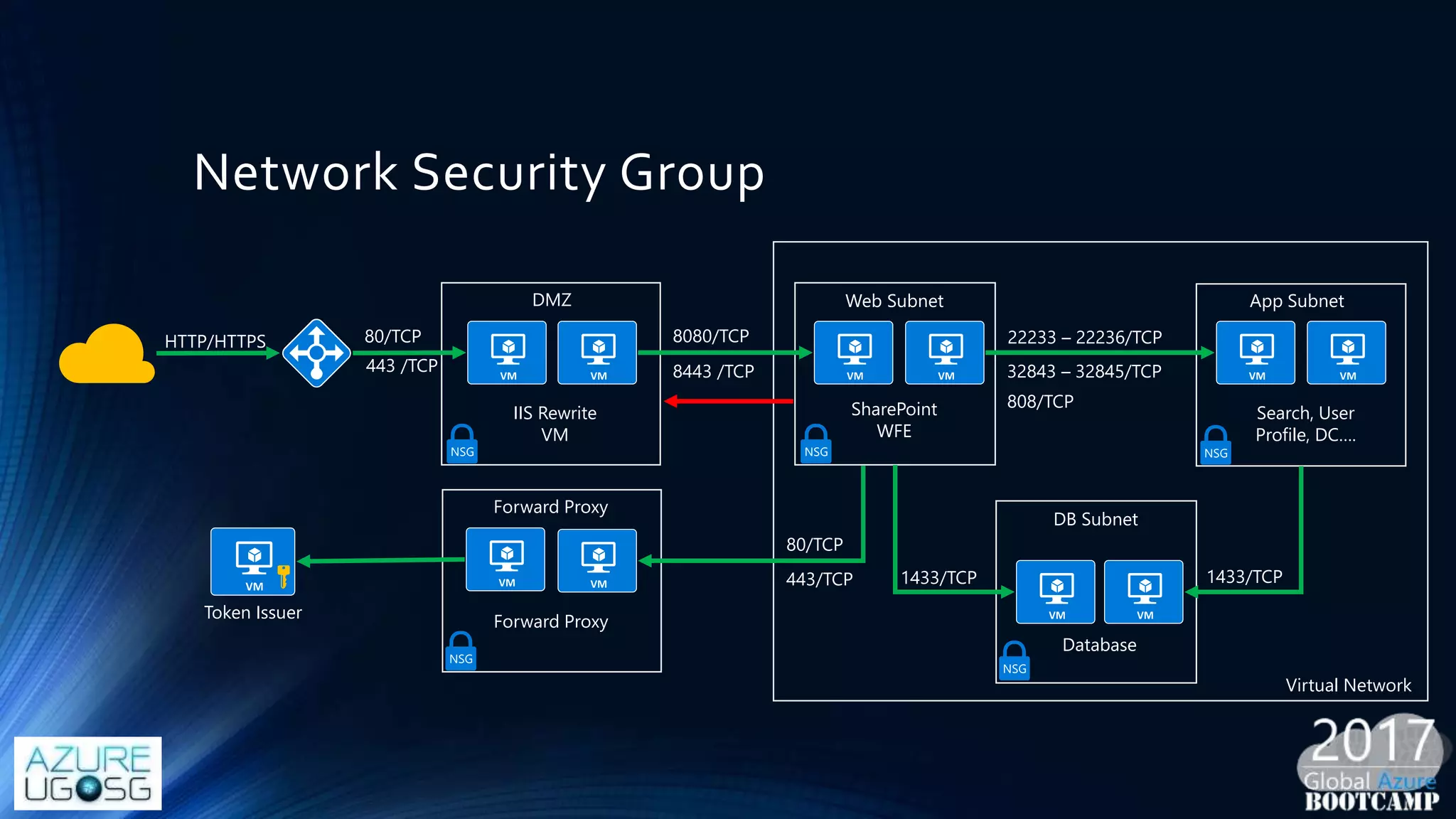
Network Security Group
DMZ
IIS Rewrite
VM
HTTP/HTTPS 80/TCP
443 /TCP
Web Subnet
SharePoint
WFE
8443 /TCP
8080/TCP
App Subnet
Search, User
Profile, DC….
22233 – 22236/TCP
32843 – 32845/TCP
808/TCP
1433/TCP
Database
DB Subnet
Forward Proxy
Forward Proxy
80/TCP
443/TCP 1433/TCP
NSG NSG
NSG
NSG
NSG
Token Issuer
Virtual Network
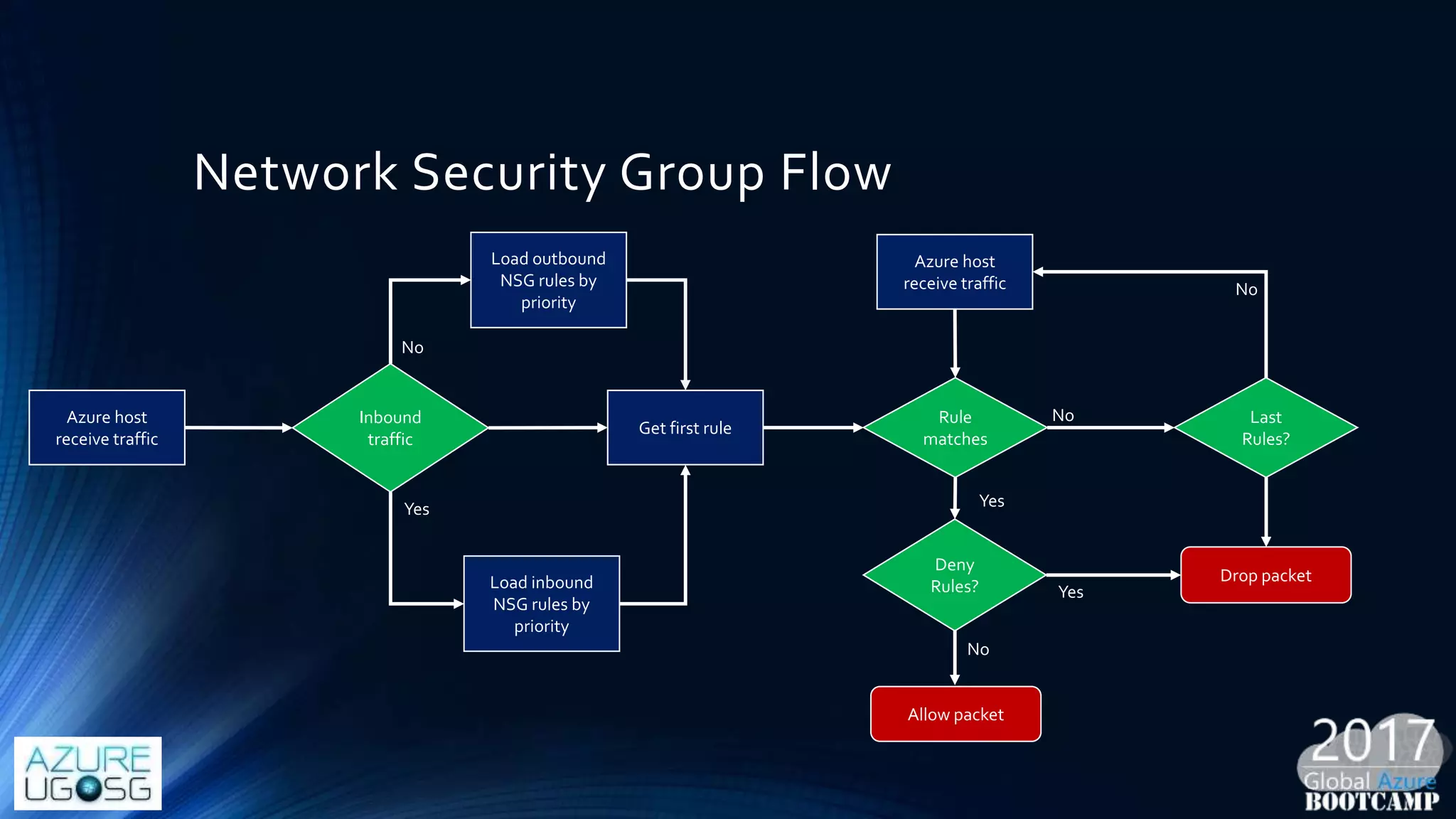
Network Security Group Flow
Azure host
receive traffic
Inbound
traffic
Load outbound
NSG rules by
priority
Load inbound
NSG rules by
priority
Get first rule
Rule
matches
Deny
Rules?
Last
Rules?
Azure host
receive traffic
Drop packet
Allow packet
No
Yes
No
No
Yes
Yes
No
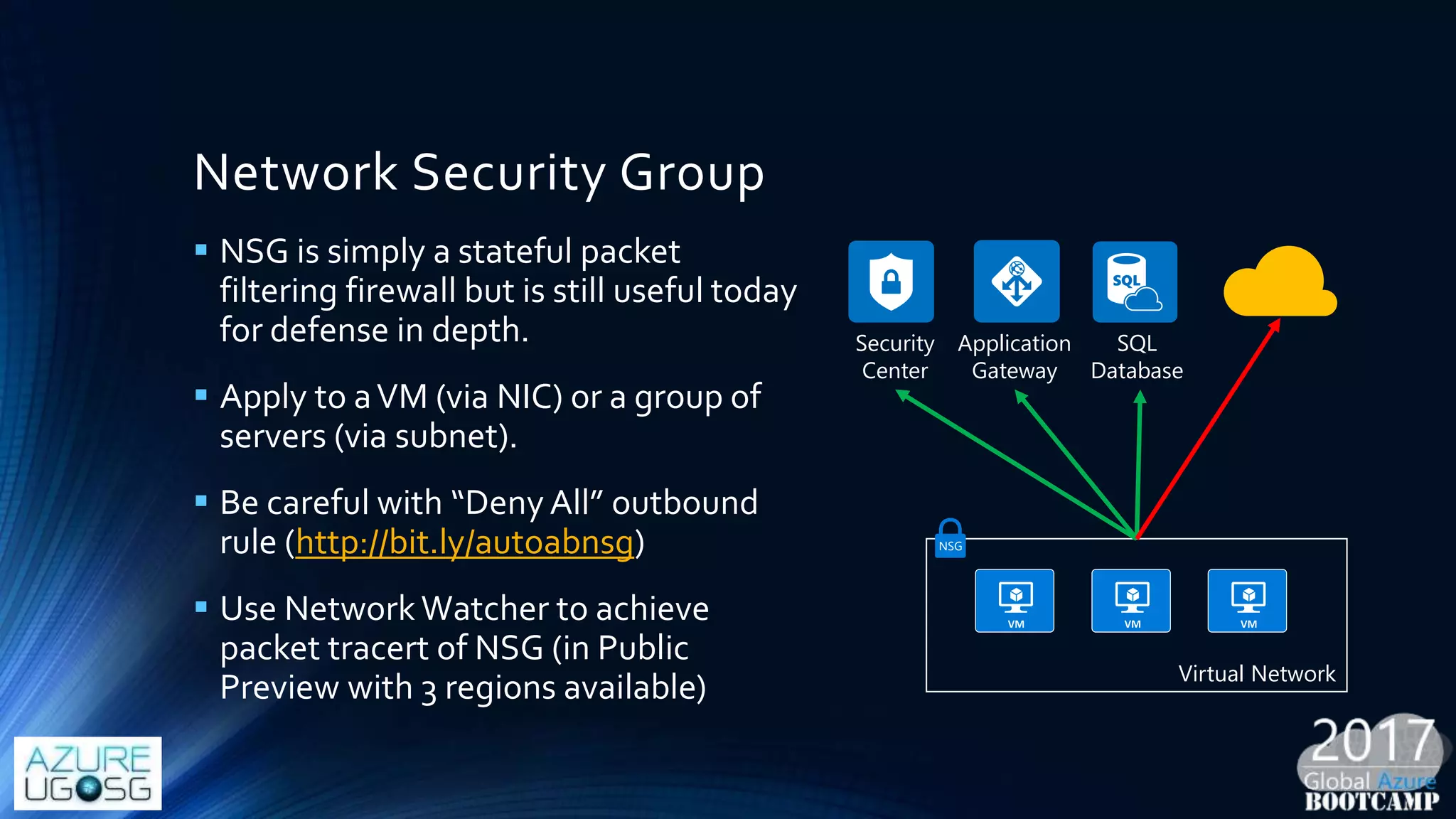
Network Security Group
 NSG is simply a stateful packet
filtering firewall but is still useful today
for defense in depth.
 Apply to aVM (via NIC) or a group of
servers (via subnet).
 Be careful with “Deny All” outbound
rule (http://bit.ly/autoabnsg)
 Use NetworkWatcher to achieve
packet tracert of NSG (in Public
Preview with 3 regions available)
Security
Center
Application
Gateway
SQL
Database
Virtual Network
NSG
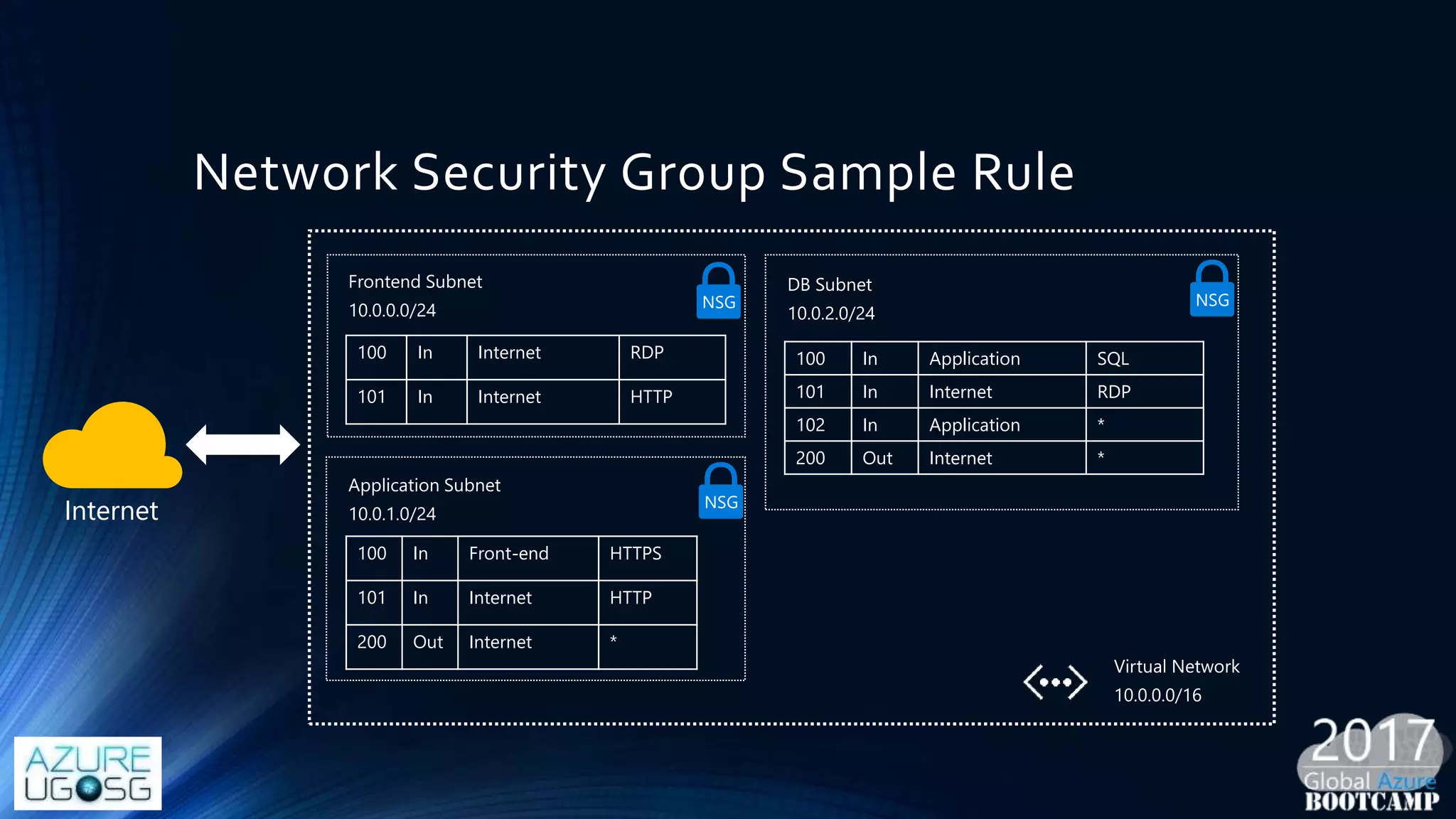
Network Security Group Sample Rule
100 In Application SQL
101 In Internet RDP
102 In Application *
200 Out Internet *
100 In Internet RDP
101 In Internet HTTP
100 In Front-end HTTPS
101 In Internet HTTP
200 Out Internet *
NSG
NSG
NSG
Internet
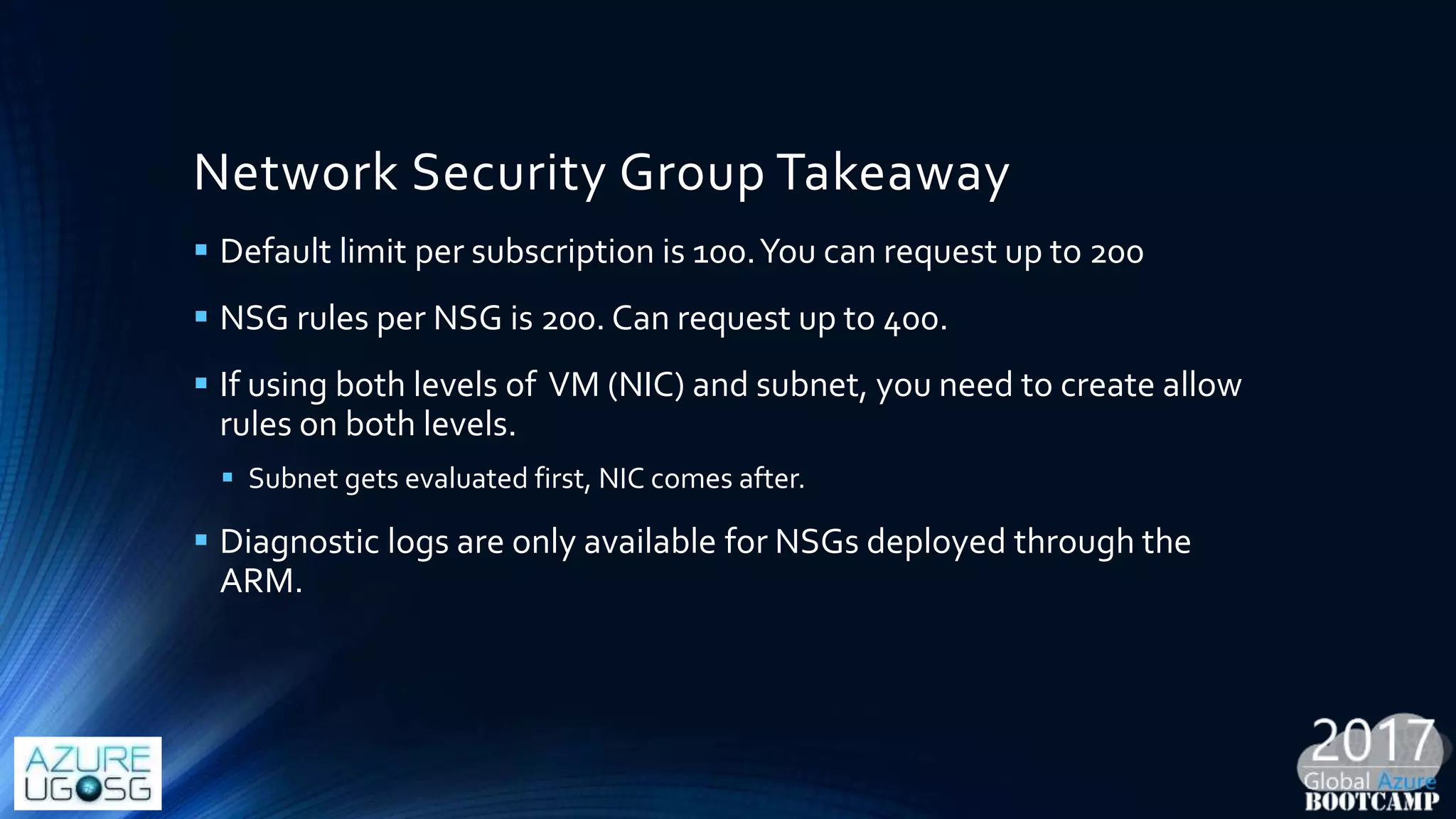
Network Security Group Takeaway
 Default limit per subscription is 100.You can request up to 200
 NSG rules per NSG is 200. Can request up to 400.
 If using both levels of VM (NIC) and subnet, you need to create allow
rules on both levels.
 Subnet gets evaluated first, NIC comes after.
 Diagnostic logs are only available for NSGs deployed through the
ARM.
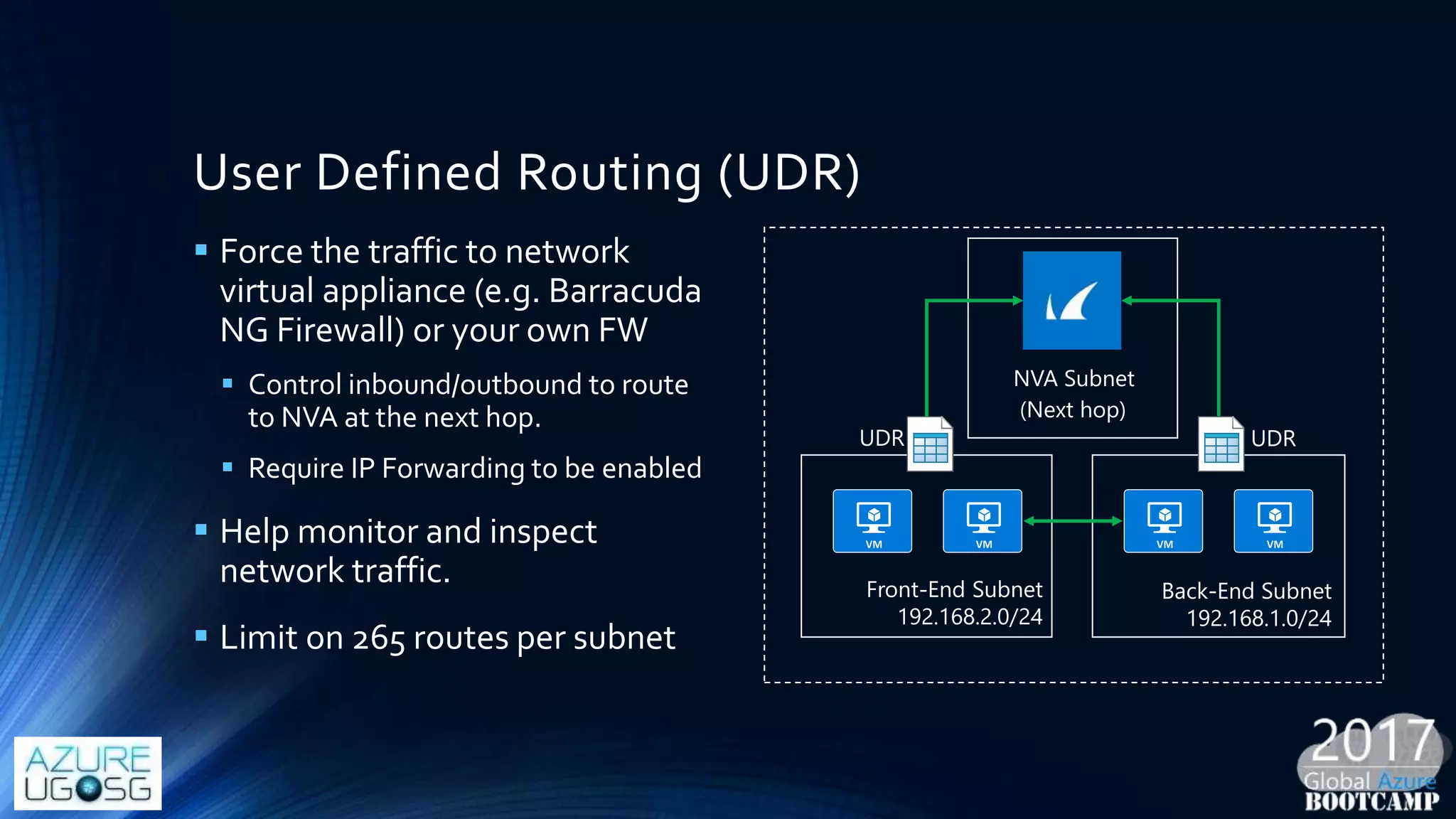
User Defined Routing (UDR)
 Force the traffic to network
virtual appliance (e.g. Barracuda
NG Firewall) or your own FW
 Control inbound/outbound to route
to NVA at the next hop.
 Require IP Forwarding to be enabled
 Help monitor and inspect
network traffic.
 Limit on 265 routes per subnet
Back-End Subnet
192.168.1.0/24
Front-End Subnet
192.168.2.0/24
NVA Subnet
UDR UDR
(Next hop)
Virtual Network Security Appliance
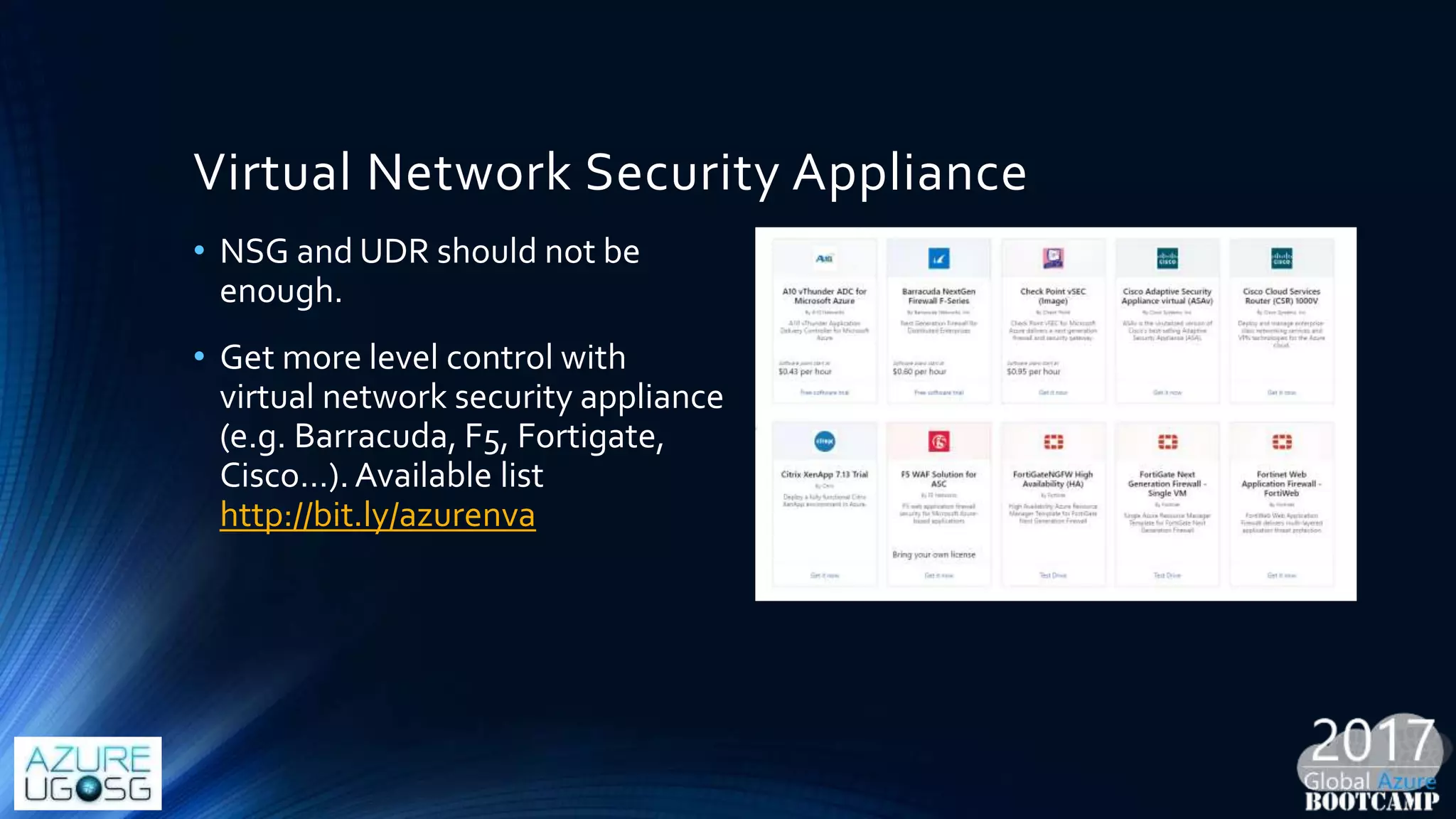
• NSG and UDR should not be
enough.
• Get more level control with
virtual network security appliance
(e.g. Barracuda, F5, Fortigate,
Cisco…). Available list
http://bit.ly/azurenva
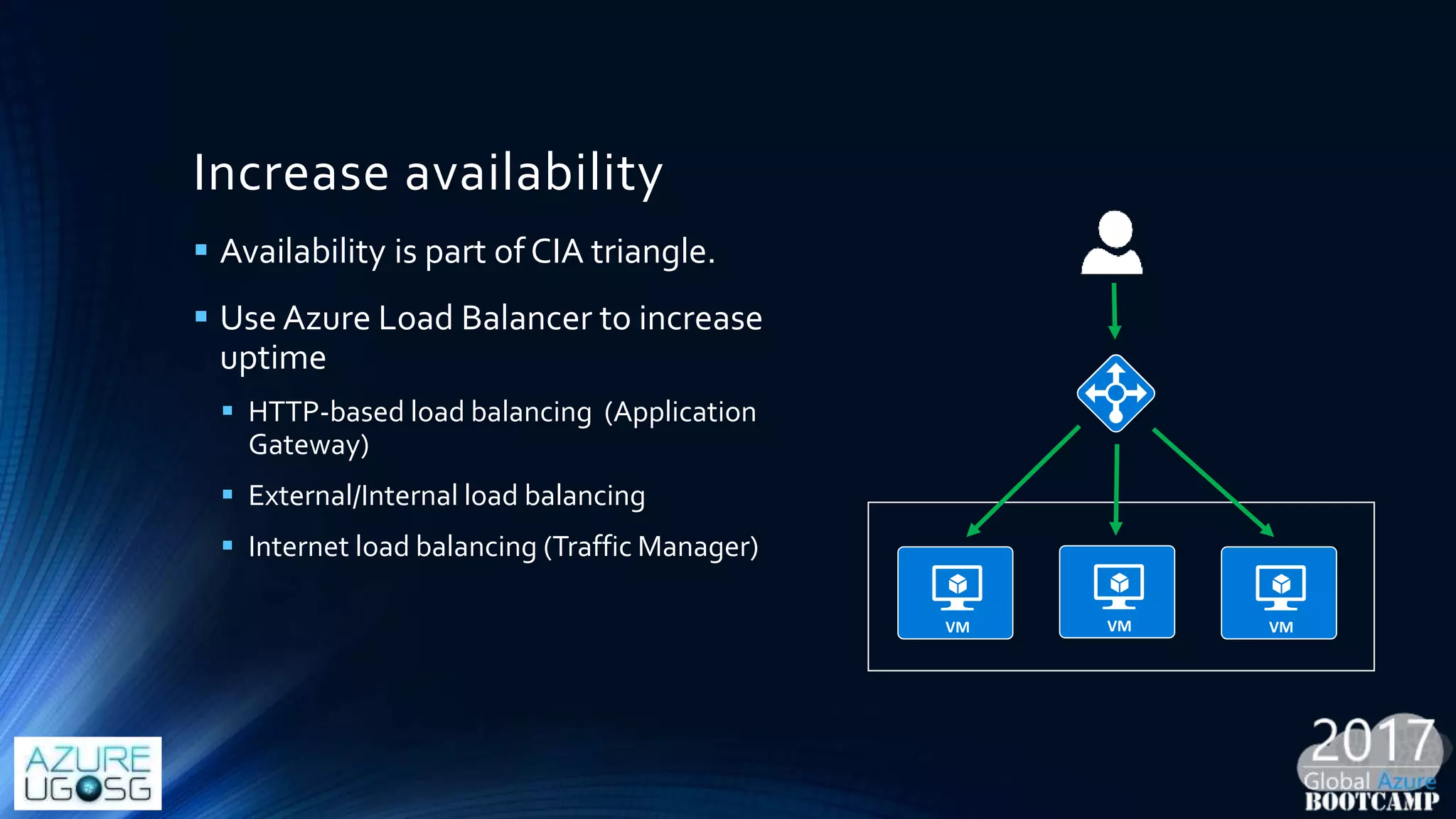
Increase availability
 Availability is part of CIA triangle.
 Use Azure Load Balancer to increase
uptime
 HTTP-based load balancing (Application
Gateway)
 External/Internal load balancing
 Internet load balancing (Traffic Manager)
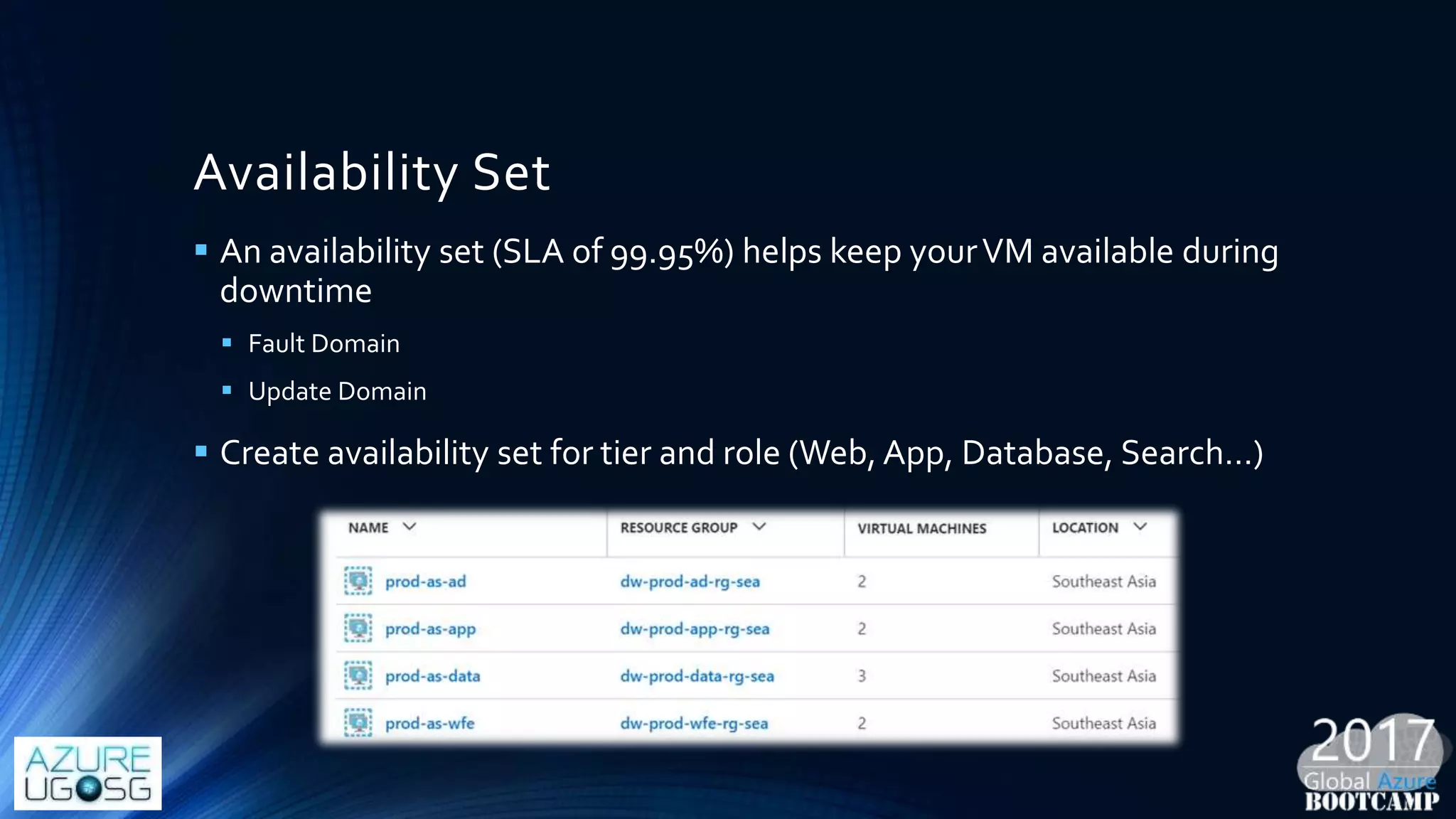
Availability Set
 An availability set (SLA of 99.95%) helps keep yourVM available during
downtime
 Fault Domain
 Update Domain
 Create availability set for tier and role (Web, App, Database, Search…)
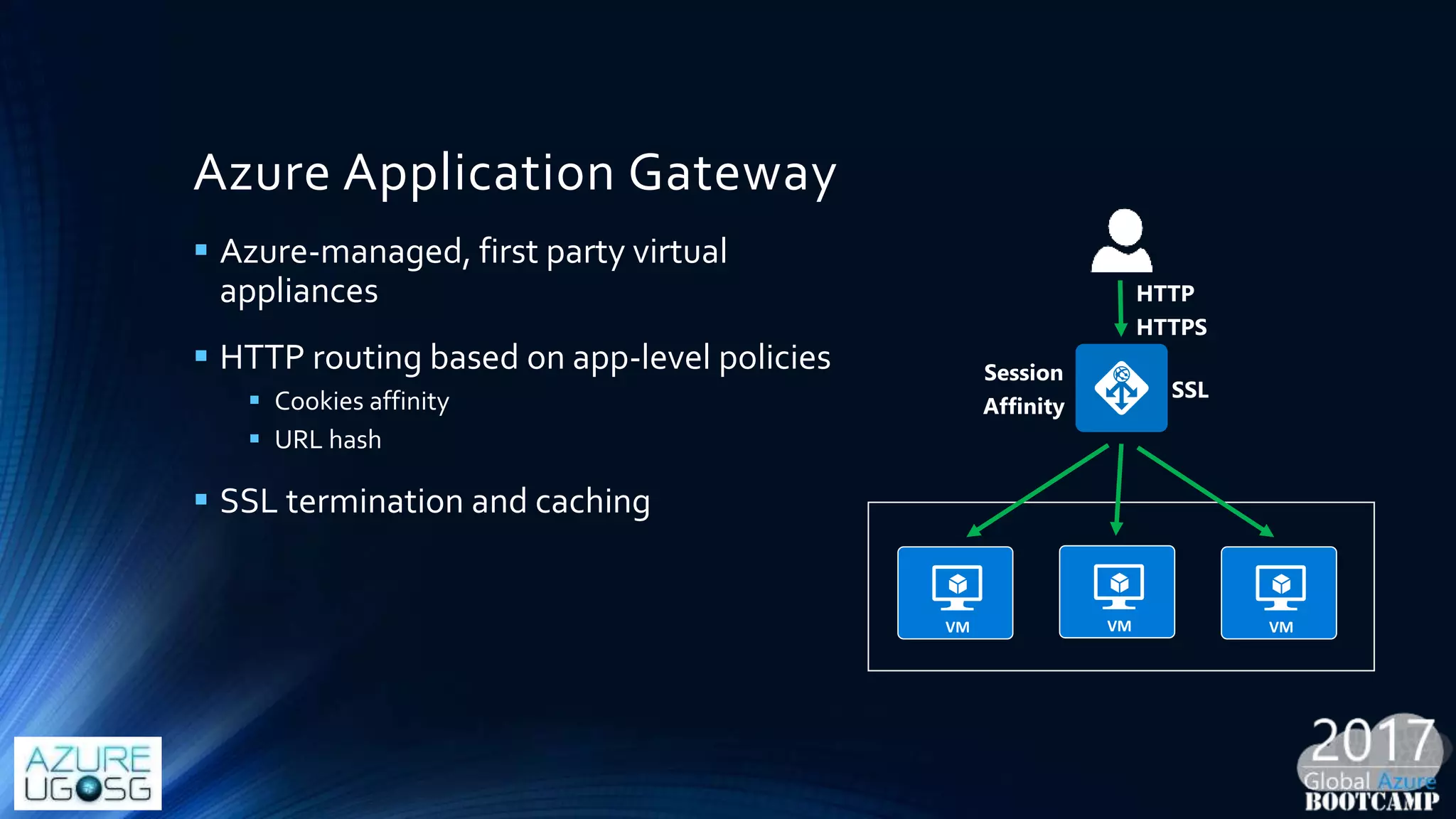
Azure Application Gateway
 Azure-managed, first party virtual
appliances
 HTTP routing based on app-level policies
 Cookies affinity
 URL hash
 SSL termination and caching
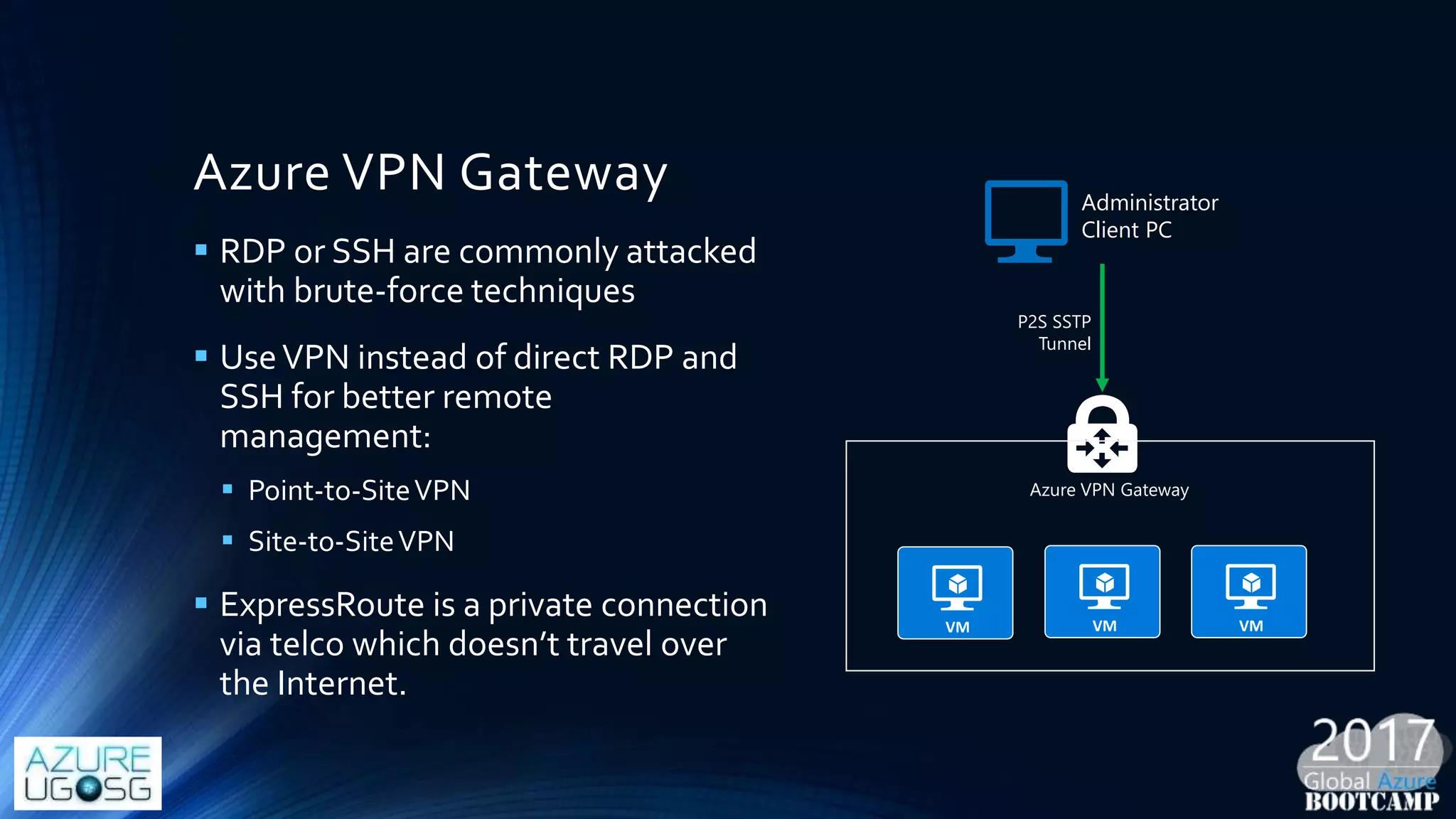
Azure VPN Gateway
 RDP or SSH are commonly attacked
with brute-force techniques
 UseVPN instead of direct RDP and
SSH for better remote
management:
 Point-to-SiteVPN
 Site-to-SiteVPN
 ExpressRoute is a private connection
via telco which doesn’t travel over
the Internet.
Administrator
Client PC
P2S SSTP
Tunnel
Azure VPN Gateway
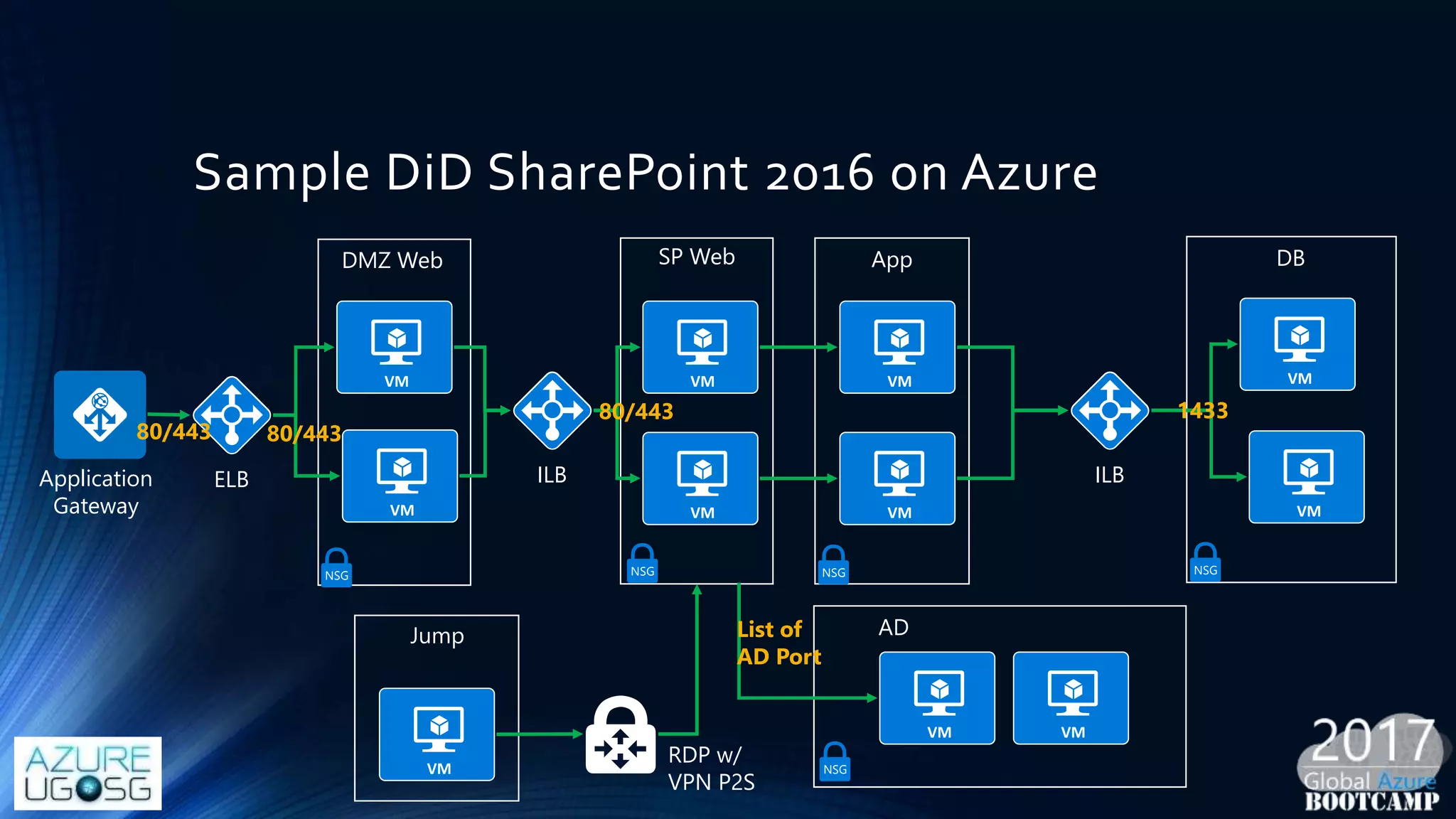
Sample DiD SharePoint 2016 on Azure
Application
Gateway
ILB
SP Web App
ILB
DB
Jump
RDP w/
VPN P2S
ELB
DMZ Web
80/443 80/443
80/443 1433
NSG NSGNSG NSG
AD
NSG
List of
AD Port
Receipt 02: VM & Storage Protection
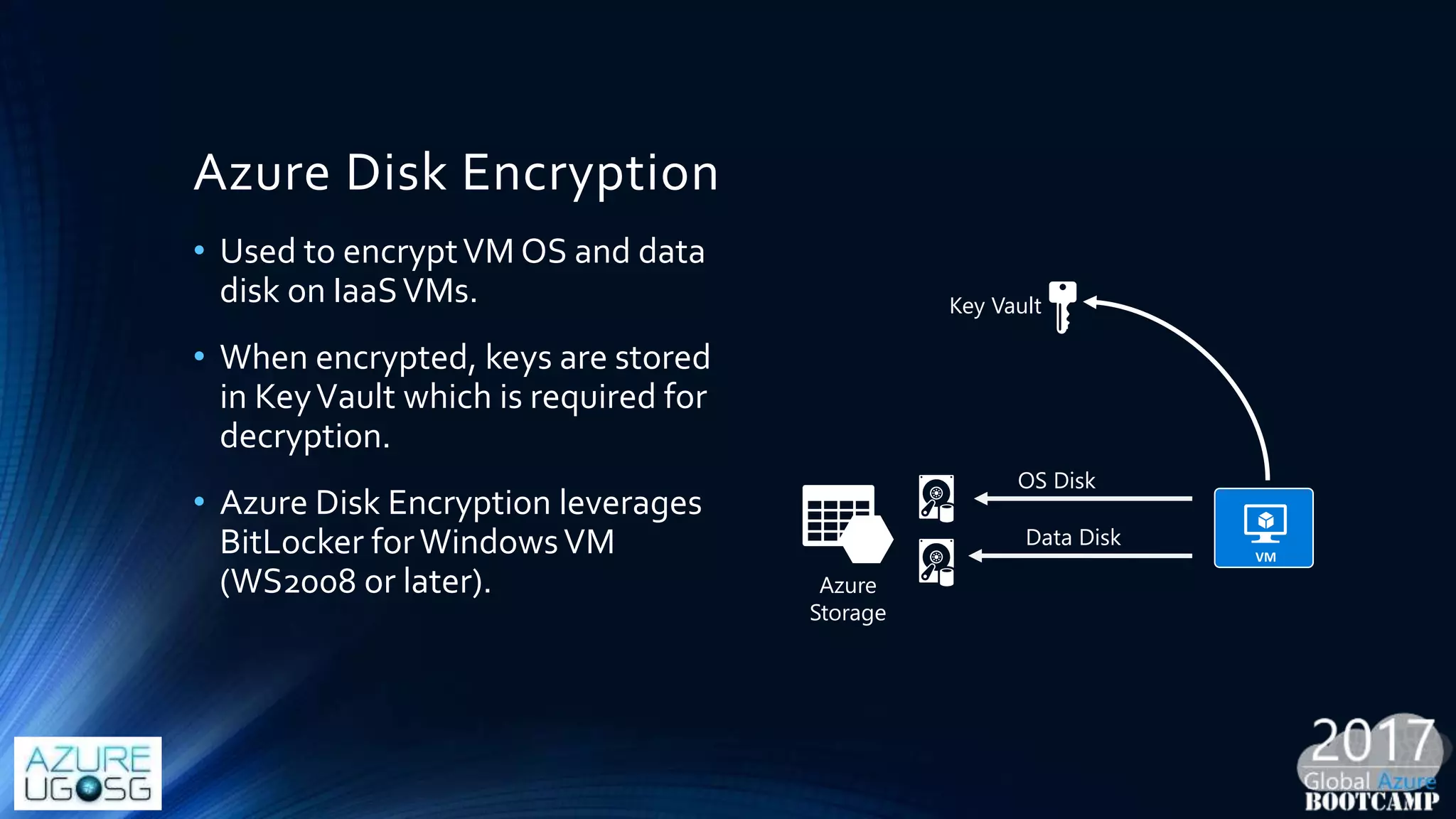
Azure Disk Encryption
• Used to encryptVM OS and data
disk on IaaSVMs.
• When encrypted, keys are stored
in KeyVault which is required for
decryption.
• Azure Disk Encryption leverages
BitLocker forWindowsVM
(WS2008 or later). Azure
Storage
OS Disk
Data Disk
Key Vault
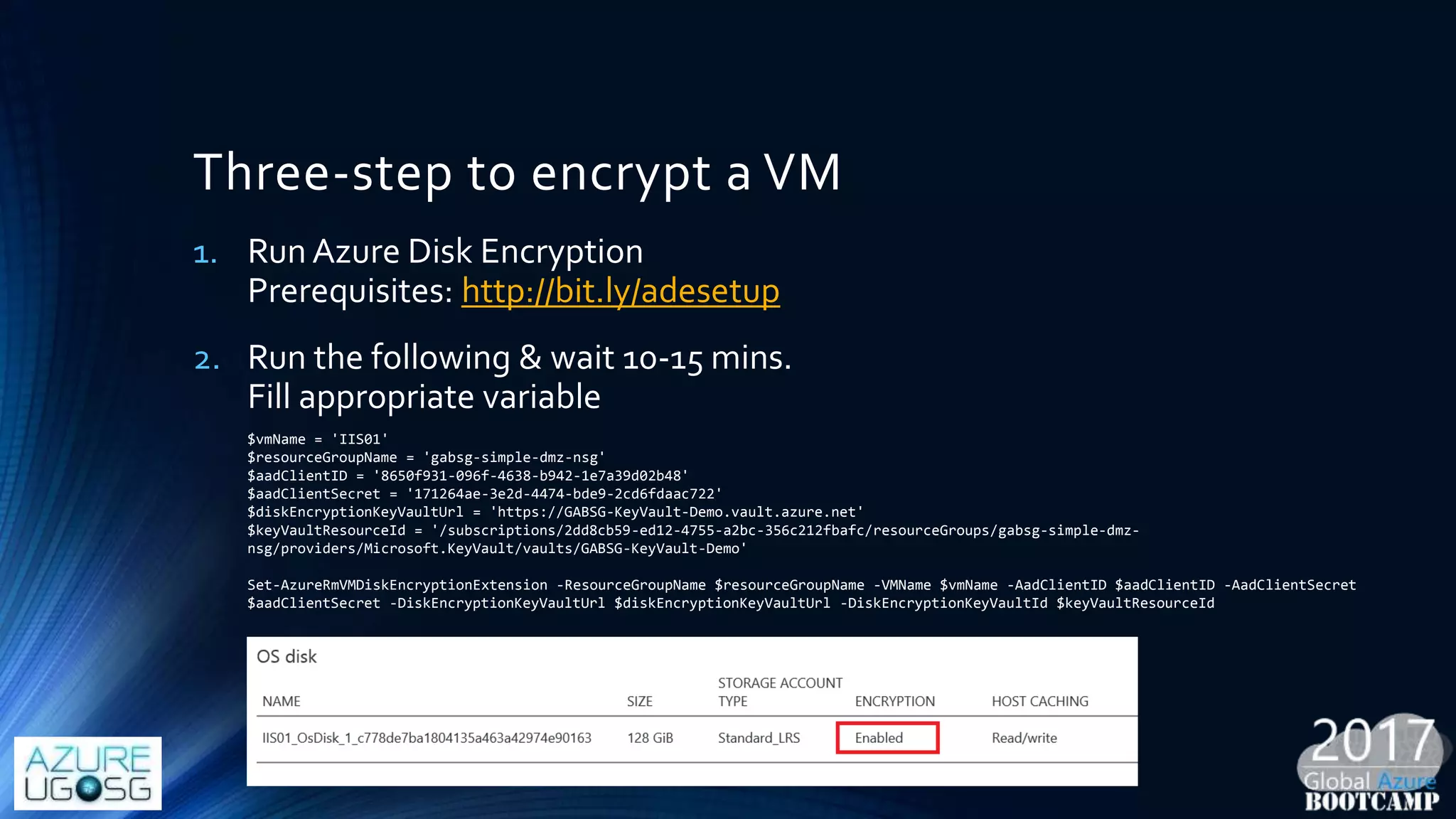
Three-step to encrypt a VM
1. Run Azure Disk Encryption
Prerequisites: http://bit.ly/adesetup
2. Run the following & wait 10-15 mins.
Fill appropriate variable
$vmName = 'IIS01'
$resourceGroupName = 'gabsg-simple-dmz-nsg'
$aadClientID = '8650f931-096f-4638-b942-1e7a39d02b48'
$aadClientSecret = '171264ae-3e2d-4474-bde9-2cd6fdaac722'
$diskEncryptionKeyVaultUrl = 'https://GABSG-KeyVault-Demo.vault.azure.net'
$keyVaultResourceId = '/subscriptions/2dd8cb59-ed12-4755-a2bc-356c212fbafc/resourceGroups/gabsg-simple-dmz-
nsg/providers/Microsoft.KeyVault/vaults/GABSG-KeyVault-Demo'
Set-AzureRmVMDiskEncryptionExtension -ResourceGroupName $resourceGroupName -VMName $vmName -AadClientID $aadClientID -AadClientSecret
$aadClientSecret -DiskEncryptionKeyVaultUrl $diskEncryptionKeyVaultUrl -DiskEncryptionKeyVaultId $keyVaultResourceId
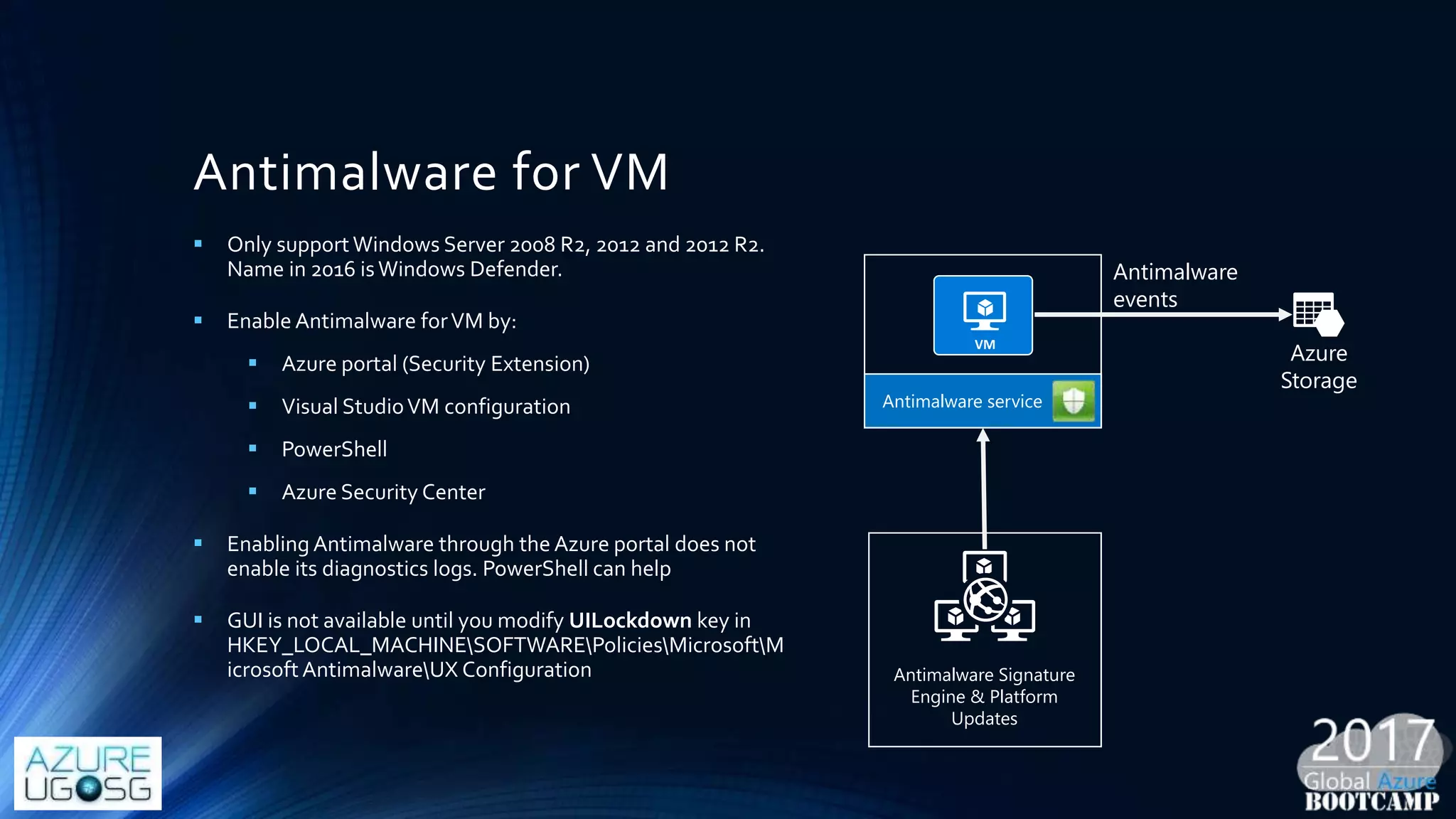
Antimalware for VM
 Only supportWindows Server 2008 R2, 2012 and 2012 R2.
Name in 2016 isWindows Defender.
 Enable Antimalware forVM by:
 Azure portal (Security Extension)
 Visual StudioVM configuration
 PowerShell
 Azure Security Center
 Enabling Antimalware through the Azure portal does not
enable its diagnostics logs. PowerShell can help
 GUI is not available until you modify UILockdown key in
HKEY_LOCAL_MACHINESOFTWAREPoliciesMicrosoftM
icrosoft AntimalwareUX Configuration
Azure
Storage
Antimalware service
Antimalware
events
Antimalware Signature
Engine & Platform
Updates
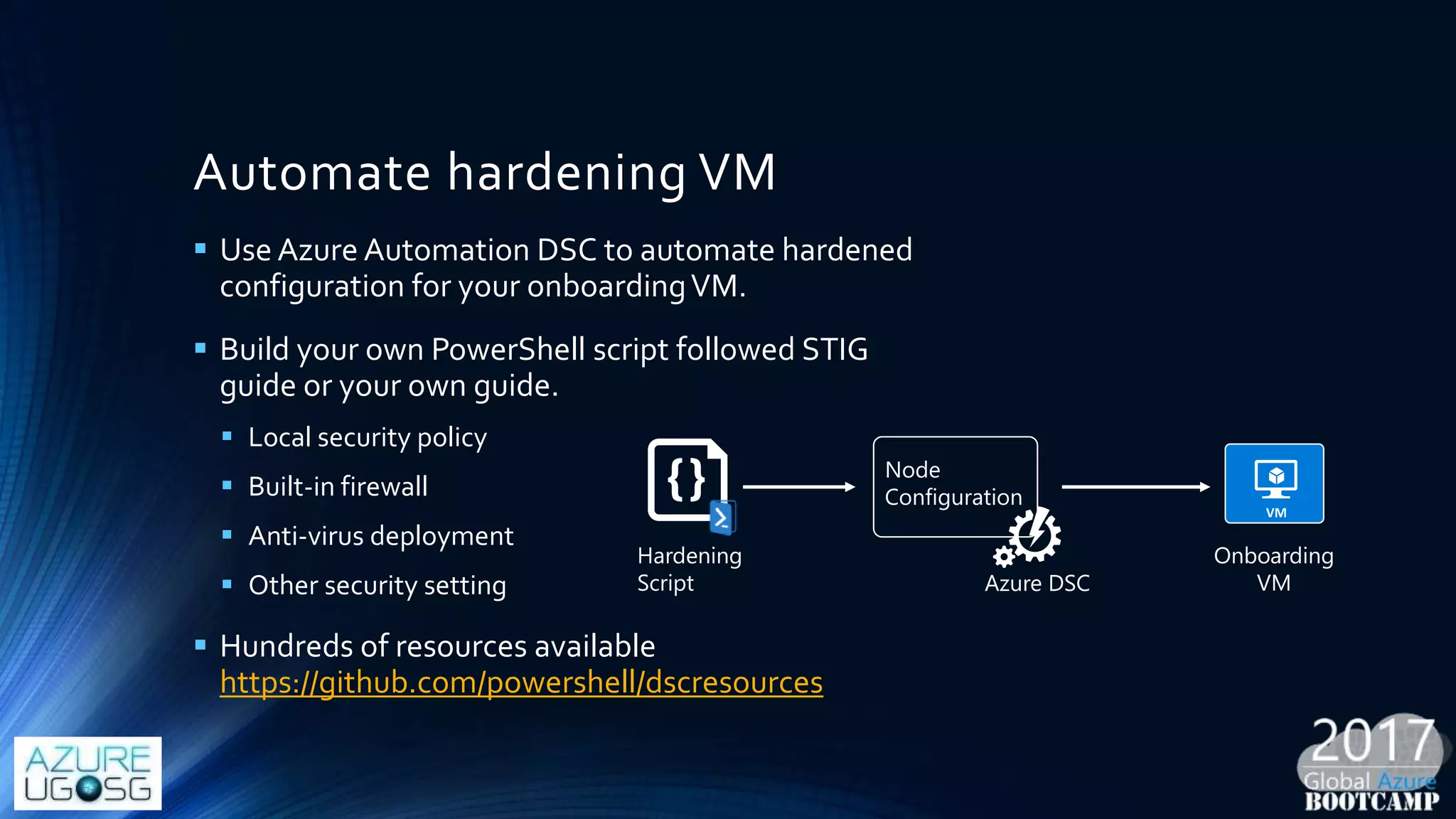
Automate hardening VM
 Use Azure Automation DSC to automate hardened
configuration for your onboardingVM.
 Build your own PowerShell script followed STIG
guide or your own guide.
 Local security policy
 Built-in firewall
 Anti-virus deployment
 Other security setting
 Hundreds of resources available
https://github.com/powershell/dscresources
Node
Configuration
Hardening
Script
Onboarding
VMAzure DSC
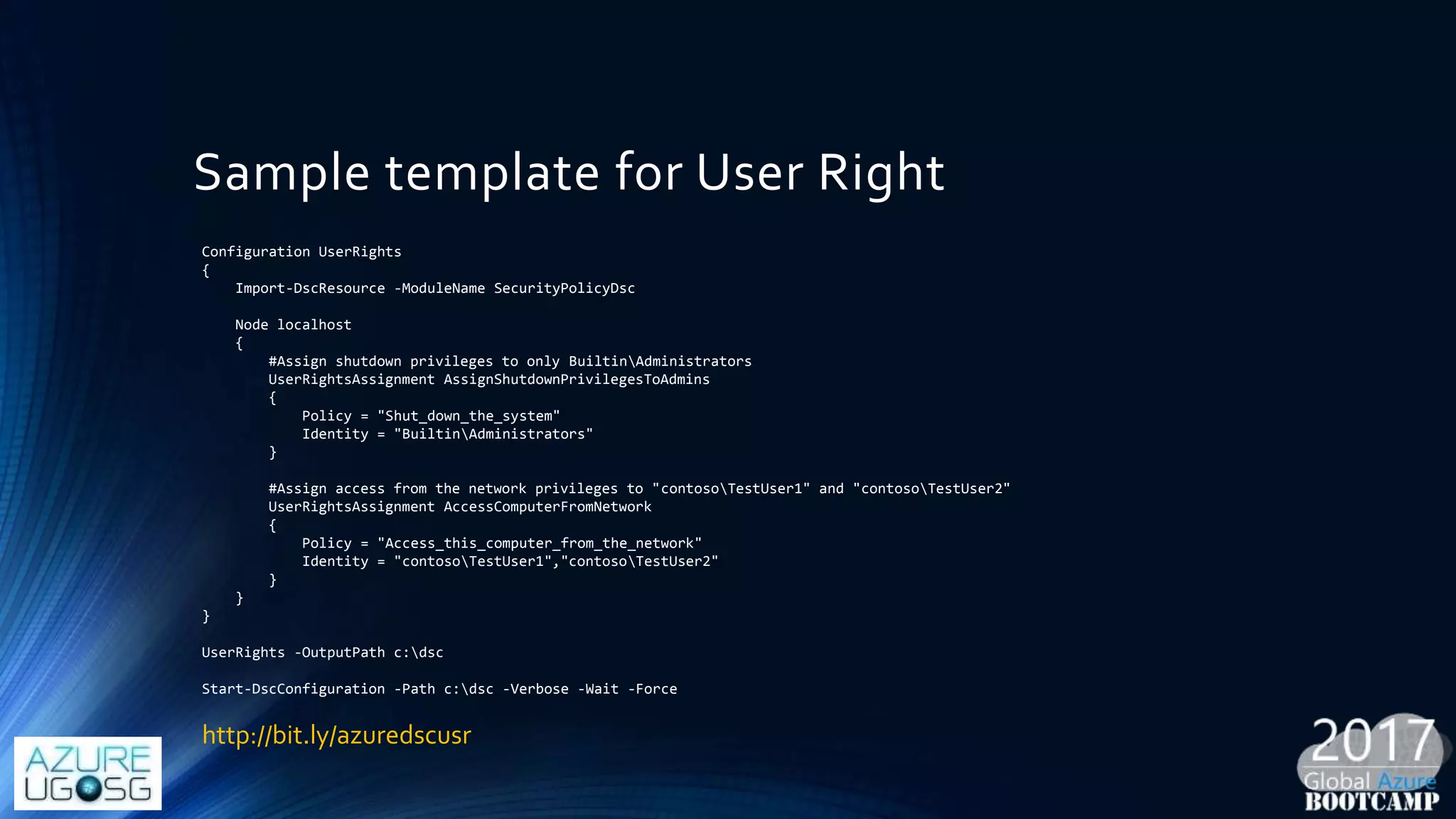
Sample template for User Right
Configuration UserRights
{
Import-DscResource -ModuleName SecurityPolicyDsc
Node localhost
{
#Assign shutdown privileges to only BuiltinAdministrators
UserRightsAssignment AssignShutdownPrivilegesToAdmins
{
Policy = "Shut_down_the_system"
Identity = "BuiltinAdministrators"
}
#Assign access from the network privileges to "contosoTestUser1" and "contosoTestUser2"
UserRightsAssignment AccessComputerFromNetwork
{
Policy = "Access_this_computer_from_the_network"
Identity = "contosoTestUser1","contosoTestUser2"
}
}
}
UserRights -OutputPath c:dsc
Start-DscConfiguration -Path c:dsc -Verbose -Wait -Force
http://bit.ly/azuredscusr
Receipt 03: Identity Protection
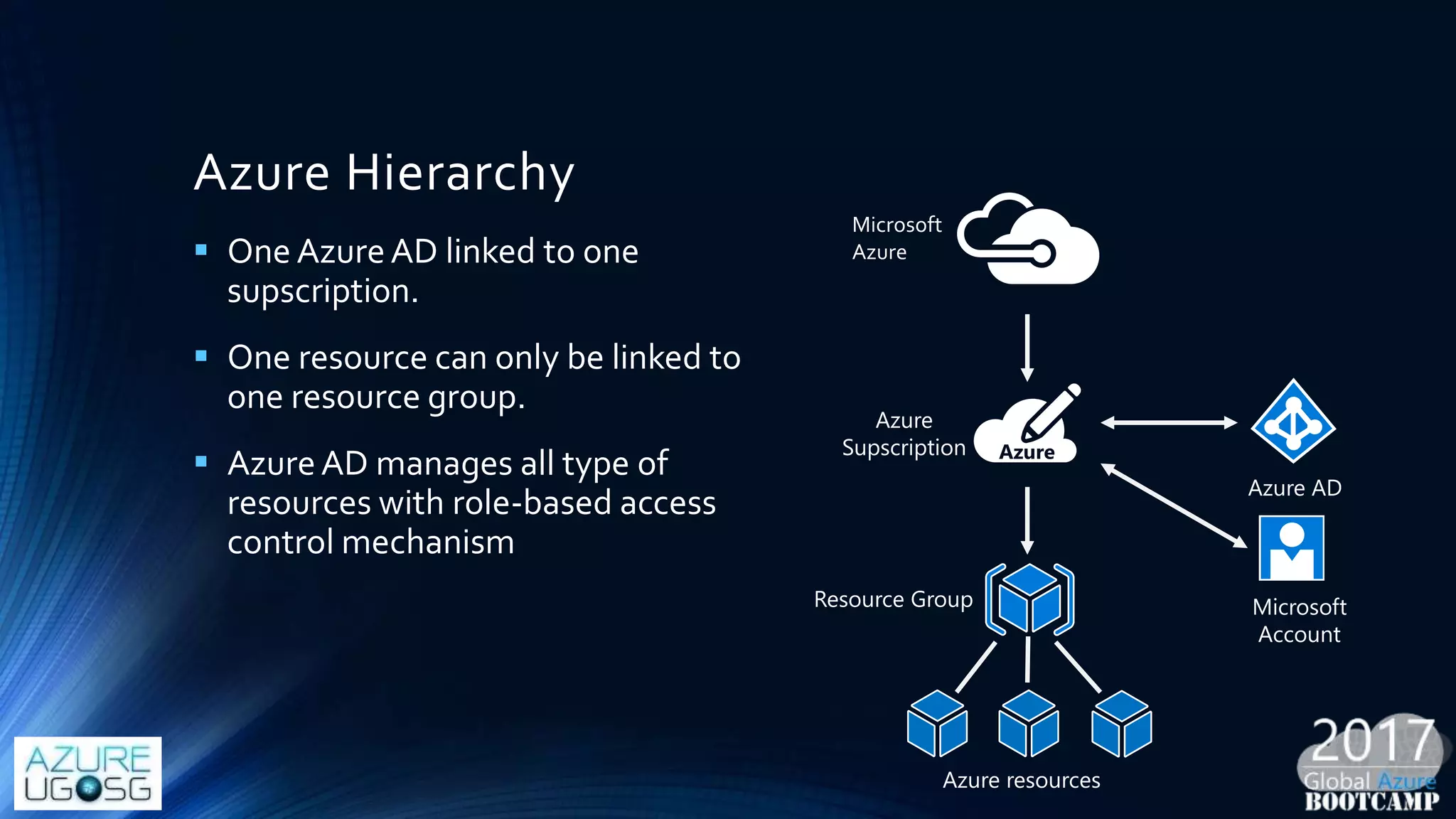
Azure Hierarchy
Microsoft
Azure
Resource Group
Azure resources
 One AzureAD linked to one
supscription.
 One resource can only be linked to
one resource group.
 AzureAD manages all type of
resources with role-based access
control mechanism
Azure AD
Azure
Supscription
Microsoft
Account
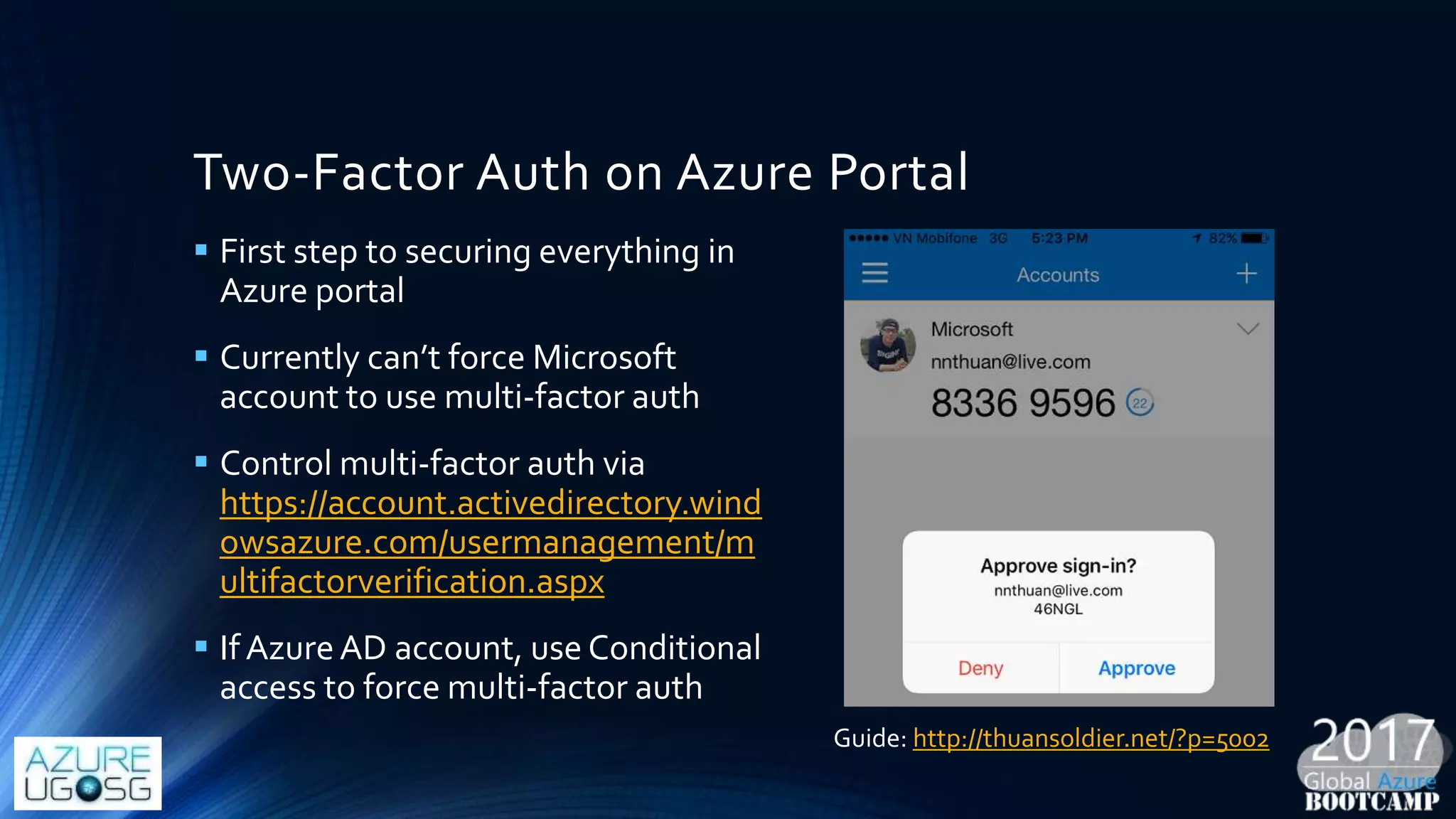
Two-Factor Auth on Azure Portal
 First step to securing everything in
Azure portal
 Currently can’t force Microsoft
account to use multi-factor auth
 Control multi-factor auth via
https://account.activedirectory.wind
owsazure.com/usermanagement/m
ultifactorverification.aspx
 If AzureAD account, use Conditional
access to force multi-factor auth
Guide: http://thuansoldier.net/?p=5002
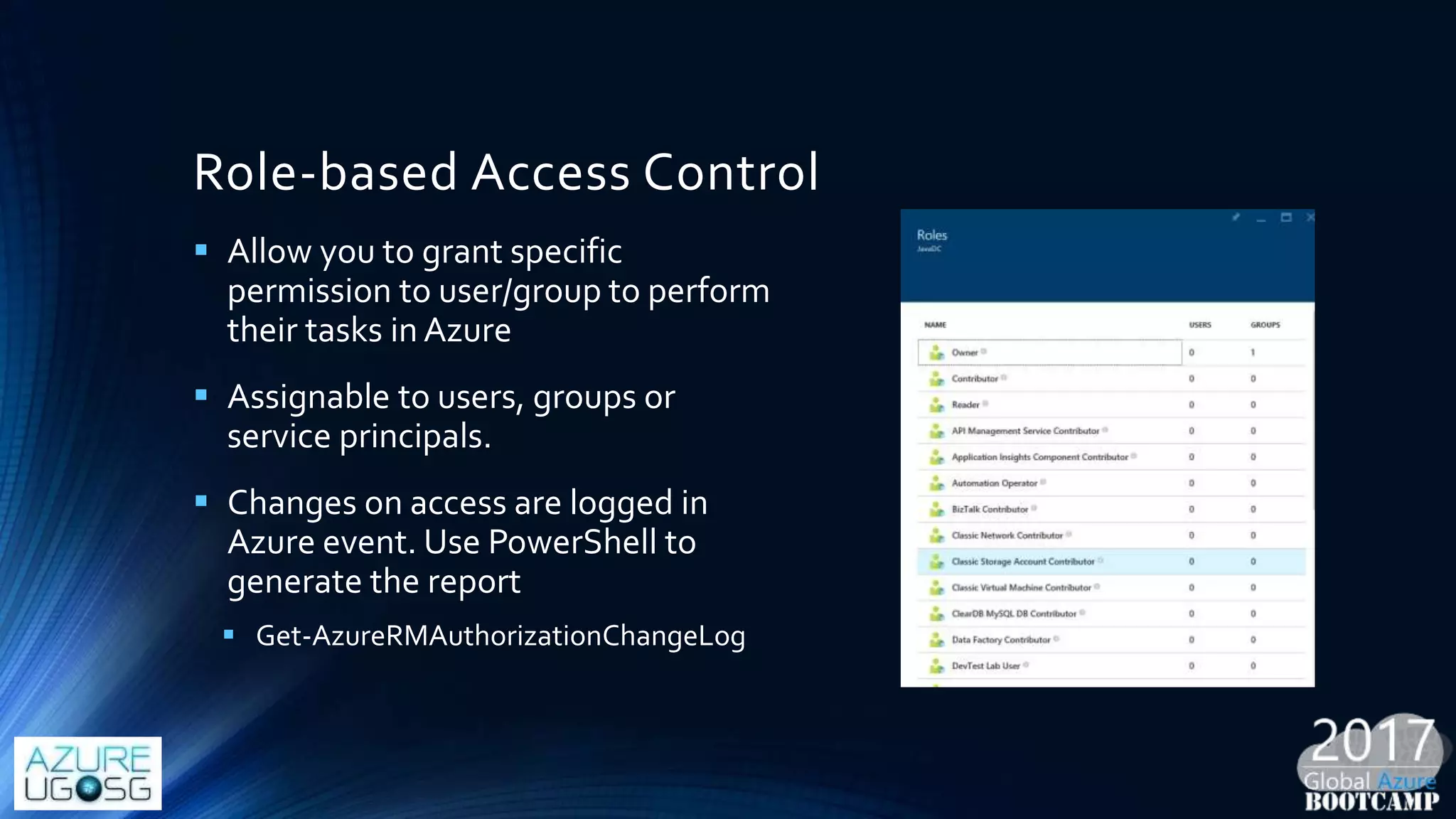
Role-based Access Control
 Allow you to grant specific
permission to user/group to perform
their tasks in Azure
 Assignable to users, groups or
service principals.
 Changes on access are logged in
Azure event. Use PowerShell to
generate the report
 Get-AzureRMAuthorizationChangeLog
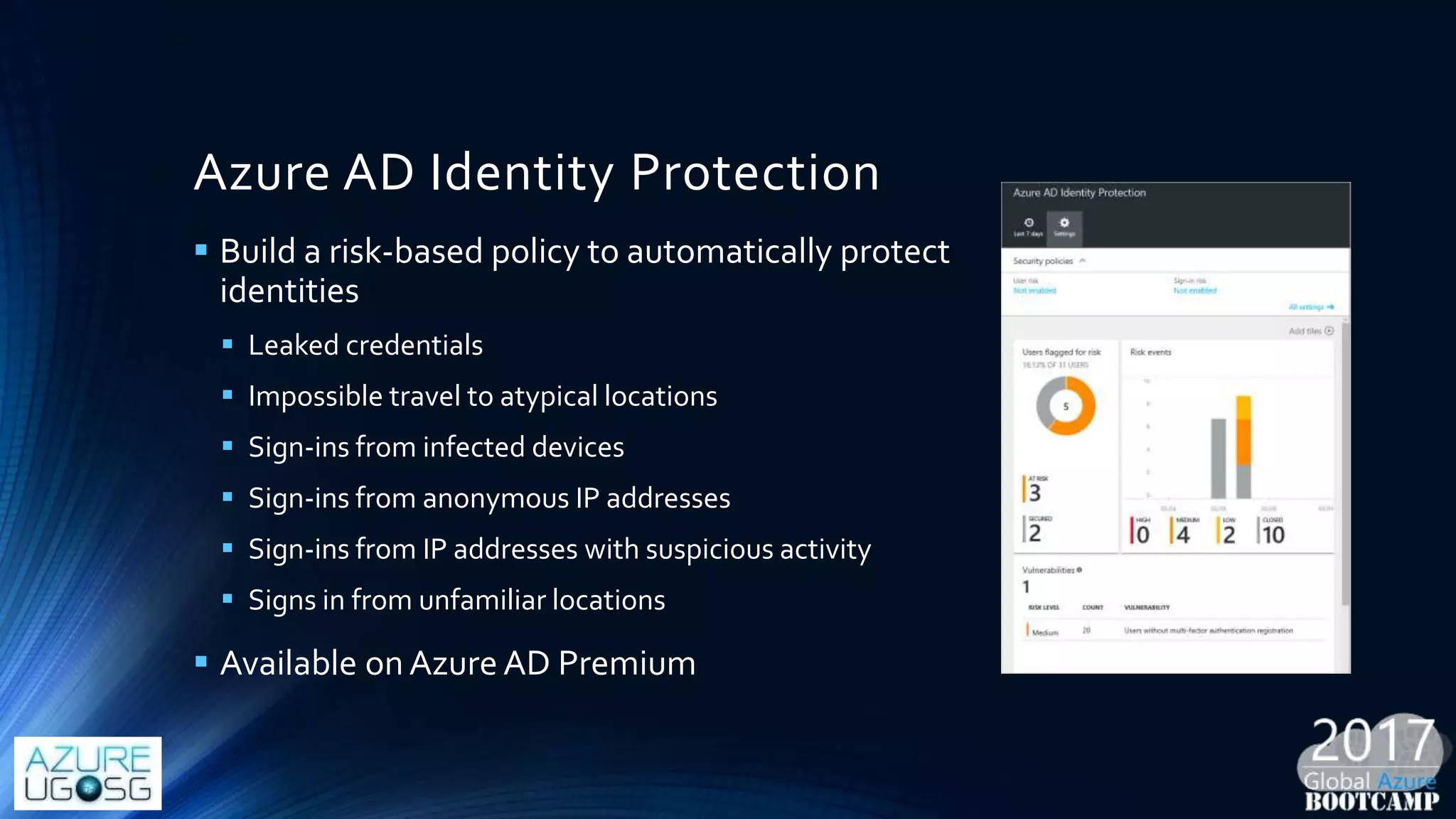
Azure AD Identity Protection
 Build a risk-based policy to automatically protect
identities
 Leaked credentials
 Impossible travel to atypical locations
 Sign-ins from infected devices
 Sign-ins from anonymous IP addresses
 Sign-ins from IP addresses with suspicious activity
 Signs in from unfamiliar locations
 Available onAzure AD Premium
Receipt 04: Protect your Azure resources
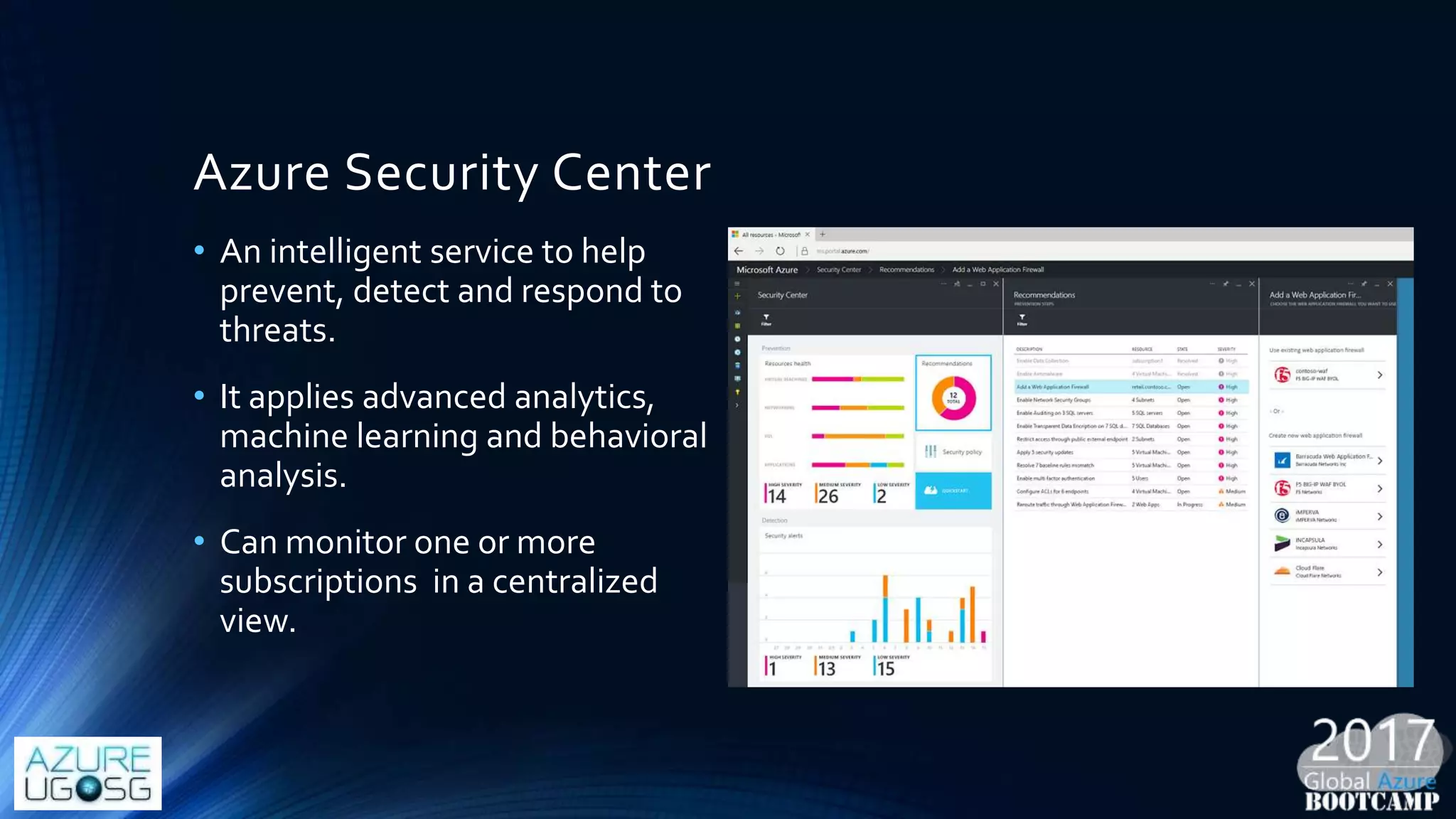
Azure Security Center
• An intelligent service to help
prevent, detect and respond to
threats.
• It applies advanced analytics,
machine learning and behavioral
analysis.
• Can monitor one or more
subscriptions in a centralized
view.
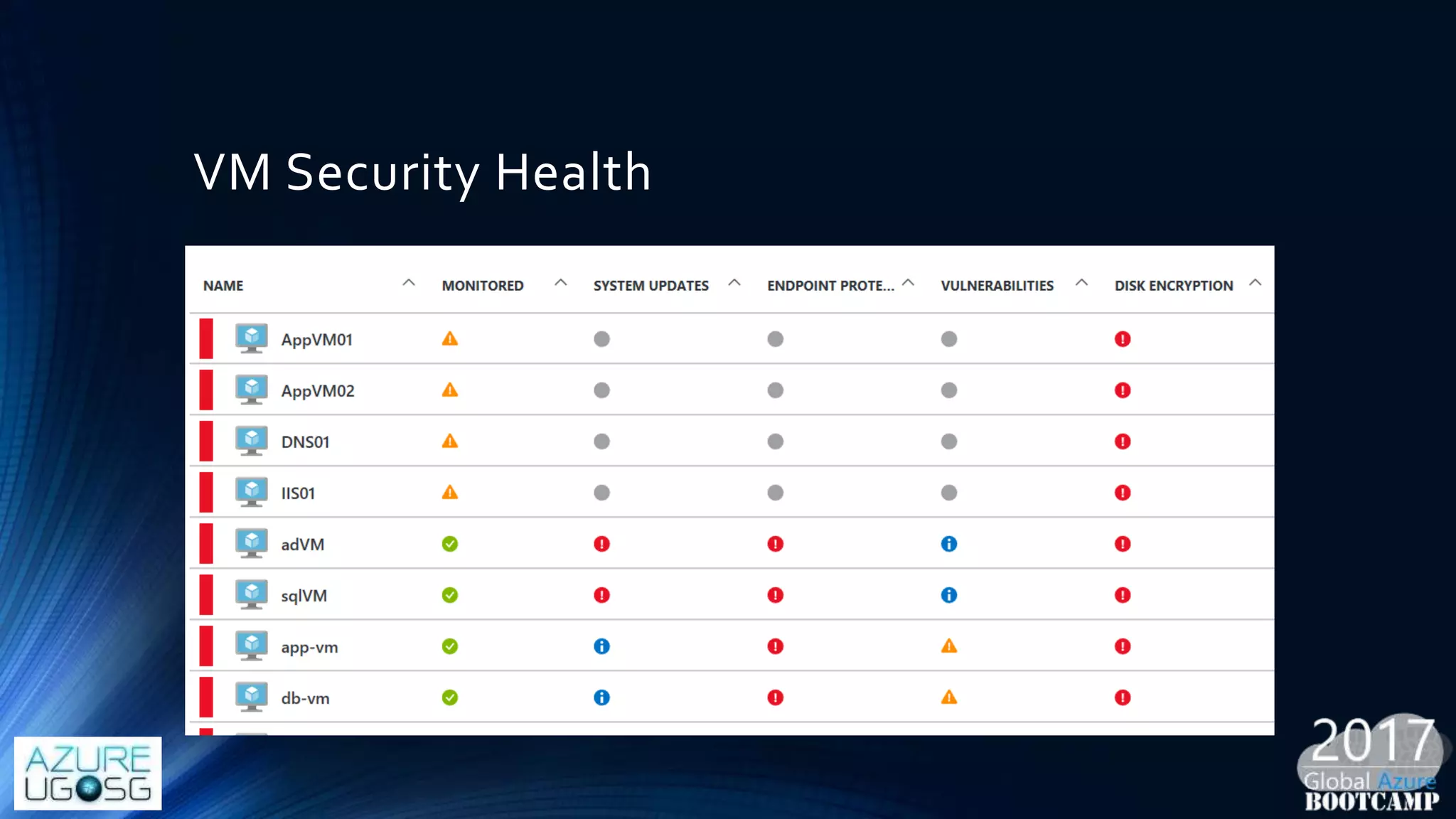
VM Security Health
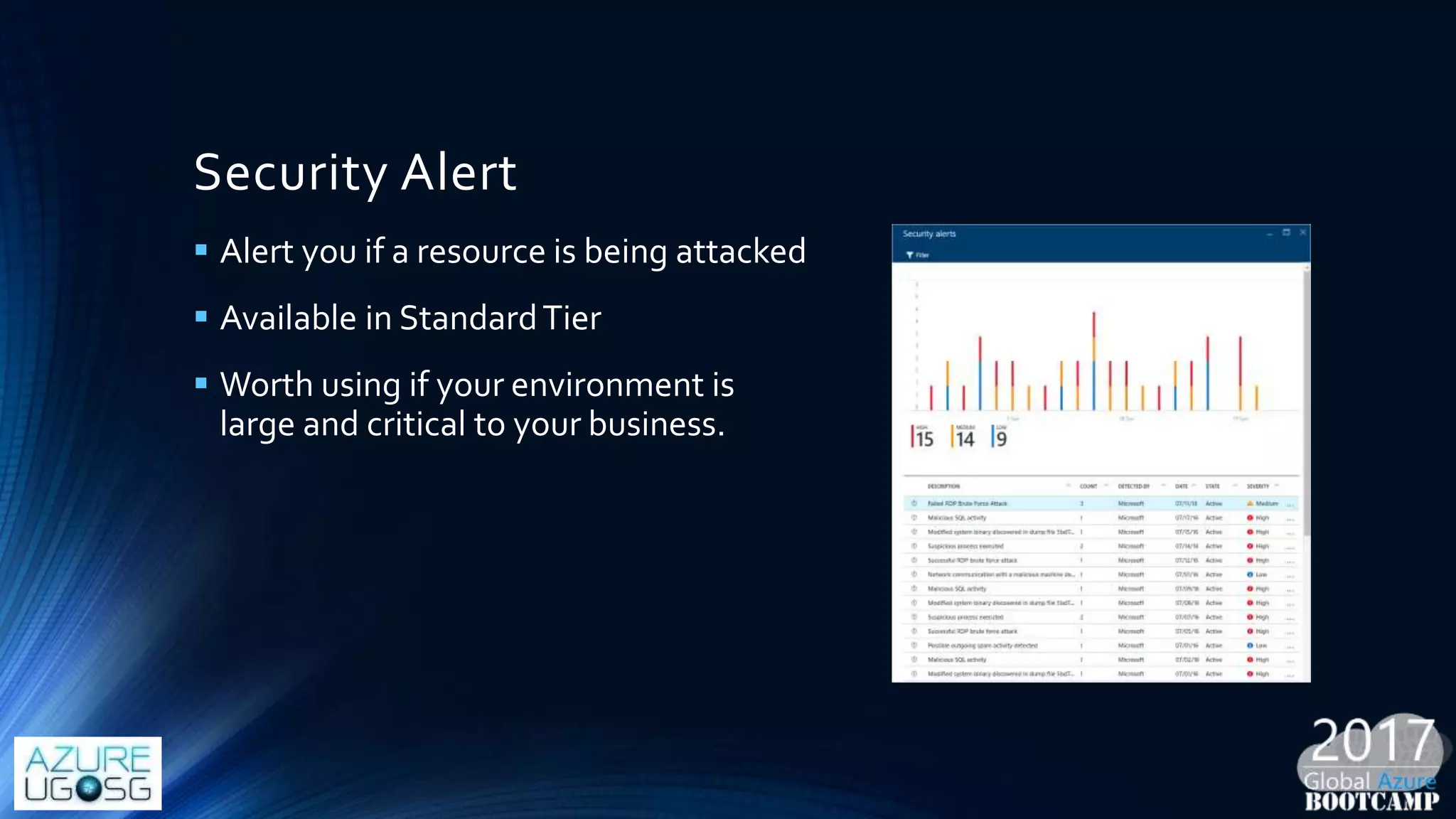
Security Alert
 Alert you if a resource is being attacked
 Available in StandardTier
 Worth using if your environment is
large and critical to your business.
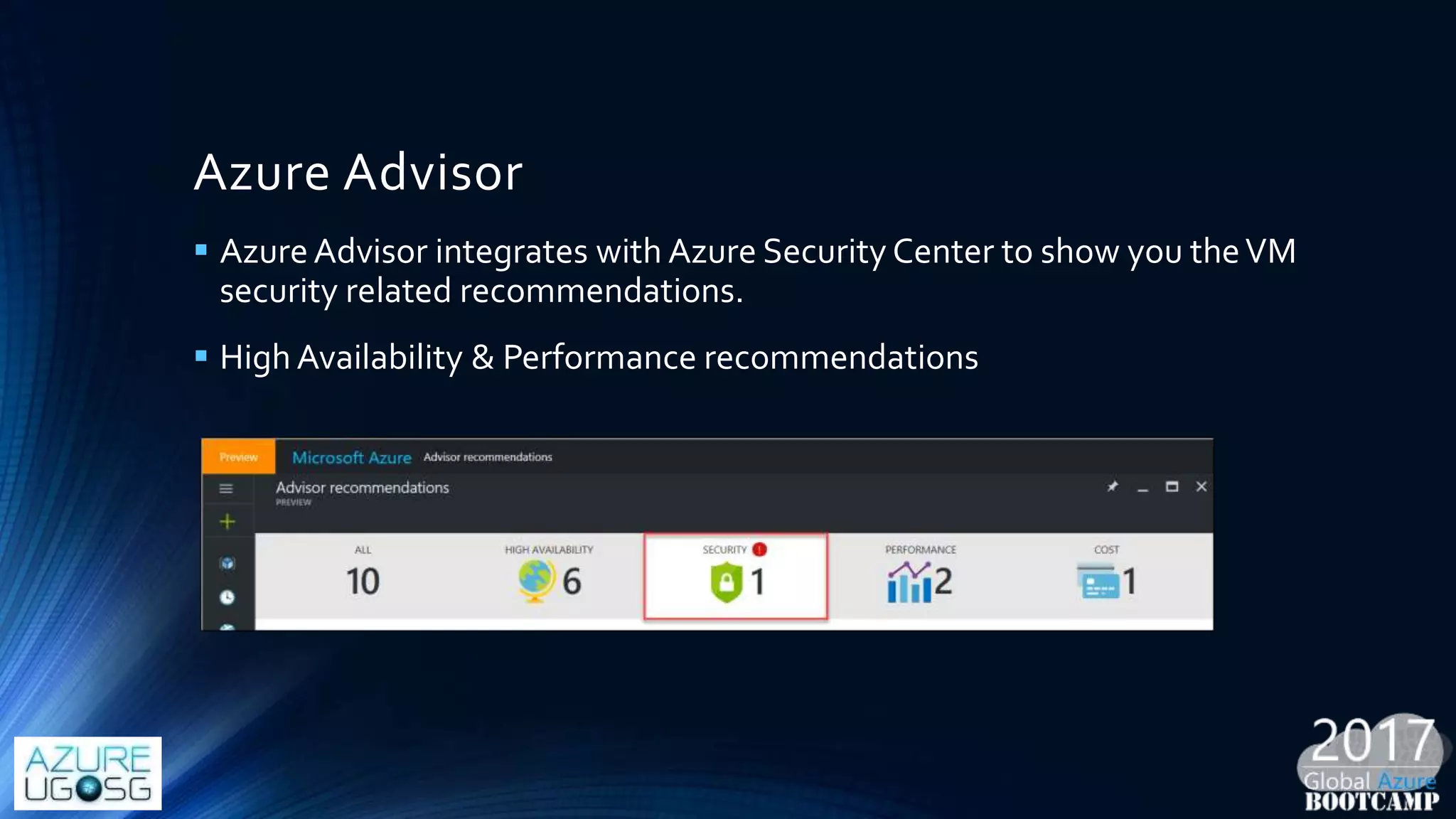
Azure Advisor
 AzureAdvisor integrates with Azure Security Center to show you theVM
security related recommendations.
 High Availability & Performance recommendations
Key takeway
 Defend your IaaS before deep-dive security implementation (e.g.
intelligent security, high-class crypto….)
 DevOps can help to make a deployable compliance template across
your IaaS.
 Cost for security breach may be much large than the one for
implementation.
 Tons of security solutions in Azure Marketplace to take a look.
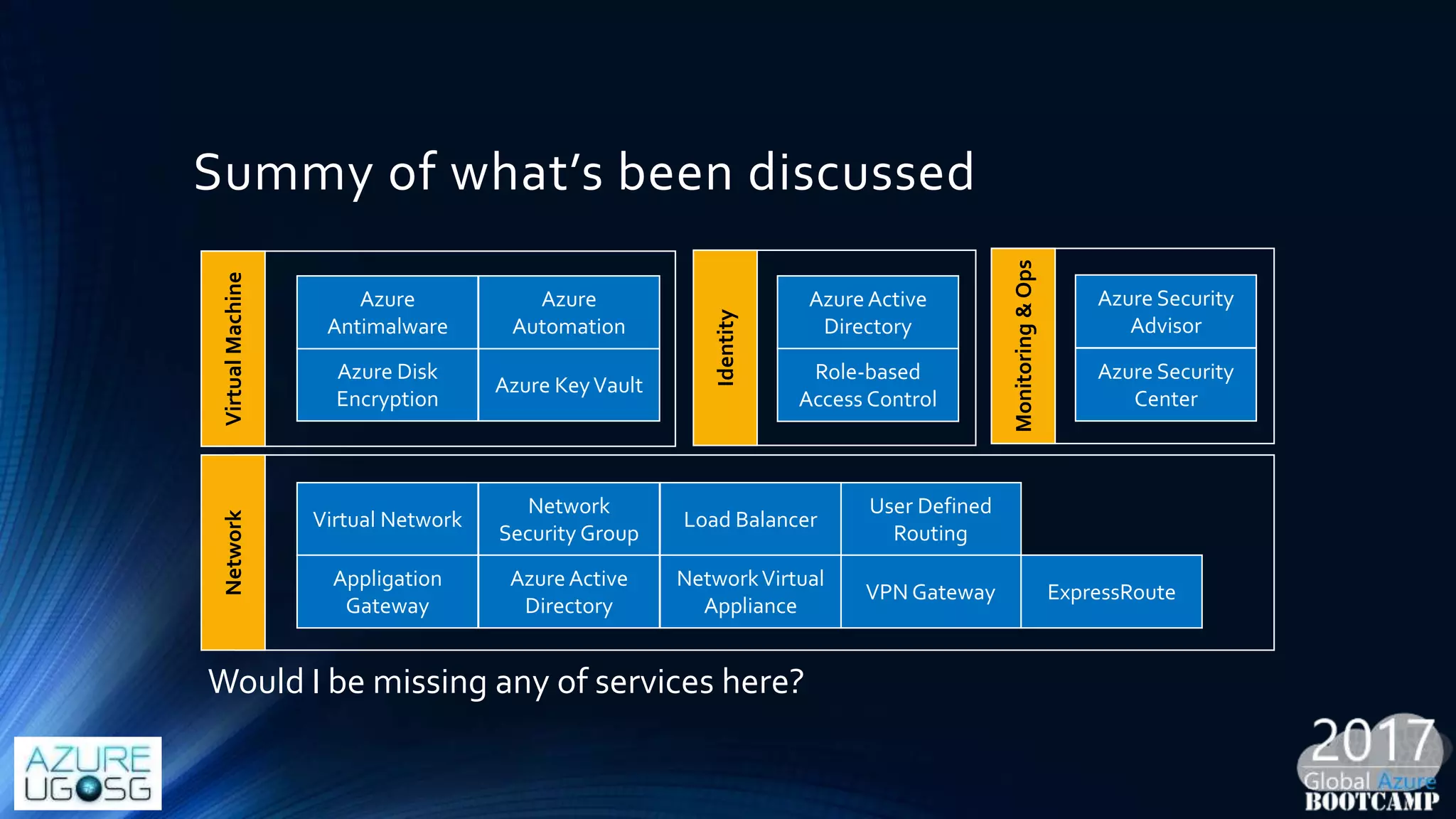
Summy of what’s been discussed
Virtual Network
Network
Security Group
Network
User Defined
Routing
VPN Gateway ExpressRoute
Load Balancer
Appligation
Gateway
AzureActive
Directory
NetworkVirtual
Appliance
VirtualMachine
Azure Disk
Encryption
Azure KeyVault
Azure
Antimalware
Identity
AzureActive
Directory
Role-based
Access Control
Monitoring&Ops
Azure Security
Advisor
Azure Security
Center
Azure
Automation
Would I be missing any of services here?
Additional references
• https://docs.microsoft.com/en-us/azure/security/azure-security-
network-security-best-practices
• https://blogs.msdn.microsoft.com/igorpag/2016/05/14/azure-
network-security-groups-nsg-best-practices-and-lessons-learned/
• https://docs.microsoft.com/en-us/azure/security/azure-security-best-
practices-vms
• https://docs.microsoft.com/en-us/azure/security/azure-security-
identity-management-best-practices
GetStartedwithMicrosoftAzure
Get theSDKs and command-line tools you need
http://azure.microsoft.com/en-us/downloads/
Learn more
http://azure.microsoft.com/
Likeusour
Facebook
page
Joinus@
meetup
group
Q & A

Design a Secure Azure IaaS - Lesson Learnt from Government Cloud

  • 1.
    Design a secureAzure IaaS – Lesson learnt from Government Cloud Thuan Ng
  • 2.
    Survey  Participate withus and win exciting prizes http://bit.ly/sg-gab TweetTags: #GlobalAzure #GABSG #AzureSkills
  • 3.
    Stay till end SWAGs, PRIZES,TAKE-AWAYS Xbox One System Microsoft Azure IoT Starter Kit with Raspberry Pi 3 Raspberry Pi 3 Software Licenses and more...
  • 4.
    About Me  Over9 years experiences focused on Microsoft Stack  Solution Architecture, Technical Evangelism, Product Development, Pre-sales Consulting, Security Architecture, Public Sector  Microsoft MVP (2011 – Now)  Blog at http://thuansoldier.net  Twitter at @nnthuan
  • 5.
    I’m not goingto talk about  Self-introduction as a hacker (opps! perhaps advanced script kiddie)  Too much about Government Cloud  Vulnerability Assessment and PenetrationTest  Fundamental Cloud Computing  Information Security Management (e.g. Compliance, Risk…)  Azure Government (https://azure.microsoft.com/en- us/overview/clouds/government/)
  • 6.
    My security principles Security is not a silver bullet  Security must come firstly from your awareness  Security by default before security by design  No pain no gain if you dare
  • 7.
    Why Should WeCare About Security?
  • 8.
    Think about theimpact System gets hacked Down service Your data is compromised Operational Impact Business Impact Sell to competitor Down reputation Money loss
  • 9.
    ..security is • Yourquality metric • You professional service • Your reputation • Your business result
  • 10.
  • 11.
    Government Cloud Summary A private cloud built for government agencies to host critical-classified system.  G-Cloud offers compute, infrastructure resources like any IaaS cloud provider. PaaS is included but not too much.  Default hardening rules to be applied to all governance agencies.
  • 12.
    Sample Architecture On-premises (Agency) Internal DMZ1 NGFW Internal DMZ 2 Web App Proxy HAZ Web Front-End VMs Web Compartment Application VMs App Compartment Database VMs DB Compartment G-Cloud Infrastructure & Service Fabric NGFW External DMZ 1 External DMZ 2 Web App ProxyInternet HAZ Utility SMTP SFTP
  • 13.
    We would seeseveral layers Defense System HAZ Zone Agency Network Your Defense System Virtual Machine
  • 14.
    Technical Security Requirement DMZ (Delimitarized Zone) & 3-layer Architecture  Network Isolation & Restriction  Identy Access Management  Deny-All Inbound Rule  Client Endpoint Protection
  • 15.
  • 16.
    ..it does notmean  Azure is the most secure platform in the world.  Azure helps prevent every attack  You will have a good sleep and no concern about vulnerability when hosting your system on Azure
  • 17.
    To Singapore specifically •Receive Multi-Tiered Cloud Security Standard for Singapore (MTCS SS) level 3 certification conducted by IMDA (formerly IDA). • Comply withPersonal Data and Privacy Act (PDPA) which is part of MTCS requirement. • If you still don’t *trust* Azure, go read https://azure.microsoft.com/en-us/support/trust-center/
  • 18.
    You never forgotthis slide :) On Premises Storage Servers Networking O/S Middleware Virtualization Data Applications Runtime Youmanage Infrastructure (as a Service) Storage Servers Networking O/S Middleware Virtualization Data Applications Runtime ManagedbyMicrosoft Youmanage Platform (as a Service) ManagedbyMicrosoft Youmanage Storage Servers Networking O/S Middleware Virtualization Applications Runtime Data Software (as a Service) ManagedbyMicrosoft Storage Servers Networking O/S Middleware Virtualization Applications Runtime Data
  • 19.
    Azure IaaS securityresponsibility Data classification & accountability Identity & access management Client & end-point protection Application level controls Physical security Host infrastructure Network controls You Microsoft
  • 20.
    How much MicrosoftAzure can help? Defense System Virtual Network Network Security Group Your Defense System Virtual MachineAccess Control
  • 21.
    Something before wemove on • Azure Denial-of-service (DDos) defense system is designed for network-layer high volume attacks to protect Azure tenants. • Azure does not provide mitigation or actively block network traffic to customer deployment at application-layer attack.
  • 22.
    Receipt 01: AzureNetwork Security
  • 23.
    Demiliterized Zone Keep searchingfrom Google to see how cool it is
  • 24.
    DMZ Perimeter  DMZ(demilitarized zone) is to separate private network from *untrusted* network.  DMZ is not to make you safe, but it’s part of defense in depth strategy  Azure supports building DMZ with Network Security Group (NGS), User Defined Routing (UDR), NetworkVirtual Appliance (NVA), IP Forwarding Internet-facing Private Network Stock Data Internet
  • 25.
    Separate subnet foreach role  Attacker cant get to all the systems if exploiting successfully one subnet.  Effectively keep track yourVMs put on each subnet  More control on network access (e.g. with Network Security Group)  It’s like role compartment in G- Cloud. FE Subnet 192.168.1.0/24 DB Subnet 192.168.2.0/24 Virtual Network
  • 26.
    Network Security Group Segment network to meet security needs  Can protect Internet and internal traffic  Enables DMZ subnets  Associated to subnets/VMs and NICs  Does not provide any level of application layer inspection Internet-facing Inbound HTTP 80 Private Network DB Inbound 1433 TCP Inbound RDP 3389 Inbound RDP 3389
  • 27.
    Network Security Group DMZ IISRewrite VM HTTP/HTTPS 80/TCP 443 /TCP Web Subnet SharePoint WFE 8443 /TCP 8080/TCP App Subnet Search, User Profile, DC…. 22233 – 22236/TCP 32843 – 32845/TCP 808/TCP 1433/TCP Database DB Subnet Forward Proxy Forward Proxy 80/TCP 443/TCP 1433/TCP NSG NSG NSG NSG NSG Token Issuer Virtual Network
  • 28.
    Network Security GroupFlow Azure host receive traffic Inbound traffic Load outbound NSG rules by priority Load inbound NSG rules by priority Get first rule Rule matches Deny Rules? Last Rules? Azure host receive traffic Drop packet Allow packet No Yes No No Yes Yes No
  • 29.
    Network Security Group NSG is simply a stateful packet filtering firewall but is still useful today for defense in depth.  Apply to aVM (via NIC) or a group of servers (via subnet).  Be careful with “Deny All” outbound rule (http://bit.ly/autoabnsg)  Use NetworkWatcher to achieve packet tracert of NSG (in Public Preview with 3 regions available) Security Center Application Gateway SQL Database Virtual Network NSG
  • 30.
    Network Security GroupSample Rule 100 In Application SQL 101 In Internet RDP 102 In Application * 200 Out Internet * 100 In Internet RDP 101 In Internet HTTP 100 In Front-end HTTPS 101 In Internet HTTP 200 Out Internet * NSG NSG NSG Internet
  • 31.
    Network Security GroupTakeaway  Default limit per subscription is 100.You can request up to 200  NSG rules per NSG is 200. Can request up to 400.  If using both levels of VM (NIC) and subnet, you need to create allow rules on both levels.  Subnet gets evaluated first, NIC comes after.  Diagnostic logs are only available for NSGs deployed through the ARM.
  • 32.
    User Defined Routing(UDR)  Force the traffic to network virtual appliance (e.g. Barracuda NG Firewall) or your own FW  Control inbound/outbound to route to NVA at the next hop.  Require IP Forwarding to be enabled  Help monitor and inspect network traffic.  Limit on 265 routes per subnet Back-End Subnet 192.168.1.0/24 Front-End Subnet 192.168.2.0/24 NVA Subnet UDR UDR (Next hop)
  • 33.
    Virtual Network SecurityAppliance • NSG and UDR should not be enough. • Get more level control with virtual network security appliance (e.g. Barracuda, F5, Fortigate, Cisco…). Available list http://bit.ly/azurenva
  • 34.
    Increase availability  Availabilityis part of CIA triangle.  Use Azure Load Balancer to increase uptime  HTTP-based load balancing (Application Gateway)  External/Internal load balancing  Internet load balancing (Traffic Manager)
  • 35.
    Availability Set  Anavailability set (SLA of 99.95%) helps keep yourVM available during downtime  Fault Domain  Update Domain  Create availability set for tier and role (Web, App, Database, Search…)
  • 36.
    Azure Application Gateway Azure-managed, first party virtual appliances  HTTP routing based on app-level policies  Cookies affinity  URL hash  SSL termination and caching
  • 37.
    Azure VPN Gateway RDP or SSH are commonly attacked with brute-force techniques  UseVPN instead of direct RDP and SSH for better remote management:  Point-to-SiteVPN  Site-to-SiteVPN  ExpressRoute is a private connection via telco which doesn’t travel over the Internet. Administrator Client PC P2S SSTP Tunnel Azure VPN Gateway
  • 38.
    Sample DiD SharePoint2016 on Azure Application Gateway ILB SP Web App ILB DB Jump RDP w/ VPN P2S ELB DMZ Web 80/443 80/443 80/443 1433 NSG NSGNSG NSG AD NSG List of AD Port
  • 39.
    Receipt 02: VM& Storage Protection
  • 40.
    Azure Disk Encryption •Used to encryptVM OS and data disk on IaaSVMs. • When encrypted, keys are stored in KeyVault which is required for decryption. • Azure Disk Encryption leverages BitLocker forWindowsVM (WS2008 or later). Azure Storage OS Disk Data Disk Key Vault
  • 41.
    Three-step to encrypta VM 1. Run Azure Disk Encryption Prerequisites: http://bit.ly/adesetup 2. Run the following & wait 10-15 mins. Fill appropriate variable $vmName = 'IIS01' $resourceGroupName = 'gabsg-simple-dmz-nsg' $aadClientID = '8650f931-096f-4638-b942-1e7a39d02b48' $aadClientSecret = '171264ae-3e2d-4474-bde9-2cd6fdaac722' $diskEncryptionKeyVaultUrl = 'https://GABSG-KeyVault-Demo.vault.azure.net' $keyVaultResourceId = '/subscriptions/2dd8cb59-ed12-4755-a2bc-356c212fbafc/resourceGroups/gabsg-simple-dmz- nsg/providers/Microsoft.KeyVault/vaults/GABSG-KeyVault-Demo' Set-AzureRmVMDiskEncryptionExtension -ResourceGroupName $resourceGroupName -VMName $vmName -AadClientID $aadClientID -AadClientSecret $aadClientSecret -DiskEncryptionKeyVaultUrl $diskEncryptionKeyVaultUrl -DiskEncryptionKeyVaultId $keyVaultResourceId
  • 42.
    Antimalware for VM Only supportWindows Server 2008 R2, 2012 and 2012 R2. Name in 2016 isWindows Defender.  Enable Antimalware forVM by:  Azure portal (Security Extension)  Visual StudioVM configuration  PowerShell  Azure Security Center  Enabling Antimalware through the Azure portal does not enable its diagnostics logs. PowerShell can help  GUI is not available until you modify UILockdown key in HKEY_LOCAL_MACHINESOFTWAREPoliciesMicrosoftM icrosoft AntimalwareUX Configuration Azure Storage Antimalware service Antimalware events Antimalware Signature Engine & Platform Updates
  • 43.
    Automate hardening VM Use Azure Automation DSC to automate hardened configuration for your onboardingVM.  Build your own PowerShell script followed STIG guide or your own guide.  Local security policy  Built-in firewall  Anti-virus deployment  Other security setting  Hundreds of resources available https://github.com/powershell/dscresources Node Configuration Hardening Script Onboarding VMAzure DSC
  • 44.
    Sample template forUser Right Configuration UserRights { Import-DscResource -ModuleName SecurityPolicyDsc Node localhost { #Assign shutdown privileges to only BuiltinAdministrators UserRightsAssignment AssignShutdownPrivilegesToAdmins { Policy = "Shut_down_the_system" Identity = "BuiltinAdministrators" } #Assign access from the network privileges to "contosoTestUser1" and "contosoTestUser2" UserRightsAssignment AccessComputerFromNetwork { Policy = "Access_this_computer_from_the_network" Identity = "contosoTestUser1","contosoTestUser2" } } } UserRights -OutputPath c:dsc Start-DscConfiguration -Path c:dsc -Verbose -Wait -Force http://bit.ly/azuredscusr
  • 45.
  • 46.
    Azure Hierarchy Microsoft Azure Resource Group Azureresources  One AzureAD linked to one supscription.  One resource can only be linked to one resource group.  AzureAD manages all type of resources with role-based access control mechanism Azure AD Azure Supscription Microsoft Account
  • 47.
    Two-Factor Auth onAzure Portal  First step to securing everything in Azure portal  Currently can’t force Microsoft account to use multi-factor auth  Control multi-factor auth via https://account.activedirectory.wind owsazure.com/usermanagement/m ultifactorverification.aspx  If AzureAD account, use Conditional access to force multi-factor auth Guide: http://thuansoldier.net/?p=5002
  • 48.
    Role-based Access Control Allow you to grant specific permission to user/group to perform their tasks in Azure  Assignable to users, groups or service principals.  Changes on access are logged in Azure event. Use PowerShell to generate the report  Get-AzureRMAuthorizationChangeLog
  • 49.
    Azure AD IdentityProtection  Build a risk-based policy to automatically protect identities  Leaked credentials  Impossible travel to atypical locations  Sign-ins from infected devices  Sign-ins from anonymous IP addresses  Sign-ins from IP addresses with suspicious activity  Signs in from unfamiliar locations  Available onAzure AD Premium
  • 50.
    Receipt 04: Protectyour Azure resources
  • 51.
    Azure Security Center •An intelligent service to help prevent, detect and respond to threats. • It applies advanced analytics, machine learning and behavioral analysis. • Can monitor one or more subscriptions in a centralized view.
  • 52.
  • 53.
    Security Alert  Alertyou if a resource is being attacked  Available in StandardTier  Worth using if your environment is large and critical to your business.
  • 54.
    Azure Advisor  AzureAdvisorintegrates with Azure Security Center to show you theVM security related recommendations.  High Availability & Performance recommendations
  • 55.
    Key takeway  Defendyour IaaS before deep-dive security implementation (e.g. intelligent security, high-class crypto….)  DevOps can help to make a deployable compliance template across your IaaS.  Cost for security breach may be much large than the one for implementation.  Tons of security solutions in Azure Marketplace to take a look.
  • 56.
    Summy of what’sbeen discussed Virtual Network Network Security Group Network User Defined Routing VPN Gateway ExpressRoute Load Balancer Appligation Gateway AzureActive Directory NetworkVirtual Appliance VirtualMachine Azure Disk Encryption Azure KeyVault Azure Antimalware Identity AzureActive Directory Role-based Access Control Monitoring&Ops Azure Security Advisor Azure Security Center Azure Automation Would I be missing any of services here?
  • 57.
    Additional references • https://docs.microsoft.com/en-us/azure/security/azure-security- network-security-best-practices •https://blogs.msdn.microsoft.com/igorpag/2016/05/14/azure- network-security-groups-nsg-best-practices-and-lessons-learned/ • https://docs.microsoft.com/en-us/azure/security/azure-security-best- practices-vms • https://docs.microsoft.com/en-us/azure/security/azure-security- identity-management-best-practices
  • 58.
    GetStartedwithMicrosoftAzure Get theSDKs andcommand-line tools you need http://azure.microsoft.com/en-us/downloads/ Learn more http://azure.microsoft.com/ Likeusour Facebook page Joinus@ meetup group
  • 59.