MICROSOFT AZURE:
CLOUD COMPUTING
PLATFORM AND SERVICES
Presented by - Mohammad Ilyas Malik
Branch - Computer Science Engineering
E-mail – ilyasmalik.418@gmail.com
CONTENTS
1. OVERVIEW OF CLOUD COMPUTING.
2. WHAT IS MICROSOFT AZURE.
3. SERVICES OF MICROSOFT AZURE.
4. APPLICATIONS OF MICROSOFT AZURE.
5. DATACENTERS.
6. ADVANTAGE MICROSOFT AZURE.
7. CONCLUSION.
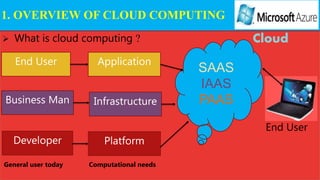
 What is cloud computing ?
End User
Business Man
Developer
Application
Infrastructure
Platform
SAAS
IAAS
PAAS
Cloud
End User
1. OVERVIEW OF CLOUD COMPUTING
General user today Computational needs
DEFINITION OF CLOUD COMPUTING:
Cloud computing can be referred to as the storing and
accessing of data over the internet rather than your
computer's hard drive.
SPI:
SAAS :- Allow user to run existing online applications.
IAAS :- Allow user to run any applications. They please on cloud hardware
of their own choice.
PAAS:- Allow user to create their own cloud applications using Supplier-
specific tools and language.
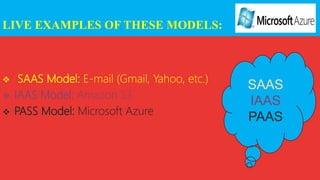
LIVE EXAMPLES OF THESE MODELS:
 SAAS Model: E-mail (Gmail, Yahoo, etc.)
 IAAS Model: Amazon S3
 PASS Model: Microsoft Azure
SAAS
IAAS
PAAS
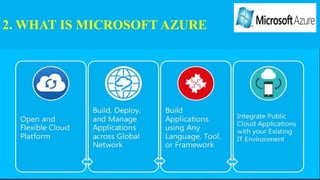
2. WHAT IS MICROSOFT AZURE
AZURE AS PAAS
Pros :
 cost is low.
 It is less vulnerable.
 new versions of development tools are tested by the Azure team, it
becomes easy for developers to move on to new tools.
Cons :
 There are portability issues with using PAAS
AZURE AS IAAS
Pros :
 This is ideal for the application where complete control is required.
 IAAS facilitates very efficient design time portability.
 IAAS allows quick transition of services to clouds, which helps the
to offer services to their clients easily.
Cons :
 users are given complete control they are tempted to stick to a particular
version for the dependencies of applications.
 There are many factors which increases the cost of its operation.
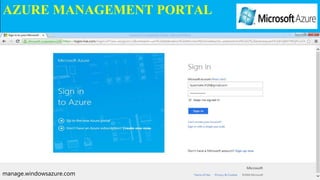
AZURE MANAGEMENT PORTAL
manage.windowsazure.com
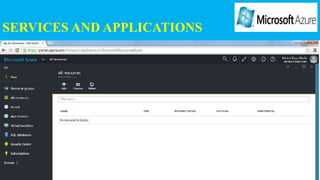
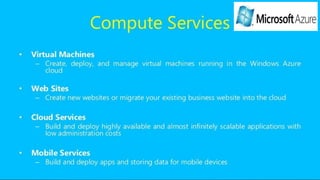
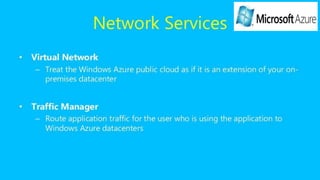
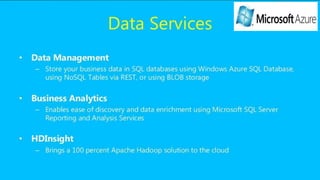
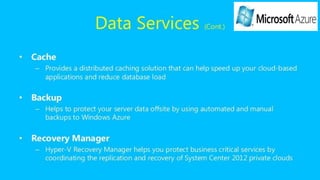
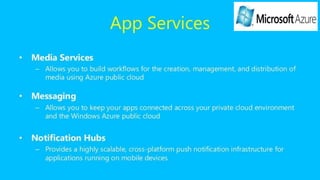
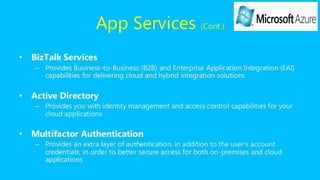
SERVICES AND APPLICATIONS
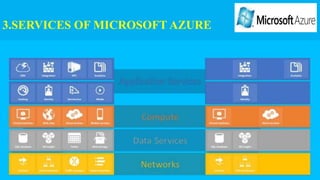
3.SERVICES OF MICROSOFT AZURE
4. APPLICATIONS OF MICROSOFT AZURE
 It provides a platform to develop applications using a range of available
technologies and programming languages.
 Microsoft Azure applications are scaled by creating multiple instances of the
application.
 Scaling and backups can be easily automated.
 A marketplace is also set by Azure where its customers can buy applications and
services.
5. DATACENTERS:
1. Central US 11. East Asia
2. East US 12. Southeast Asia
3. East US 2 13. Japan East
4. US Gov Iowa 14. Japan West
5. US Gov Virginia 15. Brazil South
6. North Central US 16. Australia East
7. South Central US 17. Australia Southeast
8. West US 18. Central India
9. North Europe 19. South India
10. West Europe
6. ADVANTAGES Of MICROSOFT AZURE
1.Pay as you grow.
2. Reduce operational costs.
3. Increase business efficiency.
4. Build and deploy software quickly and easily
7. CONCLUSION
Azure cloud platform relate to the fact that Microsoft has tried to minimize
the changes involved in migrating applications to the cloud. Effort
from developers already familiar with Microsoft’s technologies to utilize the
Azure is minimal.
Microsoft azure
Microsoft azure

Microsoft azure

  • 1.
    MICROSOFT AZURE: CLOUD COMPUTING PLATFORMAND SERVICES Presented by - Mohammad Ilyas Malik Branch - Computer Science Engineering E-mail – ilyasmalik.418@gmail.com
  • 2.
    CONTENTS 1. OVERVIEW OFCLOUD COMPUTING. 2. WHAT IS MICROSOFT AZURE. 3. SERVICES OF MICROSOFT AZURE. 4. APPLICATIONS OF MICROSOFT AZURE. 5. DATACENTERS. 6. ADVANTAGE MICROSOFT AZURE. 7. CONCLUSION.
  • 3.
     What iscloud computing ? End User Business Man Developer Application Infrastructure Platform SAAS IAAS PAAS Cloud End User 1. OVERVIEW OF CLOUD COMPUTING General user today Computational needs
  • 4.
    DEFINITION OF CLOUDCOMPUTING: Cloud computing can be referred to as the storing and accessing of data over the internet rather than your computer's hard drive.
  • 5.
    SPI: SAAS :- Allowuser to run existing online applications. IAAS :- Allow user to run any applications. They please on cloud hardware of their own choice. PAAS:- Allow user to create their own cloud applications using Supplier- specific tools and language.
  • 6.
    LIVE EXAMPLES OFTHESE MODELS:  SAAS Model: E-mail (Gmail, Yahoo, etc.)  IAAS Model: Amazon S3  PASS Model: Microsoft Azure SAAS IAAS PAAS
  • 7.
    2. WHAT ISMICROSOFT AZURE
  • 8.
    AZURE AS PAAS Pros:  cost is low.  It is less vulnerable.  new versions of development tools are tested by the Azure team, it becomes easy for developers to move on to new tools. Cons :  There are portability issues with using PAAS
  • 9.
    AZURE AS IAAS Pros:  This is ideal for the application where complete control is required.  IAAS facilitates very efficient design time portability.  IAAS allows quick transition of services to clouds, which helps the to offer services to their clients easily. Cons :  users are given complete control they are tempted to stick to a particular version for the dependencies of applications.  There are many factors which increases the cost of its operation.
  • 10.
  • 11.
  • 12.
  • 19.
    4. APPLICATIONS OFMICROSOFT AZURE  It provides a platform to develop applications using a range of available technologies and programming languages.  Microsoft Azure applications are scaled by creating multiple instances of the application.  Scaling and backups can be easily automated.  A marketplace is also set by Azure where its customers can buy applications and services.
  • 20.
    5. DATACENTERS: 1. CentralUS 11. East Asia 2. East US 12. Southeast Asia 3. East US 2 13. Japan East 4. US Gov Iowa 14. Japan West 5. US Gov Virginia 15. Brazil South 6. North Central US 16. Australia East 7. South Central US 17. Australia Southeast 8. West US 18. Central India 9. North Europe 19. South India 10. West Europe
  • 21.
    6. ADVANTAGES OfMICROSOFT AZURE 1.Pay as you grow. 2. Reduce operational costs. 3. Increase business efficiency. 4. Build and deploy software quickly and easily
  • 22.
    7. CONCLUSION Azure cloudplatform relate to the fact that Microsoft has tried to minimize the changes involved in migrating applications to the cloud. Effort from developers already familiar with Microsoft’s technologies to utilize the Azure is minimal.