Windows Azure
Cloud Storage
GANGA RAM JAISWAL
Agenda
 Cloud Computing Fundamentals
 Introduction to Windows Azure
 Windows Azure Storage
 Azure Management Portal
 Azure Storage C++ SDK go through
Cloud Computing Fundamentals
What is Cloud?
 The cloud symbol was used to represent networks of computing
equipment in the original ARPANET by as early as 1977,and the CSNET by
1981.
 a metaphor for the internet.
 cluster of objects that visually appear from a distance as a cloud.
 The cloud is actually a bunch of computer servers that store and transmit
data over the Internet.
Cloud Computing
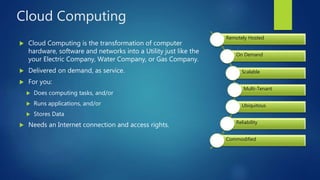
 Cloud Computing is the transformation of computer
hardware, software and networks into a Utility just like the
your Electric Company, Water Company, or Gas Company.
 Delivered on demand, as service.
 For you:
 Does computing tasks, and/or
 Runs applications, and/or
 Stores Data
 Needs an Internet connection and access rights.
Remotely Hosted
On Demand
Scalable
Multi-Tenant
Ubiquitous
Reliability
Commodified
Benefits and Challenges
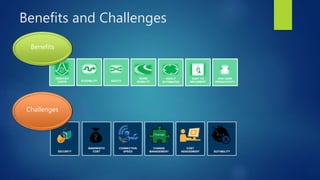
REDUCED
COSTS FLEXIBILITY
MORE
MOBILITY
EASY TO
IMPLEMENTAGILITY
HIGHLY
AUTOMATED
END USER
PRODUCTIVITY
Benefits
SECURITY
BANDWIDTH
COST SUITABILITY
CHANGE
MANAGEMENT
COST
ASSESSMENT
CONNECTION
SPEED
Challenges
Cloud Models
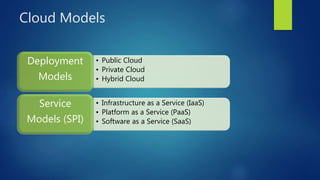
• Public Cloud
• Private Cloud
• Hybrid Cloud
Deployment
Models
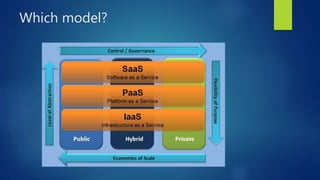
• Infrastructure as a Service (IaaS)
• Platform as a Service (PaaS)
• Software as a Service (SaaS)
Service
Models (SPI)
Deployment Model (Public Cloud)
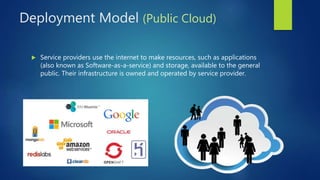
 Service providers use the internet to make resources, such as applications
(also known as Software-as-a-service) and storage, available to the general
public. Their infrastructure is owned and operated by service provider.
Deployment Model (Private Cloud)
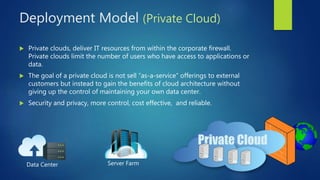
 Private clouds, deliver IT resources from within the corporate firewall.
Private clouds limit the number of users who have access to applications or
data.
 The goal of a private cloud is not sell “as-a-service” offerings to external
customers but instead to gain the benefits of cloud architecture without
giving up the control of maintaining your own data center.
 Security and privacy, more control, cost effective, and reliable.
Data Center Server Farm
Deployment Model (Hybrid Cloud)
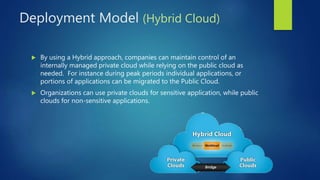
 By using a Hybrid approach, companies can maintain control of an
internally managed private cloud while relying on the public cloud as
needed. For instance during peak periods individual applications, or
portions of applications can be migrated to the Public Cloud.
 Organizations can use private clouds for sensitive application, while public
clouds for non-sensitive applications.
Service Models
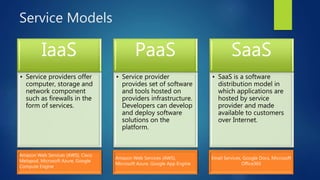
IaaS
• Service providers offer
computer, storage and
network component
such as firewalls in the
form of services.
Amazon Web Services (AWS), Cisco
Metapod, Microsoft Azure, Google
Compute Engine
PaaS
• Service provider
provides set of software
and tools hosted on
providers infrastructure.
Developers can develop
and deploy software
solutions on the
platform.
Amazon Web Services (AWS),
Microsoft Azure, Google App Engine
SaaS
• SaaS is a software
distribution model in
which applications are
hosted by service
provider and made
available to customers
over Internet.
Email Services, Google Docs, Microsoft
Office365
Which model?
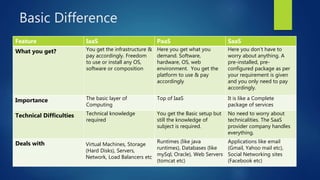
Basic Difference
Feature IaaS PaaS SaaS
What you get? You get the infrastructure &
pay accordingly. Freedom
to use or install any OS,
software or composition
Here you get what you
demand. Software,
hardware, OS, web
environment. You get the
platform to use & pay
accordingly
Here you don’t have to
worry about anything. A
pre-installed, pre-
configured package as per
your requirement is given
and you only need to pay
accordingly.
Importance The basic layer of
Computing
Top of IaaS It is like a Complete
package of services
Technical Difficulties Technical knowledge
required
You get the Basic setup but
still the knowledge of
subject is required.
No need to worry about
technicalities. The SaaS
provider company handles
everything.
Deals with Virtual Machines, Storage
(Hard Disks), Servers,
Network, Load Balancers etc
Runtimes (like java
runtimes), Databases (like
mySql, Oracle), Web Servers
(tomcat etc)
Applications like email
(Gmail, Yahoo mail etc),
Social Networking sites
(Facebook etc)
Introduction to Windows Azure
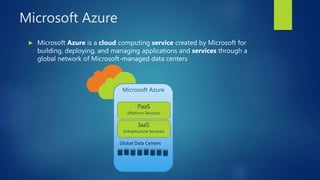
Microsoft Azure
 Microsoft Azure is a cloud computing service created by Microsoft for
building, deploying, and managing applications and services through a
global network of Microsoft-managed data centers
Microsoft Azure
PaaS
(Platform Services)
IaaS
(Infrastructure Services)
Global Data Centers
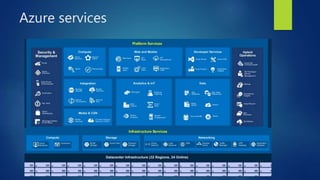
Azure services
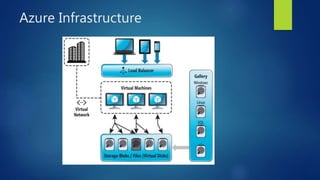
Azure Infrastructure
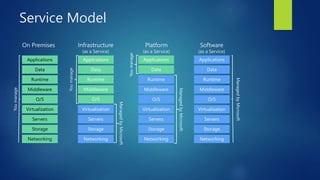
Service Model
Service)
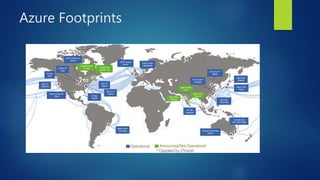
Azure Footprints
Windows Azure Storage
Introduction
 Cloud Storage - Anywhere and anytime access
 Blobs, Tables, Queues and Files
 Highly Durable, Available and Massively Scalable
 Easily build “Internet scale” applications
 Pay only for what you use
 Supports standard network protocols (HTTP, HTTPS etc)
 Rich Client Libraries and Tools
 SDKs available in multiple language (.Net, C++, Java, Python, etc)
 Supports all major Operating System.
 Supports microcontroller based IoT devices.
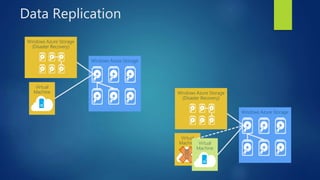
Data Replication
Windows Azure Storage
(Disaster Recovery)
Virtual
Machine
Windows Azure Storage
(Disaster Recovery)
Virtual
Machine Virtual
Machine
Storage Objects
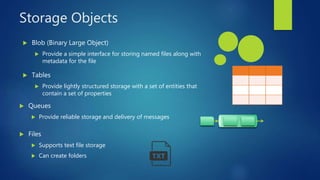
 Blob (Binary Large Object)
 Provide a simple interface for storing named files along with
metadata for the file
 Tables
 Provide lightly structured storage with a set of entities that
contain a set of properties
 Queues
 Provide reliable storage and delivery of messages
 Files
 Supports text file storage
 Can create folders
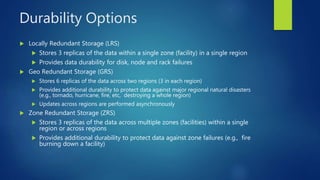
Durability Options
 Locally Redundant Storage (LRS)
 Stores 3 replicas of the data within a single zone (facility) in a single region
 Provides data durability for disk, node and rack failures
 Geo Redundant Storage (GRS)
 Stores 6 replicas of the data across two regions (3 in each region)
 Provides additional durability to protect data against major regional natural disasters
(e.g., tornado, hurricane, fire, etc, destroying a whole region)
 Updates across regions are performed asynchronously
 Zone Redundant Storage (ZRS)
 Stores 3 replicas of the data across multiple zones (facilities) within a single
region or across regions
 Provides additional durability to protect data against zone failures (e.g., fire
burning down a facility)
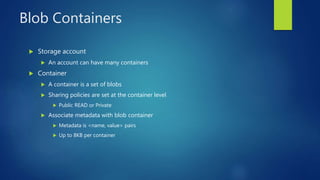
Blob Containers
 Storage account
 An account can have many containers
 Container
 A container is a set of blobs
 Sharing policies are set at the container level
 Public READ or Private
 Associate metadata with blob container
 Metadata is <name, value> pairs
 Up to 8KB per container
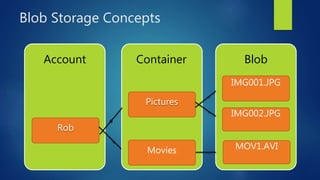
Blob Storage Concepts
BlobContainerAccount
Rob
Pictures
IMG001.JPG
IMG002.JPG
Movies MOV1.AVI
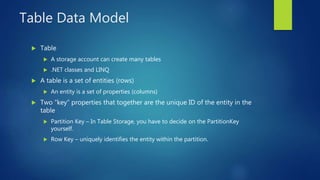
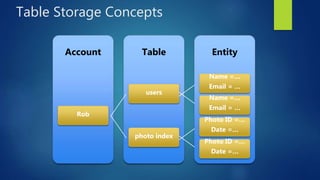
Table Data Model
 Table
 A storage account can create many tables
 .NET classes and LINQ
 A table is a set of entities (rows)
 An entity is a set of properties (columns)
 Two “key” properties that together are the unique ID of the entity in the
table
 Partition Key – In Table Storage, you have to decide on the PartitionKey
yourself.
 Row Key – uniquely identifies the entity within the partition.
Table Storage Concepts
EntityTableAccount
Rob
users
Name =…
Email = …
Name =…
Email = …
photo index
Photo ID =…
Date =…
Photo ID =…
Date =…
Windows Azure Queues
 Provide reliable message delivery
 Simple, asynchronous work dispatch
 Programming semantics ensure that a message can be processed at least once
 Queues are highly available, durable and performance efficient
 Maximum size is 64K
 FIFO in general, but not guaranteed
 Pulling an item from the queue doesn’t delete it
 It becomes invisible for a visibility timeout
 Item must be deleted before timeout or else it becomes visible
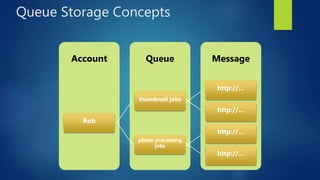
Queue Storage Concepts
MessageQueueAccount
Rob
thumbnail jobs
http://…
http://…
photo processing
jobs
http://…
http://…
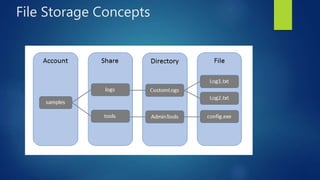
Windows Azure Files
 Azure File storage is a service that offers file shares in the cloud using the
standard Server Message Block (SMB) Protocol.
 Since a File storage share is a standard SMB file share, applications running
in Azure can access data in the share via file system I/O APIs.
 Create/Delete/Resize Shares
 Create/Delete Directories
 Create/Read/Update/Delete Files
File Storage Concepts
Azure Management Portal
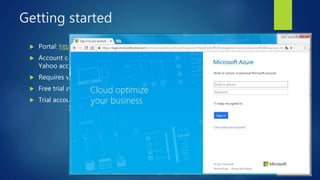
Getting started
 Portal: https://portal.azure.com
 Account can be created using our existing Gmail, Hotmail, Outlook, or
Yahoo account.
 Requires verification on phone.
 Free trial account can be created but requires valid credit card details.
 Trial account with credit of Rs 12,100 is valid for one month.
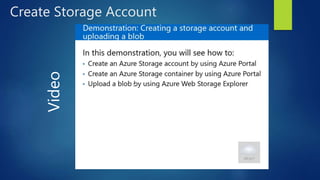
Create Storage Account
Video
Azure Storage C++ SDK
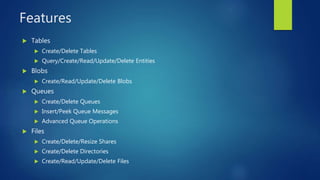
Features
 Tables
 Create/Delete Tables
 Query/Create/Read/Update/Delete Entities
 Blobs
 Create/Read/Update/Delete Blobs
 Queues
 Create/Delete Queues
 Insert/Peek Queue Messages
 Advanced Queue Operations
 Files
 Create/Delete/Resize Shares
 Create/Delete Directories
 Create/Read/Update/Delete Files
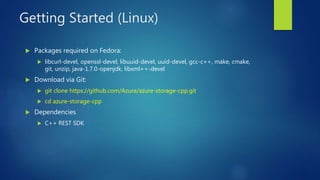
Getting Started (Linux)
 Packages required on Fedora:
 libcurl-devel, openssl-devel, libuuid-devel, uuid-devel, gcc-c++, make, cmake,
git, unzip, java-1.7.0-openjdk, libxml++-devel
 Download via Git:
 git clone https://github.com/Azure/azure-storage-cpp.git
 cd azure-storage-cpp
 Dependencies
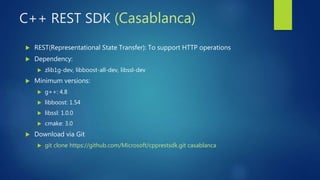
 C++ REST SDK
C++ REST SDK (Casablanca)
 REST(Representational State Transfer): To support HTTP operations
 Dependency:
 zlib1g-dev, libboost-all-dev, libssl-dev
 Minimum versions:
 g++: 4.8
 libboost: 1.54
 libssl: 1.0.0
 cmake: 3.0
 Download via Git
 git clone https://github.com/Microsoft/cpprestsdk.git casablanca
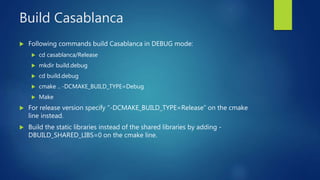
Build Casablanca
 Following commands build Casablanca in DEBUG mode:
 cd casablanca/Release
 mkdir build.debug
 cd build.debug
 cmake .. -DCMAKE_BUILD_TYPE=Debug
 Make
 For release version specify “-DCMAKE_BUILD_TYPE=Release” on the cmake
line instead.
 Build the static libraries instead of the shared libraries by adding -
DBUILD_SHARED_LIBS=0 on the cmake line.
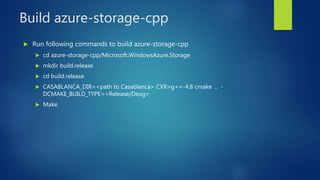
Build azure-storage-cpp
 Run following commands to build azure-storage-cpp
 cd azure-storage-cpp/Microsoft.WindowsAzure.Storage
 mkdir build.release
 cd build.release
 CASABLANCA_DIR=<path to Casablanca> CXX=g++-4.8 cmake .. -
DCMAKE_BUILD_TYPE=<Release/Deug>
 Make
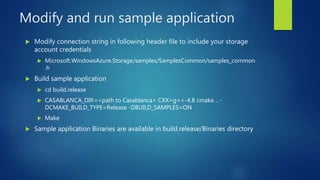
Modify and run sample application
 Modify connection string in following header file to include your storage
account credentials
 Microsoft.WindowsAzure.Storage/samples/SamplesCommon/samples_common
.h
 Build sample application
 cd build.release
 CASABLANCA_DIR=<path to Casablanca> CXX=g++-4.8 cmake .. -
DCMAKE_BUILD_TYPE=Release -DBUILD_SAMPLES=ON
 Make
 Sample application Binaries are available in build.release/Binaries directory
Conclusion
 Cloud computing enables pay-as-you-go cost model. Thus reduces overall
cost.
 Platform as a Service is all about reducing management and operations
overhead.
 Azure Storage is the cloud storage solution for modern applications those
rely on durability, availability, and scalability
 Azure Storage is accessible from anywhere in the world, from any type of
application, whether it's running in the cloud, on the desktop, on an on-
premises server, or on a mobile or tablet device
Thanks!

Introduction to Azure Cloud Storage

  • 1.
  • 2.
    Agenda  Cloud ComputingFundamentals  Introduction to Windows Azure  Windows Azure Storage  Azure Management Portal  Azure Storage C++ SDK go through
  • 3.
  • 4.
    What is Cloud? The cloud symbol was used to represent networks of computing equipment in the original ARPANET by as early as 1977,and the CSNET by 1981.  a metaphor for the internet.  cluster of objects that visually appear from a distance as a cloud.  The cloud is actually a bunch of computer servers that store and transmit data over the Internet.
  • 5.
    Cloud Computing  CloudComputing is the transformation of computer hardware, software and networks into a Utility just like the your Electric Company, Water Company, or Gas Company.  Delivered on demand, as service.  For you:  Does computing tasks, and/or  Runs applications, and/or  Stores Data  Needs an Internet connection and access rights. Remotely Hosted On Demand Scalable Multi-Tenant Ubiquitous Reliability Commodified
  • 6.
    Benefits and Challenges REDUCED COSTSFLEXIBILITY MORE MOBILITY EASY TO IMPLEMENTAGILITY HIGHLY AUTOMATED END USER PRODUCTIVITY Benefits SECURITY BANDWIDTH COST SUITABILITY CHANGE MANAGEMENT COST ASSESSMENT CONNECTION SPEED Challenges
  • 7.
    Cloud Models • PublicCloud • Private Cloud • Hybrid Cloud Deployment Models • Infrastructure as a Service (IaaS) • Platform as a Service (PaaS) • Software as a Service (SaaS) Service Models (SPI)
  • 8.
    Deployment Model (PublicCloud)  Service providers use the internet to make resources, such as applications (also known as Software-as-a-service) and storage, available to the general public. Their infrastructure is owned and operated by service provider.
  • 9.
    Deployment Model (PrivateCloud)  Private clouds, deliver IT resources from within the corporate firewall. Private clouds limit the number of users who have access to applications or data.  The goal of a private cloud is not sell “as-a-service” offerings to external customers but instead to gain the benefits of cloud architecture without giving up the control of maintaining your own data center.  Security and privacy, more control, cost effective, and reliable. Data Center Server Farm
  • 10.
    Deployment Model (HybridCloud)  By using a Hybrid approach, companies can maintain control of an internally managed private cloud while relying on the public cloud as needed. For instance during peak periods individual applications, or portions of applications can be migrated to the Public Cloud.  Organizations can use private clouds for sensitive application, while public clouds for non-sensitive applications.
  • 11.
    Service Models IaaS • Serviceproviders offer computer, storage and network component such as firewalls in the form of services. Amazon Web Services (AWS), Cisco Metapod, Microsoft Azure, Google Compute Engine PaaS • Service provider provides set of software and tools hosted on providers infrastructure. Developers can develop and deploy software solutions on the platform. Amazon Web Services (AWS), Microsoft Azure, Google App Engine SaaS • SaaS is a software distribution model in which applications are hosted by service provider and made available to customers over Internet. Email Services, Google Docs, Microsoft Office365
  • 12.
  • 13.
    Basic Difference Feature IaaSPaaS SaaS What you get? You get the infrastructure & pay accordingly. Freedom to use or install any OS, software or composition Here you get what you demand. Software, hardware, OS, web environment. You get the platform to use & pay accordingly Here you don’t have to worry about anything. A pre-installed, pre- configured package as per your requirement is given and you only need to pay accordingly. Importance The basic layer of Computing Top of IaaS It is like a Complete package of services Technical Difficulties Technical knowledge required You get the Basic setup but still the knowledge of subject is required. No need to worry about technicalities. The SaaS provider company handles everything. Deals with Virtual Machines, Storage (Hard Disks), Servers, Network, Load Balancers etc Runtimes (like java runtimes), Databases (like mySql, Oracle), Web Servers (tomcat etc) Applications like email (Gmail, Yahoo mail etc), Social Networking sites (Facebook etc)
  • 14.
  • 15.
    Microsoft Azure  MicrosoftAzure is a cloud computing service created by Microsoft for building, deploying, and managing applications and services through a global network of Microsoft-managed data centers Microsoft Azure PaaS (Platform Services) IaaS (Infrastructure Services) Global Data Centers
  • 16.
  • 17.
  • 18.
  • 19.
  • 20.
  • 21.
    Introduction  Cloud Storage- Anywhere and anytime access  Blobs, Tables, Queues and Files  Highly Durable, Available and Massively Scalable  Easily build “Internet scale” applications  Pay only for what you use  Supports standard network protocols (HTTP, HTTPS etc)  Rich Client Libraries and Tools  SDKs available in multiple language (.Net, C++, Java, Python, etc)  Supports all major Operating System.  Supports microcontroller based IoT devices.
  • 22.
    Data Replication Windows AzureStorage Windows Azure Storage (Disaster Recovery) Virtual Machine Windows Azure Storage Windows Azure Storage (Disaster Recovery) Virtual Machine Virtual Machine
  • 23.
    Storage Objects  Blob(Binary Large Object)  Provide a simple interface for storing named files along with metadata for the file  Tables  Provide lightly structured storage with a set of entities that contain a set of properties  Queues  Provide reliable storage and delivery of messages  Files  Supports text file storage  Can create folders
  • 24.
    Durability Options  LocallyRedundant Storage (LRS)  Stores 3 replicas of the data within a single zone (facility) in a single region  Provides data durability for disk, node and rack failures  Geo Redundant Storage (GRS)  Stores 6 replicas of the data across two regions (3 in each region)  Provides additional durability to protect data against major regional natural disasters (e.g., tornado, hurricane, fire, etc, destroying a whole region)  Updates across regions are performed asynchronously  Zone Redundant Storage (ZRS)  Stores 3 replicas of the data across multiple zones (facilities) within a single region or across regions  Provides additional durability to protect data against zone failures (e.g., fire burning down a facility)
  • 25.
    Blob Containers  Storageaccount  An account can have many containers  Container  A container is a set of blobs  Sharing policies are set at the container level  Public READ or Private  Associate metadata with blob container  Metadata is <name, value> pairs  Up to 8KB per container
  • 26.
  • 27.
    Table Data Model Table  A storage account can create many tables  .NET classes and LINQ  A table is a set of entities (rows)  An entity is a set of properties (columns)  Two “key” properties that together are the unique ID of the entity in the table  Partition Key – In Table Storage, you have to decide on the PartitionKey yourself.  Row Key – uniquely identifies the entity within the partition.
  • 28.
    Table Storage Concepts EntityTableAccount Rob users Name=… Email = … Name =… Email = … photo index Photo ID =… Date =… Photo ID =… Date =…
  • 29.
    Windows Azure Queues Provide reliable message delivery  Simple, asynchronous work dispatch  Programming semantics ensure that a message can be processed at least once  Queues are highly available, durable and performance efficient  Maximum size is 64K  FIFO in general, but not guaranteed  Pulling an item from the queue doesn’t delete it  It becomes invisible for a visibility timeout  Item must be deleted before timeout or else it becomes visible
  • 30.
    Queue Storage Concepts MessageQueueAccount Rob thumbnailjobs http://… http://… photo processing jobs http://… http://…
  • 31.
    Windows Azure Files Azure File storage is a service that offers file shares in the cloud using the standard Server Message Block (SMB) Protocol.  Since a File storage share is a standard SMB file share, applications running in Azure can access data in the share via file system I/O APIs.  Create/Delete/Resize Shares  Create/Delete Directories  Create/Read/Update/Delete Files
  • 32.
  • 33.
  • 34.
    Getting started  Portal:https://portal.azure.com  Account can be created using our existing Gmail, Hotmail, Outlook, or Yahoo account.  Requires verification on phone.  Free trial account can be created but requires valid credit card details.  Trial account with credit of Rs 12,100 is valid for one month.
  • 35.
  • 36.
  • 37.
    Features  Tables  Create/DeleteTables  Query/Create/Read/Update/Delete Entities  Blobs  Create/Read/Update/Delete Blobs  Queues  Create/Delete Queues  Insert/Peek Queue Messages  Advanced Queue Operations  Files  Create/Delete/Resize Shares  Create/Delete Directories  Create/Read/Update/Delete Files
  • 38.
    Getting Started (Linux) Packages required on Fedora:  libcurl-devel, openssl-devel, libuuid-devel, uuid-devel, gcc-c++, make, cmake, git, unzip, java-1.7.0-openjdk, libxml++-devel  Download via Git:  git clone https://github.com/Azure/azure-storage-cpp.git  cd azure-storage-cpp  Dependencies  C++ REST SDK
  • 39.
    C++ REST SDK(Casablanca)  REST(Representational State Transfer): To support HTTP operations  Dependency:  zlib1g-dev, libboost-all-dev, libssl-dev  Minimum versions:  g++: 4.8  libboost: 1.54  libssl: 1.0.0  cmake: 3.0  Download via Git  git clone https://github.com/Microsoft/cpprestsdk.git casablanca
  • 40.
    Build Casablanca  Followingcommands build Casablanca in DEBUG mode:  cd casablanca/Release  mkdir build.debug  cd build.debug  cmake .. -DCMAKE_BUILD_TYPE=Debug  Make  For release version specify “-DCMAKE_BUILD_TYPE=Release” on the cmake line instead.  Build the static libraries instead of the shared libraries by adding - DBUILD_SHARED_LIBS=0 on the cmake line.
  • 41.
    Build azure-storage-cpp  Runfollowing commands to build azure-storage-cpp  cd azure-storage-cpp/Microsoft.WindowsAzure.Storage  mkdir build.release  cd build.release  CASABLANCA_DIR=<path to Casablanca> CXX=g++-4.8 cmake .. - DCMAKE_BUILD_TYPE=<Release/Deug>  Make
  • 42.
    Modify and runsample application  Modify connection string in following header file to include your storage account credentials  Microsoft.WindowsAzure.Storage/samples/SamplesCommon/samples_common .h  Build sample application  cd build.release  CASABLANCA_DIR=<path to Casablanca> CXX=g++-4.8 cmake .. - DCMAKE_BUILD_TYPE=Release -DBUILD_SAMPLES=ON  Make  Sample application Binaries are available in build.release/Binaries directory
  • 43.
    Conclusion  Cloud computingenables pay-as-you-go cost model. Thus reduces overall cost.  Platform as a Service is all about reducing management and operations overhead.  Azure Storage is the cloud storage solution for modern applications those rely on durability, availability, and scalability  Azure Storage is accessible from anywhere in the world, from any type of application, whether it's running in the cloud, on the desktop, on an on- premises server, or on a mobile or tablet device
  • 44.