and communication
and communication
A Journey Through Connectivity
The evolution of computers has fundamentally
transformed how we communicate. From the early
days of single-user machines to today's
interconnected world, computers have become an
indispensable tool for information sharing and
collaboration. This presentation explores various
computer systems, communication networks, and
internet facilities, providing a comprehensive
overview of this dynamic landscape.
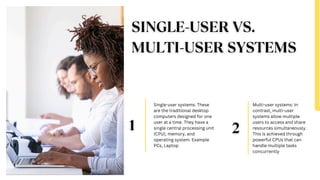
Single-user systems: These
are the traditional desktop
computers designed for one
user at a time. They have a
single central processing unit
(CPU), memory, and
operating system. Example
PCs, Laptop
Multi-user systems: In
contrast, multi-user
systems allow multiple
users to access and share
resources simultaneously.
This is achieved through
powerful CPUs that can
handle multiple tasks
concurrently
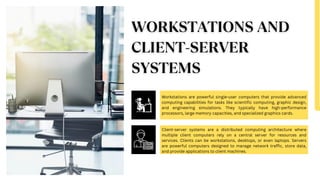
Workstations are powerful single-user computers that provide advanced
computing capabilities for tasks like scientific computing, graphic design,
and engineering simulations. They typically have high-performance
processors, large memory capacities, and specialized graphics cards.
Client-server systems are a distributed computing architecture where
multiple client computers rely on a central server for resources and
services. Clients can be workstations, desktops, or even laptops. Servers
are powerful computers designed to manage network traffic, store data,
and provide applications to client machines.
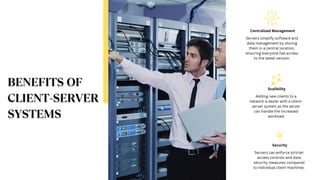
Servers simplify software and
data management by storing
them in a central location,
ensuring everyone has access
to the latest version.
Centralized Management
Adding new clients to a
network is easier with a client-
server system as the server
can handle the increased
workload
Scalibility
Servers can enforce stricter
access controls and data
security measures compared
to individual client machines.
Security
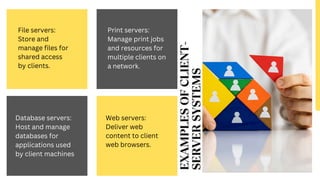
File servers:
Store and
manage files for
shared access
by clients.
Print servers:
Manage print jobs
and resources for
multiple clients on
a network.
Database servers:
Host and manage
databases for
applications used
by client machines
Web servers:
Deliver web
content to client
web browsers.
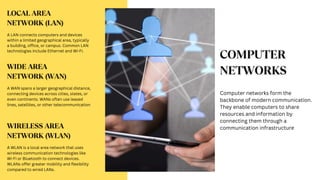
Computer networks form the
backbone of modern communication.
They enable computers to share
resources and information by
connecting them through a
communication infrastructure
A LAN connects computers and devices
within a limited geographical area, typically
a building, office, or campus. Common LAN
technologies include Ethernet and Wi-Fi.
A WAN spans a larger geographical distance,
connecting devices across cities, states, or
even continents. WANs often use leased
lines, satellites, or other telecommunication
A WLAN is a local area network that uses
wireless communication technologies like
Wi-Fi or Bluetooth to connect devices.
WLANs offer greater mobility and flexibility
compared to wired LANs.
A network protocol is a set of rules governing how devices
communicate over a network. Protocols allow devices to exchange
information safely and easily, even if they have different hardware,
software, or internal processes.
TCP/IP (Transmission Control
Protocol/Internet Protocol)
The foundation of internet
communication, TCP/IP ensures
reliable data delivery by breaking
down data into packets,
transmitting them across the
network, and reassembling them
at the destination.
UDP (User Datagram Protocol)
UDP prioritizes speed over
reliability, making it suitable for
time-sensitive applications like
streaming media. However, unlike
TCP/IP, UDP doesn't guarantee
data delivery.
HTTP (Hypertext Transfer
Protocol)
The underlying protocol of the
World Wide Web, HTTP governs
how web browsers and servers
communicate. It defines how web
pages are requested, delivered,
and displayed
The Internet is a vast network of interconnected
computer networks that span the globe. It facilitates
communication and information sharing on an
unprecedented scale.
The web is a system of interconnected hypertext
documents called web pages. Users access these
pages through web browsers like Mosaic or
Netscape Navigator which navigate the web using
hyperlinks. These hyperlinks connect related
pieces of information, allowing users to explore
the web in a non-linear fashion.
While Mosaic and Netscape are no longer
the dominant players, they were the
pioneering web browsers that ushered in
the era of graphical user interfaces (GUIs)
for web browsing. Before them, text-based
browsers like Gopher were the primary way
to access information on the internet.
HTML is the code that forms the building blocks of web pages. It
defines the structure and content of a web page, including text,
images, and hyperlinks. HTML is a relatively simple language that
allows anyone to create basic web pages.
Java is a powerful programming language specifically designed
for the internet. Unlike HTML, which defines the structure of a
web page, Java allows for creating interactive elements and
applications that run within a web browser.
Demystifying Networks and Communication: A Guide for MIB Students

Demystifying Networks and Communication: A Guide for MIB Students

  • 1.
  • 2.
    and communication A JourneyThrough Connectivity
  • 3.
    The evolution ofcomputers has fundamentally transformed how we communicate. From the early days of single-user machines to today's interconnected world, computers have become an indispensable tool for information sharing and collaboration. This presentation explores various computer systems, communication networks, and internet facilities, providing a comprehensive overview of this dynamic landscape.
  • 4.
    Single-user systems: These arethe traditional desktop computers designed for one user at a time. They have a single central processing unit (CPU), memory, and operating system. Example PCs, Laptop Multi-user systems: In contrast, multi-user systems allow multiple users to access and share resources simultaneously. This is achieved through powerful CPUs that can handle multiple tasks concurrently
  • 5.
    Workstations are powerfulsingle-user computers that provide advanced computing capabilities for tasks like scientific computing, graphic design, and engineering simulations. They typically have high-performance processors, large memory capacities, and specialized graphics cards. Client-server systems are a distributed computing architecture where multiple client computers rely on a central server for resources and services. Clients can be workstations, desktops, or even laptops. Servers are powerful computers designed to manage network traffic, store data, and provide applications to client machines.
  • 6.
    Servers simplify softwareand data management by storing them in a central location, ensuring everyone has access to the latest version. Centralized Management Adding new clients to a network is easier with a client- server system as the server can handle the increased workload Scalibility Servers can enforce stricter access controls and data security measures compared to individual client machines. Security
  • 7.
    File servers: Store and managefiles for shared access by clients. Print servers: Manage print jobs and resources for multiple clients on a network. Database servers: Host and manage databases for applications used by client machines Web servers: Deliver web content to client web browsers.
  • 8.
    Computer networks formthe backbone of modern communication. They enable computers to share resources and information by connecting them through a communication infrastructure A LAN connects computers and devices within a limited geographical area, typically a building, office, or campus. Common LAN technologies include Ethernet and Wi-Fi. A WAN spans a larger geographical distance, connecting devices across cities, states, or even continents. WANs often use leased lines, satellites, or other telecommunication A WLAN is a local area network that uses wireless communication technologies like Wi-Fi or Bluetooth to connect devices. WLANs offer greater mobility and flexibility compared to wired LANs.
  • 9.
    A network protocolis a set of rules governing how devices communicate over a network. Protocols allow devices to exchange information safely and easily, even if they have different hardware, software, or internal processes. TCP/IP (Transmission Control Protocol/Internet Protocol) The foundation of internet communication, TCP/IP ensures reliable data delivery by breaking down data into packets, transmitting them across the network, and reassembling them at the destination. UDP (User Datagram Protocol) UDP prioritizes speed over reliability, making it suitable for time-sensitive applications like streaming media. However, unlike TCP/IP, UDP doesn't guarantee data delivery. HTTP (Hypertext Transfer Protocol) The underlying protocol of the World Wide Web, HTTP governs how web browsers and servers communicate. It defines how web pages are requested, delivered, and displayed
  • 10.
    The Internet isa vast network of interconnected computer networks that span the globe. It facilitates communication and information sharing on an unprecedented scale. The web is a system of interconnected hypertext documents called web pages. Users access these pages through web browsers like Mosaic or Netscape Navigator which navigate the web using hyperlinks. These hyperlinks connect related pieces of information, allowing users to explore the web in a non-linear fashion. While Mosaic and Netscape are no longer the dominant players, they were the pioneering web browsers that ushered in the era of graphical user interfaces (GUIs) for web browsing. Before them, text-based browsers like Gopher were the primary way to access information on the internet.
  • 11.
    HTML is thecode that forms the building blocks of web pages. It defines the structure and content of a web page, including text, images, and hyperlinks. HTML is a relatively simple language that allows anyone to create basic web pages. Java is a powerful programming language specifically designed for the internet. Unlike HTML, which defines the structure of a web page, Java allows for creating interactive elements and applications that run within a web browser.