

Deep Dive into the ArcGIS
Geotrigger Service
Aaron Parecki @aaronpk
CTO, Esri R&D Center Portland
Geotrigger SDKs and API Just
Launched!
developers.arcgis.com
What could your app do if
it knew where it was?
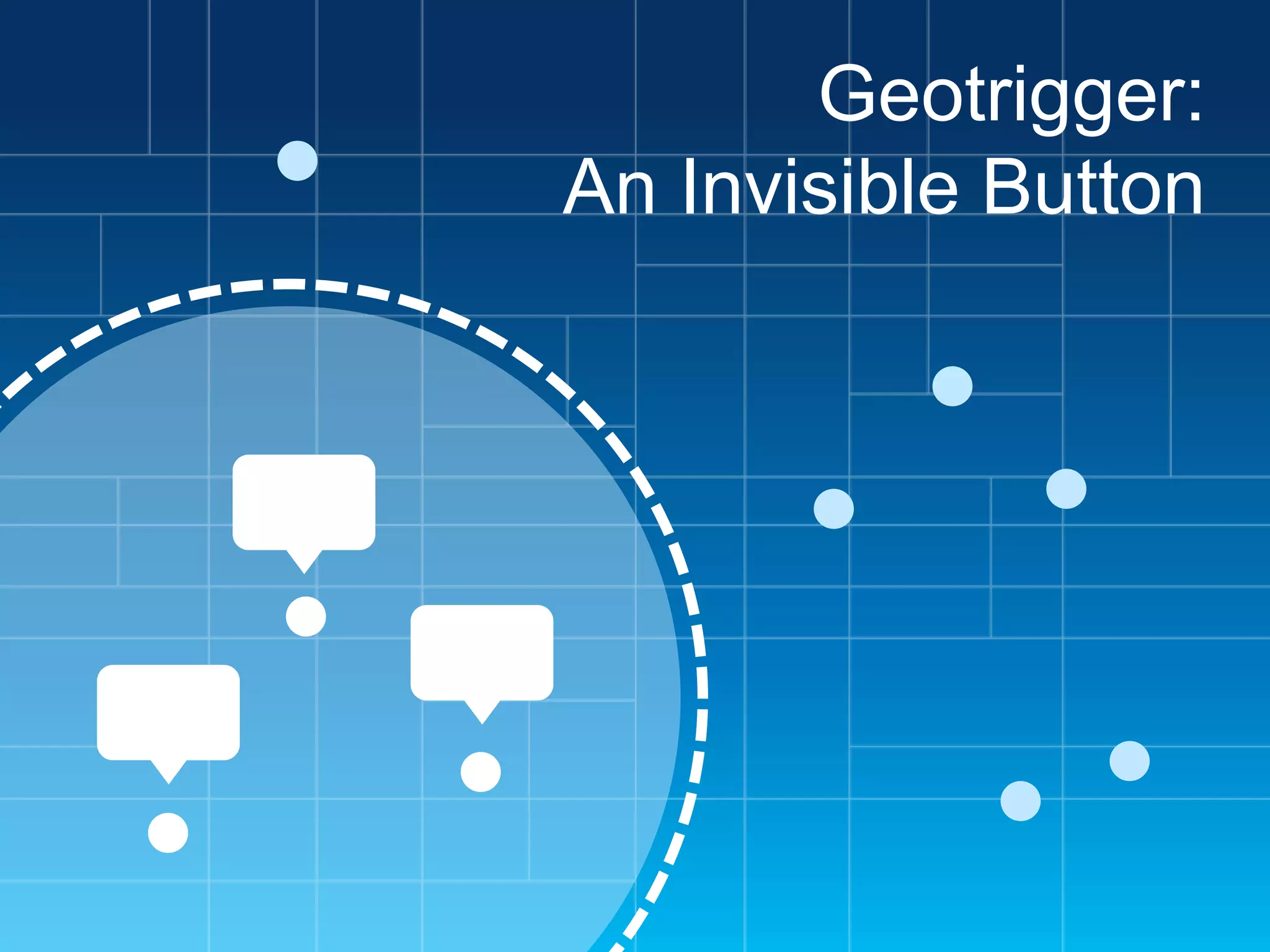
Geotrigger:
An Invisible Button
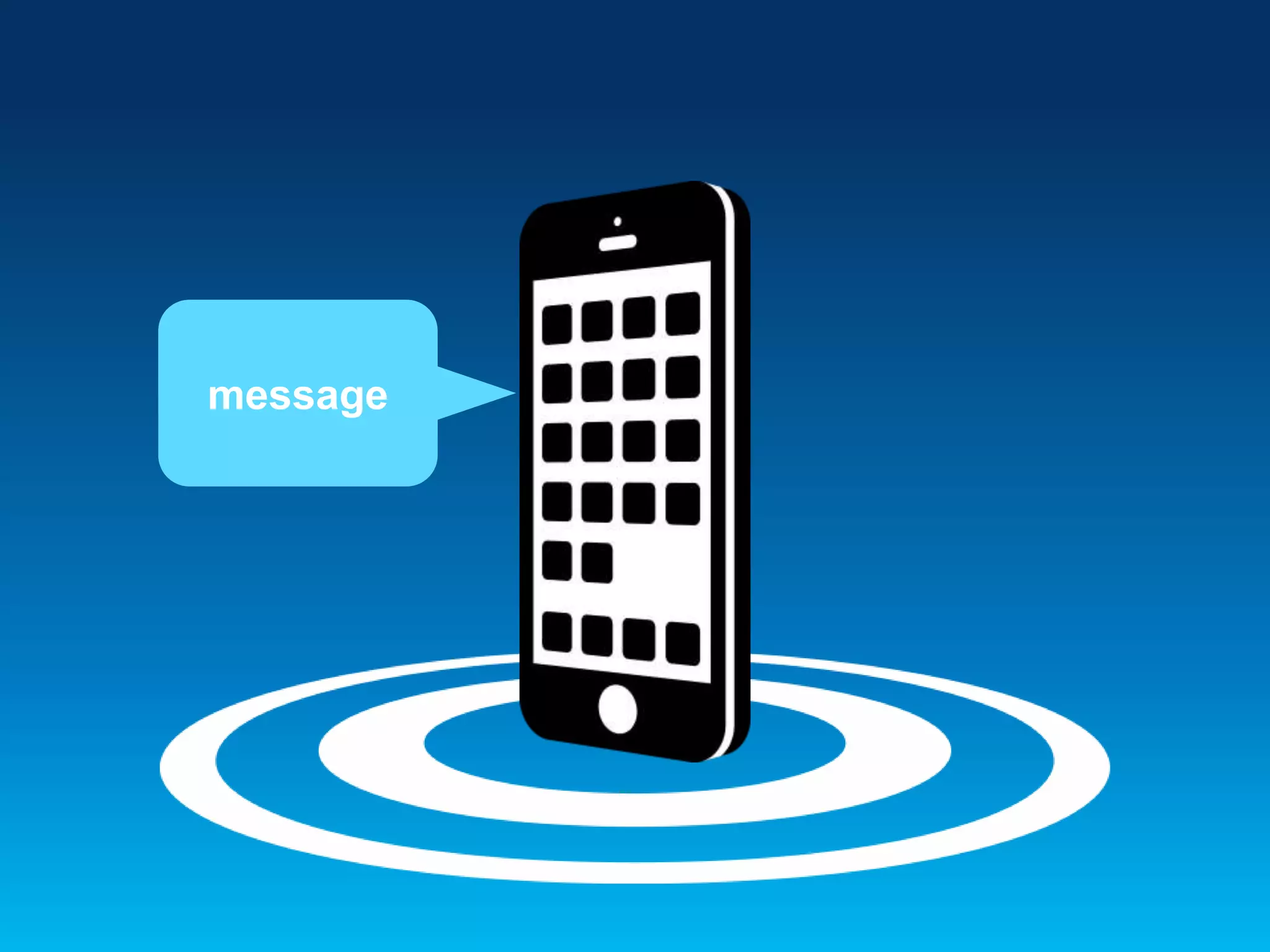
message
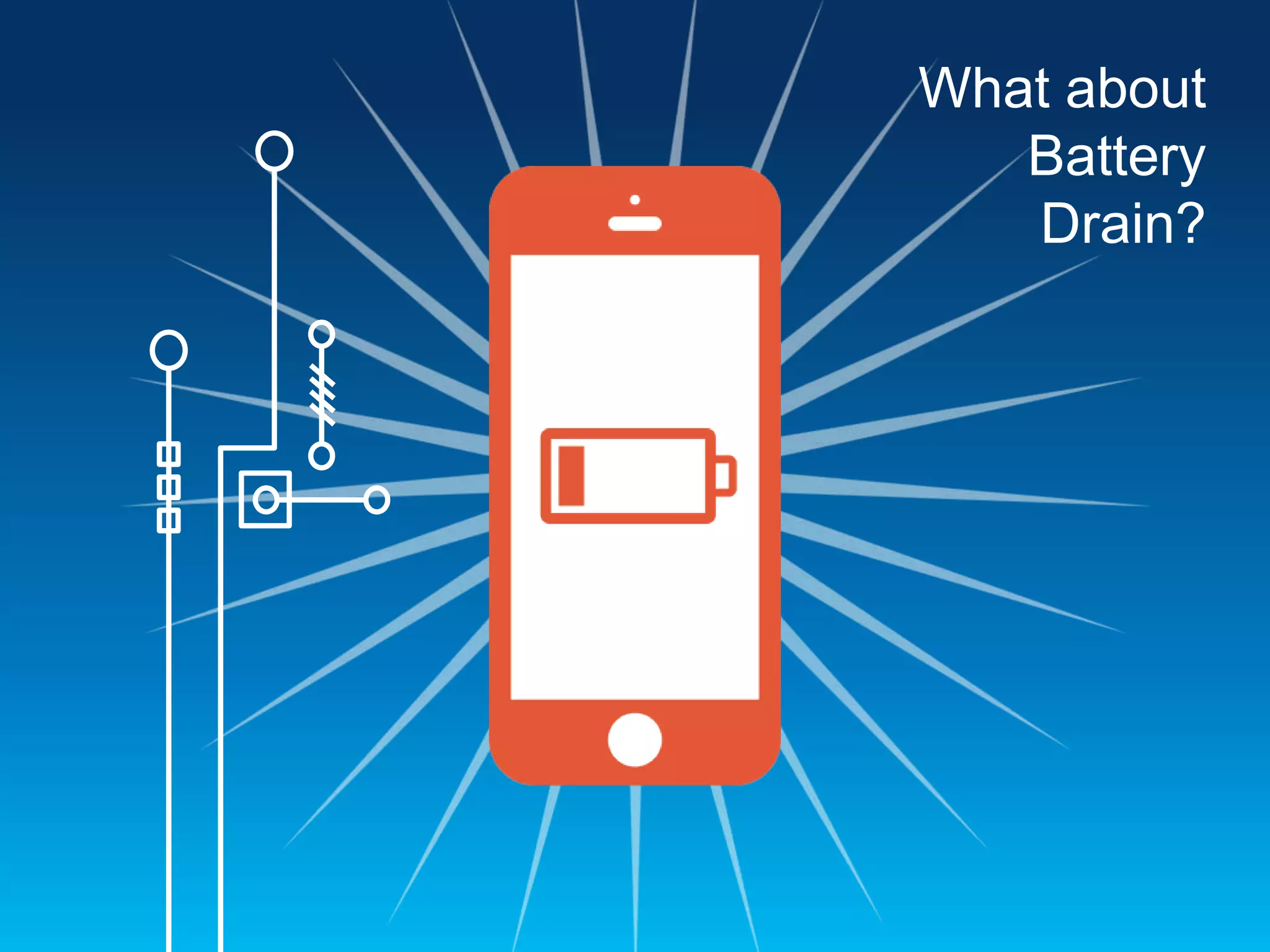
What about
Battery
Drain?
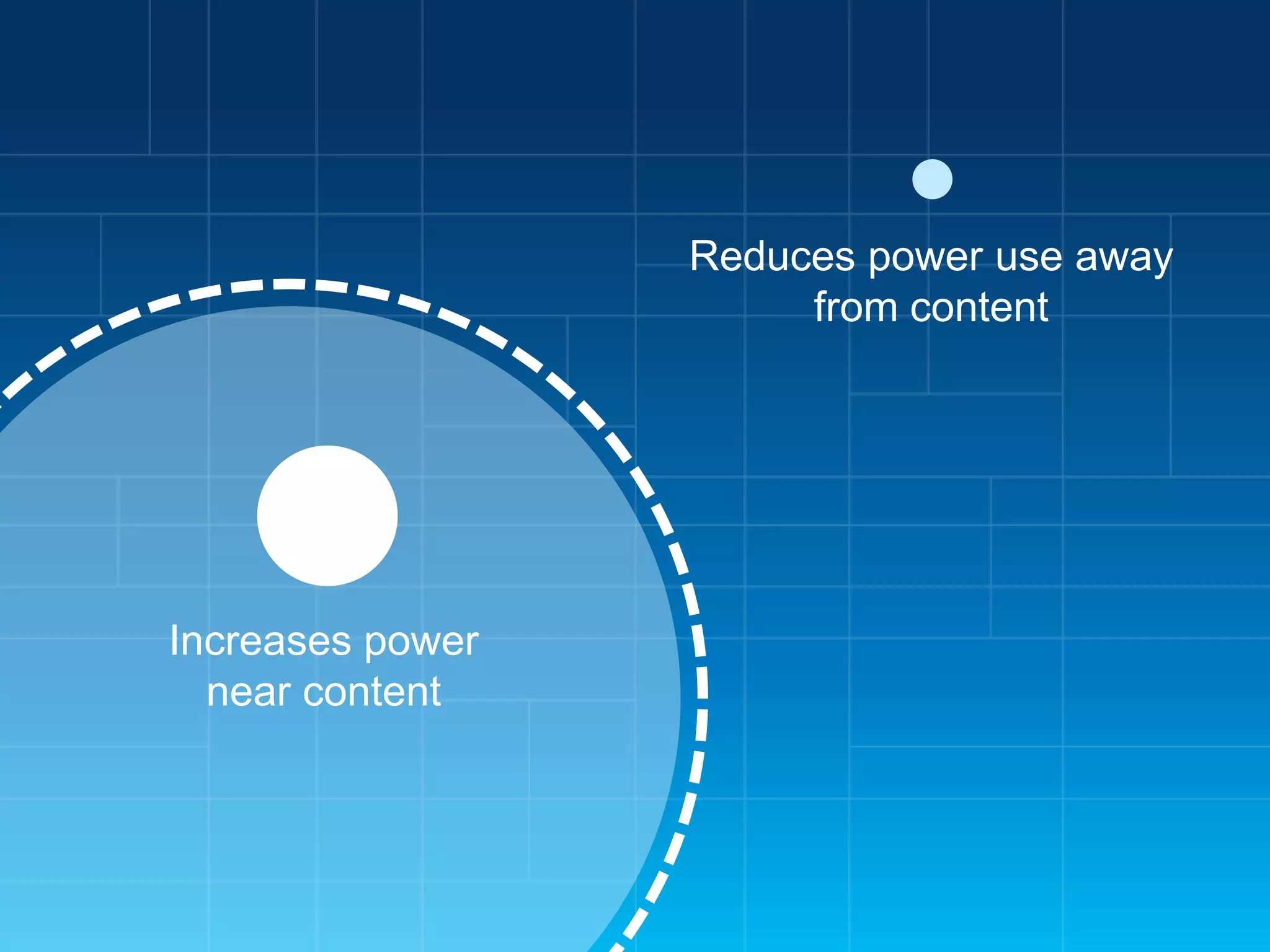
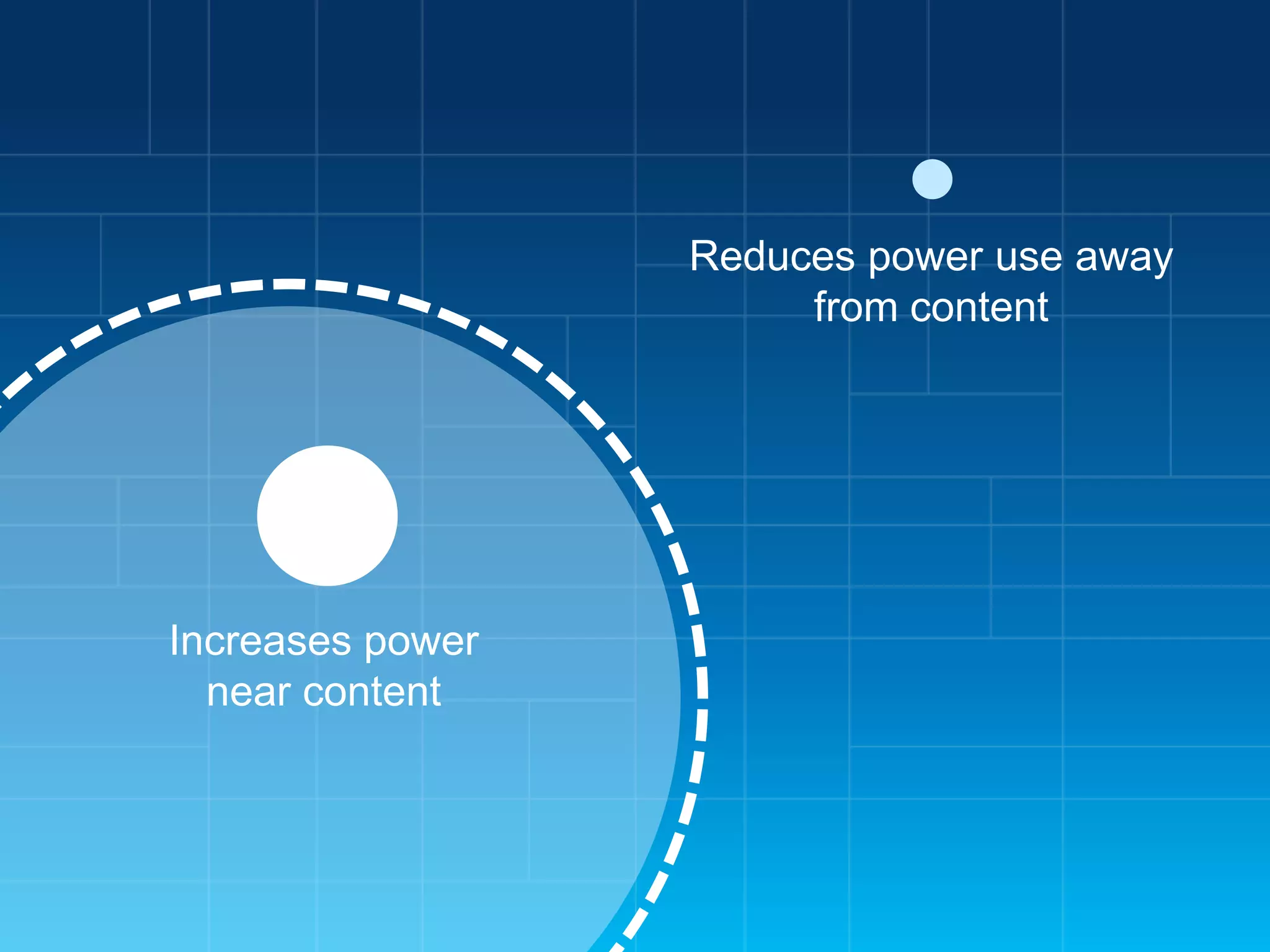
Reduces power use away
from content

Increases power
near content
Differences between
iPhone and Android
iOS Location Services
• App

registers for location updates from the
operating system

• iOS

delivers location events to a delegate
object in the app when it’s running

• iOS

may terminate your app due to high
memory conditions, etc.

• If

terminated, iOS will re-launch the app in
the background when a location event is
received

• Less

control over when the data is received,
but less code to manage
Android Location Services
• App

creates a background service which
runs persistently

• The

app’s service requests location data
from the OS

• The

OS delivers location data to the service

• More

control available on Android,
but also requires more code to manage
Geotrigger Technology
• Mobile

SDKs
• Web APIs
• Battery Management
• Tracking Profiles
Getting Started
Getting Started
1.

Create an account at
developers.arcgis.com or sign in if
you already have an ArcGIS
account

2.

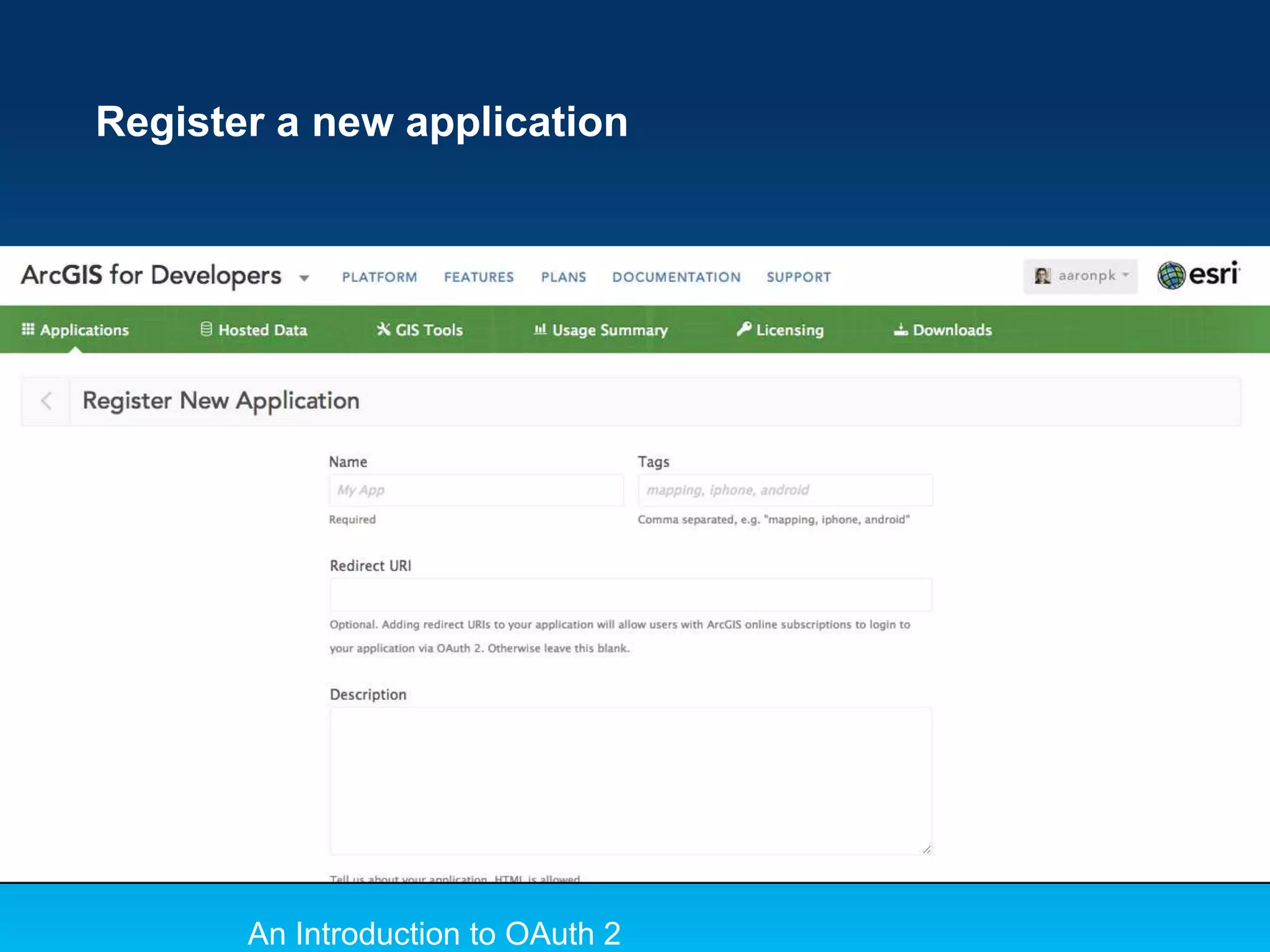
Create an application
developers.arcgis.com/en/applicati
ons/
Register a new application

An Introduction to OAuth 2
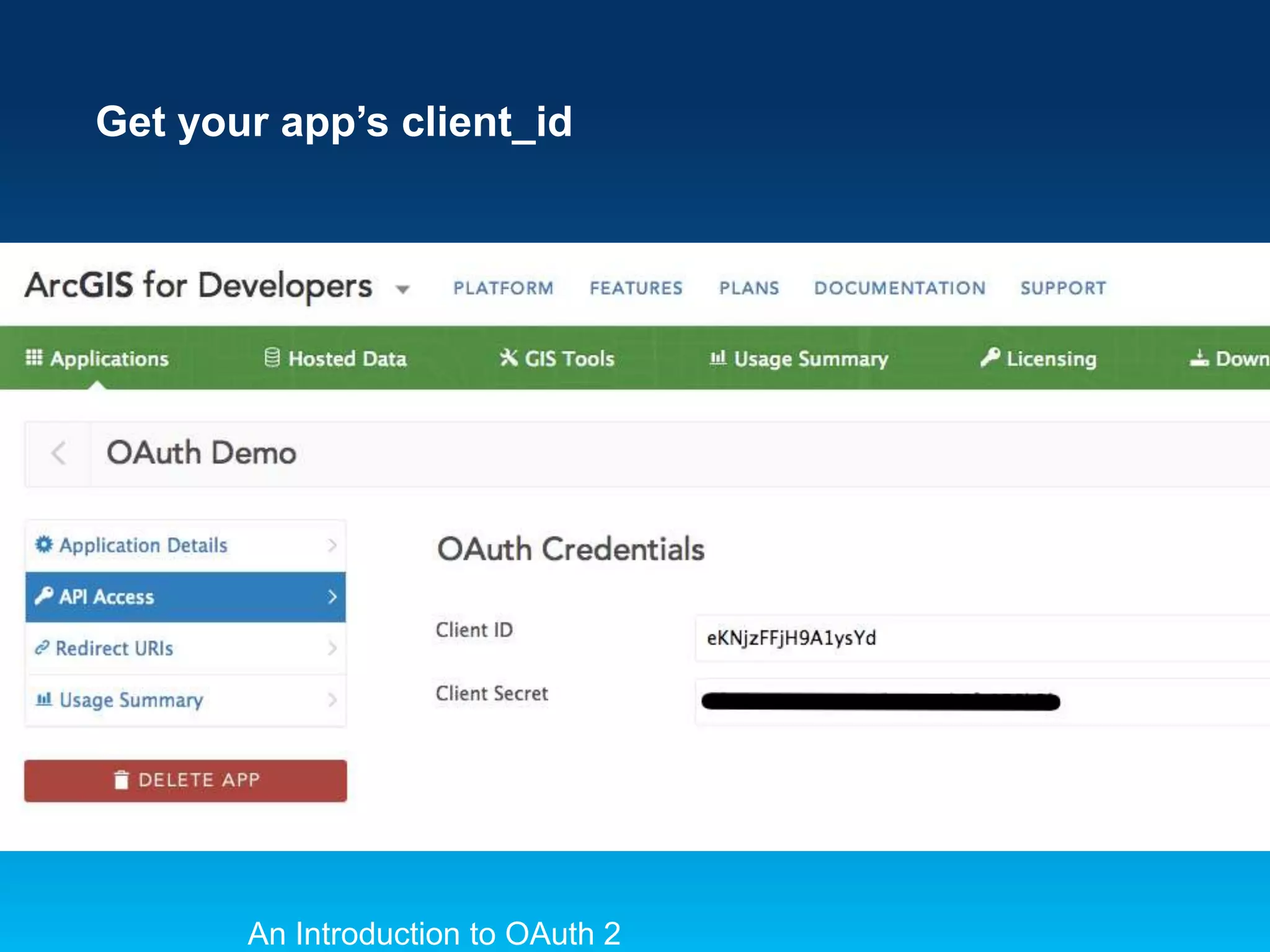
Get your app’s client_id

An Introduction to OAuth 2
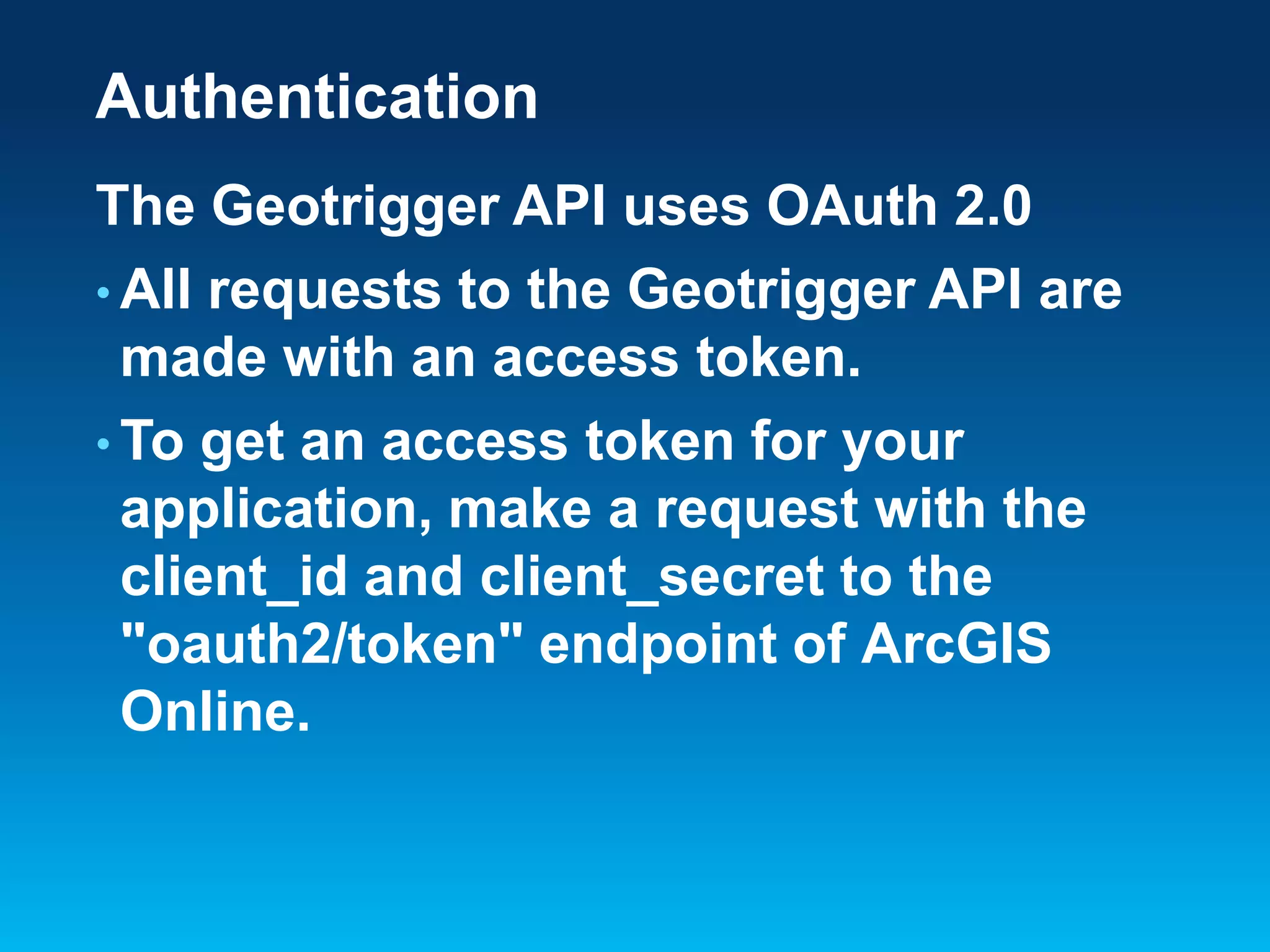
Authentication
The Geotrigger API uses OAuth 2.0
• All requests to the Geotrigger API are
made with an access token.
• To get an access token for your
application, make a request with the
client_id and client_secret to the
"oauth2/token" endpoint of ArcGIS
Online.
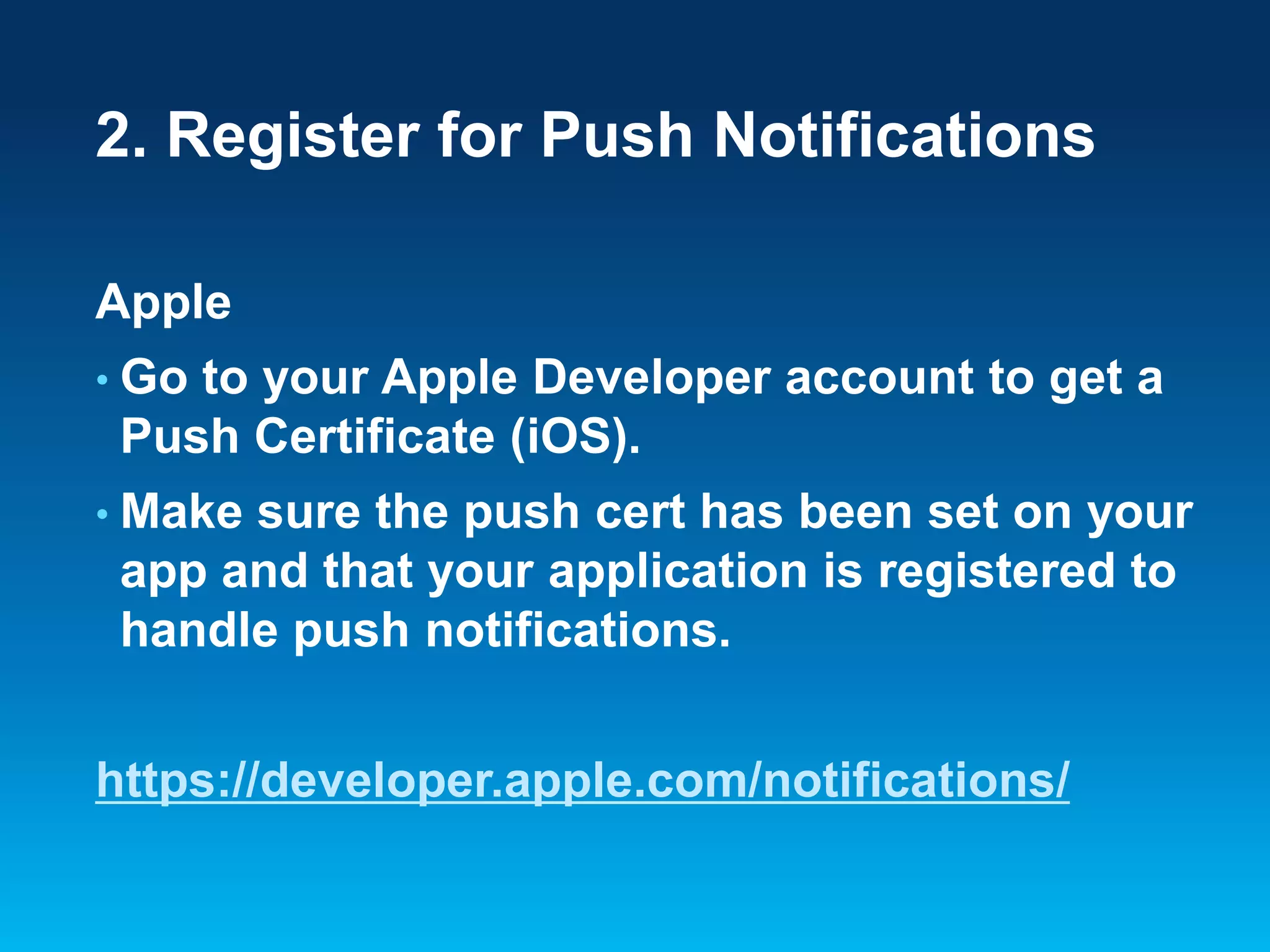
2. Register for Push Notifications
Apple
• Go

to your Apple Developer account to get a
Push Certificate (iOS).

• Make

sure the push cert has been set on your
app and that your application is registered to
handle push notifications.

https://developer.apple.com/notifications/
2. Register for Push Notifications
Android
• Get

a GCM key (Google).

• Make

sure you've GCM key in the push
notification settings for your app and make
sure you set your GCM sender ID when you
initialize the Geotrigger service.

http://developer.android.com/google/gcm/
3. Download the Sample App
• Download

the sample app for your
platform (iOS or Android).

• github.com/Esri/geotrigger-sdk-android
• github.com/Esri/geotrigger-sdk-ios
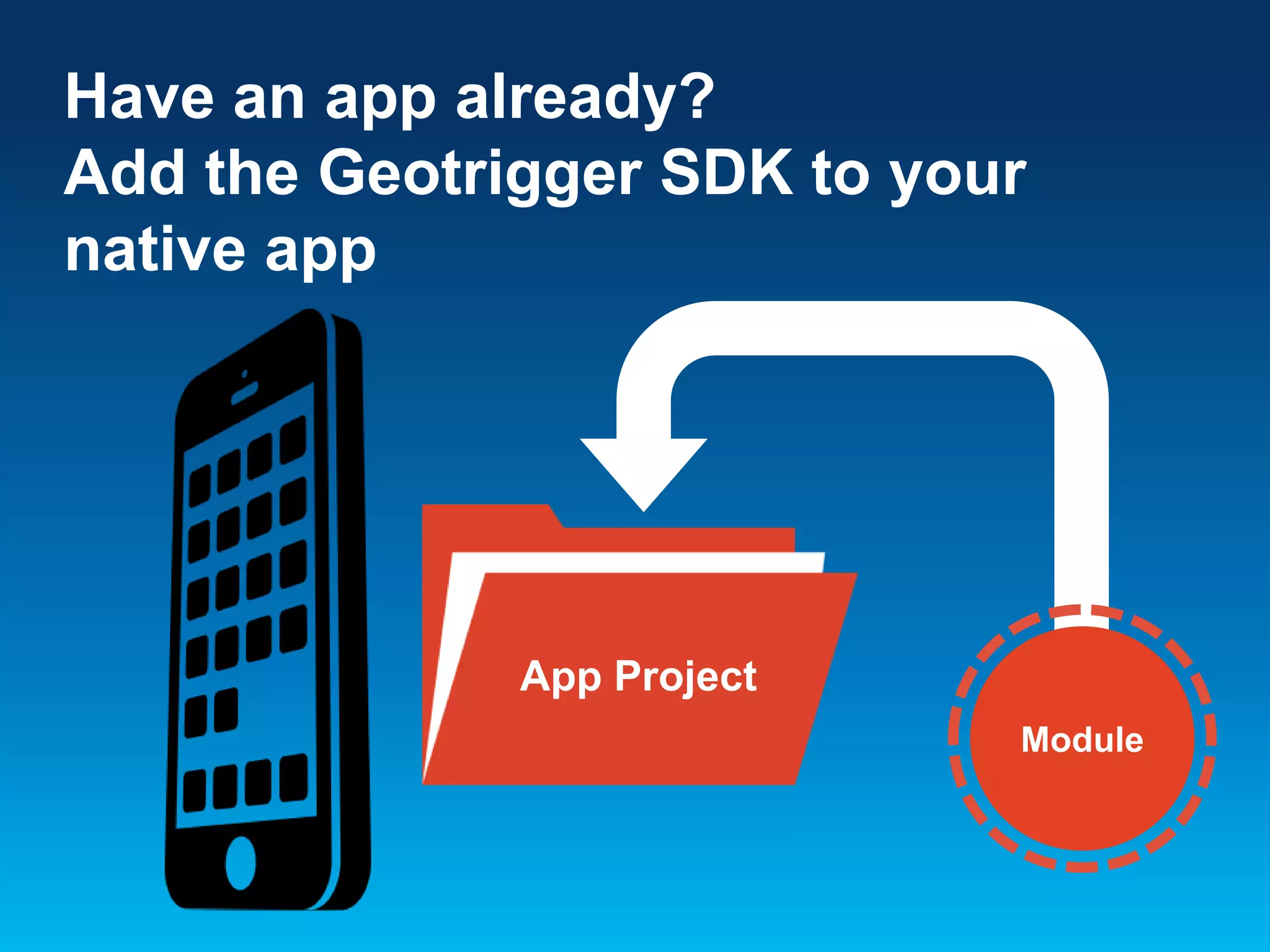
Have an app already?
Add the Geotrigger SDK to your
native app

App Project
Module
Android
Eclipse
•

Add the arcgis-geotriggers.jar as a dependency in
Eclipse, find the library in the Project Explorer, right
click on it, and select Add to Build Path.

IntelliJ IDEA
•

Add arcgis-geotriggers.jar as a module dependency
in your module settings.

•

In your IDE, make the call to start the tracker using
your client ID.

*Due to the use of native location services in Gingerbread, the ArcGIS
Geotrigger SDK for Android requires that your project is compiled with
Android 2.3.3 (API level 10) or newer.
iOS
Xcode
Add the following frameworks to your
application: CoreLocation, Security,
SystemConfiguration, and MobileCoreServices.
• Drag

and drop the GeotriggerSDK.framework file
from Finder into the Frameworks folder in
XCode.

*The Geotrigger Service works only with native apps on iPhone and
Android. GPS can only be accessed in the background by native
applications. Do not try to add the Geotrigger SDK to a web app.
*Important*
Test your push notifications!
• Send

a sample push notification to your
iPhone or Android app.
• Once you’ve determined that push
notifications are working, then you can
test the Geotrigger service.
*You need to test your push notifications before you can
test that the Geotrigger Service works.
Geotrigger Overview
• Triggers

define the logic you want to

happen
• Triggers

can be set when devices enter or
leave a place

• Date

and time ranges can be applied to the
triggers, i.e. only between 9am-5pm
Geotrigger Components
• Condition
-

Geometry (polygon or circle)

-

Direction (enter or leave)

• Action

(message, callback URL, or change
tracking profile)

• Tags

(to group content)

- Example:

Wikipedia article data

-

Tags for Buildings, History

-

Can allow users to subscribe to a subset of the
data
4. Create your first Geotrigger
Create your first Geotrigger geographically
close to your current location so you can test it
out.
• Use

the Geotrigger API
developers.arcgis.com/en/geotrigger-service
/api-reference/trigger-create/

• Use

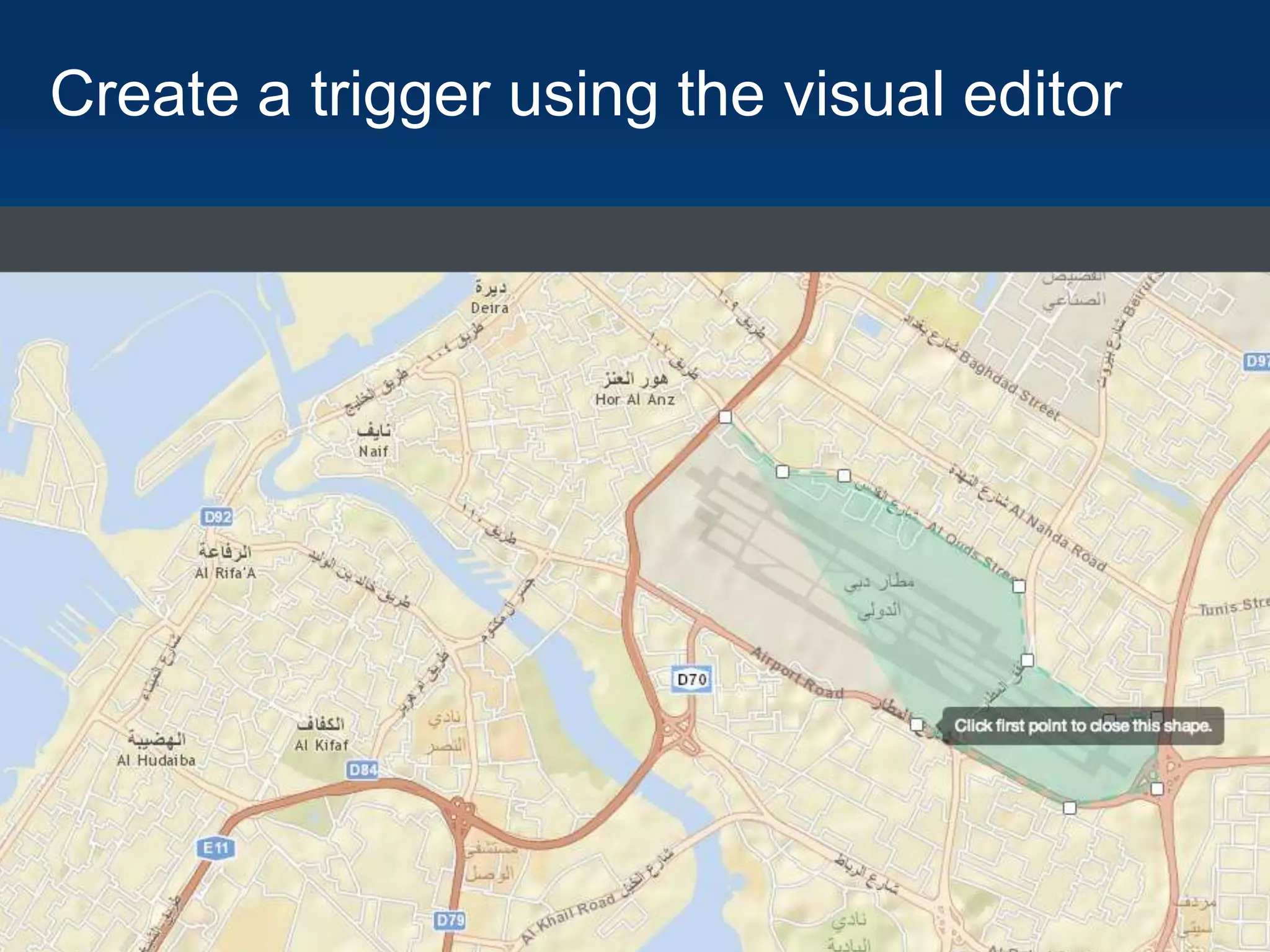
the visual trigger editor
- Will allow you and your team to quickly set
up triggers without writing code
Create a trigger using the visual editor
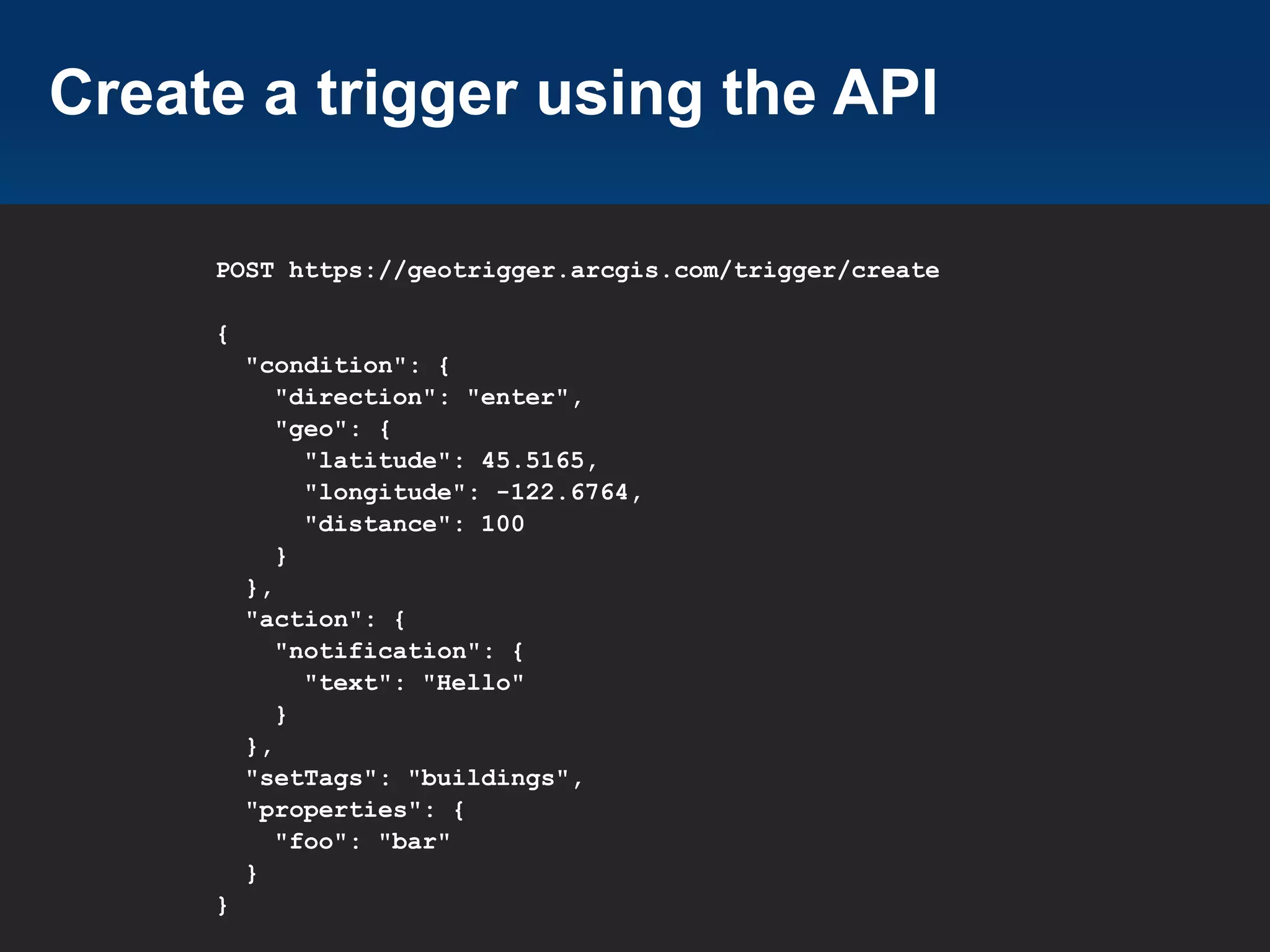
Create a trigger using the API
POST https://geotrigger.arcgis.com/trigger/create
{
"condition": {
"direction": "enter",
"geo": {
"latitude": 45.5165,
"longitude": -122.6764,
"distance": 100
}
},
"action": {
"notification": {
"text": "Hello"
}
},
"setTags": "buildings",
"properties": {
"foo": "bar"
}
}
Trigger Types
• Trigger

action can be either
- Messages
- Callback URL
- Change tracking profile

• Use

“message” triggers when you want to
simply send a push notification to users

• Use

“callback” triggers when you want to
receive the trigger notification on your own
server
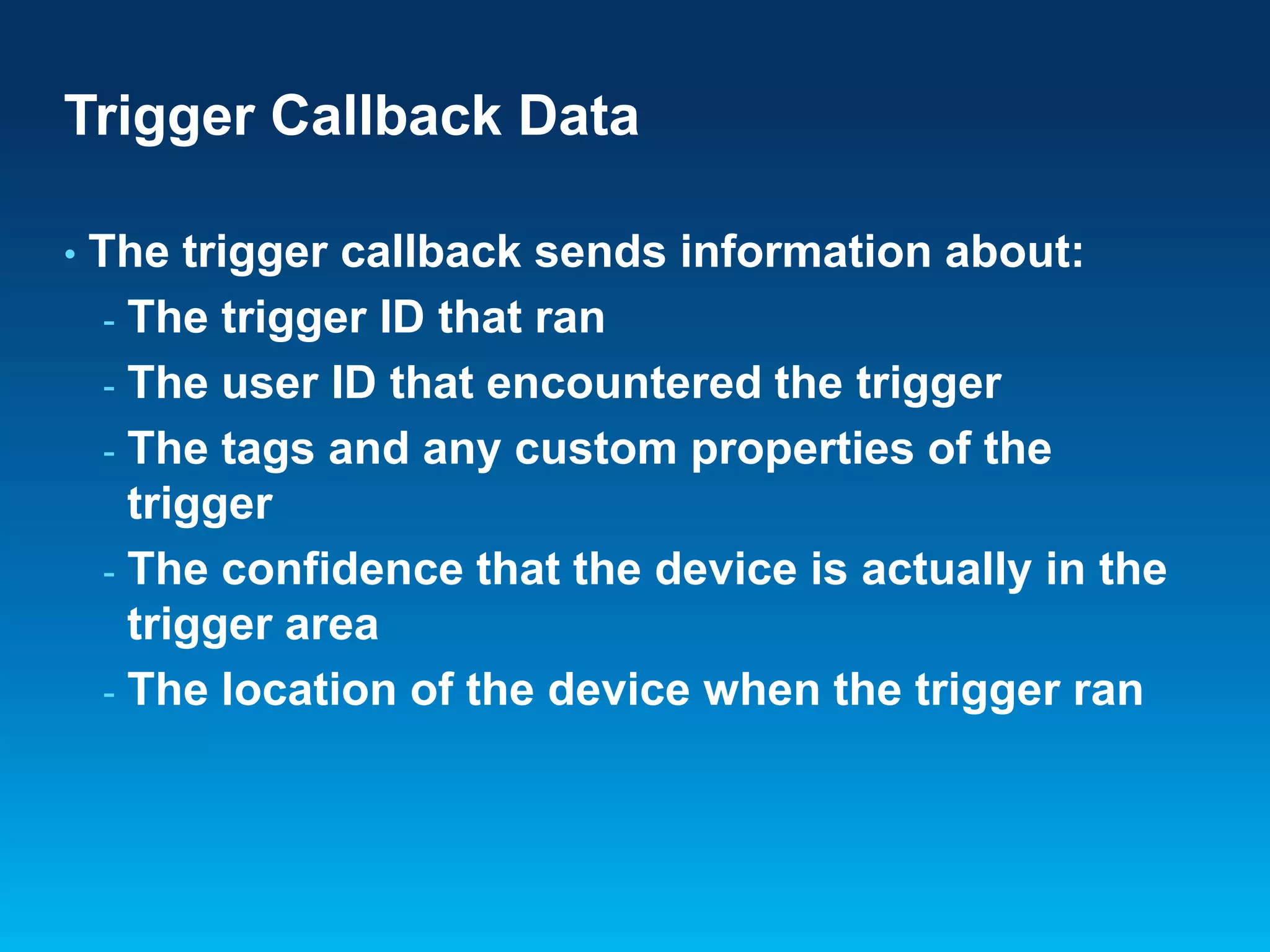
Trigger Callback Data
•

The trigger callback sends information about:
- The trigger ID that ran
- The user ID that encountered the trigger
- The tags and any custom properties of the
trigger
- The confidence that the device is actually in the
trigger area
- The location of the device when the trigger ran
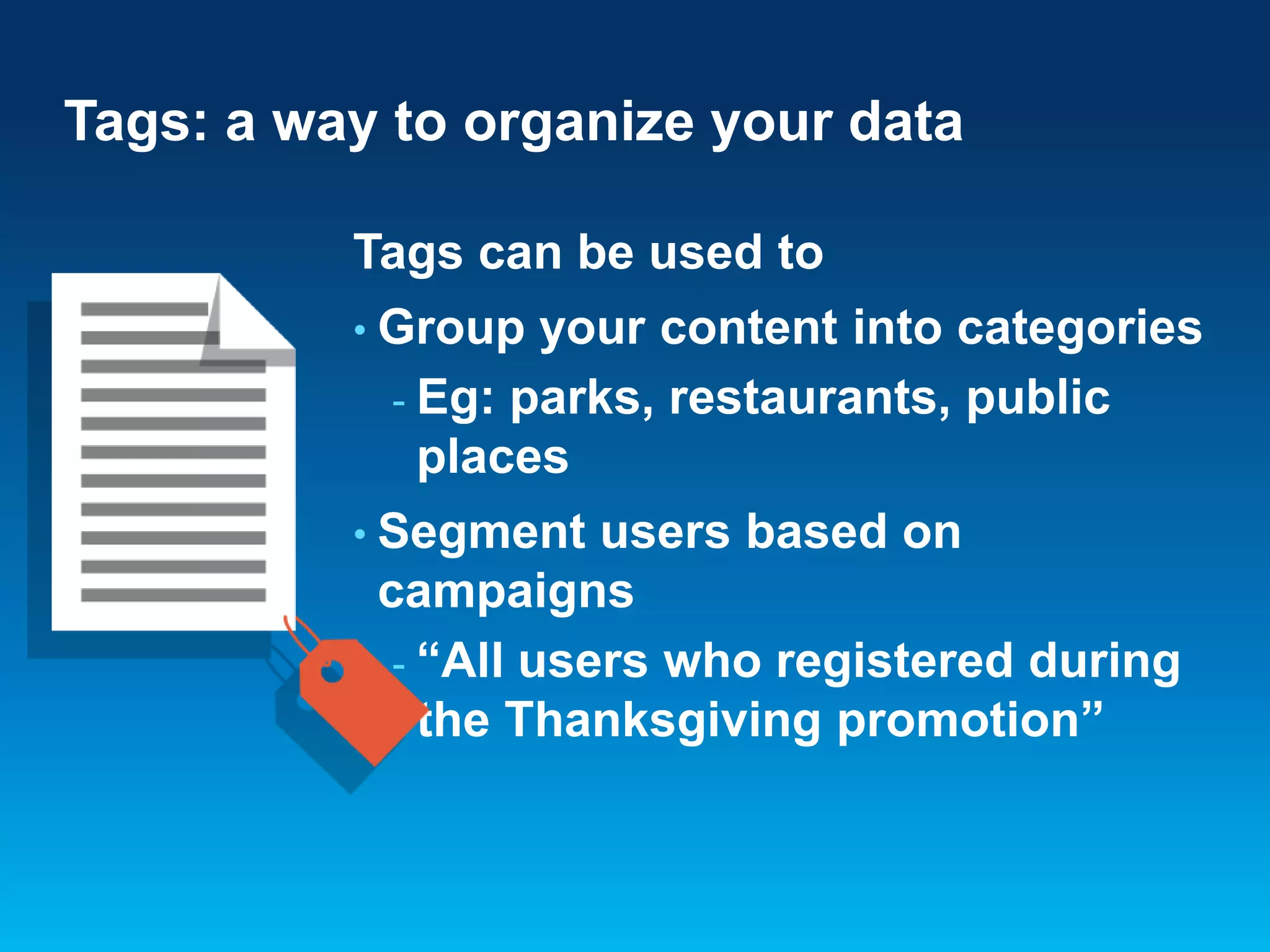
Tags: a way to organize your data
Tags can be used to
• Group

your content into categories
- Eg: parks, restaurants, public
places

• Segment

users based on
campaigns
- “All users who registered during
the Thanksgiving promotion”
Trigger History
• Retrieve

logs of all the triggers run for your
application

• Trigger
-

history includes

Place information
Device information
Location where the trigger was run
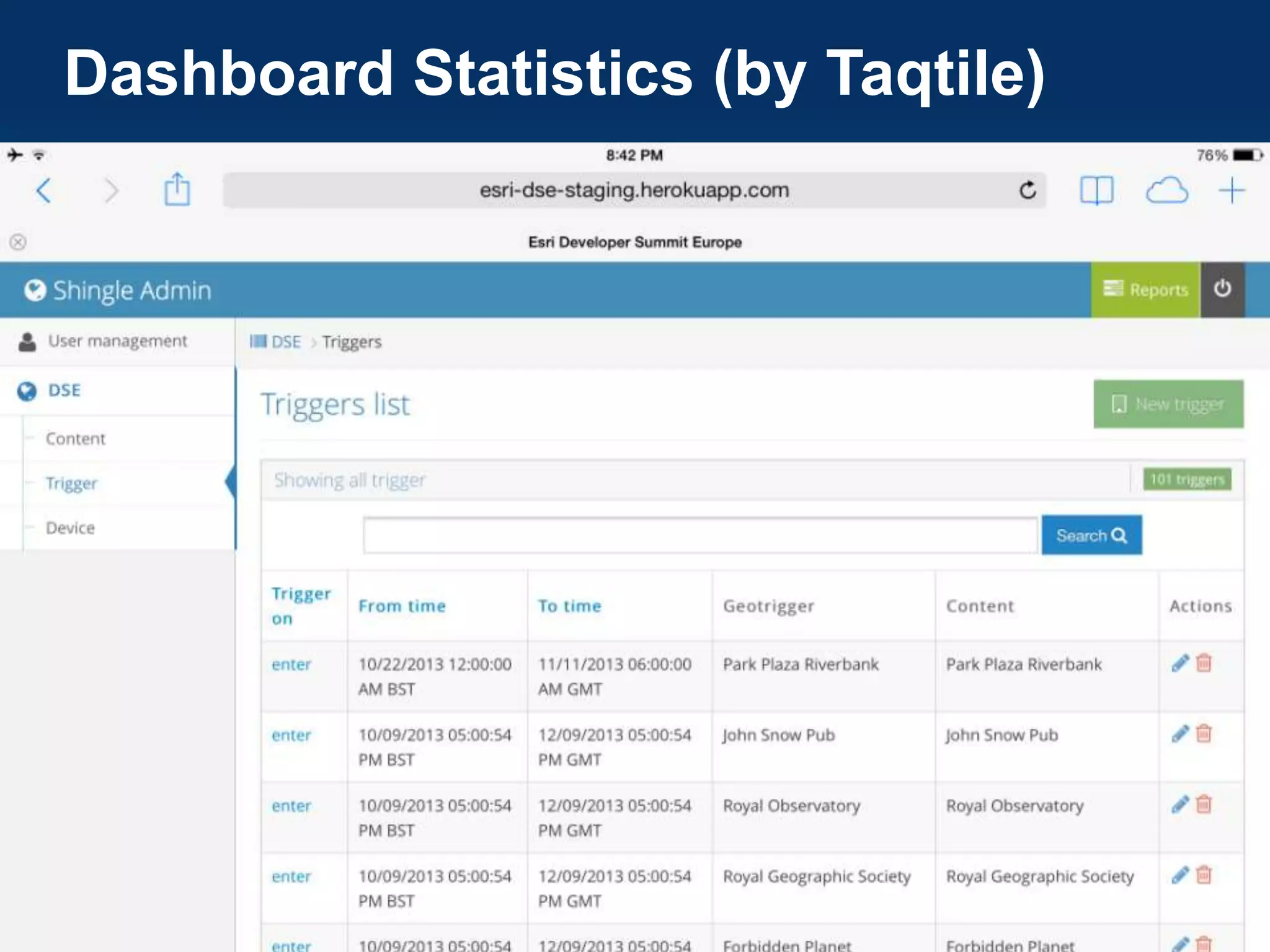
Dashboard Statistics (by Taqtile)
Tracking Profiles
Battery Management built
on top of Apple’s and
Google’s core location
services
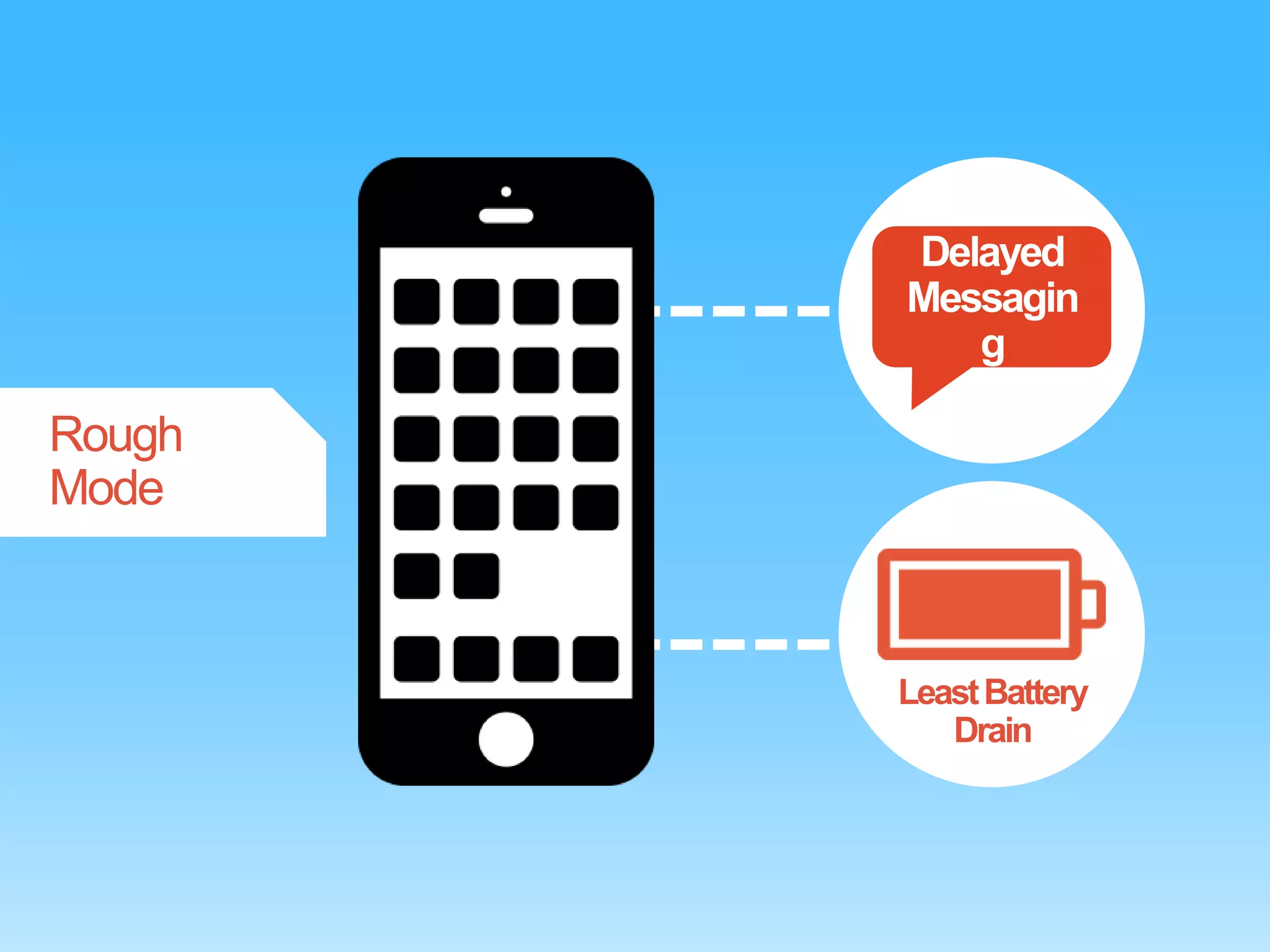
Delayed
Messagin
g

Rough
Mode

Least Battery
Drain
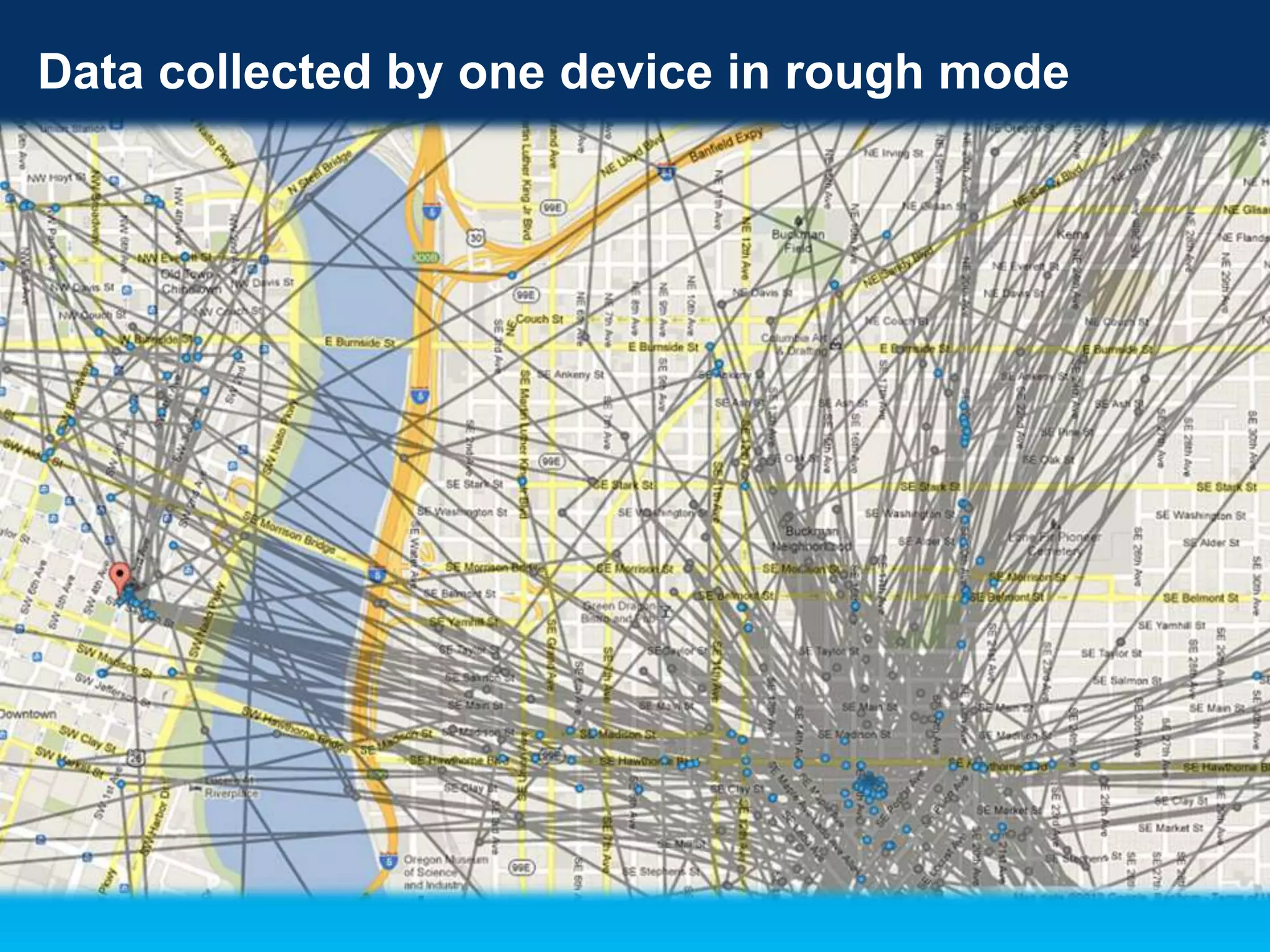
Data collected by one device in rough mode
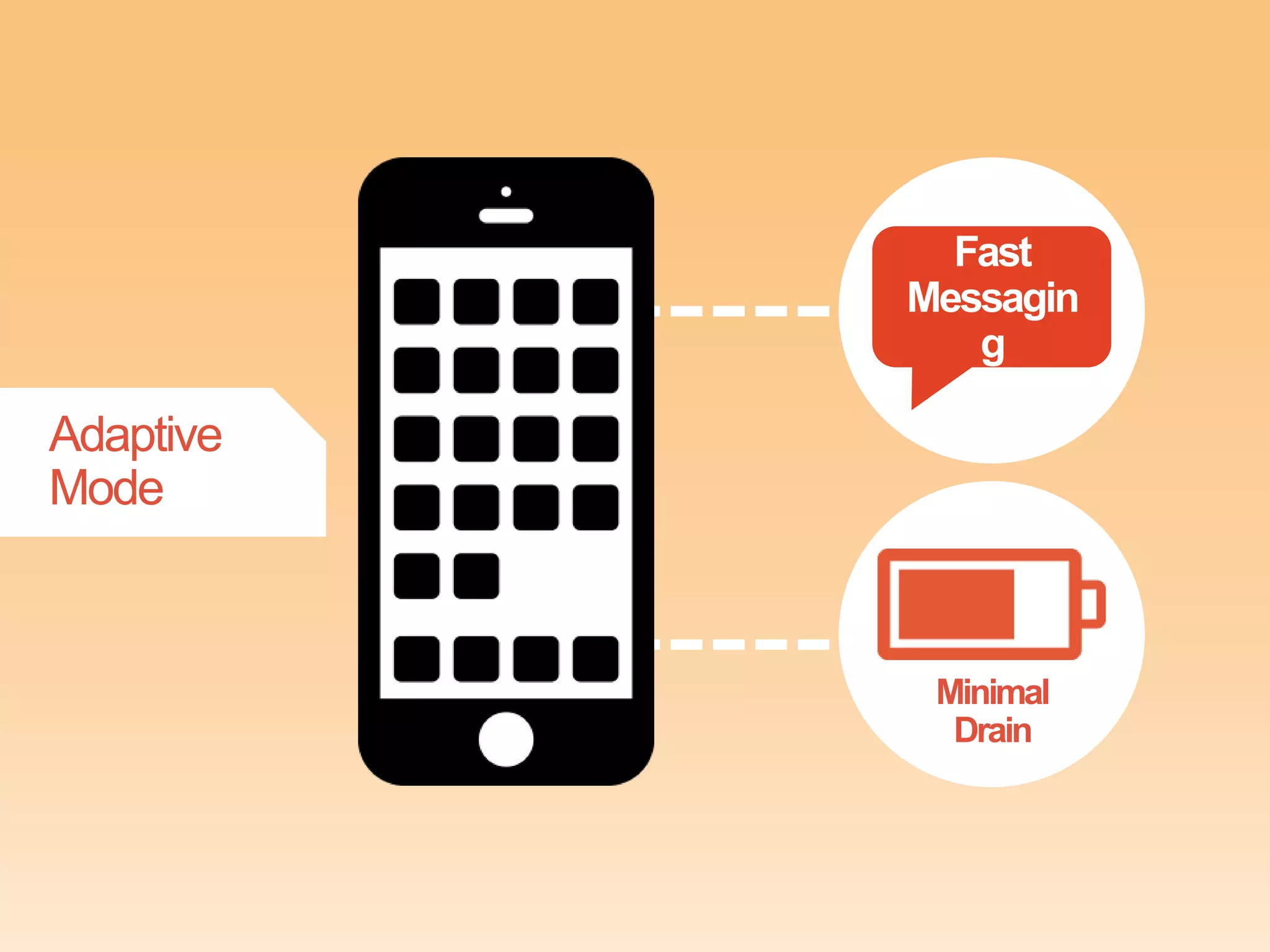
Fast
Messagin
g

Adaptive
Mode

Minimal
Drain
Reduces power use away
from content

Increases power
near content
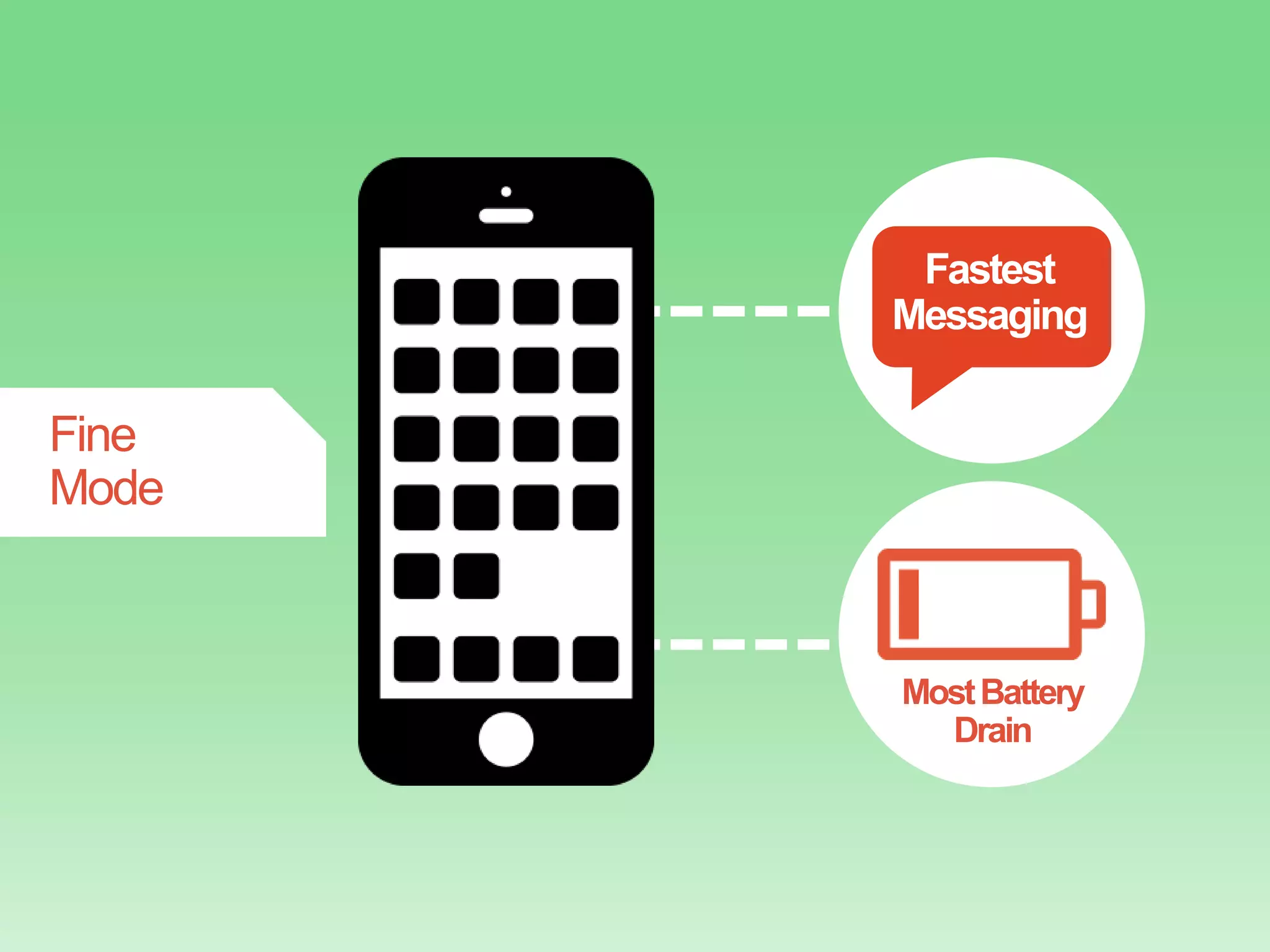
Fastest
Messaging

Fine
Mode

Most Battery
Drain
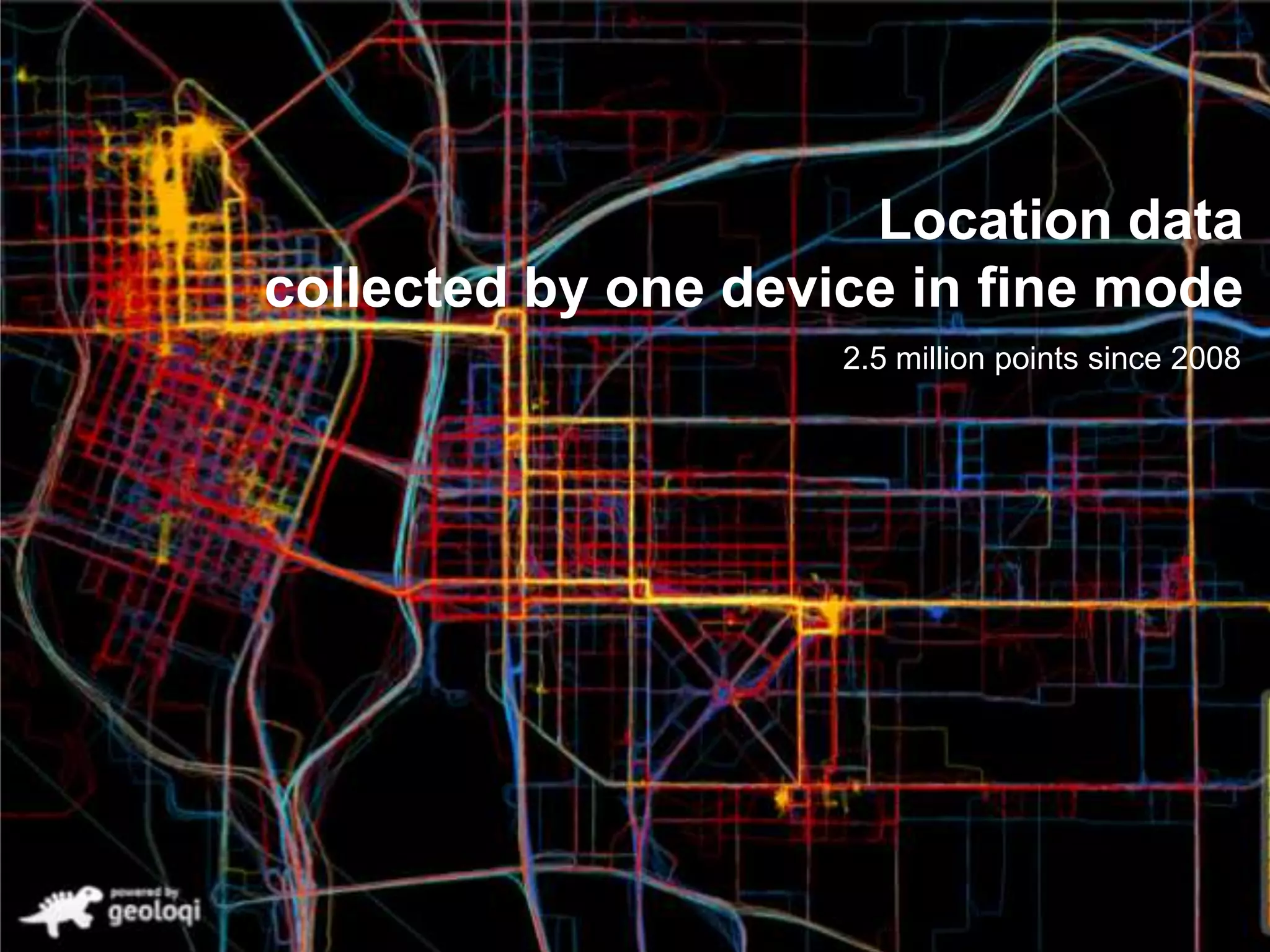
Location data
collected by one device in fine mode
2.5 million points since 2008
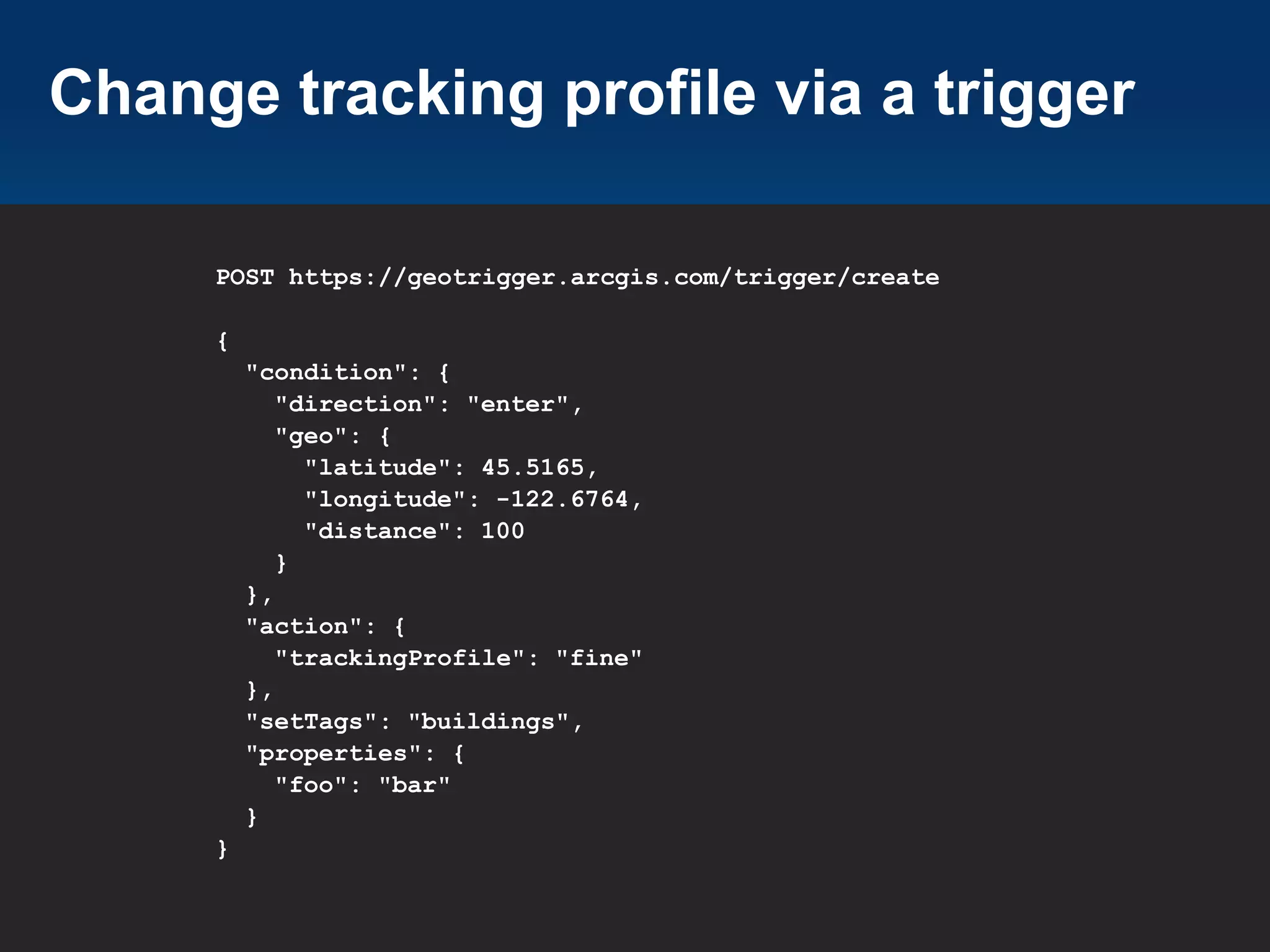
Change tracking profile via a trigger
POST https://geotrigger.arcgis.com/trigger/create
{
"condition": {
"direction": "enter",
"geo": {
"latitude": 45.5165,
"longitude": -122.6764,
"distance": 100
}
},
"action": {
"trackingProfile": "fine"
},
"setTags": "buildings",
"properties": {
"foo": "bar"
}
}
GPS Differences across
devices
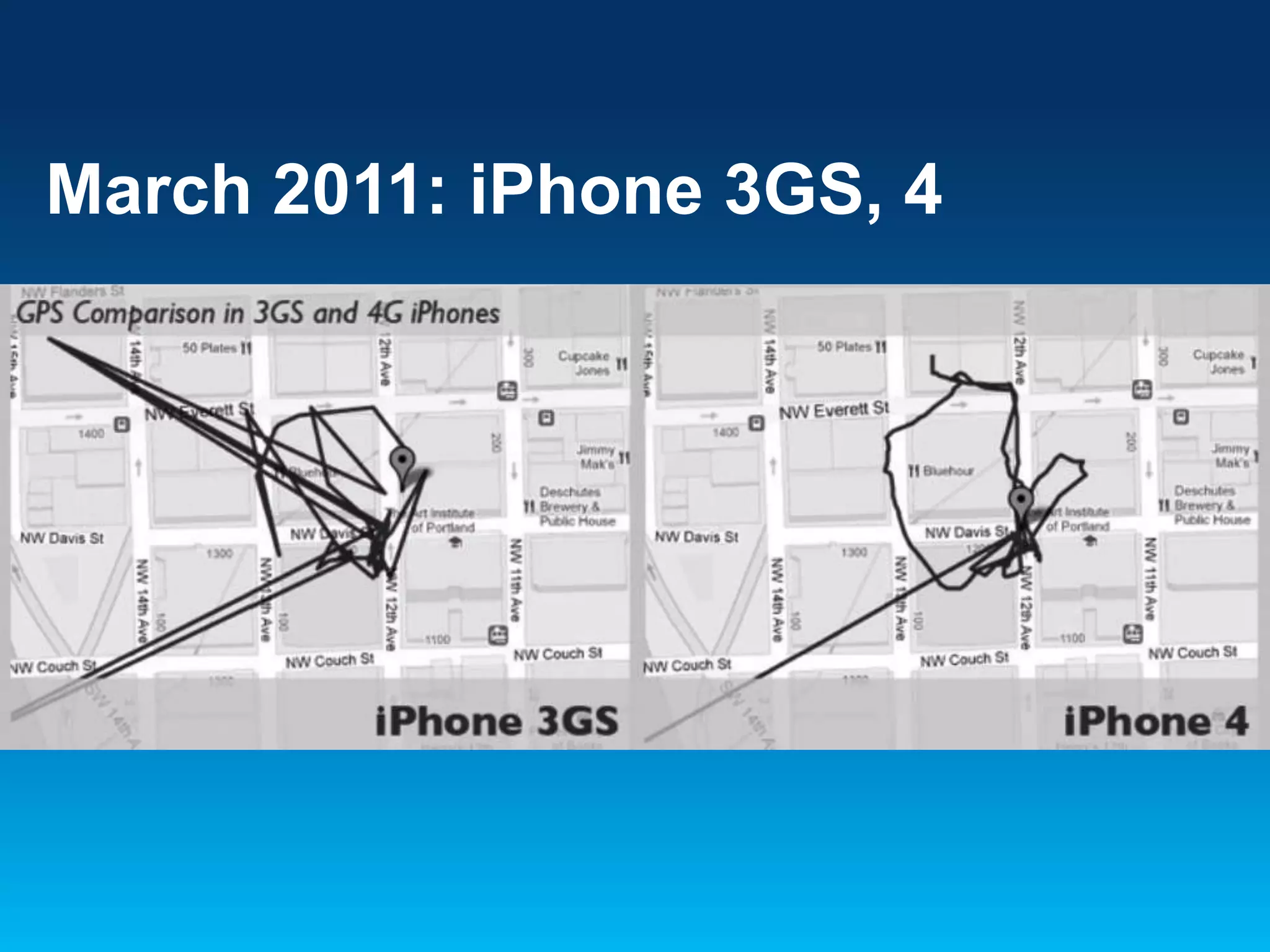
March 2011: iPhone 3GS, 4
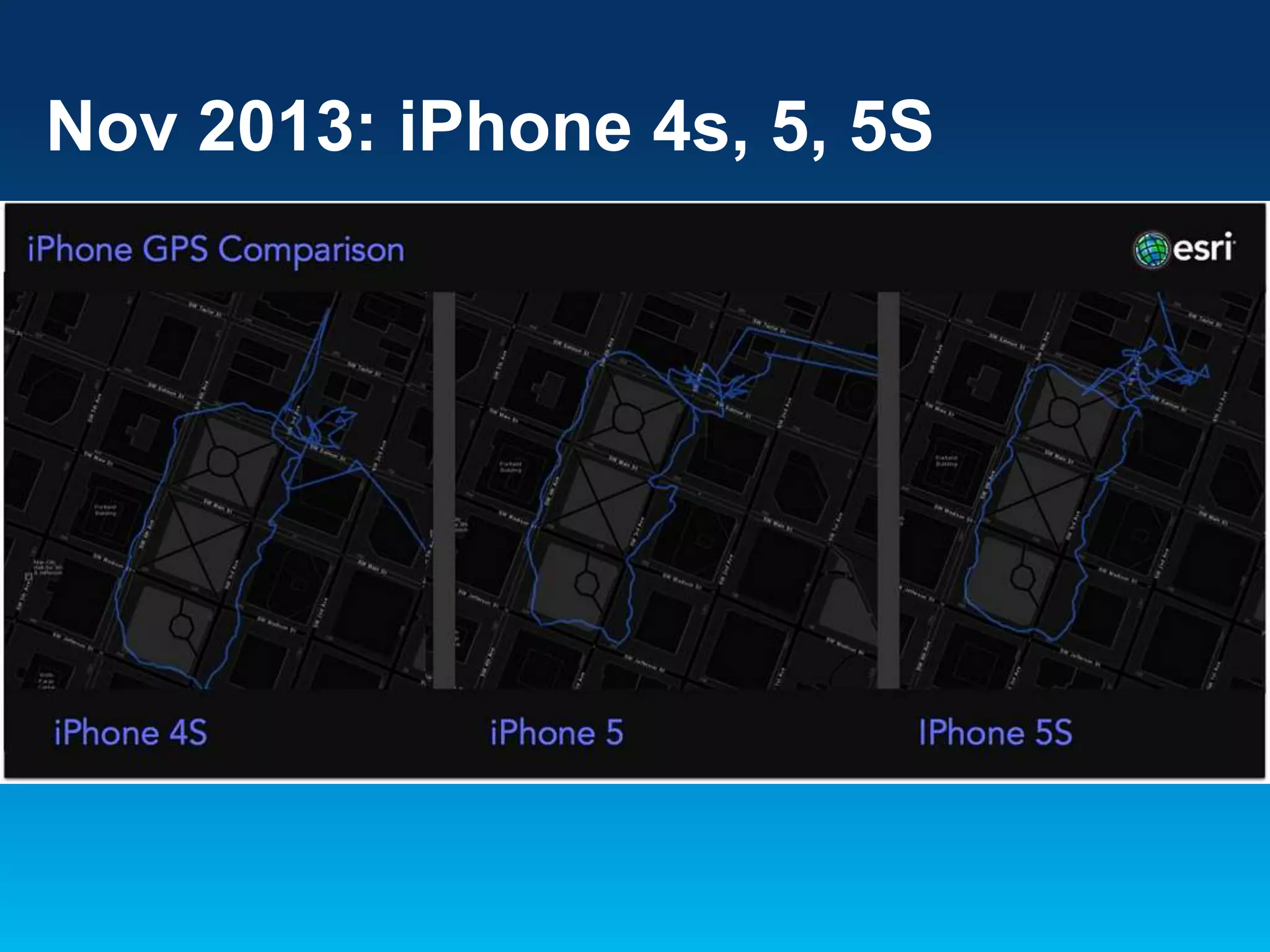
Nov 2013: iPhone 4s, 5, 5S
II. The User Experience
of Location
Have fun building your
apps!
How do I use the Geotrigger
Service with the ArcGIS Runtime
SDKs?
(we need docs for this)
How large should I make my
triggers?
Depends on your use case and devices
that will be using your app. Around 50m
for best results.
If you’re running modern hardware in a wifirich environment using the adaptive or fine
profile, you can expect to fire triggers, but
don’t expect this every time.
Edge Cases
Don’t expect every trigger to fire. Some of the older
hardware may be better in some cases, and some of the
newer hardware may be better in some cases. Make
sure to test your apps in the real world (outside).
We will publish a list of battery benchmarks and devicespecific issues to help you with this.
Sometimes Apple Push notifcations don’t get sent.
Developers have no control over this and neither does our
service.
How to get a Feature Service to
turn into triggers?
For now, use the Geotrigger API to migrate data from a
Feature Service to the Geotrigger Service.
Coming soon: pre-written import scripts to help move
data.
Geotrigger SDKs and API!
Nov 19, 2013
developers.arcgis.com
Thank you!
developers.arcgis.com

Aaron Parecki, CTO
Esri R&D Center Portland
geotriggersales@esri.com

Deep Dive into the ArcGIS Geotrigger Service - Esri DevSummit Dubai 2013

  • 1.
    Deep Dive intothe ArcGIS Geotrigger Service Aaron Parecki @aaronpk CTO, Esri R&D Center Portland
  • 2.
    Geotrigger SDKs andAPI Just Launched! developers.arcgis.com
  • 3.
    What could yourapp do if it knew where it was?
  • 4.
  • 5.
  • 6.
  • 7.
    Reduces power useaway from content Increases power near content
  • 8.
  • 9.
    iOS Location Services •App registers for location updates from the operating system • iOS delivers location events to a delegate object in the app when it’s running • iOS may terminate your app due to high memory conditions, etc. • If terminated, iOS will re-launch the app in the background when a location event is received • Less control over when the data is received, but less code to manage
  • 10.
    Android Location Services •App creates a background service which runs persistently • The app’s service requests location data from the OS • The OS delivers location data to the service • More control available on Android, but also requires more code to manage
  • 11.
    Geotrigger Technology • Mobile SDKs •Web APIs • Battery Management • Tracking Profiles
  • 12.
  • 13.
    Getting Started 1. Create anaccount at developers.arcgis.com or sign in if you already have an ArcGIS account 2. Create an application developers.arcgis.com/en/applicati ons/
  • 14.
    Register a newapplication An Introduction to OAuth 2
  • 15.
    Get your app’sclient_id An Introduction to OAuth 2
  • 16.
    Authentication The Geotrigger APIuses OAuth 2.0 • All requests to the Geotrigger API are made with an access token. • To get an access token for your application, make a request with the client_id and client_secret to the "oauth2/token" endpoint of ArcGIS Online.
  • 17.
    2. Register forPush Notifications Apple • Go to your Apple Developer account to get a Push Certificate (iOS). • Make sure the push cert has been set on your app and that your application is registered to handle push notifications. https://developer.apple.com/notifications/
  • 18.
    2. Register forPush Notifications Android • Get a GCM key (Google). • Make sure you've GCM key in the push notification settings for your app and make sure you set your GCM sender ID when you initialize the Geotrigger service. http://developer.android.com/google/gcm/
  • 19.
    3. Download theSample App • Download the sample app for your platform (iOS or Android). • github.com/Esri/geotrigger-sdk-android • github.com/Esri/geotrigger-sdk-ios
  • 20.
    Have an appalready? Add the Geotrigger SDK to your native app App Project Module
  • 21.
    Android Eclipse • Add the arcgis-geotriggers.jaras a dependency in Eclipse, find the library in the Project Explorer, right click on it, and select Add to Build Path. IntelliJ IDEA • Add arcgis-geotriggers.jar as a module dependency in your module settings. • In your IDE, make the call to start the tracker using your client ID. *Due to the use of native location services in Gingerbread, the ArcGIS Geotrigger SDK for Android requires that your project is compiled with Android 2.3.3 (API level 10) or newer.
  • 22.
    iOS Xcode Add the followingframeworks to your application: CoreLocation, Security, SystemConfiguration, and MobileCoreServices. • Drag and drop the GeotriggerSDK.framework file from Finder into the Frameworks folder in XCode. *The Geotrigger Service works only with native apps on iPhone and Android. GPS can only be accessed in the background by native applications. Do not try to add the Geotrigger SDK to a web app.
  • 23.
    *Important* Test your pushnotifications! • Send a sample push notification to your iPhone or Android app. • Once you’ve determined that push notifications are working, then you can test the Geotrigger service. *You need to test your push notifications before you can test that the Geotrigger Service works.
  • 24.
    Geotrigger Overview • Triggers definethe logic you want to happen • Triggers can be set when devices enter or leave a place • Date and time ranges can be applied to the triggers, i.e. only between 9am-5pm
  • 25.
    Geotrigger Components • Condition - Geometry(polygon or circle) - Direction (enter or leave) • Action (message, callback URL, or change tracking profile) • Tags (to group content) - Example: Wikipedia article data - Tags for Buildings, History - Can allow users to subscribe to a subset of the data
  • 26.
    4. Create yourfirst Geotrigger Create your first Geotrigger geographically close to your current location so you can test it out. • Use the Geotrigger API developers.arcgis.com/en/geotrigger-service /api-reference/trigger-create/ • Use the visual trigger editor - Will allow you and your team to quickly set up triggers without writing code
  • 27.
    Create a triggerusing the visual editor
  • 28.
    Create a triggerusing the API POST https://geotrigger.arcgis.com/trigger/create { "condition": { "direction": "enter", "geo": { "latitude": 45.5165, "longitude": -122.6764, "distance": 100 } }, "action": { "notification": { "text": "Hello" } }, "setTags": "buildings", "properties": { "foo": "bar" } }
  • 29.
    Trigger Types • Trigger actioncan be either - Messages - Callback URL - Change tracking profile • Use “message” triggers when you want to simply send a push notification to users • Use “callback” triggers when you want to receive the trigger notification on your own server
  • 30.
    Trigger Callback Data • Thetrigger callback sends information about: - The trigger ID that ran - The user ID that encountered the trigger - The tags and any custom properties of the trigger - The confidence that the device is actually in the trigger area - The location of the device when the trigger ran
  • 31.
    Tags: a wayto organize your data Tags can be used to • Group your content into categories - Eg: parks, restaurants, public places • Segment users based on campaigns - “All users who registered during the Thanksgiving promotion”
  • 32.
    Trigger History • Retrieve logsof all the triggers run for your application • Trigger - history includes Place information Device information Location where the trigger was run
  • 33.
  • 34.
  • 35.
    Battery Management built ontop of Apple’s and Google’s core location services
  • 36.
  • 37.
    Data collected byone device in rough mode
  • 38.
  • 39.
    Reduces power useaway from content Increases power near content
  • 40.
  • 41.
    Location data collected byone device in fine mode 2.5 million points since 2008
  • 42.
    Change tracking profilevia a trigger POST https://geotrigger.arcgis.com/trigger/create { "condition": { "direction": "enter", "geo": { "latitude": 45.5165, "longitude": -122.6764, "distance": 100 } }, "action": { "trackingProfile": "fine" }, "setTags": "buildings", "properties": { "foo": "bar" } }
  • 43.
  • 44.
  • 45.
  • 46.
    II. The UserExperience of Location
  • 47.
  • 48.
    How do Iuse the Geotrigger Service with the ArcGIS Runtime SDKs? (we need docs for this)
  • 49.
    How large shouldI make my triggers? Depends on your use case and devices that will be using your app. Around 50m for best results. If you’re running modern hardware in a wifirich environment using the adaptive or fine profile, you can expect to fire triggers, but don’t expect this every time.
  • 50.
    Edge Cases Don’t expectevery trigger to fire. Some of the older hardware may be better in some cases, and some of the newer hardware may be better in some cases. Make sure to test your apps in the real world (outside). We will publish a list of battery benchmarks and devicespecific issues to help you with this. Sometimes Apple Push notifcations don’t get sent. Developers have no control over this and neither does our service.
  • 51.
    How to geta Feature Service to turn into triggers? For now, use the Geotrigger API to migrate data from a Feature Service to the Geotrigger Service. Coming soon: pre-written import scripts to help move data.
  • 52.
    Geotrigger SDKs andAPI! Nov 19, 2013 developers.arcgis.com
  • 53.
    Thank you! developers.arcgis.com Aaron Parecki,CTO Esri R&D Center Portland geotriggersales@esri.com

Editor's Notes

  • #2 Esri Corporate Template V2September 6, 2013See http://arczone/resources/presentations.cfmfor more sample files and help.
  • #5 We talk about the Geotrigger service as a way to create invisible buttons.
  • #6 The Geotrigger service allows you to define geographical areas on a map, and define rules of what should happen when a device enters or leaves the area.
  • #7 a lot of great dedicated hardware for persistent tracking, plug in to a truck or embedded in the vehicle.But for smartphones, need to do better than constantly having the GPS turned on. I'm sure at least some of you have tried to use some older apps that use GPS and have noticed the effect it has on your phone's battery life.
  • #8 We’ve been spending a long time optimizing battery life across all the different devices. We’ve come up with a way to reduce power while the device is not nearby any triggers, only using power when it’s nearby triggers.
  • #12 I am going to share some of how the Geotrigger API works. It is composed of mobile SDKs for Android and iPhone, web APIs that can be used from any environment. The SDKs have a lot of code that deals with battery management, and to help with that we've developed what we call "tracking profiles" which I'll talk more about in a few minutes.
  • #13 How do you make a Geotrigger?It's easy. SImply define the area you'd like to set the trigger in. THiscan be a point and a radius, a polygon, or a series of polygons.Then define the action - this can be whether someone is entering,dwelling or leaving an area.Then define the message. This could be a coupon, a civic notification,piece of location-based information, or notification to another service.Don't want a message to be triggered all of the time? You can also addother metadata like hours or dates. For instance, you could haver amessage trigger only between 9am and am on Mondays, or you could set amessages to be delivered when a user is 500 meters away from a givenpoint.
  • #18 Not sure what the point of this Is – apps are available from the developers site now. Push certs are available by appending /push-certificates after YOUR-APP-ID though
  • #19 Not sure what the point of this Is – apps are available from the developers site now. Push certs are available by appending /push-certificates after YOUR-APP-ID though
  • #20 We don’t handle user creation anymore, it’s all at a device level. Much simpler
  • #21 We don’t handle user creation anymore, it’s all at a device level. Much simpler
  • #27 We don’t handle user creation anymore, it’s all at a device level. Much simpler
  • #29 Example of GeoJSON format. Can add date and time conditions.
  • #35 How do you make a Geotrigger?It's easy. SImply define the area you'd like to set the trigger in. THiscan be a point and a radius, a polygon, or a series of polygons.Then define the action - this can be whether someone is entering,dwelling or leaving an area.Then define the message. This could be a coupon, a civic notification,piece of location-based information, or notification to another service.Don't want a message to be triggered all of the time? You can also addother metadata like hours or dates. For instance, you could haver amessage trigger only between 9am and am on Mondays, or you could set amessages to be delivered when a user is 500 meters away from a givenpoint.
  • #37 Rough mode Only gathers approximate location data Good for determining if a device is in a given city or neighborhoodThe most battery efficient
  • #39 Adaptive mode Optimized for Geotrigger™ eventsWill use less power when farther away from triggers and content
  • #41 Highest resolutionSends accurate location as fast as possible Least battery efficient
  • #43 Example of GeoJSON format. Can add date and time conditions.
  • #48 The Geotrigger SDKs and API help you to unleash it Think about where your data is. Data is everywherein your organizationon the web