APP MODEL FOR
SHAREPOINT 2013
Introduction
WHAT IS A SHAREPOINT 2013 APP?
 A SharePoint app is a custom solution that can access and
modify resources such as lists, documents, libraries, individual
items and other content.
 The SharePoint 2013 app model provides a more flexible way to
build custom functionality that runs in SharePoint organization
both on-premises and in Office 365.
 From MSDN: Apps for SharePoint are self-contained pieces of
functionality that extend the capabilities of a SharePoint
website.
APP MODEL DESIGN GOALS
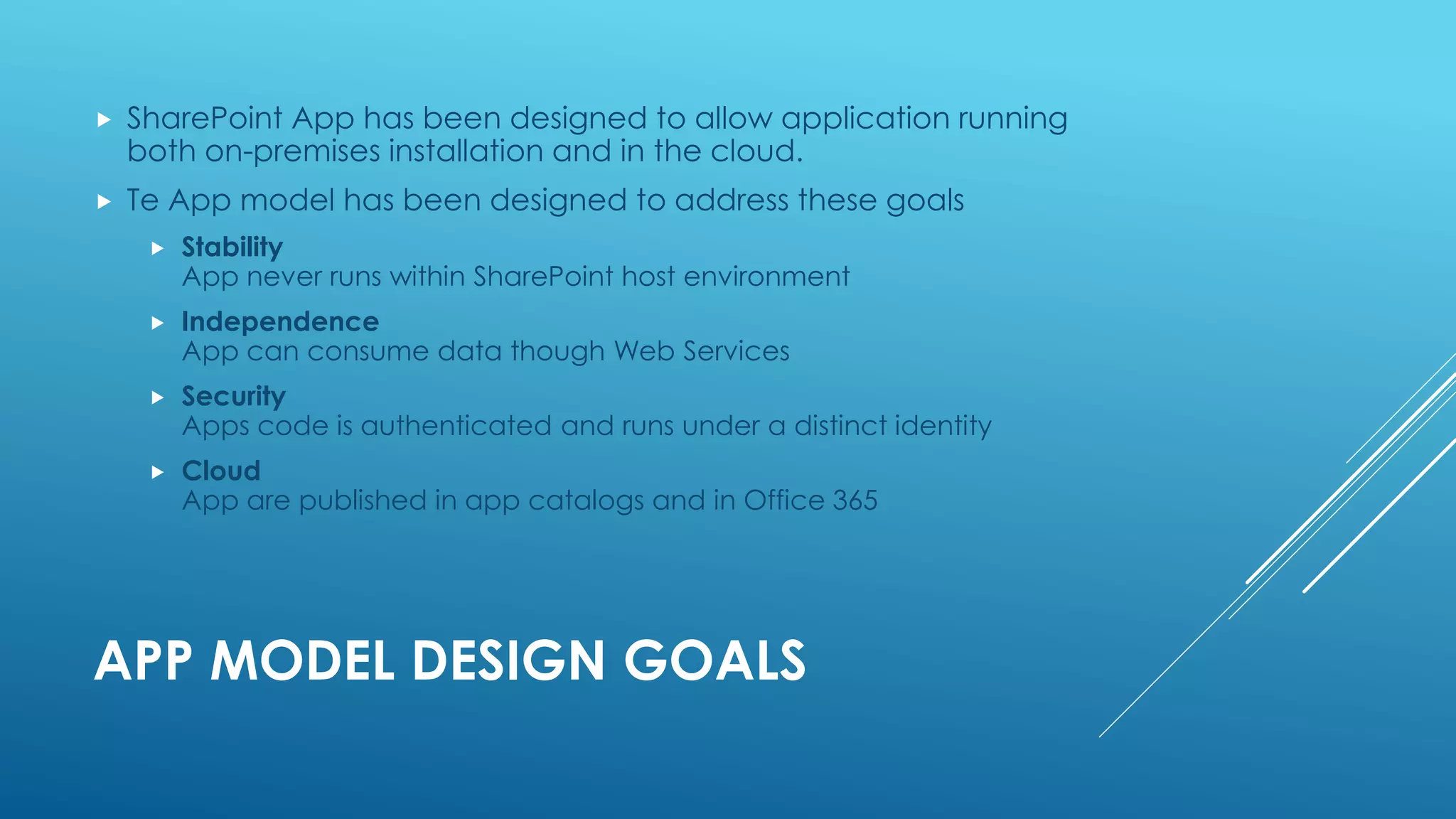
 SharePoint App has been designed to allow application running
both on-premises installation and in the cloud.
 Te App model has been designed to address these goals
 Stability
App never runs within SharePoint host environment
 Independence
App can consume data though Web Services
 Security
Apps code is authenticated and runs under a distinct identity
 Cloud
App are published in app catalogs and in Office 365
APP MODEL SCHEMA
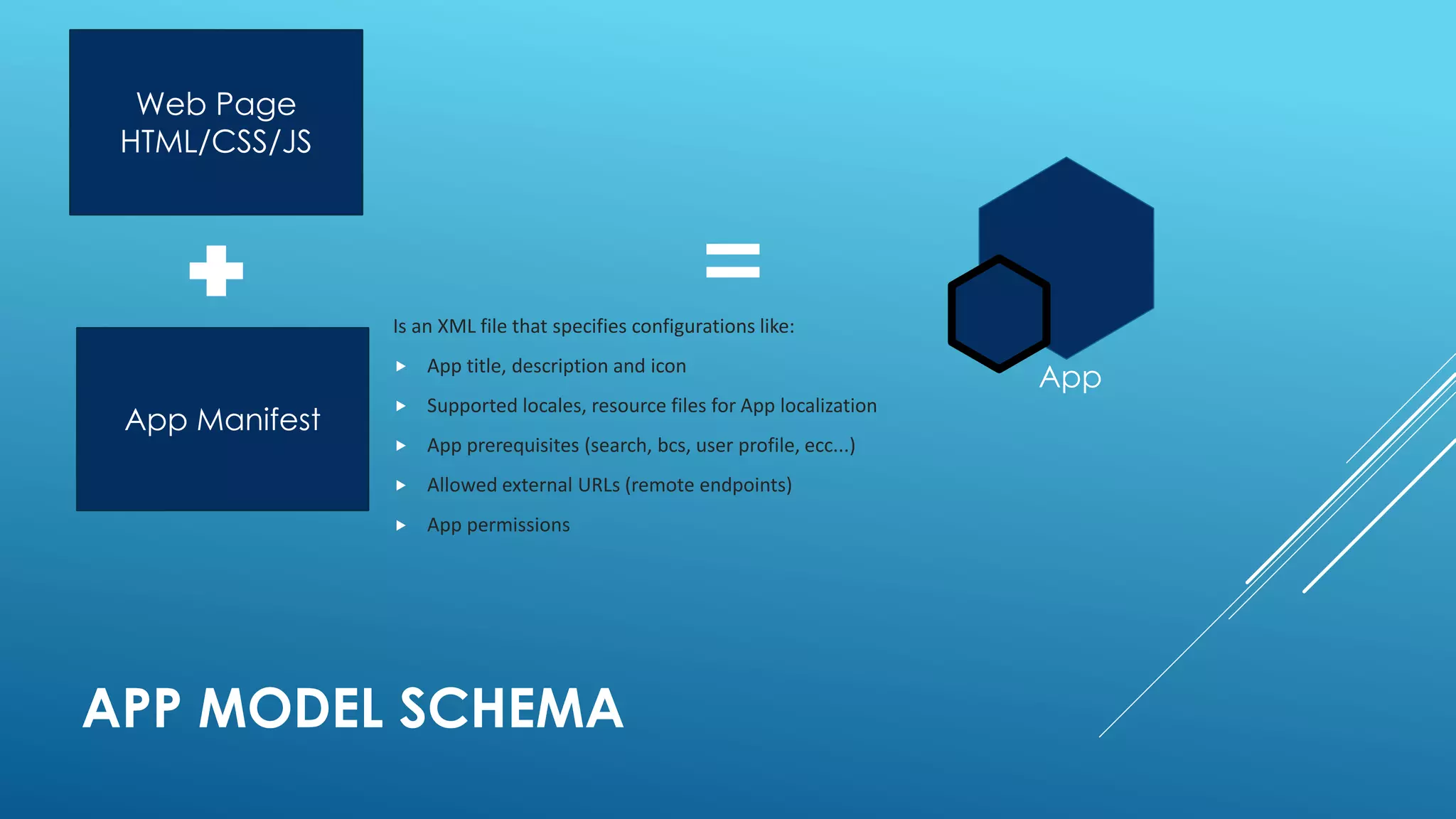
App Manifest
Web Page
HTML/CSS/JS
App
Is an XML file that specifies configurations like:
 App title, description and icon
 Supported locales, resource files for App localization
 App prerequisites (search, bcs, user profile, ecc...)
 Allowed external URLs (remote endpoints)
 App permissions
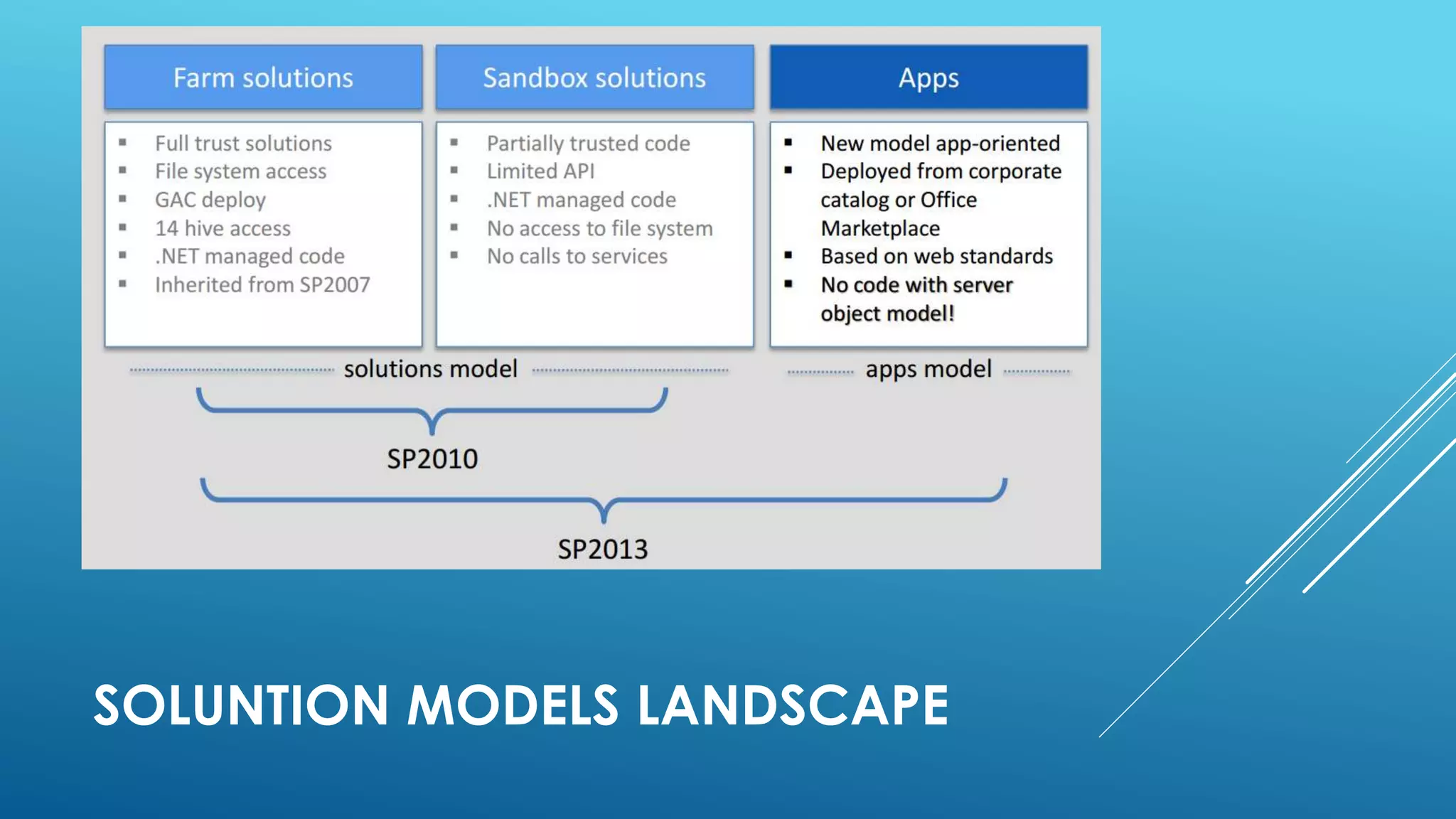
SOLUNTION MODELS LANDSCAPE
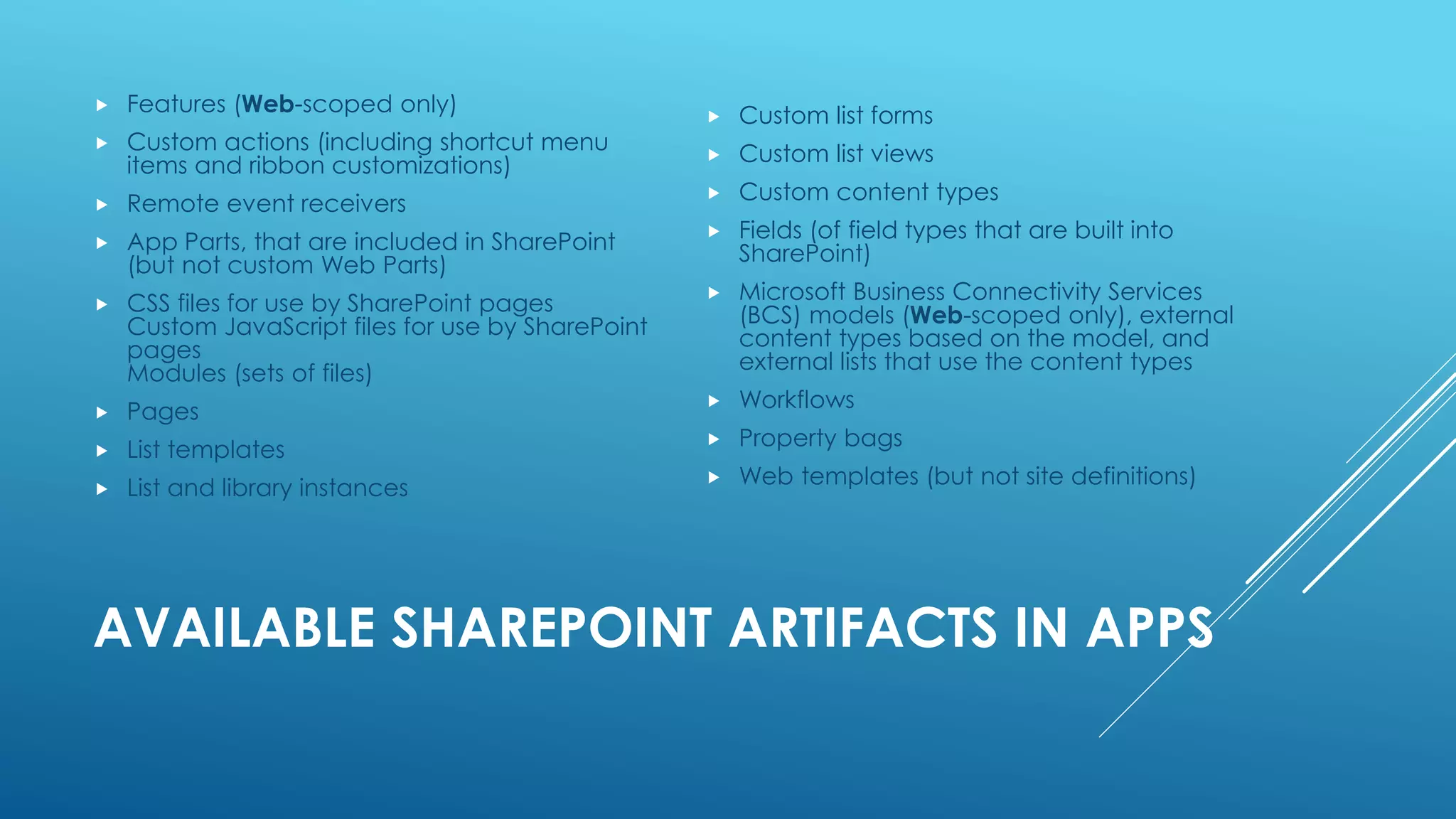
AVAILABLE SHAREPOINT ARTIFACTS IN APPS
 Features (Web-scoped only)
 Custom actions (including shortcut menu
items and ribbon customizations)
 Remote event receivers
 App Parts, that are included in SharePoint
(but not custom Web Parts)
 CSS files for use by SharePoint pages
Custom JavaScript files for use by SharePoint
pages
Modules (sets of files)
 Pages
 List templates
 List and library instances
 Custom list forms
 Custom list views
 Custom content types
 Fields (of field types that are built into
SharePoint)
 Microsoft Business Connectivity Services
(BCS) models (Web-scoped only), external
content types based on the model, and
external lists that use the content types
 Workflows
 Property bags
 Web templates (but not site definitions)
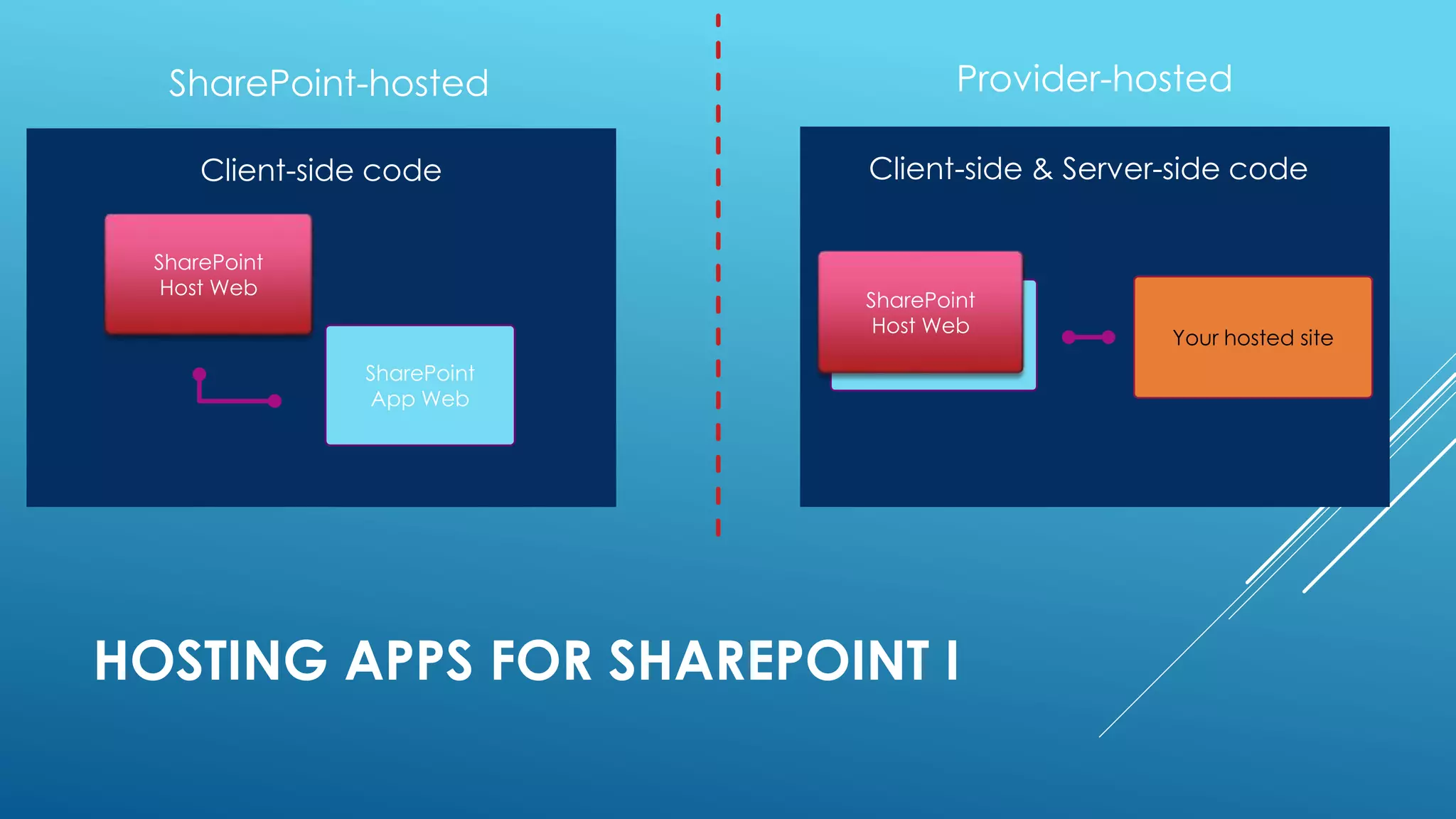
HOSTING APPS FOR SHAREPOINT I
SharePoint
App Web
SharePoint
Host Web
Client-side code
Your hosted site
SharePoint
Host Web
Client-side & Server-side code
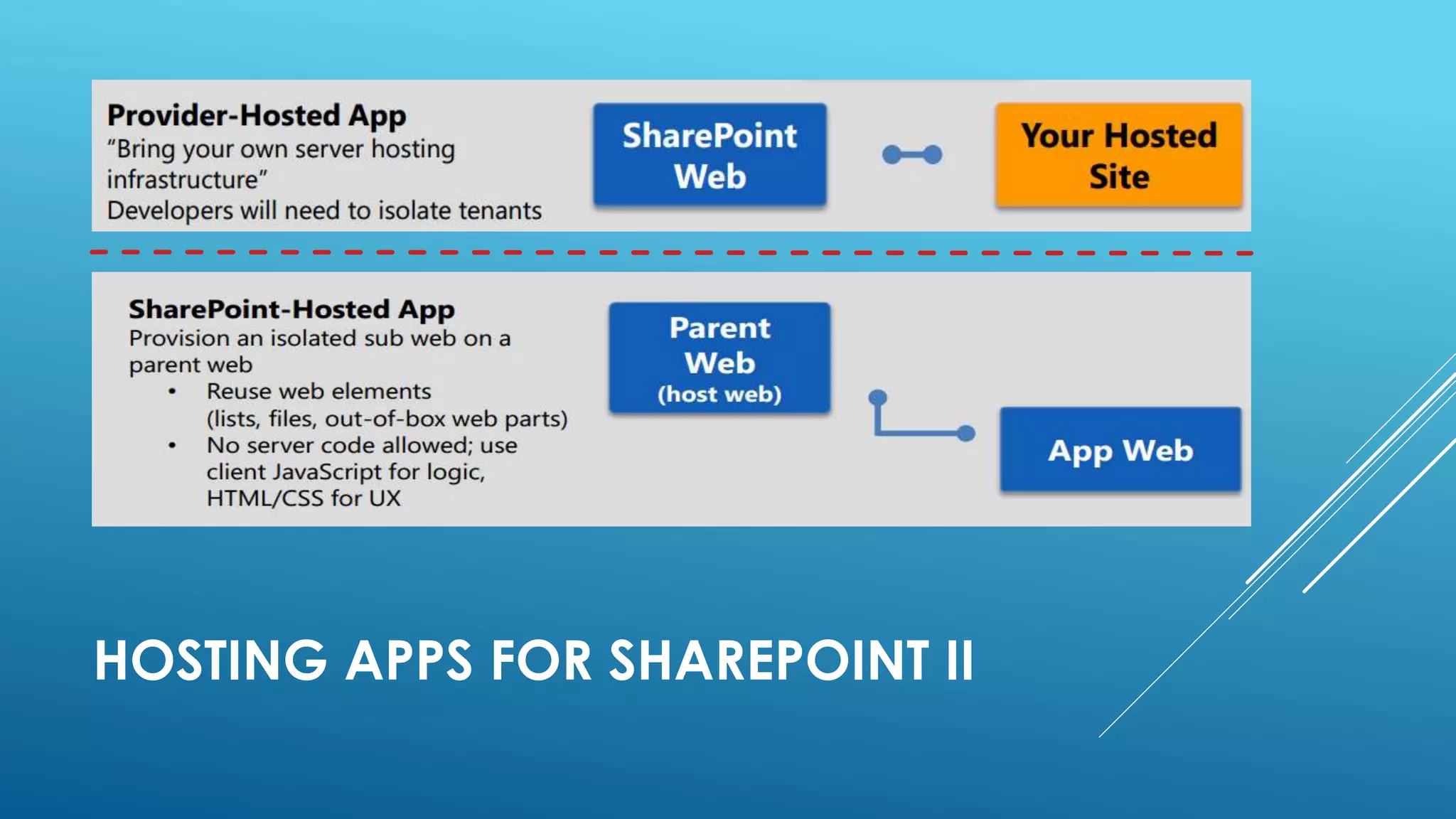
HOSTING APPS FOR SHAREPOINT II
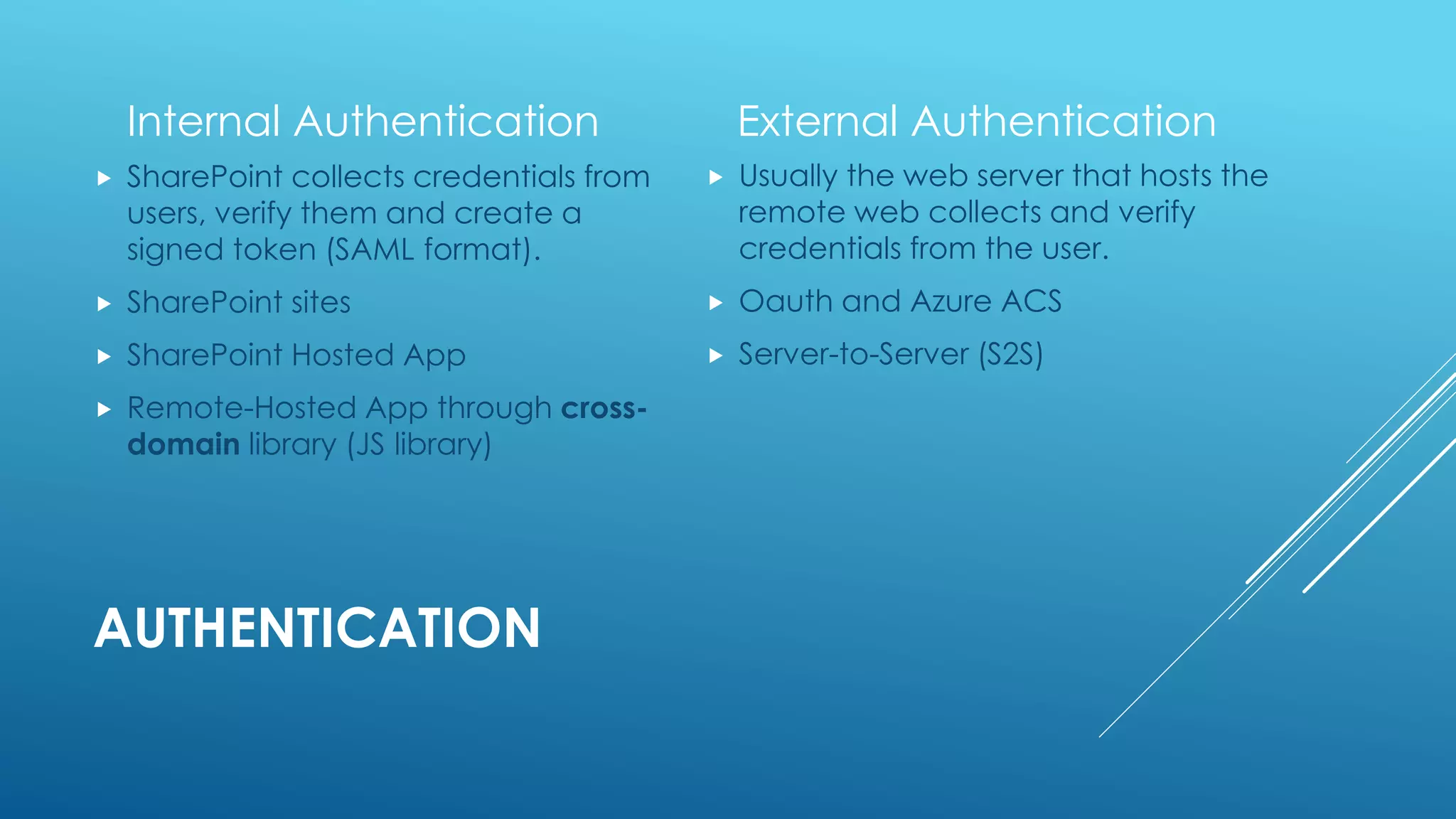
AUTHENTICATION
Internal Authentication
 SharePoint collects credentials from
users, verify them and create a
signed token (SAML format).
 SharePoint sites
 SharePoint Hosted App
 Remote-Hosted App through cross-
domain library (JS library)
External Authentication
 Usually the web server that hosts the
remote web collects and verify
credentials from the user.
 Oauth and Azure ACS
 Server-to-Server (S2S)
SHAREPOINT HOSTED APP
Every App follow this URL pattern:
http://[APPPREFIX]-[APPHASH].[APPDOMAIN]/[APPNAME]?{StandardTokens}
 APPPREFIX: our farm-related tenant
 APPHASH: unique id, generated on every app installation
 APPDOMAIN: our domain for Apps
 APPNAME: the name of the App
 {StandardTokens}: default querystrings for Apps:
 SPHostUrl={HostUrl}
 SPAppWebUrl={AppWebUrl}
 SPLanguage={Language}
 SPClientTag={ClientTag}
 SPProductNumber={ProductNumber}
SHAREPOINT HOSTED APP
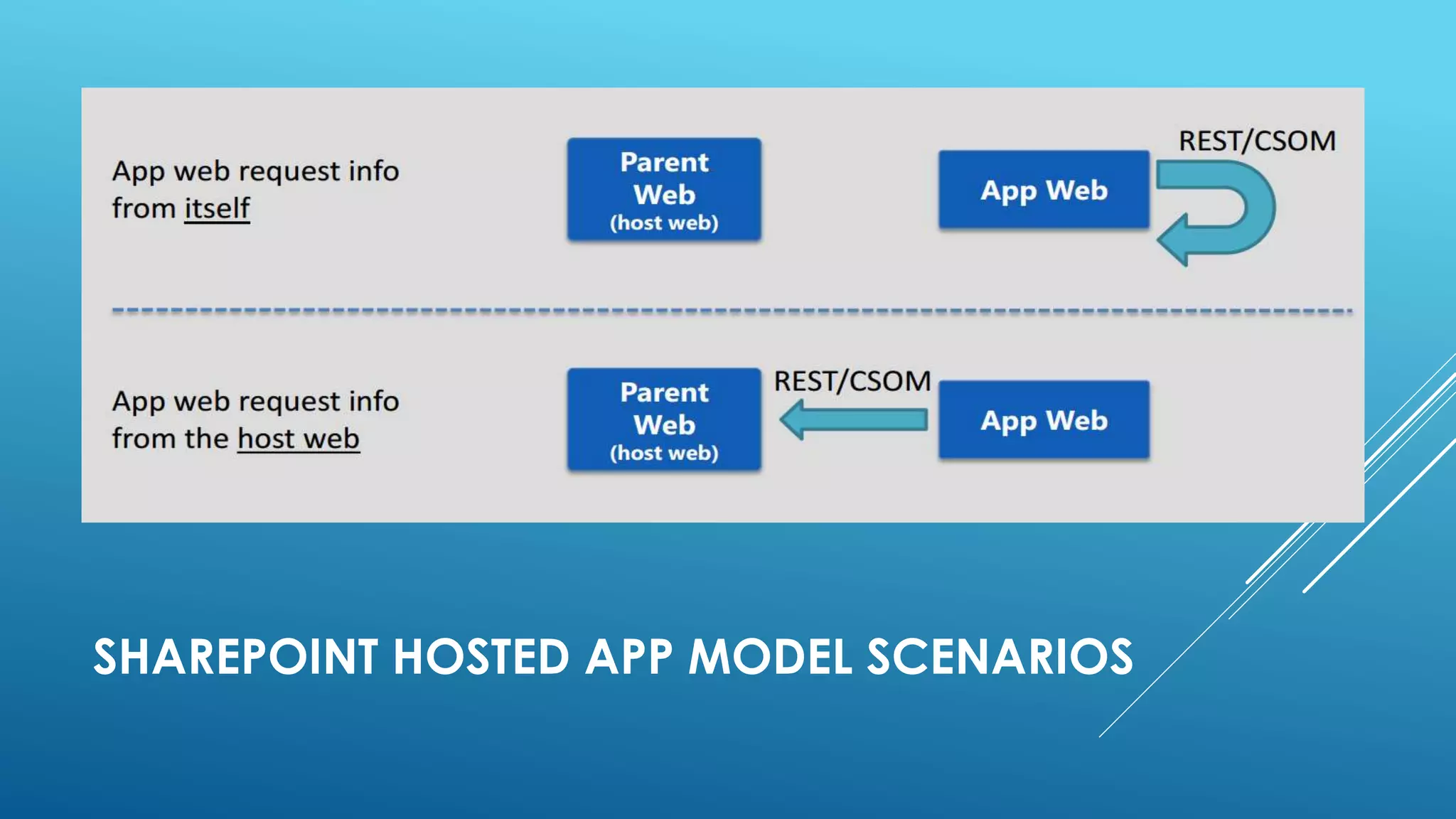
SHAREPOINT HOSTED APP MODEL SCENARIOS
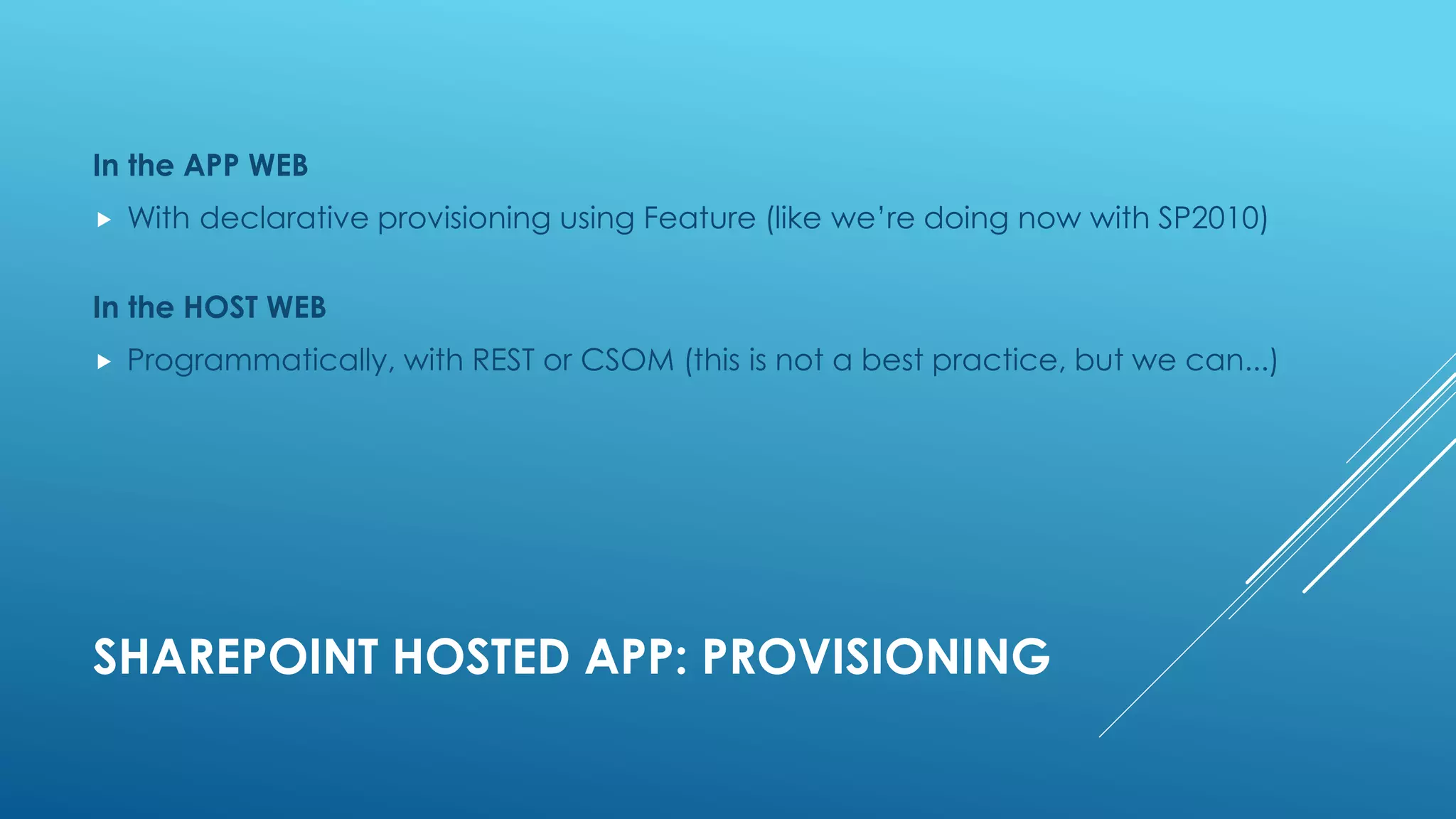
SHAREPOINT HOSTED APP: PROVISIONING
In the APP WEB
 With declarative provisioning using Feature (like we’re doing now with SP2010)
In the HOST WEB
 Programmatically, with REST or CSOM (this is not a best practice, but we can...)
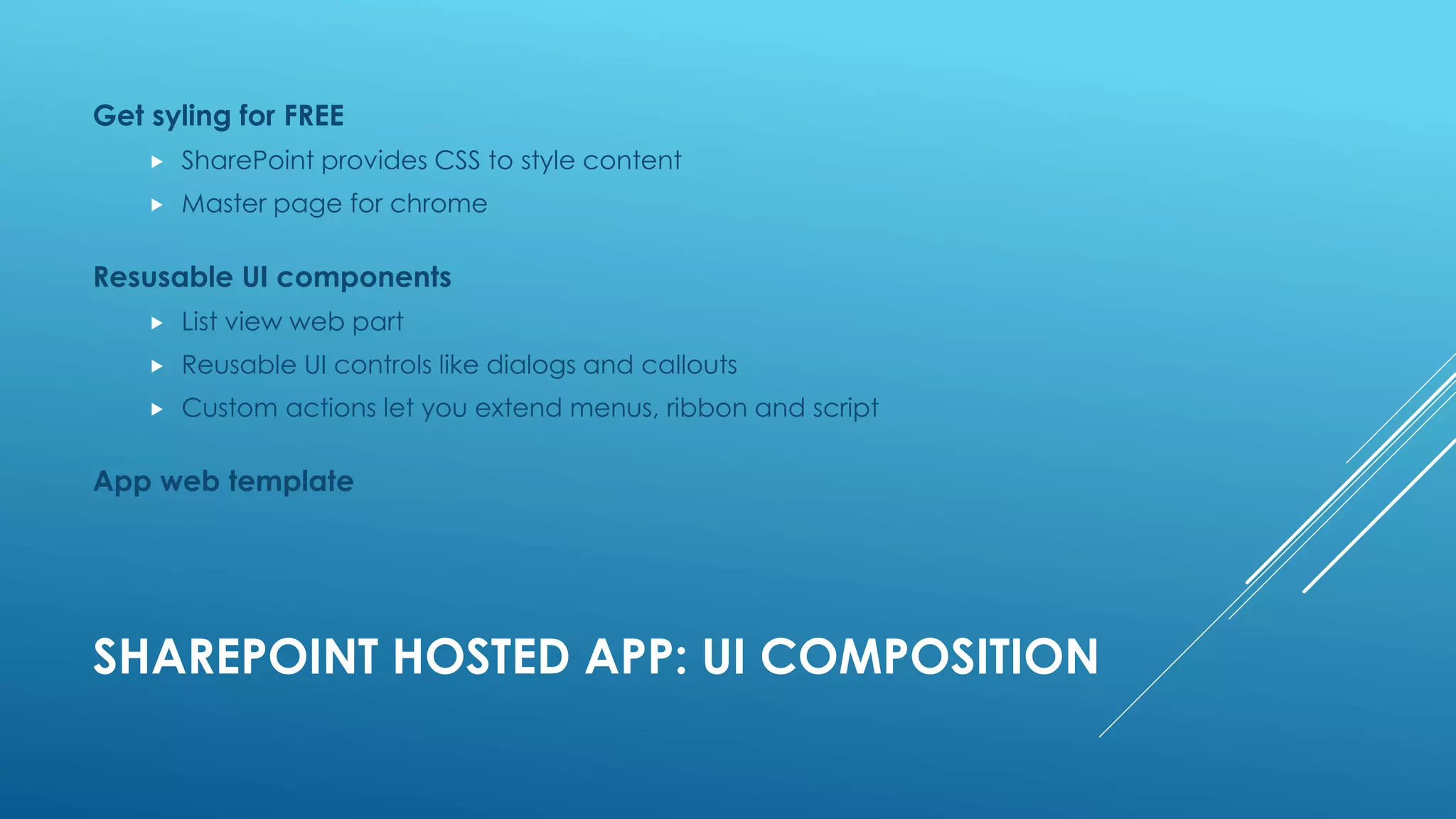
SHAREPOINT HOSTED APP: UI COMPOSITION
Get syling for FREE
 SharePoint provides CSS to style content
 Master page for chrome
Resusable UI components
 List view web part
 Reusable UI controls like dialogs and callouts
 Custom actions let you extend menus, ribbon and script
App web template
SHAREPOINT HOSTED APP: LOCALIZATION
In a SharePoint Hosted App we can localize:
 Provisioning artifacts (as we know from SP2010)
 App manifest
 Javascript files
 ASPX pages
PROVIDER HOSTED APP
PROVIDER-HOSTED APPS
 You, or your provider for you, are the responsible for the
hosting of your App and its data
 So, you’re the responsible for hosting the App, for multi-tenancy
support, availability and all the plumbing that you may know from
hosting web services.
 Every Provider-Hosted App need a "clientId" and a "client certificate" in
order to complete trust
 IISExpress is used to host the web project
 Local DB is used for the SQL Database
PROVIDER-HOSTED APP: AUTHENTICATION
Apps use OAuth for secure communications
 SharePoint & web application trust third party (ACS)
Trust developed using ClientId & ClientSecret
 SharePoint & ACS know the ClientId
 Web application & ACS know the ClientSecret
PROVIDER HOSTED APP: CHROME CONTROL
 Artifact: in Cloud-Hosted Apps you can’t inherit from
SharePoint master page, because pages are hosted outside
SharePoint.
 The Chrome control is a Javascript control, that allows you to
give end users a familiar look based on your intranet theme.
 Provides consistent look and feel for you App
 Includes navigation link back to host site
 Customizable settings for menu commands
APP ENTRY POINTS
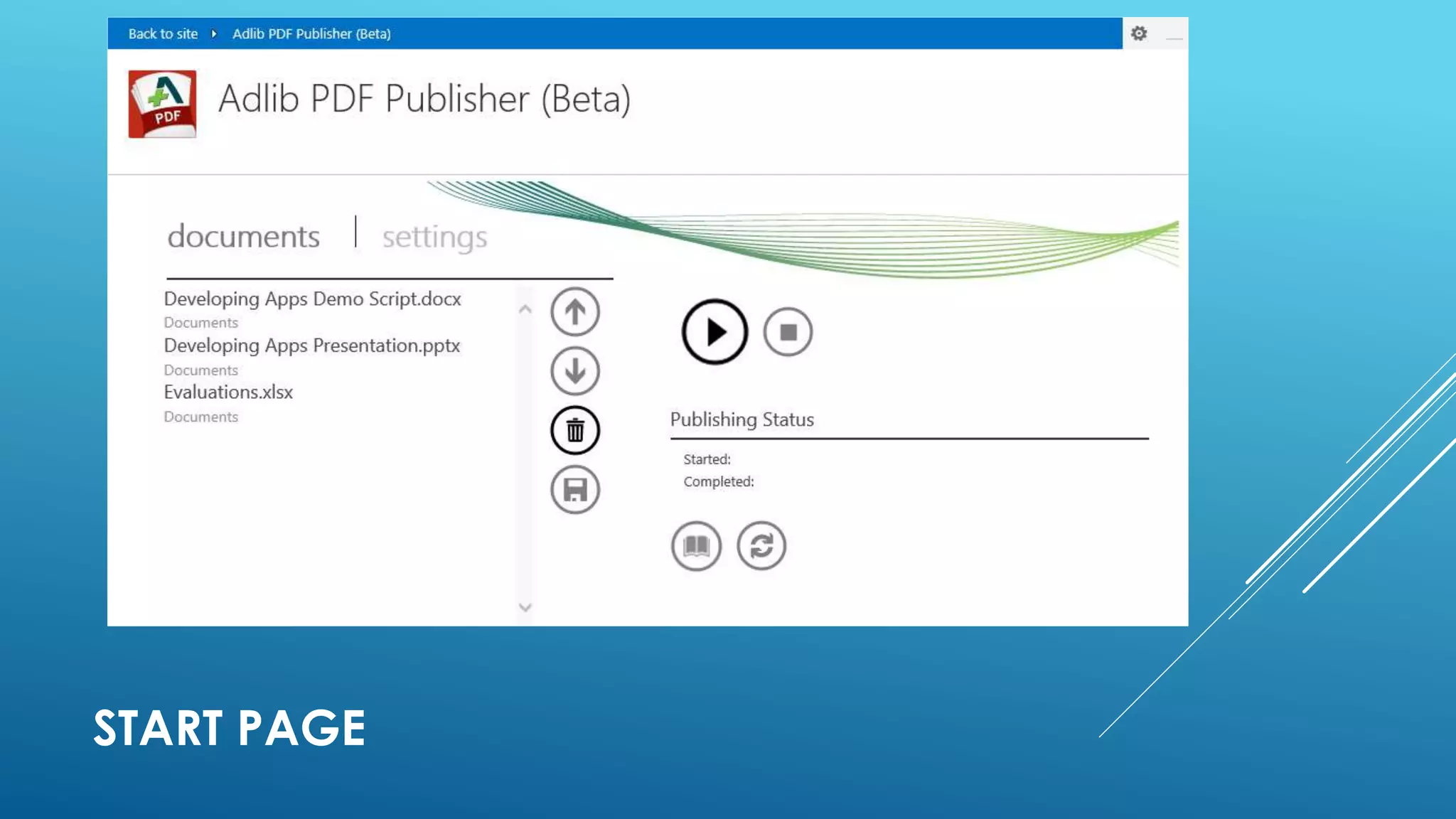
 Start Page
Full immersion experience
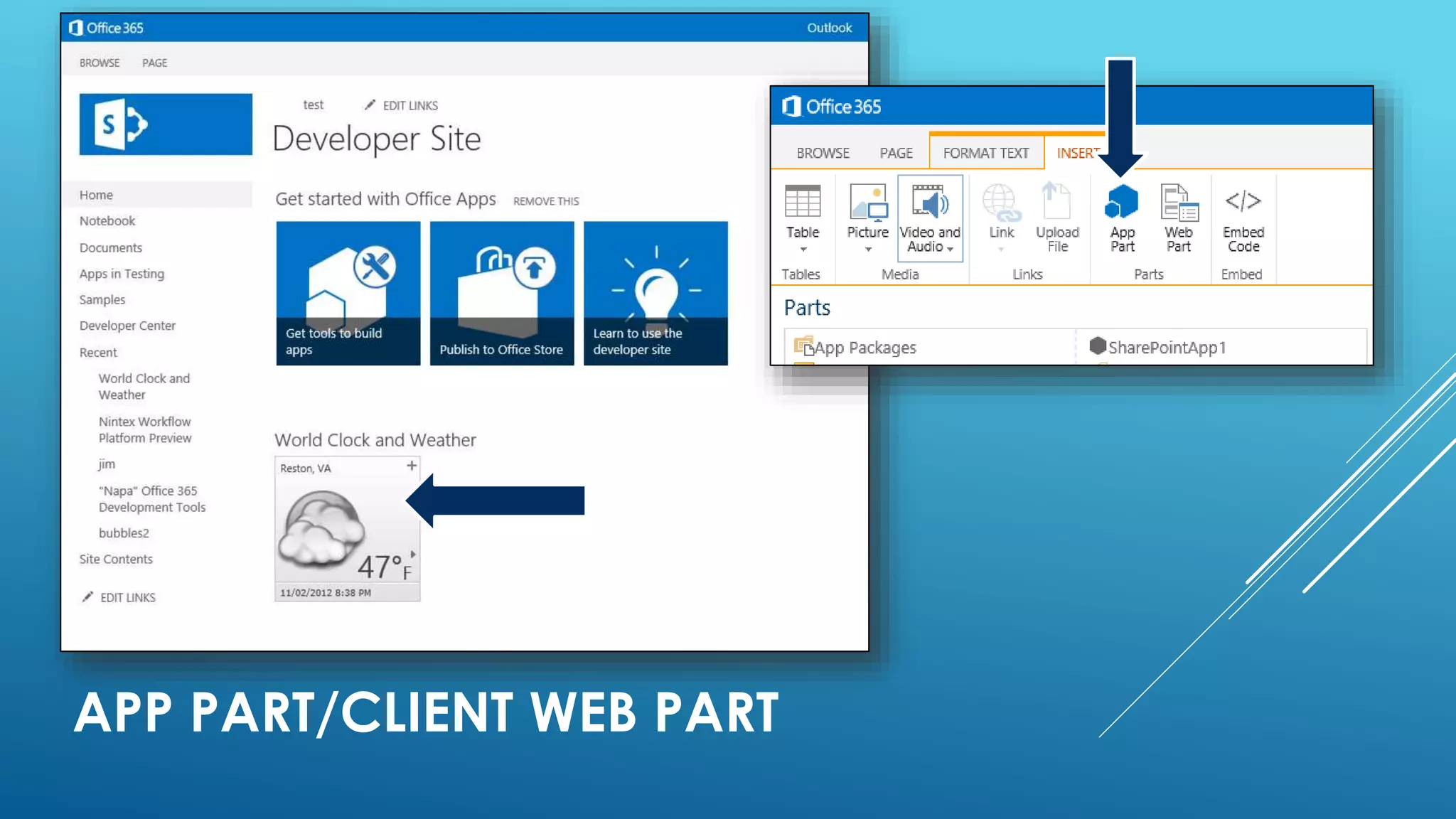
 App Part
 Simple IFRAMES!
 Custom pages, that users can insert into a web part page
in the Host Web, as we do with classic web parts
 Available in EVERY type of Apps
 If we are in a SharePoint-Hosted App, we have to insert:
<WebPartPages:AllowFraming ID="AllowFraming1" runat="server" />
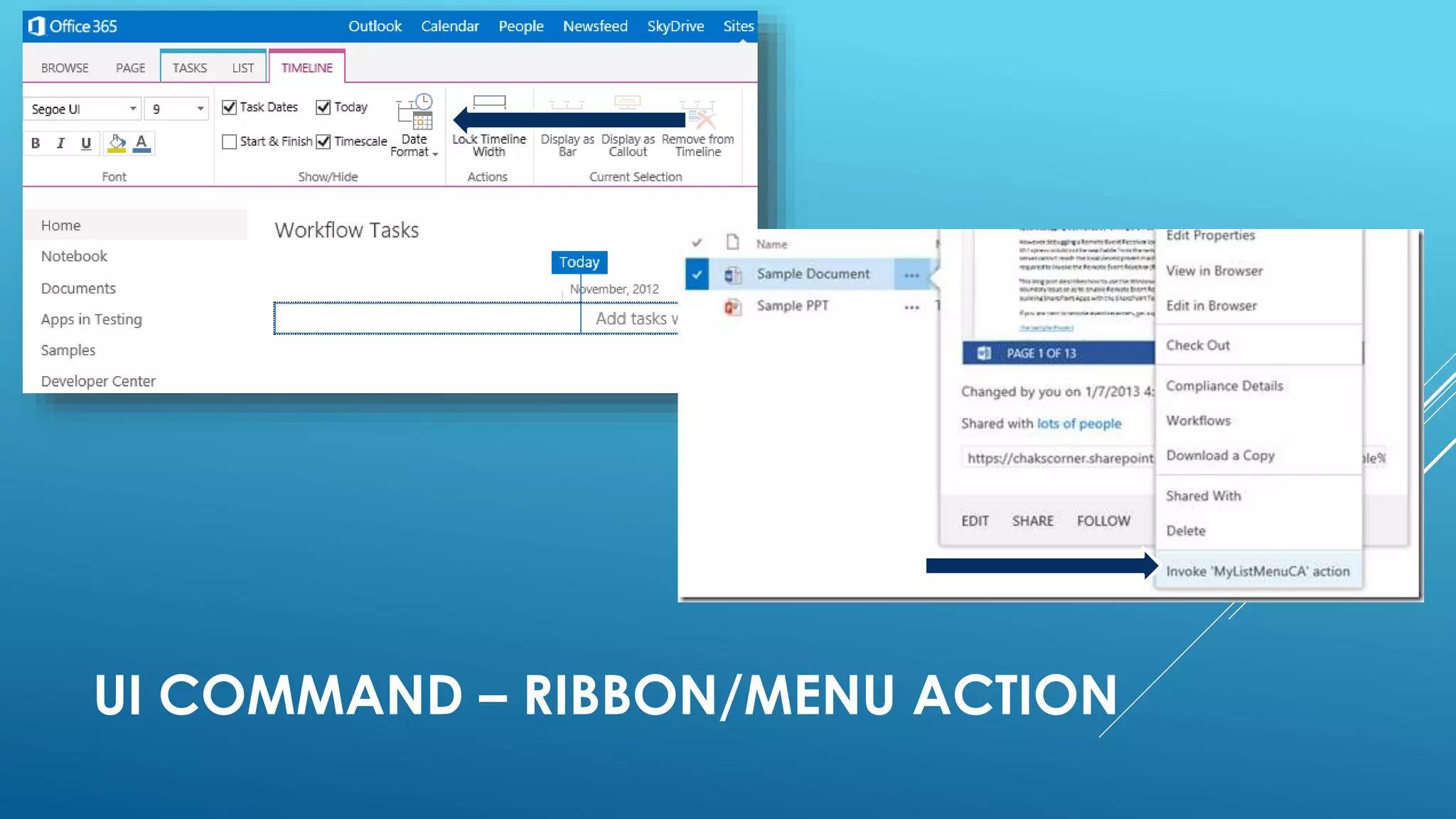
 Ui Custom Action
 On the ribbon
 On the Edit Control Block (ECB)
START PAGE
APP PART/CLIENT WEB PART
APP PART IN DETAIL
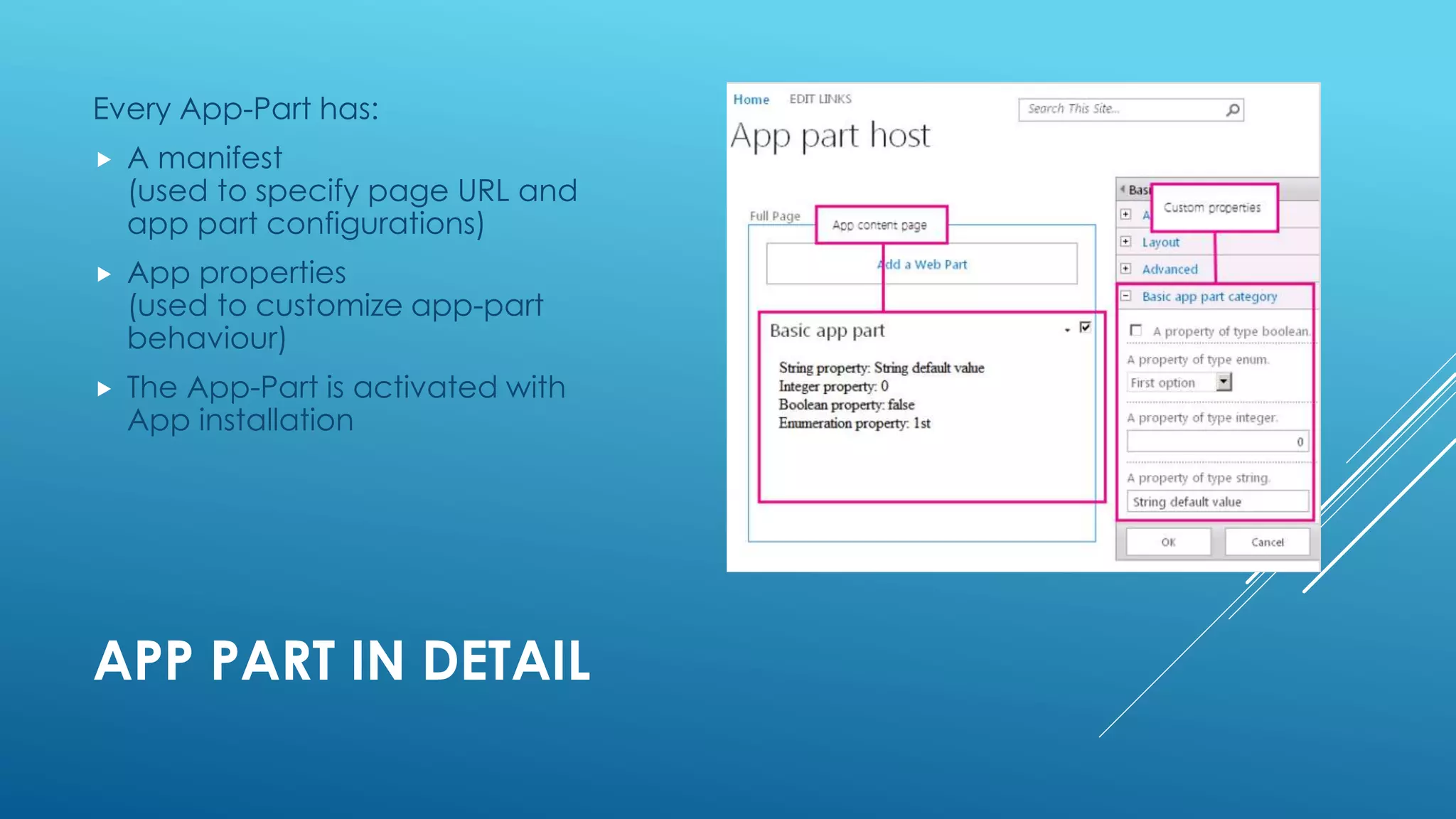
Every App-Part has:
 A manifest
(used to specify page URL and
app part configurations)
 App properties
(used to customize app-part
behaviour)
 The App-Part is activated with
App installation
UI COMMAND – RIBBON/MENU ACTION
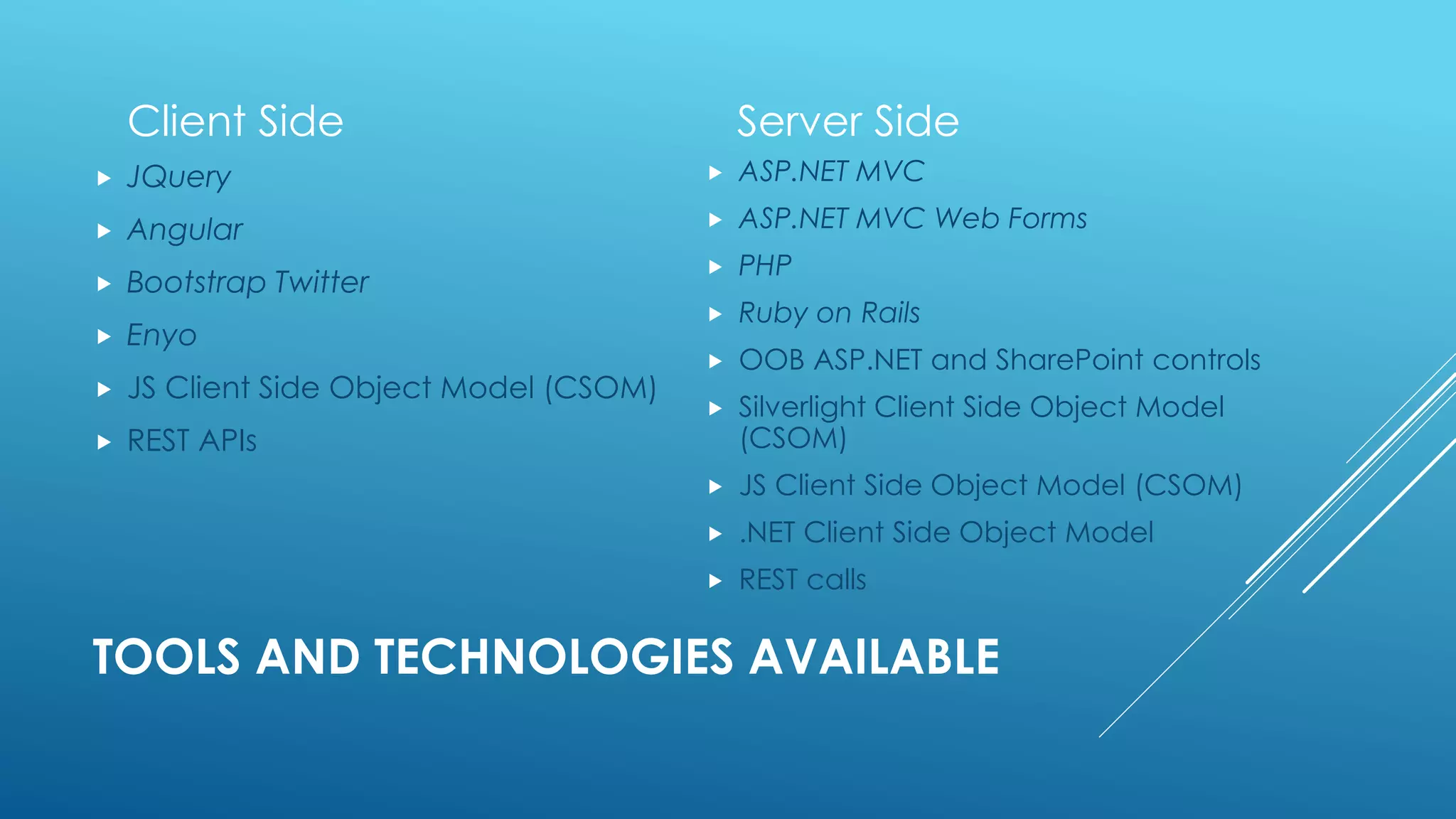
TOOLS AND TECHNOLOGIES AVAILABLE
Client Side
 JQuery
 Angular
 Bootstrap Twitter
 Enyo
 JS Client Side Object Model (CSOM)
 REST APIs
Server Side
 ASP.NET MVC
 ASP.NET MVC Web Forms
 PHP
 Ruby on Rails
 OOB ASP.NET and SharePoint controls
 Silverlight Client Side Object Model
(CSOM)
 JS Client Side Object Model (CSOM)
 .NET Client Side Object Model
 REST calls
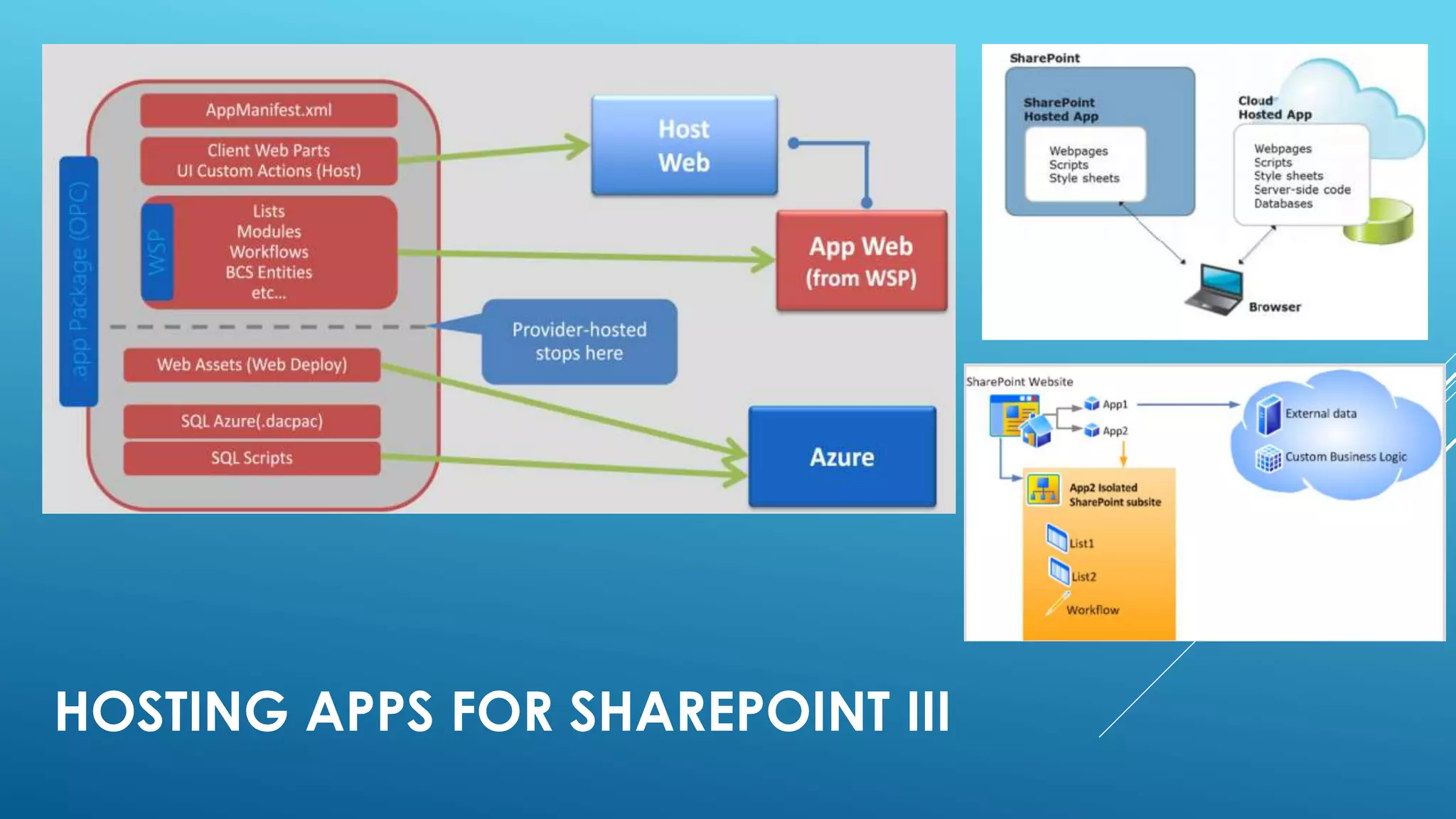
HOSTING APPS FOR SHAREPOINT III
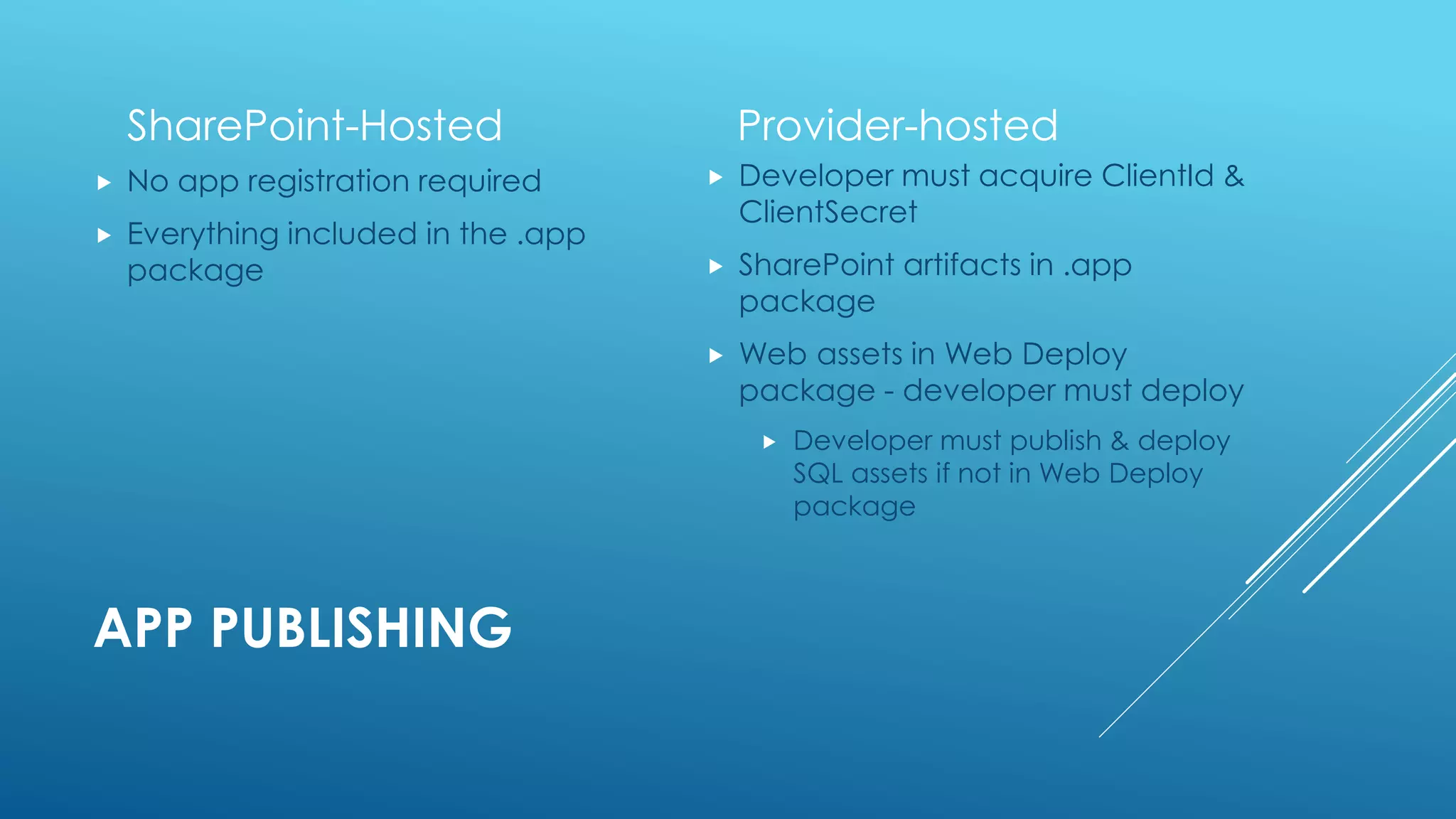
APP PUBLISHING
SharePoint-Hosted
 No app registration required
 Everything included in the .app
package
Provider-hosted
 Developer must acquire ClientId &
ClientSecret
 SharePoint artifacts in .app
package
 Web assets in Web Deploy
package - developer must deploy
 Developer must publish & deploy
SQL assets if not in Web Deploy
package
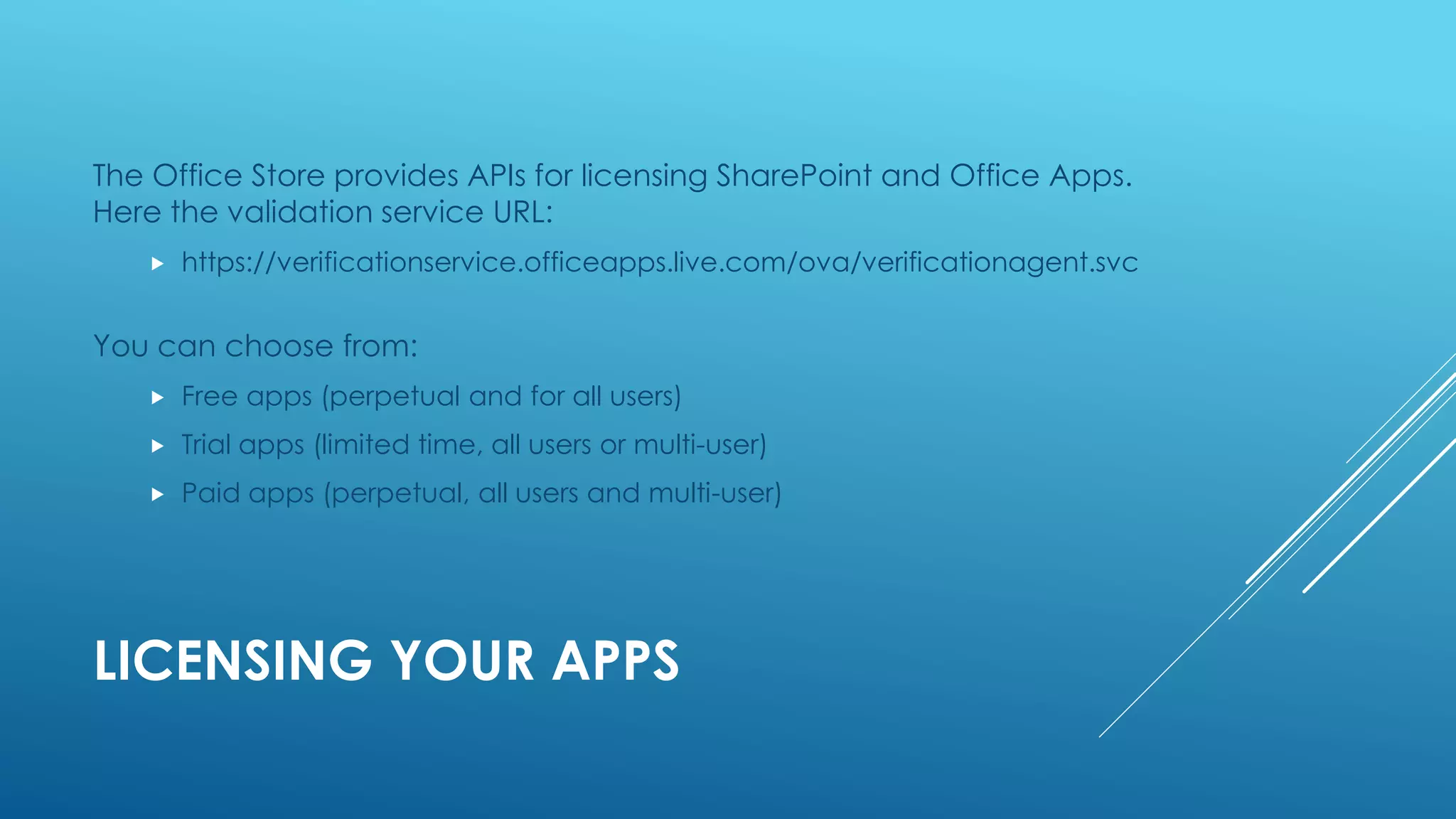
LICENSING YOUR APPS
The Office Store provides APIs for licensing SharePoint and Office Apps.
Here the validation service URL:
 https://verificationservice.officeapps.live.com/ova/verificationagent.svc
You can choose from:
 Free apps (perpetual and for all users)
 Trial apps (limited time, all users or multi-user)
 Paid apps (perpetual, all users and multi-user)
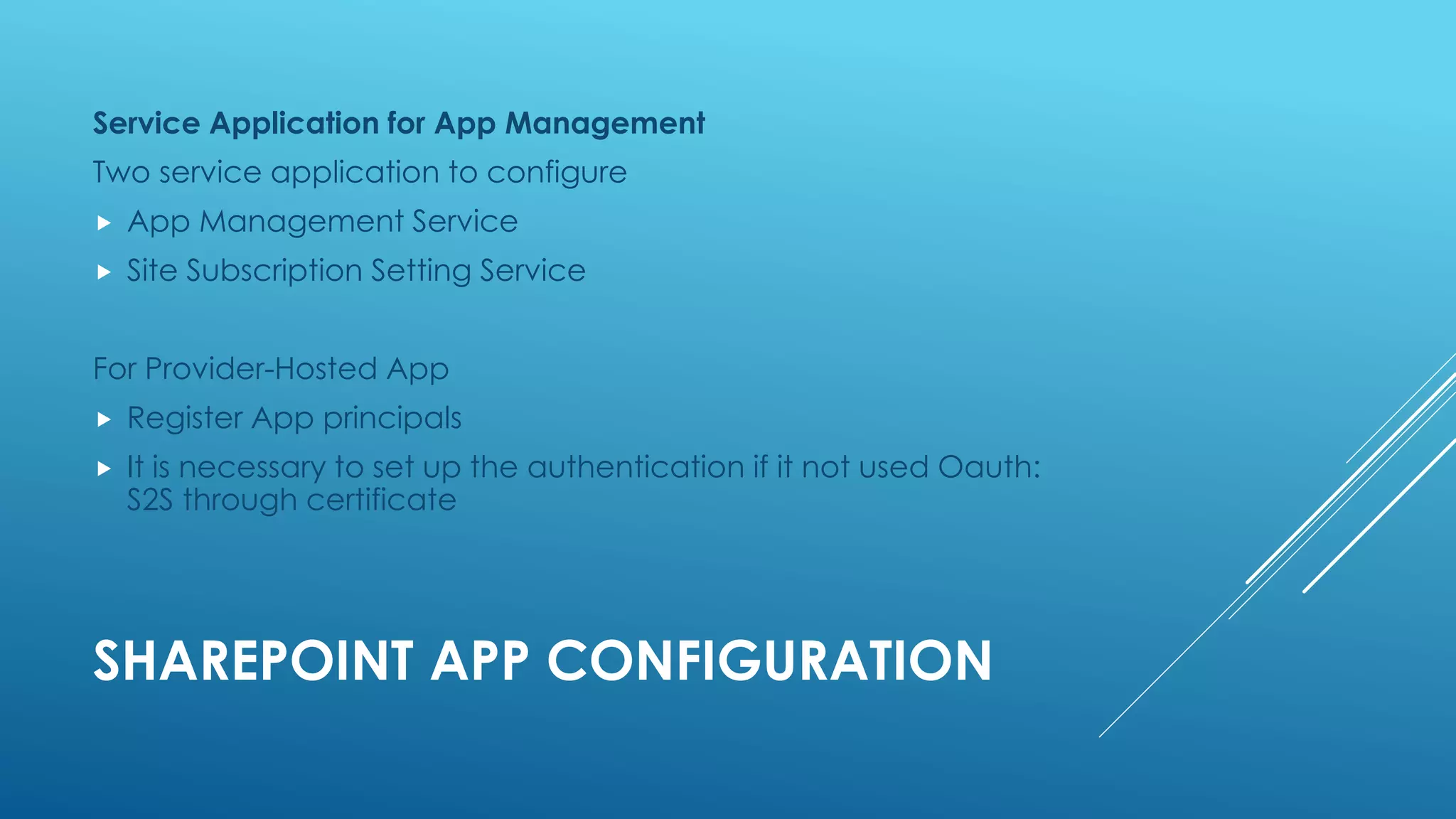
SHAREPOINT APP CONFIGURATION
Service Application for App Management
Two service application to configure
 App Management Service
 Site Subscription Setting Service
For Provider-Hosted App
 Register App principals
 It is necessary to set up the authentication if it not used Oauth:
S2S through certificate
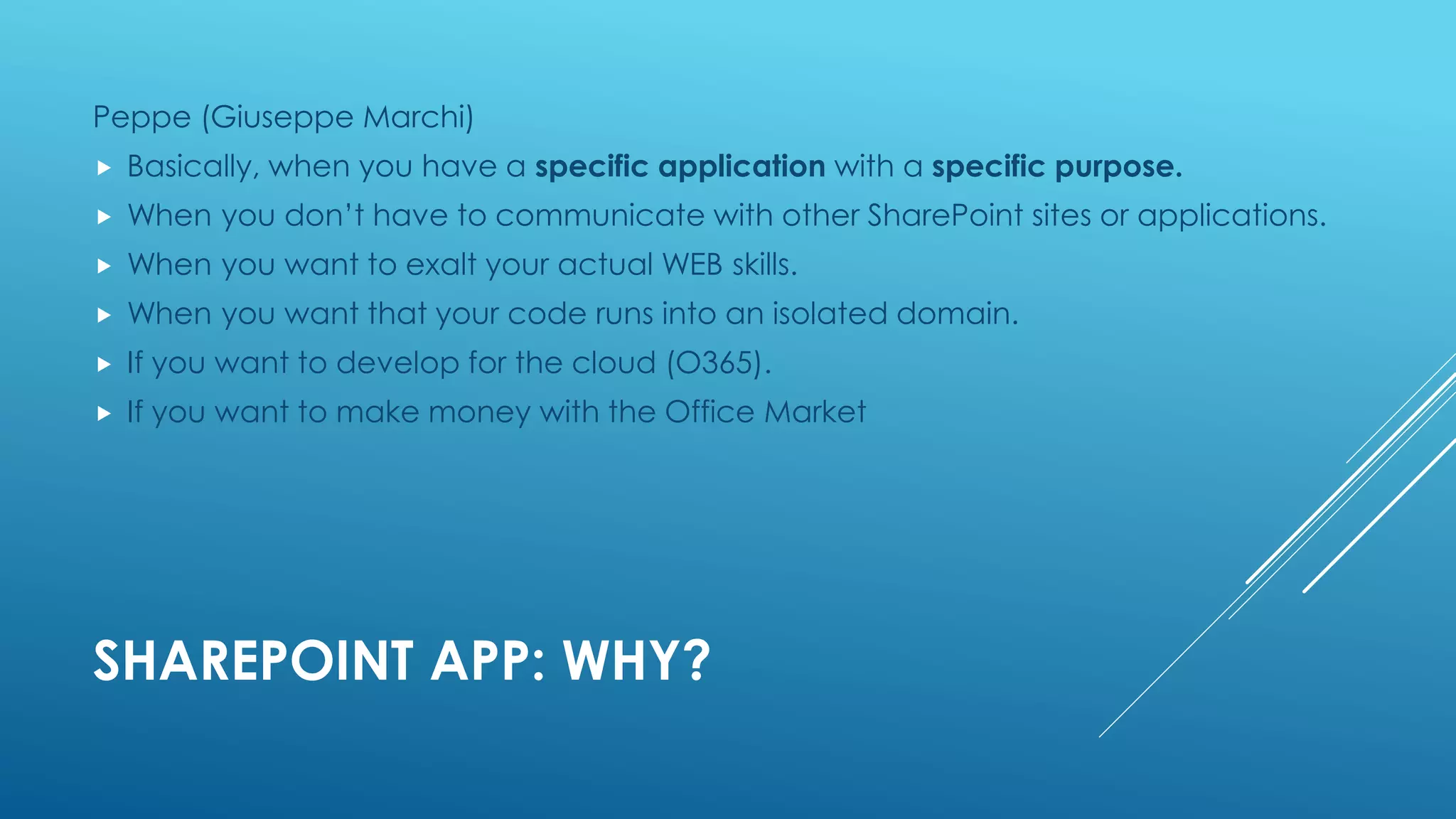
SHAREPOINT APP: WHY?
Peppe (Giuseppe Marchi)
 Basically, when you have a specific application with a specific purpose.
 When you don’t have to communicate with other SharePoint sites or applications.
 When you want to exalt your actual WEB skills.
 When you want that your code runs into an isolated domain.
 If you want to develop for the cloud (O365).
 If you want to make money with the Office Market
SHAREPOINT APP: WHEN?
 Microsoft presented this model for SharePoint 2013 because the technolgies
used in real scearios are using more and more client technologies.
 The App model enrichs all the actors in the process solution development
with new capabilites and a new development and deployment apprach.
 As usual, there are no exact rules to apply this model because it depends on
requirements, environment, project constraints, etc..
 But other approaches similar to the apps can bel used:
a Single Page Application that consumes external data through REST services
 IMA SpareParts
 Macron
BIBLIOGRAPHY
 Giuseppe Marchi, SharePoint & Office Conference 2013, L'APP-
MODEL DI SHAREPOINT 2013 DALLA A...
 Giuseppe Marchi, SharePoint & Office Conference 2013, L'APP-
MODEL DI SHAREPOINT 2013 ... ALLA Z
 Sean Laberee, SharePoint Conference 2014, Developing and
Debugging Apps for SharePoint with Visual Studio 2013
 Microsoft Learning Product, Developing Microsoft® SharePoint®
Server 2013 Core Solutions

App Model For SharePoint 2013

  • 1.
    APP MODEL FOR SHAREPOINT2013 Introduction
  • 2.
    WHAT IS ASHAREPOINT 2013 APP?  A SharePoint app is a custom solution that can access and modify resources such as lists, documents, libraries, individual items and other content.  The SharePoint 2013 app model provides a more flexible way to build custom functionality that runs in SharePoint organization both on-premises and in Office 365.  From MSDN: Apps for SharePoint are self-contained pieces of functionality that extend the capabilities of a SharePoint website.
  • 3.
    APP MODEL DESIGNGOALS  SharePoint App has been designed to allow application running both on-premises installation and in the cloud.  Te App model has been designed to address these goals  Stability App never runs within SharePoint host environment  Independence App can consume data though Web Services  Security Apps code is authenticated and runs under a distinct identity  Cloud App are published in app catalogs and in Office 365
  • 4.
    APP MODEL SCHEMA AppManifest Web Page HTML/CSS/JS App Is an XML file that specifies configurations like:  App title, description and icon  Supported locales, resource files for App localization  App prerequisites (search, bcs, user profile, ecc...)  Allowed external URLs (remote endpoints)  App permissions
  • 5.
  • 6.
    AVAILABLE SHAREPOINT ARTIFACTSIN APPS  Features (Web-scoped only)  Custom actions (including shortcut menu items and ribbon customizations)  Remote event receivers  App Parts, that are included in SharePoint (but not custom Web Parts)  CSS files for use by SharePoint pages Custom JavaScript files for use by SharePoint pages Modules (sets of files)  Pages  List templates  List and library instances  Custom list forms  Custom list views  Custom content types  Fields (of field types that are built into SharePoint)  Microsoft Business Connectivity Services (BCS) models (Web-scoped only), external content types based on the model, and external lists that use the content types  Workflows  Property bags  Web templates (but not site definitions)
  • 7.
    HOSTING APPS FORSHAREPOINT I SharePoint App Web SharePoint Host Web Client-side code Your hosted site SharePoint Host Web Client-side & Server-side code
  • 8.
    HOSTING APPS FORSHAREPOINT II
  • 9.
    AUTHENTICATION Internal Authentication  SharePointcollects credentials from users, verify them and create a signed token (SAML format).  SharePoint sites  SharePoint Hosted App  Remote-Hosted App through cross- domain library (JS library) External Authentication  Usually the web server that hosts the remote web collects and verify credentials from the user.  Oauth and Azure ACS  Server-to-Server (S2S)
  • 10.
    SHAREPOINT HOSTED APP EveryApp follow this URL pattern: http://[APPPREFIX]-[APPHASH].[APPDOMAIN]/[APPNAME]?{StandardTokens}  APPPREFIX: our farm-related tenant  APPHASH: unique id, generated on every app installation  APPDOMAIN: our domain for Apps  APPNAME: the name of the App  {StandardTokens}: default querystrings for Apps:  SPHostUrl={HostUrl}  SPAppWebUrl={AppWebUrl}  SPLanguage={Language}  SPClientTag={ClientTag}  SPProductNumber={ProductNumber}
  • 11.
  • 12.
    SHAREPOINT HOSTED APPMODEL SCENARIOS
  • 13.
    SHAREPOINT HOSTED APP:PROVISIONING In the APP WEB  With declarative provisioning using Feature (like we’re doing now with SP2010) In the HOST WEB  Programmatically, with REST or CSOM (this is not a best practice, but we can...)
  • 14.
    SHAREPOINT HOSTED APP:UI COMPOSITION Get syling for FREE  SharePoint provides CSS to style content  Master page for chrome Resusable UI components  List view web part  Reusable UI controls like dialogs and callouts  Custom actions let you extend menus, ribbon and script App web template
  • 15.
    SHAREPOINT HOSTED APP:LOCALIZATION In a SharePoint Hosted App we can localize:  Provisioning artifacts (as we know from SP2010)  App manifest  Javascript files  ASPX pages
  • 16.
  • 17.
    PROVIDER-HOSTED APPS  You,or your provider for you, are the responsible for the hosting of your App and its data  So, you’re the responsible for hosting the App, for multi-tenancy support, availability and all the plumbing that you may know from hosting web services.  Every Provider-Hosted App need a "clientId" and a "client certificate" in order to complete trust  IISExpress is used to host the web project  Local DB is used for the SQL Database
  • 18.
    PROVIDER-HOSTED APP: AUTHENTICATION Appsuse OAuth for secure communications  SharePoint & web application trust third party (ACS) Trust developed using ClientId & ClientSecret  SharePoint & ACS know the ClientId  Web application & ACS know the ClientSecret
  • 19.
    PROVIDER HOSTED APP:CHROME CONTROL  Artifact: in Cloud-Hosted Apps you can’t inherit from SharePoint master page, because pages are hosted outside SharePoint.  The Chrome control is a Javascript control, that allows you to give end users a familiar look based on your intranet theme.  Provides consistent look and feel for you App  Includes navigation link back to host site  Customizable settings for menu commands
  • 20.
    APP ENTRY POINTS Start Page Full immersion experience  App Part  Simple IFRAMES!  Custom pages, that users can insert into a web part page in the Host Web, as we do with classic web parts  Available in EVERY type of Apps  If we are in a SharePoint-Hosted App, we have to insert: <WebPartPages:AllowFraming ID="AllowFraming1" runat="server" />  Ui Custom Action  On the ribbon  On the Edit Control Block (ECB)
  • 21.
  • 22.
  • 23.
    APP PART INDETAIL Every App-Part has:  A manifest (used to specify page URL and app part configurations)  App properties (used to customize app-part behaviour)  The App-Part is activated with App installation
  • 24.
    UI COMMAND –RIBBON/MENU ACTION
  • 25.
    TOOLS AND TECHNOLOGIESAVAILABLE Client Side  JQuery  Angular  Bootstrap Twitter  Enyo  JS Client Side Object Model (CSOM)  REST APIs Server Side  ASP.NET MVC  ASP.NET MVC Web Forms  PHP  Ruby on Rails  OOB ASP.NET and SharePoint controls  Silverlight Client Side Object Model (CSOM)  JS Client Side Object Model (CSOM)  .NET Client Side Object Model  REST calls
  • 26.
    HOSTING APPS FORSHAREPOINT III
  • 27.
    APP PUBLISHING SharePoint-Hosted  Noapp registration required  Everything included in the .app package Provider-hosted  Developer must acquire ClientId & ClientSecret  SharePoint artifacts in .app package  Web assets in Web Deploy package - developer must deploy  Developer must publish & deploy SQL assets if not in Web Deploy package
  • 28.
    LICENSING YOUR APPS TheOffice Store provides APIs for licensing SharePoint and Office Apps. Here the validation service URL:  https://verificationservice.officeapps.live.com/ova/verificationagent.svc You can choose from:  Free apps (perpetual and for all users)  Trial apps (limited time, all users or multi-user)  Paid apps (perpetual, all users and multi-user)
  • 29.
    SHAREPOINT APP CONFIGURATION ServiceApplication for App Management Two service application to configure  App Management Service  Site Subscription Setting Service For Provider-Hosted App  Register App principals  It is necessary to set up the authentication if it not used Oauth: S2S through certificate
  • 30.
    SHAREPOINT APP: WHY? Peppe(Giuseppe Marchi)  Basically, when you have a specific application with a specific purpose.  When you don’t have to communicate with other SharePoint sites or applications.  When you want to exalt your actual WEB skills.  When you want that your code runs into an isolated domain.  If you want to develop for the cloud (O365).  If you want to make money with the Office Market
  • 31.
    SHAREPOINT APP: WHEN? Microsoft presented this model for SharePoint 2013 because the technolgies used in real scearios are using more and more client technologies.  The App model enrichs all the actors in the process solution development with new capabilites and a new development and deployment apprach.  As usual, there are no exact rules to apply this model because it depends on requirements, environment, project constraints, etc..  But other approaches similar to the apps can bel used: a Single Page Application that consumes external data through REST services  IMA SpareParts  Macron
  • 32.
    BIBLIOGRAPHY  Giuseppe Marchi,SharePoint & Office Conference 2013, L'APP- MODEL DI SHAREPOINT 2013 DALLA A...  Giuseppe Marchi, SharePoint & Office Conference 2013, L'APP- MODEL DI SHAREPOINT 2013 ... ALLA Z  Sean Laberee, SharePoint Conference 2014, Developing and Debugging Apps for SharePoint with Visual Studio 2013  Microsoft Learning Product, Developing Microsoft® SharePoint® Server 2013 Core Solutions

Editor's Notes

  • #4 The app cannot interfer with SharePoint process or memory App can run against SP2013 or later version Permission applied to the app (Sandboxed run under identity of the user)
  • #8 Provider could be IIS Server, Azure Server
  • #11 You create a new SharePoint hosted app with a start page named "default.cshtml" in the "pages" list. You install the app in the preceding host web and name it "exampleapp." You might expect the app home page to be found at the following URL: http://intranet.contoso.com/exampleapp/pages/default.cshtml However, this is not the URL where the app's home page is located because SharePoint creates and uses a new unique domain each time it installs a new instance of a SharePoint hosted app. The correct URL looks like the following: http://contosotenant-aa46c3ffd61233.apps.contoso.com/exampleapp/pages/default.cshtml SharePoint creates unique domains for each app in this way for two security reasons:  To separate app webs from host webs. By placing these in separate domains, cross-site scripting techniques cannot be used to circumvent security restrictions from app web to host web.  To ensure that calls to SharePoint web services can be identified as originating from an app installation. This helps to ensure that permissions applied to an app installation cannot be circumvented. Notice that the above SharePoint app URL includes the following parts:  contosotenant. The first part of the unique domain is the tenancy in which the app is installed.  aa46c3ffd61233. The second part of the unique domain is a unique 14-character identifier called the APPUID. This number is unique to this installation of the app.  apps.contoso.com. The third part of the unique domain is the app web hosting domain. You can configure this domain in Central Administration for an on-premises farm. In Office 365, the app web hosting domain is always sharepoint.com.