









Search Engine Optimisation
 Lisa Myers
 CEO,Verve Search


 @LisaDMyers   #ecomTIM
About Lisa Myers
•   12 years experience in Marketing, 7 in Search & Social
•   Speaker at Search Conferences Worldwide (SES, SMX, A4U etc)
•   Regular contributor to on and offline publications and author of several SEO Best
    Practise Guides including eConsultancy and B2B Marketing
• Heavily involved in the global Search Community, founder of
  SEO-chicks.com and co-founder of European search blog StateofSearch
Awards
• “Search Personality of the Year” UK Search Awards 2011 + “Best SEO
  Campaign” for her agency Verve Search
• Management Today “35 women under 35” list 2009
• “Best Use of Technology woman under 30”
   BlackBerry Woman & Technology Awards (2008)
• “B2B Marketing Newcomer of the Year” (2007)


@LisaDMyers                     #ecomTIM
What is SEO?
SEO (Search Engine Optimisation) is where you
adapt and moderate a website specifically so
that it is indexed and ranks highly within a
search engine's organic (free) listings.


@LisaDMyers      #ecomTIM
Importance of ranking highly
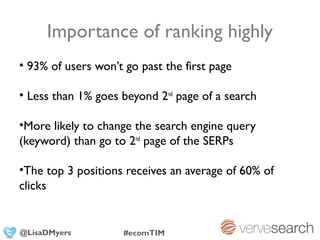
• 93% of users won’t go past the first page

• Less than 1% goes beyond 2nd page of a search

•More likely to change the search engine query
(keyword) than go to 2nd page of the SERPs

•The top 3 positions receives an average of 60% of
clicks


@LisaDMyers          #ecomTIM
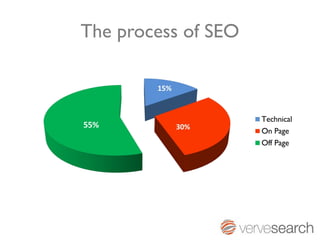
The process of SEO
Technical SEO – the foundation
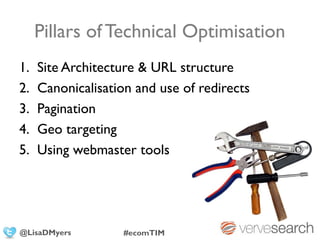
Pillars of Technical Optimisation
1.   Site Architecture & URL structure
2.   Canonicalisation and use of redirects
3.   Pagination
4.   Geo targeting
5.   Using webmaster tools


@LisaDMyers         #ecomTIM
Writing the content
• Spend time writing the article, it’s got to be good!
   Include stats, research or similar.

 site architecture
• Make sure the angle is appropriate for target site
• Including keywords that you are targeting for
 - surrounding text
   the hierarchy of your website and how you structure it
• ANCHOR TEXT (ideally your main target
   keyword)
• Stay away from main keyword in HEADLINE
   though, as you don’t want them to rank ABOVE
   you!
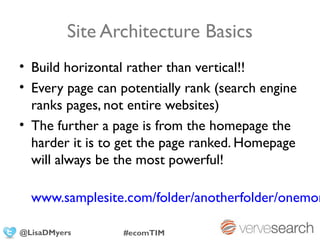
Site Architecture Basics
• Build horizontal rather than vertical!!
• Every page can potentially rank (search engine
  ranks pages, not entire websites)
• The further a page is from the homepage the
  harder it is to get the page ranked. Homepage
  will always be the most powerful!

  www.samplesite.com/folder/anotherfolder/onemor

@LisaDMyers       #ecomTIM
Writing the content
• Spend time writing the article, it’s got to be good!
   Include stats, research or similar.

 canonicalisation
• Make sure the angle is appropriate for target site
• Including keywords that you are targeting for
 - surrounding text
   the “little” issue that can cause havoc
• ANCHOR TEXT (ideally your main target
   keyword)
• Stay away from main keyword in HEADLINE
   though, as you don’t want them to rank ABOVE
   you!
Canonicalisation
Canonicalisation is the process of choosing
one URL when there are several choices!
Canonical URL = Preferred URL
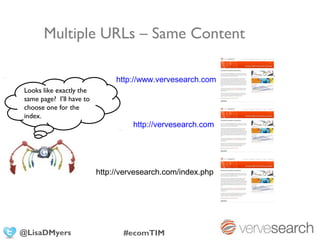
Multiple URLs – Same Content

                               http://www.vervesearch.com
Looks like exactly the
same page? I’ll have to
choose one for the
index.
                                    http://vervesearch.com


                          http://vervesearch.com/index.php


@LisaDMyers                      #ecomTIM
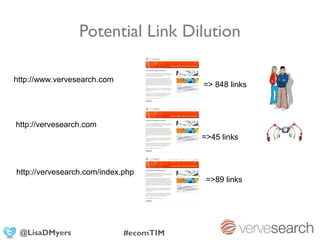
Potential Link Dilution

http://www.vervesearch.com
                                        => 848 links


http://vervesearch.com
                                        =>45 links


http://vervesearch.com/index.php
                                         =>89 links


 @LisaDMyers                 #ecomTIM
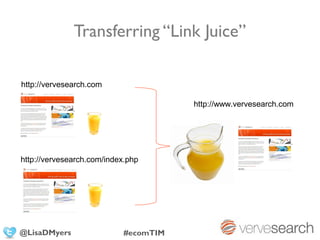
Transferring “Link Juice”

http://vervesearch.com

                                       http://www.vervesearch.com


http://vervesearch.com/index.php


@LisaDMyers                 #ecomTIM
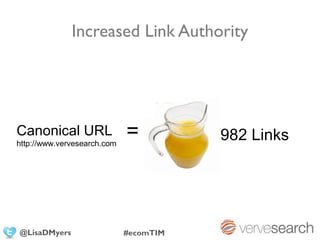
Increased Link Authority


Canonical URL
http://www.vervesearch.com
                             =          982 Links


@LisaDMyers                  #ecomTIM
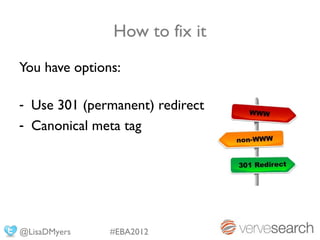
How to fix it
You have options:

- Use 301 (permanent) redirect
- Canonical meta tag


@LisaDMyers    #EBA2012
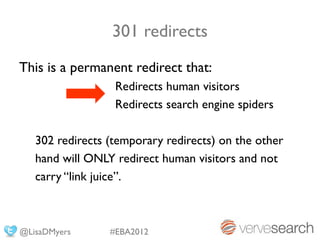
301 redirects
This is a permanent redirect that:
                  Redirects human visitors
                  Redirects search engine spiders

   302 redirects (temporary redirects) on the other
   hand will ONLY redirect human visitors and not
   carry “link juice”.


@LisaDMyers      #EBA2012
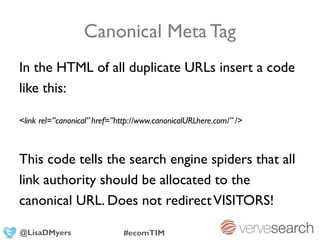
Canonical Meta Tag
In the HTML of all duplicate URLs insert a code
like this:

<link rel=”canonical” href=”http://www.canonicalURLhere.com/” />


This code tells the search engine spiders that all
link authority should be allocated to the
canonical URL. Does not redirect VISITORS!

@LisaDMyers                  #ecomTIM
Writing the content
• Spend time writing the article, it’s got to be good!
   Include stats, research or similar.

 pagination
• Make sure the angle is appropriate for target site
• Including keywords that you are targeting for
 - surrounding text 100s
   when 1 becomes
• ANCHOR TEXT (ideally your main target
   keyword)
• Stay away from main keyword in HEADLINE
   though, as you don’t want them to rank ABOVE
   you!
Pagination Issues
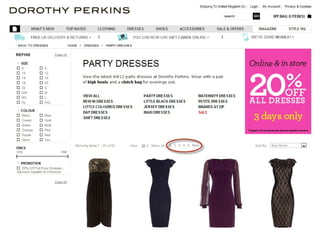
The system of which pages are numbered:

An article divided into several pages
Forum thread
Category/group of products
Solutions for Pagination Issues
Rel=“next” or Rel=“prev”
(Google’s official guide to these)

Or

“View all” page option
Writing the content
• Spend time writing the article, it’s got to be good!
   Include stats, research or similar.

 geo targeting
• Make sure the angle is appropriate for target site
• Including keywords that you are targeting for
 - surrounding text engine where you want to be found
   telling the search
• ANCHOR TEXT (ideally your main target
   keyword)
• Stay away from main keyword in HEADLINE
   though, as you don’t want them to rank ABOVE
   you!
Estimated   8.26 billion web pages


different indexes for different countries, i.e
google.co.uk and google.de
(or Yahoo...ehm...)
Writing the content
• Spend time writing the article, it’s got to be good!
   Include stats, research or similar.
• need to helpangle is appropriate for targetwhat
   Make sure the the engine figure out site
• Including keywords that you are targeting for
  country you are targeting....
   surrounding text
• ANCHOR TEXT (ideally your main target
   keyword)
• Stay away from main keyword in HEADLINE
   though, as you don’t want them to rank ABOVE
   you!
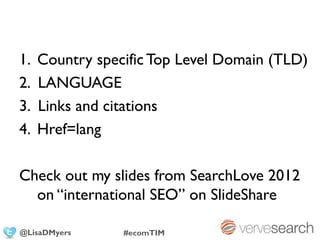
1.   Country specific Top Level Domain (TLD)
2.   LANGUAGE
3.   Links and citations
4.   Href=lang

Check out my slides from SearchLove 2012
  on “international SEO” on SlideShare

@LisaDMyers      #ecomTIM
Writing the content
• Spend time writing the article, it’s got to be good!
   Include stats, research or similar.

 webmaster tools
• Make sure the angle is appropriate for target site
• Including keywords that you are targeting for
 - surrounding text
   actually useful
• ANCHOR TEXT (ideally your main target
   keyword)
• Stay away from main keyword in HEADLINE
   though, as you don’t want them to rank ABOVE
   you!
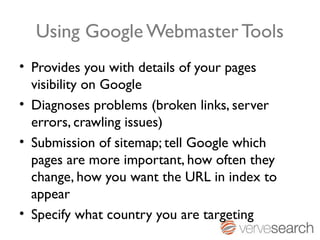
Using Google Webmaster Tools
• Provides you with details of your pages
  visibility on Google
• Diagnoses problems (broken links, server
  errors, crawling issues)
• Submission of sitemap; tell Google which
  pages are more important, how often they
  change, how you want the URL in index to
  appear
• Specify what country you are targeting
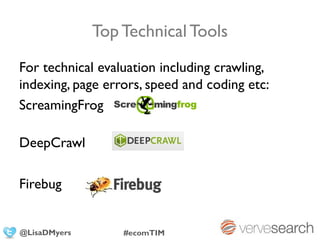
Top Technical Tools
For technical evaluation including crawling,
indexing, page errors, speed and coding etc:
ScreamingFrog

DeepCrawl

Firebug


@LisaDMyers       #ecomTIM
Writing the content
• Spend time writing the article, it’s got to be good!
  Include stats, research or similar.
• Make sure the angle is appropriate for target site
 On Page Optimisation
• Including keywords that you are targeting for
  surrounding text
• ANCHOR TEXT (ideally your main target
  keyword)
• Stay away from main keyword in HEADLINE
  though, as you don’t want them to rank ABOVE
  you!
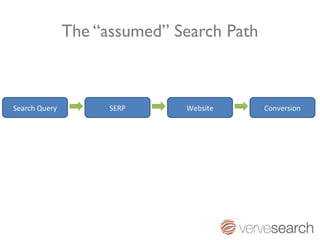
The “assumed” Search Path


Search Query         SERP     Website      Conversion
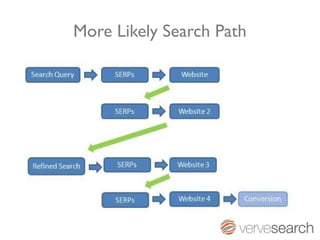
More Likely Search Path
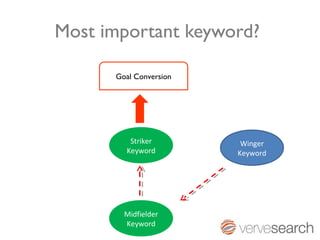
Most important keyword?

      Goal Conversion


         Striker         Winger
        Keyword         Keyword


        Midfielder
        Keyword
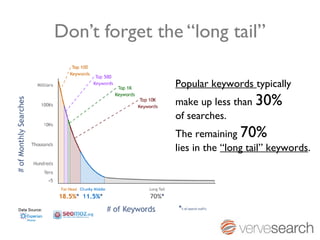
Don’t forget the “long tail”

                Popular keywords typically
                make up less than 30%
                of searches.
                The remaining 70%
                lies in the “long tail” keywords.
Content is still King
Basics of On Page Optimisation
•   Keyword research and mapping
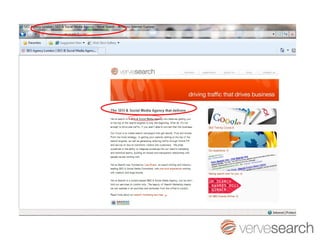
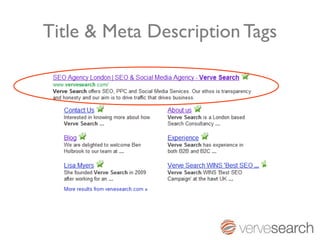
•   Title and Meta description optimisation
•   Main content optimisation
•   Internal linking
•   Keyword in URL
•   Images (alt attributes)
•   Updated content
Writing the content
• Spend time writing the article, it’s got to be good!
   Include stats, research or similar.

 keyword research
• Make sure the angle is appropriate for target site
• Including keywords that you are targeting for
 - surrounding SEO
   the brains of text
• ANCHOR TEXT (ideally your main target
   keyword)
• Stay away from main keyword in HEADLINE
   though, as you don’t want them to rank ABOVE
   you!
Basics of Keyword Research
• Identify keyword groups:
   - Brand keywords
   - Descriptive keywords
   - Product/service keywords

• Brain storm (with client, colleagues etc)
• PPC Campaign
• Keyword Research Tools

@LisaDMyers       #ecomTIM
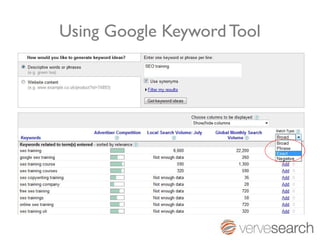
Using Google Keyword Tool
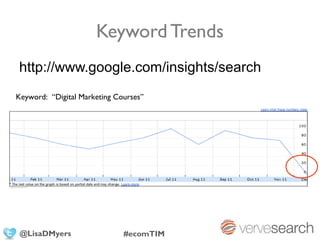
Keyword Trends
http://www.google.com/insights/search
Keyword: “Digital Marketing Courses”


 @LisaDMyers                  #ecomTIM
Using your own Analytics data
• Which keywords are converting?

        Analyse goal conversion and
ecommerce results! Drill down to organic
Traffic then keywords!


@LisaDMyers     #ecomTIM
Writing the content
• Spend time writing the article, it’s got to be good!
   Include stats, research or similar.

 on page areas
• Make sure the angle is appropriate for target site
• Including keywords that you are targeting for
 - surrounding text
   once you have chosen your keywords what do you do
• ANCHOR TEXT (ideally your main target
   keyword)
• Stay away from main keyword in HEADLINE
   though, as you don’t want them to rank ABOVE
   you!
Areas to optimise
• Title tag
• H1 tags (the heading of the page)
• The anchor text of internal links (don’t use
  click here!)
• In the first 50 words of text on the page
• In the URL www.yourdomain.com/keyword
• Repeated throughout page content
Title & Meta Description Tags
Writing the content
• Spend time writing the article, it’s got to be good!
  Include stats, research or similar.
• Make sure the angle is appropriate for target site
 Off Page Optimisation
• Including keywords that you are targeting for
  surrounding text
• ANCHOR TEXT (ideally your main target
  keyword)
• Stay away from main keyword in HEADLINE
  though, as you don’t want them to rank ABOVE
  you!
+
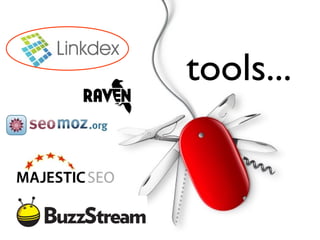
    SEO TOOLS
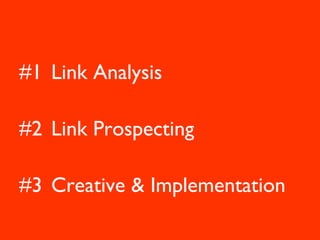
#1 Link Analysis

#2 Link Prospecting

#3 Creative & Implementation
#1
{ link analysis
tools...
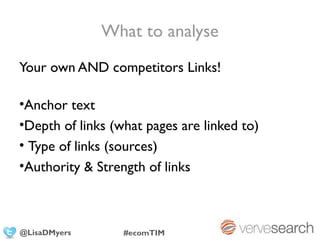
What to analyse
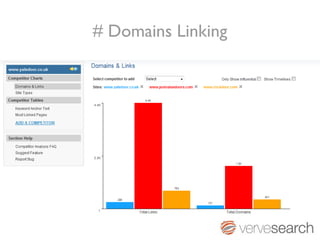
Your own AND competitors Links!

•Anchor text
•Depth of links (what pages are linked to)
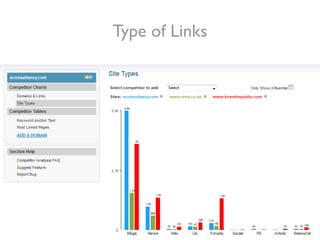
• Type of links (sources)
•Authority & Strength of links


@LisaDMyers       #ecomTIM
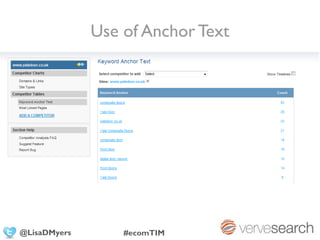
Use of Anchor Text


@LisaDMyers       #ecomTIM
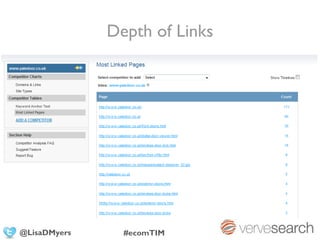
Depth of Links


@LisaDMyers     #ecomTIM
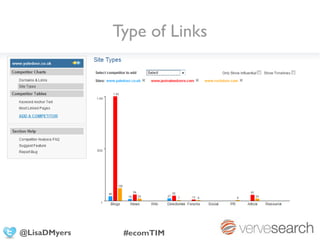
Type of Links


@LisaDMyers    #ecomTIM
# Domains Linking
Type of Links
#2
{ link prospecting
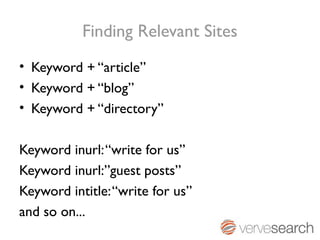
Finding Relevant Sites
• Keyword + “article”
• Keyword + “blog”
• Keyword + “directory”

Keyword inurl: “write for us”
Keyword inurl:”guest posts”
Keyword intitle: “write for us”
and so on...
Favourite Prospecting Tools


           +
#3
{ creative & development
Types of Link Development

• Utilising Existing Relationships

• Link baiting

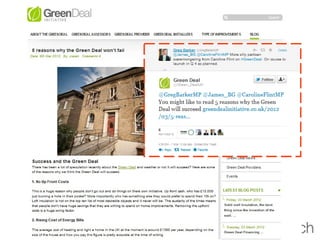
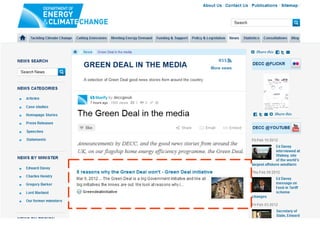
• Content Outreach


@LisaDMyers      #ecomTIM
Utilising Existing Relationships
Often it is the simplest idea that gives you the
most link juice!

For example;
- Would your partners, customers etc link to
  you?
- Which University did the CEO go to?


@LisaDMyers       #ecomTIM
Apple.com
Links to domain= 35.8 MILLION!
PR=9/10
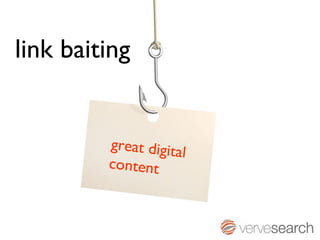
link baiting


         great digita
                      l
         content
{
A piece of digital content (article, video,
infographic, etc) that specifically increases
the chances for generating “organic links”
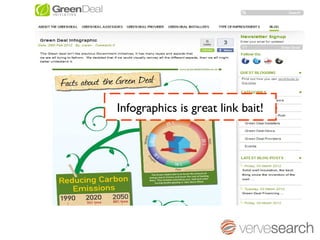
Infographics is great link bait!
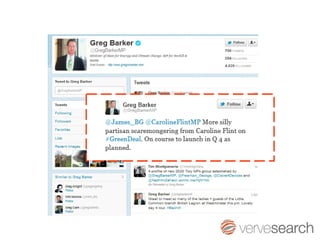
Impacting social
influencers
Content Outreach
      Using a piece
     of content
     to get a link
     can be very
     EFFECTIVE!
Give something back
Have something to trade, why should they
be linking to you?
  -   Content (must be relevant!)
  -   Discount/competition
  -   Breaking news
  -   Free “something”
  -   YOUR USPs??!!
Thank You!
                               @LisaDMyers

              Email: lisa@vervesearch.com
              Web: www.vervesearch.com
                     www.stateofsearch.com
                     www.seo-chicks.com

@LisaDMyers             #ecomTIM

SEO Workshop #EcomTIM in Romania

  • 1.
    Search Engine Optimisation Lisa Myers CEO,Verve Search @LisaDMyers #ecomTIM
  • 2.
    About Lisa Myers • 12 years experience in Marketing, 7 in Search & Social • Speaker at Search Conferences Worldwide (SES, SMX, A4U etc) • Regular contributor to on and offline publications and author of several SEO Best Practise Guides including eConsultancy and B2B Marketing • Heavily involved in the global Search Community, founder of SEO-chicks.com and co-founder of European search blog StateofSearch Awards • “Search Personality of the Year” UK Search Awards 2011 + “Best SEO Campaign” for her agency Verve Search • Management Today “35 women under 35” list 2009 • “Best Use of Technology woman under 30” BlackBerry Woman & Technology Awards (2008) • “B2B Marketing Newcomer of the Year” (2007) @LisaDMyers #ecomTIM
  • 3.
  • 4.
    SEO (Search EngineOptimisation) is where you adapt and moderate a website specifically so that it is indexed and ranks highly within a search engine's organic (free) listings. @LisaDMyers #ecomTIM
  • 5.
    Importance of rankinghighly • 93% of users won’t go past the first page • Less than 1% goes beyond 2nd page of a search •More likely to change the search engine query (keyword) than go to 2nd page of the SERPs •The top 3 positions receives an average of 60% of clicks @LisaDMyers #ecomTIM
  • 6.
  • 7.
    Technical SEO –the foundation
  • 8.
    Pillars of TechnicalOptimisation 1. Site Architecture & URL structure 2. Canonicalisation and use of redirects 3. Pagination 4. Geo targeting 5. Using webmaster tools @LisaDMyers #ecomTIM
  • 9.
    Writing the content •Spend time writing the article, it’s got to be good! Include stats, research or similar. site architecture • Make sure the angle is appropriate for target site • Including keywords that you are targeting for - surrounding text the hierarchy of your website and how you structure it • ANCHOR TEXT (ideally your main target keyword) • Stay away from main keyword in HEADLINE though, as you don’t want them to rank ABOVE you!
  • 10.
    Site Architecture Basics •Build horizontal rather than vertical!! • Every page can potentially rank (search engine ranks pages, not entire websites) • The further a page is from the homepage the harder it is to get the page ranked. Homepage will always be the most powerful! www.samplesite.com/folder/anotherfolder/onemor @LisaDMyers #ecomTIM
  • 11.
    Writing the content •Spend time writing the article, it’s got to be good! Include stats, research or similar. canonicalisation • Make sure the angle is appropriate for target site • Including keywords that you are targeting for - surrounding text the “little” issue that can cause havoc • ANCHOR TEXT (ideally your main target keyword) • Stay away from main keyword in HEADLINE though, as you don’t want them to rank ABOVE you!
  • 12.
    Canonicalisation Canonicalisation is theprocess of choosing one URL when there are several choices! Canonical URL = Preferred URL
  • 13.
    Multiple URLs –Same Content http://www.vervesearch.com Looks like exactly the same page? I’ll have to choose one for the index. http://vervesearch.com http://vervesearch.com/index.php @LisaDMyers #ecomTIM
  • 14.
    Potential Link Dilution http://www.vervesearch.com => 848 links http://vervesearch.com =>45 links http://vervesearch.com/index.php =>89 links @LisaDMyers #ecomTIM
  • 15.
    Transferring “Link Juice” http://vervesearch.com http://www.vervesearch.com http://vervesearch.com/index.php @LisaDMyers #ecomTIM
  • 16.
    Increased Link Authority CanonicalURL http://www.vervesearch.com = 982 Links @LisaDMyers #ecomTIM
  • 17.
    How to fixit You have options: - Use 301 (permanent) redirect - Canonical meta tag @LisaDMyers #EBA2012
  • 18.
    301 redirects This isa permanent redirect that: Redirects human visitors Redirects search engine spiders 302 redirects (temporary redirects) on the other hand will ONLY redirect human visitors and not carry “link juice”. @LisaDMyers #EBA2012
  • 19.
    Canonical Meta Tag Inthe HTML of all duplicate URLs insert a code like this: <link rel=”canonical” href=”http://www.canonicalURLhere.com/” /> This code tells the search engine spiders that all link authority should be allocated to the canonical URL. Does not redirect VISITORS! @LisaDMyers #ecomTIM
  • 20.
    Writing the content •Spend time writing the article, it’s got to be good! Include stats, research or similar. pagination • Make sure the angle is appropriate for target site • Including keywords that you are targeting for - surrounding text 100s when 1 becomes • ANCHOR TEXT (ideally your main target keyword) • Stay away from main keyword in HEADLINE though, as you don’t want them to rank ABOVE you!
  • 21.
    Pagination Issues The systemof which pages are numbered: An article divided into several pages Forum thread Category/group of products
  • 23.
    Solutions for PaginationIssues Rel=“next” or Rel=“prev” (Google’s official guide to these) Or “View all” page option
  • 24.
    Writing the content •Spend time writing the article, it’s got to be good! Include stats, research or similar. geo targeting • Make sure the angle is appropriate for target site • Including keywords that you are targeting for - surrounding text engine where you want to be found telling the search • ANCHOR TEXT (ideally your main target keyword) • Stay away from main keyword in HEADLINE though, as you don’t want them to rank ABOVE you!
  • 25.
    Estimated 8.26 billion web pages different indexes for different countries, i.e google.co.uk and google.de (or Yahoo...ehm...)
  • 26.
    Writing the content •Spend time writing the article, it’s got to be good! Include stats, research or similar. • need to helpangle is appropriate for targetwhat Make sure the the engine figure out site • Including keywords that you are targeting for country you are targeting.... surrounding text • ANCHOR TEXT (ideally your main target keyword) • Stay away from main keyword in HEADLINE though, as you don’t want them to rank ABOVE you!
  • 27.
    1. Country specific Top Level Domain (TLD) 2. LANGUAGE 3. Links and citations 4. Href=lang Check out my slides from SearchLove 2012 on “international SEO” on SlideShare @LisaDMyers #ecomTIM
  • 28.
    Writing the content •Spend time writing the article, it’s got to be good! Include stats, research or similar. webmaster tools • Make sure the angle is appropriate for target site • Including keywords that you are targeting for - surrounding text actually useful • ANCHOR TEXT (ideally your main target keyword) • Stay away from main keyword in HEADLINE though, as you don’t want them to rank ABOVE you!
  • 29.
    Using Google WebmasterTools • Provides you with details of your pages visibility on Google • Diagnoses problems (broken links, server errors, crawling issues) • Submission of sitemap; tell Google which pages are more important, how often they change, how you want the URL in index to appear • Specify what country you are targeting
  • 30.
    Top Technical Tools Fortechnical evaluation including crawling, indexing, page errors, speed and coding etc: ScreamingFrog DeepCrawl Firebug @LisaDMyers #ecomTIM
  • 31.
    Writing the content •Spend time writing the article, it’s got to be good! Include stats, research or similar. • Make sure the angle is appropriate for target site On Page Optimisation • Including keywords that you are targeting for surrounding text • ANCHOR TEXT (ideally your main target keyword) • Stay away from main keyword in HEADLINE though, as you don’t want them to rank ABOVE you!
  • 32.
    The “assumed” SearchPath Search Query SERP Website Conversion
  • 33.
  • 34.
    Most important keyword? Goal Conversion Striker Winger Keyword Keyword Midfielder Keyword
  • 35.
    Don’t forget the“long tail” Popular keywords typically make up less than 30% of searches. The remaining 70% lies in the “long tail” keywords.
  • 36.
  • 37.
    Basics of OnPage Optimisation • Keyword research and mapping • Title and Meta description optimisation • Main content optimisation • Internal linking • Keyword in URL • Images (alt attributes) • Updated content
  • 38.
    Writing the content •Spend time writing the article, it’s got to be good! Include stats, research or similar. keyword research • Make sure the angle is appropriate for target site • Including keywords that you are targeting for - surrounding SEO the brains of text • ANCHOR TEXT (ideally your main target keyword) • Stay away from main keyword in HEADLINE though, as you don’t want them to rank ABOVE you!
  • 39.
    Basics of KeywordResearch • Identify keyword groups: - Brand keywords - Descriptive keywords - Product/service keywords • Brain storm (with client, colleagues etc) • PPC Campaign • Keyword Research Tools @LisaDMyers #ecomTIM
  • 40.
  • 41.
  • 42.
    Using your ownAnalytics data • Which keywords are converting? Analyse goal conversion and ecommerce results! Drill down to organic Traffic then keywords! @LisaDMyers #ecomTIM
  • 43.
    Writing the content •Spend time writing the article, it’s got to be good! Include stats, research or similar. on page areas • Make sure the angle is appropriate for target site • Including keywords that you are targeting for - surrounding text once you have chosen your keywords what do you do • ANCHOR TEXT (ideally your main target keyword) • Stay away from main keyword in HEADLINE though, as you don’t want them to rank ABOVE you!
  • 44.
    Areas to optimise •Title tag • H1 tags (the heading of the page) • The anchor text of internal links (don’t use click here!) • In the first 50 words of text on the page • In the URL www.yourdomain.com/keyword • Repeated throughout page content
  • 46.
    Title & MetaDescription Tags
  • 47.
    Writing the content •Spend time writing the article, it’s got to be good! Include stats, research or similar. • Make sure the angle is appropriate for target site Off Page Optimisation • Including keywords that you are targeting for surrounding text • ANCHOR TEXT (ideally your main target keyword) • Stay away from main keyword in HEADLINE though, as you don’t want them to rank ABOVE you!
  • 48.
    + SEO TOOLS
  • 49.
    #1 Link Analysis #2Link Prospecting #3 Creative & Implementation
  • 50.
  • 51.
  • 52.
    What to analyse Yourown AND competitors Links! •Anchor text •Depth of links (what pages are linked to) • Type of links (sources) •Authority & Strength of links @LisaDMyers #ecomTIM
  • 53.
    Use of AnchorText @LisaDMyers #ecomTIM
  • 54.
  • 55.
  • 56.
  • 57.
  • 58.
  • 59.
    Finding Relevant Sites •Keyword + “article” • Keyword + “blog” • Keyword + “directory” Keyword inurl: “write for us” Keyword inurl:”guest posts” Keyword intitle: “write for us” and so on...
  • 60.
  • 61.
    #3 { creative &development
  • 62.
    Types of LinkDevelopment • Utilising Existing Relationships • Link baiting • Content Outreach @LisaDMyers #ecomTIM
  • 63.
    Utilising Existing Relationships Oftenit is the simplest idea that gives you the most link juice! For example; - Would your partners, customers etc link to you? - Which University did the CEO go to? @LisaDMyers #ecomTIM
  • 64.
    Apple.com Links to domain=35.8 MILLION! PR=9/10
  • 65.
    link baiting great digita l content
  • 66.
    { A piece ofdigital content (article, video, infographic, etc) that specifically increases the chances for generating “organic links”
  • 68.
  • 69.
  • 73.
    Content Outreach Using a piece of content to get a link can be very EFFECTIVE!
  • 74.
    Give something back Havesomething to trade, why should they be linking to you? - Content (must be relevant!) - Discount/competition - Breaking news - Free “something” - YOUR USPs??!!
  • 75.
    Thank You! @LisaDMyers Email: lisa@vervesearch.com Web: www.vervesearch.com www.stateofsearch.com www.seo-chicks.com @LisaDMyers #ecomTIM