I/O
Day 2 - Introduction to R for Life Sciences
Before input and output: folders
Find out where you are: getwd()
Go elsewhere: setwd("S://SeqData/Illumina/14apr2014")
Convenience: choose.dir() and file.choose() (Windows only)
Make sure your scripts and ‘source data’ are backed up
Derived data should not be backed up
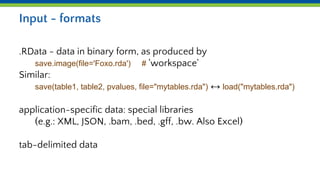
Input - formats
.RData - data in binary form, as produced by
save.image(file='Foxo.rda') # 'workspace'
Similar:
save(table1, table2, pvalues, file="mytables.rda") ↔ load("mytables.rda")
application-specific data: special libraries
(e.g.: XML, JSON, .bam, .bed, .gff, .bw. Also Excel)
tab-delimited data
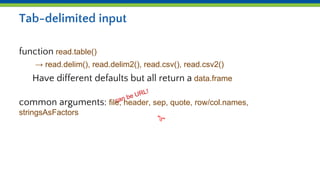
Tab-delimited input
function read.table()
→ read.delim(), read.delim2(), read.csv(), read.csv2()
Have different defaults but all return a data.frame
common arguments: file, header, sep, quote, row/col.names,
stringsAsFactors
can be URL!
"t"
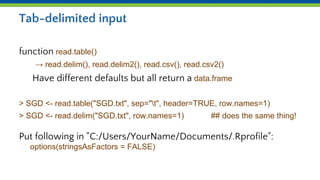
Tab-delimited input
function read.table()
→ read.delim(), read.delim2(), read.csv(), read.csv2()
Have different defaults but all return a data.frame
> SGD <- read.table("SGD.txt", sep="t", header=TRUE, row.names=1)
> SGD <- read.delim("SGD.txt", row.names=1) ## does the same thing!
Put following in "C:/Users/YourName/Documents/.Rprofile":
options(stringsAsFactors = FALSE)
Data types
Sometimes the data type is wrong:
> mean( c("-0.82", "1.12", "-0.39") ) # note the quotes
[1] NA
Warning message:
In mean.default(c("-0.82", "1.12", "-0.39")) :
argument is not numeric or logical: returning NA
Sometimes this doesn’t matter:
> paste(1,2,3, sep=",")
[1] "1,2,3"
Type conversion
Automatic conversion('coercion'):
sum( c(TRUE, FALSE, TRUE) ) => 2
Explicit conversion:
as.numeric(); as.logical(); as.character(); as.matrix(), as.factor(), …
Checking the type:
is.numeric(); is.logical; is.character(); is.matrix(), is.factor(), …
Special cases:
is.null()
is.na() # Example: x[ ! is.na(x) ] <- 0 #or x <- x[ ! is.na(x) ]
Selecting data from data.frame
Index can be vector of numbers, logicals, names
Notation: some.frame[myrows, mycolumns] # as for matrix
But also: some.frame$geneName # for a particular column
some.frame[ , my.col ] # if the column(s) varies
Checking data.frames
Overview:
str(fr) # pay attention to the types!
Size:
dim(fr) # rows, then columns (as for matrices)
Distinct values:
unique(fr$type) # also consider length(unique(fr$type))
Arithmetic:
max(fr$length) # also: min, mean, sd, var, median, sum
Creating and extending data.frames
New frame:
f <- data.frame(gene.names, p.values)
Adding columns to frame:
f$status=new.status)
Adding rows to frame:
f <- rbind(f, list(genes2, pval2))
f <- rbind(f, another.data.frame)
You cannot "delete" rows or columns.
names and typesmust match!
I/O Caveats
Single or double quotes as part of strings
Comment-characters as part of strings
Spaces instead of tabs
Carriage-returns (Mac/Windows/Linux)
Duplicates in row or column names
Always check thenumber andnames of rowsand columns andtheir types!
Duplicate values
> v <- c("a", "b", "c", "d", "d", "e", "f", "a", "g", "a")
> duplicated(v)
[1] FALSE FALSE FALSE FALSE TRUE FALSE FALSE TRUE FALSE TRUE
> v[ duplicated(v) ]
[1] "d" "a" "a"
# sum(duplicated(v)) → 3
> v[ ! duplicated(v) ]
[1] "a" "b" "c" "d" "e" "f" "g" # same as unique(v)
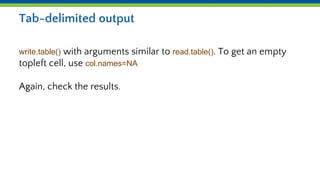
Tab-delimited output
write.table() with arguments similar to read.table(). To get an empty
topleft cell, use col.names=NA
Again, check the results.

Day 2b i/o.pptx

  • 1.
    I/O Day 2 -Introduction to R for Life Sciences
  • 2.
    Before input andoutput: folders Find out where you are: getwd() Go elsewhere: setwd("S://SeqData/Illumina/14apr2014") Convenience: choose.dir() and file.choose() (Windows only) Make sure your scripts and ‘source data’ are backed up Derived data should not be backed up
  • 3.
    Input - formats .RData- data in binary form, as produced by save.image(file='Foxo.rda') # 'workspace' Similar: save(table1, table2, pvalues, file="mytables.rda") ↔ load("mytables.rda") application-specific data: special libraries (e.g.: XML, JSON, .bam, .bed, .gff, .bw. Also Excel) tab-delimited data
  • 4.
    Tab-delimited input function read.table() →read.delim(), read.delim2(), read.csv(), read.csv2() Have different defaults but all return a data.frame common arguments: file, header, sep, quote, row/col.names, stringsAsFactors can be URL! "t"
  • 5.
    Tab-delimited input function read.table() →read.delim(), read.delim2(), read.csv(), read.csv2() Have different defaults but all return a data.frame > SGD <- read.table("SGD.txt", sep="t", header=TRUE, row.names=1) > SGD <- read.delim("SGD.txt", row.names=1) ## does the same thing! Put following in "C:/Users/YourName/Documents/.Rprofile": options(stringsAsFactors = FALSE)
  • 6.
    Data types Sometimes thedata type is wrong: > mean( c("-0.82", "1.12", "-0.39") ) # note the quotes [1] NA Warning message: In mean.default(c("-0.82", "1.12", "-0.39")) : argument is not numeric or logical: returning NA Sometimes this doesn’t matter: > paste(1,2,3, sep=",") [1] "1,2,3"
  • 7.
    Type conversion Automatic conversion('coercion'): sum(c(TRUE, FALSE, TRUE) ) => 2 Explicit conversion: as.numeric(); as.logical(); as.character(); as.matrix(), as.factor(), … Checking the type: is.numeric(); is.logical; is.character(); is.matrix(), is.factor(), … Special cases: is.null() is.na() # Example: x[ ! is.na(x) ] <- 0 #or x <- x[ ! is.na(x) ]
  • 8.
    Selecting data fromdata.frame Index can be vector of numbers, logicals, names Notation: some.frame[myrows, mycolumns] # as for matrix But also: some.frame$geneName # for a particular column some.frame[ , my.col ] # if the column(s) varies
  • 9.
    Checking data.frames Overview: str(fr) #pay attention to the types! Size: dim(fr) # rows, then columns (as for matrices) Distinct values: unique(fr$type) # also consider length(unique(fr$type)) Arithmetic: max(fr$length) # also: min, mean, sd, var, median, sum
  • 10.
    Creating and extendingdata.frames New frame: f <- data.frame(gene.names, p.values) Adding columns to frame: f$status=new.status) Adding rows to frame: f <- rbind(f, list(genes2, pval2)) f <- rbind(f, another.data.frame) You cannot "delete" rows or columns. names and typesmust match!
  • 11.
    I/O Caveats Single ordouble quotes as part of strings Comment-characters as part of strings Spaces instead of tabs Carriage-returns (Mac/Windows/Linux) Duplicates in row or column names Always check thenumber andnames of rowsand columns andtheir types!
  • 12.
    Duplicate values > v<- c("a", "b", "c", "d", "d", "e", "f", "a", "g", "a") > duplicated(v) [1] FALSE FALSE FALSE FALSE TRUE FALSE FALSE TRUE FALSE TRUE > v[ duplicated(v) ] [1] "d" "a" "a" # sum(duplicated(v)) → 3 > v[ ! duplicated(v) ] [1] "a" "b" "c" "d" "e" "f" "g" # same as unique(v)
  • 13.
    Tab-delimited output write.table() witharguments similar to read.table(). To get an empty topleft cell, use col.names=NA Again, check the results.