Reading and
Manipulationg
   data in
   2013-02-15 @HSPH
  Kazuki Yoshida, M.D.
    MPH-CLE student

                         FREEDOM
                         TO	
  KNOW
Reading data in


n   Usually the first task in real-life data analysis.
Supported
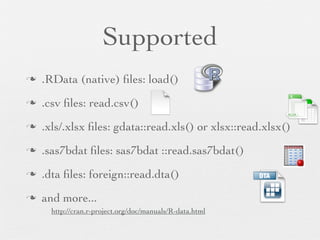
n   .RData (native) files: load()
n   .csv files: read.csv()
n   .xls/.xlsx files: gdata::read.xls() or xlsx::read.xlsx()
n   .sas7bdat files: sas7bdat ::read.sas7bdat()
n   .dta files: foreign::read.dta()
n   and more...
       http://cran.r-project.org/doc/manuals/R-data.html
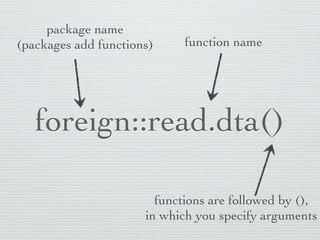
package name
(packages add functions)     function name


   foreign::read.dta()

                        functions are followed by (),
                      in which you specify arguments
Create a folder for
   this group
Open
R Studio
Make sure your
working directory
   is correct
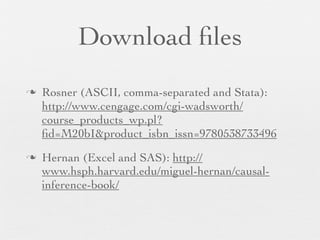
Download files
n   Rosner (ASCII, comma-separated and Stata):
     http://www.cengage.com/cgi-wadsworth/
     course_products_wp.pl?
     fid=M20bI&product_isbn_issn=9780538733496
n   Hernan (Excel and SAS): http://
     www.hsph.harvard.edu/miguel-hernan/causal-
     inference-book/
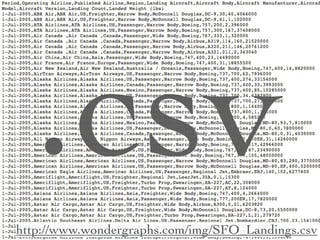
.csv
http://www.wondergraphs.com/img/SFO_Landings.csv
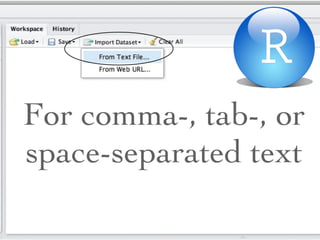
For comma-, tab-, or
space-separated text
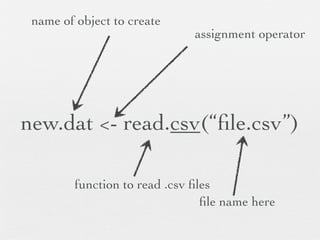
name of object to create
                               assignment operator


new.dat <- read.csv(“file.csv”)

         function to read .csv files
                                 file name here
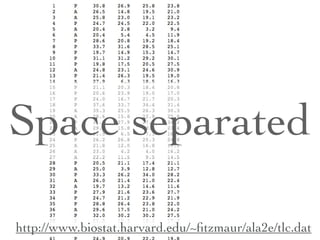
Space separated

http://www.biostat.harvard.edu/~fitzmaur/ala2e/tlc.dat
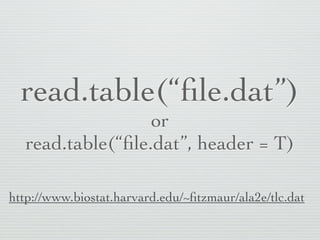
read.table(“file.dat”)
                  or
  read.table(“file.dat”, header = T)

http://www.biostat.harvard.edu/~fitzmaur/ala2e/tlc.dat
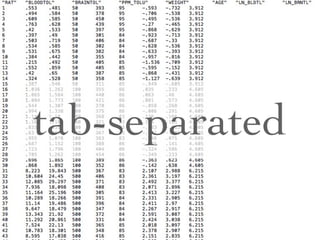
tab-separated
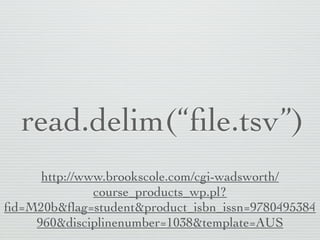
read.delim(“file.tsv”)
     http://www.brookscole.com/cgi-wadsworth/
              course_products_wp.pl?
fid=M20b&flag=student&product_isbn_issn=9780495384
    960&disciplinenumber=1038&template=AUS
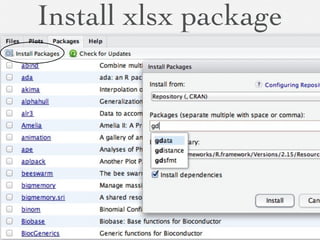
Excel files
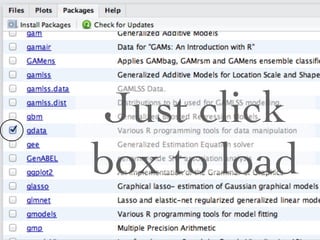
Install xlsx package
Just click
box to load
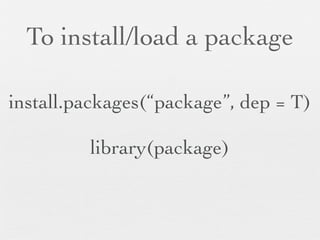
To install/load a package

install.packages(“package”, dep = T)

         library(package)
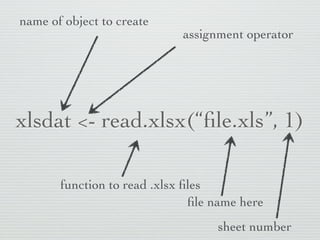
name of object to create
                             assignment operator


xlsdat <- read.xlsx(“file.xls”, 1)

       function to read .xlsx files
                               file name here
                                   sheet number
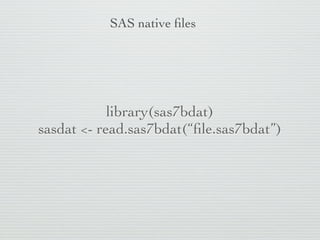
SAS native files


            library(sas7bdat)
sasdat <- read.sas7bdat(“file.sas7bdat”)
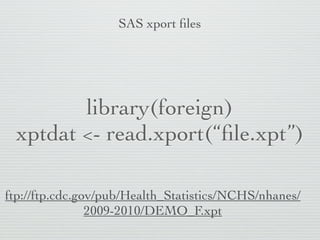
SAS xport files


        library(foreign)
 xptdat <- read.xport(“file.xpt”)

ftp://ftp.cdc.gov/pub/Health_Statistics/NCHS/nhanes/
                2009-2010/DEMO_F.xpt
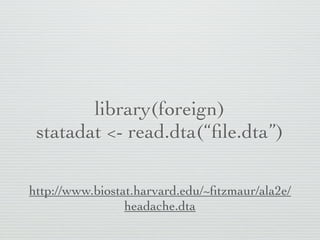
library(foreign)
 statadat <- read.dta(“file.dta”)

http://www.biostat.harvard.edu/~fitzmaur/ala2e/
                 headache.dta
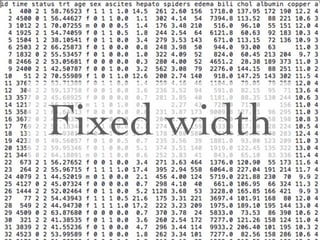
Fixed width
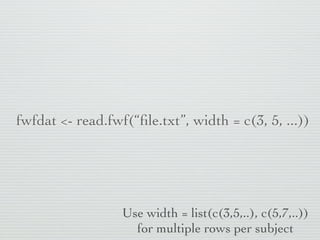
fwfdat <- read.fwf(“file.txt”, width = c(3, 5, ...))


                  Use width = list(c(3,5,..), c(5,7,..))
                    for multiple rows per subject
Manipulating data in R

n   Objects
n   Classes
n   Various data objects
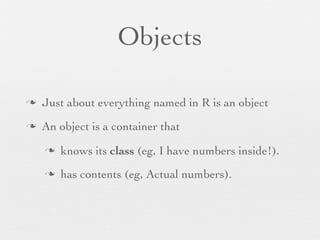
Objects

n   Just about everything named in R is an object
n   An object is a container that
     n   knows its class (eg, I have numbers inside!).
     n   has contents (eg, Actual numbers).
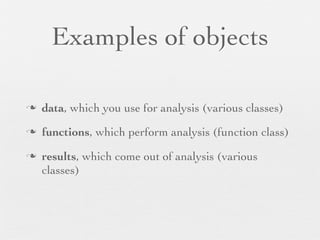
Examples of objects

n   data, which you use for analysis (various classes)
n   functions, which perform analysis (function class)
n   results, which come out of analysis (various
     classes)
Classes of data values
      inside data objects
n   Numeric: Continuous variables
n   Factor: Categorical variables
n   Logical: TRUE/FALSE binary variables
n   etc...
Class?

n   An object’s class tells R how the object should be
     handled.
n   For example, summarizing data should work
     differently for numbers and categories!
Data objects

n   Vector (contains single class of data values)


n   List (contains multiple classes of data values)
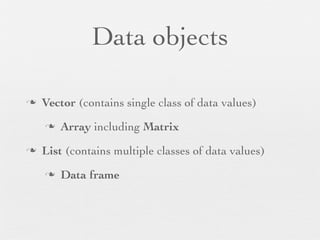
Data objects

n   Vector (contains single class of data values)
     n   Array including Matrix
n   List (contains multiple classes of data values)
     n   Data frame
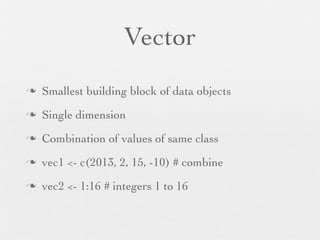
Vector
n   Smallest building block of data objects
n   Single dimension
n   Combination of values of same class
n   vec1 <- c(2013, 2, 15, -10) # combine
n   vec2 <- 1:16 # integers 1 to 16
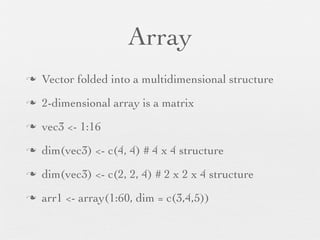
Array
n   Vector folded into a multidimensional structure
n   2-dimensional array is a matrix
n   vec3 <- 1:16
n   dim(vec3) <- c(4, 4) # 4 x 4 structure
n   dim(vec3) <- c(2, 2, 4) # 2 x 2 x 4 structure
n   arr1 <- array(1:60, dim = c(3,4,5))
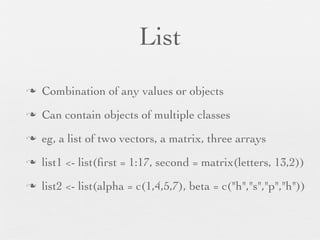
List
n   Combination of any values or objects
n   Can contain objects of multiple classes
n   eg, a list of two vectors, a matrix, three arrays
n   list1 <- list(first = 1:17, second = matrix(letters, 13,2))
n   list2 <- list(alpha = c(1,4,5,7), beta = c("h","s","p","h"))
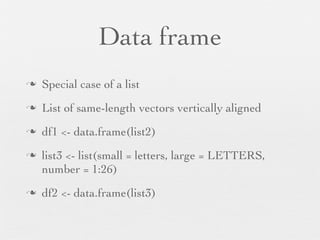
Data frame
n   Special case of a list
n   List of same-length vectors vertically aligned
n   df1 <- data.frame(list2)
n   list3 <- list(small = letters, large = LETTERS,
     number = 1:26)
n   df2 <- data.frame(list3)
Access by indexes
n   letters[3] # 1-dimensional object
n   arr1[1,2,3] # 3-dimensional object
n   arr1[1, ,3] # implies 1,(all),3
n   df1[ ,3] # implies (all),3
n   list1[[1]] # list needs [[ ]]
Access named elements
n   list3
n   list3$small
n   list3[["small"]]
n   df1$large
n   df1[, "large"]
20130215 Reading data into R

20130215 Reading data into R

  • 1.
    Reading and Manipulationg data in 2013-02-15 @HSPH Kazuki Yoshida, M.D. MPH-CLE student FREEDOM TO  KNOW
  • 2.
    Reading data in n Usually the first task in real-life data analysis.
  • 3.
    Supported n .RData (native) files: load() n .csv files: read.csv() n .xls/.xlsx files: gdata::read.xls() or xlsx::read.xlsx() n .sas7bdat files: sas7bdat ::read.sas7bdat() n .dta files: foreign::read.dta() n and more... http://cran.r-project.org/doc/manuals/R-data.html
  • 4.
    package name (packages addfunctions) function name foreign::read.dta() functions are followed by (), in which you specify arguments
  • 5.
    Create a folderfor this group
  • 6.
  • 7.
    Make sure your workingdirectory is correct
  • 8.
    Download files n Rosner (ASCII, comma-separated and Stata): http://www.cengage.com/cgi-wadsworth/ course_products_wp.pl? fid=M20bI&product_isbn_issn=9780538733496 n Hernan (Excel and SAS): http:// www.hsph.harvard.edu/miguel-hernan/causal- inference-book/
  • 9.
  • 10.
    For comma-, tab-,or space-separated text
  • 11.
    name of objectto create assignment operator new.dat <- read.csv(“file.csv”) function to read .csv files file name here
  • 12.
  • 13.
    read.table(“file.dat”) or read.table(“file.dat”, header = T) http://www.biostat.harvard.edu/~fitzmaur/ala2e/tlc.dat
  • 14.
  • 15.
    read.delim(“file.tsv”) http://www.brookscole.com/cgi-wadsworth/ course_products_wp.pl? fid=M20b&flag=student&product_isbn_issn=9780495384 960&disciplinenumber=1038&template=AUS
  • 16.
  • 17.
  • 18.
  • 19.
    To install/load apackage install.packages(“package”, dep = T) library(package)
  • 20.
    name of objectto create assignment operator xlsdat <- read.xlsx(“file.xls”, 1) function to read .xlsx files file name here sheet number
  • 22.
    SAS native files library(sas7bdat) sasdat <- read.sas7bdat(“file.sas7bdat”)
  • 23.
    SAS xport files library(foreign) xptdat <- read.xport(“file.xpt”) ftp://ftp.cdc.gov/pub/Health_Statistics/NCHS/nhanes/ 2009-2010/DEMO_F.xpt
  • 25.
    library(foreign) statadat <-read.dta(“file.dta”) http://www.biostat.harvard.edu/~fitzmaur/ala2e/ headache.dta
  • 26.
  • 27.
    fwfdat <- read.fwf(“file.txt”,width = c(3, 5, ...)) Use width = list(c(3,5,..), c(5,7,..)) for multiple rows per subject
  • 28.
    Manipulating data inR n Objects n Classes n Various data objects
  • 29.
    Objects n Just about everything named in R is an object n An object is a container that n knows its class (eg, I have numbers inside!). n has contents (eg, Actual numbers).
  • 30.
    Examples of objects n data, which you use for analysis (various classes) n functions, which perform analysis (function class) n results, which come out of analysis (various classes)
  • 31.
    Classes of datavalues inside data objects n Numeric: Continuous variables n Factor: Categorical variables n Logical: TRUE/FALSE binary variables n etc...
  • 32.
    Class? n An object’s class tells R how the object should be handled. n For example, summarizing data should work differently for numbers and categories!
  • 33.
    Data objects n Vector (contains single class of data values) n List (contains multiple classes of data values)
  • 34.
    Data objects n Vector (contains single class of data values) n Array including Matrix n List (contains multiple classes of data values) n Data frame
  • 35.
    Vector n Smallest building block of data objects n Single dimension n Combination of values of same class n vec1 <- c(2013, 2, 15, -10) # combine n vec2 <- 1:16 # integers 1 to 16
  • 36.
    Array n Vector folded into a multidimensional structure n 2-dimensional array is a matrix n vec3 <- 1:16 n dim(vec3) <- c(4, 4) # 4 x 4 structure n dim(vec3) <- c(2, 2, 4) # 2 x 2 x 4 structure n arr1 <- array(1:60, dim = c(3,4,5))
  • 37.
    List n Combination of any values or objects n Can contain objects of multiple classes n eg, a list of two vectors, a matrix, three arrays n list1 <- list(first = 1:17, second = matrix(letters, 13,2)) n list2 <- list(alpha = c(1,4,5,7), beta = c("h","s","p","h"))
  • 38.
    Data frame n Special case of a list n List of same-length vectors vertically aligned n df1 <- data.frame(list2) n list3 <- list(small = letters, large = LETTERS, number = 1:26) n df2 <- data.frame(list3)
  • 39.
    Access by indexes n letters[3] # 1-dimensional object n arr1[1,2,3] # 3-dimensional object n arr1[1, ,3] # implies 1,(all),3 n df1[ ,3] # implies (all),3 n list1[[1]] # list needs [[ ]]
  • 40.
    Access named elements n list3 n list3$small n list3[["small"]] n df1$large n df1[, "large"]