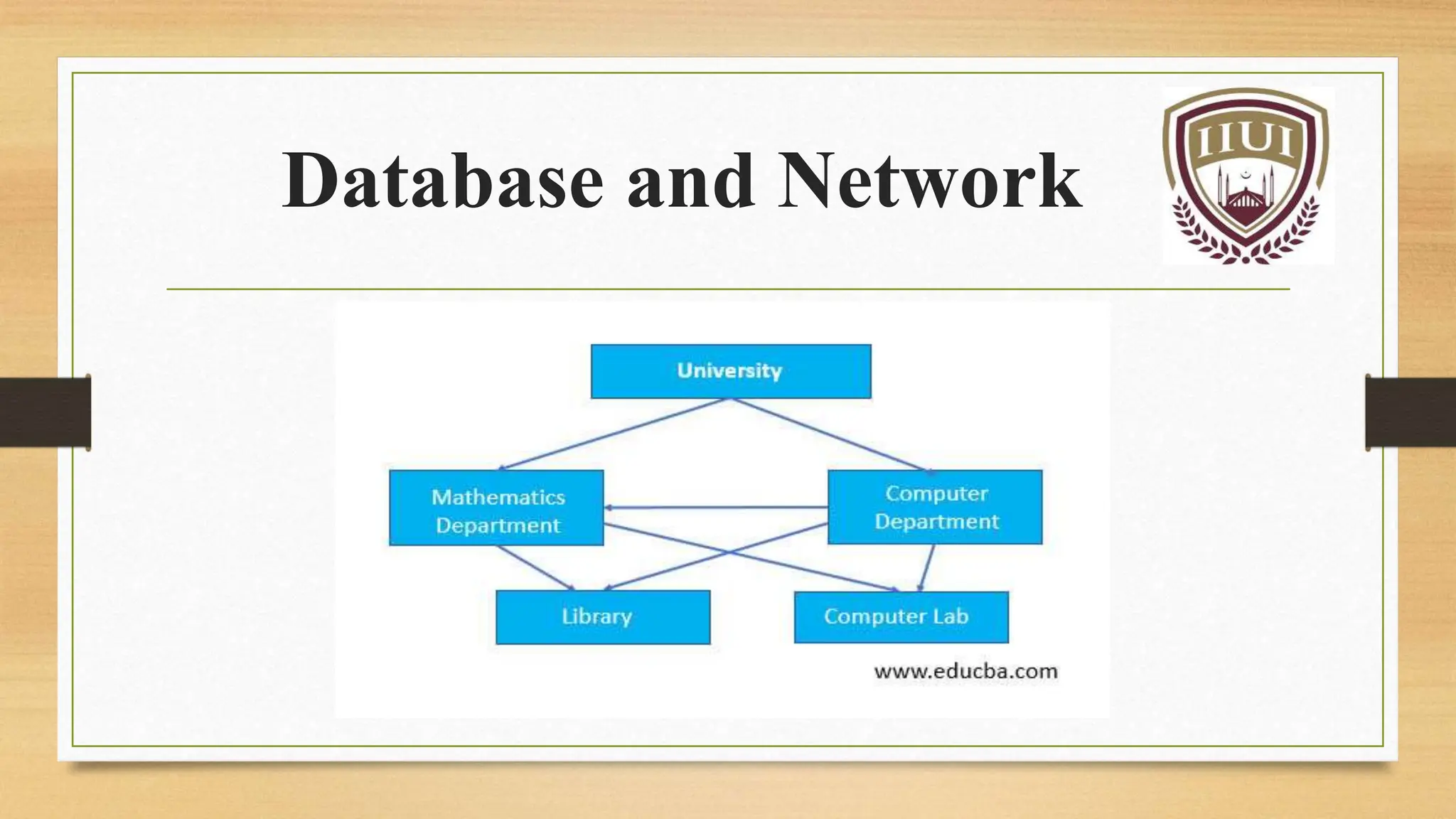
Database and Network
Group No. 13
M. Faisal
Dilawar Hussain
Presented To:
Mr. Mehmood Ul Hassan
Contents
 Introduction to Databases
 Types of Database
 Advantages of Databases
 Disadvantages of Databases
 Introduction to Computer Network
 Types of Computer Network
 Advantages of Databases
 Disadvantages of Databases
 Applications of Computer Network
Databases
Database
 A database is a collection of organized:
 Data
 Information
 Records
 Database management systems are designed as the
means of managing all the records
Purpose of a Database
 Database is information that a person needs in his,
 Personal
 Business
 Social
 Religious life
 The power and purpose of information is not only in collecting
and finding them but more importantly in using them.
TYPES OF DATABASE
 Relational database
 Document oriented database
 Embedded database
 Graph database
 Hypertext database
 Operational database
 Distributed database
 Flat file
Flat File Database
 Simple database system that stores record in a plain text file that
have no structured relationships between each record.
 Store all data in one large table.
 The different fields in a record are separated by delimiters, such as
vertical bar “|” or a comma “,” or a semi-colon “;”.
 Data stored in it are searchable by using keywords or phrases.
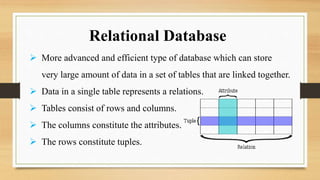
 More advanced and efficient type of database which can store
very large amount of data in a set of tables that are linked together.
 Data in a single table represents a relations.
 Tables consist of rows and columns.
 The columns constitute the attributes.
 The rows constitute tuples.
Relational Database
Operational Database
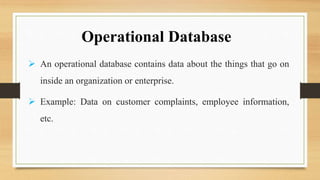
 An operational database contains data about the things that go on
inside an organization or enterprise.
 Example: Data on customer complaints, employee information,
etc.
Distributed Database
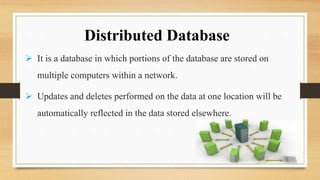
 It is a database in which portions of the database are stored on
multiple computers within a network.
 Updates and deletes performed on the data at one location will be
automatically reflected in the data stored elsewhere.
Hierarchical Database
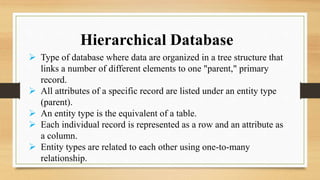
 Type of database where data are organized in a tree structure that
links a number of different elements to one "parent," primary
record.
 All attributes of a specific record are listed under an entity type
(parent).
 An entity type is the equivalent of a table.
 Each individual record is represented as a row and an attribute as
a column.
 Entity types are related to each other using one-to-many
relationship.
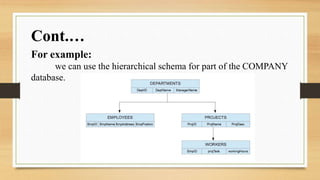
For example:
we can use the hierarchical schema for part of the COMPANY
database.
Cont.…
Advantages of Databases
 Store and retrieve large quantities of information
 Enable information sharing
 Promote data integrity
 Allow for flexible use of data
Disadvantages of Databases
 Complex to construct
 Time consuming
 Expensive
 Privacy concerns
Computer Networks
INTRODUCTION
 A computer network is defined as the interconnection of two or
more computers.
 It is done to enable the computers to communicate and share
available resources.
 The physical connection between networked computing devices is
established using
 Cable media
 Wireless media.
 The best-known computer network is the internet.
Types of Network
 Based on the size and the coverage area, networks are categorized
into the following types:
 Personal Area Networks (PANs)
 Local Area Networks (LANs)
 Metropolitan Area Networks (MANs)
 Wide Area Networks (WANs)
Personal Area Networks (PANs)
 A computer network used for communication among computer
and different information technological devices close to one
person.
 Is a small network established for communication between
different devices, such as laptops, computers and mobiles.
Cont.…
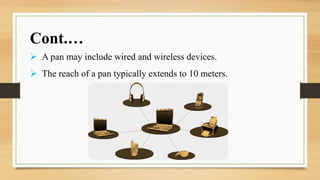
 A pan may include wired and wireless devices.
 The reach of a pan typically extends to 10 meters.
Local Area Networks (LANs)
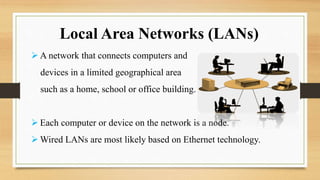
 A network that connects computers and
devices in a limited geographical area
such as a home, school or office building.
 Each computer or device on the network is a node.
 Wired LANs are most likely based on Ethernet technology.
Metropolitan Area Networks (MANs)
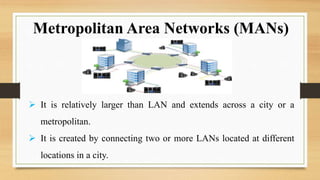
 It is relatively larger than LAN and extends across a city or a
metropolitan.
 It is created by connecting two or more LANs located at different
locations in a city.
Wide Area Networks (WANs)
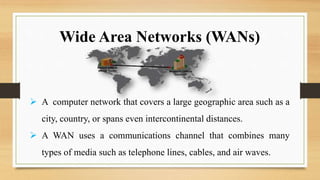
 A computer network that covers a large geographic area such as a
city, country, or spans even intercontinental distances.
 A WAN uses a communications channel that combines many
types of media such as telephone lines, cables, and air waves.
 Increased speed
 Reduced cost
 Improved security
 Centralized software managements
 Electronic mail
 Flexible access
Advantages Of Computer Network
 High cost of installation
 Requires time for administration
 Failure of server
 Cable faults
 Requires technical staff
 Increased risk of hacking
Disadvantages Of Computer Network
Applications of Computer Network
 Sharing of resources such as printers
 Sharing of expensive software's and database
 Communication from one computer to another computer
 Exchange of data and information among users via network
 Sharing of information over geographically wide areas.


Database and Computer Network .pptx

  • 1.
  • 2.
    Group No. 13 M.Faisal Dilawar Hussain Presented To: Mr. Mehmood Ul Hassan
  • 3.
    Contents  Introduction toDatabases  Types of Database  Advantages of Databases  Disadvantages of Databases  Introduction to Computer Network  Types of Computer Network  Advantages of Databases  Disadvantages of Databases  Applications of Computer Network
  • 4.
  • 5.
    Database  A databaseis a collection of organized:  Data  Information  Records  Database management systems are designed as the means of managing all the records
  • 6.
    Purpose of aDatabase  Database is information that a person needs in his,  Personal  Business  Social  Religious life  The power and purpose of information is not only in collecting and finding them but more importantly in using them.
  • 7.
    TYPES OF DATABASE Relational database  Document oriented database  Embedded database  Graph database  Hypertext database  Operational database  Distributed database  Flat file
  • 8.
    Flat File Database Simple database system that stores record in a plain text file that have no structured relationships between each record.  Store all data in one large table.  The different fields in a record are separated by delimiters, such as vertical bar “|” or a comma “,” or a semi-colon “;”.  Data stored in it are searchable by using keywords or phrases.
  • 9.
     More advancedand efficient type of database which can store very large amount of data in a set of tables that are linked together.  Data in a single table represents a relations.  Tables consist of rows and columns.  The columns constitute the attributes.  The rows constitute tuples. Relational Database
  • 10.
    Operational Database  Anoperational database contains data about the things that go on inside an organization or enterprise.  Example: Data on customer complaints, employee information, etc.
  • 11.
    Distributed Database  Itis a database in which portions of the database are stored on multiple computers within a network.  Updates and deletes performed on the data at one location will be automatically reflected in the data stored elsewhere.
  • 12.
    Hierarchical Database  Typeof database where data are organized in a tree structure that links a number of different elements to one "parent," primary record.  All attributes of a specific record are listed under an entity type (parent).  An entity type is the equivalent of a table.  Each individual record is represented as a row and an attribute as a column.  Entity types are related to each other using one-to-many relationship.
  • 13.
    For example: we canuse the hierarchical schema for part of the COMPANY database. Cont.…
  • 14.
    Advantages of Databases Store and retrieve large quantities of information  Enable information sharing  Promote data integrity  Allow for flexible use of data Disadvantages of Databases  Complex to construct  Time consuming  Expensive  Privacy concerns
  • 15.
  • 16.
    INTRODUCTION  A computernetwork is defined as the interconnection of two or more computers.  It is done to enable the computers to communicate and share available resources.  The physical connection between networked computing devices is established using  Cable media  Wireless media.  The best-known computer network is the internet.
  • 17.
    Types of Network Based on the size and the coverage area, networks are categorized into the following types:  Personal Area Networks (PANs)  Local Area Networks (LANs)  Metropolitan Area Networks (MANs)  Wide Area Networks (WANs)
  • 18.
    Personal Area Networks(PANs)  A computer network used for communication among computer and different information technological devices close to one person.  Is a small network established for communication between different devices, such as laptops, computers and mobiles.
  • 19.
    Cont.…  A panmay include wired and wireless devices.  The reach of a pan typically extends to 10 meters.
  • 20.
    Local Area Networks(LANs)  A network that connects computers and devices in a limited geographical area such as a home, school or office building.  Each computer or device on the network is a node.  Wired LANs are most likely based on Ethernet technology.
  • 21.
    Metropolitan Area Networks(MANs)  It is relatively larger than LAN and extends across a city or a metropolitan.  It is created by connecting two or more LANs located at different locations in a city.
  • 22.
    Wide Area Networks(WANs)  A computer network that covers a large geographic area such as a city, country, or spans even intercontinental distances.  A WAN uses a communications channel that combines many types of media such as telephone lines, cables, and air waves.
  • 23.
     Increased speed Reduced cost  Improved security  Centralized software managements  Electronic mail  Flexible access Advantages Of Computer Network
  • 24.
     High costof installation  Requires time for administration  Failure of server  Cable faults  Requires technical staff  Increased risk of hacking Disadvantages Of Computer Network
  • 25.
    Applications of ComputerNetwork  Sharing of resources such as printers  Sharing of expensive software's and database  Communication from one computer to another computer  Exchange of data and information among users via network  Sharing of information over geographically wide areas.
  • 26.

Editor's Notes

  • #6 Whenever you make a list of anything – list of groceries to buy, books to borrow from the library, list of classmates, list of relatives or friends, list of phone numbers and so o – you are actually creating a database. An example of a business manual database may consist of written records on a paper and stored in a filing cabinet. The documents usually organized in chronological order, alphabetical order and so on, for easier access, retrieval and use. Computer database are those data or information stored in the computer. To arrange and organize records, computer databases rely on database software Microsoft Access is an example of database software.
  • #7 Examples of everyday life database
  • #9 Cannot store graphical documents but only text. No folders or paths are used organize the data. We can use flat file database to store records of funding or savings for a small group of people because there is not many fields, the use of multiple table is not necessary as well and there is no complex process to perform.
  • #10 For example, a relational table may contain fields such as customer ID, transaction number, product purchased, product price, sale date, and purchase location.
  • #11 An example of operational database is the inventory database which constantly changes as the company go about its daily business deals.
  • #15 Data integrity is a concept and process that ensures the accuracy, completeness, consistency, and validity of an organization's data.
  • #19 One of the most common real-world examples of a PAN is the connection between a Bluetooth earpiece and a smartphone.
  • #21 Ethernet is a wired networking technology that allows devices connected to a network to communicate with each other.  includes the protocol, port, cable, and computer chip Home WiFi networks and small business networks are common examples of LANs.
  • #22 Examples of a MAN are part of the telephone company network that can provide a high-speed DSL line to the customer or the cable TV network in a city.
  • #23 One of the most prominent examples of the existing wans is the Internet. A WAN often makes use of transmission facilities provided by common carriers, such as telephone companies. A bank, including its branch offices and ATM machines, is another example of an organization using a WAN. The branches may be in multiple U.S. states, or even global locations, but they are all linked through various secure connections. Both bank employees and customers are users.
  • #24 Centralized management allows for scan data and agent configurations for each host to be stored in a single secure location, and not on the less-trusted host environments. Flexible access – Files can be accessed from any computer in the network