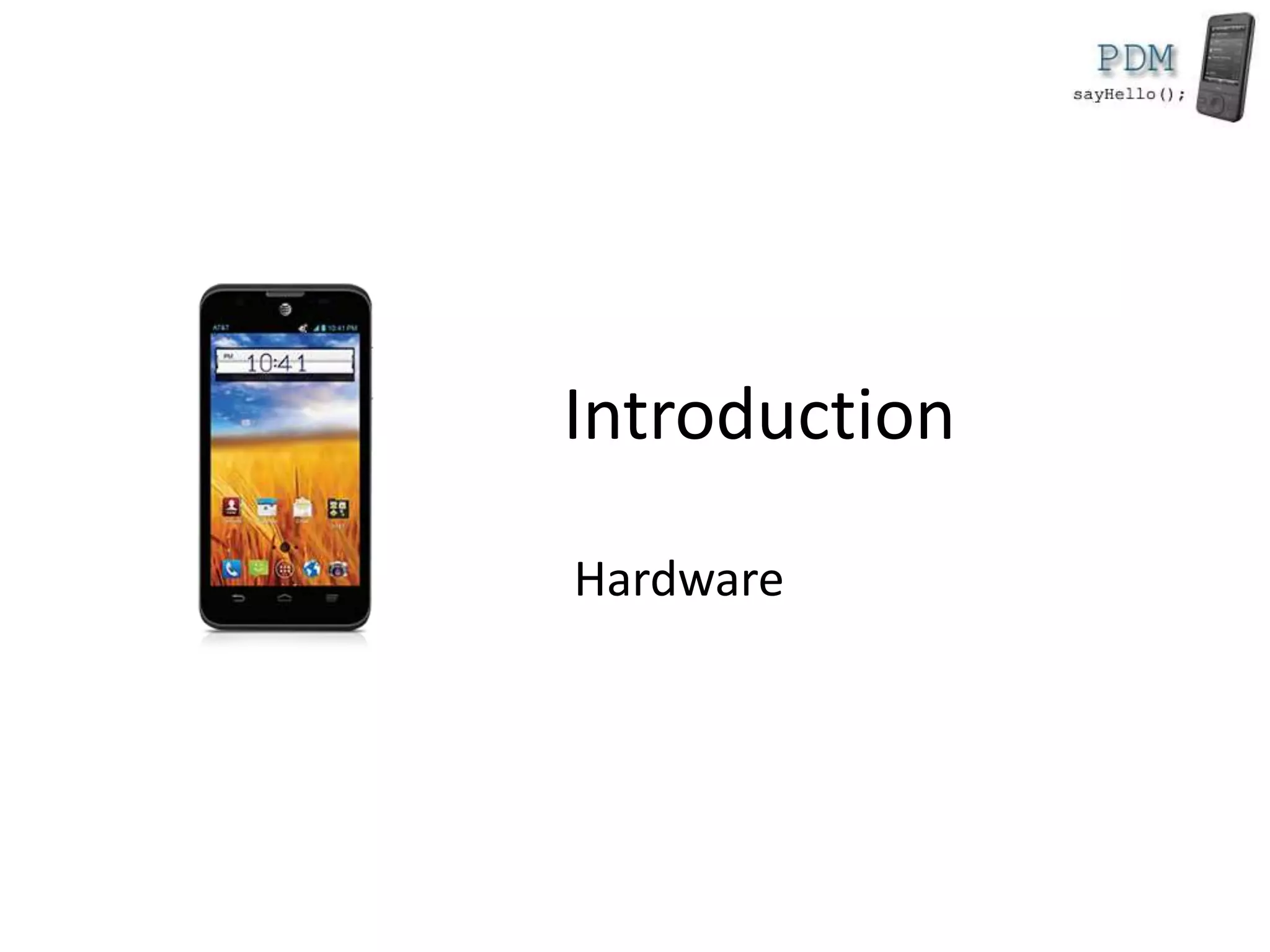
Introduction
Hardware
Rules
• We suggest you to come to the course
• If you come, you have to respect these rules
– start you video camera for the while course
– pay attention and ask as many questions as
possible
2
Who we are?
• Course
– Alexandru Radovici
• Lab
– Ioana Culic
3
Exam
• Project
– 5 points
– project graded by a jury
• Lab & Project Development
– 5 points
4
Outline
• Kotlin
• Android Framework
– Activities
– Services
– Network Services
• React Native
5
Rules
• Exam
– 50% exam
– 50% project
• Lab presence
– minimum 5 to enter the exam
– use a camera
6
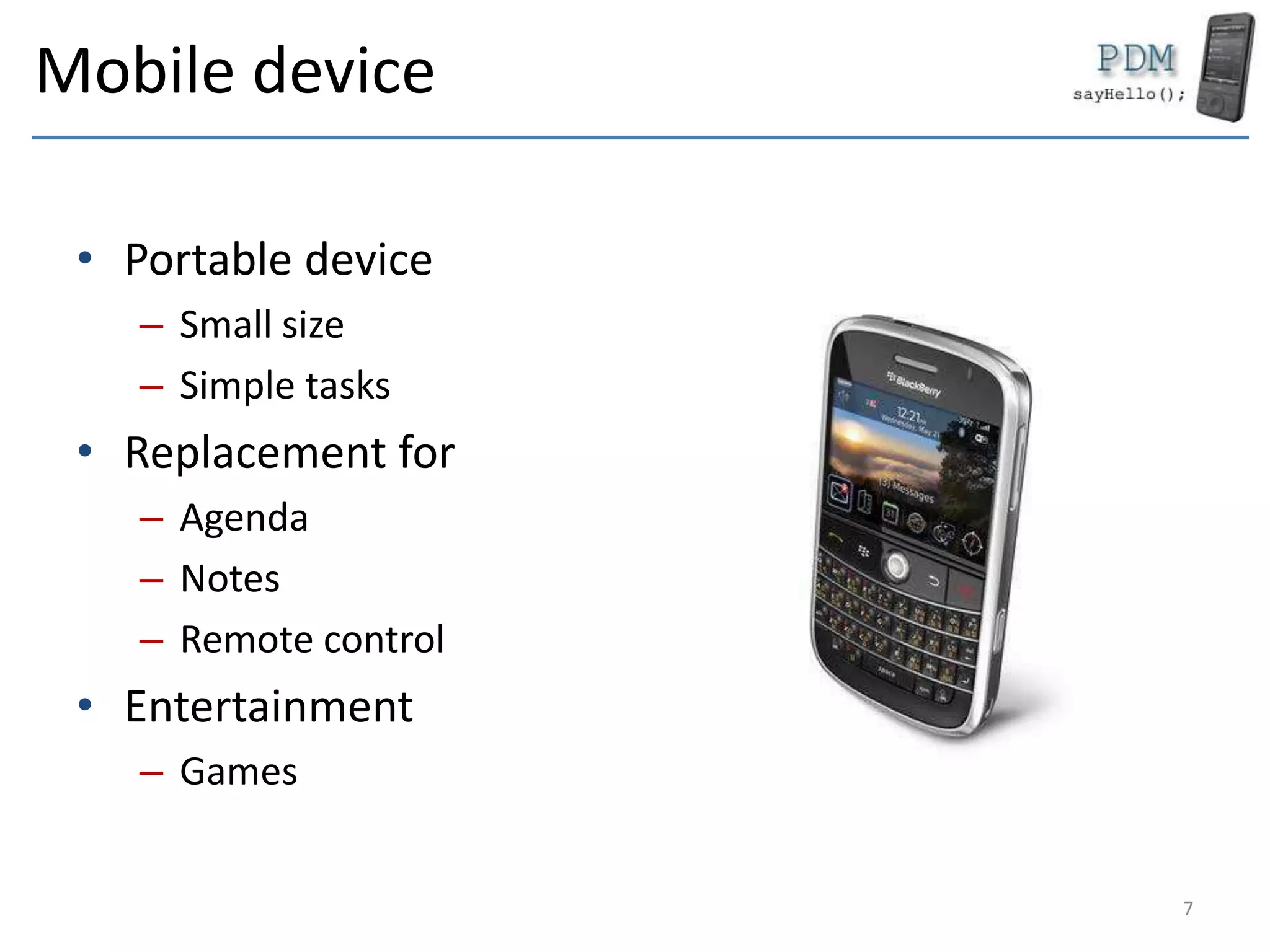
Mobile device
• Portable device
– Small size
– Simple tasks
• Replacement for
– Agenda
– Notes
– Remote control
• Entertainment
– Games
7
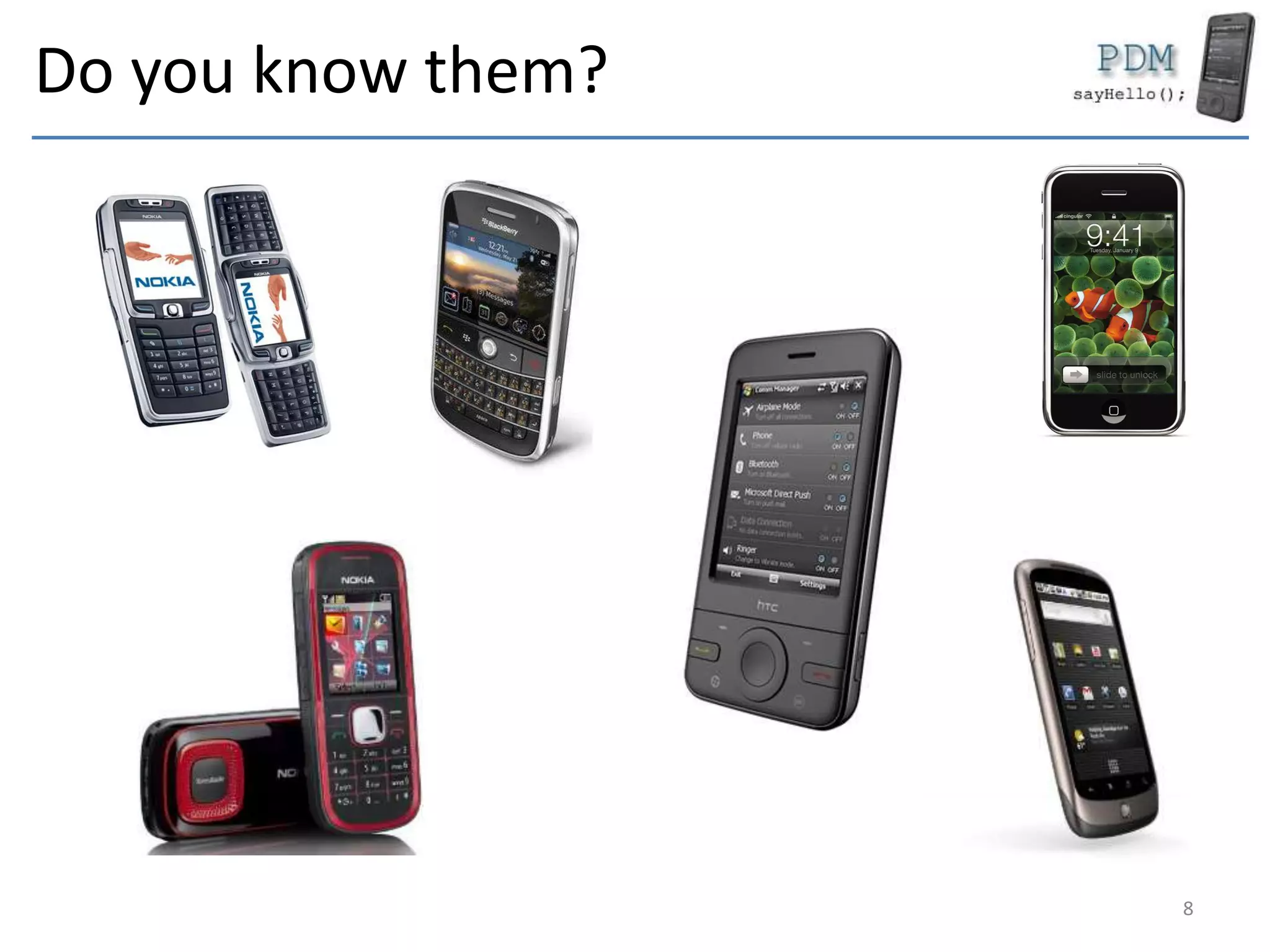
Do you know them?
8
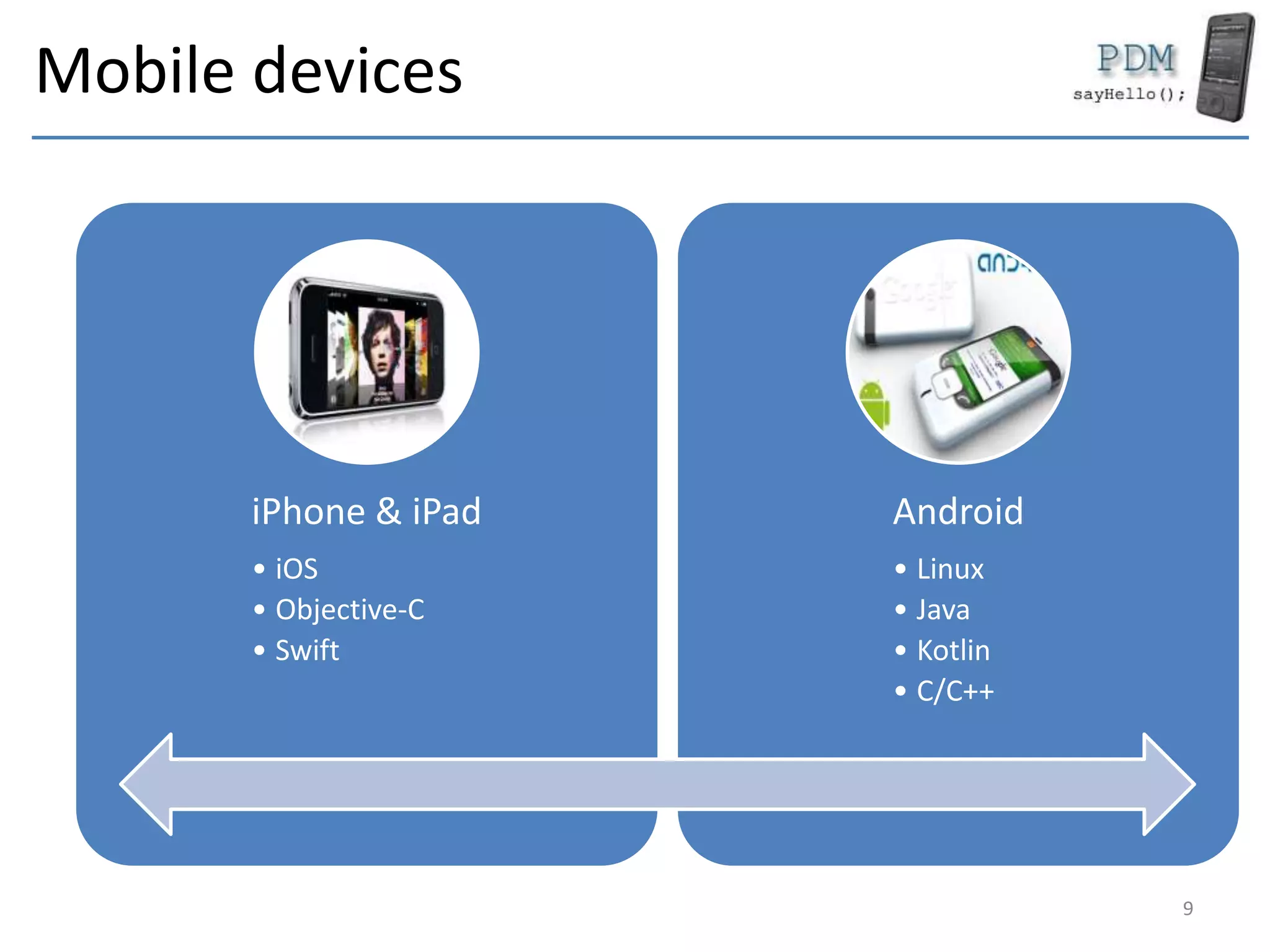
Mobile devices
iPhone & iPad
• iOS
• Objective-C
• Swift
Android
• Linux
• Java
• Kotlin
• C/C++
9
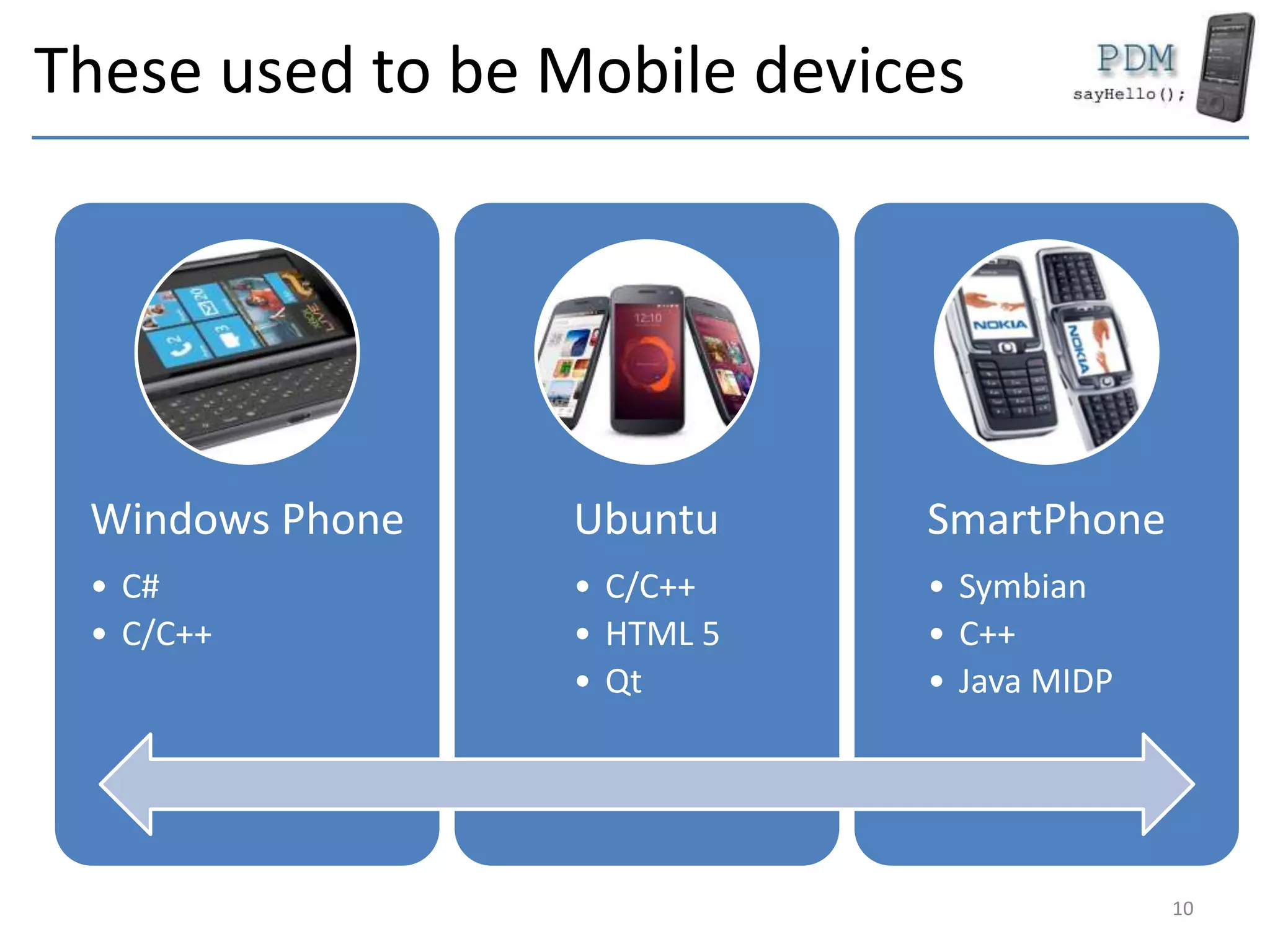
These used to be Mobile devices
Windows Phone
• C#
• C/C++
Ubuntu
• C/C++
• HTML 5
• Qt
SmartPhone
• Symbian
• C++
• Java MIDP
10
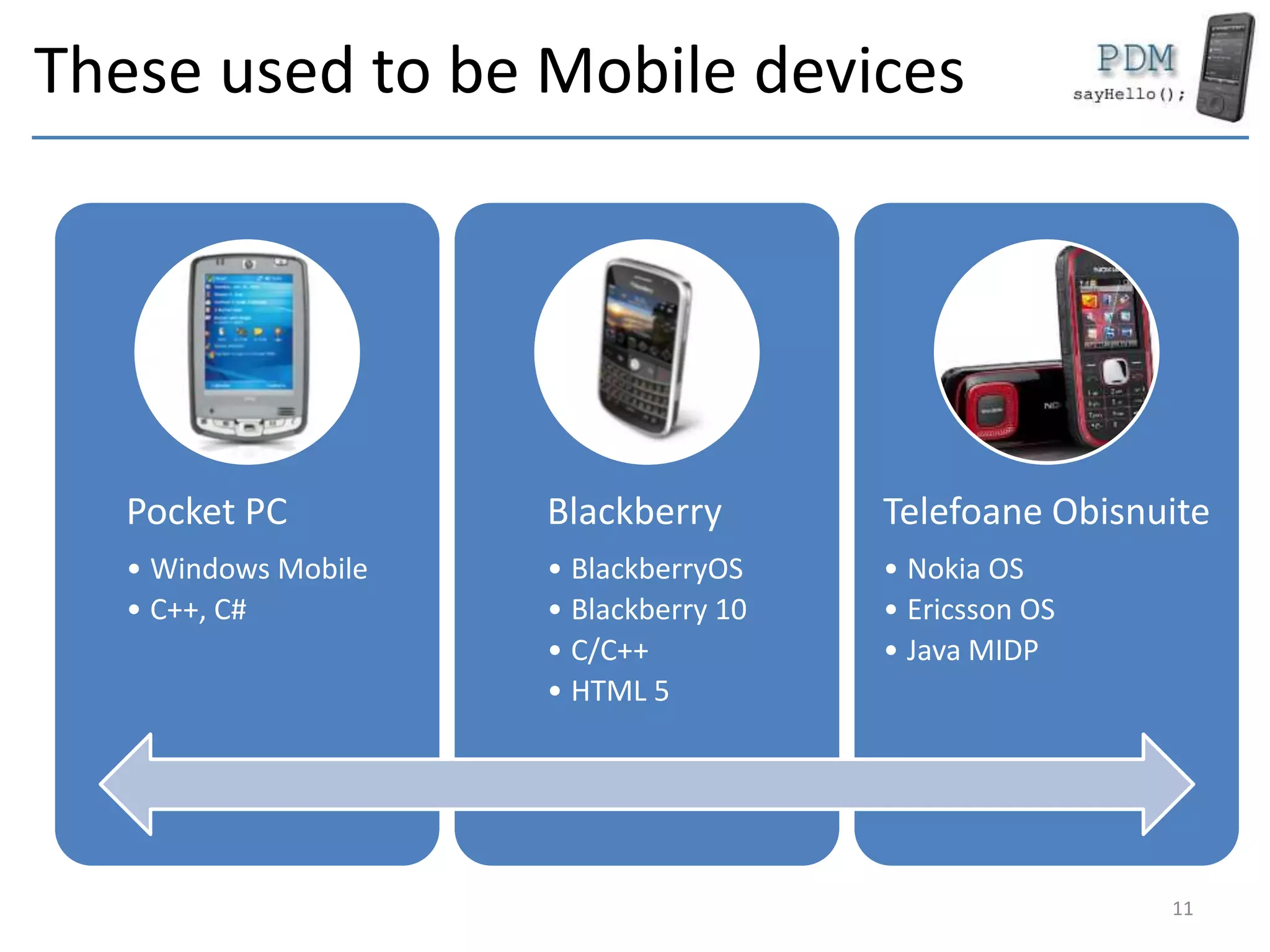
These used to be Mobile devices
Pocket PC
• Windows Mobile
• C++, C#
Blackberry
• BlackberryOS
• Blackberry 10
• C/C++
• HTML 5
Telefoane Obisnuite
• Nokia OS
• Ericsson OS
• Java MIDP
11
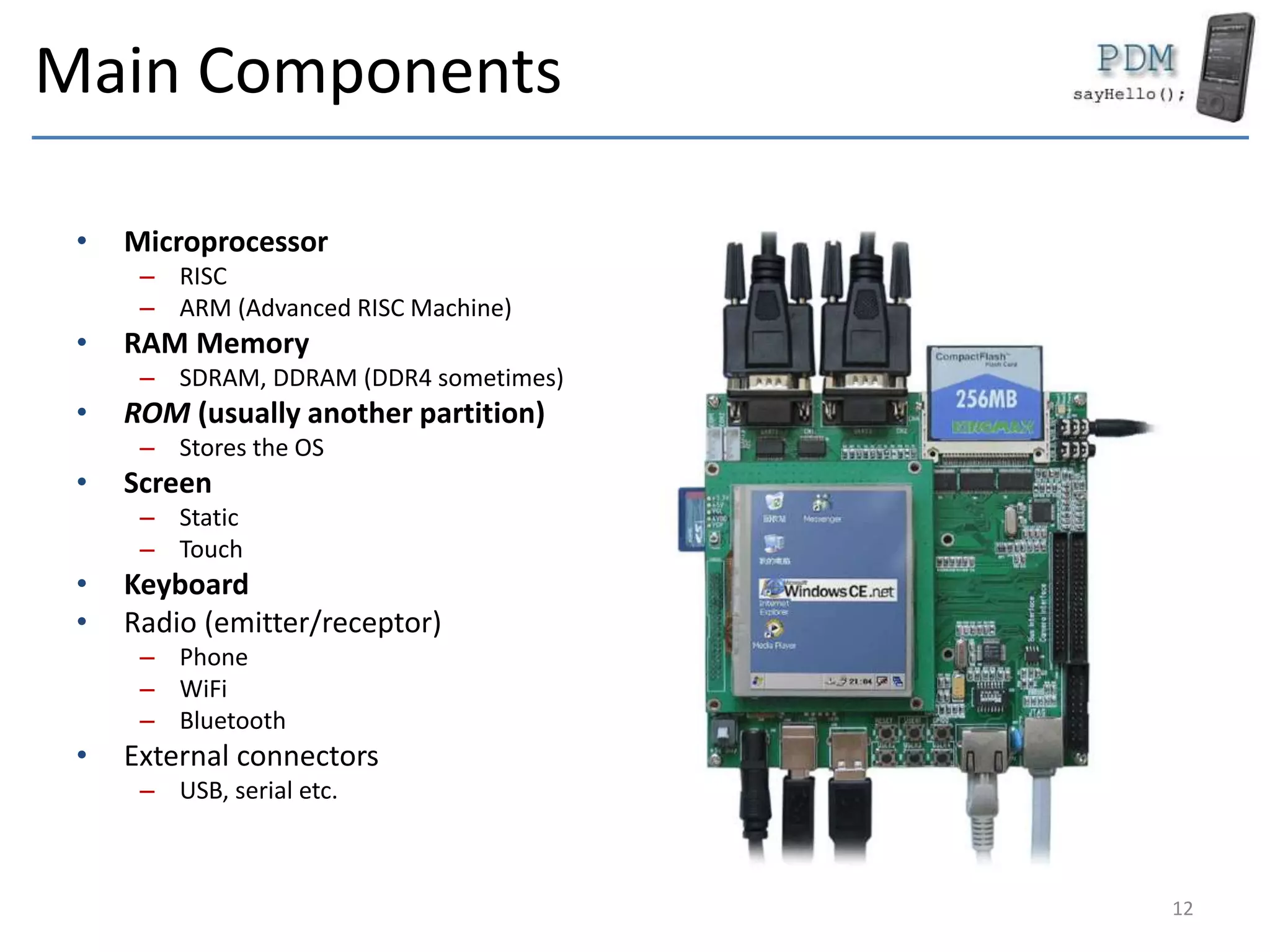
Main Components
• Microprocessor
– RISC
– ARM (Advanced RISC Machine)
• RAM Memory
– SDRAM, DDRAM (DDR4 sometimes)
• ROM (usually another partition)
– Stores the OS
• Screen
– Static
– Touch
• Keyboard
• Radio (emitter/receptor)
– Phone
– WiFi
– Bluetooth
• External connectors
– USB, serial etc.
12
Secondary Components
• Storage device
– SSD (Solid State Drive)
– Memory card (SD, Flash etc.)
– Hard Disk
• Classic iPod
• Sensors
– GSP/GLONASS
– Accelerometer
– Photo Camera
• Multimedia Coprocessor
– Codec Audio
– Codec Video
13
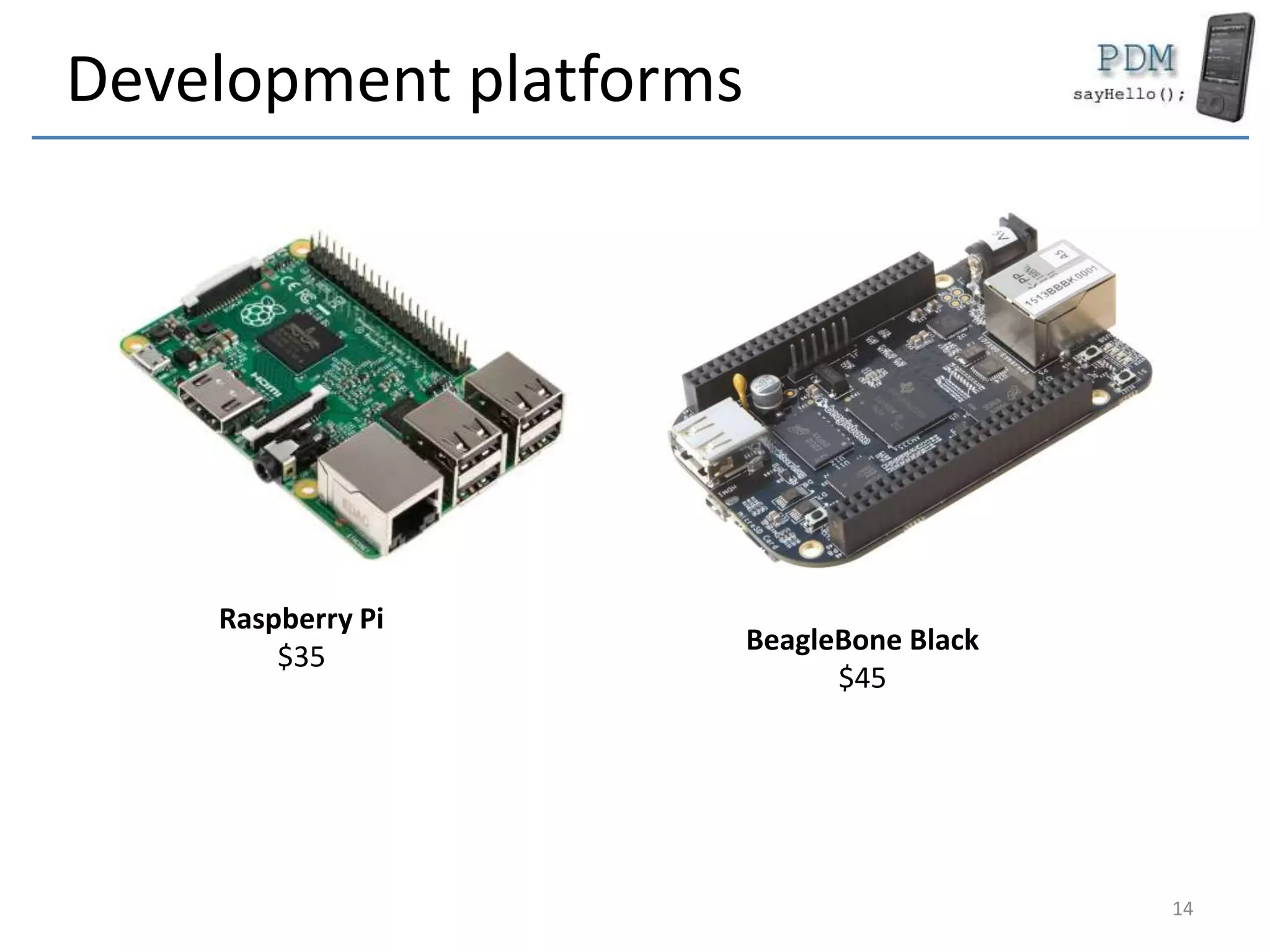
Development platforms
Raspberry Pi
$35
BeagleBone Black
$45
14
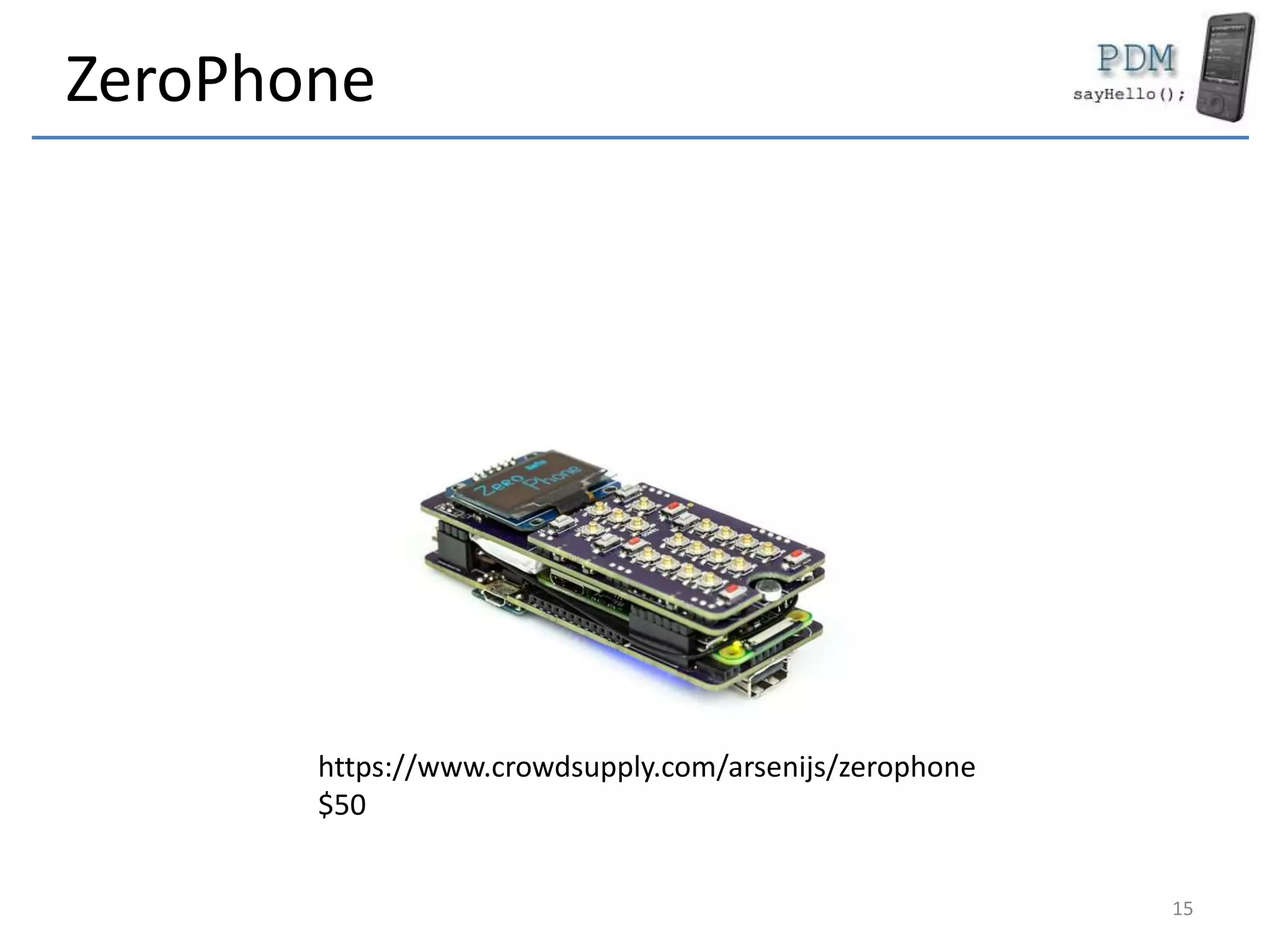
ZeroPhone
15
https://www.crowdsupply.com/arsenijs/zerophone
$50
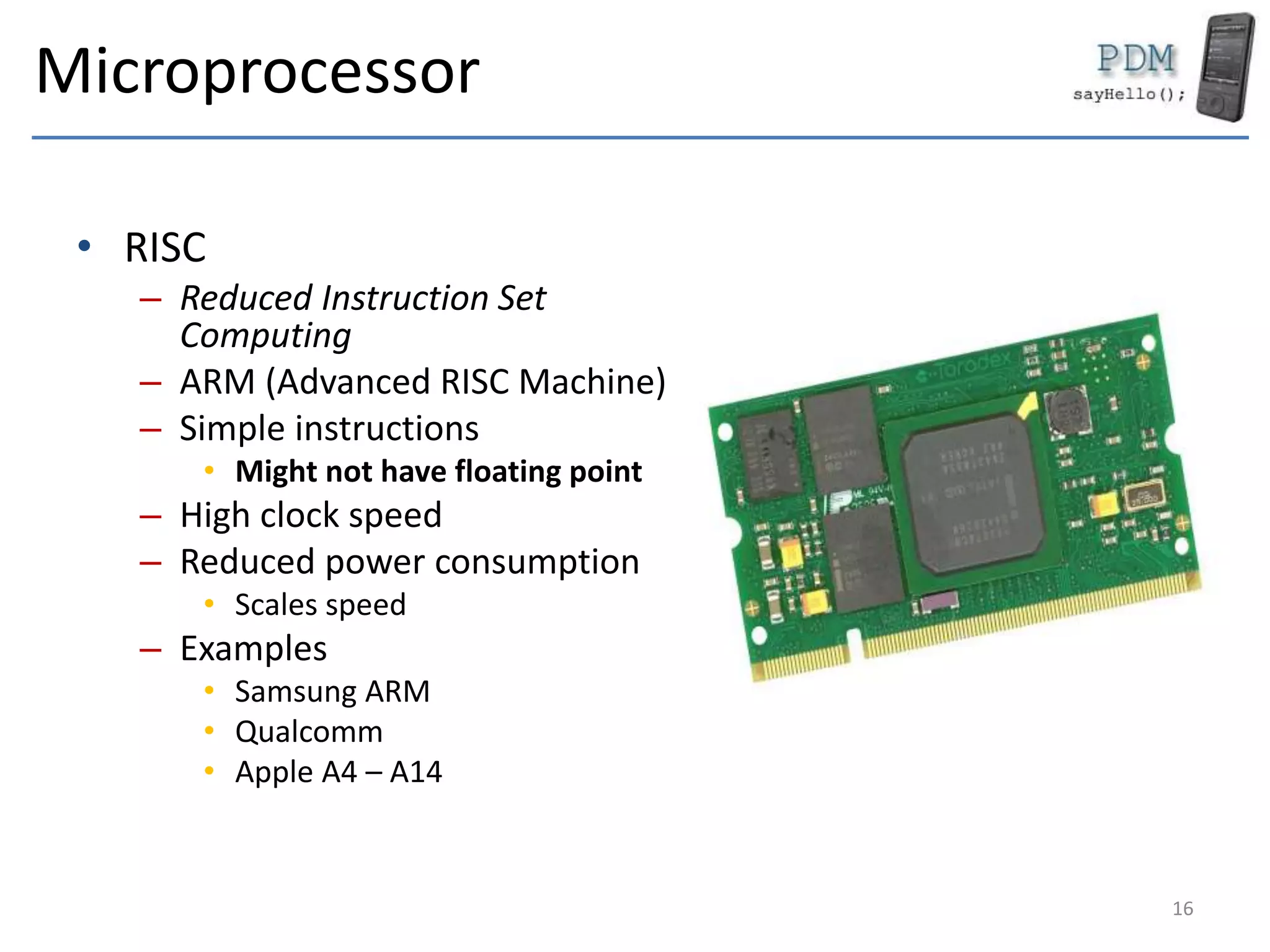
Microprocessor
• RISC
– Reduced Instruction Set
Computing
– ARM (Advanced RISC Machine)
– Simple instructions
• Might not have floating point
– High clock speed
– Reduced power consumption
• Scales speed
– Examples
• Samsung ARM
• Qualcomm
• Apple A4 – A14
16
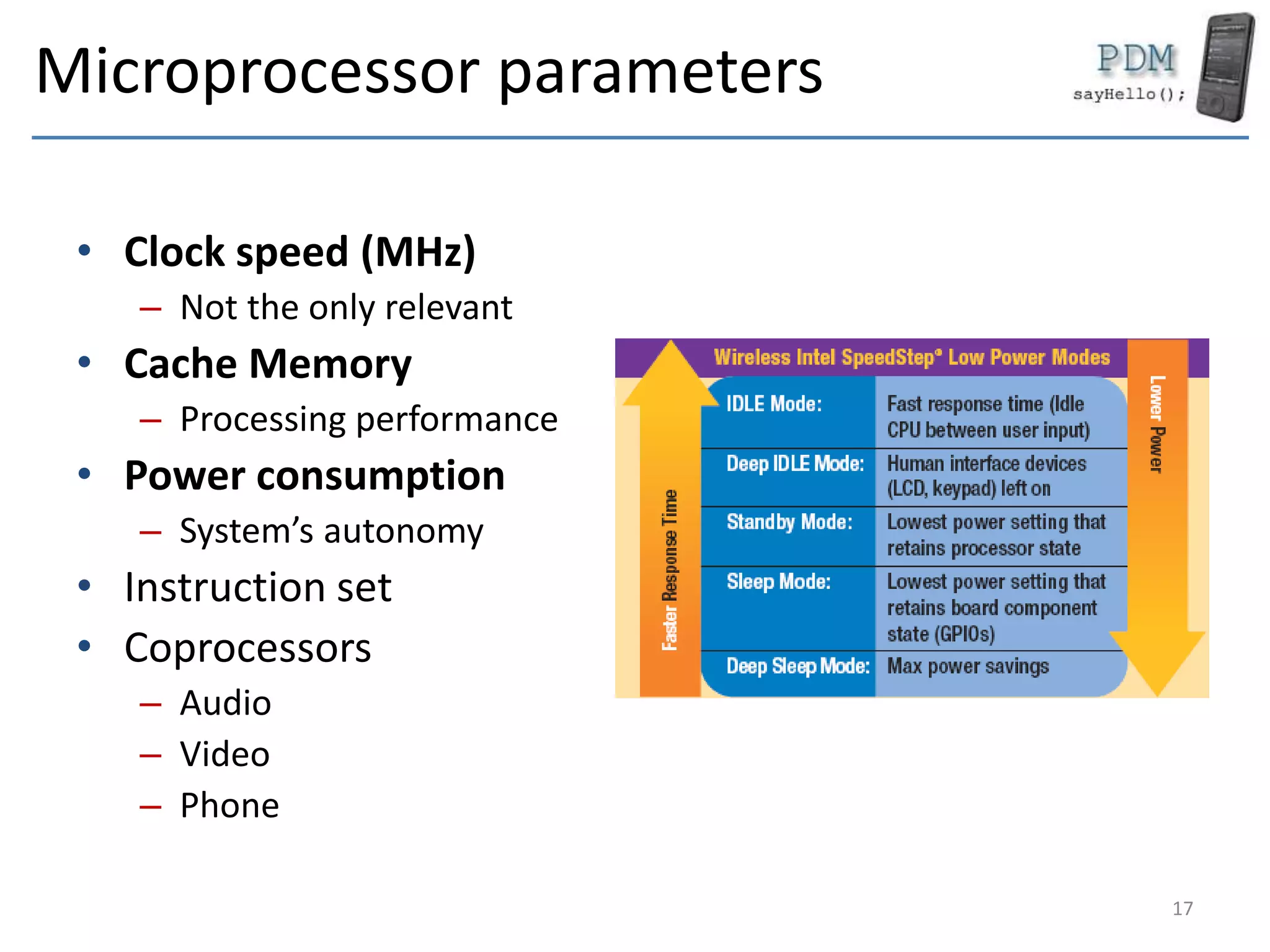
Microprocessor parameters
• Clock speed (MHz)
– Not the only relevant
• Cache Memory
– Processing performance
• Power consumption
– System’s autonomy
• Instruction set
• Coprocessors
– Audio
– Video
– Phone
17
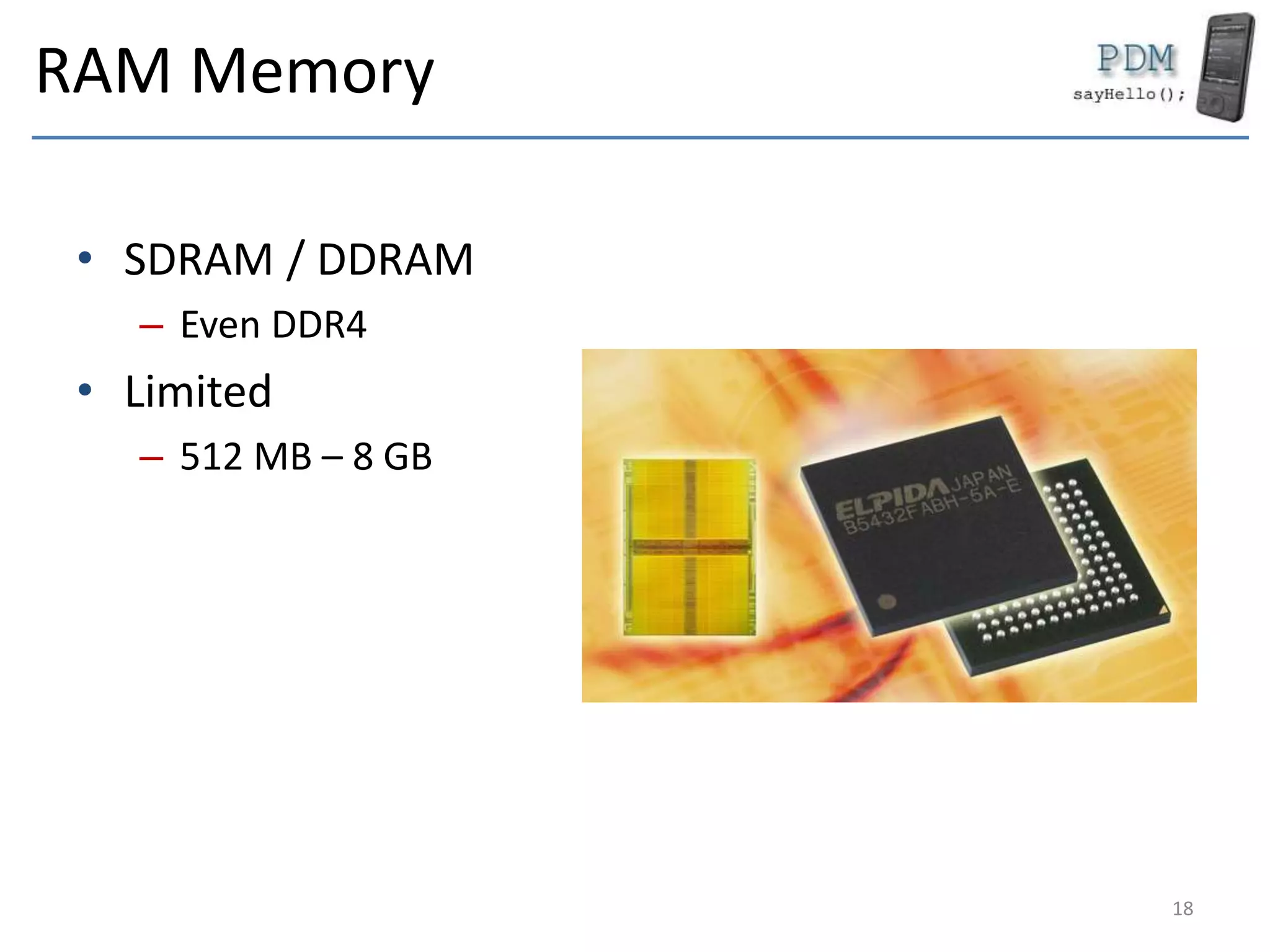
RAM Memory
• SDRAM / DDRAM
– Even DDR4
• Limited
– 512 MB – 8 GB
18
ROM (OS partition)
• Pocket PC
• Read only space
– Initial OS image
– Persistent after hard reset
• May be written
– Update
– OS modifications
19
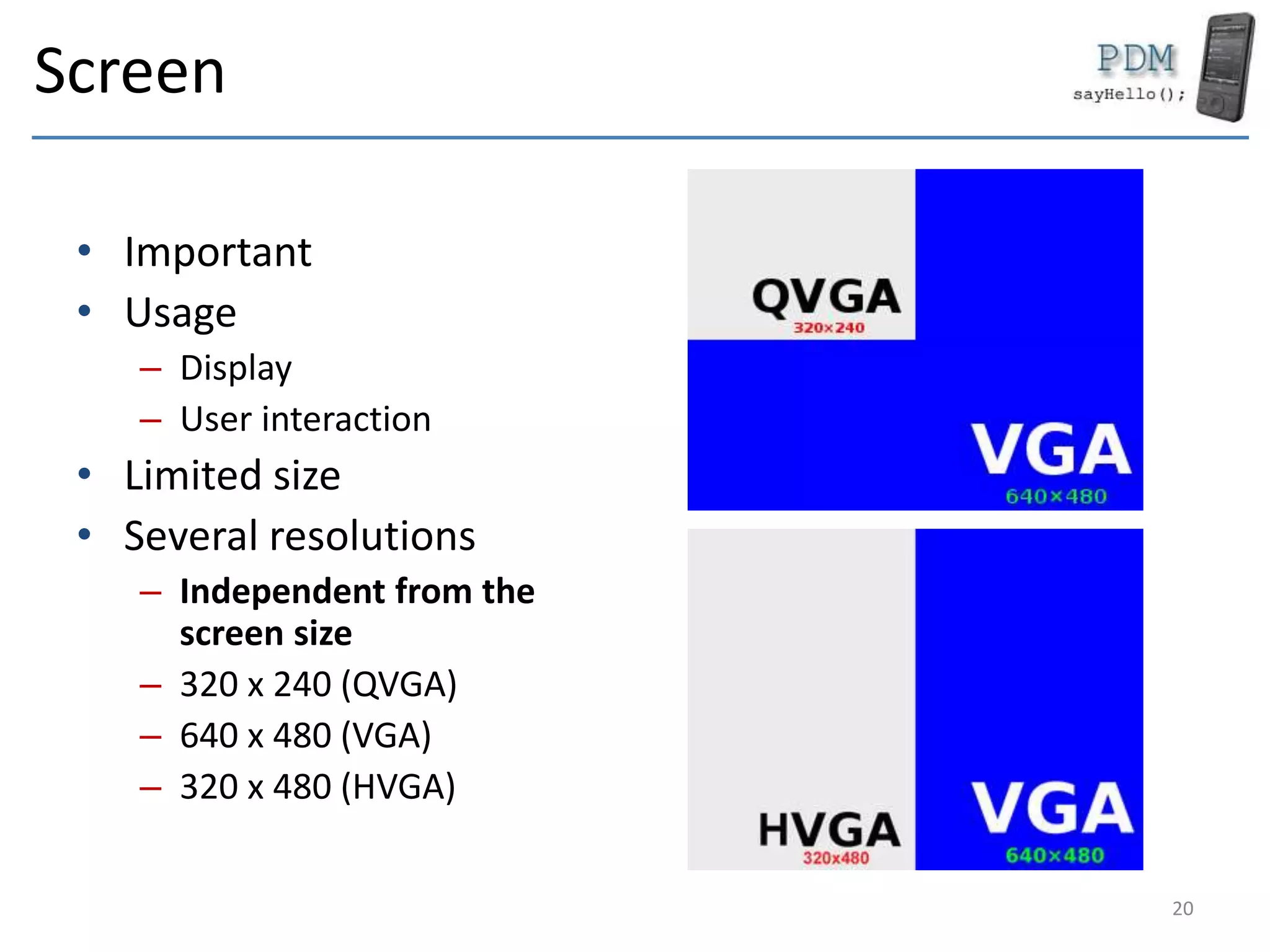
Screen
• Important
• Usage
– Display
– User interaction
• Limited size
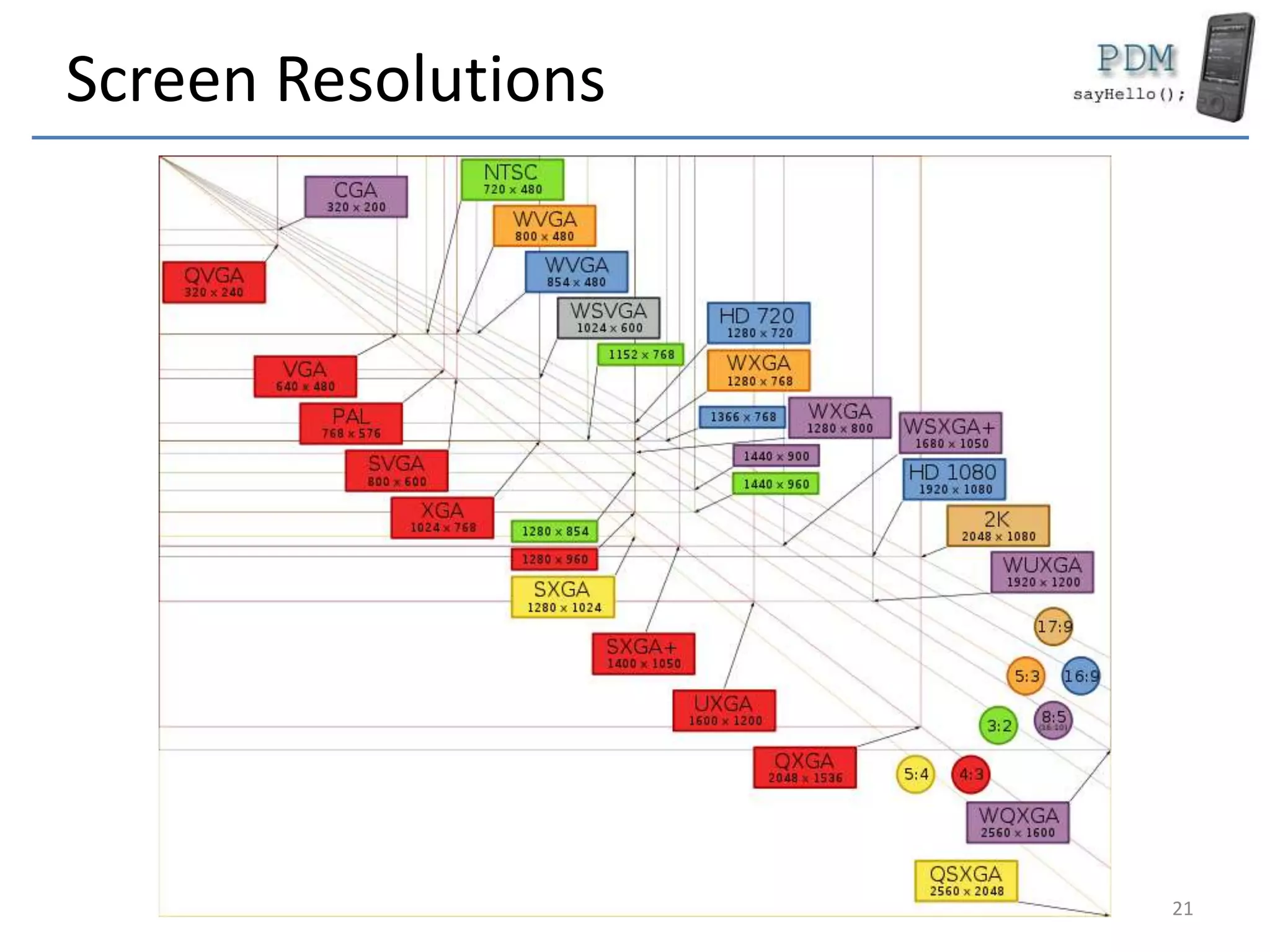
• Several resolutions
– Independent from the
screen size
– 320 x 240 (QVGA)
– 640 x 480 (VGA)
– 320 x 480 (HVGA)
20
Screen Resolutions
21
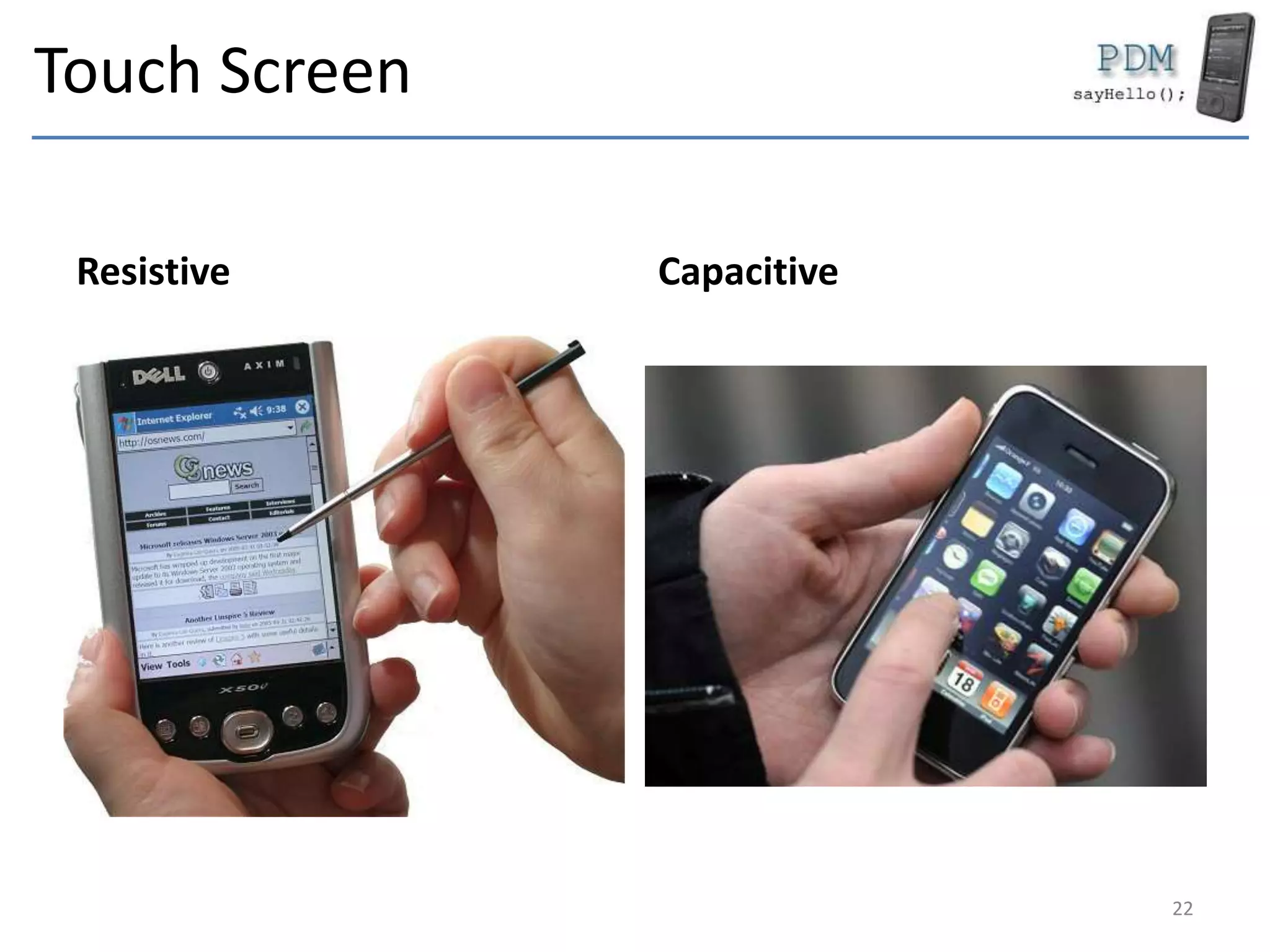
Touch Screen
Resistive Capacitive
22
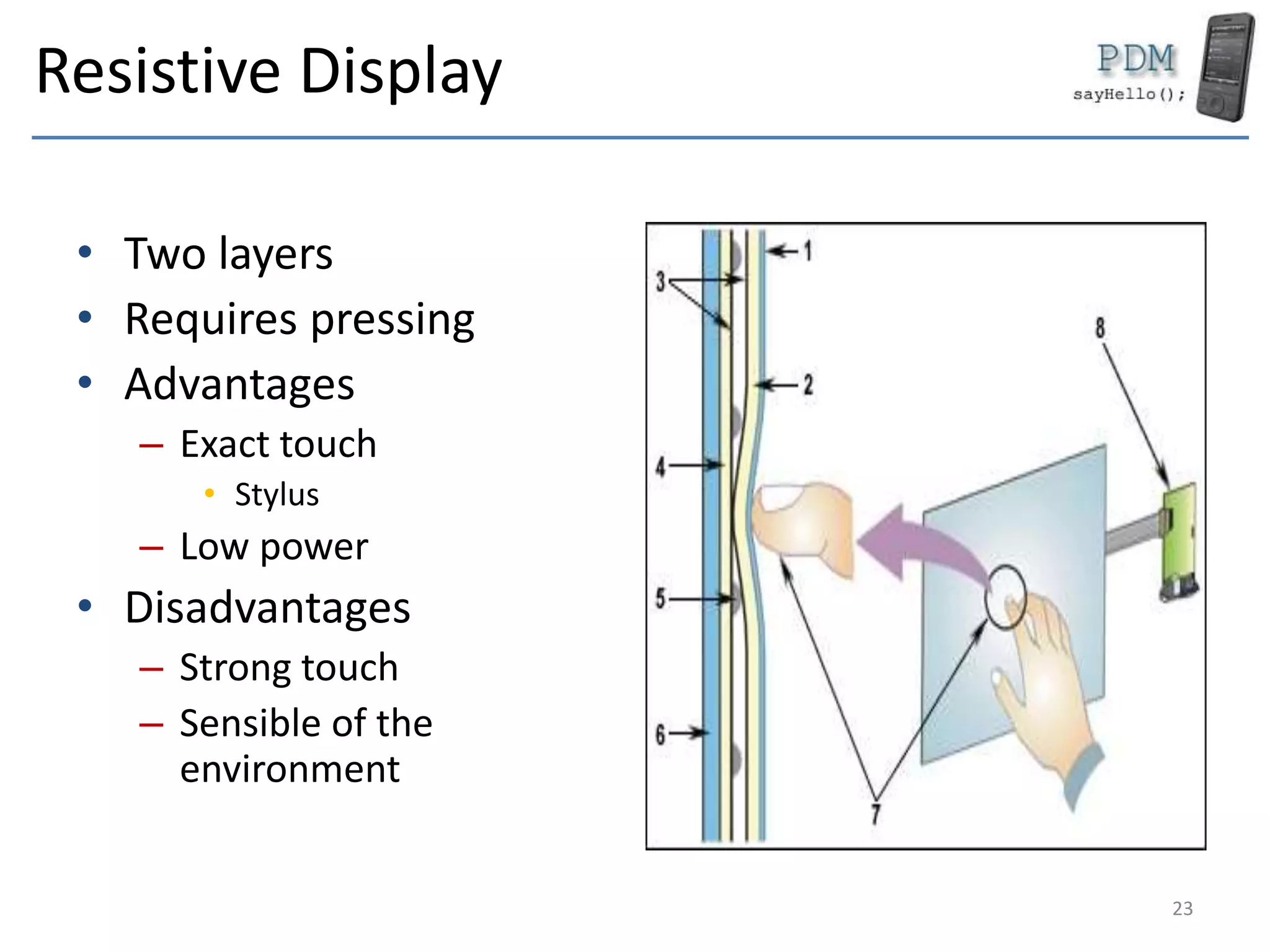
Resistive Display
• Two layers
• Requires pressing
• Advantages
– Exact touch
• Stylus
– Low power
• Disadvantages
– Strong touch
– Sensible of the
environment
23
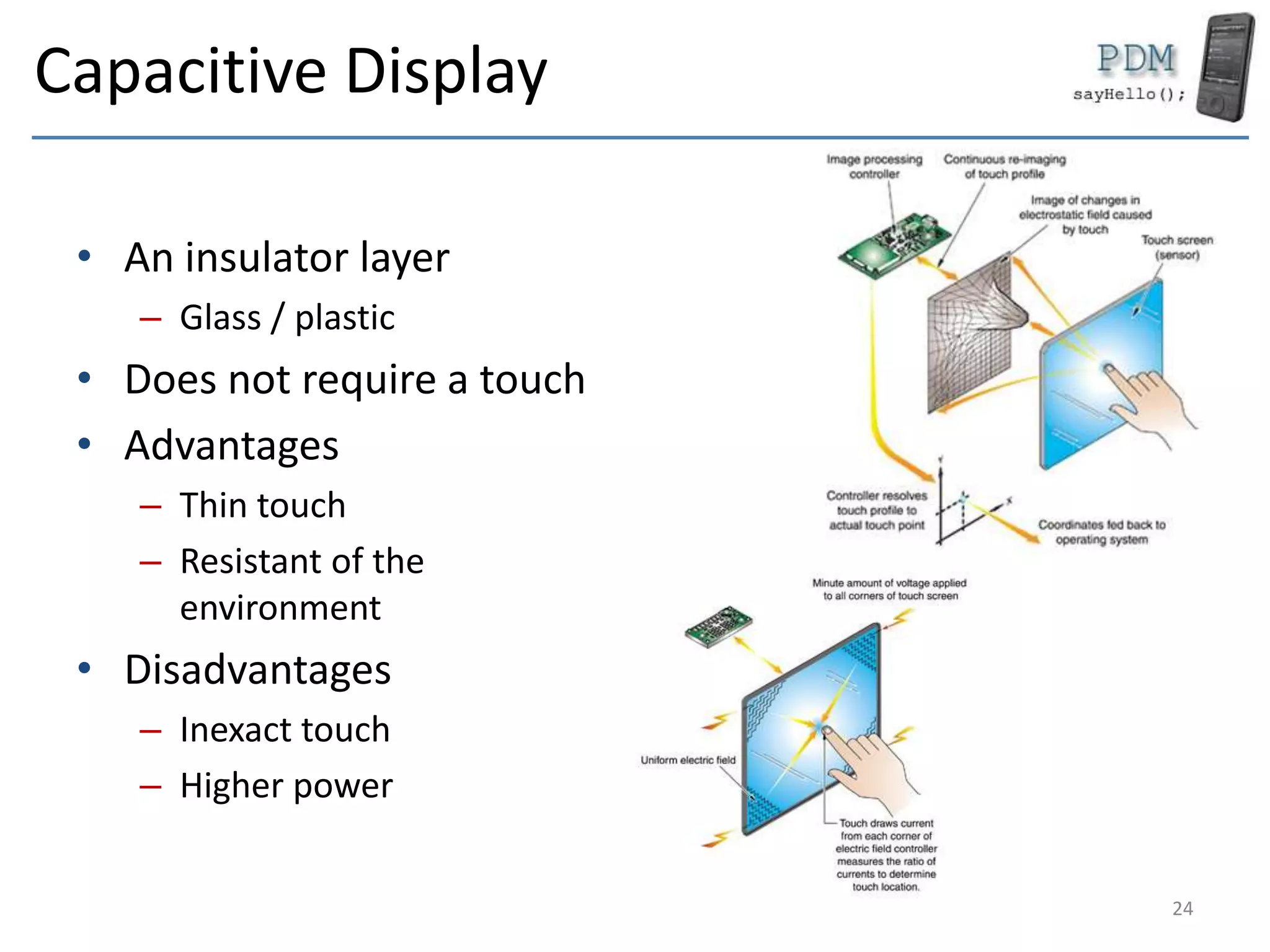
Capacitive Display
• An insulator layer
– Glass / plastic
• Does not require a touch
• Advantages
– Thin touch
– Resistant of the
environment
• Disadvantages
– Inexact touch
– Higher power
24
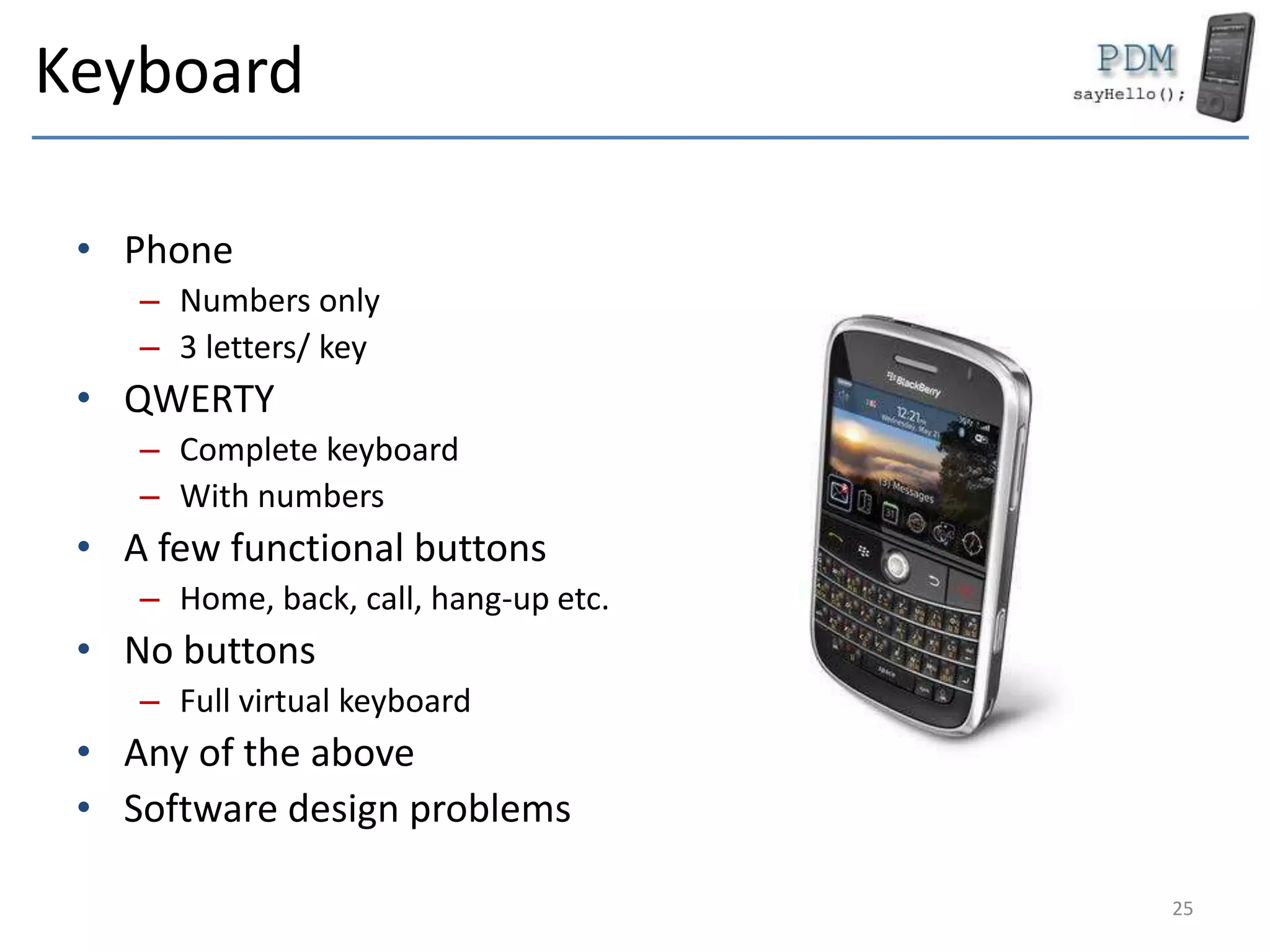
Keyboard
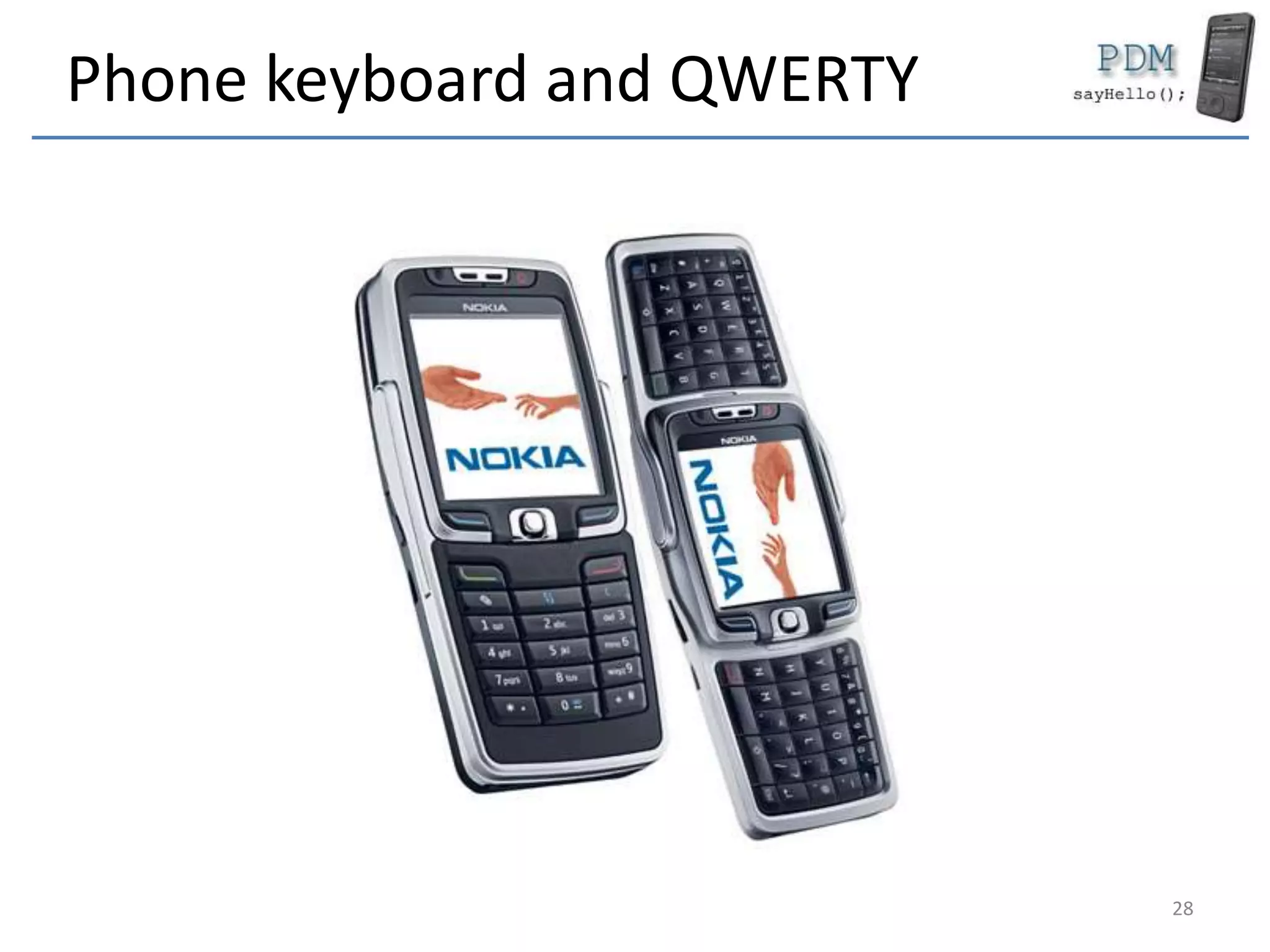
• Phone
– Numbers only
– 3 letters/ key
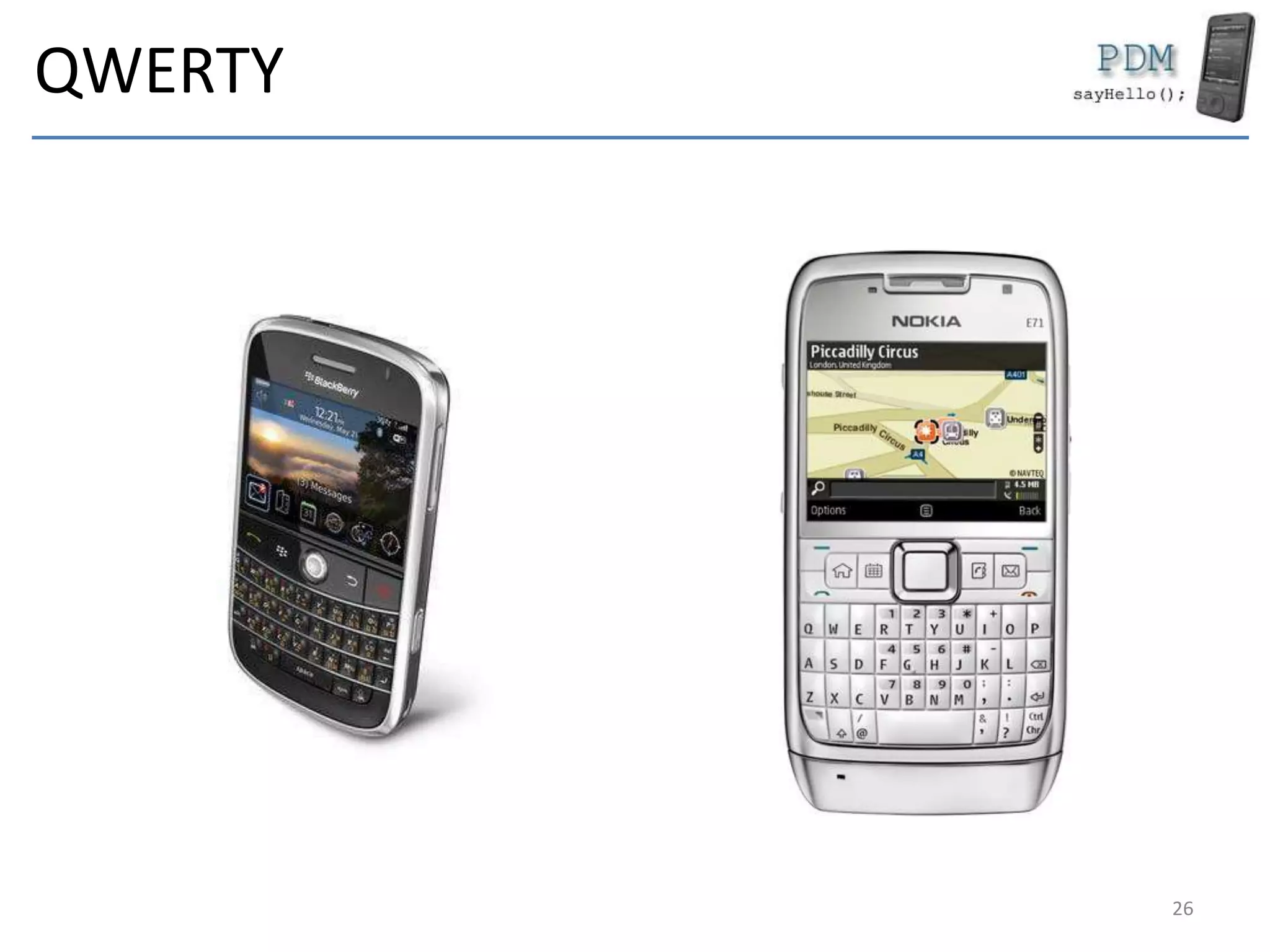
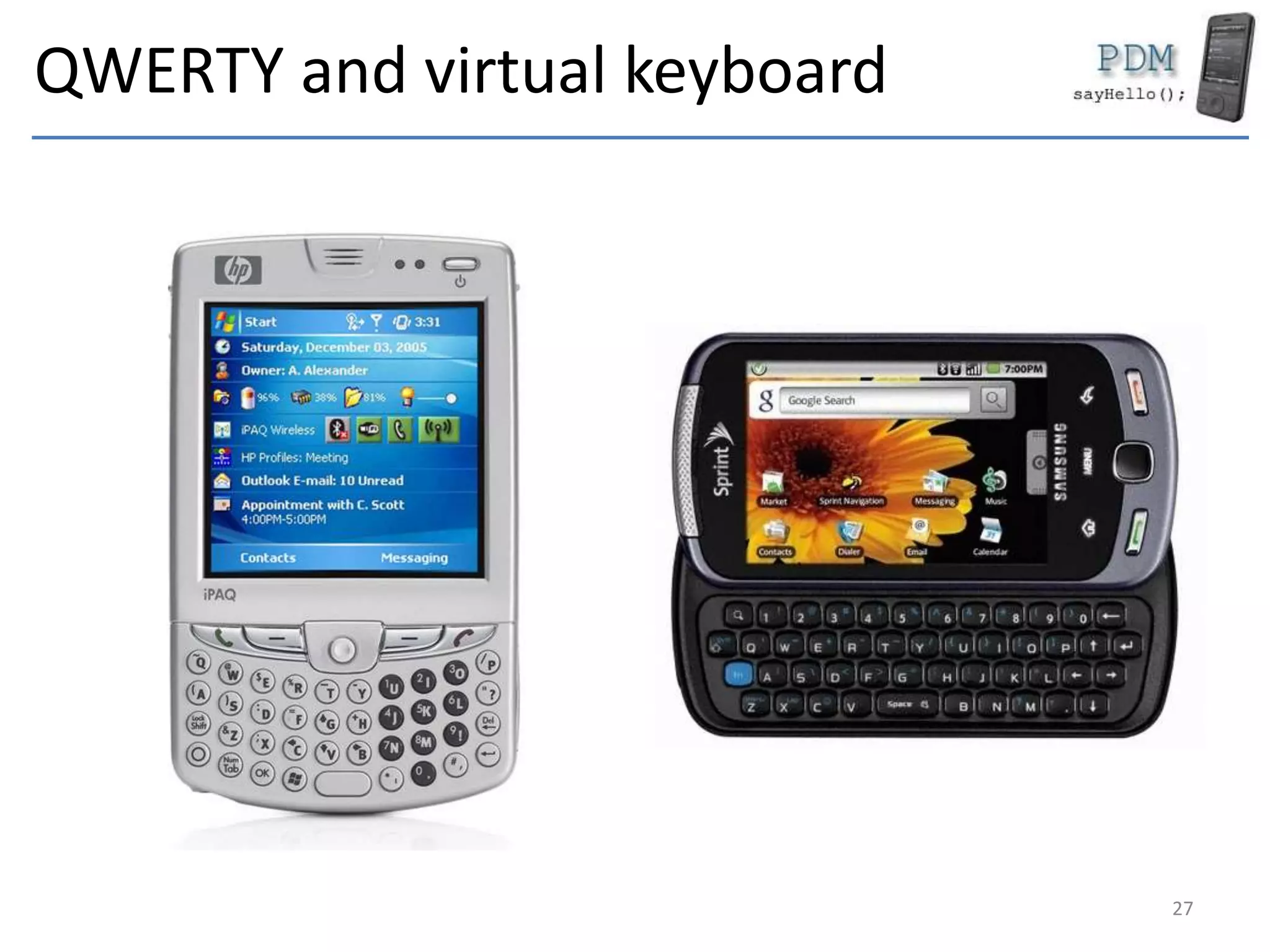
• QWERTY
– Complete keyboard
– With numbers
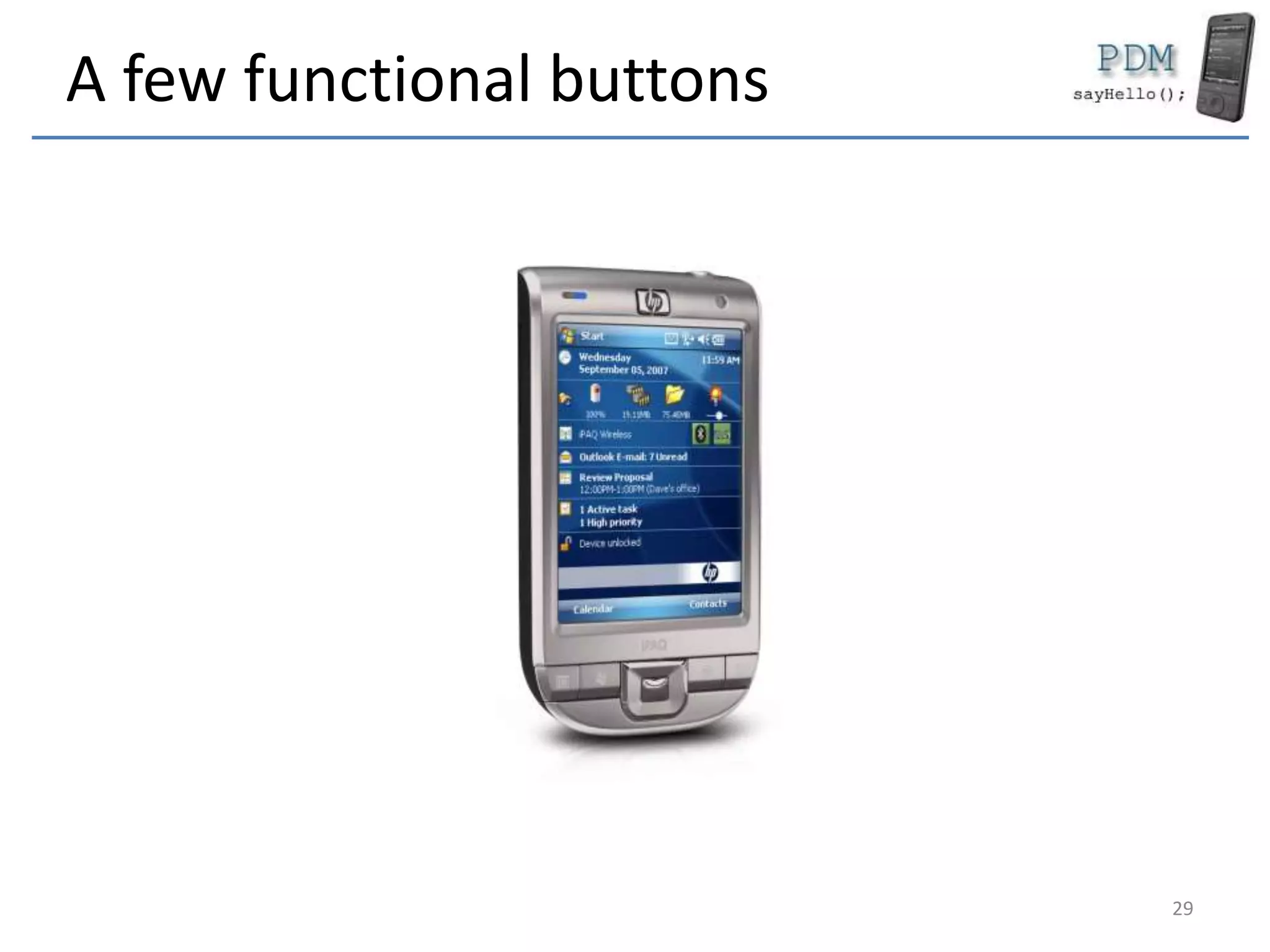
• A few functional buttons
– Home, back, call, hang-up etc.
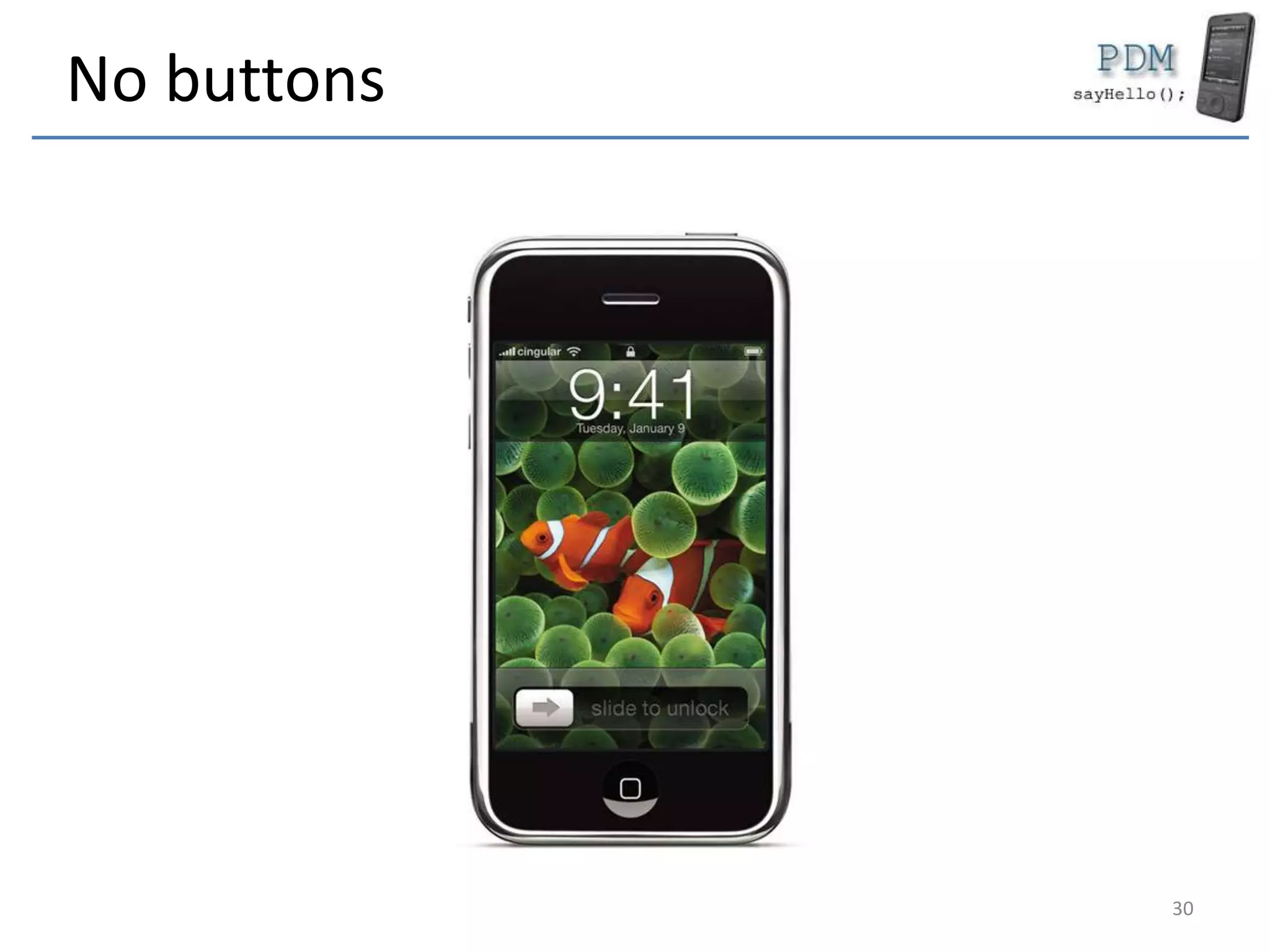
• No buttons
– Full virtual keyboard
• Any of the above
• Software design problems
25
QWERTY
26
QWERTY and virtual keyboard
27
Phone keyboard and QWERTY
28
A few functional buttons
29
No buttons
30
Radio
• Phone
– GSM / CDMA / UMTS
– GPRS / EDGE / 3G / 4G
– Up to la 25 Km
• WiFi
– Wireless
– 2.4 GHz
• Bluetooth
– Small networks
– Short distance data
exchange
31
WiFi
• Implemented in OSI
– Standard
– TCP / IP most used
protocol
• Up to 300 m
• Speeds
– 11 Mbs (802.11b)
– 54 Mbs (802.11g)
– 300 Mbs (802.11n)
32
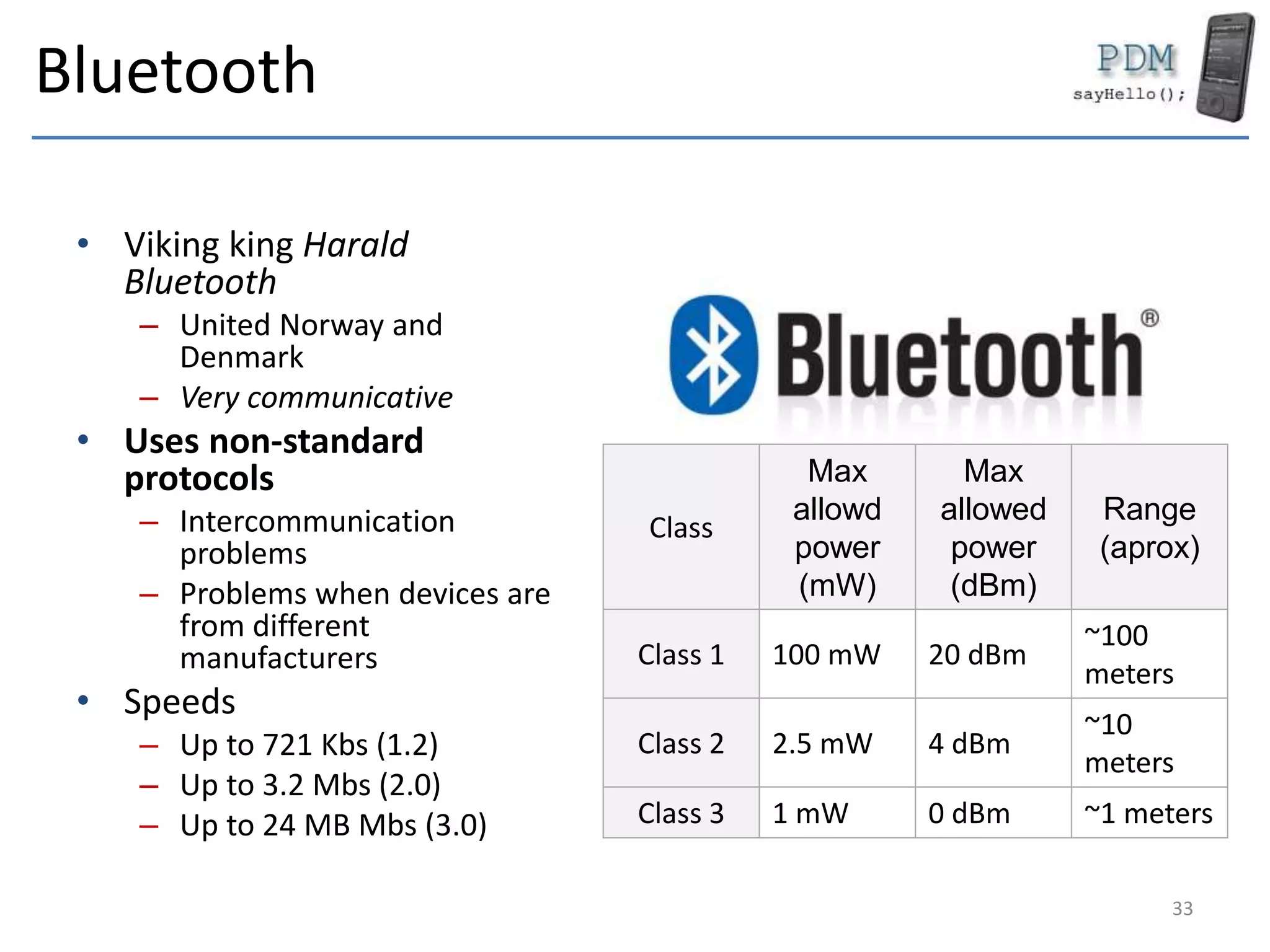
Bluetooth
• Viking king Harald
Bluetooth
– United Norway and
Denmark
– Very communicative
• Uses non-standard
protocols
– Intercommunication
problems
– Problems when devices are
from different
manufacturers
• Speeds
– Up to 721 Kbs (1.2)
– Up to 3.2 Mbs (2.0)
– Up to 24 MB Mbs (3.0)
Class
Max
allowd
power
(mW)
Max
allowed
power
(dBm)
Range
(aprox)
Class 1 100 mW 20 dBm
~100
meters
Class 2 2.5 mW 4 dBm
~10
meters
Class 3 1 mW 0 dBm ~1 meters
33
Bluetooth 4
• Smart
• LE
• Sensors
• Standard
• Different stack from
3.0
34
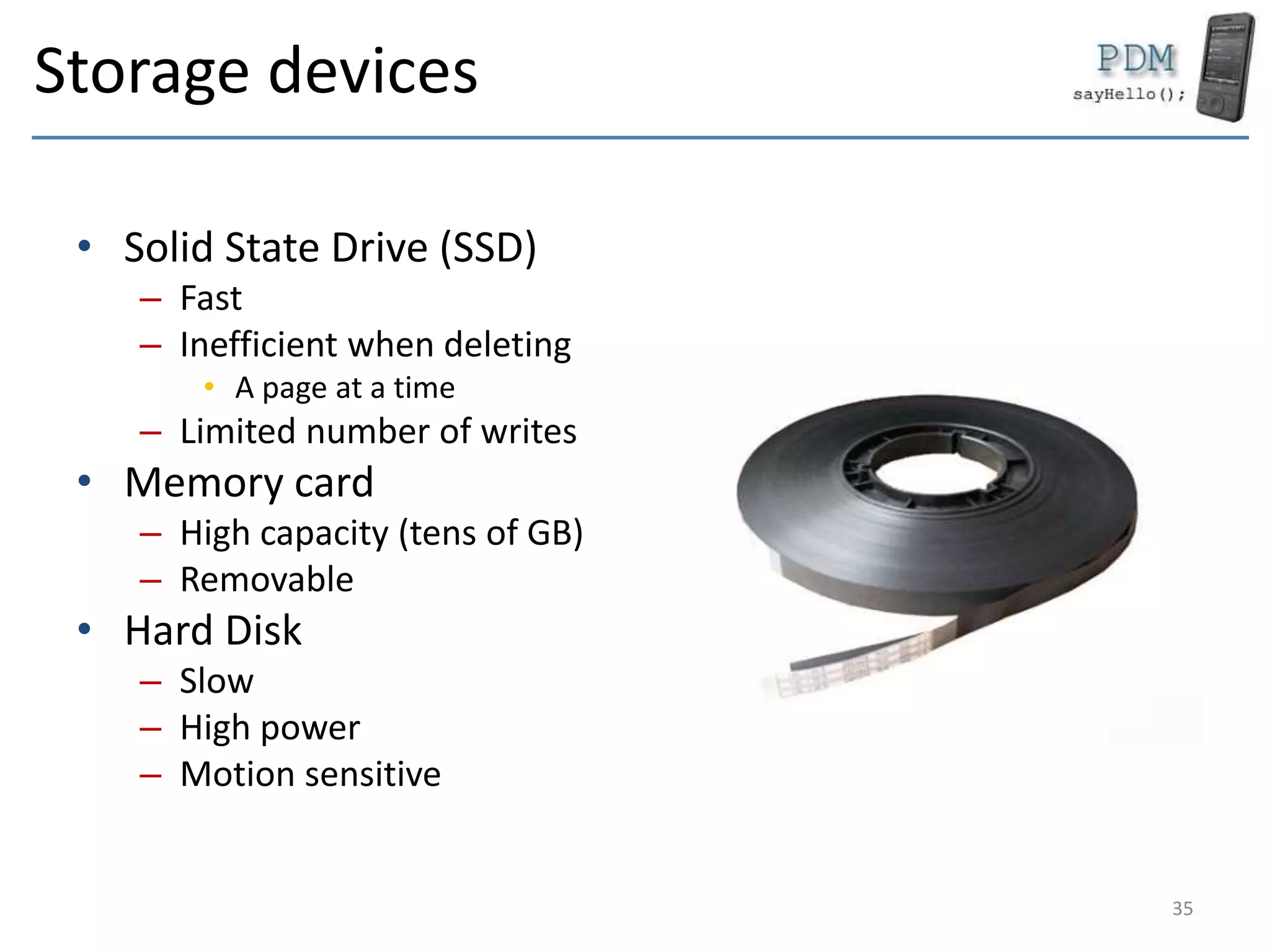
Storage devices
• Solid State Drive (SSD)
– Fast
– Inefficient when deleting
• A page at a time
– Limited number of writes
• Memory card
– High capacity (tens of GB)
– Removable
• Hard Disk
– Slow
– High power
– Motion sensitive
35
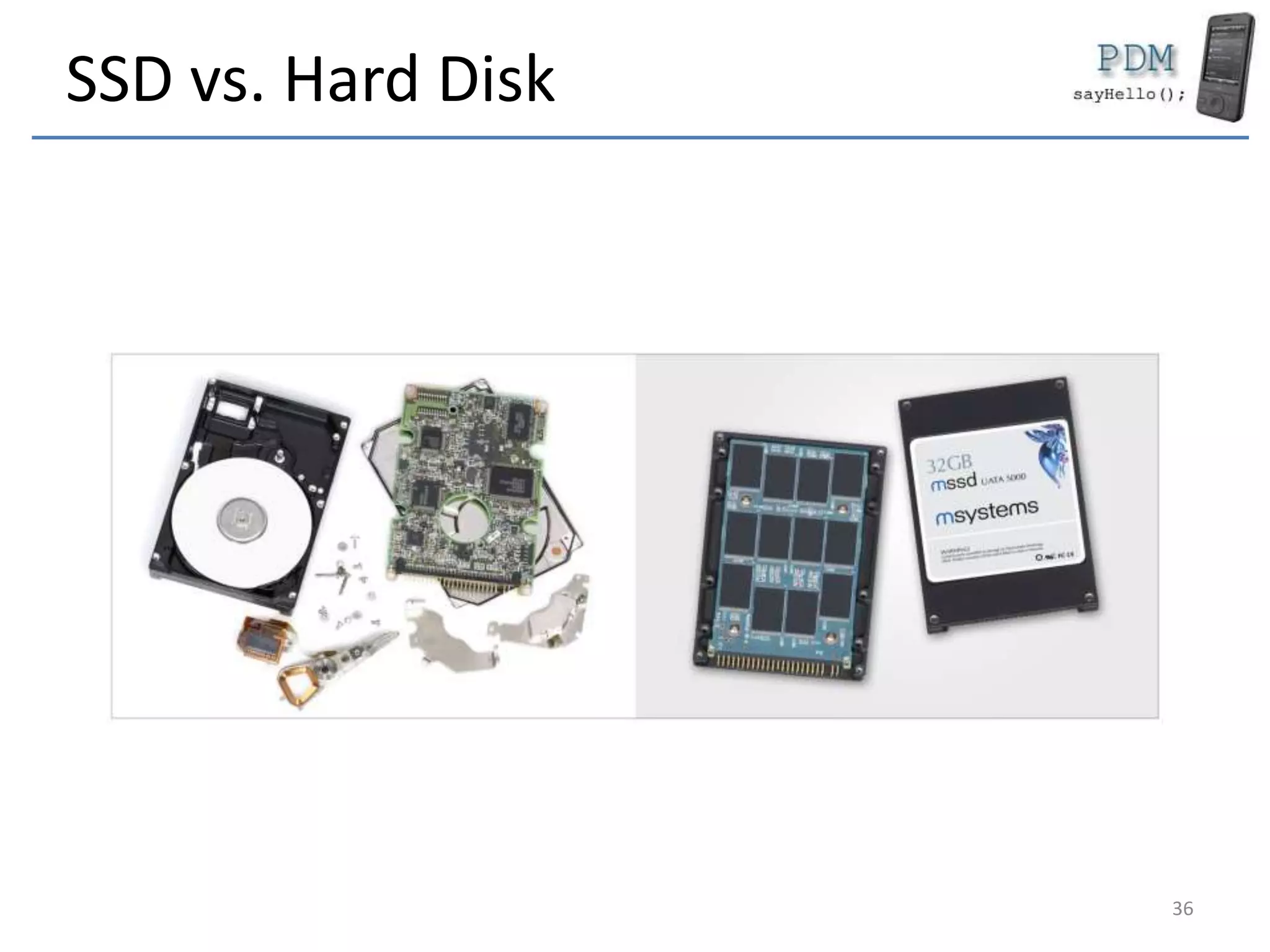
SSD vs. Hard Disk
36
Storage space
• Unlimited
– Tens of GB
– Kind of cheap
• High speed
– SSD especially
37
Sensors
• GPS / GLONASS
– Assisted GPS (AGPS)
• Accelerometer
• Photo camera
• All use the battery
– Use with carefully
38
Conclusions
• Mobile devices
– Similar in computing power with computers
• Processors
– RISC
– Arm
• Display
– Small sizes
– Touch capacitive / resistive
• Storage devices
– High capacity
– No moving parts
• Interaction
– Keyboard
– Screen
• Limited resources
• Sensors
39
Keywords
• Mobile device
• Smart Phone
• Pocket PC / PDA
• Blackberry
• Windows Mobile
• Windows Phone
• Android
• iOS
• Java / Kotlin
• Objective-C / Swift
• Keyboard
– Phone
– Virtual
– QWERTY
– Functional buttons
• ARM
• RISC
• Clock speed
• Power consumption
• Coprocessors
• Solid State Drive (SSD)
• WiFi
• Bluetooth
• GPS / GLONASS / AGPS
• Touch screen
– Resistive
– Capacitive
• Resolutions
– QVGA
– HVGA
– VGA
40
Questions
41

DAPM 1 - Introduction

  • 1.
  • 2.
    Rules • We suggestyou to come to the course • If you come, you have to respect these rules – start you video camera for the while course – pay attention and ask as many questions as possible 2
  • 3.
    Who we are? •Course – Alexandru Radovici • Lab – Ioana Culic 3
  • 4.
    Exam • Project – 5points – project graded by a jury • Lab & Project Development – 5 points 4
  • 5.
    Outline • Kotlin • AndroidFramework – Activities – Services – Network Services • React Native 5
  • 6.
    Rules • Exam – 50%exam – 50% project • Lab presence – minimum 5 to enter the exam – use a camera 6
  • 7.
    Mobile device • Portabledevice – Small size – Simple tasks • Replacement for – Agenda – Notes – Remote control • Entertainment – Games 7
  • 8.
    Do you knowthem? 8
  • 9.
    Mobile devices iPhone &iPad • iOS • Objective-C • Swift Android • Linux • Java • Kotlin • C/C++ 9
  • 10.
    These used tobe Mobile devices Windows Phone • C# • C/C++ Ubuntu • C/C++ • HTML 5 • Qt SmartPhone • Symbian • C++ • Java MIDP 10
  • 11.
    These used tobe Mobile devices Pocket PC • Windows Mobile • C++, C# Blackberry • BlackberryOS • Blackberry 10 • C/C++ • HTML 5 Telefoane Obisnuite • Nokia OS • Ericsson OS • Java MIDP 11
  • 12.
    Main Components • Microprocessor –RISC – ARM (Advanced RISC Machine) • RAM Memory – SDRAM, DDRAM (DDR4 sometimes) • ROM (usually another partition) – Stores the OS • Screen – Static – Touch • Keyboard • Radio (emitter/receptor) – Phone – WiFi – Bluetooth • External connectors – USB, serial etc. 12
  • 13.
    Secondary Components • Storagedevice – SSD (Solid State Drive) – Memory card (SD, Flash etc.) – Hard Disk • Classic iPod • Sensors – GSP/GLONASS – Accelerometer – Photo Camera • Multimedia Coprocessor – Codec Audio – Codec Video 13
  • 14.
  • 15.
  • 16.
    Microprocessor • RISC – ReducedInstruction Set Computing – ARM (Advanced RISC Machine) – Simple instructions • Might not have floating point – High clock speed – Reduced power consumption • Scales speed – Examples • Samsung ARM • Qualcomm • Apple A4 – A14 16
  • 17.
    Microprocessor parameters • Clockspeed (MHz) – Not the only relevant • Cache Memory – Processing performance • Power consumption – System’s autonomy • Instruction set • Coprocessors – Audio – Video – Phone 17
  • 18.
    RAM Memory • SDRAM/ DDRAM – Even DDR4 • Limited – 512 MB – 8 GB 18
  • 19.
    ROM (OS partition) •Pocket PC • Read only space – Initial OS image – Persistent after hard reset • May be written – Update – OS modifications 19
  • 20.
    Screen • Important • Usage –Display – User interaction • Limited size • Several resolutions – Independent from the screen size – 320 x 240 (QVGA) – 640 x 480 (VGA) – 320 x 480 (HVGA) 20
  • 21.
  • 22.
  • 23.
    Resistive Display • Twolayers • Requires pressing • Advantages – Exact touch • Stylus – Low power • Disadvantages – Strong touch – Sensible of the environment 23
  • 24.
    Capacitive Display • Aninsulator layer – Glass / plastic • Does not require a touch • Advantages – Thin touch – Resistant of the environment • Disadvantages – Inexact touch – Higher power 24
  • 25.
    Keyboard • Phone – Numbersonly – 3 letters/ key • QWERTY – Complete keyboard – With numbers • A few functional buttons – Home, back, call, hang-up etc. • No buttons – Full virtual keyboard • Any of the above • Software design problems 25
  • 26.
  • 27.
    QWERTY and virtualkeyboard 27
  • 28.
  • 29.
    A few functionalbuttons 29
  • 30.
  • 31.
    Radio • Phone – GSM/ CDMA / UMTS – GPRS / EDGE / 3G / 4G – Up to la 25 Km • WiFi – Wireless – 2.4 GHz • Bluetooth – Small networks – Short distance data exchange 31
  • 32.
    WiFi • Implemented inOSI – Standard – TCP / IP most used protocol • Up to 300 m • Speeds – 11 Mbs (802.11b) – 54 Mbs (802.11g) – 300 Mbs (802.11n) 32
  • 33.
    Bluetooth • Viking kingHarald Bluetooth – United Norway and Denmark – Very communicative • Uses non-standard protocols – Intercommunication problems – Problems when devices are from different manufacturers • Speeds – Up to 721 Kbs (1.2) – Up to 3.2 Mbs (2.0) – Up to 24 MB Mbs (3.0) Class Max allowd power (mW) Max allowed power (dBm) Range (aprox) Class 1 100 mW 20 dBm ~100 meters Class 2 2.5 mW 4 dBm ~10 meters Class 3 1 mW 0 dBm ~1 meters 33
  • 34.
    Bluetooth 4 • Smart •LE • Sensors • Standard • Different stack from 3.0 34
  • 35.
    Storage devices • SolidState Drive (SSD) – Fast – Inefficient when deleting • A page at a time – Limited number of writes • Memory card – High capacity (tens of GB) – Removable • Hard Disk – Slow – High power – Motion sensitive 35
  • 36.
    SSD vs. HardDisk 36
  • 37.
    Storage space • Unlimited –Tens of GB – Kind of cheap • High speed – SSD especially 37
  • 38.
    Sensors • GPS /GLONASS – Assisted GPS (AGPS) • Accelerometer • Photo camera • All use the battery – Use with carefully 38
  • 39.
    Conclusions • Mobile devices –Similar in computing power with computers • Processors – RISC – Arm • Display – Small sizes – Touch capacitive / resistive • Storage devices – High capacity – No moving parts • Interaction – Keyboard – Screen • Limited resources • Sensors 39
  • 40.
    Keywords • Mobile device •Smart Phone • Pocket PC / PDA • Blackberry • Windows Mobile • Windows Phone • Android • iOS • Java / Kotlin • Objective-C / Swift • Keyboard – Phone – Virtual – QWERTY – Functional buttons • ARM • RISC • Clock speed • Power consumption • Coprocessors • Solid State Drive (SSD) • WiFi • Bluetooth • GPS / GLONASS / AGPS • Touch screen – Resistive – Capacitive • Resolutions – QVGA – HVGA – VGA 40
  • 41.