








Creative Writing
Technical Writing
Academic Writing
Writing
TECHNICAL ACADEMIC CREATIVE
Writing Style
TECHNICAL WRITING
•demands
precision and
clarity as you
explain complex
concepts or
provide
instructions for
specific tasks
ACADEMIC WRITING
•requires rigorous
research and
adherence to
establish
guidelines while
presenting
arguments or
findings clearly
and concisely
CREATIVE WRITING
•allows your
imagination to
run wild,
painting pictures
with words and
evoking
emotions in your
readers
Purpose &
Goals
TECHNICAL WRITING
•PURPOSE: focuses on
providing clear and concise
information to help readers
understand complex
concepts or complete tasks.
•MAIN GOAL: prioritizes
accuracy and user-
friendliness while employing
straightforward language
with minimal jargon.
ACADEMIC WRITING
•PURPOSE: seeks to explore
intellectual ideas or present
research findings in a
structured format like
essays or research papers.
•MAIN GOAL: contributing
knowledge within a specific
field by adhering to
establish standards of
evidence-based
argumentation.
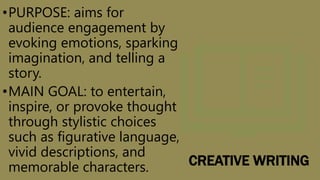
CREATIVE WRITING
•PURPOSE: aims for
audience engagement by
evoking emotions, sparking
imagination, and telling a
story.
•MAIN GOAL: to entertain,
inspire, or provoke thought
through stylistic choices
such as figurative language,
vivid descriptions, and
memorable characters.
Formality &
Structure
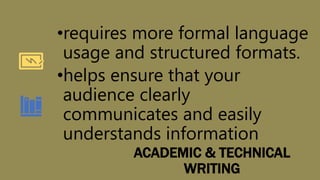
ACADEMIC & TECHNICAL
WRITING
•requires more formal language
usage and structured formats.
•helps ensure that your
audience clearly
communicates and easily
understands information
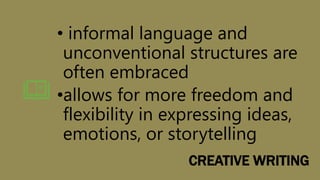
CREATIVE WRITING
• informal language and
unconventional structures are
often embraced
•allows for more freedom and
flexibility in expressing ideas,
emotions, or storytelling
Elements of
Technical
Writing
Clarity – clarify –> clear
Precision – precise
Straightforward approach – exact
Simplicity over complexity
Features of
Academic
Writing
Feature Description
Formality
Academic writing maintains a formal
tone – avoiding slang, contractions,
and jargon
Structure
A clear structure is essential in
presenting logical arguments
Referencing Styles
Proper citation using consistent
formats such as APA or MLA
Evidence-Based
Relies on empirical data and
research findings rather than
personal opinions
Precision & Clarity
Clear explanations with accurate
vocabulary choices are crucial
Presentation End

Creative, Technical, and Academic Writing

Editor's Notes

  • #3 You can use this slide as your opening or closing slide. Should you choose to use it as a closing, make sure you review the main points of your presentation. One creative way to do that is by adding animations to the various graphics on a slide. This slide has 4 different graphics, and, when you view the slideshow, you will see that you can click to reveal the next graphic. Similarly, as you review the main topics in your presentation, you may want each point to show up when you are addressing that topic. Add animation to images and graphics: Select your image or graphic. Click on the Animations tab. Choose from the options. The animation for this slide is “Split”. The drop-down menu in the Animation section gives even more animations you can use. If you have multiple graphics or images, you will see a number appear next to it that notes the order of the animations. Note: You will want to choose the animations carefully. You do not want to make your audience dizzy from your presentation.
  • #5 After consulting a variety of sources, you will need to narrow your topic. For example, the topic of internet safety is huge, but you could narrow that topic to include internet safety in regards to social media apps that teenagers are using heavily. A topic like that is more specific and will be relevant to your peers. Some questions to think about to help you narrow your topic: What topics of the research interest me the most? What topics of the research will interest my audience the most? What topics will the audience find more engaging? Shocking? Inspiring?
  • #6 Now, that you have narrowed your topic, you will want to organize your research in a structure that works. There are some common organizational patterns based on the kind of research you are doing. Organizational Structures: Cause and Effect- this kind of structure is great for explaining the causes and effects of a topic Compare and Contrast- in this pattern you highlight the similarities and differences of the topic Explain process- this structure is great for outlining a series of steps to follow; Definition- if you want to make sure your audience understands what something is using illustrations, meanings, clarifying misconceptions, you may want to use this structure Classification- a common organizational structure is grouping like topics or facts from the research together. For instance, in the internet safety about social media apps, you may organize the research where you look at each social media app one at a time
  • #7 When conducting research, it is easy to go to one source: Wikipedia. However, you need to include a variety of sources in your research. Consider the following sources: Who can I interview to get more information on the topic? Is the topic current and will it be relevant to my audience? What articles, blogs, and magazines may have something related to my topic? Is there a YouTube video on the topic? If so, what is it about? What images can I find related to the topic?
  • #9 After consulting a variety of sources, you will need to narrow your topic. For example, the topic of internet safety is huge, but you could narrow that topic to include internet safety in regards to social media apps that teenagers are using heavily. A topic like that is more specific and will be relevant to your peers. Some questions to think about to help you narrow your topic: What topics of the research interest me the most? What topics of the research will interest my audience the most? What topics will the audience find more engaging? Shocking? Inspiring?
  • #10 Now, that you have narrowed your topic, you will want to organize your research in a structure that works. There are some common organizational patterns based on the kind of research you are doing. Organizational Structures: Cause and Effect- this kind of structure is great for explaining the causes and effects of a topic Compare and Contrast- in this pattern you highlight the similarities and differences of the topic Explain process- this structure is great for outlining a series of steps to follow; Definition- if you want to make sure your audience understands what something is using illustrations, meanings, clarifying misconceptions, you may want to use this structure Classification- a common organizational structure is grouping like topics or facts from the research together. For instance, in the internet safety about social media apps, you may organize the research where you look at each social media app one at a time
  • #11 When conducting research, it is easy to go to one source: Wikipedia. However, you need to include a variety of sources in your research. Consider the following sources: Who can I interview to get more information on the topic? Is the topic current and will it be relevant to my audience? What articles, blogs, and magazines may have something related to my topic? Is there a YouTube video on the topic? If so, what is it about? What images can I find related to the topic?
  • #13 Now, that you have narrowed your topic, you will want to organize your research in a structure that works. There are some common organizational patterns based on the kind of research you are doing. Organizational Structures: Cause and Effect- this kind of structure is great for explaining the causes and effects of a topic Compare and Contrast- in this pattern you highlight the similarities and differences of the topic Explain process- this structure is great for outlining a series of steps to follow; Definition- if you want to make sure your audience understands what something is using illustrations, meanings, clarifying misconceptions, you may want to use this structure Classification- a common organizational structure is grouping like topics or facts from the research together. For instance, in the internet safety about social media apps, you may organize the research where you look at each social media app one at a time
  • #14 When conducting research, it is easy to go to one source: Wikipedia. However, you need to include a variety of sources in your research. Consider the following sources: Who can I interview to get more information on the topic? Is the topic current and will it be relevant to my audience? What articles, blogs, and magazines may have something related to my topic? Is there a YouTube video on the topic? If so, what is it about? What images can I find related to the topic?
  • #15 You can use this slide as your opening or closing slide. Should you choose to use it as a closing, make sure you review the main points of your presentation. One creative way to do that is by adding animations to the various graphics on a slide. This slide has 4 different graphics, and, when you view the slideshow, you will see that you can click to reveal the next graphic. Similarly, as you review the main topics in your presentation, you may want each point to show up when you are addressing that topic. Add animation to images and graphics: Select your image or graphic. Click on the Animations tab. Choose from the options. The animation for this slide is “Split”. The drop-down menu in the Animation section gives even more animations you can use. If you have multiple graphics or images, you will see a number appear next to it that notes the order of the animations. Note: You will want to choose the animations carefully. You do not want to make your audience dizzy from your presentation.
  • #16 After consulting a variety of sources, you will need to narrow your topic. For example, the topic of internet safety is huge, but you could narrow that topic to include internet safety in regards to social media apps that teenagers are using heavily. A topic like that is more specific and will be relevant to your peers. Some questions to think about to help you narrow your topic: What topics of the research interest me the most? What topics of the research will interest my audience the most? What topics will the audience find more engaging? Shocking? Inspiring?
  • #17 You can use this slide as your opening or closing slide. Should you choose to use it as a closing, make sure you review the main points of your presentation. One creative way to do that is by adding animations to the various graphics on a slide. This slide has 4 different graphics, and, when you view the slideshow, you will see that you can click to reveal the next graphic. Similarly, as you review the main topics in your presentation, you may want each point to show up when you are addressing that topic. Add animation to images and graphics: Select your image or graphic. Click on the Animations tab. Choose from the options. The animation for this slide is “Split”. The drop-down menu in the Animation section gives even more animations you can use. If you have multiple graphics or images, you will see a number appear next to it that notes the order of the animations. Note: You will want to choose the animations carefully. You do not want to make your audience dizzy from your presentation.
  • #18 Now, that you have narrowed your topic, you will want to organize your research in a structure that works. There are some common organizational patterns based on the kind of research you are doing. Organizational Structures: Cause and Effect- this kind of structure is great for explaining the causes and effects of a topic Compare and Contrast- in this pattern you highlight the similarities and differences of the topic Explain process- this structure is great for outlining a series of steps to follow; Definition- if you want to make sure your audience understands what something is using illustrations, meanings, clarifying misconceptions, you may want to use this structure Classification- a common organizational structure is grouping like topics or facts from the research together. For instance, in the internet safety about social media apps, you may organize the research where you look at each social media app one at a time
  • #19 You can use this slide as your opening or closing slide. Should you choose to use it as a closing, make sure you review the main points of your presentation. One creative way to do that is by adding animations to the various graphics on a slide. This slide has 4 different graphics, and, when you view the slideshow, you will see that you can click to reveal the next graphic. Similarly, as you review the main topics in your presentation, you may want each point to show up when you are addressing that topic. Add animation to images and graphics: Select your image or graphic. Click on the Animations tab. Choose from the options. The animation for this slide is “Split”. The drop-down menu in the Animation section gives even more animations you can use. If you have multiple graphics or images, you will see a number appear next to it that notes the order of the animations. Note: You will want to choose the animations carefully. You do not want to make your audience dizzy from your presentation.