Creating Debian
Package in Mule
Apps - Part 1
A guide by Alex L. Fernandez
Debian
deb is the extension of the Debian software
package format and the most often used name for
such binary packages
How we usually deploy
Mule Apps?
1.MMC Rest Plugin(Mule EE
only)
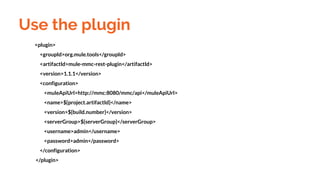
<plugin>
<groupId>org.mule.tools</groupId>
<artifactId>mule-mmc-rest-plugin</artifactId>
<version>1.1.1</version>
<configuration>
<muleApiUrl>http://mmc:8080/mmc/api</muleApiUrl>
<name>${project.artifactId}</name>
<version>${build.number}</version>
<serverGroup>${serverGroup}</serverGroup>
<username>admin</username>
<password>admin</password>
</configuration>
</plugin>
Use the plugin
2. Manual copying of Zip File
to Mule Server App path
Drop File to /opt/mule/apps
3. Creating a Debian
Package for automatic
deployment
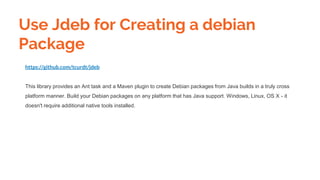
https://github.com/tcurdt/jdeb
This library provides an Ant task and a Maven plugin to create Debian packages from Java builds in a truly cross
platform manner. Build your Debian packages on any platform that has Java support. Windows, Linux, OS X - it
doesn't require additional native tools installed.
Use Jdeb for Creating a debian
Package
Using it in a mule project
mule project?
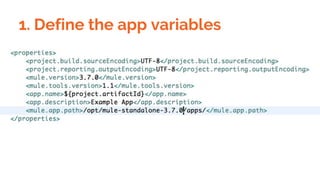
1. Define the app variables
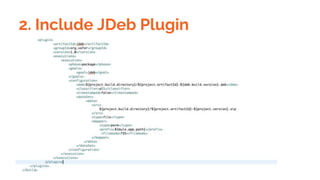
2. Include JDeb Plugin
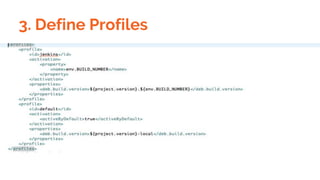
3. Define Profiles
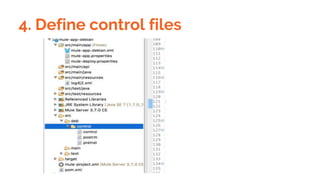
4. Define control files
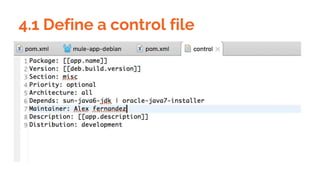
4.1 Define a control file
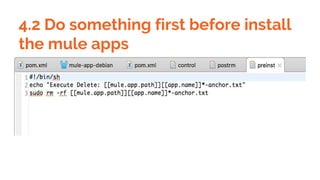
4.2 Do something first before install
the mule apps
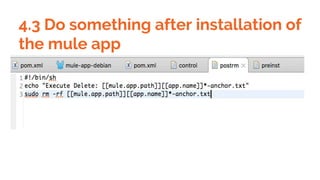
4.3 Do something after installation of
the mule app
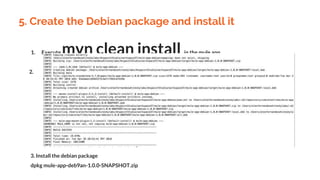
5. Create the Debian package and install it
1. Execute mvn clean install in the mule app
2.
3. Install the debian package
dpkg mule-app-deb9an-1.0.0-SNAPSHOT.zip
Up next
Using nexus and jenkins in the creating of debian package to package
installation
References:
https://pragmaticintegrator.wordpress.com/2014/01/03/automated-deployment-with-mule-
management-console-and-maven/
https://github.com/tcurdt/jdeb

Creating debian package in mule apps 1