docker-compose
A guide by Alex Fernandez
docker-compose
Compose is a tool for defining and running multi-
container Docker applications.
Compose is great for development, testing, and staging environments, as
well as CI workflows.
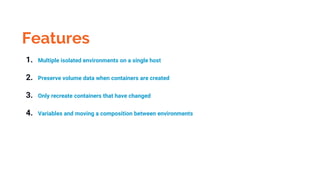
Features
1. Multiple isolated environments on a single host
2. Preserve volume data when containers are created
3. Only recreate containers that have changed
4. Variables and moving a composition between environments
Using docker-compose is a
3-way step
1. Define your app’s environment with
a Dockerfile so it can be reproduced
anywhere.
2. Define the services that make up
your app in docker-compose.yml so
they can be run together in an
isolated environment.
3. run docker-compose up
and Compose will start and
run your entire app.
Reference!
We hope you’ll use these tips to go out and deliver a memorable pitch for your product
or service!
For more (free) presentation tips relevant to other types of messages, go to
heathbrothers.com/presentations

docker compose

  • 1.
  • 2.
    docker-compose Compose is atool for defining and running multi- container Docker applications. Compose is great for development, testing, and staging environments, as well as CI workflows.
  • 3.
    Features 1. Multiple isolatedenvironments on a single host 2. Preserve volume data when containers are created 3. Only recreate containers that have changed 4. Variables and moving a composition between environments
  • 4.
  • 5.
    1. Define yourapp’s environment with a Dockerfile so it can be reproduced anywhere.
  • 6.
    2. Define theservices that make up your app in docker-compose.yml so they can be run together in an isolated environment.
  • 7.
    3. run docker-composeup and Compose will start and run your entire app.
  • 8.
    Reference! We hope you’lluse these tips to go out and deliver a memorable pitch for your product or service! For more (free) presentation tips relevant to other types of messages, go to heathbrothers.com/presentations