
JASPER REPORTS - EXPLAINED
THE LIBRARY
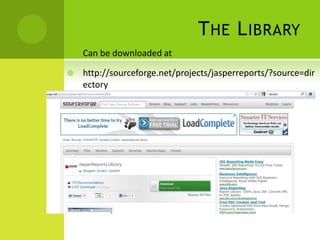
 Can be downloaded at
 http://sourceforge.net/projects/jasperreports/?source=dir
ectory
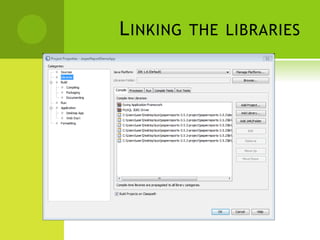
LINKING THE LIBRARIES
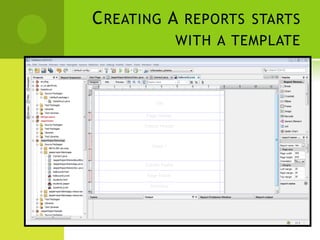
CREATING A REPORTS STARTS
WITH A TEMPLATE
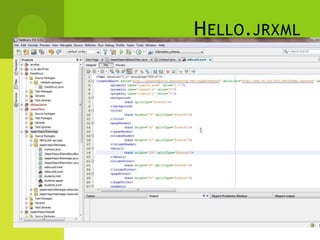
HELLO.JRXML
LINKING TO WINDOWS FORMS
[THE CODE]
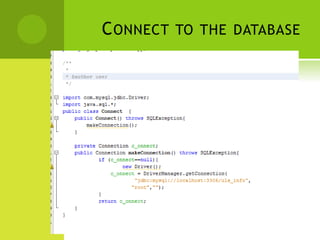
CONNECT TO THE DATABASE
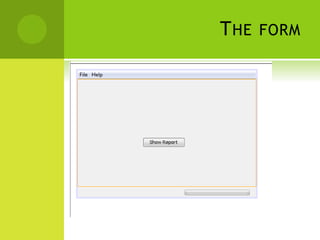
THE FORM
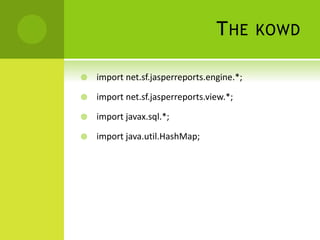
THE KOWD
 import net.sf.jasperreports.engine.*;
 import net.sf.jasperreports.view.*;
 import javax.sql.*;
 import java.util.HashMap;
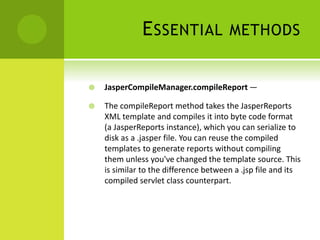
ESSENTIAL METHODS
 JasperCompileManager.compileReport —
 The compileReport method takes the JasperReports
XML template and compiles it into byte code format
(a JasperReports instance), which you can serialize to
disk as a .jasper file. You can reuse the compiled
templates to generate reports without compiling
them unless you've changed the template source. This
is similar to the difference between a .jsp file and its
compiled servlet class counterpart.
 JasperFillManager.fillReport — The fillReport method takes the
compiled report (the JasperReports instance), a few user-
defined custom parameters, and a JasperReports datasource
(an empty instance—more on that later), and fills the report
instance with the parameters and data, if any. In this simple
static Hello Report World! example, the method fills in nothing
but returns an instance of JasperPrint instead.
The JasperPrint instance is an object representation of the
completed report. Now all you have to do is instruct
JasperReports to write it to disk in the desired and supported
formats.
 JasperExportManager.exportReportToHtmlFile
— The exportReport method takes the
JasperPrint instance and a destination file path
and creates an HTML file with the report content.
Besides HTML, the JasperReports framework
supports exporting to PDF, XML, CSV (comma-
separated values), XLS, RTF, and text file formats.
You can also create custom file formats for
export with the extensible JasperReports API.
 JasperExportManager.viewReport — The
viewReport method displays the generated
report in the built-in JasperReport Viewer. This is
an optional but handy display that enables you to
quickly see how a report looks without opening
the generated files.

Jasper Report - Lesson

  • 1.
  • 2.
    THE LIBRARY  Canbe downloaded at  http://sourceforge.net/projects/jasperreports/?source=dir ectory
  • 3.
  • 4.
    CREATING A REPORTSSTARTS WITH A TEMPLATE
  • 5.
  • 6.
    LINKING TO WINDOWSFORMS [THE CODE]
  • 7.
  • 8.
  • 9.
    THE KOWD  importnet.sf.jasperreports.engine.*;  import net.sf.jasperreports.view.*;  import javax.sql.*;  import java.util.HashMap;
  • 10.
    ESSENTIAL METHODS  JasperCompileManager.compileReport—  The compileReport method takes the JasperReports XML template and compiles it into byte code format (a JasperReports instance), which you can serialize to disk as a .jasper file. You can reuse the compiled templates to generate reports without compiling them unless you've changed the template source. This is similar to the difference between a .jsp file and its compiled servlet class counterpart.
  • 11.
     JasperFillManager.fillReport —The fillReport method takes the compiled report (the JasperReports instance), a few user- defined custom parameters, and a JasperReports datasource (an empty instance—more on that later), and fills the report instance with the parameters and data, if any. In this simple static Hello Report World! example, the method fills in nothing but returns an instance of JasperPrint instead. The JasperPrint instance is an object representation of the completed report. Now all you have to do is instruct JasperReports to write it to disk in the desired and supported formats.
  • 12.
     JasperExportManager.exportReportToHtmlFile — TheexportReport method takes the JasperPrint instance and a destination file path and creates an HTML file with the report content. Besides HTML, the JasperReports framework supports exporting to PDF, XML, CSV (comma- separated values), XLS, RTF, and text file formats. You can also create custom file formats for export with the extensible JasperReports API.
  • 13.
     JasperExportManager.viewReport —The viewReport method displays the generated report in the built-in JasperReport Viewer. This is an optional but handy display that enables you to quickly see how a report looks without opening the generated files.