Creating a Documentation Portal
Steve Anderson
Information Architect
sanderson@salesforce.com
@SteveLAnderson
Who am I?
BS in Technical Communication, with a minor in CS
20 years of experience writing
10 years of experience programming
A member of the technical documentation team at Salesforce
Agenda
 What
 Why
 Planning
 Doing
 Ongoing
What is a documentation portal?
It is defined by purpose, not technology or functionality
“A documentation portal is a
website with the purpose of
delivering documentation for
specific projects or systems.”
Examples of documentation portals
• Doc portals
• Single product – Bootstrap
• Single technology – Java
• Multiple technologies – devdocs
• Not Doc Portals
• New(sy) – Gizmodo
• Info repository - Wikipedia
 Search – Google
Why create a documentation portal?
You don’t create it and forget it.
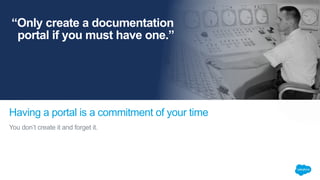
Having a portal is a commitment of your time
“Only create a documentation
portal if you must have one.”
Some reasons to create a documentation portal
 You have a new product that cannot be served using existing systems
 You have a current system that is missing required functionality
 Your current system is no longer available
 For fun
Planning for a documentation portal
• What is the problem you are trying to solve?
• What is the minimum set of functionality you need to be successful?
• How many different page types will you need?
• What functionality does each page type provide?
• Prototypes
Problem statement
A good problem statement is
• Concrete
• Specific
• Based on observations of the users
• Short
• Contains no solutions
Functional requirements
Good functional requirements are:
• Concrete
• Specific
• Are not prototypes
• Driven by business and user requests
• A solution to the issues raised in the problem statement
Page types required
• How many different kinds of pages do you need?
• Start by assuming you need one page type
• Add more as requirements dictate
• Examples
• Documentation content with links to other related documents
• A landing page that lists the deliverables
• A search results page
Prototypes
• Don’t spend too much time on them
• Make sure everyone can see them, always
• Don’t change them without everyone knowing about the change
• Don’t allow the prototype to be a strait jacket
Thank you

Creating a Documentation Portal

  • 1.
    Creating a DocumentationPortal Steve Anderson Information Architect sanderson@salesforce.com @SteveLAnderson
  • 2.
    Who am I? BSin Technical Communication, with a minor in CS 20 years of experience writing 10 years of experience programming A member of the technical documentation team at Salesforce
  • 3.
    Agenda  What  Why Planning  Doing  Ongoing
  • 4.
    What is adocumentation portal?
  • 5.
    It is definedby purpose, not technology or functionality “A documentation portal is a website with the purpose of delivering documentation for specific projects or systems.”
  • 6.
    Examples of documentationportals • Doc portals • Single product – Bootstrap • Single technology – Java • Multiple technologies – devdocs • Not Doc Portals • New(sy) – Gizmodo • Info repository - Wikipedia  Search – Google
  • 7.
    Why create adocumentation portal?
  • 8.
    You don’t createit and forget it. Having a portal is a commitment of your time “Only create a documentation portal if you must have one.”
  • 9.
    Some reasons tocreate a documentation portal  You have a new product that cannot be served using existing systems  You have a current system that is missing required functionality  Your current system is no longer available  For fun
  • 10.
    Planning for adocumentation portal • What is the problem you are trying to solve? • What is the minimum set of functionality you need to be successful? • How many different page types will you need? • What functionality does each page type provide? • Prototypes
  • 11.
    Problem statement A goodproblem statement is • Concrete • Specific • Based on observations of the users • Short • Contains no solutions
  • 12.
    Functional requirements Good functionalrequirements are: • Concrete • Specific • Are not prototypes • Driven by business and user requests • A solution to the issues raised in the problem statement
  • 13.
    Page types required •How many different kinds of pages do you need? • Start by assuming you need one page type • Add more as requirements dictate • Examples • Documentation content with links to other related documents • A landing page that lists the deliverables • A search results page
  • 14.
    Prototypes • Don’t spendtoo much time on them • Make sure everyone can see them, always • Don’t change them without everyone knowing about the change • Don’t allow the prototype to be a strait jacket
  • 15.

Editor's Notes

  • #2 2 hours; spend 45 minutes or so through slide 20, then do a lot of showing Things to figure out – Can I do a split screen where I’m showing the presentation slide and the command-line or browser? How do I fix the fonts on the links? Timing – can I do the first 20 slides in 45 minutes? Timing – how long will the workshop sections take?
  • #3 Yes, I’ll put a proper picture of myself in here; I haven’t gotten one yet Writers think I’m a good programmer Programmers think I’m a good writer One thing that’s not on here – I’m also highly opinionated. I’m going to tell you today what I believe to be true. You probably won’t agree with everything. I think that’s great. I do hope, though, that I’ll stimulate you into thinking about your beliefs and what I have to say. Also, ask questions anytime, but please do raise your hand; sometimes I need to finish a point or I’ll forget what I’m talking about.
  • #5 Let’s make sure we’re all talking about the same thing before we get too far into this
  • #6 Does it have to be a website? No, of course not. It could be an app, a desktop program, an eBook, or, heck, it could even be a bunch of paper bound together. In the end, all of these things have more in common than they have differences. I’m going to talk about websites because that’s more fun for me to talk about.
  • #7 TODO – take screen shots, but hide them, in case there’s no network Click off to Bootstrap – Bootstrap is a framework developed by Twitter that makes it easy for a website to create a functional UI that works on most devices. Click off to Java – Java is a programming language, and so much more. All the bits of Java work together, but a typical project only uses bits and pieces of Java. Click off to Stash – Stash is a documentation portal that displays documentation from all kinds of projects. You may be interested in one or more. For example, many web developers are interested in JavaScript documentation as well as documentation for a specific framework, such as Bootstrap. Recap – three types of documentation portals, but each of them fits the definition. Their purpose is to provide documentation for one or more systems or projects. Click off to Gizmodo – Gizmodo is a website that has all kinds of interesting How To information. It’s also got a ton of other stuff, though. It’s not limited to documentation. It’s also far from complete. What do you think? Does a documentation portal have to be complete? I don’t think so; as a matter of fact, I think it’s impossible - we can never create documentation that will answer every question, so we always fall short of complete. Now there’s complete and there’s complete-enough, but that’s a judgment call that you get to make; put enough information there to help your users, but don’t put stuff there just to be complete, you won’t be helping anyone except the person that gets paid by the word. Click off to Wikipedia, say an article on Java – we all know Wikipedia; it’s got a lot of good information, but again, it fails to meet my definition, because that information isn’t specific to documenting systems or projects. It’s also not authoritative. What do you think, should a documentation portal be authoritative? I didn’t put it in my definition, but I do believe that a documentation portal should have an individual or a group that stands behind it, one that makes its best attempt to keep the documentation correct and will respond when requests are made to change it. Yes, you can see who edited what on Wikipedia, but how do you know that person knows the answer? Yes, you can fix it yourself, but what if you only know the information is wrong? Click off to Google – you can use Google to find documentation, but Google itself doesn’t deliver documentation. It does provide a valuable service, though, for users, and search should be considered when you are designing your portal. Here’s another issue with Google – sometimes you’ll find multiple versions of a document. Should a documentation portal provide every version of documentation for a project or service? I don’t know the answer to that one  I believe it’s a business decision, not a design decision. However, when designing your portal, you should know the answer to that because it has a big impact.
  • #8 Talking about use cases always helps make things a bit more concrete
  • #9 When I first looked at this photo I thought “How does that guy know what to do? There are so many switches!” But then I thought about it a bit. How many different buttons do you push in a day to do your job? How often do you have to look up what the button does? This guy stares at these switches, knobs, gauges, etc., for hours everyday. He knows them all. Probably. I bet he still has the manual under the desk though, just in case, because, you see, he needs that information, but he gets it via a document, not a documentation portal. Look, I don’t want to scare you … much. You might be thinking “Of course I want a portal!” but it’s important to remember the trade-offs. There are worse things than delivering documentation via a PDF served up by your corporate website; one of them is having incorrect content online; another one is having your customers trying to read your documentation and they cannot because your portal is throwing errors or offline. Offline is actually better than throwing errors or giving them incorrect information, at least offline you aren’t actively causing harm. You risk all of those things, and others, having a documentation portal. In addition, things will go wrong. You can’t hire a consultant to spin up a portal and expect not to be paying them again in a month or two or three unless you are willing to commit your own resources to the project. And remember, every minute, every dollar you spend on your portal is one that you can’t use writing killer documentation.
  • #10 Missing functionality might not just be things like search, it might also include things like release scheduling. If you need to release every week and the current systems only release once a month, well, that’s missing functionality.
  • #11 Notice I’m not talking about technology yet. We don’t care, yet, what programming language things are written in, where it’s hosted, if the content is going to be in a database or the file system or … If we do our planning well, those are details that we are able to accept or reject on how well they meet our requirements and whether we have the resources. People can, and do, create websites using all kinds of systems and technology that I think are terrible choices. I create websites in technology that others think are terrible choices. I’m wrong and so are they. If the choices meet the requirements and solve the problems, they are the right choices.
  • #12 TODO – Create an example for us to work; make sure it includes some things to remove and add
  • #13 TODO – Create an example for us to work from
  • #14 You’d be surprised by how few types of pages you need for a doc portal The first one is the one that meets your primary goal – get information to the user. It’s a documentation page. Sometimes a portal might only be that page type. The related documents are typically expressed as a hierarchical list (a table of contents), but they don’t have to be An example of a want is a “Contact Us” page. Those are important on sales sites because you want to gather details about the user. In a documentation portal, you want the user to be able to reach out to you is s/he has questions or comments on a particular piece of documentation, so they should be able to contact you from every page. Others, of course, include “About this site”, “About us”, etc. Remember your goal. Nothing should be in the portal if it doesn’t help meet that goal. Be strict! It’s far to easy to wind up with a site full of cruft with only a few nuggets of information. Those nuggets won’t be found; heck, users won’t even look for them. They know pretty quickly that your site isn’t useful and they go elsewhere.
  • #15 We do prototypes in a variety of ways. My favorite is on a whiteboard. I sketch out the boxes, and then I take pictures with my phone. I then put those into a shared network resource (Google Drive) and we iterate on them until we find agreement. We have the advantage of having corporate colors, fonts, etc., so we don’t have to specify those for each new portal type. Typically I show ratios for the box, i.e., the table of contents in the left column takes up 1x of the page width, the main topic takes up 3x of the page; the header takes up 1x of the page height and the body takes up 9x of the page height. Within the header, the search box is 2y of the height, with a 1y padding on top and bottom. Sometimes prototypes can be crippling. You spend so much time specifying everything, you never actually start coding the project. Another danger is that you get too attached to the prototype. A detail that, when you created the prototype wasn’t terribly important, may take a developer a great deal of time to implement. Make sure the developers know they can come to you when they hit something tricky. If you are creating the prototypes and the final portal, be careful not to change the design to easily. Remember you created the prototype for good reason.