












CONTINUOUS INTEGRATION
INTRODUCTIONS

   Brendan Jennings

   Alexandre Morot

   Intuit

   Any opinions are our own
OVERVIEW OF PRESENTATION

 What Is Continuous Integration
 Previous System Pain Points

 Build Server

 Unit Tests

 Automated Deployment

 Verdict

 Questions
WHAT IS CONTINUOUS INTEGRATION
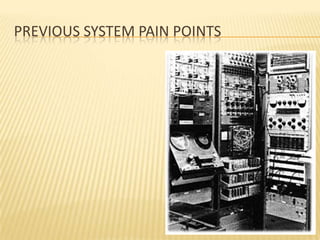
PREVIOUS SYSTEM PAIN POINTS
SOURCE CONTROL/BROKEN BUILDS

   Issues Encountered (It works on my
    machine)
     Incorrect   DLL references
        DLL is in a different location to hard coded path
        DLL does not exist on machine

        DLL reference is to output directory
SOURCE CONTROL/BROKEN BUILDS

   Issues Encountered (It works on my
    machine)
     Incorrect
              DLL references
     Incomplete check-ins
        Fileswithout project
        Project without new files
SOURCE CONTROL/BROKEN BUILDS

   Issues Encountered (It works on my
    machine)
     IncorrectDLL references
     Incomplete check-ins

     Overwritten changes

     Check in timing (end of day check-ins)

     Staying on old version to avoid build errors

   Fairly Frequent Downtime for Entire Team
    Resolving Build Errors
MANUAL TESTING OF CHANGES

 Time Intensive
 No Full Regression Test

 Testing Time Reduced When Running Late
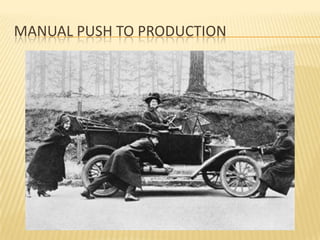
MANUAL PUSH TO PRODUCTION

   Requires Observer to Reduce Risk of Errors
STEPS INVOLVED
STEPS INVOLVED

   Build
STEPS INVOLVED

   Zip
STEPS INVOLVED

   Push to Datacenter
STEPS INVOLVED

   Pull to Pre-Production
STEPS INVOLVED

   Extract and Replace Build
STEPS INVOLVED

   QA
STEPS INVOLVED

   QA
     Restart   if Failed
STEPS INVOLVED

   For Each Server
STEPS INVOLVED

   For Each Server
     Pull   from Rotation
STEPS INVOLVED

   For Each Server
     Extract   and Replace Build
STEPS INVOLVED

   For Each Server
     Warm   Up Server
STEPS INVOLVED

   For Each Server
     Put   Back In Rotation
STEPS INVOLVED

   Pray
STEPS INVOLVED

 Release Complete
 Typically 2 Hours Later
SERVERS NOT ALL PUSHED TOGETHER

   Leaves Site in Inconsistent State
SERVERS NOT ALL PUSHED TOGETHER

   Leaves Site in Inconsistent State
     If
       inconsistency is severe, site needs to be taken
      down during push
BUILD SERVER
BUILD SERVER

   Continuous Build of Every Check-In
BUILD SERVER

   Continuous Build of Every Check-In
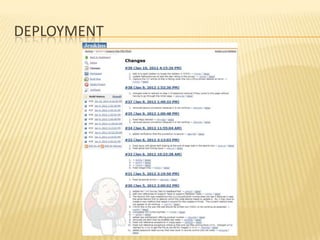
     Used   Hudson, later switched to Jenkins
BUILD SERVER

 Continuous Build of Every Check-In
 Immediate Notification of Build Errors
     Names   and shames guilty party
     Notifications come through to phone

     Encourages pride in build quality

     Only check-in working code

     Immediate action must be taken for build errors

     Notification sent for every check-in that is still broken

     Final notification sent when problem resolved
UNIT TESTS
UNIT TESTS

   Gradually Adding Unit Tests for Existing
    Code
     Focus   on coverage for most critical areas first
UNIT TESTS

 Gradually Adding Unit Tests for Existing
  Code
 Default to Unit Tests for New/Updated Code

 Add Test Execution to Build Server
     Failed unit tests also send notifications to team
     History maintained; can track fixes to tests
UNIT TESTS

 Gradually Adding Unit Tests for Existing
  Code
 Default to Unit Tests for New/Updated Code

 Add Test Execution to Build Server

 All Tests Must Pass
     If the test has found a bug, the code must be
      fixed
     If the test has failed incorrectly, the test must be
      fixed
DEPLOYMENT
DEPLOYMENT

   Latest Build
     Added  server to run latest development version
     All successful builds pushed automatically
DEPLOYMENT

 Latest Build
 Data Center
     Use   source control labels
       Precise control of what is included in each build
       History of all prior builds; can recreate prior versions
        of site
DEPLOYMENT
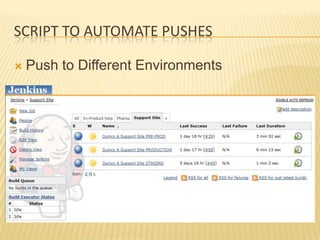
SCRIPT TO AUTOMATE PUSHES

   Push to Different Environments
SCRIPT PROCESSING

   Take One Server Out Of Rotation
SCRIPT PROCESSING

   Updates Server with Differential Push
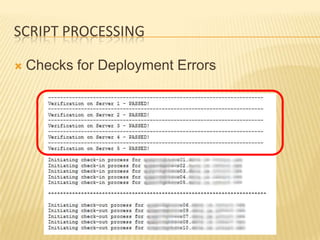
SCRIPT PROCESSING

   Checks For Deployment Errors
SCRIPT PROCESSING

   Manual Final Verification Step
SCRIPT PROCESSING

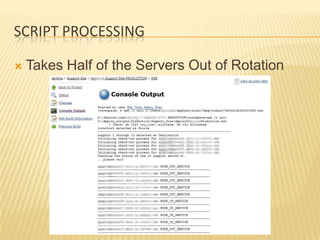
   Takes Half of the Servers Out of Rotation
SCRIPT PROCESSING

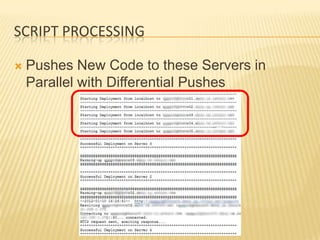
   Pushes New Code to these Servers in
    Parallel with Differential Pushes
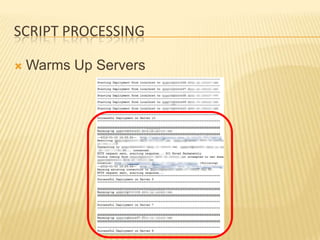
SCRIPT PROCESSING

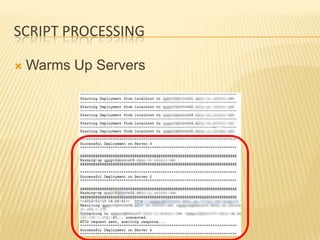
   Warms Up Servers
SCRIPT PROCESSING

   Checks for Deployment Errors
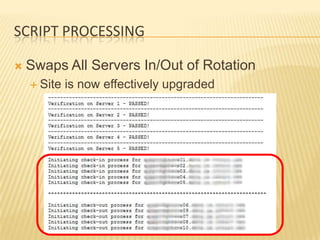
SCRIPT PROCESSING

   Swaps All Servers In/Out of Rotation
     Site   is now effectively upgraded
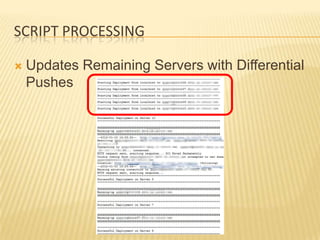
SCRIPT PROCESSING

   Updates Remaining Servers with Differential
    Pushes
SCRIPT PROCESSING

   Warms Up Servers
SCRIPT PROCESSING

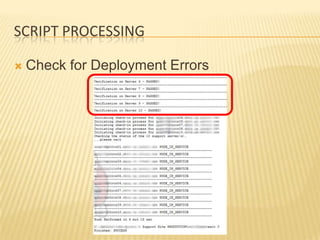
   Check for Deployment Errors
SCRIPT PROCESSING

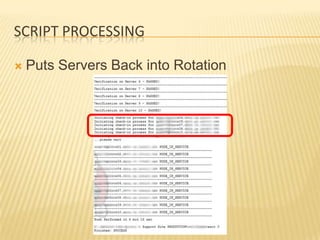
   Puts Servers Back into Rotation
SCRIPT PROCESSING

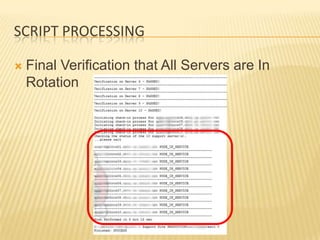
   Final Verification that All Servers are In
    Rotation
TECHNOLOGIES USED
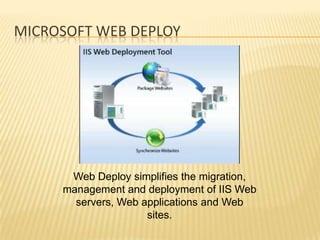
MICROSOFT WEB DEPLOY


      Web Deploy simplifies the migration,
     management and deployment of IIS Web
       servers, Web applications and Web
                     sites.
CYGWIN BASH AND SSH SERVER


     Linux-like environment for Windows making it
      possible to port software running on POSIX
        systems (such as Linux, BSD, and Unix
                 systems) to Windows.
JENKINS


             Jenkins is an open-source
          continuous integration server with
          300+ plugins to support all kinds of
                      software
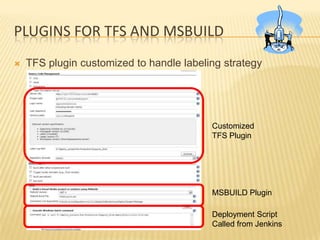
PLUGINS FOR TFS AND MSBUILD
   TFS plugin customized to handle labeling strategy


                                          Customized
                                          TFS Plugin


                                          MSBUILD Plugin

                                          Deployment Script
                                          Called from Jenkins
VERDICT
QUALITY
QUALITY

   Build Issues Typically Identified Rapidly
     No longer have the ‘Monday morning blues’ where
      nobody can build
QUALITY

 Build Issues Typically Identified Rapidly
 Automated Regression Tests provide Higher
  Levels of Confidence
     Issues are uncovered that we believe we would have
      missed in the past
     Analytics bugs were extremely unlikely to be seen
      until someone complained
DEPLOYMENT
DEPLOYMENT

 Can Be Deployed by One Person
 No Downtime Required in Most Updates

 Time to Deploy Reduced to 6 Minutes
     Team  more productive
     Enables rapid deployment of small changes

     Multiple deployments per day

     2 hour window can be hard to find between
      meetings
DEPLOYMENT

 Can Be Deployed by One Person
 No Downtime Required in Most Updates

 Time to Deploy Reduced to 6 Minutes

 Can Rollback Quickly if Necessary

 Deployment can be Unattended
     If
       something fails, deployment aborts
      automatically
     Failure notification sent including failure reason
DEPLOYMENT

 Can Be Deployed by One Person
 No Downtime Required in Most Updates

 Time to Deploy Reduced to 6 Minutes

 Can Rollback Quickly if Necessary

 Deployment can be Unattended

 Team Do Not Need Production Server Login
     Removes   temptation to perform fix directly on
     server
QUESTIONS

Continuous integration