



Introduction to
Continuous Integration
      Chris@Chris-Read.net
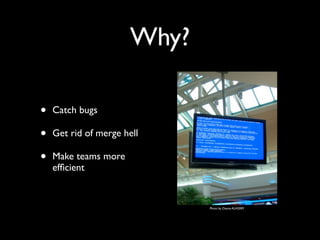
Why?

•   Catch bugs

•   Get rid of merge hell

•   Make teams more
    efficient


                              Photo by Osama ALASSIRY
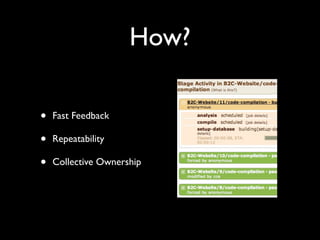
How?

•   Fast Feedback

•   Repeatability

•   Collective Ownership
Core Practices

•   Single Source Repository

•   Automate Build

•   Automate Testing

•   Publish the Latest
    Distributable

                               Photo by teclasorg
Single Source
         Repository
• Single point of truth
• Everyone's code in the same place
• NOT a branch per developer
• Shared ownership
Automate Build

• Using the IDE is not automating!
• Use a build tool
• Compile, package, test
Automate Testing

• Not just Unit Tests
• Failing tests fail the build
• Fix it if it’s broken or you’re wasting your
  time
Publish Latest
        Distributable

• Make it easy to get the final product
• Should only be built once
• Configuration is separate
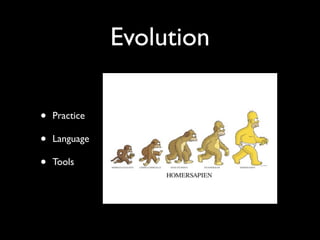
Evolution

•   Practice

•   Language

•   Tools
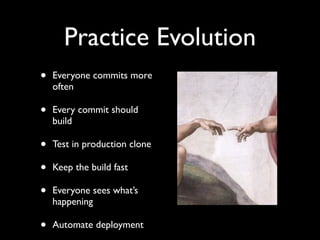
Practice Evolution
•   Everyone commits more
    often

•   Every commit should
    build

•   Test in production clone

•   Keep the build fast

•   Everyone sees what’s
    happening

•   Automate deployment
Commit More Often

• “At least once a day” - aim for at least once
  an hour
• Needs a small unit of work
• To commit cleanly you need to update first
Every Commit Builds

• It’s all about fast feedback
• Small changes
• Less to merge and/or fix
Test in Production
           Clone

• Detect multi-threaded or cluster issues
• Tests system architecture
• Includes databases!
Keep Build Fast

• It really is all about feedback
• If things break you find out about it while
  it’s still fresh in your mind
• Keep up with frequent check ins
Everyone Sees What’s
     Happening

• Reduce time to fix
• No excuse to check in on broken build
• It’s not about blame, it’s about feedback
Automate Deployment

• Reduce Human Error
• Verify you can get it running somewhere
  other than “my machine”
• Test not only the code but your
  deployment mechanism too
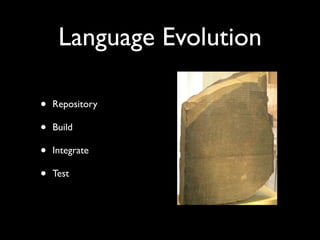
Language Evolution

•   Repository

•   Build

•   Integrate

•   Test
Build
•   Compile      •   Run Tests

•   Link         •   Analyse Code

                 •   Package

                 •   Deploy
Integrate
•   Team members on a       •   Getting projects
    project getting their       working together
    code to work together
                            •   Other systems

                            •   Other libraries
Test
•   Just test my code in       •   Unit Tests
    isolation
                               •   Integration Tests
•   It compiles, I’m done
                               •   Acceptance Tests
•   Manual testing
Making CI Work

•   Can’t be done in
    isolation

•   Pick the right tools for
    the job

•   It’s not a silver bullet


                               Image by LiminalMike
Tools Evolution &
            Trends
•   Source Control

•   Build Analytics

•   Metrics

•   Testing Tools

•   CI Servers

                      Photo by docman
Source Control

• Inter-SCM Integration
• See which revision broke the build
• Cope with the load
• Artefact versioning
Build Analytics

• Test Code Coverage
• Bugs
• Style
• Complexity
• Visualisation
Metrics

• Interesting code stats
• Track quality trends
 • Performance
 • Code coverage
 • Build times
Testing Tools
• Test doubles - test interaction
 • Stubs
 • Mocking
• BDD
• FIT
• Selenium
CI Servers

• Agents and Build Grids
• Personal Builds
• Pipelines
• Reporting
• Ease of use
Summary

• Good CI will increase development
  throughput and code quality
• CI is a set of principles, not a set of steps
• Be pragmatic - evolve your CI with your
  project
Q&A
Thanks for participating...

Introduction To Continuous Integration

  • 1.
  • 2.
    Why? • Catch bugs • Get rid of merge hell • Make teams more efficient Photo by Osama ALASSIRY
  • 3.
    How? • Fast Feedback • Repeatability • Collective Ownership
  • 4.
    Core Practices • Single Source Repository • Automate Build • Automate Testing • Publish the Latest Distributable Photo by teclasorg
  • 5.
    Single Source Repository • Single point of truth • Everyone's code in the same place • NOT a branch per developer • Shared ownership
  • 6.
    Automate Build • Usingthe IDE is not automating! • Use a build tool • Compile, package, test
  • 7.
    Automate Testing • Notjust Unit Tests • Failing tests fail the build • Fix it if it’s broken or you’re wasting your time
  • 8.
    Publish Latest Distributable • Make it easy to get the final product • Should only be built once • Configuration is separate
  • 9.
    Evolution • Practice • Language • Tools
  • 10.
    Practice Evolution • Everyone commits more often • Every commit should build • Test in production clone • Keep the build fast • Everyone sees what’s happening • Automate deployment
  • 11.
    Commit More Often •“At least once a day” - aim for at least once an hour • Needs a small unit of work • To commit cleanly you need to update first
  • 12.
    Every Commit Builds •It’s all about fast feedback • Small changes • Less to merge and/or fix
  • 13.
    Test in Production Clone • Detect multi-threaded or cluster issues • Tests system architecture • Includes databases!
  • 14.
    Keep Build Fast •It really is all about feedback • If things break you find out about it while it’s still fresh in your mind • Keep up with frequent check ins
  • 15.
    Everyone Sees What’s Happening • Reduce time to fix • No excuse to check in on broken build • It’s not about blame, it’s about feedback
  • 16.
    Automate Deployment • ReduceHuman Error • Verify you can get it running somewhere other than “my machine” • Test not only the code but your deployment mechanism too
  • 17.
    Language Evolution • Repository • Build • Integrate • Test
  • 18.
    Build • Compile • Run Tests • Link • Analyse Code • Package • Deploy
  • 19.
    Integrate • Team members on a • Getting projects project getting their working together code to work together • Other systems • Other libraries
  • 20.
    Test • Just test my code in • Unit Tests isolation • Integration Tests • It compiles, I’m done • Acceptance Tests • Manual testing
  • 21.
    Making CI Work • Can’t be done in isolation • Pick the right tools for the job • It’s not a silver bullet Image by LiminalMike
  • 22.
    Tools Evolution & Trends • Source Control • Build Analytics • Metrics • Testing Tools • CI Servers Photo by docman
  • 23.
    Source Control • Inter-SCMIntegration • See which revision broke the build • Cope with the load • Artefact versioning
  • 24.
    Build Analytics • TestCode Coverage • Bugs • Style • Complexity • Visualisation
  • 25.
    Metrics • Interesting codestats • Track quality trends • Performance • Code coverage • Build times
  • 26.
    Testing Tools • Testdoubles - test interaction • Stubs • Mocking • BDD • FIT • Selenium
  • 27.
    CI Servers • Agentsand Build Grids • Personal Builds • Pipelines • Reporting • Ease of use
  • 28.
    Summary • Good CIwill increase development throughput and code quality • CI is a set of principles, not a set of steps • Be pragmatic - evolve your CI with your project
  • 29.