DW2	
Session	
6/8/16	1:30	PM	


Continuous	Integration	as	a	
Development	Team's	Way	of	Life	
	
Presented	by:	
	
Melissa	Benua	
PlayFab	
	
	
Brought	to	you	by:		


350	Corporate	Way,	Suite	400,	Orange	Park,	FL	32073		
888---268---8770	··	904---278---0524	-	info@techwell.com	-	http://www.techwell.com/
Melissa	Benua	
PlayFab	
	
In	her	career	Melissa	Benua	has	worked	in	nearly	every	software	development	
role—engineer,	test,	DevOps,	and	program	management—and	now	senior	
backend	engineer	for	PlayFab.	Melissa	has	created	and	run	high-availability,	high-
quality	services	at	Boeing	and	Microsoft	on	products	such	as	Bing,	Cortana,	and	
Xbox	One.	Melissa	discovered	her	love	of	massively-scaled	systems	while	working	
on	the	Bing	backend,	where	she	honed	the	art	of	keeping	highly-available	
complex	systems	up	while	undergoing	massive	code	churn.	Melissa	isn't	afraid	to	
mix	traditional	approaches	with	bold	new	ideas	to	make	her	products	better,	
faster,	and	more	reliable.	She's	passionate	about	maximizing	efficiency	in	her	
product	code	and	in	her	developer	tools,	and	about	sharing	best	practices.
6/5/16	
1	
CONTINUOUS INTEGRATION AS A
DEVELOPMENT TEAM’S WAY OF
LIFE
Melissa Benua
Senior Software Engineer
PlayFab, Inc
Better Software West 2016
Continuous Integration + Continuous Delivery
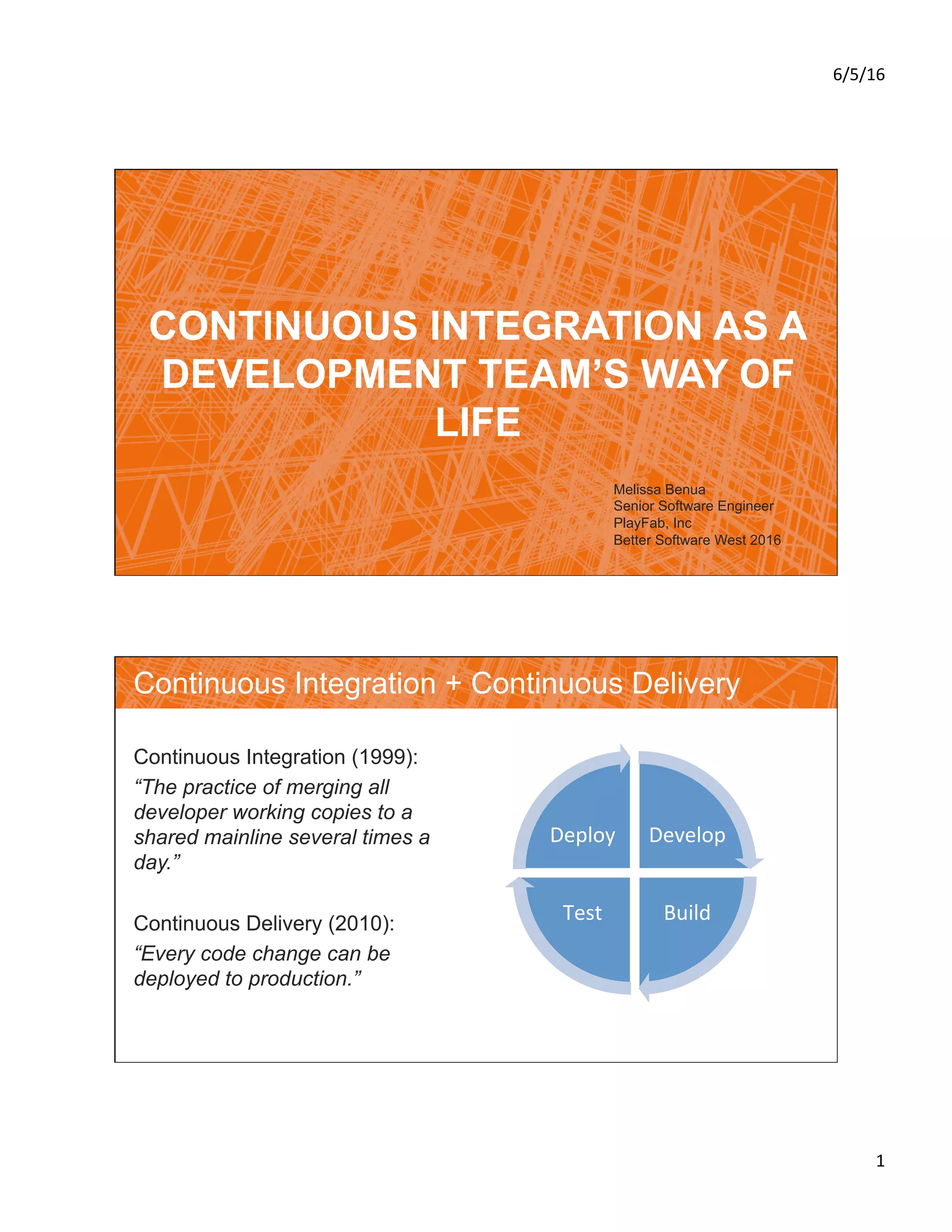
Continuous Integration (1999):
“The practice of merging all
developer working copies to a
shared mainline several times a
day.”
Continuous Delivery (2010):
“Every code change can be
deployed to production.”
Develop	
Build	Test	
Deploy
6/5/16	
2	
Principles of Go-Fast
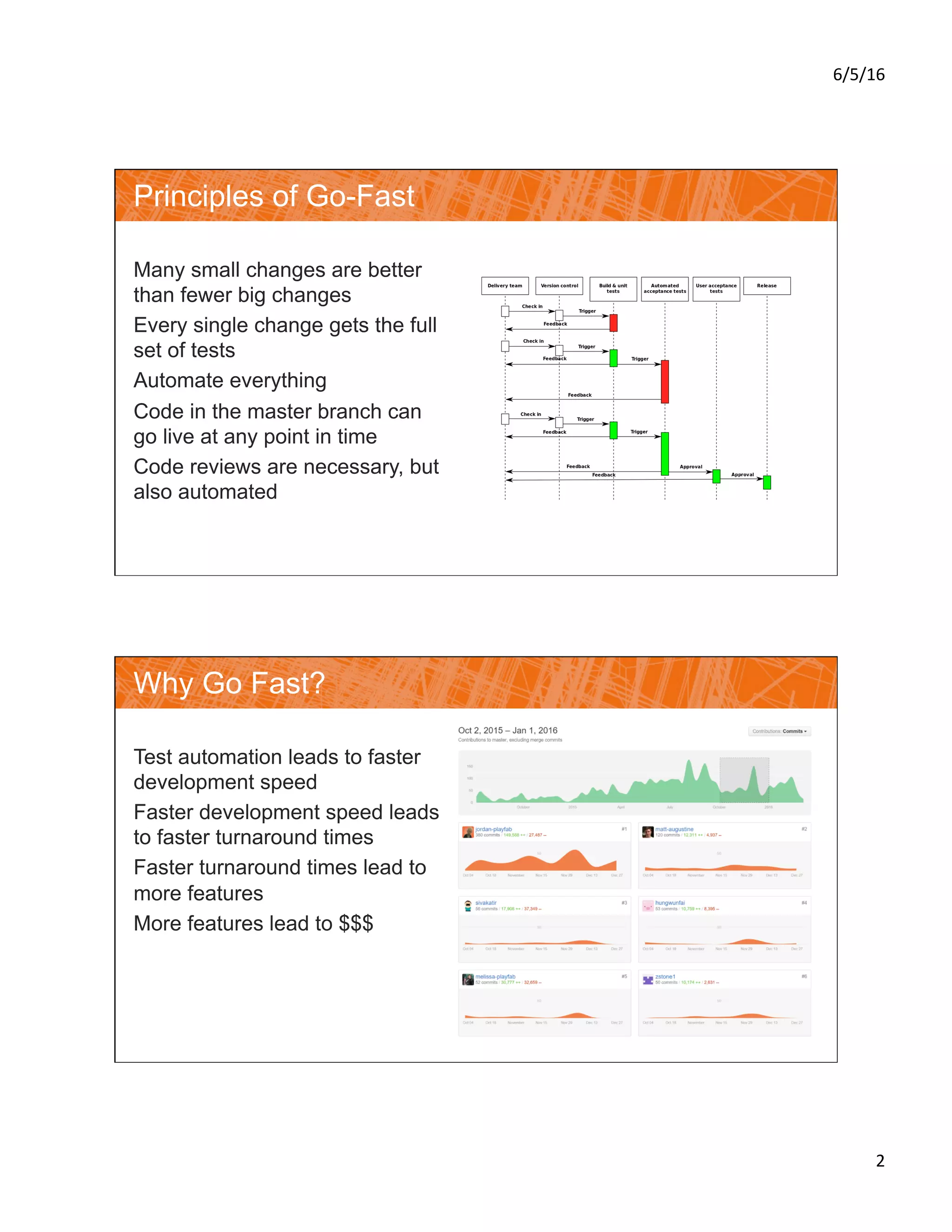
Many small changes are better
than fewer big changes
Every single change gets the full
set of tests
Automate everything
Code in the master branch can
go live at any point in time
Code reviews are necessary, but
also automated
Why Go Fast?
Test automation leads to faster
development speed
Faster development speed leads
to faster turnaround times
Faster turnaround times lead to
more features
More features lead to $$$
6/5/16	
3	
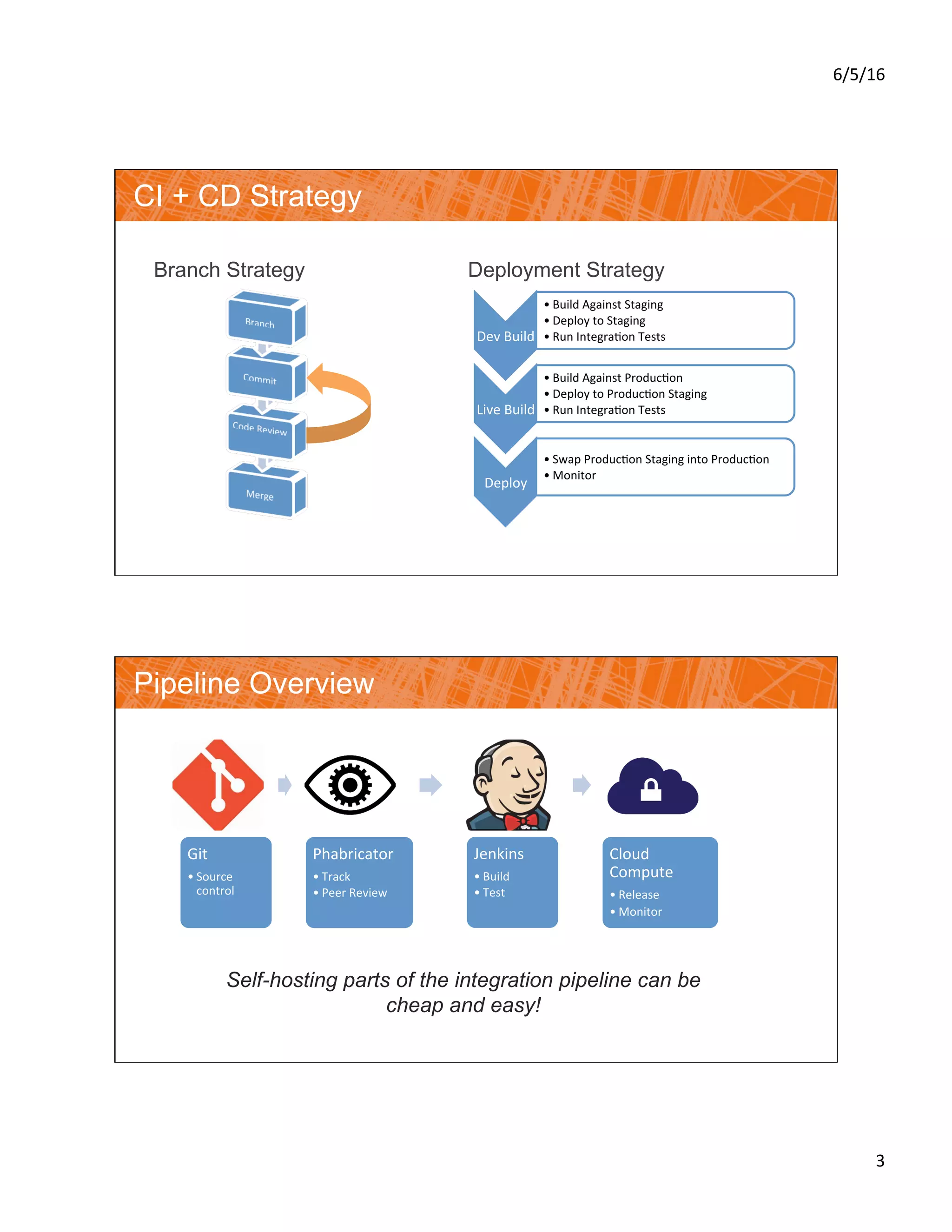
CI + CD Strategy
Branch Strategy Deployment Strategy
Dev	Build	
• Build	Against	Staging	
• Deploy	to	Staging	
• Run	Integra?on	Tests	
Live	Build	
• Build	Against	Produc?on	
• Deploy	to	Produc?on	Staging	
• Run	Integra?on	Tests	
Deploy	
• Swap	Produc?on	Staging	into	Produc?on	
• Monitor	
Pipeline Overview
Self-hosting parts of the integration pipeline can be
cheap and easy!
Git	
• Source	
control	
Phabricator	
• Track	
• Peer	Review	
Jenkins	
• Build	
• Test	
Cloud	
Compute	
• Release	
• Monitor
6/5/16	
4	
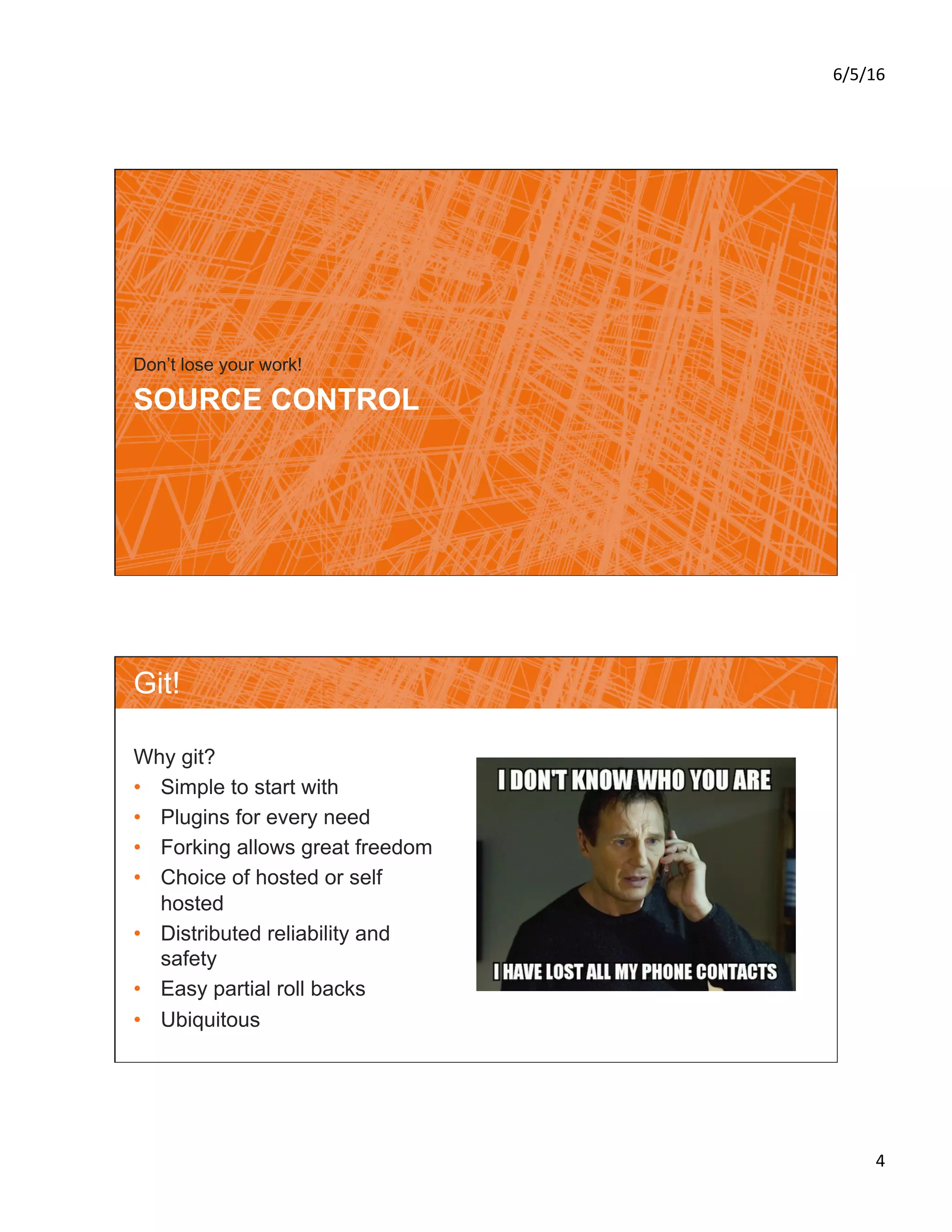
SOURCE CONTROL
Don’t lose your work!
Git!
Why git?
•  Simple to start with
•  Plugins for every need
•  Forking allows great freedom
•  Choice of hosted or self
hosted
•  Distributed reliability and
safety
•  Easy partial roll backs
•  Ubiquitous
6/5/16	
5	
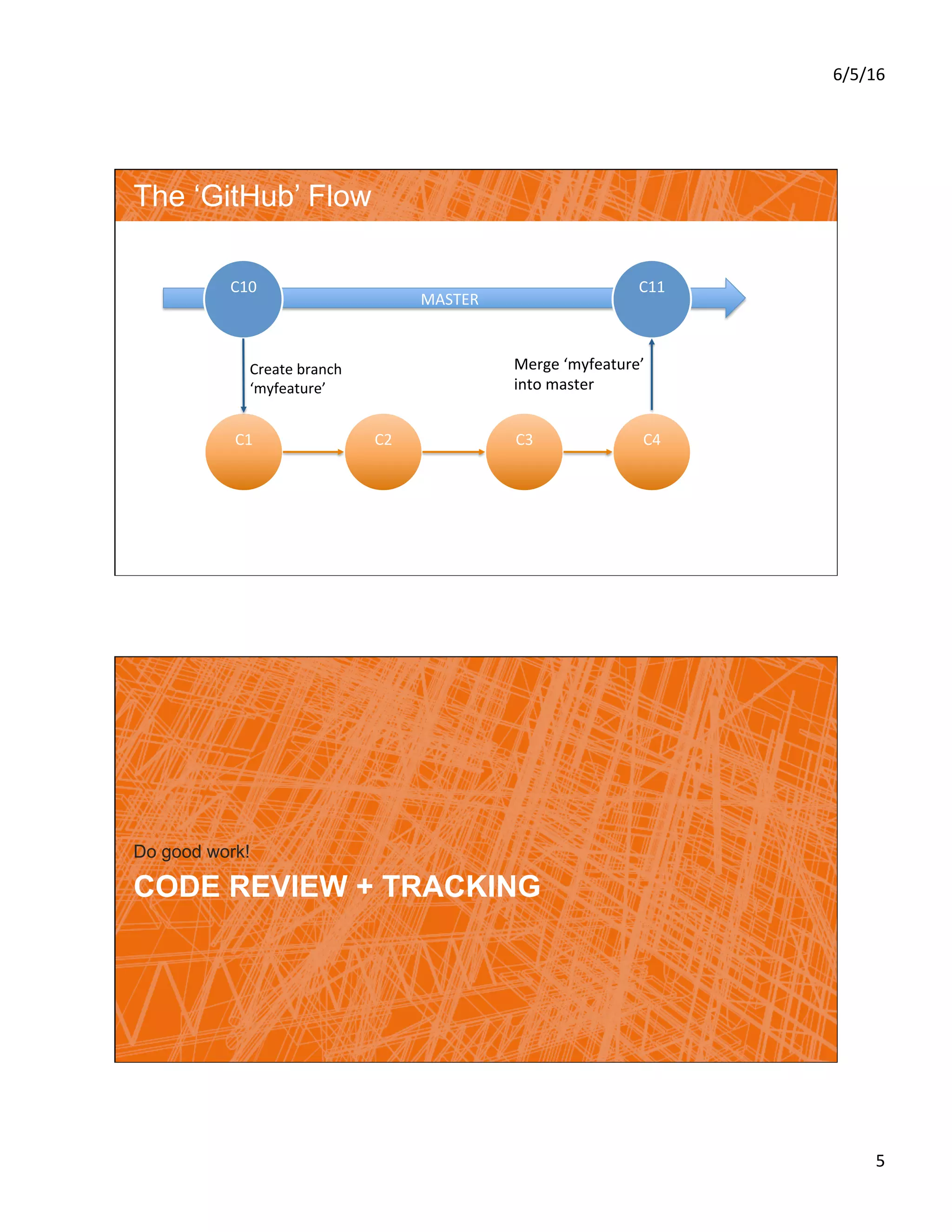
MASTER	
The ‘GitHub’ Flow
C2	
C10	
C1	 C3	 C4	
C11	
Create	branch	
‘myfeature’	
Merge	‘myfeature’	
into	master	
CODE REVIEW + TRACKING
Do good work!
6/5/16	
6	
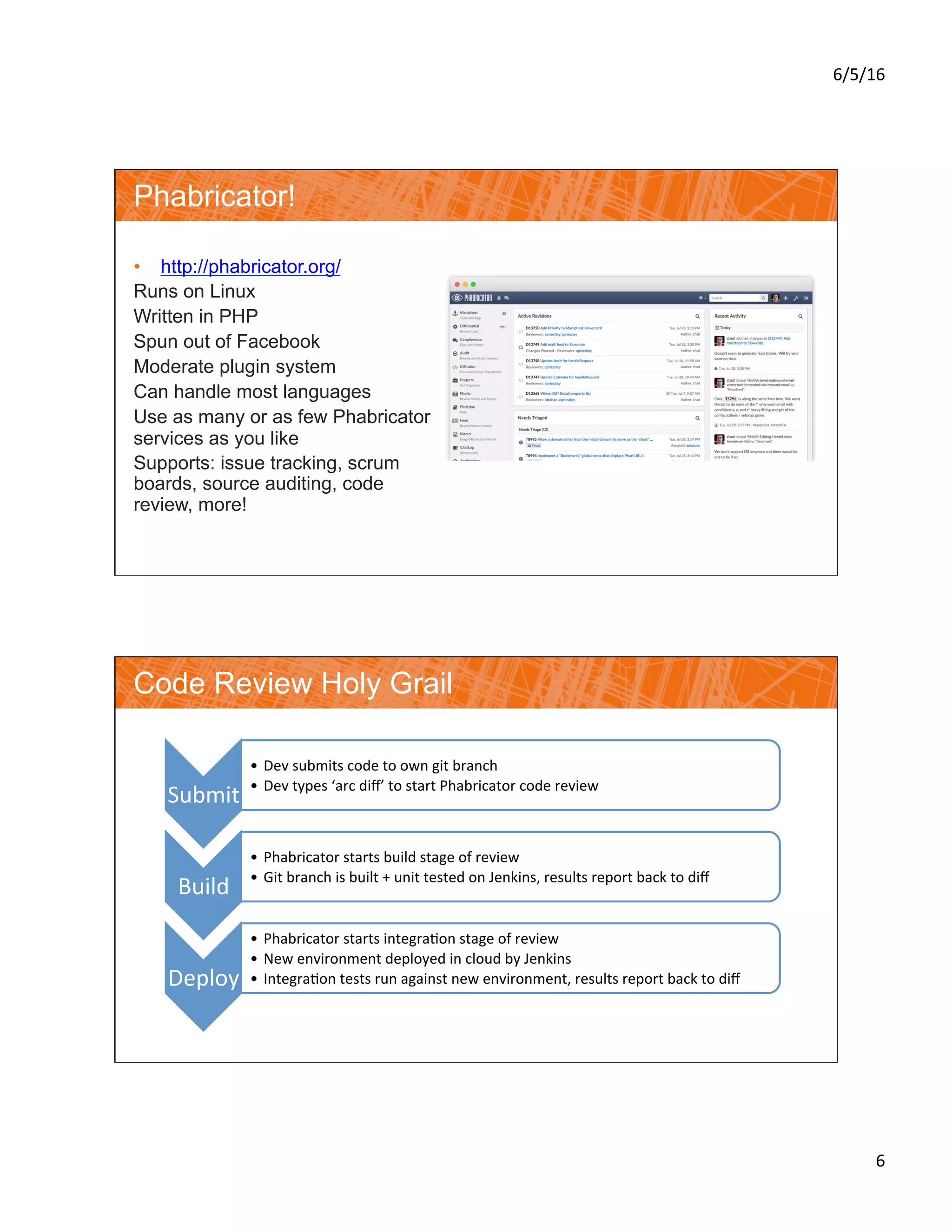
Phabricator!
•  http://phabricator.org/
Runs on Linux
Written in PHP
Spun out of Facebook
Moderate plugin system
Can handle most languages
Use as many or as few Phabricator
services as you like
Supports: issue tracking, scrum
boards, source auditing, code
review, more!
Code Review Holy Grail
Submit	
•  Dev	submits	code	to	own	git	branch	
•  Dev	types	‘arc	diff’	to	start	Phabricator	code	review	
Build	
•  Phabricator	starts	build	stage	of	review	
•  Git	branch	is	built	+	unit	tested	on	Jenkins,	results	report	back	to	diff	
Deploy	
•  Phabricator	starts	integra?on	stage	of	review	
•  New	environment	deployed	in	cloud	by	Jenkins	
•  Integra?on	tests	run	against	new	environment,	results	report	back	to	diff
6/5/16	
7	
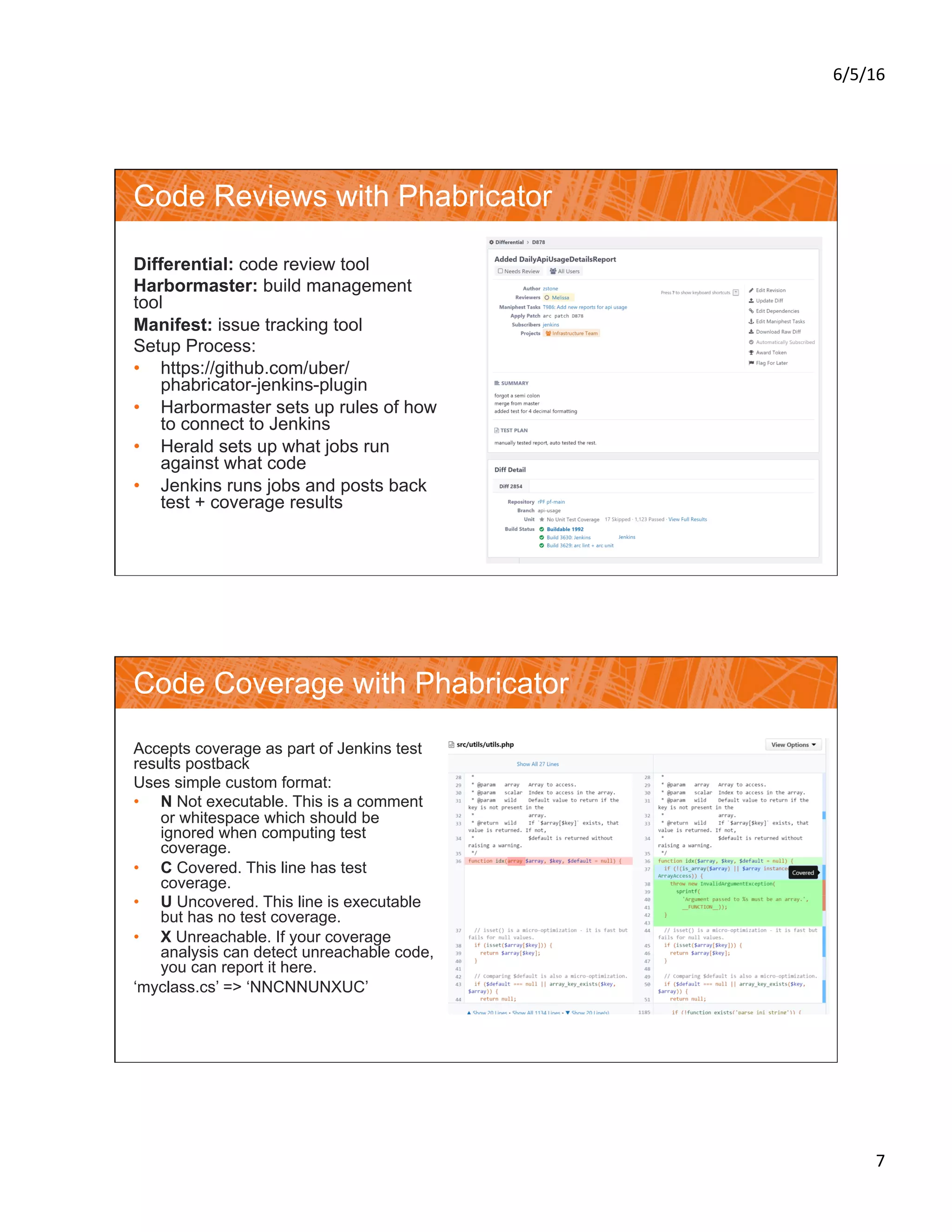
Code Reviews with Phabricator
Differential: code review tool
Harbormaster: build management
tool
Manifest: issue tracking tool
Setup Process:
•  https://github.com/uber/
phabricator-jenkins-plugin
•  Harbormaster sets up rules of how
to connect to Jenkins
•  Herald sets up what jobs run
against what code
•  Jenkins runs jobs and posts back
test + coverage results
Code Coverage with Phabricator
Accepts coverage as part of Jenkins test
results postback
Uses simple custom format:
•  N Not executable. This is a comment
or whitespace which should be
ignored when computing test
coverage.
•  C Covered. This line has test
coverage.
•  U Uncovered. This line is executable
but has no test coverage.
•  X Unreachable. If your coverage
analysis can detect unreachable code,
you can report it here.
‘myclass.cs’ => ‘NNCNNUNXUC’
6/5/16	
8	
CLOUD BUILD + TEST
Check your work!
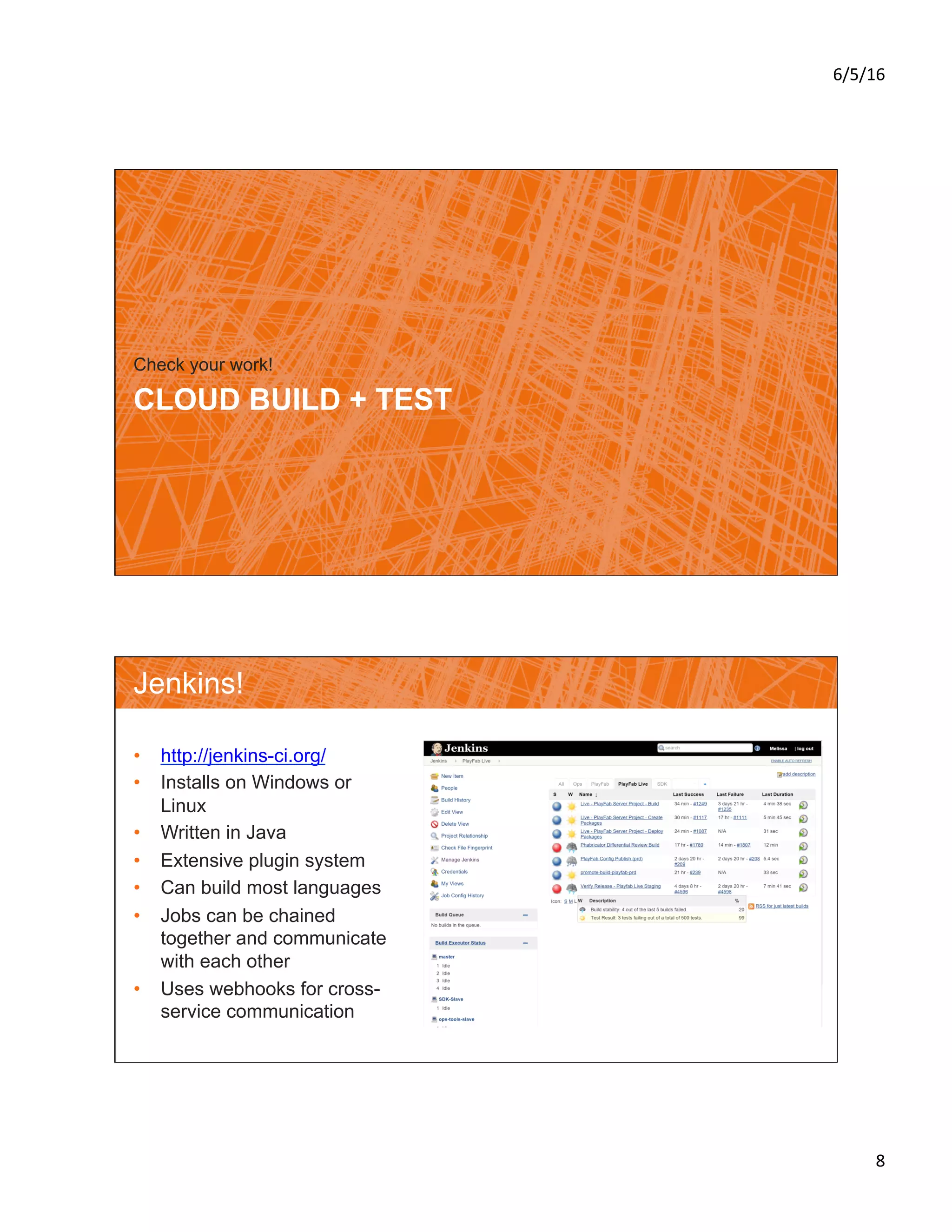
Jenkins!
•  http://jenkins-ci.org/
•  Installs on Windows or
Linux
•  Written in Java
•  Extensive plugin system
•  Can build most languages
•  Jobs can be chained
together and communicate
with each other
•  Uses webhooks for cross-
service communication
6/5/16	
9	
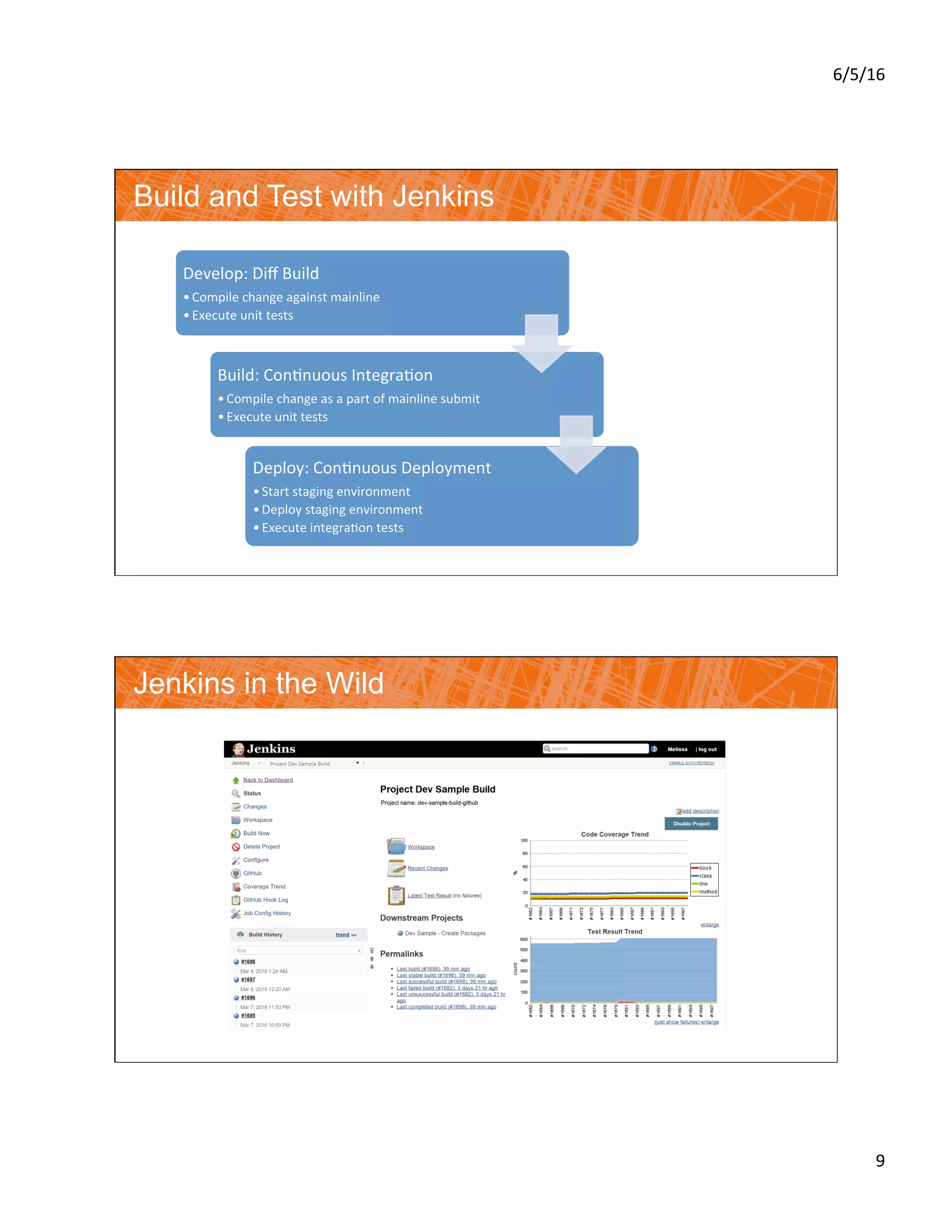
Build and Test with Jenkins
Develop:	Diff	Build	
• Compile	change	against	mainline	
• Execute	unit	tests	
Build:	Con?nuous	Integra?on	
• Compile	change	as	a	part	of	mainline	submit	
• Execute	unit	tests	
Deploy:	Con?nuous	Deployment	
• Start	staging	environment	
• Deploy	staging	environment	
• Execute	integra?on	tests	
Jenkins in the Wild
6/5/16	
10	
DEPLOY + MONITOR
See your work live!
Cloud Deployment
Each service packaged and deployed by
Jenkins:
•  Staging: All builds update staging
environment services and all tests are
run
•  Production: Builds are cherry pick
deployed
•  Deploy to Production Staging
•  Run tests against new staging environment
•  Roll staged traffic over to new environment
•  Roll back immediately on failures
All deployments managed via Jenkins
Packaging includes config changes
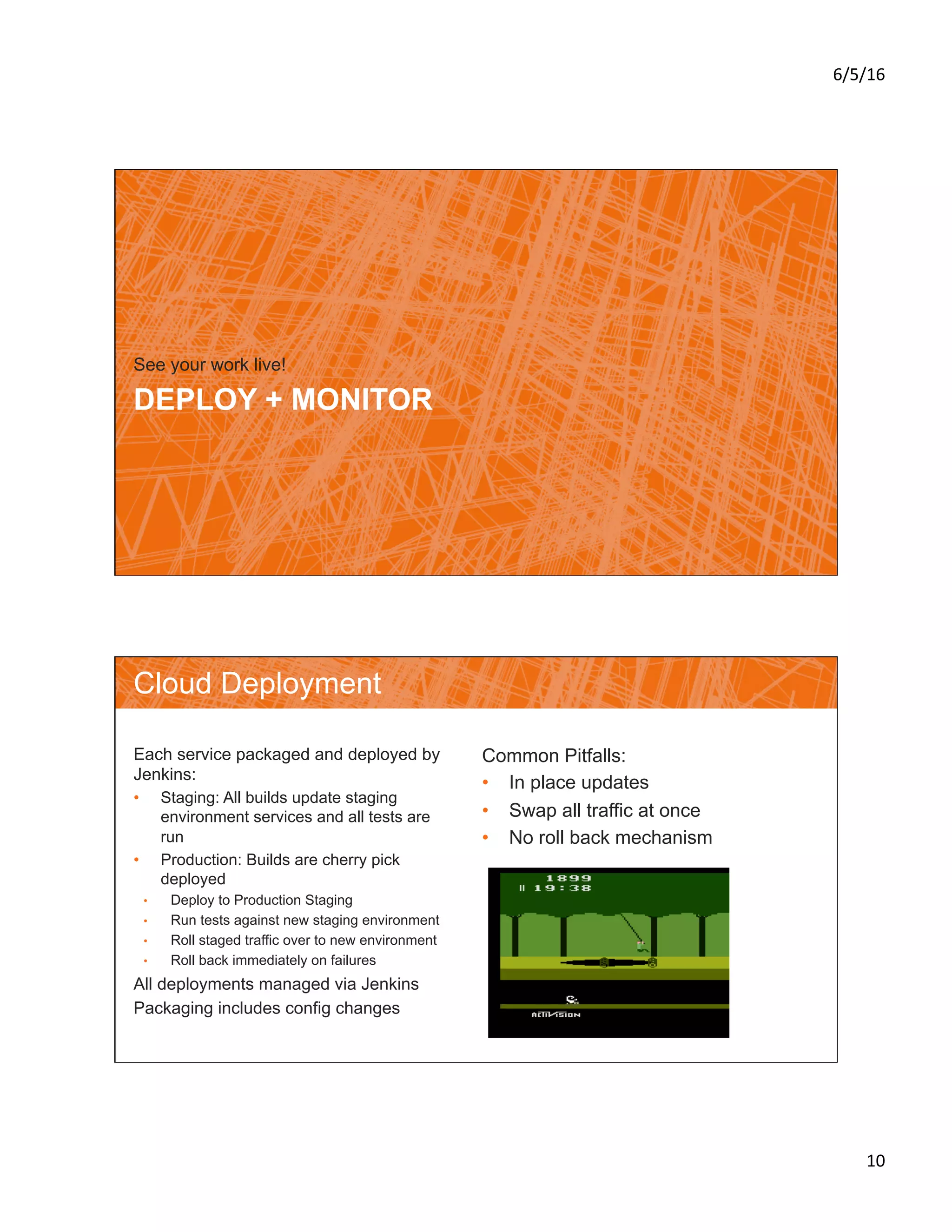
Common Pitfalls:
•  In place updates
•  Swap all traffic at once
•  No roll back mechanism
6/5/16	
11	
Cloud Monitoring
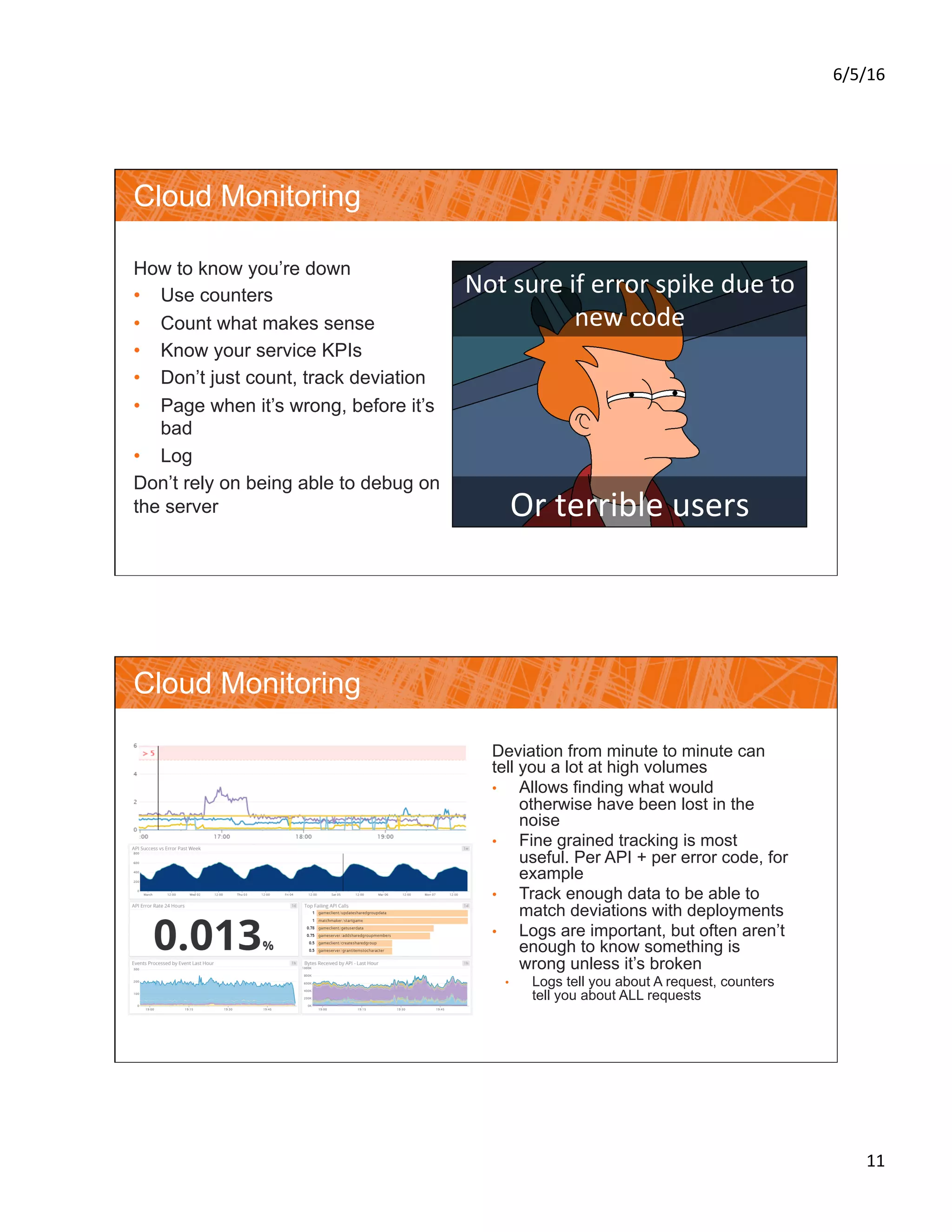
How to know you’re down
•  Use counters
•  Count what makes sense
•  Know your service KPIs
•  Don’t just count, track deviation
•  Page when it’s wrong, before it’s
bad
•  Log
Don’t rely on being able to debug on
the server
Not	sure	if	error	spike	due	to	
new	code	
Or	terrible	users	
Cloud Monitoring
Deviation from minute to minute can
tell you a lot at high volumes
•  Allows finding what would
otherwise have been lost in the
noise
•  Fine grained tracking is most
useful. Per API + per error code, for
example
•  Track enough data to be able to
match deviations with deployments
•  Logs are important, but often aren’t
enough to know something is
wrong unless it’s broken
•  Logs tell you about A request, counters
tell you about ALL requests
6/5/16	
12	
Statistics!
~10,000,000 lines of code
~1500 automated tests
~60% automated code coverage
~200k lines of code churn/month
~5 production deployments/week
~10 cloud services
Questions?
Melissa	Benua	
@queenofcode	
mbenua@gmail.com	
h_ps://www.linkedin.com/in/mbenua	
h_p://www.slideshare.net/MelissaBenua
6/5/16	
13	
APPENDIX
Technical Details and Sample Config
24

Continuous Integration as a Development Team’s Way of Life