Photograph Selection
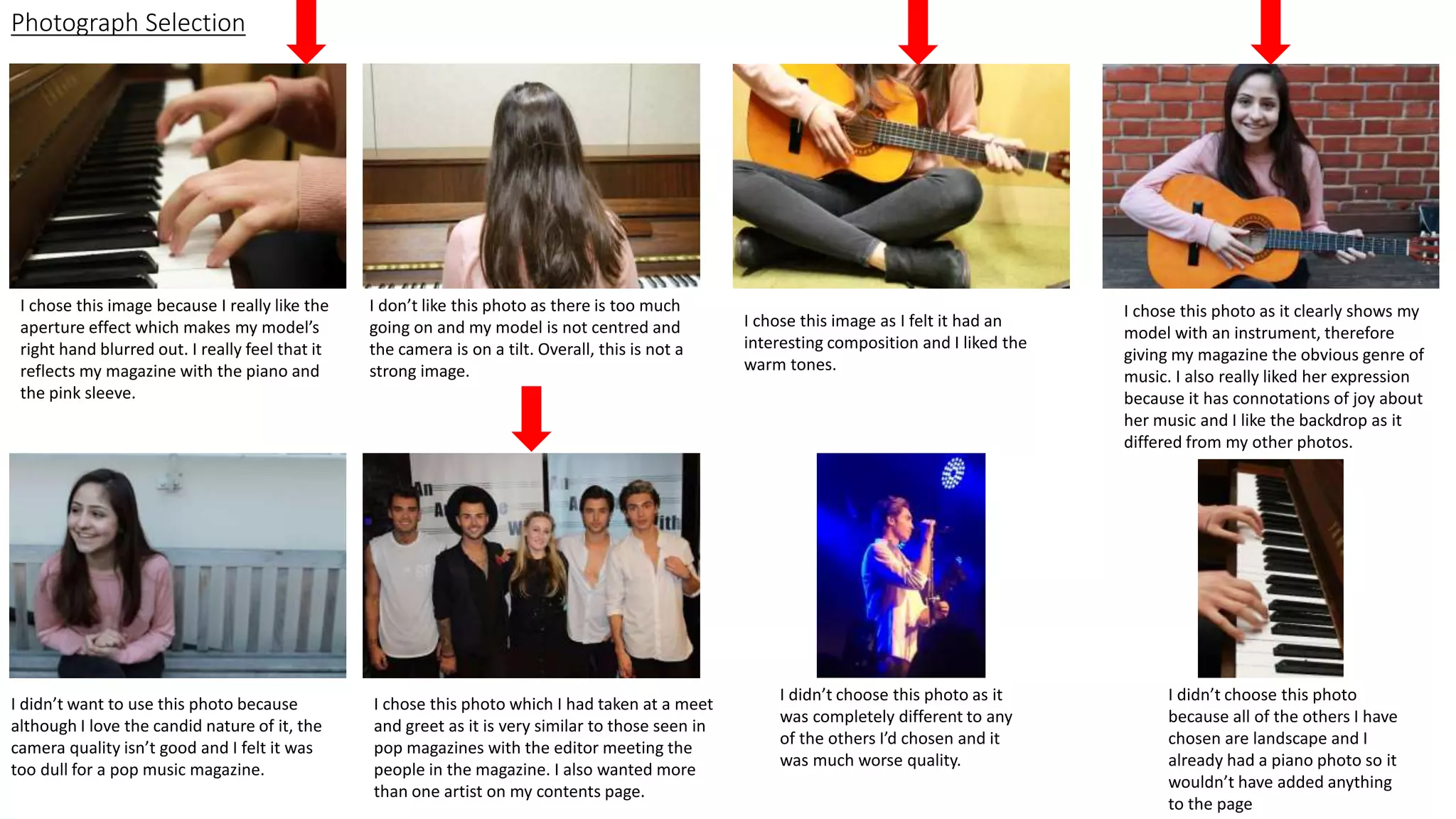
I chose this image because I really like the
aperture effect which makes my model’s
right hand blurred out. I really feel that it
reflects my magazine with the piano and
the pink sleeve.
I don’t like this photo as there is too much
going on and my model is not centred and
the camera is on a tilt. Overall, this is not a
strong image.
I chose this image as I felt it had an
interesting composition and I liked the
warm tones.
I chose this photo as it clearly shows my
model with an instrument, therefore
giving my magazine the obvious genre of
music. I also really liked her expression
because it has connotations of joy about
her music and I like the backdrop as it
differed from my other photos.
I didn’t want to use this photo because
although I love the candid nature of it, the
camera quality isn’t good and I felt it was
too dull for a pop music magazine.
I chose this photo which I had taken at a meet
and greet as it is very similar to those seen in
pop magazines with the editor meeting the
people in the magazine. I also wanted more
than one artist on my contents page.
I didn’t choose this photo as it
was completely different to any
of the others I’d chosen and it
was much worse quality.
I didn’t choose this photo
because all of the others I have
chosen are landscape and I
already had a piano photo so it
wouldn’t have added anything
to the page
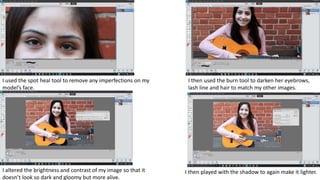
I used the spot heal tool to remove any imperfections on my
model’s face.
I then used the burn tool to darken her eyebrows,
lash line and hair to match my other images.
I altered the brightness and contrast of my image so that it
doesn’t look so dark and gloomy but more alive.
I then played with the shadow to again make it lighter.
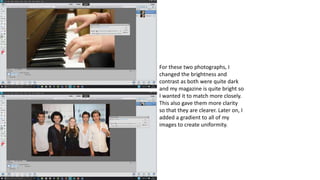
For these two photographs, I
changed the brightness and
contrast as both were quite dark
and my magazine is quite bright so
I wanted it to match more closely.
This also gave them more clarity
so that they are clearer. Later on, I
added a gradient to all of my
images to create uniformity.
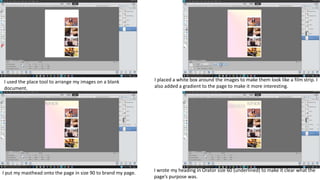
I placed a white box around the images to make them look like a film strip. I
also added a gradient to the page to make it more interesting.
I put my masthead onto the page in size 90 to brand my page. I wrote my heading in Orator size 60 (underlined) to make it clear what the
page’s purpose was.
I used the place tool to arrange my images on a blank
document.
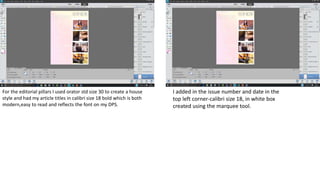
For the editorial pillars I used orator std size 30 to create a house
style and had my article titles in calibri size 18 bold which is both
modern,easy to read and reflects the font on my DPS.
I added in the issue number and date in the
top left corner-calibri size 18, in white box
created using the marquee tool.
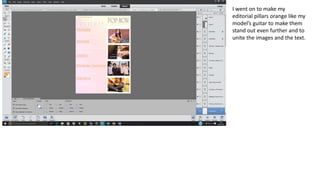
I went on to make my
editorial pillars orange like my
model’s guitar to make them
stand out even further and to
unite the images and the text.

Contents creation

  • 1.
    Photograph Selection I chosethis image because I really like the aperture effect which makes my model’s right hand blurred out. I really feel that it reflects my magazine with the piano and the pink sleeve. I don’t like this photo as there is too much going on and my model is not centred and the camera is on a tilt. Overall, this is not a strong image. I chose this image as I felt it had an interesting composition and I liked the warm tones. I chose this photo as it clearly shows my model with an instrument, therefore giving my magazine the obvious genre of music. I also really liked her expression because it has connotations of joy about her music and I like the backdrop as it differed from my other photos. I didn’t want to use this photo because although I love the candid nature of it, the camera quality isn’t good and I felt it was too dull for a pop music magazine. I chose this photo which I had taken at a meet and greet as it is very similar to those seen in pop magazines with the editor meeting the people in the magazine. I also wanted more than one artist on my contents page. I didn’t choose this photo as it was completely different to any of the others I’d chosen and it was much worse quality. I didn’t choose this photo because all of the others I have chosen are landscape and I already had a piano photo so it wouldn’t have added anything to the page
  • 2.
    I used thespot heal tool to remove any imperfections on my model’s face. I then used the burn tool to darken her eyebrows, lash line and hair to match my other images. I altered the brightness and contrast of my image so that it doesn’t look so dark and gloomy but more alive. I then played with the shadow to again make it lighter.
  • 3.
    For these twophotographs, I changed the brightness and contrast as both were quite dark and my magazine is quite bright so I wanted it to match more closely. This also gave them more clarity so that they are clearer. Later on, I added a gradient to all of my images to create uniformity.
  • 4.
    I placed awhite box around the images to make them look like a film strip. I also added a gradient to the page to make it more interesting. I put my masthead onto the page in size 90 to brand my page. I wrote my heading in Orator size 60 (underlined) to make it clear what the page’s purpose was. I used the place tool to arrange my images on a blank document.
  • 5.
    For the editorialpillars I used orator std size 30 to create a house style and had my article titles in calibri size 18 bold which is both modern,easy to read and reflects the font on my DPS. I added in the issue number and date in the top left corner-calibri size 18, in white box created using the marquee tool.
  • 6.
    I went onto make my editorial pillars orange like my model’s guitar to make them stand out even further and to unite the images and the text.