I knew that I wanted a white background
so I left my page as it was and then began
placing rulers on my page to guide me in
terms of placement of text and images
then used Place to insert my three photos,
one in the bottom right corner, one in the
bottom left corner and one at the top in
the middle to show it was the most
important. Next, I used the text box tool
to write my editorial pillar in Impact, size
48 and underlined to make it stand out.
I wrote my article titles = in Arial, size
30 so that they were smaller than my
editorial pillar, making sure that each
title was next to its corresponding
photograph to add clarity and to make
it easier for a reader to find their
desired article.
I inserted my Masthead and made it
size 60 in Budmo to make it stand out
as the masthead of the magazine (the
identity of the magazine). I then made
all the text grey to match the cover
and to add a sense of uniformity.
I wrote my heading (‘Contents’) in
impact size 72 underlined to make it
link with my editorial pillar and to
make it stand out as the page title
making it more user friendly.

Contents 1st draft

  • 1.
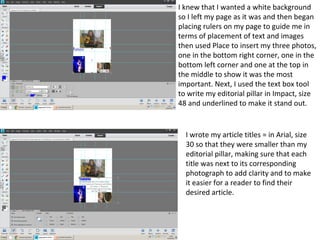
    I knew thatI wanted a white background so I left my page as it was and then began placing rulers on my page to guide me in terms of placement of text and images then used Place to insert my three photos, one in the bottom right corner, one in the bottom left corner and one at the top in the middle to show it was the most important. Next, I used the text box tool to write my editorial pillar in Impact, size 48 and underlined to make it stand out. I wrote my article titles = in Arial, size 30 so that they were smaller than my editorial pillar, making sure that each title was next to its corresponding photograph to add clarity and to make it easier for a reader to find their desired article.
  • 2.
    I inserted myMasthead and made it size 60 in Budmo to make it stand out as the masthead of the magazine (the identity of the magazine). I then made all the text grey to match the cover and to add a sense of uniformity. I wrote my heading (‘Contents’) in impact size 72 underlined to make it link with my editorial pillar and to make it stand out as the page title making it more user friendly.