Conteneo Weave Advanced Powers!
Version 2.0
Idea Engine Decision Engine
Objectives
As a Producer and/or Facilitator using Weave,
I want to understand the super cool awesome
advanced capabilities of Weave
so that I collaborate like a boss.
Agenda
• Single User DE
• Collaboration Events with LOTS of People: Galas
• Large Scale Prioritization
• Large Scale Retrospectives
• Pre-configured Frameworks
• Framework  Forum  Framework
• Anonymous Play
• Participant vs. Standard vs. Professional Accounts
• Exit URL
3
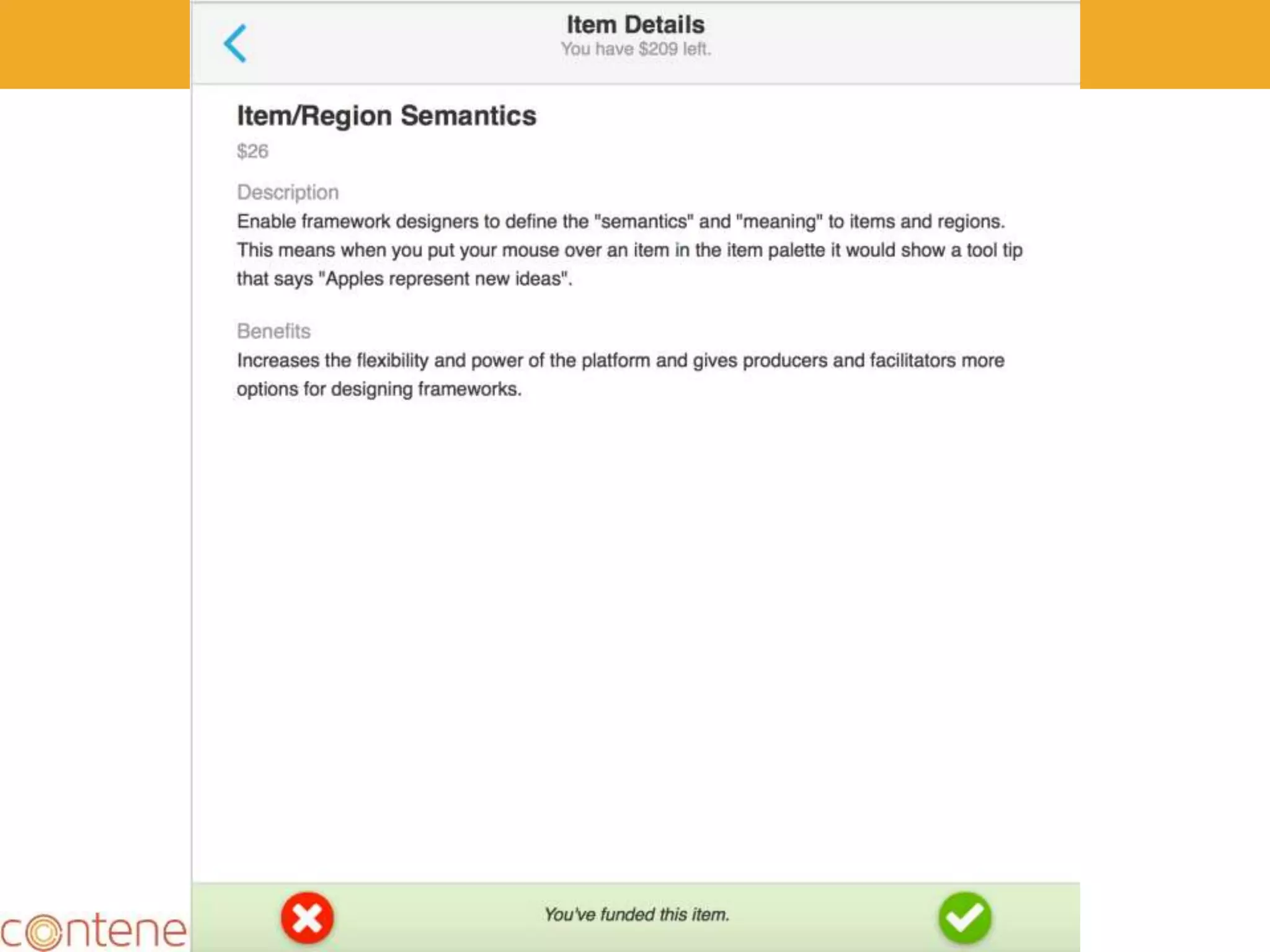
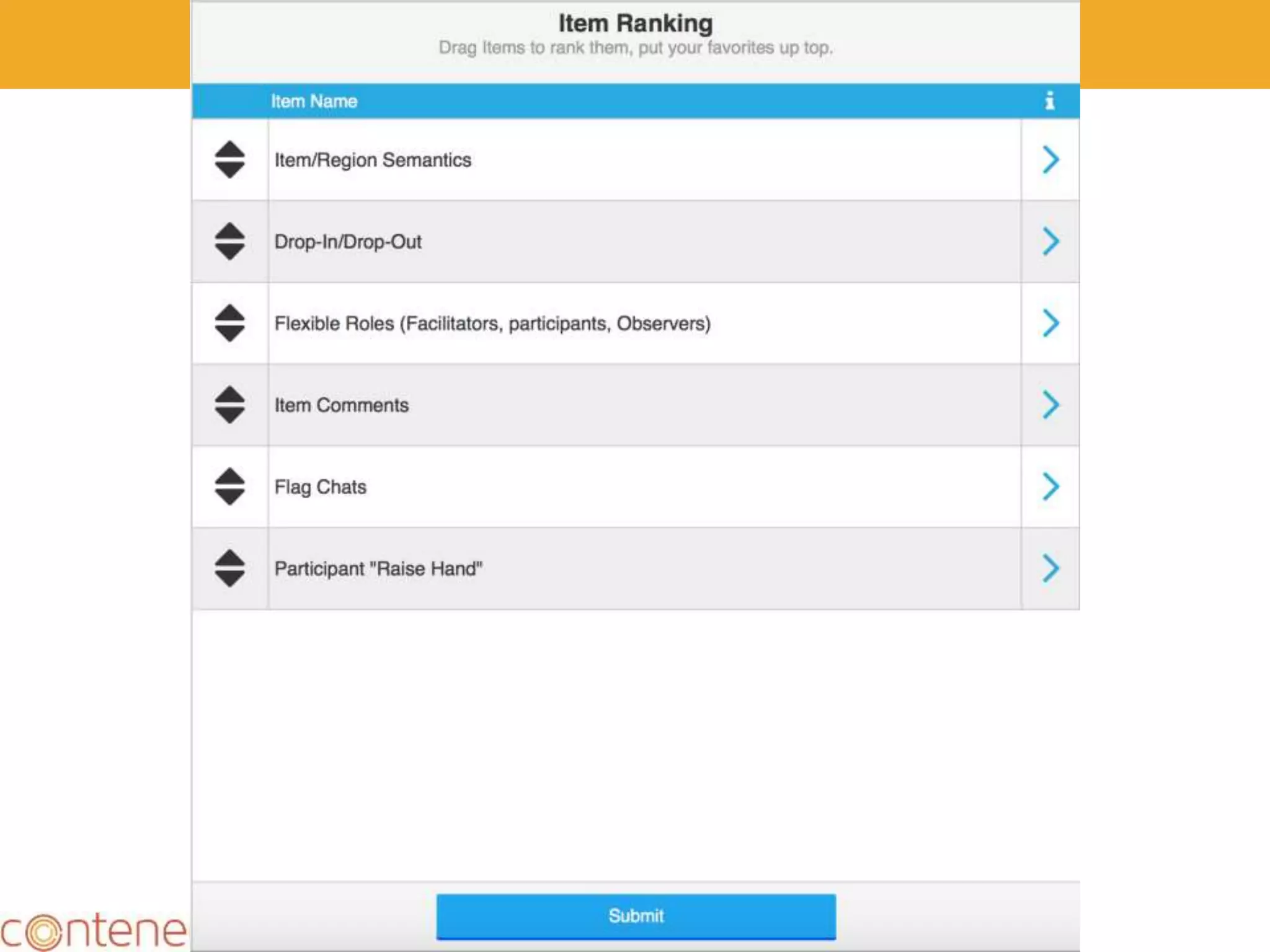
Single User Decision Engine
4
Laura: Add Slides
5
6
7
8
9
10
• Try it!
• https://weave.conteneo.co/game/join?id=526-
621-235
11
Galas
12
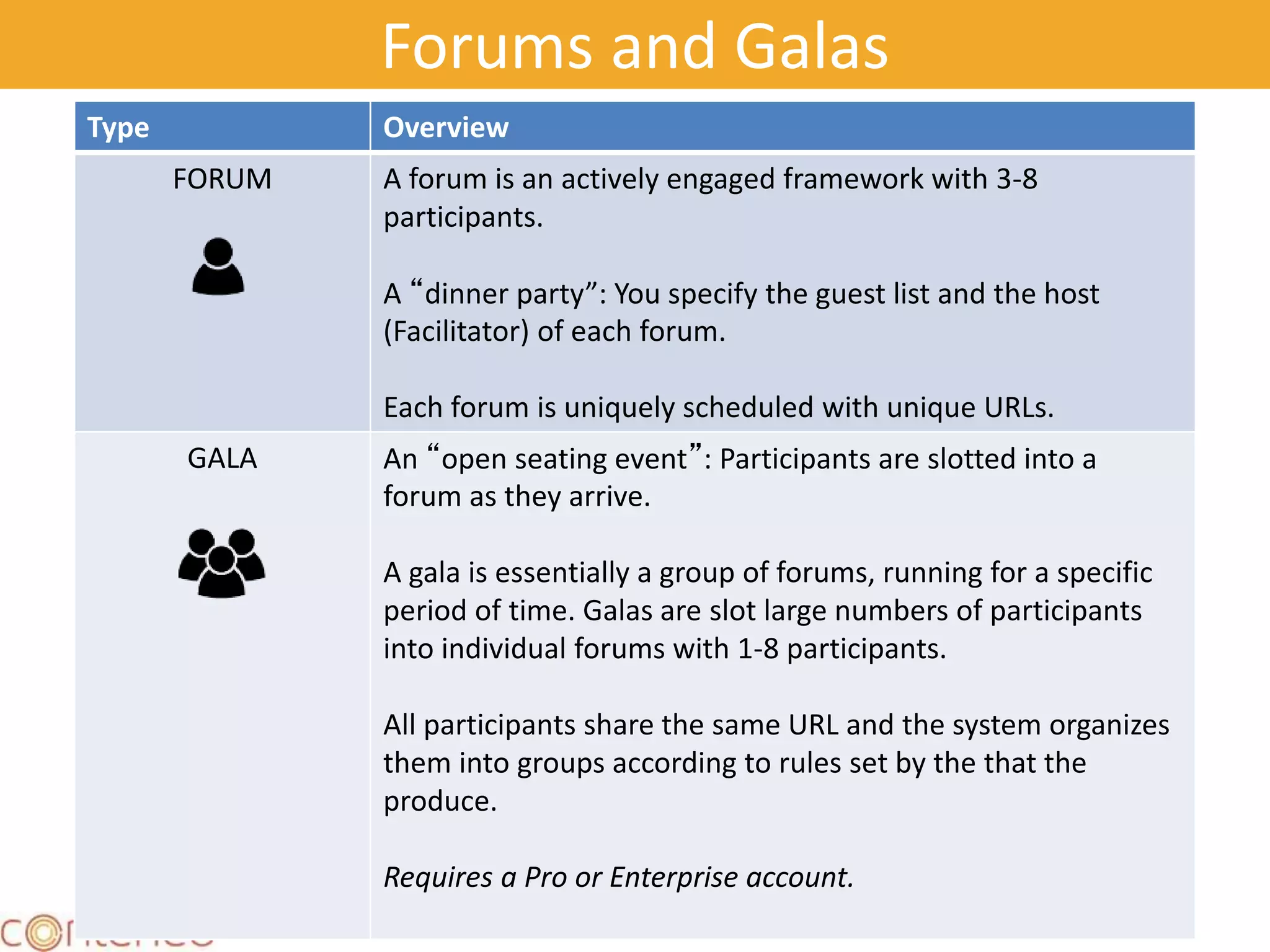
Forums and Galas
Type Overview
FORUM A forum is an actively engaged framework with 3-8
participants.
A “dinner party”: You specify the guest list and the host
(Facilitator) of each forum.
Each forum is uniquely scheduled with unique URLs.
GALA An “open seating event”: Participants are slotted into a
forum as they arrive.
A gala is essentially a group of forums, running for a specific
period of time. Galas are slot large numbers of participants
into individual forums with 1-8 participants.
All participants share the same URL and the system organizes
them into groups according to rules set by the that the
produce.
Requires a Pro or Enterprise account.
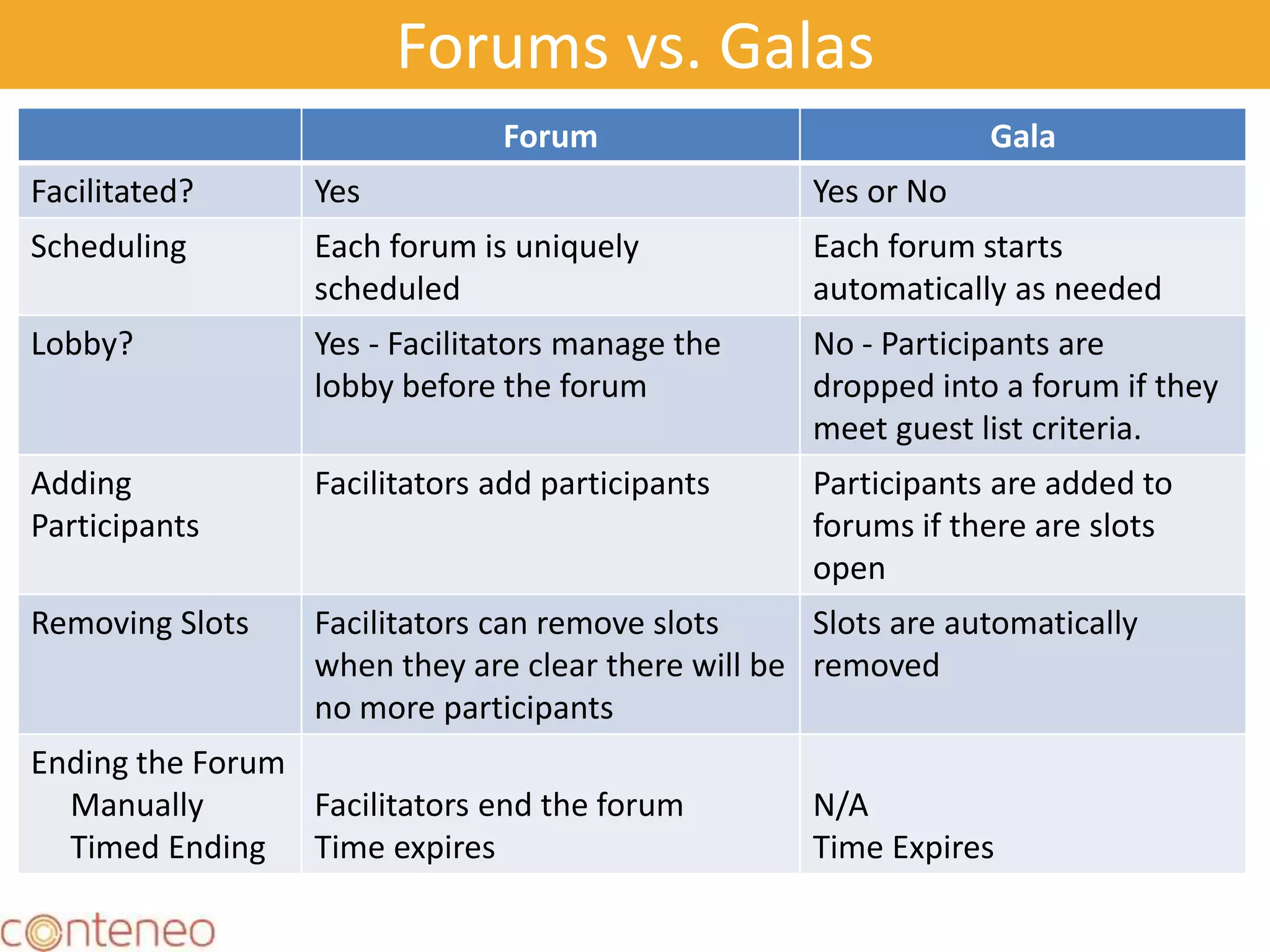
Forums vs. Galas
Forum Gala
Facilitated? Yes Yes or No
Scheduling Each forum is uniquely
scheduled
Each forum starts
automatically as needed
Lobby? Yes - Facilitators manage the
lobby before the forum
No - Participants are
dropped into a forum if they
meet guest list criteria.
Adding
Participants
Facilitators add participants Participants are added to
forums if there are slots
open
Removing Slots Facilitators can remove slots
when they are clear there will be
no more participants
Slots are automatically
removed
Ending the Forum
Manually
Timed Ending
Facilitators end the forum
Time expires
N/A
Time Expires
14
Start
Gala Timing and Structure
15
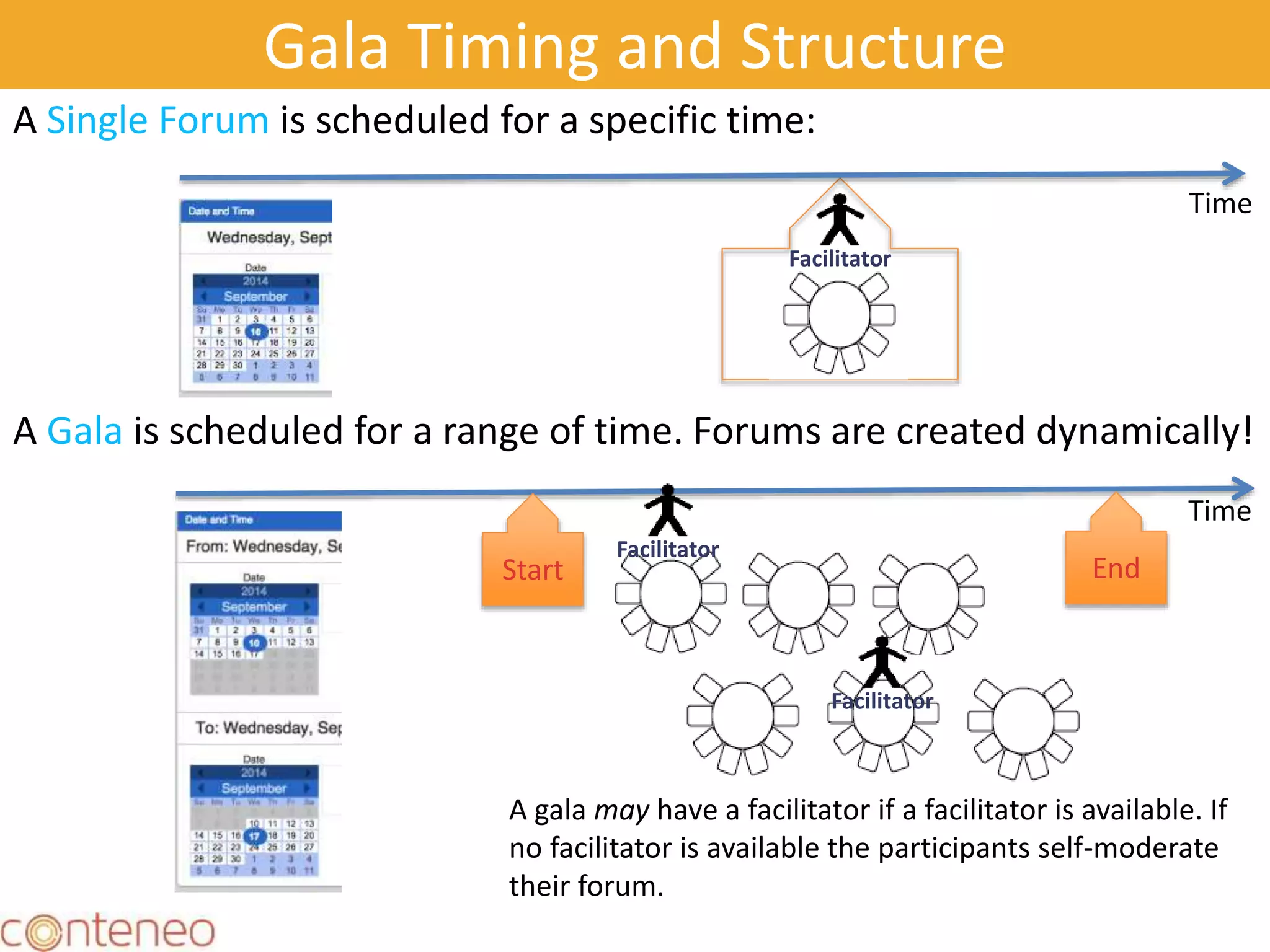
A Single Forum is scheduled for a specific time:
A Gala is scheduled for a range of time. Forums are created dynamically!
Time
Start End
Time
Facilitator
Facilitator
Facilitator
A gala may have a facilitator if a facilitator is available. If
no facilitator is available the participants self-moderate
their forum.
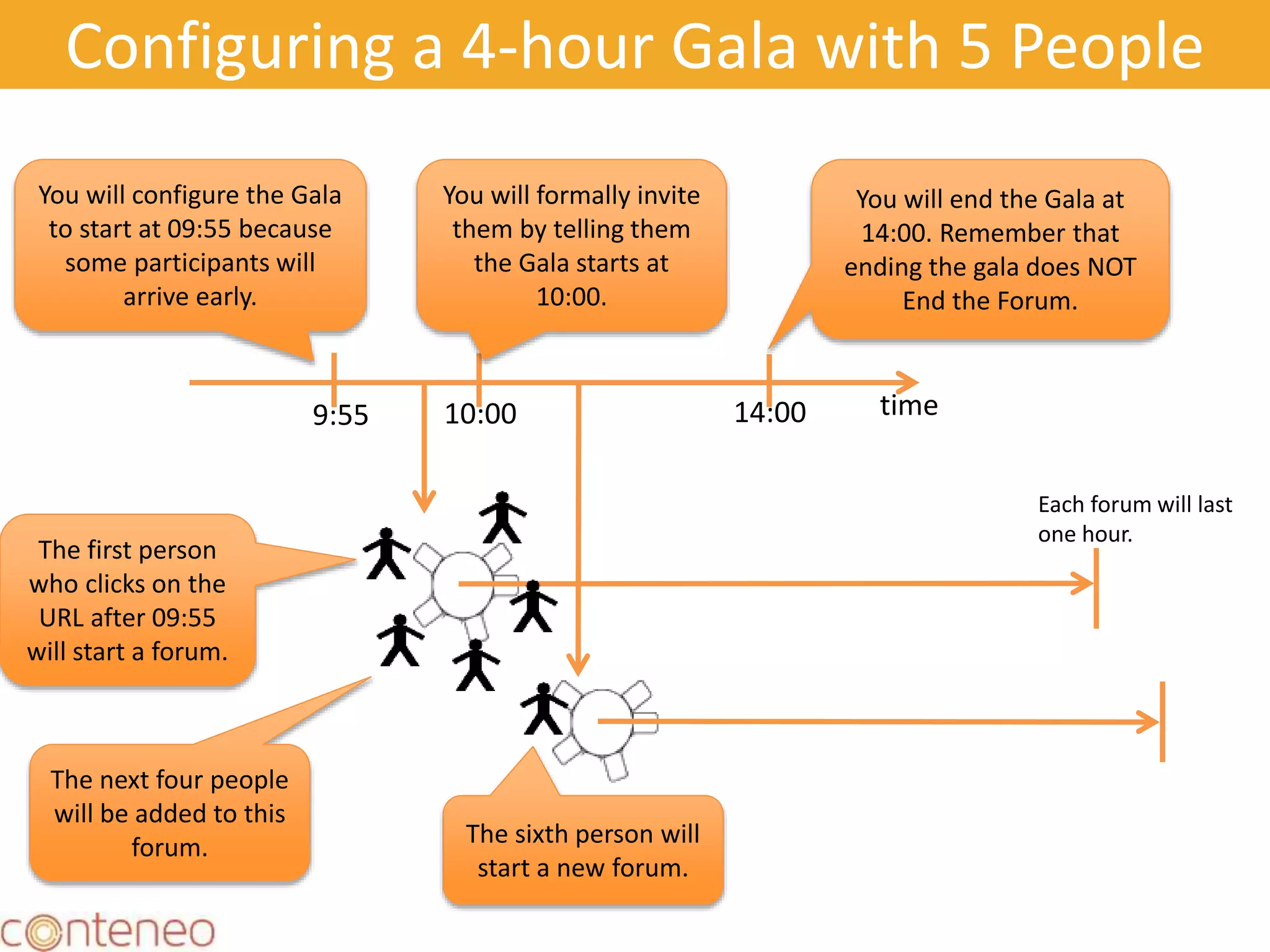
Configuring a 4-hour Gala with 5 People
16
You will configure the Gala
to start at 09:55 because
some participants will
arrive early.
time9:55 10:00 14:00
You will formally invite
them by telling them
the Gala starts at
10:00.
You will end the Gala at
14:00. Remember that
ending the gala does NOT
End the Forum.
The first person
who clicks on the
URL after 09:55
will start a forum.
Each forum will last
one hour.
The next four people
will be added to this
forum. The sixth person will
start a new forum.
17
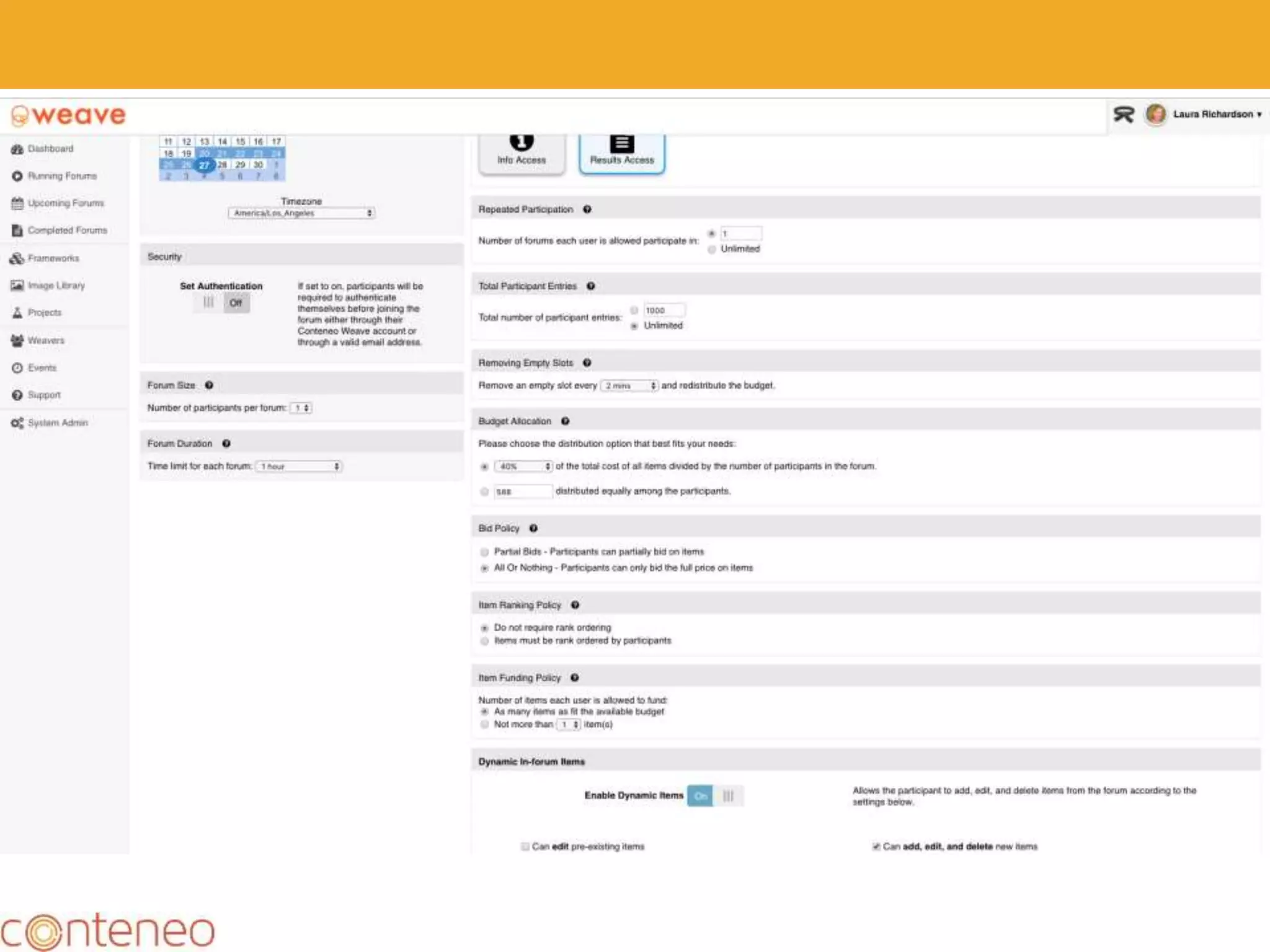
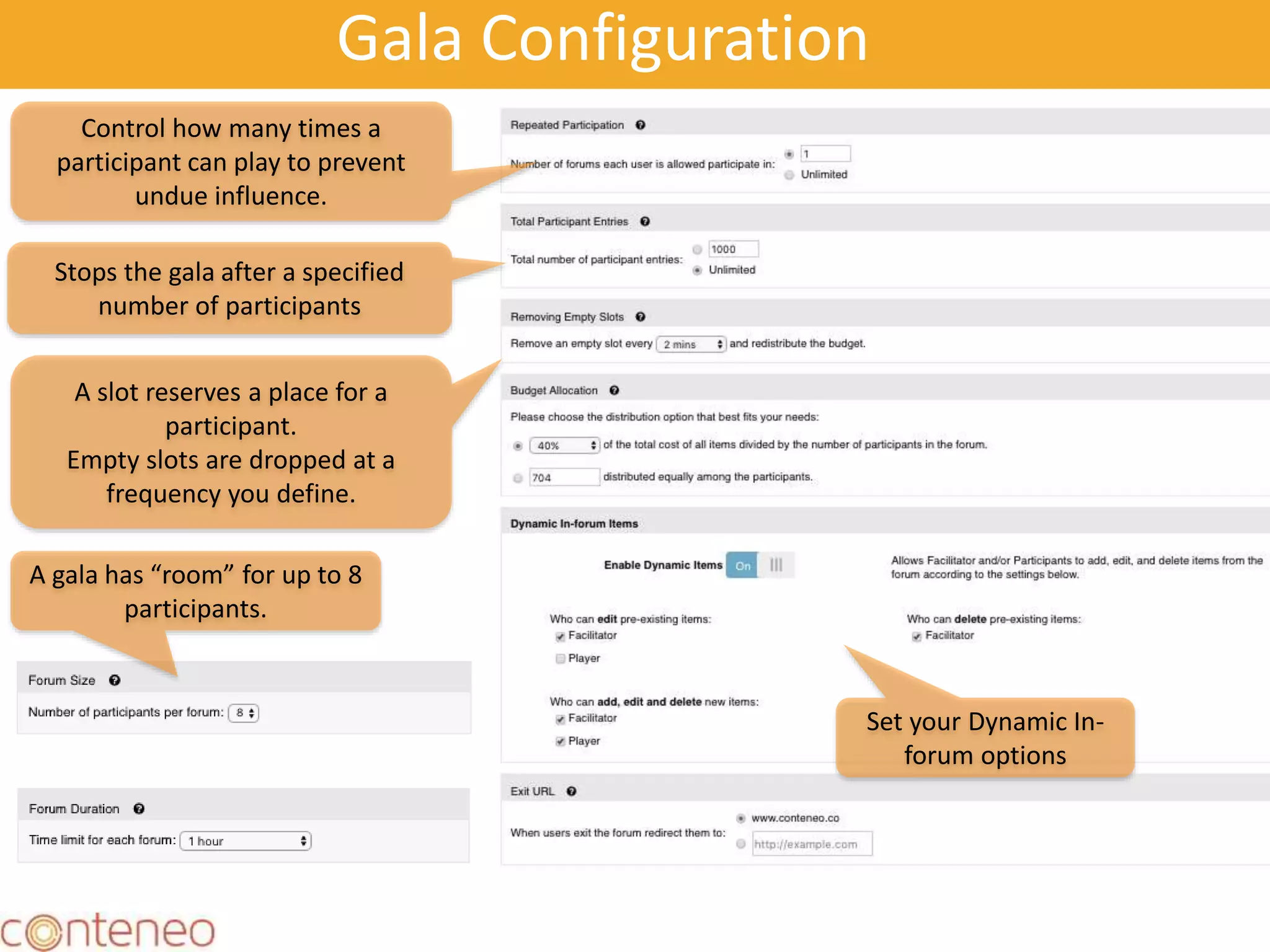
Gala Configuration
A slot reserves a place for a
participant.
Empty slots are dropped at a
frequency you define.
Control how many times a
participant can play to prevent
undue influence.
Stops the gala after a specified
number of participants
A gala has “room” for up to 8
participants.
Set your Dynamic In-
forum options
18
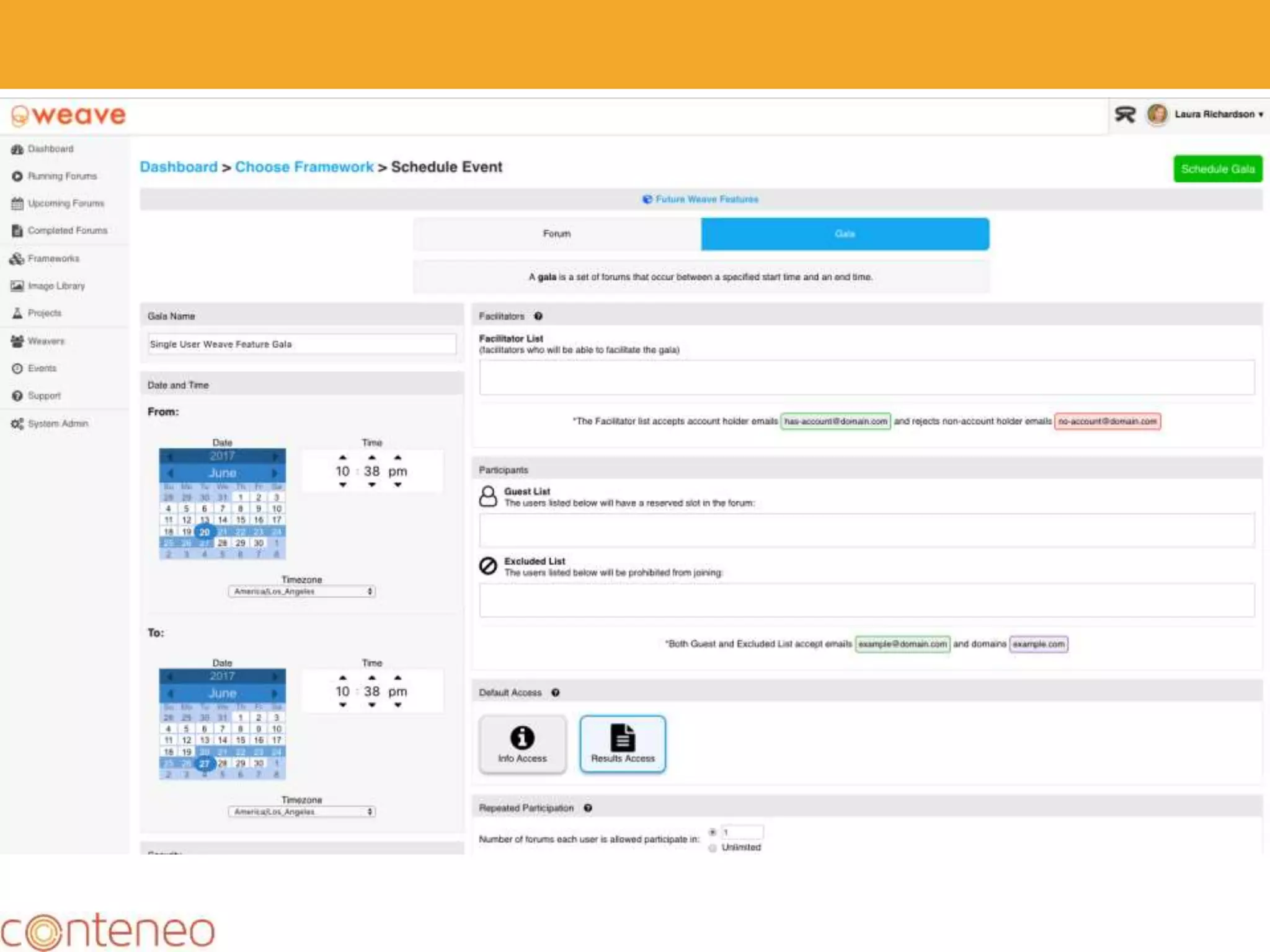
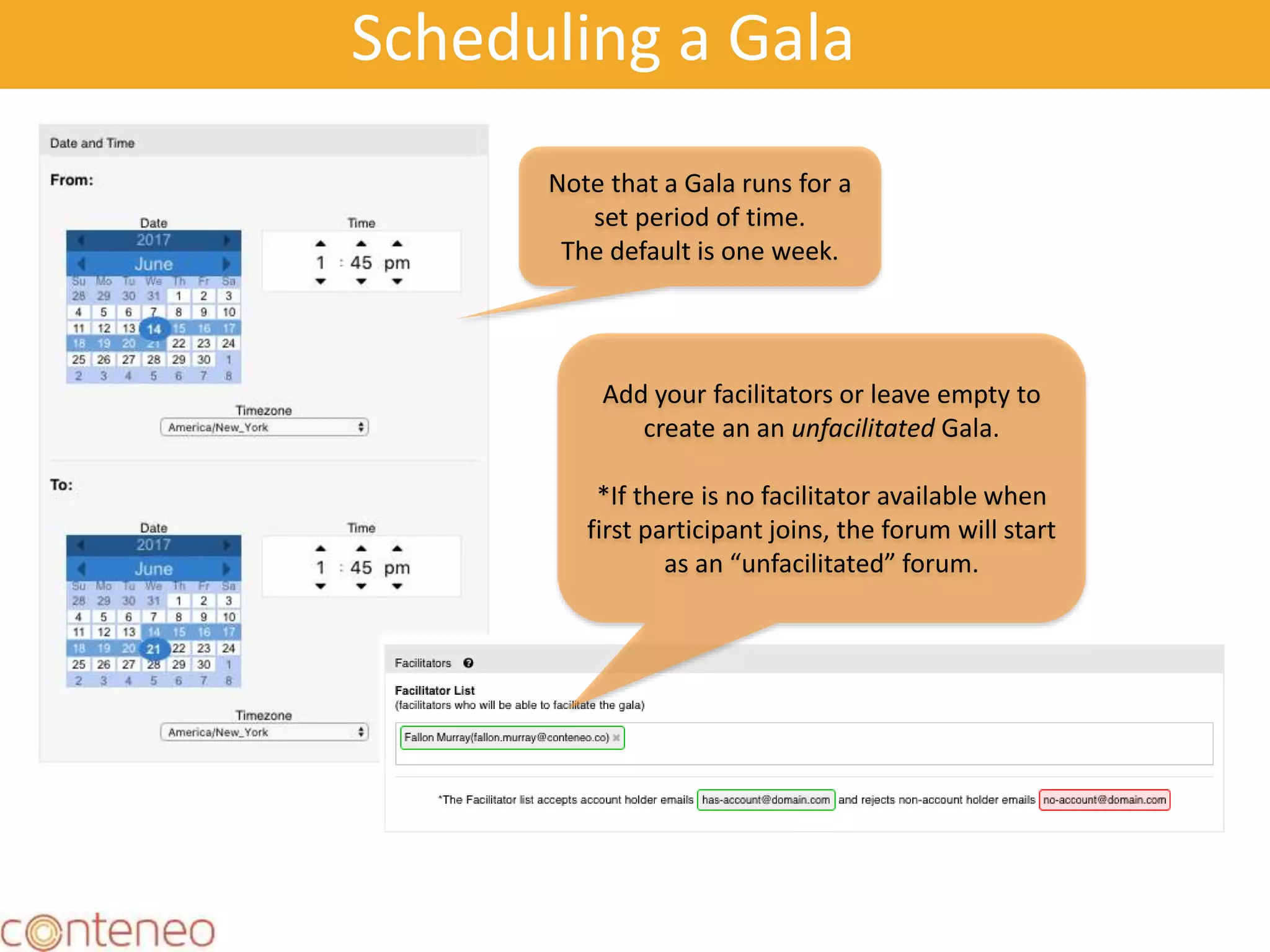
Scheduling a Gala
Note that a Gala runs for a
set period of time.
The default is one week.
Add your facilitators or leave empty to
create an an unfacilitated Gala.
*If there is no facilitator available when
first participant joins, the forum will start
as an “unfacilitated” forum.
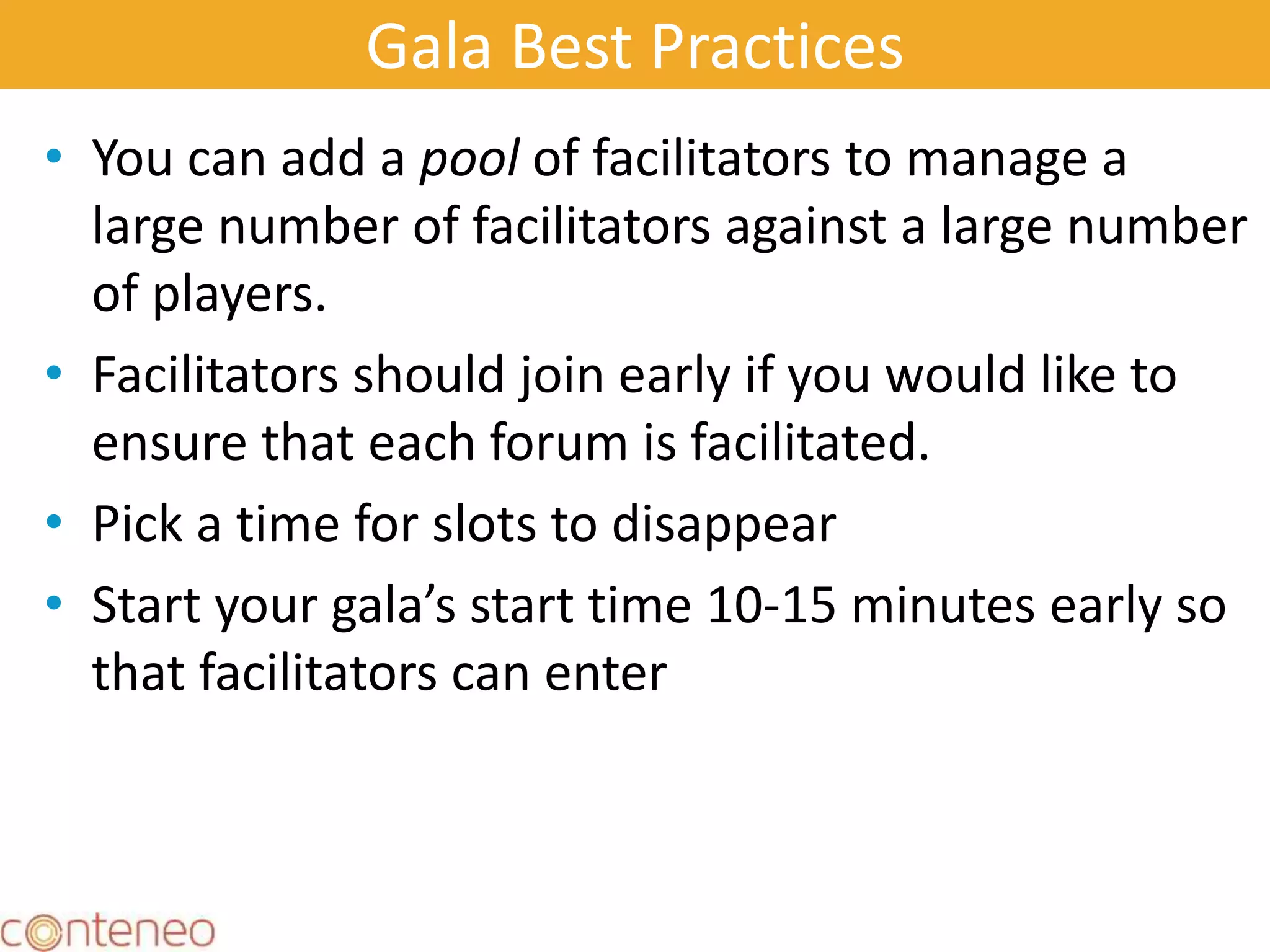
Gala Best Practices
• You can add a pool of facilitators to manage a
large number of facilitators against a large number
of players.
• Facilitators should join early if you would like to
ensure that each forum is facilitated.
• Pick a time for slots to disappear
• Start your gala’s start time 10-15 minutes early so
that facilitators can enter
19
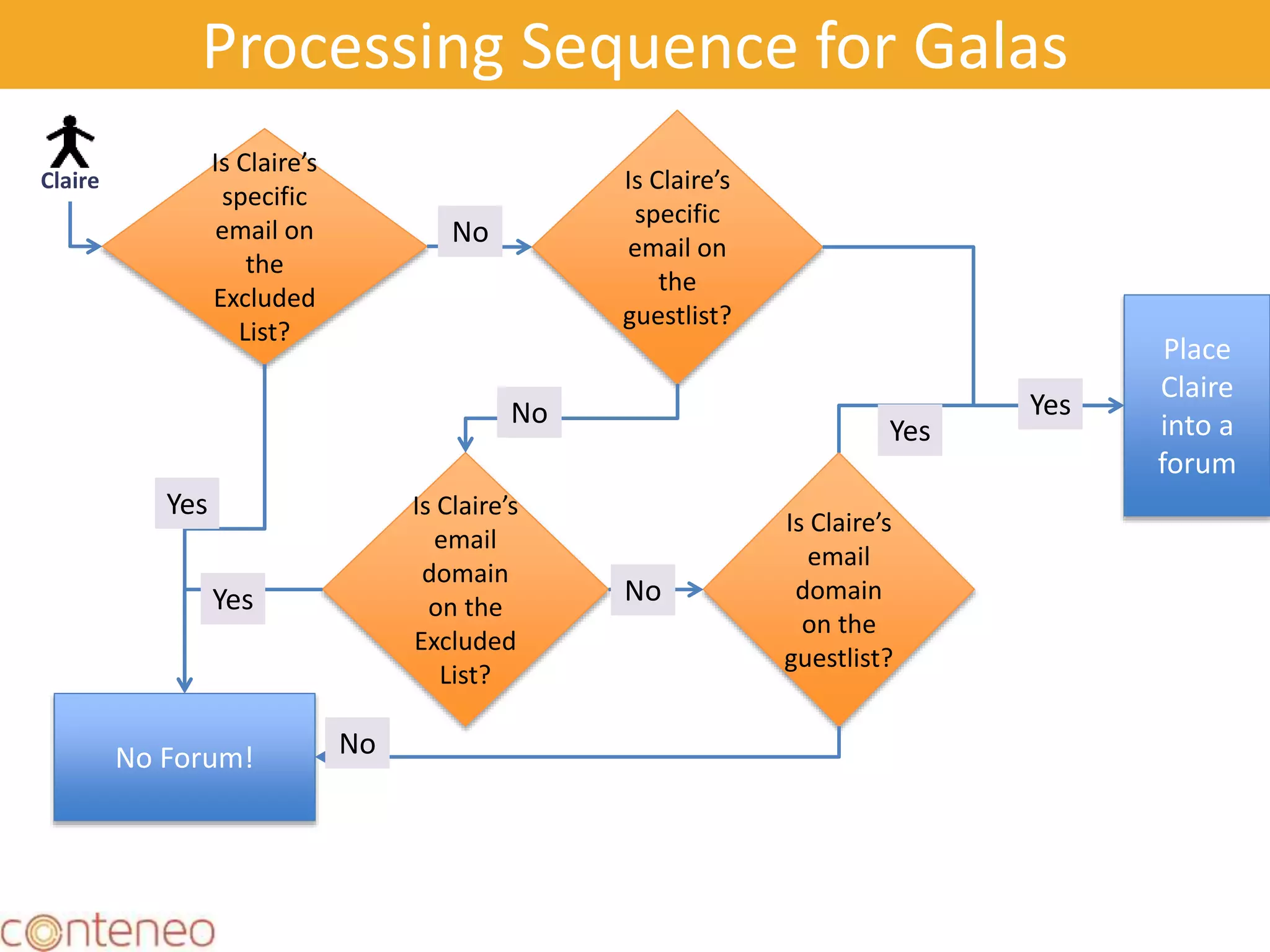
Processing Sequence for Galas
20
No Forum!
Claire
Is Claire’s
specific
email on
the
Excluded
List?
Is Claire’s
specific
email on
the
guestlist?
No
Place
Claire
into a
forum
Is Claire’s
email
domain
on the
Excluded
List?
No
Yes
Is Claire’s
email
domain
on the
guestlist?
No
Yes
No
Yes
Yes
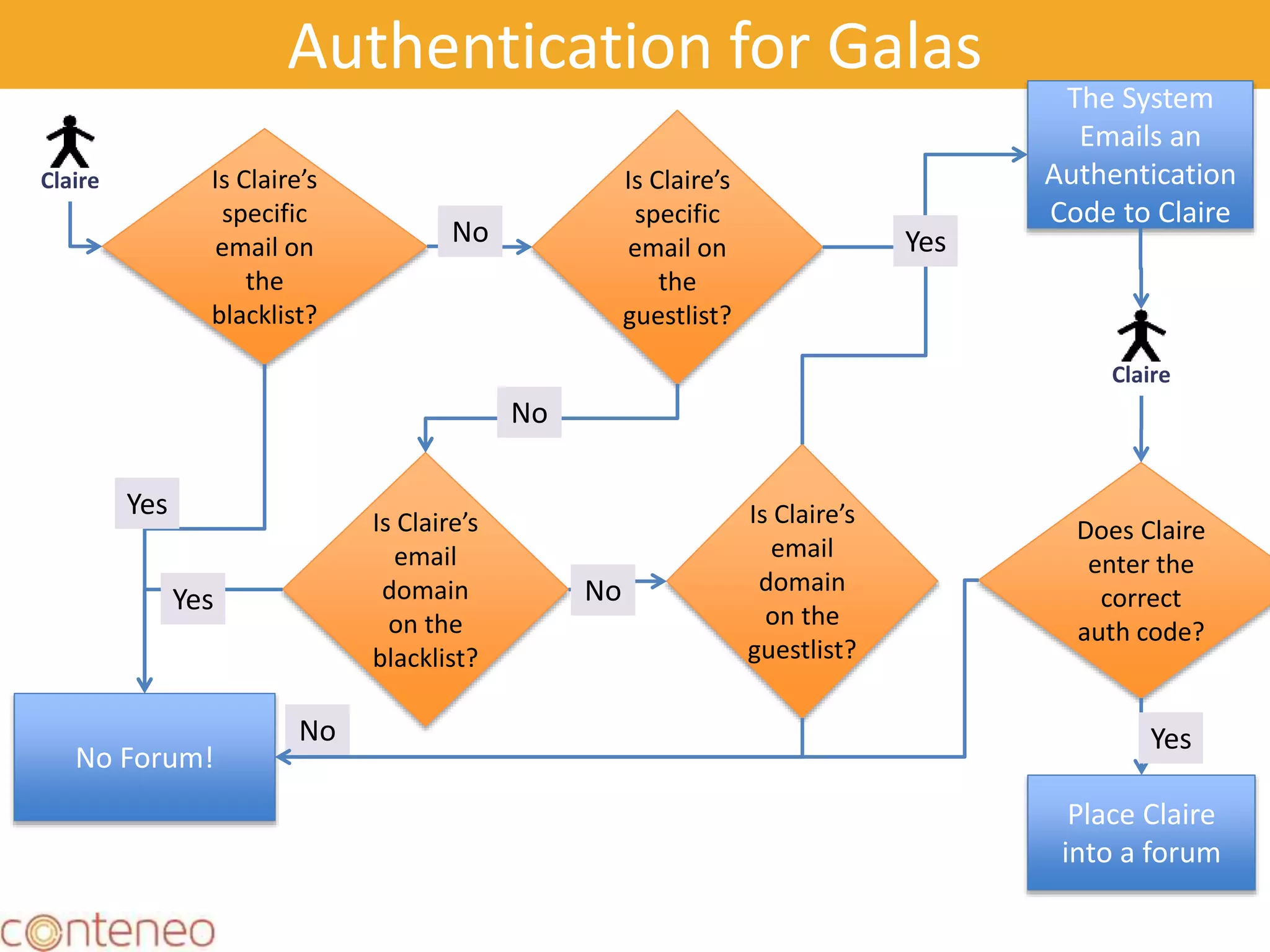
Authentication for Galas
21
No Forum!
Claire Is Claire’s
specific
email on
the
blacklist?
Is Claire’s
specific
email on
the
guestlist?
No
The System
Emails an
Authentication
Code to Claire
Is Claire’s
email
domain
on the
blacklist?
No
Yes Is Claire’s
email
domain
on the
guestlist?
No
Yes
No
Yes
Claire
Does Claire
enter the
correct
auth code?
Place Claire
into a forum
Yes
Large Scale Prioritization with
Decision Engine
How to handle more
than 20 projects/features in Decision
Engine.
22
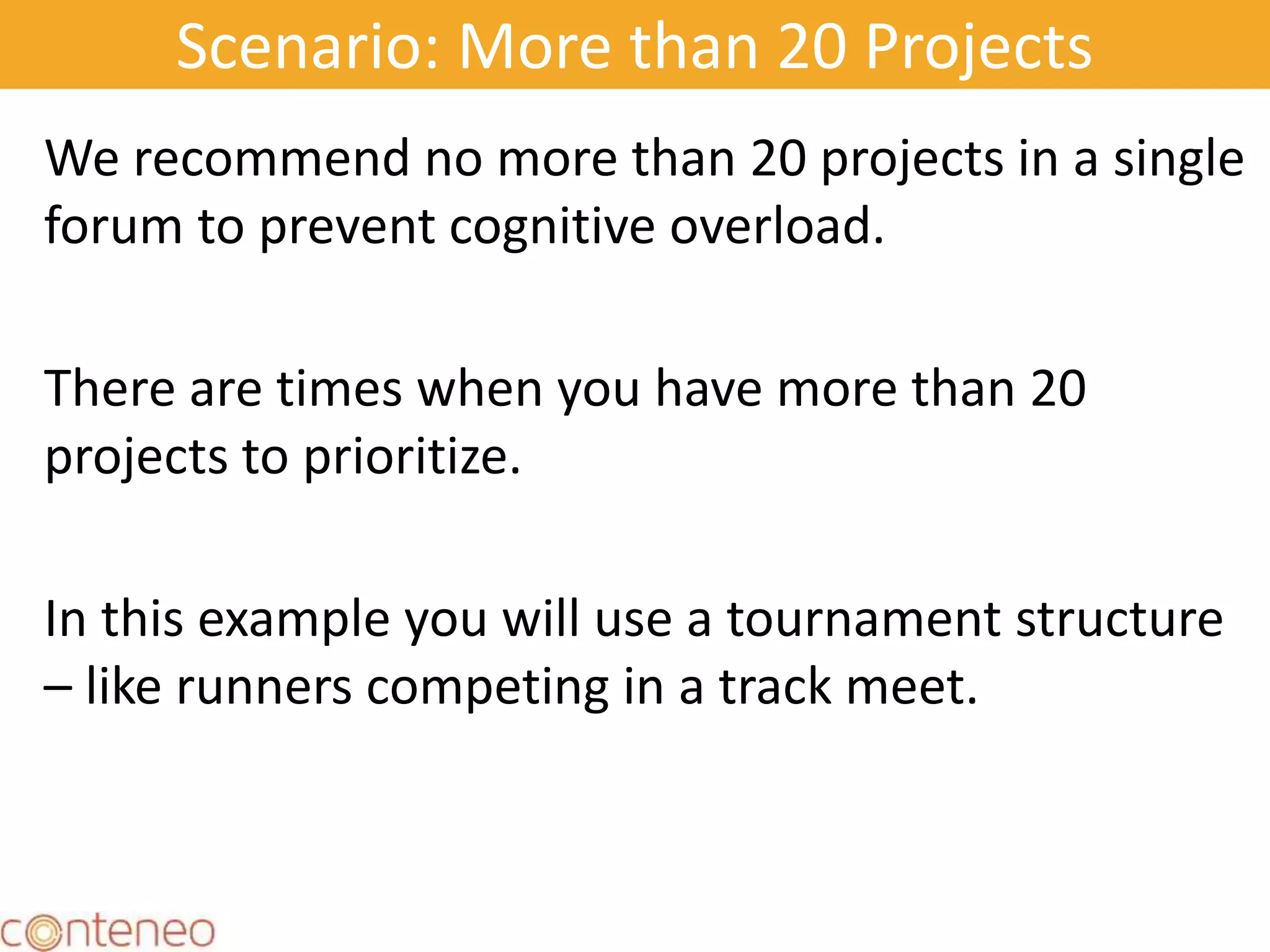
Scenario: More than 20 Projects
We recommend no more than 20 projects in a single
forum to prevent cognitive overload.
There are times when you have more than 20
projects to prioritize.
In this example you will use a tournament structure
– like runners competing in a track meet.
23
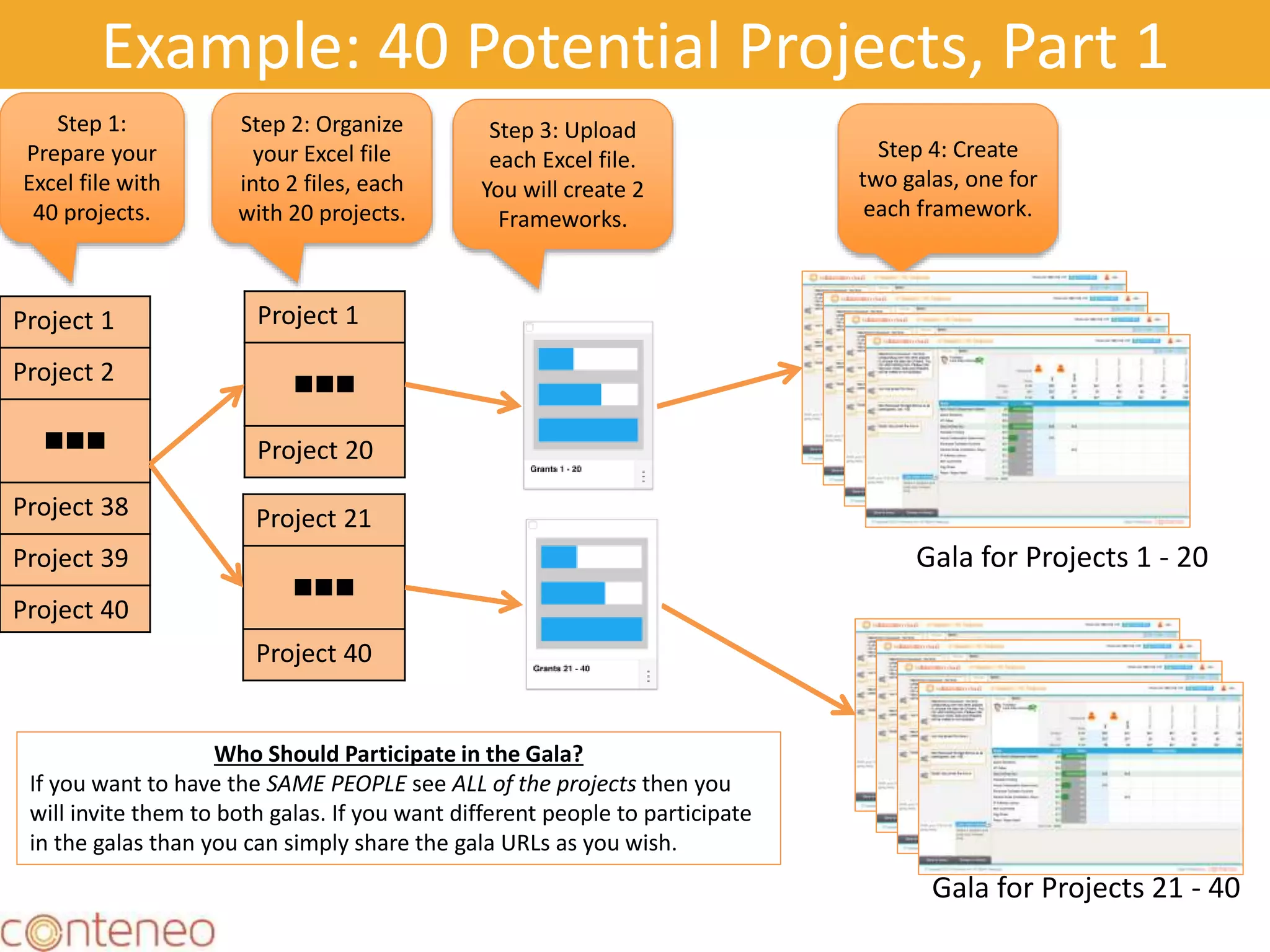
Example: 40 Potential Projects, Part 1
Project 1
Project 2

Project 38
Project 39
Project 40
Step 1:
Prepare your
Excel file with
40 projects.
Step 2: Organize
your Excel file
into 2 files, each
with 20 projects.
Project 1

Project 20
Project 21

Project 40
Step 3: Upload
each Excel file.
You will create 2
Frameworks.
Step 4: Create
two galas, one for
each framework.
Gala for Projects 1 - 20
Gala for Projects 21 - 40
Who Should Participate in the Gala?
If you want to have the SAME PEOPLE see ALL of the projects then you
will invite them to both galas. If you want different people to participate
in the galas than you can simply share the gala URLs as you wish.
Example: 40 Potential Projects, Part 2
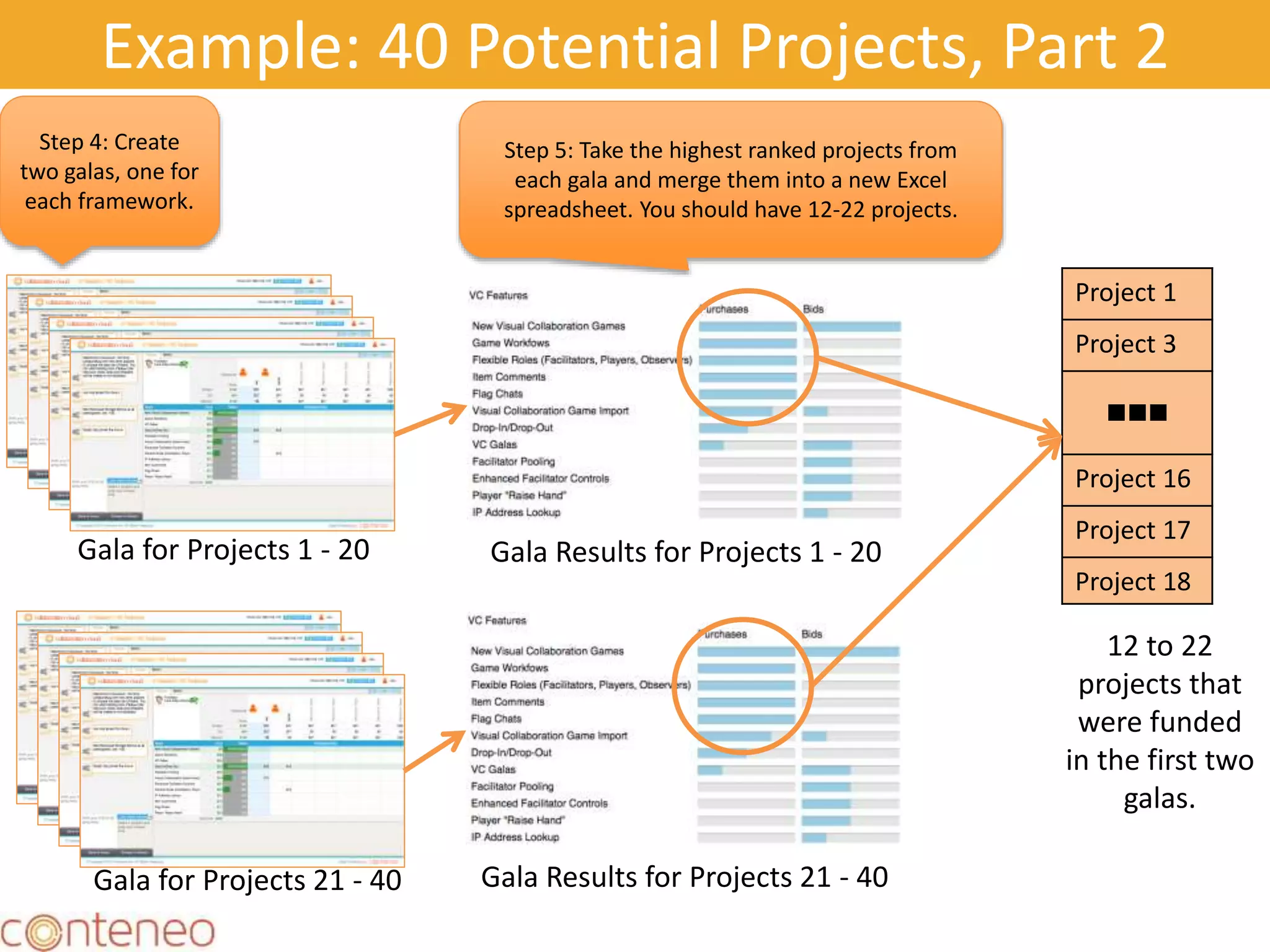
Step 4: Create
two galas, one for
each framework.
Gala for Projects 1 - 20
Gala for Projects 21 - 40
Step 5: Take the highest ranked projects from
each gala and merge them into a new Excel
spreadsheet. You should have 12-22 projects.
Gala Results for Projects 1 - 20
Gala Results for Projects 21 - 40
Project 1
Project 3

Project 16
Project 17
Project 18
12 to 22
projects that
were funded
in the first two
galas.
Example: 40 Potential Projects, Part 3
Project 1
Project 3

Project 16
Project 17
Project 18
Final
Round
Projects
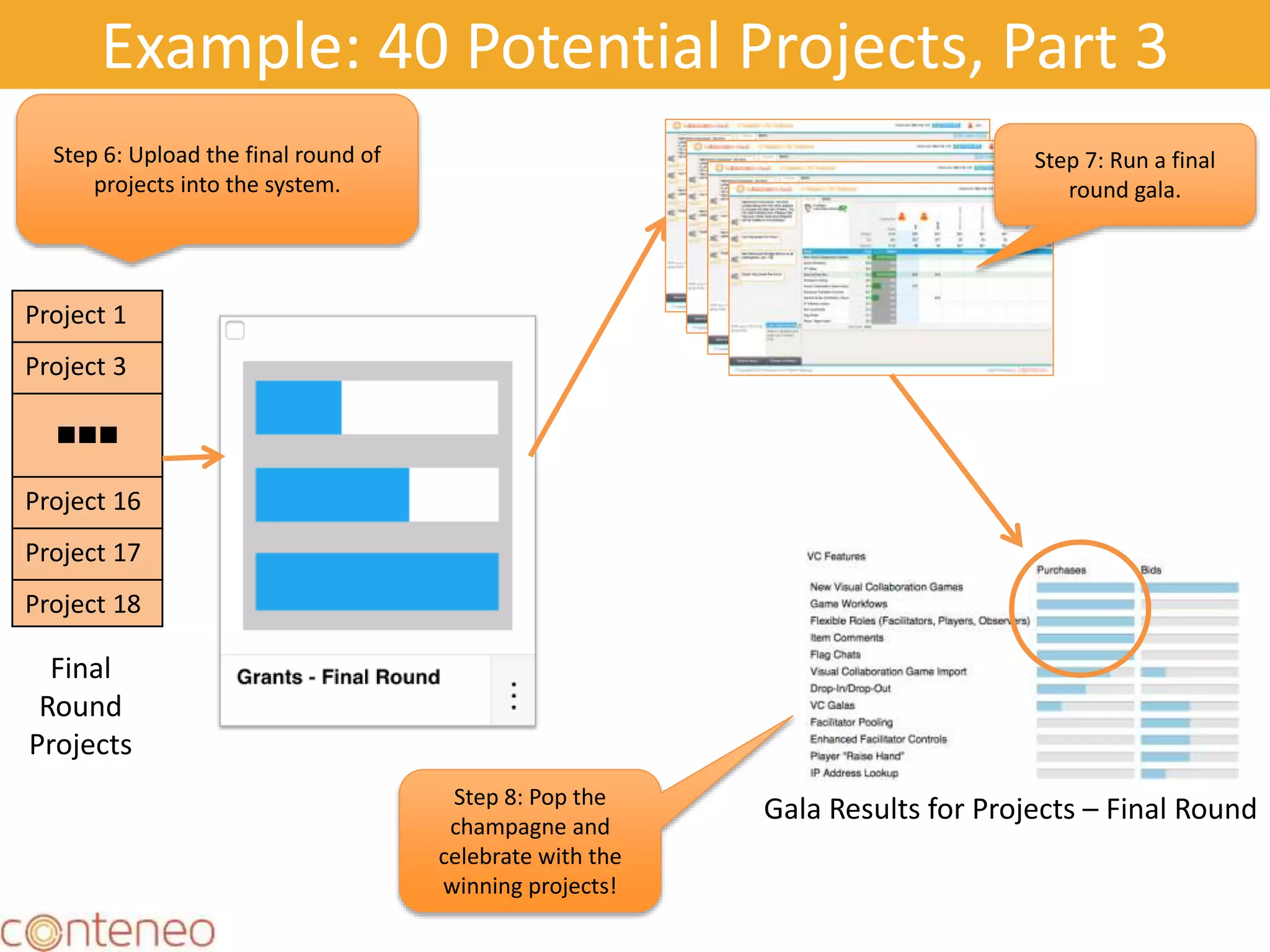
Step 6: Upload the final round of
projects into the system.
Step 7: Run a final
round gala.
Gala Results for Projects – Final RoundStep 8: Pop the
champagne and
celebrate with the
winning projects!
Large Scale Collaboration with
Idea Engine
Case Study: Large Scale
Retrospectives
27
28
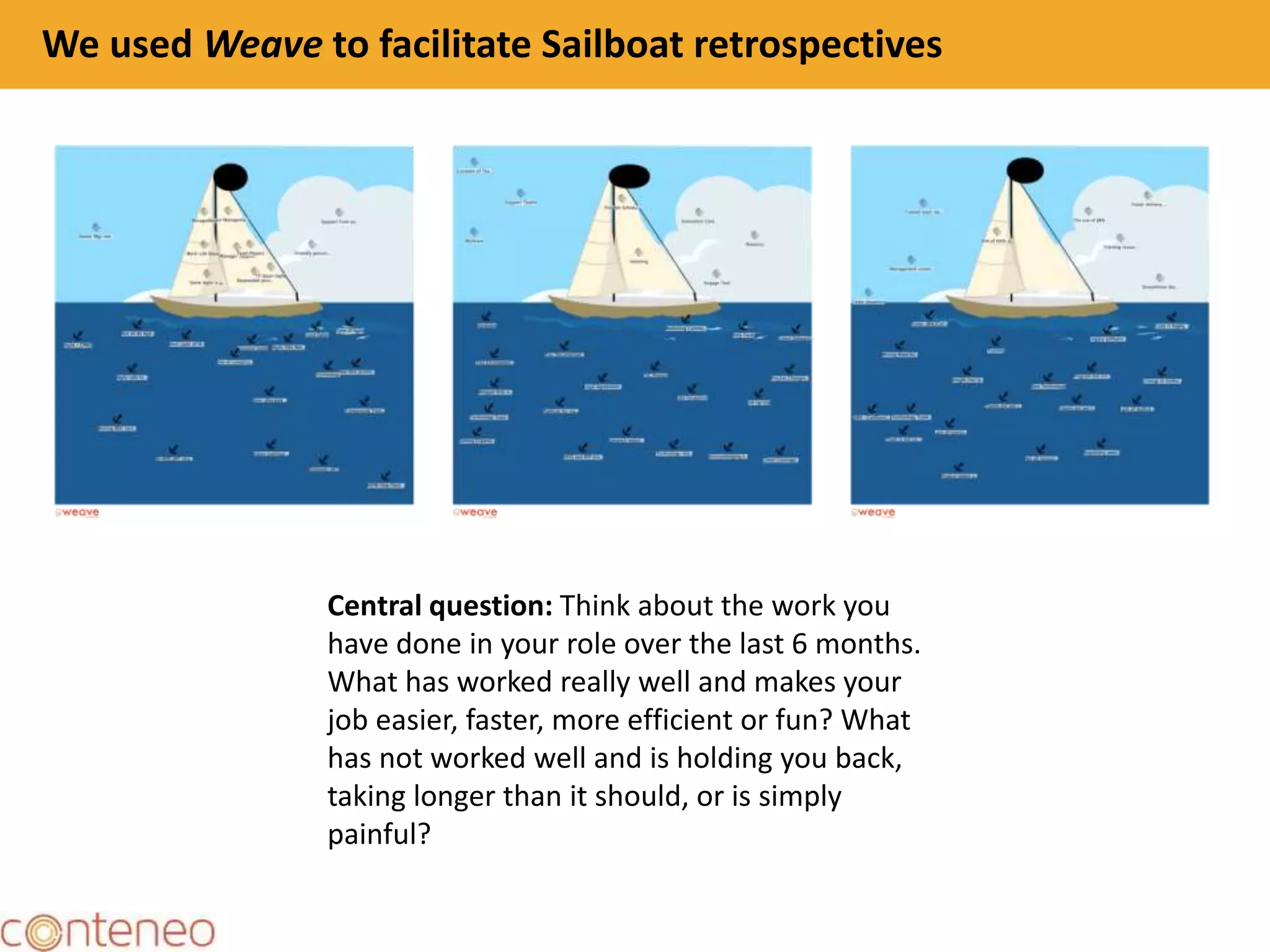
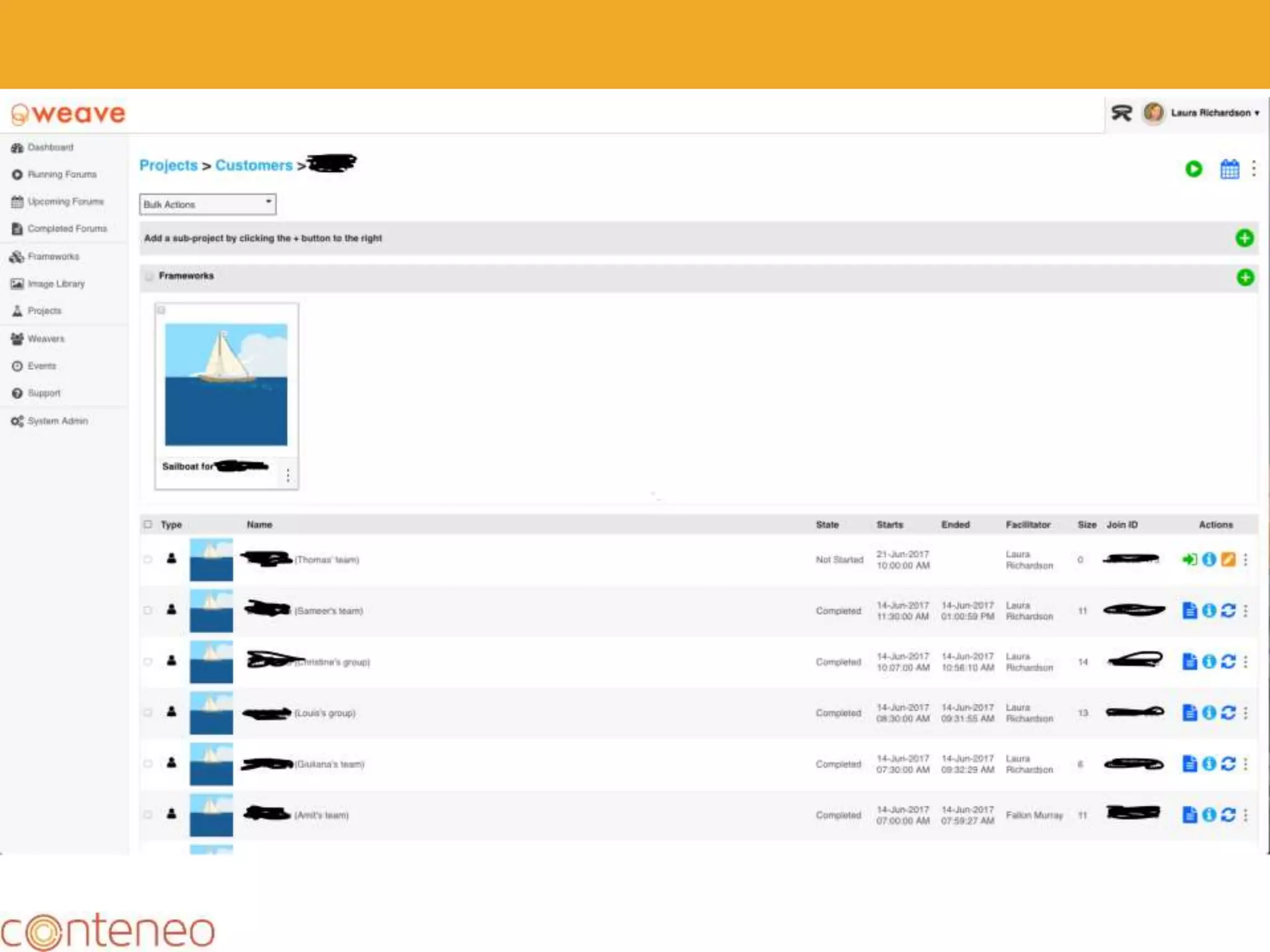
We used Weave to facilitate Sailboat retrospectives
Central question: Think about the work you
have done in your role over the last 6 months.
What has worked really well and makes your
job easier, faster, more efficient or fun? What
has not worked well and is holding you back,
taking longer than it should, or is simply
painful?
29
30
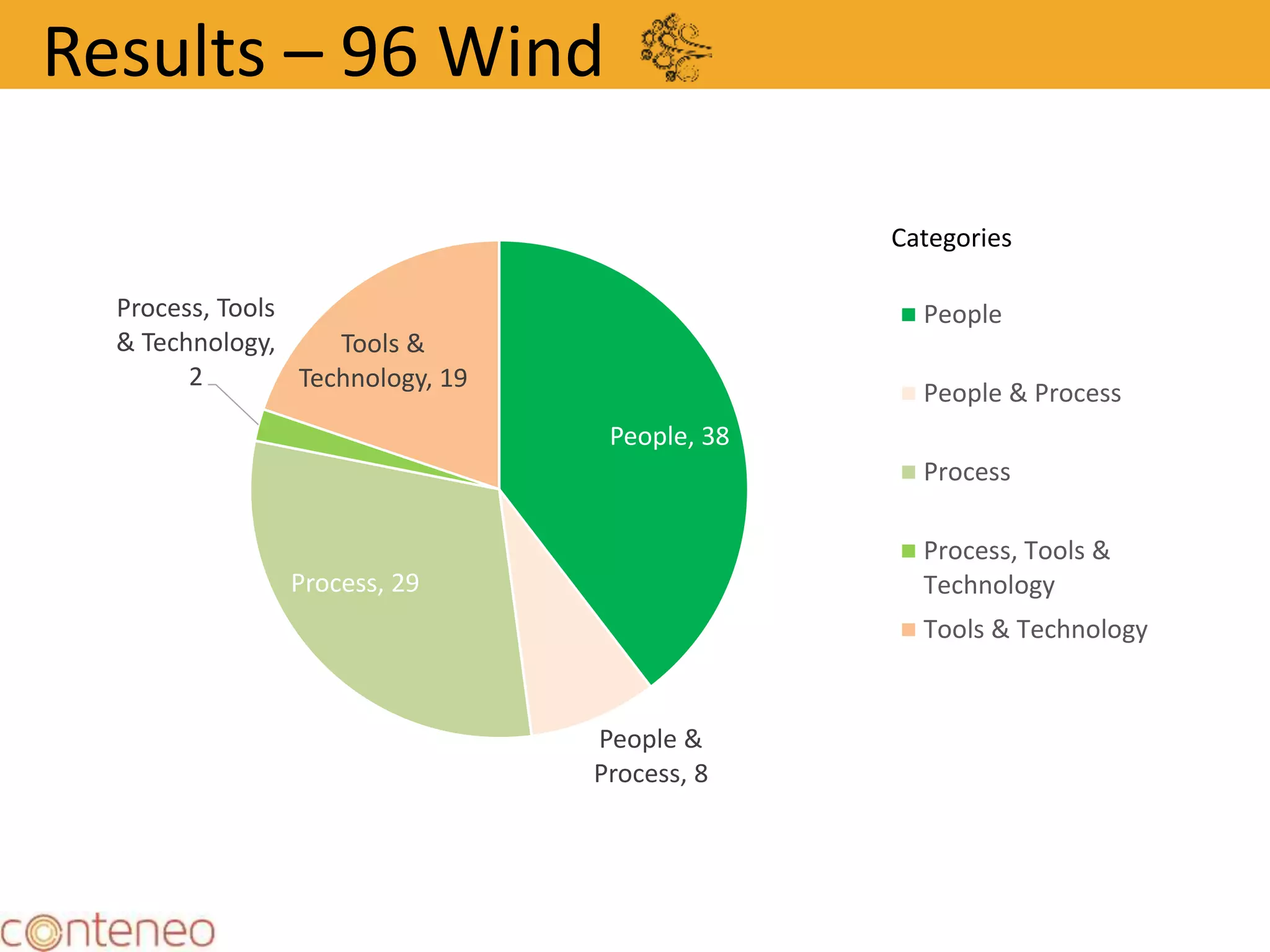
People, 38
People &
Process, 8
Process, 29
Process, Tools
& Technology,
2
Tools &
Technology, 19
People
People & Process
Process
Process, Tools &
Technology
Tools & Technology
Categories
Results – 96 Wind
31
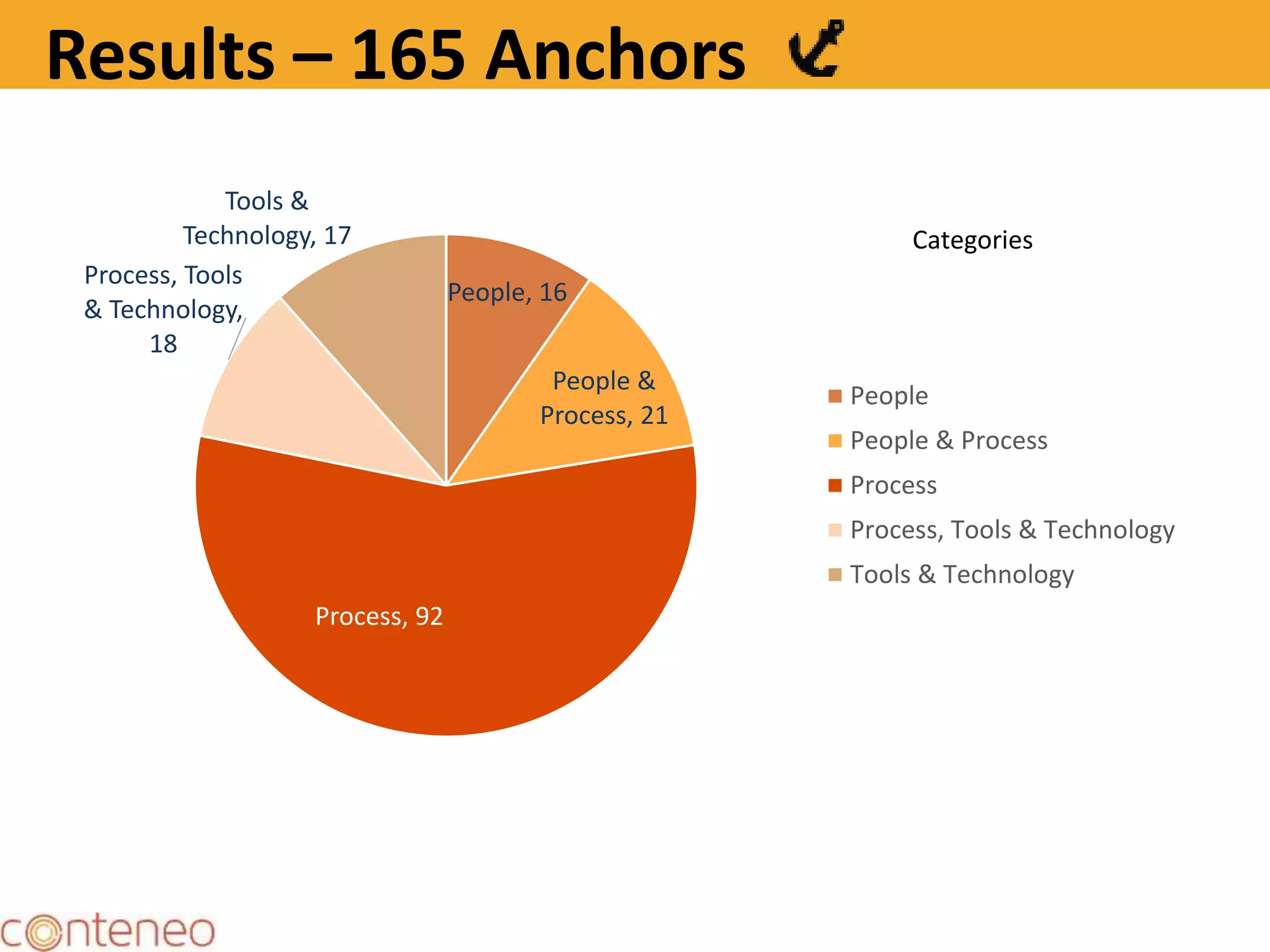
People, 16
People &
Process, 21
Process, 92
Process, Tools
& Technology,
18
Tools &
Technology, 17
People
People & Process
Process
Process, Tools & Technology
Tools & Technology
Categories
Results – 165 Anchors
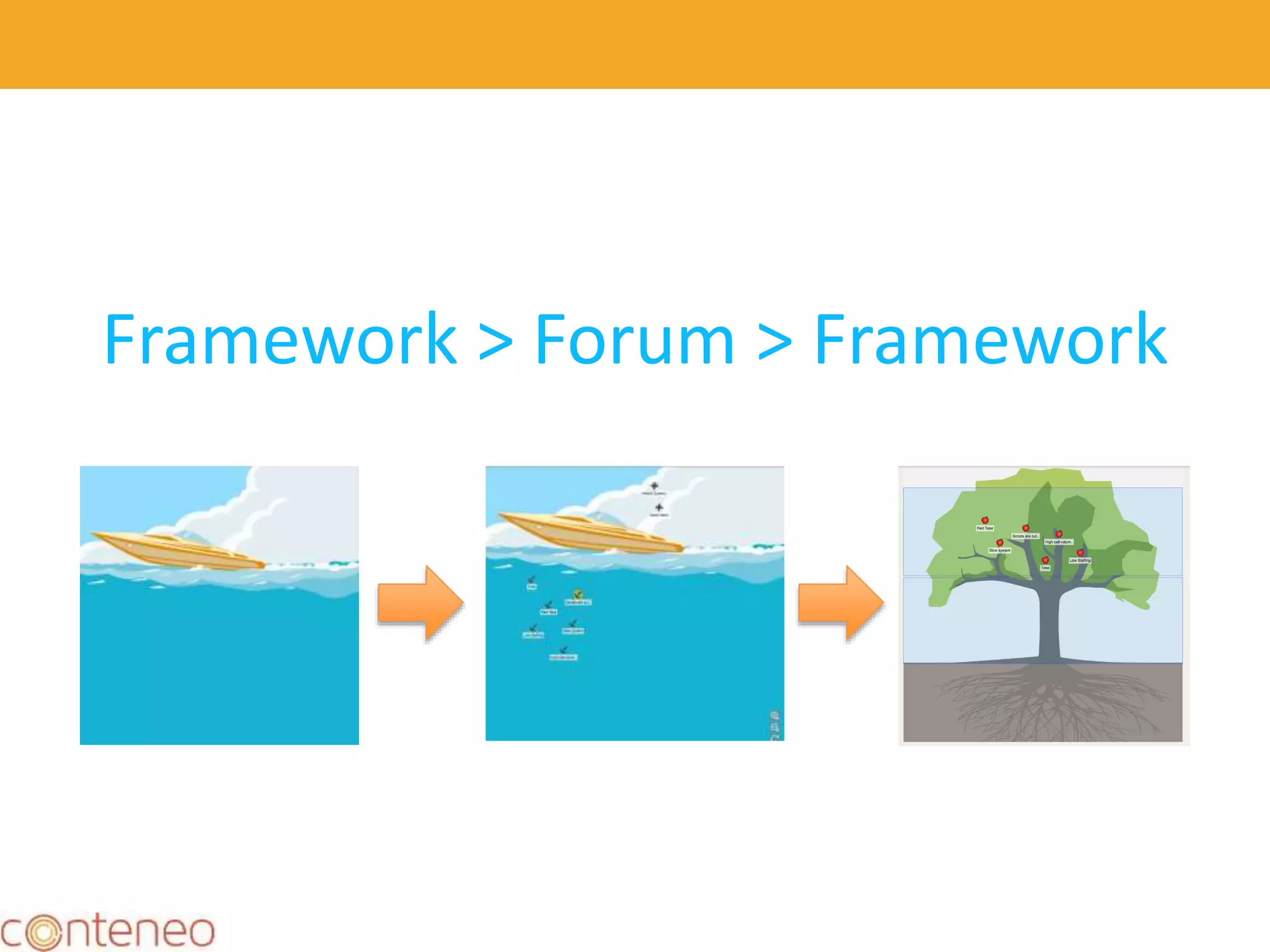
Framework > Forum > Framework
32
33
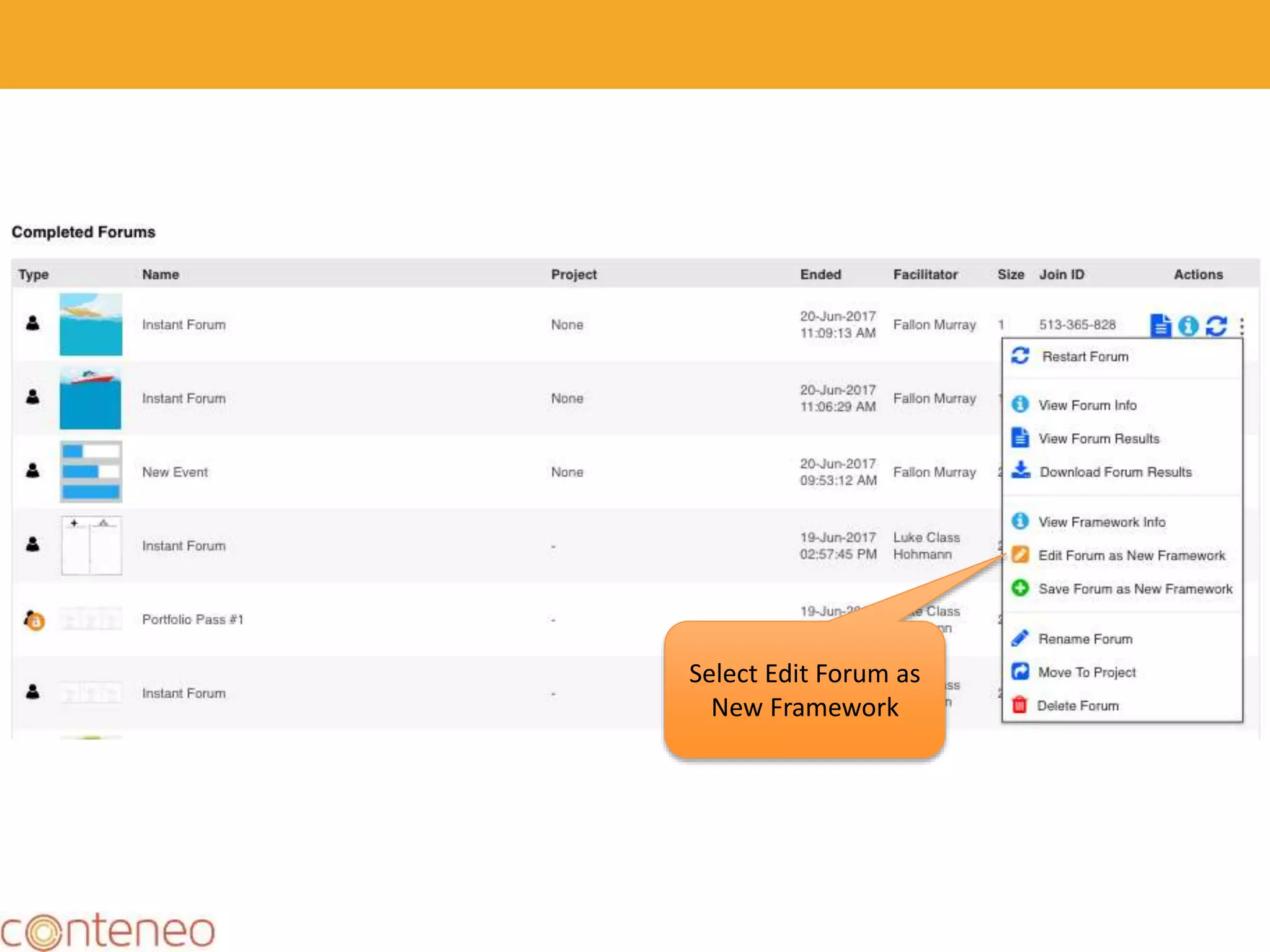
Select Edit Forum as
New Framework
34
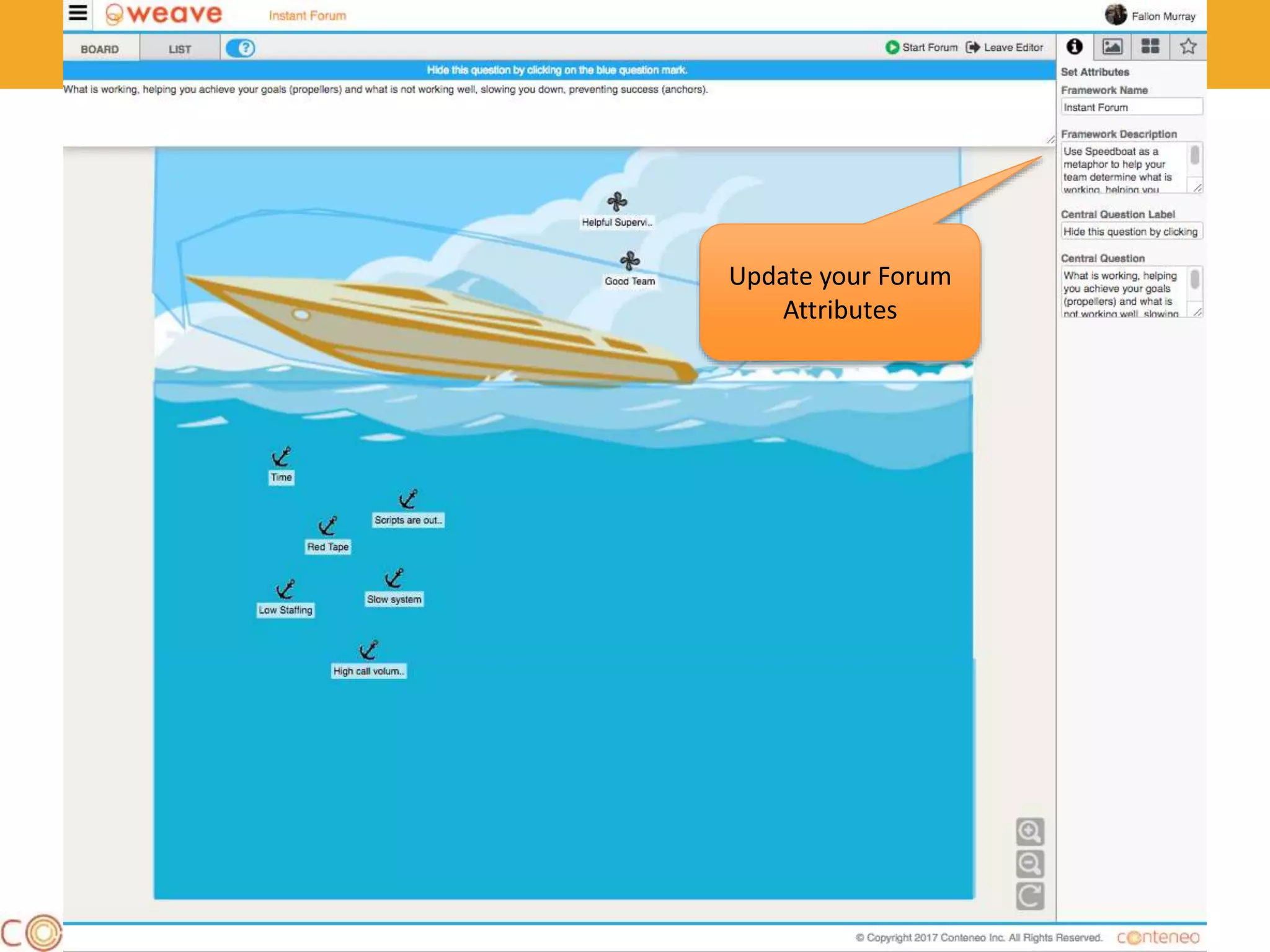
Update your Forum
Attributes
35
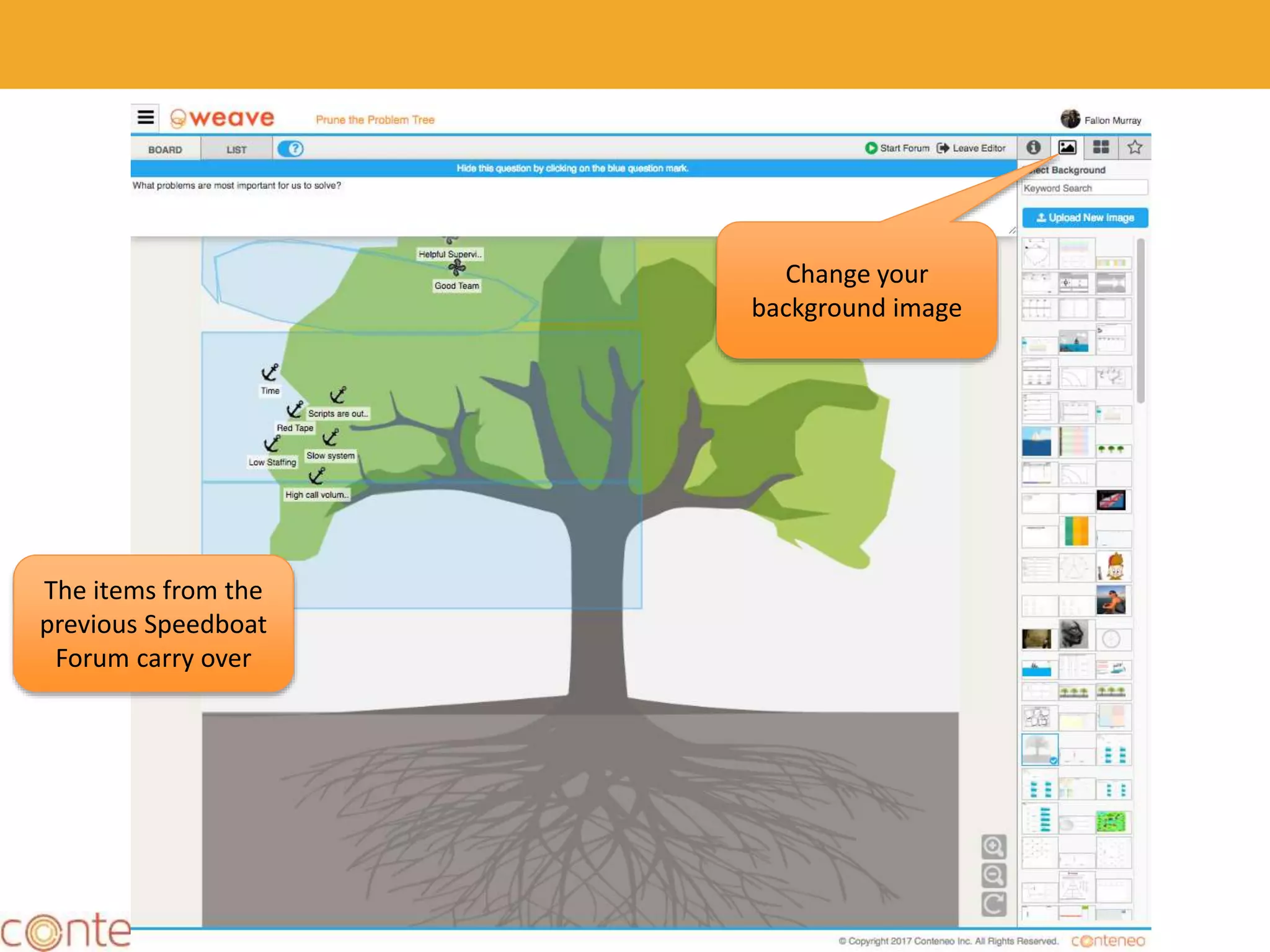
Change your
background image
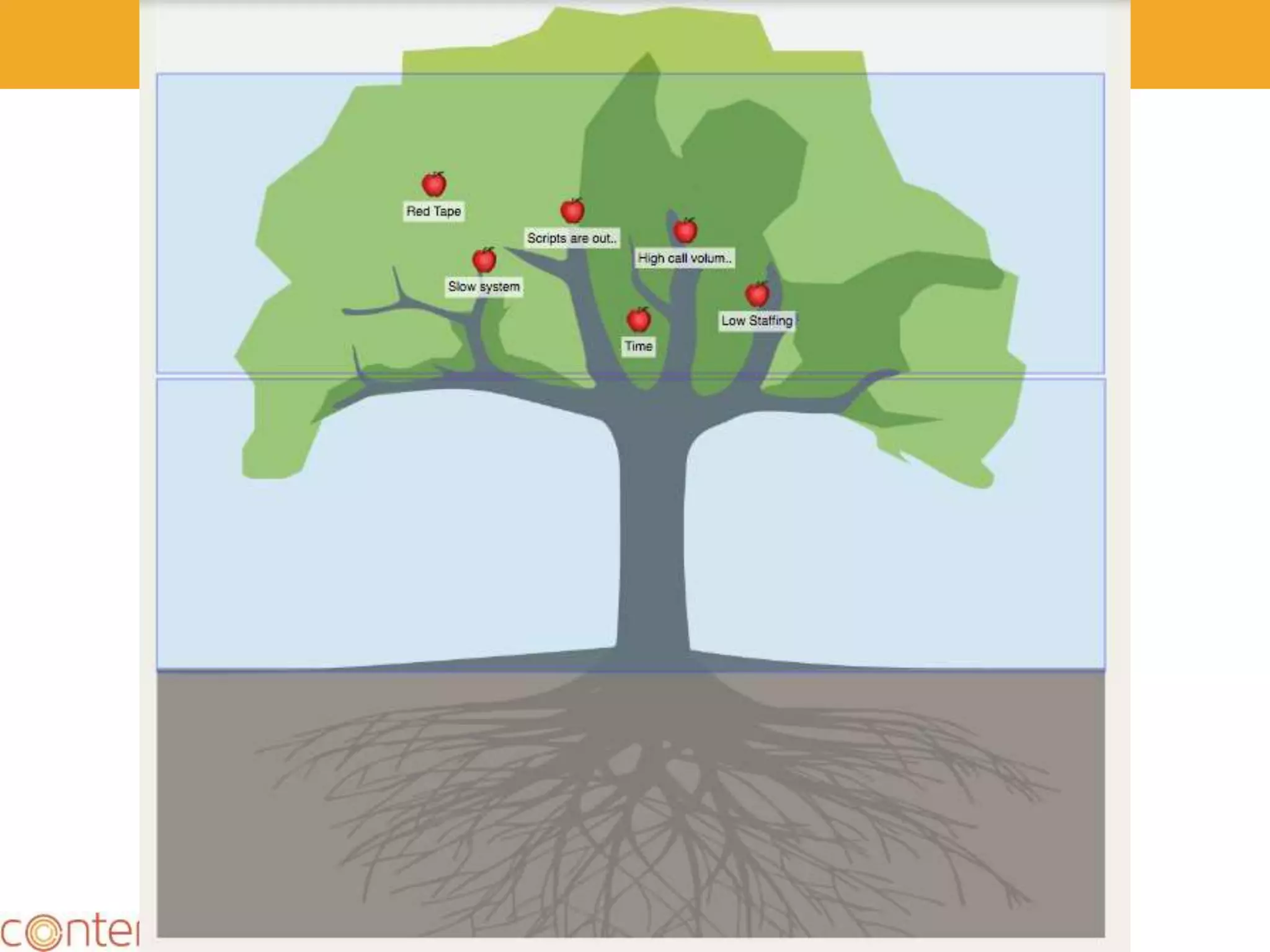
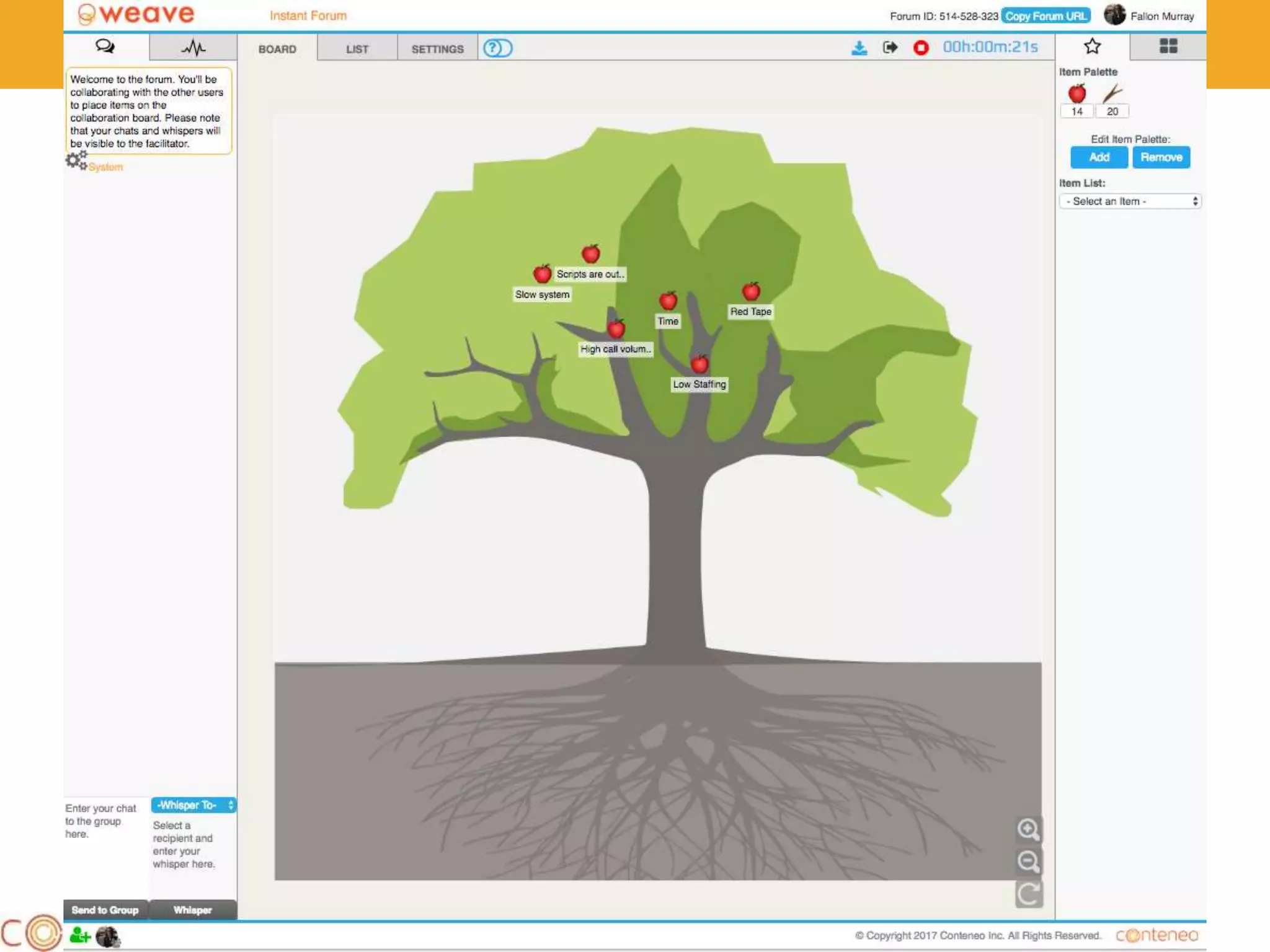
The items from the
previous Speedboat
Forum carry over
36
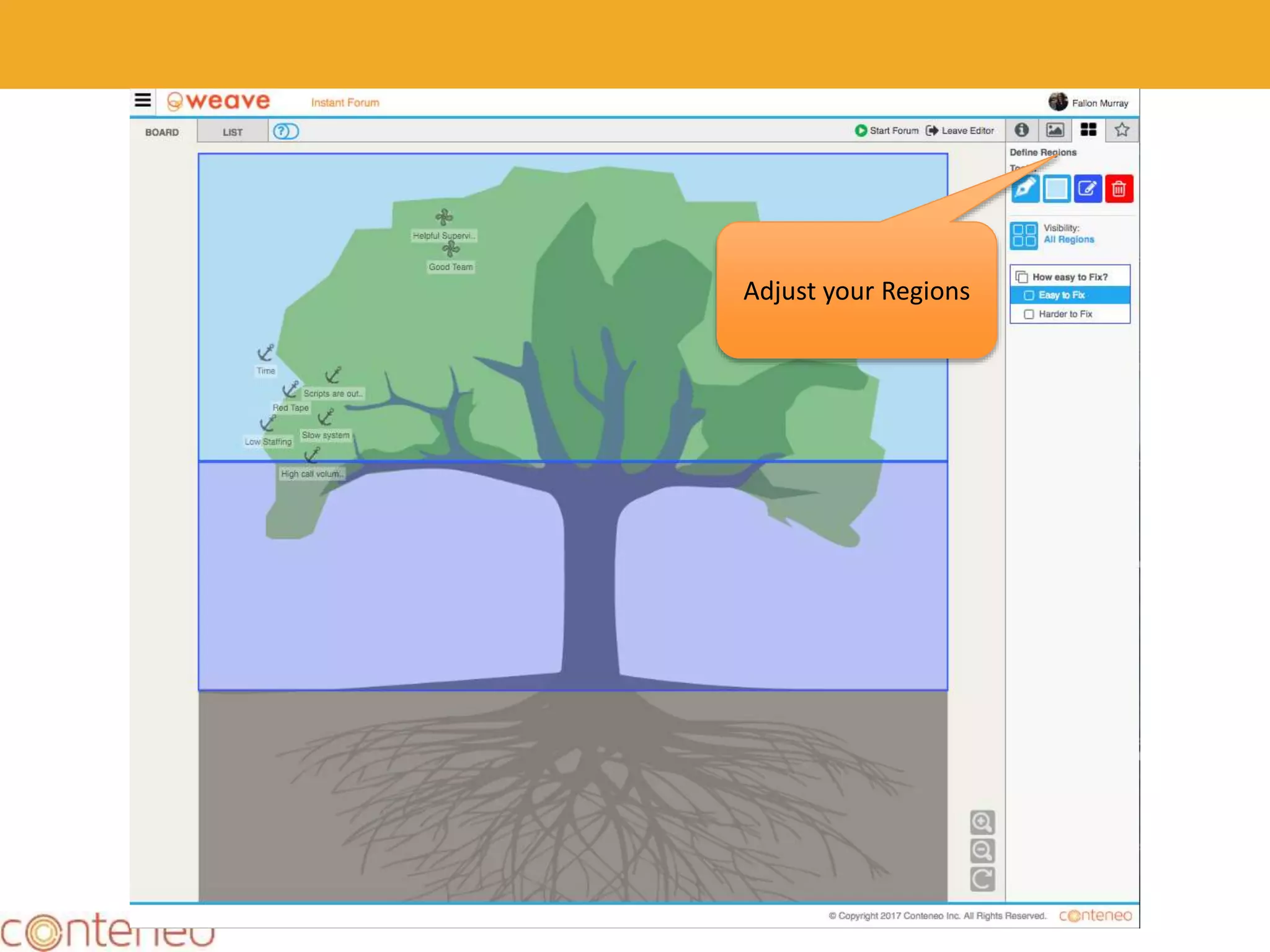
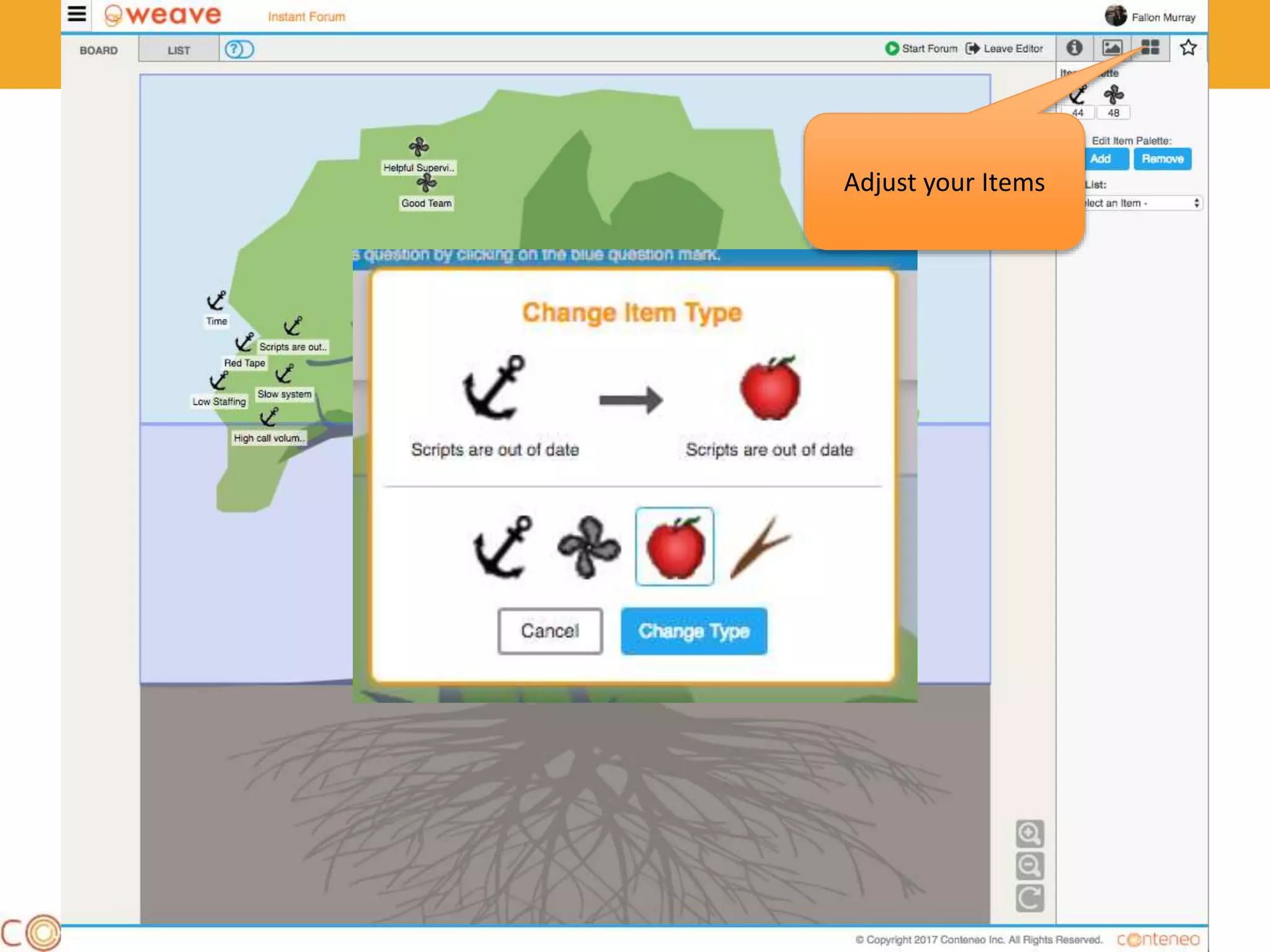
Adjust your Regions
37
Adjust your Items
38
39
Pre-configured Frameworks
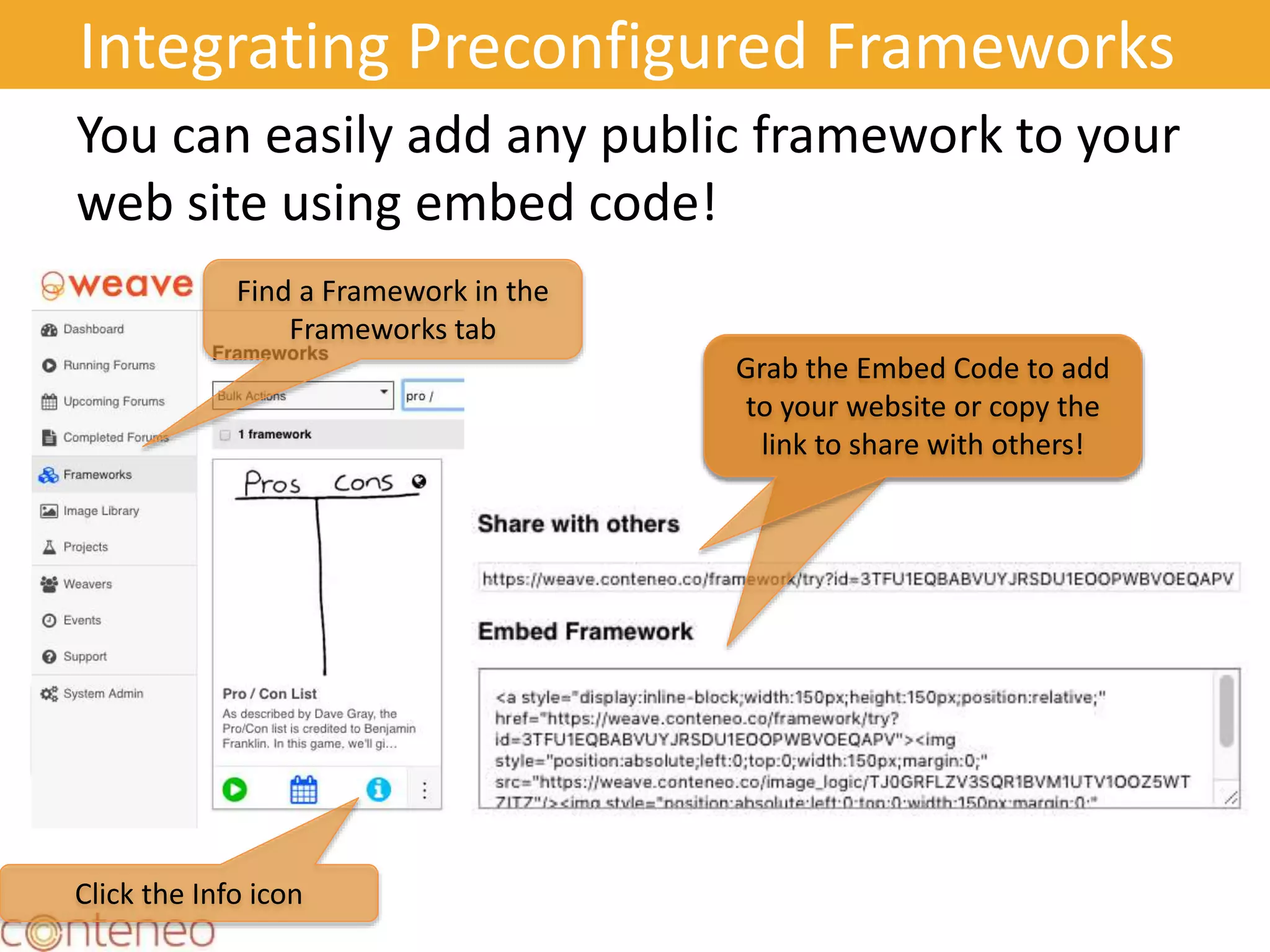
Integrating Preconfigured Frameworks
You can easily add any public framework to your
web site using embed code!
41
Find
Your
Forum
Find a Framework in the
Frameworks tab
Grab the Embed Code to add
to your website or copy the
link to share with others!
Grab the Embed Code to add
to your website or copy the
link to share with others!
Click the Info icon
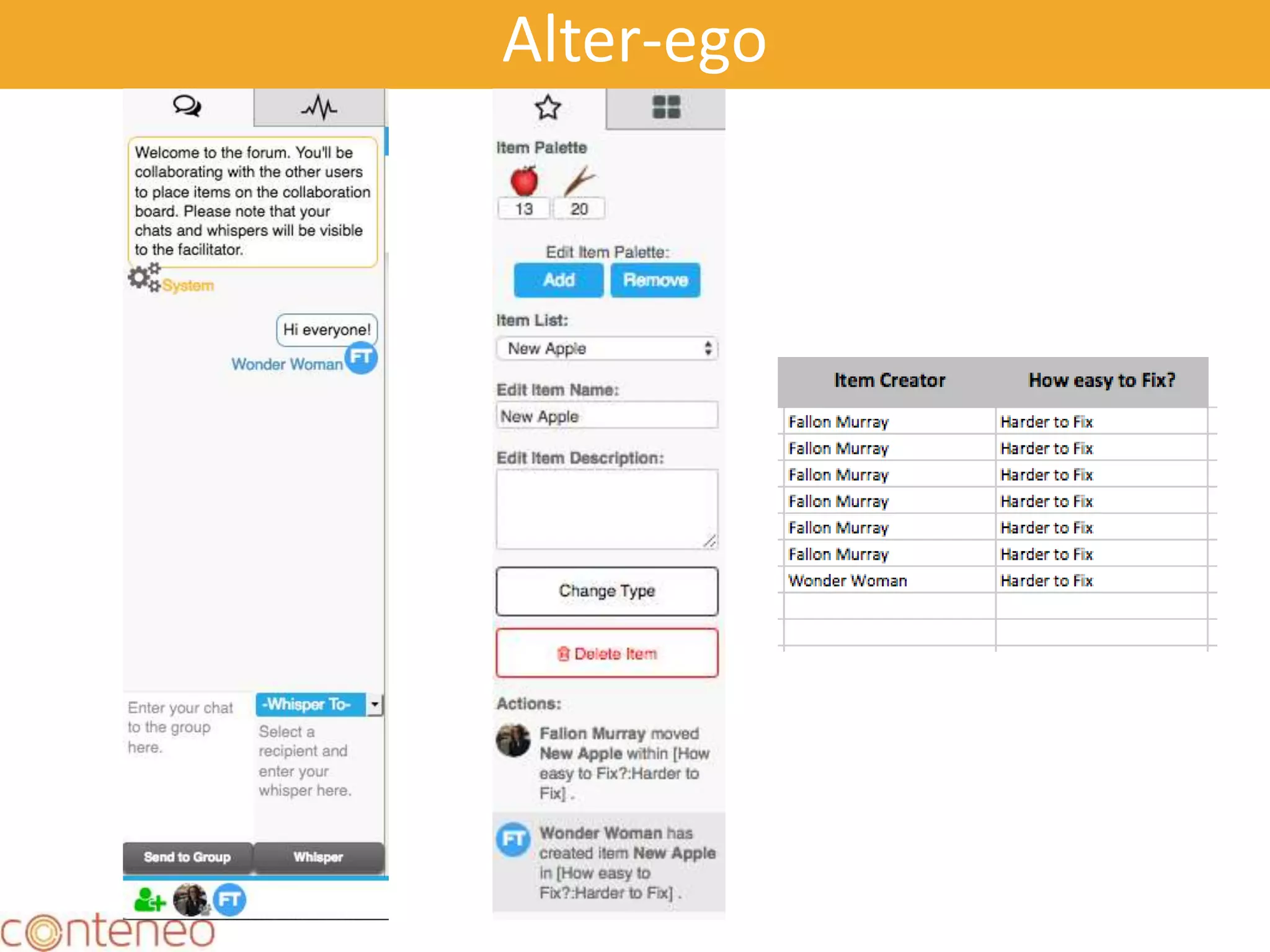
“Anonymous” Participants
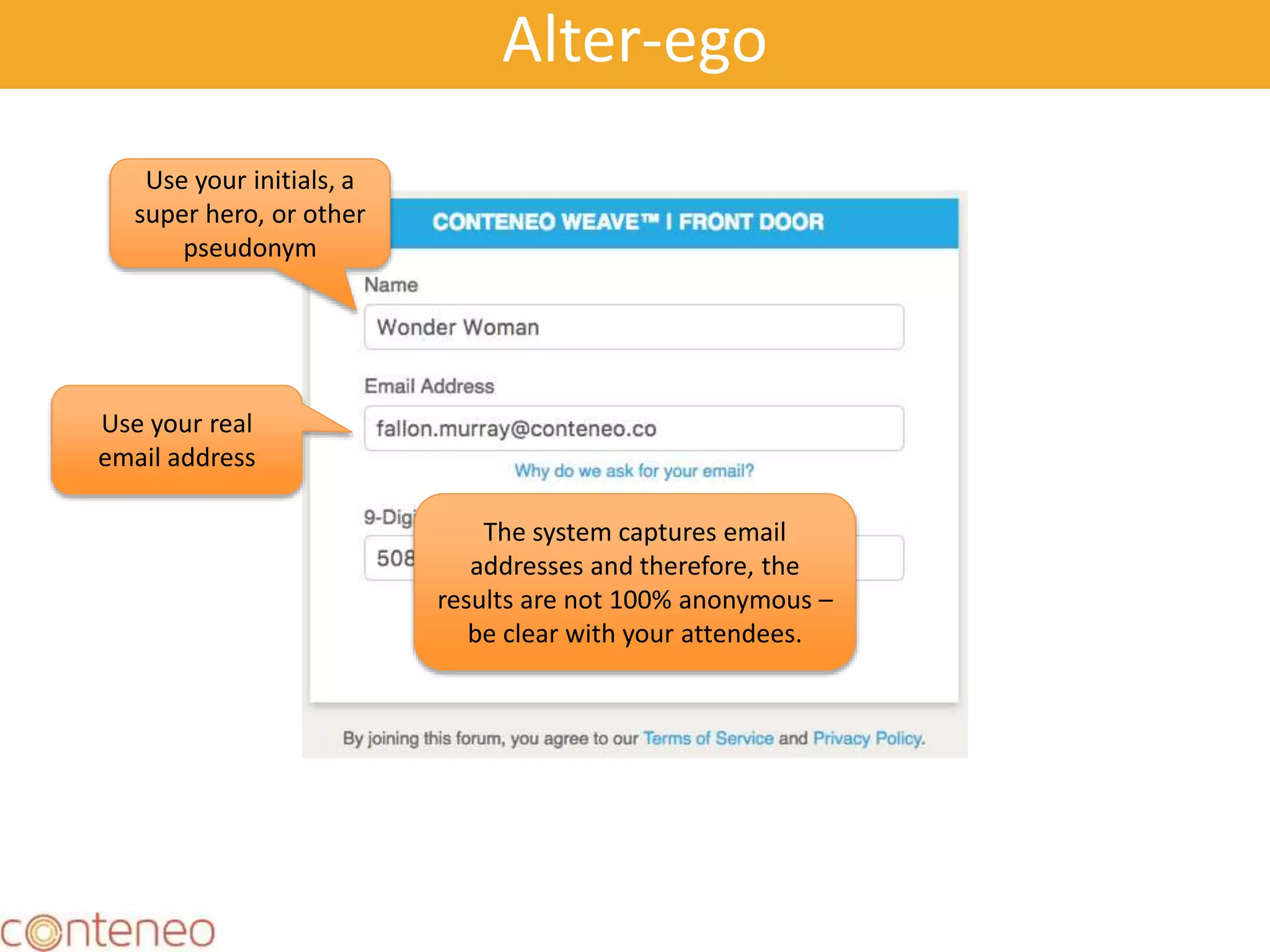
Alter-ego
Use your initials, a
super hero, or other
pseudonym
Use your real
email address
The system captures email
addresses and therefore, the
results are not 100% anonymous –
be clear with your attendees.
Alter-ego
Participant Accounts
48
Conteneo, Inc.
1296 Kifer Rd., Suite 601
Sunnyvale, CA 94087
Please visit us at www.conteneo.co!

Conteneo Weave: Advanced Powers

  • 1.
    Conteneo Weave AdvancedPowers! Version 2.0 Idea Engine Decision Engine
  • 2.
    Objectives As a Producerand/or Facilitator using Weave, I want to understand the super cool awesome advanced capabilities of Weave so that I collaborate like a boss.
  • 3.
    Agenda • Single UserDE • Collaboration Events with LOTS of People: Galas • Large Scale Prioritization • Large Scale Retrospectives • Pre-configured Frameworks • Framework  Forum  Framework • Anonymous Play • Participant vs. Standard vs. Professional Accounts • Exit URL 3
  • 4.
    Single User DecisionEngine 4 Laura: Add Slides
  • 5.
  • 6.
  • 7.
  • 8.
  • 9.
  • 10.
  • 11.
    • Try it! •https://weave.conteneo.co/game/join?id=526- 621-235 11
  • 12.
  • 13.
    Forums and Galas TypeOverview FORUM A forum is an actively engaged framework with 3-8 participants. A “dinner party”: You specify the guest list and the host (Facilitator) of each forum. Each forum is uniquely scheduled with unique URLs. GALA An “open seating event”: Participants are slotted into a forum as they arrive. A gala is essentially a group of forums, running for a specific period of time. Galas are slot large numbers of participants into individual forums with 1-8 participants. All participants share the same URL and the system organizes them into groups according to rules set by the that the produce. Requires a Pro or Enterprise account.
  • 14.
    Forums vs. Galas ForumGala Facilitated? Yes Yes or No Scheduling Each forum is uniquely scheduled Each forum starts automatically as needed Lobby? Yes - Facilitators manage the lobby before the forum No - Participants are dropped into a forum if they meet guest list criteria. Adding Participants Facilitators add participants Participants are added to forums if there are slots open Removing Slots Facilitators can remove slots when they are clear there will be no more participants Slots are automatically removed Ending the Forum Manually Timed Ending Facilitators end the forum Time expires N/A Time Expires 14
  • 15.
    Start Gala Timing andStructure 15 A Single Forum is scheduled for a specific time: A Gala is scheduled for a range of time. Forums are created dynamically! Time Start End Time Facilitator Facilitator Facilitator A gala may have a facilitator if a facilitator is available. If no facilitator is available the participants self-moderate their forum.
  • 16.
    Configuring a 4-hourGala with 5 People 16 You will configure the Gala to start at 09:55 because some participants will arrive early. time9:55 10:00 14:00 You will formally invite them by telling them the Gala starts at 10:00. You will end the Gala at 14:00. Remember that ending the gala does NOT End the Forum. The first person who clicks on the URL after 09:55 will start a forum. Each forum will last one hour. The next four people will be added to this forum. The sixth person will start a new forum.
  • 17.
    17 Gala Configuration A slotreserves a place for a participant. Empty slots are dropped at a frequency you define. Control how many times a participant can play to prevent undue influence. Stops the gala after a specified number of participants A gala has “room” for up to 8 participants. Set your Dynamic In- forum options
  • 18.
    18 Scheduling a Gala Notethat a Gala runs for a set period of time. The default is one week. Add your facilitators or leave empty to create an an unfacilitated Gala. *If there is no facilitator available when first participant joins, the forum will start as an “unfacilitated” forum.
  • 19.
    Gala Best Practices •You can add a pool of facilitators to manage a large number of facilitators against a large number of players. • Facilitators should join early if you would like to ensure that each forum is facilitated. • Pick a time for slots to disappear • Start your gala’s start time 10-15 minutes early so that facilitators can enter 19
  • 20.
    Processing Sequence forGalas 20 No Forum! Claire Is Claire’s specific email on the Excluded List? Is Claire’s specific email on the guestlist? No Place Claire into a forum Is Claire’s email domain on the Excluded List? No Yes Is Claire’s email domain on the guestlist? No Yes No Yes Yes
  • 21.
    Authentication for Galas 21 NoForum! Claire Is Claire’s specific email on the blacklist? Is Claire’s specific email on the guestlist? No The System Emails an Authentication Code to Claire Is Claire’s email domain on the blacklist? No Yes Is Claire’s email domain on the guestlist? No Yes No Yes Claire Does Claire enter the correct auth code? Place Claire into a forum Yes
  • 22.
    Large Scale Prioritizationwith Decision Engine How to handle more than 20 projects/features in Decision Engine. 22
  • 23.
    Scenario: More than20 Projects We recommend no more than 20 projects in a single forum to prevent cognitive overload. There are times when you have more than 20 projects to prioritize. In this example you will use a tournament structure – like runners competing in a track meet. 23
  • 24.
    Example: 40 PotentialProjects, Part 1 Project 1 Project 2  Project 38 Project 39 Project 40 Step 1: Prepare your Excel file with 40 projects. Step 2: Organize your Excel file into 2 files, each with 20 projects. Project 1  Project 20 Project 21  Project 40 Step 3: Upload each Excel file. You will create 2 Frameworks. Step 4: Create two galas, one for each framework. Gala for Projects 1 - 20 Gala for Projects 21 - 40 Who Should Participate in the Gala? If you want to have the SAME PEOPLE see ALL of the projects then you will invite them to both galas. If you want different people to participate in the galas than you can simply share the gala URLs as you wish.
  • 25.
    Example: 40 PotentialProjects, Part 2 Step 4: Create two galas, one for each framework. Gala for Projects 1 - 20 Gala for Projects 21 - 40 Step 5: Take the highest ranked projects from each gala and merge them into a new Excel spreadsheet. You should have 12-22 projects. Gala Results for Projects 1 - 20 Gala Results for Projects 21 - 40 Project 1 Project 3  Project 16 Project 17 Project 18 12 to 22 projects that were funded in the first two galas.
  • 26.
    Example: 40 PotentialProjects, Part 3 Project 1 Project 3  Project 16 Project 17 Project 18 Final Round Projects Step 6: Upload the final round of projects into the system. Step 7: Run a final round gala. Gala Results for Projects – Final RoundStep 8: Pop the champagne and celebrate with the winning projects!
  • 27.
    Large Scale Collaborationwith Idea Engine Case Study: Large Scale Retrospectives 27
  • 28.
    28 We used Weaveto facilitate Sailboat retrospectives Central question: Think about the work you have done in your role over the last 6 months. What has worked really well and makes your job easier, faster, more efficient or fun? What has not worked well and is holding you back, taking longer than it should, or is simply painful?
  • 29.
  • 30.
    30 People, 38 People & Process,8 Process, 29 Process, Tools & Technology, 2 Tools & Technology, 19 People People & Process Process Process, Tools & Technology Tools & Technology Categories Results – 96 Wind
  • 31.
    31 People, 16 People & Process,21 Process, 92 Process, Tools & Technology, 18 Tools & Technology, 17 People People & Process Process Process, Tools & Technology Tools & Technology Categories Results – 165 Anchors
  • 32.
    Framework > Forum> Framework 32
  • 33.
    33 Select Edit Forumas New Framework
  • 34.
  • 35.
    35 Change your background image Theitems from the previous Speedboat Forum carry over
  • 36.
  • 37.
  • 38.
  • 39.
  • 40.
  • 41.
    Integrating Preconfigured Frameworks Youcan easily add any public framework to your web site using embed code! 41 Find Your Forum Find a Framework in the Frameworks tab Grab the Embed Code to add to your website or copy the link to share with others! Grab the Embed Code to add to your website or copy the link to share with others! Click the Info icon
  • 42.
  • 43.
    Alter-ego Use your initials,a super hero, or other pseudonym Use your real email address The system captures email addresses and therefore, the results are not 100% anonymous – be clear with your attendees.
  • 44.
  • 45.
  • 47.
  • 48.
    48 Conteneo, Inc. 1296 KiferRd., Suite 601 Sunnyvale, CA 94087 Please visit us at www.conteneo.co!