COMPUTER
SOFTWARE
WHAT ARE SOFTWARE?
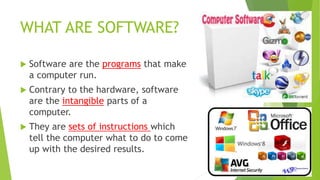
 Software are the programs that make
a computer run.
 Contrary to the hardware, software
are the intangible parts of a
computer.
 They are sets of instructions which
tell the computer what to do to come
up with the desired results.
1. SYSTEM SOFTWARE OR
OPERATING SYSTEM (OS)
 This are the programs that work
without your intervention.
 They automatically open once you
boot your computer. Some of their
tasks include loading and running
the programs, checking and
protecting computers, and
controlling hardware
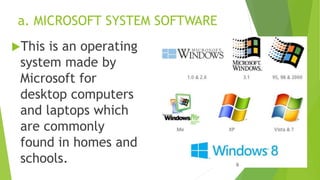
a. MICROSOFT SYSTEM SOFTWARE
This is an operating
system made by
Microsoft for
desktop computers
and laptops which
are commonly
found in homes and
schools.
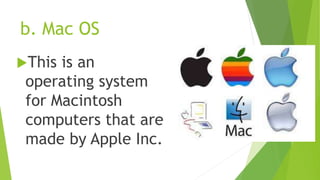
b. Mac OS
This is an
operating system
for Macintosh
computers that are
made by Apple Inc.
c. LINUX and UBUNTU
This is an operating
system that can be
downloaded free from
the internet.
An open source type of
operating system.
D. ANDROID
 is a mobile operating system (OS) based on
the Linux kernel that is currently
developed by Google. With a user interface
based on direct manipulation, Android is
designed primarily for touchscreen mobile
devices such as smartphones and tablet
computers. The OS uses touch inputs that
loosely correspond to real-world actions,
like swiping, tapping, pinching, and reverse
pinching to manipulate on-screen objects,
and a virtual keyboard
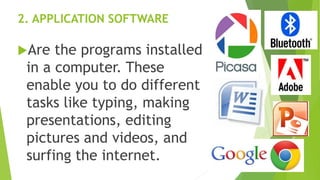
2. APPLICATION SOFTWARE
Are the programs installed
in a computer. These
enable you to do different
tasks like typing, making
presentations, editing
pictures and videos, and
surfing the internet.
A. WORD PROCESSORS
These are used in
creating letters,
memos, reports
and other write
ups.
B. ELECTRONIC SPREADSHEETS
These are the software
that are equipped with
rows and columns where
data may be entered
and processed
automatically or
tabulated.
C. Database Programs
These programs
you can use to
organize data in
a customized
way.
D. MULTIMEDIA, DESKTOP AND IMAGE
EDITING SOFTWARE
These are
software used to
create graphics
and publications
and to edit
images.
E. ENTERTAINMENT
SOFTWARE
These software
are especially
designed for fun
and relaxation.
F. ANTI-VIRUS UTILITIES
These include
special programs
that are created
to cure infected
files or prevent
virus infection.
ENGINEERING/ARCHITECTURAL TOOLS
These are used
to design
structures like
bridges, cars,
etc.
NETWORK AND COMMUNICATING
SOFTWARE
These include
browsers, email
clients, instant
messaging
programs, and
other similar
programs.
HOW THE THIS COMPUTER
SOFTWARE WAS MADE OR
CREATED?
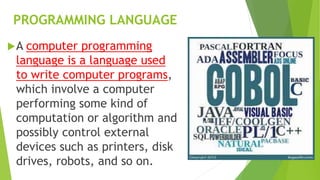
PROGRAMMING LANGUAGE
A computer programming
language is a language used
to write computer programs,
which involve a computer
performing some kind of
computation or algorithm and
possibly control external
devices such as printers, disk
drives, robots, and so on.

Computer software

  • 1.
  • 3.
    WHAT ARE SOFTWARE? Software are the programs that make a computer run.  Contrary to the hardware, software are the intangible parts of a computer.  They are sets of instructions which tell the computer what to do to come up with the desired results.
  • 4.
    1. SYSTEM SOFTWAREOR OPERATING SYSTEM (OS)  This are the programs that work without your intervention.  They automatically open once you boot your computer. Some of their tasks include loading and running the programs, checking and protecting computers, and controlling hardware
  • 5.
    a. MICROSOFT SYSTEMSOFTWARE This is an operating system made by Microsoft for desktop computers and laptops which are commonly found in homes and schools.
  • 6.
    b. Mac OS Thisis an operating system for Macintosh computers that are made by Apple Inc.
  • 7.
    c. LINUX andUBUNTU This is an operating system that can be downloaded free from the internet. An open source type of operating system.
  • 8.
    D. ANDROID  isa mobile operating system (OS) based on the Linux kernel that is currently developed by Google. With a user interface based on direct manipulation, Android is designed primarily for touchscreen mobile devices such as smartphones and tablet computers. The OS uses touch inputs that loosely correspond to real-world actions, like swiping, tapping, pinching, and reverse pinching to manipulate on-screen objects, and a virtual keyboard
  • 9.
    2. APPLICATION SOFTWARE Arethe programs installed in a computer. These enable you to do different tasks like typing, making presentations, editing pictures and videos, and surfing the internet.
  • 10.
    A. WORD PROCESSORS Theseare used in creating letters, memos, reports and other write ups.
  • 11.
    B. ELECTRONIC SPREADSHEETS Theseare the software that are equipped with rows and columns where data may be entered and processed automatically or tabulated.
  • 12.
    C. Database Programs Theseprograms you can use to organize data in a customized way.
  • 13.
    D. MULTIMEDIA, DESKTOPAND IMAGE EDITING SOFTWARE These are software used to create graphics and publications and to edit images.
  • 14.
    E. ENTERTAINMENT SOFTWARE These software areespecially designed for fun and relaxation.
  • 15.
    F. ANTI-VIRUS UTILITIES Theseinclude special programs that are created to cure infected files or prevent virus infection.
  • 16.
    ENGINEERING/ARCHITECTURAL TOOLS These areused to design structures like bridges, cars, etc.
  • 17.
    NETWORK AND COMMUNICATING SOFTWARE Theseinclude browsers, email clients, instant messaging programs, and other similar programs.
  • 18.
    HOW THE THISCOMPUTER SOFTWARE WAS MADE OR CREATED?
  • 19.
    PROGRAMMING LANGUAGE A computerprogramming language is a language used to write computer programs, which involve a computer performing some kind of computation or algorithm and possibly control external devices such as printers, disk drives, robots, and so on.