Computer Networking
DR. C. BEULAH JAYARANI
M.Sc., M.A, M.Ed, M.Phil (Edn), M.Phil (ZOO), NET, Ph.D
ASST. PROFESSOR,
LOYOLA COLLEGE OF EDUCATION, CHENNAI - 34
Content
 Introduction
 The networking devices
 Types of networks
 Network topologies
 Wireless networks
 Reference
4/18/2022
The Computer Network
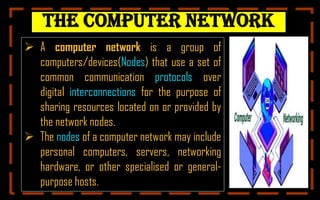
 A computer network is a group of
computers/devices(Nodes) that use a set of
common communication protocols over
digital interconnections for the purpose of
sharing resources located on or provided by
the network nodes.
 The nodes of a computer network may include
personal computers, servers, networking
hardware, or other specialised or general-
purpose hosts.
Contd.,
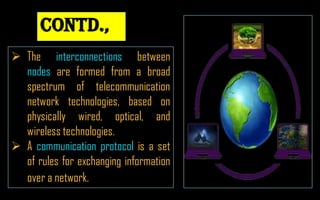
 The interconnections between
nodes are formed from a broad
spectrum of telecommunication
network technologies, based on
physically wired, optical, and
wireless technologies.
 A communication protocol is a set
of rules for exchanging information
over a network.
4/18/2022
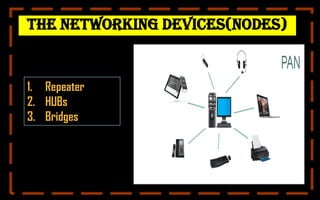
The Networking Devices(Nodes)
1. Repeater
2. HUBs
3. Bridges
4/18/2022
1.Repeaters
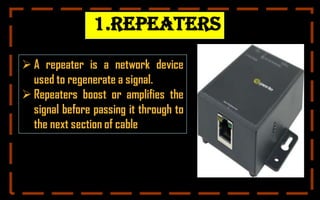
 A repeater is a network device
used to regenerate a signal.
 Repeaters boost or amplifies the
signal before passing it through to
the next section of cable
4/18/2022
2. Hubs
 A Hub is a multiport connecting
device that is used to
interconnect LAN devices
 A HUB can be used to extend the
physical length of a network
4/18/2022
3. Bridges
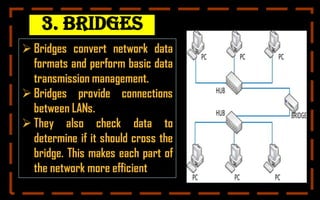
 Bridges convert network data
formats and perform basic data
transmission management.
 Bridges provide connections
between LANs.
 They also check data to
determine if it should cross the
bridge. This makes each part of
the network more efficient
4/18/2022
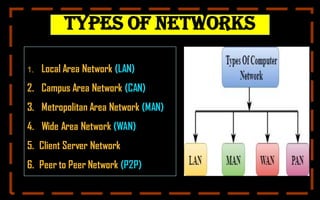
Types of Networks
1. Local Area Network (LAN)
2. Campus Area Network (CAN)
3. Metropolitan Area Network (MAN)
4. Wide Area Network (WAN)
5. Client Server Network
6. Peer to Peer Network (P2P)
4/18/2022
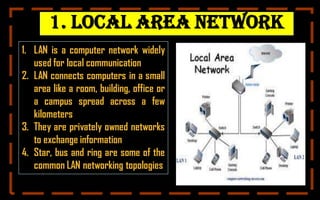
1. local Area Network
1. LAN is a computer network widely
used for local communication
2. LAN connects computers in a small
area like a room, building, office or
a campus spread across a few
kilometers
3. They are privately owned networks
to exchange information
4. Star, bus and ring are some of the
common LAN networking topologies
4/18/2022
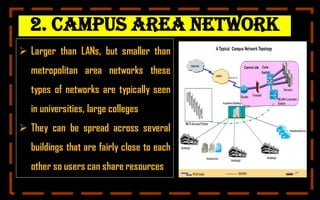
2. Campus Area Network
 Larger than LANs, but smaller than
metropolitan area networks these
types of networks are typically seen
in universities, large colleges
 They can be spread across several
buildings that are fairly close to each
other so users can share resources
4/18/2022
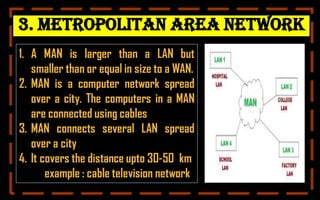
3. Metropolitan Area Network
1. A MAN is larger than a LAN but
smaller than or equal in size to a WAN.
2. MAN is a computer network spread
over a city. The computers in a MAN
are connected using cables
3. MAN connects several LAN spread
over a city
4. It covers the distance upto 30-50 km
example : cable television network
4/18/2022
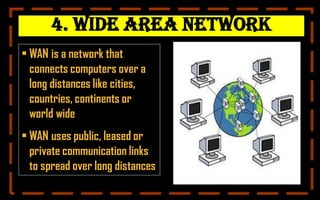
4. Wide Area Network
• WAN is a network that
connects computers over a
long distances like cities,
countries, continents or
world wide
• WAN uses public, leased or
private communication links
to spread over long distances
4/18/2022
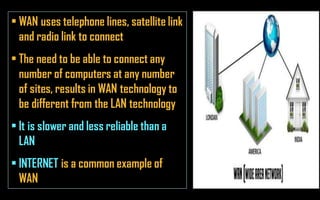
k
• WAN uses telephone lines, satellite link
and radio link to connect
• The need to be able to connect any
number of computers at any number
of sites, results in WAN technology to
be different from the LAN technology
• It is slower and less reliable than a
LAN
• INTERNET is a common example of
WAN
4/18/2022
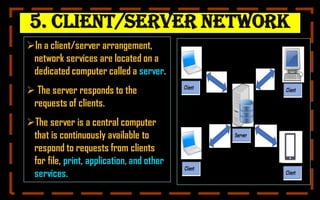
5. Client/Server Network
In a client/server arrangement,
network services are located on a
dedicated computer called a server.
 The server responds to the
requests of clients.
The server is a central computer
that is continuously available to
respond to requests from clients
for file, print, application, and other
services.
4/18/2022
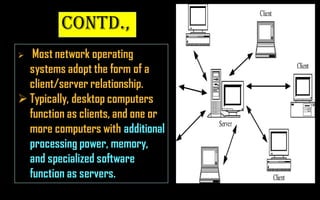
Contd.,
 Most network operating
systems adopt the form of a
client/server relationship.
 Typically, desktop computers
function as clients, and one or
more computers with additional
processing power, memory,
and specialized software
function as servers.
4/18/2022
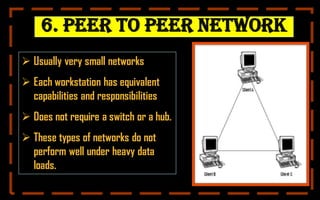
6. Peer to Peer Network
 Usually very small networks
 Each workstation has equivalent
capabilities and responsibilities
 Does not require a switch or a hub.
 These types of networks do not
perform well under heavy data
loads.
4/18/2022
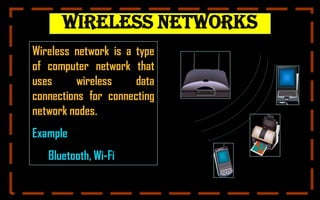
Wireless Networks
Wireless network is a type
of computer network that
uses wireless data
connections for connecting
network nodes.
Example
Bluetooth, Wi-Fi
4/18/2022
Bluetooth
Bluetooth is a
short-range
wireless technology
standard used for
exchanging data
between fixed and
mobile devices over
short distances.
4/18/2022
Wi-Fi
 Wi-Fi Stands for Wireless Fidelity.
 Wi-Fi, is a Local Area Wireless
technology.
 Wi-Fi networks use radio technologies
to transmit and receive data at high
speed.
 Access point: The access point is a
wireless LAN transceiver or “base
station” that can connect one or many
wireless devices simultaneously to the
internet
4/18/2022
REFERENCE:
1. computer networks- NCERT
2.http://www.svecw.edu.in
3. Basic computer application by Vishal khasgiwala and
Sumitra jain
4. Foundation of information technology
4/18/2022

COMPUTER NETWORKING (1).pdf

  • 1.
    Computer Networking DR. C.BEULAH JAYARANI M.Sc., M.A, M.Ed, M.Phil (Edn), M.Phil (ZOO), NET, Ph.D ASST. PROFESSOR, LOYOLA COLLEGE OF EDUCATION, CHENNAI - 34
  • 2.
    Content  Introduction  Thenetworking devices  Types of networks  Network topologies  Wireless networks  Reference 4/18/2022
  • 3.
    The Computer Network A computer network is a group of computers/devices(Nodes) that use a set of common communication protocols over digital interconnections for the purpose of sharing resources located on or provided by the network nodes.  The nodes of a computer network may include personal computers, servers, networking hardware, or other specialised or general- purpose hosts.
  • 4.
    Contd.,  The interconnectionsbetween nodes are formed from a broad spectrum of telecommunication network technologies, based on physically wired, optical, and wireless technologies.  A communication protocol is a set of rules for exchanging information over a network. 4/18/2022
  • 5.
    The Networking Devices(Nodes) 1.Repeater 2. HUBs 3. Bridges 4/18/2022
  • 6.
    1.Repeaters  A repeateris a network device used to regenerate a signal.  Repeaters boost or amplifies the signal before passing it through to the next section of cable 4/18/2022
  • 7.
    2. Hubs  AHub is a multiport connecting device that is used to interconnect LAN devices  A HUB can be used to extend the physical length of a network 4/18/2022
  • 8.
    3. Bridges  Bridgesconvert network data formats and perform basic data transmission management.  Bridges provide connections between LANs.  They also check data to determine if it should cross the bridge. This makes each part of the network more efficient 4/18/2022
  • 9.
    Types of Networks 1.Local Area Network (LAN) 2. Campus Area Network (CAN) 3. Metropolitan Area Network (MAN) 4. Wide Area Network (WAN) 5. Client Server Network 6. Peer to Peer Network (P2P) 4/18/2022
  • 10.
    1. local AreaNetwork 1. LAN is a computer network widely used for local communication 2. LAN connects computers in a small area like a room, building, office or a campus spread across a few kilometers 3. They are privately owned networks to exchange information 4. Star, bus and ring are some of the common LAN networking topologies 4/18/2022
  • 11.
    2. Campus AreaNetwork  Larger than LANs, but smaller than metropolitan area networks these types of networks are typically seen in universities, large colleges  They can be spread across several buildings that are fairly close to each other so users can share resources 4/18/2022
  • 12.
    3. Metropolitan AreaNetwork 1. A MAN is larger than a LAN but smaller than or equal in size to a WAN. 2. MAN is a computer network spread over a city. The computers in a MAN are connected using cables 3. MAN connects several LAN spread over a city 4. It covers the distance upto 30-50 km example : cable television network 4/18/2022
  • 13.
    4. Wide AreaNetwork • WAN is a network that connects computers over a long distances like cities, countries, continents or world wide • WAN uses public, leased or private communication links to spread over long distances 4/18/2022
  • 14.
    k • WAN usestelephone lines, satellite link and radio link to connect • The need to be able to connect any number of computers at any number of sites, results in WAN technology to be different from the LAN technology • It is slower and less reliable than a LAN • INTERNET is a common example of WAN 4/18/2022
  • 15.
    5. Client/Server Network Ina client/server arrangement, network services are located on a dedicated computer called a server.  The server responds to the requests of clients. The server is a central computer that is continuously available to respond to requests from clients for file, print, application, and other services. 4/18/2022
  • 16.
    Contd.,  Most networkoperating systems adopt the form of a client/server relationship.  Typically, desktop computers function as clients, and one or more computers with additional processing power, memory, and specialized software function as servers. 4/18/2022
  • 17.
    6. Peer toPeer Network  Usually very small networks  Each workstation has equivalent capabilities and responsibilities  Does not require a switch or a hub.  These types of networks do not perform well under heavy data loads. 4/18/2022
  • 18.
    Wireless Networks Wireless networkis a type of computer network that uses wireless data connections for connecting network nodes. Example Bluetooth, Wi-Fi 4/18/2022
  • 19.
    Bluetooth Bluetooth is a short-range wirelesstechnology standard used for exchanging data between fixed and mobile devices over short distances. 4/18/2022
  • 20.
    Wi-Fi  Wi-Fi Standsfor Wireless Fidelity.  Wi-Fi, is a Local Area Wireless technology.  Wi-Fi networks use radio technologies to transmit and receive data at high speed.  Access point: The access point is a wireless LAN transceiver or “base station” that can connect one or many wireless devices simultaneously to the internet 4/18/2022
  • 21.
    REFERENCE: 1. computer networks-NCERT 2.http://www.svecw.edu.in 3. Basic computer application by Vishal khasgiwala and Sumitra jain 4. Foundation of information technology 4/18/2022