Welcome To It Club
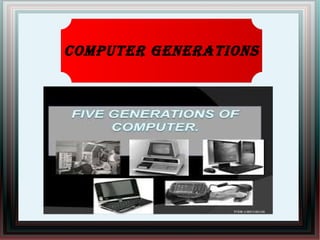
Computer Generations
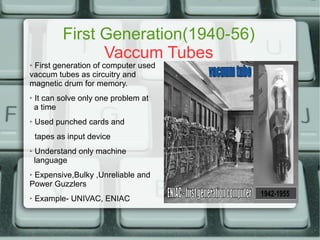
First Generation(1940-56)
Vaccum Tubes
➢ First generation of computer used
vaccum tubes as circuitry and
magnetic drum for memory.
➢ It can solve only one problem at
a time
➢ Used punched cards and
tapes as input device
➢ Understand only machine
language
➢ Expensive,Bulky ,Unreliable and
Power Guzzlers
➢ Example- UNIVAC, ENIAC
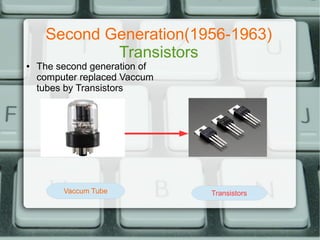
Second Generation(1956-1963)
Transistors
● The second generation of
computer replaced Vaccum
tubes by Transistors
Vaccum Tube Transistors
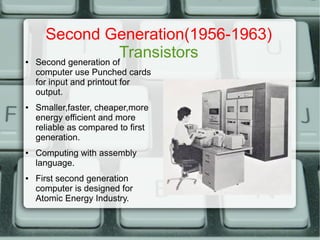
Second Generation(1956-1963)
Transistors● Second generation of
computer use Punched cards
for input and printout for
output.
● Smaller,faster, cheaper,more
energy efficient and more
reliable as compared to first
generation.
● Computing with assembly
language.
● First second generation
computer is designed for
Atomic Energy Industry.
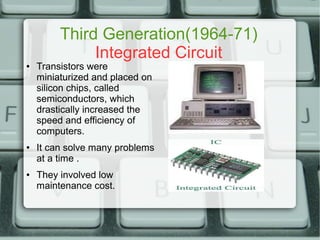
Third Generation(1964-71)
Integrated Circuit
● Transistors were
miniaturized and placed on
silicon chips, called
semiconductors, which
drastically increased the
speed and efficiency of
computers.
● It can solve many problems
at a time .
● They involved low
maintenance cost.
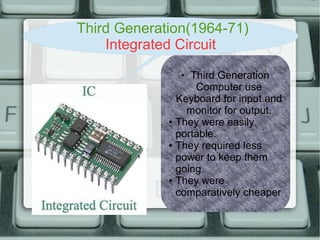
Third Generation(1964-71)
Integrated Circuit
●
Third Generation
Computer use
Keyboard for input and
monitor for output.
● They were easily
portable.
● They required less
power to keep them
going.
● They were
comparatively cheaper
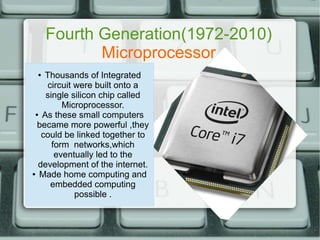
Fourth Generation(1972-2010)
Microprocessor
● Thousands of Integrated
circuit were built onto a
single silicon chip called
Microprocessor.
● As these small computers
became more powerful ,they
could be linked together to
form networks,which
eventually led to the
development of the internet.
● Made home computing and
embedded computing
possible .
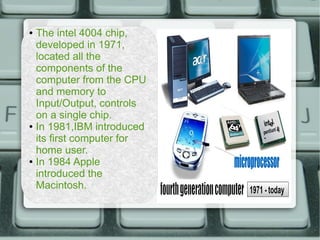
● The intel 4004 chip,
developed in 1971,
located all the
components of the
computer from the CPU
and memory to
Input/Output, controls
on a single chip.
● In 1981,IBM introduced
its first computer for
home user.
● In 1984 Apple
introduced the
Macintosh.
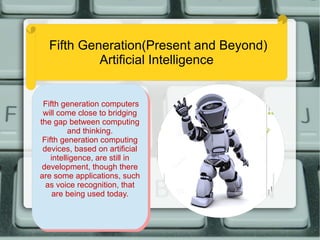
Fifth Generation(Present and Beyond)
Artificial Intelligence
Fifth generation computers
will come close to bridging
the gap between computing
and thinking.
Fifth generation computing
devices, based on artificial
intelligence, are still in
development, though there
are some applications, such
as voice recognition, that
are being used today.
Fifth generation computers
will come close to bridging
the gap between computing
and thinking.
Fifth generation computing
devices, based on artificial
intelligence, are still in
development, though there
are some applications, such
as voice recognition, that
are being used today.
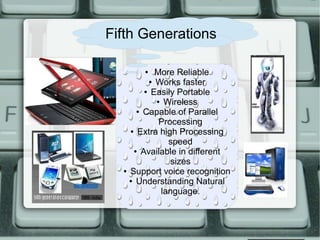
● More Reliable
● Works faster
● Easily Portable
● Wireless
● Capable of Parallel
Processing
● Extra high Processing
speed
● Available in different
sizes
● Support voice recognition
● Understanding Natural
language.
Fifth Generations
Hardware
`
●
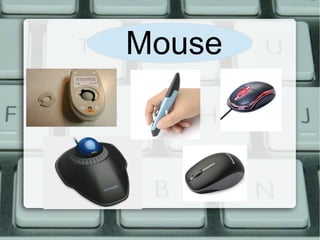
Mouse
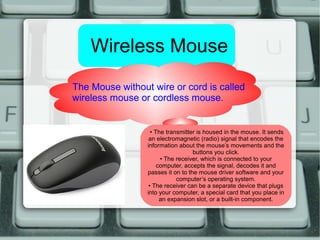
Wireless Mouse
The Mouse without wire or cord is called
wireless mouse or cordless mouse.
• The transmitter is housed in the mouse. It sends
an electromagnetic (radio) signal that encodes the
information about the mouse’s movements and the
buttons you click.
• The receiver, which is connected to your
computer, accepts the signal, decodes it and
passes it on to the mouse driver software and your
computer’s operating system.
• The receiver can be a separate device that plugs
into your computer, a special card that you place in
an expansion slot, or a built-in component.
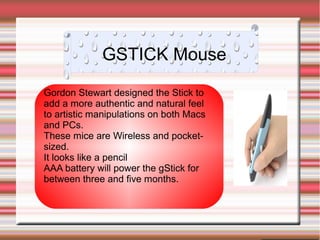
GSTICK Mouse
Gordon Stewart designed the Stick to
add a more authentic and natural feel
to artistic manipulations on both Macs
and PCs.
These mice are Wireless and pocket-
sized.
It looks like a pencil
AAA battery will power the gStick for
between three and five months.
OPTICAL MOUSE TRACKBALL MOUSE
An optical mouse is an
computer pointing device
that uses a light-emitting
diode an optical sensor,
and digital signal
processing ( DSP).
This mouse doesn’t have
mouse ball and
electromechanical
transducer.
A trackball mouse is a
pointing device.
It consists of a ball held by
a socket containing
sensors to detect a
rotation of the ball.
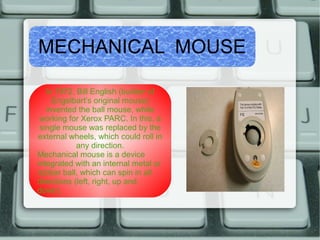
MECHANICAL MOUSE
In 1972, Bill English (builder of
Engelbart’s original mouse)
invented the ball mouse, while
working for Xerox PARC. In this, a
single mouse was replaced by the
external wheels, which could roll in
any direction.
Mechanical mouse is a device
integrated with an internal metal or
rubber ball, which can spin in all
directions (left, right, up and
down).
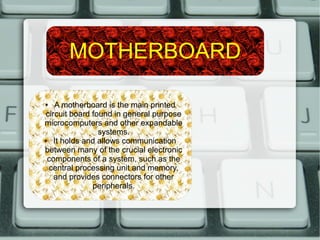
MOTHERBOARD
● A motherboard is the main printed
circuit board found in general purpose
microcomputers and other expandable
systems.
● It holds and allows communication
between many of the crucial electronic
components of a system, such as the
central processing unit and memory,
and provides connectors for other
peripherals.
SMPS
The personal computers
at your office or home
are powered by
electronic power supply
units called Switched
Mode Power supply
(SMPS).
Random Access Memory(RAM)
RAM is an acronym for
random access memory, a
type of computer memory
that can be accessed
randomly; that is, any byte of
memory can be accessed
without touching the preceding
bytes.

Computer generations

  • 1.
  • 2.
  • 3.
    First Generation(1940-56) Vaccum Tubes ➢First generation of computer used vaccum tubes as circuitry and magnetic drum for memory. ➢ It can solve only one problem at a time ➢ Used punched cards and tapes as input device ➢ Understand only machine language ➢ Expensive,Bulky ,Unreliable and Power Guzzlers ➢ Example- UNIVAC, ENIAC
  • 4.
    Second Generation(1956-1963) Transistors ● Thesecond generation of computer replaced Vaccum tubes by Transistors Vaccum Tube Transistors
  • 5.
    Second Generation(1956-1963) Transistors● Secondgeneration of computer use Punched cards for input and printout for output. ● Smaller,faster, cheaper,more energy efficient and more reliable as compared to first generation. ● Computing with assembly language. ● First second generation computer is designed for Atomic Energy Industry.
  • 6.
    Third Generation(1964-71) Integrated Circuit ●Transistors were miniaturized and placed on silicon chips, called semiconductors, which drastically increased the speed and efficiency of computers. ● It can solve many problems at a time . ● They involved low maintenance cost.
  • 7.
    Third Generation(1964-71) Integrated Circuit ● ThirdGeneration Computer use Keyboard for input and monitor for output. ● They were easily portable. ● They required less power to keep them going. ● They were comparatively cheaper
  • 8.
    Fourth Generation(1972-2010) Microprocessor ● Thousandsof Integrated circuit were built onto a single silicon chip called Microprocessor. ● As these small computers became more powerful ,they could be linked together to form networks,which eventually led to the development of the internet. ● Made home computing and embedded computing possible .
  • 9.
    ● The intel4004 chip, developed in 1971, located all the components of the computer from the CPU and memory to Input/Output, controls on a single chip. ● In 1981,IBM introduced its first computer for home user. ● In 1984 Apple introduced the Macintosh.
  • 10.
    Fifth Generation(Present andBeyond) Artificial Intelligence Fifth generation computers will come close to bridging the gap between computing and thinking. Fifth generation computing devices, based on artificial intelligence, are still in development, though there are some applications, such as voice recognition, that are being used today. Fifth generation computers will come close to bridging the gap between computing and thinking. Fifth generation computing devices, based on artificial intelligence, are still in development, though there are some applications, such as voice recognition, that are being used today.
  • 11.
    ● More Reliable ●Works faster ● Easily Portable ● Wireless ● Capable of Parallel Processing ● Extra high Processing speed ● Available in different sizes ● Support voice recognition ● Understanding Natural language. Fifth Generations
  • 12.
  • 13.
  • 14.
    Wireless Mouse The Mousewithout wire or cord is called wireless mouse or cordless mouse. • The transmitter is housed in the mouse. It sends an electromagnetic (radio) signal that encodes the information about the mouse’s movements and the buttons you click. • The receiver, which is connected to your computer, accepts the signal, decodes it and passes it on to the mouse driver software and your computer’s operating system. • The receiver can be a separate device that plugs into your computer, a special card that you place in an expansion slot, or a built-in component.
  • 15.
    GSTICK Mouse Gordon Stewartdesigned the Stick to add a more authentic and natural feel to artistic manipulations on both Macs and PCs. These mice are Wireless and pocket- sized. It looks like a pencil AAA battery will power the gStick for between three and five months.
  • 16.
    OPTICAL MOUSE TRACKBALLMOUSE An optical mouse is an computer pointing device that uses a light-emitting diode an optical sensor, and digital signal processing ( DSP). This mouse doesn’t have mouse ball and electromechanical transducer. A trackball mouse is a pointing device. It consists of a ball held by a socket containing sensors to detect a rotation of the ball.
  • 17.
    MECHANICAL MOUSE In 1972,Bill English (builder of Engelbart’s original mouse) invented the ball mouse, while working for Xerox PARC. In this, a single mouse was replaced by the external wheels, which could roll in any direction. Mechanical mouse is a device integrated with an internal metal or rubber ball, which can spin in all directions (left, right, up and down).
  • 18.
    MOTHERBOARD ● A motherboardis the main printed circuit board found in general purpose microcomputers and other expandable systems. ● It holds and allows communication between many of the crucial electronic components of a system, such as the central processing unit and memory, and provides connectors for other peripherals.
  • 19.
    SMPS The personal computers atyour office or home are powered by electronic power supply units called Switched Mode Power supply (SMPS).
  • 20.
    Random Access Memory(RAM) RAMis an acronym for random access memory, a type of computer memory that can be accessed randomly; that is, any byte of memory can be accessed without touching the preceding bytes.