Com
puter basic
What is a computer?
 Computers are machines that perform tasks or calculations
according to a set of instructions, or programs
 Computers work through an interaction of hardware and software.
 The computer processes input through input devices like mouse
and keyboard.
 The computer displays output through output devices like color
monitor and printer.
 Computers work through an interaction of hardware and software
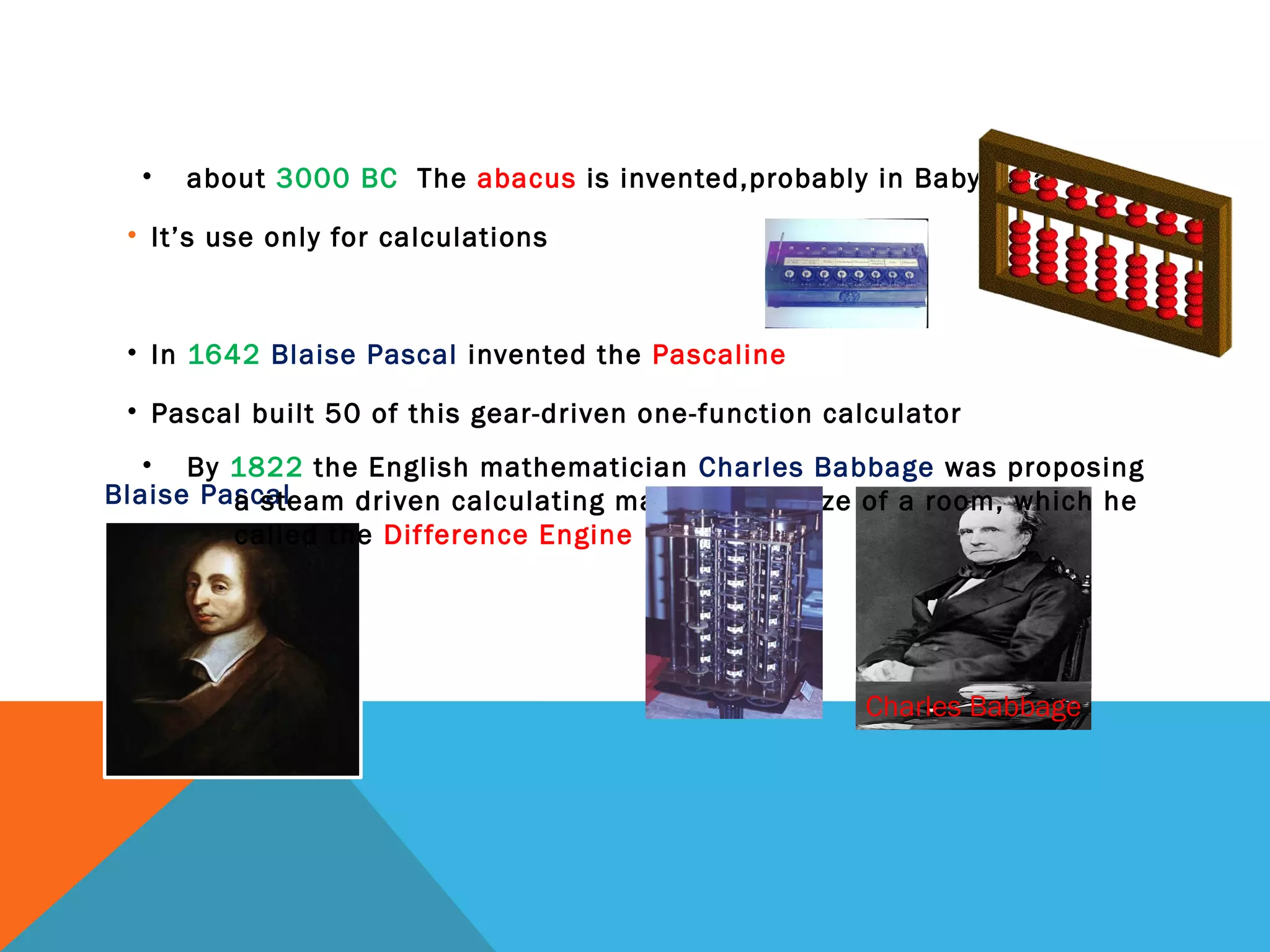
Blaise Pascal
Charles Babbage
• about 3000 BC The abacus is invented,probably in Babylonia
• It’s use only for calculations
• In 1642 Blaise Pascal invented the Pascaline
• Pascal built 50 of this gear-driven one-function calculator
• By 1822 the English mathematician Charles Babbage was proposing
a steam driven calculating machine the size of a room, which he
called the Difference Engine
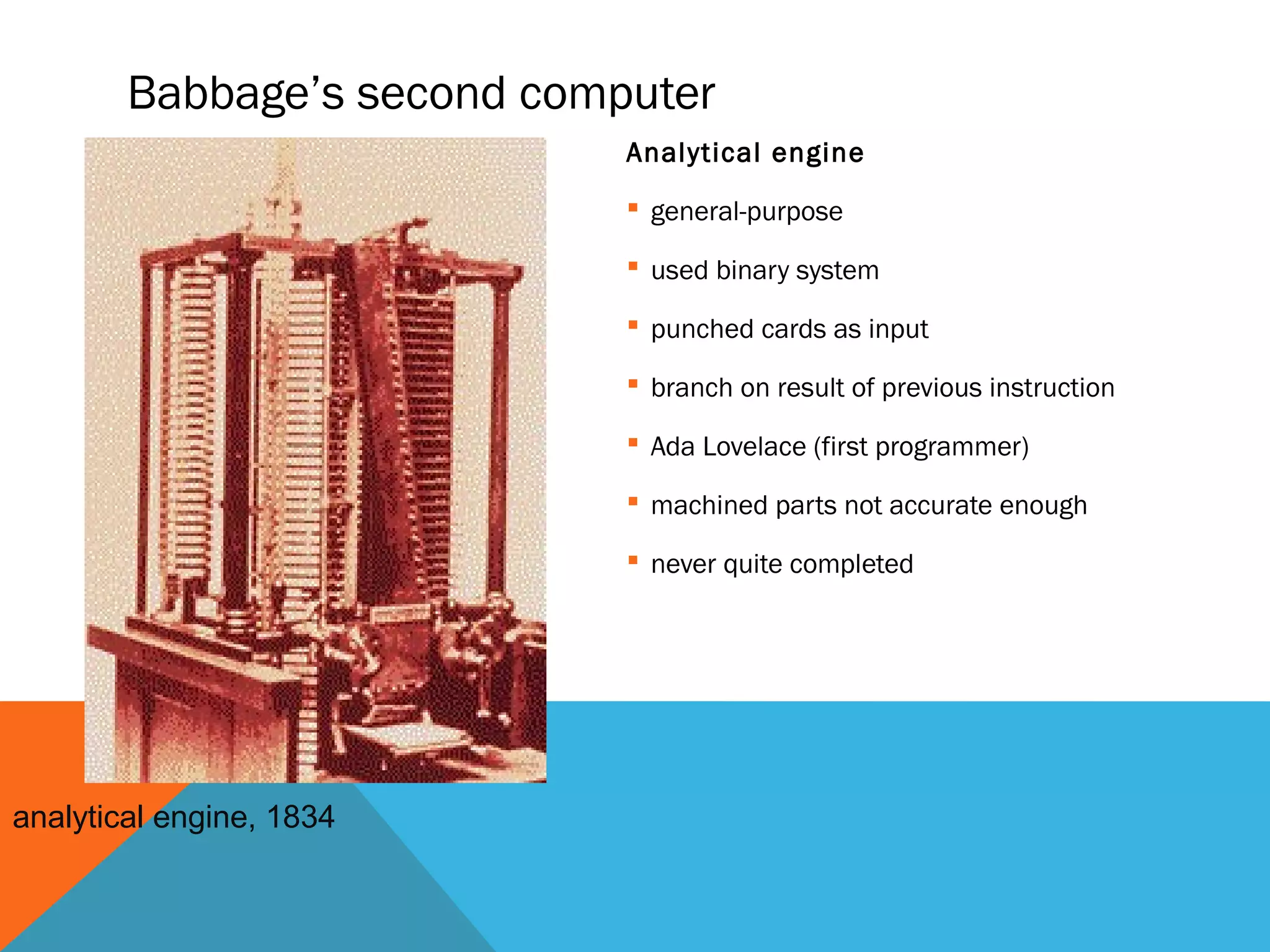
Babbage’s second computer
Analytical engine
 general-purpose
 used binary system
 punched cards as input
 branch on result of previous instruction
 Ada Lovelace (first programmer)
 machined parts not accurate enough
 never quite completed
analytical engine, 1834
Mile stones in inversion of computers
• invention of the light bulb, 1878
– Sir Joseph Wilson Swan in 1878
– Thomas Edison in 1879
– Edison Effect
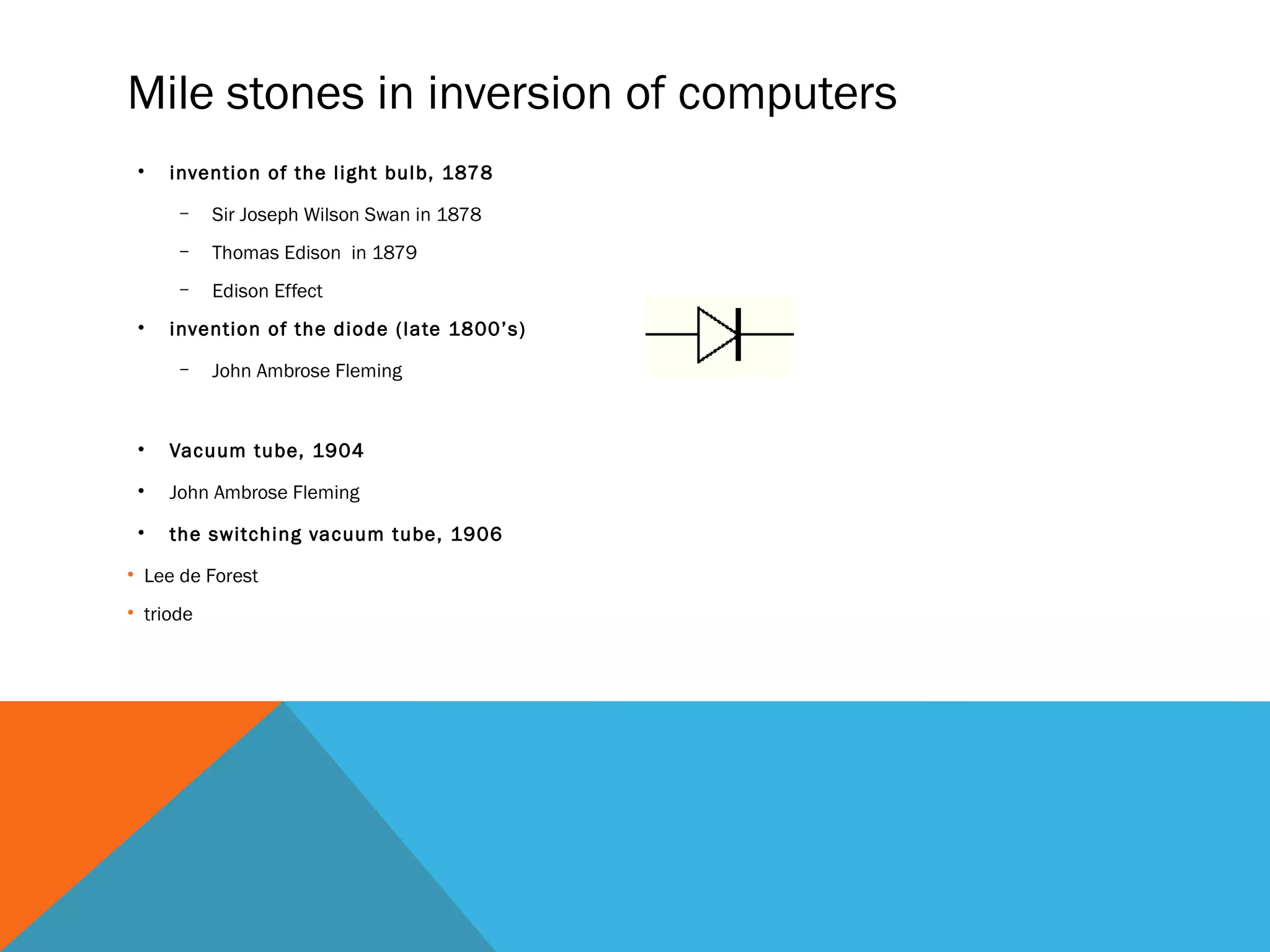
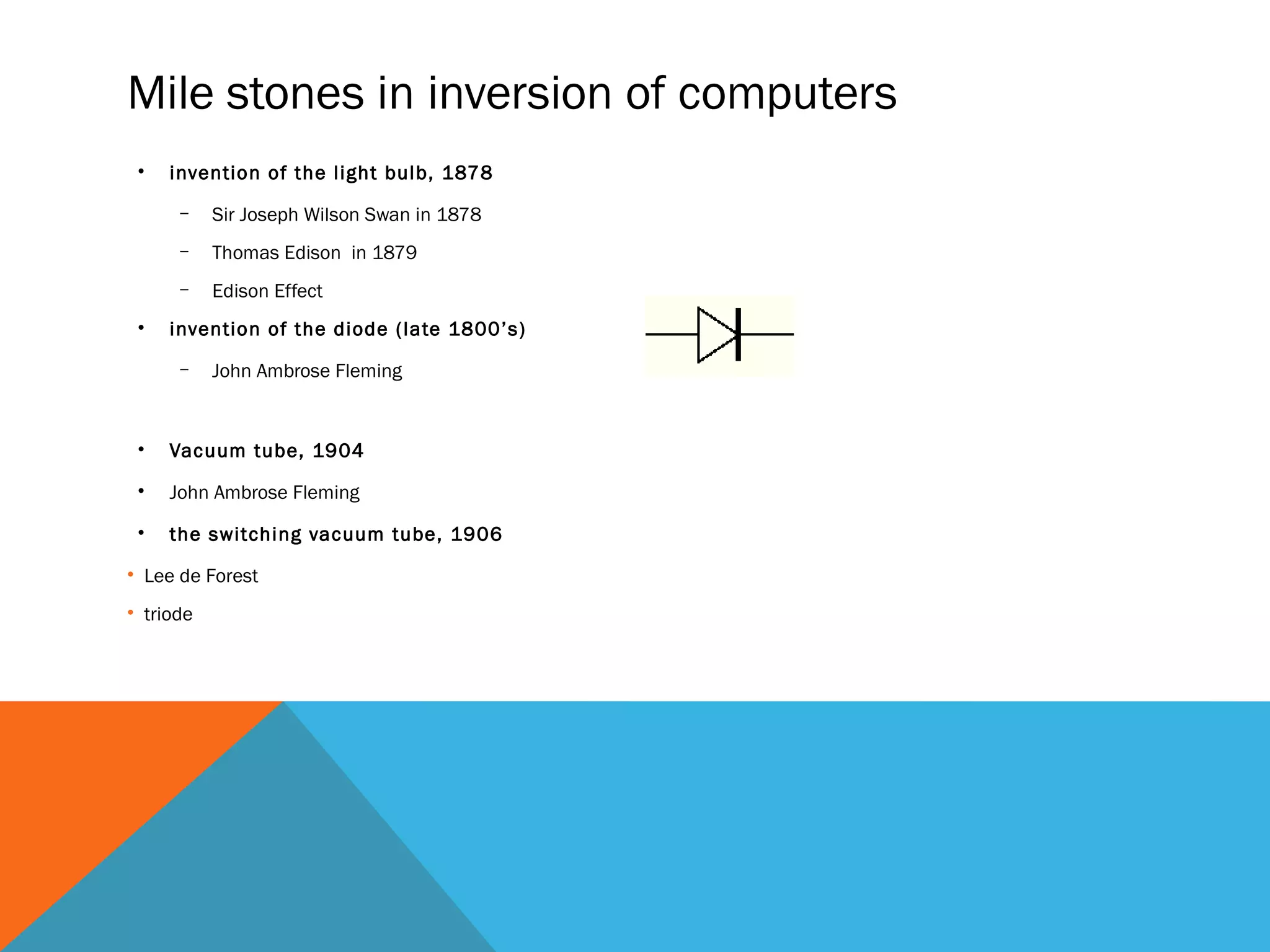
• invention of the diode (late 1800’s)
– John Ambrose Fleming
• Vacuum tube, 1904
• John Ambrose Fleming
• the switching vacuum tube, 1906
• Lee de Forest
• triode
Mile stones in inversion of computers
• invention of the light bulb, 1878
– Sir Joseph Wilson Swan in 1878
– Thomas Edison in 1879
– Edison Effect
• invention of the diode (late 1800’s)
– John Ambrose Fleming
• Vacuum tube, 1904
• John Ambrose Fleming
• the switching vacuum tube, 1906
• Lee de Forest
• triode
on/off switches in digital computers
earliest:
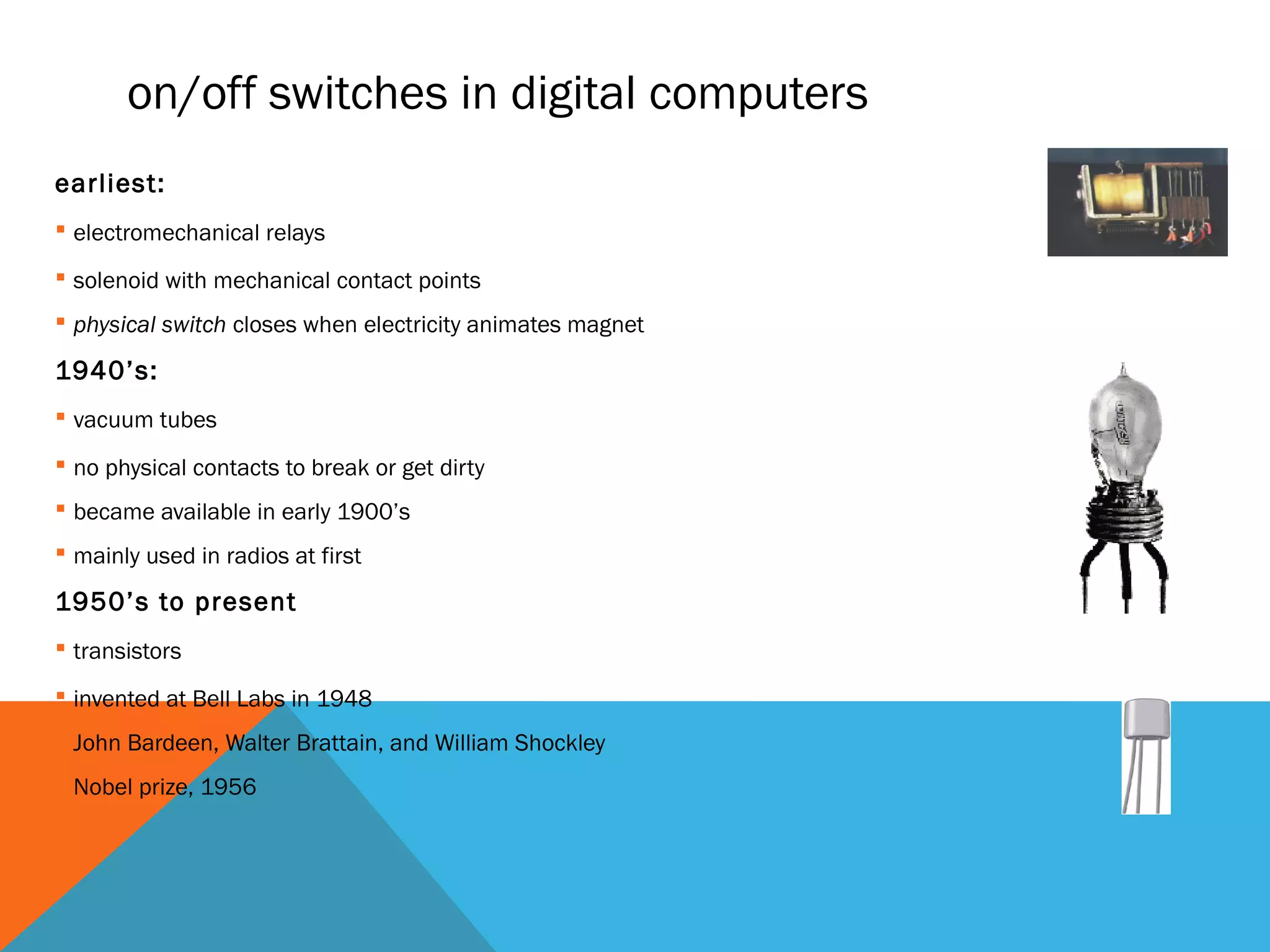
 electromechanical relays
 solenoid with mechanical contact points
 physical switch closes when electricity animates magnet
1940’s:
 vacuum tubes
 no physical contacts to break or get dirty
 became available in early 1900’s
 mainly used in radios at first
1950’s to present
 transistors
 invented at Bell Labs in 1948
 John Bardeen, Walter Brattain, and William Shockley
 Nobel prize, 1956
the integrated circuit (IC)
invented separately by 2 people ~1958
 Jack Kilby at Texas Instruments
 Robert Noyce at Fairchild Semiconductor (1958-59)
1974
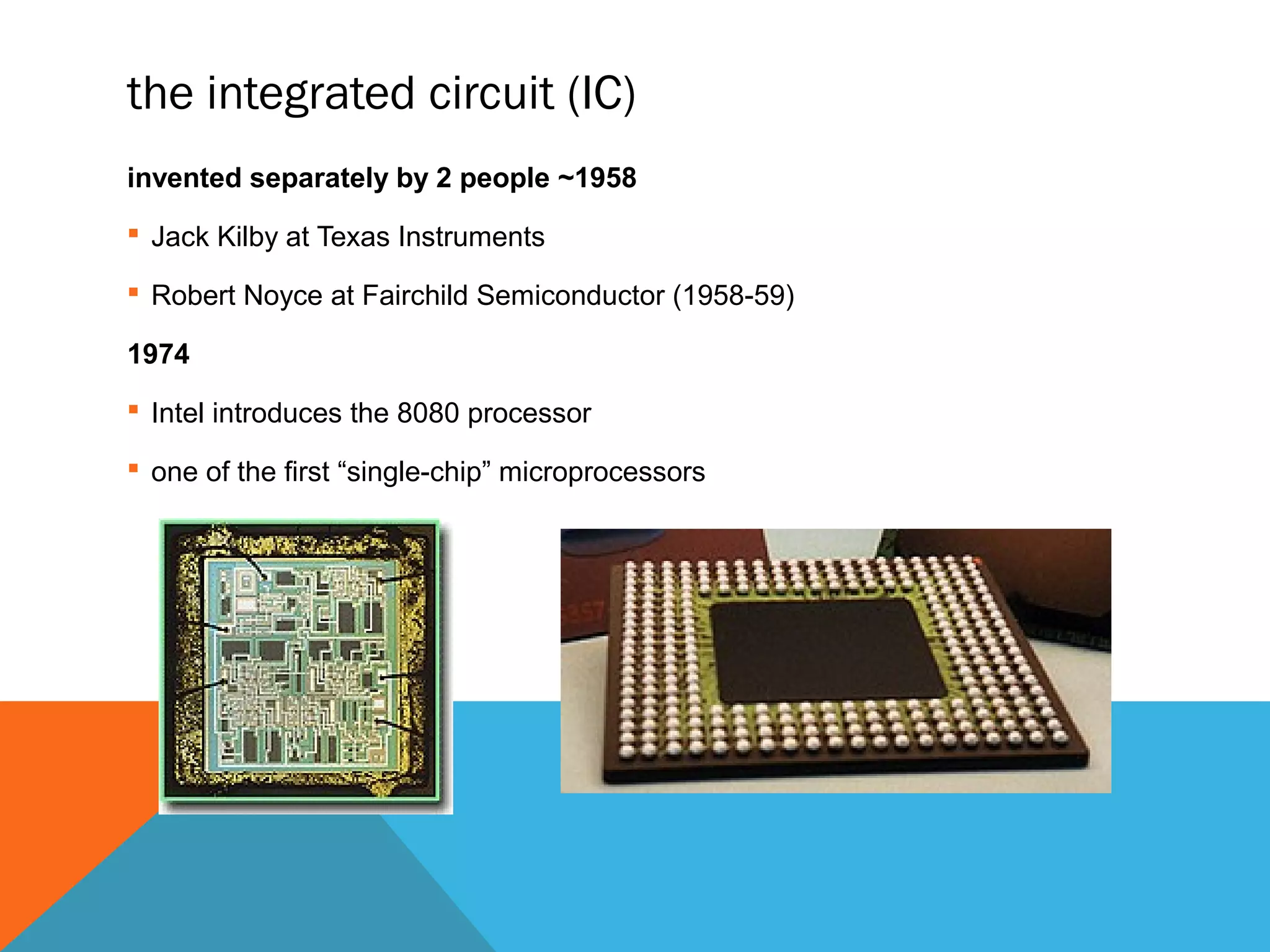
 Intel introduces the 8080 processor
 one of the first “single-chip” microprocessors
transistors - building blocks of computers
microprocessors contain many transistors
 (ENIAC): 19,500 vacuum tubes and relays
 Intel 8088 processor (1st PC): 29,000 transistors
 Intel Pentium II processor: 7 million transistors
 Intel Pentium III processor: 28 million transistors
 Intel Pentium 4 processor: 42 million transistors
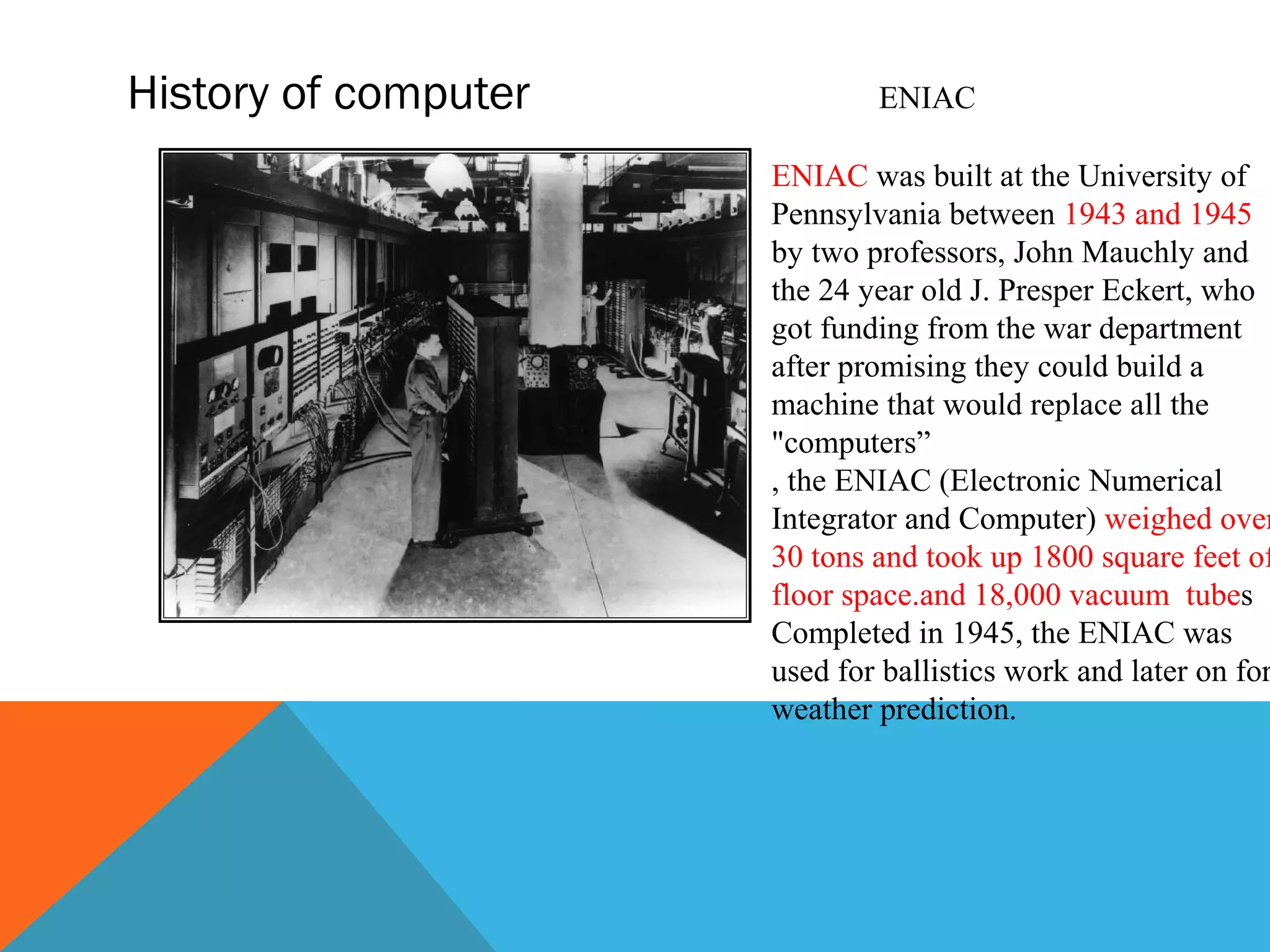
History of computer ENIAC
ENIAC was built at the University of
Pennsylvania between 1943 and 1945
by two professors, John Mauchly and
the 24 year old J. Presper Eckert, who
got funding from the war department
after promising they could build a
machine that would replace all the
"computers”
, the ENIAC (Electronic Numerical
Integrator and Computer) weighed over
30 tons and took up 1800 square feet of
floor space.and 18,000 vacuum tubes
Completed in 1945, the ENIAC was
used for ballistics work and later on for
weather prediction.
Intel 8088 microprocessor (single chip)
used in first IBM personal computer
IBM PC released in 1981
4.77 MHz clock
16 bit integers, with an 8-bit data bus
 transfers took two steps (a byte at a time)
 1 Mb of physical memory address limitation
8-bit device-controlling chips
29,000 transistors
3-micron technology
speed was 0.33 MIPS
later version had 8 MHz clock
 speed was 0.75 MIPS.
electrical paths now
as small as .13 micron
Pentium 4 chip has
42 million transistors
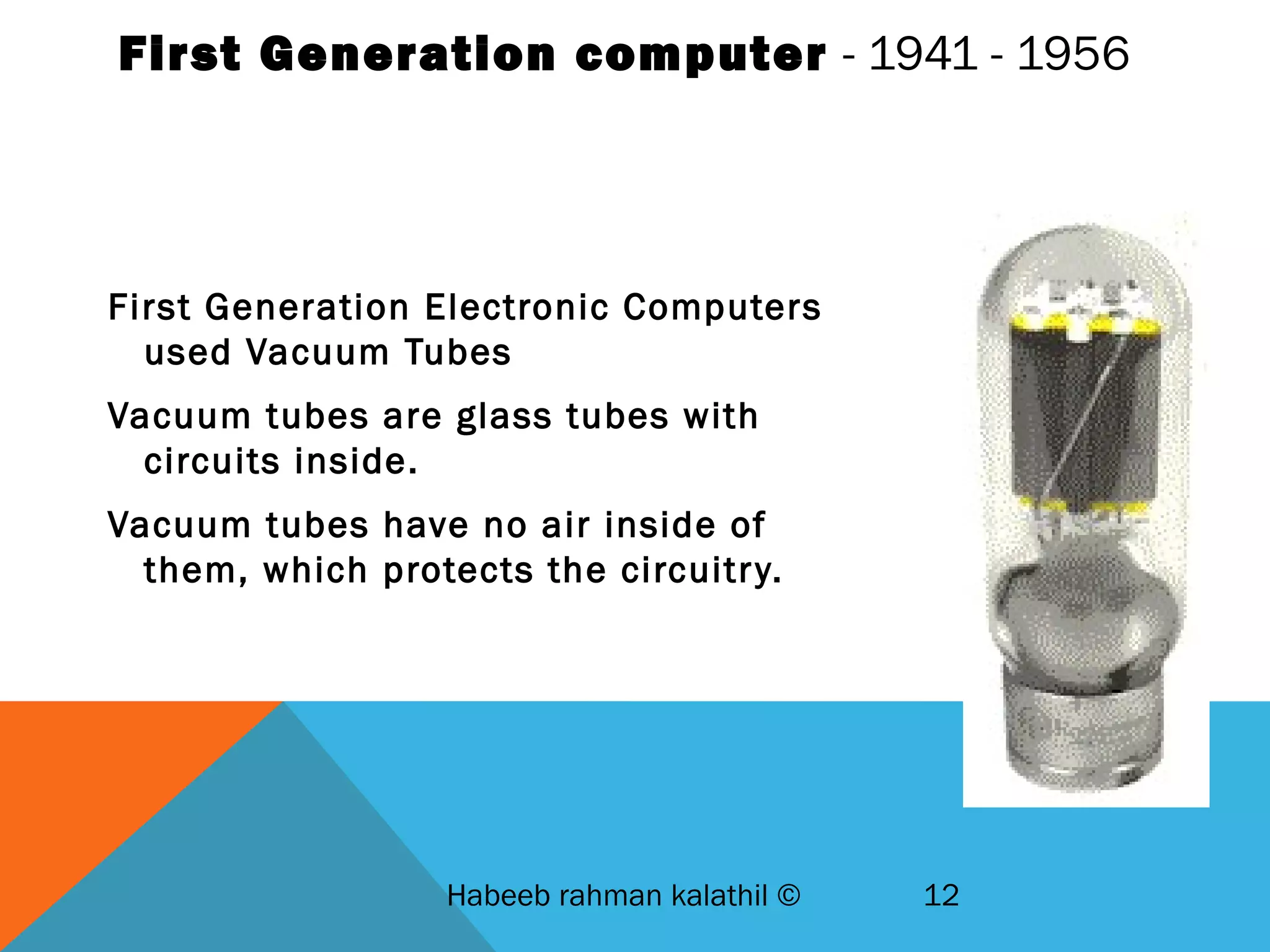
First Generation computer - 1941 - 1956
First Generation Electronic Computers
used Vacuum Tubes
Vacuum tubes are glass tubes with
circuits inside.
Vacuum tubes have no air inside of
them, which protects the circuitry.
Habeeb rahman kalathil © 12
Second Generation – 1965-1963
1956 – Computers began to incorporate Transistors
Replaced vacuum tubes with Transistors
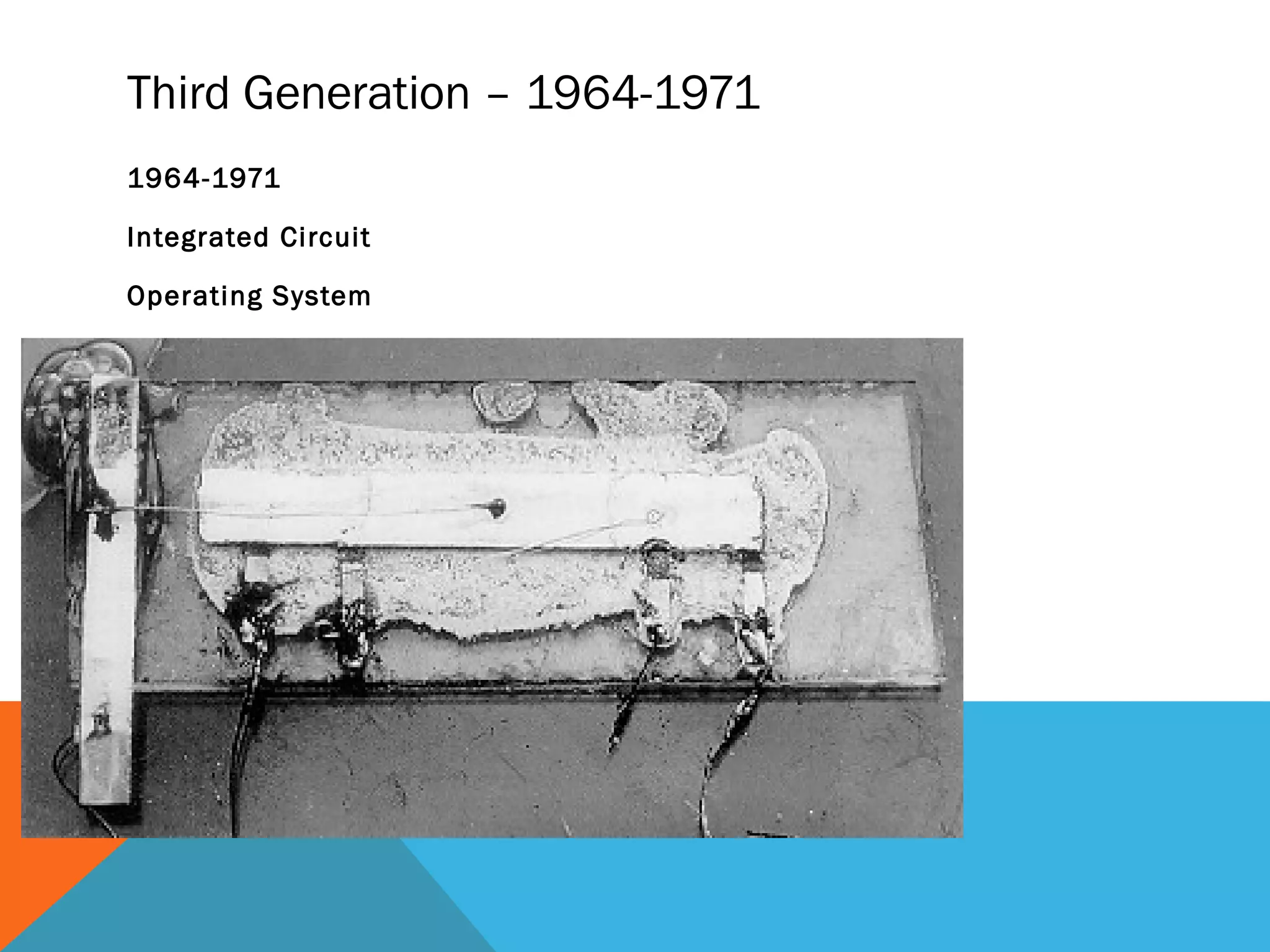
Third Generation – 1964-1971
1964-1971
Integrated Circuit
Operating System
Getting smaller, cheaper
4th Generation – 1971-present
MICROCHIPS!
Getting smaller and smaller, but we are still using microchip technology
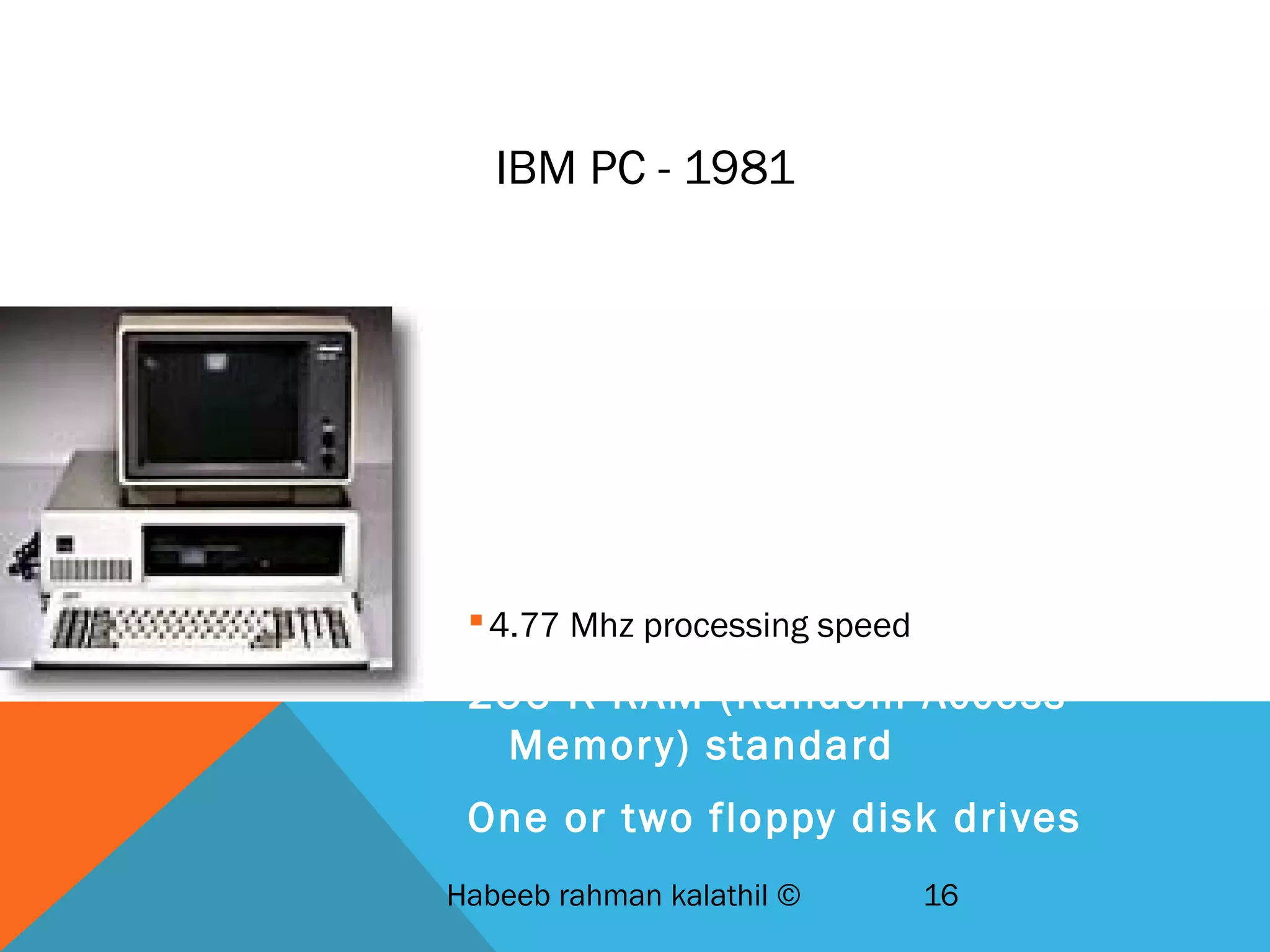
IBM PC - 1981
IBM-Intel-Microsoft joint venture
First wide-selling personal
computer used in business
8088 Microchip - 29,000
transistors
4.77 Mhz processing speed
256 K RAM (Random Access
Memory) standard
One or two floppy disk drives
Habeeb rahman kalathil © 16
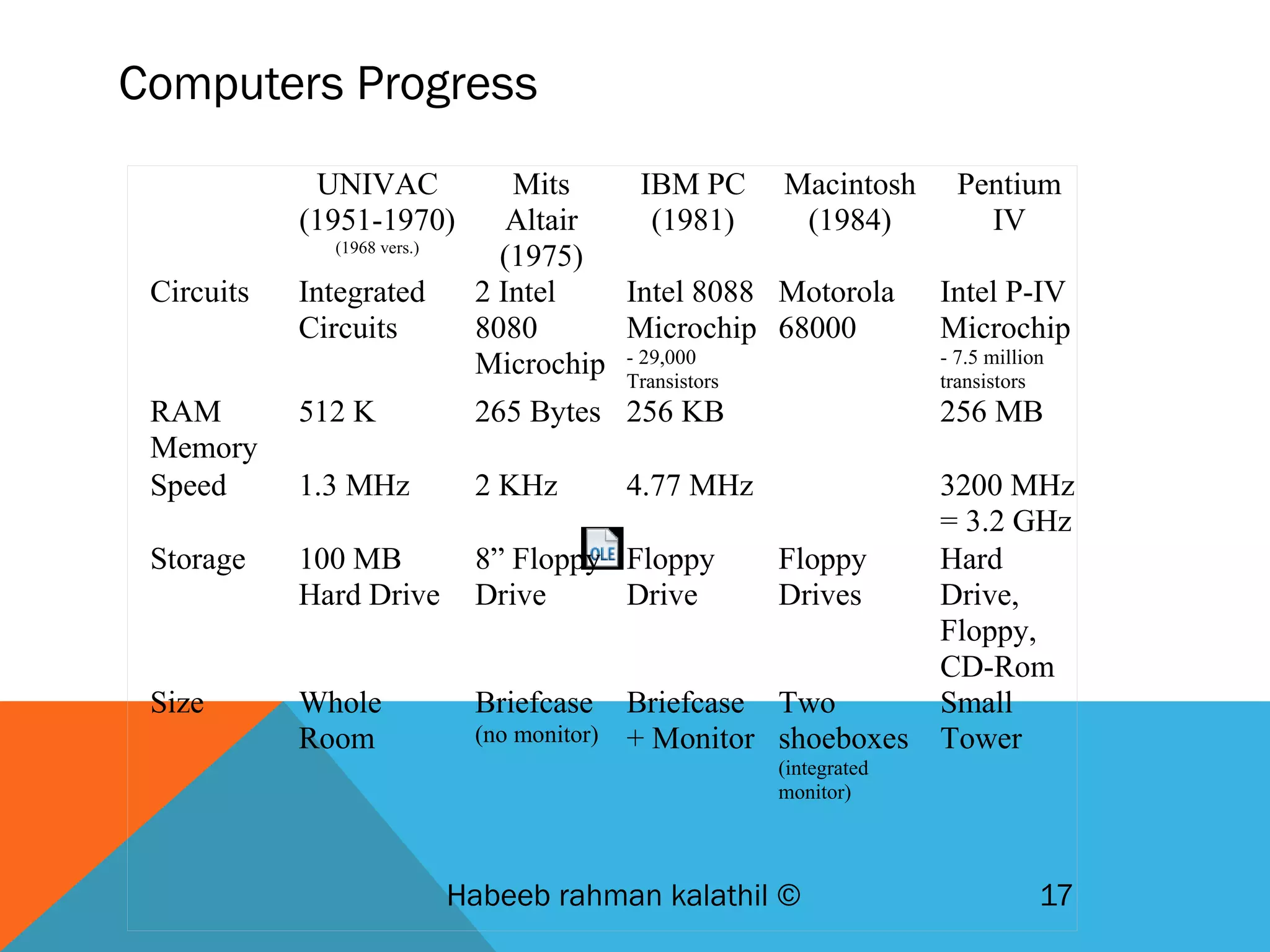
Computers Progress
Habeeb rahman kalathil © 17
UNIVAC
(1951-1970)
(1968 vers.)
Mits
Altair
(1975)
IBM PC
(1981)
Macintosh
(1984)
Pentium
IV
Circuits Integrated
Circuits
2 Intel
8080
Microchip
Intel 8088
Microchip
- 29,000
Transistors
Motorola
68000
Intel P-IV
Microchip
- 7.5 million
transistors
RAM
Memory
512 K 265 Bytes 256 KB 256 MB
Speed 1.3 MHz 2 KHz 4.77 MHz 3200 MHz
= 3.2 GHz
Storage 100 MB
Hard Drive
8” Floppy
Drive
Floppy
Drive
Floppy
Drives
Hard
Drive,
Floppy,
CD-Rom
Size Whole
Room
Briefcase
(no monitor)
Briefcase
+ Monitor
Two
shoeboxes
(integrated
monitor)
Small
Tower
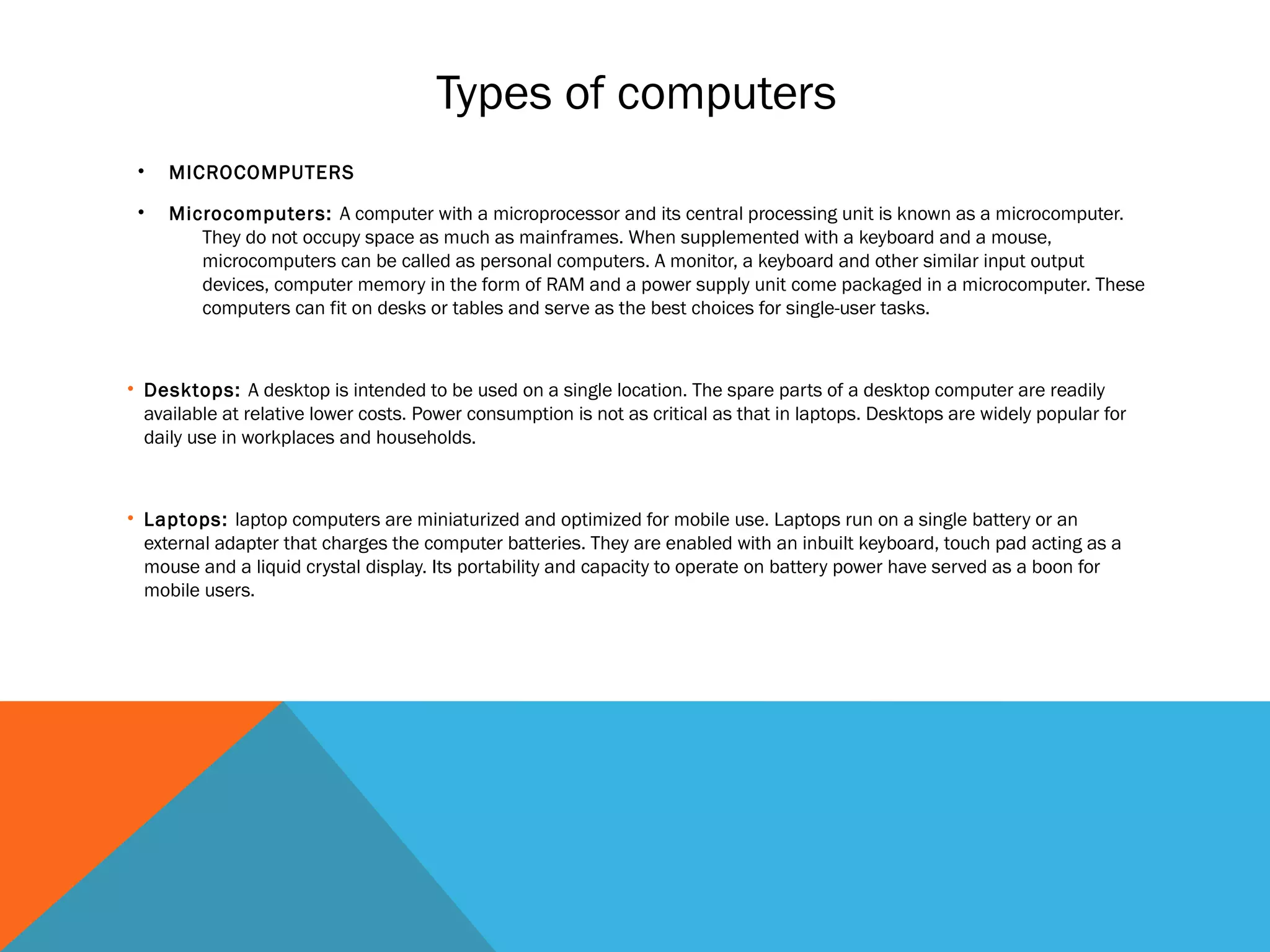
Types of computers
• MICROCOMPUTERS
• Microcomputers: A computer with a microprocessor and its central processing unit is known as a microcomputer.
They do not occupy space as much as mainframes. When supplemented with a keyboard and a mouse,
microcomputers can be called as personal computers. A monitor, a keyboard and other similar input output
devices, computer memory in the form of RAM and a power supply unit come packaged in a microcomputer. These
computers can fit on desks or tables and serve as the best choices for single-user tasks.
• Desktops: A desktop is intended to be used on a single location. The spare parts of a desktop computer are readily
available at relative lower costs. Power consumption is not as critical as that in laptops. Desktops are widely popular for
daily use in workplaces and households.
• Laptops: laptop computers are miniaturized and optimized for mobile use. Laptops run on a single battery or an
external adapter that charges the computer batteries. They are enabled with an inbuilt keyboard, touch pad acting as a
mouse and a liquid crystal display. Its portability and capacity to operate on battery power have served as a boon for
mobile users.
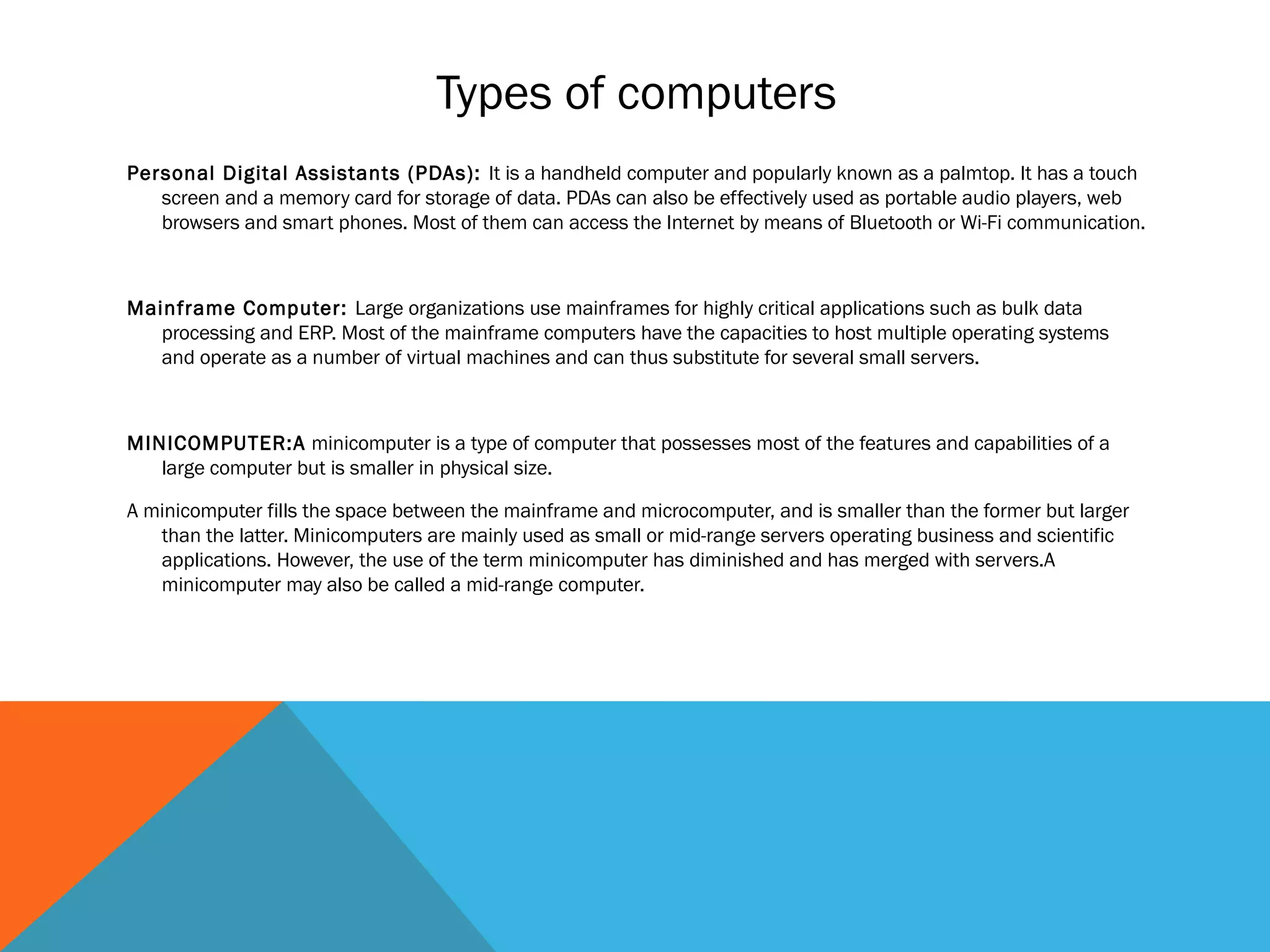
Types of computers
Personal Digital Assistants (PDAs): It is a handheld computer and popularly known as a palmtop. It has a touch
screen and a memory card for storage of data. PDAs can also be effectively used as portable audio players, web
browsers and smart phones. Most of them can access the Internet by means of Bluetooth or Wi-Fi communication.
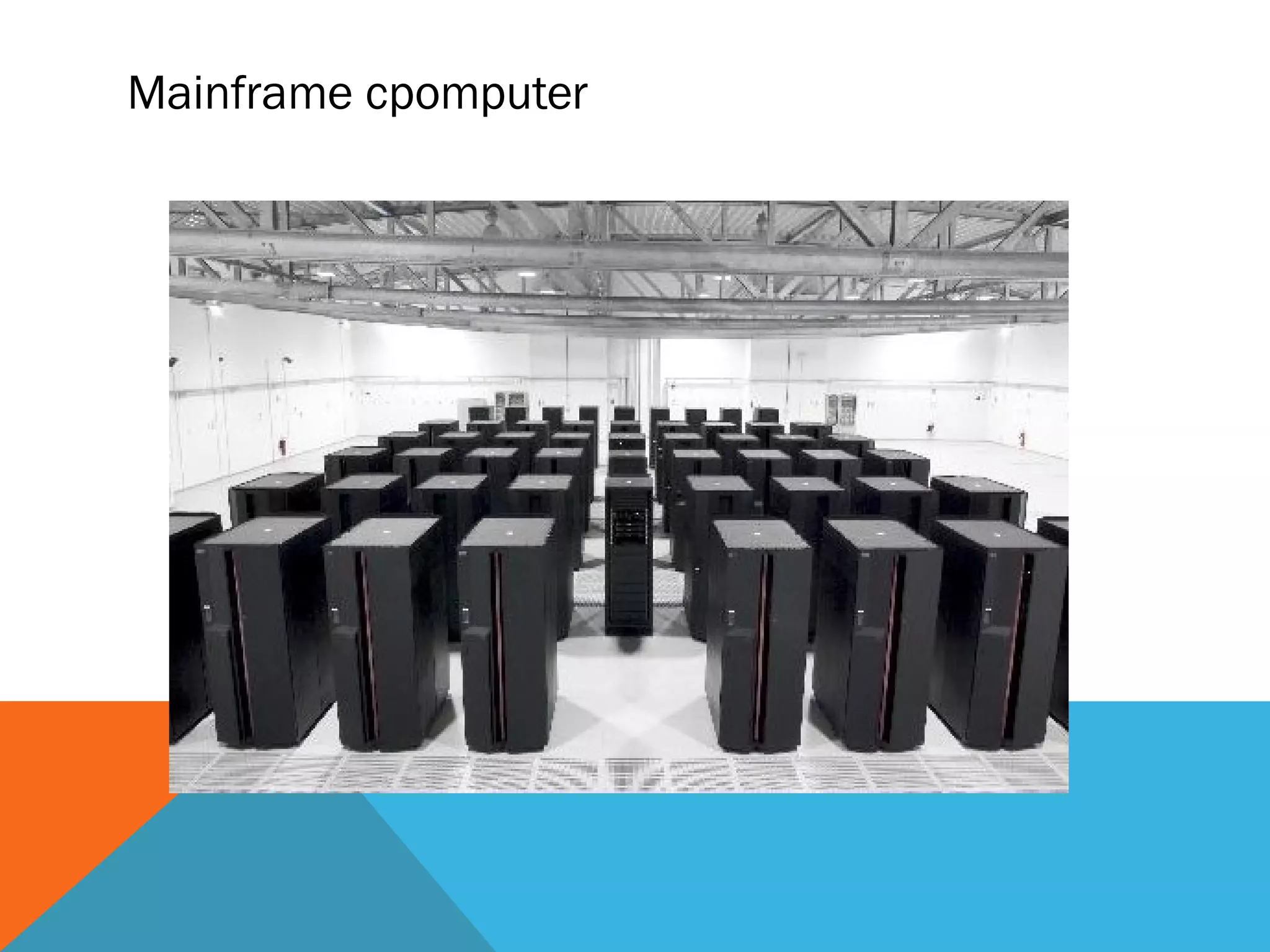
Mainframe Computer: Large organizations use mainframes for highly critical applications such as bulk data
processing and ERP. Most of the mainframe computers have the capacities to host multiple operating systems
and operate as a number of virtual machines and can thus substitute for several small servers.
MINICOMPUTER:A minicomputer is a type of computer that possesses most of the features and capabilities of a
large computer but is smaller in physical size.
A minicomputer fills the space between the mainframe and microcomputer, and is smaller than the former but larger
than the latter. Minicomputers are mainly used as small or mid-range servers operating business and scientific
applications. However, the use of the term minicomputer has diminished and has merged with servers.A
minicomputer may also be called a mid-range computer.
Mainframe cpomputer
• Supercomputers: The highly calculation-intensive tasks can be effectively performed by means of
supercomputers. Quantum physics, mechanics, weather forecasting, molecular theory are best
studied by means of supercomputers. Their ability of parallel processing and their well-designed
memory hierarchy give the supercomputers, large transaction processing powers.
• Wearable Computers: A record-setting step in the evolution of computers was the creation of
wearable computers. These computers can be worn on the body and are often used in the study
of behavior modeling and human health. Military and health professionals have incorporated
wearable computers into their daily routine, as a part of such studies. When the users’ hands and
sensory organs are engaged in other activities, wearable computers are of great help in tracking
human actions. Wearable computers are consistently in operation as they do not have to be
turned on and off and are constantly interacting with the user.
Types of computers
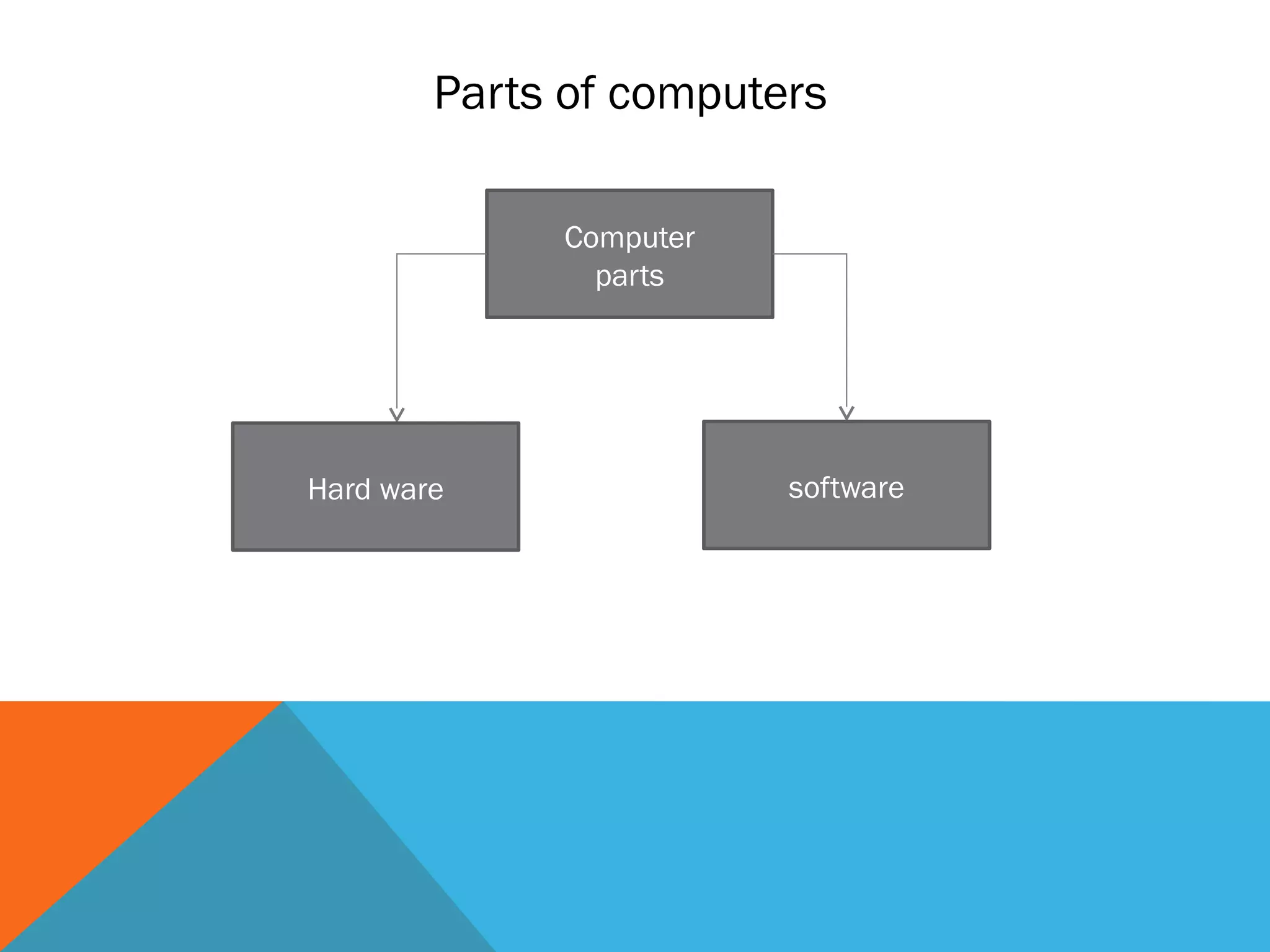
Parts of computers
Computer
parts
Hard ware software
Hardware
 Hardware is basically anything that you can touch with your fingers.
 They are referred to as "hardware". Hardware can be thought of as the
actual physical components that go into the computer.
Example:
• Monitor
• Keyboard & Mouse
• Speakers
• Printer
Types of headwear
 There are 4 types/categories of hardware
• Input Devices
• Output Devices
• Storage Devices
• System unit
Input devices
 Input basically means getting data into the computer to be processed.
Example
• Keyboard,
• Mouse
• Scanner
• Joystick
• Microphone
• Touch Screen,
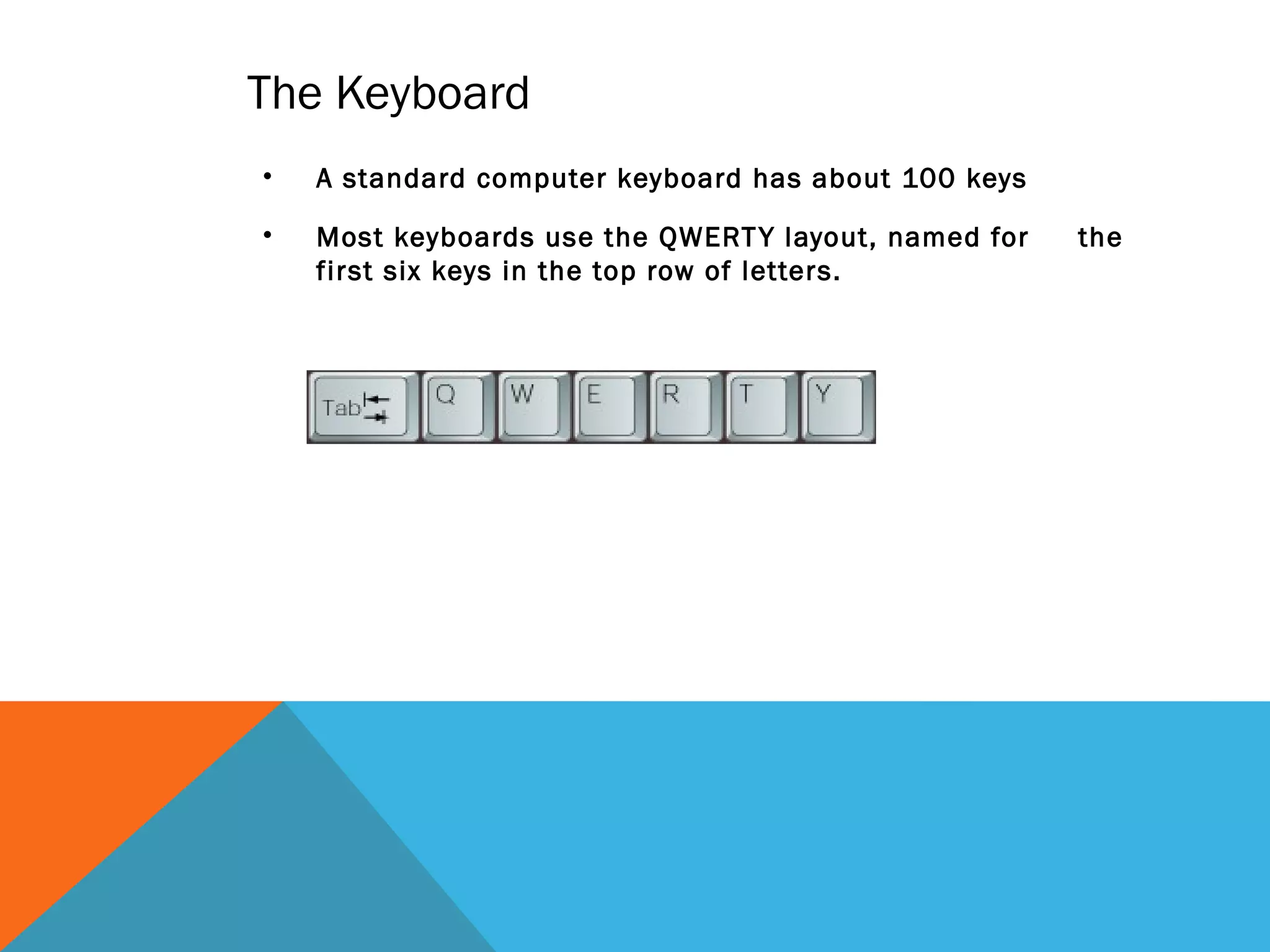
The Keyboard
• A standard computer keyboard has about 100 keys
• Most keyboards use the QWERTY layout, named for the
first six keys in the top row of letters.
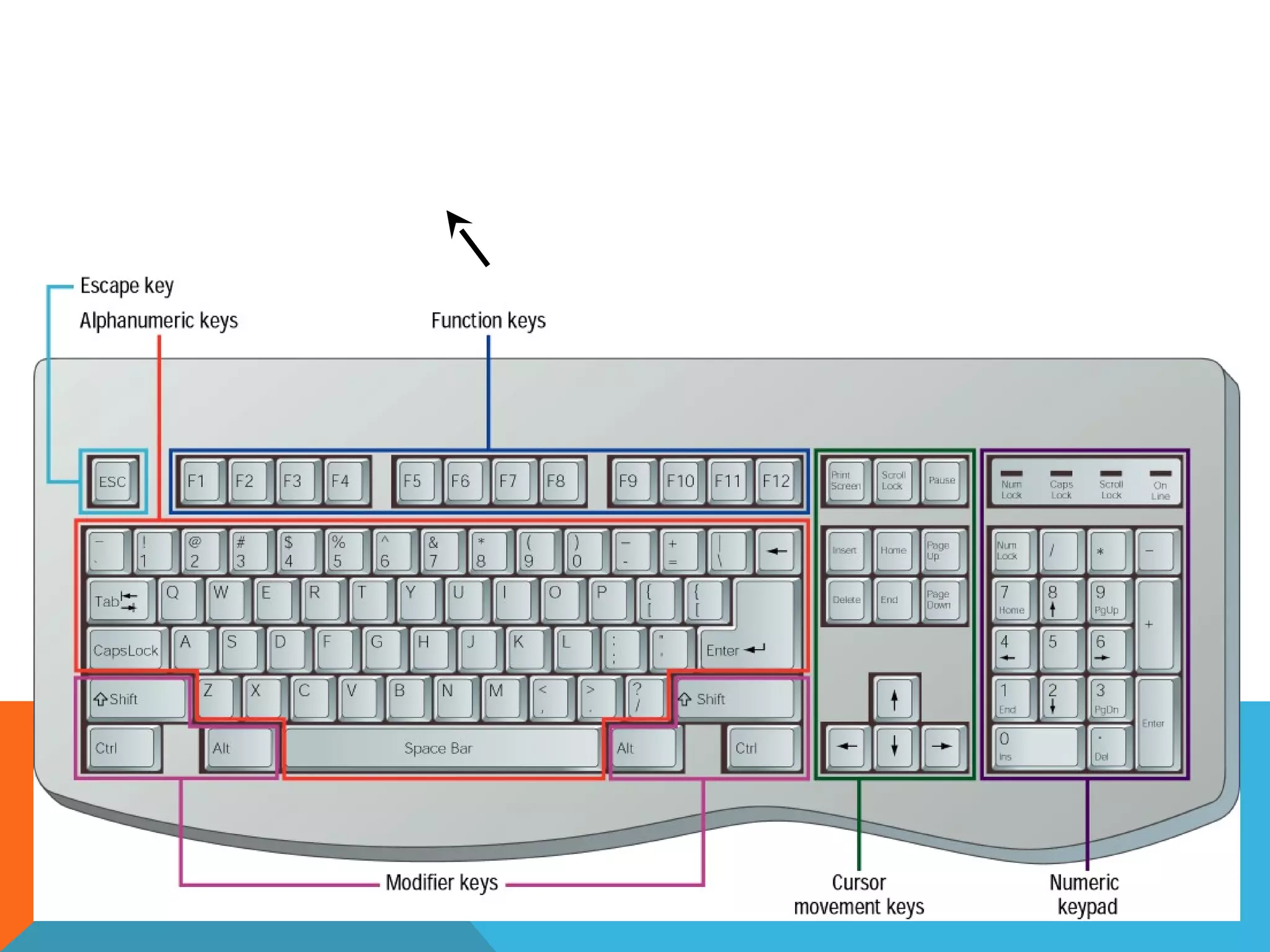
5. Cursor-movement keys
4. Modifier keys
3. Function keys
2. Numeric keypad
1. Alphanumeric keys
Most keyboards have keys arranged in five groups:
The Keyboard - Standard Keyboard Layout
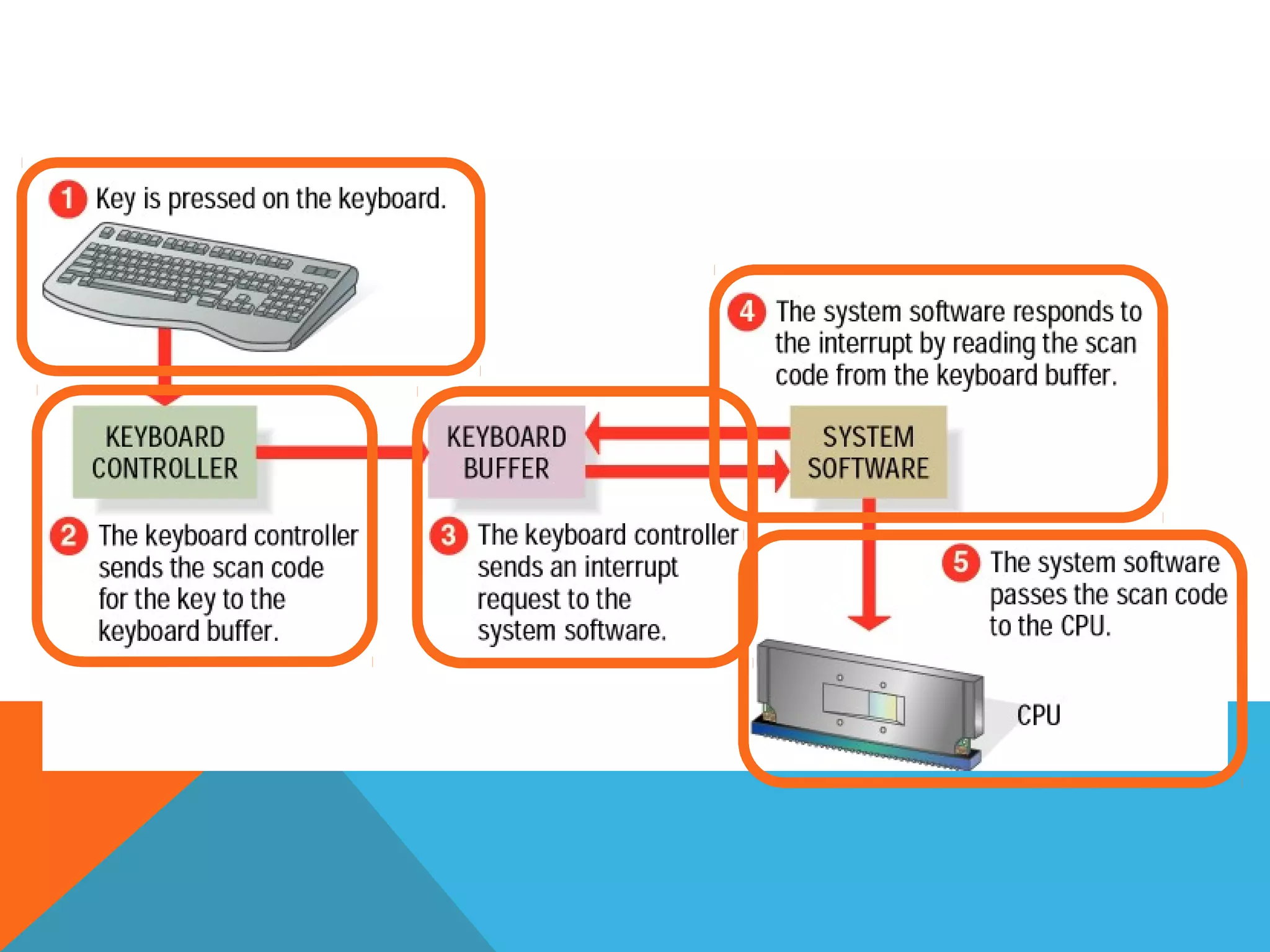
• The keyboard controller detects the keystroke.
• The controller places a scan code in the keyboard buffer, indicating
which key was pressed.
• The keyboard sends the computer an interrupt request, telling the
CPU to accept the keystroke.
When you press a key:
The Keyboard - How a Keyboard Works
The Mouse - What is a Mouse?
• The mouse is a pointing device. You use it to move a graphical
pointer on the screen.
• The mouse can be used to issue commands, draw, and
perform other types of input tasks.
The Mouse - Mouse Techniques
1. Pointing; Move the mouse to move the on-screen pointer.
2. Clicking; Press and release the left mouse button
once.
5. Double-clicking; Press and release the left mouse
button twice.
7. Dragging; Hold down the left mouse button as you
move the pointer.
9. Right-clicking; Press and release the right mouse button.
Using the mouse involves five techniques:
Variants of the Mouse
• Trackballs
• Trackpads
• Integrated Pointed Devices
Output Devices
 Output basically means getting data out of the computer.
Example:
• Monitor
• Printer
• Speakers
• Headphones
• Modem
• Fax
Storage device
 A storage device is a place to keep data that has been processed so that it
can be retrieved at a later time to be used again.
 Storage devices are both input and output devices in one.
 There have 2types of storage device
– fixed storage device
– Removable storage device
Example:
• Hard Disk
• CD’s, DVD’s
• Flash Memory, Jump Drive
Removable Storage device
• THEY ARE THE STORAGE DEVICE THAT CAN BE REMOVE AND STORE
SEPERATLY
– CD’s, DVD’s
– Flash Memory, Jump Drive
There are two main types of memory:
Random Access Memory (RAM): It is the main memory
and allows you to temporarily store commands and
data.
 Ram is divided in to two Sram and Dram
Read Only Memory (ROM): It is the memory that retains
its contents even after the computer is turned off.
System unit
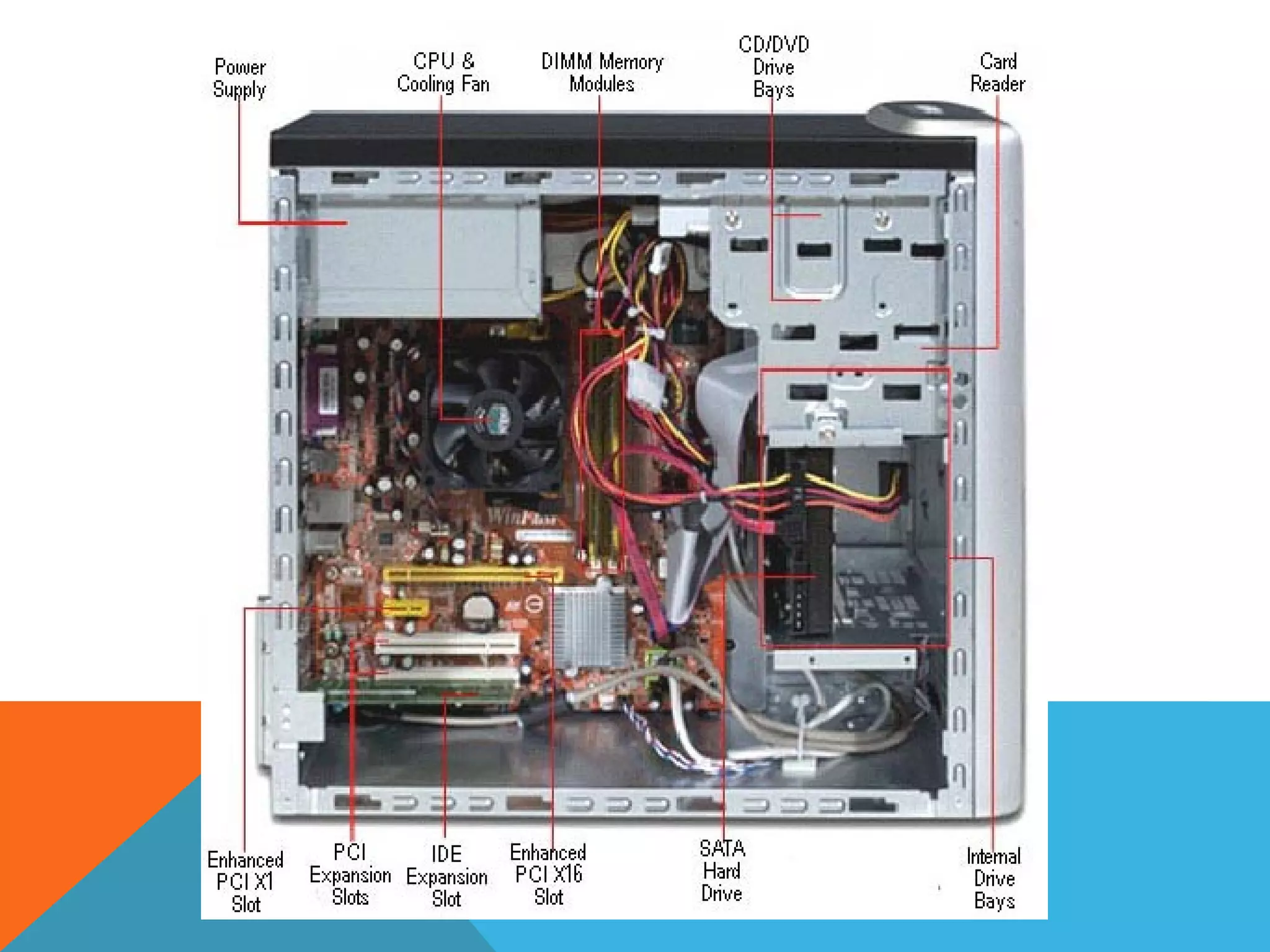
A system unit is the part of a computer that houses the primary devices
that perform operations and produce results for complex
calculations. It includes the motherboard, CPU, RAM and other
components, as well as the case in which these devices are housed.
This unit performs the majority of the functions that a computer is
required to do.
The term system unit is generally used to differentiate between the
computer itself and its peripheral devices, such as the keyboard,
mouse and monitor.
A system unit is also known as a chassis or a tower in layman's terms
Central Processing Unit (CPU)
The central processing unit (CPU) is the “brains” of a
computer. It is often called a microprocessor or micro
processing chip.
The CPU is a computation engine that:
– Allows the computer to perform operations
– Enables the computer to run software
– Determines how fast the computer can make calculations
CPU
Two major brands are Intel and AMD.
Examples: Intel i3., intel i5 , AMD Turion X2
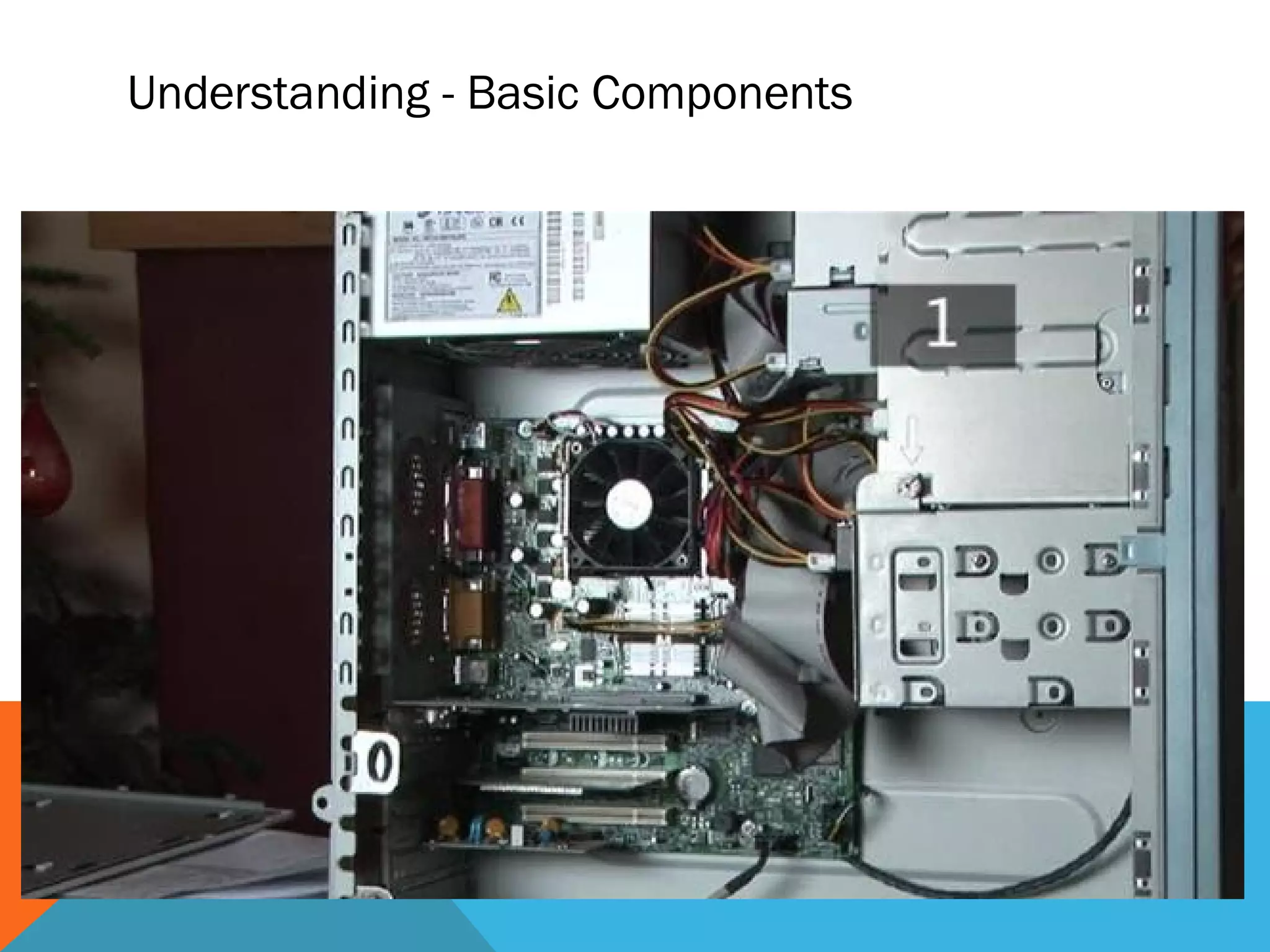
Understanding - Basic Components
Software
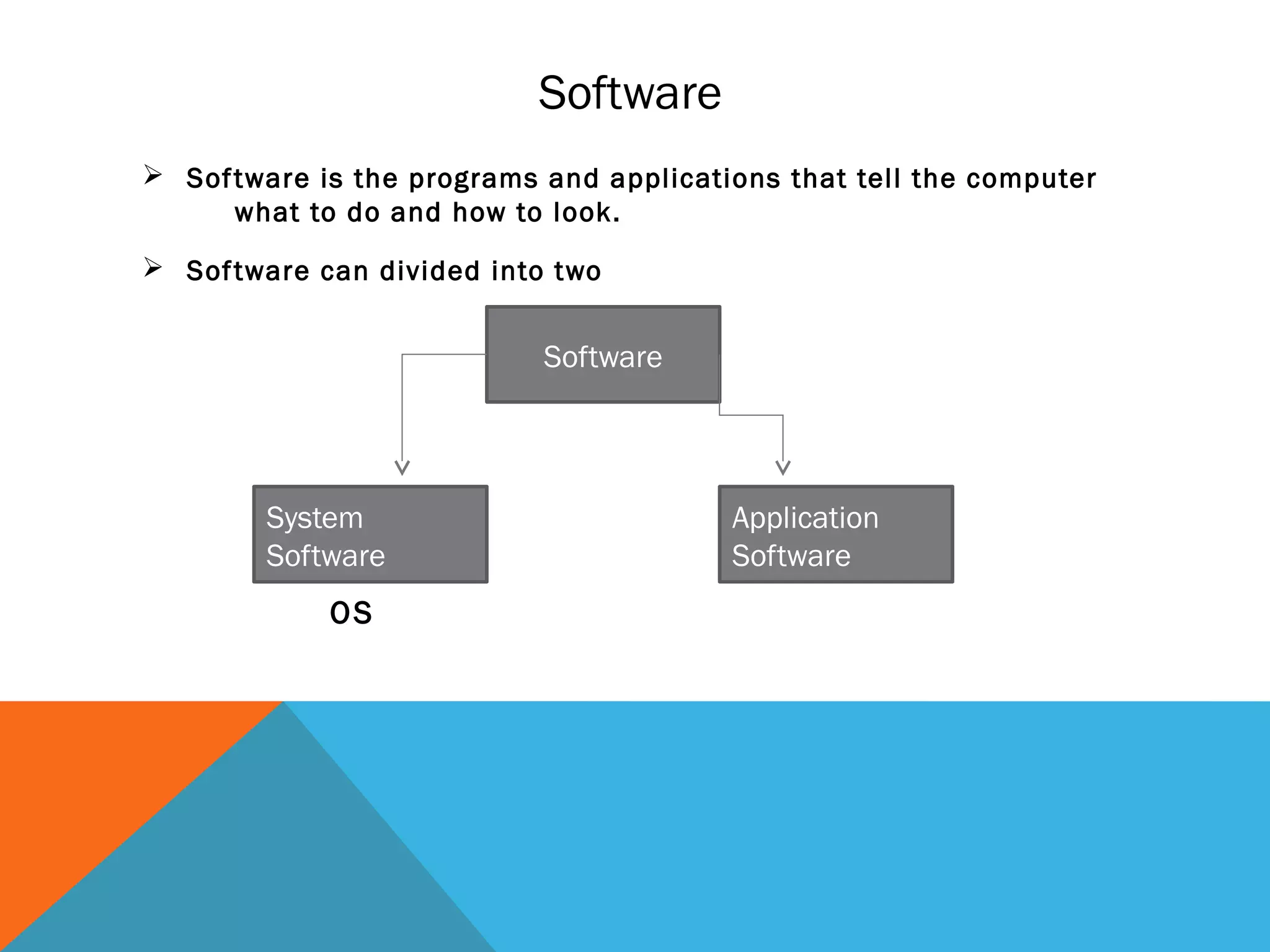
 Software is the programs and applications that tell the computer
what to do and how to look.
 Software can divided into two
Software
System
Software
Application
Software
OS
Operating System
• The operating system is the most important type of system software in a computer system.
• Controls and manages the hardware connected to your computer
• Provides an interface that helps you to interact with the computer
• Ensures that your computer is functioning properly
• Without an operating system, a user cannot run an application program on their computer, unless the
application program is self booting.
• Different Operating Systems
– Windows
– Mac
– UNIX / Linux
– Ios
– Android
Application software
• Programs that work with operating system
• software to help the computer to do specific types of work.
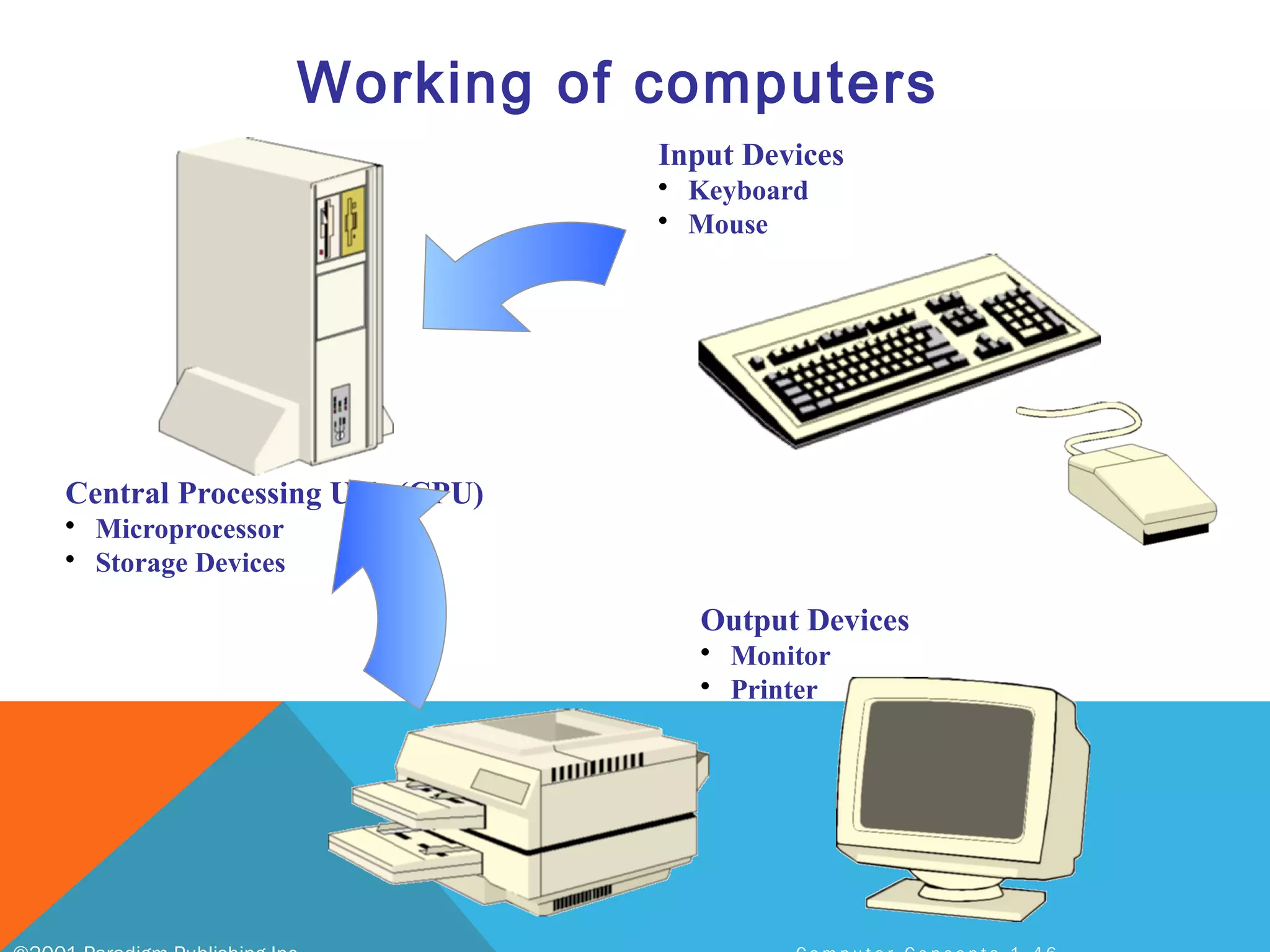
Input Devices
• Keyboard
• Mouse
Central Processing Unit (CPU)
• Microprocessor
• Storage Devices
Output Devices
• Monitor
• Printer
Working of computers
COMMUNICATION DEVICES
 communication device is a hardware device capable of transmitting an analog or
digital signal over the telephone, other communication wire, or wirelessly. The best
example of a communication device is a computer Modem, which is capable of
sending and receiving a signal to allow computers to talk to other computers over
the telephone. Other examples of communication devices include a network
interface card (NIC), Wi-Fi devices, and an access point.
• Network
• LAN local area network
• MAN metropolitan area network
• WAN wide area network
• PAN personal area network
DOS(disk operating systems)

Computer basic

  • 1.
  • 2.
    What is acomputer?  Computers are machines that perform tasks or calculations according to a set of instructions, or programs  Computers work through an interaction of hardware and software.  The computer processes input through input devices like mouse and keyboard.  The computer displays output through output devices like color monitor and printer.  Computers work through an interaction of hardware and software
  • 3.
    Blaise Pascal Charles Babbage •about 3000 BC The abacus is invented,probably in Babylonia • It’s use only for calculations • In 1642 Blaise Pascal invented the Pascaline • Pascal built 50 of this gear-driven one-function calculator • By 1822 the English mathematician Charles Babbage was proposing a steam driven calculating machine the size of a room, which he called the Difference Engine
  • 4.
    Babbage’s second computer Analyticalengine  general-purpose  used binary system  punched cards as input  branch on result of previous instruction  Ada Lovelace (first programmer)  machined parts not accurate enough  never quite completed analytical engine, 1834
  • 5.
    Mile stones ininversion of computers • invention of the light bulb, 1878 – Sir Joseph Wilson Swan in 1878 – Thomas Edison in 1879 – Edison Effect • invention of the diode (late 1800’s) – John Ambrose Fleming • Vacuum tube, 1904 • John Ambrose Fleming • the switching vacuum tube, 1906 • Lee de Forest • triode
  • 6.
    Mile stones ininversion of computers • invention of the light bulb, 1878 – Sir Joseph Wilson Swan in 1878 – Thomas Edison in 1879 – Edison Effect • invention of the diode (late 1800’s) – John Ambrose Fleming • Vacuum tube, 1904 • John Ambrose Fleming • the switching vacuum tube, 1906 • Lee de Forest • triode
  • 7.
    on/off switches indigital computers earliest:  electromechanical relays  solenoid with mechanical contact points  physical switch closes when electricity animates magnet 1940’s:  vacuum tubes  no physical contacts to break or get dirty  became available in early 1900’s  mainly used in radios at first 1950’s to present  transistors  invented at Bell Labs in 1948  John Bardeen, Walter Brattain, and William Shockley  Nobel prize, 1956
  • 8.
    the integrated circuit(IC) invented separately by 2 people ~1958  Jack Kilby at Texas Instruments  Robert Noyce at Fairchild Semiconductor (1958-59) 1974  Intel introduces the 8080 processor  one of the first “single-chip” microprocessors
  • 9.
    transistors - buildingblocks of computers microprocessors contain many transistors  (ENIAC): 19,500 vacuum tubes and relays  Intel 8088 processor (1st PC): 29,000 transistors  Intel Pentium II processor: 7 million transistors  Intel Pentium III processor: 28 million transistors  Intel Pentium 4 processor: 42 million transistors
  • 10.
    History of computerENIAC ENIAC was built at the University of Pennsylvania between 1943 and 1945 by two professors, John Mauchly and the 24 year old J. Presper Eckert, who got funding from the war department after promising they could build a machine that would replace all the "computers” , the ENIAC (Electronic Numerical Integrator and Computer) weighed over 30 tons and took up 1800 square feet of floor space.and 18,000 vacuum tubes Completed in 1945, the ENIAC was used for ballistics work and later on for weather prediction.
  • 11.
    Intel 8088 microprocessor(single chip) used in first IBM personal computer IBM PC released in 1981 4.77 MHz clock 16 bit integers, with an 8-bit data bus  transfers took two steps (a byte at a time)  1 Mb of physical memory address limitation 8-bit device-controlling chips 29,000 transistors 3-micron technology speed was 0.33 MIPS later version had 8 MHz clock  speed was 0.75 MIPS. electrical paths now as small as .13 micron Pentium 4 chip has 42 million transistors
  • 12.
    First Generation computer- 1941 - 1956 First Generation Electronic Computers used Vacuum Tubes Vacuum tubes are glass tubes with circuits inside. Vacuum tubes have no air inside of them, which protects the circuitry. Habeeb rahman kalathil © 12
  • 13.
    Second Generation –1965-1963 1956 – Computers began to incorporate Transistors Replaced vacuum tubes with Transistors
  • 14.
    Third Generation –1964-1971 1964-1971 Integrated Circuit Operating System Getting smaller, cheaper
  • 15.
    4th Generation –1971-present MICROCHIPS! Getting smaller and smaller, but we are still using microchip technology
  • 16.
    IBM PC -1981 IBM-Intel-Microsoft joint venture First wide-selling personal computer used in business 8088 Microchip - 29,000 transistors 4.77 Mhz processing speed 256 K RAM (Random Access Memory) standard One or two floppy disk drives Habeeb rahman kalathil © 16
  • 17.
    Computers Progress Habeeb rahmankalathil © 17 UNIVAC (1951-1970) (1968 vers.) Mits Altair (1975) IBM PC (1981) Macintosh (1984) Pentium IV Circuits Integrated Circuits 2 Intel 8080 Microchip Intel 8088 Microchip - 29,000 Transistors Motorola 68000 Intel P-IV Microchip - 7.5 million transistors RAM Memory 512 K 265 Bytes 256 KB 256 MB Speed 1.3 MHz 2 KHz 4.77 MHz 3200 MHz = 3.2 GHz Storage 100 MB Hard Drive 8” Floppy Drive Floppy Drive Floppy Drives Hard Drive, Floppy, CD-Rom Size Whole Room Briefcase (no monitor) Briefcase + Monitor Two shoeboxes (integrated monitor) Small Tower
  • 18.
    Types of computers •MICROCOMPUTERS • Microcomputers: A computer with a microprocessor and its central processing unit is known as a microcomputer. They do not occupy space as much as mainframes. When supplemented with a keyboard and a mouse, microcomputers can be called as personal computers. A monitor, a keyboard and other similar input output devices, computer memory in the form of RAM and a power supply unit come packaged in a microcomputer. These computers can fit on desks or tables and serve as the best choices for single-user tasks. • Desktops: A desktop is intended to be used on a single location. The spare parts of a desktop computer are readily available at relative lower costs. Power consumption is not as critical as that in laptops. Desktops are widely popular for daily use in workplaces and households. • Laptops: laptop computers are miniaturized and optimized for mobile use. Laptops run on a single battery or an external adapter that charges the computer batteries. They are enabled with an inbuilt keyboard, touch pad acting as a mouse and a liquid crystal display. Its portability and capacity to operate on battery power have served as a boon for mobile users.
  • 19.
    Types of computers PersonalDigital Assistants (PDAs): It is a handheld computer and popularly known as a palmtop. It has a touch screen and a memory card for storage of data. PDAs can also be effectively used as portable audio players, web browsers and smart phones. Most of them can access the Internet by means of Bluetooth or Wi-Fi communication. Mainframe Computer: Large organizations use mainframes for highly critical applications such as bulk data processing and ERP. Most of the mainframe computers have the capacities to host multiple operating systems and operate as a number of virtual machines and can thus substitute for several small servers. MINICOMPUTER:A minicomputer is a type of computer that possesses most of the features and capabilities of a large computer but is smaller in physical size. A minicomputer fills the space between the mainframe and microcomputer, and is smaller than the former but larger than the latter. Minicomputers are mainly used as small or mid-range servers operating business and scientific applications. However, the use of the term minicomputer has diminished and has merged with servers.A minicomputer may also be called a mid-range computer.
  • 20.
  • 21.
    • Supercomputers: Thehighly calculation-intensive tasks can be effectively performed by means of supercomputers. Quantum physics, mechanics, weather forecasting, molecular theory are best studied by means of supercomputers. Their ability of parallel processing and their well-designed memory hierarchy give the supercomputers, large transaction processing powers. • Wearable Computers: A record-setting step in the evolution of computers was the creation of wearable computers. These computers can be worn on the body and are often used in the study of behavior modeling and human health. Military and health professionals have incorporated wearable computers into their daily routine, as a part of such studies. When the users’ hands and sensory organs are engaged in other activities, wearable computers are of great help in tracking human actions. Wearable computers are consistently in operation as they do not have to be turned on and off and are constantly interacting with the user. Types of computers
  • 22.
  • 23.
    Hardware  Hardware isbasically anything that you can touch with your fingers.  They are referred to as "hardware". Hardware can be thought of as the actual physical components that go into the computer. Example: • Monitor • Keyboard & Mouse • Speakers • Printer
  • 24.
    Types of headwear There are 4 types/categories of hardware • Input Devices • Output Devices • Storage Devices • System unit
  • 25.
    Input devices  Inputbasically means getting data into the computer to be processed. Example • Keyboard, • Mouse • Scanner • Joystick • Microphone • Touch Screen,
  • 26.
    The Keyboard • Astandard computer keyboard has about 100 keys • Most keyboards use the QWERTY layout, named for the first six keys in the top row of letters.
  • 27.
    5. Cursor-movement keys 4.Modifier keys 3. Function keys 2. Numeric keypad 1. Alphanumeric keys Most keyboards have keys arranged in five groups: The Keyboard - Standard Keyboard Layout
  • 29.
    • The keyboardcontroller detects the keystroke. • The controller places a scan code in the keyboard buffer, indicating which key was pressed. • The keyboard sends the computer an interrupt request, telling the CPU to accept the keystroke. When you press a key: The Keyboard - How a Keyboard Works
  • 31.
    The Mouse -What is a Mouse? • The mouse is a pointing device. You use it to move a graphical pointer on the screen. • The mouse can be used to issue commands, draw, and perform other types of input tasks.
  • 32.
    The Mouse -Mouse Techniques 1. Pointing; Move the mouse to move the on-screen pointer. 2. Clicking; Press and release the left mouse button once. 5. Double-clicking; Press and release the left mouse button twice. 7. Dragging; Hold down the left mouse button as you move the pointer. 9. Right-clicking; Press and release the right mouse button. Using the mouse involves five techniques:
  • 33.
    Variants of theMouse • Trackballs • Trackpads • Integrated Pointed Devices
  • 34.
    Output Devices  Outputbasically means getting data out of the computer. Example: • Monitor • Printer • Speakers • Headphones • Modem • Fax
  • 35.
    Storage device  Astorage device is a place to keep data that has been processed so that it can be retrieved at a later time to be used again.  Storage devices are both input and output devices in one.  There have 2types of storage device – fixed storage device – Removable storage device Example: • Hard Disk • CD’s, DVD’s • Flash Memory, Jump Drive
  • 36.
    Removable Storage device •THEY ARE THE STORAGE DEVICE THAT CAN BE REMOVE AND STORE SEPERATLY – CD’s, DVD’s – Flash Memory, Jump Drive
  • 37.
    There are twomain types of memory: Random Access Memory (RAM): It is the main memory and allows you to temporarily store commands and data.  Ram is divided in to two Sram and Dram Read Only Memory (ROM): It is the memory that retains its contents even after the computer is turned off.
  • 38.
    System unit A systemunit is the part of a computer that houses the primary devices that perform operations and produce results for complex calculations. It includes the motherboard, CPU, RAM and other components, as well as the case in which these devices are housed. This unit performs the majority of the functions that a computer is required to do. The term system unit is generally used to differentiate between the computer itself and its peripheral devices, such as the keyboard, mouse and monitor. A system unit is also known as a chassis or a tower in layman's terms
  • 39.
    Central Processing Unit(CPU) The central processing unit (CPU) is the “brains” of a computer. It is often called a microprocessor or micro processing chip. The CPU is a computation engine that: – Allows the computer to perform operations – Enables the computer to run software – Determines how fast the computer can make calculations
  • 40.
    CPU Two major brandsare Intel and AMD. Examples: Intel i3., intel i5 , AMD Turion X2
  • 41.
  • 43.
    Software  Software isthe programs and applications that tell the computer what to do and how to look.  Software can divided into two Software System Software Application Software OS
  • 44.
    Operating System • Theoperating system is the most important type of system software in a computer system. • Controls and manages the hardware connected to your computer • Provides an interface that helps you to interact with the computer • Ensures that your computer is functioning properly • Without an operating system, a user cannot run an application program on their computer, unless the application program is self booting. • Different Operating Systems – Windows – Mac – UNIX / Linux – Ios – Android
  • 45.
    Application software • Programsthat work with operating system • software to help the computer to do specific types of work.
  • 46.
    Input Devices • Keyboard •Mouse Central Processing Unit (CPU) • Microprocessor • Storage Devices Output Devices • Monitor • Printer Working of computers
  • 47.
    COMMUNICATION DEVICES  communication device isa hardware device capable of transmitting an analog or digital signal over the telephone, other communication wire, or wirelessly. The best example of a communication device is a computer Modem, which is capable of sending and receiving a signal to allow computers to talk to other computers over the telephone. Other examples of communication devices include a network interface card (NIC), Wi-Fi devices, and an access point. • Network • LAN local area network • MAN metropolitan area network • WAN wide area network • PAN personal area network
  • 49.

Editor's Notes